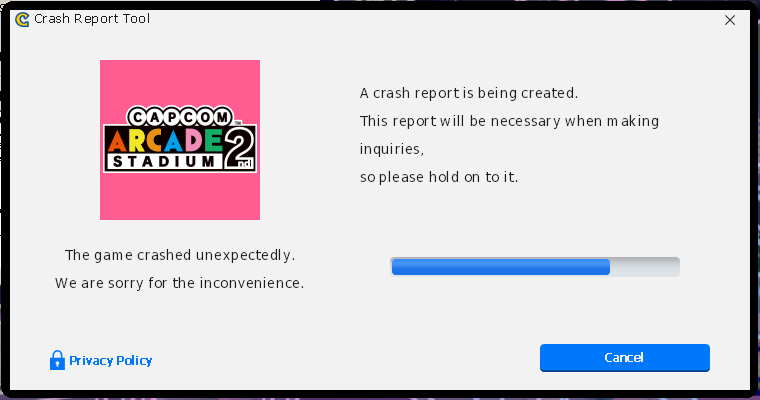
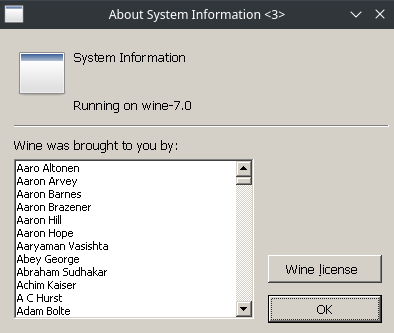
Capcom Arcade Second Stadium is unplayable right now. When you first launch the game, it immediately opens a Capcom Crash Report Tool window and a Wine "system info" dialogue box in addition to the game window. If you click through these error dialogues, the game will close (log attached). The Wine system info dialogue box is popping up because the crash report tool is trying to pull the system info and instead triggering that Wine system info box.
If you ignore the error dialogues and refocus on the main game window, it will go through the developer screens and get to the main game menu where a number of arcade cabinets are shown - at this point the main game window will freeze and get another crash dialogue, and you cannot progress further (log attached).
We believe that this is a vkd3d-proton bug. Unlike the first Capcom Arcade Stadium, the 2nd Stadium looks like it is using d3d12 and that the crash is happening there. capcom-arcade-2nd-stadium-.zip
Capcom Arcade Second Stadium is unplayable right now. When you first launch the game, it immediately opens a Capcom Crash Report Tool window and a Wine "system info" dialogue box in addition to the game window. If you click through these error dialogues, the game will close (log attached). The Wine system info dialogue box is popping up because the crash report tool is trying to pull the system info and instead triggering that Wine system info box.
If you ignore the error dialogues and refocus on the main game window, it will go through the developer screens and get to the main game menu where a number of arcade cabinets are shown - at this point the main game window will freeze and get another crash dialogue, and you cannot progress further (log attached).
We believe that this is a vkd3d-proton bug. Unlike the first Capcom Arcade Stadium, the 2nd Stadium looks like it is using d3d12 and that the crash is happening there.
capcom-arcade-2nd-stadium-.zip