Note that on Nvidia, it's impossible to oversubscribe VRAM, so even if the game uses more than 8GB you'll never see that happen in the HUD, since we'll explicitly fall back to system memory allocations.
With D3D12 games we have no real control over VRAM usage, so if 8GB isn't sufficient to run this game with highest texture quality then I'd suggest lowering texture quality.
Will try, but even on medium settings this was occurred(and not just the texture settings set to medium)
Reinstalled game, cleared the shader cache, left textures to high and everything else ultra, tested a bit more. No issues what so ever. Might've been corrupt install as it was happening on every setting. I'll go ahead and close this issue. In case someone else experience it they can easily reopen.
I am reopening as this seems to be some very weird glitch happening after a while of playing on every setting, could it be an nvidia related bug?(something like the halo infinite screen freeze/hang)
EDIT: There also seems to be a newly introduced bug with latest vkd3d where the game doesn't launch(just hangs on black screen after the initial splash screen
steam-1097840.log
)
EDIT2: Just did a bit more testing, even on lowest settings the game doesn't seem to be affected by the VRAM usage, in fact it keeps freeing up throughout the session and never goes on to fill the VRAM. This issue keeps triggering whenever a cutscene plays(sometimes may take you a very long time, sometimes on the 2nd or 3rd cutscene). You can roam throughout a level GPU VRAM going up/down no problems, but as soon as a cutscene triggers after some time entire perf is killed to 2fps and gpu utilization spikes 100% despite no problems prior to the cutscene.
Final EDIT: the game itself has the VRAM leak issue, which affects the campaign of the game, it's not VRAM allocation problem, it's just the game itself consumes more VRAM, lowering settings can only prolong the time you play, but eventually you'll run into it (it is covered in PCGW). Unfortunately nothing much can be done here.
I'll go ahead and rename the title to the new issue with latest VKD3D from git.
Should be fixed now.
Nothing extracted yet.
As the title explains it, Gears 5 seems to be having some very weird hitches/stutters/freezes even after a while.
Initially I thought it could be my GPU VRAM being consumed so I tried lowering the settings to no avail, further to that I kept monitoring the VRAM usage and it never fills the 8GB VRAM maximum it hits even on ultra settings is like 7,8gb and then drops back to 7,6GB so it frees memory on the fly.
When you start playing(the campaign) - for a level it's great, then when the next cinematic occurs(it also frees up VRAM to something like 6.8GB) the game goes into 1fps mode - fixing it is by going into options changing from ultra to high and then back to ultra and vice versa. It seems to be triggered whenever a new cinematic plays(level loads).
Not too sure how this can be debugged.
EDIT: Just for information of the specs + distro and DE
Arch Linux / KDE Plasma
CPU: Ryzen 7 5800X3D
GPU: RTX 3070 8GB
RAM: 4x8GB DDR4 3000mhz
EDIT:
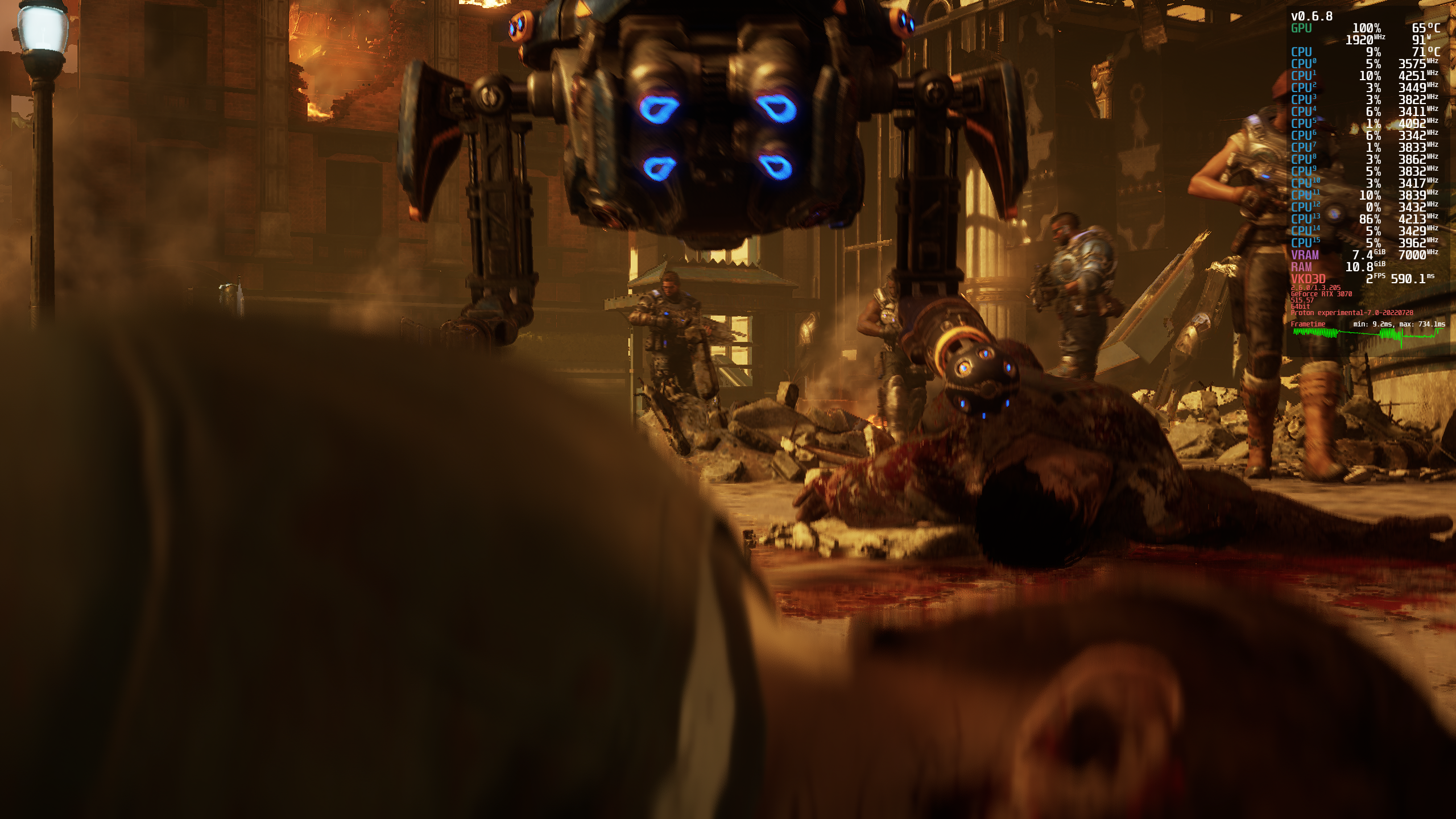
Just to add a screenshot of what exactly happens and how the entire system starts freezing(another workaround to this after a while is to go back to main menu and then get back to playing the game.
It seems more like a bug with VKD3D than a VRAM or something else going on, as it's visible that it never exceeds the limit or tasks the system heavily, it just degrades after a while.