Warhammer 40k Darktide DXR11 stop at first loading screen
Can you please post a log and hardware/driver info?
Warhammer40k.log
Warhammer40k2.log
Using:
- Intel i7-13700k
- Nvidia RTX3080 (MSI Gaming x Trio 10g)
- ASUS ROG STRIX Z790-F GAMING WIFI Motherboard
- Kingston Fury Renegade 32GB (2x16GB)
Nvidia Drivers 520.56.06
Fedora 37
These are my launch options: mangohud gamemoderun PROTON_ENABLE_NVAPI=1 VKD3D_CONFIG=upload_vhh,dxr11 %command%
Not sure if there are any other log that you require, then I would need help how I should go about getting those logs.
Seems like the problem was that a setting that was only visible in user_settings.config for Darktide was the issue it was a setting called rt_light_quality and it was set to high. But with all ray tracing options turned off, it made the game crash (I think because it was trying to use those ray tracing options even though rt was off). i put it on rt_light_quality = "off" and it seems to have fixed it.
Now I'll just have to try and test some ray tracing settings and see if I can get it to work, seeing as there are no options in-game.
While I did manage to get ray tracing to work (I think). it's with a bit of an issue I get a line through the middle of the screen with some kind of blend artifact.
What I did was going into my windows dual boot and installed Darktide there and then set it up the way I wanted it and then copied the user_settings.config file to my Linux install.
Artifact issues ray tracing #1
Artifact issues ray tracing #2
Artifact issues ray tracing #3
Artifact issues ray tracing #4
Here is my user_settings.config file note that I have changed worker threads from 21 (I have an i7-13700k) to 8, which seems to work better in my tests. Also using a 2560x1440p monitor.
user_settings.config file
and these are my launch options:
mangohud gamemoderun PROTON_ENABLE_NVAPI=1 VKD3D_CONFIG=dxr11,upload_hvv DXVK_ASYNC=1 %command%
So everything seems to be working (I think). It's just those "blend" artifacts that is the only issue for now.
I am encountering the same issue as you, also with a Nvidia GPU. Unfortunately, replacing the game's config file with the one you have provided doesn't solve the crash issue. The only way I have found around this issue is omitting the dxr11 config, which, of course, disallows RT features.
I am encountering the same issue as you, also with a Nvidia GPU. Unfortunately, replacing the game's config file with the one you have provided doesn't solve the crash issue. The only way I have found around this issue is omitting the
dxr11config, which, of course, disallows RT features.
Try with GE-Proton7-42 instead of Proton Experimental and see if that makes a difference when using my config file
Not sure if I tested with Proton Experimental (Bleeding Edge beta channel is what I'm using) with the config file
Try with GE-Proton7-42 instead of Proton Experimental and see if that makes a difference when using my config file Not sure if I tested with Proton Experimental (Bleeding Edge beta channel is what I'm using) with the config file
It seems there is a second issue at play in my case. By removing PROTON_ENABLE_NVAPI=1 from the launch options, the game continues to launch. However, the game only renders black, with some funky artifacting when I move the camera. I've tried GE-Proton7-42, Proton Experimental, and Proton Experimental [bleeding-edge], Nvidia driver 525.60.11, all with the same results:
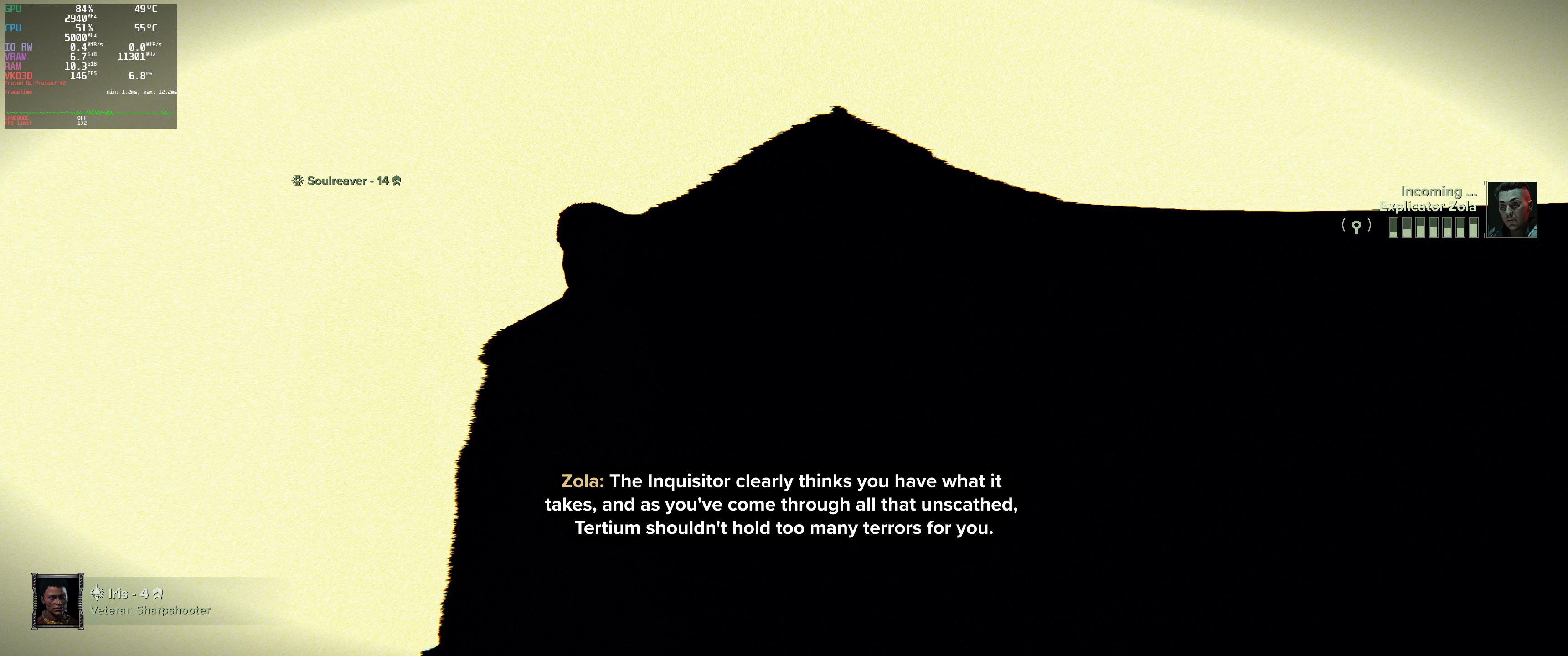
Here's the proton log and game log for when the game loads, but only renders incorrectly:
steam-1361210.log
console-2022-12-10-13.47.11-b6146575-b9a6-44a8-accb-0ac0cb2535d7.log
And here are the logs for the game crashing because PROTON_ENABLE_NVAPI is set:
steam-1361210.log
console-2022-12-10-13.51.12-58cbcde2-9d3f-4b73-ba06-67a2deee8450.log
Enabling nvapi without dxr11 works, but I wonder if the presence of both of the features causes the game to try and load DLSS frame generation, which then triggers a crash?
Enabling nvapi without
dxr11works, but I wonder if the presence of both of the features causes the game to try and load DLSS frame generation, which then triggers a crash?
I have no idea to be honest. both works for me without any crashes, the only thing I have is those "blend" artifacts.
No idea really what makes it work and what doesn't.
The way I got it to work the first time was turning off the rt_light_quality in the config file. After that I have been able to run with my other config file I uploaded in the earlier post, but then again it sets the rt_light_quality on (although with all the other ray tracing features on as well), so not sure what the issue is really.
Have you been able to confirm that the raytracing features are working properly (other than the blend artifact?) I've noticed that even when I load into the game with the dxr11 setting (and of course the broken rendering) I still don't see any raytracing options in the game settings, unlike on Windows. This is making me wonder whether the feature is properly enabling itself either way on my system.
Other than the blend artifacts and some lighting (at certain location on certain maps) being weird in-game, only when I have ray-tracing settings enabled from the config file, I can't be 100% sure. But I would think it's enabled it looks kinda better.
@tizzir Could be that I'm still on 520.56.06 Nvidia drivers which maybe works "better" since some of the new features in the newer drivers causing the problem.
My Fedora 37 install haven't gotten the newer 525.60.11 yet.
I have managed to get to the same point you're at @Seeings (I think,) by completely deleting the user_settings.config file, and then starting the game up with the dxr11 option. NVAPI still doesn't work, so I guess that's likely either a GPU driver or architecture thing.
I've even managed to get rid of the blend artifact as well by setting rt_mixed_reflections to false. I'm assuming that this parameter controls whether or not to blend screen-space reflections into the ray-traced ones. Something must be going wrong there.
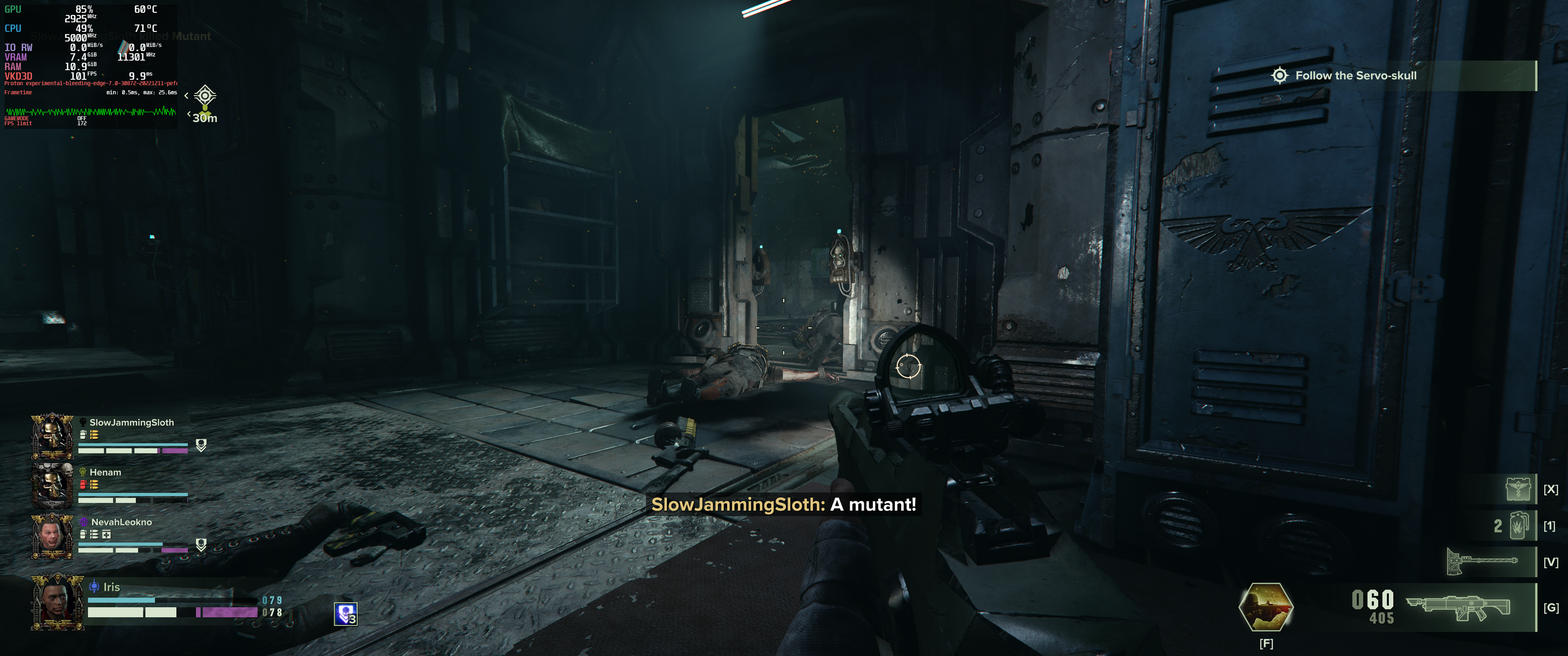
Unfortunately, with or without blend artifacts, I still haven't seen any proof that RT is working. I don't see a comparable drop in framerate that I see on Windows, and I don't see any off-screen reflections on places that I should see them. For example, there is a puddle in this screenshot that I would expect to be reflecting anything, but instead it appears only black. I've also seen scenarios where reflective surfaces only show static cubemaps.
@tizzir @Seeings Hi there. Are you still seeing issues with RT in this game?
With AMD GPU, enabling dxr always crash the game at the intro.(tested with 5700xt radv emulate_rt and 7800xt)
With 1a049c6, dxr now enabled by default.
Can we add a workaround for Darktide to disable dxr by default? at least on AMD GPU.
Which driver version. Can you post a Proton log
@Blisto91 mesa-git 24.0.0_devel.179980.2e83aed8b38.d556821-1,
with proton experimental bleeding-edge branch.(build id 12631258)
it's not a regression. the crash already happening when the game first launch. (teseted with 5700xt emulate_rt).
But rt for radv and dxr for vkd3d is not enable by default at the time.
Also tested with SteamDeck and the game crashed gamescop-wl (it's a not supported title, teseted with proton 8.0-4 and experimental )
Thank you for reporting it. It is being looked at
Teseted #1776 with proton experimental (replacing dlls with build-artifacts)
Successfully boot in to game, can enable both rt reflection and rtgi.
No crash in The Mourningstar( social hub ) and meat grinder (testing range).
Will try matchmaking later.
edit: Tried a match with rtgi on, gpu hanged (probably RADV issue as there are open issues in mesa gitlab).
Rebooted and re-joined the same match, then turn off rtgi. Finished the match with no crash.
Edit 2: played a few matches with rt off. single gpu hang for ~2 hours of play time.( Which is usual for this game+gpu, sometime gpu just hang on high load.) Will try with rt later.
Edit 3:There may be a memory leak with ray tracing. When playing, the game vram usage keep rising. Vram usage usually at around 8GiB, with rtgi, Vram usage keep rising to around 14000MiB and then crash. With the performance keep getting worst.
@Billli11 Are you still seeing a issue here?
I tried reproducing the memory leak but i don't think i ever saw anything besides vram just generally going up sometimes as you played and things loaded in. But it went down again in loading screens and never went to a crash.
Edit: Pinged wrong person at first
@Blisto91 Played a single match. Look like the problem is fixed.
Will try to have a few more matches to check.
Edit: Played a few more match. look like the problem is fixed.
Proton versions
proton experimentalx4 2023-11proton 8.0-4x1 2023-11ge-proton7-42x2 2022-12ge-proton7-41x1 2022-11
Launch options
VKD3D_CONFIG=dxr](https://gist.github.com/Billli11/4784b9523318e197e2d2cf6dd8e39862)x1 2023-11PROTON_ENABLE_NVAPIx1 2022-12PROTON_ENABLE_NVAPI=1`x1 2022-12PROTON_ENABLE_NVAPI=1x2 2022-12DXVK_ASYNC=1x1 2022-12VKD3D_CONFIG=dxr11,upload_hvvx1 2022-12VKD3D_CONFIG=upload_vhh,dxr11x1 2022-11VKD3D_CONFIG=dxr11x1 2022-11
Launch lines
mangohud gamemoderun PROTON_ENABLE_NVAPI=1 VKD3D_CONFIG=dxr11,upload_hvv DXVK_ASYNC=1 %command%x1 2022-12mangohud gamemoderun PROTON_ENABLE_NVAPI=1 VKD3D_CONFIG=upload_vhh,dxr11 %command%x1 2022-11
Upstream links
- HansKristian-Work/vkd3d-proton/pull/1776x1 2023-11
I have an issue with Warhammer 40k Darktide on Steam using dxr11 environmental variable
Enabling VKD3D_CONFIG=dxr11 makes the game crash on the first loading screen (before the intro movies).
I'm using GE-Proton7-41
Is there anything I can do, or is it something that needs to be updated with VKD3D before we will be able to use it?
To note is that I got it working in World of Warcraft using Lutris flawlessly.
Kind regards,
Seeings