Hellblade fps drop in Bridge to Hel
You are probably running out of VRAM.
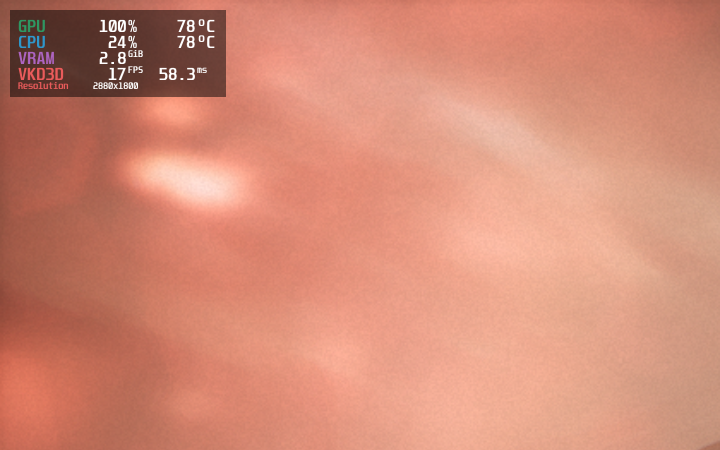
VRAM usage is about 2.8GB , gpu has 4 GB . I've also try to disable ray tracing because the gpu doesn't support DLSS
All other chapter in game is playable (>40 fps)
Does the fps climb up again once you leave that area or does it stay low?
Yes, fps climb up after this chapter. I can reproduce by loading the chapter from save game
not happen under windows, same settings
Windows DX12: That is actually not true. The fps stutters occur on Windows (11) as well, with ray tracing on at least. Sometimes several tries of reloading that chapter results in back to normal fps again.
VKD3D and Win DX12: What is remarkable, if the character turns around to it's starting position, away from the castle at that bridge, the fps somewhat recovers again like in windows. So there is also bad optimization in that game involved, besides VKD3D's poor performance. Overall unreal engine 4 is known for it's shitty PSO stutters due to it's tile based system. VKD3D with Ray tracing on doesn't work in that game.
DXVK: The fps are very smooth and beat VKD3D easily. There are no stutters like with VKD3D. Of course one has to switch from DX12 to DX11, and ray tracing is off the table then.
System: Fedora 38, Mesa 23.1.2, RX 6600, VKD3D v2.9
1650 doesn't support RT, regardless that the menu allows you to change settings. You can mod FSR2 in Hellblade (0.8 Beta 2 Beta from CyberFSR), to use instead of FSR 1.0.
After some tinkering again i seem to have found a workaround at least for amd gpus. Launching with this environment parameter resulted in smooth and higher fps for the bridge scene. Without it the stutter returns reproducibly. Setting this makes vkd3d take over the vram zeroing.
radv_zero_vram=false
As for nvidia's proprietary driver i don't know how to shut off the vram zeroing to make vkd3d take over.
Nothing extracted yet.
Fps highly drop in
Bridge to Helto around 11 fps , not happen under windows, same settingshttps://www.ign.com/wikis/hellblade/The_Bridge_to_Hel
Ray tracing : Medium
FSR: Quality
Other setting: very high
Direct X : 12
GPU Driver:NVIDIA 525.78.01
GPU:NVIDIA GeForce GTX 1650 with Max-Q Design
Thanks