Dead Island 2 low framerate on in-game menus/inventory
Sounds like the typical symptom of running out of vram, especially looking at your GPU.
Sounds like the typical symptom of running out of vram, especially looking at your GPU.
perhaps, that is what i also thought and most likely the issue here, but lord this is aggressive then, i changed to FSR2 performance to reduce vram usage and open the menu a couple of times, just enough to trigger this issue, and look at the numbers (check out the framerate on the top-left corner:
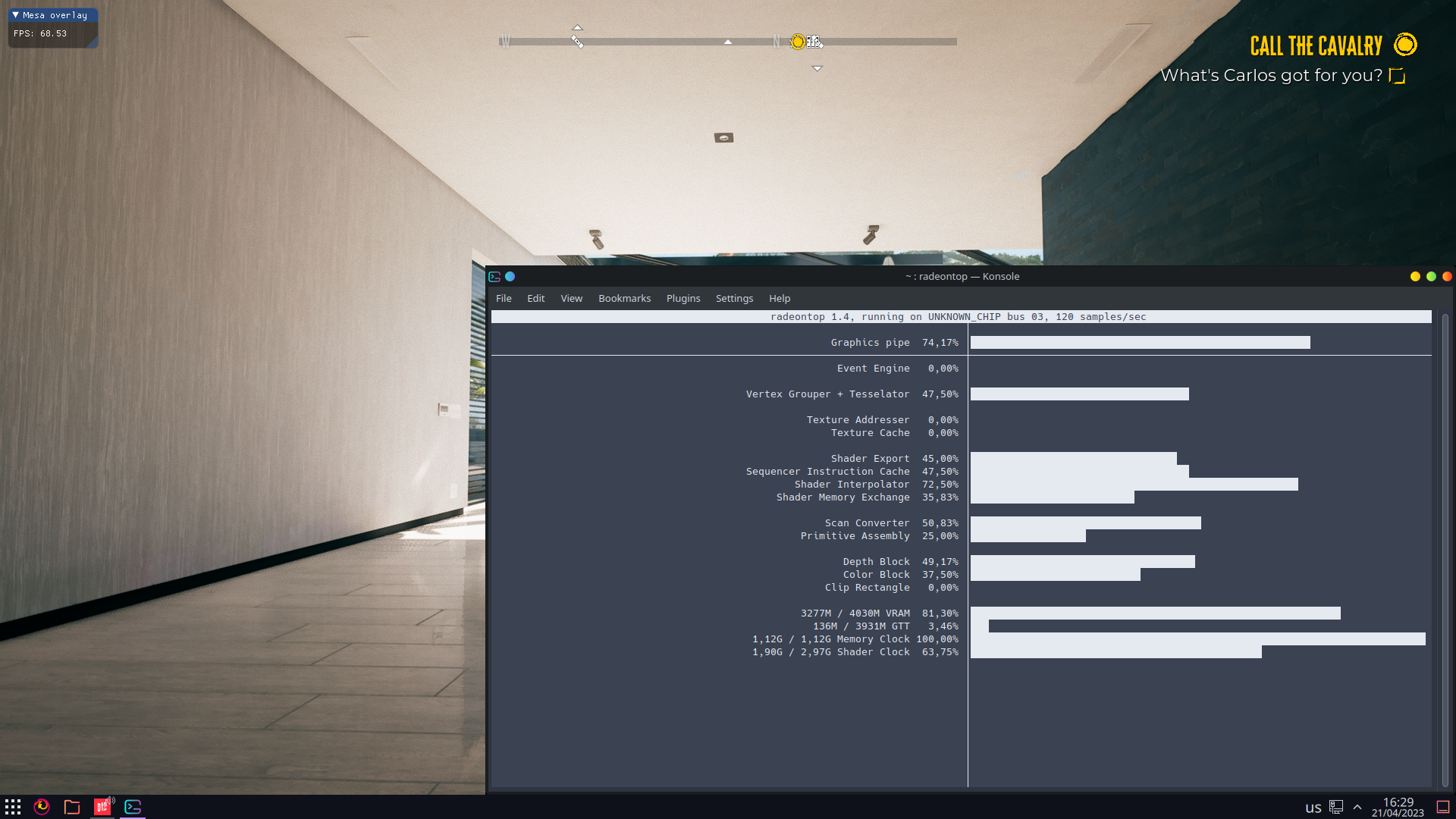
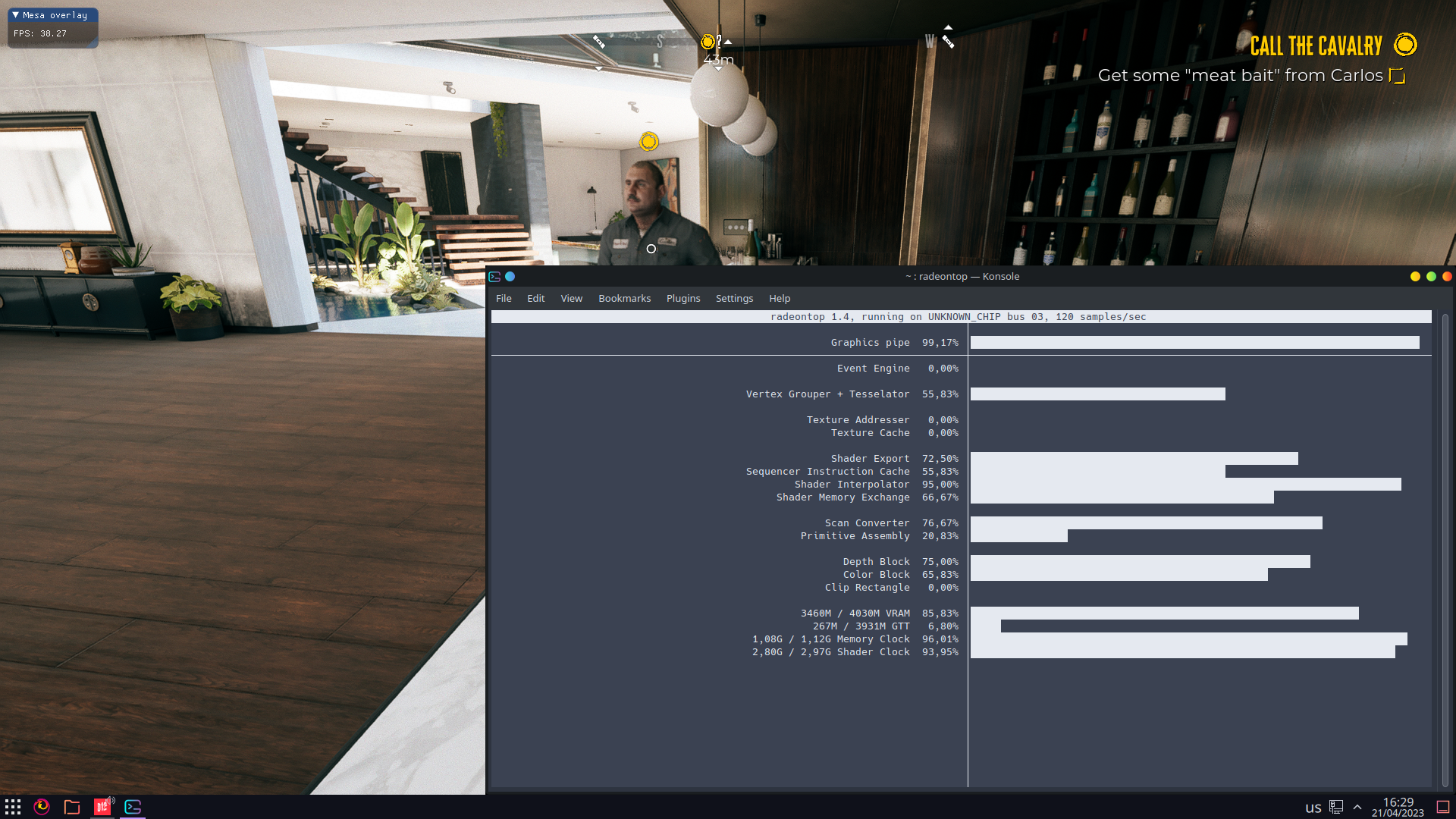
Is this with resizable BAR?
Is this with resizable BAR?
lol no, its an old sandy bridge xeon (i7 3770 equivalent) DDR3, PCI-E 3.0x, so extra bandwidth limited, however running under Windows does not present these issues.
Then it looks like the 256MiB CPU-visible VRAM heap is getting oversubscribed (looking at the GTT usage in the "slow" screenshot), maybe RADV_PERFTEST=nosam,dmashaders can help.
Windows does not present these issues.
windows always does significantly better under any kind of VRAM pressure.
Then it looks like the 256MiB CPU-visible VRAM heap is getting oversubscribed, maybe RADV_PERFTEST=nosam,dmashaders can help.
No difference, i was very aware of these issues with this GPU, disabling !6833 (merged) does not help at all, in fact the game thoroughly dislikes that...
The only reason i'm reporting this its because there may be something funky here, these menus run very poorly, even if i reduce resolution and vram usage bellow 3GB, they still run at very low framerates, like 10FPS, and if i keep opening/closing my inventory consecutively, vram usage keeps increasing and when that threshold of 85% vram / 5% GTT is crossed the framerate just tanks...
in fact that is very similar to the issue on jedi fallen order where the framerate tanks when opening menus (unreal engine nonetheless)
EDIT In fact, let me change the title then.
Also recorded some flickering that occurs when bringing up the inventory, since its semi-transparent, you can see the flickering around the sofas (that also is included on the GFXReconstruct capture attached on post.
di2-flickering-inventory-menu.webm
never mind, also present on windows
i'm closing this to stop polluting the issue tracker as its not descriptive enough and generally happens on more games and most likely its not related to vkd3d directly....
Launch options
RADV_PERFTEST=nosam,dmashadersx2 2023-04
SETUP
So i have Dead Island 2 setup via legendary, nothing especial, dxvk-git and vkd3d-git, however i did need to install mf-install otherwise game would freeze, and still "flashes green" on intro menus but nothing too distracting...
ISSUE
Game runs fine but as soon as i open my inventory, or a workbench or in-game UI related menu (pause menu doesn't seem to create issues however) the framerate just tanks and doing it again worsens even further, going back to main menu and loading again seems to fix the issue, i got a capture, attached bellow.EDIT The issue i'm actually reporting here is the low framerate on in-game menus (inventory, workbench, etc) and by keep opening these menus in succession - which is common when managing inventory - seems to ever so slightly increase vram usage.
Software information
Dead Island 2 (EGS)
System information
Log files
di2.log
GFXReconstruct capture