low performance when CPU bound
We actually have improved CPU-bound performance drastically over the past few months, and our implementation should be fairly efficient at this point as long as the game isn't constantly creating and destroying resources or synchronizing with the GPU too much. Not sure what Hitman 2 is running into; could be some wine slowness as well since e.g. memory allocation introduces a lot of extra thread synchronization and bottlenecks some games. Is that still happening on Proton 5.13?
The real problem is GPU performance at this point. We've tried to improve that (maybe check our https://github.com/HansKristian-Work/vkd3d-proton/pull/298), but yeah, for some reason it's still really bad in a lot of cases, and I don't know why.
You could also try building vkd3d yourself with the profiling options enabled as described here, and post the result, so we can check if anything sticks out.
Though in the scene above it's definitely CPU bound, it's just 720p render resolution with lowest GPU and highest CPU details. GPU load display is always far away from 100% with vkd3d and the aforementioned configuration. Performance hardly changes when increasing resolution and GPU details.
Proton 5.13 unfortunately is giving me nightmares, this probably has to wait until TkG and G-E will have tamed it a bit further. Or I could try on Windows if Polaris Windows driver doesn't crash.
Note that the PR I mentioned may also improve CPU perf if the game uses root SRVs a lot or creates a large number of buffer views. Should land tomorrow-ish.
The point is that there's nothing left that is obviously inefficient on the CPU side and could be optimized significantly on our end. Descriptor copies reading from uncached memory may still be an issue on some drivers (Windows/AMD is especially bad with this), but games that spam descriptor copies excessively (such as Death Stranding) tend to run fine regardless, and we cannot fix that without a Vulkan extension anyway.
@aufkrawall Does changing kernel scheduler do anything for this issue? (TkG's retake of PDS scheduler seems to work very well for WoW imo)
@doitsujin Some more data from my side:
- Arch Linux 5.9.1 tkg-cfs with fsync
- mesa-git 20.3.0_devel.127495.2da1178bf3e
- vkd3d-proton a64a34eb9d54e7f7d8dd56641ebe86854f9cdf5f, compiled with mingw-w64 from Arch repo
- proton-tkg-git-5.19.r1.gb49e8743 (fairly recent from before Proton 5.13) / or Proton 5.0-9 (no difference in fps)
- 6700k (4C + HTT) 4.2GHz all-core + RX 480 8GB
amdvlk still crashes. But not just on Windows, also Linux versions of -open and -pro. So I unfortunately can't test against those. Yet I'd think that it'd be rather uncommon if radv slowed down vkd3d that much.
Performance on Windows D3D12 is stellar in comparison, I run into being GPU bound at ~150fps:
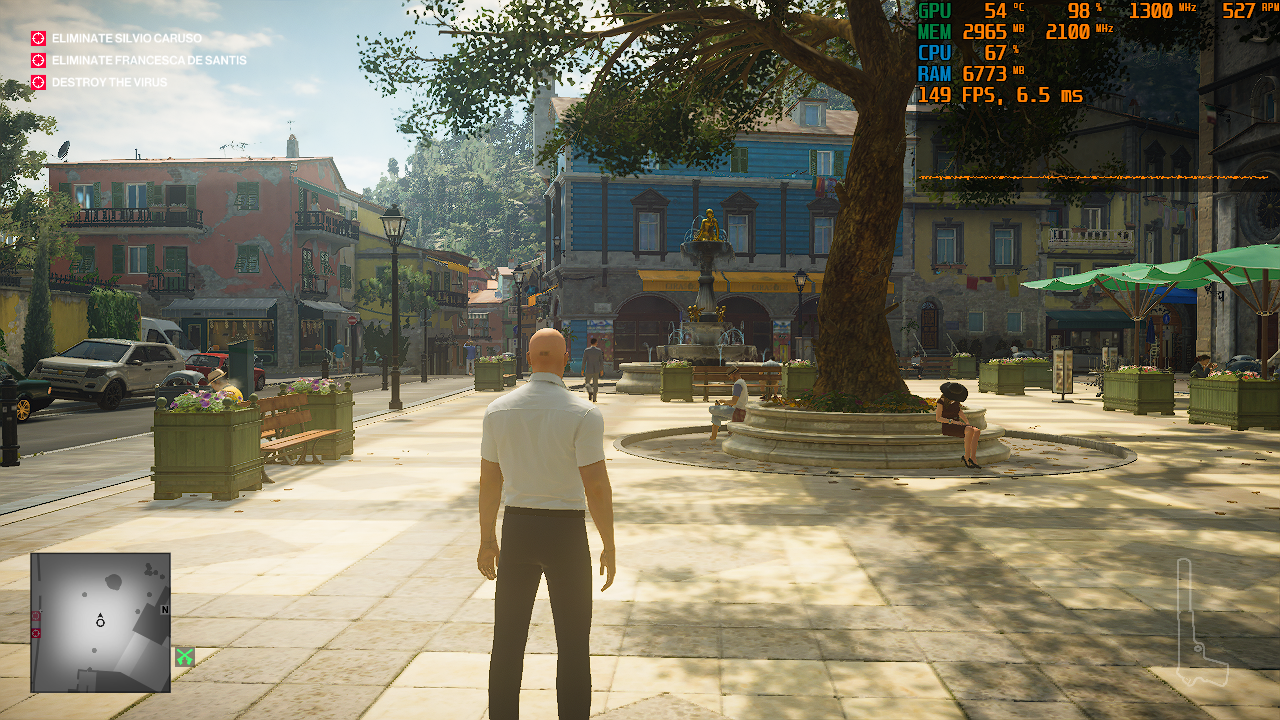
So CPU performance with vkd3d-proton is more than halved. :( The CPU load is coming ~solely from the game's process (Edit: wineserver is at ~7% with both vkd3d and dxvk, whereas the latter is much faster).
Here is a profiling dump, which I hope is alright, as it's just really small in file size:
@SveSop So far my experience is that different CPU schedulers usually don't show such large discrepancies. I could try pds, though I wouldn't expect things to change much.
Can you try VKD3D-Proton on Windows? Maybe the game's d3d12 render path does something that's incredibly slow because of some other Wine component.
Yes, I did that. But it just crashes the same as amdvlk on Linux (Edit: Well, it actually takes a little longer to crash, but I can't load a level regardless.). Hm, perhaps WoW wouldn't crash. Yet I've got a vague memory that it didn't start on Windows with vkd3d due to a DLL loading issue. I might be mistaken there though.
that it didn't start on Windows with vkd3d due to a DLL loading issue
You also copied DXVK's dxgi.dll over, right?
that it didn't start on Windows with vkd3d due to a DLL loading issue
You also copied DXVK's dxgi.dll over, right?
Yes, the menu loads. It's the driver that crashes ("TDR") when loading a level.
Edit: Whoops, you are referring to WoW, I think. I'm going to recheck the game.
WoW crashes with memory access violation error with DXVK (due to new version that comes with Shadowlands DLC?), but vkd3d-proton works on Windows (I'd probably have to start it with wined3d on Linux and then change to D3D12 in the game's options to make it work there.).
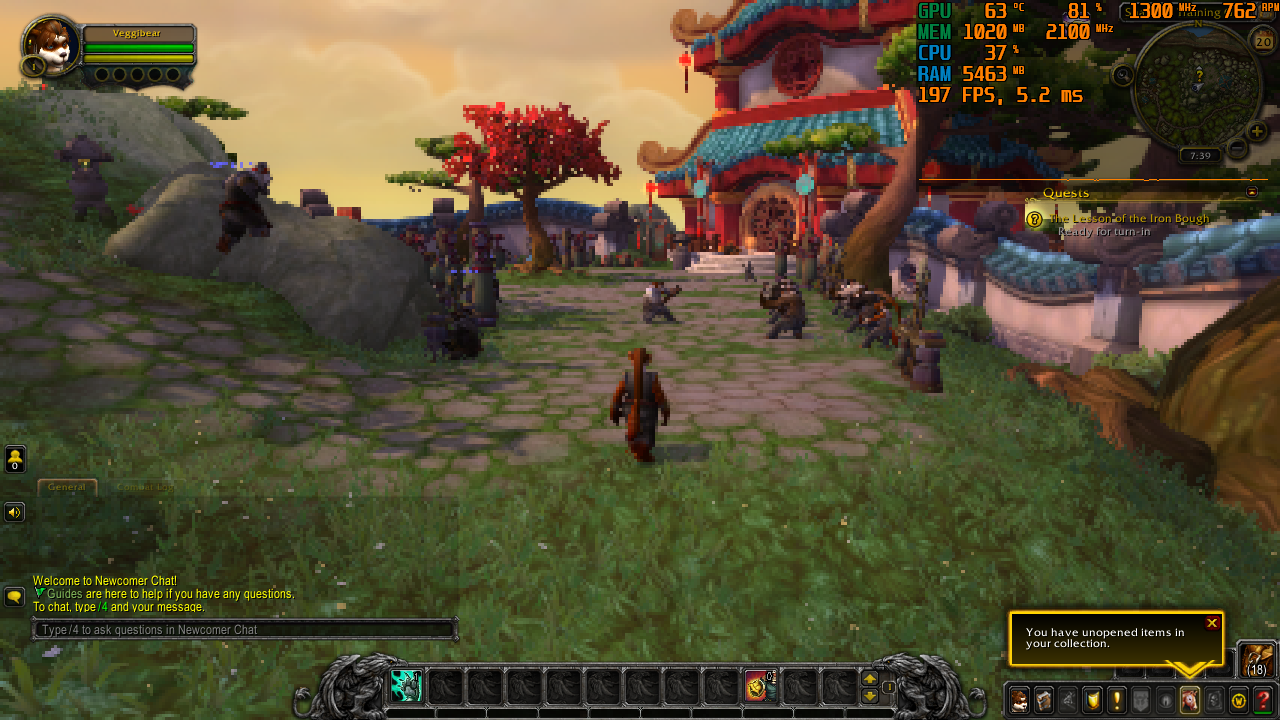
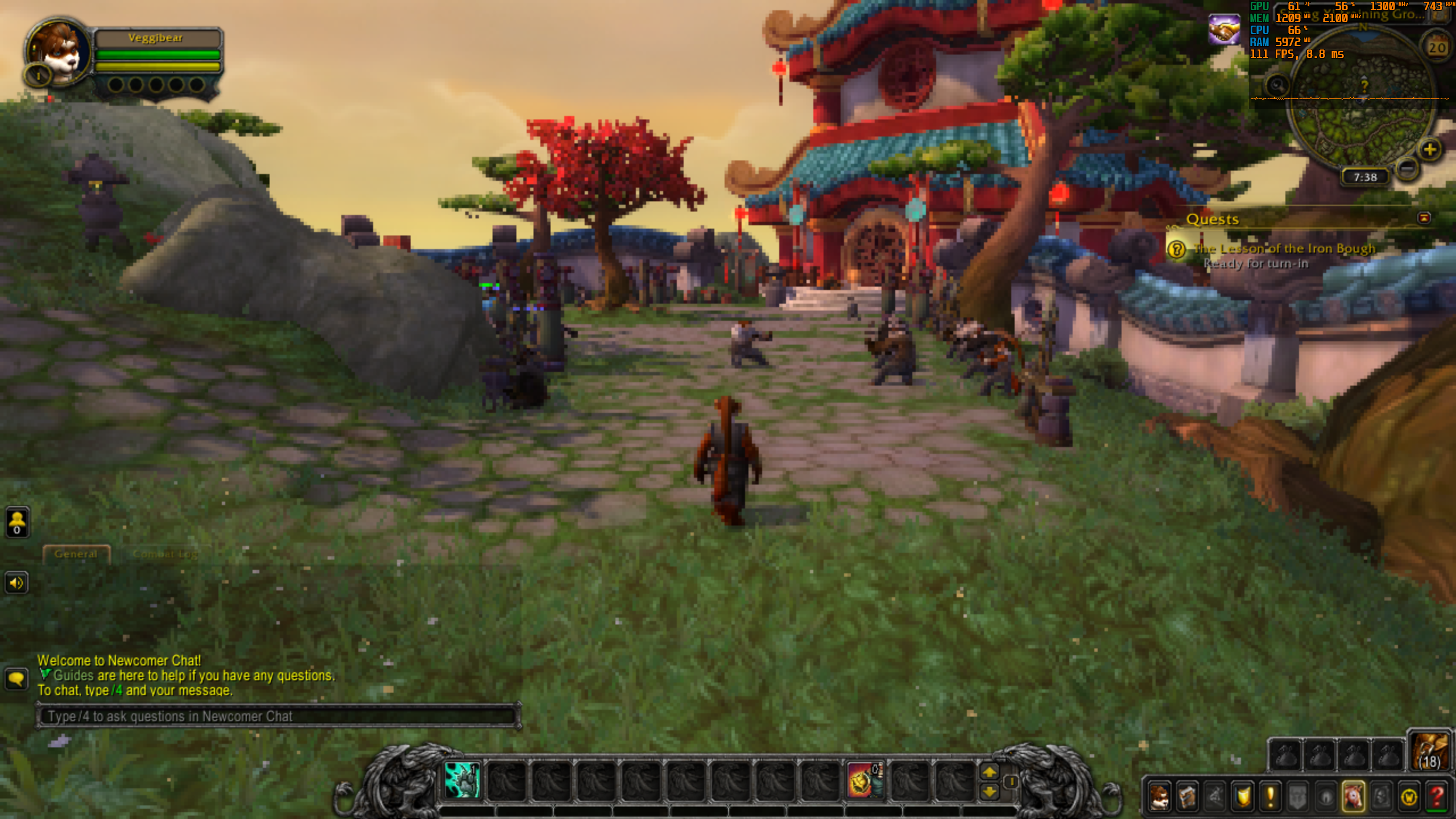
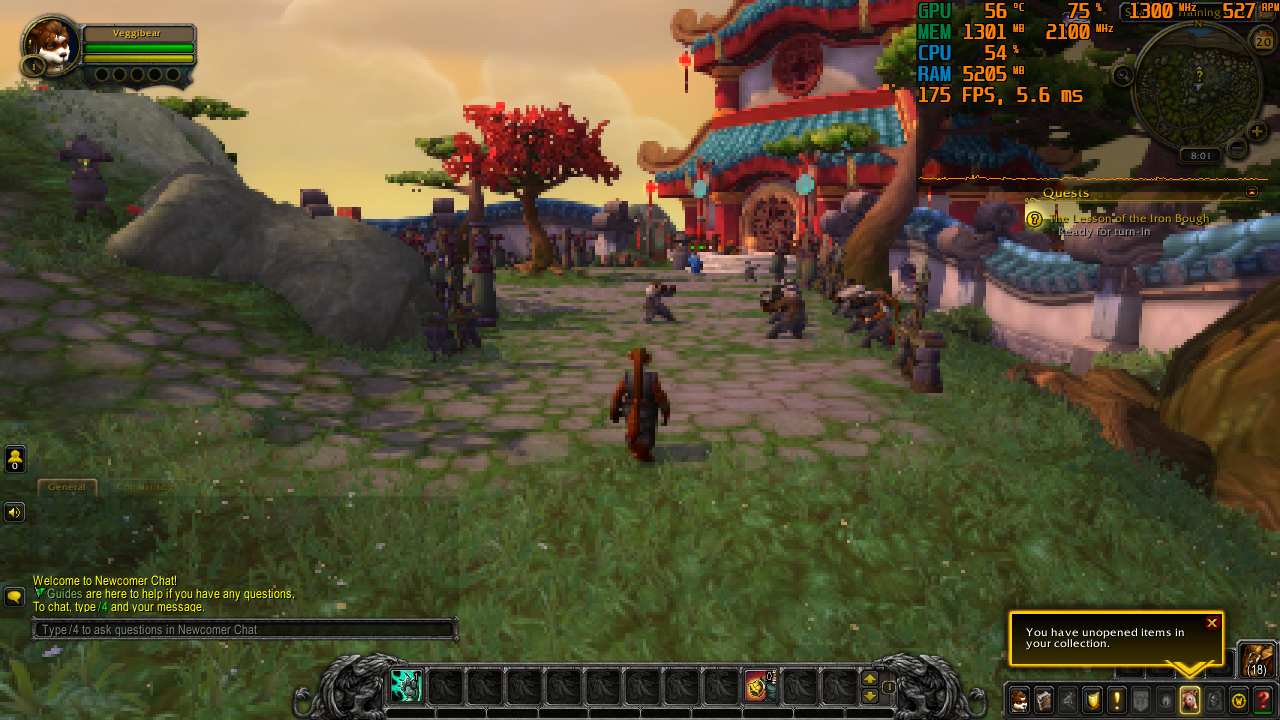
Also in WoW vkd3d-proton (same build used as above) loses a lot of performance vs. native D3D12 (Edit: when CPU bound) and is much slower than native D3D11.
Native D3D12 (~197fps):
vkd3d-proton (window dimensions are bigger, but render resolution is the same; ~111fps):
Native D3D11 (non-legacy, ~175fps):
Does vkd3d-proton work in windows 10 when playing WoW? Cos, then you would need to replace WoW's included d3d12.dll in the gamefolder no? (And by doing so, it would be randomly replaced when doing a "check files" or whatever the launcher does)
DXVK works fine like that, cos no files are being replaced...
It is probably ok for testing vkd3d-proton as you load Wow.exe directly instead of launching via the battle.net launcher. (ie. wine ./Wow.exe -d3d12 would force the game to load with d3d12).
Does vkd3d-proton work in windows 10 when playing WoW? Cos, then you would need to replace WoW's included d3d12.dll in the gamefolder no? (And by doing so, it would be randomly replaced when doing a "check files" or whatever the launcher does)
I reckon the d3d12.dll that ships with the game is for D3D12 on Windows 7, it works with it replaced with vkd3d-proton on Windows 10. It definitely ran with vkd3d in the screenshot above.
amdvlk still crashes. But not just on Windows, also Linux versions of -open and -pro. So I unfortunately can't test against those. Yet I'd think that it'd be rather uncommon if radv slowed down vkd3d that much.
That's not really the point - vkd3d isn't the only piece software that's running.
Anyway, the profile looks fine, nothing sticking out. If it's just that bad compared to native D3D12 then that's what it is, there's no way for us reduce CPU costs by 80-90% to reach that level. Although I'd argue that the WoW numbers are actually quite good.
WoW crashes with memory access violation error with DXVK (due to new version that comes with Shadowlands DLC?)
You need wine's DXGI implementation to run it since it requires some new interfaces. DXVK cannot implement those currently since mingw headers haven't been updated yet.
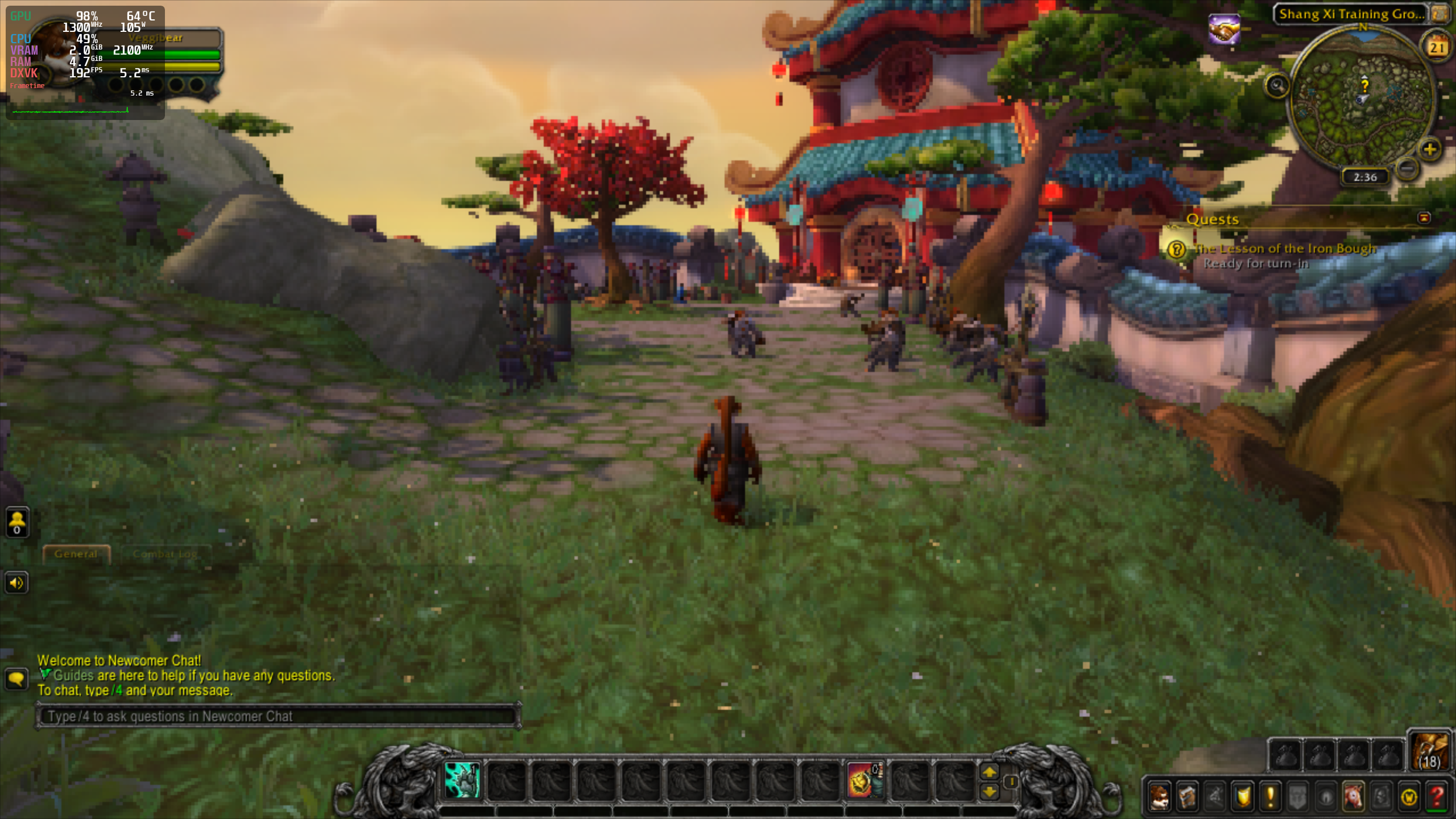
Got it running, once again DXVK shows blazingly fast CPU performance (~192fps, might already be GPU bound):
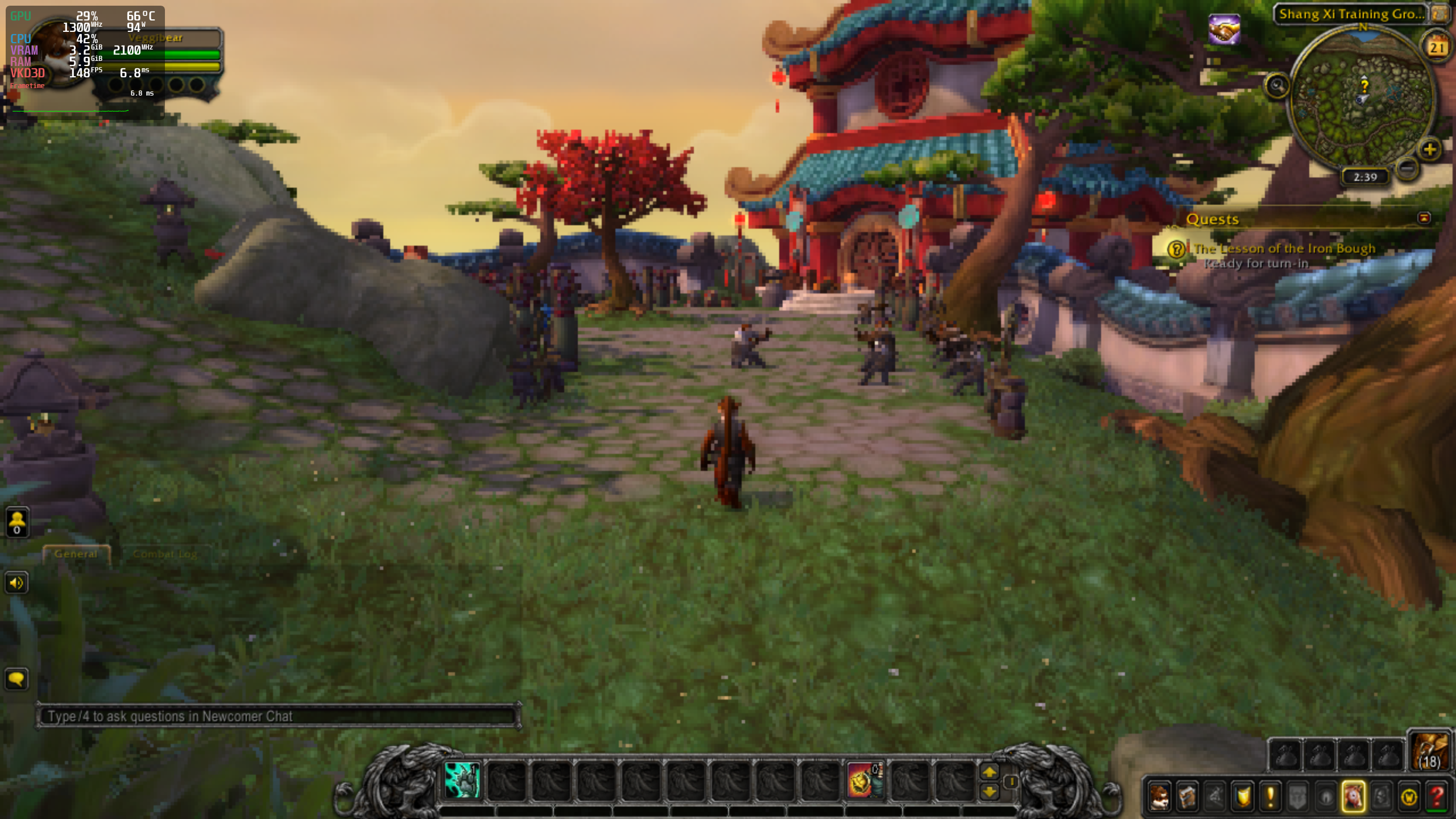
When I switch to D3D12/vkd3d, performance drops to ~148 fps:
Now when I restart the game so that it starts with d3d12/vkd3d from the beginning, it falls down to the low ~104ish fps that are similar to those on Windows:

It'd be really a big downer if a generic d3d12 -> vk wrapper could only function far worse in terms of CPU performance than d3d11 -> vk. :(
I reckon the d3d12.dll that ships with the game is for D3D12 on Windows 7, it works with it replaced with vkd3d-proton on Windows 10. It definitely ran with vkd3d in the screenshot above.
My point was not that it would not work, but that it might be replaced again if you update or run a "check" on WoW installed files... But as long as you are aware of the case, the first thing you will always remember to check when a game update breaks WoW is that the correct d3d12.dll file is there :)
If you are testing this in Windows 10, are you 110% sure that it is actually using THAT d3d12.dll when you switch from d3d11 -> d3d12 ingame vs. starting the game with the -d3d12 option? (or am i mixing up your testresults between linux<->win10?)
I know that WoW has weird issues in Windows 10 when it comes to pegging 1 thread 100%. I tend to beat my kids 9900K/2080Ti at times when Win10 seems to prefer going overboard on "1 thread 100% load" in WoW tho..
I did a quick test with my old crap'o'laughs Win10 box with a GTX970 card...
- If you launch via the battle.net launcher - d3d12.dll will be replaced automatically
- When launching via
Wow.exe -d3d12shortcut, vkd3d will load with a warning that my gfx card is "will not be supported in newer version" (or something like that). I could not switch to d3d11 then.. (the option was gone). - When launching via
Wow.exe -d3d11i could not switch to d3d12. - When just launching via Wow.exe i could switch between both API's, and it seemingly used vkd3d for d3d12.
However, there was a constant nagging in the gx.log file
Device context was lost. Attempting recovery. Occurrence: 1
GxRestart
Aswell as loads of (and others)
10/22 15:25:33.915  GxTexCreate short-circuited due to no device context for texture "" (32x32x1)
10/22 15:25:33.917  GxTexCreate short-circuited due to no device context for texture "" (256x256x1)
10/22 15:25:33.917  GxTexCreate short-circuited due to no device context for texture "" (1024x1024x1)
The fps was pretty useless for me, but as i said above, this is a old box, so it is mostly useless anyway..
But i am not sure if you actually were testing vkd3d in Windows 10 or not tho, but that is kinda pointless imo, as it would/should be a impossible task to outperform native d3d12 vs. d3d12->vulkan anyway.
It'd be really a big downer if a generic d3d12 -> vk wrapper could only function far worse in terms of CPU performance than d3d11 -> vk. :(
In terms of relative performance it's always going to be worse since the Vulkan driver duplicates a lot of the work that we already have to do on our end.
Situation has improved a lot :) :
In Horizon Zero Dawn, fps are probably twice as high or more than they used to be. It's now playable with 40-70fps on the 6700k (yet native D3D12 is still twice as fast or better).
CPU performance in Hitman 2 now clearly beats DXVK, it's something like 90 vs. 130fps.
Also Strange Brigade is ok, though there seems to be a resource loading issue affecting frame time variance when the scene changes. New scene:

Few seconds later loading is finished:

To a much lesser extent, this also applies to Hitman 2 when GPU bound and changing camera perspective. It's probably a bit worse than native D3D12 (whereas Strange Brigade native D3D12 doesn't show this at all).
This is with latest Proton experimental and VKD3D-Proton bc1b18dc02418fbd9fd8810a8976efa920d2f987 and Linux 5.12-rc4 with futex2 support.
FWIW, HZD wasn't really CPU-bound, but there was some GPU synchronization going on because compute queues weren't fully asynchronous until recently.
That's for sure interesting, thanks for the information. I've btw. noticed that CPU performance in Hitman 2 is more than halved with amdvlk-pro instead of radv. Makes me wonder how the Nvidia driver fares.
Now it's also faster than DXVK in WoW (e.g. 203 vs. 176fps). :)
Also frame time variance seems to be perfect.
Related threads
- RE2: VkBufferView creation can overflow available memoryvkd3dclosed same upstream bug
Proton versions
proton experimentalx1 2021-03proton 5.13x3 2020-10proton 5.0-9x1 2020-10
Upstream links
- HansKristian-Work/vkd3d-proton/pull/298x1 2020-10
I'm aware that there is a ton of work left, yet I wonder what's the status for CPU bound performance? I've noticed that it's quite lower than with DXVK across several titles (at least Hitman 2 and World of Warcraft), while the games' native D3D12 renderers offer benefits vs. D3D11.
Quick benchmark in Hitman 2:
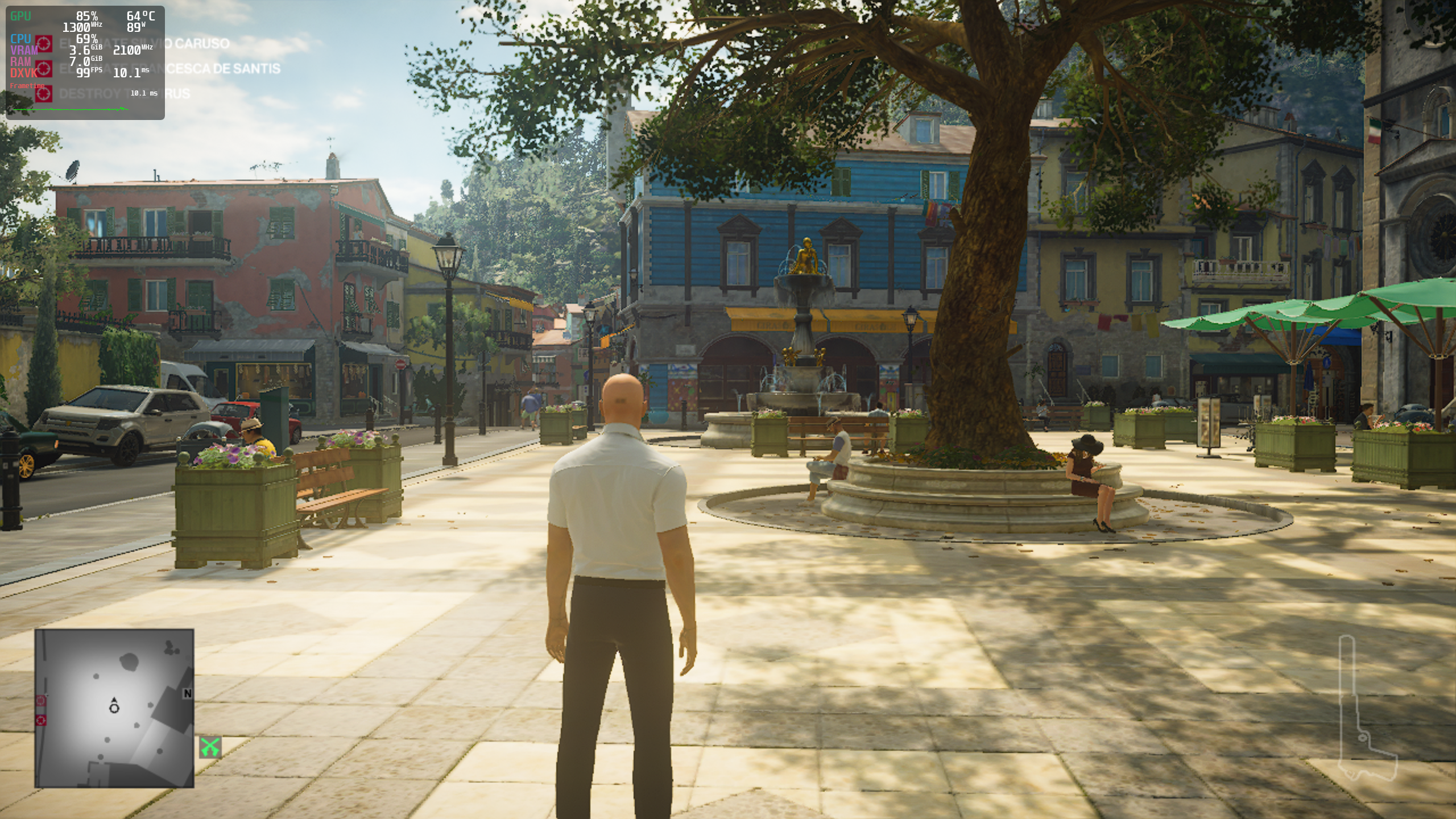

It doesn't seem to have changed during the last few months and it doesn't seem to matter (much) if radv or amdvlk is used. Test above is with f9c712ded065ec86e7dcb027f51fe68ad0fcaf6b d3d12.dll.