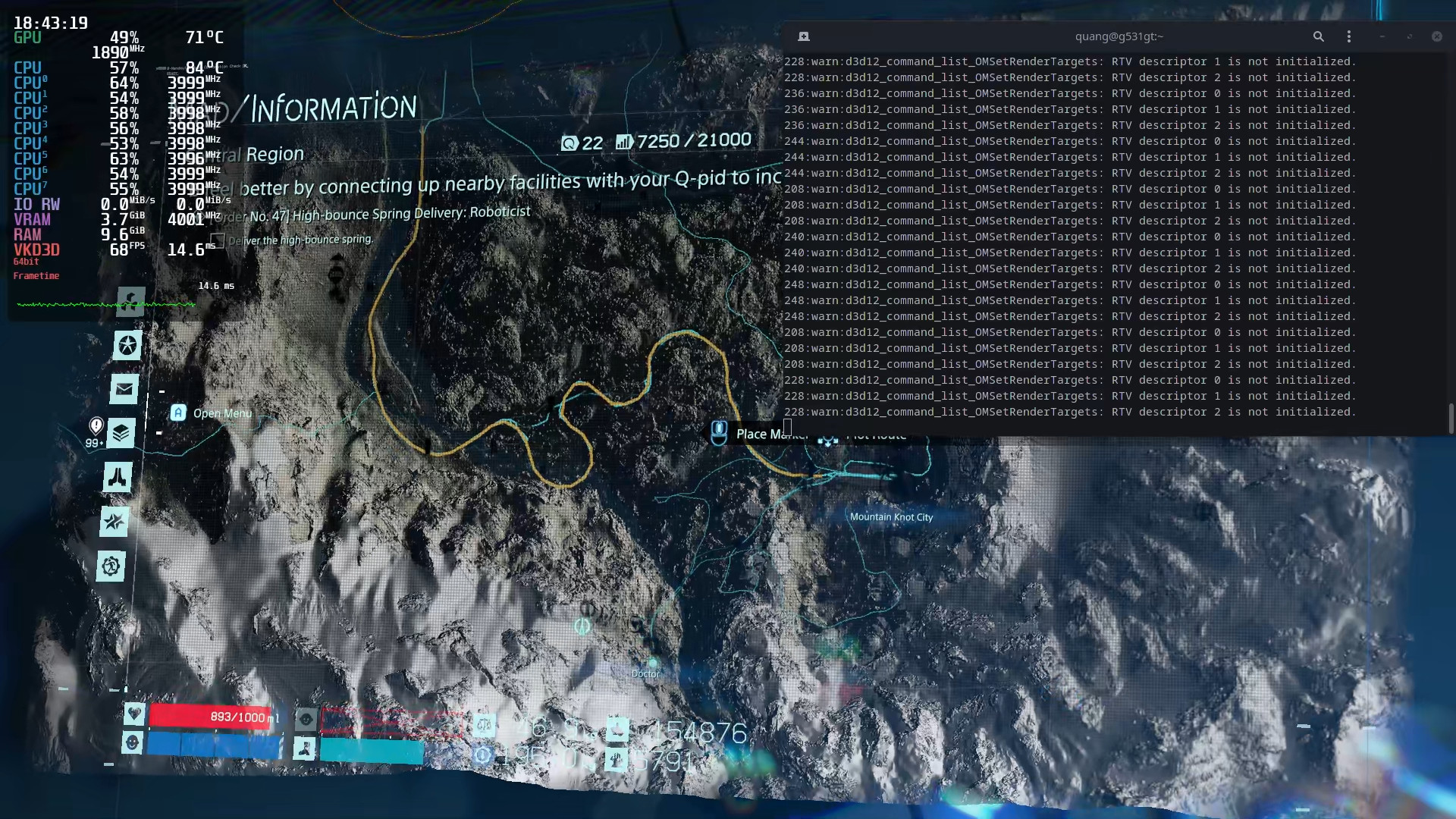
Death Stranding: icons turn black when you tilt the map
vkd3dclosed
What's your hardware and GPU driver? Also, how do I access the map?
My laptop CPU is Intel Core i5-9300H, GPU is NVIDIA GeForce GTX 1650 driver version 455.38 running PRIME Offload.
I run the game through Steam Proton, version 5.13-2. Currently I disable Steam Runtime since it cannot use the GPU (https://github.com/ValveSoftware/steam-runtime/issues/295).
To access the map, you press Tab in the game. To tilt it, hold Alt then move your mouse.
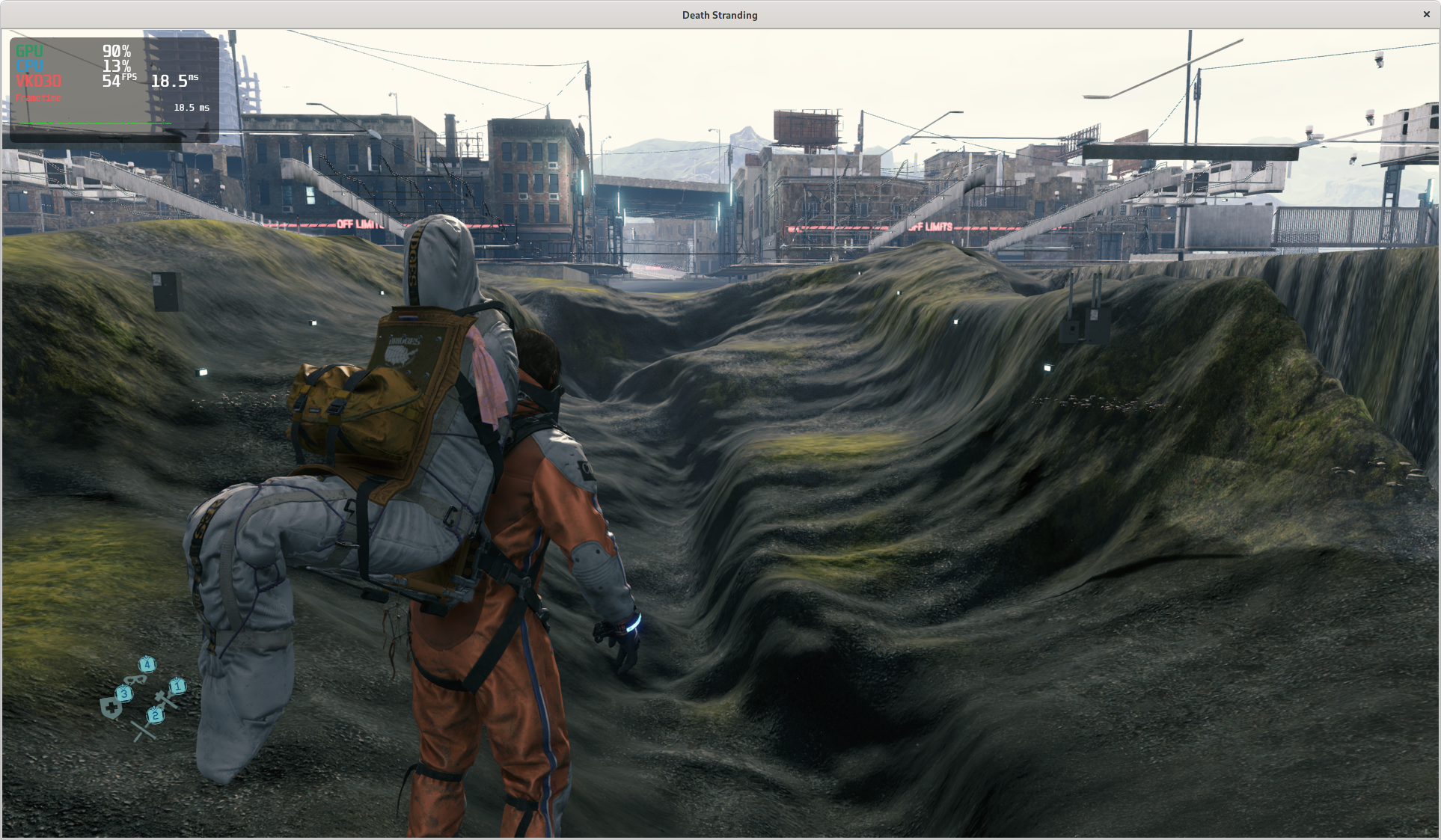
I can reproduce it on 1660ti. Somehow, after I leave the map, geometry starts to disappear:
The map issue reproduces on RADV as well.
Game screws up R32_UINT vs RAW buffer types, which triggers a mismatch. Falling back to pure texel buffers works around the issue.
Related threads
- Microsoft Flight Simulator (2020)protonopen same upstream bug
- Age of Empires II: Definitive Editionprotonopen same upstream bug
- Proton 5.13-2 RC testingprotonclosed same upstream bug
- Relictaprotonopen same upstream bug
- [Regression 5.13] Vulkan layers are no longer loaded by DXVKprotonclosed same upstream bug
Launch options
VKD3D_DEBUG=warnx1 2020-11
Upstream links
- ValveSoftware/steam-runtime/issues/295x1 2020-11
You can watch it here (YouTube link).
Log with VKD3D_DEBUG=warn: DeathStranding-vkd3d.zip.
Screenshots:
Map - Normal:
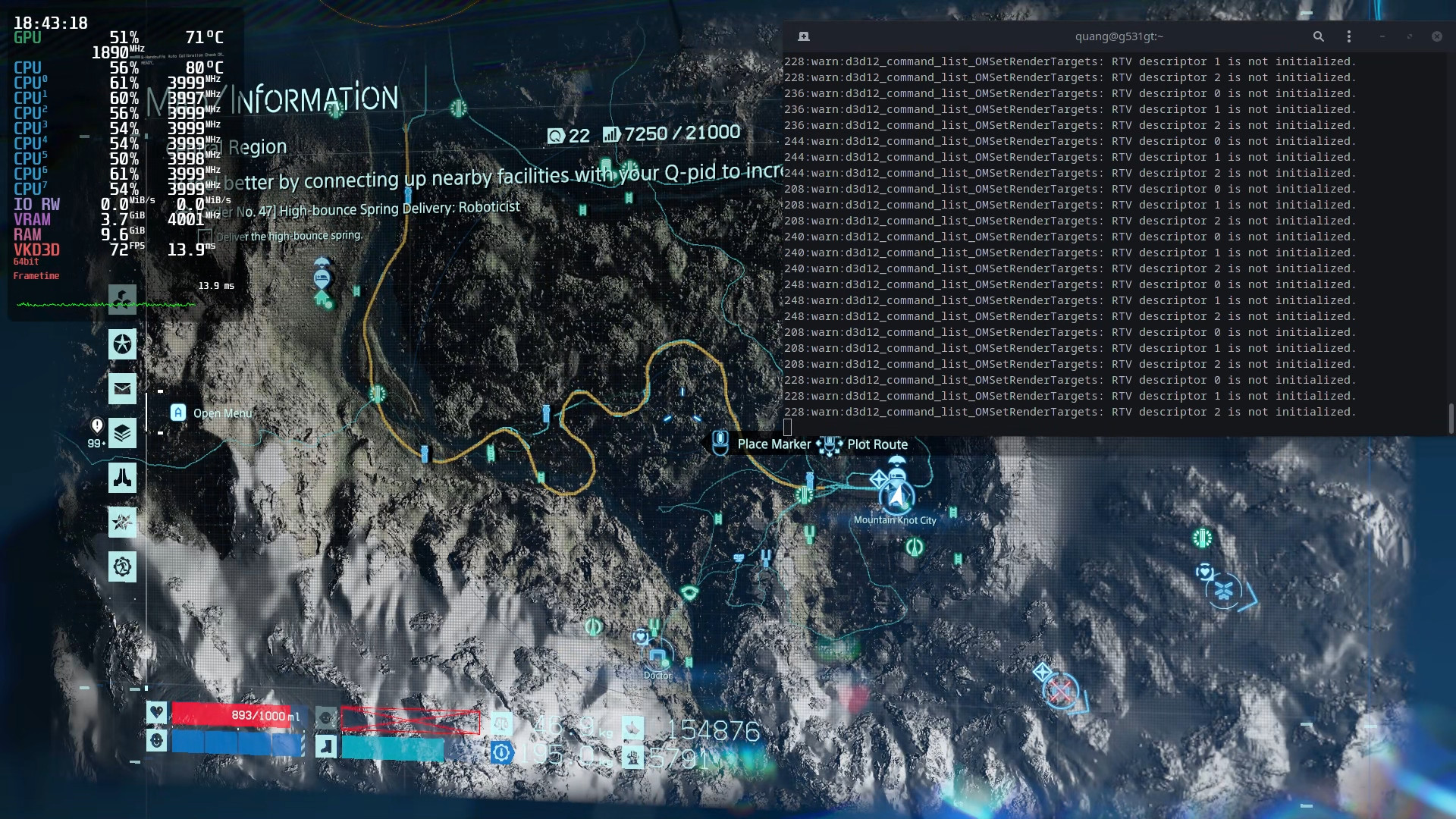
Map - Tilted: