How do you even run this game these days? I wanted to look into this almost a year ago but it has been completely impossible for me to even start the game since then.
It works for me on recent proton versions at least. (maybe not with 5.13 due to Uplay loggin issues).
Some workarounds were needed previously needed (such as putting Uplay in offline mode) but are no longer necessary. Uplay overlay is disabled for me but I may still work when enabled now.
I forgot to mention that I use DXVK's DXGI instead of the native one in order to be able to select the AMD driver I want in game menu.
The Ubisoft Connect version of the game starts and runs normally for me with my wine-staging-tkg 6.8 build, no further actions required. The terrain texture issue with vkd3d-proton unfortunately still exists. Performance seems to be good, at least CPU performance is far better than with DXVK in the benchmark.
I found out what the issue is, but unfortunately the DXBC shader compiler is so deeply flawed that fixing this properly is impossible without breaking other things at the same time. The only current solution is to reduce terrain quality so that it doesn't use tessellation.
Should sort of work with https://github.com/doitsujin/vkd3d/tree/anno but no idea what else this breaks. The DXBC compiler is really painful to work with.
Can confirm the issue is fixed, thanks!
proton 6.3-2x1 2021-04
When using the D3D12 renderer of Anno 1800, the terrain seems to be composed of multiples blocky textures.
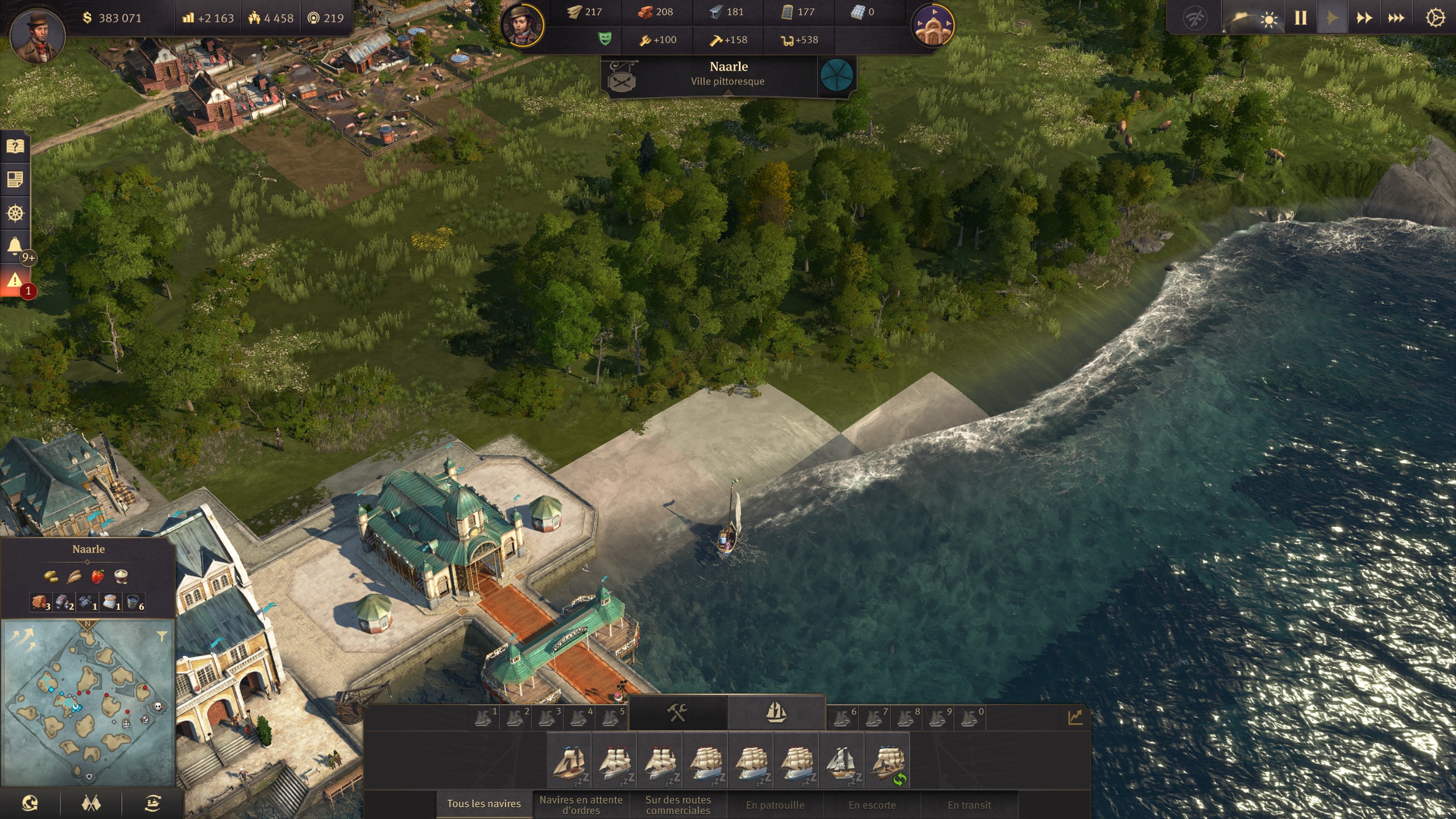
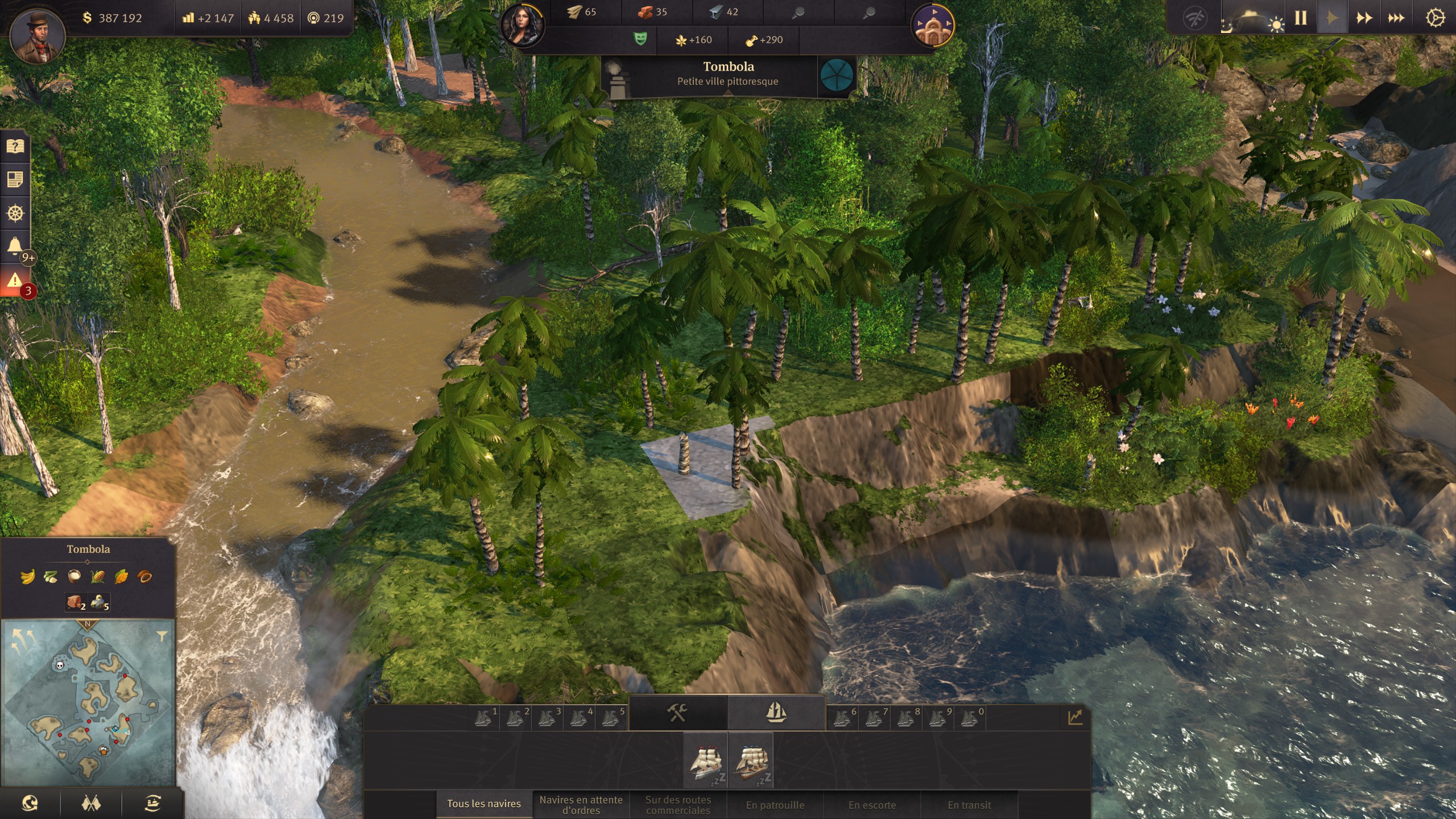
All of this was tested on a RX 570 4GB VRAM.
This bug is present with RADV as well as AMDVLK.
Also note that the game will crash in a few seconds after starting a game with both AMDVLK and Windows
driver. RADV looks stable.
There is also an issue with performance often being bad (~15fps instead of 40 with DXVK on a specific place). I suspect is has something to do VRAM limitation as it doesn't happen when using low quality texture instead of high. MangoHud shows that VRAM is used at near 4GB, even with low quality textures. I don't have this issue is both DXVK and windows D3D12.
Can't tell for sure as the game crash fast on Windows, but I haven't encountered this performance issue on windows VKD3D.
RADV is using mesa 21.0 from kisak ppa.
VKD3D log at "warn" level:
vkd3d_anno1800_radv.txt
Tested on both VKD3D 2.2 (from Proton 6.3-2) and VKD3D git.
Tested on Proton 6.3-2