Visual bugs and crashing in Far Cry 6
The first issue is that the text in the menus does not show if you compile vkd3d-proton-master as it is, you have to add
key.u.texture.allowed_swizzle = true;here before compiling to fix it.
That is not a fix, it's a hack that violates the Vulkan specification. The problem is that the game creates an A8 UAV. Without insane workarounds this pretty much needs a Vulkan extension to add VK_FORMAT_A8_UNORM or an extension to allow swizzles on storage images.
The first issue is that the text in the menus does not show if you compile vkd3d-proton-master as it is, you have to add
key.u.texture.allowed_swizzle = true;here before compiling to fix it.That is not a fix, it's a hack that violates the Vulkan specification. The problem is that the game creates an A8 UAV. Without insane workarounds this pretty much needs a Vulkan extension to add VK_FORMAT_A8_UNORM or an extension to allow swizzles on storage images.
I am not a programmer so I do tend to use the word "fix" quite liberally, sorry about that. I corrected my original post.
For me editing resource.c didn't seem to do anything. Can anyone confirm that it actually works?
Update: I'm using the closed nVidia drivers on a GTX 970.
The hack might only work on radv, at least that's what the person who originally came up with it used. It's invalid behavior so this very much depends on your hardware and driver.
For me editing resource.c didn't seem to do anything. Can anyone confirm that it actually works?
Update: I'm using the closed nVidia drivers on a GTX 970.
As @DadSchoorse said, this might not work on Nvidia. I can confirm it works with both RADV and AMDVLK. Anyway, I believe it is better to not bother with this hack since even if it does work around the first issue, the game crashes my graphics driver and there is some flickering, so we should probably wait for the vkd3d devs to sort things out instead of trying to hack our way around these issues.
Yeah, the game loads up great with Nvidia, but there's no text in the menus. Shame. If any logs or anything are needed I'm happy to provide them but it seems you all already know the issue
I was able to blindly find my way and run the benchmark. I couldn't see any text, so I don't know what the results were. But, I get the sense that they were really close to windows. The flickering is a game buster for me. It happen with nvidia's proprietary drivers, as well. Are you guys sure that the issue with the text isn't a directwrite issue?
I managed to compile vkd3d-proton and the game launches, but no text (even after attempting the hack).
kernel: 5.14.9-zen2-1-zen
lib32-nvidia-utils 470.74-1
nvidia-dkms 470.74-1
nvidia-settings 470.74-1
nvidia-utils 470.74-1
05f4:info:vkd3d_get_vk_version: vkd3d-proton - applicationVersion: 2.4.0.
05f4:info:vkd3d_instance_init: vkd3d-proton - build: 1ca9ec72849fc8b0.
...
05f4:info:vkd3d_memory_info_init_budgets: Applying resizable BAR budget to memory types: 0x400.
05f4:info:vkd3d_bindless_state_get_bindless_flags: Device does not support VK_VALVE_mutable_descriptor_type.
05f4:fixme:d3d12_device_caps_init_feature_options1: TotalLaneCount = 4608, may be inaccurate.
05f4:info:d3d12_device_determine_ray_tracing_tier: DXR support enabled.
05f8:fixme:d3d12_device_SetResidencyPriority: iface 0000000013750030, object_count 1, objects 0000000004d2ef40, priorities 0000000004d2ef10 stub!
05f8:fixme:d3d12_swapchain_init: Ignoring swap effect 0x4.
05f8:fixme:d3d12_swapchain_init: Ignoring buffer usage 0x60.
05f8:fixme:d3d12_swapchain_init: Ignoring swapchain flags 0x42.
...
05f8:fixme:d3d12_swapchain_CheckColorSpaceSupport: iface 0000000005520790, colour_space 0, colour_space_support 0000000004d2e700 semi-stub!
05f8:fixme:d3d12_swapchain_SetColorSpace1: iface 0000000005520790, colour_space 0 semi-stub!
05f8:fixme:d3d12_swapchain_SetHDRMetaData: iface 0000000005520790, type 0, size 0, metadata 0000000000000000 semi-stub!warn:  DXGI: MakeWindowAssociation: Ignoring flags
05f8:fixme:vkd3d_create_texture_view: Cannot handle MinResourceLOD clamp of 4.000000 correctly.
05f8:fixme:d3d12_swapchain_Present1: Ignored present parameters 0000000004d2f6f0.
...
WINE VERSION = 6.18-GE-1 (Staging)
...
05f8:fixme:d3d12_swapchain_resize_buffers: Ignoring flags 0x42.
warn:  DXGI: MakeWindowAssociation: Ignoring flags
05f8:fixme:d3d12_swapchain_Present1: Ignored present parameters 0000000004d2f6f0.
05f8:fixme:d3d12_swapchain_Present1: Ignored present parameters 0000000004d2f6f0.
Yeah as stated it doesn't work on Nvidia.
I know that a proper fix for the text issue will take a while but what about the other two issues I mentioned? If they get fixed then the game will at least be fully playable for those with AMD GPUs.
Same issue as above, No text, seemed to crash when trying to run the bechmark.
PC Specs:
OS: Arch Linux: EndeavourOS Linux" (64 bit)
Kernel: 5.14.12-zen1-1-zen
Video Driver: 4.6.0 NVIDIA 495.29.05
CPU: AMD Ryzen 7 5800X 8-Core Processor
GPU: NVIDIA Corporation NVIDIA GeForce RTX 2070/PCIe/SSE
steam-13660078484926496768.log.tar.gz
Tried again with lqx kernel current nvidia vulkan dev and proton experimental no crashes.
Added screen shots of what the flashes and pixel stuff looks like.

.


Since apitrace doesn't seem to work with this game and crashes instantly upon trying to replay the trace, I've made a gfxreconstruct capture instead. Not sure how helpful this is but replaying the capture hangs the GPU just like the actual game would.
Capture
RX 6700 XT
Mesa Git (91ff83b6c87)
VKD3D-Proton commit c3a92a0 with key.u.texture.allowed_swizzle = true; hack
https://drive.google.com/file/d/1Jb9iNdwNKf8jEiKxvkzo_eqOoRYt8NhS/view?usp=sharing
Might be worth testing if this helps with the text issues, although I don't have high hopes since A8 UAVs are required by 12_0.
https://github.com/DadSchoorse/vkd3d/tree/dont-report-a8-uav
Might be worth testing if this helps with the text issues, although I don't have high hopes since A8 UAVs are required by 12_0. https://github.com/DadSchoorse/vkd3d/tree/dont-report-a8-uav
The game doesn't even launch for me anymore. It gets stuck on the splash screen with "warm up PSO cache" and nothing happens.
EDIT: That was a Wine issue which I sorted out but the text issue is not fixed.
Yeah I couldn't get the game to launch with @DadSchoorse's code at first (same behavior as @DoomPenguin9, but I did get it launched eventually). Same text issues.
I have NVIDIA RTX 2070 and Arch linux.
When I was testing week ago, I've downloaded game from EPIC and then I had problems with text too.
Recently I've redownloaded game from Ubisoft Connect on russian language and I see 5/6 letters. So I still don't have some letters, but a lot of them are visible.
But still have some glitches like blinking screen and artifacts.
The game straight up crashes if you try to start a new game, load a game, or start the benchmark. You also can't access the the video menu(you can click on it but nothing happens). I think this started after the most recent patch.
The game straight up crashes if you try to start a new game, load a game, or start the benchmark. You also can't access the the video menu(you can click on it but nothing happens). I think this started after the most recent patch.
Which version? On the top left in the ingame menu it says 1.1.1 for me and it's still working... well, besides the texture issues and bad performance.
The game straight up crashes if you try to start a new game, load a game, or start the benchmark. You also can't access the the video menu(you can click on it but nothing happens). I think this started after the most recent patch.
Which version? On the top left in the ingame menu it says 1.1.1 for me and it's still working... well, besides the texture issues and bad performance.
Version 1.1.1
The Vulkan spec version is completely irrelevant.
Same crashing behavior for me as well,
Running on RTX 3080
Distro: Arch-linux
Tried on bot wine wine-ge 6.18 and 6.20
Tried vkd3d-proton with and without the "hack".
So far, the text output is still not working, as for the game, it flickers.
the inventory,map bug is very similar to the Cyberpunk2077 inventory bug. at main menu turn down shadows to low, and volumetric fog as well... enjoy. (tested enough to feel confident, yet unsure what about these two settings is angering vkd3d)
future updates did relieve cp2077 of this issue yet it was dev updates not vulkan/mesa
the inventory,map bug is very similar to the Cyberpunk2077 inventory bug. at main menu turn down shadows to low, and volumetric fog as well... enjoy. (tested enough to feel confident, yet unsure what about these two settings is angering vkd3d)
future updates did relieve cp2077 of this issue yet it was dev updates not vulkan/mesa
I can't even get FC6 to launch properly anymore. It either doesn't launch at all(with latest tkg) or I get the splash screen an it just hangs until I use xkill to kill it. The only wine version I can get the game to launch with is 6.17-tkg but if I try to load a game or start a new game, it just crashes and I can't even click on half the options in the menu, like the video setting for example. What wine version are you using to get it to run?
Yeah I couldn't get the game to launch with @DadSchoorse's code at first (same behavior as @DoomPenguin9, but I did get it launched eventually). Same text issues.
How did you get it to run? I can only run the game with wine tkg 6.17 but it's buggy with it and crashes when I try to load a game or start a new one. Oh, and I also can't click on half the settings in the menu for some reason. With wine versions other than 6.17-tkg the game just hangs on the splash screen.
Yeah I couldn't get the game to launch with @DadSchoorse's code at first (same behavior as @DoomPenguin9, but I did get it launched eventually). Same text issues.
How did you get it to run? I can only run the game with wine tkg 6.17 but it's buggy with it and crashes when I try to load a game or start a new one. Oh, and I also can't click on half the settings in the menu for some reason. With wine versions other than 6.17-tkg the game just hangs on the splash screen.
Last time I tried I was using the lutris-ge-6.20 build of wine and built vkd3d-proton with key.u.texture.allowed_swizzle = true. Had some flickering in the benchmark, but at least the first few minutes of the game seemed to work just fine. Settings all worked too, as far as I could tell.
@alex9k1 are you on AMD or Nvidia? I'm just trying to see if the "there's no text visible on Nvidia" situation has changed. Last I checked it was the same (though I have gotten it to launch with later than 6.17 I believe).
I'm just trying to see if the "there's no text visible on Nvidia" situation has changed
It has not changed.
I figured not. Am I correct in recalling that it will likely require a new Vulkan extension?
@alex9k1 are you on AMD or Nvidia? I'm just trying to see if the "there's no text visible on Nvidia" situation has changed. Last I checked it was the same (though I have gotten it to launch with later than 6.17 I believe).
AMD
I can't compile the "hacked" version,
I tried the newest (3720 commits)
and the version @jas0n098 (link to branch)
I get different Errors on both versions, could somebody maybe compile them and upload them to g drive or smth?
Update: nvm it works now
Update 2: I can only not compile the source code of the release, if I git clone the repo it works....
But 1 more thing:
After compiling vkd3d with the 3720th commit (It also doesn't work with v2.5L-db89d40 ALTHOUGH I have a version compiled with commit 3693 which works, but it doesn't have the hack applied) it doesn't start anymore, to be more accurate it crashes right after it finished warming up PSO cache and creating the fullscreen black window
In the lutris logs I found this:
[1124/192746.045:WARNING:spdy_session.cc(3526)] Received HEADERS for invalid stream 1 ERROR: ld.so: object 'libgamemodeauto.so.0' from LD_PRELOAD cannot be preloaded (wrong ELF class: ELFCLASS64): ignored. [1124/192746.138:WARNING:cert_verify_proc_win.cc(105)] Unknown error -2146762482 mapped to net::ERR_FAILED
and this:
Unhandled exception: page fault on read access to 0x0000000000000000 in 64-bit code (0x00007fe8b2f02438).
Update 3: I downloaded the source code of the (for me) working version after commit 3693, applied the hack, set the Version in vkd3d_build.h.in to 0x3693 (I know it's hex but I don't think that really matters here), compiled it, and tried launching the game, took a few tries, but then after the PSO-cache windows it created the big fullscreen window and then crashed, very similar stuff from before
Update 4: The version I compiled after commit 3693 without hack now also doesn't work anymore??? I'm confused....
With nVidia's proprietary drivers, I see text in the main menu now.
The text issue has been fixed, but the flickering and graphics driver crashing are still there.
doesn't work for me anymore, with vkd3d-proton after latest commit (c0a3fa8adc589454a05ee2dd28430cae73b67890, 3743) and wine-ge-6.21-1 I just get a black screen after the warming up PSO-Cache window and after about a minute of blackscreen (Mangohud shows 0fps and inf frametime) it crashes. lutris logs show nothing...
hmm, now I've tried it with Lutris-ge-6.19-1, but it still crashes after the blackscreen, although this time mangohud shows fps and frametimes for a few seconds, around 20fps, and I started lutris in a terminal to get log output, because for some reason lutris's log window was just empty: https://pastebin.com/vP810BXQ
P.S.: I should add, that this is only the log output immediately after the crash, I can also post the ouput before the crash if it's needed
I now have correctly rendering text (on Nvidia), but when I try to start the benchmark it hangs :(
kernel: 5.14.9-zen2-1-zen
lib32-nvidia-utils 495.46-1
nvidia-dkms 495.46-1
nvidia-settings 495.46-1
nvidia-utils 495.46-1
Wine: Lutris-ge-6.21-1
When I get to the menu I see an in-game dialog - Windows version is outdated... update to v2004 or higher. In-game overlay also states - "The driver version of your enabled graphics adapter is out of date."
DXR features can't be enabled.
logs:
"
.
05dc:info:vkd3d_memory_info_init_budgets: Applying resizable BAR budget to memory types: 0x400.
05dc:info:vkd3d_bindless_state_get_bindless_flags: Device does not support VK_VALVE_mutable_descriptor_type.
05dc:info:d3d12_device_caps_init_shader_model: Enabling support for SM 6.6.
05dc:fixme:d3d12_device_caps_init_feature_options1: TotalLaneCount = 4608, may be inaccurate.
05dc:info:d3d12_device_determine_ray_tracing_tier: DXR support enabled.
05e0:fixme:d3d12_device_SetResidencyPriority: iface 0000000011030030, object_count 1, objects 0000000004e3ef50, priorities 0000000004e3ef20 stub!
05e0:fixme:d3d12_swapchain_init: Ignoring swap effect 0x4.
05e0:fixme:d3d12_swapchain_init: Ignoring buffer usage 0x60.
05e0:fixme:d3d12_swapchain_init: Ignoring swapchain flags 0x42.
05e0:fixme:d3d12_swapchain_CheckColorSpaceSupport: iface 00000000050a0790, colour_space 0, colour_space_support 0000000004e3e710 semi-stub!
05e0:fixme:d3d12_swapchain_SetColorSpace1: iface 00000000050a0790, colour_space 0 semi-stub!
05e0:fixme:d3d12_swapchain_SetHDRMetaData: iface 00000000050a0790, type 0, size 0, metadata 0000000000000000 semi-stub!warn:  DXGI: MakeWindowAssociation: Ignoring flags
05e0:fixme:d3d12_swapchain_Present1: Ignored present parameters 0000000004e3f700.
05e0:fixme:d3d12_swapchain_resize_buffers: Ignoring flags 0x42.
warn:  DXGI: MakeWindowAssociation: Ignoring flags
05e0:fixme:d3d12_swapchain_Present1: Ignored present parameters 0000000004e3f700.
05e0:fixme:d3d12_swapchain_Present1: Ignored present parameters 0000000004e3f700.
05e0:fixme:d3d12_swapchain_Present1: Ignored present parameters 0000000004e3f700.
05e0:fixme:d3d12_swapchain_Present1: Ignored present parameters 0000000004e3f700.
05e0:fixme:d3d12_swapchain_Present1: Ignored present parameters 0000000004e3f700.
0af0:fixme:d3d12_swapchain_Present1: Ignored present parameters 000000000428f700.
05e0:fixme:d3d12_swapchain_Present1: Ignored present parameters 0000000004e3f700.
[1220/070016.957:INFO:CONSOLE(1)] "Clientside treating path /en-au/game/far-cry/far-cry-6", source: https://static-dm.akamaized.net/global-navigation-prod/prod/1/global-navigation.js (1)
05e0:fixme:d3d12_swapchain_Present1: Ignored present parameters 0000000004e3f700.
05e0:fixme:d3d12_swapchain_Present1: Ignored present parameters 0000000004e3f700.
05e0:fixme:d3d12_swapchain_Present1: Ignored present parameters 0000000004e3f700.
05e0:fixme:d3d12_swapchain_Present1: Ignored present parameters 0000000004e3f700.
0af0:fixme:d3d12_swapchain_Present1: Ignored present parameters 000000000428f700.
0af0:fixme:d3d12_swapchain_Present1: Ignored present parameters 000000000428f700.
[1220/070035.686:WARNING:cert_verify_proc_win.cc(105)] Unknown error -2146762482 mapped to net::ERR_FAILED
0af0:fixme:d3d12_swapchain_Present1: Ignored present parameters 000000000428f700.
0b60:err:d3d12_command_queue_execute: Failed to submit queue(s), vr -4.
0b48:err:d3d12_command_queue_execute: Failed to submit queue(s), vr -4.
0b60:err:d3d12_command_queue_signal: Failed to submit signal operation, vr -4.
0b48:err:d3d12_command_queue_signal: Failed to submit signal operation, vr -4.
0b5c:err:vkd3d_wait_for_gpu_timeline_semaphore: Failed to wait for Vulkan timeline semaphore, vr -4.
0b44:err:vkd3d_wait_for_gpu_timeline_semaphore: Failed to wait for Vulkan timeline semaphore, vr -4.
0b44:err:vkd3d_wait_for_gpu_timeline_semaphore: Failed to wait for Vulkan timeline semaphore, vr -4.
.
.
.
.
"
This is basically just repeated until I kill the game:
0b44:err:vkd3d_wait_for_gpu_timeline_semaphore: Failed to wait for Vulkan timeline semaphore, vr -4.
I actually can enable all DXR affects. I don't know if you meant they were grayed out for you or what, but I was able to turn both reflections and shadows (or lighting, whichever the other one is) on. I turned them off to try and run the benchmark, but it crashes as always before the benchmark loads.
From the moment the game launches, I get the same spam:
00.
0618:fixme:d3d12_swapchain_Present1: Ignored present parameters 000000000539f700.
0618:fixme:d3d12_swapchain_Present1: Ignored present parameters 000000000539f700.
0618:fixme:d3d12_swapchain_Present1: Ignored present parameters 000000000539f700.
0618:fixme:d3d12_swapchain_Present1: Ignored present parameters 000000000539f700.
0618:fixme:d3d12_swapchain_Present1: Ignored present parameters 000000000539f700.
0618:fixme:d3d12_swapchain_Present1: Ignored present parameters 000000000539f700.
0618:fixme:d3d12_swapchain_Present1: Ignored present parameters 000000000539f700.
0618:fixme:d3d12_swapchain_Present1: Ignored present parameters 000000000539f700.
0618:fixme:d3d12_swapchain_Present1: Ignored present parameters 000000000539f700.
0618:fixme:d3d12_swapchain_Present1: Ignored present parameters 000000000539f700.
0618:fixme:d3d12_swapchain_Present1: Ignored present parameters 000000000539f700.
0618:fixme:d3d12_swapchain_Present1: Ignored present parameters 000000000539f700.
But when it freezes at the benchmark loading screen, I don't get the semaphore lines, I get:
068c:err:d3d12_command_queue_execute: Failed to submit queue(s), vr -4.
0674:err:d3d12_command_queue_execute: Failed to submit queue(s), vr -4.
068c:err:d3d12_command_queue_signal: Failed to submit signal operation, vr -4.
0674:err:d3d12_command_queue_signal: Failed to submit signal operation, vr -4.
And that's it, until I'm able to alt-tab out and kill the game (I should clarify here, the game doesn't crash at the benchmark loading screen, the little spinny thing spins while it's loading and then it freezes and hangs until I alt-tab and kill it).
But yeah, text works, and I can enable DXR.
NV driver version 495.46
Latest master code for vkd3d-proton, DXVK, and DXVK-NVAPI built from source.
wine-tkg-git-7.0.rc1 also built myself
Yea the DXR options were greyed out in the menus. I get the same crash behaviour - appears to be loading then freezes.
My VKD3D_CONFIG= just consists of dxr11 and nothing else, but I also have DXVK-NVAPI installed and enabled. But yeah they're totally not grayed out for me. But obviously having the game not hang instantly even without ray tracing is more of a priority than whether DXR is enable-able or not lol.
Exactly - I could look into it but it's a bit pointless at this stage
Tried again with Proton experimental bleeding edge, text shows, crashes like everyone elses if you try to benchmark or play the game.
With "PROTON_ENABLE_NVAPI": "1", flagged in user_settings.py The Uplay launcher works but when launching the game itself it doesnt seem to be able to create the game window.
Will post both logs.
steam-13947753599116247040-nvapi-enabled.log.tar.gz
steam-13947753599116247040-without-nvapi-toggled.log.tar.gz
@Ross-Carran what do you mean you tried with Proton Experimental Bleeding Edge? You used some third-party tool that tries to let users run Proton outside of Steam, or you added FC6 to Steam as a non-Steam game??
Proton isn't meant to be used in this way, and you don't really have any reason to do it. Ubisoft Connect works just fine in Lutris, and you can use the latest vkd3d-proton and dxvk builds there as well.
no I manually set up a proper prefix to use proton.
Using STEAM_COMPAT_CLIENT_INSTALL_PATH = "path to your steam" usually $HOME/.steam/steam
and STEAM_COMPAT_DATA_PATH = "path to your defined prefix" $HOME/{whatever tickles your bubble}
then run the game executable with $HOME/.steam/steam/steamapps/common/Proton - Experimental/proton" run [windows executable to run]
No dodgy third party tools used, also user_settings.sample.py is in your proton directory you just rename it and edit it and the options are applied to all games.
I encountered a new issue. Here are some screenshots of it:
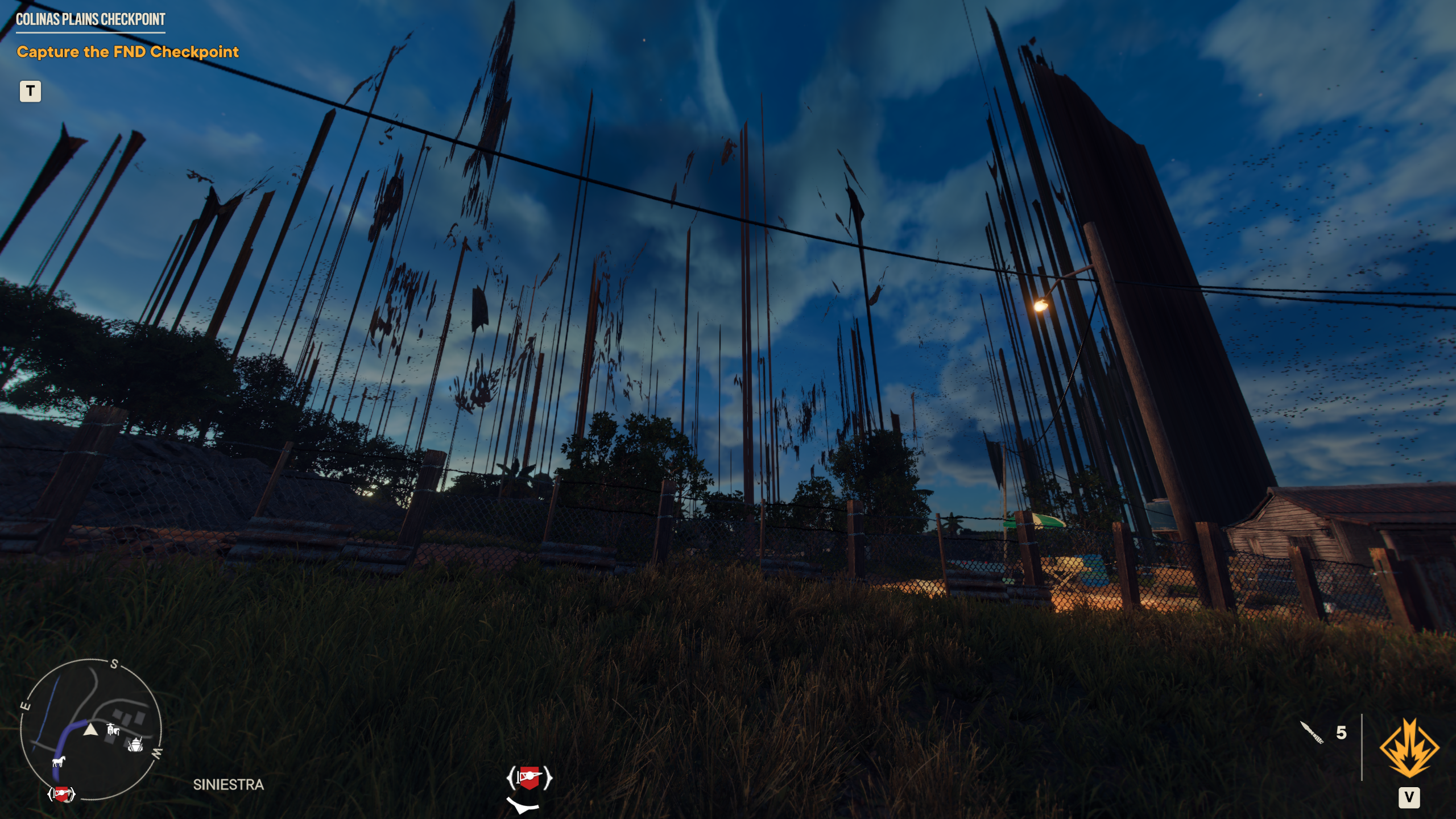
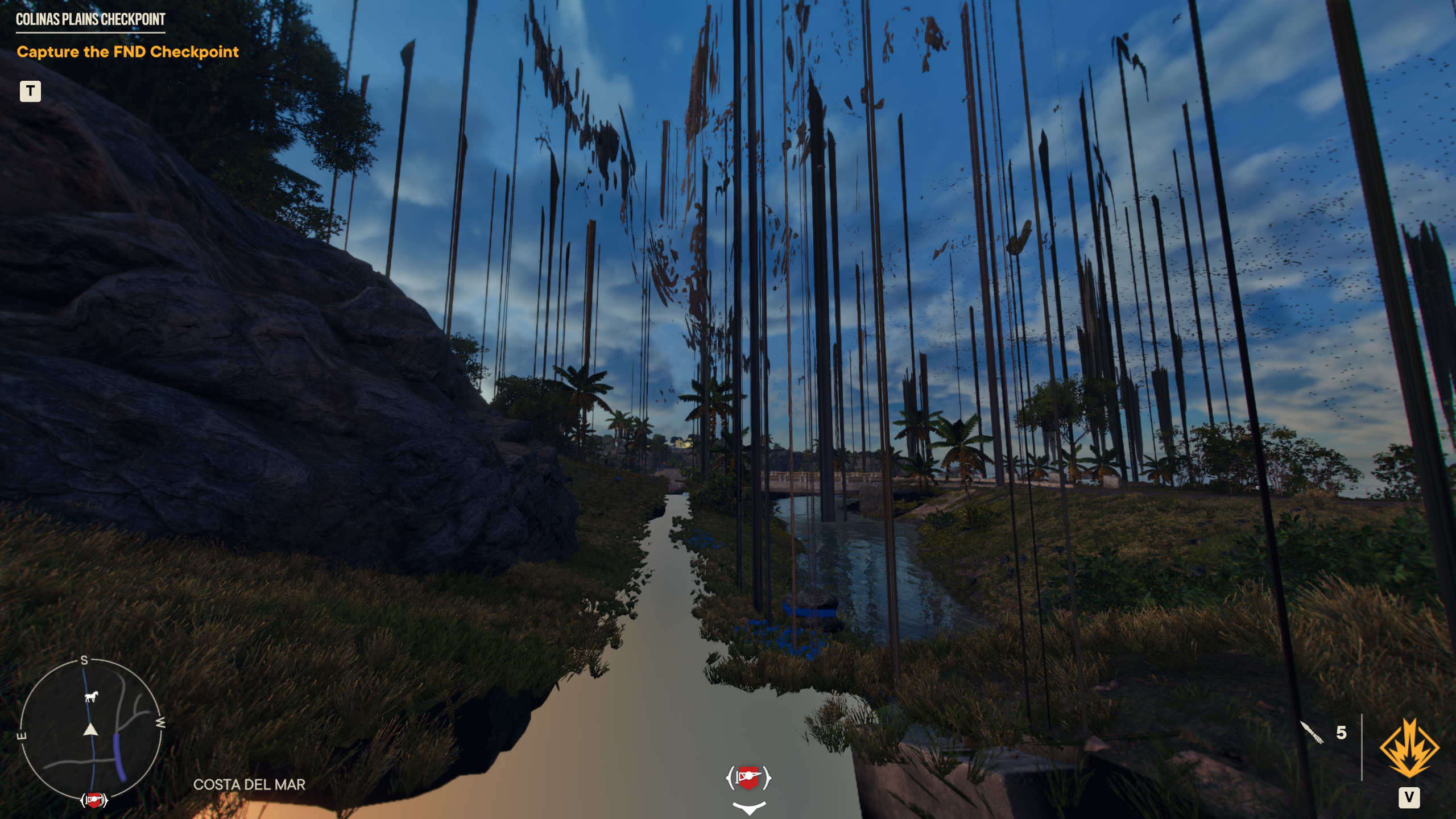
Ryzen 3900X Nvidia 2080ti
Ubuntu 20.04 with HWE - Kernel 5.11.0
Nvidia driver 470.86
VK3D v2.5L-db89d40
DXVK NVAPI v0.5-e23d450
With Lutris and Wine 7.0 RC3 GE and v2.5L-db89d40 I can get into the game but the first time anything explodes the game will freeze.
Benchmark does run ok tho. I disabled uplay overlay just in case.
I think all the issues I listed in my original post are fixed now, on AMD GPUs at least. Can someone with an Nvidia card confirm if everything is working fine?
I think all the issues I listed in my original post are fixed now, on AMD GPUs at least. Can someone with an Nvidia card confirm if everything is working fine?
Definitely still not working fine. Just compiled latest vkd3d-proton, dxvk, and dxvk-nvapi, and it still freezes at the loading screen when trying to start a game or benchmark.
The terminal output has 108,797 lines of
05e4:fixme:d3d12_swapchain_Present1: Ignored present parameters 000000000538f700.
But during the actual freeze, like at the moment it freezes, there's this:
0660:err:d3d12_command_queue_execute: Failed to submit queue(s), vr -4.
0648:err:d3d12_command_queue_execute: Failed to submit queue(s), vr -4.
0660:err:d3d12_command_queue_signal: Failed to submit signal operation, vr -4.
0648:err:d3d12_command_queue_signal: Failed to submit signal operation, vr -4.
I get the following which makes the xserver unsuable without a restart.
0418:fixme:d3d12_swapchain_Present1: Ignored present parameters 000000000404f700.
amdgpu: The CS has been cancelled because the context is lost.
048c:err:d3d12_command_queue_execute: Failed to submit queue(s), vr -4.
amdgpu: The CS has been cancelled because the context is lost.
0474:err:d3d12_command_queue_execute: Failed to submit queue(s), vr -4.
amdgpu: The CS has been cancelled because the context is lost.
0484:err:d3d12_command_queue_execute: Failed to submit queue(s), vr -4.
0418:fixme:d3d12_swapchain_Present1: Ignored present parameters 000000000404f700.
X connection to :0 broken (explicit kill or server shutdown).
X connection to :0 broken (explicit kill or server shutdown).
X connection to :0 broken (explicit kill or server shutdown).
wine: Unhandled page fault on read access to FFFFFFFFFFFFFFFF at address 00007FA14243644C (thread 00bc), starting debugger...
free(): corrupted unsorted chunks
00bc:err:seh:call_stack_handlers invalid frame 000000000125E050 (0000000001042000-0000000001240000)
00bc:err:seh:NtRaiseException Exception frame is not in stack limits => unable to dispatch exception.
X connection to :0 broken (explicit kill or server shutdown).
X connection to :0 broken (explicit kill or server shutdown).
024c:fixme:kernelbase:AppPolicyGetProcessTerminationMethod FFFFFFFA, 0079FEB4
03e4:fixme:kernelbase:AppPolicyGetProcessTerminationMethod FFFFFFFA, 008AFEB4
For me on a GTX 970 4GB using the 470.94 drivers, the game crashes when trying to run the built-in benchmark. I compiled the master tip.
Yeah I don't get an X crash, once I get to the failed to submit queue part and it freezes I have to keep hitting alt-tab (it doesn't work at first) until I can tab out and kill it the process. But yeah I get the same 0484:err:d3d12_command_queue_execute: Failed to submit queue(s), vr -4. errors. I'm on Nvidia though, in my experience it handles freezes like this better than AMD, I've been in similar situations back when I had an AMD GPU and it would lock up the system and I'd have to reboot.
I think all the issues I listed in my original post are fixed now, on AMD GPUs at least. Can someone with an Nvidia card confirm if everything is working fine?
@DoomPenguin9 I know I'm not NVidia, but I can confirm the same thing. With the latest git build of vkd3d, I no longer have any issues at all with AMD here. I can go in to the maps/menus without risk of hanging the GPU (which was unrecoverable without a reboot before).
CPU: Dual Intel Xeon E5-2687W v2 @ 3.40GHz,
RAM: 128GB RAM
GPU: AMD RTX 6700 XT
OS: Kubuntu 21.10
Kernel: 5.13.0-27-generic
Mesa 22.0.0-devel (git-2002e87 2022-01-24)
VKD3D built off of 91976b2eddb3aca4c1323529af2c38aab223769d
Proton GE 7.0rc6
It was nice to finally play this game. I played for 4 hours straight last night, no problem. Prior to this, I could play for just a few minutes before I had to go to the map or pull up a workbench menu at which point there was a 70% chance of GPU hang. I didn't notice any visual glitches either.
Had to start over with a new prefix and re-downloaded the game over night, then finally it works with lutris-6.21-6-x86_64 and latest vkd3d git master. I can finally get past the tutorial! AMD Vega 56.
Tried the game again, it now works with the nvidia drivers, will list wine, Dxvk and Vkd3d below.
System: Pop_OS 21.10
R7 5800X CPU
RTX 2070 8gb Normal
Nvidia Driver: 470.86 - Edit also works with 470.103.01
Wine: Wine-Ge - 7.1-GE-1
Dxvk: master - commit 2673d7427037fdd6aab9121d04a3a064759fcaa3
Vkd3d: master - commit 33f17cc74d341a22ddba701a68761e710e328777
DXVK-NVAPI: lutris - v0.5-e23d450
Hoping some other nvidia users can give it a go, to see if it works for them as well
Edit: added some screen shots.
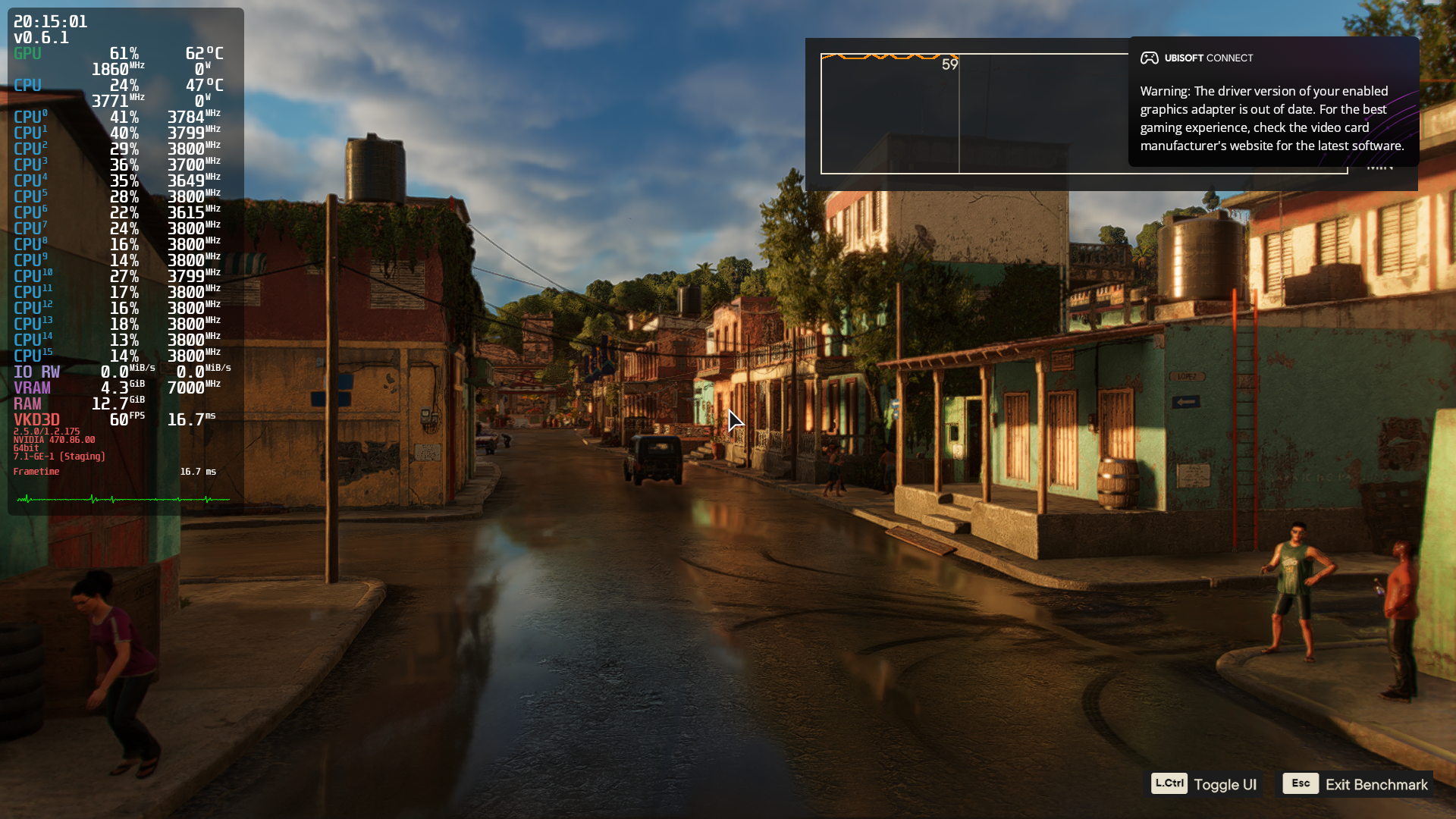
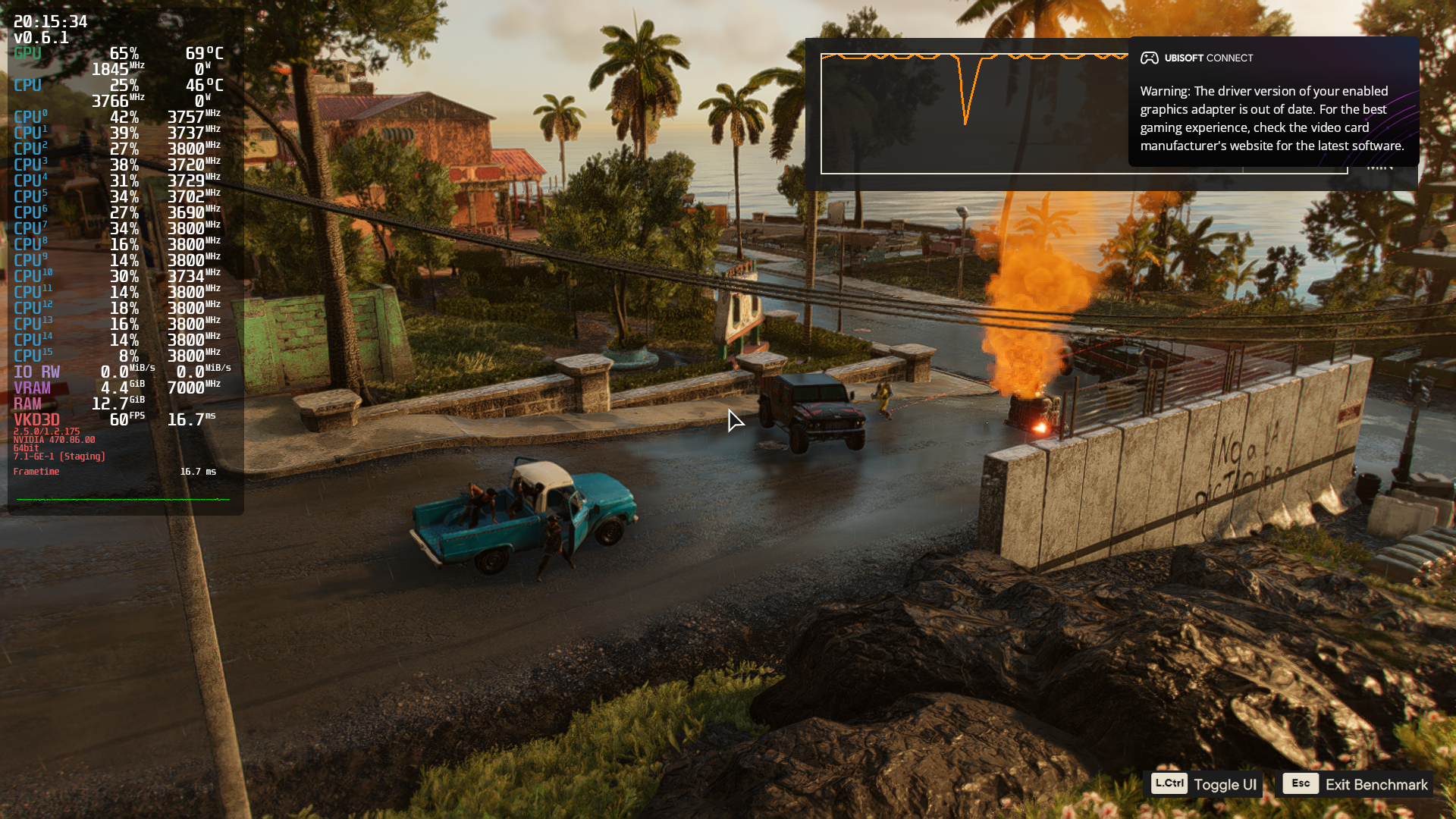
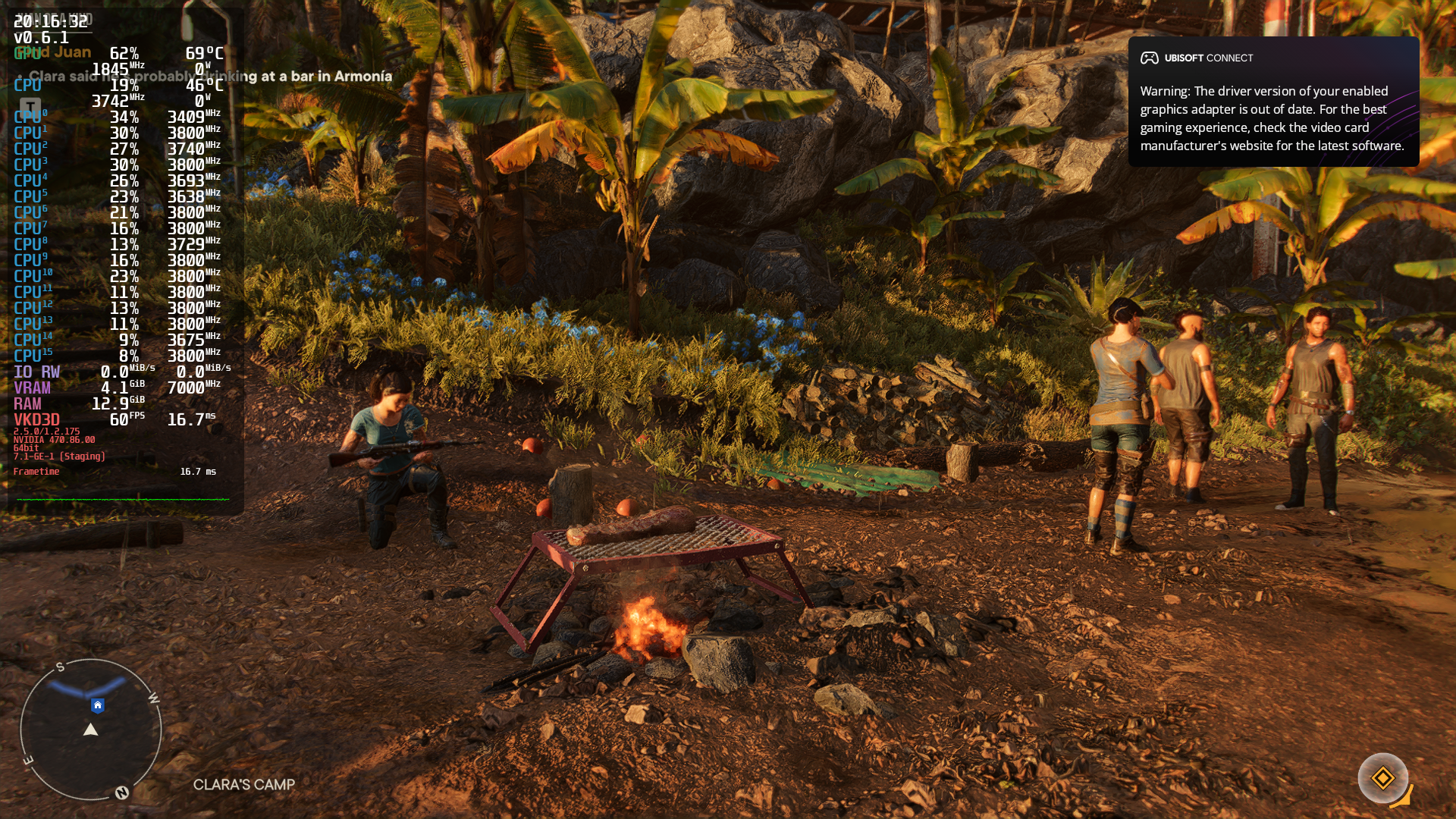
I 100% can still NOT confirm @Ross-Carran's results. Nothing has changed whatsover. Trying to either run a benchmark or start a game freezes at the loading screen (With the little spinny thing at the bottom right) with the exact same terminal output as before. I'm using literally everything the same as Ross, other than GPU (RTX 3090), CPU (5900X), and driver version (510.47.03). Using lutris-ge 7.1-1, using the literal exact same commits of DXVK, VKD3D-Proton, and DXVK-NVAPI, everything.
The game had an update when I launched Ubisoft Connect, so I thought maybe that's what was going to fix the issues, but sure enough no, same exact crash (or rather freeze) as before.
I left it sat for like 5 minutes just to see if it would eventually continue loading (I've seen it happen before), but no, it was frozen.
I guess I can boot into a secondary install and try with 470.86, but I highly, highly doubt that is the issue, considering it never worked on 470.86 before.
I just tried it with success with the following settings:
lutris: farcry6 installer https://lutris.net/games/far-cry-6/
wine: lutris-ge-7.1.1 (prebuilt from GE github)
DXVK: v1.9.4L-2 (was preset by the installer)
VKD3D: vkd3d-proton-git from aur (version was v2.1.r38.g2560c768-1)
DXVK NVAPI: v0.5-e23d450 (was preset by the installer/ is default)
nvidia-dkms: 510.47.03-3
kernel: linux-zen 5.16.5.zen1-1
GPU: GTX0180
CPU: i7-4820
I could load my savegame and the game was playable (just tried to launch it, didn't check if it was running stable,...)
Yeah I have no idea what's going on, I've tried it with both the generic Ubisoft Connect installer and with deleting the prefix and trying again with the lutris.net/games/far-cry-6 installer. With and without texture packs.
The first time I tried with the actual FC6 Lutris install script and tried to run the benchmark, it actually got past the little spinny loading thing, and then froze (I could hear the benchmark sounds running, but the screen was frozen black).
But after that, I'm right back to where I was:

It freezes there every time. I have to alt-tab out to kill it (and I have to alt-tab like, several times before it actually starts switching windows, it doesn't freeze the whole system but it kind of does, it's hard to explain. I'll try to record it with OBS or something later).
Anyway, as soon as the freeze hits, I still get the same exact terminal output as always:
06c4:err:d3d12_command_queue_execute: Failed to submit queue(s), vr -4.
06ac:err:d3d12_command_queue_execute: Failed to submit queue(s), vr -4.
06c4:err:d3d12_command_queue_signal: Failed to submit signal operation, vr -4.
06ac:err:d3d12_command_queue_signal: Failed to submit signal operation, vr -4.
Every time. Prior to the freeze, I get hundreds (or thousands) of lines of:
0650:fixme:d3d12_swapchain_Present1: Ignored present parameters 00000000052ff6b0.
0650:fixme:d3d12_swapchain_Present1: Ignored present parameters 00000000052ff6b0.
0650:fixme:d3d12_swapchain_Present1: Ignored present parameters 00000000052ff6b0.
0650:fixme:d3d12_swapchain_Present1: Ignored present parameters 00000000052ff6b0.
But I watch on my second monitor with the terminal open and the second the freeze happens, it's those 2 Failed to submit queue(s), vr -4 lines and the 2 failed to submit signal operation, vr -4 lines.
So far today I've tried with lutris-ge-7.1-1, lutris-6.21 (the default with the far cry 6 install script), and my own wine-tkg-git 7.0 and 7.1 (with and without fshack built in).
Edit: system is running llvm 13.0.0
You can try giving these a go.
Built against.
Meson: 0.56.2
glslang: 11.1.0
MingW-w64: 8.0.0 target compiler version -> 10.3.0
vkd3d-proton-master.tar.gz
dxvk-master.tar.gz
If your using lutris, copy the folders into their respective directories.
$HOME/.local/share/lutris/runtime/dxvk
$HOME/.local/share/lutris/runtime/vkd3d
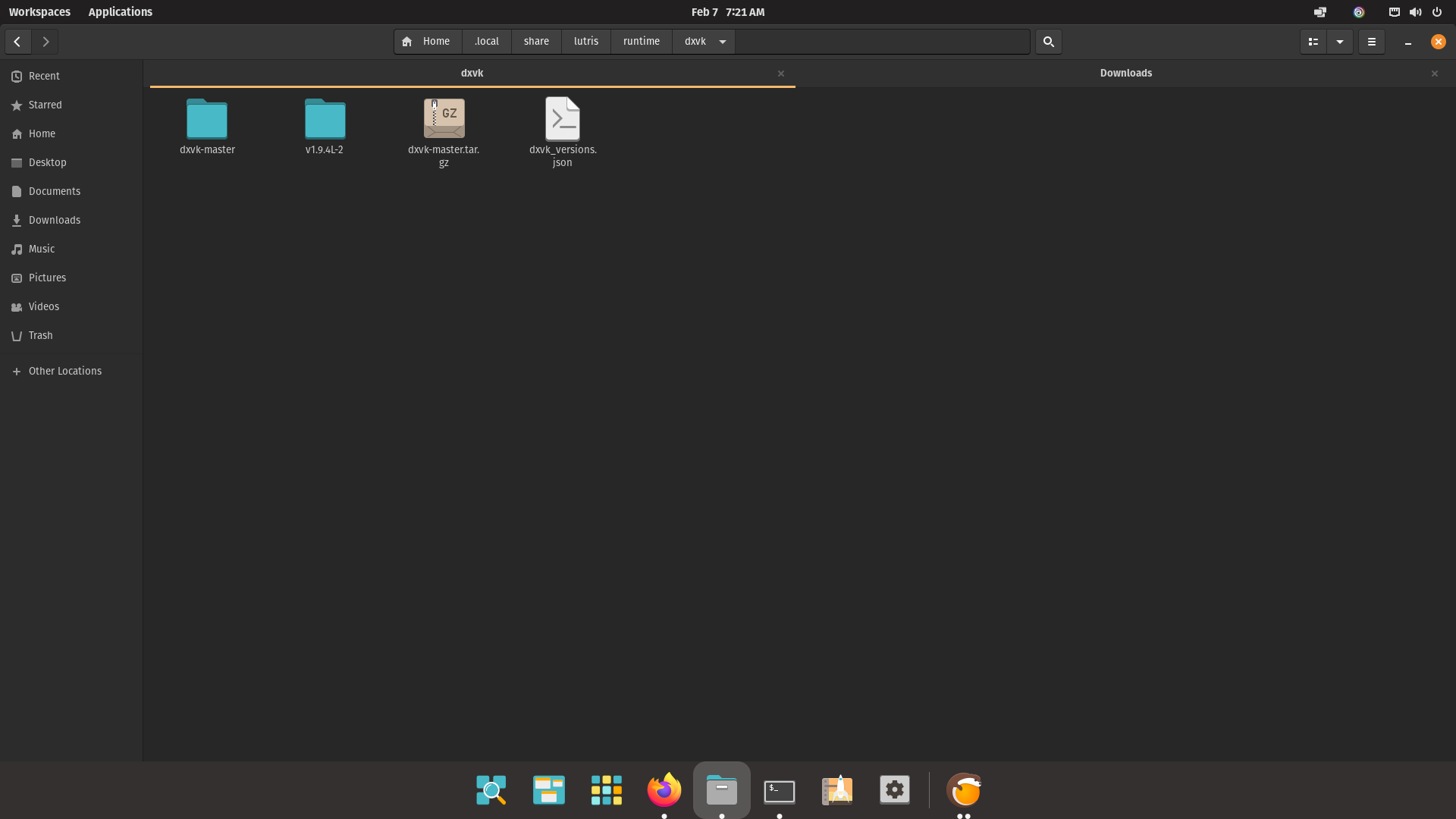
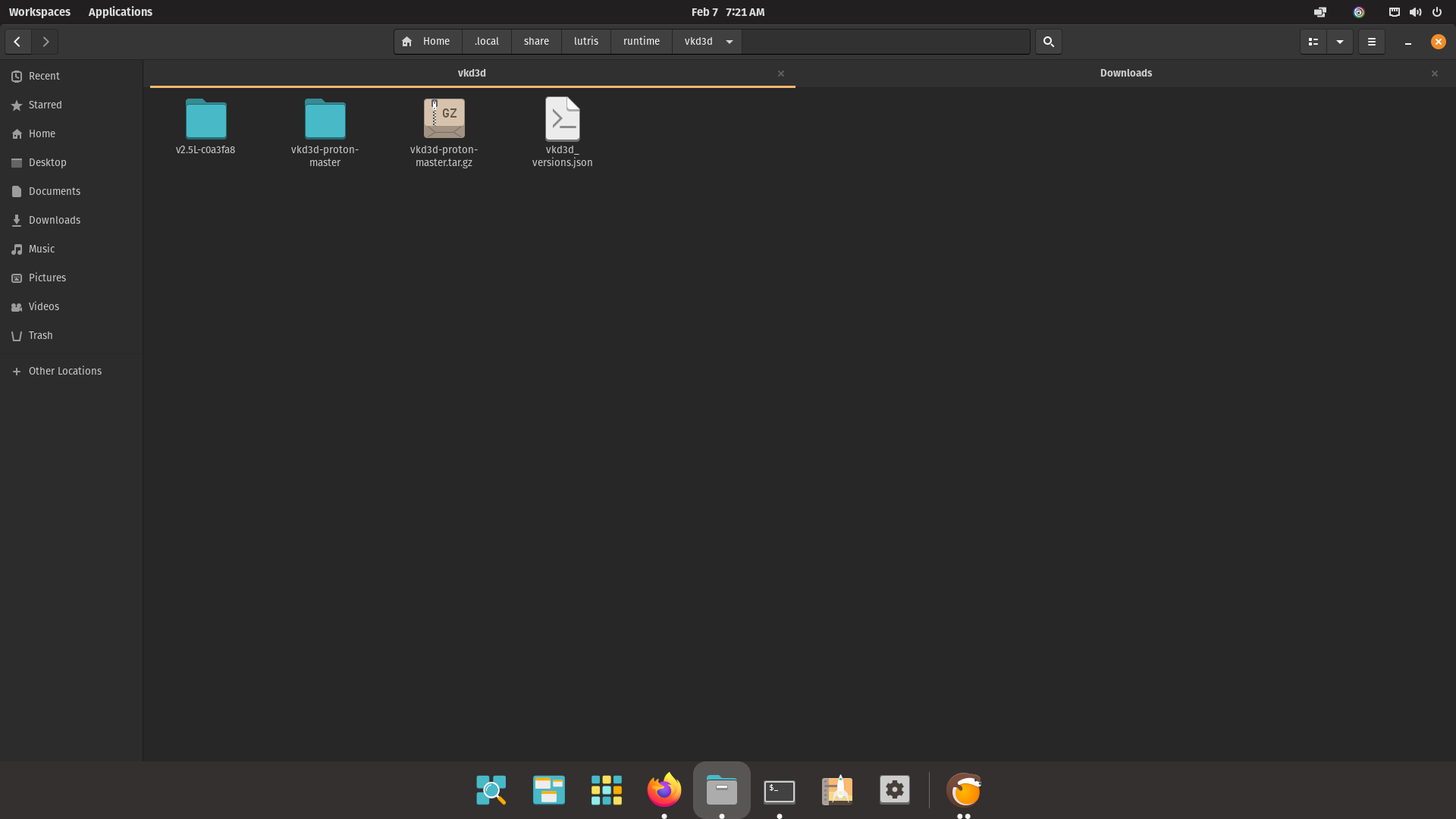
Then in lutris in "runner options" physically type the directories "NAME" into dxvk and vkd3d sections.
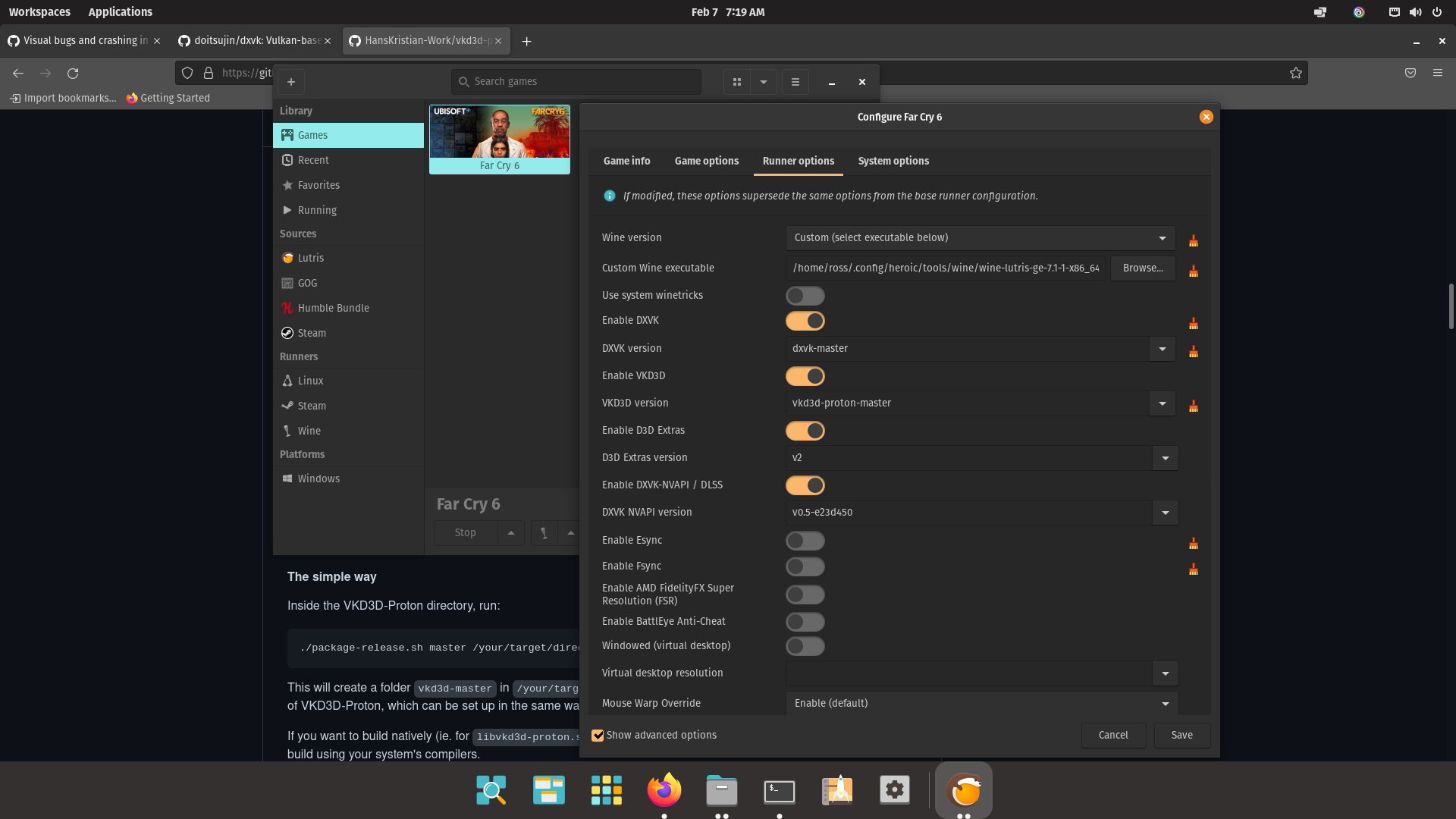
Crashes with Nvidia 495.46 Driver and 510.43.03
Possible Driver regression ??
lutris-far-cry-6.log
For me, the game now runs flawelessly, I had to reinstall it, and change vkd3d to the version after the latest commit (downloaded from here: link to download page. The wine version the Lutris installer chose worked fine. Before that the it sometimes completely messed up my entire gui, to the point where even restarting KWin didn't do anything, but after changing vkd3d that error was gone. Although sometimes there is some flickering (VERY rarely) I consider it perfectly playable.
The benchmark also ran without any problems:
My Hardware:
i7-4790k
MSI RX 6700 XT MECH 2X OC (Mesa 22.0.0-devel (git-268fc8e5c1))
Benchmark was run in 1080p with Ultra settings, apart from raytracing(off) and motion blur (off)
avg FPS: 57
max FPS: 91
min FPS: 44
rendered Frames: 3435
Considering the rather old CPU, I'm pretty surprised how good it runs.
@Ross-Carran it's not the vkd3d-proton or DXVK versions, I already (and have for a long while) compiled the vkd3d-proton and DXVK versions I use in Lutris myself, and more importantly I also tried the exact configuration that @aHcVolle had apparent success with (only difference was the kernel).
I have a secondary root partition that I keep other installs (either Pop OS, Ubuntu, or Manjaro) on specifically for stuff like this, I'll try launching it in Pop OS. But other than there's no reason it shouldn't work. Do either of you have set DXVK_CONFIG_FILES?
It's the Nvidia Drivers @gardotd426 at least currently from what I can tell.
Nvidia 470.103.01 and 470.86. Work for me. (Nvidias current Long Lived Branch, Production Branch Drivers 470.x.x)
Nvidia 510.47.03 and 495.47.03 crash the game.
Compile the most current Vkd3d and use one of those 470.x.x Nvidia Drivers
@Ross-Carran @aHcVolle had it working on 510.
I'll give it another go with 510, I always try the benchmark first, if that doesn't work I don't try to run the game in any other mode.
Don't run any special DXVK settings or anything.
Only reason I figure it could be a driver issue is Planetary Annihilation: Titans hates those drivers as well at least on this computer. And it's a native Linux game.
@aHcVolle Do you use wayland, if you do which desktop environment do you use and do you run your games with gamescope ?
I'm using KDE plasma (latest version, not sure if its 5.23 or 5.24) with X11. No, i'm not using gamescope (never heard of it :) )
Gamescope doesn't work at all with Nvidia, last I was aware.
On Tue, Feb 8, 2022 at 1:36 AM Volle @.***> wrote:
I'm using KDE plasma (latest version, not sure if its 5.23 or 5.24) with
X11. No, i'm not using gamescope (never heard of it :) )—
Reply to this email directly, view it on GitHub
https://github.com/HansKristian-Work/vkd3d-proton/issues/845#issuecomment-1032260460,
or unsubscribe
https://github.com/notifications/unsubscribe-auth/AM5Y333HGBUM5NRHZZ5YIYDU2C2YTANCNFSM5FTVMT5A
.
Triage notifications on the go with GitHub Mobile for iOS
https://apps.apple.com/app/apple-store/id1477376905?ct=notification-email&mt=8&pt=524675
or Android
https://play.google.com/store/apps/details?id=com.github.android&referrer=utm_campaign%3Dnotification-email%26utm_medium%3Demail%26utm_source%3Dgithub.You are receiving this because you were mentioned.Message ID:
@.***>
Your right, so between yesterday and today, fluffed around a bit. Managed to get a gnome 4 setup with wayland running.
Tried the game with 495 and 510 both failed, tried with 470 that failed too... switched to x11 470 495 510 failed.
Changed kernel to the most current lqx kernel 5.16.x from aur 470 worked 495 and 510 failed.
So now, im going to give the zen kernel a try and see what happens.
If it's a kernel thing, what would be different in the kernel config to get the game to work with the driver?
Will see if i can get as close to @aHcVolle s kernel setup and see if that makes the difference.
Just had time to play the game again. i tried @Ross-Carran's vkd3d build from above with everything else as setup by the lutris script as default. the game was running perfectly for me.
Game runs fine until I shoot a gas cylinder, the explosion crashes the game.
Have Lutris log.
have a apitrace log from a different load, that finds exceptions on loading the PSO cache and crashes the game at load.
farcry6-apitrace-dump.txt
lutris-farcry6.log
edit: will redo these ^
Keeping, logs that are relevant to each other makes more sense -_- .
Has anyone tried RayTracing?
For me the option is just greyed out, I've tried a few different wine versions, vkd3d versions, I also tried adding the VKD3D_CONFIG=dxr11 env variable, but still isn't available...
my setup:
i5-12600k
rx6700xt
Garuda Linux KDE (Arch-based)
You need RADV_PERFTEST=rt as well, but on AMD there is almost no point in trying because driver support is still too incomplete for DXR1.1 games.
No, still isn't available...
I have this as prefix in Lutris config for far cry 6 VKD3D_CONFIG=dxr11 RADV_PERFTEST=rt
You need RADV_PERFTEST=rt as well, but on AMD there is almost no point in trying because driver support is still too incomplete for DXR1.1 games.
what would happen then? just no raytracing even though it's enabled or what do you mean it's too incomplete for DXR1.1?
Anything could happen from no option being available, crashes, broken rendering, gpu hangs. With too incomplete i mean that it's missing necessary features and has too many bugs.
huh okay, so the option not being available ingame could also be because of that?
Yes, but you can also try VKD3D_FEATURE_LEVEL=12_2 to maybe get the option to show up.
Yes, but you can also try VKD3D_FEATURE_LEVEL=12_2 to maybe get the option to show up.
then this happens when I start the game
0800:info:vkd3d_memory_info_init_budgets: Applying resizable BAR budget to memory types: 0x44.
0800:info:vkd3d_bindless_state_get_bindless_flags: Device supports VK_VALVE_mutable_descriptor_type.
0800:info:d3d12_device_caps_init_shader_model: Enabling support for SM 6.6.
0800:fixme:d3d12_device_caps_init_feature_options1: TotalLaneCount = 2560, may be inaccurate.
0800:info:d3d12_device_determine_ray_tracing_tier: DXR support enabled.
0804:fixme:d3d12_device_SetResidencyPriority: iface 0000000012ef0030, object_count 1, objects 00000000054ff090, priorities 00000000054ff060 stub!
ACO ERROR:
In file ../mesa-22.0.1/src/amd/compiler/aco_instruction_selection.cpp:9098
Unimplemented intrinsic instr: intrinsic rq_initialize (ssa_258, ssa_14, ssa_0, ssa_257, ssa_261, ssa_260, ssa_259, ssa_240) ()
wine: Assertion failed at address 00007FBB5FECD34C (thread 081c), starting debugger...
Unhandled exception: assertion failed in 64-bit code (0x00007fbb5fecd34c).
After much messing around I got the game working with my Nvidia 2070 Super.
Arch alike Artix
Was on nvidia-dkms-510.68.02-1 which was freezing the game at the spinning gold icon as above.
Built this from AUR: https://aur.archlinux.org/packages/nvidia-vulkan
Installed:
sudo pacman -U nvidia-vulkan-dkms-470.62.29-2-x86_64.pkg.tar.zst nvidia-vulkan-utils-470.62.29-2-x86_64.pkg.tar.zst lib32-nvidia-vulkan-utils-470.62.29-2-x86_64.pkg.tar.zst
X.org
Kernel: 5.17.6-artix1-1
Wine: lutris-GE-Proton7-11-x86_64
dxvk: v1.10L
vkd3d-proton: Compiled from git master. Currently at this commit 1a773cfb713366948c0c76cada6453b2687f49cd
dxvk nvapi: v0.5.3 (does not seem to do anything i.e no DLSS in the menu)
Played just past exploding a gas canister due to the crash reports above. Did not crash.
Thanks for the contributors to the issue thread as I'd have given up otherwise.
The game launches fine, but I still have the text issue and a pink background instead of splashscreens etc.
Arch Linux
AMD RX 5700
Kernel 5.18.1-zen1-1-zen
mesa 22.1.0-1.1
vkd3d-proton-bin 2.6-1
wine-ge-custom 1:GE.Proton7.16-1
EDIT: It's working now, my game files were probably outdated or something.
Game runs fine until I shoot a gas cylinder, the explosion crashes the game.
Have Lutris log. have a apitrace log from a different load, that finds exceptions on loading the PSO cache and crashes the game at load. farcry6-apitrace-dump.txt lutris-farcry6.log
edit: will redo these ^ Keeping, logs that are relevant to each other makes more sense -_- .
I am also having this issue. Though its seemingly any explosion because it also happened when i shot a truck and it exploded. Making it impossible to progress through one of the first missions
I'm not using Linux, but Windows 7 (and the d3d11/12, dxgi workaround) and I am also experiencing crashes at random explosions. Will lurk eagerly until a solution is found and/or will gladly help if I can.
just went back to the game to try playing with logs on and i got a very similar error to @Ross-Carran when an explosion happens. Theirs was:
0758:fixme:d3d12_swapchain_Present1: Ignored present parameters 00000000049bf6b0.
and mine was:
0668:fixme:d3d12_swapchain_Present1: Ignored present parameters 0000000004e6f840.
Haven't posted in a while, tested the game out with a tkg-wine custom build, that has winesync(Fastsync) patch applied and have the winesync kernel module installed via dkms though aur, 515.57 nvidia beta driver, dxvk-async, vkd3d-git and most recent linux-lqx kernel(5.18*).
Video card is Nvidia 2070 generic.
environment variables used were: DXVK_ASYNC=1 WINEESYNC=0 WINEFSYNC=0 WINEFSYNC_FUTEX2=0
WINE_FULLSCREEN_FSR=1 WINE_FULLSCREEN_FSR_STRENGTH=1
built wine with wine-tkg-git with this cfg file remove the .txt at the end.
customization.cfg.txt
At the very start it asked for the wine base, the one that worked was option 4 - Protonified
The game loads up and doesn't crash runs really stable. Don't really want to work backwards to find out what changes got the game working properly. Being restricted to 5 attempts on Denuvo then being locked out for 24 hours.
@DoomPenguin9 Friendly ping (and others with that had issues). Are you still having these problems?
@DoomPenguin9 Friendly ping (and others with that had issues). Are you still having these problems?
Don't know the current state, but I played and finished the game a few months ago without any issues.
This has been fixed for a long time. It appears that I forgot to close this issue, for which I apologise.
np. Thanks for replying
Can anyone point me to the solution please?
Just use a recent version of VKD3D-Proton and it should work fine.
Just use a recent version of VKD3D-Proton and it should work fine.
Hey Kobin- can you give a noob (me) a clearer set of instructions/links please?
Install vkd3d-Proton like you did before but this time do it with a more recent version.
If youre on Windows, don't use vkd3d-Proton.
I am using Windows 7, so I don't believe the crashes can be fixed. Thanks anyway.
@PabloBru are you aware that this github issue is about proton/vkd3d aka linux support?
Hi dano0b.
Yes, my original msg was... "I'm not using Linux, but Windows 7 (and the d3d11/12, dxgi workaround) and I am also experiencing crashes at random explosions. Will lurk eagerly until a solution is found and/or will gladly help if I can."
I was just hoping that something may have helped.
Proton versions
proton 7.16-1x1 2022-06ge-proton7-11x1 2022-05proton experimentalx3 2021-12
Launch options
DXVK_ASYNC=1x1 2022-07WINEESYNC=0x1 2022-07WINEFSYNCx1 2022-07WINEFSYNC=0x1 2022-07WINE_FULLSCREEN_FSR=1x1 2022-07WINE_FULLSCREEN_FSR_STRENGTH=1x1 2022-07VKD3D_FEATURE_LEVEL=12_2x2 2022-04RADV_PERFTEST=rtx3 2022-04VKD3D_CONFIG=dxr11x2 2022-04DXVK_CONFIG_FILESx1 2022-02STEAM_COMPAT_CLIENT_INSTALL_PATHx1 2021-12STEAM_COMPAT_DATA_PATHx1 2021-12PROTON_ENABLE_NVAPIx1 2021-12VKD3D_CONFIG=x1 2021-12
Compiling vkd3d-proton-master is the only way to play Far Cry 6 on Linux at the moment but there are some bugs and the game is not fully playable.
The first issue is that the text in the menus does not show if you compile vkd3d-proton-master as it is, you have to add
key.u.texture.allowed_swizzle = true;here before compiling to work around it.The second issue flickering which you can see in this video https://www.youtube.com/watch?v=0psf8wDt048&t=3s
The third, and biggest problem I've encountered is the game crashing in menus. If you open your map, the game has a very high chance of crashing the AMDGPU driver. The same goes for interacting with quest givers, crafting benches, etc.
PC Specs:
OS: Arch Linux
Kernel: 5.14.9-zen2-1-zen
Mesa 21.3.0-devel (git-305b170229)
CPU: Ryzen 7 5800x
GPU: RX 6700 XT