Marvel's Guardians of the Galaxy crashes on launch
can confirm with the latest fixes the game runs. with my RX 6800
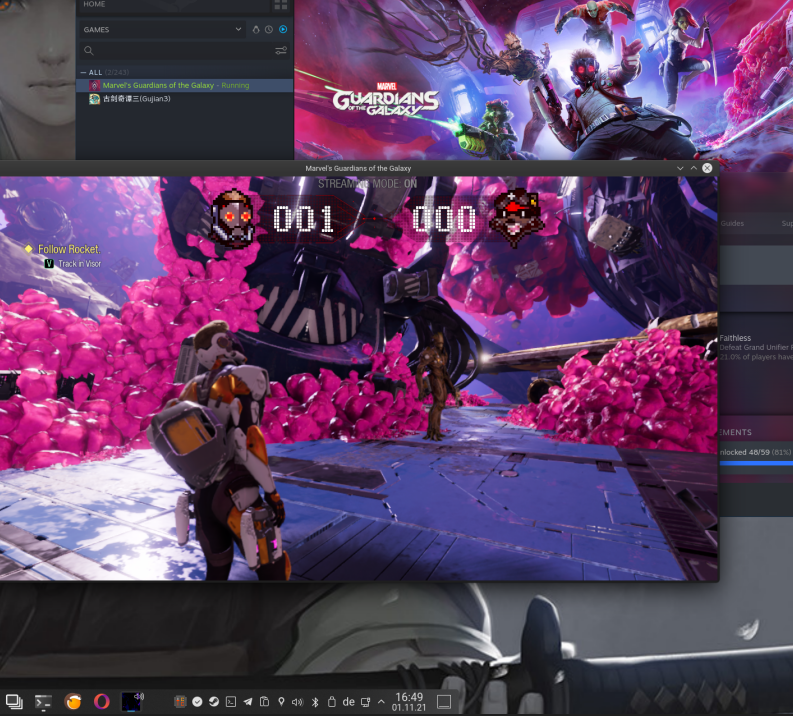
@Llorrin how many FPS are you getting? I'm trying to debug ~40 fps lock which seems to be CPU bound.
@HansKristian-Work about 50ish
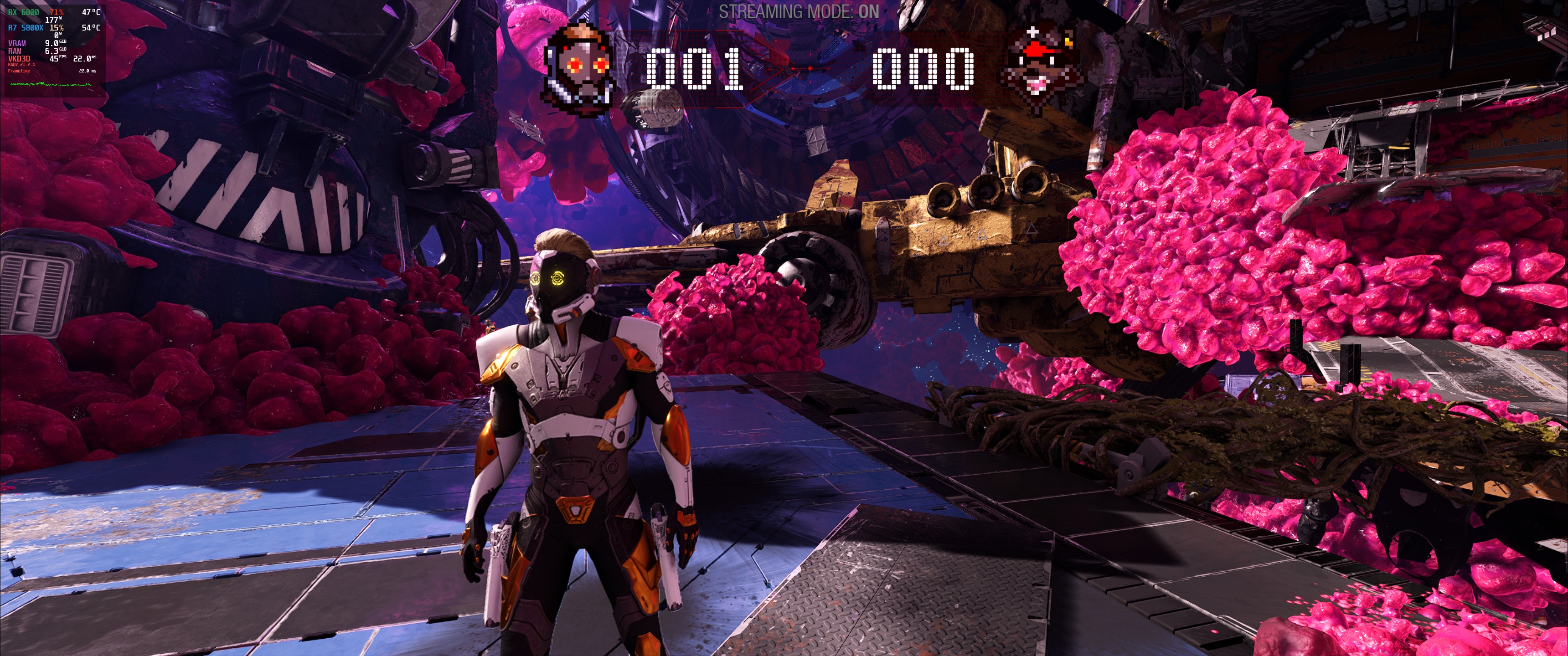
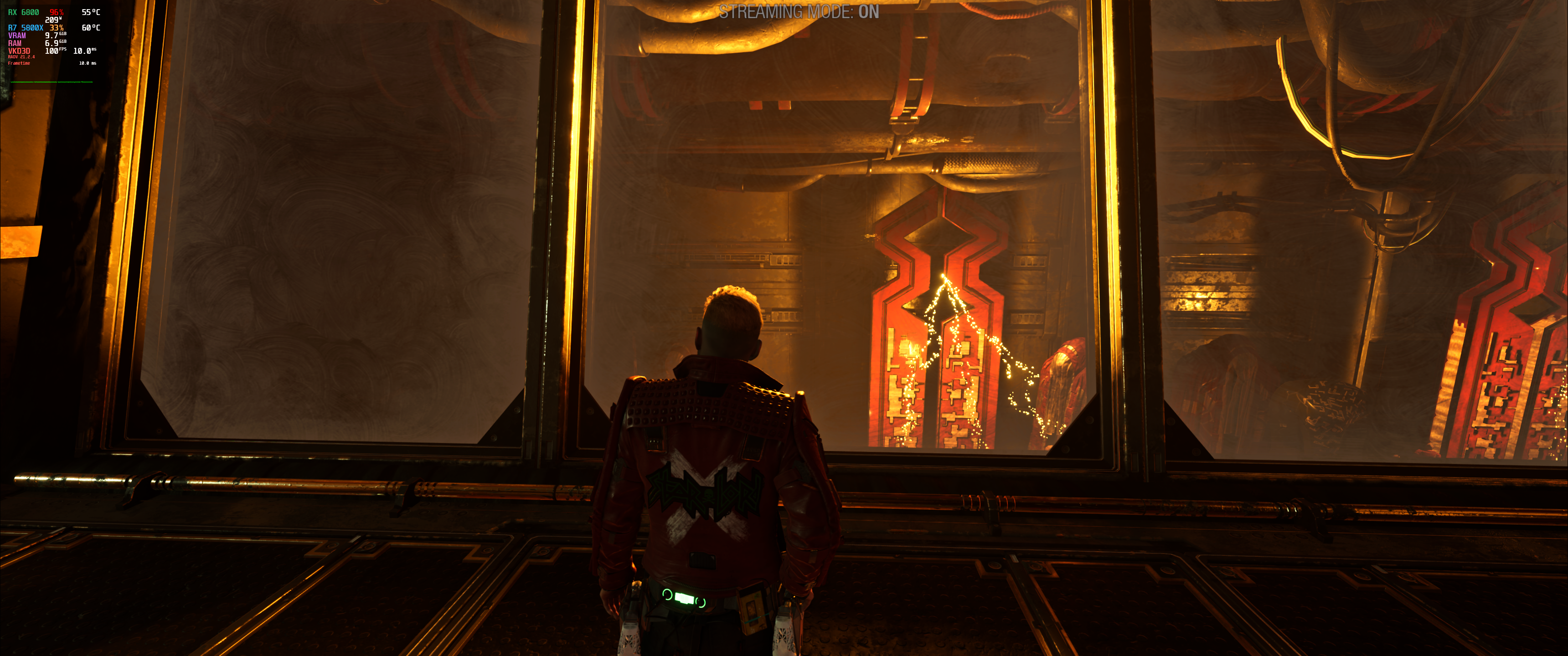
@HansKristian-Work the game does not seem to have any fps lock persay, on some scenes im getting 100 fps. and then drops to 40 -50 it is the gpu is not fully utilized.
I've compiled the patched vkd3d binaries from the gotg-fix branch to get the game to run, but I've had no luck. Am I supposed to put these in the proton directory or within the compatdat prefix? I've attempted both and neither work. I've also worked with winecfg to manually select builtin or native d3d12.dll's and it didn't change anything.
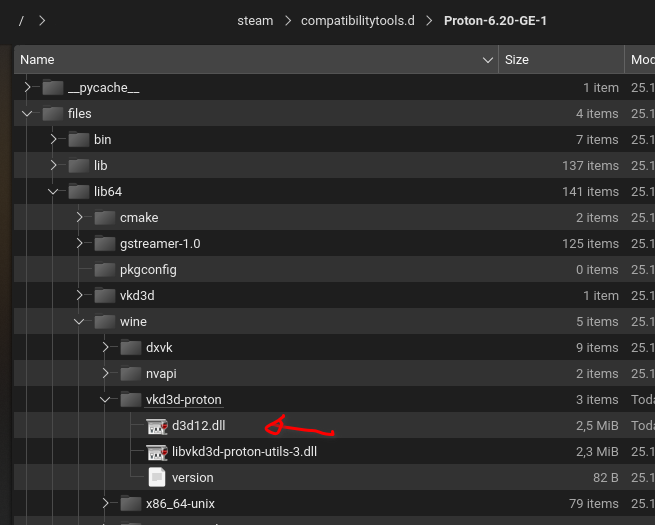
for me it did not run at the beginning but after deleting the game prefix it worked. replaced the dx12.dll inside GE proton, i did not touch valve proton.
@ruineka if you are using GE proton this is the location
I installed this fix, the game starts show the menus but crashes after Marvel intro
- GPU: Nvidia Geforce RTX 1080
- Driver: 470.74
- Kernel: 5.11.0-37-generic
- Proton: Proton-6.20-GE-1
for me it did not run at the beginning but after deleting the game prefix it worked. replaced the dx12.dll inside GE proton, i did not touch valve proton.
I deleted the game prefix and it got it to work on the custom GE whereas before it would only launch on experimental. However, the game gets to a different point each time when I launch it. The closest I got was when there was music in the background but nothing but a black screen until it finally auto closed.
@ruineka if you are using GE proton this is the location
I'm wondering if I have a bad build. I noticed your d3d12.dll is 2.5mb mine is 4.8mb
here i uploaded mine
Thanks, what I did wrong was I put master instead of gotg-fixes when compiling. I deleted the prefix and put a fresh proton 6.20.1 GE in my compatibility folder and put only the d3d12.dll file where it goes and it still crashes. I'm on Pop OS 21.04 using the NVidia 470.82.0.0 driver. Updated log included.
steam-1088850.log
then it must be something with nvidia as both of you have nvidia card. i am on amd. i think nv has a new driver perhaps it will solve the issue if you update?
then it must be something with nvidia as both of you have nvidia card. i am on amd. i think nv has a new driver perhaps it will solve the issue if you update?
Indeed so, it's seemingly related to Nvidia cards. Installing the latest Nvidia on Pop OS is a nightmare so I'll let someone else test out the 495 driver that is available.
Could be the prefix - on my 6.20-GE-1 it crashed, but I switched to Proton Experimental and placed the dll in that one and it ran.
I'm with AMD though.
Could be the prefix - on my 6.20-GE-1 it crashed, but I switched to Proton Experimental and placed the dll in that one and it ran.
I can confirm that whichever prefix you create on launch the first run will be the only one that loads up the configuration tool etc, Deleting the prefix and launching with the desired GE is required to get the game to boot whatsoever. That being said actually getting into the game on NVidia doesn't look good on the 470 drivers at least.
Dunno how it runs on Windows, but the initial house scene on 4K with 70% resolution scale runs with ~25 fps on RX 6800.
I am going to attempt to run this game running the Iris Xe graphics on my OneXPlayer, I bet I get the directx 12 error I had on Windows, but we shall see.
it has perf issues. sometimes you get 100 fps then 40.
@ruineka the game has a VRAM limitation it wont allow you to run with less than 4GB VRAM, at least is what i read on steam discussions.
Seems to be running a bit better with WINE_FULLSCREEN_FSR. Doesn't do sudden fps jumps, at least in the 10 minutes I've just played before going to bed. :)
@ruineka the game has a VRAM limitation it wont allow you to run with less than 4GB VRAM, at least is what i read on steam discussions.
It runs on AMD using shared memory (found on the Aya Neo handheld), I tested and it says No suitable d3d12 adapter found running on Iris Xe, isn't there a way to spoof video memory using Wine etc?
i dont know if you can spoof it like it was done on vanila wine with
winetricks videomemorysize=2048
then it must be something with nvidia as both of you have nvidia card. i am on amd. i think nv has a new driver perhaps it will solve the issue if you update?
I've just updated the drivers to 495.44 and the game still doesn't work
i dont know if you can spoof it like it was done on vanila wine with
winetricks videomemorysize=2048
Thanks, I tried that and 4096 and no luck. I also went as far as putting the Device IDs for a GTX 1080 in it and the game just seems to be hard-coded to ignore Intel, which I'm more than confident it would work if I could get around this.
I decided to try using PROTON_HIDE_NVIDIA_GPU=0 DXVK_NVAPI_DRIVER_VERSION=49644 %command% using my Desktop using the Nvidia GTX 1080 and it didn't work. The game is still borked for us Nvidia folks unfortunately.
Seems to be running a bit better with WINE_FULLSCREEN_FSR. Doesn't do sudden fps jumps, at least in the 10 minutes I've just played before going to bed. :)
FSR only works on GE versions right? As of now all GE versions just immediately crash, only proton experimental runs the game. The performance is so bad on my 5700xt at 1440p it's basically unplayable, getting like 10-20 fps on medium settings. It's playable at lower resolutions though, which is why I'm trying to get FSR working, but it seems like it's only compatible with GE.
Seems to be running a bit better with WINE_FULLSCREEN_FSR. Doesn't do sudden fps jumps, at least in the 10 minutes I've just played before going to bed. :)
FSR only works on GE versions right? As of now all GE versions just immediately crash, only proton experimental runs the game. The performance is so bad on my 5700xt at 1440p it's basically unplayable, getting like 10-20 fps on medium settings. It's playable at lower resolutions though, which is why I'm trying to get FSR working, but it seems like it's only compatible with GE.
Delete the prefix of the game located at the compatdat folder of the game and run it using GE.
Thanks, it's looking much better now. Now if it would only stop crashing.....
The game seems to be PCI-e bound most of the time due to extremely bizarre use of linear images in host memory. Not sure I can fix this any time soon. It's crashing on NV because it enters a completely unsupported scenario.
The game seems to be PCI-e bound most of the time due to extremely bizarre use of linear images in host memory. Not sure I can fix this any time soon. It's crashing on NV because it enters a completely unsupported scenario.
On the NV side of things is it something that would require a driver from Nvidia or is it something that needs to be implemented into vkd3d?
Is everyone on AMD running the game without problems? Mine crashes on specific places, but way too often - like when I have to enter the code in the beginning of Chapter 1.
Is everyone on AMD running the game without problems? Mine crashes on specific places, but way too often - like when I have to enter the code in the beginning of Chapter 1.
I'm stuck at the same spot, haven't been able to progress due to that crash. But I don't know if it's a vkd3d-proton issue or something else.
Well, might be related - I've tried all types of settings and it still crashes there (and two other places). And this crash haven't been reported on Windows (bugs are reported on official Reddit channel :D)
Here is a log - hope it helps.
steam-1088850.log
I'm also suspecting an audio issue, as it has been linked to crashes of this game before (on Windows).
Interestingly enough, it actually make me get as far as "start" the game (menus++ is working) if i do not use any nVidia/NVAPI settings - ie. the default with no overrides or dxvk.conf settings. Using NVAPI settings and dxvk.nvapiHack = false crashes before getting as far as to the ingame menus.
It does crash while loading the game tho
01b0:warn:vkd3d_is_linear_tiling_supported: Attempting to create linear image, but not supported.
usage: 0x17, flags: 0x20, fmt: 98, image_type: 2
01b0:err:d3d12_resource_create_placed: Failed to bind image memory, vr 1.
01b0:fixme:hresult_from_vk_result: Unhandled VkResult 1.
1624.549:010c:01b0:trace:seh:dispatch_exception code=c0000005 flags=0 addr=00000001407DEB3F ip=00000001407DEB3F tid=01b0
1624.549:010c:01b0:trace:seh:dispatch_exception  info[0]=0000000000000000
1624.549:010c:01b0:trace:seh:dispatch_exception  info[1]=0000000000000000
1624.549:010c:01b0:warn:seh:dispatch_exception EXCEPTION_ACCESS_VIOLATION exception (code=c0000005) raised
This is with nVidia RTX2070, 495.44 (also tried 470.82) and Proton Experimental + vkd3d with the above mentioned PR.
Proton-GE-6.20-1 got a slightly less informative crashdebug, since it does not seem to log d3d12 messages without extra settings.
Log from Proton-Experimental:
steam-1088850.log.gz
Crash happens at enter code location and station near port hole at the left of the ship.
Runs well otherwise.
FPS:
Load screens: 30 flat
Main start screen: 52 flat
In game: 39 - 55
Game Config:
1920x1080
VSync on
Preset on high
Proton switches:
MANGOHUD=1 WINE_FULLSCREEN_FSR=1 gamemoderun taskset -c 1-8
System:
OS: Fedora Linux
DE: KDE Plasma
CPU: Intel i7 6700K
GPU: Asus Strix Gaming AMD Vega56 8GB
MB: Asus Maximus VIII Formula
RAM: 32 GB
Desktop resolution: 4K
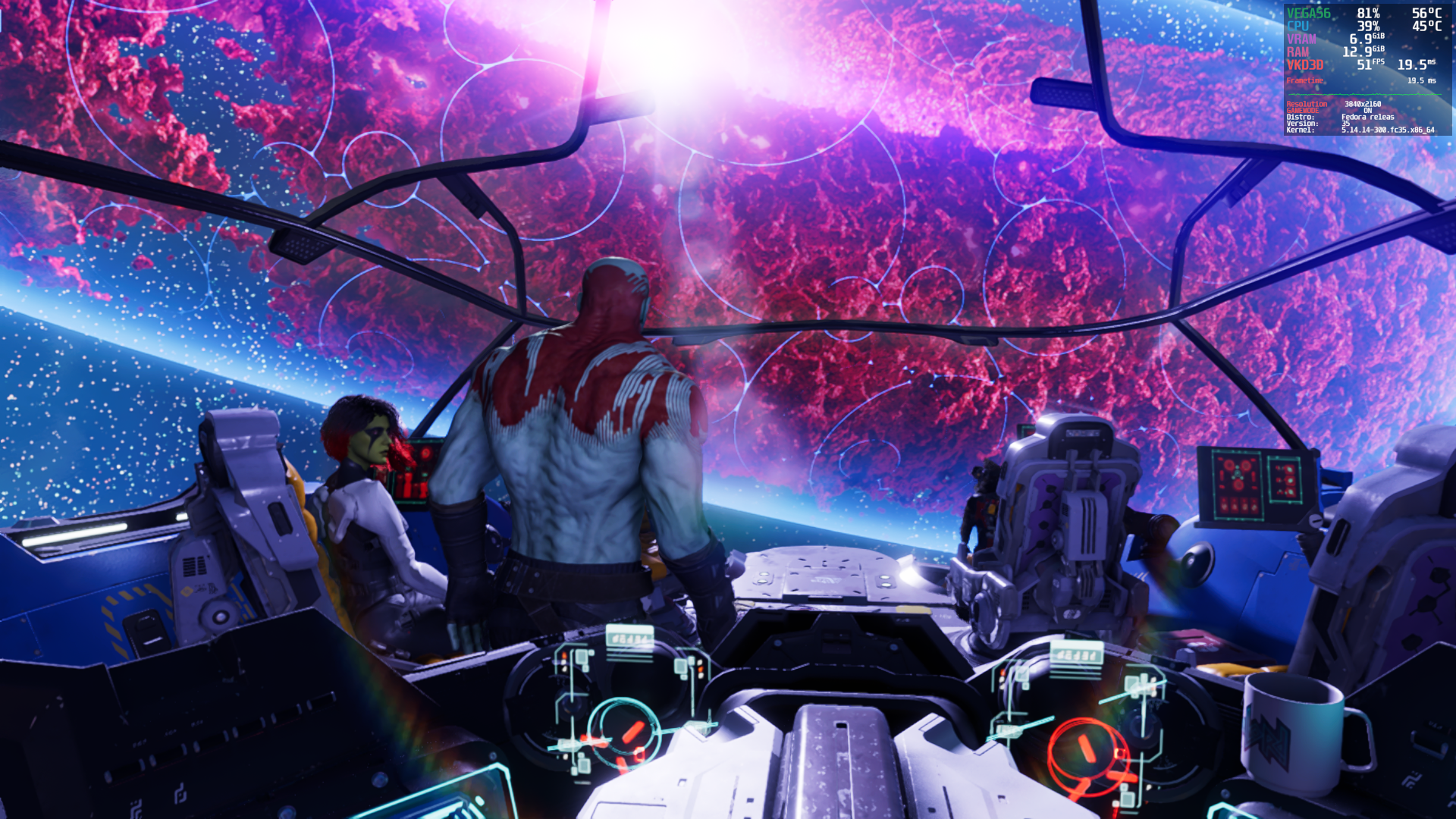
There is a third location - picking up a round item in the room on the left of Star Lord's also triggers it.
A post I found on the Steam forums:
https://steamcommunity.com/app/1088850/discussions/0/3158706376154608994/
If its this situation and its happening to a Windows user then its a thread I'm going to follow...
He doesn't say if it is on Windows. ;)
Update today, let's see.
Still crashes on entering Nova network code.
Interesting, switching to Proton Experimental with the same dll passes through that crash... However, the menus and subtitles are invisible.
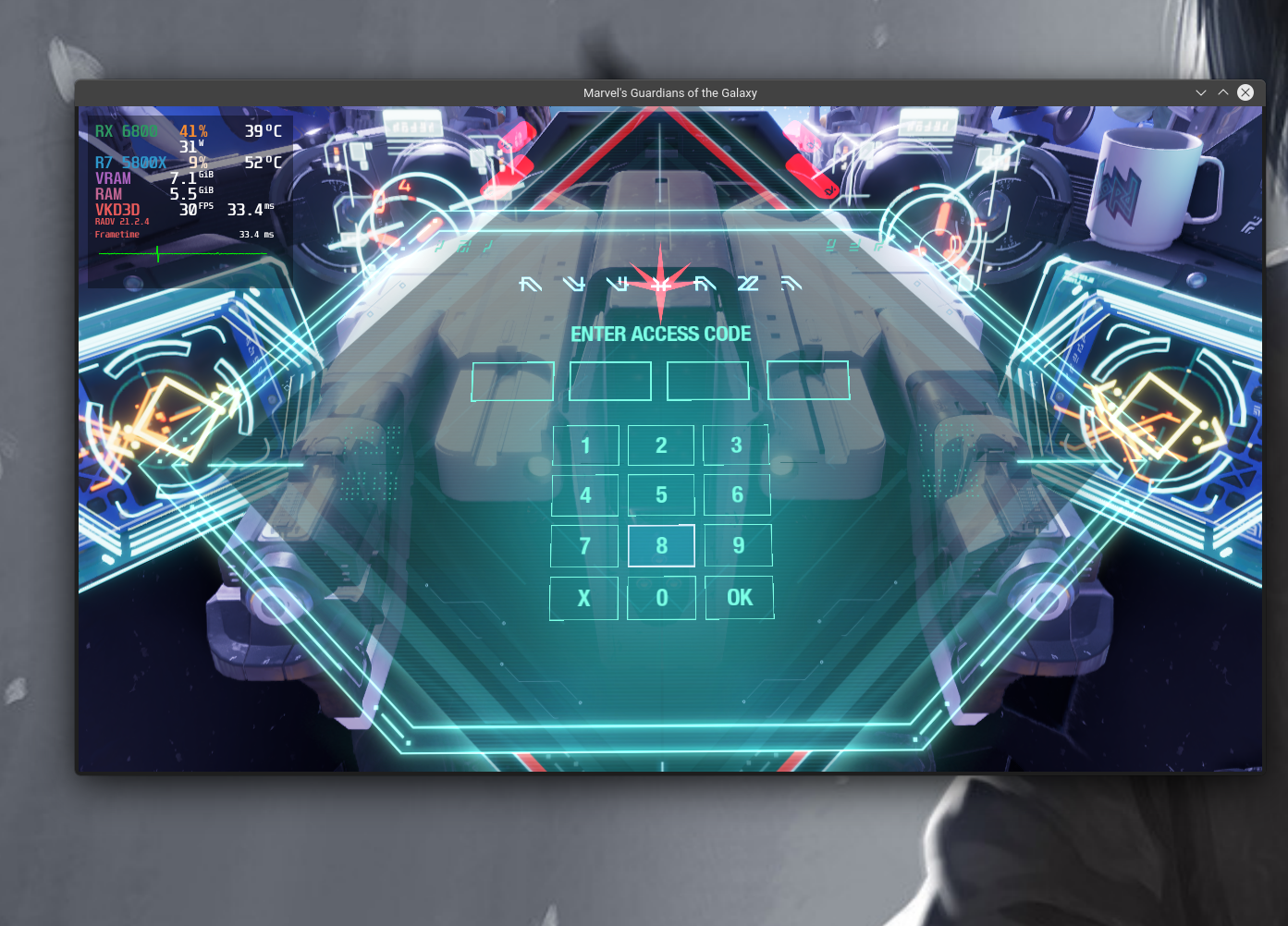
yes i can confirm that. i just started a new playthrough and the only thing that does not show up are the menus. the bug area where you enter the code is fixed.
Here was the bug getting triggered now it works.
and here the game is paused, it should have shown the pause menu but it is emptly.
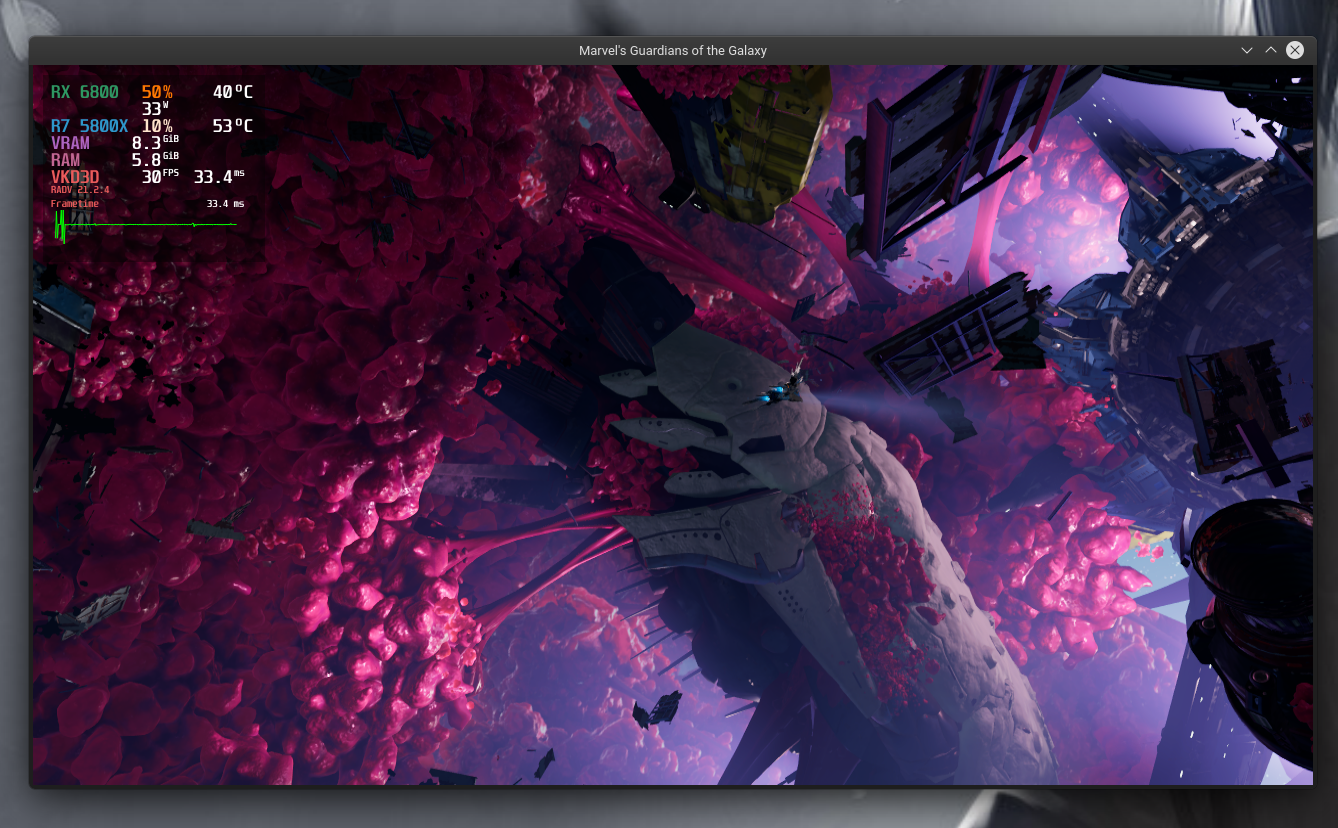
I only get that on Proton Experimental, are you too only getting it there or is that on GE?
i just switched to experimental. GE crashes.. i havent tested Experimental Bleeding edge though.
No bleeding edge does not show the menu.
6.19-GE-2 also doesn't have menus... 6.20-GE-1 back to having.
Okay, played a bit with 6.20 and got to a round thingie like that on the ship and it still crashes. Not surprised though. :slightly_smiling_face:
He doesn't say if it is on Windows. ;)
...and this user experienced it after entering the code. Different situation.
This crashing seems solvable though. We have different Proton versions with different outcomes. The fact that Experimental gets past these crash points is a good sign.
Still crash with nVidia & Proton Experimental + vkd3d with the GotG patch in this thread.
012c:warn:d3d12_command_list_ExecuteIndirect: Application attempts to perform an indexed draw call without index buffer bound.
0178:warn:d3d12_pipeline_library_load_pipeline: Pipeline "99fb9f0c655583d" does not exist.
01b8:warn:vkd3d_is_linear_tiling_supported: Attempting to create linear image, but not supported.
usage: 0x17, flags: 0x20, fmt: 98, image_type: 2
01b8:err:d3d12_resource_create_placed: Failed to bind image memory, vr 1.
01b8:fixme:hresult_from_vk_result: Unhandled VkResult 1.
0178:warn:d3d12_pipeline_library_load_pipeline: Pipeline "45993d514e684eb2" does not exist.
wine: Unhandled page fault on read access to 0000000000000000 at address 00000001407DF5CF (thread 01b8), starting debugger...
Hmm.. Is it supposed to work on nVidia gpu now? (RTX2070).
If so, what am i doing wrong? Or is it the Vulkan 470.62.07 driver that is broken atm? (Have not tested with 495.44 after latest commit tho).
Without new commits, I would assume - no.
Hmm.. Is it supposed to work on nVidia gpu now? (RTX2070).
If so, what am i doing wrong? Or is it the Vulkan 470.62.07 driver that is broken atm? (Have not tested with 495.44 after latest commit tho).
Nvidia posted a new Vulkan Beta driver, has anyone tested this?
Nvidia posted a new Vulkan Beta driver, has anyone tested this?
Yeah. No change so far.. but there is a PR on vkd3d-proton git that will add some "dynamic rendering" with this driver that could possibly help...
Don't expect it to work on NV yet. The game relies on rendering to host visible memory, which we cannot support atm. It happens to work on AMD, but it's not like it runs well on AMD either. It's stuck at 40 fps for unknown reasons.
yes i can confirm that. i just started a new playthrough and the only thing that does not show up are the menus. the bug area where you enter the code is fixed.
Here was the bug getting triggered now it works.
and here the game is paused, it should have shown the pause menu but it is emptly.
I tried various combinations following your comments and for me it's still crashing just before the access code where Drax goes to say suspicious.
I compiled the latest master here, injected it to proton experimental, proton ge 6.21-ge-2 and 6.20-ge-1 but the result is always the same. Everytime with clearing the prefix , both setting graphics to ultra and to low, same.
I'm on a relatively fresh fedora install, not sure I'm missing something.
I put the logs from my machine on this issue https://github.com/ValveSoftware/Proton/issues/5250#issuecomment-982144924
Try in latest Proton Experimental (uninstall or test files, if you tinkered with it), without any changes - the bug should be fixed there (Radeon only).
Try in latest Proton Experimental (uninstall or test files, if you tinkered with it), without any changes - the bug should be fixed there (Radeon only).
tried fresh, and also tried bleeding edge, same issue.
when you say radeon only , what do you mean, the radeon drivers?
this is what I've got:
03:00.0 VGA compatible controller: Advanced Micro Devices, Inc. [AMD/ATI] Navi 10 [Radeon RX 5600 OEM/5600 XT / 5700/5700 XT] (rev c1)
	Subsystem: XFX Pine Group Inc. RX 5700 XT RAW II
	Kernel driver in use: amdgpu
	Kernel modules: amdgpu
tried fresh, and also tried bleeding edge, same issue.
when you say radeon only , what do you mean, the radeon drivers?
this is what I've got:
03:00.0 VGA compatible controller: Advanced Micro Devices, Inc. [AMD/ATI] Navi 10 [Radeon RX 5600 OEM/5600 XT / 5700/5700 XT] (rev c1)
	Subsystem: XFX Pine Group Inc. RX 5700 XT RAW II
	Kernel driver in use: amdgpu
	Kernel modules: amdgpu
No, I'm also using radv and dev mesa. Might be that specific PE version, that was available at that time that worked, dunno, sorry. The strangest thing is that currently for me those log round things that can be found around, don't crash the game anymore (there was one that crashed on the ship - in Rocket's room).
tried with a new game and I walked around the ship, at some point when investigating an item it crashed (next to the radio in the room you reassure groot at the start), so I'll give up for now and wait. Seems there was an update of the game 1 week ago so more things could have been introduced
hm, I've noticed that every time it crashes it's due to opening some sort of hologram looking like thing. could it be media foundation things?
GE usually has media foundation fixed (at least proper video audio works, while in PE doesn't).
BTW, the overall slowness might be caused by this issue:
https://github.com/ValveSoftware/Proton/issues/5346
By adding PROTON_NO_FSYNC=1, my game started using my CPU more and FPS doubled. Still can't run it on pure 4K, but using AMD FSR on 3200x1800 now produces ~60 FPS on RX 6800.
I don't see any mf in my logs, I tried a few combinations to see what's causing the crash, but I don't see it yet. I'll try again on the weekend
Just for info - some of Marvel's GotG crashes do seem connected to fonts/font rendering - disabling subtitles completely seems to fix the crashes when opening the donut logs while someone is talking.
Turning off the subtitles works a bit better, but if you try to close the log while others are talking it's still crashing
IS DLSS working for this game? Can't seem to make it work.
Haare you launching with Nvapi enabled?
Yup. I use Bottles and I had latest nvaapi. Read somewhere to use nvaapi, and change DLSS on game launcher and then don't use nvaapi to have the game not crash, and that did it, otherwise it would crash, and DLSS is on in-game settings as I set them on the launcher.
Proton versions
proton experimentalx11 2021-11proton 6.20x1 2021-11proton 6.20-ge-1x1 2021-11
Launch options
PROTON_NO_FSYNC=1`,x1 2021-12MANGOHUD=1x1 2021-11WINE_FULLSCREEN_FSR=1x1 2021-11WINE_FULLSCREEN_FSRx3 2021-11DXVK_NVAPI_DRIVER_VERSION=49644x1 2021-11PROTON_HIDE_NVIDIA_GPU=0x1 2021-11
Launch lines
Upstream links
- ValveSoftware/Proton/issues/5346x1 2021-12
- ValveSoftware/Proton/issues/5250x2 2021-11
Presumably this is a vkd3d-proton issue. People posted logs on the proton bugtracker: https://github.com/ValveSoftware/Proton/issues/5250