Resident Evil Village: Ray Tracing doesn't work (even if it can be enabled in the menu)
I've the same issue.
Cyberpunk 2077 also has this exact same issue, so i guess some implementation is missing.
I can confirm these findings on the Nvidia drivers up to the current 510.x releases as well. Not sure if AMD exhibits the same issue.
So... It seems that we have to edit config file manually to enable RT in RE Village :)
Proton Experimental Bleeding Edge
I'm using launch options : VKD3D_CONFIG=dxr11 PROTON_ENABLE_NVAPI=1 VKD3D_FEATURE_LEVEL=12_1 %command%
Then go to game folder , open config.ini and change :
RayTracing=false to RayTracing=true
RayTracingAOSetting=OFF to RayTracingAOSetting=ON
After that you will have Ray Tracing options enabled in the game Menu :
https://i.imgur.com/sSKNgjZ.png

As for confirmation look at the reflection on the Cupboard Window
https://i.imgur.com/SBIZ4tF.jpg

Can some one please check if this works also in RE4 ?
@Kamynsky It will actually allow you to enable it in the menu if you set VKD3D_CONFIG=dxr11. You just went out of your way to make sure that it doesn't.
RE8 only allows you to enable RT if your GPU supports feature level 12_2. So VKD3D_Proton reports 12_2 if dxr11 is enabled. You override that with VKD3D_FEATURE_LEVEL=12_1.
So once again, please don't just use random environment variables you find somewhere if you don't understand why they are used and what they do.
Sir , as you can see in the first post with RT enabled there are reflections on the electric kettle
https://i.imgur.com/dYPDSoz.jpg
This screen is taken from the game with my launch options and config file edited.
Below is proton log from the launch that screen was taken
https://gist.github.com/Kamynsky/4e8f1ea3fd3ab7d0a0ea5e877d69e287
But yes , you are right , putting only VKD3D_CONFIG=dxr11 makes RT available .
Sorry for taking up your time . Didn't mean any harm only wanted to help

Seems to be working with my 7900xtx and mesa-git tested on Proton experimental without any extra config edits.
If any Nvidia users can confirm then i think this can be closed.
Screenshots
Ray tracing tested by @runar-work to be working on Nvidia.
Proton versions
proton experimentalx2 2023-06
Launch options
VKD3D_CONFIG=dxr11x4 2023-04VKD3D_FEATURE_LEVEL=12_1x2 2023-04VKD3D_Px1 2023-04PROTON_ENABLE_NVAPI=1x2 2023-04VKD3D_CONFIG=dxr11,no_upload_hvvx1 2021-12VKD3D_DEBUGx1 2021-12VKD3D_DEBUG=warnx1 2021-12VKD3D_SHADER_DEBUGx1 2021-12VKD3D_SHADER_DEBUG=warnx1 2021-12
After enabling Ray Tracing with max quality settings I've noticed that no reflections at all can be seen and the resulting image sometimes looks much darker (I assume because GI is also broken)
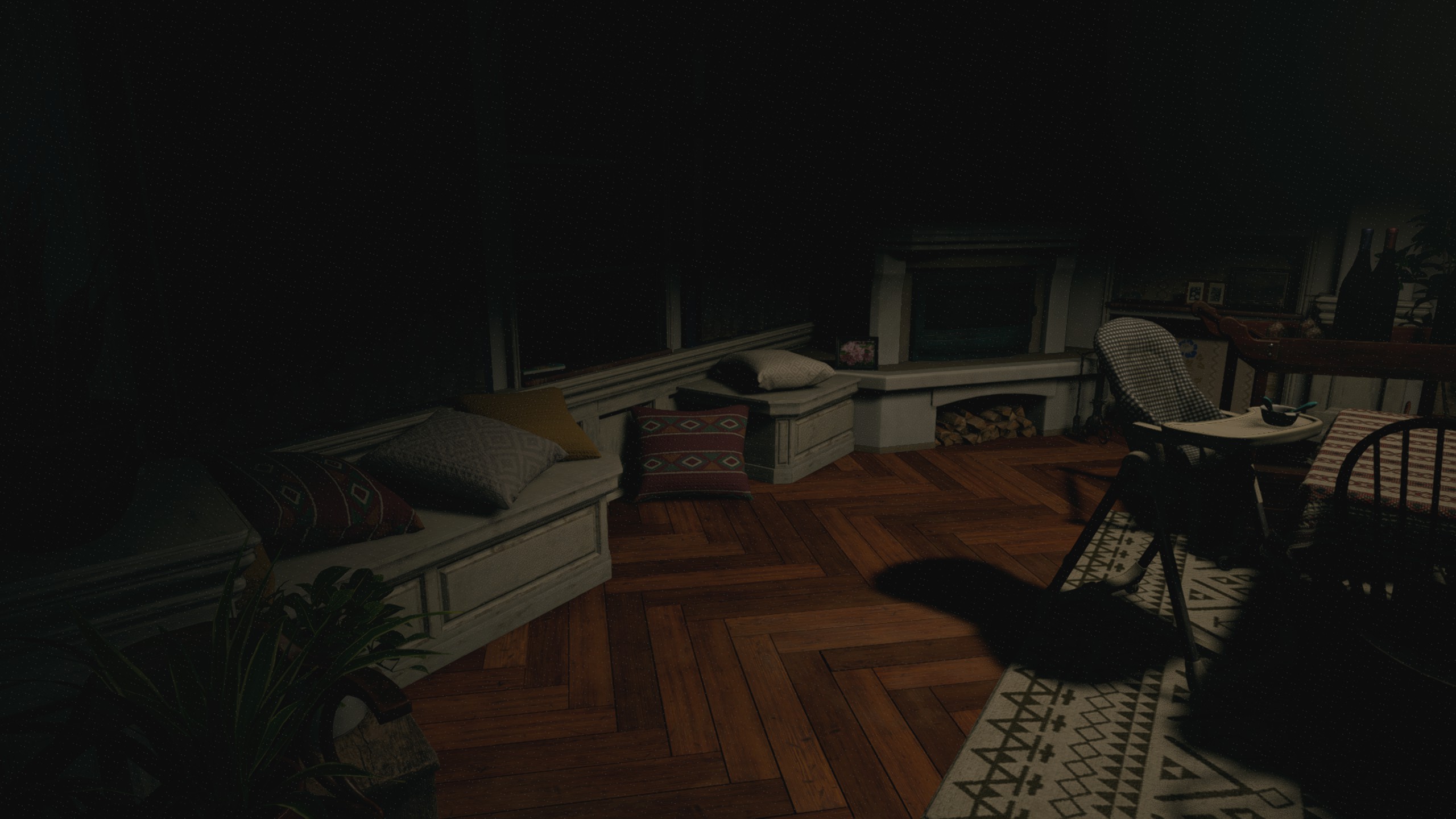
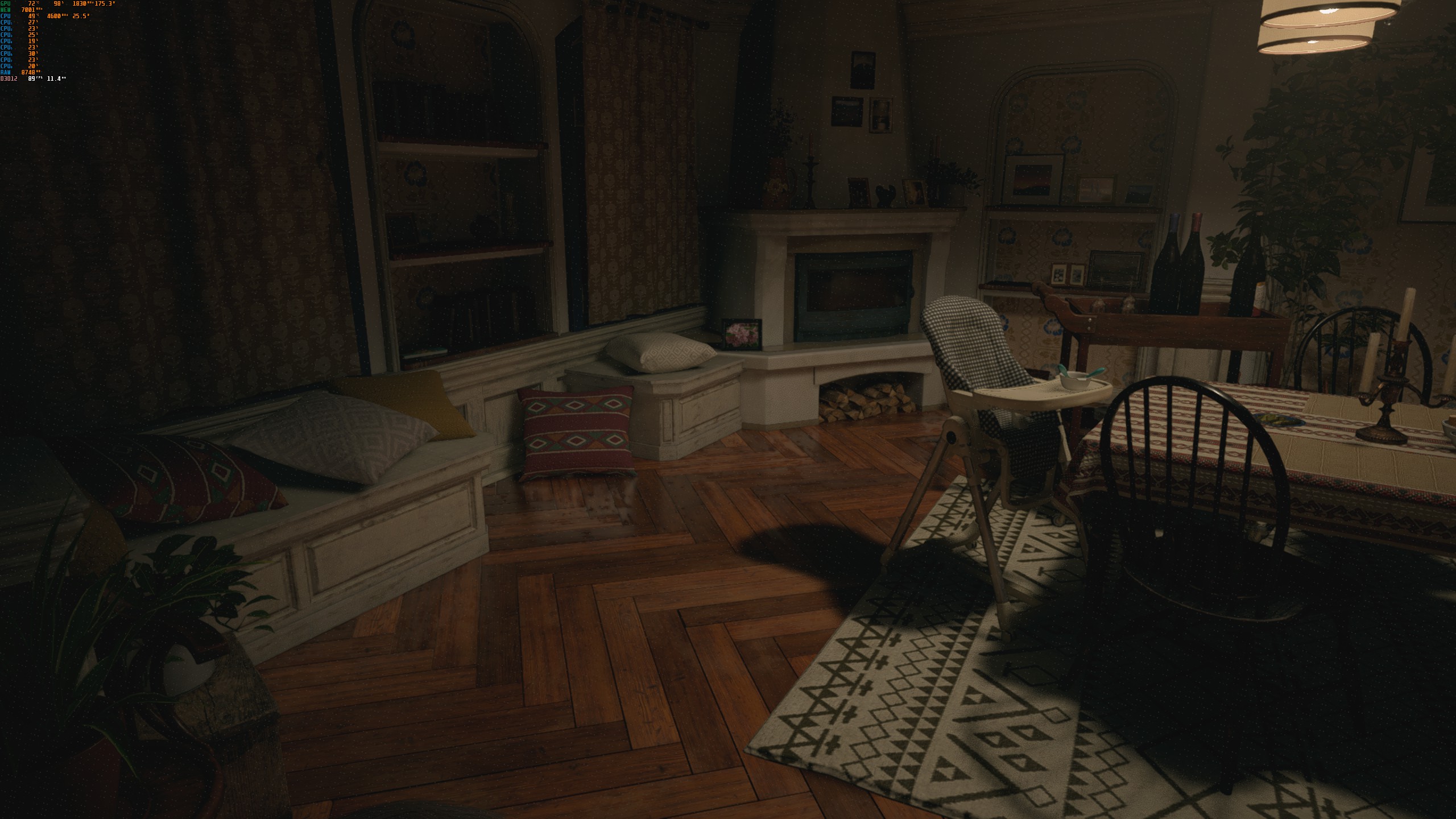
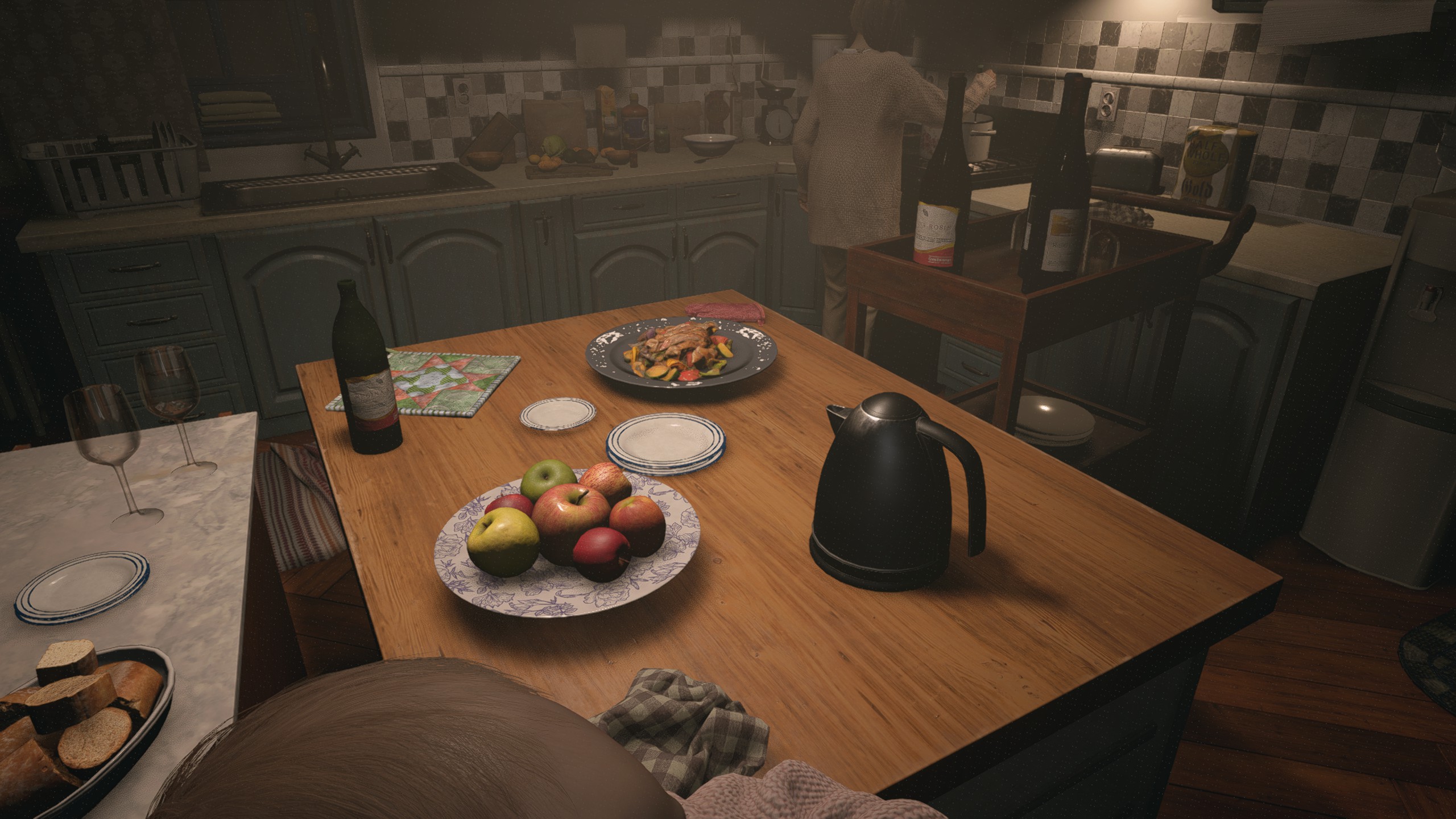
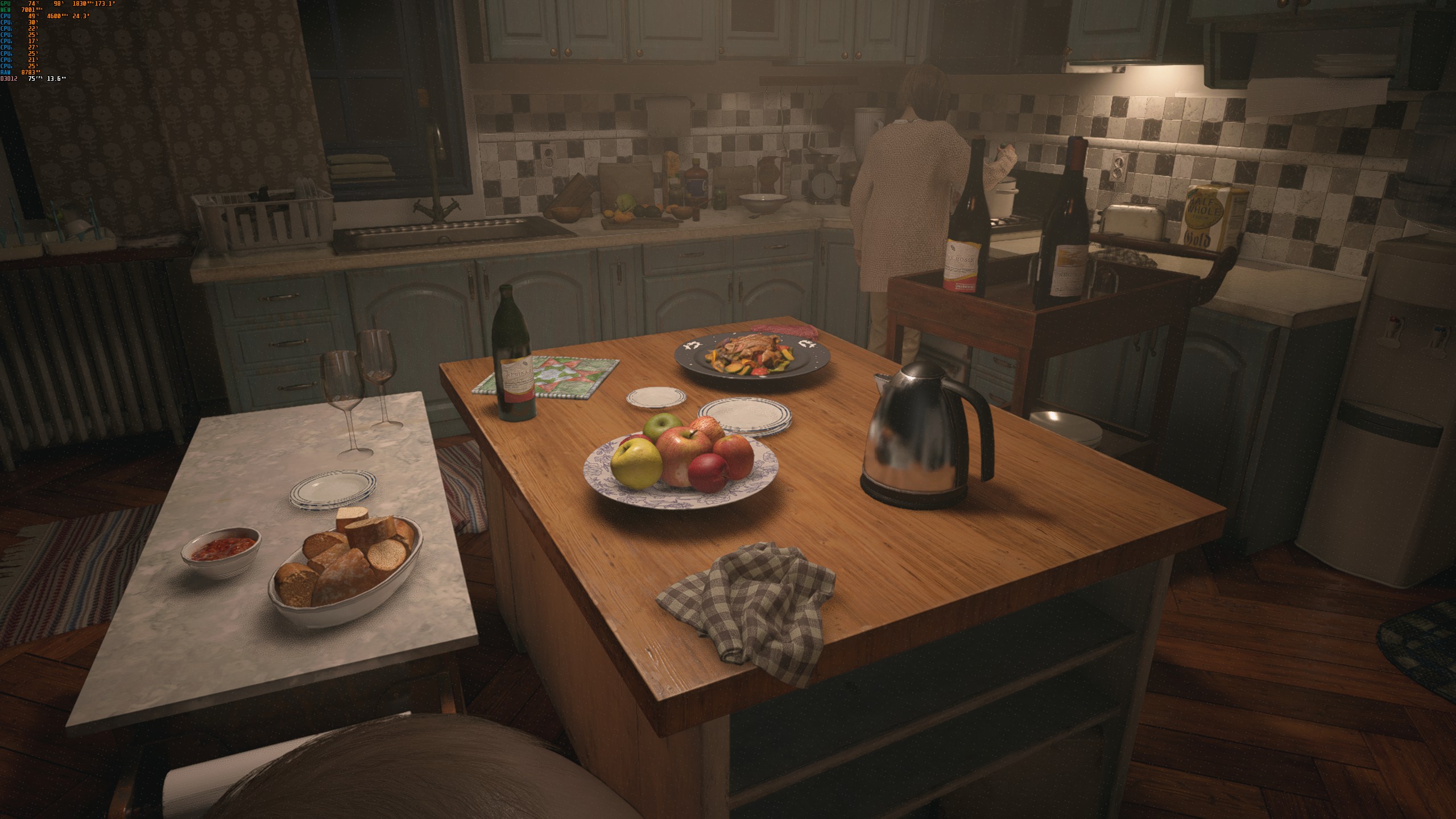
I'm attaching similar screenshots from the same configuration in windows for comparison, the most obvious example is the electric kettle in the kitchen and the lighting in the dining room.
I've tested this with many Proton versions, including Proton-7.0rc2-GE-1, which updated dkd3d-proton 7 days ago. I also tried different Nvidia drivers, up to 495.44, in all cases the result was the same.
I've attached a log file with VKD3D_DEBUG and VKD3D_SHADER_DEBUG set to warn. The command line used in steam was
VKD3D_DEBUG=warn VKD3D_SHADER_DEBUG=warn PROTON_ENABLE_NVAPI=1 VKD3D_CONFIG=dxr11 %command%vkd3d-dxr11.log.gz
And also, since I saw
0110:warn:vkd3d_allocate_device_memory: Memory allocation failed, falling back to system memory.errors, I also tried withVKD3D_CONFIG=dxr11,no_upload_hvvwhich removed those warnings but the result was the samevkd3d-dxr11,no_upload_hvv.log.gz
My hardware/OS is:
GPU: RTX 2060 Super
CPU: i7 3770k
Kubuntu 20.04
Let me know what else I can do to help.