Earth Defense Force 4.1
Try installing xact with Protrontricks. https://github.com/Sirmentio/protontricks
If audio is crackling, popping, echoing, etc. try this. https://www.youtube.com/watch?v=UQ-Ml78kiEE
Tried the game again today and surprise, the audio now works somehow.
Local co-op works perfectly using two xbox wireless controllers
Online co-op works perfectly too.
The game is solid 60fps, it runs a bit smoother than it does in windows!
Compatibility Report
- Name of the game with compatibility issues: EARTH DEFENSE FORCE 4.1 The Shadow of New Despair
- Steam AppID of the game: 410320
System Information
- GPU: Radeon RX 590
- Driver/LLVM version: 4.5 Mesa 18.3.2
- Kernel version: 4.20.13-200.fc29.x86_64
- Link to full system information report as Gist: https://gist.github.com/Zlopez/1433022f5f75aebc3155a622997b2997
- Proton version: 3.16-8
I confirm:
- [ ] that I haven't found an existing compatibility report for this game.
- [x] that I have checked whether there are updates for my system available.
Proton log: steam-410320.txt
Symptoms
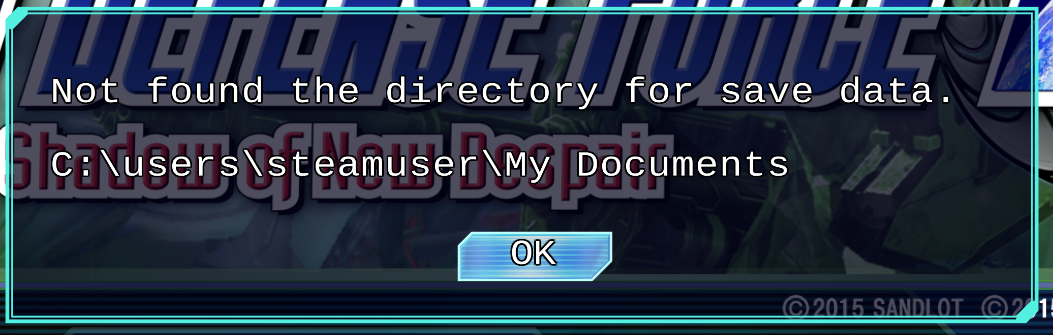
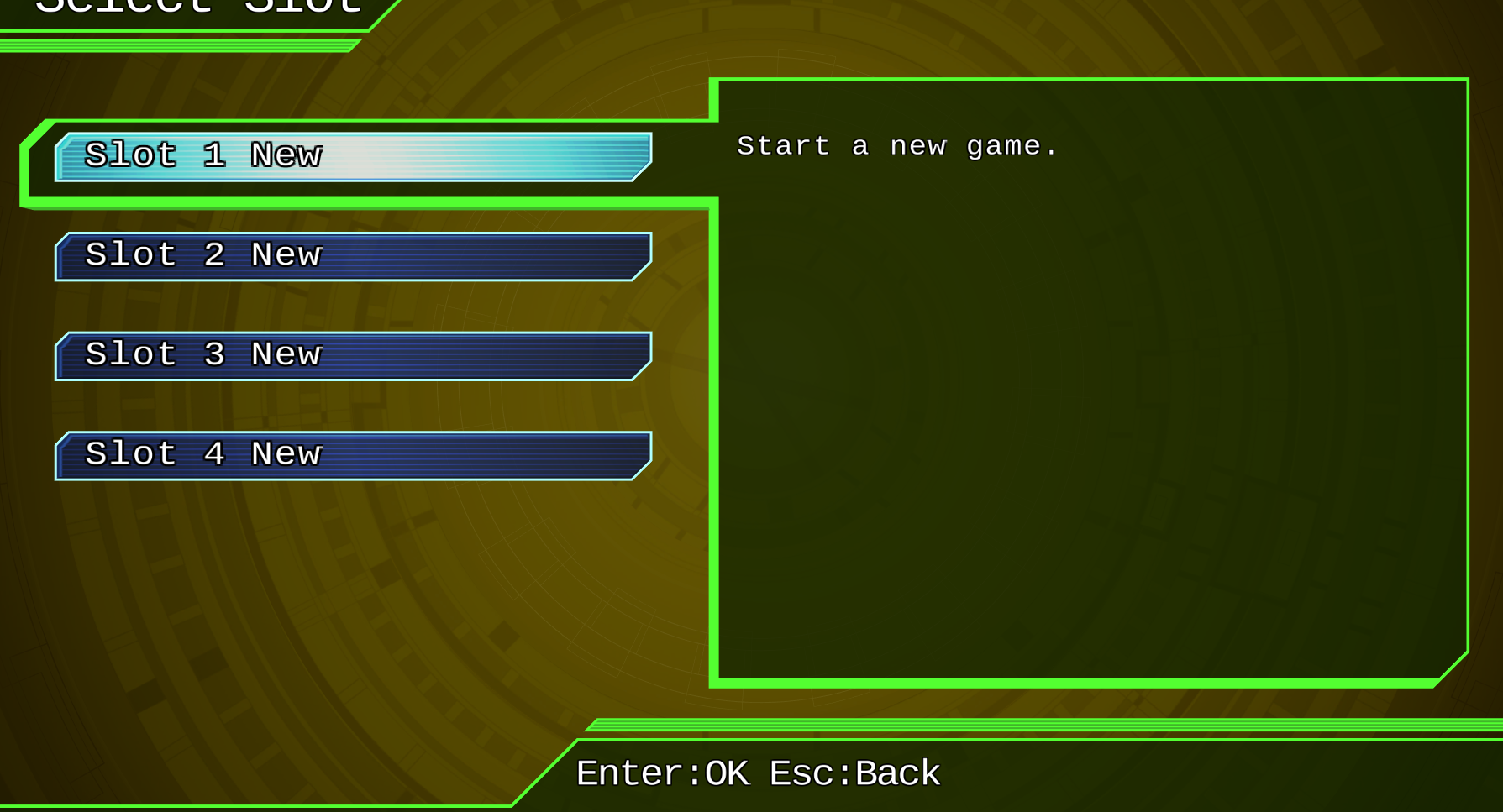
The game freezes when clicking on game slot. It also shows error that it can't find directory for save data.
Reproduction
- Start the game
- Choose the slot for game
Hello @Zlopez, your log is missing a header that was added with Proton 3.16-7, which hints you're not using the version of Proton you expected. Please opt into Steam's beta client and/or go to Steam -> Library dropdown -> Tools and install Proton 3.16 beta from the list.
@kisak-valve
Strange, Steam is telling me that I'm using 3.16-8 (See screenshot). How can I know which version I'm actually running?

EDIT: I even checked how the game is started and I see this:
python3 /var/home/zlopez/.local/share/Steam/steamapps/common/Proton 3.16 Beta/proton waitforexitandrun /var/home/zlopez/.local/share/Steam/steamapps/common/Earth Defense Force 4.1/EDF41.exe
So it looks like I'm running at least Proton 3.16 Beta. But I'm not sure which version exactly.
EDIT2: Ok, this is what I found in the /var/home/zlopez/.local/share/Steam/steamapps/common/Proton 3.16 Beta/proton script:
CURRENT_PREFIX_VERSION="3.16-1"
So I'm wondering why the version wasn't updated.
EDIT3: I opt in to Steam beta and the Proton 3.16-8 Beta was downloaded, but in the script I still see:
CURRENT_PREFIX_VERSION="3.16-1"
@kisak-valve
I tried to remove /var/home/zlopez/.local/share/Steam/steamapps/common/Proton 3.16 Beta/ and verify local files.
The proton was downloaded again, but the proton script still has CURRENT_PREFIX_VERSION="3.16-1".
It looks like the 3.16-8 installation contains wrong proton script.
I found it here in github - https://github.com/ValveSoftware/Proton/blob/proton_3.16/proton#L22
I fixed the prefix by manually changing CURRENT_PREFIX_VERSION to 3.16-8. Here is the proton log
I have an additional issue with this game. I've seen other people reporting the same, but there's no mention of it here.
Game runs great!, but in addition to the missing font (which in online mode makes determining stage difficulty a pain) whenever I try to use the in-game text chat it crashes. Using the pre-configured messages you can pull-up with the arrows/dpad works fine, the issue is with directly typing text.
steam-410320.log
https://gist.github.com/lucifertdark/584c14275612e8e3c4a8070d428d8a02
Game freezes on save selection screen for me too, latest drivers & Proton versions.
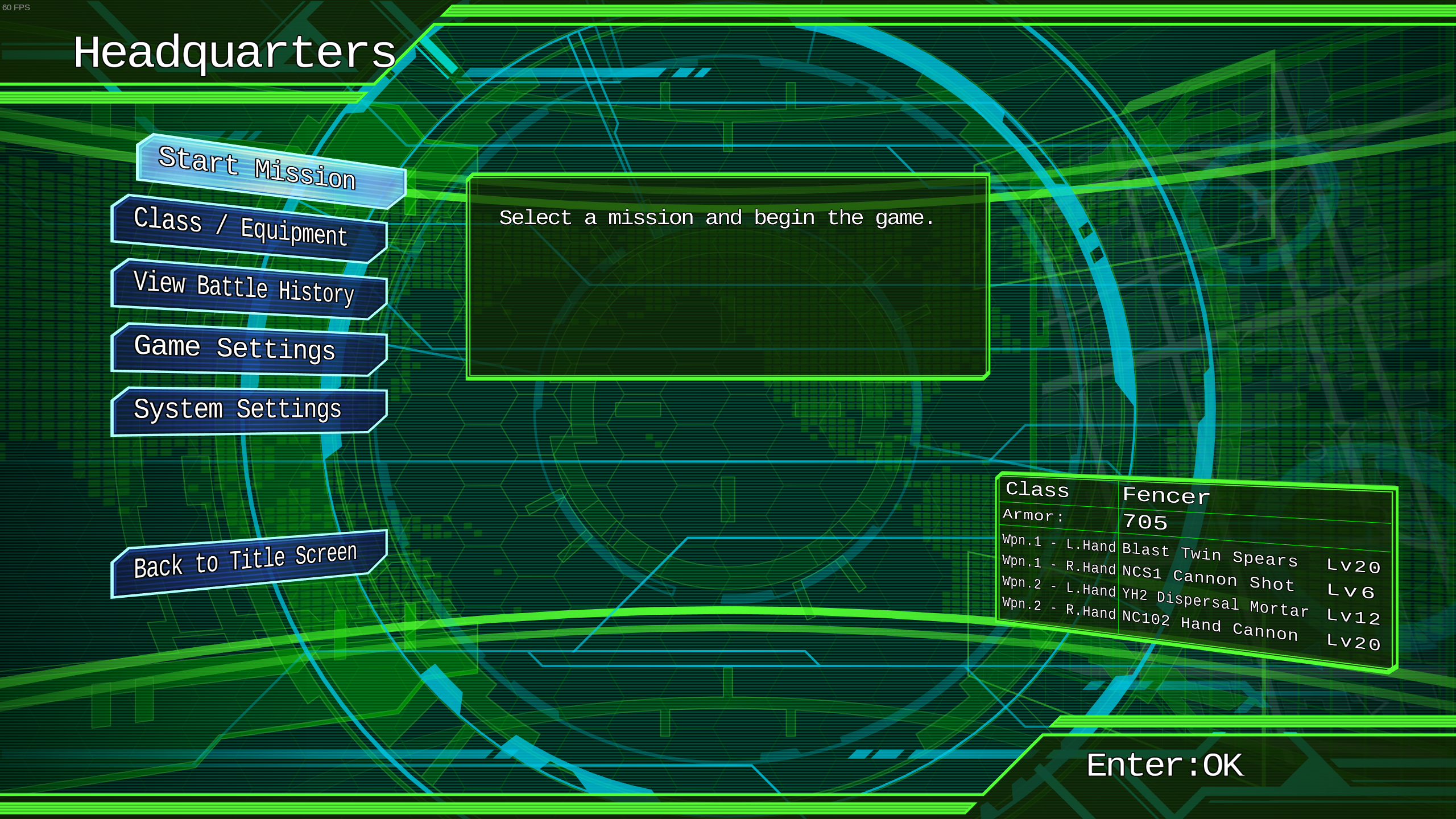
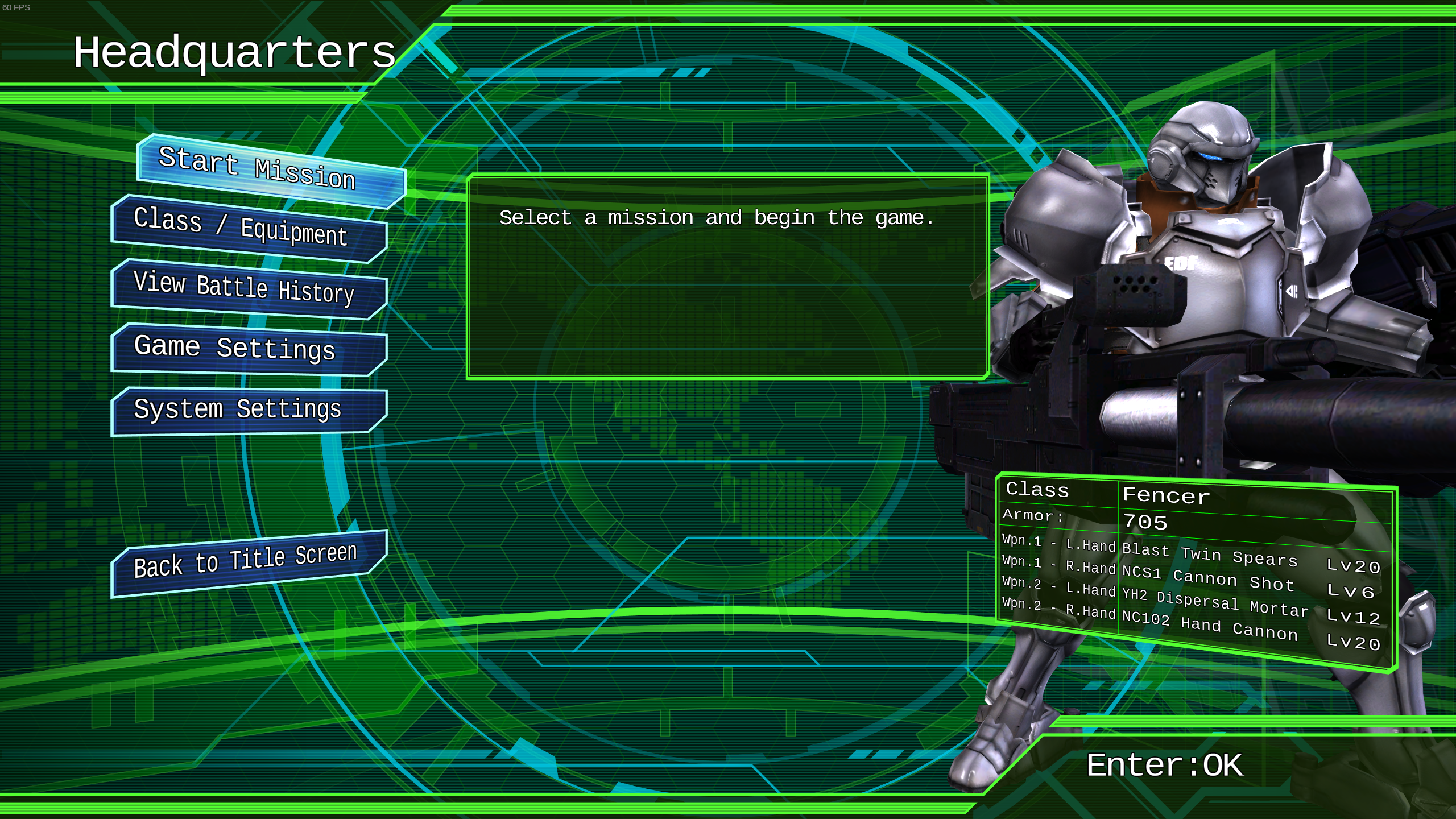
There's been a regression with Proton 4.11 where some parts of the UI aren't showing up that were visible with 4.2.
4.11:

4.2:
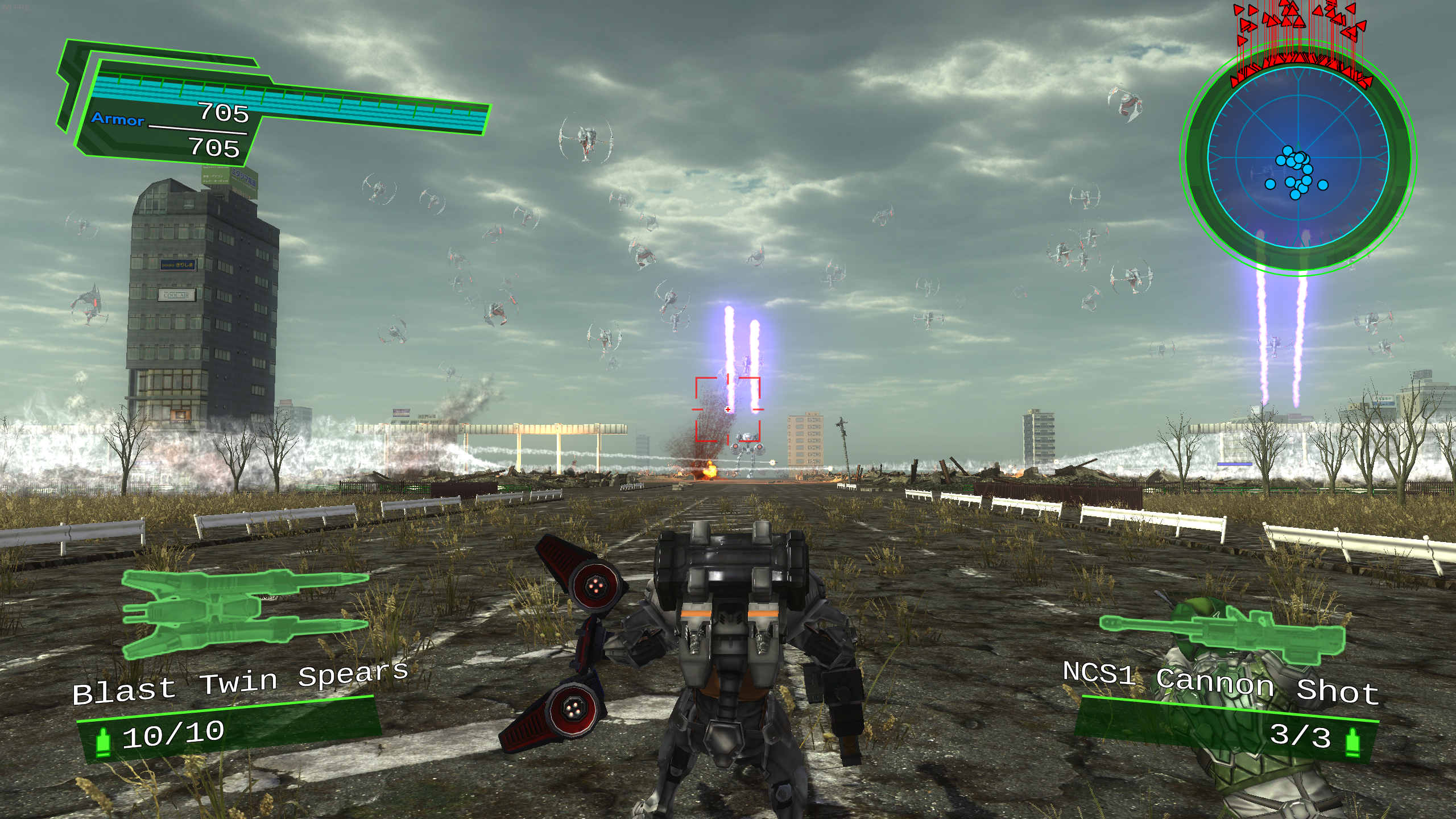
Should be fixed as of https://github.com/doitsujin/dxvk/commit/31baf3529a65a3cb9dc1fe2668795b571b23f6a0.
In the meantime, repeatedly changing graphics settings might make it work. Note that the bug was already present in Proton 4.2, not sure why no one ever had problems with that before.
This game plays flawlessly with DXVK enabled so long as you disable anti aliasing in the graphic settings. Otherwise you're missing a lot of graphics, including the crosshair, various parts of the HUD, etc.
Which is great because wined3d is very slow, especially when you destroy buildings I can go down to below 20fps.
DXVK gives me rock solid 60fps.
Earth Defense Force 5 and Earth Defense Force 4.1 will no longer freeze when prompted to input text.
But I still get those freezes :(
With 5.0-6 I get intermittent crashes to desktop. They happen at a frequency of ~1x/1-2 missions, which is a bit of a bummer. Luckily with 4.11 series (4.11-3) I do not get those crashes. Also I didn't get crashes with an earlier 5.0 series proton, but forgot which one it was.
On other than version 5.0-6 recent-ish protons EDF 4.1 runs just fine - except the font issue in some menus is still there (difficulty, anti-aliasing etc - luckily one can guess what is supposed to be there).
Also, my friend gets very poor (near-unplayable) framerates with DXVK enabled on an NVidia GPU if DXVK is used. Using PROTON_USE_WINED3D get's better frame rates. On amdgpu DXVK is best left enabled, as while both are usable, here DXVK has better frame rates and on WINED3D one can not enable anti-aliasing.
I'm getting unplayable framerates as well on an rtx 2070...
On proton 8.0-3 I don't see any font issues like I used to, played a couple of missions and had no crashes, music and sound effects working correctly as well. No issue with the framerate or frame times but a 5600g and a rx 6600 are more than the game asks for, so you can't really draw performance conclusions from it.
Been playing this a bit again using Proton Experimental. Text chat works perfectly now, but:—
- Frame rate drops dramatically (maybe single-digits per-second) in the menus where you select weapons (also people reporting this on ProtonDB).
- Fonts are still busted in the same places
- Connection issues haven't improved.
I have none of these issues with EDF 5 fwiw.
Can post a full report if needed.
@ryliejamesthomas Tried proton stable, experimental, and experimental bleeding edge, and they all had the same performance in the main menu and weapon selection menu. Tried changing characters to see if it only happened with some of them, but I saw nothing out of the ordinary.
The places I remember having missing fonts at some points were the difficulty selection screen, and some settings, but those are rendering fine for me on all 3 tested versions. Have you tried deleting the prefix to see if it changes anything?
@simifor Interesting. I don't get it in the main menu, just the weapon select and mission select (just noticed this). It doesn't seem to happen if no one else is in the lobby.
Thanks for the suggestion for fixing the font. What exactly do you mean by deleting the prefix; uninstall the Proton version that's in the tools part of my library, or the […] steamapps/common/Proton - Experimental or […] steamapps/compatdata/410320/pfx directories?
I have only recently reinstalled 4.1, but I do use the same Experimental Proton branch for most games.
I meant deleting the steamapps/compatdata/410320 folder
On Sun, Apr 28, 2024, 12:47 AM ryliejamesthomas @.***>
wrote:
@simifor https://github.com/simifor Interesting. I don't get it in the
main menu, just the weapon select and mission select (just noticed this).
It doesn't seem to happen if no one else is in the lobby.Thanks for the suggestion for fixing the font. What exactly do you mean by
deleting the prefix; uninstall the Proton version that's in the tools part
of my library, or the […] steamapps/common/Proton - Experimental or […]
steamapps/compatdata/410320/pfx directories?I have only recently reinstalled 4.1, but I do use the same Experimental
Proton branch for most games.—
Reply to this email directly, view it on GitHub
https://github.com/ValveSoftware/Proton/issues/1193#issuecomment-2081327374,
or unsubscribe
https://github.com/notifications/unsubscribe-auth/AQZQ4EFJUBJVWNYPKNMVYJDY7R5PDAVCNFSM4FS3DOEKU5DIOJSWCZC7NNSXTN2JONZXKZKDN5WW2ZLOOQ5TEMBYGEZTENZTG42A
.
You are receiving this because you were mentioned.Message ID:
@.***>
Thanks. Unfortunately that hasn't fixed anything.
I notice the config_info file references […] steamapps/common/Proton 6.3/dist/share/fonts/, I wonder if I'm missing something from there. I tried copying over files from the equivalent Experimental branch font directory, but that didn't help.
Also I noticed i do get main menu slowdown in single player, just not multiplayer.
@ryliejamesthomas 6.3 shouldn't be referenced there. Try deleting the prefix again (410320 with everything inside it), then add PROTON_LOG=1 %command% to the game's launch parameters, this can be added in the game's properties. Then run the game again and see if the issues are still there, if they are, then grab the file steam will have made for this game in your home folder, it'll be called steam-410320.log, if it's too big to upload then zip it first. If the issues are gone then you should remove PROTON_LOG=1
I thought the version 6.2 references were a bit odd. So I did some tests wiping the file, deleting it, deleting the profile again, all with no luck.
So I double-checked my Steam settings and I had it set to globally use Proton 6.3. So sorry for all the bother, I'm afraid I just made a silly mistake in my settings. Fonts are working fine now.
The slowdown all seem to be gone on Experimental too, in single and multiplayer.
Thanks for spending your time trying to help.
@ryliejamesthomas Are you saying that the global proton version was interfering with what you set for the game? That isn't supposed to happen, so it's not surprising you got tripped. In your library you can search for the proton versions you have installed, you may try to verify the installed files for proton 6.3
No. I had the game set to use the default, global Proton version, and had the default, global version accidentally set to 6.3. I don't think there's any issue apart from my mistake.
Proton versions
proton 6.3x3 2024-04proton experimentalx1 2024-04proton 8.0-3x1 2023-09proton 4.11-2x1 2020-01proton 4.2x1 2019-11proton 4.11x1 2019-10proton 3.16x3 2019-03proton 3.16-8x1 2019-03proton 3.16-7x1 2019-03
Launch options
PROTON_LOG=1x1 2024-04PROTON_USE_WINED3Dx1 2020-04
Earth Defense Force 4.1 runs on my computer at 60fps solid.
However:
System Gist
I haven't tested network co-op yet.