BeamNG.drive
Beam NG installed from Steam, not working for Steam.
But working with Wine "Wine Staging 3.14"
just run command from place with game
wine BeamNG.drive.exe
test it, have fun. :smile:
Tested on Hardware & Software:
OS: Linux Mint 18.3 Sylvia 64bit
DRIVER: NVIDIA 396.54 from repository
deb-src http://ppa.launchpad.net/graphics-drivers/ppa/ubuntu xenial main
GPU: Nvidia GTX 660
CPU: i5-3470
STEAM: Beta / Proton 3.7-5
also
Wine Staging 3.14 from repository
deb https://dl.winehq.org/wine-builds/ubuntu/ xenial main
confirmed it also on the website where is list of tested games by Steam Beta users
( "Steam Play Compatibility Reports" , I get this link from other user )
https://docs.google.com/spreadsheets/d/e/2PACX-1vQ3_odz8JzEVK80vkku-b6FsICWb45xGf4VYnzYz5cNSMVQ-5BA2WoHBGAScw96MgLj1ONA7Cx0tyGa/pubhtml#
Inside this website (... docs.google ...) you have
on the top a link to report your tests.
Just tested for myself and can confirm that via proton version 3.7-6 it black screens and crashes, using wine staging from winehq it works fine
@tele1 The crash seems to be due to wine-mono/gecko being missing. Following this: https://www.reddit.com/r/wine_gaming/comments/8r6low/guide_how_to_install_net_45_on_64bit_prefixes/ makes it work but when launching via steam it seems to remove any custom additions to the prefix.
As of the new update last week beamng is unable to launch anymore with Wine 3.14+ and DXVK.
I suspect that the developer have changed something major since it wont go past splashscreen anymore on old working setups.
I get this in the console. Seems like some Nvidia API being used despite having an AMD GPU.
[1115/222729:ERROR:network_change_notifier_win.cc(159)] WSALookupServiceBegin failed with: 8 [1115/222729:ERROR:gpu_info_collector_win.cc(102)] Can't retrieve a valid WinSAT assessment. 0.00000|I|WinMain|launcher command line: Z:\media\maltahl\Storage\Games\SteamLibrary\steamapps\common\BeamNG.drive\BeamNG.drive.exe 0.00000|I|WinMain|launcher args (1): 0.00000|I|WinMain| - 0 = Z:\media\maltahl\Storage\Games\SteamLibrary\steamapps\common\BeamNG.drive\BeamNG.drive.exe 0.01834|D|baseFS|gameroot = 'Z:\media\maltahl\Storage\Games\SteamLibrary\steamapps\common\BeamNG.drive\' 0.01839|D|baseFS|userpath = 'C:\users\maltahl\My Documents\BeamNG.drive\' , Reason = Default path 0.18342|E|fixNvidia|NVAPI: Failed NvAPI_DRS_CreateSession 0.22181|E|fixNvidia|NVAPI: Failed NvAPI_DRS_CreateSession 1.79046|E|BNGBase::Power::setPowerSchemeMaxPerformance|Failed to get active performance scheme 1.84586|D|launchGame|launched, waiting for it now ... 0.00000|E|blacklist::Initialize|Failed to load and parse the settings file to get blacklisted DLLs 'Z:\media\maltahl\Storage\Games\SteamLibrary\steamapps\common\BeamNG.drive\settings\thirdpartyFilter.ini' Setting breakpad minidump AppID = 284160 Steam_SetMinidumpSteamID: Caching Steam ID: 76561198035895524 [API loaded no]
It doesn't work for me. Error 0x00000001
Game runs now with 3.16-5. I am however unable to change controls properly. Whatever changes I make do not register and then upon the next loading of some sort of resources (reload car, load a map, restart the game) only the last change I've made gets saved. I have to repeat this process for every button I want to change.
It also crashes quite frequently, after loading maybe 5-7 different cars, not at the same time but in total over one session. Seemingly takes fewer cars to crash the game on bigger maps.
With Proton version 3.16-5 I can load and play the game but it is horribly slow no matter what graphic setting I choose. I'm using a I5-6500k and 960gtx. When running natively within Windows I can almost max everything and stay above 60fps. I have no idea what the issue is or what is bogging down but my GPU usage hovers at around 30% and my Quad core has all cores at about 70%. Any help would be appreciated, or if you have any settings I would be able to change for a performance increase I would be interested.
So my problem was I had to uncheck limit FPS, if I had it set to 60fps I would get around 20FPS. I also noticed that certain custom vehicles would cause the fps to crash pretty hard. Other than that things seem about normal for playing a game inside of wine instead of natively. Thanks for the hard work!
I'm using a Logitech Momo racing wheel and force feedback only works under certain (bizarre) conditions. I have to be driving a non-power-steering variant of the Gavril Vanster (no other car works for this, power steering or not), and if at any point I drive a different vehicle, force feedback stops working until I restart the game. This means that to get it working in the first place, I had to open the Garage, load the "Drift Missile" or "Off-Road" Vanster, save it as the default vehicle, then quit and relaunch the game and play free roam. The only clue I have to help explain this is that with any other vehicle, DirectInputDevice::sendForceFeedback|Failed to start FF effect: DIERR_GENERIC appears in the in-game console, but that line doesn't appear when driving either of those two vans. None of the game's force feedback compatibility settings (update rate, fast/full updates, etc) seem to affect this phenomenon.
I also get frequent crashes, usually when loading levels or vehicles. It seems like larger maps (Italy and San Francisco, especially) crash on load the first few attempts but then start working (possibly something to do with caching? Clearing the game's cache makes the maps crash again)
@echoz28 I found that I could change multiple settings at a time, then immediately quit and relaunch the game and they'd all be saved (even though some of the changes didn't show up while I was changing them).
Hello @daprice, please copy your system information from steam (Steam -> Help -> System Information) and put it in a gist, then include a link to the gist in this issue report. Also, please add PROTON_LOG=1 %command% to the game's launch options, reproduce one of the crashes you are seeing, and drag and drop the generated $HOME/steam-$APPID.log into the comment box.
@kisak-valve Steam System Information: https://gist.github.com/daprice/2ae2906d58f4e753554ab80d8e869640
Uncompressed, the proton log is 464MB! To get it small enough to upload I had to compress it with .tar.xz, then again with .zip so GitHub would take it (sorry!). Prior to this session, I cleared the game's cache. The log is of opening the game, choosing Play -> Free Roam -> Italy -> Default spawn, then the game shows its loading screen for a while, when it finishes loading it displays a few frames with a lot of missing scenery then crashes.
steam-284160.tar.xz.zip
Edit: Sorry, forgot to mention this is with Proton 3.16-6 beta
Here's a separate log from testing the steering wheel force feedback issue (same System Information as my previous comment).
For this log, I opened the game, chose Play -> Free Roam -> Grid, Small, Pure map -> Default spawn with the Off Road Vanster as default vehicle, the game loads, when it's finished loading I move the wheel back and forth to test force feedback (it's working), then I switch to a different vehicle, the Ibishu Covet Beater, and move the wheel again (now force feedback is no longer working but wheel input still works), then I exit from the game. (thankfully this one only needed zip compression)
steam-284160.zip
Seems to get stuck on a black screen for me, too. Tried launching through a terminal but there was no interesting output. I hear the little sound that you'd normally hear when you get to the main menu but the image remains completely black. Steam overlay works fine and shows that it's rendering the black screen at 1000+ FPS.
The black screen issue is more of a general issue, the workaround by the devs fixed it for me.
https://www.beamng.com/threads/0-16-black-screen-issue-info-and-fix.62130/
The black screen issue has been fixed in the most recent update for the game.
The black screen issue has been fixed in the most recent update for the game.
To clarify, fixed as in they disabled the multi threaded renderer by default
The game instantly crashes upon hitting "play game" under BeamNG.drive's launcher after the 0.17 update. I've tried launching the game with esync off, but it did not yield different results. It's worth noting that the previous version of the game worked flawlessly on my system.
- Proton logs: steam-284160.log
- My system infomation: https://gist.github.com/Bryophyllum/84565a3fef74ec3df46087e4d0edc4b6
I am having the same problem after the update to 0.17. The game launches then instantly crashes. Previous Versions worked perfectly.
- Proton Logs: steam-284160.log
- System Info: https://gist.github.com/jmadden173/fc028aaec871b7f7e0cf533ce50e2b5f
version 0.17 needs this patch https://source.winehq.org/git/wine.git/commit/a20295ce3ddde224f9d958f6a4e5d117528e9279
already talked with plagman and its going to get into the next proton release
version 0.17 needs this patch https://source.winehq.org/git/wine.git/commit/a20295ce3ddde224f9d958f6a4e5d117528e9279
already talked with plagman and its going to get into the next proton release
Unfortunately it seems that is not enough. I tried launching BeamNG through WINE Staging 4.14 (which is supposed to have the patch) and this is what I ended up with from the moment I pressed "Launch game" up until the crash reporter appeared:
Proton log snippet
00ca:fixme:powrprof:PowerGetActiveScheme (00000000,004ED504) stub!
00fe:fixme:thread:create_user_shared_data_thread Creating user shared data update thread.
00fe:fixme:ver:GetCurrentPackageId (0x22fcf0 (nil)): stub
00fc:fixme:thread:create_user_shared_data_thread Creating user shared data update thread.
00fc:err:winediag:wined3d_dll_init Forcing sample count to 0. This may not be compatible with all applications.
00fc:fixme:ntdll:EtwEventRegister ({47a9201e-73b0-42ce-9821-7e134361bc6f}, 0x16cc7c0, 0x17a2460, 0x17a2458) stub.
00fc:fixme:ntdll:EtwEventRegister ({58a9201e-73b0-42ce-9821-7e134361bc70}, 0x16cc7c0, 0x17a2498, 0x17a2490) stub.
00fc:fixme:ntdll:EtwEventRegister ({3fa9201e-73b0-43fe-9821-7e145359bc6f}, 0x16cc7c0, 0x17a2428, 0x17a2420) stub.
00fc:fixme:ntdll:EtwEventRegister ({1432afee-73b0-42ce-9821-7e134361b433}, 0x16cc7c0, 0x17a24d0, 0x17a24c8) stub.
00fc:fixme:ntdll:EtwEventRegister ({4372afee-73b0-42ce-9821-7e134361b519}, 0x16cc7c0, 0x17a2508, 0x17a2500) stub.
00fc:fixme:imm:ImmGetOpenStatus (0000000000111150): semi-stub
0100:fixme:thread:create_user_shared_data_thread Creating user shared data update thread.
0100:fixme:ntdll:EtwEventRegister ({47a9201e-73b0-42ce-9821-7e134361bc6f}, 0x18008c7c0, 0x180162460, 0x180162458) stub.
0100:fixme:ntdll:EtwEventRegister ({58a9201e-73b0-42ce-9821-7e134361bc70}, 0x18008c7c0, 0x180162498, 0x180162490) stub.
0100:fixme:ntdll:EtwEventRegister ({3fa9201e-73b0-43fe-9821-7e145359bc6f}, 0x18008c7c0, 0x180162428, 0x180162420) stub.
0100:fixme:ntdll:EtwEventRegister ({1432afee-73b0-42ce-9821-7e134361b433}, 0x18008c7c0, 0x1801624d0, 0x1801624c8) stub.
0100:fixme:ntdll:EtwEventRegister ({4372afee-73b0-42ce-9821-7e134361b519}, 0x18008c7c0, 0x180162508, 0x180162500) stub.
0100:fixme:imm:ImmGetOpenStatus (00000000000DC100): semi-stub
0100:fixme:ver:GetCurrentPackageId (0x22fcf0 (nil)): stub
0100:fixme:imm:ImmReleaseContext (0000000000000000, 0000000000000000): stub
0100:fixme:ntdll:EtwEventUnregister (deadbeef) stub.
0100:fixme:ntdll:EtwEventUnregister (deadbeef) stub.
0100:fixme:ntdll:EtwEventUnregister (deadbeef) stub.
0100:fixme:ntdll:EtwEventUnregister (deadbeef) stub.
0100:fixme:ntdll:EtwEventUnregister (deadbeef) stub.
0101:fixme:ver:GetCurrentPackageId (0x4d0fd80 (nil)): stub
00fc:fixme:ntdll:EtwEventRegister ({47a9201e-73b0-42ce-9821-7e134361bc6f}, 0x13f006d00, 0x13f057518, 0x13f057510) stub.
00fc:fixme:ntdll:EtwEventRegister ({58a9201e-73b0-42ce-9821-7e134361bc70}, 0x13f006d00, 0x13f057550, 0x13f057548) stub.
00fc:fixme:ntdll:EtwEventRegister ({3fa9201e-73b0-43fe-9821-7e145359bc6f}, 0x13f006d00, 0x13f0574e0, 0x13f0574d8) stub.
00fc:fixme:ntdll:EtwEventRegister ({1432afee-73b0-42ce-9821-7e134361b433}, 0x13f006d00, 0x13f057588, 0x13f057580) stub.
00fc:fixme:ntdll:EtwEventRegister ({4372afee-73b0-42ce-9821-7e134361b519}, 0x13f006d00, 0x13f0575c0, 0x13f0575b8) stub.
0110:fixme:shell:CustomDestinationList_QueryInterface not implemented for {00000003-0000-0000-c000-000000000046} (unknown)
0110:fixme:shell:CustomDestinationList_QueryInterface not implemented for {00000003-0000-0000-c000-000000000046} (unknown)
0110:fixme:shell:CustomDestinationList_QueryInterface not implemented for {00000019-0000-0000-c000-000000000046} (unknown)
0110:fixme:shell:CustomDestinationList_BeginList 0x5478f98 (0x95cfbcc {92ca9dcd-5622-4bba-a805-5e9f541bd8c9} 0x95cfbd8): stub
0101:fixme:winhttp:get_system_proxy_autoconfig_url no support on this platform
0101:fixme:winhttp:WinHttpDetectAutoProxyConfigUrl discovery via DHCP not supported
info:  Game: BeamNG.drive.x64.exe
info:  DXVK: v1.3.2-2
warn:  OpenVR: Failed to locate module
info:  Enabled instance extensions:
info:    VK_KHR_get_physical_device_properties2
info:    VK_KHR_surface
info:    VK_KHR_win32_surface
info:  AMD RADV POLARIS10 (LLVM 8.0.1):
info:    Driver: 19.1.4
info:    Vulkan: 1.1.90
info:    Memory Heap[0]:
info:      Size: 8192 MiB
info:      Flags: 0x1
info:      Memory Type[1]: Property Flags = 0x7
info:    Memory Heap[1]:
info:      Size: 8192 MiB
info:      Flags: 0x0
info:      Memory Type[0]: Property Flags = 0x6
info:      Memory Type[2]: Property Flags = 0xe
info:  AMD RADV POLARIS10 (LLVM 8.0.1):
info:    Driver: 19.1.4
info:    Vulkan: 1.1.90
info:    Memory Heap[0]:
info:      Size: 8192 MiB
info:      Flags: 0x1
info:      Memory Type[1]: Property Flags = 0x7
info:    Memory Heap[1]:
info:      Size: 8192 MiB
info:      Flags: 0x0
info:      Memory Type[0]: Property Flags = 0x6
info:      Memory Type[2]: Property Flags = 0xe
info:  AMD RADV RAVEN (LLVM 8.0.1):
info:    Driver: 19.1.4
info:    Vulkan: 1.1.90
info:    Memory Heap[0]:
info:      Size: 64 MiB
info:      Flags: 0x1
info:      Memory Type[1]: Property Flags = 0x7
info:    Memory Heap[1]:
info:      Size: 3072 MiB
info:      Flags: 0x1
info:      Memory Type[0]: Property Flags = 0x7
info:      Memory Type[2]: Property Flags = 0xf
info:  AMD RADV RAVEN (LLVM 8.0.1):
info:    Driver: 19.1.4
info:    Vulkan: 1.1.90
info:    Memory Heap[0]:
info:      Size: 64 MiB
info:      Flags: 0x1
info:      Memory Type[1]: Property Flags = 0x7
info:    Memory Heap[1]:
info:      Size: 3072 MiB
info:      Flags: 0x1
info:      Memory Type[0]: Property Flags = 0x7
info:      Memory Type[2]: Property Flags = 0xf
info:  Game: BeamNG.drive.x64.exe
info:  DXVK: v1.3.2-2
warn:  OpenVR: Failed to locate module
info:  Enabled instance extensions:
info:    VK_KHR_get_physical_device_properties2
info:    VK_KHR_surface
info:    VK_KHR_win32_surface
info:  AMD RADV POLARIS10 (LLVM 8.0.1):
info:    Driver: 19.1.4
info:    Vulkan: 1.1.90
info:    Memory Heap[0]:
info:      Size: 8192 MiB
info:      Flags: 0x1
info:      Memory Type[1]: Property Flags = 0x7
info:    Memory Heap[1]:
info:      Size: 8192 MiB
info:      Flags: 0x0
info:      Memory Type[0]: Property Flags = 0x6
info:      Memory Type[2]: Property Flags = 0xe
info:  AMD RADV POLARIS10 (LLVM 8.0.1):
info:    Driver: 19.1.4
info:    Vulkan: 1.1.90
info:    Memory Heap[0]:
info:      Size: 8192 MiB
info:      Flags: 0x1
info:      Memory Type[1]: Property Flags = 0x7
info:    Memory Heap[1]:
info:      Size: 8192 MiB
info:      Flags: 0x0
info:      Memory Type[0]: Property Flags = 0x6
info:      Memory Type[2]: Property Flags = 0xe
info:  AMD RADV RAVEN (LLVM 8.0.1):
info:    Driver: 19.1.4
info:    Vulkan: 1.1.90
info:    Memory Heap[0]:
info:      Size: 64 MiB
info:      Flags: 0x1
info:      Memory Type[1]: Property Flags = 0x7
info:    Memory Heap[1]:
info:      Size: 3072 MiB
info:      Flags: 0x1
info:      Memory Type[0]: Property Flags = 0x7
info:      Memory Type[2]: Property Flags = 0xf
info:  AMD RADV RAVEN (LLVM 8.0.1):
info:    Driver: 19.1.4
info:    Vulkan: 1.1.90
info:    Memory Heap[0]:
info:      Size: 64 MiB
info:      Flags: 0x1
info:      Memory Type[1]: Property Flags = 0x7
info:    Memory Heap[1]:
info:      Size: 3072 MiB
info:      Flags: 0x1
info:      Memory Type[0]: Property Flags = 0x7
info:      Memory Type[2]: Property Flags = 0xf
00fc:fixme:win:RegisterDeviceNotificationW (hwnd=0x40228, filter=0x22a040,flags=0x00000004) returns a fake device notification handle!
00fc:fixme:msg:pack_message msg 14 (WM_ERASEBKGND) not supported yet
00fc:fixme:msg:pack_message msg 14 (WM_ERASEBKGND) not supported yet
00fc:fixme:msg:pack_message msg 14 (WM_ERASEBKGND) not supported yet
info:  D3D11CoreCreateDevice: Probing D3D_FEATURE_LEVEL_11_0
info:  D3D11CoreCreateDevice: Using feature level D3D_FEATURE_LEVEL_11_0
info:  Device properties:
info:    Device name:     : AMD RADV POLARIS10 (LLVM 8.0.1)
info:    Driver version   : 19.1.4
info:  Enabled device extensions:
info:    VK_EXT_conditional_rendering
info:    VK_EXT_depth_clip_enable
info:    VK_EXT_host_query_reset
info:    VK_EXT_memory_priority
info:    VK_EXT_shader_stencil_export
info:    VK_EXT_shader_viewport_index_layer
info:    VK_EXT_transform_feedback
info:    VK_EXT_vertex_attribute_divisor
info:    VK_KHR_dedicated_allocation
info:    VK_KHR_descriptor_update_template
info:    VK_KHR_draw_indirect_count
info:    VK_KHR_driver_properties
info:    VK_KHR_get_memory_requirements2
info:    VK_KHR_image_format_list
info:    VK_KHR_maintenance1
info:    VK_KHR_maintenance2
info:    VK_KHR_sampler_mirror_clamp_to_edge
info:    VK_KHR_shader_draw_parameters
info:    VK_KHR_swapchain
info:  Device features:
info:    robustBufferAccess                     : 1
info:    fullDrawIndexUint32                    : 1
info:    imageCubeArray                         : 1
info:    independentBlend                       : 1
info:    geometryShader                         : 1
info:    tessellationShader                     : 1
info:    sampleRateShading                      : 1
info:    dualSrcBlend                           : 1
info:    logicOp                                : 1
info:    multiDrawIndirect                      : 1
info:    drawIndirectFirstInstance              : 1
info:    depthClamp                             : 1
info:    depthBiasClamp                         : 1
info:    fillModeNonSolid                       : 1
info:    depthBounds                            : 1
info:    multiViewport                          : 1
info:    samplerAnisotropy                      : 1
info:    textureCompressionBC                   : 1
info:    occlusionQueryPrecise                  : 1
info:    pipelineStatisticsQuery                : 1
info:    vertexPipelineStoresAndAtomics         : 0
info:    fragmentStoresAndAtomics               : 1
info:    shaderImageGatherExtended              : 1
info:    shaderStorageImageExtendedFormats      : 1
info:    shaderStorageImageReadWithoutFormat    : 0
info:    shaderStorageImageWriteWithoutFormat   : 1
info:    shaderClipDistance                     : 1
info:    shaderCullDistance                     : 1
info:    shaderFloat64                          : 1
info:    shaderInt64                            : 1
info:    variableMultisampleRate                : 1
info:  VK_EXT_conditional_rendering
info:    conditionalRendering                   : 1
info:  VK_EXT_depth_clip_enable
info:    depthClipEnable                        : 1
info:  VK_EXT_host_query_reset
info:    hostQueryReset                         : 1
info:  VK_EXT_memory_priority
info:    memoryPriority                         : 1
info:  VK_EXT_shader_demote_to_helper_invocation
info:    shaderDemoteToHelperInvocation         : 0
info:  VK_EXT_transform_feedback
info:    transformFeedback                      : 1
info:    geometryStreams                        : 1
info:  VK_EXT_vertex_attribute_divisor
info:    vertexAttributeInstanceRateDivisor     : 1
info:    vertexAttributeInstanceRateZeroDivisor : 1
info:  Queue families:
info:    Graphics : 0
info:    Transfer : 0
info:  DXVK: Read 1 valid state cache entries
info:  DXVK: Using 4 compiler threads
warn:  DXGI: VK_FORMAT_D24_UNORM_S8_UINT -> VK_FORMAT_D32_SFLOAT_S8_UINT
info:  Game: BeamNG.drive.x64.exe
info:  DXVK: v1.3.2-2
warn:  OpenVR: Failed to locate module
info:  Enabled instance extensions:
info:    VK_KHR_get_physical_device_properties2
info:    VK_KHR_surface
info:    VK_KHR_win32_surface
info:  AMD RADV POLARIS10 (LLVM 8.0.1):
info:    Driver: 19.1.4
info:    Vulkan: 1.1.90
info:    Memory Heap[0]:
info:      Size: 8192 MiB
info:      Flags: 0x1
info:      Memory Type[1]: Property Flags = 0x7
info:    Memory Heap[1]:
info:      Size: 8192 MiB
info:      Flags: 0x0
info:      Memory Type[0]: Property Flags = 0x6
info:      Memory Type[2]: Property Flags = 0xe
info:  AMD RADV POLARIS10 (LLVM 8.0.1):
info:    Driver: 19.1.4
info:    Vulkan: 1.1.90
info:    Memory Heap[0]:
info:      Size: 8192 MiB
info:      Flags: 0x1
info:      Memory Type[1]: Property Flags = 0x7
info:    Memory Heap[1]:
info:      Size: 8192 MiB
info:      Flags: 0x0
info:      Memory Type[0]: Property Flags = 0x6
info:      Memory Type[2]: Property Flags = 0xe
info:  AMD RADV RAVEN (LLVM 8.0.1):
info:    Driver: 19.1.4
info:    Vulkan: 1.1.90
info:    Memory Heap[0]:
info:      Size: 64 MiB
info:      Flags: 0x1
info:      Memory Type[1]: Property Flags = 0x7
info:    Memory Heap[1]:
info:      Size: 3072 MiB
info:      Flags: 0x1
info:      Memory Type[0]: Property Flags = 0x7
info:      Memory Type[2]: Property Flags = 0xf
info:  AMD RADV RAVEN (LLVM 8.0.1):
info:    Driver: 19.1.4
info:    Vulkan: 1.1.90
info:    Memory Heap[0]:
info:      Size: 64 MiB
info:      Flags: 0x1
info:      Memory Type[1]: Property Flags = 0x7
info:    Memory Heap[1]:
info:      Size: 3072 MiB
info:      Flags: 0x1
info:      Memory Type[0]: Property Flags = 0x7
info:      Memory Type[2]: Property Flags = 0xf
info:  Presenter: Actual swap chain properties:
info:    Format:       VK_FORMAT_B8G8R8A8_UNORM
info:    Present mode: VK_PRESENT_MODE_IMMEDIATE_KHR
info:    Buffer size:  1280x720
info:    Image count:  2
warn:  DXGI: MakeWindowAssociation: Ignoring flags
wine: Call from 0x7b454366 to unimplemented function api-ms-win-crt-private-l1-1-0.dll._o_floor, aborting
0125:fixme:thread:create_user_shared_data_thread Creating user shared data update thread.
0125:fixme:ntdll:EtwEventRegister ({47a9201e-73b0-42ce-9821-7e134361bc6f}, 0x18008c7c0, 0x180162460, 0x180162458) stub.
0125:fixme:ntdll:EtwEventRegister ({58a9201e-73b0-42ce-9821-7e134361bc70}, 0x18008c7c0, 0x180162498, 0x180162490) stub.
0125:fixme:ntdll:EtwEventRegister ({3fa9201e-73b0-43fe-9821-7e145359bc6f}, 0x18008c7c0, 0x180162428, 0x180162420) stub.
0125:fixme:ntdll:EtwEventRegister ({1432afee-73b0-42ce-9821-7e134361b433}, 0x18008c7c0, 0x1801624d0, 0x1801624c8) stub.
0125:fixme:ntdll:EtwEventRegister ({4372afee-73b0-42ce-9821-7e134361b519}, 0x18008c7c0, 0x180162508, 0x180162500) stub.
0125:fixme:imm:ImmGetOpenStatus (0000000000067BF0): semi-stub
0125:err:winediag:wined3d_dll_init Forcing sample count to 0. This may not be compatible with all applications.
0125:fixme:wbemprox:wbem_services_CreateInstanceEnum unsupported flags 0x00000030
0125:fixme:wbemprox:enum_class_object_Next timeout not supported
0125:fixme:ddraw:ddraw7_Initialize Ignoring guid {aeb2cdd4-6e41-43ea-941c-8361cc760781}.
0125:err:winediag:MIDIMAP_drvOpen No software synthesizer midi port found, Midi sound output probably won't work.
0125:fixme:imm:ImmReleaseContext (0000000000000000, 0000000000000000): stub
0125:fixme:ntdll:EtwEventUnregister (deadbeef) stub.
0125:fixme:ntdll:EtwEventUnregister (deadbeef) stub.
0125:fixme:ntdll:EtwEventUnregister (deadbeef) stub.
0125:fixme:ntdll:EtwEventUnregister (deadbeef) stub.
0125:fixme:ntdll:EtwEventUnregister (deadbeef) stub.
012b:fixme:thread:create_user_shared_data_thread Creating user shared data update thread.
012b:fixme:ntdll:EtwEventRegister ({47a9201e-73b0-42ce-9821-7e134361bc6f}, 0x18008c7c0, 0x180162460, 0x180162458) stub.
012b:fixme:ntdll:EtwEventRegister ({58a9201e-73b0-42ce-9821-7e134361bc70}, 0x18008c7c0, 0x180162498, 0x180162490) stub.
012b:fixme:ntdll:EtwEventRegister ({3fa9201e-73b0-43fe-9821-7e145359bc6f}, 0x18008c7c0, 0x180162428, 0x180162420) stub.
012b:fixme:ntdll:EtwEventRegister ({1432afee-73b0-42ce-9821-7e134361b433}, 0x18008c7c0, 0x1801624d0, 0x1801624c8) stub.
012b:fixme:ntdll:EtwEventRegister ({4372afee-73b0-42ce-9821-7e134361b519}, 0x18008c7c0, 0x180162508, 0x180162500) stub.
012b:fixme:imm:ImmGetOpenStatus (00000000000DC100): semi-stub
012b:fixme:resource:GetGuiResources (0x11c,0): stub
012b:fixme:win:FlashWindowEx 0x22ebe0 - semi-stub
The (probably) relevant line:
wine: Call from 0x7b454366 to unimplemented function api-ms-win-crt-private-l1-1-0.dll._o_floor, aborting
It seems like _o_floor is a stub: https://source.winehq.org/git/wine.git/blob/a20295ce3ddde224f9d958f6a4e5d117528e9279:/dlls/api-ms-win-crt-private-l1-1-0/api-ms-win-crt-private-l1-1-0.spec#l955
Seems like them (beamng) switching to a newer sdk has caused this mess.
Multiple WinML tools from Windows 10 SDK ( 10.0.17763.x) crash on startup, requiring several api-ms-win-crt-private-l1-1-0.dll._o_* API functions (mlgen, winmdidl)
https://bugs.winehq.org/show_bug.cgi?id=47309#c2
Edit 1: Patches for it are on the way
https://source.winehq.org/patches/data/168696
https://source.winehq.org/patches/data/168697
Edit 2: with these patches applied, it now hits
wine: Call from 0x7b455673 to unimplemented function api-ms-win-crt-private-l1-1-0.dll._o__mbstrlen, aborting
Edit 3: When using the patches from "Edit 1" and this hack patch i have created here https://bugs.winehq.org/attachment.cgi?id=65072&action=diff the game works again
It works now on 4.11-2 after the first 0.17 hotfix.
Crashing Everytime i respawn a car
Issue transferred from https://github.com/ValveSoftware/Proton/issues/3223.
@Headscientist posted on 2019-11-15T01:29:14:
My beam.ng Game keeps crashing every-time i re-spawn a car in a big map, i think its my
GPU but i don't really know, i hope i would get some answers!
Hello @Headscientist, please add PROTON_LOG=1 %command% to the game's launch options, reproduce the issue, and drag and drop the generated $HOME/steam-$APPID.log into the comment box.

Which one do i choose though?
Also can we talk in discord, my name is Headscientist#9035
There seems to have been a mistake made here. This issue tracker is for a project called Proton, which is used to run games made for Windows on Linux.
If you're encountering an issue with a game on Windows, then report the issue to the game's dev(s) so they can take a look.
Okay will do!
(Beam.NG 0.18)
It seems that the game produces graphic corruption with dxvk on a RX5700 (AMD Navi), running kernel 5.4. Starts up just fine, and you can see the menu, but the artifacts make the game unplayable.
A workaround is to use PROTON_USE_WINED3D=1.
Hello @torvic9, please add PROTON_LOG=1 %command% to the game's launch options, reproduce the render artifacts, and drag and drop the generated $HOME/steam-$APPID.log into the comment box. Also, please grab a screenshot and copy your system information from Steam (Steam -> Help -> System Information) and put it in a gist, then include a link to the gist in this issue report.
https://gist.github.com/torvic9/1838315a0d1c3df7ecd203c087be5a3d

The log is huge (15M), here's what looks like the important part:
warn:  D3D11CoreCreateDevice: Adapter is not a DXVK adapter
warn:  OpenVR: Failed to initialize OpenVR
WARNING: radv is not a conformant vulkan implementation, testing use only.
warn:  DXVK: No state cache file found
warn:  DXVK: Creating new state cache file
warn:  DXGI: VK_FORMAT_D24_UNORM_S8_UINT -> VK_FORMAT_D32_SFLOAT_S8_UINT
General support for Navi in mesa/radv should start with Mesa 19.3. If possible, please retest with mesa 19.3.0+ or git master.
Ah yes, I see that 19.2 is flagged out-of-date on Arch, and 19.3 not yet available.
I'll try to build it and will report back.
Thank you!
Mesa 19.3 fixes the issue! :)
Ok thanks!
On Fri, Dec 13, 2019 at 6:42 AM torvic9 [email protected] wrote:
Mesa 19.3 fixes the issue! :)
—
You are receiving this because you were mentioned.
Reply to this email directly, view it on GitHub
https://github.com/ValveSoftware/Proton/issues/1237?email_source=notifications&email_token=AMAFKRDWMIECR4JMB6DIKQ3QYKO3TA5CNFSM4FTHCEIKYY3PNVWWK3TUL52HS4DFVREXG43VMVBW63LNMVXHJKTDN5WW2ZLOORPWSZGOEGX66ZA#issuecomment-565178212,
or unsubscribe
https://github.com/notifications/unsubscribe-auth/AMAFKRFJU33BBNBXHMCIWG3QYKO3TANCNFSM4FTHCEIA
.
BeamNG.Drive stutters with Proton 5 but runs quite well on Proton 4. Built-in benchmark also reports lower numbers with 5.0-4 than with 4.11-13 (114.631 MBeams/s vs 152.539 MBeams/s)
Ryzen 1600/R9 380 4GB (AMDGPU (default open source driver))/Kubuntu 19.10 (Linux 5.3.0-42)
Hello @rKsanu2MMYvypWePtQWM, with Proton 5.0-4, please add PROTON_LOG=1 %command% to the game's launch options and drag and drop the generated $HOME/steam-$APPID.log into the comment box.
steam-284160r.zip
Compressed it since the log is 185MiB :smile: I guess it's some repeating error. Please ignore the r at the end of the log, I added it to distinguish between redacted username log and the regular log.
Any news on this one? It seems that loading times is way faster on newer versions of Proton and the issue with the UI being slow is gone (or at least is faster/more responsive than previous versions). But performance wise (FPS) it's way worse than 4.11-13.
steam-284160.zip
EDIT: Added a log using Proton 5.0-7. (In this log my game didn't even load the map. It crashed.) The log is compressed, cause of it's size.
While I have no visible performance issues here (with Proton 5.0 and 5.6-GE), the UI often crashes after about half an hour of gameplay. The game continues to work but the UI is frozen and you cannot access the menu anymore.
Also the game regularly crashes completely, much more often than on my previous setup which used nvidia. I will post a log when I find some time to investigate.
Kernel: 5.6 with fsync
Mesa: 20.0.6 and 20.1.git
Driver: amdgpu + mesa-vulkan on Navi
I'm getting serious stuttering issues (even on lower settings) during I/O reads (mostly just driving around maps like Hirochi Raceway), even on a fast NVMe SSD. It seems to be lagging on large texture loading operations. I'm even getting the same issue on 4.11.
Kernel: 5.6.13
Proton: 5.0-7
Driver: Nvidia 440.82-16
Anybody else unable to change controls?
@BobbyWibowo Yes.
There's a workaround, though. Right after you've applied new controls, go to the vehicles tab and replace the spawned vehicle with another one to make them permanent.
Edit: There's a catch - you can only change one binding at time before having to replace the vehicle again.
Won't launch with steam on the latest version but if I use wine it will
Won't launch with steam on the latest version but if I use wine it will
Works just fine here with Proton 5.0-9. Using Kernel 5.6.14-artix1-1 and Nvidia Driver 440.82.
Won't launch with steam on the latest version but if I use wine it will
Works just fine here with Proton 5.0-9. Using Kernel 5.6.14-artix1-1 and Nvidia Driver 440.82.
Turns out, I was installing games on an NTFS drive which apparently is a big no no.
Anyone else having issues mapping controls? I'll map my wheel and sometimes it will stick, sometimes it wont, sometimes takes a minute and randomly assigns. Deadzones aren't saving
Figured out the settings issue. Installed to secondary drive the path is too long and the settings don't know what to do with themselves. Moved it to internal SSD and it saves (still takes about 5 seconds to save but it does work)
A graphical bug that has been happening for a while now (don't even remember when I first saw it, might be a year), definitely seen it in Proton 5.0, and now in Proton 5.13, including 5.13-4. Does not happen in gridmap, but does appear in more complex maps (like East Coast USA in the example). FPS goes down the drain when this happens, looking around changes this "effect", it disappears when looking in certain directions.

steam-284160r.zip
Ryzen 1600/R9 380 4GB (AMDGPU (default open source driver))/OpenSUSE Tumbleweed (Linux 5.9.12-1)
Currently game launches but when trying to access any gamemode it crashes.
Proton 5.13-4 with latest update. Works fine here.
System info https://gist.github.com/parkerlreed/feb4497aeda87aa345143a0274799e56
Screenshot

Currently game launches but when trying to access any gamemode it crashes.
Launch with Mods disabled.
Currently game launches but when trying to access any gamemode it crashes.
Launch with Mods disabled.
Thank you! I had to remove completely mods to be able to play without crashing
Currently game launches but when trying to access any gamemode it crashes.
Launch with Mods disabled.
There is no option in launch menu named "launch with mods disabled" unless you mean uninstall all mods, and restart the game (which doesnt work anyway). There is also disable online content, delete all mods+ and software render of UI. Dont see launch without mods anywhere.
** If you switch steam play version from experimental to 5.13-4 then simple levels like grid will work, but complex ones with forest wont. If you yet further downgrade to proton 5.0 then complex ones seem to work as well, have only verified hiroshi **
Currently game launches but when trying to access any gamemode it crashes.
Launch with Mods disabled.
There is no option in launch menu named "launch with mods disabled" unless you mean uninstall all mods, and restart the game (which doesnt work anyway). There is also disable online content, delete all mods+ and software render of UI. Dont see launch without mods anywhere.
** If you switch steam play version from experimental to 5.13-4 then simple levels like grid will work, but complex ones with forest wont. If you yet further downgrade to proton 5.0 then complex ones seem to work as well, have only verified hiroshi **
The launch mode with mods disabled is called "Start in safe mode" iirc
If BeamNG is crashing with an "Unresponsive UI process" error whenever you try to change car configs, spawn too many cars, semi-randomly, or with Proton 5.13+ literally load anything past the main menu, your file descriptor limit is too low. Run ulimit -Hn in a terminal; if it says 4096 or some other low-ish number then this is why the game is crashing.
On Linux, edit /etc/security/limits.conf or create a file inside /etc/security/limits.d/ and add the line * hard nofile 1048576, then log out and back in.
On systemd, edit /etc/systemd/system.conf or /etc/systemd/user.conf and add the line DefaultLimitNOFILE=1024:1048576, run systemctl daemon-reexec (might need root / sudo), then log out and back in.
I got this information from a readme file buried in the Wine source code: https://github.com/zfigura/wine/blob/esync/README.esync
You can also try to find an fsync patch that works with your distro's kernel and recompile with it so Proton can use fsync instead. I didn't have to do this. I don't think you even can anymore; the original patch is for 5.2 and this part of the kernel has changed since then.
OK, here's a weird issue.
BeamNG uses FMOD as its audio library, and FMOD is trying to be clever and select its own audio device instead of blindly using the defaults given by Proton. On my system, it picks an HDMI audio output that isn't connected to anything. Other Proton games have working audio out-of-the-box through my configured default ALSA device.
If I run winecfg for the Proton prefix and select an output, BeamNG audio will play from that output. Unfortunately on my system both Proton and the system Wine are only showing some of the available ALSA outputs, so I can't select the one I want to use.
Using apulse %command% as the launch options to try to get BeamNG/Proton to use the PulseAudio backend isn't working. It still uses the ALSA backend.
I've found anecdotal evidence on the BeamNG forums that the game's audio output selection is broken even on Windows. For example: https://www.beamng.com/threads/headphones-not-working-audio-coming-from-laptop-only.74334/
@rKsanu2MMYvypWePtQWM Maybe https://gitlab.freedesktop.org/mesa/mesa/-/merge_requests/8694 help ?
@rKsanu2MMYvypWePtQWM Maybe https://gitlab.freedesktop.org/mesa/mesa/-/merge_requests/8694 help ?
Doesn't exactly look like the thing I'm facing, and also I'm not using Vega. It would be cool if this fixes it though.
Juicy effects indeed. Same with Proton 5.13-16 and Proton experimental.
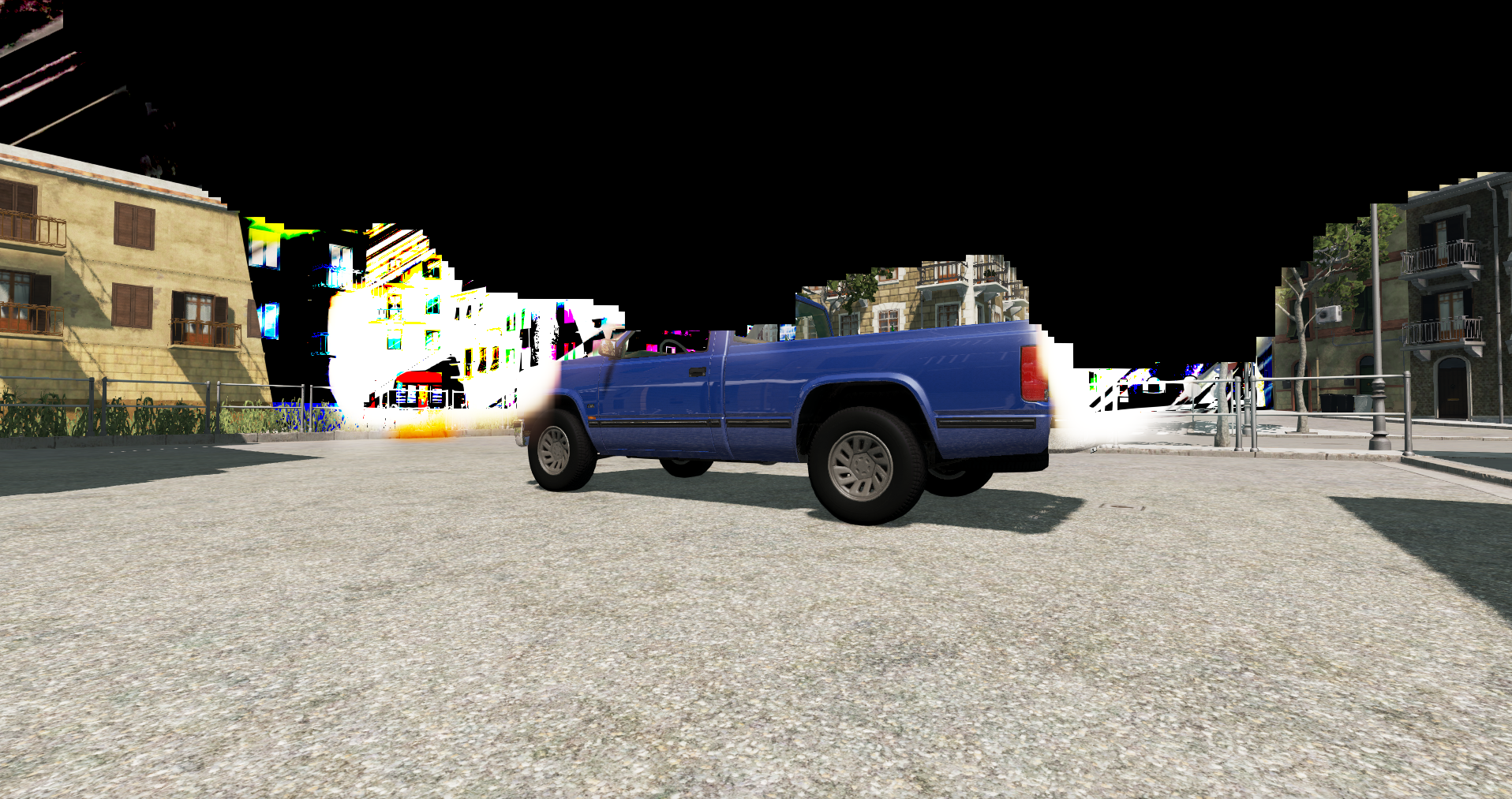
steam-284160.zip
Not on all maps. This screenshot is from the Italy map.
Ryzen 1600/R9 380 4GB (AMDGPU (default open source driver))/OpenSUSE Tumbleweed (Linux 5.10.16-1)
The game don't start with the last Proton (6.3-1), and the experimental branch. Backing to 5.13, is possible to start again the game.
Regardless of the latter, the game has performance issues when an AI is added. If you add traffic, e.g. in a city or on a highway, the game becomes a headache and has a very low frame rate (5-10 fps). I understand that this is normal, but it does not happen in Windows.
Hello @leillo1975, please add PROTON_LOG=1 %command% to the game's launch options, reproduce the regression, and attach the generated $HOME/steam-$APPID.log to this issue report as a file. (Proton logs compress well if needed.) Also, please copy your system information from Steam (Steam -> Help -> System Information) and put it in a gist, then include a link to the gist in this issue report.
When you hit "play", the game starts and show the launcher, but when you push "Launch Game", nothing happens and you must to stop the game on Steam client. This is the log:
steam-284160.log
steam-284160.log
Same thing over here
@leillo1975 @BieHDC I'm seeing this too - solid regression report, ty! :)
Juicy effects indeed. Same with Proton 5.13-16 and Proton experimental.
steam-284160.zip
Not on all maps. This screenshot is from the Italy map.
Ryzen 1600/R9 380 4GB (AMDGPU (default open source driver))/OpenSUSE Tumbleweed (Linux 5.10.16-1)
If anyone with a R9 285 / R9 380 card could try adding:
RADV_DEBUG=errors,zerovram %command%
To Steam's game launch options.
Feel free to try with other cards too if you have this specific problem i.e. RX 480 / RX 580, etc.
Some of the newer cards don't appear to be affected.
Mesa bug topic here
Adding that seems to consistently fix an apitrace posted by another user for me.
Probably a game bug - some sort of undefined behavior resulting in black patches and other artifacts.
For whatever reason it doesn't seem to occur with WINED3D.
Seems to work fine when I added the launch option. Though I tried without and it still worked fine. Could be just lucky game start, but it could also be Mesa 21.0.2.
Seems to work fine when I added the launch option. Though I tried without and it still worked fine. Could be just lucky game start, but it could also be Mesa 21.0.2.
According to what's been reported the black sky problem only seems to trigger on an Italy map.
Freeroam > Italy with Mesh Quality HIGH.
Sometimes it will display normally without the workaround, other times it won't.
I tested Mesa 21.02, 21.03, staging 21.0.3 and Debian's Mesa driver.
Five games have this workaround toggled on by default - including CS:GO & Rocket League, etc.
I find the best way to trigger it (even when it appears to be working normally) it is to launch another game first - filling up your VRAM; I just picked Phoenix Point through Wine, I then retried BeamNG.drive.
That's what I did to get the images below with apitrace dump images.
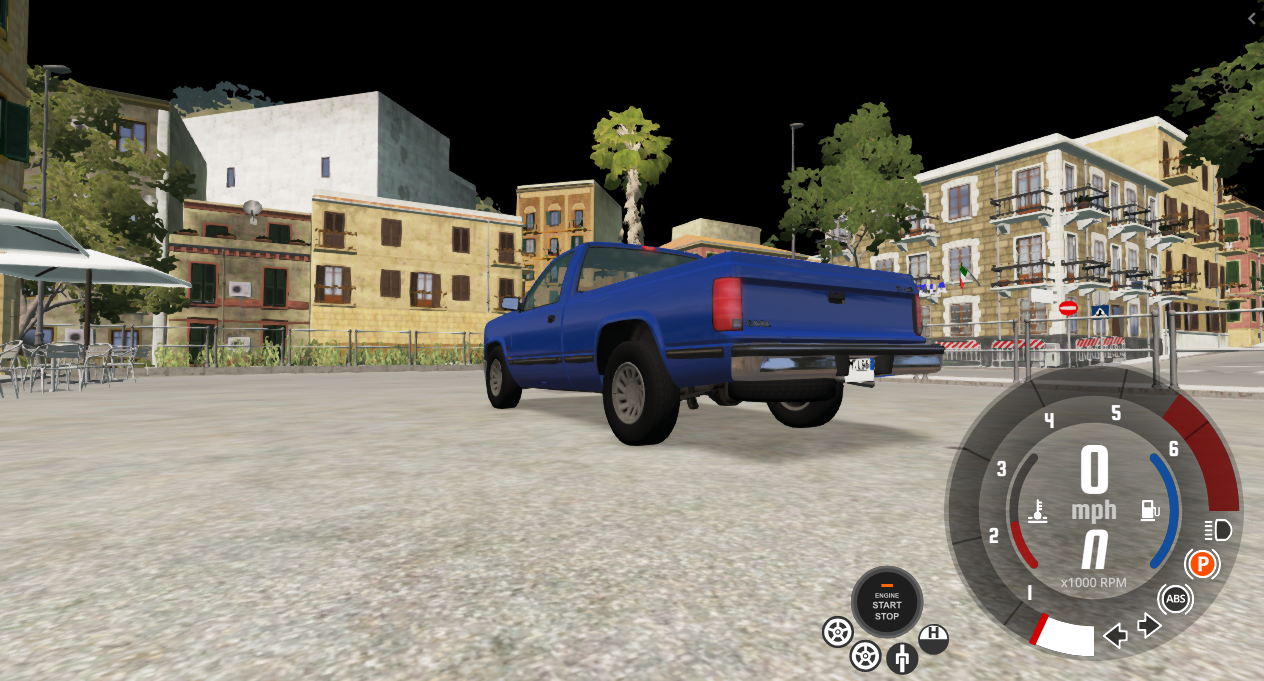
With RADV_DEBUG=zerovram

A video of the flaw in action:
https://youtu.be/vIZParGEjGY
Used to run this just fine but now it just seems to hang after pressing play in their launcher.
Clean prefix, happens both in 6.3-2 and Experimental.
System information
my bad, noticed now it's already been mentioned a few times.. Runs with 5.13.
@leillo1975 @BieHDC @kattjevfel Should be launching again with 6.3-3 :)
I will try it when I come home.
A question: About adding AI, you have low performace?
@alasky17 Hooray! Works just fine with 6.3-3 now :)
@leillo1975 Yes, adding AI made it made the game run at about 1fps, followed by a kernel panic and I had to hold down the power button on my machine. tl;dr cannot recommend :D
It's alive!
Launching winecfg for the Proton 6.3-3 prefix where BeamNG lives breaks the game's fonts. This was working fine in 5.13. I have to do this to force the audio device as a workaround, because the game chooses the wrong one if the system audio backend is ALSA not PulseAudio.
So this:
WINEPREFIX=/path/to/steamapps/compatdata/284160/pfx /path/to/steamapps/common/Proton\ 6.3/dist/bin/wine64 winecfg
... causes this:
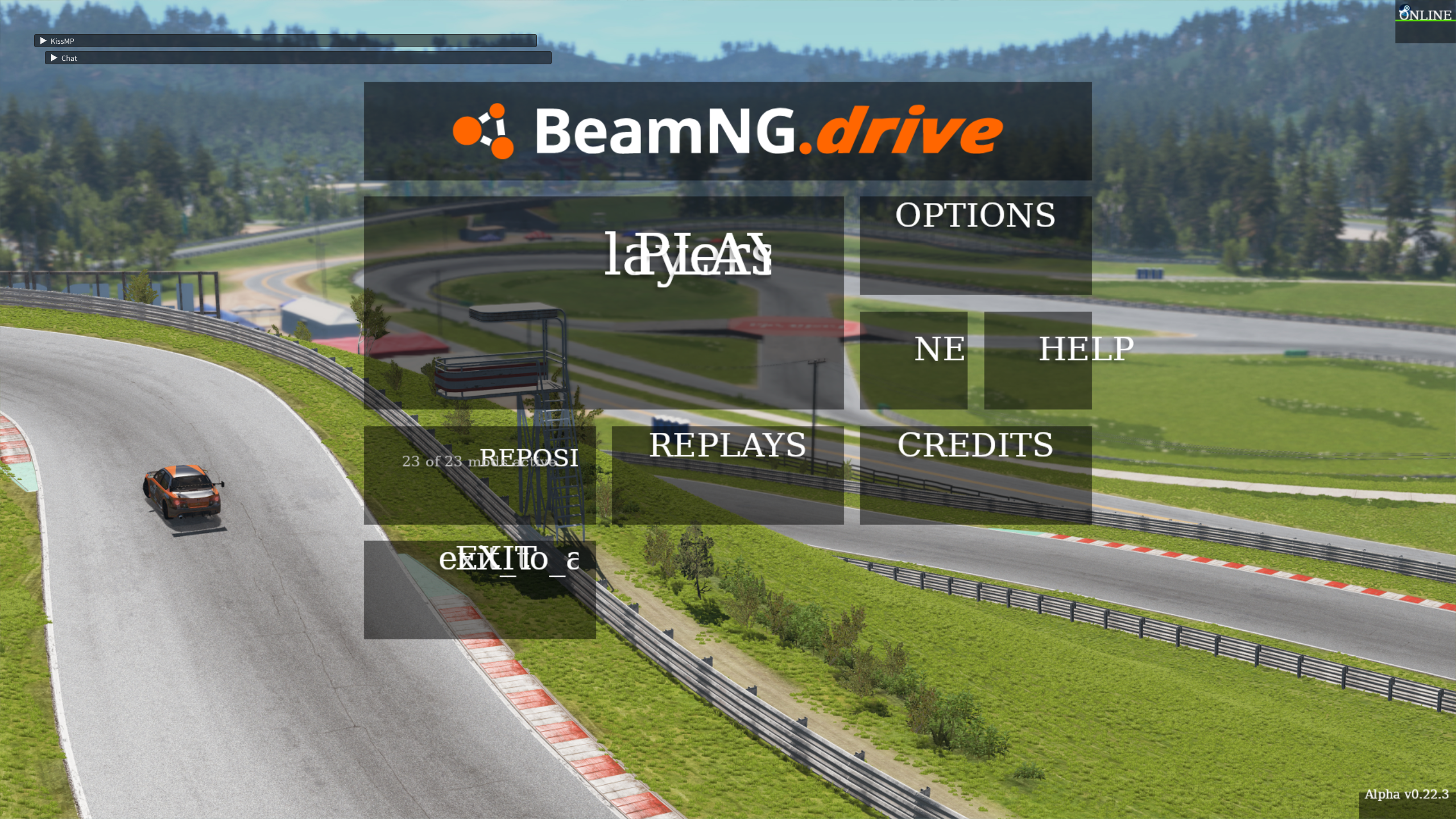
It's almost impossible to use the menus like this. I haven't tried getting into the game and I don't really want to know, I'll just use Proton 5.13.
@Anonymous1157 did you try with Proton Experimental? I ran winecfg (via protontricks) on the prefix and the menus are still fine.
@kattjevfel It works fine if I launch winecfg with protontricks. Weird... But thanks!
I can confirm that the game works great selecting the new Vulkan API option and using Steam Play/Proton. The performance increases a lot, there is much less stutter and the impact of adding traffic is much lower (before, with this, the game was running at 5-8 fps) . This video shows the game in normal quality, with traffic and of course recording with OBS (this takes a lot of FPS):
https://youtu.be/YsdL3LC7b3M
I also can add that the game will have a Linux native build in future, and this is under development.
For me the vulkan renderer resulted in right about the same performance as with DXVK, but cars were rainbow-coloured and glitchy, then the game crashed and now the game keeps crashing on the main menu. I use an AMD Vega 56 with mesa 21.1.4
EDIT: I got it working again using AMDVLK, but I still get rainbow cars and funnily enough mangohud reports DXVK: 20210707125155_1
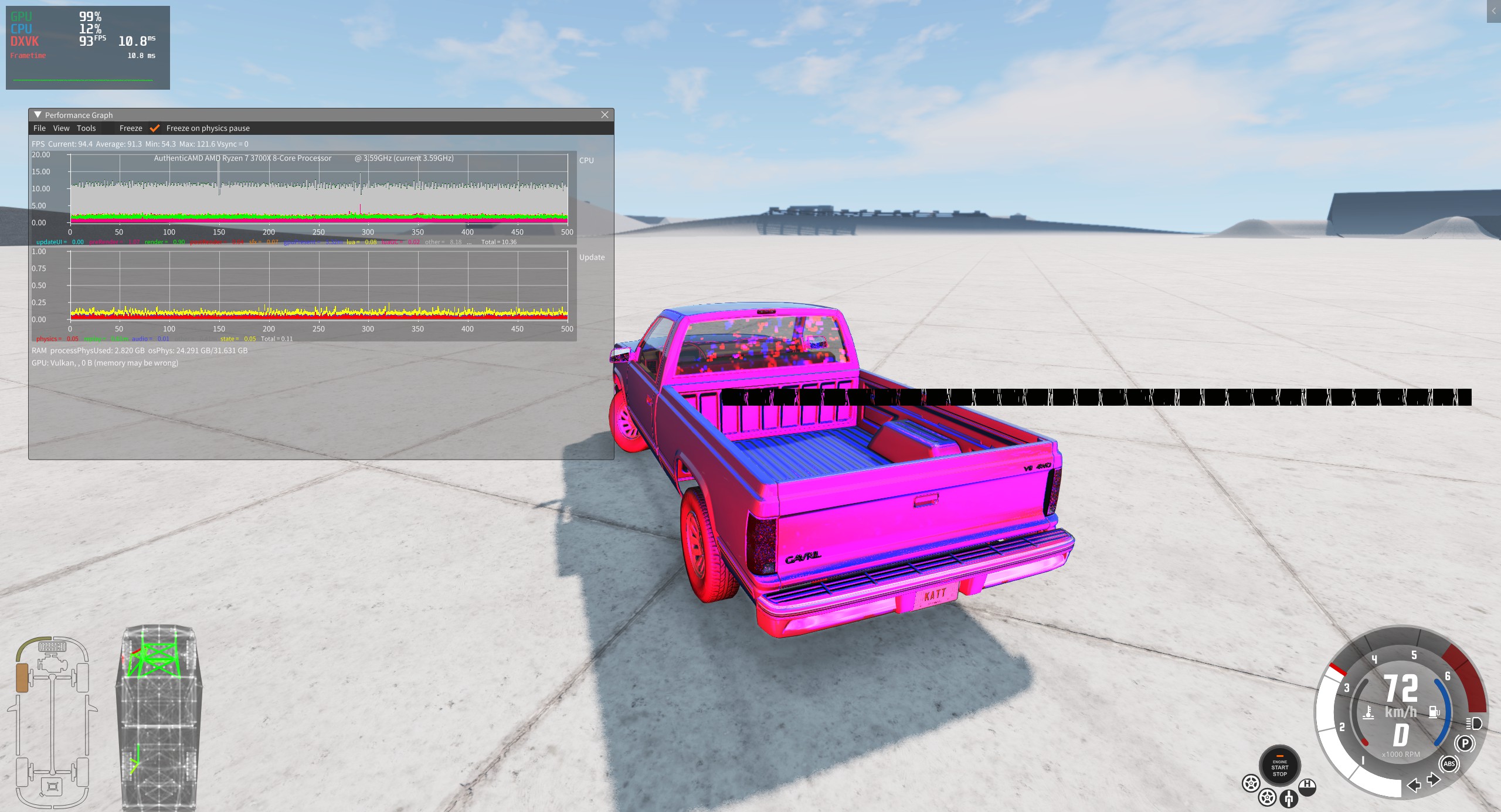
EDIT2: The rainbows were caused by having "Dynamic Reflection" turned on.
In my case I use Nvidia 1060-6GB with 450 drivers. Playing without AI, there is not much difference, but if you add it , without Vulkan , the game is absolutely unplayable.
Normal mode works just fine, with and without traffic.
With Vulkan however, the game doesn't even launch properly. Instead I get a black screen with white Chinese characters printed all over it (!)...
(using Proton 6.3-5 and amdgpu)
You are right. The last try was months ago.
I just ran it in normal mode and it works correctly, although in the loads you can see how the layers of each object in the scenery and the cars are being added. If I add AI, at the beginning the game is very slow, while the cars are being "formed", but once it is finished it goes better.
In Vulkan mode there are no such problems, although it takes a bit longer to load, but when it does it shows everything.
Between the DX11/DXVK mode, and the Vulkan mode I can say that in my case, in the San Francisco scenario I get without traffic an average of 55-60 fps (DXVK) against 70-75 (VK). When adding traffic the former gives 30-35 fps (DXVK) against 40-45 (VK), more or less.
Hey there,
Is there some fix for the game asking to "Migrate user data from 0.0.0.0 to " that shows up everytime I boot up the game? It's super annoying.
Also I'd love to use the Vulkan renderer, but the game just crashes: steam-284160.log (However Launching it with Vulkan + Save mode, it crashes with "Failed to initialize Vulkan")
What am I doing wrong and what can I do to fix these problems?
Thanks!
EDIT: Okay, I at least found some parts of the problem: I just had to install AMDVLK, but now I am getting an error saying, that I am on unsupported hardware - did I miss some launchflag?
@leillo1975 How did you manage to do it?
@leillo1975 How did you manage to do it?
No, I have the same problem like you ("Migrate user data from 0.0.0.0 to ")
I hope dev team can launch the native version soon
@leillo1975 How did you manage to do it?
No, I have the same problem like you ("Migrate user data from 0.0.0.0 to ")
I hope dev team can launch the native version soon
I rather meant the Vulkan part xD
It's pretty difficult to do, and I don't know that much about proton and wine
I didn't have to do anything, it just worked and that's all. Try Vulkan safe mode, is the only thing I can think
Hey there,
Is there some fix for the game asking to "Migrate user data from 0.0.0.0 to " that shows up everytime I boot up the game? It's super annoying.
Also I'd love to use the Vulkan renderer, but the game just crashes: steam-284160.log (However Launching it with Vulkan + Save mode, it crashes with "Failed to initialize Vulkan")
What am I doing wrong and what can I do to fix these problems?
Thanks!EDIT: Okay, I at least found some parts of the problem: I just had to install AMDVLK, but now I am getting an error saying, that I am on unsupported hardware - did I miss some launchflag?
im having the exact same issue
game needs d3dcompiler_43 and _47. Got it working by adding them via protontricks
util.protontricks('d3dx9_43')
util.protontricks('d3dcompiler_43')
util.protontricks('d3dx11_43')
util.protontricks('d3dcompiler_47')
not sure if the d3dx files are needed, maybe overkill but it works.
Replying to https://github.com/ValveSoftware/Proton/issues/1237#issuecomment-939548311
Thank you! Finally some minimal requirements - I don't even know, what these packages are doing lol
Still crashing with parts of fonts on the screen:
Replying to https://github.com/ValveSoftware/Proton/issues/1237#issuecomment-939734048
Thats some GPU driver corruption of some sort. Works fine here. AMD using RADV. Fonts show perfectly fine. Note: I am using my proton-ge build, and have just released a new build that has the needed changes.
https://github.com/GloriousEggroll/proton-ge-custom/releases/tag/6.19-GE-2
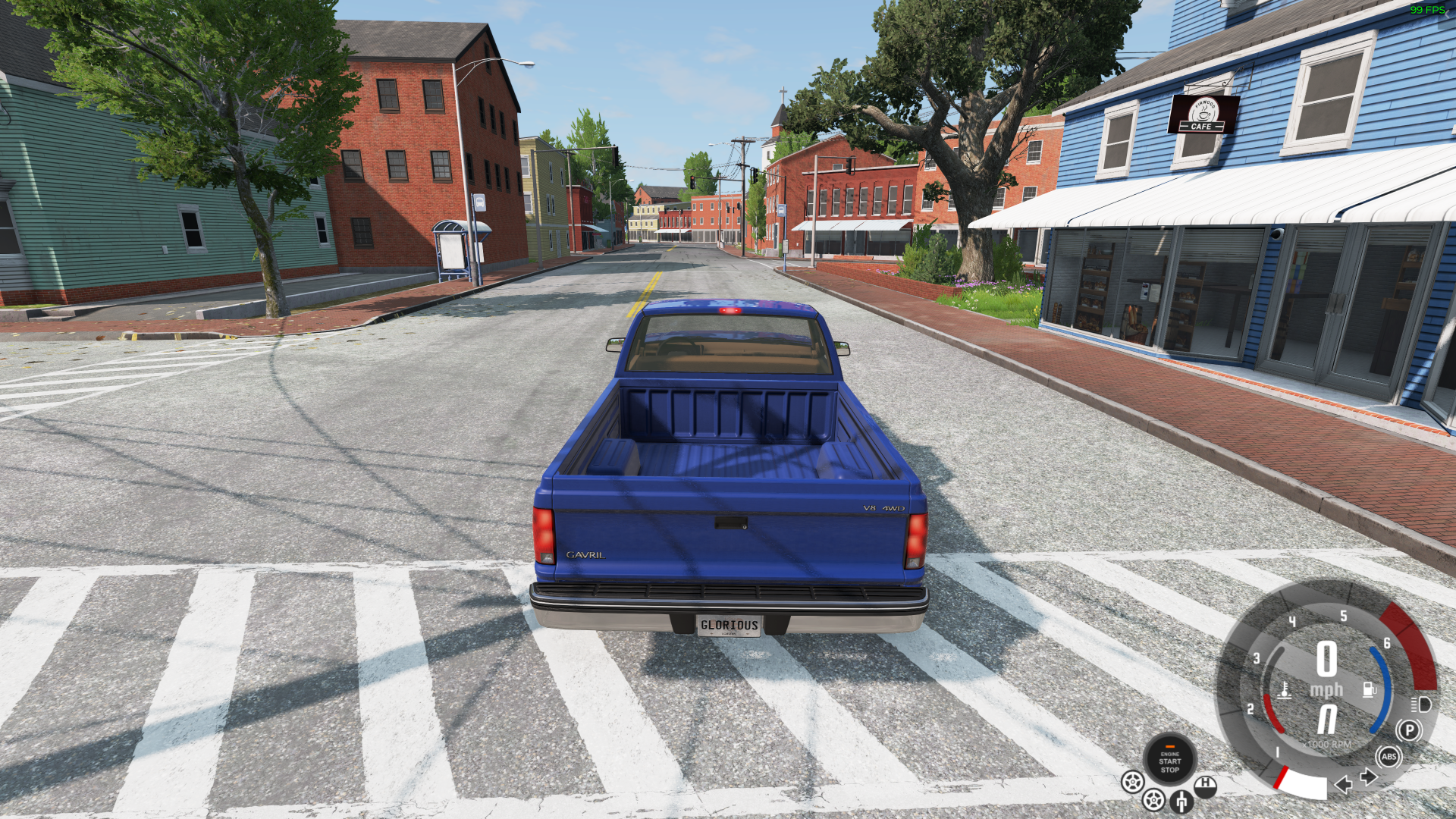
Replying to https://github.com/ValveSoftware/Proton/issues/1237#issuecomment-939779124
Thats some GPU driver corruption of some sort. Works fine here. AMD using RADV. Fonts show perfectly fine. Note: I am using my proton-ge build, and have just released a new build that has the needed changes.
Huh? The radv driver is old and fart (I think) - I am using the (newer) amdgpu driver and it's worse XD
EDIT:
Welp Protonfix also dying on me :/
Replying to https://github.com/ValveSoftware/Proton/issues/1237#issuecomment-939821746
You're a bit confused.
amdgpu is the normal driver, yes.
radeonsi is the old driver.
RADV simply refers to the vulkan portion of the amdgpu drivers. Similar to how amdvlk refers to the vulkan portion of the amdgpu-pro drivers.
vulkan mode still crashing for me in the same way, with the latest GE build running RADV
vulkan mode still crashing for me in the same way, with the latest GE build running RADV
I'm confused by your statement. The game runs DirecX11. There is no 'vulkan mode'. It just uses dxvk to translate directx to vulkan.
Replying to https://github.com/ValveSoftware/Proton/issues/1237#issuecomment-940215902
As of recent releases the game does have an experimental vulkan mode. https://www.beamng.com/game/news/announce/introducing-vulkan-api/
Replying to https://github.com/ValveSoftware/Proton/issues/1237#issuecomment-940228039
Ah my apologies, I was unaware of this, I just got the game yesterday to see if I could get it to work. DX11 via DXVK appears to work just fine.
Replying to [#1237 (comment)](https://github.com/ValveSoftware/Proton/issues/1237#issuecomment-940228039)
Ah my apologies, I was unaware of this, I just got the game yesterday to see if I could get it to work. DX11 via DXVK appears to work just fine.
Can confirm vulkan mode is borked
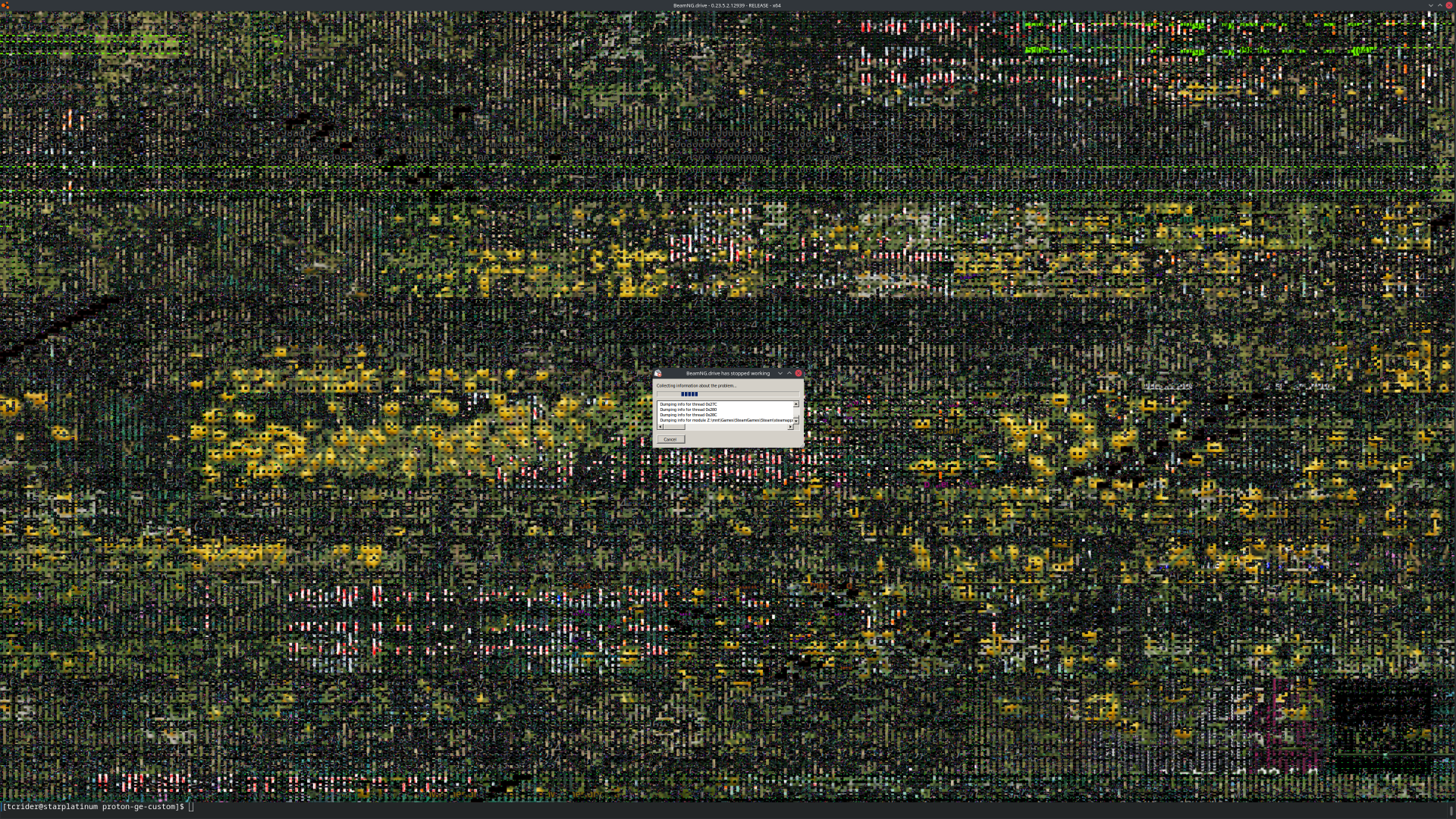
Replying to https://github.com/ValveSoftware/Proton/issues/1237#issuecomment-940255340
Oh well that's what I've been trying to get to work the whole time xD
There appears to be a new issue with the "physical based rendering" of the new BeamNG version (0.24.0.1)
|link
It causes all of the maps that use it to render all the terrain totally pitch black
Edit: Proton version used is 6.3-8 (also can recreate on older version and Proton Experimental)
It causes all of the maps that use it to render all the terrain totally pitch black
I can confirm this for the "Small Island" map. I haven't tried other maps yet.
(Arch + mesa-git + Proton 6.3-8 on Navi10)
So far I've noticed the blackness issue on Small Island and Utah (Linux Mint, RTX 3080 (Laptop) with official 495.29.05 drivers, Proton 6.3-8).
Oh, and Vulkan mode seems to be having some sort of issue, it's like the 3D part of the graphics are getting rendered at extremely low resolution and scaled up.
According to the Beam patch notes, it should occur on Jungle Rock Island, Small Island USA, and Utah as those were the maps that got PBR
Proton experimental, same issue.
AMD R9 380 + Mesa + OpenSUSE tumbleweed
On the vulkan mode, the small island map is all flickery, so it's even worse than on directX. Also the render resolution bug is present too with vulkan.
The vulkan renderer doesnt render at a very low resolution, it is the menu unfocus effect.
Try loading into a few different maps, usually on the 3rd map the blur goes away and as soon as you press esc for the menu it does the blur but closing the menu doesnt do it away, see attachment.
Ok, can confirm the "resolution" thing seems to sometimes get fixed when loading a new map, and seems to come back when you call the menu.
And also can confirm that the black ground issue is also present in Jungle Rock Island, and that it still happens in Vulkan mode.
Oh, and looks like that old bug on vulkan mode where a car's shaders will occasionally load in a "psychedelic" corrupt state is still around...
BeamNG.drive PBR textures are broken
Issue transferred from https://github.com/ValveSoftware/Proton/issues/5390.
@MagentaPuppy posted on 2021-12-08T02:34:13:
Compatibility Report
- Name of the game with compatibility issues:
- Steam AppID of the game:
System Information
- GPU: RX 580
- Driver/LLVM version: Mesa 21.3.1
- Kernel version: 5.15
- Link to full system information report: https://gist.github.com/MagentaPuppy/0301208a90e3cd3f55a335b44856079c
- Proton version: Latest experimental
I confirm:
- [☑ ] that I haven't found an existing compatibility report for this game.
- [☑ ] that I have checked whether there are updates for my system available.
Log file
steam-284160.log.zip
Symptoms
The new PBR textures only load as black

Reproduction
Open the game and enter a map with PBR textures (Jungle Rock Island, Utah, and Small Island) they will load as a glossy black material rather than the proper texture
yup, looks exactly like what I was running into. Hope this gets fixed soon.
Looks like user "snoutie :)" found some kind of a workaround on protondb.com:
mkdir ~/.steam/root/steamapps/compatdata/284160/pfx/drive_c/users/steamuser/AppData/Local/BeamNG.drive/0.24/temp/art
mkdir ~/.steam/root/steamapps/compatdata/284160/pfx/drive_c/users/steamuser/AppData/Local/BeamNG.drive/0.24/temp/art/terrainMaterialCache
wget https://github.com/SnoutBug/BeamNG_terrainMaterialCache/releases/download/1.0/terrainMaterialCache.tar.gz
tar -xvf terrainMaterialCache.tar.gz
mv terrainMaterialCache/* ~/.steam/root/steamapps/compatdata/284160/pfx/drive_c/users/steamuser/AppData/Local/BeamNG.drive/0.24/temp/art/terrainMaterialCache/
rm terrainMaterialCache.tar.gz
rm -d terrainMaterialCache
Hello @rKsanu2MMYvypWePtQWM, that workaround looks suspiciously like a copyright issue. It might get removed from the discussion here in the future, but I'm not a lawyer and not familiar enough with this game to make that determination.
Replying to https://github.com/ValveSoftware/Proton/issues/1237#issuecomment-988636750
This fixes the issue mostly, the textures no longer render black, but some of the road textures especially render purple now. (it looks diseased!)
Replying to [#1237 (comment)](https://github.com/ValveSoftware/Proton/issues/1237#issuecomment-988636750)
This fixes the issue mostly, the textures no longer render black, but some of the road textures especially render purple now. (it looks diseased!)
That's what happens when you are transplanting caches I guess. The repo says that three textures are still missing from the "transplant". I think I'll just wait for proper fix instead of this abomination.
Replying to https://github.com/ValveSoftware/Proton/issues/1237#issuecomment-990272218
It's not that bad to be honest. It's a little subtle. It took me a white to notice.
Thread about this problem in the official forums:
https://www.beamng.com/threads/black-terrain-on-linux-as-of-0-24.83228/
The devs have replied that they will look into it. The guy who made the workaround is there too, doesn't seem like the devs are angry or anything @kisak-valve
also the radial menu and shifting gears up seems to be a bit broken in 0.24 as well, the radial menu sometimes doesn't show at all even if i go through the menu rather than pressing the joystick and every so often shifting gears up gets broken for some reason
I'm not 100% sure, but I think the radial menu issue (and possibly the gear shift issue as well, since for me at least it seems to happen when the game thinks it's showing the radial menu, as it can be made to work again when you press the key/button to toggle the radial menu off again), is also affecting people on Windows.
Any updates on the black terrain problem?
0.24.0.2 just dropped. It does not address the issue.
Btw, does anyone know whether the issue where there is a significant performance drop for each additional vehicle loaded despite the hardware being sufficient, is Linux only or something some Windows users also experience? (I know it's not 100% of the users because I've seen plenty of vids on Youtube with multiple cars that still seem to be running at pretty good framerates; but I dunno whether some Windows users do have this issue as well)
Btw, does anyone know whether the issue where there is a significant performance drop for each additional vehicle loaded despite the hardware being sufficient, is Linux only or something some Windows users also experience? (I know it's not 100% users because I've seen plenty of vids on Youtube with multiple cars that still seem to be running at pretty good framerates; but I dunno whether some Windows users do have this issue as well)
it's linux. you can spawn a lot less cars.
0.24.1 is out now, even more maps now use PBR, which means even more maps now have black textures.
Bauer33333 and I have updated the transplant for everyone not wanting to wait for a fix
Beam NG Driver Crash
Issue transferred from https://github.com/ValveSoftware/Proton/issues/5449.
@Lolothepro posted on 2021-12-27T19:58:25:
BeamNG
- GPU: GTX 1070
- Driver/LLVM version: nvidia 495
- Kernel version: 5.15
- Proton version: 6.0
The game does not start and closes instantly (only happens with DirectX)
Installation stucks on DirectX installation. htop shows that it uses 60% of CPU, but nothing happened in 10 minutes.
With Proton 7.0 the game has no FFB with Logitech G29 and New-Lg4FF. I noticed that some controls, like the brake, is not in the same place . Choosing Proton 6.3-8 everything backs to normal. Seems that this game have wheel issues like Automobilista 2 or rFactor 2. I also tested with bleeding-edge with the same results. Please fix this regression with this kind of devices on racing games.
Hello @leillo1975, can you share the information requested at https://github.com/ValveSoftware/Proton/issues/245#issuecomment-1044738007?
Here it is:
steam-284160.zip
I see in controls settings that my wheel is detected like a device without FFB
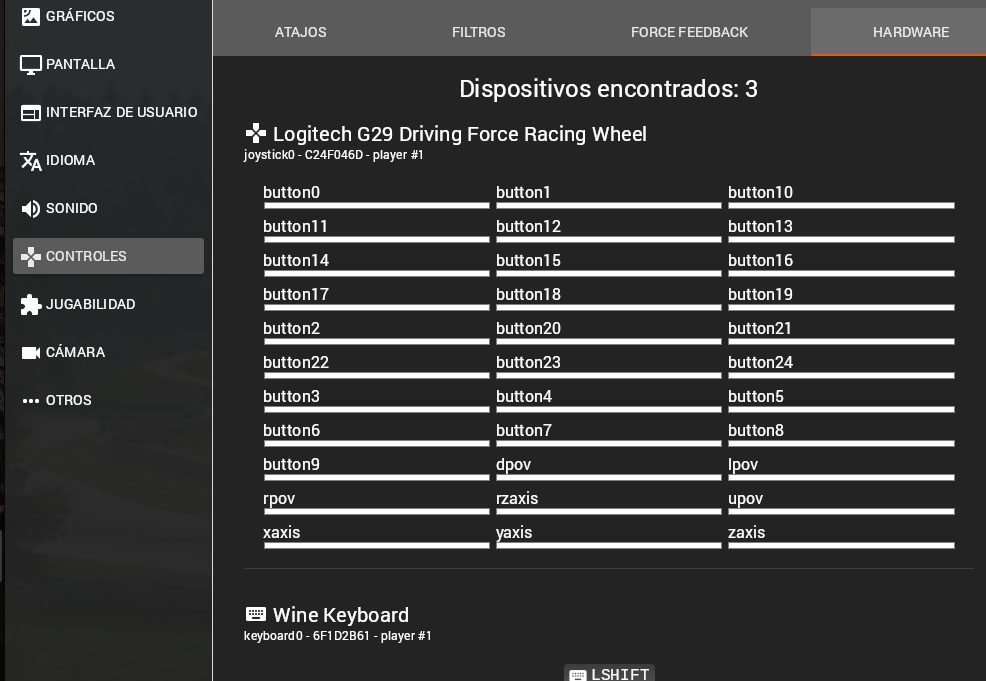
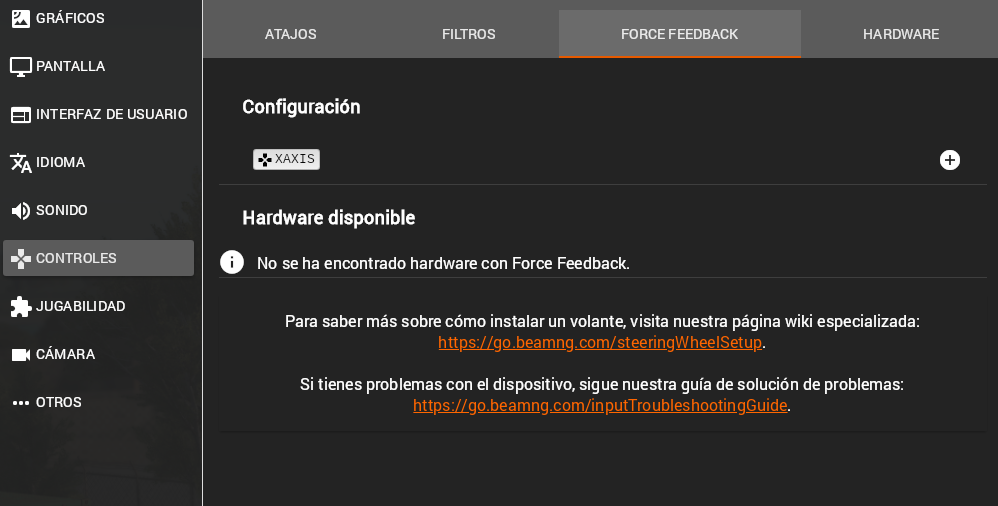
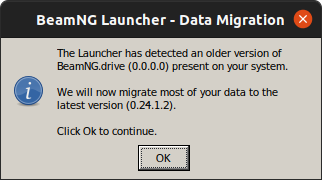
Without having anything to do with this, the game always showed me an error in the launcher, as if it didn't detect the installed version. After clicking OK everything is fine :
With Proton 7.0 the game has no FFB with Logitech G29 and New-Lg4FF. I noticed that some controls, like the brake, is not in the same place . Choosing Proton 6.3-8 everything backs to normal. Seems that this game have wheel issues like Automobilista 2 or rFactor 2. I also tested with bleeding-edge with the same results. Please fix this regression with this kind of devices on racing games.
@leillo1975 Could you test this build and see if this fixes the regression with New-Lg4FF with the games where you are seeing worse G29 support with 7.0-x? https://www.codeweavers.com/xfer/alasky/proton-test/ You can drop the build directory in ~/.steam/steam/compatibilitytools.d and reboot Steam, and it will show up in the drop-down list of Proton versions.
@leillo1975 Could you test this build and see if this fixes the regression with New-Lg4FF with the games where you are seeing worse G29 support with 7.0-x? https://www.codeweavers.com/xfer/alasky/proton-test/ You can drop the build directory in ~/.steam/steam/compatibilitytools.d and reboot Steam, and it will show up in the drop-down list of Proton versions.
Can´t download it. It shows me the following message:
""X-Fer Downloads:
Sorry, but the directory you are currently trying to access is locked. You either need to login to our website to access it. Or enter the key provided to you in the field below."""
@leillo1975 Sorry about that! Lock code should now be "wheel".
@alasky17 , Beam NG continues not having FFB, although the brake seems to be where I had assigned it some time ago.
Automobilista 2 contunues not working and rFactor 2 have problems with main manu (can't use the mouse on it)
A beam dev commented this on the above mentioned thread
so we use a library called DirectXTex and this use a windows component called WIC (windowscodec.dll)
since vista it's included with os. Winetricks has a script to install it.
It still doesn't work, it may be too outdated.
I tried workaround but it didn't work either.
I've tested that myself and it seems to be some incompatibility of windowscodec.dll
00fc:fixme:wincodecs:BitmapScaler_Initialize unsupported mode 3
@leillo1975 We've tried reproducing the problem you were seeing but for some reason, even when using the New-Lg4FF driver we were unable to so far.
As far as I could see, a difference between our tests and the log you provided could be with your device being exposed as an hidraw device, whereas in our tests it never was (either when using the default driver of new-log4ff). Does it ring a bell maybe, and could it be some specific config option you enabled?
Especially when it comes to force feedback, we don't support hidraw interface as well as the more standard evdev interface, and the SDL backend we are using as a fallback probably does the same.
FWIW the latest Proton Experimental update should include a change to always use the SDL library by default even if hidraw devices are available, except for the very few devices we know can work well with it.
It should in theory behave more like it was with Proton 6.3 (though it's the same thing @alasky17 published before and you said already it didn't make a difference for you), though it is possible that SDL could be trying to use the hidraw interface as well.
Running BeamNG from the Big Picture Overlay creates stutter when in-game once every ~10s (not while on the main menu). Runs fine from Desktop mode.
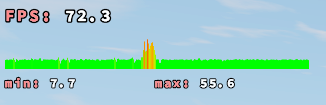
R9 380 4GB / 5.13.3 / Mesa 22.0.1 / OpenSUSE Tumbleweed
Black ground and performance issues seem to still be present on v0.25
Supposedly the PBR ground textures can be found here. https://github.com/SnoutBug/BeamNG_terrainMaterialCache/releases
Only mentions 0.24. I tried for 0.25 and had no change.
Supposedly the PBR ground textures can be found here. https://github.com/SnoutBug/BeamNG_terrainMaterialCache/releases
Only mentions 0.24. I tried for 0.25 and had no change.
The issue with black ground is also still a thing so it's not redundant. Hopefully they fix this soon or the TerrainMaterialCache gets an update
https://github.com/SnoutBug/BeamNG_terrainMaterialCache/releases
This patch has now been updated for 0.25
Nevermind my deleted comment; I had assumed it was sorted by date, but it's not; sorry.
https://github.com/SnoutBug/BeamNG_terrainMaterialCache/releases This patch has now been updated for 0.25
Am I missing something? Release says 7 days ago and still explicitly mentions 0.24.
EDIT: Oh the Readme is what we need? Also mentions 0.24...
Using Proton for BeamNG.drive might not be needed in one of the upcoming updates. The Linux beta included in 0.25 renders maps that use PBR correctly. For instance, here is the Utah on my Pop!_OS 22.04 machine (5600G / RX6600 / 16GB):
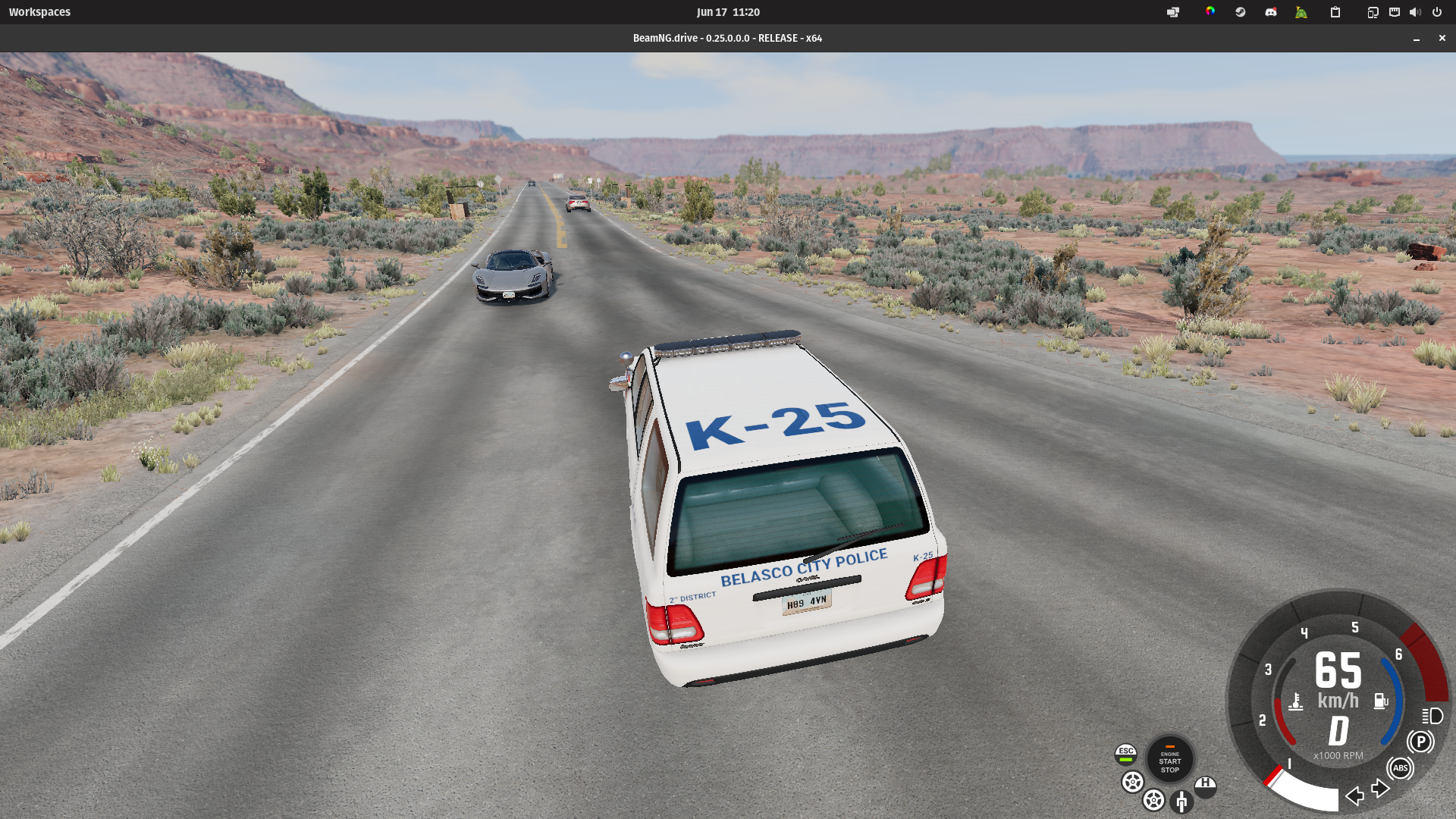
The Linux beta still has issues (e.g. load times for maps appear to be significantly longer, and audio is not working; see the thread), but it already works fairly well. Hopefully the BeamNG team brings a fully-fledged version of Beam for Linux.
I wonder if we could potentially use the cached files generated by this beta release for the version running through Proton.
https://github.com/SnoutBug/BeamNG_terrainMaterialCache/releases This patch has now been updated for 0.25
Am I missing something? Release says 7 days ago and still explicitly mentions 0.24.
EDIT: Oh the Readme is what we need? Also mentions 0.24...
Check the date of the individual files; the release that contains the files for the stock maps have newer files.
https://github.com/SnoutBug/BeamNG_terrainMaterialCache/releases This patch has now been updated for 0.25
Am I missing something? Release says 7 days ago and still explicitly mentions 0.24.
EDIT: Oh the Readme is what we need? Also mentions 0.24...
You just need the script, the script is dynamic. The commands inside of the releases are just for troubleshooting purposes and I totally forgot about them, but are updated now.
https://github.com/SnoutBug/BeamNG_terrainMaterialCache/releases This patch has now been updated for 0.25
Am I missing something? Release says 7 days ago and still explicitly mentions 0.24.
EDIT: Oh the Readme is what we need? Also mentions 0.24...You just need the script, the script is dynamic. The commands inside of the releases are just for troubleshooting purposes and I totally forgot about them, but are updated now.
@SnoutBug Thanks! Everyone I had seen linking to it was directly to releases which I didn't realize was map by map. I saw "Newest release must be the entire pack!" which obviously was wrong.
@yetanothercarbot Hotfix is out and we have sound on Linux now! :D
[oops]
@UltraBlackLinux I doubt this belongs here. This is the repo for proton and has nothing to do with the native linux build of the game. You should check the official forum for help
@UltraBlackLinux I doubt this belongs here. This is the repo for proton and has nothing to do with the native linux build of the game. You should check the official forum for help
Oh right, I completely forgot that this is the proton repo xD
Are you still experimenting issues with RADV and up-to-date drivers here?
@alasky17 , Beam NG continues not having FFB, although the brake seems to be where I had assigned it some time ago. Automobilista 2 contunues not working and rFactor 2 have problems with main manu (can't use the mouse on it)
@leillo1975 Are you still experiencing regressions with your wheel using Proton 7.0-4 or experimental vs 6.3-8?
@alasky17 , Beam NG continues not having FFB, although the brake seems to be where I had assigned it some time ago. Automobilista 2 contunues not working and rFactor 2 have problems with main manu (can't use the mouse on it)
@leillo1975 Are you still experiencing regressions with your wheel using Proton 7.0-4 or experimental vs 6.3-8?
I can confirm Proton 7.0-4 or experimental does not have working FFB with any game i tried, Beam NG included. With Proton 6.3-8 FFB is working just fine with all titles.
@Dechode Could you give the specs for your machine? (output of Steam -> Help -> System Information) Which specific wheel model are you using? Are you using a special driver like new-lg4ff?
@alasky17 Here are my computer specs:
"Manjaro Linux" (64 bit)
Kernel Name: Linux
Kernel Version: 5.18.17-1-MANJARO
CPU: AMD Ryzen 7 2700 Eight-Core
GPU: AMD AMD Radeon RX 5700
The wheel is Logitech G29 and i am using the new-lg4ff driver.
@Dechode Thank you! Before we dig down a deep rabbit hole, could you try disabling new-lg4ff and seeing if you get the same behavior? Also, could you list/screenshot all your settings for the wheel in BeamNG? We have already spent quite a bit of time looking into this issue and so far have been unable to repro the FFB failure (even with new-lg4ff), so I'm trying to get as many details as possible. These things are extremely difficult to fix if we can't repro locally and the logs provided earlier in the 7.0-x branch did not give an indication of the problem :/ . If you have any other peripherals plugged in, please also list those or test with them unplugged -- that has been occasionally a source of issues.
After the Proton Experimental, the game crashes at launch every time now. I will try to get logs later but at least the native experimental Linux binaries work.
After the Proton Experimental, the game crashes at launch every time now. I will try to get logs later but at least the native experimental Linux binaries work.
@Alexithymia2014 In addition to logs, could you attach the output of steam -> help -> system information?
Crashes with Proton Experimental, Proton-7.20-GE, Proton-next (7.0-5), 5.13-6 after clicking "Launch game" in the launcher.
Error code: BeamNG.drive 0.26.2.0 0x00000001
Logfile:
steam-284160.log
"Vulkan mode" from the launcher's "Support tools" menu also produces the crash.
"Safe mode" from the launcher's "Support tools" menu does not crash the launcher, but BeamNG does not start anyway. The processes just sit there doing nothing.
"Clean cache" --> "Deep cache cleaning" from the launcher's "Support tools" menu produces the same result.
Lots of timeouts in the Proton log.
See this one from after the cache cleaning:
steam-284160.log
BeamNG starts with Proton 6.3, but runs at unplayable FPS (note: I did not start with a clean prefix when switching from 7.x).
Could be something prefix or launcher related, because IIRC (it's been a while), it runs just fine with Experimental (have not tested the other versions) exactly once when initialized with a fresh prefix and then no more.
Steam -> Help -> System Information:
SystemInfo.txt
After the Proton Experimental, the game crashes at launch every time now. I will try to get logs later but at least the native experimental Linux binaries work.
@Alexithymia2014 In addition to logs, could you attach the output of steam -> help -> system information?
Hi @alasky17 the game is no longer crashing with experimental in its current version.
I can confirm that Beam.NG launches with the current Proton Experimental build. (3/3 succesful attempts.)
Game has no crashes anymore but force feedback on experimental with g29 doesnt work
Game will lock the OS when you drop some AIs in and I also experience no force feedback on the G29 with logitech-hid (for reference, I do get force feedback on Euro Truck Sim 2), but other than that the game works.
For those with force feedback problems with the G29 make sure Update Type is set to Full in force feedback settings.
For those with force feedback problems with the G29 make sure
Update Typeis set toFullin force feedback settings.
Was able to get the force feedback to work with this. It does force the wheel to be on one side or the other, though. Probably another setting I need to change.
For those with force feedback problems with the G29 make sure
Update Typeis set toFullin force feedback settings.Was able to get the force feedback to work with this. It does force the wheel to be on one side or the other, though. Probably another setting I need to change.
If I understood it right, I think that means you should set FFB to inverted in the game.
No for me if i set update type to full it works but as @Viktini mentioned it if you move it slightly left or right it gives full power to that direction. This is basically unplayable
I think I found a bug, not sure which project it should be sent to.
If I set Framerate Limit to Off in the Performance options on the Steam Deck, with the Performance Overlay enabled, when I come back to the game, it will drop to 30 FPS but it feels even worse than that. If I move the mouse the issue temporarily goes away. The background of the Performance Overlay seems to be slightly darker while the issue is active.
Disabling Allow Tearing on the Deck, or enabling VSync in the game, seems to also make the issue go away.
I think there is a setting in BeamNG.drive to limit FPS when the game is not in the foreground. Perhaps the game thinks it's still in the background after you've used the overlay.
I think there is a setting in BeamNG.drive to limit FPS when the game is not in the foreground. Perhaps the game thinks it's still in the background after you've used the overlay.
Still have the issue with that option disabled.
If I try to launch BeamNG on Proton 8.0-1, the game crashes on startup and I'm not entirely sure why. I'm on Arch Linux using an RX 6700xt on mesa 23.0.2. I've already tried deleting my prefix and verifying game files so that does not seem to be the issue here.
Here's a steam logfile if this contains any useful information.
Hello @cloudpxl, please copy your system information from Steam (Steam -> Help -> System Information) and put it in a gist, then include a link to the gist in this issue report.
From the log info: Device name: : Null hardware (RADV NAVI10) looks like DXVK wasn't able to find a usable GPU.
Also, if this is a regression, please note the newest Proton version that you know works on your system.
Hello, I`m also having a similar issue, maybe could be the same issue that @cloudpxl is having.
The game launcher opens, but when I click to launch the game it either crashes or just hangs and doesn't show anything. (When I was using Proton Experimental the game's Error "Reporter" appeared saying that the game has crashed and yada yada, but with Proton 8.0 nothing appears.)
So here's what's weird... The game opens normally if I unplug my steering wheel from my PC. I even tried with a Xbox Controller, to see if the issues was with controllers in general, but that only happens with the wheel. My wheel is a Logitech G920.
Here are some logs:
PC: https://gist.github.com/otvv/e42bca24e0ec479637e212d985cc6164
Game: steam-284160.zip (log was 122.2 MB so I had to zip it.)
EDIT1: I tried to open the game without the wheel and then plug it in the main menu but the game crashed as soon as I plugged the wheel.
EDIT2: If I try to open the game using the native linux binary, the game opens just fine, recognizes my wheel with force feedback and all.
EDIT3: After a few minutes playing without the wheel, I can plug it in, the game recognizes it, but with no force feedback.
Hello @cloudpxl, please copy your system information from Steam (
Steam->Help->System Information) and put it in a gist, then include a link to the gist in this issue report.From the log
info: Device name: : Null hardware (RADV NAVI10)looks like DXVK wasn't able to find a usable GPU.Also, if this is a regression, please note the newest Proton version that you know works on your system.
This is a regression as Proton 7.0-6 and older versions work just fine with this game. Unlike what @otvv is experiencing, my game crashes regardless of whether or not I have a wheel/controller plugged into my computer.
Also having issues with this game. It crashes if I have my steering wheel plugged in.
I can confirm that BeamNG crashes, or fail to start, if a wheel is plugged in (mine is a Logitech G920) if you select a Proton version >6.3-8.
Also having issues with this game. It crashes if I have my steering wheel plugged in.
I can confirm that BeamNG crashes, or fail to start, if a wheel is plugged in (mine is a Logitech G920) if you select a Proton version >6.3-8.
EDIT: Can confirm that latest proton experimental update fixed the issue, but the force feedback is a little weird now. Just like some users above reported.
@cloudpxl The regression where the game crashes with the wheel plugged in has just been fixed in Experimental-8.0. Could you please retest and if you are still getting a crash, upload a new log with PROTON_LOG=+hid,+hidp,+hid_report,+plugplay,+rawinput,+dinput,+xinput,+joystick,+setupapi,+input %command%.
@cloudpxl The regression where the game crashes with the wheel plugged in has just been fixed in Experimental-8.0. Could you please retest and if you are still getting a crash, upload a new log with PROTON_LOG=+hid,+hidp,+hid_report,+plugplay,+rawinput,+dinput,+xinput,+joystick,+setupapi,+input %command%.
I no longer get a crash with a steering wheel plugged in, although I still have to set it to be recognized as a Logitech G27 inside Oversteer so force feedback works in BeamNG. Also, it appears that the other crash I was experiencing referenced in my original reply here was because for some reason my system was using amdvlk instead of radv like it should have been. That's probably why it wasn't able to find my GPU like @kisak-valve stated in his reply.
I have no FFB in any version of proton >6.3-8 using a Thrustmaster T300RS and the tmff2 driver.
It works fine in 6.3-8 but unfortunately that version lacks the ability to render and cache BeamNG's PBR textures so maps that use those don't work properly.
Here are some logs of a map load using Proton Experimental
Click to expand
 71.91121|D|engine::InputHelper::getFFBID|           Found 1 FFB binding candidates to be assigned for action "steering" in vehicle 'vivace', vehicle ID 36163 (sorted by suitability)
 71.91124|D|engine::InputHelper::getFFBID|            * playerBinding: Player 0, devName "wheel0", control "xaxis"
 71.91127|D|engine::InputRegistry::logFFBInterfaces| Found 0 FFBInterface candidates (unsorted)
 71.91129|D|engine::InputHelper::getFFBID| Step 1: Perfect match found for player 0, device 'wheel0', control 'xaxis', ffbAxisIndex 0, ffbAxisName 'xaxis'
 71.91132|D|engine::DirectInputDevice::createFFBInterface| Using axis 0 for FFB effects, with forceFactor: 1000
 71.91134|D|engine::DirectInputDevice::createFFBInterface| A: 0 effects present in device wheel0
 71.91151|D|engine::DirectInputDevice::createFFBInterface| B: 0 effects present in device wheel0
 71.91164|D|engine::enumEffectObjects| Enumerating effect 1: status 0
 71.91167|D|engine::DirectInputDevice::createFFBInterface| C: 1 effects present in device wheel0
 71.91169|I|engine::InputRegistry::getOrCreateFFBInterface| Created ffbid 0, ptr 0xbe883480, on device wheel0 with axis id=0
 71.91323|I|GELua.levelLoading| *** Loaded player and camera in 5.160 s
 71.91330|D|GELua.core_gamestate.gamestate| exiting : server.lua
 71.91334|D|GELua.util_richPresence.Rich Presence| Playing Freeroam with Cherrier FCV
 71.91344|D|GELua.util_richPresence.Rich Presence| Playing Freeroam on Johnson Valley with Cherrier FCV
 71.99544|D|GELua.clientStartMission| starting levelPath: /levels/johnson_valley/info.json
 71.99555|D|GELua.gameplay_missions_clustering.| Clustering cleared.
 72.07329|E|CEF.MainGEUI#local://local/ui/modules/apps/app-service.js:77| app not found: lookAheadSettings
 72.27290|I|GELua.levelLoading| *** Loaded everything in 22.997 s
 72.28237|I|GELua.print| Requesting UI Dashboard Map...
 72.29516|D|GELua.serverConnection| Everything should be loaded setting worldReadyState to 1
 72.33691|D|libbeamng.hydros.init| Response to FFB config request: {
 72.33705|D|libbeamng.hydros.init|   steering = {
 72.33708|D|libbeamng.hydros.init|     FFBID = 0,
 72.33711|D|libbeamng.hydros.init|     ff_max_force = 10,
 72.33714|D|libbeamng.hydros.init|     ff_res = 0,
 72.33716|D|libbeamng.hydros.init|     ffbParams = {
 72.33719|D|libbeamng.hydros.init|       forceCoef = 350,
 72.33722|D|libbeamng.hydros.init|       frequency = 0,
 72.33726|D|libbeamng.hydros.init|       gforceCoef = 0,
 72.33730|D|libbeamng.hydros.init|       lowspeedCoef = true,
 72.33733|D|libbeamng.hydros.init|       responseCorrected = false,
 72.33739|D|libbeamng.hydros.init|       responseCurve = { { 0, 0 }, { 1, 1 } },
 72.33742|D|libbeamng.hydros.init|       smoothing = 100,
 72.33748|D|libbeamng.hydros.init|       smoothing2 = 440,
 72.33751|D|libbeamng.hydros.init|       smoothing2automatic = true,
 72.33755|D|libbeamng.hydros.init|       softlockForce = 0.74,
 72.33759|D|libbeamng.hydros.init|       updateType = 0
 72.33763|D|libbeamng.hydros.init|     },
 72.33767|D|libbeamng.hydros.init|     ffbParamsJson = '{"updateType":0,"frequency":0,"smoothing":100,"gforceCoef":0,"responseCurve":[[0,0],[1,1]],"responseCorrected":false,"lowspeedCoef":true,"softlockForce":0.74,"smoothing2automatic":true,"smoothing2":440,"forceCoef":350}',
 72.33771|D|libbeamng.hydros.init|     ffbSendms = 2.59999997e-05
 72.33773|D|libbeamng.hydros.init|   }
 72.33776|D|libbeamng.hydros.init| }
 72.33780|D|libbeamng.| Steering wheel drivers didn't provide any FFB resolution information. Defaulting to 65536 steps
 72.33787|D|libbeamng.hydros.init| "/vehicles/vivace/": Force Feedback motor found for steering hydro. physicsID: 36163, FFBID: 0, ForceCoef 350, Smoothing 70, Update rate: 38461538Hz/2.59999997e-05ms detected, 15384615Hz safe, 0Hz selected, 500Hz/2ms used (auto)
 73.73584|D|GELua.core_camera.| Running cameras order:
 73.73591|D|GELua.core_camera.|  #1: order=0.200, name=transition
 73.73594|D|GELua.core_camera.|  #2: order=0.500, name=trackir
 73.73597|D|GELua.core_camera.|  #3: order=0.600, name=fallback
 73.73599|D|GELua.core_camera.|  #4: order=1.000, name=gameengine
Setup looks to be correct and the wheel is detected. Rotating the wheel rotates the car's wheel, but FFB doesn't work. Switching back to 6.3-8 with the same configuration works fine.
Here is a working launch on 6.3-8:
Click to expand
 46.58691|D|engine::InputHelper::getFFBID|           Found 1 FFB binding candidates to be assigned for action "steering" in vehicle 'vivace', vehicle ID 36159 (sorted by suitability)
 46.58694|D|engine::InputHelper::getFFBID|            * playerBinding: Player 0, devName "wheel0", control "xaxis"
 46.58697|D|engine::InputRegistry::logFFBInterfaces| Found 0 FFBInterface candidates (unsorted)
 46.58700|D|engine::InputHelper::getFFBID| Step 1: Perfect match found for player 0, device 'wheel0', control 'xaxis', ffbAxisIndex 13, ffbAxisName 'xaxis'
 46.58705|D|engine::DirectInputDevice::createFFBInterface| Using axis 13 for FFB effects, with forceFactor: 1000
 46.58708|D|engine::DirectInputDevice::createFFBInterface| A: 0 effects present in device wheel0
 46.58711|D|engine::DirectInputDevice::createFFBInterface| B: 0 effects present in device wheel0
 46.58714|D|engine::enumEffectObjects| Enumerating effect 1: status 0
 46.58717|D|engine::DirectInputDevice::createFFBInterface| C: 1 effects present in device wheel0
 46.58720|I|engine::InputRegistry::getOrCreateFFBInterface| Created ffbid 0, ptr 0x183af04b0, on device wheel0 with axis id=13
 46.58949|I|GELua.levelLoading| *** Loaded player and camera in 2.964 s
 46.58957|D|GELua.core_gamestate.gamestate| exiting : server.lua
 46.58961|D|GELua.util_richPresence.Rich Presence| Playing Freeroam with Cherrier FCV
 46.58972|D|GELua.util_richPresence.Rich Presence| Playing Freeroam on Johnson Valley with Cherrier FCV
 46.67389|D|GELua.clientStartMission| starting levelPath: /levels/johnson_valley/info.json
 46.67399|D|GELua.gameplay_missions_clustering.| Clustering cleared.
 46.75812|E|CEF.MainGEUI#local://local/ui/modules/apps/app-service.js:77| app not found: lookAheadSettings
 46.95330|I|GELua.levelLoading| *** Loaded everything in 17.860 s
 46.96339|I|GELua.print| Requesting UI Dashboard Map...
 46.97695|D|GELua.serverConnection| Everything should be loaded setting worldReadyState to 1
 47.02770|D|libbeamng.hydros.init| Response to FFB config request: {
 47.02775|D|libbeamng.hydros.init|   steering = {
 47.02777|D|libbeamng.hydros.init|     FFBID = 0,
 47.02780|D|libbeamng.hydros.init|     ff_max_force = 10,
 47.02782|D|libbeamng.hydros.init|     ff_res = 0,
 47.02784|D|libbeamng.hydros.init|     ffbParams = {
 47.02786|D|libbeamng.hydros.init|       forceCoef = 350,
 47.02789|D|libbeamng.hydros.init|       frequency = 0,
 47.02791|D|libbeamng.hydros.init|       gforceCoef = 0,
 47.02794|D|libbeamng.hydros.init|       lowspeedCoef = true,
 47.02796|D|libbeamng.hydros.init|       responseCorrected = false,
 47.02798|D|libbeamng.hydros.init|       responseCurve = { { 0, 0 }, { 1, 1 } },
 47.02800|D|libbeamng.hydros.init|       smoothing = 100,
 47.02803|D|libbeamng.hydros.init|       smoothing2 = 440,
 47.02805|D|libbeamng.hydros.init|       smoothing2automatic = true,
 47.02807|D|libbeamng.hydros.init|       softlockForce = 0.74,
 47.02809|D|libbeamng.hydros.init|       updateType = 0
 47.02811|D|libbeamng.hydros.init|     },
 47.02814|D|libbeamng.hydros.init|     ffbParamsJson = '{"softlockForce":0.74,"smoothing2automatic":true,"smoothing2":440,"updateType":0,"frequency":0,"smoothing":100,"forceCoef":350,"gforceCoef":0,"responseCurve":[[0,0],[1,1]],"responseCorrected":false,"lowspeedCoef":true}',
 47.02816|D|libbeamng.hydros.init|     ffbSendms = 0.000237999993
 47.02818|D|libbeamng.hydros.init|   }
 47.02821|D|libbeamng.hydros.init| }
 47.02825|D|libbeamng.| Steering wheel drivers didn't provide any FFB resolution information. Defaulting to 65536 steps
 47.02834|D|libbeamng.hydros.init| "/vehicles/vivace/": Force Feedback motor found for steering hydro. physicsID: 36159, FFBID: 0, ForceCoef 350, Smoothing 70, Update rate: 4201680Hz/0.000237999993ms detected, 1680672Hz safe, 0Hz selected, 500Hz/2ms used (auto)
 48.22374|D|GELua.core_camera.| Running cameras order:
 48.22381|D|GELua.core_camera.|  #1: order=0.200, name=transition
 48.22384|D|GELua.core_camera.|  #2: order=0.500, name=trackir
 48.22388|D|GELua.core_camera.|  #3: order=0.600, name=fallback
 48.22405|D|GELua.core_camera.|  #4: order=1.000, name=gameengine
Immediately I noticed that the FFB axis ID is 0 for the not working one, and 13 for the working one. ~Axis 0 is what jstest reports the wheel rotational axis to be however I'm unsure if beamng is using the evdev device or something else. Either way it's odd that the one with the seemingly correct number is not working.~ That last part was a bit dumb, ffbAxisIndex is different from control and that's to be expected. But the ffbAxisIndex is definitely wrong in the non-working proton versions.
There are some other differences too, here's a diff with the timestamps removed:
Click to expand
1c1
<  |D|engine::InputHelper::getFFBID|           Found 1 FFB binding candidates to be assigned for action "steering" in vehicle 'vivace', vehicle ID 36163 (sorted by suitability)
---
>  |D|engine::InputHelper::getFFBID|           Found 1 FFB binding candidates to be assigned for action "steering" in vehicle 'vivace', vehicle ID 36159 (sorted by suitability)
4,5c4,5
<  |D|engine::InputHelper::getFFBID| Step 1: Perfect match found for player 0, device 'wheel0', control 'xaxis', ffbAxisIndex 0, ffbAxisName 'xaxis'
<  |D|engine::DirectInputDevice::createFFBInterface| Using axis 0 for FFB effects, with forceFactor: 1000
---
>  |D|engine::InputHelper::getFFBID| Step 1: Perfect match found for player 0, device 'wheel0', control 'xaxis', ffbAxisIndex 13, ffbAxisName 'xaxis'
>  |D|engine::DirectInputDevice::createFFBInterface| Using axis 13 for FFB effects, with forceFactor: 1000
10,11c10,11
<  |I|engine::InputRegistry::getOrCreateFFBInterface| Created ffbid 0, ptr 0xbe883480, on device wheel0 with axis id=0
<  |I|GELua.levelLoading| *** Loaded player and camera in 5.160 s
---
>  |I|engine::InputRegistry::getOrCreateFFBInterface| Created ffbid 0, ptr 0x183af04b0, on device wheel0 with axis id=13
>  |I|GELua.levelLoading| *** Loaded player and camera in 2.964 s
18c18
<  |I|GELua.levelLoading| *** Loaded everything in 22.997 s
---
>  |I|GELua.levelLoading| *** Loaded everything in 17.860 s
39,40c39,40
<  |D|libbeamng.hydros.init|     ffbParamsJson = '{"updateType":0,"frequency":0,"smoothing":100,"gforceCoef":0,"responseCurve":[[0,0],[1,1]],"responseCorrected":false,"lowspeedCoef":true,"softlockForce":0.74,"smoothing2automatic":true,"smoothing2":440,"forceCoef":350}',
<  |D|libbeamng.hydros.init|     ffbSendms = 2.59999997e-05
---
>  |D|libbeamng.hydros.init|     ffbParamsJson = '{"softlockForce":0.74,"smoothing2automatic":true,"smoothing2":440,"updateType":0,"frequency":0,"smoothing":100,"forceCoef":350,"gforceCoef":0,"responseCurve":[[0,0],[1,1]],"responseCorrected":false,"lowspeedCoef":true}',
>  |D|libbeamng.hydros.init|     ffbSendms = 0.000237999993
44c44
<  |D|libbeamng.hydros.init| "/vehicles/vivace/": Force Feedback motor found for steering hydro. physicsID: 36163, FFBID: 0, ForceCoef 350, Smoothing 70, Update rate: 38461538Hz/2.59999997e-05ms detected, 15384615Hz safe, 0Hz selected, 500Hz/2ms used (auto)
---
>  |D|libbeamng.hydros.init| "/vehicles/vivace/": Force Feedback motor found for steering hydro. physicsID: 36159, FFBID: 0, ForceCoef 350, Smoothing 70, Update rate: 4201680Hz/0.000237999993ms detected, 1680672Hz safe, 0Hz selected, 500Hz/2ms used (auto)
I hope this helps someone smarter than me figure this out
Same here for Logitech G27. It works as expected, seems to be properly detected? (at least it properly named in settings, maybe it's got from driver) but force feedback not working.
If the game run from official Linux Binary, FFB is working as expected, but the game is much more unstable than via Proton.
P.s. FFB works fine in native and proton mode of ATS/ETS. Tried installing Oversteer, has no effect.
Hello,
I found a workaround (Tested with Proton 8 and a Logitech G920).
In the FFB settings you can change the "Update Type" to "Full" and now FFB works as expected.
Can confirm that workaround is working with G27 and Proton Experimental
In the FFB settings you can change the "Update Type" to "Full"
This works for me as well on a t300rs using hid-tmff2 . Thanks @BraindeadBZH!
BeamNG recently came out with a new VR mode, but sadly it doesn't work properly via Proton, other OpenXR VR games I've tried do work properly.
It breaks in 2 different ways, depending on the order.
- If you start SteamVR before BeamNG, the game crashes when you try to activate VR mode.
- If you start SteamVR while BeamNG is running and then try to activate VR mode, nothing happens.
For the second one it seems like it tries to start, but fails the negotiation with wineopenxr64 with error -6.
The actual log file is too big, so I've cropped it to the part where I try to activate it, this log is from the negotiation failure.
Proton version: 8.0-4
Game version: 0.30.5.0 (Vulkan renderer, as it is required for the VR mode)
VR headset: Quest 2 via ALVR (v20.4.2)
Distro: Arch Linux, Wayland KDE, amdgpu driver
Hardware: AMD Ryzen 7 5700X + AMD Radeon 7900XTX
Log file: steam-284160-CROPPED.log
When running Beammp on 8.0, Experimental or GE with prime-run I get the following error:
X Error of failed request:  BadMatch (invalid parameter attributes)
  Major opcode of failed request:  156 (NV-GLX)
  Minor opcode of failed request:  43 ()
  Serial number of failed request:  442
  Current serial number in output stream:  443
It works fine on 7.0
A friend of mine has a desktop with an nvidia gpu, and it works fine for him on newer versions, so this issue might be exclusive to laptops. Similarly if I run beammp on my amd iGPU it works just fine.
Not sure if this is an issue with Proton or Nvidia Drivers.
I have played the game extensively on proton, over 30 hours.
Everything works (even beammp and mods), controllers and wheels, not sure on steamvr because on the pc i can access that has it, there were difficulties running steamvr in the first place (it's really bad on linux it seems)
The only aesthetic issue was some textures turning black (there are some fixes for this but nothing worked 100% for me yet, but i did manage to fix it so only very few textures are black)
The main issue with playing the game is major FPS drops.
When I load into a fresh map, usually i have ~140fps, it's great, i play, i crash some cars, everything's fine.
But seemingly at complete random, sometimes i will get massive fps drops and go down to sub-30 fps out of nowhere, and i don't just mean like a lag spike but more like this is just my framerate now for no discernible reason.
Occasionally it gets even worse and i go down to sub-20fps, which renders the game entirely unplayable.
Alt-tabbing sometimes fixes the fps drops, sometimes not.
Hello, I found a workaround (Tested with Proton 8 and a Logitech G920). In the FFB settings you can change the "Update Type" to "Full" and now FFB works as expected.
Here's some additional insight provided by one of the developers of the game (source):
[Previous post includes a log file]
Yeah beamng does not encounter anything remarkable during ffb initialization. This does look like some sort of bug in Proton.
If you want to report this issue to Proton people, a clear hint to them will be that this in-game setting ends up controlling whether
DIEP_STARTflag is passed to theSetParameters()call of theIDirectInputEffect.On Windows, I've only seen one case where Full update type was needed: it was an old version of the firmware of a particular steering wheel model - the manufacturer fixed it and regular ffb update type can be used now.
Replying to https://github.com/ValveSoftware/Proton/issues/1237#issuecomment-1624483635
Hi all.
I just talked with @berarma , the creator of Oversteer (steering wheel config app) and the Linux Logitech driver new-lg4ff , and he said me that FFB updates are sent but no "PLAY" command is sent for the steering wheel to execute them.
It seems that the problem is more with the latest versions of Proton/Wine than with the game, as it seems that nobody complains on Windows.
BeamNG.Drive keybinder broken when under Proton
Issue transferred from https://github.com/ValveSoftware/Proton/issues/8113.
@Buggem posted on 2024-09-21T07:09:10:
Compatibility Report
- Name of the game with compatibility issues: BeamNG.Drive
- Steam AppID of the game: 284160
System Information
- GPU: RTX 4070 Ti
- Video driver version: nVidia 555.58.02
- Kernel version: Linux 6.10.9-200.fc40.x86_64
- Link to full system information report as Gist: https://gist.github.com/Buggem/a9195589c05eada58d23caec2886b0d6
- Proton version: 9.0-3
I confirm:
- [x] that I haven't found an existing compatibility report for this game.
- [x] that I have checked whether there are updates for my system available.
Symptoms
Cannot set custom key bindings, shows up as ?.
Reproduction
- Download BeamNG
- Get Proton 9.0-3
- On the main menu click "Options" and then click "Controls".
- Click on any dropdown catagory
- Click on any control name
- Press any key
- Control shows up as
?and doesn't work in game
Workaround
Edit the config JSON files, however this can get VERY annoying as the config resets every time you update the game
Additional datapoint: I cannot repro the keybinding issue on my machine, so it must be something more specific going on.
Specs:
GPU: 3080 (Laptop version)
Video driver version: 560.35.03
Kernel version: 5.15.0-122-generic x86_64
Proton version: Tested on both 9.0-3 and Experimental
I tried both the normal and the Vulkan mode of the game; and tried binding both alphabetical keys and symbol keys, all seem to work for me.
Running Linux Mint with Mate DE.
And additional datapoint; can't repro on my Steam Deck either.
Replying to https://github.com/ValveSoftware/Proton/issues/1237#issuecomment-2365305859
Note I am on Fedora
@TiagoTiago also note that I can repro the issue, as it happens no matter what I do.
Also also note I am running the game through a symlink to another location on an external drive as Exfat doesn't appear to be supported under Proton. Formatting is off the table as I have 150 gigabytes of data already there
Also also also note there is no difference under experimental.
Also also also also note there is no difference under Vulkan.
Btw, dunno if it might be helpful, but I checked just now and the game writes some stuff to it's own log file immediately after you apply a change to the control bindings; so it might be useful to look at the last lines of /0.33/beamng.log (in the game's user folder, inside the proton prefix) immediately after you try to change a control binding (alt-tab or whatever, so there won't much more added before you look at the file) and see if there is anything useful there. Seems the lines with GELua.core_input_bindings.bindings would likely be the relevant ones, but I dunno if there could be additional ones around that that could help figure what's going wrong on your case.
@TiagoTiago no errors related to bindings, possibly pointing at Proton's Wine Keyboard
@TiagoTiago no errors related to bindings, possibly pointing at Proton's Wine Keyboard
Are you using some less common keyboard layout/language by any chance?
English (Australia), basically the same as american layout
Logitech G923 XBOX Force Feedback doesn't work properly on BeamNG.drive
Issue transferred from https://github.com/ValveSoftware/Proton/issues/8440.
@narcester posted on 2025-02-06T15:13:56:
Compatibility Report
- Name of the game with compatibility issues: BeamNG.drive
- Steam AppID of the game: 284160
System Information
- GPU: RX 6900 XT
- Video driver version: Mesa 24.3.3
- Kernel version: 6.12.11
- Link to full system information report as Gist: https://gist.github.com/narcester/39ebbbf662306b36479265676a750350
- Proton version: Proton Experimental (various in reality, including 9.0)
I confirm:
- [x] that I haven't found an existing compatibility report for this game.
- [x] that I have checked whether there are updates for my system available.
Symptoms
I boot up BeamNG and I use a Logitech G923 XBOX Version to try and drive in the game. The game runs fine but the wheel itself is having terrible issues with regards to force feedback. Other games like ETS2 or Assetto Corsa run fine but the force feedback in BeamNG does not respond the way it should at all. I tried changing the settings in the Force Feedback tab, set update type to 'Full (slow fallback)', it made the behavior a bit more responsive but just a tiny bit and the wheel still went as crazy as usual. Tried using the ffbwrap command to see if it fixes anything but the issue still persists. Can't upload the Proton Log since it's pretty big.
Reproduction
- Launch BeamNG
- Enable force feedback in the Options tab
- Load up a map
- Try to drive with the wheel but it keeps going left and right without me even touching the wheel. When it respawns, the wheel just goes crazy on its own.
Just in case, double-check if the problem doesn't get fixed if you set Force-Feedback to inverted in the game.
Just in case, double-check if the problem doesn't get fixed if you set Force-Feedback to inverted in the game.
I have done that as well but it didn't change anything unfortunately. The wheel still goes as wild as it did before.
The wheel still goes as wild
@narcester what are "Update rate limit" and "update type" set to in the ffb settings (all the way at the bottom)?
The wheel still goes as wild
@narcester what are "Update rate limit" and "update type" set to in the ffb settings (all the way at the bottom)?
Update rate limit is "Automatic" and Update type is set to "Fast" currently but I switched it to "Full" before and the force feedback hasn't really improved much.
Try setting "update rate limit" lower, like 750Hz. Does that change anything? I had an issue for a while where the auto detection wasn't working for certain devices. But it stopped happening for me a while back. Maybe this wheel is unique somehow. Anyway worth a try.
EDIT: I would probably restart the game after that change. I'm not sure it works right away.
Try setting "update rate limit" lower, like 750Hz. Does that change anything? I had an issue for a while where the auto detection wasn't working for certain devices. But it stopped happening for me a while back. Maybe this wheel is unique somehow. Anyway worth a try.
EDIT: I would probably restart the game after that change. I'm not sure it works right away.
The wheel is much more responsive now but it still has some hiccups. If I drive straight and give it a little left turn, it tries to self steer back into place but it fails to do so and it keeps going left and right over and over.
Oscillation (the back and forth overshoot you are describing) is not uncommon in force feedback systems. Some games handle it better than others. Setting damping in the driver can help, along with just lowering the gain a bit. However if changing update rate limit had an impact on your problem I would say what's most likely happening is the game is sending more FFB data to the wheel or driver than it can process. I had this issue with my OpenFFBoard wheel and it appeared in the kernel log like this when playing BeamNG with high update rates (>1000Hz).
[101888.045575] hid-generic 0003:1209:FFB0.0021: output queue full
[101888.045649] hid-generic 0003:1209:FFB0.0021: output queue full
Lowering the update rate limit to 750Hz worked for me, and at some point the dynamic rate setting (automatic) also started working, but it's possible your hardware/drivers need it to be even lower than that.
No FFB system will ever be completely free of oscillation but it's usually possible to tune it so it's not noticeable. It gets a lot worse with higher gain, and especially if your wheel is clipping, which is to say that the game is requesting more torque than the wheel can produce, so all detail is lost above the max torque the wheel can output.
Also, try other USB ports; I remember reading some wheels work better on USB 2 and others on 3; and make sure there aren't too many USB devices connected (some computers got some internal USB hubs resulting in some ports having more bandwidth left than others depending on which devices are plugged in which ports, and IIRC, some wheels can have a little trouble if they don't get enough bandwidth (there are some apps that will let you see what the topology of the USB connections is on your system and some other details; I have USBView, lots of details, but I'm not 100% sure how to figure out how saturated each hub actually is since it doesn't show "live" data, just what I assume are the standard specs; dunno if it that specific app is available in all distros, but you probably can find some alternative if you can't get that specific one for yours)).
Replying to https://github.com/ValveSoftware/Proton/issues/1237#issuecomment-2640605979
Yeah, I've read in a GitHub repo that contained info about supported wheels on Linux that it's because of the way the hid-logitech-hidpp driver is written that it sends commands to the wheel at the same rate the game is sending them, so it is as you said. The "Automatic" option in "Update rate limit" needs to be fixed. I set it to 1250 Hz for now. Thank you so much for helping me out on this and I hope this issue gets fixed soon for the G923.
https://github.com/JacKeTUs/linux-steering-wheels?tab=readme-ov-file#queue-full-errors
Replying to https://github.com/ValveSoftware/Proton/issues/1237#issuecomment-2640606652
Bandwidth is not an issue in my case but thank you regardless for the help. I've also downloaded the package in case I need help with something.
BeamNG.drive keyboard issues
Issue transferred from https://github.com/ValveSoftware/Proton/issues/8584.
@marshallovski posted on 2025-04-02T17:37:17:
Compatibility Report
- Name of the game with compatibility issues:
BeamNG.drive - Steam AppID of the game:
284160
System Information
- GPU: AMD Radeon RX 6600
- Video driver version:
radv, Mesa 25.0.0-1 - Kernel version: 6.12.16-amd64
- Link to full system information report: Gist, Gist: Steam Runtime Diagnostics
- Proton version: 9.0-4, Hotfix
I confirm:
- [x] that I haven't found an existing compatibility report for this game.
- [x] that I have checked whether there are updates for my system available.
Symptoms
Keyboard keys are broken, wrong keys are being typed.
I have a problem: keyboard keys are broken. Before "0.35.0.0.18025" update it worked fine.
Example screenshot: http://cringe.rf.gd/uploads/20250402191104_1.jpg
on this screenshot, I have set my keyboard layout to "us" and pressed "P" key.
Gamepad controls are working fine, also all non-letter keys on keyboard also working fine (screenshot: http://cringe.rf.gd/uploads/20250402191506_1.jpg).


My machine environment:
CPU: AMD Ryzen 5 5600X
GPU: AMD Radeon RX 6600
RAM: 64GB
OS: Debian trixie/sid x86_64
Kernel: Linux 6.12.16-amd64
System locale: uk_UA.UTF-8
Keyboard layout used in game: QWERTY, us (all other keyboard languages also didn't worked)
Tried with Proton 9.0-4 and Proton Hotfix, and the issue still persist.
Reproduction
- Open BeamNG.drive
- Open Controls
- Press "Hardware"
- Press any button
BeamNG.drive – Has native Linux binaries, but Steam only lists Windows and forces Proton
Issue transferred from https://github.com/ValveSoftware/Proton/issues/9169.
@napastnikiek posted on 2025-11-01T10:58:36:
BeamNG.drive includes a native Linux version located in the "binLinux" folder.
However, Steam currently marks the game as Windows-only and launches it through Proton by default,
even though the native Linux version runs perfectly without any issues.
This appears to be a manifest or packaging issue where the Steam client does not detect
Steam should recognize and launch the native Linux version automatically, without Proton.
Game: https://store.steampowered.com/app/284160/BeamNGdrive/
System: Debian 13
Steam client: Latest stable build (as of November 2025)
GPU: NVIDIA GeForce GTX 1050 Ti
Driver: Latest proprietary NVIDIA driver (from Debian non-free repository)
Proton version (used automatically): Proton Experimental
The native Linux version of BeamNG.drive runs correctly when launched manually from its Linux executable.
Steam should detect and launch this native build instead of forcing Proton.
Hello @napastnikiek, in your Steam Library, you should be able to select the game and click the ⓘ on the right to show a line with Runs on this computer via Steam Play[...] with what tool is being used and why. For the Linux native variants of games, that should be set to Steam Linux Runtime and generally is perferred by Steam when it is available for a game on desktop Linux. If it isn't for whatever reason, you can choose what you want in the per-game properties.
This info might be outdated but last I checked the linux binaries are a beta product, the beamng devs aren't ready to make it an official release, that's why the game ships with those binaries as an alternative launch method.
It's basically like giving everyone who wants beta access. They also haven't been very active in developing it further.
@kisak-valve are you sure that'll work? I doubt it will work, I don't have the game installed and would love it if someone can verify that doing this works, are you sure steam is aware of the linux binaries location if you select this option? Is it intelligent enough or preconfigured to find the correct binaries?
My note is on general Steam client behavior. The game's dev(s) configure a launch option that points to the main game executable for an OS release.
My note is on general Steam client behavior. The game's dev(s) configure a launch option that points to the main game executable for an OS release.
Yeah that's what i was thinking, the game doesn't officially support linux, even if the devs created the linux support themselves it's still considered unofficial so they never marked it as linux native on steam even if it can be run natively.
Which is why I'm thinking setting it to use the steam linux runtime would probably just fail, despite the binaries for it existing.
The way I ran the native binaries last time was setting this launch option:
./BinLinux/BeamNG.drive.x64 %command%
Which bypassed proton and ran the game natively.
Edit: Yeah the option to run with the steam runtime isn't even offered, but you can use the launch command I gave above.
Hey, BeamNG dev here. The native linux version is indeed still experimental, together with Vulkan renderer (the only renderer on linux) also being still experimental. This is why for now Steam is still set to use Proton instaed of native binaries.
We have limited resources, but we're working towards hopefully making the native linux port the default setting on Steam client in the upcoming year or so. Though as usual, this is only an estimate, and not a guarantee.
In any case, anyone should be able to run the native linux port, either running it manually, or adding the BinLinux executable to your Steam library.
Replying to https://github.com/ValveSoftware/Proton/issues/1237#issuecomment-3476568863
For a while I put /home/deck/.steam/steam/steamapps/common/BeamNG.drive/BinLinux/BeamNG.drive.x64 && echo %command% in the Launch Options of the game's properties (obviously username and/or path might need to be changed depending on your setup), this way the Steam Input remappings get picked up automatically; most stuff seemed to be working fine. Recently I took it off and went back to running thru Proton because of two borderline game-breaking bugs on the Linux native version I already reported on the Steam forum (namely, glitch when applying tuning adjustments to vehicles, and freeze/CTD when loading big mod maps).
Btw not sure if it's something specific with the game, or something the Deck is doing; sometimes when I try to load larger mod maps the game will freeze or CTD. At first I thought it only happened with the native version, but it started happening when playing thru Proton too, seems to have fixed after a reboot, but I'm not sure if that's what made the difference or if it was just luck.
Anyone figure out how to get VR working?
This is what happens when my brother tries:
Log is way too huge to upload, but the relevant parts of it i could find are here:
======================
Proton: 1758761202 GE-Proton10-17
SteamGameId: 284160
Command: ['/home/nephrox/.local/share/Steam/steamapps/common/BeamNG.drive/BeamNG.drive.exe']
Options: {'hidenvgpu', 'forcelgadd'}
depot: 3.0.20250929.168600
pressure-vessel: 0.20250926.0 scout
scripts: 0.20250926.0
sniper: 3.0.20250929.168600 sniper 3.0.20250929.168600
Kernel: Linux 6.17.7-5-cachyos #1 SMP PREEMPT_DYNAMIC Thu, 13 Nov 2025 20:30:05 +0000 x86_64
Language: LC_ALL None, LC_MESSAGES None, LC_CTYPE None
PATH: /home/nephrox/.config/steamtinkerlaunch/proton/custom/GE-Proton10-17/files/bin/:/usr/bin:/bin
Effective WINEDEBUG: +timestamp,+pid,+tid,+seh,+unwind,+threadname,+debugstr,+loaddll,+mscoree
======================
I presume this is the problem:
3853.982:01b4:01b8:warn:debugstr:OutputDebugStringA "The 'VK_KHR_external_memory_fd' Vulkan device extension, required by the OpenXR runtime, has not been loaded for the current Vulkan device"
3853.982:01b4:01b8:warn:seh:dispatch_exception "The 'VK_KHR_external_memory_fd' Vulkan device extension, required by the OpenXR runtime, has not been loaded for the current Vulkan device"
3853.982:01b4:01b8:warn:debugstr:OutputDebugStringA "The 'VK_KHR_external_semaphore_fd' Vulkan device extension, required by the OpenXR runtime, has not been loaded for the current Vulkan device"
3853.982:01b4:01b8:warn:seh:dispatch_exception "The 'VK_KHR_external_semaphore_fd' Vulkan device extension, required by the OpenXR runtime, has not been loaded for the current Vulkan device"
Here are other log snippets:
Log Snippets
grep -i openxr steam-284160.log
3832.744:0020:013c:trace:loaddll:build_module Loaded L"C:\\windows\\system32\\wineopenxr.dll" at 00006FFFFD060000: builtin
Error [GENERAL | xrCreateInstance | OpenXR-Loader] : LoaderInstance::CreateInstance chained CreateInstance call failed
Error [GENERAL | xrCreateInstance | OpenXR-Loader] : xrCreateInstance failed
3834.864:0020:013c:trace:loaddll:free_modref Unloaded module L"C:\\windows\\system32\\wineopenxr.dll" : builtin
3836.555:01b4:01b8:trace:loaddll:build_module Loaded L"Z:\\home\\nephrox\\.local\\share\\Steam\\steamapps\\common\\BeamNG.drive\\Bin64\\openxr_loader.dll" at 00006FFFFBA60000: native
3837.176:01b4:01b8:warn:debugstr:OutputDebugStringA "OpenXR: Steam VR mode: enabled. Forcing Vulkan renderer ON..."
3837.176:01b4:01b8:warn:seh:dispatch_exception "OpenXR: Steam VR mode: enabled. Forcing Vulkan renderer ON..."
3837.270:01b4:01b8:trace:loaddll:build_module Loaded L"C:\\windows\\system32\\wineopenxr.dll" at 00006FFFE52F0000: builtin
3837.335:01b4:01b8:trace:loaddll:free_modref Unloaded module L"C:\\windows\\system32\\wineopenxr.dll" : builtin
3837.369:01b4:01b8:trace:loaddll:build_module Loaded L"C:\\windows\\system32\\wineopenxr.dll" at 00006FFFE5310000: builtin
3838.295:0328:032c:trace:loaddll:build_module Loaded L"Z:\\home\\nephrox\\.local\\share\\Steam\\steamapps\\common\\BeamNG.drive\\Bin64\\openxr_loader.dll" at 00006FFFFBA60000: native
3838.344:0350:0354:trace:loaddll:build_module Loaded L"Z:\\home\\nephrox\\.local\\share\\Steam\\steamapps\\common\\BeamNG.drive\\Bin64\\openxr_loader.dll" at 00006FFFFBA60000: native
3838.404:035c:0360:trace:loaddll:build_module Loaded L"Z:\\home\\nephrox\\.local\\share\\Steam\\steamapps\\common\\BeamNG.drive\\Bin64\\openxr_loader.dll" at 00006FFFFBA60000: native
3838.463:0368:036c:trace:loaddll:build_module Loaded L"Z:\\home\\nephrox\\.local\\share\\Steam\\steamapps\\common\\BeamNG.drive\\Bin64\\openxr_loader.dll" at 00006FFFFBA60000: native
3838.518:0384:0388:trace:loaddll:build_module Loaded L"Z:\\home\\nephrox\\.local\\share\\Steam\\steamapps\\common\\BeamNG.drive\\Bin64\\openxr_loader.dll" at 00006FFFFBA60000: native
3843.497:0480:0484:trace:loaddll:build_module Loaded L"Z:\\home\\nephrox\\.local\\share\\Steam\\steamapps\\common\\BeamNG.drive\\Bin64\\openxr_loader.dll" at 00006FFFFBA60000: native
3852.535:01b4:01b8:warn:debugstr:OutputDebugStringA "OpenXR 'toggle' called. Current state: disabled"
3852.535:01b4:01b8:warn:seh:dispatch_exception "OpenXR 'toggle' called. Current state: disabled"
3852.535:01b4:01b8:warn:debugstr:OutputDebugStringA "Enabling OpenXR..."
3852.535:01b4:01b8:warn:seh:dispatch_exception "Enabling OpenXR..."
3852.541:01b4:01b8:fixme:openxr:wine_xrEnumerateInstanceExtensionProperties Force enabled extension XR_KHR_convert_timespec_time already supported by the runtime.
3852.542:01b4:01b8:warn:debugstr:OutputDebugStringA "Found 39 OpenXR extensions made available by OpenXR runtime:"
3852.542:01b4:01b8:warn:seh:dispatch_exception "Found 39 OpenXR extensions made available by OpenXR runtime:"
3852.554:01b4:01b8:warn:debugstr:OutputDebugStringA "Found 0 OpenXR layers:"
3852.554:01b4:01b8:warn:seh:dispatch_exception "Found 0 OpenXR layers:"
3852.555:01b4:01b8:warn:debugstr:OutputDebugStringA "Required OpenXR extension 'XR_KHR_vulkan_enable' is available in the OpenXR runtime"
3852.555:01b4:01b8:warn:seh:dispatch_exception "Required OpenXR extension 'XR_KHR_vulkan_enable' is available in the OpenXR runtime"
3852.555:01b4:01b8:warn:debugstr:OutputDebugStringA "Recommended OpenXR extension 'XR_KHR_visibility_mask' is available in the OpenXR runtime"
3852.555:01b4:01b8:warn:seh:dispatch_exception "Recommended OpenXR extension 'XR_KHR_visibility_mask' is available in the OpenXR runtime"
3852.556:01b4:01b8:warn:debugstr:OutputDebugStringA "OpenXR extensions verified"
3852.556:01b4:01b8:warn:seh:dispatch_exception "OpenXR extensions verified"
3852.556:01b4:01b8:warn:debugstr:OutputDebugStringA "OpenXR instance about to be created..."
3852.556:01b4:01b8:warn:seh:dispatch_exception "OpenXR instance about to be created..."
3853.969:01b4:01b8:warn:debugstr:OutputDebugStringA "OpenXR instance created"
3853.969:01b4:01b8:warn:seh:dispatch_exception "OpenXR instance created"
3853.970:01b4:01b8:warn:debugstr:OutputDebugStringA "Runtime Name: `SteamVR/OpenXR`"
3853.970:01b4:01b8:warn:seh:dispatch_exception "Runtime Name: `SteamVR/OpenXR`"
3853.971:01b4:01b8:warn:debugstr:OutputDebugStringA "OpenXR functions retrieved"
3853.971:01b4:01b8:warn:seh:dispatch_exception "OpenXR functions retrieved"
3853.971:01b4:01b8:warn:debugstr:OutputDebugStringA "OpenXR system check"
3853.971:01b4:01b8:warn:seh:dispatch_exception "OpenXR system check"
3853.972:01b4:01b8:warn:debugstr:OutputDebugStringA "OpenXR blend mode 'XR_ENVIRONMENT_BLEND_MODE_OPAQUE' support detected"
3853.972:01b4:01b8:warn:seh:dispatch_exception "OpenXR blend mode 'XR_ENVIRONMENT_BLEND_MODE_OPAQUE' support detected"
3853.972:01b4:01b8:warn:debugstr:OutputDebugStringA "OpenXR blend mode chosen: 1"
3853.972:01b4:01b8:warn:seh:dispatch_exception "OpenXR blend mode chosen: 1"
3853.973:01b4:01b8:warn:debugstr:OutputDebugStringA "OpenXR runtime support for Vulkan instance version:"
3853.973:01b4:01b8:warn:seh:dispatch_exception "OpenXR runtime support for Vulkan instance version:"
3853.974:01b4:01b8:warn:debugstr:OutputDebugStringA "OpenXR requirements of Vulkan version are not met: Vulkan version is 1.3, but the OpenXR runtime developers have only tested up to 1.0. Ignoring this issue... (it's advisable to check for newer versions of the OpenXR runtime)"
3853.974:01b4:01b8:warn:seh:dispatch_exception "OpenXR requirements of Vulkan version are not met: Vulkan version is 1.3, but the OpenXR runtime developers have only tested up to 1.0. Ignoring this issue... (it's advisable to check for newer versions of the OpenXR runtime)"
3853.979:01b4:01b8:warn:debugstr:OutputDebugStringA "These Vulkan device extensions are required by the OpenXR runtime:"
3853.979:01b4:01b8:warn:seh:dispatch_exception "These Vulkan device extensions are required by the OpenXR runtime:"
3853.980:01b4:01b8:warn:debugstr:OutputDebugStringA " - VK_WINE_openxr_device_extensions"
3853.980:01b4:01b8:warn:seh:dispatch_exception " - VK_WINE_openxr_device_extensions"
3853.982:01b4:01b8:warn:debugstr:OutputDebugStringA "The 'VK_KHR_external_memory_fd' Vulkan device extension, required by the OpenXR runtime, has not been loaded for the current Vulkan device"
3853.982:01b4:01b8:warn:seh:dispatch_exception "The 'VK_KHR_external_memory_fd' Vulkan device extension, required by the OpenXR runtime, has not been loaded for the current Vulkan device"
3853.982:01b4:01b8:warn:debugstr:OutputDebugStringA "The 'VK_KHR_external_semaphore_fd' Vulkan device extension, required by the OpenXR runtime, has not been loaded for the current Vulkan device"
3853.982:01b4:01b8:warn:seh:dispatch_exception "The 'VK_KHR_external_semaphore_fd' Vulkan device extension, required by the OpenXR runtime, has not been loaded for the current Vulkan device"
3853.983:01b4:01b8:warn:debugstr:OutputDebugStringA "Some Vulkan device extensions required by the OpenXR runtime were not loaded. Unable to initialize Vulkan bindings for OpenXR"
3853.983:01b4:01b8:warn:seh:dispatch_exception "Some Vulkan device extensions required by the OpenXR runtime were not loaded. Unable to initialize Vulkan bindings for OpenXR"
3853.983:01b4:01b8:warn:debugstr:OutputDebugStringA "The missing extensions will now be slated for loading (in 'settings/openxrExtensions.json') next time you start the application. Please close the application, then try running it again"
3853.983:01b4:01b8:warn:seh:dispatch_exception "The missing extensions will now be slated for loading (in 'settings/openxrExtensions.json') next time you start the application. Please close the application, then try running it again"
3853.984:01b4:01b8:warn:debugstr:OutputDebugStringA "Unable to enable OpenXR"
3853.984:01b4:01b8:warn:seh:dispatch_exception "Unable to enable OpenXR"
3853.984:01b4:01b8:warn:debugstr:OutputDebugStringA "Disabling OpenXR..."
3853.984:01b4:01b8:warn:seh:dispatch_exception "Disabling OpenXR..."
3853.984:01b4:01b8:warn:debugstr:OutputDebugStringA "OpenXR disabled"
3853.984:01b4:01b8:warn:seh:dispatch_exception "OpenXR disabled"
3853.984:01b4:01b8:warn:debugstr:OutputDebugStringA "Unable to enable OpenXR"
3853.984:01b4:01b8:warn:seh:dispatch_exception "Unable to enable OpenXR"
3853.985:01b4:01b8:warn:debugstr:OutputDebugStringA "An OpenXR error was detected with error ID: \"missingExtensions\""
3853.985:01b4:01b8:warn:seh:dispatch_exception "An OpenXR error was detected with error ID: \"missingExtensions\""
3853.985:01b4:01b8:warn:debugstr:OutputDebugStringA "openXR error detected: Some Vulkan extensions aren't loaded. Restart to attempt loading them."
3853.985:01b4:01b8:warn:seh:dispatch_exception "openXR error detected: Some Vulkan extensions aren't loaded. Restart to attempt loading them."
grep -i vulkan steam-284160.log
3830.549:0020:0024:trace:loaddll:build_module Loaded L"C:\\windows\\system32\\winevulkan.dll" at 00006FFFFDB20000: builtin
3832.023:0144:0178:trace:loaddll:build_module Loaded L"C:\\windows\\system32\\winevulkan.dll" at 79720000: builtin
3834.940:0144:0178:info:nvapi:Successfully acquired Vulkan vkGetInstanceProcAddr @ 0x797335f0
3837.176:01b4:01b8:warn:debugstr:OutputDebugStringA "OpenXR: Steam VR mode: enabled. Forcing Vulkan renderer ON..."
3837.176:01b4:01b8:warn:seh:dispatch_exception "OpenXR: Steam VR mode: enabled. Forcing Vulkan renderer ON..."
3837.177:01b4:01b8:trace:loaddll:build_module Loaded L"C:\\windows\\system32\\vulkan-1.dll" at 00006FFFE5330000: builtin
3837.178:01b4:01b8:trace:loaddll:build_module Loaded L"C:\\windows\\system32\\winevulkan.dll" at 00006FFFFDB20000: builtin
3837.361:01b4:01b8:trace:loaddll:free_modref Unloaded module L"C:\\windows\\system32\\vulkan-1.dll" : builtin
3837.362:01b4:01b8:warn:debugstr:OutputDebugStringA " - name:NVIDIA GeForce RTX 4090 (Vulkan), outputName:\\\\.\\DISPLAY1, gfx:Vulkan, gpu:NVIDIA GeForce RTX 4090"
3837.362:01b4:01b8:warn:seh:dispatch_exception " - name:NVIDIA GeForce RTX 4090 (Vulkan), outputName:\\\\.\\DISPLAY1, gfx:Vulkan, gpu:NVIDIA GeForce RTX 4090"
3837.362:01b4:01b8:warn:debugstr:OutputDebugStringA " - name:NVIDIA GeForce RTX 4090 (Vulkan), outputName:\\\\.\\DISPLAY2, gfx:Vulkan, gpu:NVIDIA GeForce RTX 4090"
3837.362:01b4:01b8:warn:seh:dispatch_exception " - name:NVIDIA GeForce RTX 4090 (Vulkan), outputName:\\\\.\\DISPLAY2, gfx:Vulkan, gpu:NVIDIA GeForce RTX 4090"
3837.363:01b4:01b8:warn:debugstr:OutputDebugStringA "Attempting to create GFX device 0: NVIDIA GeForce RTX 4090 (Vulkan) [with output \\\\.\\DISPLAY1]"
3837.363:01b4:01b8:warn:seh:dispatch_exception "Attempting to create GFX device 0: NVIDIA GeForce RTX 4090 (Vulkan) [with output \\\\.\\DISPLAY1]"
3837.443:01b4:01b8:trace:loaddll:build_module Loaded L"C:\\windows\\system32\\vulkan-1.dll" at 00006FFFE52F0000: builtin
3837.444:01b4:01b8:warn:debugstr:OutputDebugStringA "The requested Vulkan instance extension does not appear to be supported, skipping extension: VK_NV_external_memory_capabilities"
3837.444:01b4:01b8:warn:seh:dispatch_exception "The requested Vulkan instance extension does not appear to be supported, skipping extension: VK_NV_external_memory_capabilities"
3837.445:01b4:01b8:warn:debugstr:OutputDebugStringA "Attempting to create vulkan instance with the following 7 instance extensions: VK_KHR_get_physical_device_properties2, VK_EXT_debug_utils, VK_KHR_surface, VK_KHR_external_memory_capabilities, VK_KHR_external_fence_capabilities, VK_KHR_external_semaphore_capabilities, VK_KHR_win32_surface"
3837.445:01b4:01b8:warn:seh:dispatch_exception "Attempting to create vulkan instance with the following 7 instance extensions: VK_KHR_get_physical_device_properties2, VK_EXT_debug_utils, VK_KHR_surface, VK_KHR_external_memory_capabilities, VK_KHR_external_fence_capabilities, VK_KHR_external_semaphore_capabilities, VK_KHR_win32_surface"
3837.450:01b4:01b8:warn:debugstr:OutputDebugStringA "Available vulkan devices:"
3837.450:01b4:01b8:warn:seh:dispatch_exception "Available vulkan devices:"
3837.452:01b4:01b8:warn:debugstr:OutputDebugStringA "Trying to locate a vulkan device with type: Discrete"
3837.452:01b4:01b8:warn:seh:dispatch_exception "Trying to locate a vulkan device with type: Discrete"
3837.453:01b4:01b8:warn:debugstr:OutputDebugStringA " - Found vulkan device with suitable type: name:NVIDIA GeForce RTX 4090 vendor:4098 version:2434417152 type:Discrete"
3837.453:01b4:01b8:warn:seh:dispatch_exception " - Found vulkan device with suitable type: name:NVIDIA GeForce RTX 4090 vendor:4098 version:2434417152 type:Discrete"
3837.454:01b4:01b8:warn:debugstr:OutputDebugStringA "Attempting to create vulkan device with the following 28 vulkan device extensions: VK_KHR_swapchain, VK_EXT_memory_budget, VK_EXT_memory_priority, VK_NV_device_diagnostic_checkpoints, VK_EXT_robustness2, VK_KHR_fragment_shader_barycentric, VK_EXT_pageable_device_local_memory, VK_KHR_ray_que"...
3837.454:01b4:01b8:warn:seh:dispatch_exception "Attempting to create vulkan device with the following 28 vulkan device extensions: VK_KHR_swapchain, VK_EXT_memory_budget, VK_EXT_memory_priority, VK_NV_device_diagnostic_checkpoints, VK_EXT_robustness2, VK_KHR_fragment_shader_barycentric, VK_EXT_pageable_device_local_memory, VK_KHR_ray_que"...
3837.646:01b4:01b8:warn:debugstr:OutputDebugStringA "Created Vulkan device from NVIDIA GeForce RTX 4090"
3837.646:01b4:01b8:warn:seh:dispatch_exception "Created Vulkan device from NVIDIA GeForce RTX 4090"
3837.648:01b4:01b8:warn:debugstr:OutputDebugStringA "GFXCardProfiler (Vulkan) - Setting capability 'maxTextureWidth' to 8192."
3837.648:01b4:01b8:warn:seh:dispatch_exception "GFXCardProfiler (Vulkan) - Setting capability 'maxTextureWidth' to 8192."
3837.648:01b4:01b8:warn:debugstr:OutputDebugStringA "GFXCardProfiler (Vulkan) - Setting capability 'maxTextureHeight' to 8192."
3837.648:01b4:01b8:warn:seh:dispatch_exception "GFXCardProfiler (Vulkan) - Setting capability 'maxTextureHeight' to 8192."
3837.649:01b4:01b8:warn:debugstr:OutputDebugStringA "GFXCardProfiler (Vulkan) - Setting capability 'maxTextureSize' to 8192."
3837.649:01b4:01b8:warn:seh:dispatch_exception "GFXCardProfiler (Vulkan) - Setting capability 'maxTextureSize' to 8192."
3837.649:01b4:01b8:warn:debugstr:OutputDebugStringA "GFXCardProfiler (Vulkan) - Setting capability 'autoMipMapLevel' to 1."
3837.649:01b4:01b8:warn:seh:dispatch_exception "GFXCardProfiler (Vulkan) - Setting capability 'autoMipMapLevel' to 1."
3837.650:01b4:01b8:warn:debugstr:OutputDebugStringA "GFXCardProfiler (Vulkan) - Setting capability 'lerpDetailBlend' to 1."
3837.650:01b4:01b8:warn:seh:dispatch_exception "GFXCardProfiler (Vulkan) - Setting capability 'lerpDetailBlend' to 1."
3837.650:01b4:01b8:warn:debugstr:OutputDebugStringA "GFXCardProfiler (Vulkan) - Setting capability 'fourStageDetailBlend' to 1."
3837.650:01b4:01b8:warn:seh:dispatch_exception "GFXCardProfiler (Vulkan) - Setting capability 'fourStageDetailBlend' to 1."
3837.694:01b4:01b8:warn:debugstr:OutputDebugStringA "Vulkan render initialized"
3837.694:01b4:01b8:warn:seh:dispatch_exception "Vulkan render initialized"
3852.542:01b4:01b8:warn:debugstr:OutputDebugStringA " - XR_KHR_vulkan_enable"
3852.542:01b4:01b8:warn:seh:dispatch_exception " - XR_KHR_vulkan_enable"
3852.542:01b4:01b8:warn:debugstr:OutputDebugStringA " - XR_KHR_vulkan_enable2"
3852.542:01b4:01b8:warn:seh:dispatch_exception " - XR_KHR_vulkan_enable2"
3852.555:01b4:01b8:warn:debugstr:OutputDebugStringA "Required OpenXR extension 'XR_KHR_vulkan_enable' is available in the OpenXR runtime"
3852.555:01b4:01b8:warn:seh:dispatch_exception "Required OpenXR extension 'XR_KHR_vulkan_enable' is available in the OpenXR runtime"
3853.973:01b4:01b8:warn:debugstr:OutputDebugStringA "OpenXR runtime support for Vulkan instance version:"
3853.973:01b4:01b8:warn:seh:dispatch_exception "OpenXR runtime support for Vulkan instance version:"
3853.974:01b4:01b8:warn:debugstr:OutputDebugStringA " - Currently used Vulkan version:       1.3.0"
3853.974:01b4:01b8:warn:seh:dispatch_exception " - Currently used Vulkan version:       1.3.0"
3853.974:01b4:01b8:warn:debugstr:OutputDebugStringA "OpenXR requirements of Vulkan version are not met: Vulkan version is 1.3, but the OpenXR runtime developers have only tested up to 1.0. Ignoring this issue... (it's advisable to check for newer versions of the OpenXR runtime)"
3853.974:01b4:01b8:warn:seh:dispatch_exception "OpenXR requirements of Vulkan version are not met: Vulkan version is 1.3, but the OpenXR runtime developers have only tested up to 1.0. Ignoring this issue... (it's advisable to check for newer versions of the OpenXR runtime)"
3853.979:01b4:01b8:warn:debugstr:OutputDebugStringA "These Vulkan device extensions are required by the OpenXR runtime:"
3853.979:01b4:01b8:warn:seh:dispatch_exception "These Vulkan device extensions are required by the OpenXR runtime:"
3853.982:01b4:01b8:warn:debugstr:OutputDebugStringA "The 'VK_KHR_external_memory_fd' Vulkan device extension, required by the OpenXR runtime, has not been loaded for the current Vulkan device"
3853.982:01b4:01b8:warn:seh:dispatch_exception "The 'VK_KHR_external_memory_fd' Vulkan device extension, required by the OpenXR runtime, has not been loaded for the current Vulkan device"
3853.982:01b4:01b8:warn:debugstr:OutputDebugStringA "The 'VK_KHR_external_semaphore_fd' Vulkan device extension, required by the OpenXR runtime, has not been loaded for the current Vulkan device"
3853.982:01b4:01b8:warn:seh:dispatch_exception "The 'VK_KHR_external_semaphore_fd' Vulkan device extension, required by the OpenXR runtime, has not been loaded for the current Vulkan device"
3853.983:01b4:01b8:warn:debugstr:OutputDebugStringA "Some Vulkan device extensions required by the OpenXR runtime were not loaded. Unable to initialize Vulkan bindings for OpenXR"
3853.983:01b4:01b8:warn:seh:dispatch_exception "Some Vulkan device extensions required by the OpenXR runtime were not loaded. Unable to initialize Vulkan bindings for OpenXR"
3853.985:01b4:01b8:warn:debugstr:OutputDebugStringA "openXR error detected: Some Vulkan extensions aren't loaded. Restart to attempt loading them."
3853.985:01b4:01b8:warn:seh:dispatch_exception "openXR error detected: Some Vulkan extensions aren't loaded. Restart to attempt loading them."
3856.438:01b4:01b8:trace:loaddll:free_modref Unloaded module L"C:\\windows\\system32\\vulkan-1.dll" : builtin
grep -i vk_ steam-284160.log
3837.444:01b4:01b8:warn:debugstr:OutputDebugStringA "13 supported Vk instance extensions: VK_KHR_device_group_creation, VK_KHR_external_memory_capabilities, VK_EXT_swapchain_colorspace, VK_KHR_external_fence_capabilities, VK_EXT_debug_utils, VK_KHR_get_physical_device_properties2, VK_KHR_external_semaphore_capabilities, VK_KHR_get_surface_cap"...
3837.444:01b4:01b8:warn:seh:dispatch_exception "13 supported Vk instance extensions: VK_KHR_device_group_creation, VK_KHR_external_memory_capabilities, VK_EXT_swapchain_colorspace, VK_KHR_external_fence_capabilities, VK_EXT_debug_utils, VK_KHR_get_physical_device_properties2, VK_KHR_external_semaphore_capabilities, VK_KHR_get_surface_cap"...
3837.444:01b4:01b8:warn:debugstr:OutputDebugStringA "The requested Vulkan instance extension does not appear to be supported, skipping extension: VK_NV_external_memory_capabilities"
3837.444:01b4:01b8:warn:seh:dispatch_exception "The requested Vulkan instance extension does not appear to be supported, skipping extension: VK_NV_external_memory_capabilities"
3837.445:01b4:01b8:warn:debugstr:OutputDebugStringA "Attempting to create vulkan instance with the following 7 instance extensions: VK_KHR_get_physical_device_properties2, VK_EXT_debug_utils, VK_KHR_surface, VK_KHR_external_memory_capabilities, VK_KHR_external_fence_capabilities, VK_KHR_external_semaphore_capabilities, VK_KHR_win32_surface"
3837.445:01b4:01b8:warn:seh:dispatch_exception "Attempting to create vulkan instance with the following 7 instance extensions: VK_KHR_get_physical_device_properties2, VK_EXT_debug_utils, VK_KHR_surface, VK_KHR_external_memory_capabilities, VK_KHR_external_fence_capabilities, VK_KHR_external_semaphore_capabilities, VK_KHR_win32_surface"
3837.453:01b4:01b8:warn:debugstr:OutputDebugStringA "242 supported Vk device extensions: VK_KHR_external_semaphore, VK_EXT_pci_bus_info, VK_KHR_acceleration_structure, VK_KHR_compute_shader_derivatives, VK_KHR_format_feature_flags2, VK_KHR_16bit_storage, VK_KHR_8bit_storage, VK_KHR_bind_memory2, VK_KHR_buffer_device_address, VK_KHR_calibrated"...
3837.453:01b4:01b8:warn:seh:dispatch_exception "242 supported Vk device extensions: VK_KHR_external_semaphore, VK_EXT_pci_bus_info, VK_KHR_acceleration_structure, VK_KHR_compute_shader_derivatives, VK_KHR_format_feature_flags2, VK_KHR_16bit_storage, VK_KHR_8bit_storage, VK_KHR_bind_memory2, VK_KHR_buffer_device_address, VK_KHR_calibrated"...
3837.454:01b4:01b8:warn:debugstr:OutputDebugStringA "Attempting to create vulkan device with the following 28 vulkan device extensions: VK_KHR_swapchain, VK_EXT_memory_budget, VK_EXT_memory_priority, VK_NV_device_diagnostic_checkpoints, VK_EXT_robustness2, VK_KHR_fragment_shader_barycentric, VK_EXT_pageable_device_local_memory, VK_KHR_ray_que"...
3837.454:01b4:01b8:warn:seh:dispatch_exception "Attempting to create vulkan device with the following 28 vulkan device extensions: VK_KHR_swapchain, VK_EXT_memory_budget, VK_EXT_memory_priority, VK_NV_device_diagnostic_checkpoints, VK_EXT_robustness2, VK_KHR_fragment_shader_barycentric, VK_EXT_pageable_device_local_memory, VK_KHR_ray_que"...
3838.451:0328:032c:trace:loaddll:build_module Loaded L"Z:\\home\\nephrox\\.local\\share\\Steam\\steamapps\\common\\BeamNG.drive\\Bin64\\vk_swiftshader.dll" at 00006FFFE4B50000: native
3853.980:01b4:01b8:warn:debugstr:OutputDebugStringA " - VK_WINE_openxr_device_extensions"
3853.980:01b4:01b8:warn:seh:dispatch_exception " - VK_WINE_openxr_device_extensions"
3853.980:01b4:01b8:warn:debugstr:OutputDebugStringA " - VK_KHR_timeline_semaphore"
3853.980:01b4:01b8:warn:seh:dispatch_exception " - VK_KHR_timeline_semaphore"
3853.981:01b4:01b8:warn:debugstr:OutputDebugStringA " - VK_KHR_dedicated_allocation"
3853.981:01b4:01b8:warn:seh:dispatch_exception " - VK_KHR_dedicated_allocation"
3853.981:01b4:01b8:warn:debugstr:OutputDebugStringA " - VK_KHR_get_memory_requirements2"
3853.981:01b4:01b8:warn:seh:dispatch_exception " - VK_KHR_get_memory_requirements2"
3853.981:01b4:01b8:warn:debugstr:OutputDebugStringA " - VK_KHR_external_memory_fd"
3853.981:01b4:01b8:warn:seh:dispatch_exception " - VK_KHR_external_memory_fd"
3853.982:01b4:01b8:warn:debugstr:OutputDebugStringA " - VK_KHR_external_semaphore_fd"
3853.982:01b4:01b8:warn:seh:dispatch_exception " - VK_KHR_external_semaphore_fd"
3853.982:01b4:01b8:warn:debugstr:OutputDebugStringA " - VK_KHR_image_format_list"
3853.982:01b4:01b8:warn:seh:dispatch_exception " - VK_KHR_image_format_list"
3853.982:01b4:01b8:warn:debugstr:OutputDebugStringA "The 'VK_KHR_external_memory_fd' Vulkan device extension, required by the OpenXR runtime, has not been loaded for the current Vulkan device"
3853.982:01b4:01b8:warn:seh:dispatch_exception "The 'VK_KHR_external_memory_fd' Vulkan device extension, required by the OpenXR runtime, has not been loaded for the current Vulkan device"
3853.982:01b4:01b8:warn:debugstr:OutputDebugStringA "The 'VK_KHR_external_semaphore_fd' Vulkan device extension, required by the OpenXR runtime, has not been loaded for the current Vulkan device"
3853.982:01b4:01b8:warn:seh:dispatch_exception "The 'VK_KHR_external_semaphore_fd' Vulkan device extension, required by the OpenXR runtime, has not been loaded for the current Vulkan device"
I figured it could be that the old vr fix https://github.com/GloriousEggroll/proton-ge-custom/pull/106 would fix this (removed with https://github.com/GloriousEggroll/proton-ge-custom/pull/109 ) so I tried to replicate it sorta in here: https://github.com/Rabcor/proton-ge-forcexr/releases/tag/GE-Proton10-25
With this commit: https://github.com/GloriousEggroll/proton-ge-custom/commit/21a87914894563a7c23eb04a2394aec0ce177e27 (Ignore the removed parts, they were the old fix copy-pasted, which did not work, caused build failure, hence why i decided this approach)
If my understanding of this system is correct that change where I set res = XR_SUCCESS should bypass the XR check and always detect it.
I would like to note that SteamVR was running (in all cases) so the runtime should not have had problems loading.
I had my brother try this custom build with another vr game and it worked just fine there, but not with beamng, which implies to me that this might be a problem with the game itself, @stenyak any chance you or another dev could chime in on this? I remember a dev said vr on linux was supposed to be fixed for version 0.32 but we're on 0.37 now and it seems to still not be working.
Anyhow when I had my brother try to run the game on this alternate build it changed the issue from the above to this:
Also spat out a log that was small enough to actually upload here.
And as before I got him to give me the proton logs and extracted the relevant bits.
======================
Proton: 1763483107 GE-Proton10-25-7-g21a87914
SteamGameId: 284160
Command: ['/home/nephrox/.local/share/Steam/steamapps/common/BeamNG.drive/BeamNG.drive.exe']
Options: {'forcelgadd'}
depot: 3.0.20250929.168600
pressure-vessel: 0.20250926.0 scout
scripts: 0.20250926.0
sniper: 3.0.20250929.168600 sniper 3.0.20250929.168600
Kernel: Linux 6.17.7-5-cachyos #1 SMP PREEMPT_DYNAMIC Thu, 13 Nov 2025 20:30:05 +0000 x86_64
Language: LC_ALL None, LC_MESSAGES None, LC_CTYPE None
PATH: /home/nephrox/.local/share/Steam/compatibilitytools.d/proton-ge-10-25-forcevr/files/bin/:/usr/bin:/bin
Effective WINEDEBUG: +timestamp,+pid,+tid,+seh,+unwind,+threadname,+debugstr,+loaddll,+mscoree
======================
The presumed openxr relevant log data:
grep -i xr steam-284160.log
1880.469:0020:013c:trace:loaddll:build_module Loaded L"C:\\windows\\system32\\wineopenxr.dll" at 00006FFFFD040000: builtin
Error [GENERAL | xrCreateInstance | OpenXR-Loader] : LoaderInstance::CreateInstance chained CreateInstance call failed
Error [GENERAL | xrCreateInstance | OpenXR-Loader] : xrCreateInstance failed
1882.580:0020:013c:trace:loaddll:free_modref Unloaded module L"C:\\windows\\system32\\wineopenxr.dll" : builtin
info:    OpenXR
1883.980:01b4:01b8:trace:loaddll:build_module Loaded L"Z:\\home\\nephrox\\.local\\share\\Steam\\steamapps\\common\\BeamNG.drive\\Bin64\\openxr_loader.dll" at 00006FFFFBA40000: native
1884.592:01b4:01b8:warn:debugstr:OutputDebugStringA "OpenXR: Steam VR mode: enabled. Forcing Vulkan renderer ON..."
1884.592:01b4:01b8:warn:seh:dispatch_exception "OpenXR: Steam VR mode: enabled. Forcing Vulkan renderer ON..."
info:    OpenXR
1884.678:01b4:01b8:trace:loaddll:build_module Loaded L"C:\\windows\\system32\\wineopenxr.dll" at 00006FFFE5130000: builtin
1884.678:01b4:01b8:err:openxr:get_vulkan_extensions Error getting openxr_vulkan_instance_extensions, status 0x2.
warn:  OpenXR: Unable to get required Vulkan instance extensions size
1884.743:01b4:01b8:err:openxr:get_vulkan_extensions Error getting openxr_vulkan_instance_extensions, status 0x2.
warn:  OpenXR: Unable to get required Vulkan Device extensions size
1884.743:01b4:01b8:trace:loaddll:free_modref Unloaded module L"C:\\windows\\system32\\wineopenxr.dll" : builtin
info:    OpenXR
1884.763:01b4:01b8:trace:loaddll:build_module Loaded L"C:\\windows\\system32\\wineopenxr.dll" at 00006FFFE5150000: builtin
1885.714:0334:0338:trace:loaddll:build_module Loaded L"Z:\\home\\nephrox\\.local\\share\\Steam\\steamapps\\common\\BeamNG.drive\\Bin64\\openxr_loader.dll" at 00006FFFFBA40000: native
1885.761:0358:035c:trace:loaddll:build_module Loaded L"Z:\\home\\nephrox\\.local\\share\\Steam\\steamapps\\common\\BeamNG.drive\\Bin64\\openxr_loader.dll" at 00006FFFFBA40000: native
1885.813:0364:0368:trace:loaddll:build_module Loaded L"Z:\\home\\nephrox\\.local\\share\\Steam\\steamapps\\common\\BeamNG.drive\\Bin64\\openxr_loader.dll" at 00006FFFFBA40000: native
1885.866:0370:0374:trace:loaddll:build_module Loaded L"Z:\\home\\nephrox\\.local\\share\\Steam\\steamapps\\common\\BeamNG.drive\\Bin64\\openxr_loader.dll" at 00006FFFFBA40000: native
1885.927:038c:0390:trace:loaddll:build_module Loaded L"Z:\\home\\nephrox\\.local\\share\\Steam\\steamapps\\common\\BeamNG.drive\\Bin64\\openxr_loader.dll" at 00006FFFFBA40000: native
1890.898:04a0:04a4:trace:loaddll:build_module Loaded L"Z:\\home\\nephrox\\.local\\share\\Steam\\steamapps\\common\\BeamNG.drive\\Bin64\\openxr_loader.dll" at 00006FFFFBA40000: native
1900.264:01b4:01b8:warn:debugstr:OutputDebugStringA "OpenXR 'toggle' called. Current state: disabled"
1900.264:01b4:01b8:warn:seh:dispatch_exception "OpenXR 'toggle' called. Current state: disabled"
1900.265:01b4:01b8:warn:debugstr:OutputDebugStringA "Enabling OpenXR..."
1900.265:01b4:01b8:warn:seh:dispatch_exception "Enabling OpenXR..."
1900.267:01b4:01b8:err:openxr:get_vulkan_extensions Error getting openxr_vulkan_instance_extensions, status 0x2.
1900.267:01b4:01b8:warn:debugstr:OutputDebugStringA "Error [GENERAL | xrEnumerateInstanceExtensionProperties | OpenXR-Loader] : RuntimeInterface::LoadRuntime skipping manifest file C:\\openxr\\wineopenxr64.json, negotiation failed with error -6\n"
1900.267:01b4:01b8:warn:seh:dispatch_exception "Error [GENERAL | xrEnumerateInstanceExtensionProperties | OpenXR-Loader] : RuntimeInterface::LoadRuntime skipping manifest file C:\\openxr\\wineopenxr64.json, negotiation failed with error -6\n"
1900.267:01b4:01b8:warn:debugstr:OutputDebugStringA "Error [GENERAL | xrEnumerateInstanceExtensionProperties | OpenXR-Loader] : RuntimeInterface::LoadRuntimes - failed to load a runtime\n"
1900.267:01b4:01b8:warn:seh:dispatch_exception "Error [GENERAL | xrEnumerateInstanceExtensionProperties | OpenXR-Loader] : RuntimeInterface::LoadRuntimes - failed to load a runtime\n"
1900.267:01b4:01b8:warn:debugstr:OutputDebugStringA "Error [GENERAL | xrEnumerateInstanceExtensionProperties | OpenXR-Loader] : Failed to find default runtime with RuntimeInterface::LoadRuntime()\n"
1900.267:01b4:01b8:warn:seh:dispatch_exception "Error [GENERAL | xrEnumerateInstanceExtensionProperties | OpenXR-Loader] : Failed to find default runtime with RuntimeInterface::LoadRuntime()\n"
1900.267:01b4:01b8:warn:debugstr:OutputDebugStringA "Error [GENERAL | xrEnumerateInstanceExtensionProperties | OpenXR-Loader] : Failed querying extension properties\n"
1900.267:01b4:01b8:warn:seh:dispatch_exception "Error [GENERAL | xrEnumerateInstanceExtensionProperties | OpenXR-Loader] : Failed querying extension properties\n"
1900.267:01b4:01b8:warn:debugstr:OutputDebugStringA "Error in xrEnumerateInstanceExtensionProperties (1): xri = 0x0, getXrResultStr(-51) = \"XR_ERROR_RUNTIME_UNAVAILABLE\""
1900.267:01b4:01b8:warn:seh:dispatch_exception "Error in xrEnumerateInstanceExtensionProperties (1): xri = 0x0, getXrResultStr(-51) = \"XR_ERROR_RUNTIME_UNAVAILABLE\""
1900.268:01b4:01b8:warn:debugstr:OutputDebugStringA "Unable to enable OpenXR"
1900.268:01b4:01b8:warn:seh:dispatch_exception "Unable to enable OpenXR"
1900.268:01b4:01b8:warn:debugstr:OutputDebugStringA "Disabling OpenXR..."
1900.268:01b4:01b8:warn:seh:dispatch_exception "Disabling OpenXR..."
1900.268:01b4:01b8:warn:debugstr:OutputDebugStringA "OpenXR disabled"
1900.268:01b4:01b8:warn:seh:dispatch_exception "OpenXR disabled"
1900.269:01b4:01b8:warn:debugstr:OutputDebugStringA "Unable to enable OpenXR"
1900.269:01b4:01b8:warn:seh:dispatch_exception "Unable to enable OpenXR"
1900.269:01b4:01b8:warn:debugstr:OutputDebugStringA "An OpenXR error was detected with error ID: \"generic\""
1900.269:01b4:01b8:warn:seh:dispatch_exception "An OpenXR error was detected with error ID: \"generic\""
1900.269:01b4:01b8:warn:debugstr:OutputDebugStringA "openXR error detected: An error occurred. Some information is available in the logs. You can contact our <a href=\"http-external://go.beamng.com/support>support team</a>."
1900.269:01b4:01b8:warn:seh:dispatch_exception "openXR error detected: An error occurred. Some information is available in the logs. You can contact our <a href=\"http-external://go.beamng.com/support>support team</a>."
Reading through the beamng official forums I also found this post: https://www.beamng.com/threads/experimental-virtual-reality.94206/page-39#post-1887732
Implying that the vr works (even on the native binaries) if using monado but not when using steamvr. That's i guess the next thing I'll have my brother try.
Replying to https://github.com/ValveSoftware/Proton/issues/1237#issuecomment-3543683806
https://github.com/Kethen/beamng_proton_vr_shim/releases/
Here's a shim for the time being, tho I'd say if all your mods are usable in the native build, use the native build
Proton versions
ge-proton10-25x1 2025-11ge-proton10-17x1 2025-11proton experimentalx17 2025-11proton 9.0-4x1 2025-04proton hotfixx1 2025-04proton 9.0-3x1 2024-09proton 7.0-6x1 2023-04proton 8.0x1 2023-04proton 8.0-1x1 2023-04proton 6.3x2 2022-11proton 7.20x1 2022-11proton nextx1 2022-11proton 6.3-8x5 2022-09proton 7.0-4x2 2022-09proton 7.0x2 2022-03
Launch options
WINEDEBUGx2 2025-11PROTON_LOG=+hid,+hidp,+hid_report,+plugplay,+rawinput,+dinput,+xinput,+joystick,+setupapi,+inputx2 2023-06WINEPREFIX=/path/to/steamapps/compatdata/284160/pfxx1 2021-05RADV_DEBUG=zerovram**x1 2021-04RADV_DEBUG=errors,zerovramx1 2021-04PROTON_LOG=1x5 2021-04PROTON_USE_WINED3D=1`.x1 2019-12
Launch lines
RADV_DEBUG=errors,zerovram %command%x1 2021-04
Upstream links
- GloriousEggroll/proton-ge-custom/pull/106x1 2025-11
- GloriousEggroll/proton-ge-custom/pull/109x1 2025-11
- ValveSoftware/Proton/issues/9169x1 2025-11
- ValveSoftware/Proton/issues/8584x1 2025-04
- ValveSoftware/Proton/issues/8440x1 2025-02
- ValveSoftware/Proton/issues/8113x1 2024-09
- ValveSoftware/Proton/issues/245x3 2022-03
- ValveSoftware/Proton/issues/3748x2 2022-03
- ValveSoftware/Proton/issues/5449x1 2021-12
- ValveSoftware/Proton/issues/5390x1 2021-12
- ValveSoftware/Proton/issues/3223x1 2019-11
- show_bug.cgi?id=47309x1 2019-08
DLLs
openxr_loader.dllx2 2025-11wineopenxr.dllx2 2025-11vk_swiftshader.dllx1 2025-11vulkan-1.dllx1 2025-11winevulkan.dllx1 2025-11windowscodec.dllx1 2022-03api-ms-win-crt-private-l1-1-0.dllx2 2019-08
It launches fine, switches to full screen at which point its black.... Then it crashes and the BeamNG crash reporter comes up: https://gist.github.com/JamesHealdUK/2497ce5b2c5c123d4ad5878ed1042e67
Steam generates a huge ass log file for it too (16mb big!) https://gist.github.com/JamesHealdUK/478e3dc53c14a2168a05ba5a0755d729
Tried with both esync enabled and disabled to no avail.