GTA: San Andreas
Did you try to use a controller in game?
For me everything worked fine, too, except for the steam controller (I tried the first 3 public configs)
Also runs perfect, but with some strange issue.
Sometimes it "freeze" on loadingscreen or cutscene transition. Maybe not a proton bug?
But will test it on wine 3.9 and report: After 2 Hours of playing, i can confirm this behavior appears only in proton. So if valve will update their wine version it will be get fixes maybe.
Prozessor:
CPU-Hersteller: AuthenticAMD
CPU-Marke: AMD Ryzen 7 2700X Eight-Core Processor
CPU-Familie: 0x17
CPU-Modell: 0x8
CPU-Stepping: 0x2
CPU-Typ: 0x0
Geschwindigkeit: 4000 MHz
16 logische Prozessoren
8 technische Prozessoren
HyperThreading: Unterstützt
FCMOV: Unterstützt
SSE2: Unterstützt
SSE3: Unterstützt
SSSE3: Unterstützt
SSE4a: Unterstützt
SSE41: Unterstützt
SSE42: Unterstützt
AES: Unterstützt
AVX: Unterstützt
CMPXCHG16B: Unterstützt
LAHF/SAHF: Unterstützt
PrefetchW: Nicht unterstützt
Betriebssystem:
Ubuntu 18.04.1 LTS (64 Bit)
Kernel-Name: Linux
Kernel-Version: 4.17.13-041713-generic
X-Server-Vendor: The X.Org Foundation
X-Server-Release: 11906000
X-Fenstermanager: Xfwm4
Steam-Runtime-Version: steam-runtime-beta-release_2018-06-14
Grafikkarte:
Treiber: X.Org AMD Radeon(TM) HD 8800 Series (PITCAIRN, DRM 3.25.0, 4.17.13-041713-generic, LLVM 8.0.0)
Treiberversion: 4.4 (Compatibility Profile) Mesa 18.3.0-devel - padoka PPA
OpenGL-Version: 4.4
Desktopfarbtiefe: 24 Bit per Pixel
Monitor-Aktualisierungsrate: 60 Hz
Anbieterkennung: 0x1002
Gerätekennung: 0x6810
Revision nicht gefunden
Anzahl der Monitore: 2
Anzahl der logischen Grafikkarten: 1
Prim. Anzeigeauflösung: 1920 x 1080
Desktopauflösung: 3840 x 1080
Prim. Anzeigegröße: 23.54" x 13.23" (26.97" diag)
59.8cm x 33.6cm (68.5cm diag)
Primärer VRAM: 2048 MB
Soundkarte:
Audiogerät: ATI R6xx HDMI
Speicher:
RAM: 16035 MB
I also get random freezes during transitions (like leaving the house) and sometimes cutscenes.
Then gta_sa.exe has to get killed with SIGKILL, since it wont respond to anything else anymore.
Apart from that it runs pretty good.
Edit: Ok i played a bit with PROTON_NO_D3D11 enabled and didn't get any freeze since. So maybe that fixes it?
Processor Information:
CPU Vendor: GenuineIntel
CPU Brand: Intel(R) Core(TM) i5-6600 CPU @ 3.30GHz
CPU Family: 0x6
CPU Model: 0x5e
CPU Stepping: 0x3
CPU Type: 0x0
Speed: 3900 Mhz
4 logical processors
4 physical processors
HyperThreading: Unsupported
FCMOV: Supported
SSE2: Supported
SSE3: Supported
SSSE3: Supported
SSE4a: Unsupported
SSE41: Supported
SSE42: Supported
AES: Supported
AVX: Supported
CMPXCHG16B: Supported
LAHF/SAHF: Supported
PrefetchW: Unsupported
Operating System Version:
Linux 4.x (64 bit)
Kernel Name: Linux
Kernel Version: 4.18.1-arch1-1-ARCH
X Server Vendor: The X.Org Foundation
X Server Release: 12001000
X Window Manager: Metacity (Marco)
Steam Runtime Version: steam-runtime-beta-release_2018-06-14
Video Card:
Driver: NVIDIA Corporation GeForce GTX 1060 6GB/PCIe/SSE2
Driver Version: 4.6.0 NVIDIA 396.51
OpenGL Version: 4.6
Desktop Color Depth: 24 bits per pixel
Monitor Refresh Rate: 60 Hz
VendorID: 0x10de
DeviceID: 0x1c03
Revision Not Detected
Number of Monitors: 3
Number of Logical Video Cards: 1
Primary Display Resolution: 1920 x 1080
Desktop Resolution: 4880 x 1080
Primary Display Size: 20.51" x 11.54" (23.50" diag)
52.1cm x 29.3cm (59.7cm diag)
Primary Bus: PCI Express 16x
Primary VRAM: 6144 MB
Supported MSAA Modes: 2x 4x 8x 16x
Sound card:
Audio device: CX88
Memory:
RAM: 15973 Mb
@flohag
Hi, maybe that will be a workaround. Will try it later this day and will response.
PROTON_NO_D3D11=1 don't work for me. But if is use PROTON_NO_ESYNC=1. GTA:SA seems to work fine.
This game also runs flawless for me on Arch with Nvidia, Only issue is the controller, i use a XB1 controller, i can walk and look around, but none of the buttons seem to work.
with the proton beta 4 the controller steam controller works for me.
Also I use Arch with an AMD RC 480.
I was also getting random freezes during transitions, setting PROTON_NO_D3D11=1 lessened the chance of them happening, while PROTON_NO_ESYNC=1 seems to have eliminated them.
Game doesn't run perfectly though, since I've encountered some issues.
Just like in GTA: VC I couldn't save game until I manually created My Documents directory in wine prefix.
Additionally, there is a problem with gameplay; namely in the mission "Cesar Vialpando" (bumping car) the animation of the arrows that signal when key is to be pressed is really choppy, as if its framerate was really low, to the point where pressing buttons at the right time is unlikely, making it close to impossible to pass the mission just by looking at the animation. After multiple tries I have yet to pass it; over a decade ago on windows I had no problems with easily passing the mission.
Edit: in addition to choppy animation, up/down keys are switched, which further increases difficulty, but it seems that this problem also exists on windows in some(?) cases.
After playing for 2h game crashed: https://gist.github.com/zetok/1b28f65bfeb2cdcc72ba2ad1c99a5628
I had also problems with the Mission "Cesar Vialpando" but activating the FrameLimiter fixed it for me.
I had also problems with the Mission "Cesar Vialpando" but activating the FrameLimiter fixed it for me.
It didn't seem to have changed anything for me. I've turned in on during the mission though, perhaps that matters.
Problem with choppy animation also affects the dancing mission, thankfully at least this one didn't have up/down keys switched.
There was also a problem with the first mission outside of 1st city where one needs to take a photo with camera ("Badlands"). When I made the photo game froze. After that I've tried to take a photo outside of the mission, and it also froze the game. I'm guessing that the freeze has something to do with the game trying to save photo in Gallery directory, but surprisingly, even though the game froze it seems that taken photos were successfully saved in the Gallery.
I could beat the bumping car and dancing missions by pressing buttons according to the beat of the music rather than the animation, but the problem with game freezing after taking a photo doesn't seem to have any workaround. Until that gets fixed it doesn't seem like the game can be whitelisted.
EDIT 1: Fixed some typos
Here are my findings on my system (No mods installed):
Specs (Full specs can be found here)
CPU: i5-4590 @ 3.3GHz
Mobo: AsRock z97 Anniversary
RAM: 14GB DDR3
GPU: AMD R9 380
Distro: Mint 19
Kernel: 4.18.5
I can launch and save the game, although there are visual defects, even though its not really a big deal for me (for now), it would be something that it might be worth to take a look at.

Blur was starting to form the environment, but still playable for me to complete the mission


This was when I started to tweak the settings, 1920x1080, Anti Aliasing: 3, Draw Distance: Max, Widescreen: On, and Visual Quality: High

Immediately after I took the previous screenshot I noticed black bars around the area.
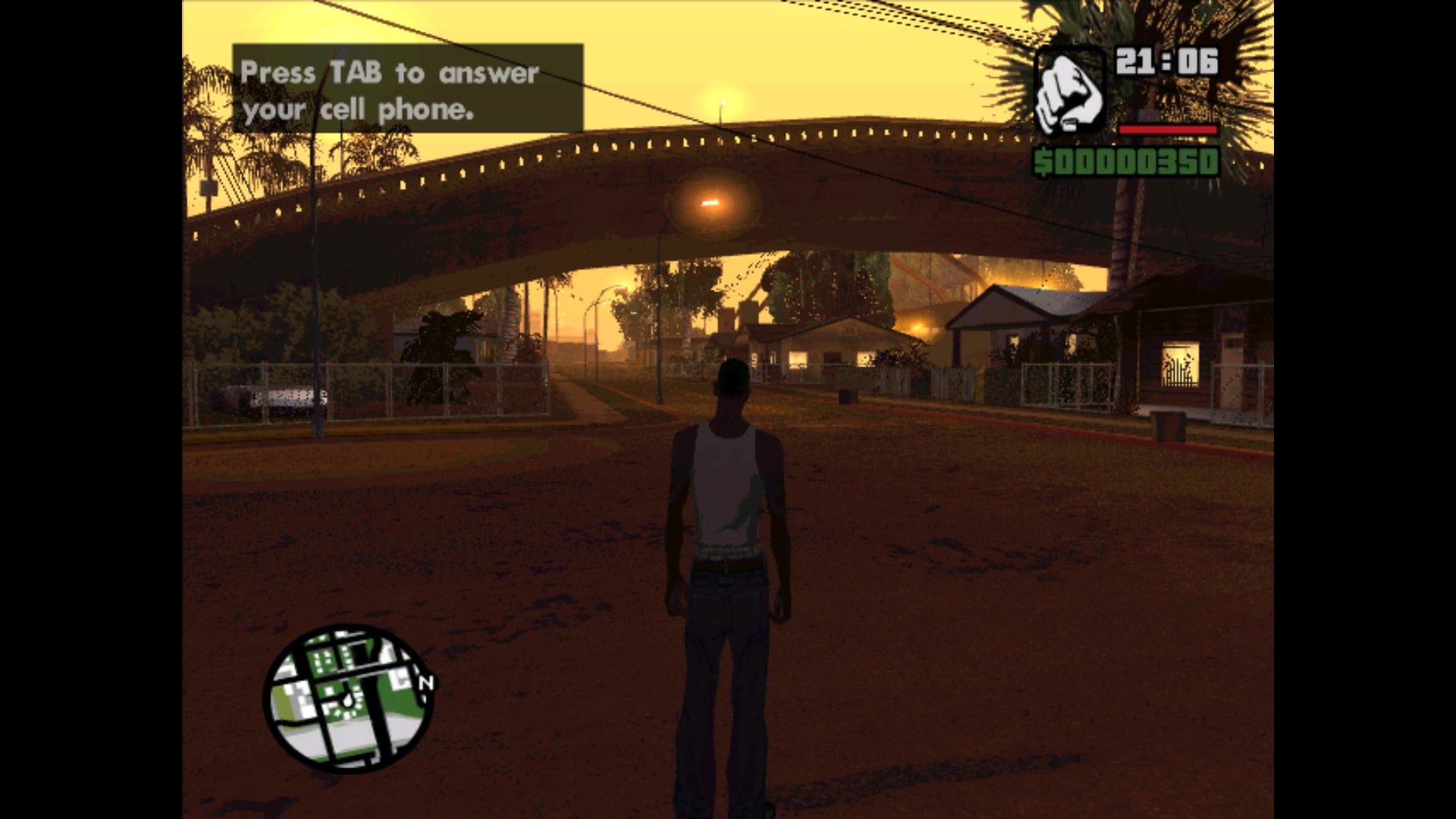
I decided to lower the resolution to the default one (640x480) while increasing the Visual Quality to Very High, and maintaining the rest of the settings to the same
There would also be times where I launch the game and it would show a black screen for a while, and to resolve it was to force quit the game, or clicking on it until it would show the game intro.
Also, when I would load/start a new game, it may freeze at the full loading bar causing me to force quit the game.
I also noticed random crashes after certain loading screens.
Another thing is that loading certain saves crash the game also..
Initially had some problems with the mouse "locking" into constant movement. I am using a gaming mouse with tons of buttons, turned out changing to an older mouse solved it.
Game now runs perfectly with the exception of the odd freeze during transitions/cut scenes. Mostly solved using suggestions in this thread.
Running on Ubuntu 18.04, Nvidia 396.54.
As of right now, on newest Proton 3.7-6 Beta and after some game updates "Badlands" mission can now be passed (game no longer freezes after taking a picture with camera).
Camera goes to a top down view and spins when I enable gamepad in game settings. I'm using a DS4.
https://gist.github.com/daasuharo/b18e39c1f39b372a3e73892748c2da28
@daasuharo me too (tm). With a steam controller configured as controller everything is 100% ok. When using a xbox like gamepad (uses xpad kernel driver), and steam to reconfigure that gamepad as a gamepad, it seems as if SA sees a different analog input which is hard to counter balance. When I configure steam to emulate mouse/keyboard SA works "fine". Of course the game requires a gamepad to play with, so it's not that fine.
My experience has been the complete opposite - the game crashes after the title card is shown. How I managed to get it working was copying the game files to a new Wine prefix and running gta-sa.exe with cwd being in the same directory (otherwise the game files aren’t found). I also installed a bunch of stuff with winetricks, so I can’t pinpoint off the top of my head what the issue exactly was.
Aside from all that, I get major stuttering (presumably) due to wined3d_resource_map() sometimes blocking for literal seconds, which I found out from sysprof (related: https://comminos.com/posts/2018-02-21-wined3d-profiling.html).
Edit: I use the integrated Intel GPU, so it could be a Mesa-specific problem by the looks of things.
Edit 2: It crashes all the same both with the flatpak and “regular” client (I did see similar reports in some winepak apps, however, so who knows, really).
I am still getting lockups after certain loading screens.
PROTON_NO_ESYNC=1. GTA:SA in launch options seems did not work for me.
Ubuntu 18.04
i3-4170 CPU
GeForce GTX 750 Ti (396.54)
Grand Theft Auto: San Andreas (12120)
Issue transferred from https://github.com/ValveSoftware/Proton/issues/1630.
@vikeyev posted on 2018-09-28T11:12:57:
Compatibility Report
- Name of the game with compatibility issues: Grand Theft Auto: San Andreas
- Steam AppID of the game: 12120
System Information
- GPU: GTX 1060 (6gb)
- Driver/LLVM version: Nvidia 396.54
- Kernel version: Kernel version: 4.15.0-34
- My System Info
- Proton version: 3.7-6
I confirm:
- [X] that I haven't found an existing compatibility report for this game.
- [X] that I have checked whether there are updates for my system available.
steam-12120.log-Part_1
steam-12120.log-Part_2
steam-12120.log-Part_3
Symptoms
The game itself appears to run perfectly. The only problem is the game locks up (crashing) quite often and I can't really figure out why. It first froze seconds after clicking the new game button. After restarting I was able to get a good half hour in before the game crashed again. The longest stretch I've managed was about an hour. But it only locks in between cutscenes (like when you walk into a red circle to accept a new mission, or when the game first starts) and never when you have control of the character.
If the crashing problem could be fixed then this game could easily be whitelisted.
I also have phantom inputs but as described above this could be caused by my XBox One Controller (Afterglow Prismatic XBox One Controller) and/or my Gaming Mouse (Sharkoon SKILLER SGM1) maybe those devices are detected with some sort of wrong calibration.
All my Linux native games (which supports game pads) are running fine with my input devices
Game itself runs (as far as I can tell) with no graphic glitches nor crashes but because of the input problem I did not played it a lot.
Also the randomly turning camera phantom input only appears if I mount a vehicle (Bike, Car, Aircraft, Motorbike).
I'd like to chime in as San Andreas is my favourite game and I definitely think it should be whitelisted.
Most of the issues that are described in this thread are present on Windows too. Specifically, the freezing when transitioning to and from interiors or cutscenes, and the phantom input when a controller is plugged in.
The freezing is caused by extremely high frame rates at the point of transition and can be worked around by enabling the frame limiter ingame, although I don't recommend that as it caps the frame rate to a horrifying 25 FPS. The controller issues are because San Andreas predates Xinput and uses an older standard that is incompatible with modern controllers. Using a generic controller from the early 2000s should work fine, in theory (haven't tested with Proton, but have on Windows many years ago).
Both of these issues can be very easily fixed with mods on Windows, and the same is true on Proton. Installing Ginput will solve your controller woes and also add controller button prompts to the game. Installing SilentPatch will solve the freezing and improve the overall stability of the game while restoring missing graphics from the console versions. With these mods installed I have achieved 100% completion in Proton, with my longest session lasting almost 10 hours. I did not experience a single crash.
Furthermore, alt-tabbing San Andreas on Windows is a total mess, but with Proton it's no issue at all. To me, this makes the Proton experience actually much better than the native Windows experience. If that doesn't deserve to be whitelisted then I don't know what does.
Literally the only issue I can think of is the fact that the intro video doesn't play. This can probably be solved by installing a video codec with protontricks.
gta-sa.exe running in the background but there is no display
Issue transferred from https://github.com/ValveSoftware/Proton/issues/2225.
@YEDrekt posted on 2019-01-17T16:42:07:
Compatibility Report
- Name of the game with compatibility issues: GTA: San Andreas
- Steam AppID of the game: 12120
System Information
- GPU: GTX 720M
- Driver/LLVM version: nvidia 340.107
- Kernel version: 4.18
- Link to full system information report as [Gist](https://gist.github.com/YEDrekt/58f4fa817718f7c04708a91c774b88ae:
- Proton version: 3.7-8
I confirm:
- [✔] that I haven't found an existing compatibility report for this game.
- [✔] that I have checked whether there are updates for my system available.
Symptoms
When I try to launch Grand Theft Auto: San Andreas, the process (gta-sa.exe) starts, Steam says the game is running but I don't see any screen or any display. There is just a running background process named gta-sa.exe
The same problem occurs with GTA: Vice City as well.
Reproduction
It happens everytime I try to launch the application.
Hello @YEDrekt, you may have better luck with the nvidia 390.xx series driver and Proton 3.16.
@kisak-valve Upgrading my nvidia driver to nvidia 390 worked! But there is no need to change the Proton version, it works with other Proton versions as well. Thanks!
For me the game works on the menu and the cinematic but in game it heavily stutter and is not playable. I tested with both Proton 3.7 and 3.16 and the result was the same. Really low or high settings doesn't affect the behavior.
Here are the relevant system information:
Processor Information:
CPU Brand: Intel(R) Core(TM) i7-4770S CPU @ 3.10GHz
Speed: 3900 Mhz
8 logical processors
4 physical processors
Operating System Version:
"Arch Linux" (64 bit)
Kernel Name: Linux
Kernel Version: 4.20.3-arch1-1-ARCH
X Server Vendor: The X.Org Foundation
X Server Release: 12003000
X Window Manager: i3
Steam Runtime Version: steam-runtime-beta-release_2019-01-10
Video Card:
Driver: NVIDIA Corporation GeForce GTX 670/PCIe/SSE2
Driver Version: 4.6.0 NVIDIA 415.27
OpenGL Version: 4.6
Desktop Color Depth: 24 bits per pixel
Monitor Refresh Rate: 60 Hz
Number of Monitors: 3
Number of Logical Video Cards: 1
Primary Display Resolution: 1920 x 1080
Desktop Resolution: 5760 x 1080
Primary Bus: PCI Express 16x
Primary VRAM: 2048 MB
Supported MSAA Modes: 2x 4x 8x 16x
Sound card:
Audio device: Realtek ALC892
Memory:
RAM: 15985 Mb
The heavy stutter is gone on my machine with Proton 4.2. As other reported, there are frequent game crashes, mostly happening when entering and exiting buildings. Setting PROTON_NO_D3D11=1 make the crashes far less frequent. However PROTON_NO_ESYNC=1 seems to have little to no effects on the game stability.
Running with the frame limiter on and with launch args PROTON_NO_ESYNC=1 PROTON_NO_D3D11=1 %COMMAND% seems to fix most of the crashes
how do you install steam on Arch Linux and make it work? I installed (# pacman -S steam),
but when I lauch it I have a error saying there are missing libraries. can someone help me?
The only really annoying issue I've found so far is that when you open the in-game Steam Overlay, anything you do using your mouse will be also replicated by the game. Any workarounds for this?
Why would setting PROTON_NO_D3D11=1 make any difference? This is a D3D9 game. I haven't came across any issues yet running it with Proton 5.0-1 with the frame limiter on.
GTA SA does not start after upgrading Proton to 5.01 and 5.02. Steam OS.
Hello @vladislavyuzbekov, please add PROTON_LOG=1 %command% to the game's launch options and drag and drop the generated $HOME/steam-$APPID.log into the comment box.
Hello @vladislavyuzbekov, please add
PROTON_LOG=1 %command%to the game's launch options and drag and drop the generated $HOME/steam-$APPID.log into the comment box.
Looks like the game is using D3D9 and DXVK/D3D9 was enabled by default with Proton 5.0. Your system is using a version of the nvidia driver that is older than Proton's requirements, so there may be a driver issue that's already been fixed by the vendor.
You can try PROTON_USE_WINED3D=1 %command% in the game's launch options, but that's going to be considered unsupported going forward and comes with a performance penalty.
Looks like the game is using D3D9 and DXVK/D3D9 was enabled by default with Proton 5.0. Your system is using a version of the nvidia driver that is older than Proton's requirements, so there may be a driver issue that's already been fixed by the vendor.
You can try
PROTON_USE_WINED3D=1 %command%in the game's launch options, but that's going to be considered unsupported going forward and comes with a performance penalty.
Unfortunately, I don’t know how to update the driver on SteamOS.
Looks like the game is using D3D9 and DXVK/D3D9 was enabled by default with Proton 5.0. Your system is using a version of the nvidia driver that is older than Proton's requirements, so there may be a driver issue that's already been fixed by the vendor.
You can try
PROTON_USE_WINED3D=1 %command%in the game's launch options, but that's going to be considered unsupported going forward and comes with a performance penalty.
I tried running GTA SA in the SteamOS desktop using Proton 5.0. Attention! The game starts:-) The problem was definitely not in the driver.
If it works in desktop mode, but not in steam compositor mode it's more like a steamos bug.
I've noticed that for certain games I needed to have a normal window manager, instead of the valve compton fork as window manager.
And I mean with a real window manager, the games work in big picture. The GTA franchise is a good example: I need to run icewem, and then start GTA V from big picture. (This was a few months ago though).
Actually it's a steam client+steam os platform bug I think.
Game works completely fine with proton 5.0-2.
Game works completely fine with proton 5.0-2.
Do you use SteamOS for the test?
@vladislavyuzbekov archlinux with kde.
I know mods aren't supported at all, but now the game doesn't work anymore with Proton 5.0-3. It does launch but it gets stuck in this black screen, before the NVIDIA logo even shows up. So I have to alt-tab and run kill -9 $(pidof gta-sa.exe).
If I go back to Proton 4.11-12, however, the game works again with all mods I have.

I'll post the log files here, but just by taking a quick look at it, I believe the issue seems related to the following error messages:
9548.139:0034:004a:trace:loaddll:load_so_dll Loaded L"C:\\windows\\system32\\winegstreamer.dll" at 0x6f9c0000: builtin
(wine:960): GStreamer-WARNING **: 03:38:33.938: Failed to load plugin '/run/media/gui/HDDLinux/Games/steamapps/common/Proton 5.0/dist/lib64/gstreamer-1.0/libgstaudioresample.so': /run/media/gui/HDDLinux/Games/steamapps/common/Proton 5.0/dist/lib64/gstreamer-1.0/libgstaudioresample.so: wrong ELF class: ELFCLASS64
(wine:960): GStreamer-WARNING **: 03:38:33.944: Failed to load plugin '/run/media/gui/HDDLinux/Games/steamapps/common/Proton 5.0/dist/lib64/gstreamer-1.0/libgsttheora.so': /run/media/gui/HDDLinux/Games/steamapps/common/Proton 5.0/dist/lib64/gstreamer-1.0/libgsttheora.so: wrong ELF class: ELFCLASS64
(wine:960): GStreamer-WARNING **: 03:38:33.953: Failed to load plugin '/run/media/gui/HDDLinux/Games/steamapps/common/Proton 5.0/dist/lib64/gstreamer-1.0/libgstaudioparsers.so': /run/media/gui/HDDLinux/Games/steamapps/common/Proton 5.0/dist/lib64/gstreamer-1.0/libgstaudioparsers.so: wrong ELF class: ELFCLASS64
(wine:960): GStreamer-WARNING **: 03:38:33.953: Failed to load plugin '/run/media/gui/HDDLinux/Games/steamapps/common/Proton 5.0/dist/lib64/gstreamer-1.0/libgstisomp4.so': /run/media/gui/HDDLinux/Games/steamapps/common/Proton 5.0/dist/lib64/gstreamer-1.0/libgstisomp4.so: wrong ELF class: ELFCLASS64
(wine:960): GStreamer-WARNING **: 03:38:33.953: Failed to load plugin '/run/media/gui/HDDLinux/Games/steamapps/common/Proton 5.0/dist/lib64/gstreamer-1.0/libgstavi.so': /run/media/gui/HDDLinux/Games/steamapps/common/Proton 5.0/dist/lib64/gstreamer-1.0/libgstavi.so: wrong ELF class: ELFCLASS64
(wine:960): GStreamer-WARNING **: 03:38:33.963: Failed to load plugin '/run/media/gui/HDDLinux/Games/steamapps/common/Proton 5.0/dist/lib64/gstreamer-1.0/libgstcoretracers.so': /run/media/gui/HDDLinux/Games/steamapps/common/Proton 5.0/dist/lib64/gstreamer-1.0/libgstcoretracers.so: wrong ELF class: ELFCLASS64
(wine:960): GStreamer-WARNING **: 03:38:33.965: Failed to load plugin '/run/media/gui/HDDLinux/Games/steamapps/common/Proton 5.0/dist/lib64/gstreamer-1.0/libgstapp.so': /run/media/gui/HDDLinux/Games/steamapps/common/Proton 5.0/dist/lib64/gstreamer-1.0/libgstapp.so: wrong ELF class: ELFCLASS64
(wine:960): GStreamer-WARNING **: 03:38:33.965: Failed to load plugin '/run/media/gui/HDDLinux/Games/steamapps/common/Proton 5.0/dist/lib64/gstreamer-1.0/libgstogg.so': /run/media/gui/HDDLinux/Games/steamapps/common/Proton 5.0/dist/lib64/gstreamer-1.0/libgstogg.so: wrong ELF class: ELFCLASS64
(wine:960): GStreamer-WARNING **: 03:38:33.966: Failed to load plugin '/run/media/gui/HDDLinux/Games/steamapps/common/Proton 5.0/dist/lib64/gstreamer-1.0/libgstflxdec.so': /run/media/gui/HDDLinux/Games/steamapps/common/Proton 5.0/dist/lib64/gstreamer-1.0/libgstflxdec.so: wrong ELF class: ELFCLASS64
(wine:960): GStreamer-WARNING **: 03:38:33.966: Failed to load plugin '/run/media/gui/HDDLinux/Games/steamapps/common/Proton 5.0/dist/lib64/gstreamer-1.0/libgstflac.so': /run/media/gui/HDDLinux/Games/steamapps/common/Proton 5.0/dist/lib64/gstreamer-1.0/libgstflac.so: wrong ELF class: ELFCLASS64
(wine:960): GStreamer-WARNING **: 03:38:33.966: Failed to load plugin '/run/media/gui/HDDLinux/Games/steamapps/common/Proton 5.0/dist/lib64/gstreamer-1.0/libgstspeex.so': /run/media/gui/HDDLinux/Games/steamapps/common/Proton 5.0/dist/lib64/gstreamer-1.0/libgstspeex.so: wrong ELF class: ELFCLASS64
(wine:960): GStreamer-WARNING **: 03:38:33.967: Failed to load plugin '/run/media/gui/HDDLinux/Games/steamapps/common/Proton 5.0/dist/lib64/gstreamer-1.0/libgstmpg123.so': /run/media/gui/HDDLinux/Games/steamapps/common/Proton 5.0/dist/lib64/gstreamer-1.0/libgstmpg123.so: wrong ELF class: ELFCLASS64
(wine:960): GStreamer-WARNING **: 03:38:33.971: Failed to load plugin '/run/media/gui/HDDLinux/Games/steamapps/common/Proton 5.0/dist/lib64/gstreamer-1.0/libgstvideoconvert.so': /run/media/gui/HDDLinux/Games/steamapps/common/Proton 5.0/dist/lib64/gstreamer-1.0/libgstvideoconvert.so: wrong ELF class: ELFCLASS64
(wine:960): GStreamer-WARNING **: 03:38:33.972: Failed to load plugin '/run/media/gui/HDDLinux/Games/steamapps/common/Proton 5.0/dist/lib64/gstreamer-1.0/libgstwavparse.so': /run/media/gui/HDDLinux/Games/steamapps/common/Proton 5.0/dist/lib64/gstreamer-1.0/libgstwavparse.so: wrong ELF class: ELFCLASS64
(wine:960): GStreamer-WARNING **: 03:38:33.976: Failed to load plugin '/run/media/gui/HDDLinux/Games/steamapps/common/Proton 5.0/dist/lib64/gstreamer-1.0/libgstcoreelements.so': /run/media/gui/HDDLinux/Games/steamapps/common/Proton 5.0/dist/lib64/gstreamer-1.0/libgstcoreelements.so: wrong ELF class: ELFCLASS64
(wine:960): GStreamer-WARNING **: 03:38:33.977: Failed to load plugin '/run/media/gui/HDDLinux/Games/steamapps/common/Proton 5.0/dist/lib64/gstreamer-1.0/libgstvorbis.so': /run/media/gui/HDDLinux/Games/steamapps/common/Proton 5.0/dist/lib64/gstreamer-1.0/libgstvorbis.so: wrong ELF class: ELFCLASS64
(wine:960): GStreamer-WARNING **: 03:38:33.977: Failed to load plugin '/run/media/gui/HDDLinux/Games/steamapps/common/Proton 5.0/dist/lib64/gstreamer-1.0/libgstvideoscale.so': /run/media/gui/HDDLinux/Games/steamapps/common/Proton 5.0/dist/lib64/gstreamer-1.0/libgstvideoscale.so: wrong ELF class: ELFCLASS64
(wine:960): GStreamer-WARNING **: 03:38:33.977: Failed to load plugin '/run/media/gui/HDDLinux/Games/steamapps/common/Proton 5.0/dist/lib64/gstreamer-1.0/libgstaudioconvert.so': /run/media/gui/HDDLinux/Games/steamapps/common/Proton 5.0/dist/lib64/gstreamer-1.0/libgstaudioconvert.so: wrong ELF class: ELFCLASS64
(wine:960): GStreamer-WARNING **: 03:38:33.977: Failed to load plugin '/run/media/gui/HDDLinux/Games/steamapps/common/Proton 5.0/dist/lib64/gstreamer-1.0/libgstmatroska.so': /run/media/gui/HDDLinux/Games/steamapps/common/Proton 5.0/dist/lib64/gstreamer-1.0/libgstmatroska.so: wrong ELF class: ELFCLASS64
(wine:960): GStreamer-WARNING **: 03:38:33.978: Failed to load plugin '/run/media/gui/HDDLinux/Games/steamapps/common/Proton 5.0/dist/lib64/gstreamer-1.0/libgstflv.so': /run/media/gui/HDDLinux/Games/steamapps/common/Proton 5.0/dist/lib64/gstreamer-1.0/libgstflv.so: wrong ELF class: ELFCLASS64
(wine:960): GStreamer-WARNING **: 03:38:33.978: Failed to load plugin '/run/media/gui/HDDLinux/Games/steamapps/common/Proton 5.0/dist/lib64/gstreamer-1.0/libgstadder.so': /run/media/gui/HDDLinux/Games/steamapps/common/Proton 5.0/dist/lib64/gstreamer-1.0/libgstadder.so: wrong ELF class: ELFCLASS64
(wine:960): GStreamer-WARNING **: 03:38:33.978: Failed to load plugin '/run/media/gui/HDDLinux/Games/steamapps/common/Proton 5.0/dist/lib64/gstreamer-1.0/libgstplayback.so': /run/media/gui/HDDLinux/Games/steamapps/common/Proton 5.0/dist/lib64/gstreamer-1.0/libgstplayback.so: wrong ELF class: ELFCLASS64
(wine:960): GStreamer-WARNING **: 03:38:33.984: Failed to load plugin '/run/media/gui/HDDLinux/Games/steamapps/common/Proton 5.0/dist/lib64/gstreamer-1.0/libgstid3demux.so': /run/media/gui/HDDLinux/Games/steamapps/common/Proton 5.0/dist/lib64/gstreamer-1.0/libgstid3demux.so: wrong ELF class: ELFCLASS64
(wine:960): GStreamer-WARNING **: 03:38:33.985: Failed to load plugin '/run/media/gui/HDDLinux/Games/steamapps/common/Proton 5.0/dist/lib64/gstreamer-1.0/libgstvideofilter.so': /run/media/gui/HDDLinux/Games/steamapps/common/Proton 5.0/dist/lib64/gstreamer-1.0/libgstvideofilter.so: wrong ELF class: ELFCLASS64
(wine:960): GStreamer-WARNING **: 03:38:33.985: Failed to load plugin '/run/media/gui/HDDLinux/Games/steamapps/common/Proton 5.0/dist/lib64/gstreamer-1.0/libgsttypefindfunctions.so': /run/media/gui/HDDLinux/Games/steamapps/common/Proton 5.0/dist/lib64/gstreamer-1.0/libgsttypefindfunctions.so: wrong ELF class: ELFCLASS64
(wine:960): GStreamer-WARNING **: 03:38:33.986: Failed to load plugin '/run/media/gui/HDDLinux/Games/steamapps/common/Proton 5.0/dist/lib64/gstreamer-1.0/libgstautodetect.so': /run/media/gui/HDDLinux/Games/steamapps/common/Proton 5.0/dist/lib64/gstreamer-1.0/libgstautodetect.so: wrong ELF class: ELFCLASS64
(wine:960): GStreamer-WARNING **: 03:38:33.986: Failed to load plugin '/run/media/gui/HDDLinux/Games/steamapps/common/Proton 5.0/dist/lib64/gstreamer-1.0/libgstopus.so': /run/media/gui/HDDLinux/Games/steamapps/common/Proton 5.0/dist/lib64/gstreamer-1.0/libgstopus.so: wrong ELF class: ELFCLASS64
(wine:960): GStreamer-WARNING **: 03:38:33.988: Failed to load plugin '/run/media/gui/HDDLinux/Games/steamapps/common/Proton 5.0/dist/lib64/gstreamer-1.0/libgstpbtypes.so': /run/media/gui/HDDLinux/Games/steamapps/common/Proton 5.0/dist/lib64/gstreamer-1.0/libgstpbtypes.so: wrong ELF class: ELFCLASS64
Proton 5.0-3: 5.0-3_steam-12120.log
Proton 4.11-12: 4.11-12_steam-12120.log
Hmm, so I have this mod called Improved Fast Loader installed, but it was disabled (on purpose). What it does is skip all the intros and the loading screen, putting you directly in the game's main menu, right after you launch it.
I went back to Proton 5.0-3 and enabled that mod. And bingo! Now I'm not getting any of those GStreamer warnings and the game runs mostly fine again:

I say mostly fine because, sometimes, the game will lock at 30 fps when I'm outside of the safe house. Sometimes that doesn't happen (like in the screenshot I just posted above)...

I'm also using Framerate Vigilate, which is supposed to lock your framerate at 60 fps and fix some fps-related bugs, so I'm almost sure this fps issue I'm having now, has something to do with the mods loading order in modloader. I'll just have to figure out the right order, I guess. Weirdly enough, this has never happened to me while I was actually beating the game at 100% using Proton 4.11-*.
FWIW, here's a new log file for Proton 5.0-3 with Improved Fastloader enabled and also the fps issue not present: improved-fastloader_steam-12120.log
Whitelist Request
- Name of the game to be whitelisted: Grand Theft Auto: San Andreas
- Steam AppID of the game: https://steamdb.info/app/12120/
System Information
- GPU: GTX 760
- Driver/LLVM version: NVIDIA 440.59
- Distro version: Arch
- https://github.com/shoober420/linux-scripts/blob/main/home/shoober420/sysinfonvidia
- Proton version: 5.0-3
LOG:
steam-12120.log
Works great out of the box for me, posting log due to previous posts about bugs.
Also faced bug with on-transition hang. With nvidia gt650m, with intel 7500u gpu, with dxvk or wine d3d, all setups has this bug. Don't known what the reason
@ardje
This would be a great time to mention using a window managers that is built with XCB, rather than the obsolete Xlib.
https://wiki.archlinux.org/index.php/Comparison_of_tiling_window_managers#Comparison_table
Doesn't run on my laptop with Proton 5.0-6. Haven't tried 5.0-7. It works on that box, however, with generic Wine64
- OS: elementary OS 5.1 Hera (Built on Ubuntu 18.04.3 LTS, Linux 4.15.0-76-generic, GTK 3.22.30)
- Hardware:
-
- CPU: Quad-Core Intel® Core™ i7-3740QM CPU @ 2.70GHz
-
- Graphics: Intel Corporation 3rd Gen Core processor Graphics Controller (rev 09)
-
- RAM: 8.0 GB
Doesn't start on my desktop either. Haven't tried Wine.
OS: Ubuntu 18.04.4 LTS
Hardware:
- CPU: Intel® Core™ i7-4770 CPU @ 3.40GHz × 8
- Graphics: NVD9 (Nvidia GeForce GT 520)
- Gnome: 3.28.2
- RAM: 7.7 GiB
Hello @PopeFelix, Intel's Ivybridge chipset has incomplete support for Vulkan, which might run, but you will most likely encounter driver bugs. Please verify you have vulkan drivers installed for your video chipset with something like apt policy mesa-vulkan-drivers mesa-vulkan-drivers:i386 and install them if they are not already. Also, you may benefit from using a newer build of mesa from a PPA like oibaf or kisak-mesa.
Alternatively, you can tell Proton to use wine's DirectX to OpenGL render path by adding PROTON_USE_WINED3D=1 %command%, but this is expected to come with a significant performance penalty and is not considered supported.
Your nVidia GT 520 video card is part of the Fermi generation, which does not support Vulkan, but the Intel Haswell chipset in the i7-4770 does have experimental support. The same applies as written above.
I don't have Vulkan installed; I'll install it try again on both boxen. As
for Mesa, is there a reason I should choose kisak over OIBAF or the
converse?
On Thu, Apr 30, 2020 at 11:30 AM kisak-valve [email protected]
wrote:
Hello @PopeFelix https://github.com/PopeFelix, Intel's Ivybridge
chipset has experimental support for Vulkan, which might run, but you will
most likely encounter driver bugs. Please verify you have vulkan drivers
installed for your video chipset with something like apt policy
mesa-vulkan-drivers mesa-vulkan-drivers:i386 and install them if they are
not already. Also, you may benefit from using a newer build of mesa from a
PPA like oibaf
https://launchpad.net/~oibaf/+archive/ubuntu/graphics-drivers or
kisak-mesa https://launchpad.net/~kisak/+archive/ubuntu/kisak-mesa.Alternatively, you can tell Proton to use wine's DirectX to OpenGL render
path by adding PROTON_USE_WINED3D=1 %command%, but this is expected to
come with a significant performance penalty and is not considered supported.—
You are receiving this because you were mentioned.
Reply to this email directly, view it on GitHub
https://github.com/ValveSoftware/Proton/issues/143#issuecomment-621962454,
or unsubscribe
https://github.com/notifications/unsubscribe-auth/AABGUGCQKEIQBDYNGIBDYCTRPGRQTANCNFSM4FRBCL7A
.
--
Kit Peters, W0KEH
GPG public key fingerpint: D4FF AA62 AFEA 83D6 CC98 ACE5 6FAE 7E74 7F56 ED1D
Hello to any and all NSA, DEA, or other government or non-government agents
reading this email. Tell me about your life; I'll tell you about mine.
The Oibaf PPA provides bleeding edge builds of mesa, while kisak-mesa PPA has point releases.
Installed Vulkan, installed OIBAF. No dice. Latest log attached.
The log has the same indication as before, that Vulkan failed to initialize. Please copy your system information from Steam (Steam -> Help -> System Information) and put it in a gist, then include a link to the gist in this issue report.
Thanks, can you check if LIBGL_DEBUG=verbose glxinfo | grep DRI3 outputs a line with libGL: Using DRI3 for screen 0? I suspect that X is using DRI2 with nouveau and the Intel ANV vulkan driver requires DRI3 to render.
Looks like I'm using DRI3.
took@oscar:~$ LIBGL_DEBUG=verbose glxinfo | grep DRI3
libGL: Can't open configuration file /etc/drirc: No such file or directory.
libGL: Can't open configuration file /home/took/.drirc: No such file or directory.
libGL: using driver nouveau for 4
libGL: Can't open configuration file /etc/drirc: No such file or directory.
libGL: Can't open configuration file /home/took/.drirc: No such file or directory.
libGL: pci id for fd 4: 10de:1040, driver nouveau
libGL: MESA-LOADER: dlopen(/usr/lib/x86_64-linux-gnu/dri/nouveau_dri.so)
libGL: Can't open configuration file /etc/drirc: No such file or directory.
libGL: Can't open configuration file /home/took/.drirc: No such file or directory.
libGL: Can't open configuration file /etc/drirc: No such file or directory.
libGL: Can't open configuration file /home/took/.drirc: No such file or directory.
libGL: Can't open configuration file /etc/drirc: No such file or directory.
libGL: Can't open configuration file /home/took/.drirc: No such file or directory.
libGL: Using DRI3 for screen 0
Oh, that was on my desktop that has the Haswell processor and nvidia
graphics . I haven't tried the laptop (Ivybridge processor / Intel
graphics) yet; I'll report back when I do.
On Thu, Apr 30, 2020 at 7:43 PM kisak-valve [email protected]
wrote:
Thanks, can you check if LIBGL_DEBUG=verbose glxinfo | grep DRI3 outputs
a line with libGL: Using DRI3 for screen 0? I suspect that X is using
DRI2 with nouveau and the Intel ANV vulkan driver requires DRI3 to render.—
You are receiving this because you were mentioned.
Reply to this email directly, view it on GitHub
https://github.com/ValveSoftware/Proton/issues/143#issuecomment-622193493,
or unsubscribe
https://github.com/notifications/unsubscribe-auth/AABGUGCUP6NDY7Y45YI5CF3RPILJPANCNFSM4FRBCL7A
.
--
Kit Peters, W0KEH
GPG public key fingerpint: D4FF AA62 AFEA 83D6 CC98 ACE5 6FAE 7E74 7F56 ED1D
Hello to any and all NSA, DEA, or other government or non-government agents
reading this email. Tell me about your life; I'll tell you about mine.
I think we've made a reasonable attempt to troubleshoot this riddle before reaching out for more help. The last guess I'm going to throw out there is that you might get lucky trying xf86-video-modesetting instead of xf86-video-nouveau, but I don't know if that'll have any effect or cause other troubles.
Can you reach out to the nouveau / ANV devs and see if there's a known issue going on here? (https://www.mesa3d.org/bugs.html)
Much more stable on Proton 5.13. Tested Xbox One and PS4 controllers as well
Hello,
I have some problems with this game.
Out of the box it gets installed, start and begin a new game flawlessly.
Unfortunately problems arise during the game. I get huge FPS drops from 60 FPS (or more with no frame limiter) down to 3 to 10 FPS. Same result with Proton Experimental, 5.13-4, 5.9-GE-8-ST.
Thinking it was a bugged game related problem I tried to mod/patch the game following this guide : https://steamcommunity.com/sharedfiles/filedetails/?id=720460154
In this case, the came start up normally up to menu, but when trying to start a new game of load a save at the end of the loading screen it goes black screen and crash.
Another thing that happen in both case is that the game doesn't load the visuals for the R* logo on start up but play the song normally, then goes to black screen and I have to alt-tab to show the game main loading screen.
You'll found attached proton logs for both cases and my system info.
@blackdevil72 Keep in mind that GTA:SA is a mess even on Windows.
That being said, I'd recommend against playing without the FPS limiter, because you're likely to experience a lot of random crashes and weird bugs.
Another thing that happen in both case is that the game doesn't load the visuals for the R* logo on start up but play the song normally, then goes to black screen and I have to alt-tab to show the game main loading screen.
If I remember correctly, that's because Wine's implementation of the Media Foundation Platform (mfplat) is not fully complete, so in some cases it won't be able to reproduce these intro videos.
I don't play GTA:SA anymore, but I still have it installed. I was able to beat the game just by playing on Wine, but not without a lot of random crashes and deadlocks.
Finally, I'd recommend downgrading your GTA:SA copy to v1.0 first, then installing a couple of mods:
- Silent's ASI Loader - So you're able to use mods
- ModLoader - Load/unload mods on demand, without having to directly replace game files
- SilentPatch - This one fixes A LOT of game bugs
- Widescreen Fix - Self-explanatory
- (Optional) Framerate Vigilante - So you're able to play with 60 fps.
There are some other great mods as well on mixmods.com.br (it's a brazilian site, but most posts are translated to English too), but I'd say these are the "essential ones".
Thank you for your answer.
But that is exactly what I already did.
I knew that disabling FPS limiter isn't something to do. I just wanted to see what happen to that FPS drop when it was, and it is still there with it enabled or not.
Downgrading and modding has been done too. See second part of the problem.
@guihkx Thanks for tips. I tried, but I think i would have to downgrade the game to an anterior version. But I preferred to install Grand Theft Auto: San Andreas – Definitive Edition Simply have to replace file in the install directory.
Easier than setup one by one each mods.
But even when I has only SilentPatch, the mouse get out the screen to go on my other monitor. Without, on vanilla version, I don't get the issue. I could reproduce with only SilentPatch + Silent's ASI Loader.
Weird, I didn't find anyone with the issue. Have you an idea.
Tested with on Arch Linux with mesa 18.1.6-1
Launches without any errors or complications. Just works.
System Information


  PROCESSOR:          Intel Core i5-4570 @ 3.60GHz
    Core Count:       4
    Extensions:       SSE 4.2 + AVX2 + AVX + RDRAND + FSGSBASE
    Cache Size:       6144 KB
    Microcode:        0x25
    Scaling Driver:   intel_pstate powersave

  GRAPHICS:           MSI AMD Radeon RX 470/480/570/570X/580/580X 8192MB
    Display Driver:   modesetting 1.19.1
    Monitor:          BenQ xl2411t
    Screen:           1920x1080

  MOTHERBOARD:        ASUS B85-PLUS
    Memory:           16384MB
    Chipset:          Intel 4th Gen Core DRAM
    Network:          Realtek RTL8111/8168/8411

  DISK:               128GB Samsung SSD 840 + 1000GB Seagate ST1000DM010-2DM1 + 1000GB Seagate ST1000DM003-1CH1
    File-System:      btrfs
    Mount Options:    relatime rw space_cache ssd subvol=/ subvolid=5
    Disk Scheduler:   CFQ

  OPERATING SYSTEM:   Arch rolling
    Kernel:           4.18.3-arch1-1-ARCH (x86_64)
    Desktop:          GNOME Shell 3.28.3
    Compiler:         GCC 8.2.0
Compatibility Report
- Name of the game with compatibility issues: Grand Theft Auto: San Andreas
- Steam AppID of the game: 12120
System Information
- GPU: RTX 3060
- Video driver version: Nvidia 565.77.0
- Kernel version: 6.12.10-200.fc41.x86_64
- Link to full system information report as Gist: https://gist.github.com/jkrhu/4a9b24f06f747b5b912b2317b9c4be85
- Proton version: wine-experimental.bleeding.edge.9.0.93696.20240429 also tested on a clean Wine 9 and 10. Issue still there.
Symptoms
Game crashes when approaching the paint shop during the mission - Drive-By. I am using the downgraded 1.0 version of the game with a Silent Patch applied. Tested it on both my Steam Deck OLED and my PC.
Reproduction
- Downgrade to 1.0 version and apply the Silent Patch.
- Load the save file from just before the mission - GTASA Save File.zip
- Play the mission Drive-By by going to the S mark on the map.
- Once you are being wanted, go to the Paint shop to get the crash.
I have a clip for you - https://youtu.be/oSOKelgWIQ0
Files
Wine/Proton Log file GTA SA LOG.txt
I have a Apitrace as well - https://drive.google.com/file/d/12tD_APC7wjvg0kOZ7t6OVAAA1tRhZ7EP/
I wasn't sure if it's DXVK related, but seems like a Wine thing. It would crash as well on WineD3D
Compatibility Report
- Name of the game with compatibility issues: GTA: San Andreas
- Steam AppID of the game: 12120
System Information
- GPU: NVIDIA GeForce GTX 1060 6GB
- Video driver version: Driver Version: 570.86.16 CUDA Version: 12.8
- Kernel version: Linux 6.13.5-200.fc41.x86_64
- Link to full system information report as Gist:
- Proton version: 9.0-4
(Proton logs compress well if needed.)-->
https://pastebin.com/yw7rtLSu
also tryed with: PROTON_USE_WINED3D=1 %command%
https://pastebin.com/iC1EPd1a
Also DRI_PRIME=1 PROTON_USE_WINED3D=1 %command% don't work
Symptoms
Game crashes after showing up the loading screen of the game
Reproduction
Launch the game
other info
I'm using steam flatpak
Version: 1.0.0.81
Runtime: org.freedesktop.Platform/x86_64/24.08
@gattolfo98 Does it work if you launch the game with PROTON_DXVK_D3D8=1 %command% ?
Edit: Forgot this game is d3d9 not d3d8 so shouldn't make a difference yea
@gattolfo98 Does it work if you launch the game with
PROTON_DXVK_D3D8=1 %command%?
@Blisto91 no, same stuff
@gattolfo98 Does it work if you launch the game with
PROTON_DXVK_D3D8=1 %command%?@Blisto91 no, same stuff
Having the same issue on Proton Experimental. Did you figure it out?
The game used to work just fine for me (proof), but now it crashes at the loading screen, too.
I even tried using Proton 4, which I knew for a fact was able to run this game before (as evidenced by the post I linked above), but now it just crashes too.
I don't know if a broken game update introduced this, or a broken Proton update for older versions (why on Earth though?), or even a broken driver update (I use NVIDIA), but what I do know is that the cracked DVD version I downloaded via torrent is running just fine here with latest Proton. ☺️
Proton versions
proton experimentalx2 2025-07proton 5.13x1 2020-10proton 5.0-6x1 2020-04proton 5.0-3x2 2020-02proton 4.11x1 2020-02proton 5.0x4 2020-02proton 4.11-12x1 2020-02proton 5.0-2x2 2020-02proton 5.0-1x1 2020-02proton 4.2x1 2019-03proton 3.7x1 2019-01proton 3.16x1 2019-01proton 3.7-6x1 2018-09
Launch options
PROTON_DXVK_D3D8=1x3 2025-07PROTON_USE_WINED3D=1x6 2025-03PROTON_LOG=1x2 2020-02PROTON_NO_D3D11=1x4 2020-02PROTON_NO_ESYNC=1x2 2019-05PROTON_NO_ESYNC=1.x2 2018-09PROTON_NO_D3D11=1`x1 2018-08PROTON_NO_ESYNC=1`x1 2018-08PROTON_NO_D3D11x1 2018-08
Launch lines
PROTON_DXVK_D3D8=1 %command%x3 2025-07PROTON_USE_WINED3D=1 %command%x6 2025-03DRI_PRIME=1 PROTON_USE_WINED3D=1 %command%x1 2025-03
Upstream links
- ValveSoftware/Proton/issues/2225x1 2019-01
- ValveSoftware/Proton/issues/1630x1 2018-09
- ValveSoftware/Proton/issues/110x1 2018-08
DLLs
winegstreamer.dllx1 2020-02
Tested with on Arch Linux with mesa 18.1.6-1
Launches without any errors or complications. Just works.