Haydee
System information
-
CPU:
Topology: Dual Core model: Intel Core i3-6100 bits: 64 type: MT MCP L2 cache: 3072 KiB
Speed: 802 MHz min/max: 800/3700 MHz Core speeds (MHz): 1: 800 2: 800 3: 800 4: 801 -
Graphics:
Device-1: NVIDIA GM107 [GeForce GTX 750 Ti] driver: nvidia v: 396.54
Display: x11 server: X.Org 1.20.1 driver: nvidia resolution: 1680x1050~60Hz
OpenGL: renderer: GeForce GTX 750 Ti/PCIe/SSE2 v: 4.6.0 NVIDIA 396.54 -
Audio:
Device-1: Intel Sunrise Point-H HD Audio driver: snd_hda_intel
Device-2: NVIDIA driver: snd_hda_intel
Sound Server: ALSA v: k4.18.9-arch1-1-ARCH -
System:
Kernel: 4.18.9-arch1-1-ARCH x86_64 bits: 64 Desktop: KDE Plasma 5.13.5
Distro: Arch Linux
Confirm. Game and editor crashed immediately after start. Log files from game attached
game.log
edith.log
There are some minor improvements after upgrade Proton to 3.16-8. Now for a moment is possible to see the starting menu of the game. But anyway it ends with crash.


steam-530890.log
Working!
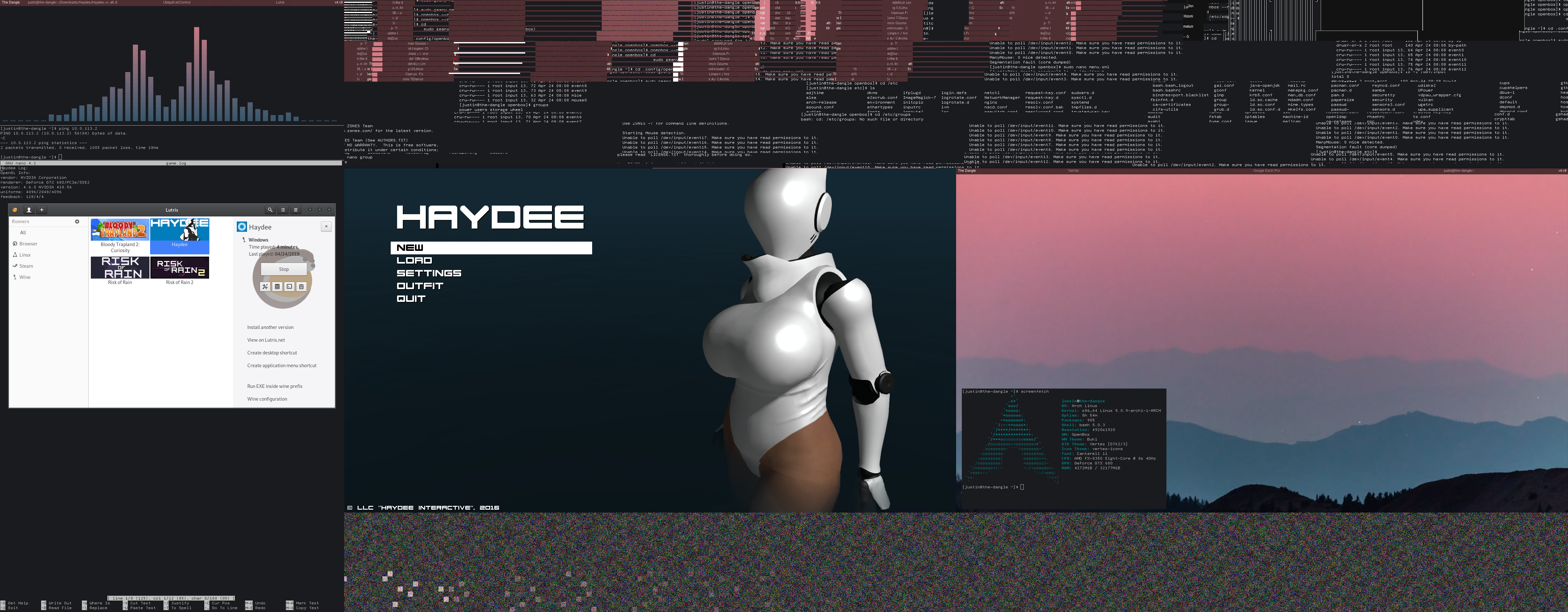
More screenshots
Proton version 4.2.1-1 according to the AUR but Lutris reports as 4.2-288, DXVK enabled
Ignore the artifacts at the top and bottom of pics, scrot doesn't like my multiple monitor setup.
Crashes for me after showing the menu with 5.0-7.
Sysinfo:
https://gist.github.com/at46/51134de8e41a8aa24351b8a47a1344f4
Protonlog:
steam-530890.log
https://gitlab.freedesktop.org/mesa/mesa/-/merge_requests/7184 gets the game running on mesa, and adding WINEDLLOVERRIDES="openal32=b" %command% to the game's launch options gets the game off of the game bundled OpenAL and back onto our normal OpenAL. Apparently Proton is having a hard time with the bundled OpenAL and leaves hdALInitEFX: failed alcIsExtensionPresent in the game log, and the game freezes on first interaction with the game otherwise.
@Tele42 thanks. With mesa 20.2.2 (which includes the fix you mentioned) and WINEDLLOVERRIDES="openal32=b" %command% Haydee now also works for me.
While the game runs ootb with a high frame rate and seemingly no issues now there's actually a major flaw:
The game runs significantly slower like in a slow motion effect despite high FPS.
Surprisingly I've found this only mentioned before twice:
- https://www.protondb.com/app/530890#K75UnnE_a
FPS is stable, but the gameplay is very slow. Very similar to the slow motion effect.
- https://steamcommunity.com/app/530890/discussions/1/2933490248148369383/?ctp=2#c2998795613905917592
This gets the game to a playable state and it renders smoothly here, but apparently there's something causing slow motion. Some other Proton users have taken some rather abusive (to Proton, not the game) measures which somehow sped up the game to normal, but it doesn't help troubleshoot where the issue is happening. Their effort does hint that another bundled redistributable install with the game works worse than the open source alternative that is provided by Proton. […]
At the first start I didn't even noticed this and just thought it's rather slow paced by game design. But on the second game start it ran a lot faster but never again after.
Now it's always in the slow motion state and comparing the gameplay with videos of the game it does run indeed way slower. It's easily comparable by pressing F1 and having a look at the timer which also runs slower.
Edit:
Some new mentions of the slow motion effect popped up:
- https://www.protondb.com/app/530890#Febk9peqrd
Ran in slow motion on one occasion
- https://steamcommunity.com/app/530890/discussions/0/3195864334806864601/ (Surprisingly on Windows 11, ARM)
~[…] My Haydee game runs perfectly fine on Windows 11 except no matter what setting I set the game everything moves slow. I changed the resolution and toggled the graphics settings and there was no change with the in-game speed. It is slow only with in-game movements and I don't think it is lag because the buttons and everything else works fine. […] I am running this game particularly on a MacBook Pro Parallels Desktop Windows 11~
Edit:
Proton 7.0 was released in the meantime and has fixed the slow motion here. Works flawless ootb now.
Proton versions
proton 7.0x1 2021-07
Launch options
WINEDLLOVERRIDES="openal32=b"x2 2020-11
Launch lines
WINEDLLOVERRIDES="openal32=b" %command%x2 2020-11
Compatibility Report
System Information
I confirm:
steam-530890.log
Symptoms
The game exit (crashed) immediately after start
Reproduction
Just launch the game