Serious Sam Classics: Revolution
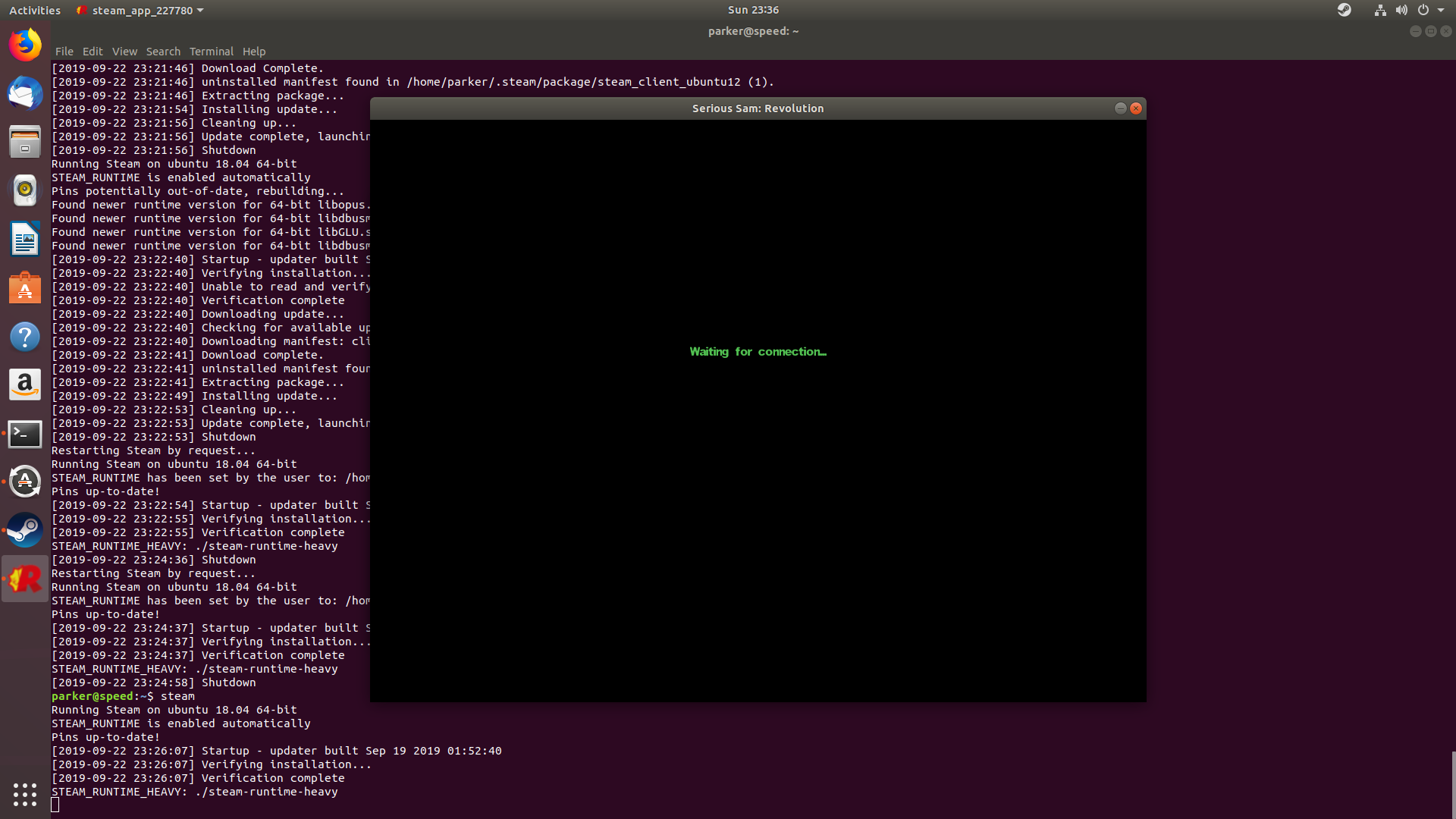
This is not working at all for me. Game starts and goes to Waiting for connection. It eventually loads the main menu but starting a new game goes back to waiting for connection and it never does anything after that. I've tried every combination of disable fsync/esync/etc without any luck.

Hello @parkerlreed, can you check if the game works with an older version of Proton? Also, please test with steam-runtime.
Proton 3.7 and native led to same result.
As for runtime
system-runtime.txt
3.7 same result
steam-227780.log
4.11-2 same result
steam-227780.log
Testing 3.16 now
Yeah nada. 3.16
steam-227780.log
Looking at the Proton DB reports all the working ones seem to be Ubuntu Bionic. I just tested 19.04 and it's not working there either. Possibly some system library updates causing the issue?
No luck trying to run on 18.04. Maybe Mesa/AMD related.
Hello @parkerlreed, can you retest this game on your system?
Compatibility Report
- Name of the game with compatibility issues: Serious Sam Classics: Revolution
- Steam AppID of the game: https://steamdb.info/app/227780/
System Information
- GPU: GTX 760
- Driver/LLVM version: NVIDIA 440.64
- Kernel version: 5.5.10
- https://github.com/shoober420/linux-scripts/blob/main/home/shoober420/sysinfonvidia
- Proton version: 5.0-5
LOG:
steam-227780.log
Symptoms
Game launches, but window renders no graphics. Audio plays and input registers, but no graphics are rendered.
Same behavior using WineD3D.
WINED3D LOG:
steam-227780.log
@kisak-valve Good news! It seems its working perfectly now on 5.0-9
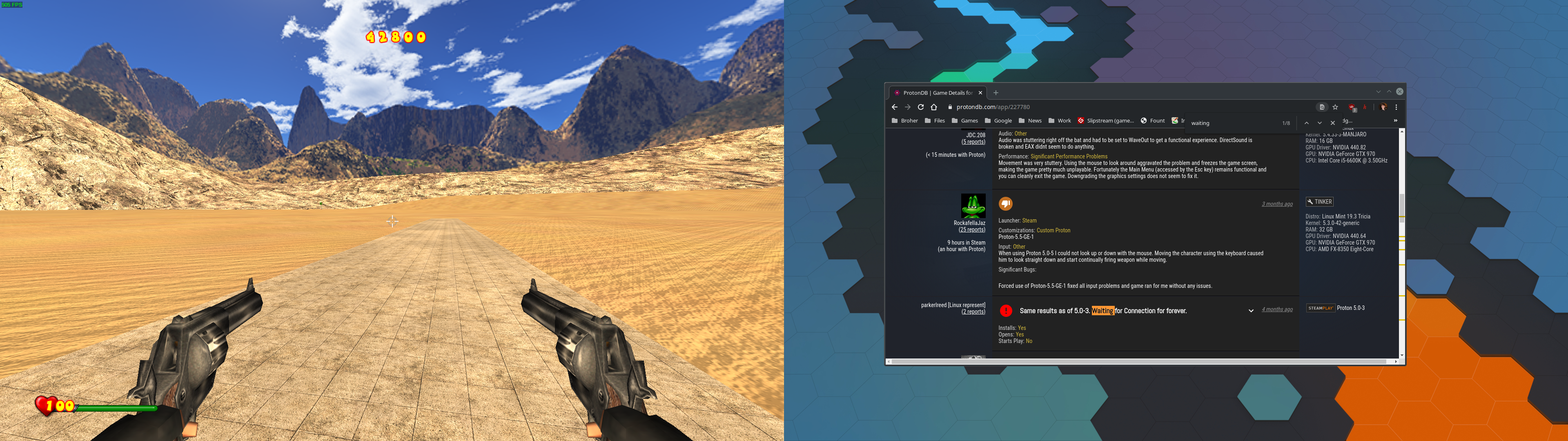
I did have to apply the gap_iDepthBits=24 as mentioned on Protondb but after that all is well. Didn't encounter the waiting for connection at all
Ok the confusion continues.
Transferred that exact same wine prefix and game config (from Scripts) folder to my other machine also running Proton 5.0-9 and I still get the old waiting for connection.
Working system:
- Information https://gist.github.com/parkerlreed/f41ca37a46a384149f162b6e29655028
- Proton log https://gist.github.com/parkerlreed/252fdf74a6667b956bc44c65acb0ebdd
Non-working system
For some reason after i waited for awhile (and used alt+tab?) I stopped getting the "waiting for connection" thing.
Maybe you just need to wait though.
EDIT: This seems to only apply to the menu because i still get "waiting for connection" ingame.
This is some weird stuff.
@MojoJojoDojo Yeah the menu one is bypassed by clicking and maybe mashing esc a few times.
And yeah I'm still baffled why this started working on one machine, not on the other, with almost the exact same setup.
I have solved the "waiting for connection" problem.
This game's timer read registry to override its calculated value based on CPU frequency.
It's OK for old CPU or desktop CPU, but not right for CPU that turbo frequency much higher than default max, for my 5500u, 4GHz to 2.1GHz almost twice.
wine write the maximum turbo frequency in registry, which make this game's timer not working right, windows players may also has this problem.
You can find it in engine source code :
use a hex editor replace the regkey string
"HKEY_LOCAL_MACHINE\\HARDWARE\\DESCRIPTION\\System\\CentralProcessor\\0\\~MHz"
with all hex zero in "Engine.dll"
then game will use its calculated value, and problem gone.
@Cooky-12 This fix works.
I had another issue with the game crashing after loading a level, which I solved by deleting the cloud save in
~/.steam/steam/userdata/STEAMID/227780/
Related threads
- Source 2007 mods: Unable to join/create servers, or view achievementsprotonopen same error
- Games no longer start from the steam client.steamclosed same error
- Team Fortress 2protonopen same error
Proton versions
proton 5.0-9x1 2020-07proton 5.0-5x1 2020-03proton 3.7x1 2019-08
DLLs
engine.dllx1 2022-01
Whitelist Request
System Information
Computer Information:
Manufacturer: Unknown
Model: Unknown
Form Factor: Desktop
No Touch Input Detected
Proton Version: 3.7-6
Processor Information:
CPU Vendor: AuthenticAMD
CPU Brand: AMD Phenom(tm) II X4 830 Processor
CPU Family: 0x10
CPU Model: 0x4
CPU Stepping: 0x3
CPU Type: 0x0
Speed: 2800 Mhz
4 logical processors
4 physical processors
HyperThreading: Unsupported
FCMOV: Supported
SSE2: Supported
SSE3: Supported
SSSE3: Unsupported
SSE4a: Supported
SSE41: Unsupported
SSE42: Unsupported
AES: Unsupported
AVX: Unsupported
CMPXCHG16B: Supported
LAHF/SAHF: Supported
PrefetchW: Unsupported
Operating System Version:
"Solus" (64 bit)
Kernel Name: Linux
Kernel Version: 4.18.9-92.current
X Server Vendor: The X.Org Foundation
X Server Release: 11906000
X Window Manager: Mutter(Budgie)
Steam Runtime Version:
Video Card:
Driver: NVIDIA Corporation GeForce GTX 960/PCIe/SSE2
Driver Version: 4.6.0 NVIDIA 390.87
OpenGL Version: 4.6
Desktop Color Depth: 24 bits per pixel
Monitor Refresh Rate: 60 Hz
VendorID: 0x10de
DeviceID: 0x1401
Revision Not Detected
Number of Monitors: 2
Number of Logical Video Cards: 1
Primary Display Resolution: 1920 x 1080
Desktop Resolution: 3840 x 1080
Primary Display Size: 23.54" x 13.23" (26.97" diag)
59.8cm x 33.6cm (68.5cm diag)
Primary Bus: PCI Express 16x
Primary VRAM: 4096 MB
Supported MSAA Modes: 2x 4x 8x 16x
Sound card:
Audio device: Realtek ALC888-VD
Memory:
RAM: 7978 Mb
Miscellaneous:
UI Language: English
LANG: en_US.UTF-8
Total Hard Disk Space Available: 934221 Mb
Largest Free Hard Disk Block: 653659 Mb
VR Headset: None detected
Recent Failure Reports:
I confirm:
Playbutton in the Steam client is sufficient.Issues
No known issues thus far, tested both the first and second encounters maxed out and full screened. Run at a constant 60 FPS, didn't even crash when I alt-tabbed out of the game.