Command: Modern Air Naval Operations [321410]
I can confirm I have the same issue with Command: the SIlent Service in standalone version.
Trying to start the game via Command.exe now results in the following error message:
Unknown heap type: SmartAssembly

The entry point method could not be loaded due to Could not load file or assembly 'Microsoft.VisualBasic, Version=10.0.0.0, Culture=neutral, PublicKeyToken=b03f5f7f11d50a3a' or one of its dependencies.
EDIT: this is most likely an issue with DotNet.
I can't get it to install neither with the Redist packages included in CMANO, nor with winetricks.
Installation remains uncomplete, leaving out important files like mscore*.dll.
Copying them over from an existing Windows installation is not enough, as the registry keys have to be set.
EDIT 2: after even more brainless tinkering, I now get this:
Unhandled Exception:
System.InvalidProgramException: Invalid IL code in .: (string[]): IL_001d: callvirt  0x0a0017e4
Same issue here.. :(
Someone who got the game to work with some issues gave a bronze rating: https://appdb.winehq.org/objectManager.php?sClass=version&iId=37642
I imagine you can achieve the same with protontricks, haven't tried though.
Someone who got the game to work with some issues gave a bronze rating: https://appdb.winehq.org/objectManager.php?sClass=version&iId=37642
I imagine you can achieve the same with protontricks, haven't tried though.
I didn't manage to get the workaround working. Installing a new version of dotnet also seems to get the launching (the tiny Steam window) stuck at installing .NET and prevents launching the actual launcher.
The WINEHQ report says that a 32bit WINEPREFIX is necessary. AFAIK proton only offers 64 bit ones.
Did anyone get it working with a 64bit PREFIX yet?
The latest version of Proton (4.11-10) now launches the Launcher! No luck with the game though.
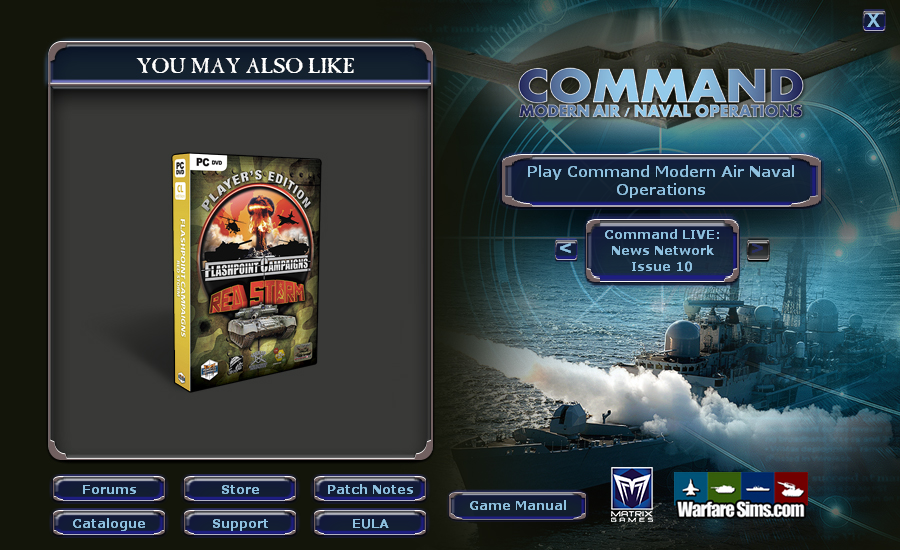
Weird, the launcher worked with even with old proton versions for me...
Whats happening when you start the game? Does it open a window for 1 second and closes again?
Nothing happens. The game fails to lunch. I had attached the logs to that effect.
Does it open a window for 1 second and closes again?
The launcher closes and then comes back after the game failed to launch.
The "Invalid IL code" exception is https://bugs.winehq.org/show_bug.cgi?id=23816
Compatibility Report
System Information
I confirm:
Symptoms
Game has a start screen (Autorun.exe), which starts upon launching the game in Steam.
Clicking on 'Start' however does not launch the game, it stays at the start screen.
Launching the game manually via the command line leads to a game related error message, complaining that it cannot be run outside of Steam.
Tried installing
corefonts dotnet40with winetricks, to no avail.Logfile
steam-321410.log