Prey 2006
anyone confirm it works with amdgpu and igpus?
@Rabcor I thought I'd try registering my old dvd version with my steam account to test for you. But it says the code is registered to another account... ehhhh??.. Anyway, there is always the native version https://icculus.org/prey/ if you have an old copy and can't get it working with Steam Play.
Don't even need the old copy. You can use the Steam files with the native version. Works great.
There's even an SDL compatibility layer so you can alt-tab/alt-f4/etc. https://github.com/MrAlert/sdlcl
@Rabcor I'll test real quick on AMDGPU (RX 560)
Runs fine on AMDGPU as well (Had to use Steam runtime instead of native)
EDIT: Does work through steam-native. I was missing lib32-vulkan-icd-loader which caused dxvk (even though not in use) to bail. All good here!
Works apparently flawlessly on Proton 5.13, Linux Mint 20 NV 390 drivers
however, it won't allow (probably like many proton games) flipping to other running apps or desktop whilst it is running, reference https://github.com/ValveSoftware/Proton/issues/358
With Proton 7.0 and an AMD GPU:

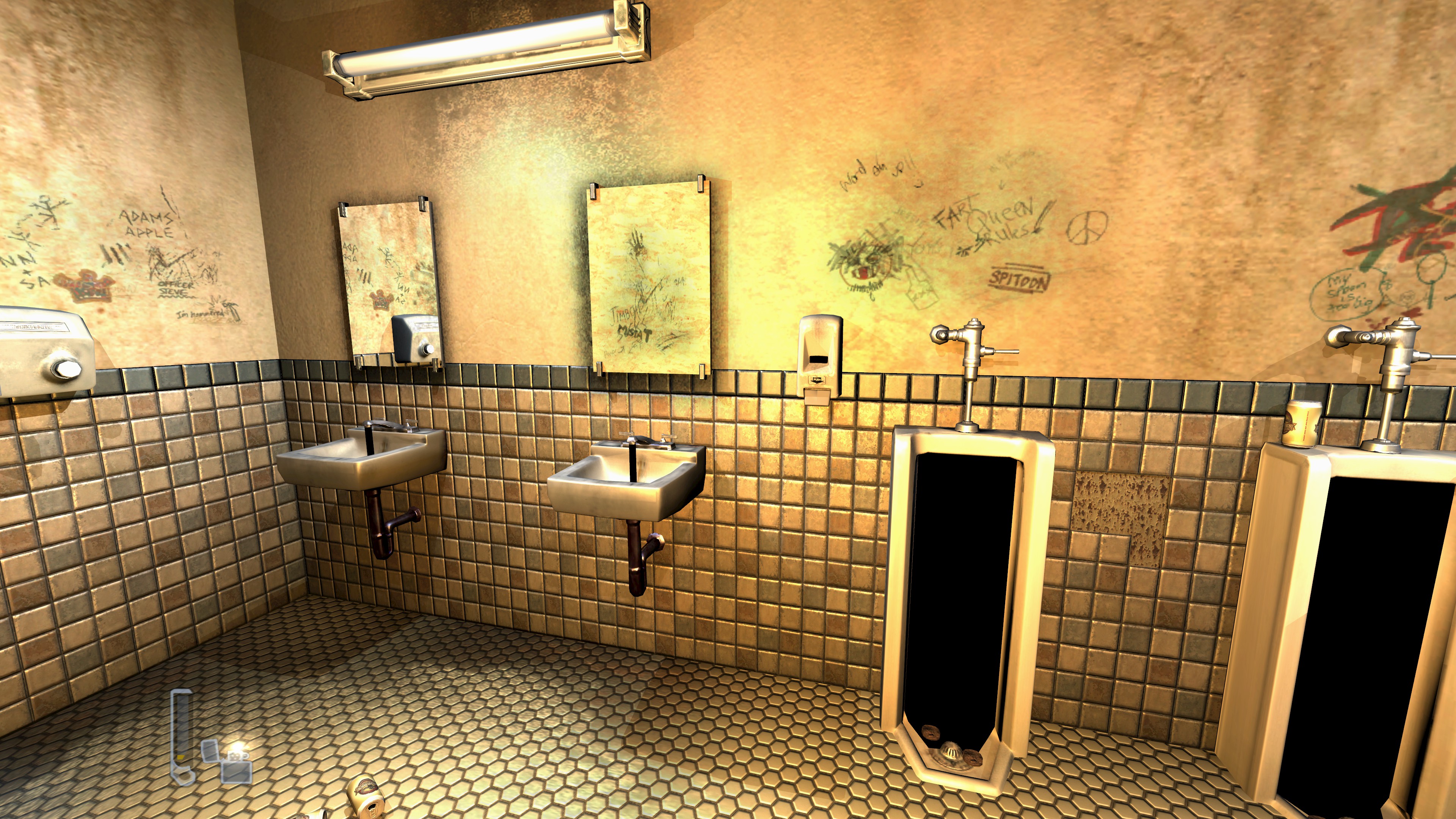

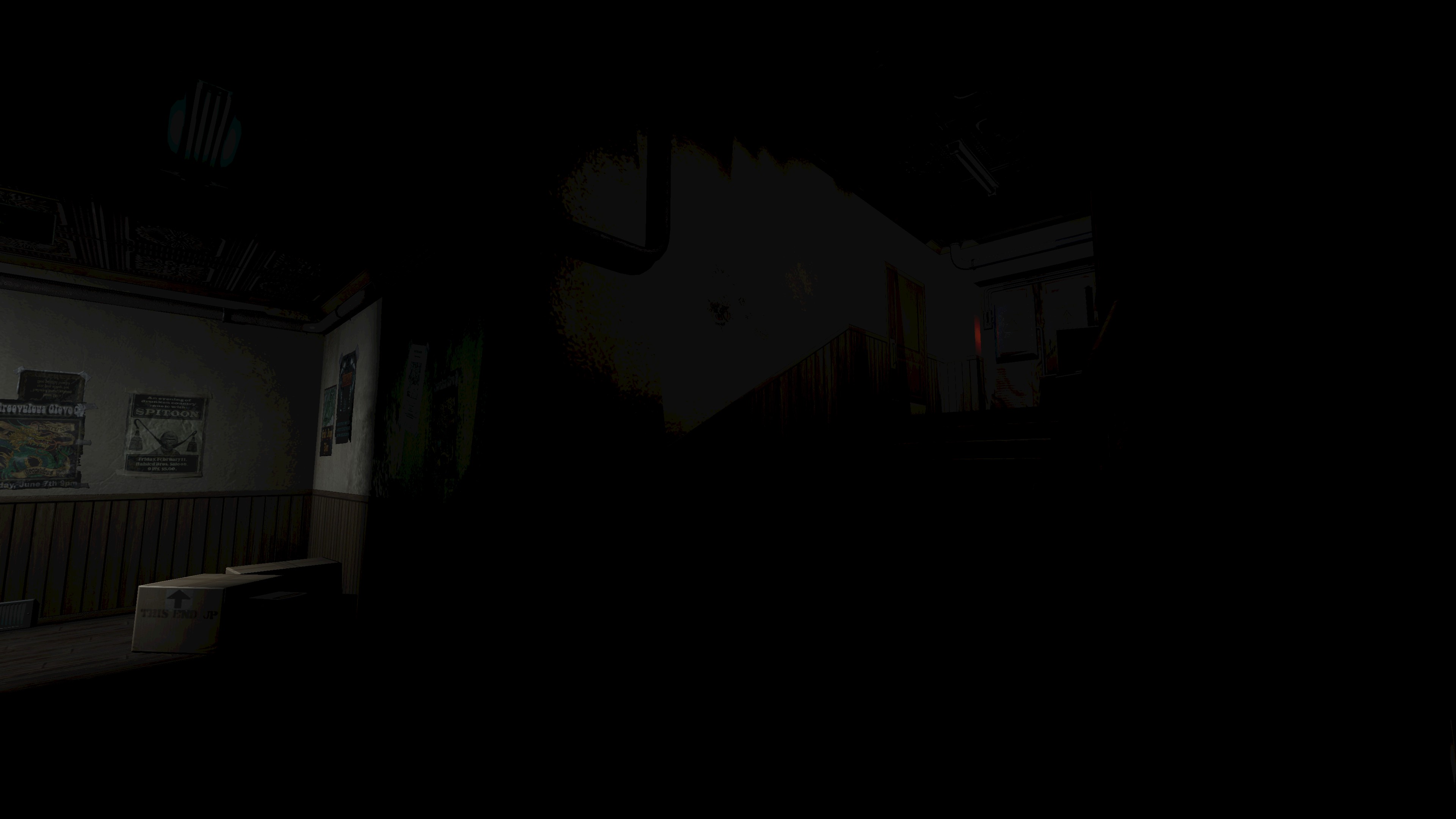
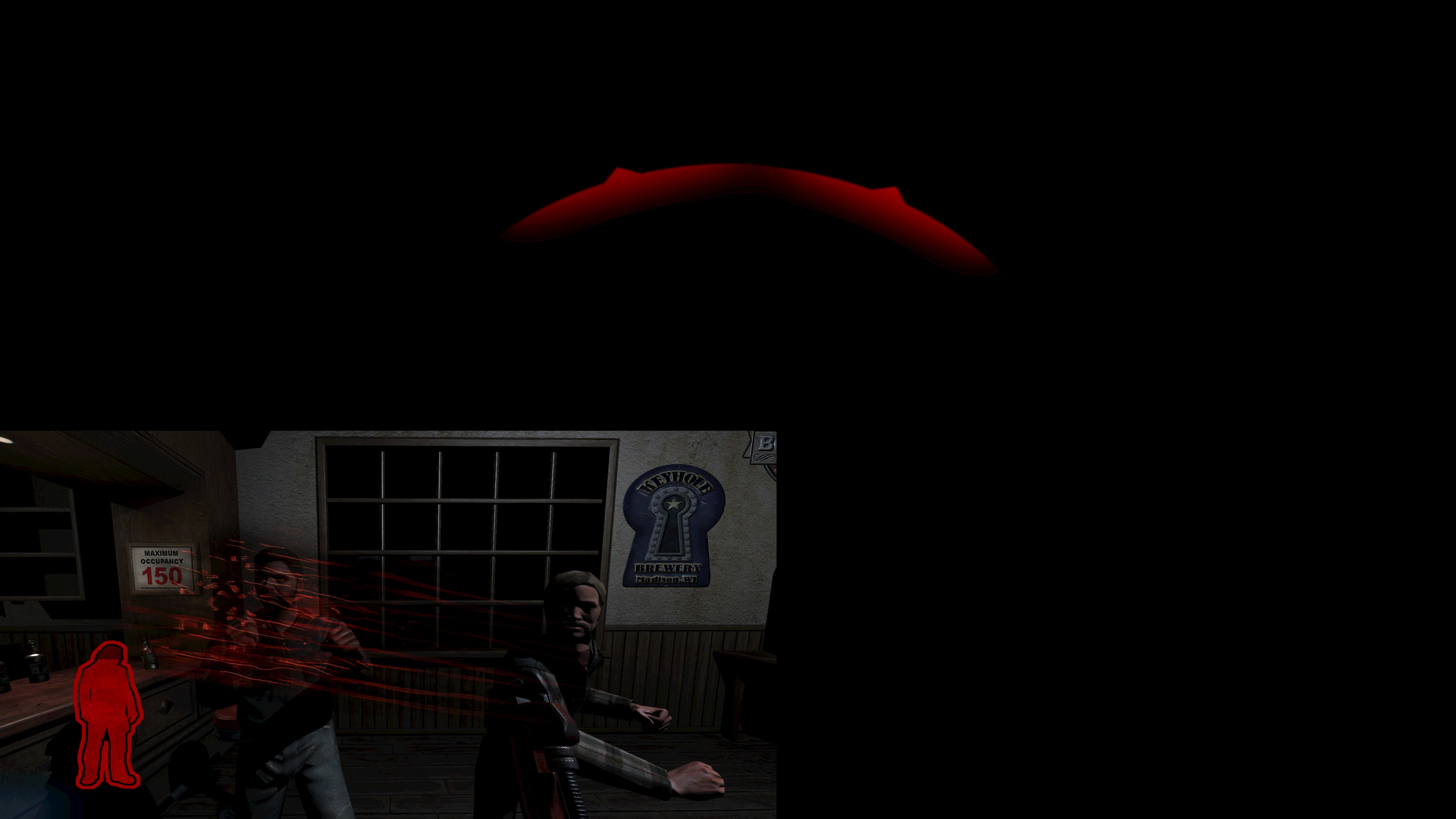
Otherwise the game seems to work fine.
Hello @davidebeatrici, please add PROTON_LOG=1 %command% to the game's launch options and attach the generated $HOME/steam-$APPID.log to this issue report as a file. (Proton logs compress well if needed.) Also, please copy your system information from Steam (Steam -> Help -> System Information) and put it in a gist, then include a link to the gist in this issue report.


Unable to replicate on RX 480
Experimental
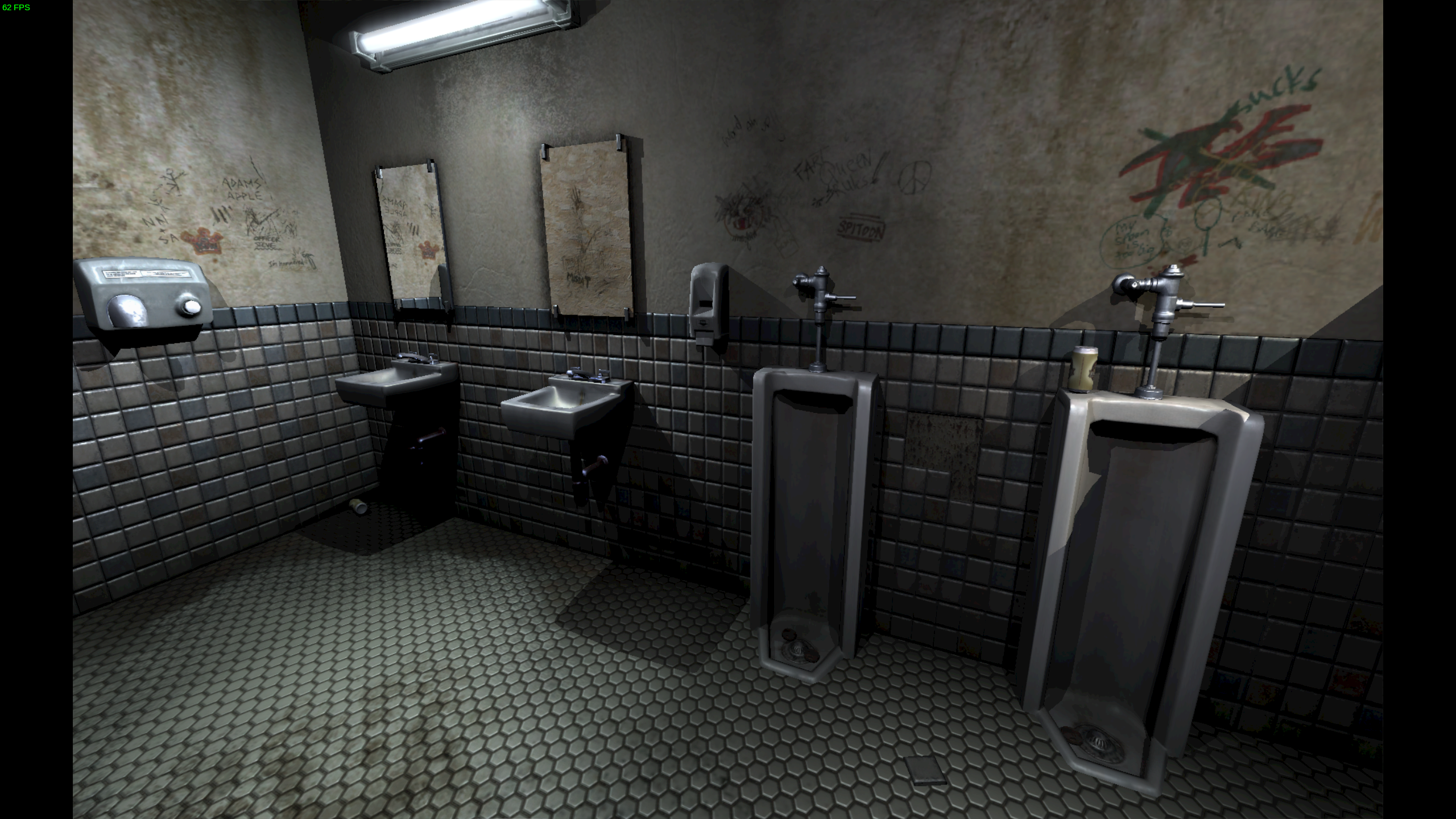
7.0

https://gist.github.com/parkerlreed/28714224463893975770feeb0d6d0814
Could you attach preyconfig.cfg (base folder in the game's directory), please?
Disabling antialiasing (r_multiSamples) fixes the black translucent items issue:
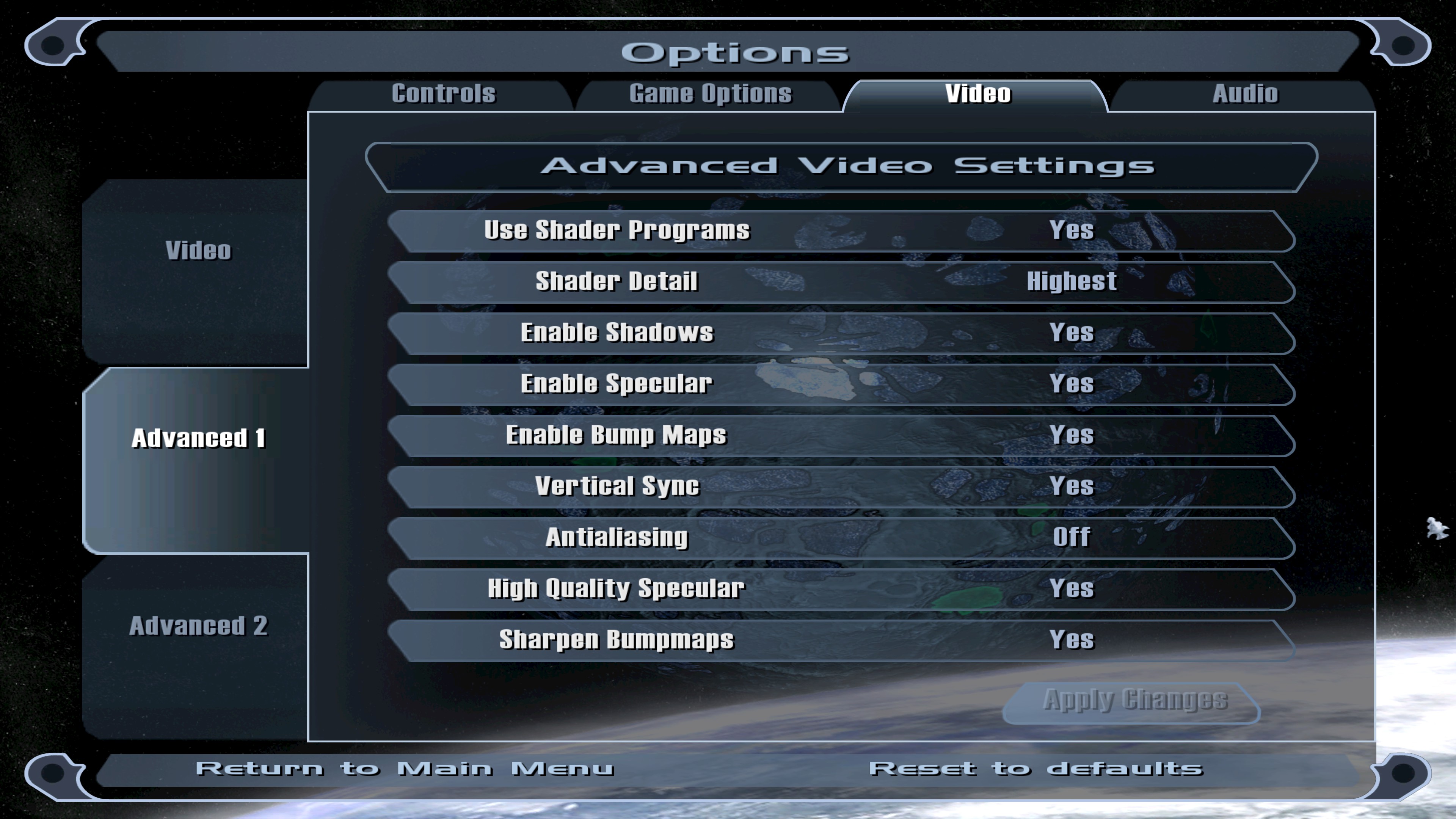
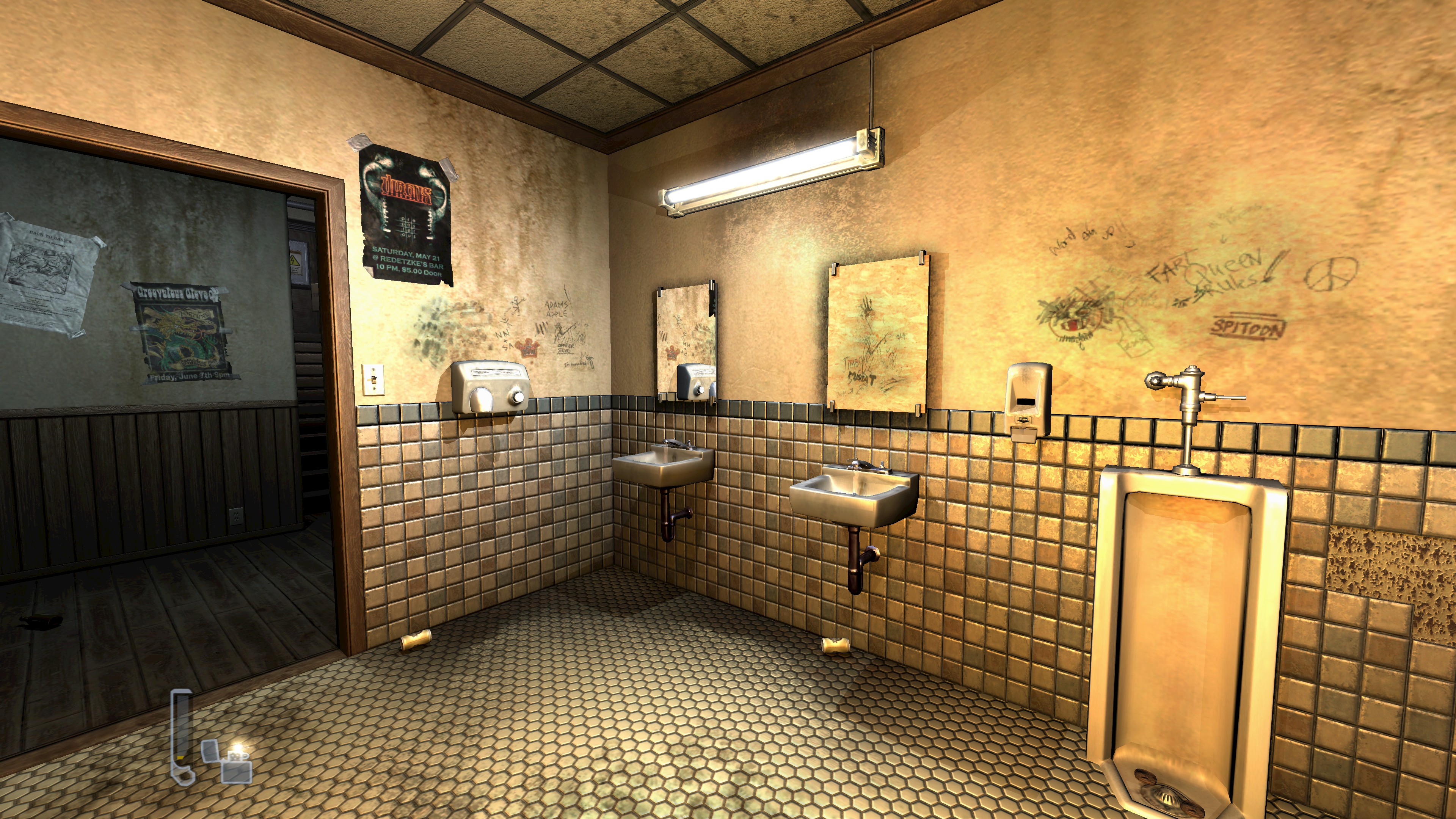
Lighting still looks bad though.
My current configuration
unbindall
bind "TAB" "_impulse19"
bind "SPACE" "_moveup"
bind "0" "_impulse0"
bind "1" "_impulse1"
bind "2" "_impulse2"
bind "3" "_impulse3"
bind "4" "_impulse4"
bind "5" "_impulse5"
bind "6" "_impulse6"
bind "7" "_impulse7"
bind "8" "_impulse8"
bind "9" "_impulse9"
bind "a" "_moveleft"
bind "d" "_moveright"
bind "e" "_impulse54"
bind "f" "_impulse16"
bind "g" "_impulse25"
bind "m" "_impulse20"
bind "s" "_back"
bind "t" "clientMessageMode"
bind "w" "_forward"
bind "y" "clientMessageMode 1"
bind "LEFTARROW" "_left"
bind "RIGHTARROW" "_right"
bind "CTRL" "_moveDown"
bind "SHIFT" "_strafe"
bind "F1" "togglehelp"
bind "F2" "_impulse28"
bind "F3" "_impulse29"
bind "F4" "_impulse17"
bind "F5" "savegame quick"
bind "F6" "savegame quick"
bind "F7" "_impulse22"
bind "KP_UPARROW" "_lookUp"
bind "KP_5" "_impulse18"
bind "KP_DOWNARROW" "_lookDown"
bind "KP_INS" "_mlook"
bind "MOUSE1" "_attack"
bind "MOUSE2" "_attackalt"
bind "MOUSE3" "_impulse54"
bind "MWHEELDOWN" "_impulse14"
bind "MWHEELUP" "_impulse15"
bind "PRINTSCREEN" "screenshot"
seta radiant_entityMode "0"
seta gui_mediumFontLimit "0.60"
seta gui_smallFontLimit "0.10"
seta net_socksPassword ""
seta net_socksUsername ""
seta net_socksPort "1080"
seta net_socksServer ""
seta net_socksEnabled "0"
seta win_ypos "22"
seta win_xpos "3"
seta sys_lang "english"
seta s_useDeferredSettings "1"
seta s_minStereo "8"
seta s_deviceName "OpenAL Soft"
seta s_decompressionLimit "6"
seta s_useEAXOcclusion "1"
seta s_useEAXReverb "1"
seta s_useOpenAL "1"
seta s_libOpenAL "openal32.dll"
seta s_musicVolume_dB "0"
seta s_numberOfSpeakers "2"
seta s_doorDistanceAdd "150"
seta s_globalFraction "0.8"
seta s_subFraction "0.5"
seta s_playDefaultSound "1"
seta s_volume_dB "0"
seta s_meterTopTime "2000"
seta s_reverse "0"
seta s_spatializationDecay "2"
seta s_maxSoundsPerShader "0"
seta r_lowParticleDetail "0"
seta r_lowWorldDetail "0"
seta r_useFastSkinning "0"
seta r_showBatchSize "0"
seta r_shaderLevel "3"
seta r_correctSpecular "1"
seta r_cubemapNormalize "0"
seta r_normalizeBumpmap "1"
seta r_skipGlowOverlay "0"
seta r_debugArrowStep "120"
seta r_debugLineWidth "1"
seta r_debugLineDepthTest "0"
seta r_cgFragmentProfile "best"
seta r_cgVertexProfile "best"
seta r_forceLoadImages "1"
seta r_shadows "1"
seta r_skipBump "0"
seta r_skipSpecular "0"
seta r_skipNewAmbient "0"
seta r_renderer "best"
seta r_brightness "1"
seta r_gamma "1"
seta r_swapInterval "1"
seta r_useIndexBuffers "0"
seta r_customHeight "2160"
seta r_customWidth "3840"
seta r_fullscreen "1"
seta r_displayRefresh "60"
seta r_mode "-1"
seta r_multiSamples "0"
seta model_writePrebuiltModels "1"
seta model_usePrebuiltModels "1"
seta image_downSizeSoftLimit "0"
seta image_useHighRes "1"
seta image_downSizeLimit "0"
seta image_ignoreHighQuality "0"
seta image_downSizeBumpLimit "0"
seta image_downSizeSpecularLimit "0"
seta image_downSizeBump "0"
seta image_downSizeSpecular "0"
seta image_useCache "0"
seta image_cacheMegs "96"
seta image_cacheMinK "2048"
seta image_usePrecompressedTextures "0"
seta image_useNormalCompression "0"
seta image_useAllFormats "1"
seta image_useCompression "0"
seta image_preload "1"
seta image_roundDown "0"
seta image_forceDownSize "0"
seta image_downSize "0"
seta image_lodbias "-1.0"
seta image_anisotropy "16"
seta image_filter "GL_LINEAR_MIPMAP_LINEAR"
seta gui_filter_pb "0"
seta gui_filter_game "0"
seta gui_filter_idle "1"
seta gui_filter_gameType "0"
seta gui_filter_players "0"
seta gui_filter_password "0"
seta net_clientDownload "1"
seta net_master4 ""
seta net_master3 ""
seta net_master2 ""
seta net_master1 ""
seta net_clientMaxRate "32000"
seta net_serverMaxClientRate "32000"
seta m_strafeSmooth "4"
seta m_smooth "1"
seta m_strafeScale "6.25"
seta m_yaw "0.022"
seta m_pitch "0.022"
seta sensitivity "1.5"
seta in_toggleZoom "0"
seta in_toggleCrouch "0"
seta in_freeLook "1"
seta in_pitchspeed "140"
seta in_yawspeed "140"
seta gui_configServerRate "0"
seta g_levelLoadMusic "1"
seta g_subtitles "1"
seta com_guid ""
seta com_preloadDemos "0"
seta com_compressDemos "1"
seta com_product_lang_ext "1"
seta sv_punkbuster "0"
seta cl_punkbuster "0"
seta com_profanity "1"
seta com_videoRam "8192"
seta com_showFPS "0"
seta com_purgeAll "0"
seta com_imageQuality "2"
seta net_serverDlTable ""
seta net_serverDlBaseURL ""
seta net_serverDownload "0"
seta g_mapCycle "mapcycle"
seta g_voteFlags "0"
seta g_gameReviewPause "10"
seta g_countDown "10"
seta g_password ""
seta g_exportMask ""
seta g_showBrass "1"
seta g_showProjectilePct "0"
seta g_showHud "1"
seta g_showPlayerShadow "0"
seta g_showcamerainfo "0"
seta g_ragdollDecals "1"
seta g_nightmare "0"
seta g_decals "1"
seta g_doubleVision "1"
seta g_bloodEffects "1"
seta g_projectileLights "1"
seta g_muzzleFlash "1"
seta r_aspectRatio "1"
seta ui_modelNum "0"
seta ui_showGun "1"
seta ui_autoReload "1"
seta ui_autoSwitch "1"
seta ui_team "Red"
seta ui_name "Tommy"
seta si_serverURL ""
seta si_spectators "1"
seta si_usePass "0"
seta si_warmup "0"
seta si_teamDamage "0"
seta si_timeLimit "10"
seta si_fragLimit "10"
seta si_maxPlayers "8"
seta si_map "dmshuttle2"
seta si_gameType "singleplayer"
seta si_name "Prey Server"
seta g_nogore "0"
seta g_runMapCycle "1"
seta ai_printSpeech "0"
seta ai_showNoAAS "1"
seta ai_hideSkipThink "1"
seta g_crosshair "1"
seta sys_savedPosition ""
seta g_roadhouseCompleted "0"
seta g_jawflap "1"
seta g_tips "1"
seta g_spectatorChat "0"
seta net_clientLagOMeter "0"
Updating to Mesa 21.3.7 (@parkerlreed's version) didn't fix the issue(s) unfortunately, 22.0.99 neither.
No changes with MESA_LOADER_DRIVER_OVERRIDE=zink (Vulkan <-> OpenGL) either.
@parkerlreed How does the game look on your system? Also, do you confirm enabling antialiasing breaks translucent items?
Yep can confirm with AA on it does do the rendering issue
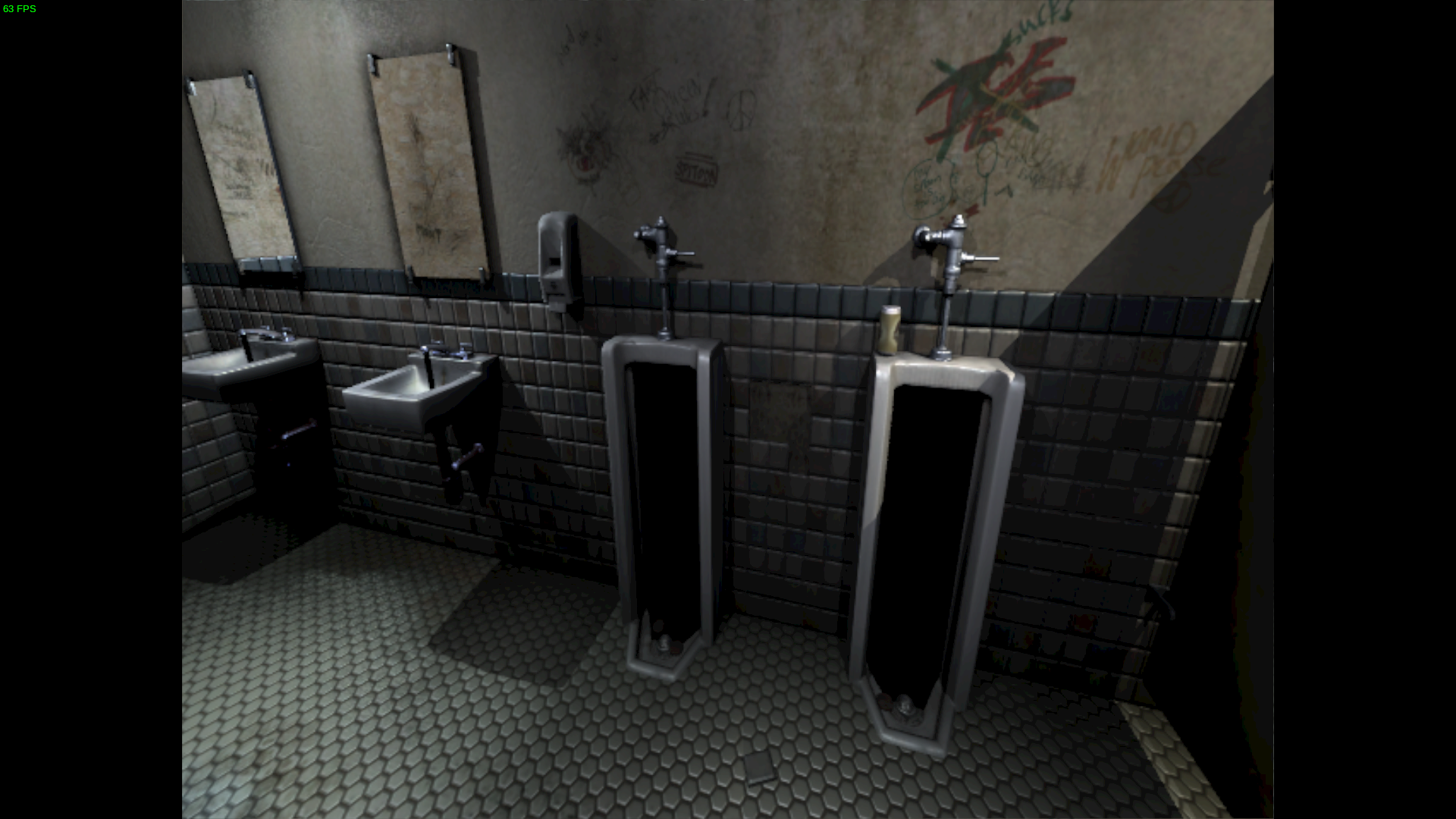
A person on #winehackers:libera.chat was able to reproduce the issue(s) with an Nvidia GPU.
This is a Proton-specific issue, the game works flawlessly with vanilla Wine. We suspect the culprit is fshack.
No rendering issues at all with Proton-7.1-GE-2, the last version before fshack was introduced (ValveSoftware/wine@045bf41a42665b1a0c56d0549a6b34fd330f052b).
@kisak-valve Do you perhaps know which is the latest version of Proton without fshack in Steam?
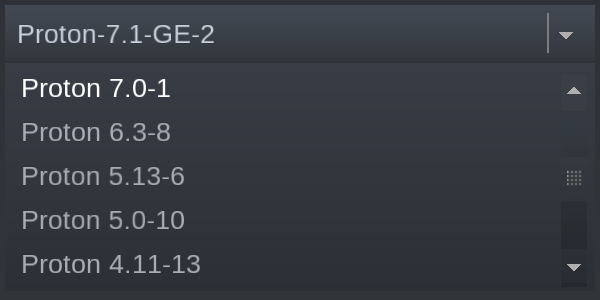
All proton versions include some incarnation of fshack.
@jstuder-gh (OP) claimed that he was able to complete the game without encountering any issues on Proton 3.7, though.
Found a bug with the Steam overlay: after taking a screenshot it mixed itself with portals and the main menu:
Screenshots

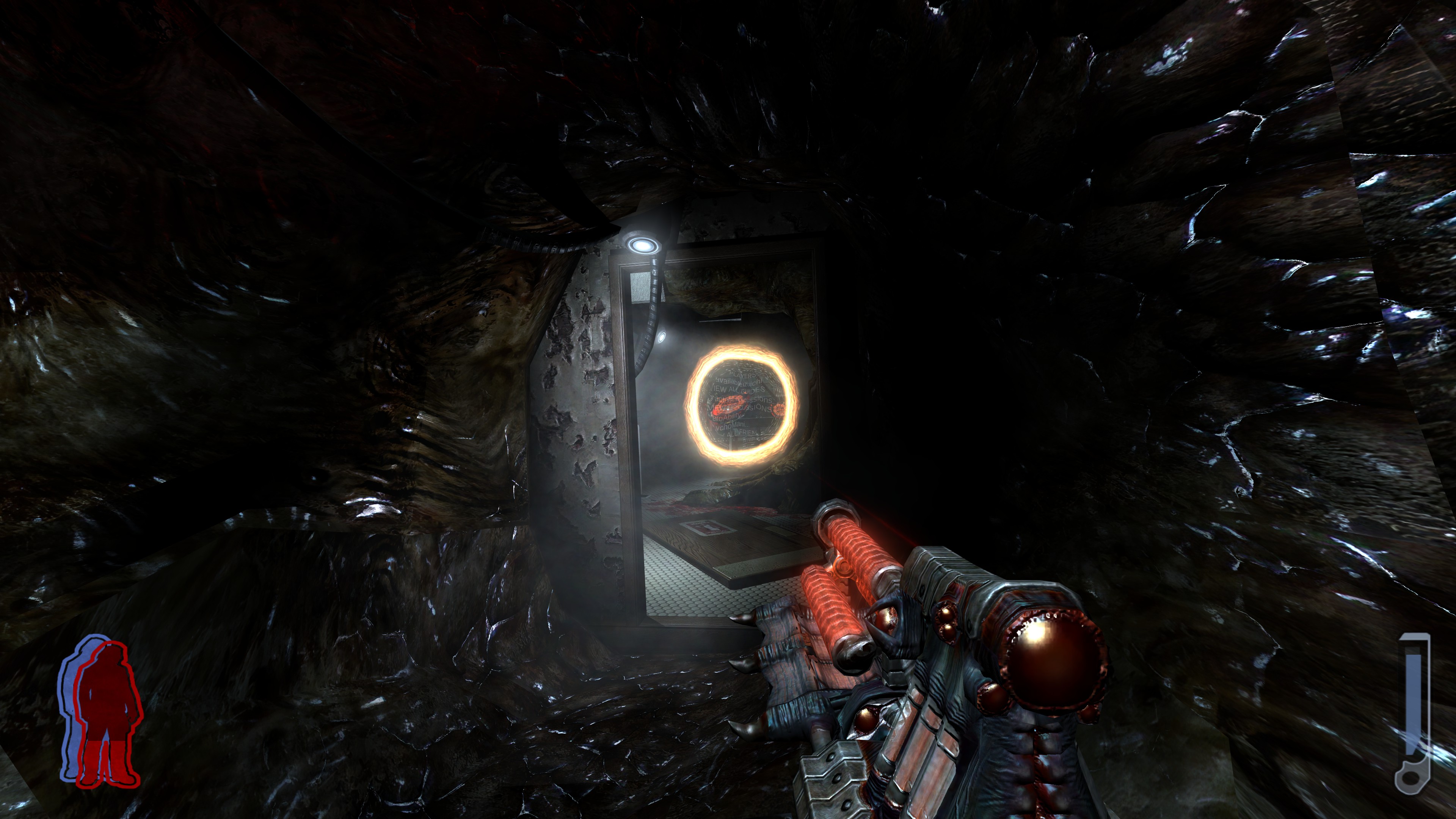
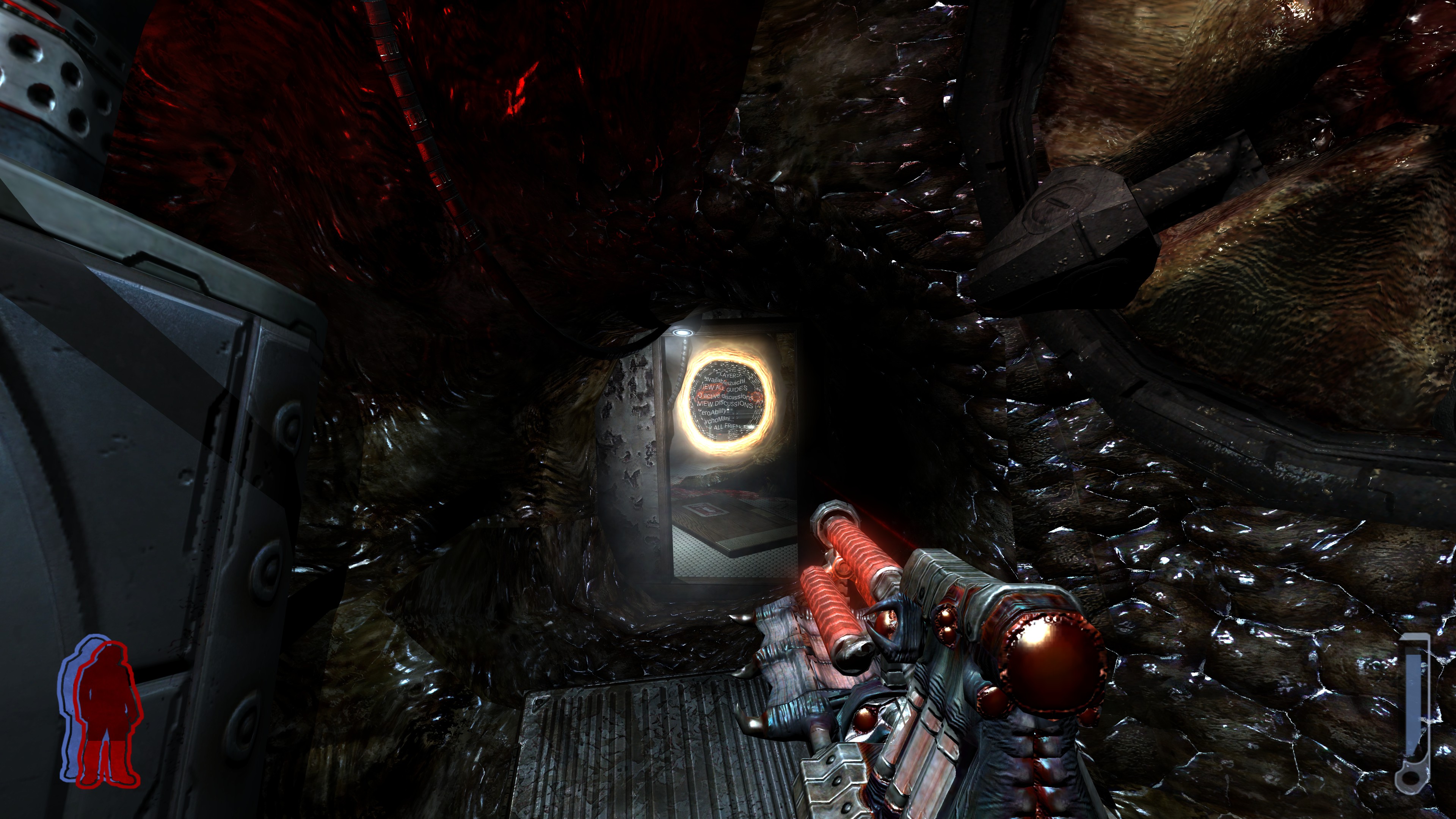
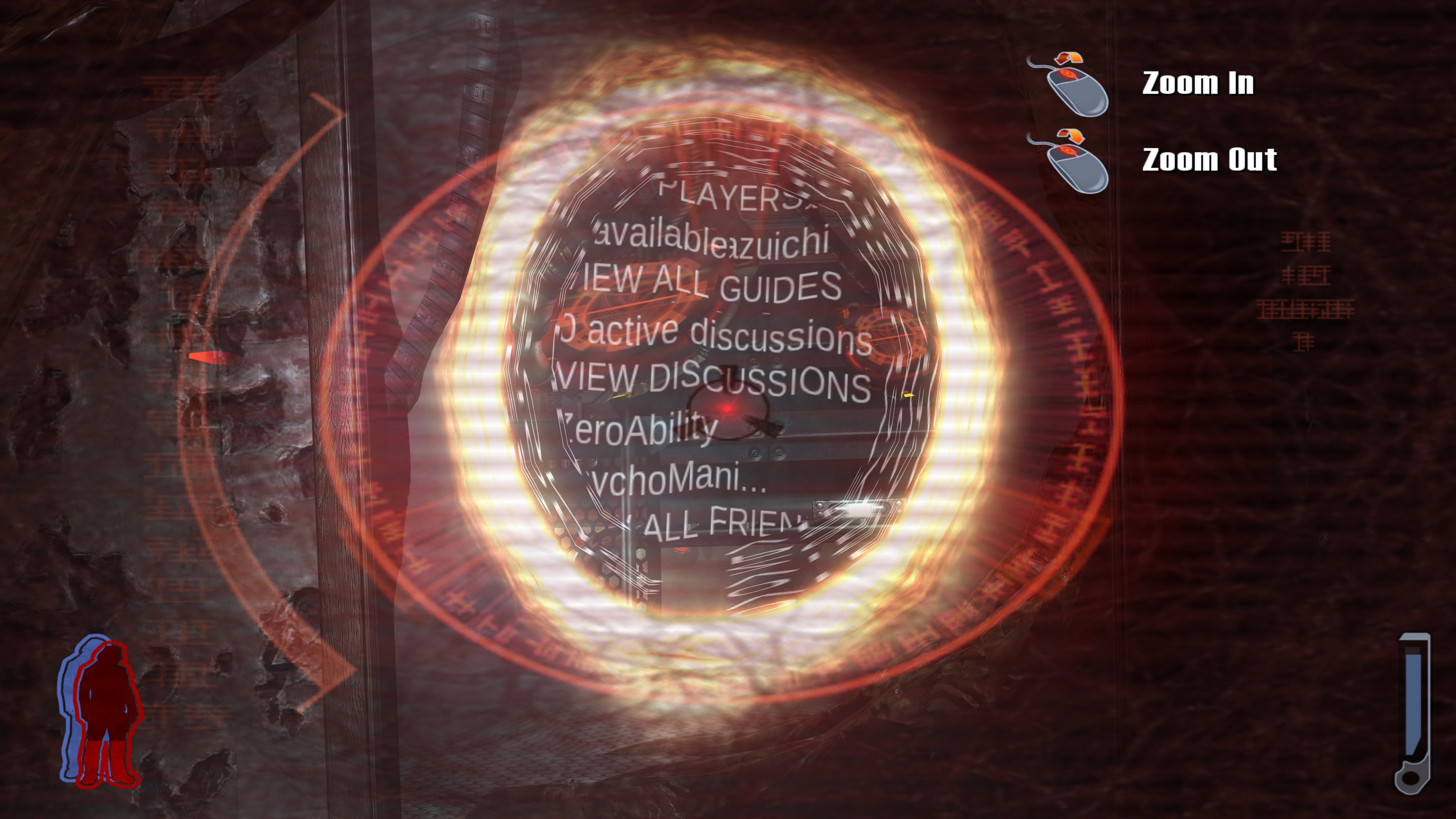
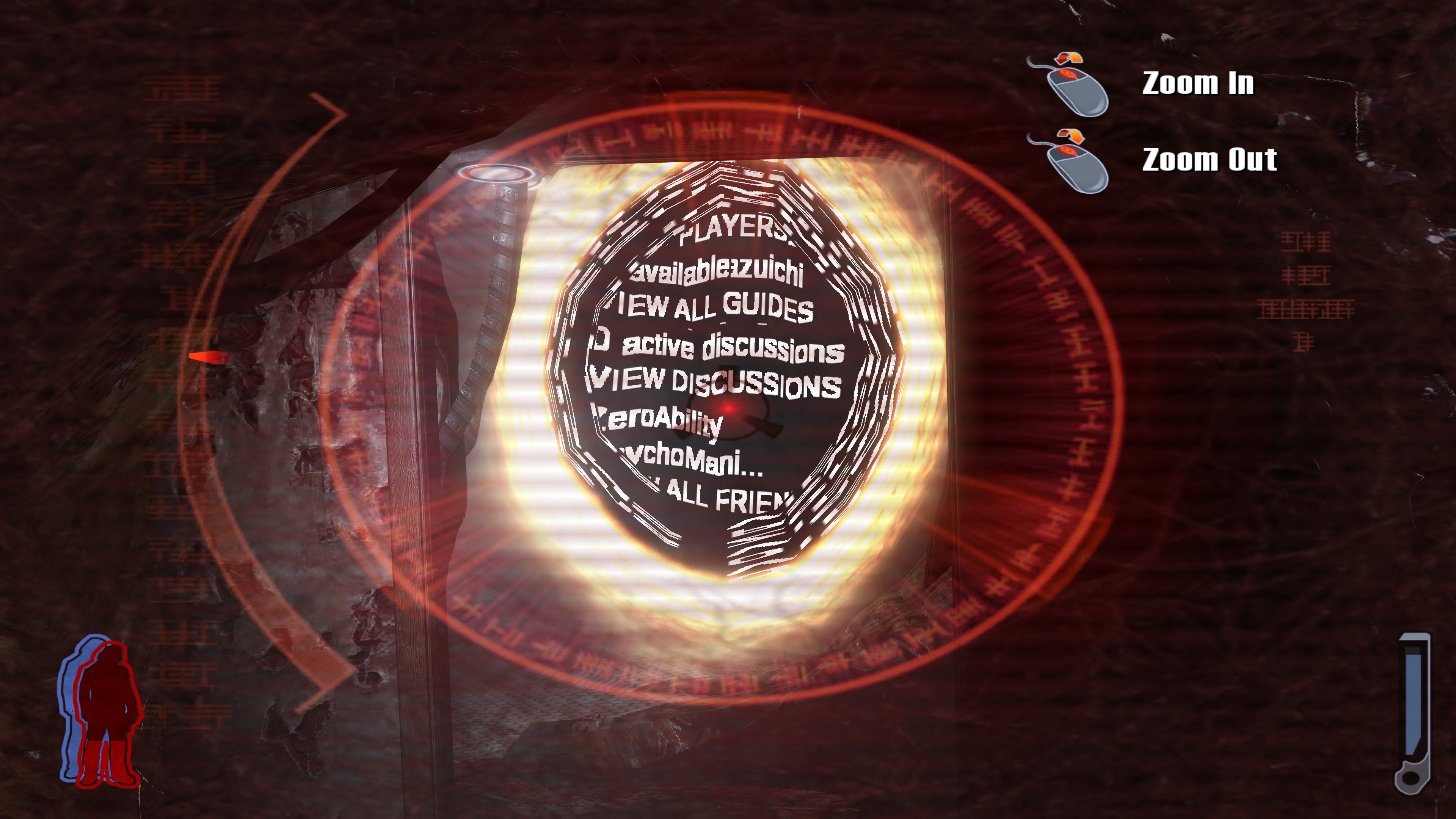
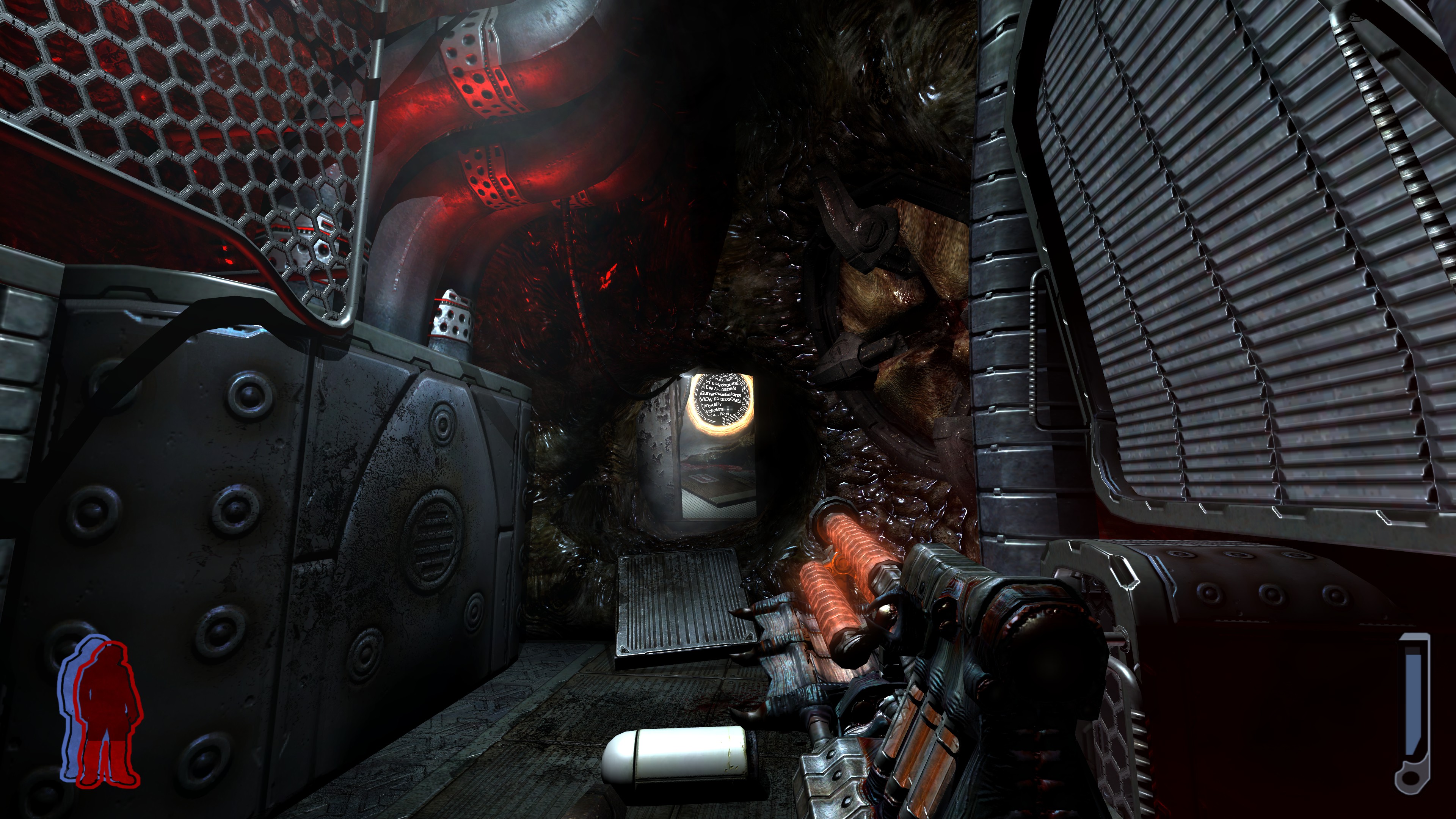
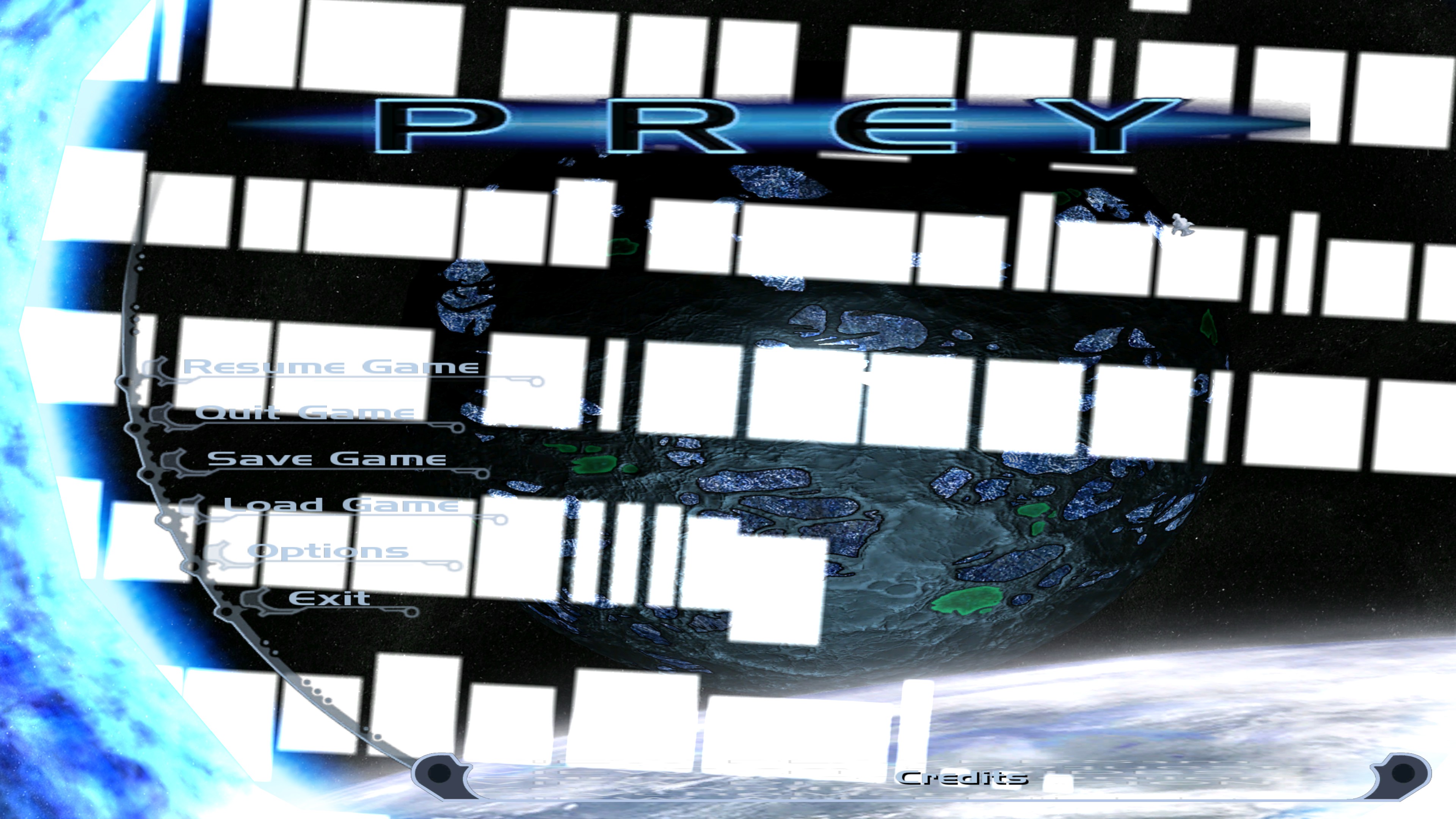
Also, the game and the overlay seem to be stealing input from each other.
NVIDIA user: Can reproduce the black outlines with in-game AA enabled.
But that aside, has no one else really noticed the color depth discrepancy yet?
(Windows-SteamPlay)
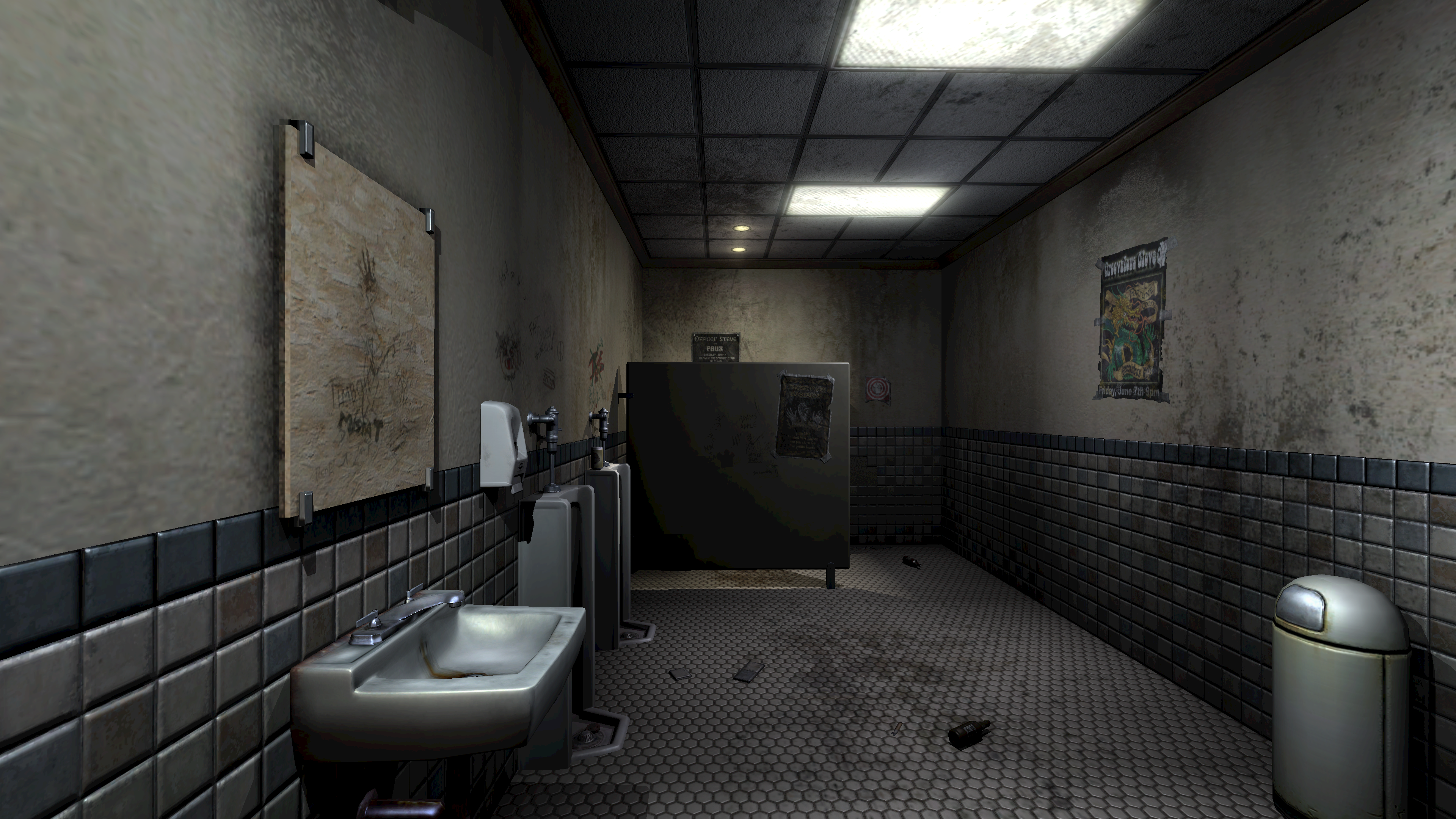
(Note the banding on the stall)
(Linux-Icculus)

(Note the banding-be-gone!)
Config files don't seem to expose any color depth options, and since this seems to be OpenGL to begin with, I'm unsure what the issue is.
I would agree to prefer the native port, if it didn't have atrocious frame pacing and a fullscreen mode that disables my second monitor and messed with my desktop layout, so... :x
The issue you're encountering is shown in the screenshots I captured right outside the bathroom, after switching the lights off.
Micro-stuttering is regular and you can fix it by setting com_fixedTic to 1.
Please note that you have to enable V-Sync or use an FPS limiter, as the 63-FPS cap gets removed. If the magical number is surpassed, physics go crazy.
As for the native port, use SDLCL: https://lutris.net/files/tools/sdlcl-1.0-i686.tar.gz
The update to Proton Experimental (as of 3/31/2022) seems to have fixed the colors. The MSAA black artifacts issue still remains, but otherwise seems accurate and very playable.
Confirmed.
I'd like to add that not just the water is broken (black) when AA is enabled, Spirit Walk is absolutely unplayable too:
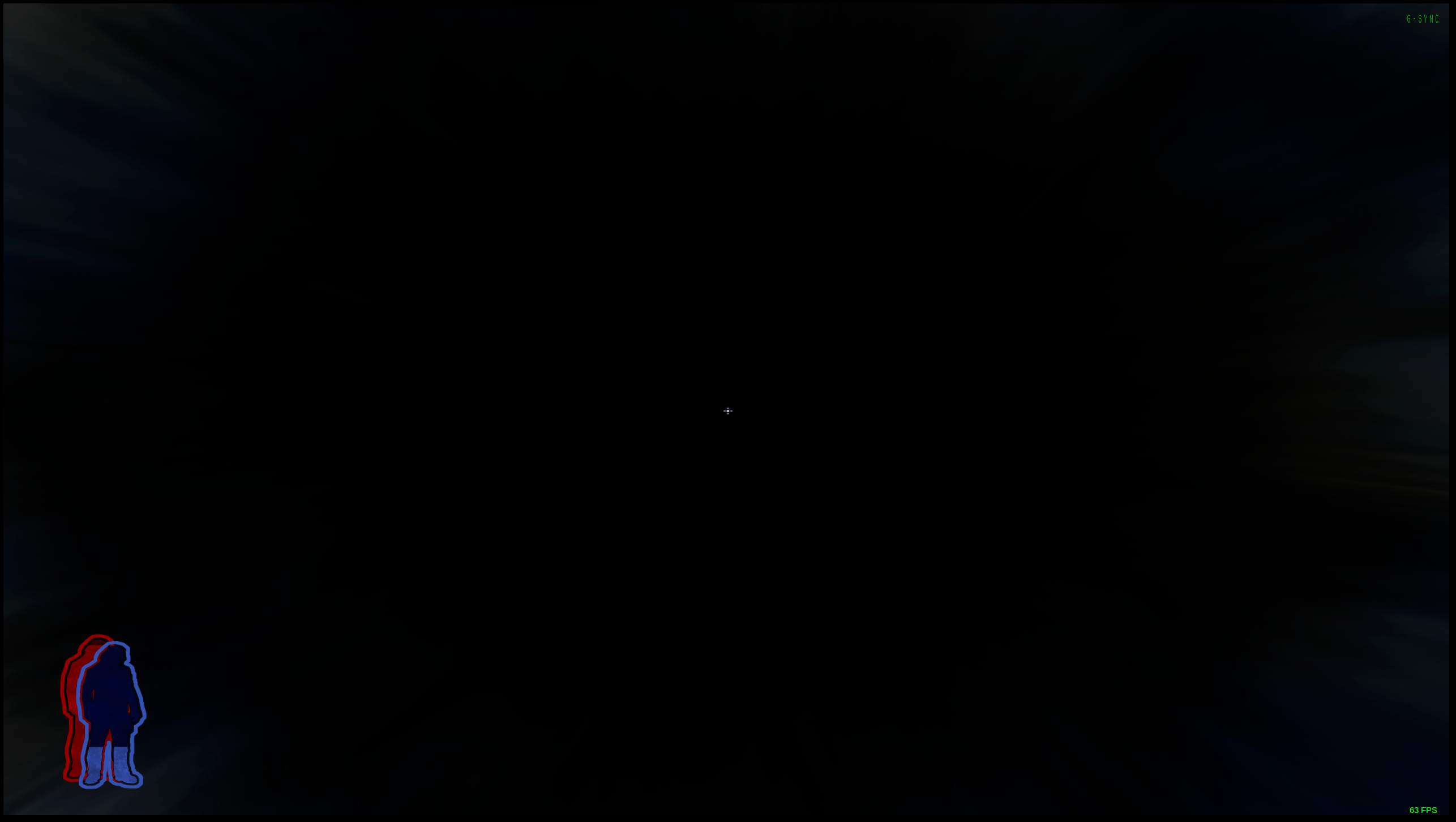
However, on Proton 4.11-13 Spirit Walk works fine with AA enabled. Water was fine too when I just started the game.
Proton versions
proton 4.11-13x1 2022-05proton experimentalx1 2022-03proton 3.7x1 2022-03proton 7.1-ge-2x1 2022-03proton 7.0x1 2022-03proton 5.13x1 2020-10
Launch options
MESA_LOADER_DRIVER_OVERRIDE=zink`x1 2022-03PROTON_LOG=1x1 2022-03
Upstream links
- ValveSoftware/Proton/issues/358x1 2020-10
DLLs
openal32.dllx1 2022-03
Whitelist Request
Name of the game to be whitelisted: Prey
Steam AppID of the game: 3970
System Information
I confirm:
Playbutton in the Steam client is sufficient.are necessary to run the game.
Issues
remaining issues:
Additional Comments
For what it is worth. I know that the game is no longer being sold on the platform.
I played through the game to completion. I encountered no issues.