Meridian 59
Hello @twinsonian, please add PROTON_USE_WINED3D=1 %command% to the game's launch options and check if that improves the game's behavior.
Hello @kisak-valve this did not resolve the issue
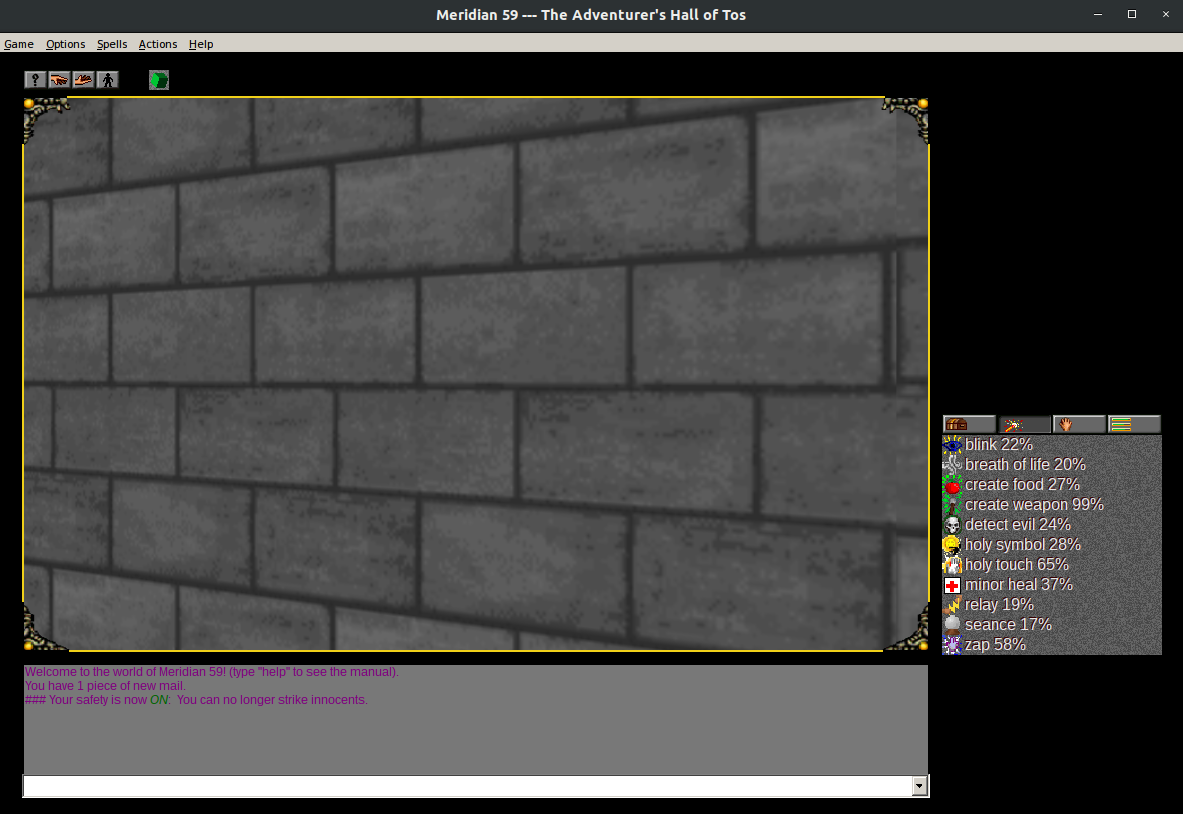
Has there been any progress on this one? I can get the game to run in software rendering mode, but the video freezes every time I'm on my spell or skill list (basically, any time the game is rendering a menu where the last entry is visible. If the last entry is not visible, as in, producing a scrollbar, then the game remains playable.)
Has there been any progress on this one? I can get the game to run in software rendering mode, but the video freezes every time I'm on my spell or skill list (basically, any time the game is rendering a menu where the last entry is visible. If the last entry is not visible, as in, producing a scrollbar, then the game remains playable.)
This issue has finally been fixed in the game (see https://github.com/Meridian59/Meridian59/pull/1294). The freeze is still present when the "Preferences" or "Mail" windows are opened, but that's a comparatively less severe issue
Compatibility Report
Name of the game with compatibility issues: Meridian 59
Steam AppID of the game:
https://store.steampowered.com/app/893390/Meridian_59/
893390
System Information
Intel® Core™ i7-4600U CPU @ 2.10GHz × 4
https://gist.github.com/twinsonian/cd1e442d2bbd63b1f41ca07d5e8a70a3
I confirm:
Symptoms
Currently the game loads up in steam play but has issues with not displaying correctly as everything except for the view window is black. When resizing the window you can, very quickly, see what is being blacked out before it blacks out again.
Reproduction
Start the game, log in (account creation is free and fast at meridian59.com)