Megadimension Neptunia VIIR
Also, using protontricks 774511 xact make the game unbootable :
trace:module:process_attach (L"xaudio2_7.dll",(nil)) - START
trace:module:MODULE_InitDLL (0x7ff00000 L"xaudio2_7.dll",PROCESS_ATTACH,(nil)) - CALL
trace:module:GetModuleFileNameW L"Z:\\home\\mog\\.local\\share\\Steam\\steamapps\\common\\Megadimension Neptunia VIIR\\resource\\bin\\v2r.exe"
trace:module:MODULE_InitDLL (0x7ff00000,PROCESS_ATTACH,(nil)) - RETURN 1
trace:module:process_attach (L"xaudio2_7.dll",(nil)) - END
@flibitijibibo Maybe you want to label this "Xaudio2" too?
The proton log on the original post has a mention of:
xactengine3_7.dll
And the comment right above mine states:
trace:module:process_attach (L"xaudio2_7.dll",(nil)) - START
Oh good, a new XACT game... if anyone reading this owns the game, can you search the game folder for .xgs, .xsb, and .xwb files?
@flibitijibibo you mean these files?
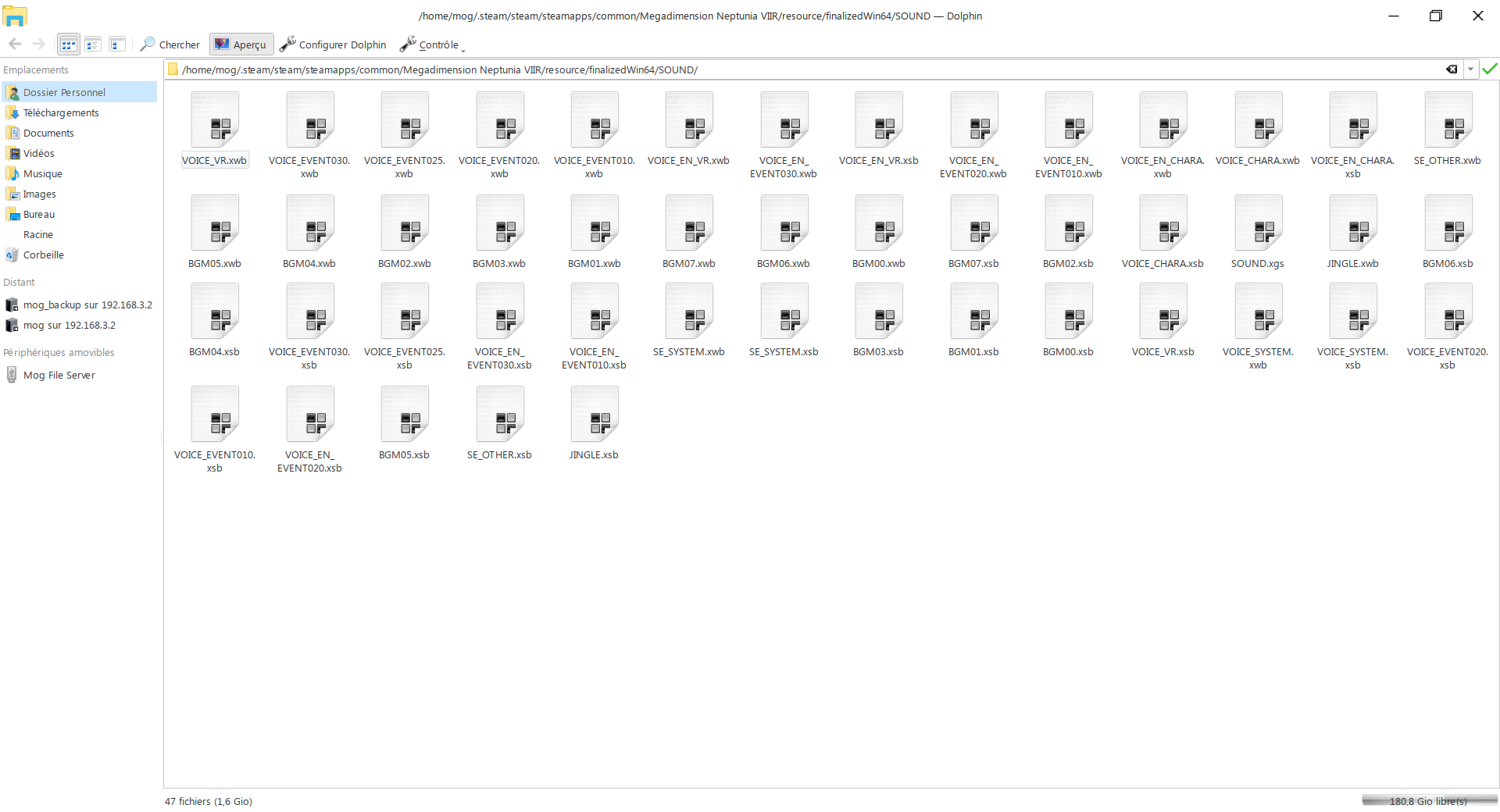
Yup! Wow, a VR game in 2018 that’s using XACT... pretty neat!
With 3.16-5 Beta there is a problem in the main menu too, it keeps reloading endlessly to me, which did not happen with 3.16-4. I have serious performance problems with this game even on Windows and even if my computer specifications are within the minimum, this is very strange.
This attachment shows a video with the problem: https://bugs.freedesktop.org/attachment.cgi?id=142816
This bug report has the most recent discussion about this game's performance on Intel ANV, and this one is the first bug report I wrote about it causing GPU hangs.
About the sound: the sound worked before. It was after two updates that sound stopped working: the first made sound stop working on videos, the second made the sound stop working on everything. Considering ProtonDB criteria, it was an easy platinum until they made sound stop working.
Hello @FurretUber, please add PROTON_LOG=1 %command% to the game's launch options and drag and drop the generated $HOME/steam-$APPID.log into the comment box.
Here is the log: steam-774511.log
3.16-6 fixes most of the sound issues, but note that the game uses xWMA for many of its WaveBanks, so the game will probably be silent with the provided FAudio. You either have to use native XAudio2/XACT3 or rebuild FAudio with WMA support.
I've just tried 3.16-6. It indeed fixed many sounds (such as the intro video and the game bgm), thank you !
But as you said, the voices and lots of in-game sounds are not playing. I cannot use protontricks 774511 xact to use the native XAudio2/XACT3 as this make the game unplayable so I was intending on rebuilding FAudio with WMA support like you said, but I'm not sure on how to proceed. If I read correctly here https://github.com/FNA-XNA/FAudio/issues/32 I only have to build it with FAUDIO_FFMPEG=1 ? I'm curious, is there a reason wma support is not the default for proton?
I was going to ask this, but I think it's related to license issues: to have wma support with gstreamer it's needed to install the ugly plugins, for example.
If it's a licensing issue that's sad since I'm pretty sure that's not the only game broken with a lack of codec support :/
In any case, I managed to build libFAudio.so with ffmpeg support and replaced the one in the proton directory, and all sounds work perfectly now.
I am testing the game with 3.16-6 Beta, the problem in the main menu where it was reloading constantly is no longer happening and part of the sound works.
@enimog what options did you use to build FAudio? I tried with cmake -DFFMPEG=1 -DXNASONG=1 .. and had the same result as with libFAudio.so provided with Proton.
@FurretUber Did you do 'export FAUDIO_FFMPEG=1' before running cmake -DFFMPEG=ON ../ ?
The first build was without this environment variable, now I built with it and noticed the .so file was a bit larger, but still had no success. Maybe Ubuntu 18.04 libsdl2-dev is too old? I got this warning:
/home/usuario/Documentos/FAudio/src/FAudio_platform_sdl2.c: In function ‘FAudio_PlatformInit’:
/home/usuario/Documentos/FAudio/src/FAudio_platform_sdl2.c:143:2: warning: #warning Please update to SDL 2.0.9 ASAP! [-Wcpp]
 #warning Please update to SDL 2.0.9 ASAP!
  ^~~~~~~
Edit 1: I build SDL 2.0.9, FAudio is using it to build and ldd shows libFAudio.so uses this 2.0.9 libSDL.so but still did not work :frowning_face:
I'm not very knowledgeable about Ubuntu since I'm on arch, but can't you update and try again?
Also, I've put a little more time on the game to see if everything is alright, and I found some new issues:
- When in gameplay mode, if I try to jump or do any other action that trigger a sound, it stop the background music... If I enter the menu, the bgm start playing again.
- The same apply when entering a battle ; there is no bgm playing, and after winning a battle the above trick do not work anymore, i.e. the background music is permanently stopped.
- In battle, when doing a special skill, the character texture do not display correctly; the character is displayed all black.***
*** I tried to reproduce it to take a screenshot but every time it was displaying correctly... so I guess this one is probably a non-issue.
Edit:
@FurretUber hmm... Did you replaced the lib both in ~/.local/share/Steam/steamapps/common/Proton 3.16 Beta/dist/lib/ and ~/.local/share/Steam/steamapps/common/Proton 3.16 Beta/dist/lib64/ ? Do you use a clean pfx?
Yes, replaced both at lib and lib64. At lib being a 32-bit version and at lib64 bring a 64-bit version, built with same configuration. As the suspects are many (SDL, FFmpeg, other libraries) I don't think it's worthy to test. At best it would result in a frankenbuntu, at worst it would truly break the system.
I went to a battle and I noticed:
- No sound when the opponent (Squirrel Cat) noticed me;
- Battle happened with the map music instead of battle music;
- No sound effects;
- No voices;
When I won the battle the music stopped and no sounds played. After the battle, when returning to map, the music did not return and no sound played anymore.
I think that as the performance is absolutely terrible (Xorg freezes for 4 seconds, then update, then freezes for 4 second). This slowness may cause the game to have problems as I think most developers don't prepare their games for a scenario where the game run constantly at 0,2 FPS.
One interesting thing is that the controller rumble works. It doesn't work on Windows 10.
Is there a way to download an older version of a game? If yes, I could download the previous version that had sound working to see what are the differences in the logs.
It wouldn’t surprise me if XACT accuracy wasn’t 100% there - the XNA catalog only gave us so much to work with, I’d have to look at the data to see how it works.
If you’re interested in playing with it, you can set BUILD_UTILS=ON and make facttool will build my auditioning tool. You can load engine files (.xgs), SoundBanks (.xsb), and WaveBanks (.xwb). It has basic playback support and dumps basically every value in the data, most of which are magic numbers.
Reimplementing XAudio2 wasn’t so bad, but reimplementing XACT3 is basically like remaking a entire audio authoring middleware, with essentially zero documentation from MS >:(
Yeah reverse engineering is not a easy task ... But hey, I think you did a pretty good job until now :) I appreciate a lot that you help making more games working on linux.
I've built facttool and tried to play with it. I've loaded SOUND.xgs as the sound engine, and tried to play the sounds from BGM00.xsb and from BGM00.xwb. The sounds from the wavebank were playing correctly, but playing sounds from the soundbank crashed the tool with a segfault. So there is a possibility the issue lies there maybe? If you need data to help you, just ask and I'll do what I can.
I built facttool and using it to load the wave banks with the voices works. I built FFmpeg from git now, maybe this is what made it work properly, but I still have to test in-game. I should see how I will make the different libraries visible to libFAudio.so.
Wine and sound to me is... complicated, since always. Some programs with MIDI have no sound, some only do not play the MIDI, some are flawless, as an example.
I managed to crash facttool when trying to close a bank while a sound was playing. gdb shows the following backtrace:
(gdb) bt
#0  0x00007ffff7b9a7c7 in FACTWave_GetState () from /home/usuario/Documentos/FAudio/build/libFAudio.so
#1  0x0000555555557cbe in FAudioTool_Update() ()
#2  0x0000555555556f19 in main ()
Edit: using the library I just built it seems more sound effects are working. I had to add LD_LIBRARY_PATH=/home/usuario/Documentos/FAudio/build/:/home/usuario/Documentos/ffmpeg_linux/lib/:$LD_LIBRARY_PATH to the launch options and replace the libFAudio.so from the lib64.
Some cutscenes do not load using this custom built library, but the ones that load seem to run correctly. Sound effects work, voices work. It seems the music problem I mentioned in a previous comment, where it does not return, is still present.
In the case of FAudio, all sound should bypass Wine audio and go straight to SDL2's audio driver. I'm beginning to wonder if that's where all my strange "sound quality is better" feedback is coming from...
facttool's playback is definitely lazily-written, so expect some nastiness even in some pretty basic scenarios. That being said, the really interesting stuff will be in the SoundBank, since the WaveBank is purely wavedata without much going on. Most of XACT's nastiness happens in the SoundBank, particularly in Cues and Sounds, which have a very strange mashup of Wave entries grouped into tracks that may or may not play based on variables, RNG, instance limits, junk like that.
If the Cues have proper names (you'd be surprised how often they don't), find the Cue that acts up and play around with that. Sometimes I just printf every Cue name at Play() time and see what gets printed whenever sound starts acting up, and work my way from there. Pretty goofy way to debug, but surprisingly reliable!
I found the voices from the problematic event, they are numbered in a seemingly understandable way. They are on the files VOICE_EN_EVENT010.xsb and VOICE_EN_EVENT010.xwb, from the cues 11004001 up to 11004018: it's an event from the start of the game, when Neptune and Nepgear wake up at Nameless Ruins.
Within the game, it's one of the first events. If already played up to this part, the event can be accessed at the Memories section of the Player Room, open Events. In the Main section there, one of the first events is called Where Are We?, which is the event on which I noticed the problem.
With facttool all voices played flawlessly, but in-game that event didn't work: the screen was black and the background music started. I could skip it but the music is lost until the game is closed.
Edit: there is one message related to xaudio in the Steam log. If everything related to xaudio should be bypassed to FAudio, can this indicate a possible issue?
93189.521:0032:0033:fixme:xaudio2:IXAudio2Impl_QueryInterface (0xb9def0)->({60d8dac8-5aa1-4e8e-b597-2f5e2883d484},0x23e310), not found
I tried again the game with proton 3.16.8 and I replaced libFAudio with the one found at https://aur.archlinux.org/packages/faudio-git/ and https://aur.archlinux.org/packages/lib32-faudio-git/ (commit 1071).
It... almost work properly now. So that's great news ! What I mean by 'almost' is that sound actually play properly now inside the game. BUT. When a voice is playing, the background music fade and pause. The background music then resume where it was once the voice ended playing.
EDIT : nevermind, I was stupid. There is an in-game option to lower the bgm when characters are speaking and it was turned on. I tested a few battles in gameplay mode and the Player Room and the audio is fine. Since it is working properly for both me and @FurretUber , I'd say the issue is fixed. As for the performance issue FurretUber have, I did not notice anything special on my side but I have a much more powerful GPU (nvidia gtx970) so that probably help.
I built the latest FAudio git and tested it. The only sound effect I didn't notice (will test again later) was the main menu sound when changing the option there. All others I tested worked.
On all events, including Where Are We?, sound worked exactly as on Windows 10: when there are voices the music plays with slightly lower volume.
Unfortunately, performance-wise the game is still an absolute disgrace. 1 FPS on Player Room, 1 FPS on story. On Windows 10, Player Room FPS is 25.
On Windows 10, gamepad stopped working and game is crashing on game play now. The crash bug was fixed on Mesa, so it works on Xubuntu. My options are pretty bad here: 1 FPS on Player Room and game play on Xubuntu 18.04 or 25 FPS Player Room and game play crash on Windows 10. 😢
I will try to install the Windows DCH drivers for my GPU. I hope I don't destroy my Windows 10 install with this.
Edit:
The Windows DCH drivers did not destroy the Windows 10 install (but there were four minutes with no video output to make the upgrade tense). And the game still didn't work on Windows 10. Looks like: this game + Intel GPU = impossible to play on Jingu Sakura Park - Inner, so unable to progress.
Regarding sound, all sounds are working on Xubuntu, but the volume of the sound effect when the menu options are selected play with much lower volume than on Windows 10.
After a long hiatus, I decided to test this game again with 4.11-2 and 4.11-3. I noticed some 100% improvement in performance, but this is from 1 to 2 FPS...
There are certain circumstances where 3D elements do not completely destroy the game performance. While in the pause menu, it's possible to see the character's models. There, the game runs at around 18 FPS even after the 3D models load:
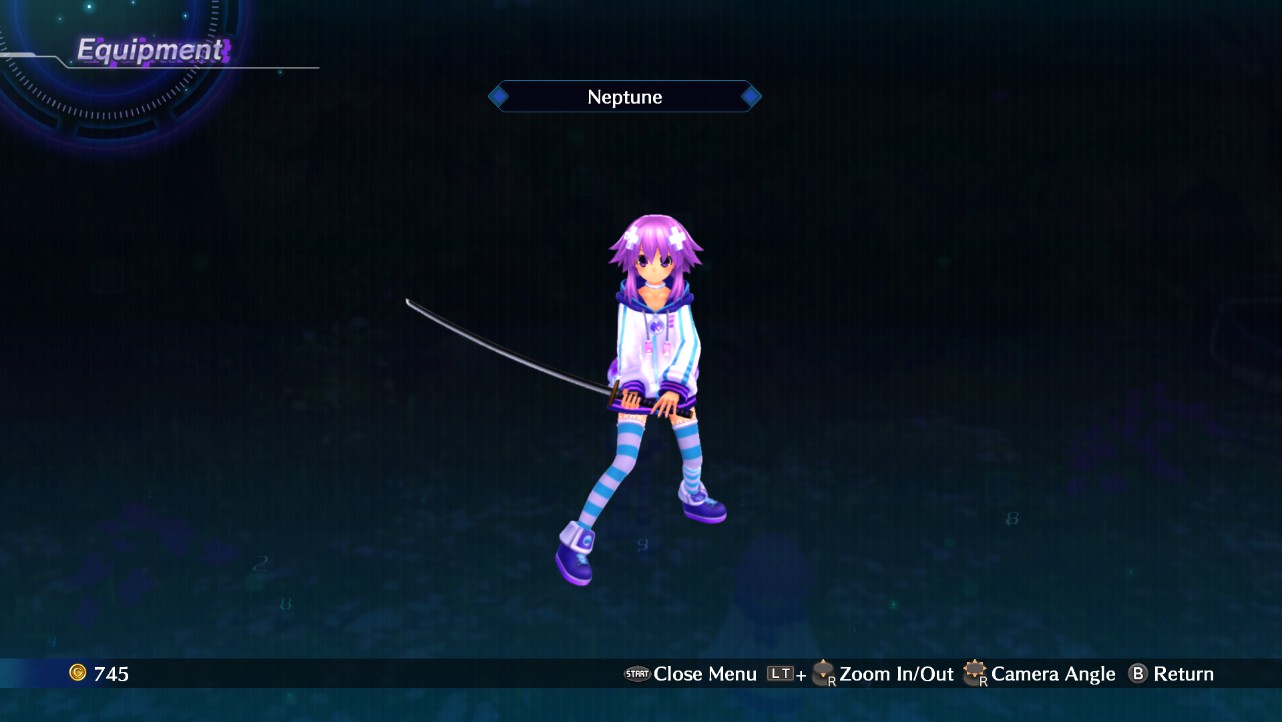
Even with all the three characters loaded (it's hard to progress playing at 1 FPS), the performance still is the same in the pause menu:
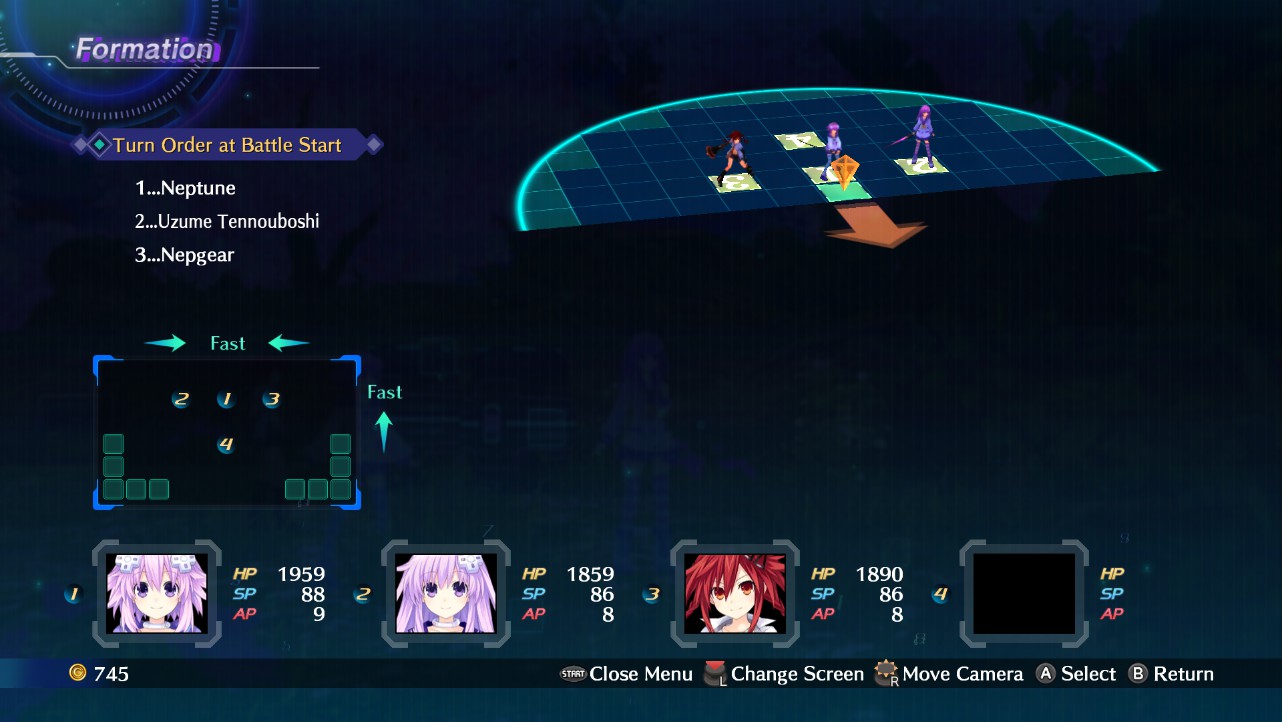
However, in the world the game still is extremely slow. Comparing the characters from the pause menu with them in the game play, they seem darker in the pause menu.
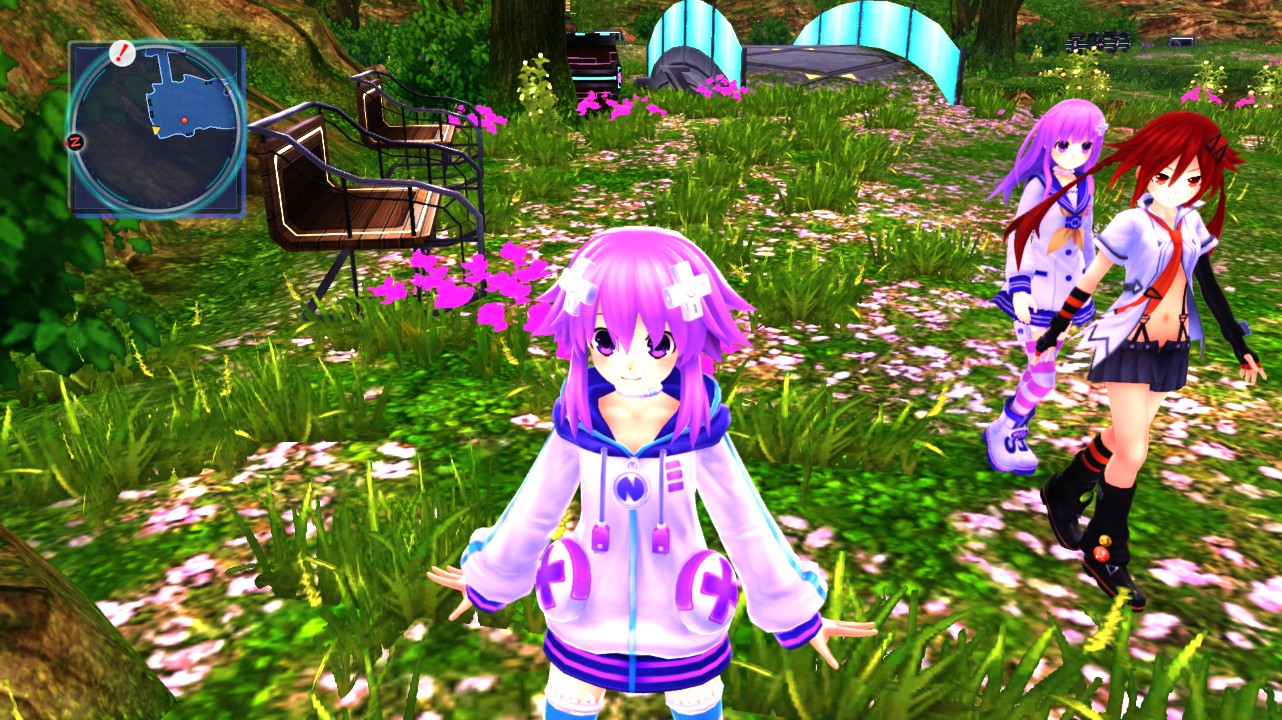
Regarding FAudio, I'm still using my own builds configured to have all sounds working. It seems there are a few issues even with that build, but I'm not sure if they are related to FAudio or the extremely low performance makes the game itself bug and some sounds stop working or behave like they were queued and play when there are enough spare system resources.
GPU is always showing at least 5 W of power consumption and 100% GPU load in this game, regardless what is on the screen.
With Proton 5.0-7 the game starts, only SFX and Dub fail to play. In the prefix I messed around with xact and that completely borked sound output! These play fine with regular wine. I've tested 5.0 Stable, 5.8 and 5.9 staging, all ran fine with Dub voices and everything. Some SFX tones are too loud other tones are too quiet. Also the game suffers a noticeable performance loss, although on Windows it also barely held a smooth framerate. On Windows I believe seeing between 50-60 while on Wine I get around 40-50 with the post-processing enabled on the game's option. Turning that off gets me 50-60fps again. The game seems power hungry.
Other wine releases don't work with the game at all. I've tried various versions of Wine-TKG, Lutris-Wine and Proton-GE all crash at startup with all different crash reports. I don't know how much these release have changed to cause the crashes, but looking at the logs all seem to have xactengine3_7 and xaudio2_7 involved.
After years (literally), I leveled up my notebook (specifications here), the same Xubuntu install is now upgraded to 22.04 (it's still alive!).
- GPU: Nvidia GTX 1650 Max-Q and integrated AMD Radeon (Ryzen 7 5800H)
- Driver/LLVM version: 4.6.0 NVIDIA 510.73.05 and 4.6 (Core Profile) Mesa 22.0.1
- Kernel version: 5.15.0-40-generic
- Link to full system information report as Gist: new computer!
- Proton version: Experimental

And can play this game at 60 FPS... for a while. The game starts running at 60 FPS, but then the wineserver starts causing a moderate CPU load, causing severe stuttering.

Once it starts stuttering, there are certain visual effects that make the game return to normal but, when the effects finish, the problem reappears. On Windows, the performance basically perfect, so there is a significant difference between Windows and Linux here.
Regarding sound, it seems to be OK. On both Windows and Linux, there are events with no voice, so I think there were no voices at all for that events. All sound effect seem fine too, music too. On Windows, you can't disconnect Bluetooth audio without the game crashing, but on Linux I can change the audio output device with no problem. Please note I'm not 100% sure about the state of the audio on this game, however.
About graphics, using the Nvidia GPU the performance seemed to be very close (considering the moments before the stuttering). I still have to test on Linux using the integrated AMD.
I had the game crash a few times on both Windows and Linux, so it seems to have the same stability (not that stable...).
The performance of the integrated AMD on Linux is close to its performance on Windows too. It's the annoying stuttering that is the problem.
Regarding the stuttering, I found a place where it can be consistently reproduced: the Player Room.
There are 4 projectors with options that can be selected. While these projectors are on the screen, the stuttering happens consistently.
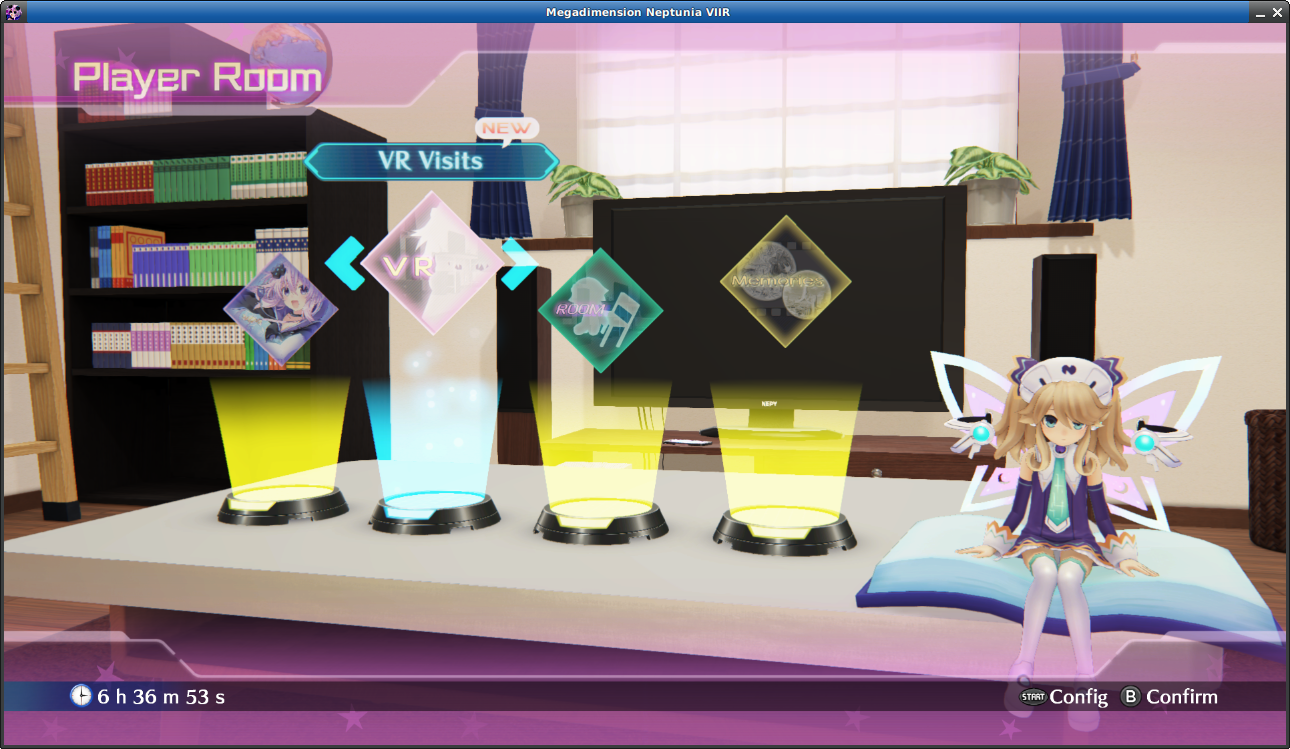
When selecting the rightmost option (Memories), the projectors will disappear, and the stuttering disappears too! On the following screenshot, the game runs perfectly fine.
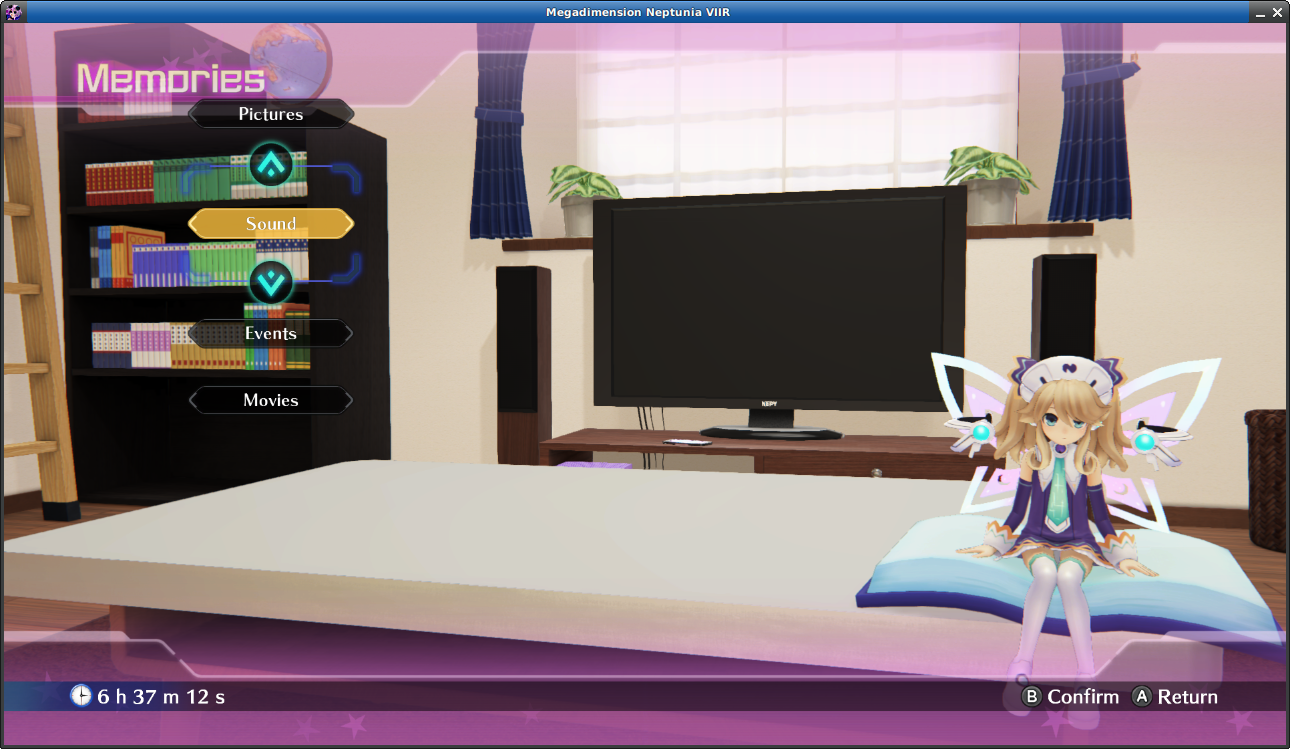
Because of this behavior, I believe that whatever is causing the stuttering on gameplay is also causing the stuttering on the Player Room before selecting an option.
Then, I decided to get an apitrace of this game. This was painful, because the game was refusing to start, showing the following message:
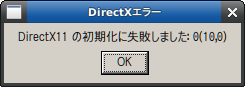
And originally, the Japanese characters weren't even being displayed correctly, so it was unreadable.
Using the following tiny line to start apitrace:
LANG=ja_JP.UTF-8 LC_ALL="ja_JP.UTF-8" LANGUAGE="ja_JP.UTF-8" WINEPREFIX='/mnt/W10/Program Files (x86)/Steam/steamapps/compatdata/774511/pfx' "/home/usuario/.local/share/Steam/steamapps/common/Proton - Experimental/files/bin/wine64" '/home/usuario/Downloads/apitrace-msvc-latest/apitrace-msvc/x64/bin/apitrace.exe' trace --api d3d11 ./v2r.exe
I was able to get a valid trace, which I uploaded to MEGA.
There is a timer on the bottom left, on which it's possible to see jumps to multiple seconds ahead while the projectors are on the screen.
Regarding the Proton log and system specifications, my previous message's data is still relevant.
when in the configuration or in the player room the game freezes with 1 core with 100% for some time then come back. is sadly unplayable
Related threads
- Baldur's Gate 3protonopen same error
- BioShock Remasteredprotonopen same error
- Baulders Gate 3 will not launchprotonclosed same error
- Final Fantasy 14protonopen same error
- Halo: The Master Chief Collectionprotonopen same error
- The Witcher 3: Wild Hunt — Remasteredprotonopen same error
- Warframeprotonopen same error
- HELLDIVERS™ 2protonopen same error
- Divinity Original Sin 2protonopen same error
- Assetto Corsa Competizioneprotonopen same error
Proton versions
proton experimentalx1 2022-07proton 5.0-7x1 2020-06proton 3.16x2 2019-03
Launch options
WINEPREFIX='/mnt/W10/Program Files (x86)/Steam/steamapps/compatdata/774511/pfx'x1 2022-07PROTON_LOG=1x1 2018-12
DLLs
xaudio2_7.dllx2 2018-10xactengine3_7.dllx1 2018-10
Compatibility Report
System Information
I confirm:
Symptoms
There is no sounds when playing the game at all. There should be sounds playing when opening the game and viewing the intro video or the main menu but there is not. Using sound=alsa instead of sound=pulse does not change anything.
steam-774511.log
Reproduction
Simply launch the game.