DOOM (2016) worse performace on Vulkan compared to OpenGL
System Information
- GPU: AMD RX480(8gb)
- Driver/LLVM version: Mesa 18.3-dev/ LLVM 7.0.0
- Kernel version: 4.18.10
- OS: Ubuntu 18.04.1
- CPU: r5 1600 (SMT OFF)
Spent from:
The difference is about 10-20% in favor of the API Vulkan. Perhaps not correct or partial installation of drivers. Try Mesa 18.3
Wolfenstein II: The New Colossus shows 60-100 FPS at high settings.
Based on this, I see that your problem is not standard. Please write more info: OS, CPU, RAM
Hello @Volkinaz, more system info was already provided: https://gist.github.com/igo95862/4e4c5dace6a494ea57719bff6e7ee34d
@igo95862 Try disabling your iGPU in your bios. I had the same issue on a system with 2400g + rx 580, problem was vulkan was using the first GPU it found, which was my iGPU. I couldn't figure out for the life of me why I was only getting 30ish fps at high settings 1080p. Once I disabled the iGPU vulkan used my 580 and my framerates returned to normal
what is the output of:
vulkaninfo | grep "GPU id"
you may need the vulkan-tools package for this command to work.
` ERROR: [Loader Message] Code 0 : /usr/lib32/libvulkan_radeon.so: wrong ELF class: ELFCLASS32
            GPU id       : 0 (AMD RADV POLARIS10 (LLVM 7.0.0))

            GPU id       : 0 (AMD RADV POLARIS10 (LLVM 7.0.0))

            GPU id       : 0 (AMD RADV POLARIS10 (LLVM 7.0.0))

            GPU id       : 0 (AMD RADV POLARIS10 (LLVM 7.0.0))

            GPU id       : 0 (AMD RADV POLARIS10 (LLVM 7.0.0))

            GPU id       : 0 (AMD RADV POLARIS10 (LLVM 7.0.0))

            GPU id       : 0 (AMD RADV POLARIS10 (LLVM 7.0.0))

            GPU id       : 0 (AMD RADV POLARIS10 (LLVM 7.0.0))

            GPU id       : 0 (AMD RADV POLARIS10 (LLVM 7.0.0))

            GPU id       : 0 (AMD RADV POLARIS10 (LLVM 7.0.0))

            GPU id       : 0 (AMD RADV POLARIS10 (LLVM 7.0.0))

            GPU id       : 0 (AMD RADV POLARIS10 (LLVM 7.0.0))

            GPU id       : 0 (AMD RADV POLARIS10 (LLVM 7.0.0))

            GPU id       : 0 (AMD RADV POLARIS10 (LLVM 7.0.0))`
I don't even have Vulkan Intel driver installed. Disabling the IGPU in bios changed nothing.
yikes, maybe try llvm-svn and mesa-git, only other thing i can think of
Hmmmmmmmmmmmmmmmmmm, I think I discovered something.
I switched to LTS kernel which has version 4.14.78 and it seems like this fixed performance:
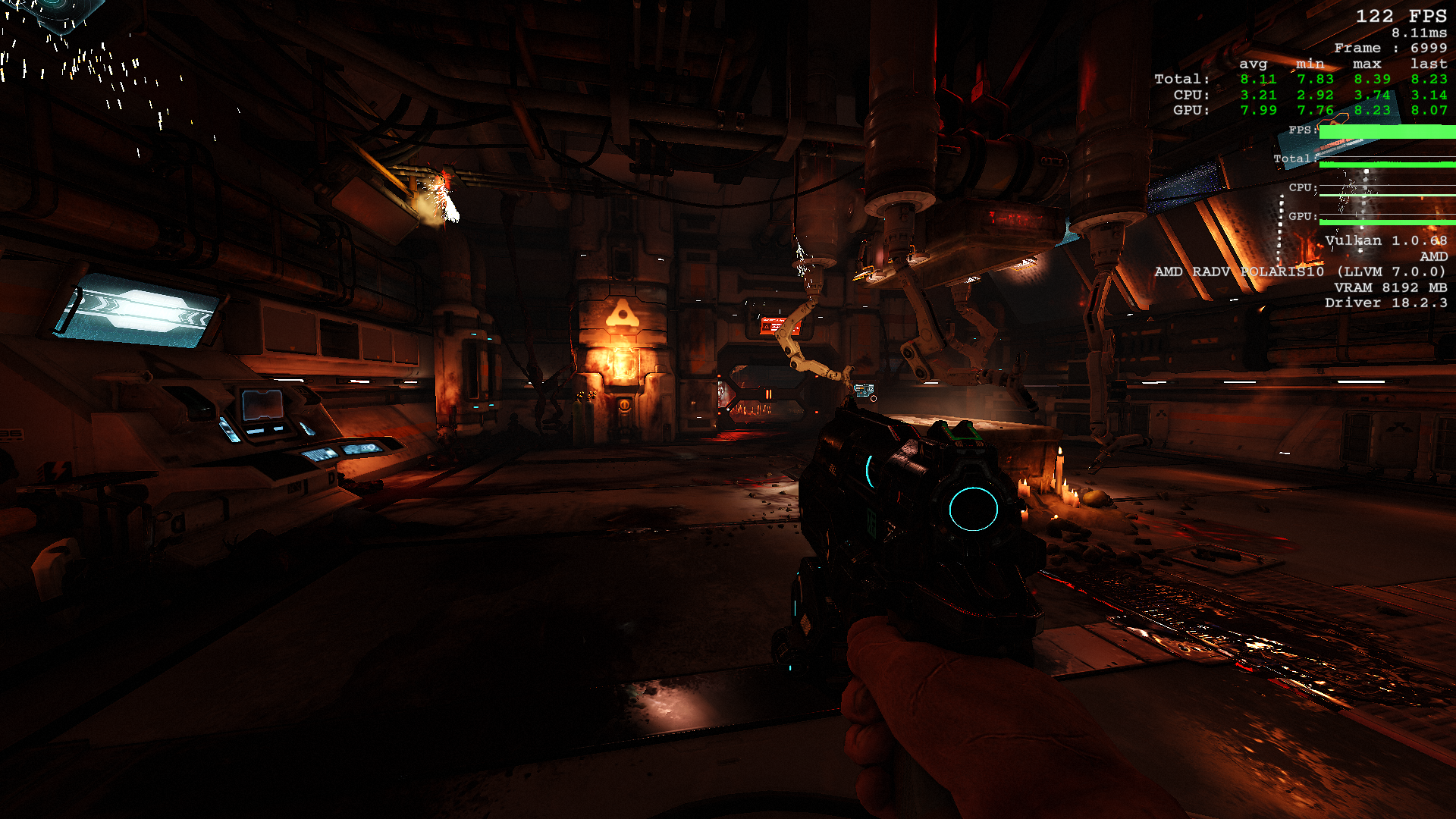
@igo95862 something else changed. look at your vulkan version. 1.0.68 compared to normal 1.1.70. A friend mentioned to check cpu usage, the razer chroma bug is known to get first two cores stuck at 100%
The CPU usage always stays low. Its the GPU that gets maxed out on newer kernel.
Launch options
PROTON_LOGx1 2018-10
Compatibility Report
System Information
I confirm:
PROTON_LOG:
steam-379720.log.zip
Symptoms
OpenGL: 107-110 frames


Vulkan: 43-50 frames
Vulkan version can't even sustain 60 frames in the main menu.
Those screenshots are on minimum settings.
Last time I checked on Windows DOOM (2016) on Vulkan had generally more performance than OpenGL. I also checked other peoples reports and they seem to indicate generally better performance when Vulkan is activated.
I've tested Vulkan with Dota 2 and performance seemed to be equal or slightly better than OpenGL implementation.
I wanted to test some other game to verify if this was DOOM (2016) specific or a general proton issue, however, the only other game that supports Vulkan and does not have native linux port I know of is Wolfenstein II: The New Colossus but I do not own that game.