All VR games are not working
VR works fine for me. You need Nvidia driver v396.54.09 (you mention that you're using v396.51):
Is VR working for you outside of Proton? For example, do you see anything in the headset when you run SteamVR? You may need to launch SteamVR first before trying to launch a VR title.
Yep, all native games are working(SteamVR home, vive craft). Also I reinstalled the system, didn't help at all. Will try to install 396.54, will see if it will help
Updating your drivers is a good idea. Beyond that, I can think of two useful things you could do. First would be to launch Steam itself from a Terminal and see if it outputs any obvious error messages when running a VR game. If not, then you can try editing user_settings.py to gather a log with +vrclient. See the README for more information about user_settings.py. The line to change would become:
"WINEDEBUG": "+timestamp,+pid,+tid,+seh,+debugstr,+module,+vrclient",
Installed nvidia 396.54 driver, didin't help. There is a log for google earth VR
steam-348250.log
.. and you're on 396.54.09? The .09 is important.
This one

You need Developer Beta Driver 396.54.09:
https://developer.nvidia.com/vulkan-driver
That shouldn't prevent VR from working. The .09 is only important for transform feedback support, which usually manifests as missing models in the game, not a failure to initialize VR.
There is a small video with the problem https://youtu.be/3qw75CGZ7ec
Did you try running Steam itself from a Terminal and seeing if it dumps any errors when you try to launch a VR game? Keywords to look for are "Traceback" and "Proton". It looks like we're failing to detect the SteamVR installation in Proton, so the game never tries to load vrclient.
That shouldn't prevent VR from working. The .09 is only important for transform feedback support, which usually manifests as missing models in the game, not a failure to initialize VR.
You're probably right.. Sorry for giving wrong information. I had problems getting it to work myself, and read somewhere that .09 was needed. I thought it was in the official instructions, but apparently not. It did however solve the problem for me.
There is the error. Found it Unable to read VR Path Registry from C:\users\steamuser\Local Settings\Application Data\openvr\openvrpaths.vrpath
Going to look at this file, maybe because I have russian in path
No luck with that. This file is temporary and it was created and removed at the same time. Anyway, this file contains this:
openvrpaths.vrpath.txt
Which HMD are you using? I noticed from your video that the HMD icon isn't showing - and I'm not sure what the controller icons represent?
Does your System Information still say "VR Headset: None detected" after updating the driver?
I'm using OpenHMD emulated HMD. https://github.com/ChristophHaag/SteamVR-OpenHMD
Neat, I didn't know that existed. My guess is the game is expecting something from the VR config files that OpenHMD is not providing. You could ask the OpenHMD author to look into this, they might find it interesting.
The thing is that it worked 4 months ago. And it was nice, no errors at all, also OpenHMD-SteamVR author have no idea why it isn't working, already asked him
OK. All this info would have been useful in the initial report :) I don't think we'll have time to look into this in the near term, but if it worked before, it may not be hard for you or some interested developer to fix.
I agree with Aeikum that the issue is probably with OpenHMD rather than with SteamVR - even if it's maybe caused by an update to Proton or something.
Maybe you could convince Christoph Haag to test it himself? He's very active in the community, and usually very helpful. That way he could verify if this is an issue with OpenHMD or with your specific configuration.
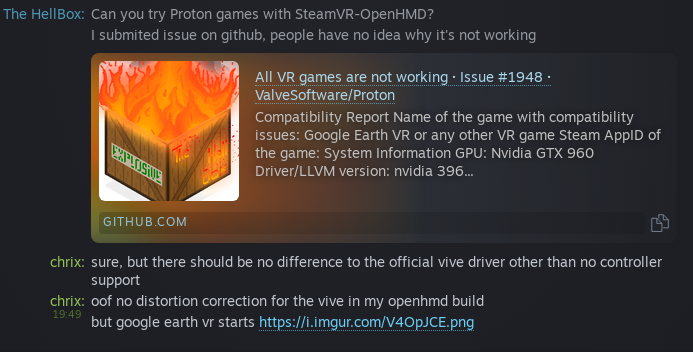
Image link for the lazy: https://i.imgur.com/V4OpJCE.png
I tried it with OpenHMD's Vive driver (you can see SteamVR showing my very sophisticated HMD logo for it) and google earth VR works so far, just without controllers it's not very useful.

There really should really not be much of a difference between the official lighthouse SteamVR plugin and the SteamVR-OpenHMD plugin, except the yet to be finished controller support in SteamVR-OpenHMD.
Well... I haven't tried OpenHMD, but the OHMD icon from Christophs screenshot is missing in TheHellBox' video - but instead there are two controller icons? Is that expected?
I would probably try reinstalling from scratch if it was me - but just out of curiosity.. can you run non-VR Proton games? - And is python 3 installed (also a requirement, but I don't know the effect of not having the proper version installed)
@h1z1 Thanks! It works now.
The problem was cyrillic in driver path, I don't know why it was there, but after changing path it works again
Launch options
WINEDEBUGx1 2018-11
Compatibility Report
System Information
I confirm:
steam-348250.log
Symptoms
VR games just refuse to init OpenVR(eg black screen or they go into non VR mode)
Google Earth VR crashes on startup with
VRInitError_Init_PathRegistryNotFoundReproduction
Install SteamVR
Install any Proton Game(Google earth VR for example)