Dead Rising
This one almost works, but requires WMAv3. Tried to add it, but the game just loads infinitely after this. No idea if it's my fault!
https://github.com/FNA-XNA/FAudio/commit/d8224a0ed198ed60d15e8c398d3549ca306c6e41
Game crashed during a fight with a zombie a few minutes after starting.
Proton : 3.16-6 Beta
System Info : https://gist.github.com/darcalus/708da494996a4e84312cc955fbd5bf62
Log : https://gist.github.com/darcalus/49bd2f38e90ee32e961e535c36b761ee
Any progress on this one? All of the ProtonDB reports appear to indicate that the game still isn't working at all for the majority of users.
Finished both 72 Hour Mode and Overtime Mode with the only minor issue being the picture viewer not working.
Incorrect:
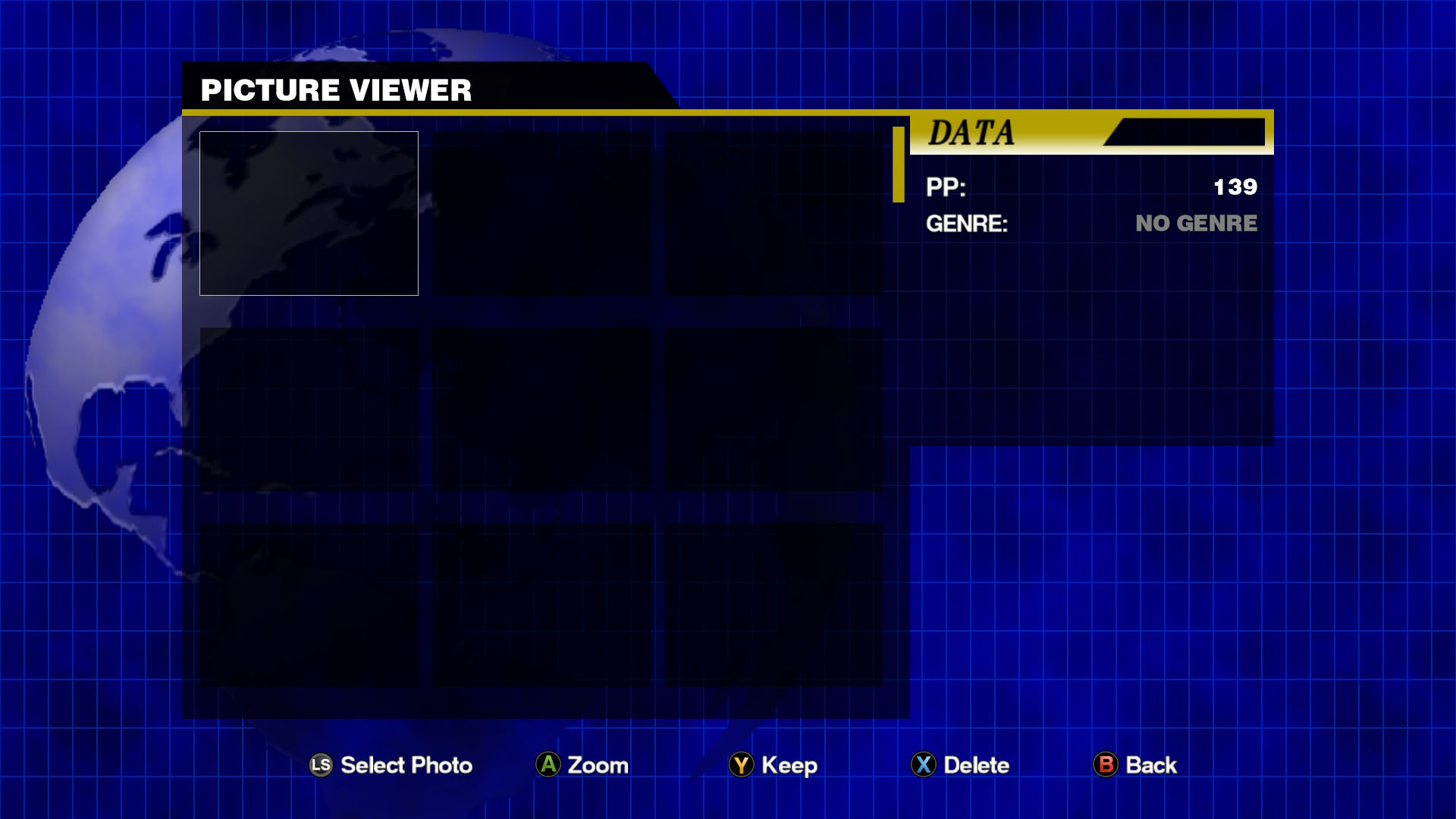
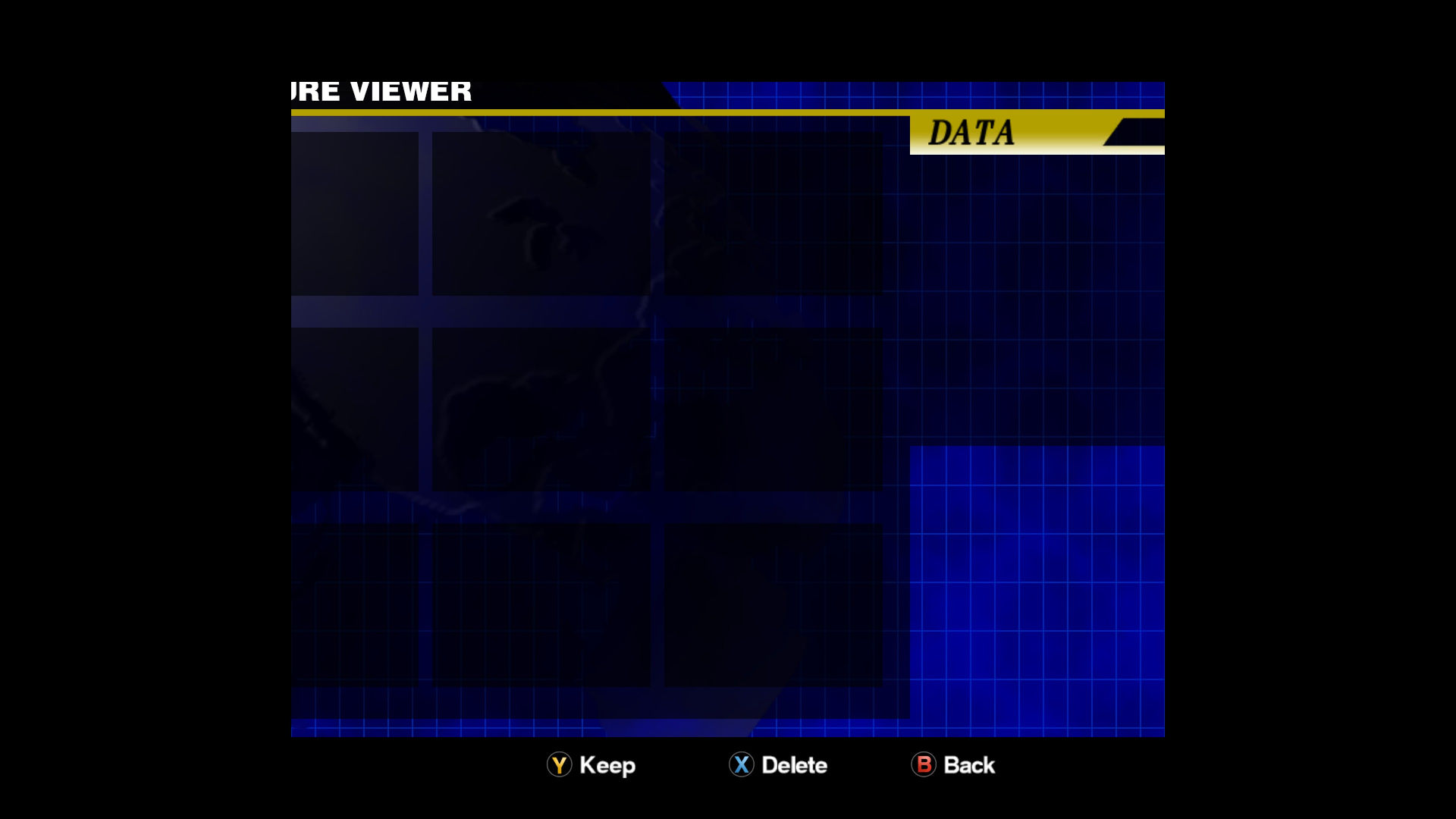
Correct:
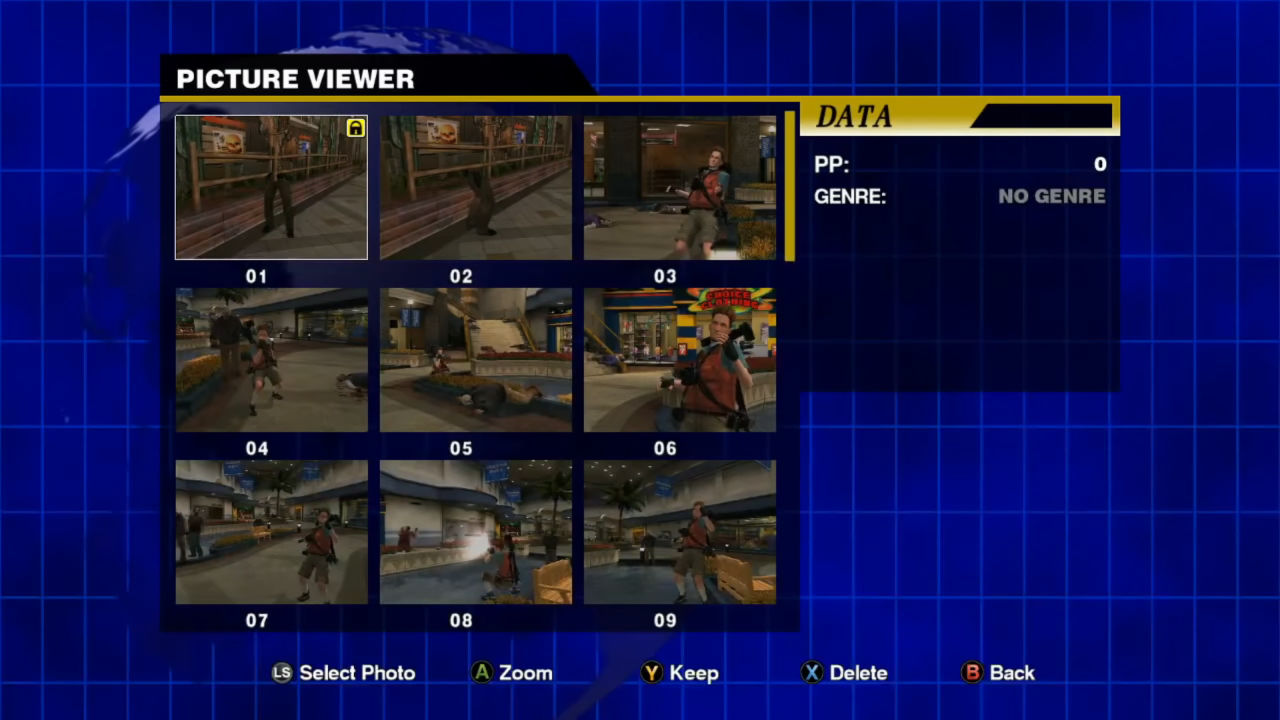
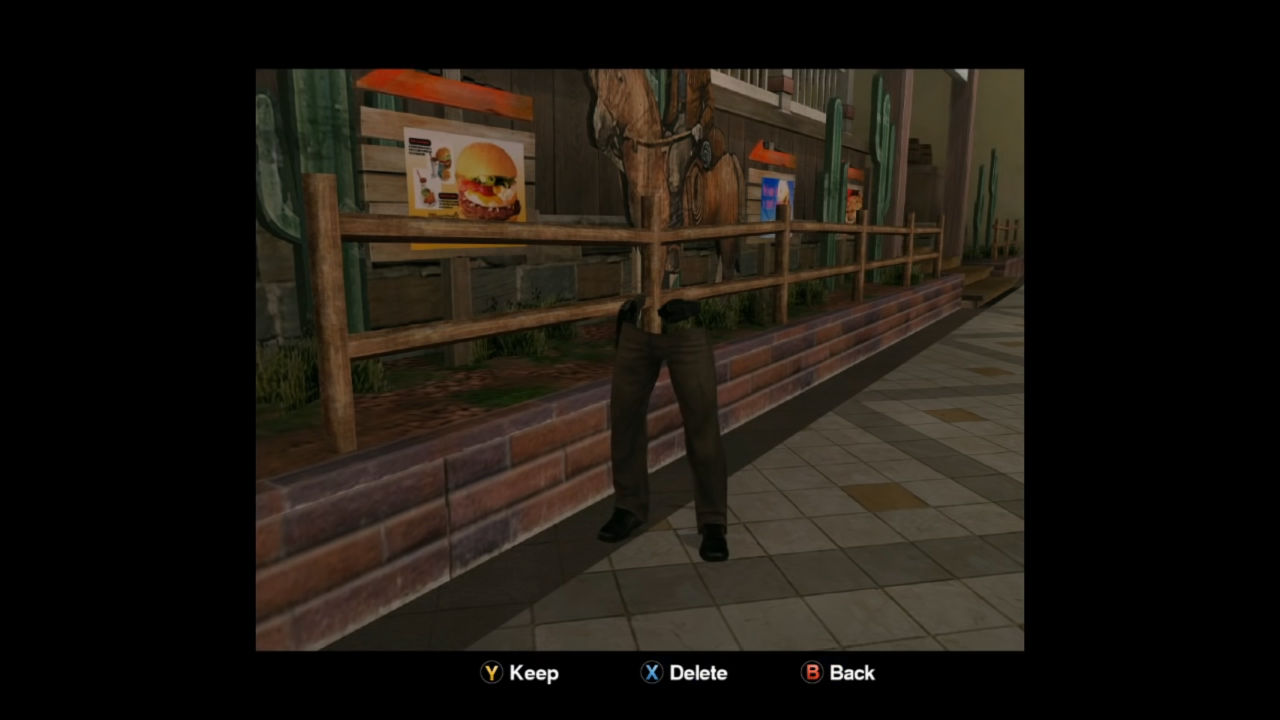
This issue occurs with both DXVK and WineD3D.
xact is required to avoid indefinite loading before/after cutscenes.
DeadRising_d3d11.log
steam-427190.log
System Information
- GPU: Vega 56
- Driver/LLVM version: Mesa 19.2.4/9.0.0
- Kernel version: 5.3.12-arch1-1
- System Information
- Proton version: 4.11-8
Dead Rising issues
Issue transferred from https://github.com/ValveSoftware/Proton/issues/5127.
@coreybruce posted on 2021-08-30T06:33:13:
Compatibility Report
- Name of the game with compatibility issues: Dead Rising
- Steam AppID of the game: 427190
System Information
- Link to full system information report as Gist: https://gist.github.com/coreybruce/dcd2bec911594c9212d351ac2e7a3f98
- Proton version: 6.3-6
I confirm:
- [x] that I haven't found an existing compatibility report for this game.
- [x ] that I have checked whether there are updates for my system available.
Proton Log: https://gist.github.com/coreybruce/fe8403b881ce4550601d98268750b258
Symptoms
-Game will infinitely load once you start a new game
-Game will go black screen if you alt tab or minimise game
Reproduction
run game using latest proton and start new game also try and minimise or alt tab from the game.
Any progress with the Dead Rising issue?
Confirmed a work around to fix it, the prefix needs xact installed
Step to fix
WINEPREFIX=/home/$USER/.steam/steam/steamapps/compatdata/427190/pfx/ winetricks xact
Also using the default proton causes weird controller layout issues that is solved by using the latest Proton-GE
Compatibility Report
System Information
I confirm:
Symptoms
Game will crash roughly 5 or 6 minutes after launching no matter what. During the time before crashing the game seems to perform rather well and is almost perfect with winetricks xact installed to work around audio issues. The Proton log file repeatedly mentions dinput8.dll.
Proton log here.
Reproduction
Install game, launch then wait about 5 or 6 minutes.