protonscr

Planetarian - The Reverie of a Little Planet

protonopen appid 316720Game compatibility - Unofficial
ValveSoftware/Proton#213 · opened 2018-08-23 by UnspeakableHorror · updated 2018-08-23 · 5 comments · github · game page · search this game
UUnspeakableHorror 2018-08-23 github
  • Starts in full screen stretched and the background starts to blink horribly with a giant WINE dialog with no buttons or text. Setting the game to windowed mode seems to make the screen work fine at least.
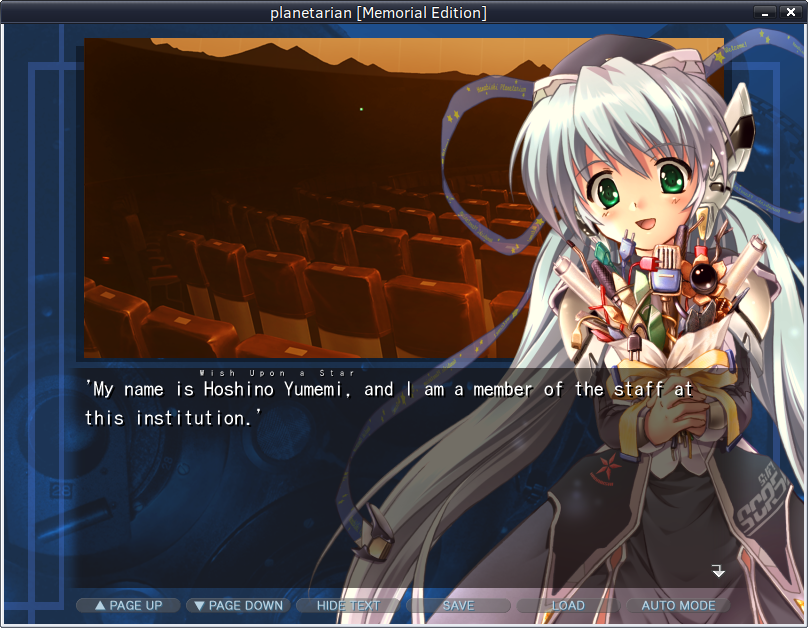
  • Fonts seem to be missing, a dialogue appeared to let me select it and with that I could continue, "Kochi Gothic" was the most readable.
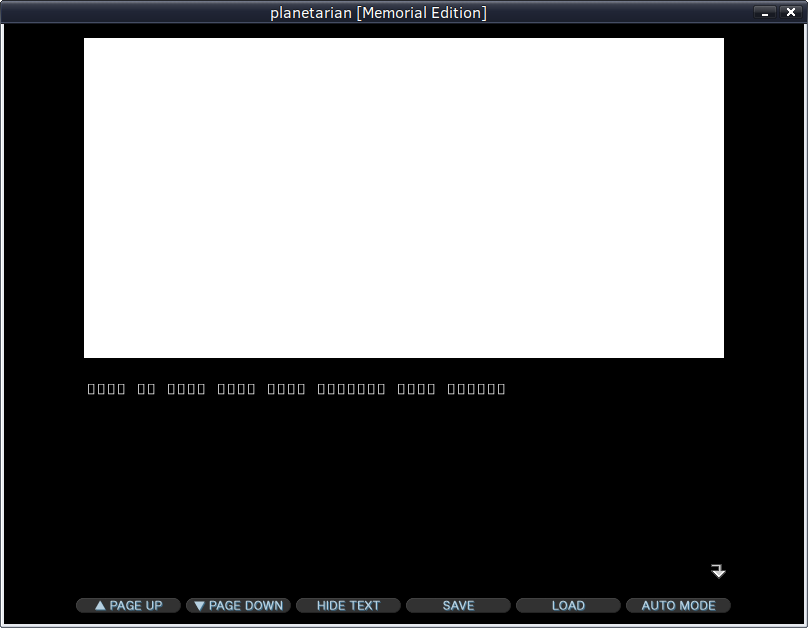
  • Images seem to fail to load at the beginning, I got a white screen until the game transitioned to another one. I'm not sure if this is intentional or a bug.
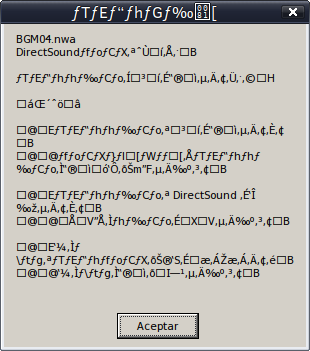
  • When the game attempts to play music (I assume) a WINE dialog appears complaining about DirectSound and what seems to be a music file, the rest of the text is unreadable (probably in some other language)

Weird white image:
image

After transition and font selection:
image

Sound error:
image

System

Computer Information:
    Manufacturer:  Unknown
    Model:  Unknown
    Form Factor: Desktop
    No Touch Input Detected

Processor Information:
    CPU Vendor:  AuthenticAMD
    CPU Brand:  AMD Ryzen 7 2700X Eight-Core Processor         
    CPU Family:  0x17
    CPU Model:  0x8
    CPU Stepping:  0x2
    CPU Type:  0x0
    Speed:  3700 Mhz
    16 logical processors
    8 physical processors
    HyperThreading:  Supported
    FCMOV:  Supported
    SSE2:  Supported
    SSE3:  Supported
    SSSE3:  Supported
    SSE4a:  Supported
    SSE41:  Supported
    SSE42:  Supported
    AES:  Supported
    AVX:  Supported
    CMPXCHG16B:  Supported
    LAHF/SAHF:  Supported
    PrefetchW:  Unsupported

Operating System Version:
    SolydX 9 (64 bit)
    Kernel Name:  Linux
    Kernel Version:  4.17.0-1-amd64
    X Server Vendor:  The X.Org Foundation
    X Server Release:  12000000
    X Window Manager:  Xfwm4
    Steam Runtime Version:  steam-runtime-beta-release_2018-06-14

Video Card:
    Driver:  NVIDIA Corporation GeForce GTX 1070/PCIe/SSE2
    Driver Version:  4.6.0 NVIDIA 390.77
    OpenGL Version: 4.6
    Desktop Color Depth: 24 bits per pixel
    Monitor Refresh Rate: 60 Hz
    VendorID:  0x10de
    DeviceID:  0x1b81
    Revision Not Detected
    Number of Monitors:  1
    Number of Logical Video Cards:  1
    Primary Display Resolution:  3840 x 2160
    Desktop Resolution: 3800 x 2137
    Primary Display Size: 62.99" x 35.43" (72.24" diag)
                                            160.0cm x 90.0cm (183.5cm diag)
    Primary Bus: PCI Express 16x
    Primary VRAM: 8192 MB
    Supported MSAA Modes:  2x 4x 8x 16x 

Sound card:
    Audio device: Nvidia GPU 83 HDMI/DP

Memory:
    RAM:  32166 Mb

Miscellaneous:
    UI Language:  English
    LANG:  en_US.utf8
    Total Hard Disk Space Available:  75000 Mb
    Largest Free Hard Disk Block:  8156 Mb
    VR Headset: None detected

Recent Failure Reports:
-
Aaqxa1 2018-08-23 github

I suspect the DirectSound errors are just another example of sound being broken for some people with the current version of Proton. I get the same messages, including the same lack of audio. The weird broken characters are meant to be in Japanese. You should be able to workaround that by setting LC_ALL=ja_JP.utf8, provided you have a Japanese locale installed.

EDIT: Music works with vanilla Wine, albeit an older version (3.0.2). I will test with 3.7 shortly for a more direct comparison, and because more recent versions appear to have a regression, causing the game to crash completely.

EDIT 2: I can confirm the game runs correctly with wine-3.7, including music.

UUnspeakableHorror 2018-08-23 github

So it's a regression then which means it can probably be fixed. Thanks!
I'll install 3.7 too later today to see what happens.

Vvanyasem 2018-08-23 github

Could you please try using IndirectSound. It fixed the sound issue in MaxPayne for me.

Aaqxa1 2018-08-23 github

The sound issue seems to be fixed for me now, with this and other games. There seemed to have been a lot of small updates for my installed games, so perhaps it was fixed there.

@UnspeakableHorror the regression is unrelated to the issues reported here, just a further problem that will need to be taken into account if Proton is updated to a newer Wine version.

UUnspeakableHorror 2018-08-23 github

@thirdeyefunction I can confirm that Planetarian is now working correctly without issues in windowed mode. Fullscreen still has the weird flicker.
Seems you are correct, one of the updates fixed it.

Nothing extracted yet.