GLQuake also crashes at startup for me
Using Steam on openSUSE Tumbleweed, Kernel 4.18, Intel GPU (i7-4810MQ).
Monitor: W541 laptop display ( 15.6 in, 1920x1080 )
Display driver: i915
$ rpm -q llvm Mesa
llvm-6.0.1-1.1.x86_64
Mesa-18.1.5-204.2.x86_64
GLQuake is also broken on Windows, don't use that build. https://steamcommunity.com/app/2310/discussions/0/359543951733236839/ https://steamcommunity.com/app/2310/discussions/0/1471967615882970708/
Probably needs the MESA_EXTENSION_MAX_YEAR override, and whatever the nvidia equivalent is.
Was retesting some games and I notice that this one doesn't work anymore in SteamOS.
Game doesn't even start no matter what option you choose (Quake, QuakeWorld, GLQuake, GLQuakeWorld). Tested with Proton versions 3.7-3 and 3.7-6 Beta.
On this same PC, with Steam client v1535062307 was working perfect.
On a notebook with MX Linux 17.1 64bits with Steam client v1534979715 (when I tested it) was working perfect too.
@P4NCH1 Do Proton games work in general on that system? It looks like the Wine prefix got messed up somehow. Uninstalling and re-installing Quake should reconfigure the prefix for you. (You can do this manually by deleting the compatdata folder for the game at ~/.steam/steam/steamapps/compatdata/2310.)
Yes, I still didn't test again all that works before updating, but some works fine.
I did what you said and now the game starts ok with the Quake option. GLQuake doesn't work (like you said it's a Win problem too) but it's a shame u_u haha
Hello. With Proton 3.16-7, you can now use the PROTON_OLD_GL_STRING runtime option instead of the Mesa- or Nvidia-specific environment variables.
This game is crashing on launch it just spits out read CRASHLOG.txt for more inf
CRASHLOG.TXT
o
Arch Linux
Kernel 5.17.0-249-tkg-pds
Plasma 5.24.3 Wayland
AMD 5700XT
Mesa 21.3.7-2
proton 3.16-7x1 2019-02PROTON_OLD_GL_STRINGx1 2019-02MESA_EXTENSION_MAX_YEARx1 2018-09
Intel® Pentium(R) CPU G3240 @ 3.10GHz × 2
7.7 GiB RAM
GeForce GTX 750 Ti/PCIe/SSE2 nvidia-driver-396.51
Gnome 3.28.2
If I attempt to launch GLQuake, it crashes immediately.
Quake (winquake) has no audio
The game also does not fill the entire screen.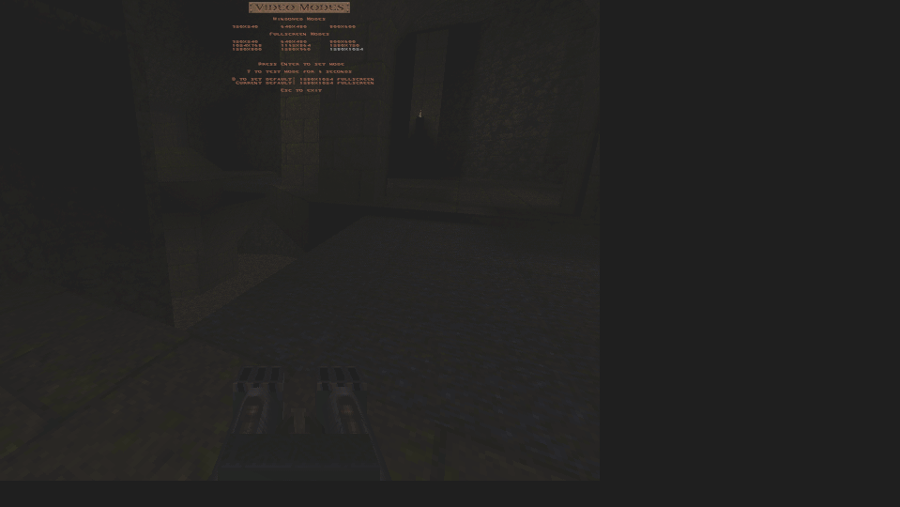
This can be fixed changing my native resolution to match the game resolution.