Far Cry 5
Hello.
@alex9k1, please make sure you had 3.16-7 update actually delivered, that was an issue when it failed to download for some users. To do so you can install "Proton 3.16 Beta" from Tools section, and verify files integrity just in case.
I just tested it, and for Far Cry 5 Uplay itself does work for me, it updates on first launch, is able to log in, and associate your Steam purchase with Uplay account (it presents a list of items, and does not ask for serial key like some games do). Game itself does not start however.
@nsivov Steam says, it's 3.16-7. Is there another way to actually verify?
Anyway, this isn't really my concern, as the unoffical proton I've linked works fine for me concerning Uplay. The game itself not starting is the actual bummer.
Yes, there was a number of issues open for this problem, like https://github.com/ValveSoftware/steam-for-linux/issues/6093#issuecomment-465794186, where Steam reports 3.16-7 but actual update was not downloaded. Basically it should be enough to go to Library -> Tools and install Proton 3.16 Beta from there manually.
@nsivov You're right, Uplay is launching now, but the game itself still doesn't. It behaves like you described. I've appended a new log.
Hi @alex9k1
Can you try to disable uplay's overlay?
@Alexander88207 I tried, but it didn't seem to have any effect.
FarCry 5 has the same DRM than AC:Origins so does not work with Wine (VMProtect + Denuvo).
Atm, only FarCry : New Dawn and AC : Odyssey work fine with Wine + DXVK because they have only Denuvo DRM.
Some people report that they got the game to start. Can anyone share how to do that?
For me Uplay also starts and works but it doesn't launch the game.
Related link: https://bugs.winehq.org/show_bug.cgi?id=45732
Steering works with dinput8.dll & dinput.dll from Windows 7 (system32 & SysWow64) set at native,builtin
UPDATED: Now I just get:
AL lib: (EE) ReleaseThreadCtx: Context 0x7fb82c027410 current for thread being destroyed, possible leak!
So I'm not sure what's going on with this. Fresh prefix/overrides too, keeps crashing my game when loading in the world.
@telans Steering works replacing both dlls , i just update the dxvk to 1.0.2 and the game hagns maybe 10 minutes after playing , im using latests Nvidia drivers.
I'll try dxvk 1.0 and see if it still crashes
I'll try dxvk 1.0 and see if it still crashes
I tested using 1.0.3 and do not crashes , played for at least 1 hour.
Did you have the issue with 1.0.2 when the floor disappear and things were flying around?
@Sebastiangperez Where do you put the files, in the windows32 and winwow64 dirs in ../steamapps/compatdata/gameid/pfx/drive_c/windows/{system32,syswow64}/, or in ../steamapps/common/Proton 4.2/dist/share/default_pfx/drive_c/windows/{system32,syswow64}/ dirs?
Thanks!
@Sebastiangperez I still crashed, but I think it was a prefix issue unrelated as it happened almost instantly.
@joeg1484 Within the game prefix, setting (native) gets them from the prefix and (builtin) from the system (default install?) I believe. Please let me know if it worked for you
@Sebastiangperez Where do you put the files, in the windows32 and winwow64 dirs in ../steamapps/compatdata/gameid/pfx/drive_c/windows/{system32,syswow64}/, or in ../steamapps/common/Proton 4.2/dist/share/default_pfx/drive_c/windows/{system32,syswow64}/ dirs?
Thanks!
I use Wine Stand alone and not with Proton , i will not mess with Proton files that came with Steam.
But maybe you can try copy in the game prefix on those directories.
For me, the game still crashes after i played maybe 30 minutes, it was during the mission with the Truck, can be related to dxvk or the dlls inputs because i was using the truck.
@Sebastiangperez I still crashed, but I think it was a prefix issue unrelated as it happened almost instantly.
My crash is during the game , suddenly stopped and closes the windows.
Some people report that they got the game to start. Can anyone share how to do that?
For me Uplay also starts and works but it doesn't launch the game.Related link: https://bugs.winehq.org/show_bug.cgi?id=45732
I also wonder how it works for some ...
Are the people who running the game use Proton and start it from steam ui ?
Can somebody explain please how we can get it running ?
With Proton 4.2-6 Uplay start, but the game crashes immediately.
$ inxi -bM
System:    Host: localhost.localdomain Kernel: 5.1.0-1.fc31.x86_64 x86_64 bits: 64 Desktop: Gnome 3.33.2
           Distro: Fedora release 31 (Rawhide)
Machine:   Type: Desktop Mobo: ASUSTeK model: ROG STRIX X470-I GAMING v: Rev 1.xx serial: <root required>
           UEFI: American Megatrends v: 2304 date: 05/03/2019
CPU:       8-Core: AMD Ryzen 7 2700X type: MT MCP speed: 2195 MHz min/max: 2200/3700 MHz
Graphics:  Device-1: Advanced Micro Devices [AMD/ATI] Vega 20 [Radeon VII] driver: amdgpu v: kernel
           Display: wayland server: Fedora Project X.org 1.20.5 driver: amdgpu resolution: 3840x2160~60Hz
           OpenGL: renderer: AMD Radeon VII (VEGA20 DRM 3.30.0 5.1.0-1.fc31.x86_64 LLVM 8.0.0) v: 4.5 Mesa 19.1.0-rc4
Network:   Device-1: Intel I211 Gigabit Network driver: igb
           Device-2: Realtek RTL8822BE 802.11a/b/g/n/ac WiFi adapter driver: r8822be
Drives:    Local Storage: total: 11.57 TiB used: 8.55 TiB (73.9%)
Info:      Processes: 536 Uptime: 3d 21h 18m Memory: 31.37 GiB used: 14.75 GiB (47.0%) Shell: bash inxi: 3.0.34
WORKAROUNDS (updated)
-
Disable Easy Anti-Cheat and use DXVK
Game uses Easy Anti-Cheat which is currently not supported under Wine. Follow the instructions:
https://pcgamingwiki.com/wiki/Far_Cry_5#Disable_Easy_Anti-Cheat
Game installation directory (<path-to-game>) is in.../steam/steamapps/common/FarCry5/. -
Disable overlay and change Uplay to work in offline mode and
If the game crashes while connecting online then you need to run it in offline mode. Run it once, let it crash and in Uplay change setting to offline mode:
How do I launch the Uplay PC client in Offline Mode?
Unfortunately you won't be able to play online, so no co-op and multiplayer. -
Steering issue - use native 64bit dinput8 from Windows 7. Windows 10 version is not working. For some reason protontricks broke my wineprefix, so better do not use it.
Put it in "bin" in the installation directory.
Set dinput8 to native, you can do that by using Launch Options:
WINEDLLOVERRIDES="dinput8=n" %command%
You can also change this inwinecfg. -
Stutters
On the first run game stutters. Run benchmark from setting to compile most of the shaders. On second run you will get much better frame rates. -
If game does not start it may be cause by incompatible shaders cache. Steam downloads pre-compiled shaders to speed up startup, try deleting the cache directory:
.../steamapps/shadercache/552520
- Disable Easy Anti-Cheat and use DXVK
Game uses Easy Anti-Cheat which is currently not supported under Wine. Follow the instructions:
https://pcgamingwiki.com/wiki/Far_Cry_5#Disable_Easy_Anti-Cheat
Game installation directory is somewhere in./steamapps/compatdata/552520/pfx/drive_c/Program Files.../bin.
This workaround is not suitable for me because I want play campaign with my friend online.
Workaround does not work for me, Uplay works fine but the game does not launch.
.NET Framework also can't be installed correctly & it tries to install again on every start up. (Proton 4.2-9)
Workaround does not work for me, Uplay works fine but the game does not launch.
.NET Framework also can't be installed correctly & it tries to install again on every start up.
Have you disabled the Uplay overlay from within the client before launching the game?
Workaround does not work for me, Uplay works fine but the game does not launch.
.NET Framework also can't be installed correctly & it tries to install again on every start up.Have you disabled the Uplay overlay from within the client before launching the game?
Yes.
Also can't get the game to launch here.
- cleaned prefix - using Proton 4.2-9
- protontricks 552520 uplay
- disabled overlay, enabled offline mode
- replaced EAC DLL. Hexedited the other DLL.

I had this as well. Started then 1 time in online mode let it crash. Then closed everything and turned offline mode again on. Worked again
@ChrisLauinger77 That did the trick. The game needs to be launched once in online mode to work!
EDIT: White screen only in-game though or extremely washed out bright/dark colors...
1080 Ti with 430.26 driver
Benchmark works but is incredibly dark


That looks like a DXVK error, try deleting your shadercache.
@telans Thank you so much! That did the trick.
WORKAROUNDS but fixed up
I assume you're using Proton on a 64-bit OS.
You won't be able to play online.
-
Game uses Easy Anti-Cheat which is currently not supported under Wine.
Disable it by using a custom EAC DLL and patching another one.
Game installation directory (<path-to-game>) is in.../steam/steamapps/common/FarCry5/. -
Next up install uplay via protontricks
protontricks 552520 uplay- when Uplay launches, disable Uplay overlay in settings. Quit Uplay. -
Start the game via Steam. It should load into the main menu and crash. It needs to be launched once this way for offline mode to work. Go to Network settings in Uplay and tick offline mode checkbox. Quit Uplay.
-
Steering vehicles in this game is broken. You need to use 64-bit
dinput8.dllfrom Windows 7 system32 folder. It is 195KB (not 145KB, that's the 32-bit version) and sha256 sum is567f08044e2c31375a31cd66016cb8f9e3226f3640c9ab82f9f4fe79fc09fc6a
You need to copy this dll into.../steamapps/compatdata/552520/pfx/drive_c/windows/system32/and then override it via winecfgWINEPREFIX=/your/path/to/steamapps/compatdata/552520/pfx winecfg- set it asnative,builtin, which is the default override setting. -
Launching the game via Steam should now successfully launch it in offline mode.
EDIT: And now I get why the original post was edited by Valve staff, they don't like people linking to potentially malicious binaries, so don't try posting dinput8.dll in here.
@ChrisLauinger77 That did the trick. The game needs to be launched once in online mode to work!
EDIT: White screen only in-game though or extremely washed out bright/dark colors...
1080 Ti with 430.26 driver
Benchmark works but is incredibly dark
Getting the same problem, https://github.com/ValveSoftware/Proton/issues/2356#issuecomment-507068972 didn't help (deleted ~/.nv/* and steamapps/shadercache/552520)
Any suggestions?
Steam might have redownloded the cache which might be disaplaying wrong on your system, so maybe if you delete it again and turn it off in steam?
Is there a DXVK cache file in the binary directory? You could also try a different DXVK version
Steam might have redownloded the cache which might be disaplaying wrong on your system, so maybe if you delete it again and turn it off in steam?
Is there a DXVK cache file in the binary directory? You could also try a different DXVK version
In the end I could fix it by replacing the DXVK dlls after launching the game (during reinstallation of .NET35), because proton replaces them with its own versions at every launch. Have to do this every time though, thinking about compiling an older version of proton for this now.
As a note removing the shader cache folder and launching the game was enough for me on 4.2-9.
I've tried getting it to run on Debian Sid with proprietary Nvidia drivers (430.26) but uplay simply takes me to the news page when launching the game from Steam, and attempting to launch the game through Uplay does nothing (Uplay doesn't say I'm in-game, doesn't start FarCry5.exe).
Renaming EACLaunch.exe.bak back to EACLaunch.exe does make the game executable run, but it never shows a window and simply sits there consuming about 250 MB of memory and spikes to 100% cpu usage on one core about every 5 seconds.
Edit: It actually seems to restart every few seconds, as I now see that the PID changes over time.
I tried patching FC_m64.dll as well as only adding EasyAntiCheat_x64.dll while retaining FC_m64.dll as per some later edits in the thread that contains "EAC bypass" from pcgamingwiki, but also to no avail.
I also replaced and added the override for dinput8.dll right away, but I doubt this would prevent the game from starting.
I made two attempts in total, since I had to launch the game in order for Steam to create the compatdata directories. The first time I allowed Steam to install Uplay, and the end result was as described. The second time I cleared out Proton's wineprefix completely, and installed Uplay with protontricks before launching the game through Steam, but the result was the same.
I've not tried replacing DXVK or deleting any caches, as I've not gotten far enough to even encounter any graphical issues.
I also have the issue with .NET framework where it wants to reinstall every time, but I've had this with other games that work fine.
@echoz28 You should try deleting shader cache - steam is downlaoding pre-compiled shaders to speed up startup, seems this is broken in latest version.
It is located in steamapps/shadercache/552520
@kmaterka Unfortunately it changed nothing. With EACLaunch.exe there it goes into a loop like described earlier, and without there's never even a sign of the game launching.
Thanks to @kmaterka’s “guide” and @C0rn3j’s details I got the Uplay version to run, too.
It does not even crash in the main menu when in online mode although I was too cautious to try and play with it. In-game I have noticed two probably related issues though: Using the binoculars ("z"; not weapon’s zoom though) and cut scenes (like after liberating an outpost) have abysmal frame rates (~5 fps) while getting 30-45 fps during normal game play (Vega 56 @1920x1200 60Hz, details on Ultra and 1,5 Downsampling; the card is clearly bottleneck’d by my outdated 4771). Similarly affected but not exactly as bad is the interactive map. This test was done with mitigations=off since I noticed bad frame times with mitigations in FC4 already. Maybe a better processor will soon “fix” this issue for me.
Another thing sadly not working is the Cloud sync of the save game(s).
I got the Uplay version to run by installing Uplay through Lutris and then disabling EAC. I accidentally played it in online mode for a while, which worked and as far as I can tell hasn't gotten me in trouble but I turned it off as soon as I realized it was doing that. I would hope that as long as I'm not actually cheating I wouldn't get banned for playing on Linux but I really don't trust Ubisoft.
All that being said, I've noticed a bit of a regression. On my machine the trees and ground don't render correctly on Proton 4.11. The issue also affects Far Cry 4 and is absent from Proton 4.2 and the version of wine that is used for Lutris's Uplay installer, which is ge-protonified-4.9.
All that being said, I've noticed a bit of a regression. On my machine the trees and ground don't render correctly on Proton 4.11. The issue also affects Far Cry 4 and is absent from Proton 4.2 and the version of wine that is used for Lutris's Uplay installer, which is ge-protonified-4.9.
I can confirm this too. Its generally unplayable on 4.11, but it starts without any of the requirements mentioned by @C0rn3j. Switching back to 4.2 does not work, cannot find Uplay afterwards.
For now with the latest Proton, the game work and allows play in the campaign by single player. But we want to pass the game campaign in co-op with the friend. But at the moment it's not working. Every time when I try to invite friends after the message Please wait - connecting to Far Cry(R) servers

And after a while showed the message ERROR The Far Cry (R) 5 service is not available. Please try again later. For more information, contact http://support.ubisoft.com. Error: Redhorn-80000B

Can anyone look at this? This looks like the problem in the "Halo: The Master Chief Collection" when the game could not connect to Microsoft XBOX account without @Guy1524 patch.
Can confirm, also tested it with dnat to all ports, which we have found to be related to far cry 5:
/ip firewall nat
add action=netmap chain=dstnat dst-port=9000 in-interface=ether1 protocol=udp to-addresses=192.168.88.2 to-ports=9000
add action=netmap chain=dstnat dst-port=9103 in-interface=ether1 protocol=udp to-addresses=192.168.88.2 to-ports=9103
add action=netmap chain=dstnat dst-port=11110 in-interface=ether1 protocol=udp to-addresses=192.168.88.2 to-ports=11110
add action=netmap chain=dstnat dst-port=11115 in-interface=ether1 protocol=udp to-addresses=192.168.88.2 to-ports=11115
add action=netmap chain=dstnat dst-port=12000 in-interface=ether1 protocol=udp to-addresses=192.168.88.2 to-ports=12000
add action=netmap chain=dstnat dst-port=13000 in-interface=ether1 protocol=tcp to-addresses=192.168.88.2 to-ports=13000
add action=netmap chain=dstnat dst-port=13005 in-interface=ether1 protocol=tcp to-addresses=192.168.88.2 to-ports=13005
add action=netmap chain=dstnat dst-port=13200 in-interface=ether1 protocol=tcp to-addresses=192.168.88.2 to-ports=13200
add action=netmap chain=dstnat dst-port=14000 in-interface=ether1 protocol=tcp to-addresses=192.168.88.2 to-ports=14000
add action=netmap chain=dstnat dst-port=14001 in-interface=ether1 protocol=tcp to-addresses=192.168.88.2 to-ports=14001
add action=netmap chain=dstnat dst-port=14008 in-interface=ether1 protocol=tcp to-addresses=192.168.88.2 to-ports=14008
add action=netmap chain=dstnat dst-port=443 in-interface=ether1 protocol=tcp to-addresses=192.168.88.2 to-ports=443
add action=netmap chain=dstnat dst-port=6005-6190 in-interface=ether1 protocol=tcp to-addresses=192.168.88.2 to-ports=6005-6190
Vehicle steering may be fixed with https://github.com/wine-staging/wine-staging/commit/1e3eb08c69ec70b2e7efb68c8d79e201f284089e, but I haven't had time to test it yet.
Installing framework NET... and after this, running(green), and the game not start.
It's necessary install uplay? my steam won't install uplay for me?
Sorry i'm newbie.
I can confirm this too. Its generally unplayable on 4.11, but it starts without any of the requirements mentioned by @C0rn3j. Switching back to 4.2 does not work, cannot find Uplay afterwards.
That's because downgrading Proton causes Steam to wipe the prefix and create a new one (upgrading doesn't). There is a way to prevent this but it's probably best not to. Steam should reinstall Uplay for you, but I don't own the game on Steam so I can't test it. Reinstalling the game and manually deleting the compatdata folder for Far Cry 5 might help if, for whatever reason, Ubisoft made it so that the game's launcher is responsible for installing Uplay instead of letting Steam do it.
Proton 5.0-6 fixes steering. The only regression is now you can't strafe right on foot.
Hello @aarobc, what's the most recent Proton version that you know wasn't affected by the regression? Also, please add PROTON_LOG=1 %command% to the game's launch options, reproduce the regression, and drag and drop the generated $HOME/steam-$APPID.log into the comment box.
steam-552520.log
After some more investigation, I've found the problem occurs when switching the keyboard layout when in-game.
If the game is started with qwerty, srafe right works correctly. However, if you start the game with dvorak then switch to qwerty, strafe right wont work. (on foot).
Test sequence for the log file:
- start game with qwerty, strafe right. I observe it works correctly.
- switch keyboard layout to dvorak (using a keyboard shortcut that runs
setxkbmap dvorak) - switch keyboard layout to qwerty (using a keyboard shortcut that runs
setxkbmap us) - mash strafe right key (
d) several times - close game
Compatibility Report
- Name of the game with compatibility issues: FarCry 5
- Steam AppID of the game: 552520
System Information
- GPU: Nvidia Geforce RTX 2070
- Driver/LLVM version: Nvidia 400.100
- Kernel version: 5.4.0-40-generic
- Link to full system information report as Gist: https://gist.github.com/Johnnii360/fa7fb923f446a6236a82d7498a1a04b0
- Proton version: 5.9-GE-3-ST (latest)
I confirm:
- [x] that I haven't found an existing compatibility report for this game.
- [x] that I have checked whether there are updates for my system available.
Symptoms
Strange nearby shadows on some objects and not proper closing Ubisoft Game Launcher. Ah and the game is hang sometimes for 1-3 seconds while loading world data.
Reproduction
When I stand directly in front of some objects or walls I get a strange shadow phenomenon. I don't know if this is a feature or a bug. :)
Here some screenshots:
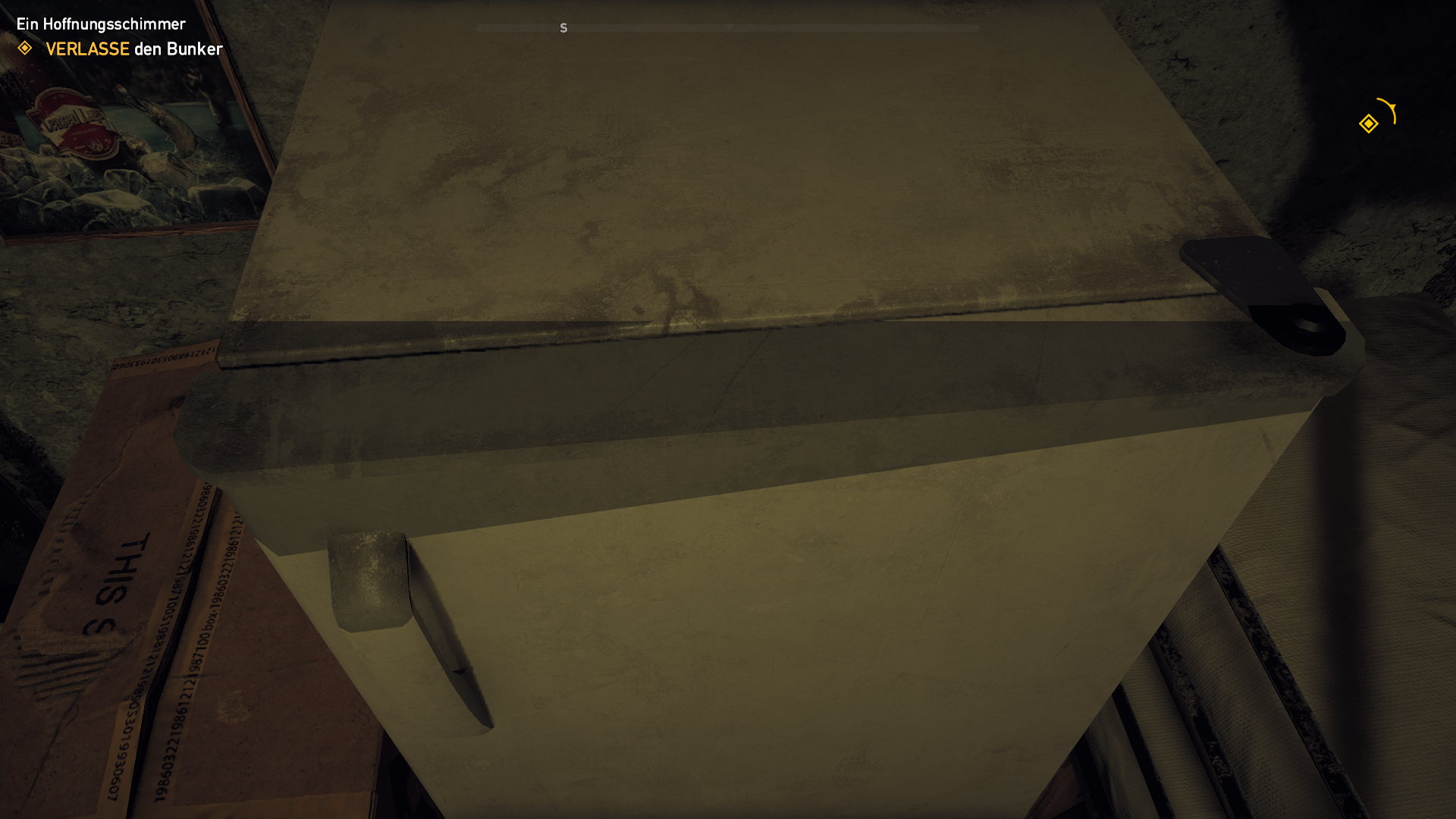
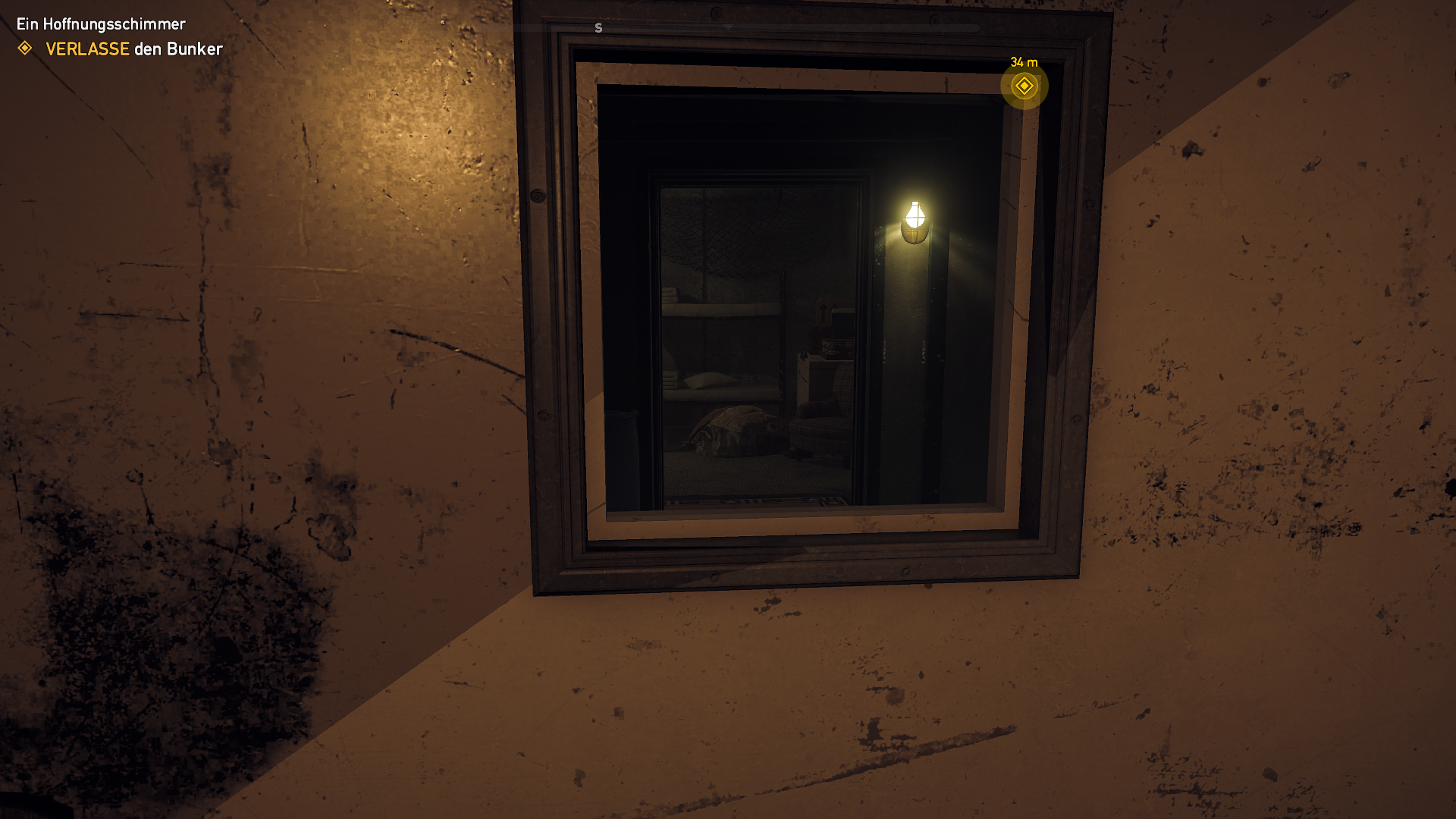
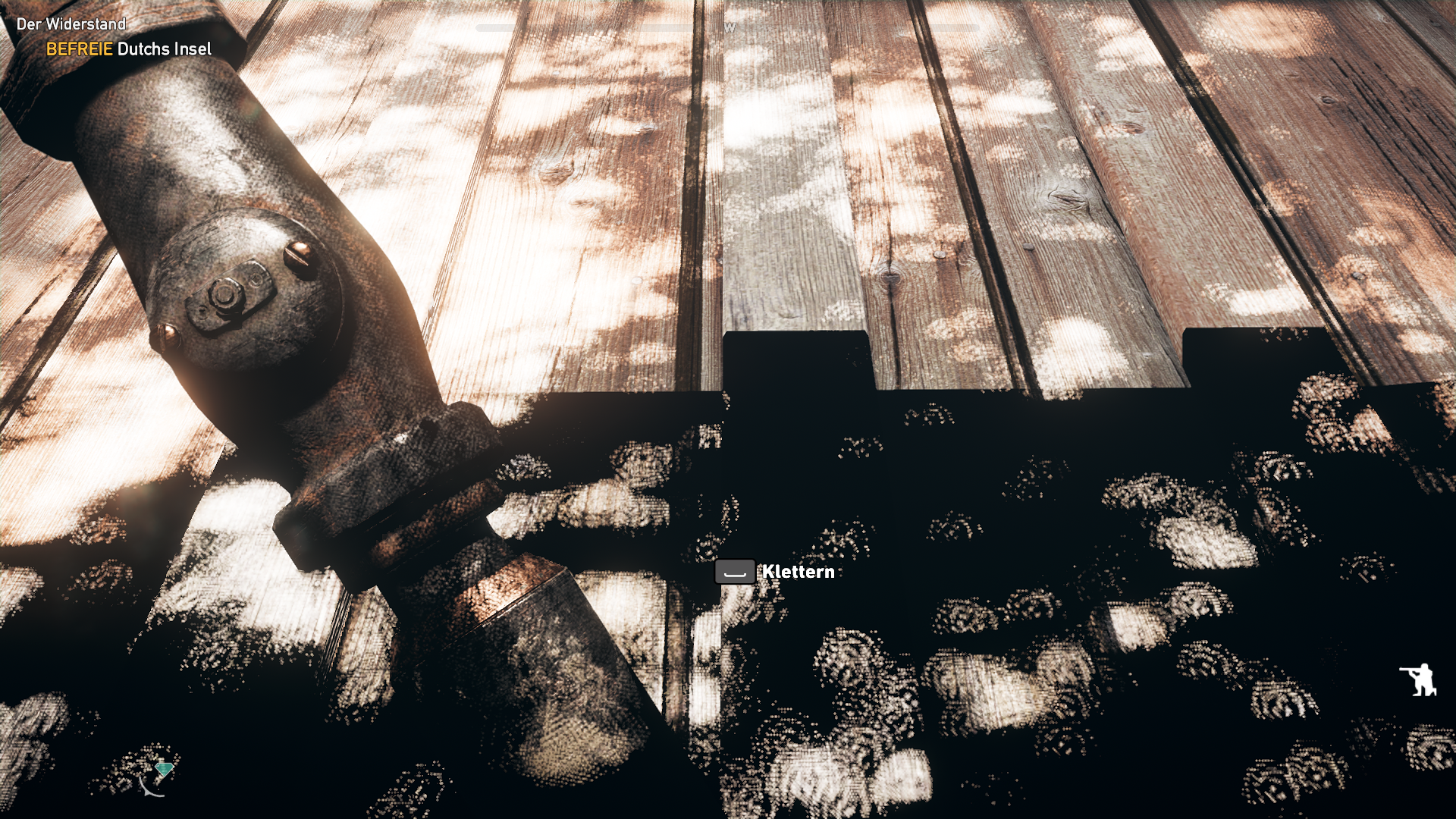
Dutch had also a strange shadow on his forehead after the rescue and first encounter in his shed. It's like the player character is covered in a blob shadow sphere and when some objects (not all!) or walls touch them it produces this strange shadow effects.
A small update: The longer the game runs the laggyer it gets. (Proton version: 5.9-GE-3-ST)
With the latest Proton version 5.9-GE-5-ST it stutters after a while.
Will someone please list out an up to date steps to get this game working (Steam version)?
I've tried the steps mentioned in some of the previous posts, such as the following:
- Install Uplay with protontricks after installing the game on Steam
Uplay launched (as I left the Run Uplay option ticked on the installer) and logged in correctly, but starting the game from Steam would just leave it stuck saying Running in Steam UI for about 10 minutes, yet neither the game nor Uplay launched, till it just stopped by itself. - Use GloriousEggroll proton
Same as above, after going through the usual automatic Steam installations then launching the game, it'd just stuck for about 10 minutes till it just stopped by itself.
I always deleted compatdata directory of the game prior to trying a specific set of steps for good measures.
As for the steps about disabling EAC, the site linked by the replies above had 2 methods. One was a custom DLL, the other was to replace hex pattern of a particular DLL.
For the first method, I couldn't find EasyAntiCheat something directory within ~/.steam/steamapps/common/FarCry 5/bin. In fact I seemingly couldn't find any files that might have had any relation to EAC within it (other than the DLL for the second method).
As for the second method, the DLL didn't have an exact match of the hex pattern. There were about 2 or 3 different hex bytes at the end.
@BobbyWibowo I don't know what setup you got but 5.9-GE-4-ST works for me - not perfect but it works. I installed FarCry 5 natively on Steam for Linux and start it from there. I play on Ubuntu 20.04 LTS.
But to post your system specs could help us to help you better. :)
@Johnnii360 Hi there, thanks for the response! Here's a gist for my system info https://gist.github.com/BobbyWibowo/bf1a6e8731365f8fdd7095848529eb17
Additional details:
- I'm on KDE neon User Edition 5.19, but it's already an Ubuntu 20.04 (focal) rebase.
In short it's just Ubuntu 20.04 LTS, but with KDE suite alone on "rolling" release. - I'm on an Optimus laptop (Intel graphics + NVIDIA discrete card).
- My system is setup to use PRIME Render Offload (it's a link to NVIDIA official docs that contain a bit more details about it).
It basically means X and every other applications will run on Intel graphics by default. I'll have to set some env variables prior to launching any applications that I want to run on NVIDIA discrete card. - I use Ubuntu Graphics PPA (for NVIDIA proprietary drivers) in conjunction with Oibaf's Graphics Drivers PPA (mesa and all those fancy stuff).
- I've only tried Steam's Proton 5.0-9 and 4.11-13, and GloriousEggroll's Proton 5.9-GE-5-ST (one build newer than the version you've confirmed working in your machine). I'll try that exact same version after this post, just in case.
- I previously mentioned I couldn't find any EasyAntiCheat related files in my Far Cry's bin directory (more specifically EACLaunch.exe and EasyAntiCheat directory), but to be clear I'll be attaching a screenshot of the said directory at the end of this post.
- As for the second method that involved replacing some hex bytes in FC_m64.dll, I couldn't find an exact match. I could find some matches if I excluded a few of the last bytes, but I couldn't have it end up with only 1 match.
- I've confirmed that this same machine and setup work fine with other games that used Proton, including but not limited to GTA 5, Euro Truck Simulator 2 and RimWorld (I was informed ETS2 and RimWorld worked better with Proton than their native counterparts for modding).
~/.steam/steamapps/common/FarCry5/bin
Anyway, I'll also be attaching proton log in a while if it still doesn't work! (I sent my original post the next day from my phone after already giving up the day before that)
Aighty fams, I've got it all figured out!
As it turns out my issue was strictly due to UPlay being hella weird. Back then it just ran in the background forever and ever. Today it finally launched properly (after reinstalling the game with a clean prefix). Probably a networking issue back then, now that I think about it.
Anyway, I had to restart the game from Steam a few times for UPlay to finally present me with the option to link to my Steam account (I bought the game just recently). Only after then could I start the game (oh yeah I disabled UPlay in-game overlay too, following everyone else's suggestion). And finally after starting the game, it all just worked fine!
Oh yea I used 5.9-GE-5-ST for both installation and playing.
The only sad part was that it seemed my laptop was a bit too ancient for this game, lmao. Got everything set to Low, yet I only got +20 FPS (doubt it'd go anything higher than that even if I was running Windows). Tbf, even with Low the game's Settings menu said I also still didn't have enough VRAM (I've only got 2GB, but even Low required 2.04GB, lmao).
Just for the protocol: The addons like >Lost on Mars<, >The Darkes Hours< and the Zombie addon run better like the main game. The more the main game run the laggier/slower it get - but not the addons. Maybe because in the main game more micro management is in the background and that slows the game? Strange...
Is anyone able to disable the overlay with the new "Ubisoft Connect"? I never actually see the client other than the splash and the cloud save prompt, and the systray icon is completely unresponsive.
Is anyone able to disable the overlay with the new "Ubisoft Connect"? I never actually see the client other than the splash and the cloud save prompt, and the systray icon is completely unresponsive.
Managed to fix this by killing my regular system tray and using the built in one from Wine just to change the setting.
Far Cry 5 (552520) CTD once loaded and showing main menu
Issue transferred from https://github.com/ValveSoftware/Proton/issues/4487.
@ri0t posted on 2020-12-20T20:17:33:
Compatibility Report
- Name of the game with compatibility issues: Far Cry 5
- Steam AppID of the game: 552520
System Information
- GPU: Radeon Vega 56
- Driver/LLVM version: Mesa 18.3.6, libdrm-amdgpu1 2.4.97
- Kernel version: 5.9
- Proton version: 5.13, 5.6-GE
I confirm:
Since the game worked fine up until a mainboard/CPU swap, i'll leave these unchecked:
- [ ] that I haven't found an existing compatibility report for this game.
- [ ] that I have checked whether there are updates for my system available.
Symptoms
Game ran fine until i swapped out mainboard and CPU (i7 6600 > Ryzen 3900), now:
- it starts,
- shows the epilepsy etc. warnings,
- plays back the AMD/Engine intro movies,
- then proceeds to display the animated main menu background and the usual message "Logging in user"
- then crashes to Desktop
Reproduction
Start game, wait for shaders and Ubisoft Launcher updated etc., click away (or don't) intro movies, observe crash.
Debian 10. Kernel version: 5.10.19. Nvidia 1660 Ti, driver from run-packet v455.45.01, X Server v1.20.4, OpenBox v3.6.1, Compton v0.1 (VSynch disabled)
Far Cry 5 (552520):
-
ground textures have missed since Proton v6.3.2 ( and Experimental ). Fix: downgrading to v5.13.6.
-
low fps (8-10) when HD-Textures are on. If HD-Textures are off - than there are more than 60 fps. I don't remember from which version of Proton this problem started.
Hello @SudoFakeroot, please add PROTON_LOG=1 %command% to the game's launch options, reproduce the regression and attach the generated $HOME/steam-$APPID.log to this issue report as a file. (Proton logs compress well if needed.) Also, please take a screenshot of the rendering the game misrendering and share it.
My greetings, @kisak-valve.
Hmmm, today i wished to do what you requested, but i can't change Proton version anymore higher than 5.13.6 for Far Cry 5. Steam returns the error: "An error occurred while updating Far Cry 5 (сompatibility tool сonfiguration failed)". I have already been here: https://support.steampowered.com/kb_article.php?ref=2274-IFLV-5334 . Also, I tried to assign new version globally using the menu (Steam->Options->SteamPlay) - nothing changed. Proton prefix (steamapps/compatdata/552520) was manually removed by me - nothing changed. Verifying integrity of game files is successful, trying to launch with a new version again - nothing changed. Hmmmm, i don't want to download 77 GB again for the sake of experiment.
Nevertheless this problem is known: https://www.protondb.com/app/552520 - downgrading nvidia driver to 455.45 was helped, but recent events have convinced me that not only сomrade Huang is to blame for this.

Yes, on the screenshot 460th version, but on the 455th with the new Proton I saw the same thing after a few minutes of the game.
Steam logs and screens with on/off HD-Textures were attached.
steam-552520-logs-and-screens.zip
I apologize for my english and thank you for your attention.
Far Cry 5 (552520)
Issue transferred from https://github.com/ValveSoftware/Proton/issues/4869.
@ZAD4YTV posted on 2021-05-29T23:05:00:
Compatibility Report
- Name of the game with compatibility issues: Far Cry 5
- Steam AppID of the game:
System Information
- GPU: RX580
- Driver/LLVM version: Version: 21.1.0
- Kernel version: 5.8.0-53-generic
- Link to full system information report as Gist: https://gist.github.com/ZAD4YTV/fd4fe18d5854c0f6fea17a475db1306c
- Proton version: 6.3-4
I confirm:
- [X] that I haven't found an existing compatibility report for this game.
- [X] that I have checked whether there are updates for my system available.
Symptoms
I can't play with a friend, I tried to invite him and he can't join and the other way around. When I touch some Ubisoft features, it gives me an error, the attached image, is that error.
Reproduction

Compatibility Report
System Information
GPU: AMD AMD Radeon RX 5600 XT
Driver/LLVM version: 4.6 (Compatibility Profile) Mesa 21.0.3; LLVM 11.1.0
Kernel version: 5.4.118-1-MANJARO
Link to full system information report as Gist
Proton version: 6.3-4
I confirm:
- [x] that I haven't found an existing compatibility report for this game.
- [x] that I have checked whether there are updates for my system available.
Link to proton logs download from my github logs repository
Symptoms
After a few minutes in the same area, the geometry starts flickering, bringing trees in and out of view. I haven't encountered the bug in default proton 4.11, however I switched to 6.3-4 to fix vehicle controls bug.
Link to a video showing the bug in action. WARNING: FLICKERING LIGHTS
Reproduction
- Start the game.
- Get to a place with high poly count, like a forest.
- Wait until sunrise or sunset, or just a few minutes.
Additional notes:
- I've also tried deleting shader cache, which didn't help.
- It's also noteworthy that UPlay gets stuck on "Looking for patches" in proton 6.3-4 and I had to use proton 4.11 for uplay to update correctly (It's not included in the logs)
- This could have been be introduced by 1.4.5 DXVK changes https://github.com/doitsujin/dxvk/issues/1257.
- This bugs is persistant in Far Cry: New Dawn
I've found a mesa issue thread on the Far Cry 4 flickering (seems to affect all games with modern Far Cry engine), in which the flickering is mentioned to be fixed in Proton-6.0-GE-1. I've installed proton-ge-custom-bin 6.9 from AUR and used it and in a few hours of playing haven't experienced any flickering.
Redhorn-80000B trying to start coop is a big let down, especially when coop used to work according to proton-db, and ubisoft broke it somehow while it still works on windows
Tried 5.13, 6.3-4, 6.9-GE-2, experimental, game functions when steam runtime is skipped with launch commands (otherwise random issue with video driver/pulse occurs on fedora 34/opensuse tumbleweed), then coop just doesn't work
Everything is the same: on the any 460th version of the nvidia drivers, there are no ground textures. On 455th version and proton v5.13-6 everything is ok. On proton v6.3-5 and nvidia 455th version: the bug appears extremely rarely. Once I catch him again, I'll post a log-file.

Hair/fur not rendered properly:


- OS: Fedora 34
- Mesa: 21.1.3
- GPU: Radeon VII
- Steam from RPM Fusion
- Proton version: 1624633841 experimental-6.3-20210625
missing ground textures
Fedora 33
Kernel 5.12.13-200.fc33.x86_64
NVIDIA 465.31
Proton 1624629470 proton-6.3-5
ERROR: ld.so: object '/home/user/.local/share/Steam/ubuntu12_32/gameoverlayrenderer.so' from LD_PRELOAD cannot be preloaded (wrong ELF class: ELFCLASS32): ignored.
ERROR: ld.so: object '/home/user/.local/share/Steam/ubuntu12_64/gameoverlayrenderer.so' from LD_PRELOAD cannot be preloaded (wrong ELF class: ELFCLASS64): ignored.
ERROR: ld.so: object '/home/user/.local/share/Steam/ubuntu12_64/gameoverlayrenderer.so' from LD_PRELOAD cannot be preloaded (wrong ELF class: ELFCLASS64): ignored.
ERROR: ld.so: object '/home/user/.local/share/Steam/ubuntu12_32/gameoverlayrenderer.so' from LD_PRELOAD cannot be preloaded (wrong ELF class: ELFCLASS32): ignored.
esync: up and running.
wine: RLIMIT_NICE is <= 20, unable to use setpriority safely
ERROR: ld.so: object '/home/user/.local/share/Steam/ubuntu12_32/gameoverlayrenderer.so' from LD_PRELOAD cannot be preloaded (wrong ELF class: ELFCLASS32): ignored.

Steam_SetMinidumpSteamID:  Caching Steam ID:  76561198255591051 [API loaded no]
43350.107:0020:00c4:err:steam:initialize_vr_data Could not load libopenvr_api.so.

43360.238:0128:016c:warn:debugstr:OutputDebugStringA "[0708/205325.577:ERROR:network_change_notifier_win.cc(157)] WSALookupServiceBegin failed with: 8\n"
43360.238:0128:016c:warn:seh:dispatch_exception "[0708/205325.577:ERROR:network_change_notifier_win.cc(157)] WSALookupServiceBegin failed with: 8\n"
[0708/205325.577:ERROR:network_change_notifier_win.cc(157)] WSALookupServiceBegin failed with: 8

ERROR: ld.so: object '/home/user/.local/share/Steam/ubuntu12_64/gameoverlayrenderer.so' from LD_PRELOAD cannot be preloaded (wrong ELF class: ELFCLASS64): ignored.

43360.552:01bc:01c0:err:winediag:SECUR32_initNTLMSP ntlm_auth was not found or is outdated. Make sure that ntlm_auth >= 3.0.25 is in your path. Usually, you can find it in the winbind package of your distribution.

43361.010:01bc:01c0:warn:debugstr:OutputDebugStringA "[0708/205326.348:ERROR:mf_helpers.cc(14)] Error in dxva_video_decode_accelerator_win.cc on line 379\n"
[0708/205326.348:ERROR:mf_helpers.cc(14)] Error in dxva_video_decode_accelerator_win.cc on line 379
43361.011:01bc:01c0:warn:debugstr:OutputDebugStringA "[0708/205326.349:ERROR:viz_main_impl.cc(201)] Exiting GPU process due to errors during initialization\n"
43361.011:01bc:01c0:warn:seh:dispatch_exception "[0708/205326.349:ERROR:viz_main_impl.cc(201)] Exiting GPU process due to errors during initialization\n"
[0708/205326.349:ERROR:viz_main_impl.cc(201)] Exiting GPU process due to errors during initialization
43361.012:01bc:0208:err:esync:__esync_wait_objects Polling on fd 116 returned 0x20.

43361.215:028c:0290:err:winediag:SECUR32_initNTLMSP ntlm_auth was not found or is outdated. Make sure that ntlm_auth >= 3.0.25 is in your path. Usually, you can find it in the winbind package of your distribution.

43361.215:028c:0290:err:winediag:SECUR32_initNTLMSP ntlm_auth was not found or is outdated. Make sure that ntlm_auth >= 3.0.25 is in your path. Usually, you can find it in the winbind package of your distribution.
43361.344:028c:0290:warn:seh:dispatch_exception "[0708/205326.682:ERROR:mf_helpers.cc(14)] Error in dxva_video_decode_accelerator_win.cc on line 379\n"
[0708/205326.682:ERROR:mf_helpers.cc(14)] Error in dxva_video_decode_accelerator_win.cc on line 379
43361.344:028c:0290:warn:debugstr:OutputDebugStringA "[0708/205326.683:ERROR:viz_main_impl.cc(201)] Exiting GPU process due to errors during initialization\n"
43361.344:028c:0290:warn:seh:dispatch_exception "[0708/205326.683:ERROR:viz_main_impl.cc(201)] Exiting GPU process due to errors during initialization\n"
[0708/205326.683:ERROR:viz_main_impl.cc(201)] Exiting GPU process due to errors during initialization
43361.353:0128:0168:warn:debugstr:OutputDebugStringA "[0708/205326.691:ERROR:browser_gpu_channel_host_factory.cc(119)] Failed to launch GPU process.\n"
43361.353:0128:0168:warn:seh:dispatch_exception "[0708/205326.691:ERROR:browser_gpu_channel_host_factory.cc(119)] Failed to launch GPU process.\n"
[0708/205326.691:ERROR:browser_gpu_channel_host_factory.cc(119)] Failed to launch GPU process.
43361.356:0128:016c:warn:debugstr:OutputDebugStringA "[0708/205326.694:ERROR:gpu_process_transport_factory.cc(1026)] Lost UI shared context.\n"
43361.356:0128:016c:warn:seh:dispatch_exception "[0708/205326.694:ERROR:gpu_process_transport_factory.cc(1026)] Lost UI shared context.\n"
[0708/205326.694:ERROR:gpu_process_transport_factory.cc(1026)] Lost UI shared context.
full log: https://gist.github.com/rudzikdawid/d545428ac5378673c45eedcf10d29cd4
This seems promising:
https://www.nvidia.com/Download/driverResults.aspx/177145/en-us
"Added a workaround for Far Cry 5 when run through DXVK, which avoids a shader race condition bug that was previously exposed by new compiler optimizations."

Half an hour of play - so far not bad.
Fedora 33
Kernel 5.13.4-100.fc33.x86_64
NVIDIA 470.57.02 (installed from RPM Fusion Nonfree - Test Updates)
Proton 1624629470 proton-6.3-5
after upgrade Nvidia drivers from 465.31 to 470.57.02 everythink work just fine. No missing textures, no glitches.
@tim77 Are you still able to reproduce with recent Mesa?
@hakzsam i've finished the game already. But out of curiosity i'll try to install it again and test it and could tell you.
@hakzsam @tim77 I can also check. I'm experiencing the exact same bug. I'm still playing the game.
@hakzsam @tim77 still happening I'm afraid. I'm on Ubuntu 20.04 LTS. Latest Mesa drivers offered.
@joonaskokko What GPU and Mesa version?
I do not see described issue at least on GPU 6900XT + 4K + Ultra quality + HD Textures
Mesa commit: https://gitlab.freedesktop.org/mesa/mesa/-/commit/cf6a14de0c664babe8e4d97acfd3bb82ced071e7

@hakzsam Radeon RX 580 and Mesa version 21.3.0.

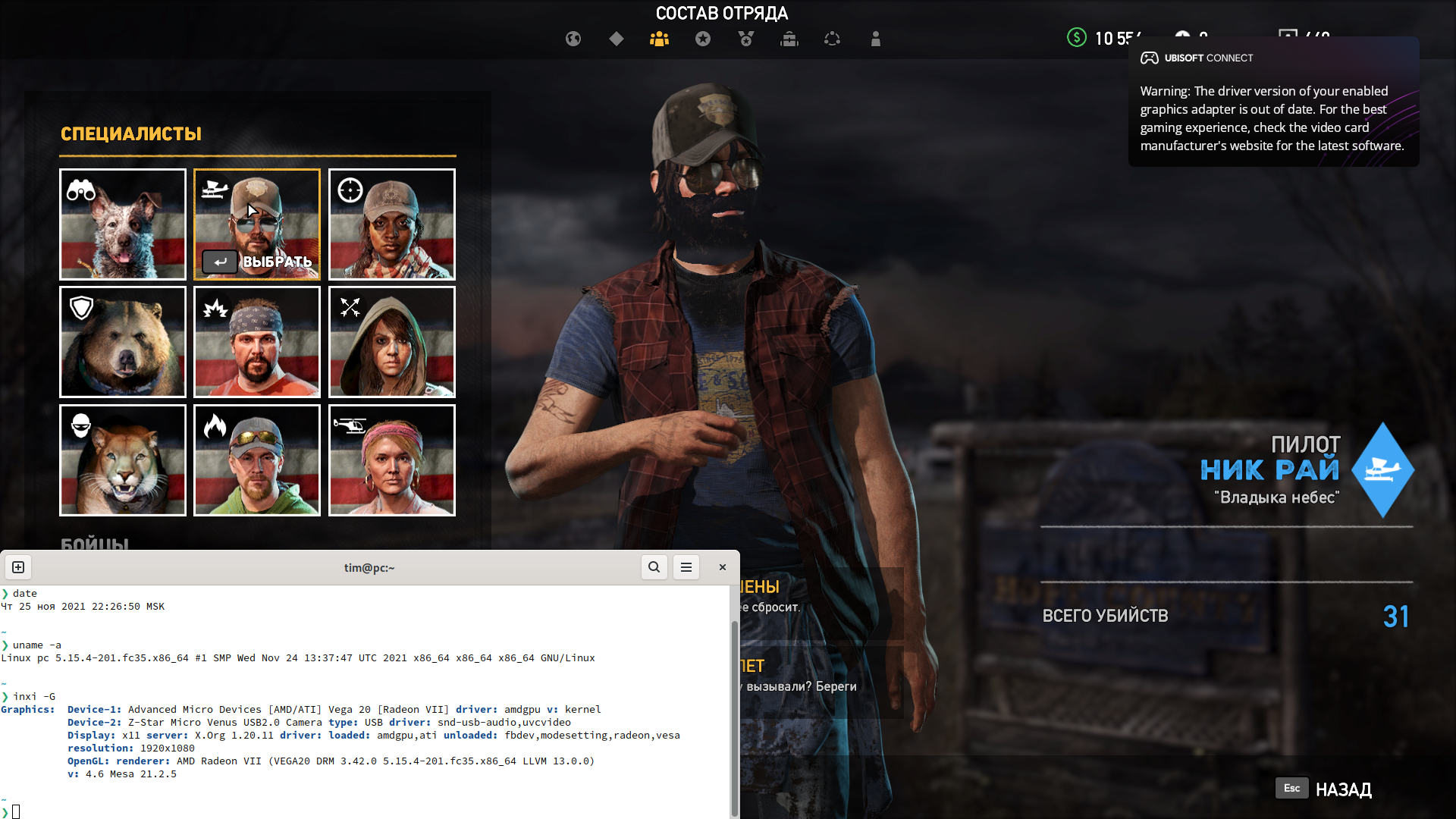
@hakzsam hair/fur issue still persist in latest Mesa 21.2.5; Fedora 35; Proton 6.3-8:

Farcry 5 shows black screen
Issue transferred from https://github.com/ValveSoftware/Proton/issues/5479.
@Codeatron5000 posted on 2022-01-03T10:40:08:
Compatibility Report
- Name of the game with compatibility issues: Farcry 5
- Steam AppID of the game: 552520
System Information
- GPU: RX 5600
- Driver/LLVM version: Mesa 21.3.3-2
- Kernel version: 5.15.12.arch1-1
- Link to full system information report as Gist: https://gist.github.com/Codeatron5000/0136c0de2061f4cff8d07bfc0cbdd7e6
- Proton version: 6.3-8
I confirm:
- [x] that I haven't found an existing compatibility report for this game.
- [x] that I have checked whether there are updates for my system available.
steam-552520.log
Symptoms
The game launches and I can hear the title screen but only a blank screen is visible.
Reproduction
- Download Farcry 5
- Click Play
- Sign in to Ubisoft
- Wait for game to launch
- Notice blank screen
@joonaskokko @tim77 Are you still able to reproduce with Mesa 22.0.2?
@hakzsam sorry, I already finished the game and uninstalled it.
Compatibility Report
Name of the game with compatibility issues: Far Cry 5
Steam AppID of the game: 552520
System Information
CPU: Core i7-4770
GPU: GeForce GTX 1080 ti
Driver: NVIDIA 515.65.01
Kernel version: 5.18.19-200.fc36.x86_64
Proton version: 7.0-4
Symptoms
The game is playable for a few minutes after launch, but progressively slows down the longer you play. Eventually, the frame rates drop such that the game isn't playable. On Windows, I get a solid 60-80 FPS at 3440x1440. I get 68 frames at best with Fedora\Proton. Eventually, the game slows to a crawl at 30-35 FPS.
Hello,
UPlay is not initializing anymore since probably a couple of weeks. I noticed yesterday after booting this game. I tried on 2 systems, both the same problem. I also investigated Assassin's Creed Origin and Assassin's Creed Odyssey. Both have the same issue, and I played both about 1 month ago. Asked @laurentiush to try the game. Same issue. This is likely due to a new UPLay version. Can anyone confirm that? Any logical ways forward to get things running?
Fun fact: it may be due to some sort of IP-address issue. If we start connected to a WiFi hotspot on a smartphone, UPlay does initialize. I tried to switch off IPv6 on my netwerk to no avail.
Replying to https://github.com/ValveSoftware/Proton/issues/2356#issuecomment-1272273668
Same issue. I was able to play it a few days ago but it just suddenly stopped working :/
Connecting to my mobile hotspot worked though, but that's not optimal...
my uplay start fine, in game i don't go over 40 fps, i mount a rtx 4080 on z790 and 13900kf
[bug] Steam doesn't focus on Farcry 5 after starting in big picture mode
Issue transferred from https://github.com/ValveSoftware/steam-for-linux/issues/10852.
@light-and-ray posted on 2024-05-04T18:31:40:
I'm streaming the game from PC (Manjaro Linux, KDE) on Android tablet via steam link. Only in this game I have to press alt+tab on keyboard after the start, it's annoying. I guess steam mixes up the dummy small window with farcry logo and the main window. After this window is closed, farcry's window is under big empty steam window
It is freezing on launch to a black screen instantly. Using a 4080 and tested drivers 550.40.76 and 560.35.03. Tried Proton 9.0-3 and Experimental(2024/10/22).
Edit: Of course a new Nvidia driver comes out an hour later and then the game works(at least to the menu screen).
I am getting a stutter with it. Initially it runs fine. I just went about 30 minutes of play and it was fine(stable 130~fps), but suddenly it will start getting high frame times and average around 65-75 fps. Restarting the game resolves this until it reoccurs. I was also seeing this one Far Cry 4(tested on the pre-565 nv driver) as well.
Nvidia 4080: 565.57.01 tested, game doesn't load with the older drivers.
Operating System: Arch Linux
KDE Plasma Version: 6.2.1
KDE Frameworks Version: 6.7.0
Qt Version: 6.8.0
Kernel Version: 6.11.4-273-linux-tkg (64-bit)
Graphics Platform: Wayland
Processors: 12 × Unknown Type, 12 × AMD Ryzen 9 5900X 12-Core Processor
Memory: 62.7 GiB of RAM
Graphics Processor: NVIDIA GeForce RTX 4080/PCIe/SSE2
Product Name: X570M Pro4
@jeisom look at my previous report. You need to press alt+tab on keyboard
@jeisom look at my previous report. You need to press alt+tab on keyboard
I assume you are referring to the black screen. 565 fixed the issue. I had switched out and back in which didn't work, but didn't use alt-tab to do it.
[Far Cry 5] Weird rhythmic and persistent pattern of stuttering
Issue transferred from https://github.com/ValveSoftware/Proton/issues/8374.
@Loumaquile posted on 2025-01-06T08:53:56:
GPU: AMD Radeon RX 7900 XTX
CPU: AMD Ryzen 7 7800X3D
RAM: 32 GB DDR5 6000Mhz
OS: Arch Linux, latest mesa and vulkan-radeon drivers, latest 6.12.8-zen kernel.
Proton 9.0.4, also tried Expiremental, Hotfix and GE version.
Latest DXVK 2.5.1
For some reason, this game experiences strange rhythmic stutters at random intervals, lasting for a few seconds and disrupting immersion.
This isn't caused by autosave stuttering or hardware limitations – I have a high-end AMD gaming PC, and the game would run perfectly smoothly if not for these anomalous hiccups. Overall, it performs much better and smoother than on Windows, but these stutters negatively affect the experience when they occur.
I've tried everything, from disabling overlays to adjusting various graphics settings and testing different Proton versions.
I suspect the issue might be related to Proton or DXVK, or some underlying game processes.
Here is a video demonstrating the issue:
https://youtu.be/cW7KSzWTx3E
(I fast-traveled to the same location multiple times, and each time, the same stutter pattern appeared. This also happens randomly in other locations and while traveling.)
Additionally, here's another video from a different user on Steam Deck (stutters appear at 2:26 and 4:25):
https://www.youtube.com/watch?v=yz8B-INmpMw
You can clearly see these are the exact same rhythmic stutters.
This issue seems to have appeared recently, as I haven't noticed these stutters in benchmark videos prior to 2024.
Replying to https://github.com/ValveSoftware/Proton/issues/2356#issuecomment-2573069200
Does placing 'LD_PRELOAD= %commannd%' in the custom launch options fix it for you? There seems to be a problem with the steam overlay.
see:
https://github.com/ValveSoftware/steam-for-linux/issues/11446
https://github.com/doitsujin/dxvk/issues/4436#issuecomment-2466646597
Replying to [#2356 (comment)](https://github.com/ValveSoftware/Proton/issues/2356#issuecomment-2573069200)
Does placing 'LD_PRELOAD= %commannd%' in the custom launch options fix it for you? There seems to be a problem with the steam overlay.
I tried disabling Steam overlay, Uplay overlay. I also tried this option you mentioned. Nothing worked.
Specs:
- GPU: AMD Radeon RX 7900 XTX
- CPU: AMD Ryzen 7 7800X3D
- RAM: 32 GB DDR5 6000 MHz
- OS: Arch Linux (latest mesa and vulkan-radeon drivers, 6.12.8-zen kernel, Proton 9.0.4, DXVK 2.5.1, gamemode on)
This is an updated post with more detailed observations. I removed the previous one due to a lack of clarity.
For some reason, this game experiences strange rhythmic stutters at seemingly random or scripted intervals on Linux systems, including the Steam Deck. These aren't typical performance-related stutters. I have a high-end AMD setup, and the game runs smoothly when these hiccups are absent, and these anomalous hiccups break immersion tremendously.
On Linux, the game performs better overall compared to Windows, but the rhythmic stutters are a significant issue. On Windows, while these specific stutters are absent, the game is nearly unplayable on AMD RX 7000-series GPUs due to the terrible DX11 implementation (DXNAVI), which causes constant microstutters throughout gameplay. So I chose Linux for my rig.
What I've tried:
- Disabling SMT
- Disabling overlays
- Disabling internet while playing, tested if it was the anticheat checking issue.
- Tweaking the gamerprofile.xml file
- Different graphics settings
- Various fps limits
- Disabling HD-texture pack
- Testing older Proton versions (but the game crashes after the splash screen due to Ubisoft Connect failing license verification on older Proton versions). It only runs on the newest Proton versions for some reason.
Everything I tried seem to be completely unrelated to these stuttering-pattern.
Observations:
- Occurs most of the time when the story mission is completed
- Occurs every time outpost was captured
- Occurs every time I fasttravel to outposts
- Occurs oftenly while travelling by helicopter across the map
My guess is that the stutters may be tied to autosaving mechanism that may conflict with Wine. Once they occur, they often follow autosave events, though not always.
Initially I thought it was a shader caching issue, but I think it would not have occured in a rhythmic way in the exact same spots every time you go to these spots. So I doubt that it's shader caching.
In this video (https://youtu.be/3CLWtr3j5-k?t=1096), the author experiences the stutter at 18:16 while entering a vent. I encountered the exact same stutter pattern in the same vent during the same mission. This guy has an NVIDIA card, different distro and he was also running more older Proton and DXVK.
Video Evidence:
- My Gameplay with DXVK_HUD_FULL and MangoHud: https://www.youtube.com/watch?v=ZlnD0mZuSyc
- NVIDIA guy: https://youtu.be/IZ-H63omRjA?feature=shared&t=44 (from 0:45 to 1:50) and https://youtu.be/3CLWtr3j5-k?t=1096
- Steam Deck Example: At 2:26 and 4:25 in this video (https://www.youtube.com/watch?v=yz8B-INmpMw), the same rhythmic stutters are visible.
These patterns are consistent across different hardware, including the Steam Deck, suggesting this is not a hardware-specific issue.
This issue seems to have appeared recently. I’ve watched older benchmark videos on Steam Deck from before 2024 and didn’t notice these rhythmic stutters, which suggests this problem may have been introduced in a recent updates or something.
If anyone has experienced this issue or knows what might be causing it, please share your insights.
@Elfinscale @Loumaquile I've been able to reproduce the rough stuttering, and can confirm this is a regressive issue as well. We will be looking into it, thank you for the reports! If you want to play without the stutter, Proton 8.0-5 should work for you in the meantime. I would recommend a new prefix just in case.
Cannot stop this game properly. After quiting I usually close the Ubisoft Connect Launcher manually (right click on the tray icon and quit) but still need to force stop the game from steam.
What I noticed the bubble wrapperd Ubisoft Connect process is not closing, it continues to work in the background.
What I tested, Far Cry 3 and 4 are closing, but 5 and New Dawn are not
Proton logs: steam-939960.log.gz
Mouse/controller inputs not working farcy5 as well as other horredous shinanigans
Issue transferred from https://github.com/ValveSoftware/Proton/issues/8763.
@GodsBadAssBlade posted on 2025-06-02T16:18:56:
-far cry 5
-proton 9.0.4
-pop_os cosmic alpha 7
-intel i9-9900kf
-radeon rx 7800xt
-48gb ram
-installed on an ssd
this.. has been.. exhausting. For some reason, far cry 5 is an absolute nightmare to run on my setup and I'm not sure why. If you try switching proton version it'll inevitably kill the uplay installation, so i used wine tricks to reinstall uplay, no more issues from that. I play the game, it launches, no problem. I go to use my controller(8bitdo ultimate 2c bluetooth) and no inputs at all. no matter the configuration of proton version, steam input disable/enabled, steam overlay or anything will fix it. ok. fine. whatever. I go to use my steam controller(the og 2015 one) and huzzah! it responds! even the stick works for selecting things in the menu, not my preferred controller to play fps games with but i can suck it up.. go to play the game game portion of the game, no response to inputs other than the mouse inputs. go to check the steam input section, for some reason the steam controller input is disabled and refuses to enable and will not budge at all. fine. ok. whatever. im cool. im calm. i can just.. play on keyboard and mouse, whatever, i just want to play the damn game. go to launch, everything in the menu is responsive, ok cool, so far so good, go to load in the playable part of the game, move mouse, instantly shot up to the sky and rotating regardless of movement input.......................... go to try to find fixes, look everywhere online for hours on end, nothing, go look up adjacent problems in other titles, nothing, go into the official ubisoft discord server only to get shunned by support because "we only help windows and mac os" ggeeeooookkaaaaayyyyyyyyy fine, fuck them, go to official proton db discord for help, told to log the files, go to do it, "this product cannot be activated at this time, please try again later"... I know this isn't a place to vent.... but i think i'm gonna throw myself in front of a train.
all in all, god help me.
Replying to https://github.com/ValveSoftware/Proton/issues/2356#issuecomment-2931608296
Are you happening to use gamescope? I may be misremembering, but I think I had an issue while using gamescope. I think I ran steam in gamescope to work around it.
Replying to [#2356 (comment)](https://github.com/ValveSoftware/Proton/issues/2356#issuecomment-2931608296)
Are you happening to use gamescope? I may be misremembering, but I think I had an issue while using gamescope. I think I ran steam in gamescope to work around it.
no as im running an os that is incompatible with it in its current state, im a little shocked that im placed in this issue form considering this all mostly began because the inputs were not working correctly at all. uhg. this is a nightmare dude
Far Cry 5 currently shows an overlay warning that my graphics drivers are out of date, seeing this in the Proton changelog having been fixed for other titles from time to time I'm wondering if a similiar fix could be implemented for Far Cry 5 as well.
Note: Adding WINEDLLOVERRIDES="amd_ags_x64.dll=b" doesn't help.
Proton: Proton Experimental (1749849620 experimental-10.0-20250612c)
Mesa: 25.1.4 (as of the date of reporting this)
Operating System: Exherbo
KDE Plasma Version: 6.4.1
KDE Frameworks Version: 6.15.0
Qt Version: 6.9.1
Kernel Version: 6.15.4 (64-bit)
Graphics Platform: Wayland
Processors: 24 × AMD Ryzen 9 3900X 12-Core Processor
Memory: 32 GiB of RAM (31.3 GiB usable)
Graphics Processor: AMD Radeon RX 7800 XT
Manufacturer: Micro-Star International Co., Ltd.
Product Name: MS-7C37
System Version: 3.0
I'm also experiencing the "no input" bug. I can't even do an alt-tab or volume keys chording on my keyboard once the game launches.
The closest I've gotten was to try to launch the game, then as soon as Ubisoft's launcher loads, to try to open the launcher from it's icon on the tray at the top of the screen (I'm on gnome), and then minimize it as quickly as I can. That seemed to work about 40% of the time.
BTW, I don't experience these issues on the SteamDeck, fwiw.
Both are running Proton Experimental.
@jgonyea the game seems to behave correctly on my end with keyboard and gamepad, can you give more info about your issue?
The previous report seems to focus on gamepads, but you don't mention any, or if you only tried m/kb.
- what proton versions have you tried?
- does the fact that you lose input at launch mean you can't even close the game? How are you handling that?
- when the game appears unresponsive, does it react to
shift + f2? This should bring up ubisoft's overlay - If you've tried using gamepads, which models? Steam input enabled or disabled?
- Steam client beta or stable? This could make a difference for gamepads.
Far Cry 5: Vehicle Reverse and Helicopter Descend actions fail with Steam Input in Proton 10.0 (Steam Controller)
Issue transferred from https://github.com/ValveSoftware/Proton/issues/9905.
@M-Gilly posted on 2026-06-24T00:17:09:
Compatibility Report
- Name of the game with compatibility issues: Far Cry 5
- Steam AppID of the game: 552520
System Information
- GPU: AMD Radeon RX 9070 XT
- Video driver version: Mesa 25.3.0 (git-59b552c765)
- Kernel version: 6.16.12-valve24-2.1-neptune-616-gc748040e4712
- Link to full system information report as Gist: https://gist.github.com/M-Gilly/663754ad9f4dd6a465596e90d8a07995
- Proton version: Proton 10.0-4 (broken), Proton 9.0-4 (working)
I confirm:
- [x] that I haven't found an existing compatibility report for this game.
- [x] that I have checked whether there are updates for my system available.
Symptoms
There appears to be a regression between Proton 9.0-4 and Proton 10.0-4 affecting Far Cry 5 when using a Steam Controller with Steam Input enabled.
Hardware:
- CPU: AMD Ryzen 7 7800X3D
- GPU: AMD Radeon RX 9070 XT
- OS: SteamOS 3.8.11
- Controller: Steam Controller (2026 hardware revision)
- Steam Input: Enabled
The issue is not that the B button is completely non-functional. The game detects B button presses normally in menus and for other gameplay interactions.
However, specific gameplay actions that are mapped to B no longer work correctly under Proton 10.0-4:
- Reverse in ground vehicles does not work.
- Descend in helicopters does not work.
Under Proton 9.0-4, both actions work correctly using the same Steam Controller, Steam Input configuration, save file, and game installation.
Additional observations:
- The issue only occurs when Steam Input is enabled.
- Disabling Steam Input restores proper vehicle reverse and helicopter descend behavior.
- The B button itself continues to function in menus and other gameplay contexts.
- The controller is otherwise detected and functions normally under Proton 10.0-4.
- Disabling Steam Input is not a practical workaround for Steam Controller users because Steam Input is required for normal controller functionality.
- Proton 9.0-4 displays a persistent GPU driver warning at startup but controller functionality is correct.
- Proton 10.0-4 no longer displays the GPU driver warning, but introduces the controller regression.
The behavior suggests a regression in the interaction between Steam Input and Proton's controller handling rather than a general controller detection issue.
Reproduction
- Launch Far Cry 5 using Proton 10.0-4.
- Connect a Steam Controller.
- Ensure Steam Input is enabled.
- Enter a ground vehicle.
- Press B to reverse.
- Observe that the vehicle does not reverse.
- Enter a helicopter.
- Press B to descend.
- Observe that the helicopter does not descend.
Expected result:
- Vehicle reverse functions normally.
- Helicopter descend functions normally.
- Behavior matches Proton 9.0-4.
Actual result:
- The B button is detected by the game.
- Menus and other B button functionality continue to work.
- Vehicle reverse does not work.
- Helicopter descend does not work.
Comparison:
Proton 9.0-4
- Steam Input enabled
- Vehicle reverse works
- Helicopter descend works
Proton 10.0-4
- Steam Input enabled
- Vehicle reverse does not work
- Helicopter descend does not work
Tested workarounds that did not resolve the issue:
WINEDLLOVERRIDES="windows.gaming.input=d" %command%
PROTON_ENABLE_HIDRAW=0 %command%
WINEDLLOVERRIDES="dinput8=b" %command%
WINEDLLOVERRIDES="xinput9_1_0=b" %command%
WINEDLLOVERRIDES="xinput1_3=b" %command%
WINEDLLOVERRIDES="xinput1_3=b;xinput9_1_0=b" %command%
PROTON_DISABLE_XALIA=1 %command%
Workarounds that caused additional problems:
WINEDLLOVERRIDES="xinput1_4=d" %command%
Result: controller stopped functioning.
WINEDLLOVERRIDES="dinput8=d" %command%
Result: game crashed before launch.
Attachments
Attached:
- steam-552520-proton9.log (working)
- steam-552520-proton10.log (broken)
Additional note:
Far Cry 5 has a long-standing issue where these same actions work correctly when Steam Input is disabled. However, Steam Controller users require Steam Input for normal operation, making this regression particularly impactful.
Thank you @kisak-valve . In my report, I wrote that it is B to reverse in a vehicle. It is LT to reverse in a vehicle, and B to descend in a helicopter.
Proton versions
proton 10.0x1 2026-06proton 10.0-4x1 2026-06proton 9.0-4x1 2026-06proton experimentalx2 2025-09proton 9.0x3 2025-06proton 8.0-5x1 2025-01proton 9.0-3x1 2024-10proton 6.3-8x1 2021-11proton 6.3-5x2 2021-07proton 6.0-ge-1x1 2021-05proton 4.11x3 2021-05proton 6.3-4x1 2021-05proton 5.0-9x1 2020-08proton 5.9x1 2020-08proton 5.0-6x1 2020-04
Launch options
PROTON_DISABLE_XALIA=1x1 2026-06PROTON_ENABLE_HIDRAW=0x1 2026-06WINEDLLOVERRIDES="dinput8=b"x1 2026-06WINEDLLOVERRIDES="dinput8=d"x1 2026-06WINEDLLOVERRIDES="windows.gaming.input=d"x1 2026-06WINEDLLOVERRIDES="xinput1_3=b"x1 2026-06WINEDLLOVERRIDES="xinput1_3=b;xinput9_1_0=b"x1 2026-06WINEDLLOVERRIDES="xinput1_4=d"x1 2026-06WINEDLLOVERRIDES="xinput9_1_0=b"x1 2026-06WINEDLLOVERRIDES="amd_ags_x64.dll=b"x1 2025-06DXVK_HUD_FULLx1 2025-01PROTON_LOG=1x2 2021-04WINEPREFIX=/your/path/to/steamapps/compatdata/552520/pfxx1 2019-07WINEDLLOVERRIDES="dinput8=n"x1 2019-06
Launch lines
PROTON_DISABLE_XALIA=1 %command%x1 2026-06PROTON_ENABLE_HIDRAW=0 %command%x1 2026-06WINEDLLOVERRIDES="dinput8=b" %command%x1 2026-06WINEDLLOVERRIDES="dinput8=d" %command%x1 2026-06WINEDLLOVERRIDES="windows.gaming.input=d" %command%x1 2026-06WINEDLLOVERRIDES="xinput1_3=b" %command%x1 2026-06WINEDLLOVERRIDES="xinput1_3=b;xinput9_1_0=b" %command%x1 2026-06WINEDLLOVERRIDES="xinput1_4=d" %command%x1 2026-06WINEDLLOVERRIDES="xinput9_1_0=b" %command%x1 2026-06WINEDLLOVERRIDES="dinput8=n" %command%x1 2019-06
Upstream links
- ValveSoftware/Proton/issues/9905x1 2026-06
- ValveSoftware/Proton/issues/8763x1 2025-06
- ValveSoftware/steam-for-linux/issues/11446x2 2025-01
- doitsujin/dxvk/issues/4436x2 2025-01
- ValveSoftware/Proton/issues/8374x1 2025-01
- ValveSoftware/steam-for-linux/issues/10852x1 2024-05
- ValveSoftware/Proton/issues/5479x1 2022-01
- doitsujin/dxvk/issues/1257x1 2021-05
- ValveSoftware/Proton/issues/4869x1 2021-05
- ValveSoftware/Proton/issues/4487x1 2020-12
- show_bug.cgi?id=45732x2 2019-04
- ValveSoftware/steam-for-linux/issues/6093x1 2019-02
DLLs
amd_ags_x64.dllx1 2025-06fc_m64.dllx2 2020-08dinput8.dllx3 2019-07easyanticheat_x64.dllx1 2019-07dinput.dllx1 2019-04
Compatibility Report
System Information
I confirm:
~~Log (> 10MB): https://decloud.owncube.com/s/eYYuWr6U4LDg4sf~~
Log (after manually downloading Proton): https://decloud.owncube.com/s/KumetbBYZN603zf
Symptoms
Uplay doesn't launch. In my system monitor I can see, that it's trying to launch Far Cry 5. The process then quits and a process called UplayCrashReporter is created and quits shortly after. During the whole time, the UI of Uplay doesn't show up. According to Steam the game is running the whole time and won't quit, until I kill the processes.EDIT: After download Proton 3.16 Beta through Steam/Library/Tools Uplay is now working, but Far Cry 5 still isn't working.
Uplay works with vanilla wine. It also works with this variant of Proton: https://github.com/kakra/wine-proton . However, Far Cry 5 still won't launch. I get a popup from Uplay that Far Cry 5 is being launched, but nothing happens.
Reproduction
Download and start the game.