Sims 3
Update.
As of Proton 4.11.
Launcher is loading, displaying it's initial screen, then crashing. A little progress here. Is there a way to make stubs for the remaining unsupported .Net functionality.
Currently unsupported is some or all of the following: WPF, WinForms and Browser functions.
Ideally the stub widget should take generic size information and create an blank spacer widget if applicable.
OK, I grabbed a bug log. It's pretty noisy but I found some Mono browser stuff in there:
I also noticed a codepage loading issue that may be due to case sensitivity in there. I don't think it should make a difference, though.
Another issue I found in the game is that with edge smoothing enabled, all fonts in the game (if you bypass the launcher and launch the game executable directly) will have random parts missing. This is with amdgpu version something on a Radeon Vega 56 in Fedora 30.
Double check that you changed the game resolution to match your screen
resolution.
Sims 3 runs at rather low resolution by default and this known bug is
related to this. It affects windows users to a lesser degree.
On Sat, Aug 10, 2019, 10:22 AM Newbyte [email protected] wrote:
Another issue I found in the game is that with edge smoothing enabled, all
fonts in the game (if you bypass the launcher and launch the game
executable directly) will have random parts missing. This is with amdgpu
version something on an Radeon Vega 56 in Fedora 30.—
You are receiving this because you authored the thread.
Reply to this email directly, view it on GitHub
https://github.com/ValveSoftware/Proton/issues/2502?email_source=notifications&email_token=AAYFL2PCKJAMLK2NGZ33IMTQD3FJPA5CNFSM4HDV2HMKYY3PNVWWK3TUL52HS4DFVREXG43VMVBW63LNMVXHJKTDN5WW2ZLOORPWSZGOD4AONUQ#issuecomment-520152786,
or mute the thread
https://github.com/notifications/unsubscribe-auth/AAYFL2MI3MGGXE5NI7SUHIDQD3FJPANCNFSM4HDV2HMA
.
Double check that you changed the game resolution to match your screen resolution. Sims 3 runs at rather low resolution by default and this known bug is related to this. It affects windows users to a lesser degree.
1080p, both my in-game and my monitor's resolution.
There is a hack. The game's fonts are in the game directory. There is a
utility called "Autohint" you can run on them. (Back them up first
obviously.) If it works, make sure to report back so a feature request can
be filed to run fonts through the auto-hinter for better quality, as it
should improve quality for all fonts.
On Sat, Aug 10, 2019 at 5:39 PM Newbyte [email protected] wrote:
Double check that you changed the game resolution to match your screen
resolution. Sims 3 runs at rather low resolution by default and this known
bug is related to this. It affects windows users to a lesser degree.1080p, both in-game and my monitor's resolution.
—
You are receiving this because you authored the thread.
Reply to this email directly, view it on GitHub
https://github.com/ValveSoftware/Proton/issues/2502?email_source=notifications&email_token=AAYFL2OUQXAGPYOXRYMZE73QD4YQJA5CNFSM4HDV2HMKYY3PNVWWK3TUL52HS4DFVREXG43VMVBW63LNMVXHJKTDN5WW2ZLOORPWSZGOD4AVOBA#issuecomment-520181508,
or mute the thread
https://github.com/notifications/unsubscribe-auth/AAYFL2JTPXWU4CZKYZBFAIDQD4YQJANCNFSM4HDV2HMA
.
There is a hack. The game's fonts are in the game directory. There is a utility called "Autohint" you can run on them. (Back them up first obviously.) If it works, make sure to report back so a feature request can be filed to run fonts through the auto-hinter for better quality, as it should improve quality for all fonts.
I suppose we're talking about this? I'll see about giving it a shot.
No, it's a different one. A command line Linux utility based on freetype.
I'll pull the website next time I am at my computer. However it is
available in the repositories of most Linux distros. I know for sure
Ubuntu and Debian have it.
On Sun, Aug 11, 2019, 3:47 AM Newbyte [email protected] wrote:
There is a hack. The game's fonts are in the game directory. There is a
utility called "Autohint" you can run on them. (Back them up first
obviously.) If it works, make sure to report back so a feature request can
be filed to run fonts through the auto-hinter for better quality, as it
should improve quality for all fonts.I suppose we're talking about this https://www.freetype.org/ttfautohint/?
I'll see about giving it a shot.—
You are receiving this because you authored the thread.
Reply to this email directly, view it on GitHub
https://github.com/ValveSoftware/Proton/issues/2502?email_source=notifications&email_token=AAYFL2IKYJALVEAYAFFV5R3QD672RA5CNFSM4HDV2HMKYY3PNVWWK3TUL52HS4DFVREXG43VMVBW63LNMVXHJKTDN5WW2ZLOORPWSZGOD4A34AA#issuecomment-520207872,
or mute the thread
https://github.com/notifications/unsubscribe-auth/AAYFL2MOTHTCL3R3YXHGLILQD672RANCNFSM4HDV2HMA
.
No, it's a different one. A command line Linux utility based on freetype. I'll pull the website next time I am at my computer. However it is available in the repositories of most Linux distros. I know for sure Ubuntu and Debian have it.
What's the package name in Ubuntu and Debian?
Launcher seems to crash in mshtml/jscript code. Does this work in .NET?
It did last I checked but that was a long time ago on Vanilla wine. I also
checked it under codeweavers wine.
I saw the browser element loading just before the crash in the logs, so yes
it might the Wine mshtml implementation, or it's bridging code to
wine-mono. We may need to implement a new wine browser as I suspect now
that all the .net embeds are working we will have the bugs with the ugly,
libgluezilla hack we are using to embed winebrowser.
We're not using libgluezilla, and we never were. Currently, the embedding code is from .NET core winforms.
OK. Thanks.
According to the log it is using wine-mono but I can't tell if the crash is in wine-mono or a called library. I may review it later. I've got some surgery coming up and needless to say I'm resting a lot.
What's the package name in Ubuntu and Debian?
It's "ttfautohint"
For the launcher you need to install vcrun2005 via protontricks, it's not a .NET related error.
Here is the full dependency list to make the game running via Wine:
https://github.com/divadsn/wine-games/blob/master/TheSims3/install.sh#L31

As you can see I was able to install the free world Riverview without any problems.
I am running the retail version with all extension packs on Wine-4.15.
Are you using unmodified proton out of box or are you using hacks? What is
your system including proton version if it is working for you?
On Sat, Sep 21, 2019, 5:23 PM David Sn [email protected] wrote:
[image: grafik]
https://user-images.githubusercontent.com/28547847/65379337-addba880-dcc6-11e9-9462-bd58edaa25a6.png
As you can see I was able to install the free world Riverview without any
problems.—
You are receiving this because you authored the thread.
Reply to this email directly, view it on GitHub
https://github.com/ValveSoftware/Proton/issues/2502?email_source=notifications&email_token=AAYFL2MAT3LTPEE7QOSCAKLQK2GGHA5CNFSM4HDV2HMKYY3PNVWWK3TUL52HS4DFVREXG43VMVBW63LNMVXHJKTDN5WW2ZLOORPWSZGOD7IZ4VA#issuecomment-533831252,
or mute the thread
https://github.com/notifications/unsubscribe-auth/AAYFL2MOIGA7Y76WKSE5CMTQK2GGHANCNFSM4HDV2HMA
.
Are you using unmodified proton out of box or are you using hacks? What is your system including proton version if it is working for you?
…
On Sat, Sep 21, 2019, 5:23 PM David Sn @.***> wrote: [image: grafik] <user-images.githubusercontent.com/28547847/65379337-addba880-dcc6-11e9-9462-bd58edaa25a6.png> As you can see I was able to install the free world Riverview without any problems. — You are receiving this because you authored the thread. Reply to this email directly, view it on GitHub <#2502?email_source=notifications&email_token=AAYFL2MAT3LTPEE7QOSCAKLQK2GGHA5CNFSM4HDV2HMKYY3PNVWWK3TUL52HS4DFVREXG43VMVBW63LNMVXHJKTDN5WW2ZLOORPWSZGOD7IZ4VA#issuecomment-533831252>, or mute the thread <github.com/notifications/unsubscribe-auth/AAYFL2MOIGA7Y76WKSE5CMTQK2GGHANCNFSM4HDV2HMA> .
I originally did that on just Wine, but also tested on unmodified proton 4.11 out of the box from Steam.
I will have to try again with a completely clean compat install and get
back to all of you.
On Fri, Oct 11, 2019, 9:49 PM David Sn [email protected] wrote:
Are you using unmodified proton out of box or are you using hacks? What is
your system including proton version if it is working for you?
… <#m_-7079563010748810991_>
On Sat, Sep 21, 2019, 5:23 PM David Sn @.***> wrote: [image: grafik] <
user-images.githubusercontent.com/28547847/65379337-addba880-dcc6-11e9-9462-bd58edaa25a6.png>
As you can see I was able to install the free world Riverview without any
problems. — You are receiving this because you authored the thread. Reply
to this email directly, view it on GitHub <#2502
https://github.com/ValveSoftware/Proton/issues/2502?email_source=notifications&email_token=AAYFL2MAT3LTPEE7QOSCAKLQK2GGHA5CNFSM4HDV2HMKYY3PNVWWK3TUL52HS4DFVREXG43VMVBW63LNMVXHJKTDN5WW2ZLOORPWSZGOD7IZ4VA#issuecomment-533831252>,
or mute the thread <
github.com/notifications/unsubscribe-auth/AAYFL2MOIGA7Y76WKSE5CMTQK2GGHANCNFSM4HDV2HMA>
.I originally did that on just Wine, but also tested on unmodified proton
4.11 out of the box from Steam.—
You are receiving this because you authored the thread.
Reply to this email directly, view it on GitHub
https://github.com/ValveSoftware/Proton/issues/2502?email_source=notifications&email_token=AAYFL2MRDNB24UVT255P7LTQOEUMNA5CNFSM4HDV2HMKYY3PNVWWK3TUL52HS4DFVREXG43VMVBW63LNMVXHJKTDN5WW2ZLOORPWSZGOEBBSJAI#issuecomment-541271169,
or unsubscribe
https://github.com/notifications/unsubscribe-auth/AAYFL2PO5HX22PIFB3INKPLQOEUMNANCNFSM4HDV2HMA
.

The launcher still doesn't work for me, are you ABSOLUTELY sure you had ZERO modifications to the install.
No renamed files, no added runtimes, no added launch options, no scripts like WineTricks, ProtonTricks, Play On Linux or Lutris. No modification of registry keys, no running winecfg, no non-standard wine bottle path other than the one Steam creates. No changes from steam's default setup?
Just downloading from steam and launching out of box, no changes whatsoever at all?
We are talking go to steam, install Sims 3, set proton version to 4.11 and run?
This has to be tested with the Steam version. The steam version has a different launcher than the Retail or Origin version.
If you are installing VC Runtime that is NOT out of box. I repeat, without installing ANY SCRIPTS OR RUNTIMES!
In the image you provided you were using Wine virtual desktop. That is also not considered out of box.
@Ruedii read carefully before writing again:
For the launcher you need to install vcrun2005 via protontricks, it's not a .NET related error.
That runtime is missing and not being actually installed in the Steam version, but I discovered that Origin does install and fixes the issue for me.
I've written about that in my comment mentioning the actual fix, it's not a Proton issue when Steam does not install all dependencies. It is also not a wine-mono issue, so this entirely issue is not up to the Proton developers to fix, rather Valve to include Visual C++ Runtime 2005 when installing the game.
PS. wine virtual desktop doesn't affect anything, I just enable that so I can tab out of a game without having the game crashing.
You then said in the next post it works on Proton out of box. It is not
out of box with that runtime.
On Tue, Oct 15, 2019, 5:49 AM David Sn [email protected] wrote:
@Ruedii https://github.com/Ruedii read carefully before writing again:
For the launcher you need to install vcrun2005 via protontricks, it's not
a .NET related error.That runtime is missing and not being actually installed in the Steam
version, but I discovered that Origin does install and fixes the issue.—
You are receiving this because you were mentioned.
Reply to this email directly, view it on GitHub
https://github.com/ValveSoftware/Proton/issues/2502?email_source=notifications&email_token=AAYFL2JOAIZ6G4DNX5ZAXUDQOWGY7A5CNFSM4HDV2HMKYY3PNVWWK3TUL52HS4DFVREXG43VMVBW63LNMVXHJKTDN5WW2ZLOORPWSZGOEBIEQQY#issuecomment-542132291,
or unsubscribe
https://github.com/notifications/unsubscribe-auth/AAYFL2MA2QXS5LLTORVHPVTQOWGY7ANCNFSM4HDV2HMA
.
In theory, VC runtimes shouldn't be necessary, as Wine should provide compatible replacements. However, there are some large dll's like mfc which are not implemented in Wine.
If the log doesn't show an error loading any dll's like mfc, it should be possible to find and fix the problem with Wine's builtin VC runtime dll's.
According to the list in https://github.com/ValveSoftware/Proton/issues/2502#issuecomment-533830833, dotnet20 is required, so there may still be a Mono bug.
I would place my bets on it being a minor bug in Mono interacting with a
minor bug in Wine. This is likely resulting in a major bug.
On Tue, Oct 15, 2019, 3:16 PM Vincent Povirk [email protected]
wrote:
According to the list in #2502 (comment)
https://github.com/ValveSoftware/Proton/issues/2502#issuecomment-533830833,
dotnet20 is required, so there may still be a Mono bug.—
You are receiving this because you were mentioned.
Reply to this email directly, view it on GitHub
https://github.com/ValveSoftware/Proton/issues/2502?email_source=notifications&email_token=AAYFL2KZXA3TV5BRRTTRUZ3QOYJIJA5CNFSM4HDV2HMKYY3PNVWWK3TUL52HS4DFVREXG43VMVBW63LNMVXHJKTDN5WW2ZLOORPWSZGOEBJ47DY#issuecomment-542363535,
or unsubscribe
https://github.com/notifications/unsubscribe-auth/AAYFL2JEJ4ZI556HJXDJMHDQOYJIJANCNFSM4HDV2HMA
.
To go into detail on why I think this, it works with Wine's VC runtime when
running Microsoft .Net, but does not with Wine-Mono. However, with
Microsoft VC Runtime it works fine with Wine Mono.
This leads me to believe it is a bug interaction where each bug alone does
not a major failure, but together they are fatal.
On Wed, Oct 16, 2019, 1:40 AM Robert Ruedisueli [email protected] wrote:
I would place my bets on it being a minor bug in Mono interacting with a
minor bug in Wine. This is likely resulting in a major bug.On Tue, Oct 15, 2019, 3:16 PM Vincent Povirk [email protected]
wrote:According to the list in #2502 (comment)
https://github.com/ValveSoftware/Proton/issues/2502#issuecomment-533830833,
dotnet20 is required, so there may still be a Mono bug.—
You are receiving this because you were mentioned.
Reply to this email directly, view it on GitHub
https://github.com/ValveSoftware/Proton/issues/2502?email_source=notifications&email_token=AAYFL2KZXA3TV5BRRTTRUZ3QOYJIJA5CNFSM4HDV2HMKYY3PNVWWK3TUL52HS4DFVREXG43VMVBW63LNMVXHJKTDN5WW2ZLOORPWSZGOEBJ47DY#issuecomment-542363535,
or unsubscribe
https://github.com/notifications/unsubscribe-auth/AAYFL2JEJ4ZI556HJXDJMHDQOYJIJANCNFSM4HDV2HMA
.
So you were finally able to launch the launcher after installing vcrun2005 via protontricks as I suggested as a workaround or temporary fix for now?
No, that is not what this bug report is for.
The purpose of this bug is to track progress of the Steam version running on vanilla proton.
As a note, an inspection of the log reports tons of MSXML errors and no MSVCRT errors.
I suspect the necessary version of MSXML ships with that version of MSVCRT, and MSXML is the real problem here.
According to the list in [#2502 (comment)](https://github.com/ValveSoftware/Proton/issues/2502#issuecomment-533830833), dotnet20 is required, so there may still be a Mono bug.
I suspect it is a mono bug interacting with wine bug.
It works with either MS .Net installed or Microsoft C Runtime installed. I suspect it is MSXML because MSXML fixmes pop up frequently and the final crash is in some form of XUL handling code.
OK, After some thought on the issue and some examining of the log, I suspect I know the problem.
Wine-Mono is not properly handling when a native call is resulting in a fixme stub.
The component in question giving a problem fixme stub is one of the ones provided by the relevant Microsoft Visual C Runtime, which includes quite a few DLLs.
This causes a cascade failure, eventually resulting in a series of Exceptions and a Segfault on the next native call.
This is why either using Microsoft .Net, which properly handles the fail or Microsoft Visual C Runtime that provides the function, will fix the issue.
If my inclination is correct, making sure that Wine-Mono handles Wine's stubbed functions properly might address the issue.
There's no reason logging a fixme should affect wine-mono. But, if the function is missing important functionality, as the stub message indicates, that could cause problems. Or it could be fine.
What are the functions involved?
That's what I meant, was the way the fixme handles the stubbing. I'll
have to check the log later when I am back at my computer. I'll also see
about making a fresh log and posting it.
On Tue, Oct 22, 2019, 2:25 PM Vincent Povirk [email protected]
wrote:
There's no reason logging a fixme should affect wine-mono. But, if the
function is missing important functionality, as the stub message indicates,
that could cause problems. Or it could be fine.What are the functions involved?
—
You are receiving this because you were mentioned.
Reply to this email directly, view it on GitHub
https://github.com/ValveSoftware/Proton/issues/2502?email_source=notifications&email_token=AAYFL2OWA2MTKBXXALQ6R33QP5APZA5CNFSM4HDV2HMKYY3PNVWWK3TUL52HS4DFVREXG43VMVBW63LNMVXHJKTDN5WW2ZLOORPWSZGOEB6XDMI#issuecomment-545092017,
or unsubscribe
https://github.com/notifications/unsubscribe-auth/AAYFL2MJ5FRLHXF5QXL6FDDQP5APZANCNFSM4HDV2HMA
.
I pulled a fresh log on this.
I'll do the same for my other applications where the .net-based launchers aren't working.
The stack trace is:
	Managed Stacktrace:
=================================================================
	  at <unknown> <0xffffffff>
	  at System.Windows.Forms.UnsafeNativeMethods:DispatchMessageW <0x00012>
	  at ComponentManager:System.Windows.Forms.UnsafeNativeMethods.IMsoComponentManager.FPushMessageLoop <0x006a7>
	  at ThreadContext:RunMessageLoopInner <0x0074d>
	  at ThreadContext:RunMessageLoop <0x0005b>
	  at ThreadContext:RunMessageLoop <0x00087>
	  at System.Windows.Forms.Application:Run <0x0005f>
	  at Sims3Launcher.AppManager:Main <0x00fcf>
	  at <Module>:runtime_invoke_void_object <0x0006c>
=================================================================
The full log is:
DispatchMessage could go anywhere. WINEDEBUG=+msg,+win,+seh might provide more information.
OK, got the updated log
steam-47890.log
By Occam's Razor we should start here and work back:
"0030:trace:win: win 0x1300f8 surface (nil) -> (nil)
0030:trace:win:WIN_CreateWindowEx created window 0x1300f8
0030:trace:seh:__regs_MSVCRT__setjmp3 buf=0x55c9eb0 ebx=055c9b18 esi=055c9b18 edi=0537a8a0 ebp=0032d6a8 esp=0032d67c eip=0d0005da frame=0032ff78
0030:fixme:mshtml:nsChannel_GetContentLength (15133958)->(0032D740)
0076:trace:seh:__regs_MSVCRT__setjmp3 buf=0x55c9eb0 ebx=055c9b18 esi=00001000 edi=055c9b18 ebp=13eafc0c esp=13eafb40 eip=0d0068b2 frame=13eaff7c
0030:trace:win:DestroyWindow (0x1300f8)
0030:trace:win:WIN_DestroyWindow 0x1300f8
0025:trace:msg:peek_message got type 6 msg 210 (WM_PARENTNOTIFY) hwnd 0x10026 wp 2 lp 1300f8
0030:trace:seh:raise_exception code=c0000005 flags=0 addr=0xffffffff ip=ffffffff tid=0030
0030:trace:seh:raise_exception info[0]=00000000
0030:trace:seh:raise_exception info[1]=ffffffff
0030:trace:seh:raise_exception eax=0525ca60 ebx=14f7f818 ecx=0032dfcc edx=00000006 esi=0032e03c edi=055e4c10
0030:trace:seh:raise_exception ebp=0032dfe8 esp=0032df8c cs=0023 ds=002b es=002b fs=0063 gs=006b flags=00010246
0030:trace:seh:call_vectored_handlers calling handler at 0x9a6370 code=c0000005 flags=0"
Since A/B testing determined MSVC was part of the issue, it might be a good lead to look into the "__regs_MSVCRT__setjmp3" message. Since this message is more than a bit beyond the scope of my expertise, I'm going to need more than a little help on it.
The most I can find in a quick search is that it is an assembly based implementation of a function in one routine, and seems to have been a problem on more than one occasion. There is a lot of stuff to sort through which really makes more than the ideal number of results when searching for information. I might spend more time on researching it later, if you need help on that. However, I'm starting to hit my limit for this work session so I'll do better quality work if I start on it on a fresh day.
Looks like the message being processed during the crash is 8008 to a "Internet Explorer_Hidden" window. You can also see xul and jscript in the unmanaged stack trace. This makes me think it may be gecko-related.
I'm wondering where the functions in the stack trace that aren't part of a module come from. If they were managed code, they'd show up in the managed stacktrace.
I'll see what I can figure out about the stack frames that are in jscript.
Based on the unmanaged stack trace, it appears to be crashing in disp_get_id in jscript. This could be a problem with a dispatch interface provided by mono.
If it is using an IDispatch interface from Mono, it's not surprising that it doesn't work. Mono lacks any real idispatch support and what's there is broken. See also https://github.com/mono/mono/pull/14260
Is there a way one could compile together all of the open sourced segments
of .Net under Wine, supplementing missing ones with routines from Mono to
make a Wine .Net framework?
If proper effort is taken it could also be made capable of linking to WinPR
for a native framework. We could also patch in Mono's SGen GC because it
is honestly better.
I think it's very unlikely that .NET Core's COM interop code could work with the rest of Mono's internals. Nor do I expect that runtime environment to be significantly more compatible with legacy .NET apps than Wine Mono is now, even if we can fill in the API gaps with parts from the Mono class libraries.
It seems like a really big project with little benefit, so I haven't looked into it, but if someone built a proof of concept with a .NET Core runtime that can do some of the mscoree integration we do now, like loading mixed-mode libraries, maybe I could be convinced.
I was thinking the same thing about the amount of work, but thought the benefit might be more.
Specifically, I noted that a very large number of the subsets have source code of the .Net Framework version available under MIT license. They just don't have any available binaries.
I haven't looked into the prospect and scope of the modules that need porting. I probably should work up a list of what is available for .Net Core from NuGet or GIT and what needs to be ported from Wine-Mono.
It is a large scope project, but assessing the scope would give a better idea of the cost/benefit.
It very well might be possible that 99% of the Microsoft .Net framework got open sourced, and there just aren't any binaries provided under free licenses. Microsoft has been so hush on what exactly they open sourced, it took me a while to find the GitHub pages for the entire WPF and WCF frameworks. At least one developer managed to port the open source WPF code to .Net Core under Wine in a proof of concept.
There might be a way to shim out an alternate COM interop code on the compile flags that target Mono so one .Net Core and one Mono. This could either be done at compile time or at load link time based on various build target information. I suspect the fact that Mono libraries and applications link to the Mono framework branch if available before falling back on the .Net one and that .Net applications do the reverse could be utilized for this purpose.
Part of it is that I don't think the runtime that was open-sourced is the same one used in .NET 4.x and earlier. I could be wrong about that. If it is the same, I'd guess they've removed a lot of it, as they did with the class libraries.
BTW, the open sourced portions of WPF are in Wine Mono now, under the master branch. There are no binaries available yet, and it needs some dlls from .NET Core to really work, but it's in there.
A big chunk of .Net core is Open Source now. Is it possible those could be pulled over to Wine-Mono as well, or are those going to run aground on COM IPC handling issues as well?
Here's the log for Proton 5:
steam-47890.log
As of if the issues are with wine-gecko.
First, I've already expressed my belief that Wine should move to a CEF based replacement for Wine-Gecko. It is closer to what is used in the new Windows 10 framework from Microsoft. However, I don't think that is related to this particular issue. I just wanted to point out that it would fix many misbehavior patterns.
Second, I wonder if we should have the browser scripting in wine-gecko using Wine-Mono, much like Windows uses .Net in MSHTML for scripting. I know this is a long term solution, but it's something to think about for a possibility down the road.
BTW, could someone tell me what this 0xFFFFFFFF segfault means usually? It looks like some sort of intentionally forced fault. I'm not familiar enough with low level mono to understand what causes it.
This is getting off-topic, but both of those arguments are incorrect. MSHTML on Windows does not use Edge or .NET. MSHTML is simply being phased out in Windows applications, being based on a rendering engine that's no longer developed, and replaced by other solutions like CEF.
The "unknown" line in the stack trace means the exception happened in unmanaged code. The stack trace from winedbg will have more information on that.
Thanks for the explanation.
What I was saying is I was wondering if .Net's various implementations are moving away from MSHTML as well. Also I'm wondering if edge will become the "default" generic HTML OLE embed. (Leaving only specific calls to MSHTML using Trident, that is if Microsoft doesn't make a stop-gap wrapper there as well).
However, that is a bit off topic. Also we might not know the answer until Microsoft finishes that transition. It's probably better to wait and find out.
Back on topic, the issue of COM/DCOM call management seems to be the hangup right now, and I noticed a lot of code compatibility problems in implementing it properly.
Startup issue for the sim 3 on Ubuntu
Issue transferred from https://github.com/ValveSoftware/Proton/issues/3705.
@jimmerd1 posted on 2020-03-30T01:11:58:
Compatibility Report
- Name of the game with compatibility issues: The Sims 3
- Steam AppID of the game: 47890
System Information
- GPU: GTX 720m
- Driver/LLVM version: nvidia 340 and nvidia 390
- Kernel version: 5.3
- Link to full system information report as Gist: https://gist.github.com/jimmerd1/af872d81aa42123c460cc4b209e72135
- Proton version: 5.0-5
I confirm:
- [ X] that I haven't found an existing compatibility report for this game.
- [ X] that I have checked whether there are updates for my system available.
<Proton log omitted, please see [#3705](/issue/ValveSoftware/Proton/3705).>
Symptoms Start up issue
Hello @jimmerd1, friendly note that nVidia's 340 and 390 driver series is older than the minimum requirements for Proton. It looks like the nVidia GT 720m has a Fermi (GF117) and Kepler (GK208) variant. Your system information tells us you have a working vulkan stack, so that hints that you have the Kepler variant, which the newer of the two variants and is supported in newer nVidia driver series. Please consider updating you video driver.
That set aside, it looks there are other issues with Proton and this game that are currently blocking this game from working out of the box.
For the launcher you need to install vcrun2005 via protontricks, it's not a .NET related error.
Here is the full dependency list to make the game running via Wine:
https://github.com/divadsn/wine-games/blob/master/TheSims3/install.sh#L31
I know that things have probably progressed beyond this now, and aware that this isn't - exactly - what this issue is for, but in the interests of having as much information as possible, I have installed dotnet20, mfc42, d3dx9, vcrun2005 and vcrun2010 via protontricks and the launcher still crashes in exactly the same way.
For the launcher you need to install vcrun2005 via protontricks, it's not a .NET related error.
Here is the full dependency list to make the game running via Wine:
https://github.com/divadsn/wine-games/blob/master/TheSims3/install.sh#L31I know that things have probably progressed beyond this now, and aware that this isn't - exactly - what this issue is for, but in the interests of having as much information as possible, I have installed dotnet20, mfc42, d3dx9, vcrun2005 and vcrun2010 via protontricks and the launcher still crashes in exactly the same way.
The issue lies somewhere when there is a DotNet native interface call.
There are several possible causes for this. The two most likely:
The launcher uses embedded browser element with Flash Active X plugin. (This is a problem on so many levels)
The launcher does a few DRM checks to handle registering the encryption verification any DLC off of the Sims 3 store.
The former was a problem in previous releases of Wine.
Update! Really positive!
I can now get the launcher working for all but the welcome screen by simply disabling jscript.dll in winecfg!
Big step forward, narrows down the problem library. I remember reading something from Apsyr about them having to replace the welcome page on Mac because of bad Javascript. This could be the same issue.
Seems it didn't quit properly but that bug doesn't affect functionality. (A lot of games leave straggling processes in Proton right now.)
Still it is nice that it is down to jscript.dll (and possibly a few ActiveX dlls that would be called next in the sequence.)
Before, when the crash was on Microsoft C Runtime calls there was no workaround other than skipping the launcher.
Update:
It seems Store download functionality depends on JScript.dll Defeats the whole purpose of keeping the launcher. I will experiment further soon to see if an alternative tweak can get it working without breaking store download functionality and login functionality.
The fault is clearly on JScript as called from ieframe. So the bug is most likely on JScript if someone wants to investigate how JScript is executing in that ieframe.
However, JScript is also used elsewhere
However, the lead that JScript.dll is the problem component is VERY useful in addressing the issue. It is likely an XML but or JavaScript bug causing the issue. I will try ieframe.dll next since that is further up the chain of failure, but might not also be used elsewhere. I will need to do a lot of black box testing to do to find the right dll to retain store download functionality. This can also verify that the Javascript in that IE Frame is the issue.
Still, this is a big step forward. Clean handling by MSVC is very useful for these bugs.
So here is my thinking and approach I am working from at the moment.
My current suspicion (Not certainty.)
The JavaScript on the welcome page is bad, but works in Windows.
To find workaround:
Find a dll called exclusively by the welcome panel that detects the fault, but doesn't prevent login and download functionality.
To fix the issue:
Research the exact JScript functions triggering the fault. Either add a quirk filter or adjustments to JScript.dll behavior to address the problem.
Additional fix needed to mitigate issues:
Change the manner in which JScript faults on bad JavaScript code to be non-fatal in this use case. A malfunction is better than a Crash to Desktop.
Status report on continued attempts to get download functionality working:
Disabling ieframe instead of jscript fails to start launcher.
Trying mshtml instead. Will get back with status.
No Good.
Launcher loads, login works in game but not in launcher.
Launcher crashes on game's call to download store item.
Will fetch log later.
I just thought of something important. The panel and script in question worked on the Crossover variant of Wine-Browser back a few years ago when I was testing for their program (I discontinued because I'm busy testing for proton.)
At the time it was not working fully in Wine-Mono and required Microsoft DotNet packages. I should see if it works with Wine Mono and Crossover Browser later. If Valve is still working with Codeweavers on Wine Proton maybe they should see about having a version of Crossover Browser element adapted.
There are no differences in jscript.dll between CrossOver and upstream Wine.
As long as I've had dotnet20 and vcrun2005 installed, too, the Launcher has worked on all versions of Proton here. I'm running successfully on 6.3-4 now.
The difference in crossover is when you install the crossover browser
component.
I suspect there is a difference in the manner in which the crossover browser handles javascript. It may install an appropriate tweak for the class of IE-Specific code that is causing the crash, or it may simply handle the fault gracefully.
I will double check if it still works on Crossover in this manner since I haven't in a while.
As long as I've had dotnet20 and vcrun2005 installed, too, the Launcher has worked on all versions of Proton here. I'm running successfully on 6.3-4 now.
To repeat, I am running WITHOUT the added Microsoft components, to ISOLATE what is causing the crash.
JScript.dll causes the crash when .Net and MSVC are NOT installed.
I repeat: MSVC and .Net are NOT INSTALLED.
You seem to have trouble with this concept repeatedly. We are discussing isolating the bug and finding where it is. We are NOT discussing what third party components need to be installed need to be installed to make it work perfectly. That information is not any help.
The only thing the "CrossOver Explorer" install does is make a shortcut to iexplore.exe and, for some reason, override jscript.dll to builtin.
I checked for changes in CrossOver's iexplore.exe, mshtml.dll, ieframe.dll, and jscript.dll. Here's what I've come up with:
- CrossOver's iexplore.exe registers an "Add/Remove Programs" entry named "CrossOver HTML engine".
- CrossOver's ieframe.dll has a hack that starts winebrowser instead of creating new windows.
- The window title has been changed from "Wine Internet Explorer" to "CrossOver Web Browser".
- CrossOver's ieframe.dll contains a hack in oleobject.c which works around HTML document objects being requested from the wrong thread (added for Amazon Downloader).
- CrossOver's mshtml has a hack, disabled by default, to put all HTML objects in a dedicated thread.
- CrossOver's mshtml registers various image file associations with winebrowser instead of iexplore.
@madewokherd would it be possible for you to format-patch some of those changes (the ones that aren't pointless) to the components mentioned and upload them here in an archive? i would be willing to test to see which one of them is fixing the launcher.
We don't have the changes in commit form, we just merge Wine in every time there's a release.
The only one I'd expect to make a difference is the threading stuff in ieframe, so I'll try to pull out a diff for that.
Diff attached for the ieframe.dll hack that works around document objects being requested from the wrong thread.
We don't have the changes in commit form, we just merge Wine in every time there's a release.
The only one I'd expect to make a difference is the threading stuff in ieframe, so I'll try to pull out a diff for that.
I suspect that is it.
However, a more permanent solution would be to put in a quirk to handle bad Javascript.
I should fetch a list of web files pulled by launcher to see if I can track down the bug. You don't happen to know an easy program to do this? If not I'll search around next time I'm bored. (This may be a while because I got a few new games. Still need to make whitelist reports for them, though. They all work beautifully in proton. In some ways they work better than the Linux versions on the two that have experimental Linux builds.)
@madewokherd Unfortunately that hack does not help with this issue, so it must have been a red herring.
@madewokherd @tannisroot
Actually, we have this hack in Proton (in stable since 6.3-3 and in Experimental) and it actually works here and fixes the issue (turning it on avoids the crash and let me start the game from launcher). The hack was auto enabled for The Bus which is otherwise crashing on launch. Unfortunately, when I was adding the environment variable for it into Proton, I apparently could not distinguish between the '1' character and character with code 1, and thus turning this hack on for arbitrary game currently requires setting WINE_GECKO_MAIN_THREAD environment variable to the character with hex code \x01. I am not sure it is doable through Proton launch options, but the following string inside user_settings in user_settings.py file helps:
"WINE_GECKO_MAIN_THREAD" : "\x01",
Proton Experimental was updated today and should fix the Sims 3 launcher issue.
Edit: Hearing reports that it is actually still broken.
Is it just me or required registry entries for the game is not added to the Proton prefixes anymore? I am currently using Steam client beta, and tried almost every single Proton version, went as back as Proton 4.11, and every time, the game didn't launch because registry entries required for this game is not added for some reason (checked with regedit). Because of that, the game does not run for me.
If I add the registry entries myself, the game runs, however the launcher issue is still there for me. (On Proton Experimental)
FYI, I am on Elementary OS 6, and Steam is a dpkg install, not flatpak.
Edit: Further tested the launcher with Proton Experimental (after adding the registry entries to make it work), it appears to be more stable compared to the previous Proton versions. It doesn't crash immediately like before, but it still eventually crashes after a few seconds. Also, if you start the game before the launcher crashes, and then quit the game after it launches, the launcher process stays open in the background for some reason and doesn't get closed unless you kill it yourself.
Doesn't work yet, but no longer has hard crash.
Window disappears and process hardlocks.
According to the log it is getting pretty far too. It's actually succeeding in starting to render the page.
While there are some fixmes on Javascript, I don't know if that is what is causing it.
What is the current javascript interpreter being used? If we are using the one that ships with Gecko is there a way to get Mono JScript working for it. That would be closer to bug for bug replication of IE's Javascript.
Ideally we could import the JScript and XML modules from .Net core, but I understand some of them have certain incompatibilities, and rebuilding everything on .Net Core might be even more difficult. Additionally, the Windows versions may glitch on Wine's libraries.
Wine has its own jscript implementation that's used with Gecko. I don't know the details, but I doubt another API could be swapped in while keeping the COM integration working.
Sims 3 launcher is no longer crashing on load.
The welcome page's render is incomplete but this doesn't crash the launcher. Game works fine as far as I can tell.
I haven't fully tested shop downloads but they might not be working. It also could be that the server is just down or one of those first launch glitches was happening.
This is major progress! I hope other games held back by broken .Net launchers have the same progress, even though most of them aren't dependent on their launchers in any way. At most the launchers just provide config options and possible pretouch some game files to speed caching. In some cases they do nothing but display a splash screen.
Update:
Downloads clearly do not work from in game. It causes the launcher to crash when that happens. I will later see if the same happens when using a URI to start the download.
p.s. One of the reasons to test using a URI to start the download is it will give a cleaner log.
I notice after installing, Steam doesn't seem to be running the install scripts (_install.vdf files) which setups the registry for Sims specific things resulting in the error "Unable to start. Please reinstall the base game."
With the latest version it is still crashing when initializing upload and download.
I'm getting "Unable to start. Please reinstall the base game" on Proton experimental.
Thanks for the fix guys @kisak-valve
I'm getting "Unable to start. Please reinstall the base game" on all proton versions (including experimental)
@bonacan can you please write here the registry keys you added ?
Pop_OS 20.04 LTS
GPU: Nvidia GTX 980ti
Driver version: 470.86
@kisak-valve any solution?
Have you tried deleting your compat data directory and verifying the game files?
The compat directory is:
steamapps/compat/47890
This is where steamapps is the main subdirectory of your Steam Library folder.
This is basically the virtual Windows installation for the game. Deleting it will revert it to the default Proton install.
My game will launch just fine, but it crashes if I try to download or upload something to/from the Sims 3 website. It now actually logs in under the launcher properly, though, which it didn't on my last testing cycle. (Progress is progress.)
I'm going to be trying with a fresh install today, because I haven't in a few months.
I always check first vanilla without any bugfix mods and then with them. (NRAAS Error-Trap and such.)
Update:
Launcher still crashes when I attempt to download Sims3 store items.
@kisak-valve we will need a way to run install.vdf files whenever we want from the client to add the required registry fields.
Make the option user-friendly and call the option "rerun installation script" under context menu > manage.
Hello @myo, friendly reminder that I'm a moderator for Valve's issue trackers on Github, and not a Steam developer myself. Your request is already being tracked at https://github.com/ValveSoftware/steam-for-linux/issues/6346.
@kisak-valve I can tell, you're more productive than all the developers at valve, they couldn't add this entry in the menu that executes already existing code in 3 years. Thank you for assistance and sorry for duplicate, only checked this repository then I realised it isn't the right one to request it in.
Found the issue with getting downloads from the store working.
This is logged to the proton log when the launcher receives the message from the game to download something from The Sims 3 Store.
It is clearly an issue in IPC between Native code and Mono code.
I am not sure of the specifics, though.
[00000768:] EXCEPTION handling: System.Runtime.InteropServices.MarshalDirectiveException: [MarshalAs] attribute required to marshal arrays to managed code.

Unhandled Exception:
System.Runtime.InteropServices.MarshalDirectiveException: [MarshalAs] attribute required to marshal arrays to managed code.
  at (wrapper native-to-managed) Sims3Launcher.BusinessLogic+S3LEvents.DLStatusChangedProxy(Sims3Launcher.BusinessLogic/S3L_DownloadItem,intptr,uint)
[ERROR] FATAL UNHANDLED EXCEPTION: System.Runtime.InteropServices.MarshalDirectiveException: [MarshalAs] attribute required to marshal arrays to managed code.
@madewokherd It looks like it's to the next error now. The web panel is no longer throwing any fatal exceptions, and it's all in the mono to native and native to mono stack now.
Have you tried deleting your compat data directory and verifying the game files?
Yes, I have tried multiple times. As stated in other replies the problem is that Steam recognizes .vdf files as corrupt and therefore will always be stuck in a loop of failing to verify them and redownloading them. (Which means that they're not run and the registry is incomplete)
Does anyone know any solution?
Maybe posting the registry keys for TS3 would be helpful
Does anyone know any solution? Maybe posting the registry keys for TS3 would be helpful
You have them in the install.vdf file, I added each of them manually and it worked. Honestly can't believe "verify game integrity" doesn't verify registry keys as well.
You have them in the install.vdf file, I added each of them manually and it worked. Honestly can't believe "verify game integrity" doesn't verify registry keys as well.
I tried this already with little to no success, can you please send me the part that is meant to be added?
@myo
Edit:
Just tried pasting the registry keys from all .vdf files with no success. Maybe I'm pasting the wrong ones?
new keys.txt
In that case, try wiping the entire wine virtual drive, and uninstalling
and reinstalling the game.
For me, usually wiping the drive works. I've had no problems with it
setting the right registry keys. You are loading up the launcher at least
once? You must launch through the launcher the first time you launch the
game to set the registry keys, then log in through the game to your EA
account once. This connects your game with the origin DRM. Then you can
log out, and launch, bypassing the launcher if you wish to do so (most
often for privacy reasons, as the standard network services for social
connections to the forum do work on Linux, even if store downloads, content
showcase uploads, and screenshot/video uploads (via Sims 3 Website) don't
work. I just use Steam screenshots instead, so I don't care about any of
that.
Message ID: @.***
try wiping the entire wine virtual drive, and uninstalling and reinstalling the game.
I already wiped the compat data (and therefore the virtual drive) and reinstalled the game multiple times
You are loading up the launcher at least once?
yes, I am. The launcher itself doesn't open either.
then log in through the game to your EA account once.
I played TS3 less than 3 months ago: the game worked flawlessly without it.
What version of Proton are you using?
I'm currently using Proton 6.3-8 (which worked 3 months ago).
However I tried every Proton version and nothing changes
@Ruedii any solution?
You have them in the install.vdf file, I added each of them manually and it worked. Honestly can't believe "verify game integrity" doesn't verify registry keys as well.
I tried this already with little to no success, can you please send me the part that is meant to be added? @myo
Edit: Just tried pasting the registry keys from all .vdf files with no success. Maybe I'm pasting the wrong ones? new keys.txt
Looking at your keys file, It seems like you need to replace the instances of %INSTALLDIR% with the actual directory it's installed to on the prefix (I think it's C:\\Program Files (x86)\\Steam\\steamapps\\common\\The Sims 3) and instances of %CDKEY% with the CD Key of the expansion pack (You can find these by right clicking The Sims 3 in your Steam library then going to Manage -> CD Keys).
@wwboyer no, this doesn't solve the problem.
Any other idea?
Can anyone actually help me? It's a bit annoying to have to post a comment twice to get someone's attention...
Can anyone actually help me? It's a bit annoying to have to post a comment twice to get someone's attention...
This isn't really the place for advanced support.
Again, installed out of box and it worked for me. Are you sure it is the registry? Have you checked that your distro and computer meets Proton's minimum requirements?
I've found flatpak installs of Steam do not play nice with proton without some coaxing, BTW.
Anyhow, as of my report so far on progress:
For me, launcher is working almost fully.
Layout less mangled, but still limited images on welcome page in launcher.
Login now works in launcher.
Downloads hang the launcher on C++ native call instead of crashing. I haven't tried uploads yet.
This hanging the launcher causes it to be impossible to switch back to the game.
Are you sure it is the registry?
Pretty sure as steam keeps trying to download .vdf files and I can see the registry lacks some informations.
Have you checked that your distro and computer meets Proton's minimum requirements?
Yes. I play other games using Proton.
I've found flatpak installs of Steam do not play nice with proton without some coaxing, BTW.
I have installed Steam from the official website.
What's the place where I should be looking for "Advanced support" then? I contacted EA, who told me to contact Valve (steam support). I contacted the steam support, who told me to ask on the proton git.
The valve steam package is very much out of date. Use the one from your
distro.
On Thu, Jun 16, 2022, 5:32 AM riddemon @.***> wrote:
Are you sure it is the registry?
Pretty sure as steam keeps trying to download .vdf files and I can see the
registry lacks some informations.Have you checked that your distro and computer meets Proton's minimum
requirements?Yes. I play other games using Proton.
I've found flatpak installs of Steam do not play nice with proton without
some coaxing, BTW.I have installed Steam from the official website.
What's the place where I should be looking for "Advanced support" then? I
contacted EA, who told me to contact Valve (steam support). I contacted the
steam support, who told me to ask on the proton git.—
Reply to this email directly, view it on GitHub
https://github.com/ValveSoftware/Proton/issues/2502#issuecomment-1157442797,
or unsubscribe
https://github.com/notifications/unsubscribe-auth/AAYFL2JDSUL55P2USGUU7ULVPLYDFANCNFSM4HDV2HMA
.
You are receiving this because you were mentioned.Message ID:
@.***>
@Ruedii I already tried with different versions of Steam. Besides this the one from the Website used to work...
Can you PLEASE just send me the registry keys or tell me what I am missing in my file?
The Keys in question are specific to your licensed version of Sims 3. They
are DRM related.
Considering nobody else has this issue and you are on here asking
specifically for the CD-KEY codes, I am going to call you out for social
engineering.
On Thu, Jun 16, 2022, 3:59 PM riddemon @.***> wrote:
I already tried with different versions of Steam. Besides this the one from
the Website used to work...Can you PLEASE just send me the registry keys?
Considering nobody else has this issue and you are on here asking
specifically for the CD-KEY codes, I am going to call you out for social
engineering.
Oh my god seriosuly!?
- I literally posted my registry keys, which I cannot have unless I own the game and extracted them from each .vdf file
- I asked for the registry, not the CD-KEYS. (sure they're stored there but you can very well remove them)
- If I wanted a non-bought version of The Sims 3 I'd save a lot of stress just downloading it from a certain pirate bay
- CD keys given by Steam's version are for Origin. Which is very much not for Ubuntu (let alone good, I would seriously just crack it)
- If you still somehow don't believe me, please check these screenshots.
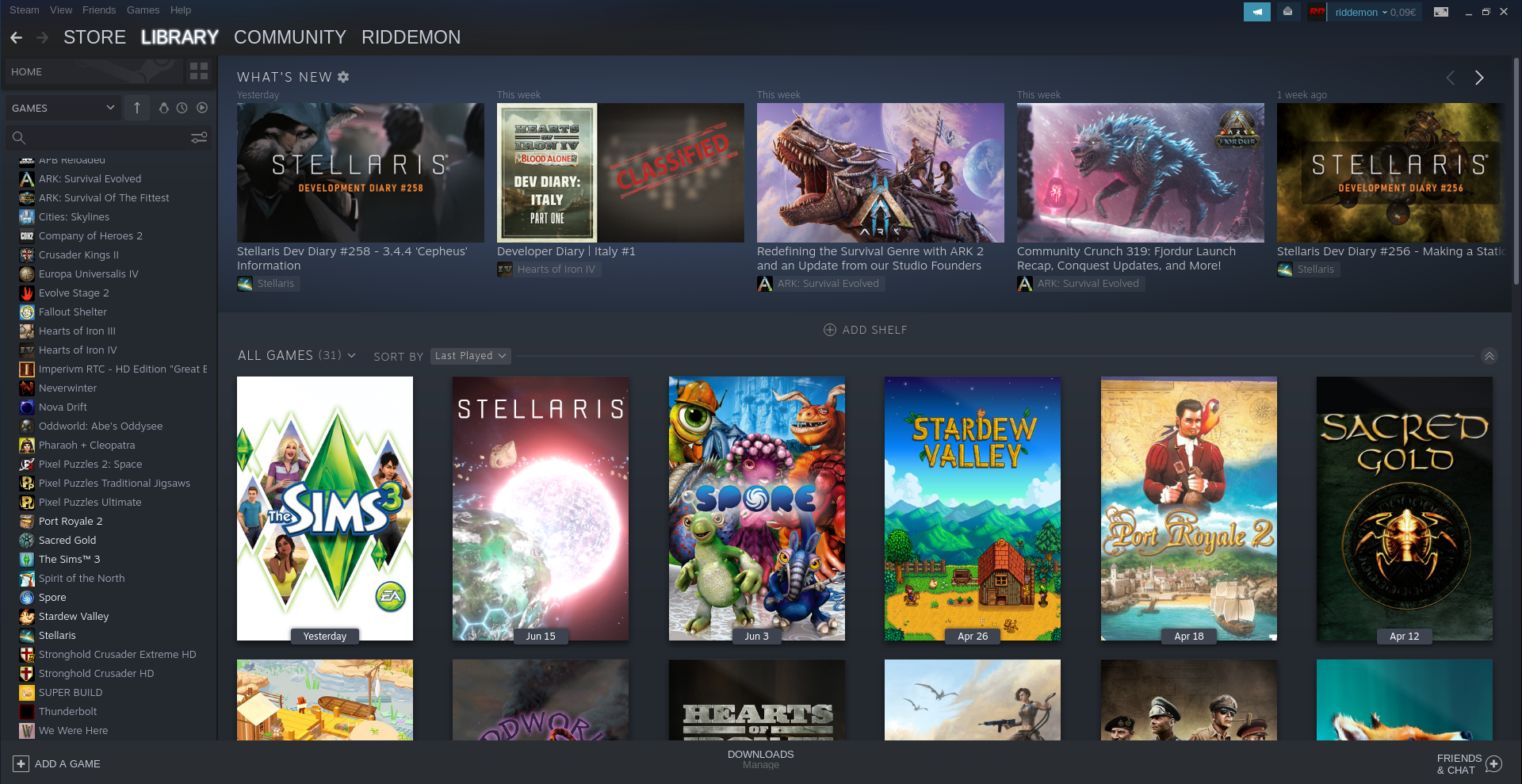

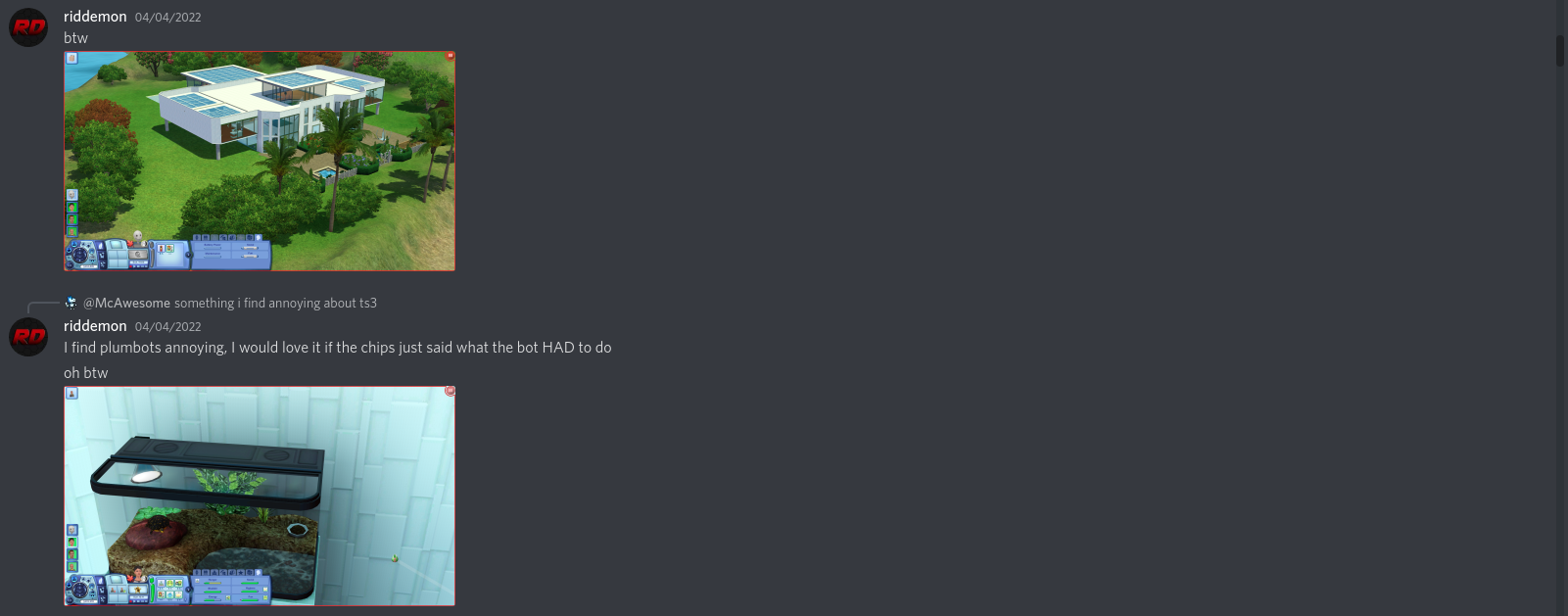
I can confirm the game doesn't run out of the box, both 6 months ago, and now again on a fresh os install.
I'm getting "Unable to start, please reinstall the base game"
Debian 11 with KDE and Gnome as installed from the netinst media, i5 6440HQ with the integrated GPU and ihdk what drivers came with the debian.
Added 32 bit arch to apt and enabled non-free repositories to install steam-launcher from debian, I guess, the one from the steam website didn't work, was missing 32 bit libs. No issues. Installed Sims 3 and tried switching multiple times through all proton versions, always the same error.
I managed to find a 47890_install.vdf file in my sims folder, is this the file(s) everybody keeps talking about? has several default looking keys and a kvsignatures entry at the end (I own only the base game on steam, so just one cdkey). How do I add these keys manually to my install? or to my prefix?
Do I have to install manually vp6, vc_redist86, dotnetfx and dx? I seem to have them in my install folder, but I guess I doubt they've actually been installed. How can I do that?
I hope nobody misunderstands me, I did actually try my best, and google everything I could only to find nothing besides a few copy-pasted "solutions" here and there that don't seem to work both six months ago, and yesterday again. Until I finally managed to nuke half my Debian install somehow while reinstalling wine. Now I formatted my entire drive and on a clean install it still doesn't start.
I managed to find a 47890_install.vdf file in my sims folder, is this the file(s) everybody keeps talking about? has several default looking keys and a kvsignatures entry at the end (I own only the base game on steam, so just one cdkey). How do I add these keys manually to my install? or to my prefix?
From my experience this doesn't work. However you should add them in the system.reg file you find in the [...]Steam/steamapps/compatdata/47890/pfx folder.
Do I have to install manually vp6, vc_redist86, dotnetfx and dx? I seem to have them in my install folder, but I guess I doubt they've actually been installed. How can I do that?
When I played last time I didn't need to do any of this, and I'm pretty sure they're not needed (maybe just dotnetfx to improve the launcher)
I hope nobody misunderstands me, I did actually try my best, and google everything I could only to find nothing besides a few copy-pasted "solutions" here and there that don't seem to work both six months ago, and yesterday again. Until I finally managed to nuke half my Debian install somehow while reinstalling wine. Now I formatted my entire drive and on a clean install it still doesn't start.
Yeah, same... But as you may read from the comments aparently if you have problems with the registry keys you're automatically trying to steal people's game (right @Ruedii ?)
The Keys in question are specific to your licensed version of Sims 3. They are DRM related. Considering nobody else has this issue and you are on here asking specifically for the CD-KEY codes, I am going to call you out for social engineering.
Cracking this game (with all dlc, without ANY cd-key, downloaded directly from steam depots) is so brain dead even an 8 year old could do it.
We're talking about an actual issue that happens to other games as well that could be fixed if only a single valve employee working on steam had 10 minutes to spare.
@myo since you put the registry keys from the .vdf files and it worked, can you please help us by either providing your keys (and again, I own the game and you can remove the CD-keys for all I care (you should, but please tell us if we need to change anything)) or telling us if the ones I provided are correct?
Cracking this game (with all dlc, without ANY cd-key, downloaded directly from steam depots) is so brain dead even an 8 year old could do it. We're talking about an actual issue that happens to other games as well that could be fixed if only a single valve employee working on steam had 10 minutes to spare.
I don't even care about that. At this point I just want to get "mine" to work. I'll spare a day of my time and I'll publish everywhere I could find, reddit, blogspot, github pages, twitter, I'll make sure I'll notify every lost soul I'll find with the, now shitty google, so they don't have to struggle like I do now..
I just need to find a way to actually fix it. It's annoying several people are claiming "it works" and yet nobody seems to be saying how to make it actually work...
I just need to find a way to actually fix it. It's annoying several people are claiming "it works" and yet nobody seems to be saying how to make it actually work...
I got my copy of Spore to work (it had a seemingly similar issue, the .vdf files are flagged as corrupted) by pasting some stuff in the registry key, but that's as far as I managed to get.
I tried pasting stuff in the Sims 3 registry multiple times now with no success at all.
(maybe this makes finding a solution easier)
replace all occurences of XXXX-XXXX-XXXX-XXXX-XXXX with your keys
replace all occurences of Z:\\home\\myo\\ with your path to the game
sims3_reg.txt
@myo
- trying to use your registry keys made the game not run at all, somehow (it will launch but close after a while)
- I had to change your directory a bit as a don't have "debian-installation (for some reason) but "steam"
- It appears that your registry is completely different compared to the one I have by default
@myo @riddemon
Same I'm trying to figure out what's up with the number next to the registry keys.
Right now, I'm looking the number that appears next to most sims 3 keys in myo's file also appears next to the Software\Wow6432Node\Valve\Steam key. The number that appears in my file, is different but is also found in myo's file in several places, most of other numbers seems to be the same in both our files.
I'm assuming the #time field is just a comment, so hopefully doesn't matter.
Now I'm cherry picking keys and will try several combinations to see if anything works.
@riddemon adding the keys in the .txt was enough for me to get it working, only provided system.reg because you asked for it, replacing your system.reg with mine shouldn't work as there's a lot of other system-dependent information wine stores in it. removed system.reg not to confuse other people who might be reading this
@ayngsd the number after the registry key name is the GNU timestamp (seconds from January 1, 1970) at which the key was added
1648932373 = Saturday, April 2, 2022 8:46:13 PM
the hex at #time=1d846d2b1354efa is "a 64-bit value representing the number of 100-nanosecond intervals since January 1, 1601 (UTC)." - it's the same date as above but with 100-nanosecond accuracy instead of seconds
they are not significant and you can leave them as is
@riddemon Finally got it to start with the keys from the latest file attached by @myo (Thanks a lot!!)
For future reference, I had the wrong path to the game, in my case, the correct one is:
"Z:\\media\\linux_user\\extext\\SteamLibrary\\steamapps\\common\\The Sims 3\\Game\\Bin\\TS3.exe"
Apparently "Z:" is what Proton calls the root filesystem.
Launcher works, game shuts down after 2-3 seconds of loading after the intro video.
So I'm guessing now I'm missing the redistributables? Maybe steam didn't install them.
I noticed myo's registry file has this entry, and I don't:
[Software\Wow6432Node\Valve\Steam\Apps\47890] 1648932564
"directx"=dword:00000001
"MSVC Redist"=dword:00000001
"VP6"=dword:00000001
So maybe steam did install them for him but not for me, will look after dinner if I can somehow invoke proton or a separate wine install from terminal with the sims compat prefix and install them. I vaguely remember seeing some instructions on the winehq site how to change prefixes.
Z:\ is a symlink to /
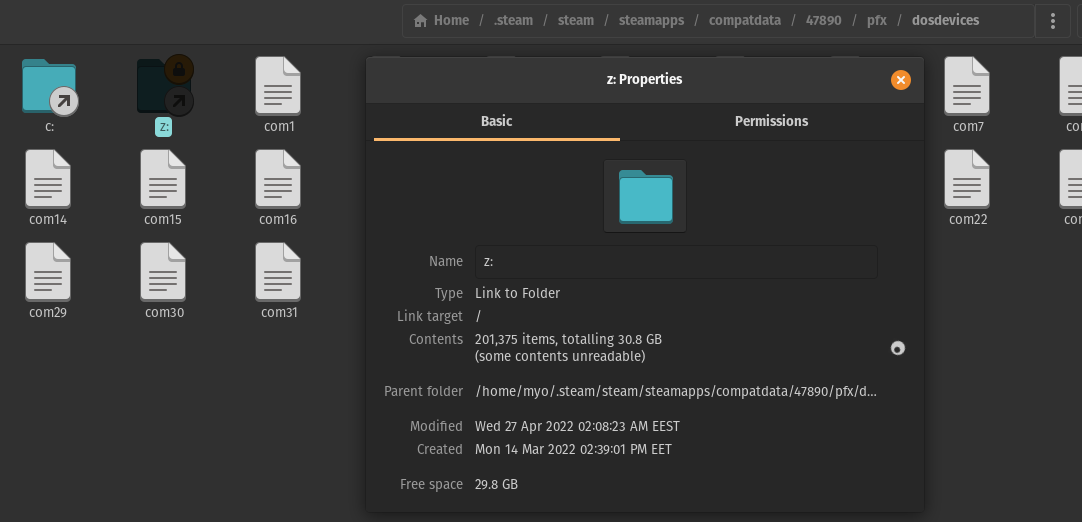
execute this
WINEPREFIX=~/.steam/steam/steamapps/compatdata/47890/pfx winetricks
then choose install windows dll or component in winetricks
then install them
Used your registry @myo and it works on Proton 7.0-3
THANK YOU!
@myo @riddemon YES THANK YOU BOTH GUYS!
Finally works for me as well. Was crashing on Proton 6, so I tried to install all 4 packages that came in the install folder with the sims, only got directx to fully install, dot net complained it won't install in 64 bit, the last two didn't run at all. Then I installed dot net 20 sp2 with winetricks, that worked. Game still crashed.
Then I saw your last message and changed in steam from proton 6 to proton 7 and it suddenly worked, didn't even delete anything or clean any folders.
Thanks guys!
Now you have to keep your promise of writing the solution everywhere you can though xD
(or at least on ProtonDB)
@kisak-valve please change the urgency of the re-running install script feature request, installing a game from a big platform such as steam should never be as hard as pirating the game.
@kisak-valve please change the urgency of the re-running install script feature request, installing a game from a big platform such as steam should never be as hard as pirating the game.
I agree, fixing this issue took me at least 2 months (I looked for solutions before coming here) and I'm pretty sure pirating the game would have been much easier than this... Nightmare, for lack of better terms.
If we're not getting the feature to re-run install scripts at least make them actually run, I'm pretty sure mine didn't run (because aparently it's corrupted).
... On an unrelated note I have a pretty identical issue with Spore, thankfully someone posted the solution (similar to the one for Sims3, just paste the registry keys). This problem is not on a single game and the more games are affected the more piracy is tempting
Well I have repeatedly said this is NOT the place to seek support.
Please go to the Steam For Linux discussion on Steam for support. I already said this several times.
I am not a valve employee, I do not know what issue you are having. Chances are it is not a simple registry issue.
Well I have repeatedly said this is NOT the place to seek support.
No, this is the place to report an issue (which we have) and find a solution (which we have)
Please go to the Steam For Linux discussion on Steam for support. I already said this several times.
Already contacted Steam, and as it was confirmed (even by Valve itself): it's a problem related to Proton
I am not a valve employee
And if you were, you'd be the awarded the medal of unhelpfulness and rudeness
I do not know what issue you are having
I do (did) and also knew the solution. Infact with Myo's help (didn't ping him because at this point it is really a joke to reply to your trolling) we found out that the solution was indeed just injecting some registry keys taken from a file that steam itself considers corrupted
This is hopefully my last message on the matter as this is a place to find solutions and not kindergarden
@riddemon @myo @ayngsd Just wanted to say that, thanks to your persistence, this is the first thread that has actually sensibly identified and then addressed the problem. So, thank you! But, it would definitely be nice if Valve and Steam could just work together to debug the root problem so that users don't have to do quite so much troubleshooting....
OK, update on my progress with downloading and installing content running out of box on proton.
I seem to have narrowed it down to one error in the log:
[000001a4:] EXCEPTION handling: System.Runtime.InteropServices.MarshalDirectiveException: [MarshalAs] attribute required to marshal arrays to managed code.
Unhandled Exception:
System.Runtime.InteropServices.MarshalDirectiveException: [MarshalAs] attribute required to marshal arrays to managed code. at (wrapper native-to-managed) >Sims3Launcher.BusinessLogic+S3LEvents.DLStatusChangedProxy(Sims3Launcher.BusinessLogic/S3L_DownloadItem,intptr,uint)
[ERROR] FATAL UNHANDLED EXCEPTION: System.Runtime.InteropServices.MarshalDirectiveException: [MarshalAs] attribute required to marshal arrays to managed code.
I'm suspecting this bug is in how the launcher calls the particular binary routine.
I can grab the surrounding data as well, but it doesn't seem that relevant, just a bunch of spam about failing to set cookies for the site.
This appears to be an issue with native calls in .Net.
Other errors in the log that might be relevent:
388054.436:013c:01e8:err:msxml:doparse Start tag expected, '<' not found
and
388054.376:013c:0140:err:ole:marshal_object Failed to create an IRpcStubBuffer from IPSFactory for {a6ef9860-c720-11d0-9337-00a0c90dcaa9} with error 0x80004002
However, these two are almost 10 seconds back in the log, so I suspect they aren't important.
For anyone still having trouble with this, I was able to fix it by changing all entries' "exepath" and "install dir" in HKEY_LOCAL_MACHINE\Software\Wow6432Node\Sims(Steam). I had installed the game on Windows and did not have the proper reg keys, so I had to export, import, and modify them as described. Thank you @myo for pointing me the right direction.
Has anyone got the launcher working correctly under proton? Without it you can't install Sims3Package files. Currently when trying to install them the launcher just crashes.
Has anyone got the launcher working correctly under proton? Without it you can't install Sims3Package files. Currently when trying to install them the launcher just crashes.
The launcher is half-working.
The functions that interacts with the Sims3 store, including uploading files and downloading sim3Package files is broken.
For community Sim3Packages (i.e. non-protected) you can use a 3rd party tool to install them (which is probably a good idea, because the 3rd party tools remove cruft).
However, for Sim Store ones you are stuck as they are DRM protected.
The issue has been narrowed down to the calling of C/C++ routines from .Net. The work around of installing native .Net works, but that is not an option for valve to ship.
I'm able to launch into the game using proton-experimental, but the text is just blue boxes and the background of every menu is white. Has anyone else had this issue?
I'm able to launch into the game using proton-experimental, but the text is just blue boxes and the background of every menu is white. Has anyone else had this issue?
Are you meaning in-game, or the launcher? The launcher does that, as the store is offline, so it doesn't actually have any content for the frames. In-game shouldn't look like that, though.
I'm able to launch into the game using proton-experimental, but the text is just blue boxes and the background of every menu is white. Has anyone else had this issue?
Are you meaning in-game, or the launcher? The launcher does that, as the store is offline, so it doesn't actually have any content for the frames. In-game shouldn't look like that, though.
This would be in-game. The game seems to run but the text is just totally unreadable.
In my experience the launcher crashes when attempting to contact the Sims 3
servers to upload/download content or verify encrypted sims3pack files.
You can manually install sims3pack files that are not encrypted or use a
3rd party tool to install them. You can't, however, install the
DRM-encrypted ones from the Sims 3 Store.
On Sun, Apr 16, 2023 at 5:16 PM Casuallynoted @.***>
wrote:
I'm able to launch into the game using proton-experimental, but the text
is just blue boxes and the background of every menu is white. Has anyone
else had this issue?Are you meaning in-game, or the launcher? The launcher does that, as the
store is offline, so it doesn't actually have any content for the frames.
In-game shouldn't look like that, though.This would be in-game. The game seems to run but the text is just totally
unreadable.—
Reply to this email directly, view it on GitHub
https://github.com/ValveSoftware/Proton/issues/2502#issuecomment-1510489997,
or unsubscribe
https://github.com/notifications/unsubscribe-auth/AAYFL2MLMXXEJFL27QTN7BLXBROTVANCNFSM4HDV2HMA
.
You are receiving this because you were mentioned.Message ID:
@.***>
Here's an image of what I'm seeing:

Hello @Casuallynoted, please copy your system information from Steam (Steam -> Help -> System Information) and put it in a gist, then include a link to the gist in this issue report.
Hello @Casuallynoted, please copy your system information from Steam (
Steam->Help->System Information) and put it in a gist, then include a link to the gist in this issue report.
https://gist.github.com/Casuallynoted/2986d02f9026d057c07edae7502712a9
Thanks, are you able to test a point release of mesa, or mesa git main?
Thanks, are you able to test a point release of mesa, or mesa git main?
Just tried Mesa 22.2 but no differing results with that, is there a version you'd recommend?
I have just tested Sims 3 again on 7, 8 and Experimental out of box.
As a note, for those actually wanting to run the game, protontricks .net framework install should be enough to get it running now. You may need the VC override for the launcher as well.
Experimental has a breakthrough improvement of the welcome screen sometimes rendering properly.
There are still mono issues. I may gather more data later if I'm up to it. Since we now have many people working on it
For the sake of expressing my frustration I would like to give some redacted choice words towards EA for not updating this launcher to .NET core, or updating the binaries to 64bit and the linking to modern versions of the libraries. I cynically and sarcastically wish them the best of luck in keeping their second most popular Sims game functioning on Windows systems as Microsoft EOLs these deprecated libraries when a few hundred hours work could let them release a remaster making them billions and ensuring the game's compatibility for 20 more years but they are too lazy.
Hi, figured I’d give a quick update, I accidentally took a video in game and later on I wanted to close the Launcher mid-game but forgot about the Video being present. The Video showed up and this time, it didn’t crash! The entire UI was also useable and I could select the Video. Deleting it works fine but the launcher crashes during it, but re-entering it showed that it was gone from the Uploads tab.
Show File opens the explorer and shows the file in “Recorded Videos”. you cannot back out of the Explorer directly since there’s no Exit button shown while in Gaming Mode, but pressing the Steam button and pressing X on the Recorded Videos tab where Switch Windows is works and will return you back to the Launcher.
Screenshots show up too and the Launcher appears to be usable but is still frozen and also still crashes. (I presume Because the Launcher attempts to change the parcel icon to the Screenshot itself which is intended behaviour.)
Downloads and Installed Content tabs still crash the Launcher for now if there’s anything present to display there if the thumbnail for it is present.
It also appears that any background updates on the Launcher while it’s open (to change information on the tabs for pieces of content such as content being installed, downloading, or if a piece of content has failed to install, or if you move/delete a file into/from Downloads, Exports, Recorded Videos, or Screenshots) causes it to crash and I suspect that this also happens if you Export a Sim or Lot in order to share it online to the Exchange for instance.
If you have a file with no thumbnail at all, you can attempt to install it, and theoretically it should install but I’m still looking into this. @Ruedii
Hello! Another update: I’ve managed to get a pattern to install successfully without a thumbnail and the Launcher knows it’s installed and shows up in the Installed Content tab too, both of which do not crash, and the thumbnail does not show up either. The actual thumbnail that the Launcher uses is the one inside the package file and for me, the Pattern I created in Create A Pattern had 2 (It’s just one package file but it’s split into 2 parts.) and it was in the last one. There is a XML tag simply titled “thumbnail” and changing a single letter will not allow the thumbnail to show up in the launcher.
The game is able to install the content just fine, although the Launcher still crashes once it finishes, but re-loading the launcher and checking both the Downloads and Installed Content tabs will show that the item was installed just fine. Although the Pattern did not have an icon in Create A Style, the pattern itself did show up properly in game.
Uninstalling works just fine as well, and I presume that choosing the “Run without custom content” option will also work just fine. :)
I’ve also tested installing multiple custom content items (not the same type of content) and that works just fine as well, both show up as installed, and while only one of them showed up as having no icon, using them worked just fine.
TLDR: Custom Content can be installed on Steam Deck via the Launcher but the thumbnail that’s in the embedded .package file must not be present or the thumbnail XML tag pointing to it must be renamed.
Progress:
- Launcher web site view now works.
- Downloads of sims store content does not.
I have no issues with Mesa drivers or RADV. However, I did enable V-Sync. I have heard reports with issues when V-Sync is off due to shaders that run additional cycles unclocked when the simulation is between ticks.
Still same as before.
I don't seem to have issues from high CPU thread count myself.
However, I only have 24 threads, not the >64 that some people have.
It seems as of the latest Proton Experimental, The launcher has regressed and it launches broken a majority of the time now, where the sims 3 logo shows up, the background show up but nothing else shows up at all and the only thing you can do (on Steam Deck at least) is to exit the game via the Steam button.
The same issue also occurred in Desktop Mode, and the only way to close the launcher is to stop the game via Steam.
The only way that I could seemingly stop the issue was to delete the folders at "47890/pfx/drive_c/users/steamuser/AppData/Local/Microsoft/Windows/". (it's not a guaranteed fix either!)
Hello @Blayer98, please add PROTON_LOG=1 %command% to the game's launch options and attach the generated $HOME/steam-$APPID.log to this issue report as a file. (Proton logs compress well if needed.) Also, please copy the contents of Steam Runtime Diagnostics from Steam (Steam -> Help -> Steam Runtime Diagnostics) and put it in a gist, then include a link to the gist in this issue report.
If this is a regression on Proton's side, please note the newest unaffected version as well.
https://gist.github.com/Blayer98/abfc270329351ea7ab0594bd5b307930
Here they are. Last time that I played Sims 3 on my Steam Deck, Proton Experimental was at 8.0.2 if I remember correctly. I'll go ahead and test 8.0-5 but I highly expect no issues to occur since I never had this issue show up with Proton 8, seems like this was introduced with Proton 9.
Update: This issue does not occur on Proton 8 whatsoever. Using Proton 9.0-2 or Proton Experimental introduces this bug.
@Blayer98 Do you have any DLC or Mods installed? I tried with the base game just now and couldn't reproduce. If you do have Mods installed, does the issue persist when you do not have Mods installed?
Hi, I do yeah, I have mods and DLC installed but this is just the launcher on it’s own, so I’m not sure why the issue occurs.
@Blayer98 Can you check with your mods uninstalled please? I cannot reproduce with all of the DLC added. I do know the DLC affects the launcher a tiny bit, due to the icons on the bottom being lit up if they are installed. It is possible that some Mods may also be affecting the launcher.
@Blayer98 Can you check with your mods uninstalled please? I cannot reproduce with all of the DLC added. I do know the DLC affects the launcher a tiny bit, due to the icons on the bottom being lit up if they are installed. It is possible that some Mods may also be affecting the launcher.
Maybe it could be related to the Smooth Patch by Lazy Dutchess? But their mod works completely fine on Windows PCs and was working fine on Proton 8 with no issues, and I don’t think it could be causing the issues? I’ll have a look and test this again on Proton Experimental later but I’m not sure
Sorry for the very long wait for an update, but I’ve just recently re-installed SteamOS on my Steam Deck (mainly getting rid of rubbish files being left over) and this issue seems to still occur. I noticed the times the launcher crashed, the log mentioned running out of virtual memory. This bug does not occur on Windows.
Hi, I have the same problem that @Blayer98, besides I have the disks so I install it with Lutris with this script:
https://lutris.net/games/install/13601/view
And I'm not sure why in Proton doesn't work, I try to use WineTricks and ProtonTricks to modify the setup and doesn't work, the launcher entering into Downloads tabs simply crash with a Marshal error.
This is the error extracted from the logs:
[00000448:] EXCEPTION handling: System.Runtime.InteropServices.MarshalDirectiveException: [MarshalAs] attribute required to marshal arrays to managed code.

Unhandled Exception:
System.Runtime.InteropServices.MarshalDirectiveException: [MarshalAs] attribute required to marshal arrays to managed code.
  at (wrapper native-to-managed) Sims3Launcher.BusinessLogic+S3LEvents.DLStatusChangedProxy(Sims3Launcher.BusinessLogic/S3L_DownloadItem,intptr,uint)
[ERROR] FATAL UNHANDLED EXCEPTION: System.Runtime.InteropServices.MarshalDirectiveException: [MarshalAs] attribute required to marshal arrays to managed code.
I'm not sure why on Lutris it works updating all to the new versions and in Proton doesn't work.
I can share a package free to install, it's a Sims3Pack file.
It can be placed into:
~/.local/share/Steam/steamapps/compatdata/47890/pfx/drive_c/users/steamuser/Documents/Electronic Arts/The Sims 3/Downloads
in the Winetricks.log of Lutris I found this:
remove_mono internal
dotnet20sp2
mfc42
d3dx9
vcrun2005
vcrun2010
And in my case Lutris is running wine-ge-8-26-x86-64
I don't know why but I try to use the same version of wine with ProtonPlus, a program to change proton for other Wine version but using the same prefix that Proton, and simply doesn't work, the same problem.
The Launcher without files into Downloads works but if you add any Sims3Pack file crash in Proton and in Lutris doesn't.
Replying to https://github.com/ValveSoftware/Proton/issues/2502#issuecomment-2676637823
Hey, the reason Lutris is working is that dotnet was installed and the wine-mono install was removed.
As I mentioned a while back, it’s possible to use the launcher to install Sims3Pack files if said file does not have a thumbnail for the launcher to display. It appears the issue with the Launcher on Mono is displaying thumbnails.
It’s also possible to select the Tabs on the Installed Content and also Download menus now.
I wrote this back in July 2023, but sadly it seems there’s still no proper support for the thumbnails yet. I haven’t tested a thumbnail-less Sims3Pack since then.
Hello! Another update: I’ve managed to get a pattern to install successfully without a thumbnail and the Launcher knows it’s installed and shows up in the Installed Content tab too, both of which do not crash, and the thumbnail does not show up either. The actual thumbnail that the Launcher uses is the one inside the package file and for me, the Pattern I created in Create A Pattern had 2 (It’s just one package file but it’s split into 2 parts.) and it was in the last one. There is a XML tag simply titled “thumbnail” and changing a single letter will not allow the thumbnail to show up in the launcher.
The game is able to install the content just fine, although the Launcher still crashes once it finishes, but re-loading the launcher and checking both the Downloads and Installed Content tabs will show that the item was installed just fine. Although the Pattern did not have an icon in Create A Style, the pattern itself did show up properly in game.
Uninstalling works just fine as well, and I presume that choosing the “Run without custom content” option will also work just fine. :)
I’ve also tested installing multiple custom content items (not the same type of content) and that works just fine as well, both show up as installed, and while only one of them showed up as having no icon, using them worked just fine.
TLDR: Custom Content can be installed on Steam Deck via the Launcher but the thumbnail that’s in the embedded .package file must not be present or the thumbnail XML tag pointing to it must be renamed.
As I mentioned a while back, it’s possible to use the launcher to install Sims3Pack files if said file does not have a thumbnail for the launcher to display. It appears the issue with the Launcher on Mono is displaying thumbnails. It’s also possible to select the Tabs on the Installed Content and also Download menus now. I wrote this back in July 2023, but sadly it seems there’s still no proper support for the thumbnails yet. I haven’t tested a thumbnail-less Sims3Pack since then.
But I remove mono and I add dotnet for example and still was failing, meanwhile in Lutris it works including the case of a custom content with thumbnail
Replying to https://github.com/ValveSoftware/Proton/issues/2502#issuecomment-2676855561
Ah ok, did you install the vcrun2005/vcrun2010 programs as well as dotnet20sp2? Or did you install dotnet20sp2 on its own? I’m thinking if it’s not working with only dotnet20sp2, then maybe the vcrun2005/vcrun2010 is required.
Or maybe mfc42 is required? I’ll try installing mfc42 as I think that the VC Runtime is installed when running the game via Steam?
Yes, I think that all the things that you say are installed via Steam.
dotnet20sp2
mfc42
d3dx9
vcrun2005
vcrun2010
But I'm not sure about if the prefix is configured with remove_mono. However, I don't know what is the current difference between the Lutris version and the Steam version.
I try to configure in Steam Tinker a custom prefix, but I'm not good using this tool, I don't know how to configure it correctly to copy the profile of Lutris.
Hello, the game is working perfectly fine on my desktop with an AMD graphic card, but when I try to launch it on my laptop the launcher briefly appears and then immediately crash, any idea why?
Are are the logs: https://gist.github.com/Flaburgan/506c4cafb4e756888de8d7c790d04f6c
Hello @Flaburgan, Proton 5.13 is several years old. The easiest thing to check is if the game runs a bit better with a newer release of Proton.
Hello, sorry I should have said I tried with many different versions and it never worked (although it looks like it's not crashing at the same steps, here with experimental: System.DllNotFoundException: TSLHost.dll assembly: type: member:(null)
https://gist.github.com/Flaburgan/ddc9bda64bd8da123a44020991c46f43
Sorry, about my problem I update to the experimental version of Proton and it solves it I don't know why but thanks!
My recent updates:
Game Itself has been working perfectly for some time.
I last tested the launcher on vanilla Proton back in December and it was borked then.
I have installed ProtonGE and Microsoft .Net and the launcher works with that.
I would like to be updated when the launcher might be working on Vanilla Proton with shipping Mono version so I can test it then.
I simply don't want to mess with my install otherwise. It's a lot of work to create a fresh backup to test a new version of wine. As much as I want to see it working on vanilla, it's not like I'm getting paid for this, so I'm not going to be daily testing.
Hey, I’m thinking that if you have a lot of Store content installed and then decide to use that same save folder on Steam Deck, the launcher tends to be very buggy, and I’m wondering if this is because of the very large files that the Launcher attempts to load for the “Installed Content” tab.
Here's my proton log, seems like there's an issue with memory?
12100.221:0160:0164:err:virtual:try_map_free_area mmap() error Cannot allocate memory, range 0xf6750000-0x40a4000, unix_prot 0x3.
12100.221:0160:0164:err:virtual:allocate_virtual_memory out of memory for allocation, base (nil) size 0d954000
12100.221:0160:0164:err:virtual:try_map_free_area mmap() error Cannot allocate memory, range 0xf6760000-0x40c0000, unix_prot 0.
12100.221:0160:0164:err:virtual:try_map_free_area mmap() error Cannot allocate memory, range 0xf26a0000-(nil), unix_prot 0.
12100.221:0160:0164:err:virtual:allocate_virtual_memory out of memory for allocation, base (nil) size 0d960000
12100.221:0160:0164:err:virtual:try_map_free_area mmap() error Cannot allocate memory, range 0xf6760000-0x40b4000, unix_prot 0x3.
12100.221:0160:0164:err:virtual:allocate_virtual_memory out of memory for allocation, base (nil) size 0d954000
Proton versions
proton 5.13x1 2025-05proton experimentalx10 2024-07proton 9.0-2x1 2024-06proton 7.0-3x1 2022-06proton 6.3-8x1 2022-06proton 4.11x3 2021-08
Launch options
PROTON_LOG=1x1 2024-06WINEPREFIX=~/.steam/steam/steamapps/compatdata/47890/pfxx1 2022-06WINE_GECKO_MAIN_THREADx1 2021-07WINEDEBUG=+msg,+win,+sehx1 2020-01
Upstream links
- ValveSoftware/steam-for-linux/issues/6346x1 2022-06
- ValveSoftware/Proton/issues/3705x1 2020-03
DLLs
tslhost.dllx1 2025-05ieframe.dllx3 2021-06jscript.dllx6 2021-06mshtml.dllx1 2021-06
Error codes
0x80004002x1 2022-10
Compatibility Report
System Information
I confirm:
Symptoms
Launcher won't launch (Game Launcher Requires .Net on Wine. Uses modules not currently found in WineMono)
Game will launch bypassing launcher, but download and online functionality does not work as it calls the launcher.
Reproduction
Download game
Attempt to launch
Related Issues
Proton Needs Wine-Mono Support #18