War Thunder
Hello @jarrard, is a Proton log generated if you go to the game's properties and check Force the use of a specific Steam Play compatibility tool, then try to run the game with its regular play button instead of using a non-steam shortcut.
It appears to get further but aces.exe closes down after 10seconds.
The log file is 470mb and compressed to 16mb so I can't post it.
The issue mainly with running it via launcher is for some reason gaijin auto deletes dxgi.dll which makes it hard to run reshade. (d3d11.dll might be alternative solution)
For the esync part of the riddle, please run ulimit -Hn and verify it is a high value and not 4096.
Yeah I think I set that while ago, its 524288 on this system
Here is the log file compressed max with 7zip format (renamed to .zip)
Proton Log File: test.zip
I should mention DXVK 1.1 currently causes a crash after login with this game so I've had to use DXVK 1.0.2 for the moment (lutris method). I don't think steam is at dxvk1.1 yet so probably not a issue (yet).
I am able to launch the game by setting the following Launch Commands
"STEAMPATH/steamapps/common/War Thunder/win64/aces.exe" %command%
Launching via the Launcher, results in an immediate crash, I didn't see any useful info from the logs on it.
You can however access the Launcher when prompted after using the above Launch Commands and it launches as it should.
I can also only obtain a playable state when setting the render to opengl(test) through the launcher.
Using the default renderer has several graphical glitches rendering majority of the textures black or non existent with a unplayable framerate of around 15 FPS and constantly sets the Graphic Detail to Ultra Low due to its Video Card Check that I couldn't seem to get around.
I also have to manually kill "gjagent.exe" majority of the time.
I will try to get a Log up for directx, but proton isn't playing nice with creating them at the moment.
Auto(Default DirectX)
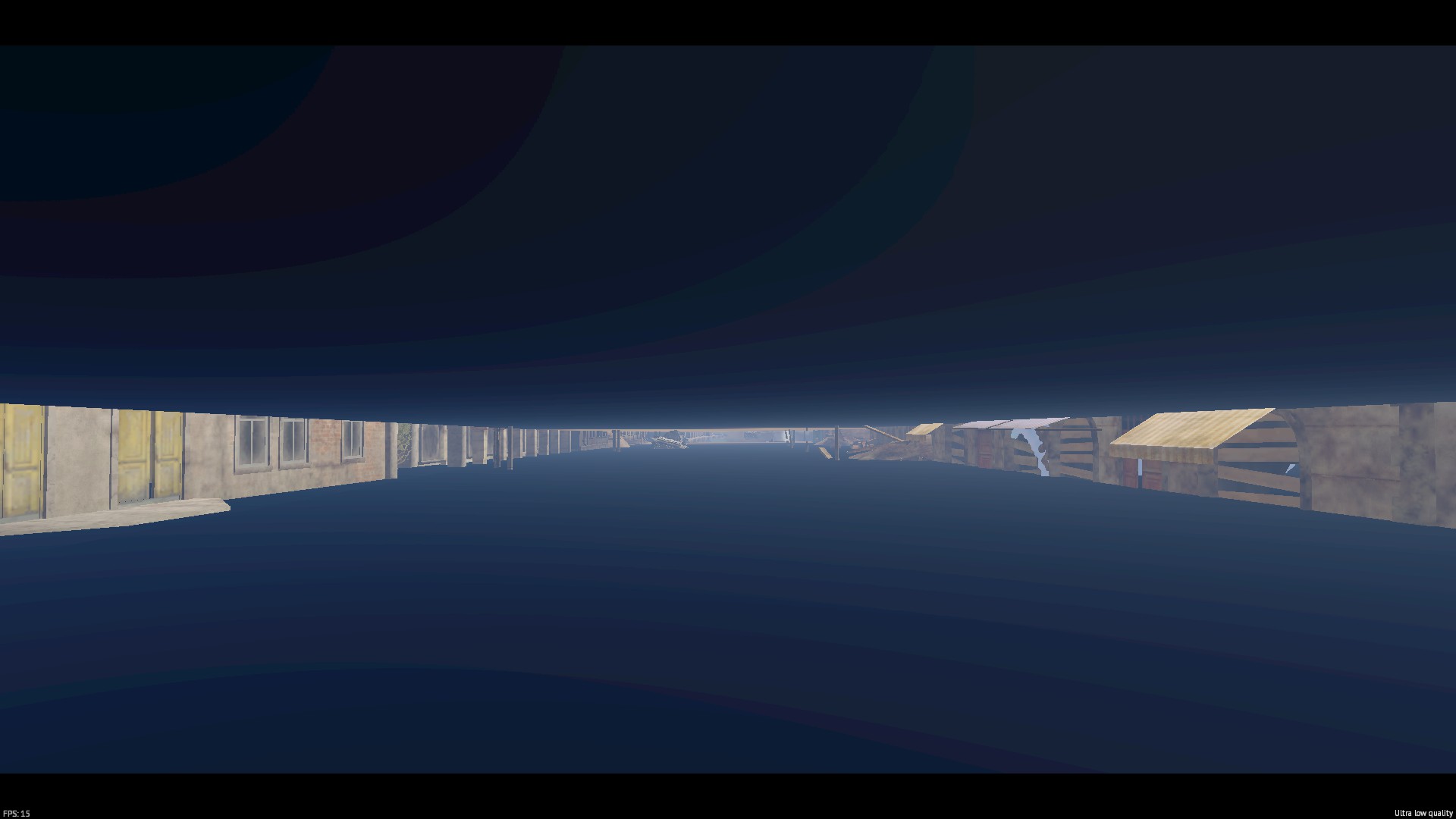
OpenGL(test)
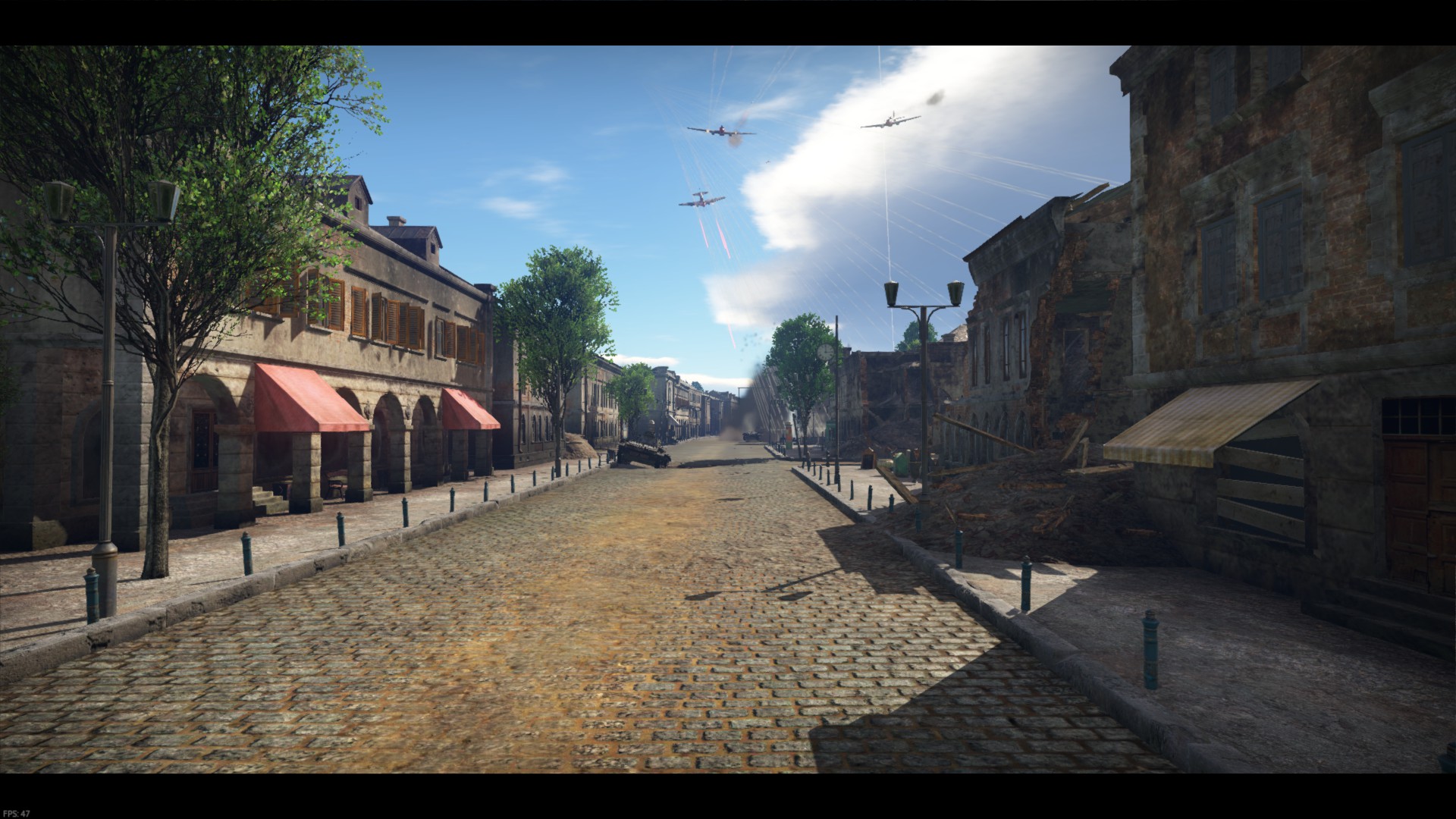
Yeah opengl is the reason for running the game this way. The performance under Opengl is quite bad!
gjagent.exe can be disabled in the launcher its auto update tickbox.
Again game only works via lutris for me.
Also are you making a shortcut with those launch commands? I can't imagine your overwriting steams hardlocked launcher.exe link for the game!
"STEAMPATH/steamapps/common/War Thunder/win64/aces.exe" %command% = aces.exe launcher.exe, that's what your saying.
LASTLY, please always state if your using NVIDIA or AMD hardware, this is extremely critical information since both vendors get drastically different results with some games like this!
"/mnt/GamesSSD/SteamLibrary/steamapps/common/War Thunder/win64/aces.exe" %command%
this line works for me in the war thunder steam link, it shouldn't however, and also it sets to ultralow due to graphics driver issue, seems DXVK isn't working correctly? I do get the same graphical issues, I suspect wined3d is being used and not DXVK. odd
I think I know whats happening, its executing your linux systems installed wine for the first argument being aces.exe somehow.. That's what it looks like, and most people don't install DXVK on their default wine dependancy. So this is bypassing proton perhaps?
Goto ~/.steam/steam/steamapps/compatdata/ delete 236390 if it exists.
If the game uses proton/steamplay it will create that number there for it. But it doesn't, so you've found a bug in the steamplay launch system to bypass proton basically.
Obviously it only executes proton for the %command% and everything else is handled by linux, and in this case linux sees your trying to run a windows exe and just loads it up via the default system wine install which has not got DXVK installed.
If you install DXVK no doubt it will work, but its bypassing proton then so isn't a realistic solution to this problem.
I hope that helps explain whats going on. Also if you launch the game via the launcher it appears to not create a proton prefix, and just loads nothing instead.
So only way to get proper behaviour is add a non-steam game line and point it to the exe (you need to set target after adding the shortcut due to steam bug), and then launching the exe from there, but as I've being saying it just fails to load.
What we want is the game to launcher correctly via either the default launcher.exe or by steams non-steam shortcut system, and for some reason this game glitches that process, quite odd indeed. Maybe someday someone will figure it out but I'm not smart enough to be that person.
PS. my ~/.steam/steam/steamapps/compatdata/ folder is symlinked to my secondary SSD NTFS drive where games are launched from. As per proton wiki, (I had UID etc setup correctly, most other games work fine).,
Just a update,
Game works (win64 exe via launcher) fine with Proton4.2-3 now so people can use that. HOWEVER there is a bug which prevents dxgi.dll injectors from working with this game and under proton such as reshade4.
I have the game working with wine4.6 and esync off under Lutris AND with the reshade enabled. This problem could be related to esync somehow not letting reshade work when enabled with proton. Not sure if it affects other games.
The reason one might want to use reshade is to get better fsaa options or sharpening, for instance War Thunders TAA fsaa is not bad but it blurs everything too much and I found turning on reshade lumasharpen improves it quite a bit.
The ingame TPS sharpening is terrible, no idea what gaijin is doing with that failed filter.
PS. I'll close this for now since the reshade4 issue is a separate problem and until others come forward with a similar issue then I doubt a fix can get any traction.
Instead of opening another ticket, I would like to reopen this one for the purpose of investigating why reshade dxgi.dll causes aces.exe to zombie when running under steamplay.
Without the reshade4 dxgi.dll injector, it works fine, even with esync.
Here is the offending log file, very suspect!
dxgi.log
dxgi.dll still causes this title to zombie, no solution found except to avoid using steamplay.
This game will no longer work in 1.91 patch as Warthunder is going to use EAC, rip playable framerate under Linux (I got poor visuals and bad fps under Linux native).
Everyone will need to use the semi broken vulkan native render config from 1.91 onwards. Also under windows I dunno if EAC works with reshade but it probably won't so that's bad because Gaijin has the worse anti-aliasing and sharpening in any DX11 game I've seen!
There it is.. update 1.91 and wine support for it.... is gone...
Cool night vision tho :DDDD :<
I'll close this since the reshade issue was resolved, and the game does seem to load with proton for a while now in DX11 mode. Also it has DRM which kills wine, so no point discussing this further. Hope they fix up the vulkan native render path sometime (it has issues still).
That is WINE d3d translator and note really under development by valve itself (they work on dxvk/d9vk mostly).
I thought AMD ATI Radeon HD 6550M supported Vulkan?
So, i installed War Thunder for the first time in Pop_OS and after i press Steam login it crash, i got these errors:
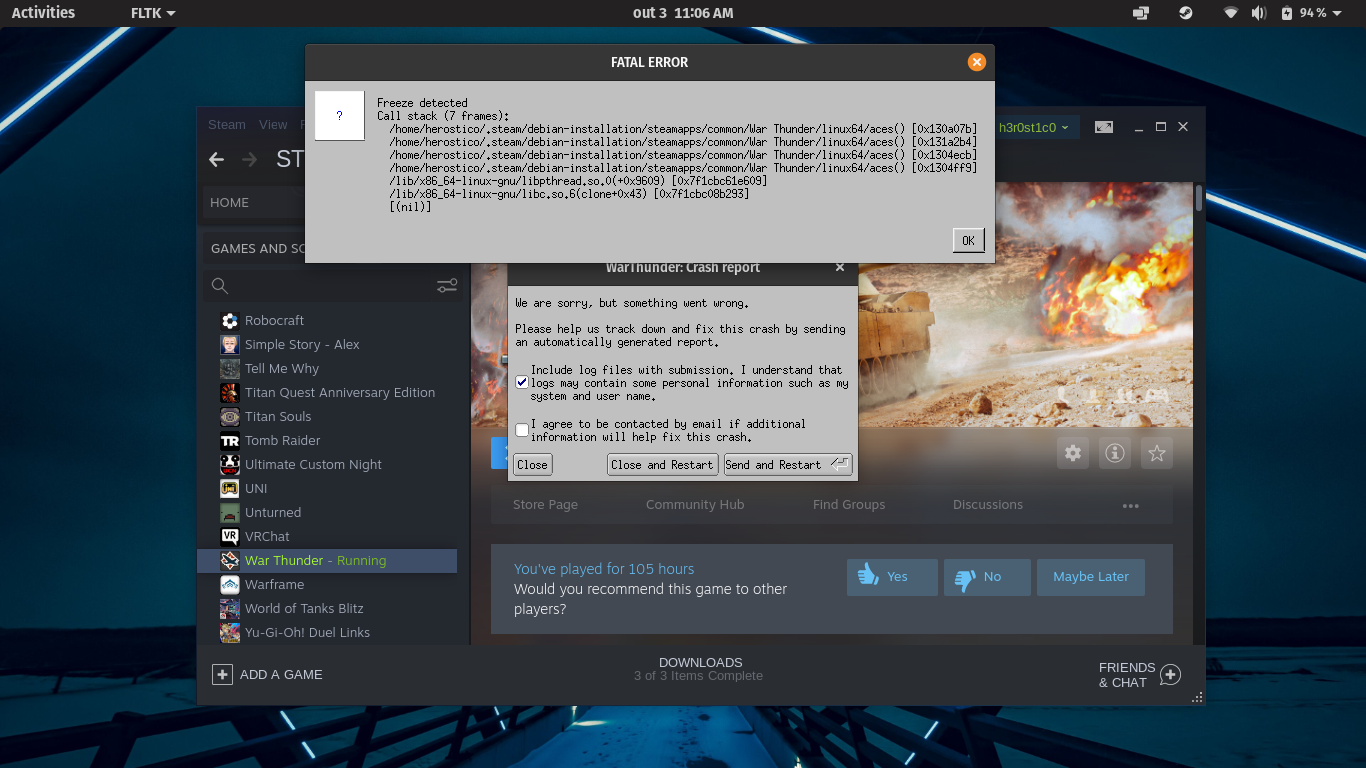
Hello @Herostico, that error message looks like it's coming from a native linux build of the game, not from running this game with Proton. Support for the the native linux build comes directly from the game's devs, not this issue tracker which is for Proton.
Ok. Sorry...
Compatibility Report [UPDATED]
System Information
I confirm:
No proton log generated
Symptoms
Reproduction
Launch win64/aces.exe within steam as a shortcut using proton library, it may require appid text file in folder! include dxgi.dll from reshade421 (or 411) in the exe folder.
Additional error logs/messages
Under inspection of steam-native I see this as last line.
Important Notes
-Win64 War Thunder works fine under Lutris/DXVK/Proton with reshade4 dxgi.dll injector (esync must be disabled).
-ESYNC needs to be disabled as it causes login crashes/freezes. [now works under steamplay]
WHY not use the broken native opengl client you ask? that is why, its horribly broken!
Also the native Vulkan render driver (alpha) has black screen AND crash issues so its no longer usable.
I would like to figure out why this just doesn't work via Steam itself, be nice to not need to run via lutris all the time. Also might be worth figuring out why esync crashes the client sometime.