ENSLAVED™: Odyssey to the West™ Premium Edition
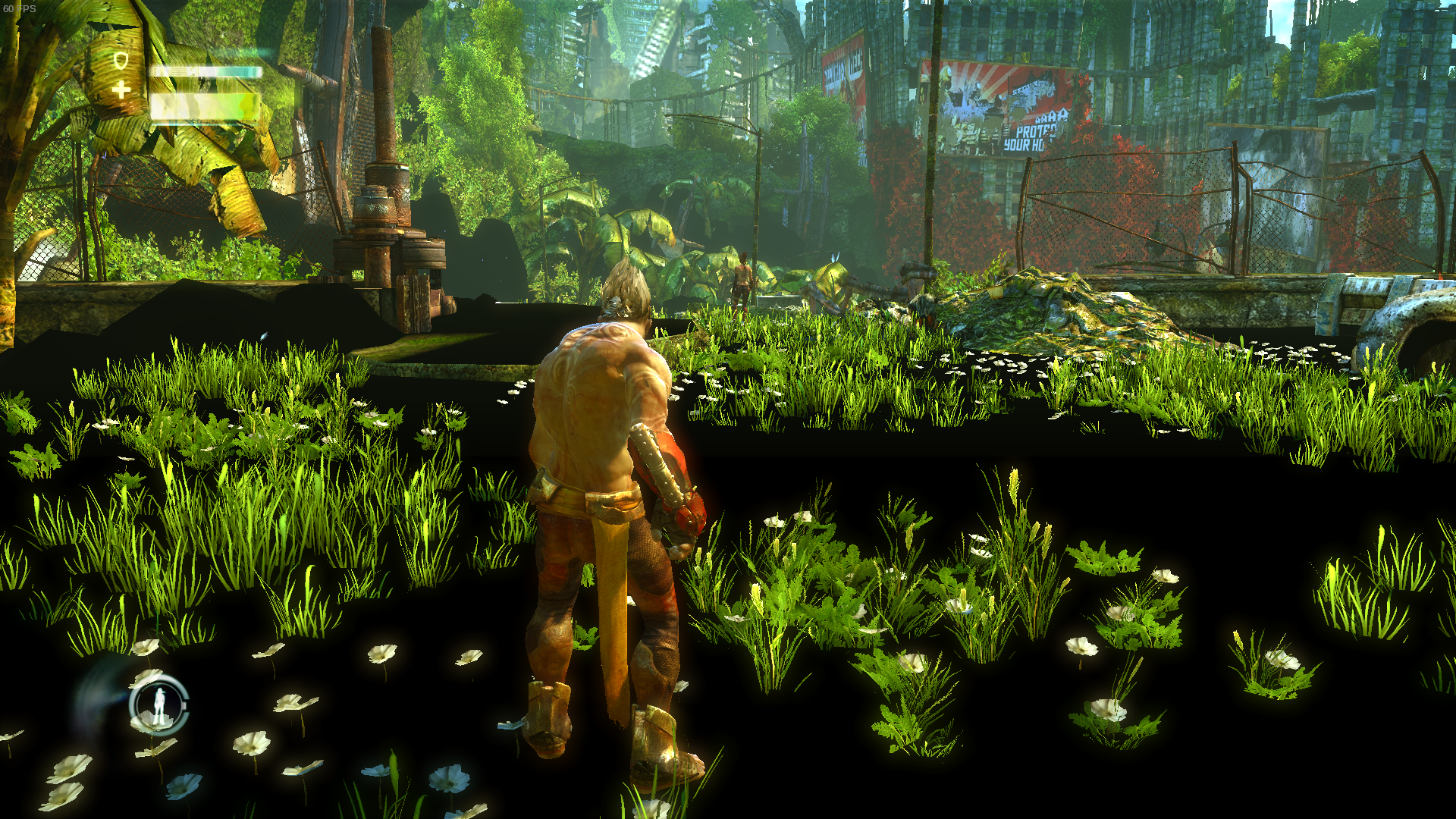
Please attach save file from the game. I can check the described problem with black areas on Nvidia card.
Here are what I suppose are the save games:
UnrealEngine3.zip
Data is located here:
STEAM/steamapps/compatdata/245280/pfx/drive_c/users/steamuser/My Documents/My Games/
Anyway the glitch is right after the first checkpoint you encounter into the game, just minutes after he awakes with the slave crown after the landing and mets Trip
I'm having the exact same graphical issues, large black patches of ground. Same version of Proton, different video card (nvidia).
steam-245280.log
https://gist.github.com/lucifertdark/584c14275612e8e3c4a8070d428d8a02
.Net installation is no longer an issue with Proton 4.2.
Yeah, i can confirm the issue..
sys.info.txt
The graphic bug is still present with Proton 4.2-4 and Mesa 19.0.4
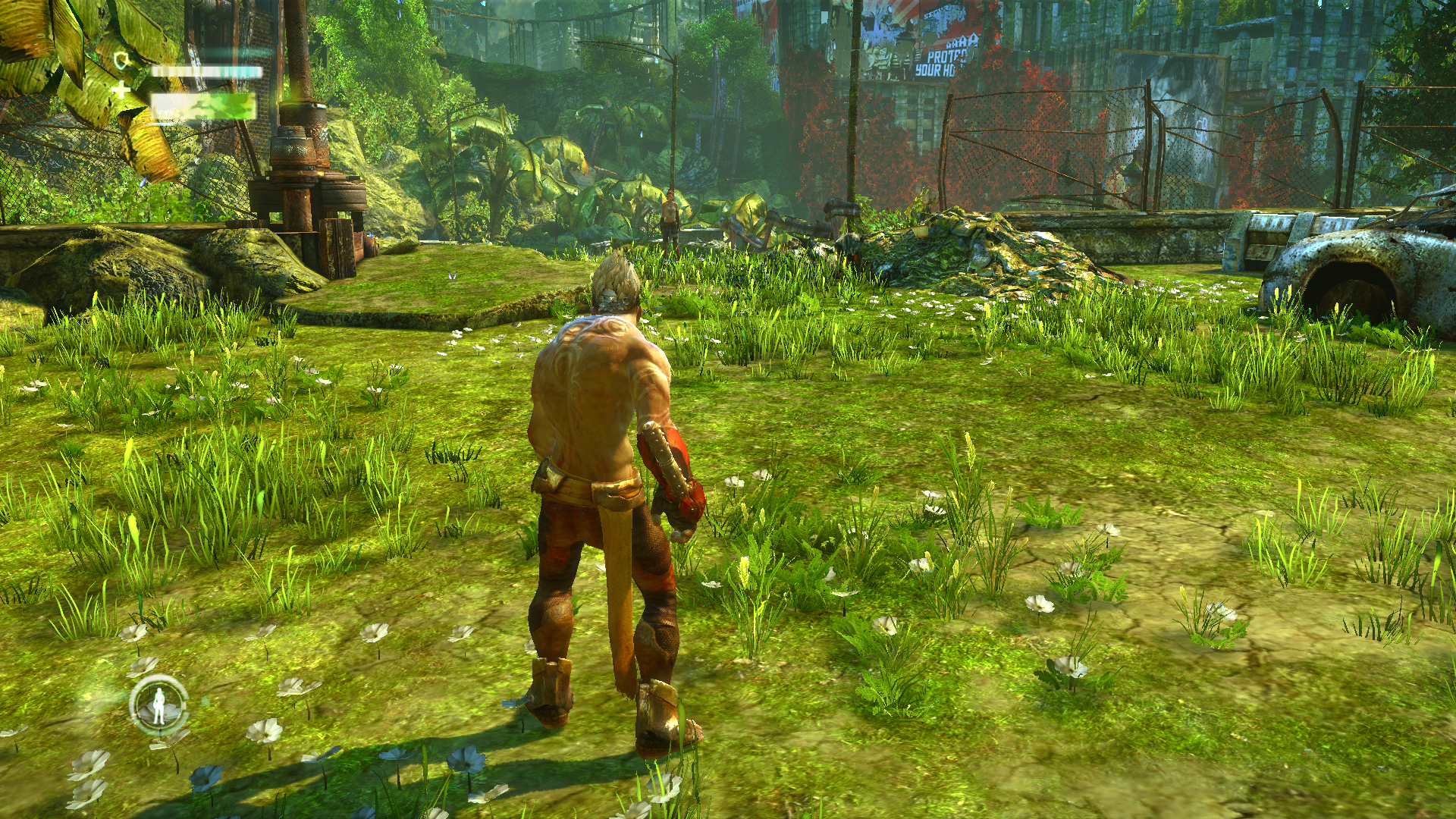
Black/missing textures are fixed with d9vk: https://github.com/Joshua-Ashton/d9vk
Game works now flawlessy using vanilla Proton 4.11-1.
Also tried the game enabling D9VK (using PROTON_USE_D9VK=1 %command% launch option) and apart for some little glitches here and there, the game worked very well.
I'll try to finish the game and report back, but actually to me, it runs like a native game: tested also gamepad which worked very well.
@ziabice, so did you finish the game?
@ziabice, so did you finish the game?
no @springwurm , I played only 3 hours then I don't liked the gameplay and I lost interest...
The game is playable from start to finish without crashes or visual glitches.
The only issue I had was that when the gamepad controller disconnects (being afk too long) then I had to restart the game.
System Information
- GPU: AMD Radeon RX 5700 XT
- Driver/LLVM version: Mesa 20.1.7/LLVM10.0.1
- Kernel version: 5.8.5-zen1-1-zen
- Link to full system information report as Gist: https://gist.github.com/Hafas/ab3fa2a9b7a3f2c3d9fd390ba259fb63
- Proton version: 5.0.9
graphics works well but character voices are not present when using a 7.1 sound system setup. I don't have audio issues like this on any other game in my large catalog on or off steam so it's rather surprising.
Proton versions
proton 4.11-1x1 2019-07proton 4.2-4x1 2019-05proton 4.2x1 2019-04proton 4.2-3x1 2019-04
Launch options
PROTON_USE_D9VK=1x1 2019-07
Launch lines
PROTON_USE_D9VK=1 %command%x1 2019-07
Compatibility Report
System Information
I confirm:
Steam log:
steam-245280.log
Symptoms
Thanks to Proton 4.2-3 finally this game starts, but has some problems:
Reproduction
Just launch the game.