Winepath becomes a zombie process after prefix update to 4.2.
@kisak-valve
This problem is not restricted to just Port Royale 3 but to more than 10 other games, I only uploaded that log for example, but it doesn't help since the zombie process happens before the game is launched and that log is written when the game is actually launched and this can only happen after killing the parent process of winepath.
Plagman is already informed and is working on it.
Thanks for reporting, I've started looking into this. Have you ever run this game on an earlier version than 4.2-3? Especially 3.16 or 3.7?
@aeikum
This is what I wrote on the proton channel on Discord:
It only happens for games that I had installed and played before the release of Proton 4.2-3. After killing python3 parent process and closing the game from its menu, it runs normally the next time it is started.
I tried today to start some games that I had previously installed and 9 out of 40 presented this problem.
Trying to change Proton's version does not trigger the problem.
The first time it happened to me was April 10th.
I made other attempts with other games, making a backup of their prefixes before starting them. I found Aarklash: Legacy (222640) to have this problem, always and only at the first start, with the winepath that remains zombie indefinitely. After the next successful start of the game and a restart of the computer, replacing the prefix with the backup returns the same problem.
Here are the steps to see zombie winepath for just 10 seconds before the game starts correctly:
1: Restart computer and open Steam
2: Delete prefix folder 222640
3: Set 3.7-8 Beta for Aarklash and start it
4: Close the game, Steam and restart the computer
5: Open Steam, set 4.2-3 and start the game.
Thanks. I haven't seen a zombie yet, but I do see some weird stuff happening when upgrading Port Royale from 3.16 to 4.2. Looking into it.
Proton: Upgrading prefix from 3.16-1 to 4.2-2 (/mnt/aux/SteamLibrary/steamapps/compatdata/205610)
wine: configuration in '/mnt/aux/SteamLibrary/steamapps/compatdata/205610/pfx' has been updated.
wine client error:0: recvmsg: Connection reset by peer
Traceback (most recent call last):
  File "/home/aeikum/.local/share/Steam/steamapps/common/Proton 4.2/proton", line 432, in <module>
    win_vr_log = subprocess.check_output([wine_path, "winepath", "-w", vr_log], env=env, stderr=lfile).decode("utf-8")
  File "/usr/lib/python3.7/subprocess.py", line 395, in check_output
    **kwargs).stdout
  File "/usr/lib/python3.7/subprocess.py", line 487, in run
    output=stdout, stderr=stderr)
Thanks for clarifying that this affects multiple games @ottopower.
Well that crash happened exactly once and I haven't seen it in a dozen runs since. I also tried your reproduction steps with Aarklash and everything worked fine. How consistently does this problem occur for you? I'll keep trying.
Also, if it isn't too huge, uploading your backed up prefix for me to test with may be interesting.
@aeikum
I repeated those 5 steps four times and always saw winepath go from running to zombie and stay in that state for 10 seconds, then its python3 parent process ends by itself and the game starts automatically. I recommend you to restart your machine as it doesn't happen if you don't do it.
If it only happens after a reboot, I wonder if this is just a really slow hard drive. We don't manage process handles for winepath. We execute winepath with Python's subprocess.check_output, which is also responsible for cleaning up the process handle. I'd be really surprised if they do this incorrectly. I can't explain where a 10 second delay in cleaning up the process handle would occur during subprocess.check_output.
Well that crash happened exactly once and I haven't seen it in a dozen runs since.
Yes, that crash only happens once and then you can restart the game correctly dozens of times.
It is not a serious problem, it is enough just to close Steam and restart the game only that first time and then it is not repeated.
However I cannot blame the slow hd because Ubuntu Mate 18.04 is installed on a SSD Kingston SA400S37/240GB and the games on a WD40EZRZ and after all mine is not an isolated case as it happened to other people too.
I'm trying to upload the prefix but without the dosdevices folder from the backup I can't reproduce the problem, I'll let you know.
From what I can tell the reason it only happens the first time is because upgrading the prefix seems to trigger first-time setup again, during which the zombie process shows up. The zombie doesn't appear to be happening during the game, but rather the redist installs that come before it. This is probably why it doesn't show up in the usual log files, we would need to trace what's happening during those specific steps to see what's causing this.
I tried again those 5 steps on another hd with a newly installed Manjaro, using Proton 3.7-8 initially and I always get the zombie winepath indefinitely with this log:
Proton: Upgrading prefix from 3.7-2 to 4.2-2 (/home/ottopower/.local/share/Steam/steamapps/compatdata/222640)
Proton: Missing or invalid openvrpaths.vrpath file! [Errno 2] No such file or directory: '/home/ottopower/.config/openvr/openvrpaths.vrpath'
Proton: Missing or invalid openvrpaths.vrpath file! [Errno 2] No such file or directory: '/home/ottopower/.config/openvr/openvrpaths.vrpath'
wine: configuration in '/home/ottopower/.local/share/Steam/steamapps/compatdata/222640/pfx' has been updated.
Proton: Missing or invalid openvrpaths.vrpath file! [Errno 2] No such file or directory: '/home/ottopower/.config/openvr/openvrpaths.vrpath'
Proton: Missing or invalid openvrpaths.vrpath file! [Errno 2] No such file or directory: '/home/ottopower/.config/openvr/openvrpaths.vrpath'
with the last line of the exception repeated continuously.
It is possible to achieve the same result by changing the timestamp in .update-timestamp after a reboot.
I was trying to explore this a bit more and immediately after disconnecting my GDB session from the wineserver process the redist process ended and the game began. (With some pretty gnarly performance but I doubt that's related).
Does waiting for the zombie, attaching to wineserver with GDB, then immediately detaching do anything interesting?
This is the backtrace of winepath just before becoming zombie:
Attaching to process 1132
Reading symbols from /home/ottopower/.local/share/Steam/steamapps/common/Proton 4.2/dist/bin/wine-preloader...done.
0xf7efedf9 in __kernel_vsyscall ()
(gdb) backtrace
#0  0xf7efedf9 in __kernel_vsyscall ()
#1  0xf7c062f6 in ?? ()
#2  0x7bc46a93 in ?? ()
#3  0x7bc48366 in ?? ()
#4  0x7bc8bcaa in ?? ()
#5  0x7bc8e55a in ?? ()
#6  0x7b475638 in ?? ()
#7  0x7b4757c5 in ?? ()
#8  0x7b47588f in ?? ()
#9  0x7b469883 in ?? ()
[#10](/issue/ValveSoftware/Proton/10) 0x7bc5e155 in ?? ()
[#11](/issue/ValveSoftware/Proton/11) 0xf7d1ad53 in ?? ()
[#12](/issue/ValveSoftware/Proton/12) 0x7c000ac2 in ?? ()
[#13](/issue/ValveSoftware/Proton/13) 0xf7b30b41 in ?? ()
If I also attach wineserver and detach them both, winepath does not become zombie and the game starts automatically.
I'm seeing similar results... interestingly if I also add a bunch of logging it reduces how often this happens on my test box. This is starting to point at a timing issue... not sure if it's one process doing something wrong or some kind of interprocess issue going on. I do notice that proton getcompatpath is the one that always gets locked up, and various other proton commands (mostly iscriptevaluator) are running at the same time.
Throwing out ideas: What happens if you create a user_settings.py file for Proton 4.2 based on the example and uncomment the PROTON_NO_ESYNC line?
Tried but nothing has changed. If the cause cannot be found, as a last resort to consider we could have a bash script launched to read the state of winepath and kill its python3 parent process.
@flibitijibibo
Deleting the prefix and starting the game with 4.2-3, winepath never becomes zombie, so when there is a Proton update from 3.x to 4.x you should first delete the prefix 222640 and then install the new one.
Here is the code to insert in line 100 in the Proton file in the Proton 4.2 folder:
if int(new_proton_maj) > int(old_proton_maj):
            #Upgrading from 3.x to 4.x
            if os.path.exists(prefix):
                log("Remove prefix to avoid zombie winepath")
                shutil.rmtree(prefix)
                return
Keep in mind that this deletes all user data for that prefix. If the game happens to not write to anything but SteamRemoteStorage this will be fine but for everything else we’ll need something different.
That's not the right fix anyway. We should understand the underlying problem and fix it.
I encountered something similar to this recently while working on plain Wine. A winepath process hung when called by a build script. Unfortunately, I didn't think to investigate further, but it leads me to believe this is an upstream bug.
check_output would wait for stdout to be closed before waiting on the child process. If children of winepath (such as wineboot or wine service processes) are keeping the stdout handle open after winepath exits, that would explain why it's a zombie process.
It could also cause problems for other programs that call winepath.
This is starting to point at a timing issue
It was just a timing issue, I solved by inserting one second pause just before subprocess.check_output on line 617.
Line 16:
import time
Line 617:
time.sleep( 1 )
I'm able to reproduce this with Aarklash: Legacy. The situation is that explorer.exe is open and is holding winepath's stdout handle open. If I kill explorer, the game starts up.
Explorer is supposed to quit when all processes using its desktop quit (specifically when the number of processes goes from 2 to 1, where the remaining 1 is assumed to be explorer itself). Starting an explorer process on its own will never trigger the shutdown, at least until a process is added to the desktop and then closed. It seems that's not quite what's going on here, as starting and closing notepad does not cause explorer to close.
Since winepath is a console application and does not use a desktop, my guess is that wineboot is causing some weird state in the desktop refcounting.
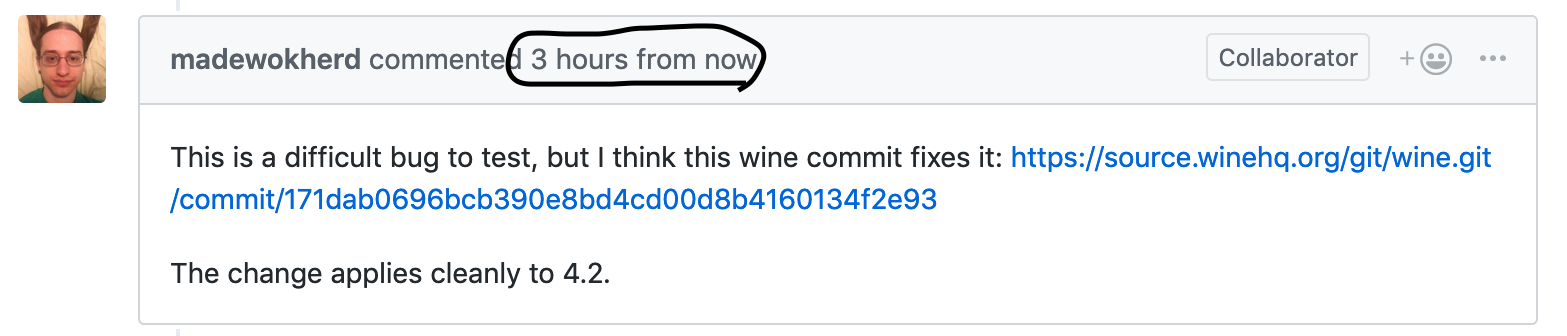
This is a difficult bug to test, but I think this wine commit fixes it: https://source.winehq.org/git/wine.git/commit/171dab0696bcb390e8bd4cd00d8b4160134f2e93
The change applies cleanly to 4.2.
Been testing this patch throughout the day and it seems to fix the problem 100%.
EDIT: @madewokherd y u time travel
4.2-4 should resolve this issue.
This should have been fixed in 4.2-4. Please re-open if you still see the problem.
Proton versions
proton 4.2x4 2019-04proton 3.7-8x1 2019-04proton 4.2-3x1 2019-04
Launch options
PROTON_NO_ESYNCx1 2019-04
System Information
steam-205610.log
Symptoms
Sometimes when you start a game, Winepath becomes a zombie process and you have to kill its python3 parent process. After killing it the game starts automatically and works normally.