ARAYA
err:msvideo:ICLocate Required media codec 'vidc H264' not found! looks like a line of interest in the log.
This might also be of interest from the log:
236913.869:0027:0028:fixme:quartz:MPEGSplitter_QueryInterface No interface for {37d84f60-42cb-11ce-8135-00aa004bb851}!
System Information
- GPU: RX VEGA 56
- GPU Driver: 19.3.0-devel (git-7ceafa4 2019-10-20 bionic-oibaf-ppa)
- Kernel version: 5.4.0-050400rc3-lowlatency
- Distro version: Linux Mint 19.2 Tina (64 bit) (Cinnamon)
- Proton version: 4.11-7
Retest Compatibility Report
The problem persists, but I have tested now that the game works perfectly if installing Quartz and Media Foundation files.
With the following files from a Windows installation the game worked fine:
quartz.dll colorcnv.dll mf.dll mferror.dll mfplat.dll mfplay.dll mfreadwrite.dll msmpeg2adec.dll msmpeg2vdec.dll sqmapi.dll
(not sure if exactly all of these dll files are needed, but I do know that just by only installing either Quartz or Media Foundation made no difference, had to have both).
Including a log where I played past the point where the game usually got stuck:
steam-466740-working.log
system_info.txt
System Information
- GPU: AMD Radeon RX 5700
- Driver/LLVM version: Mesa 23.0.0-git
- Kernel version: 5.17.9-302.fsync.fc36.x86_64
- Proton Version: proton-7.0-2
Retest Report
The game is now playable on regular Proton and videos work out of the box, but the ending videos of chapter 1 are flipped upside down. But it does not crash and one can continue playing.
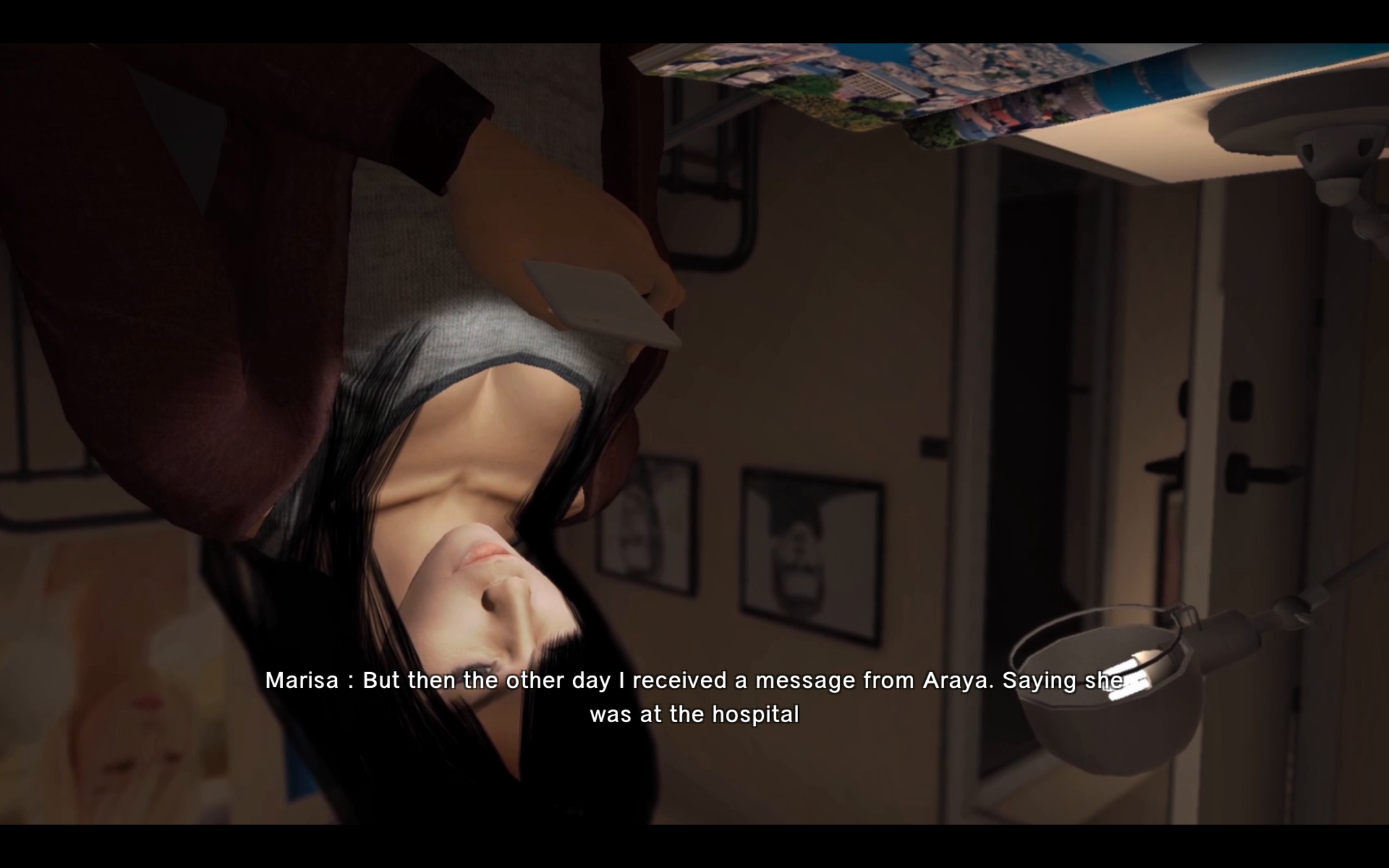
Tried the game also with current Experimental bleeding edge and GE but with those the issue with the flipped videos persisted, and also the game crashed unable to proceed to chapter 2.
I have re-tested this game with Proton 7.0-5 RC branch and the flipped video problem has been fixed. This was the last remaining issue that I have been able to find, so I'm closing this :tada:
Including logs of successfully playing the game past the trouble spots, for future reference just in case:
steam-466740.zip
system_info.txt
Proton versions
proton 7.0-5x1 2022-10proton 7.0-2x1 2022-05
DLLs
colorcnv.dllx1 2019-10mf.dllx1 2019-10mferror.dllx1 2019-10mfplat.dllx1 2019-10mfplay.dllx1 2019-10mfreadwrite.dllx1 2019-10msmpeg2adec.dllx1 2019-10msmpeg2vdec.dllx1 2019-10quartz.dllx1 2019-10sqmapi.dllx1 2019-10
Compatibility Report
System Information
Distro: Linux Mint 19.1 Tessa (64 bit)
GPU: Vega 56
Driver/LLVM version: Mesa 19.1.0-devel/9.0.0
Kernel version: 5.0.7-050007-generic
Proton version: 4.2-3:
I confirm:
Symptoms
Game works fine until you reach the point where the first cut-scene video is going to be played (confirmed that by looking up a youtube playthrough). When the cut-scene is going to be played the game gets stuck in a black screen, and you have to force quit the game.
media_info.txt
steam-466740.log
system_info.txt
I see mentions about quartz in the log. I also included a media info from one of the cut-scene videos.
Reproduction
Play the game until you get to the first cut-scene.