KAMUI
System Information
- GPU: AMD Radeon RX 5700
- Driver/LLVM version: Mesa 23.0.0-git
- Kernel version: 5.17.14-301.fsync.fc36.x86_64
- Proton Version: proton-7.0-3
Re-Test Report
Game works out of the box now, and the configuration tool shows the correct langue and characters.
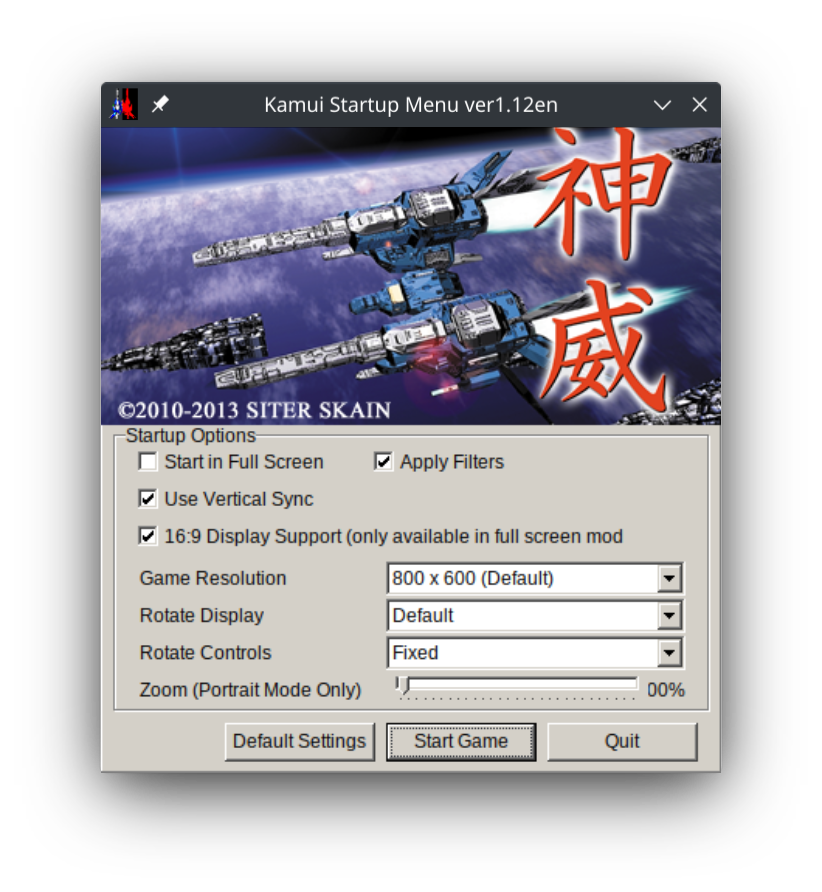
including logs for reference
steam-283820.log
system_info.txt
closing this issue, as I'm no longer seeing any problems.
Proton versions
proton 7.0-3x1 2022-06
Compatibility Report
System Information
Distro: Linux Mint 19.1 Tessa (64 bit)
GPU: Vega 56
Driver/LLVM version: Mesa 19.1.0-devel/9.0.0
Kernel version: 5.0.10-050010-lowlatency
Proton version: 4.2-3
I confirm:
Symptoms
Game itself works perfectly, but the configuration tool does not display text correctly, so it is difficult to adjust settings:
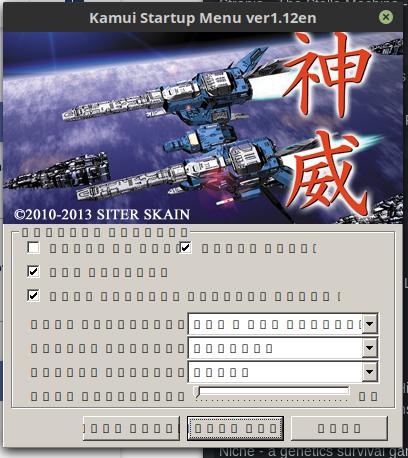
My guess is that either the game does not detect the locale properly, and sets it to default Japanese, or that the game uses some ANSI character set instead of UTF. It is a couple of years ago since I played this game on Windows, but I can't remember having this problem back then.
steam-283820.log
steam-283820-configtool.log
system_info.txt
Reproduction
Just launch the configuration tool