Sniper Elite 3
just booted the game and it seems to work after the Oct 1st update
Still not working for me event after Oct 1st update
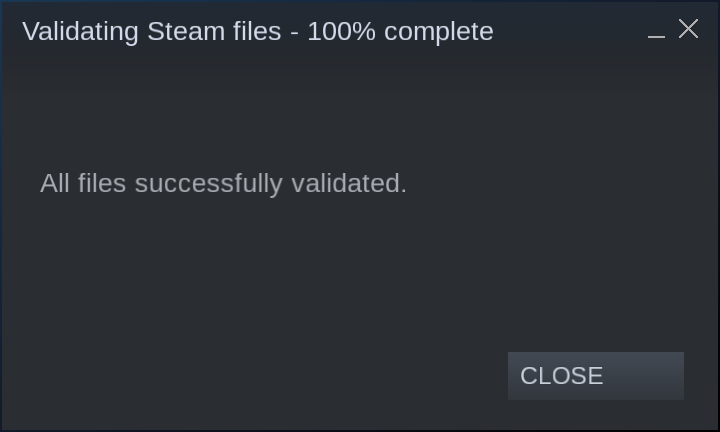
Some log files from the crash I get like NTMan, using launch commands "PROTON_NO_ESYNC=1 WINEDLLOVERRIDES="xaudio2_7=n,b" PULSE_LATENCY_MSEC=90 PROTON_LOG=1 %command%" found elsewhere didn't help.
Sniper3Launcher_d3d11.log
Sniper3Launcher_dxgi.log
steam-238090.log
Same issue here for me as well. Several people are reporting that Sniper Elite 3 now works with Proton but it fails to run for me with Proton 4.11-7 on Arch Linux with a Nvidia 1080 GTX card. Here are my logs from launching the game.
Sniper3Launcher_d3d11.log
Sniper3Launcher_dxgi.log
steam-238090.log
That is interesting. Right after steam updated my copy of the game, I gave it a try and it worked perfectly. I think the update was 9gb. Although I did not have time to extensively test it maybe 5 min tops, otherwise I would have submitted a report on ProtonDB.
My specs are a GTX 1070 with stock Nvidia drivers.
First gen ryzen 1600x.
Running Proton 4.11-7 on ubuntu 19.10
I have reinstalled it now many times after the suppposed Oct 1st update that has made it possible to it in Proton and it still fails to run for me with the same errors mentioned by @NTMan. I can see a new report in protondb from an Arch Linux user that it works for him so that is even more irritating.
Make sure the game is not in a file path with a "."
By default steam games have ".local" in their file path so it will fail launching from there.
Ah, crap so it has the same issue as Yakuza 0 then? Nobody has mentioned that anywhere?
@Trevonn you were right. The game now lauches for me as well after moving the install to a different folder that doesn't utilise a . Runs pretty well from 5 to 10 minute playing so far.
That's odd, I don't get the same thing with Yakuza0, the game runs just fine on my system, time to get them both installed again & see what's what.
That's odd, I don't get the same thing with Yakuza0, the game runs just fine on my system, time to get them both installed again & see what's what.
In the Yakuza 0 case the game launches when installed in a . location but it crashes when you enter a fight in the game.
I believe Yakuza 0 issue with path handling was fixed by game update at some point.
Ok didn't know that it was fixed. When I played with Proton it was still an issue.
I just set up a new Library outside Steam that doesn't have . in the path at all & Sniper Elite 3 runs fine with no tweaks or mucking about, just hit play & away you go.
I wonder how many other games are affected by this that we've just written off as something else?
Replacing the game launcher with the actual game exe works for me, even if the game is in the .local folder.
I can start the game and run the in-game benchmark.
I usually see this error when I want to start a Steam game with my system wine version, can be a hint
I'm having problems with the shadows flickering. I'm not finding much information on it. One guy said it's a problem with nvidia. That holds up as I have a GTX 970. But nothing beyond that or on how to fix it.
https://github.com/user-attachments/assets/000480d9-d09e-403f-89d0-9690afc2ac9f
steam-238090(sniper elite 3).log
UPDATE: I was able to fix this by just switching to Proton 8. I guess nobody tried that before? I didn't bother because it so rarely makes a difference anymore, but it did this time. 🤷♂️ But there ya go. Go figure.
Proton versions
proton 4.11-7x2 2019-10
Launch options
PROTON_LOG=1x1 2019-10PROTON_NO_ESYNC=1x1 2019-10WINEDLLOVERRIDES="xaudio2_7=n,b"x1 2019-10
Compatibility Report
System Information
I confirm:
steam-238090.log
Symptoms
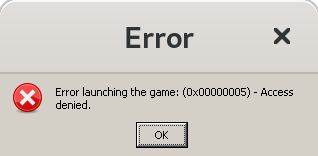
After pressing the "Play" button pops error message "Path not found".
After pressing "OK" button pops a second error message "Error launching the game"
Reproduction
Always reproducible as described above.
Workaround