DreadOut: Keepers of the Dark
System Information
- GPU: RX VEGA 56
- GPU Driver: Mesa ACO 19.1.0+aco+git1564747450-10690f8d9e6-1bionic1 (Valves PPA)
- Kernel version: 5.2.5-050205-lowlatency
- Distro version: Linux Mint 19.2 Tina (64 bit) (Cinnamon Desktop)
- Proton version: 4.11-1
Compatibility Report
Hmm.. maybe this is a regression, the game used to work for me perfectly with:
Proton: 3.16-8
GPU Driver:4.5 Mesa 19.1.0-devel - padoka PPA (5 months ago)
Kernel:5.0.0-050000-generic
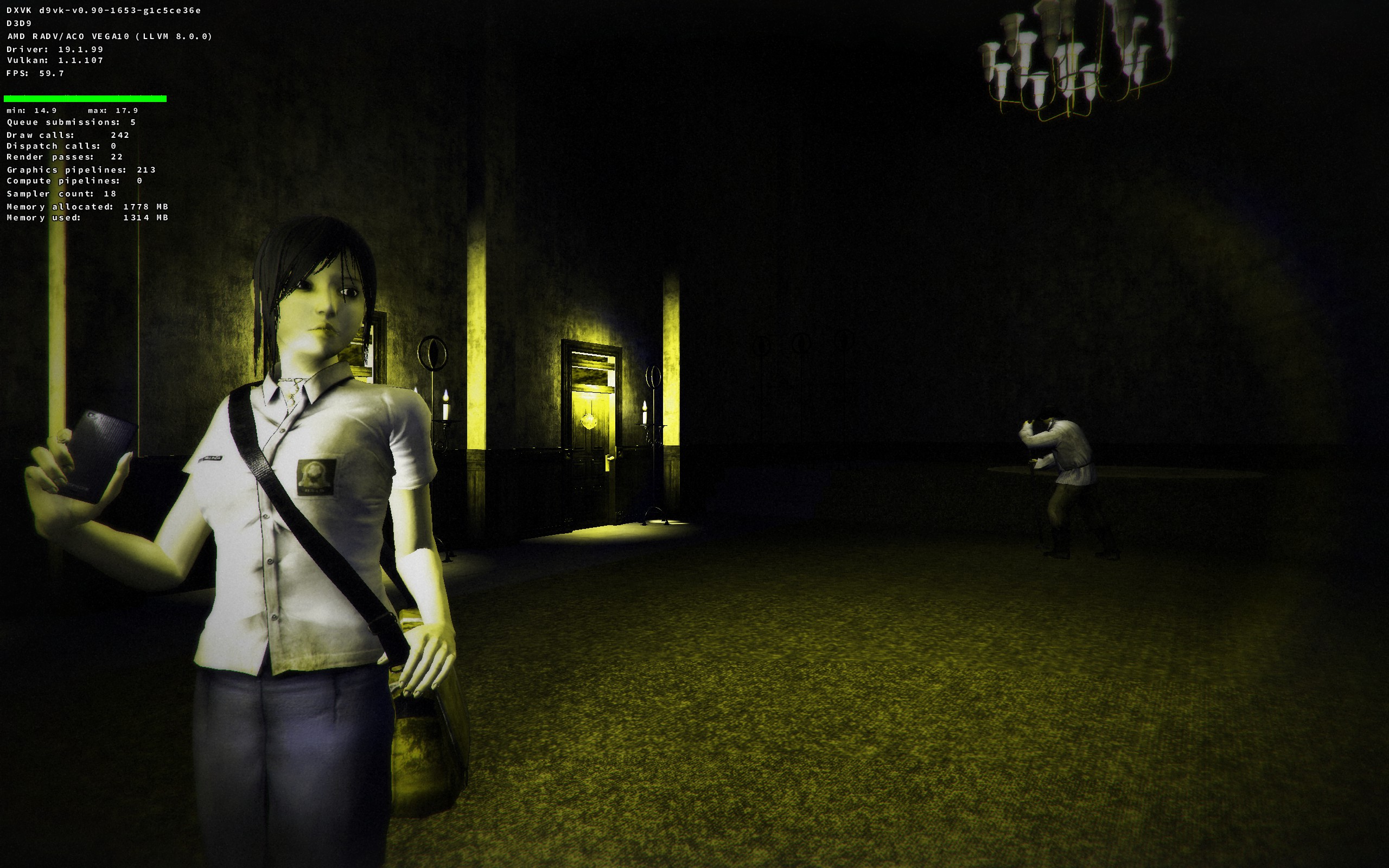
Now on my current setup the game crashes without d9vk, with d9vk the game works but the graphics aren't perfect (the shadings are wrong). My guess is that the experimental Mesa driver I'm using right now is the issue in my case (considering that with older Proton 3.16-9 the game crashes too)
steam-418950-proton-3.16-9-crash.log
steam-418950-proton-4.11-1b-aco-d9vk.log
steam-418950-proton-4.11-1b-default-crash.log
steam-418950-proton-4.11-1b-llvm-d9vk.log
system_info.txt
@AwesamLinux but do you also have the title screen bug? I tested all 4 steam proton versions I have (4.11, 4.2, 3.16 and 3.7), same thing on all of them.
@Patola I could not replicate the problem with the menu or the limbo/death sequence not showing up. Included a log where I played until I got to a point where I died. And also tried switching back to the main menu:
steam-418950.log.zip
Also here is a screenshot of how the game looks like with D9VK:
System Information
- GPU: RX VEGA 56
- GPU Driver:
19.3~git1910291930.ff6e14~oibaf~b (ppa:oibaf/graphics-drivers) - Kernel version: 5.4.0-050400rc6-lowlatency
- Distro version: Linux Mint 19.2 Tina (64 bit) (Cinnamon)
- Proton version: 4.11-8
Retest Compatibility Report
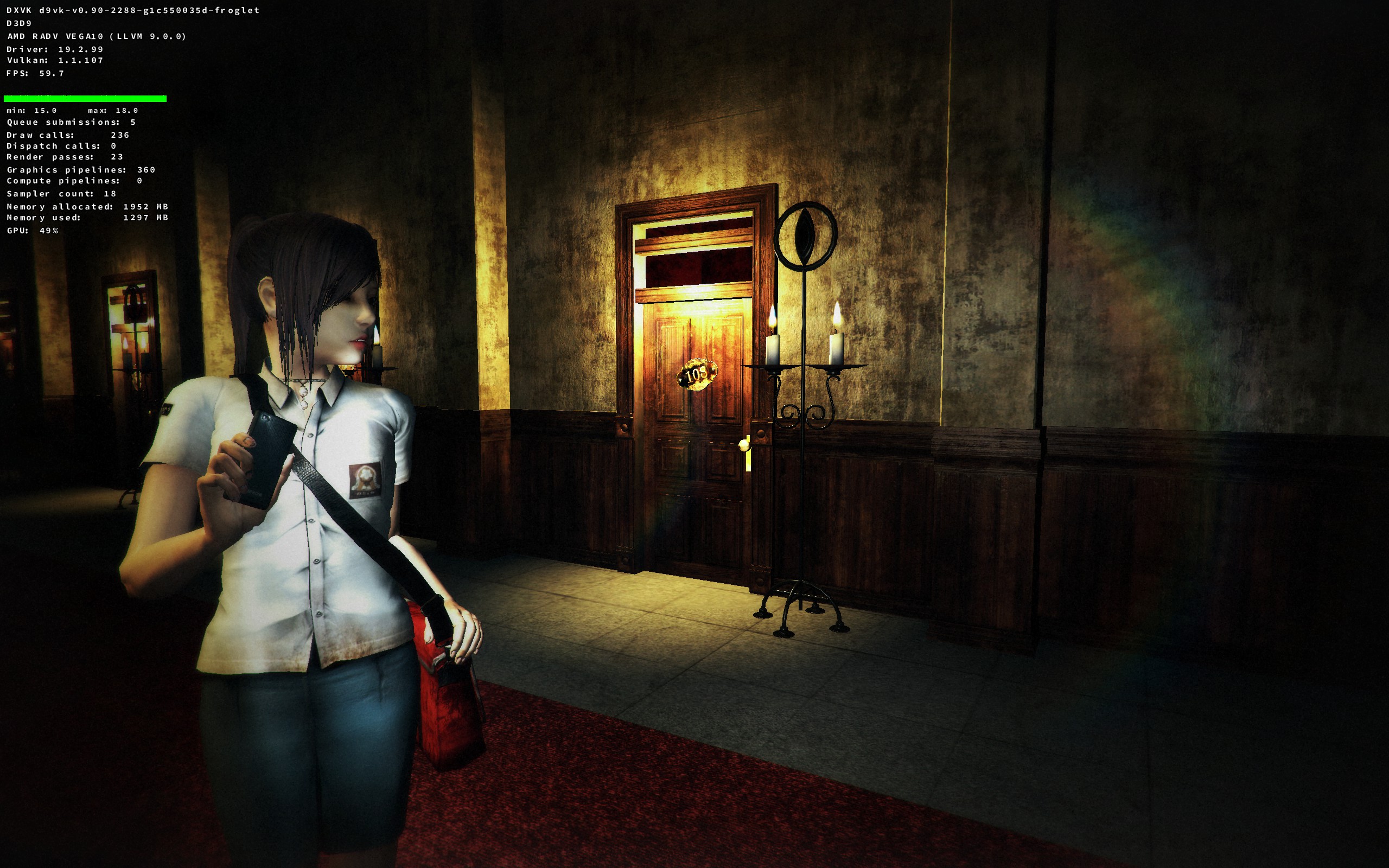
With new Proton and recent drivers this game appears to be working perfectly for me. Out of the box the game no longer crashes, with D9VK the game now renders properly (also tested it both with ACO and LLVM).
(Also I'm still not seeing the issues Patola reported)
steam-418950-proton-4.11-8.log
steam-418950-proton-4.11-8-d9vk-aco.log
steam-418950-proton-4.11-8-d9vk-llvm.log
Proton versions
proton 4.11-8x1 2019-11proton 3.16-9x1 2019-08proton 4.11-1bx1 2019-08
Compatibility Report
System Information
I confirm:
steam-418950.log
Symptoms
Game works out of the box, but there are some wrong textures here and there and there is one issue which makes it almost unplayable -- you cannot get to the title screen after starting the game, because the menu gets nested within the first and won't return. This prevents you from saving your current game from where you are, and since the game has very spaced out checkpoints (e.g. 2-3h on average to pass to each one) you can't just play it in short sessions, you have to reserve a large interval of time to play it.
Reproduction
If you die playing the game, the death screen (limbo) never comes, you just stay there. So there seems to be some events that aren't triggered.
This also happens in the previous game of the series, "DreadOut" (appid 269790) the very same way. It has a native version and that doesn't happen in the native version, but that native version also has a showstopper bug that won't load saved games, so there is motivation for people to use proton on that one too.
OBS.: game is made using the Unity Engine.