Age of Empires: Definitive Edition
info: Game: AoEDE_s.exe
info: DXVK: v1.3.2-4-g0b21ef18
warn: OpenVR: Failed to initialize OpenVR
info: Required Vulkan extension VK_KHR_get_physical_device_properties2 not supported
info: Required Vulkan extension VK_KHR_surface not supported
info: Required Vulkan extension VK_KHR_win32_surface not supported
err: DxvkInstance: Failed to create instance
I can reproduce a crash related to media foundation here:
wine: Call from 0x7bc6ab1c to unimplemented function MFPlat.DLL.MFCreateDXGIDeviceManager, aborting
I will have a try to add some stub implementations of these to see if it help.
I'm trying to fun this in Debian in Crostini and it's telling me that it couldn't initialize Direct X 11 is there anything extra I need to set up to get it to recognize DX11 with Proton? It never gets past there and just closes.
Hello @Krutonium, @LinkofHyrule89, Proton uses DXVK to translate DirectX 11 to Vulkan, it failing to initialize usually indicates that your system does not have a working Vulkan driver installed or your hardware does not support Vulkan. You can use any simple Vulkan application like vulkaninfo as a test.
Alternatively, you could try adding PROTON_USE_WINED3D=1 %command% to the game's launch options to tell Proton to use the DirectX 11 to OpenGL render path, but you'll still hit the Media Foundation issue.
Welp, I completely forgot to install the Vulkan libs on my system. Thanks for the pointer!
At a minimum, not only does making this work require implementing MFCreateDXGIDeviceManager(), but we also need to implement at least part of IMFDXGIDeviceManager:
https://docs.microsoft.com/en-us/windows/win32/api/mfobjects/nn-mfobjects-imfdxgidevicemanager
https://docs.microsoft.com/en-us/windows/win32/api/mfapi/nf-mfapi-mfcreatedxgidevicemanager
This is failing to play the intro video and I am told in IRC that the NoStartup commandline switch from the original game does not work. If someone can find a way to disable the intro videos, then it should be possible to workaround this.
The workaround from here might make it work:
https://github.com/ValveSoftware/Proton/issues/1102#issuecomment-419678627
However, that person appears to be transplanting the entire Windows Media Foundation component from a working Windows install into Proton. A more lightweight workaround (or patches that make it work) would be desirable.
Just as an update to my own commend. I discovered that Crostini doesn't currently support Vulkan in Virgl GPU Acceleration. So I submitted a bug report on their side so hopefully, this can be corrected in the future so that Vulkan works correctly on Linux apps for Chromebooks. Good luck getting the rest of the issues sorted out so AOEDE can hopefully run on Linux in the future thanks for your hard work :)
The workaround from here might make it work:
[#1102 (comment)](https://github.com/ValveSoftware/Proton/issues/1102#issuecomment-419678627)
However, that person appears to be transplanting the entire Windows Media Foundation component from a working Windows install into Proton. A more lightweight workaround (or patches that make it work) would be desirable.
I've tried transplanting dlls, but that doesn't seem to work. Just to note I haven't tried doing anything else in that comment which is why I probably didn't get anywhere. But anyway:
First I got Unimplemented function MFPlat.DLL.MFCreateDXGIDeviceManager, so I took the Windows 10 dll. Then unimplemented function RTWorkQ.DLL.RtwqRegisterPlatformEvents. One RTWorkQ.dll later, and unimplemented function KERNEL32.dll.SetProcessPreferredUILanguages. I haven't got any further than this
@telans You need to use the Windows 7 versions and set certain registry entries. There is a special version of winetricks that does this:
https://github.com/Winetricks/winetricks/issues/1132#issuecomment-460552268
@telans You need to use the Windows 7 versions and set certain registry entries. There is a special version of winetricks that does this:
I've used that version and installed mf @ Win7, but the game still requires RTWorkQ.dll, so I had to manuall put that in.
However, now I actually get to the splash screen (AoE poster), and I also now get a fullscreen black window with the DXVK hud.
Screenshots:


@telans Please post your proton log.
@telans Please post your proton log.
There are quite a few messages about the d3dcompiler, which would explain the black screen. Try using proton tricks to install d3dcompiler_43. That might not be the right version. If it is not, the other options would be d3dcompiler_42 and d3dcompiler_47.
Unfortunately none of them have helped.
What I find weird is that wine throws wine: Unhandled exception 0x40000015 in thread 37 at address 0x140253f96 (thread 0037), starting debugger... & err:seh:setup_exception stack overflow 288 bytes in thread 003c eip 000000007bcae49f esp 00000000001314f0 stack 0x130000-0x131000-0x230000 before DXVK even initializes.
@telans Those are bad too. However, the stack overflow is in BattleServer.exe. That appears to be related to networking, so it should not be vital for rendering. The stack overflow is likely from BattleServer.exe too. At least, there is no process with thread id 003c printed in the list prior to it.
The later: Unhandled exception: page fault on write access to 0x0000003c in 64-bit code (0x000000000108e2d2). appears to be killing it. Also, upon closer look, it appears that this uses d3dcompiler_47, not d3dcompiler_43. The latter was just a guess on my part that I made as I was on my way to call it a night.
Would you post an updated proton log from your prefix from the run with the various d3dcompilers installed?
@telans Upon closer inspection, it looks like my guess last night picked the wrong component. The NULL pointer dereference is occuring in InputSystem_w32.dll, which a quick web search indicates is shipped with the game. This could be related to the BattleServer.exe crash (e.g. the DLL expecting to talk to BattleServer.exe and not having it around), although I really don't understand what either component is supposed to do. I cannot find much documentation on them aside from their names.
Also, I am not sure what binary contains the code where the stack overflow is occurring. I don't see code being mapped into a region that contains 000000007bcae49f.
Unfortunately, there do not seem to be any hints about what to do next in the proton log. :/
Okay, so the InputSystem_w32.dll problem seems to be due to the game needing the Win32 Text Services Framework. Unfortunately, using winetricks' msctf.dll installation isn't enough to stop it crashing.
Fortunately, the game does start correctly if the code that calls into InputSystem_w32.dll's TextServicesFrameworkManager_get() function is patched out (in particular, the calls to the object returned by that function need to be patched out, rather than the calls themselves).
In the 28529 update, this involves NOPping out (replacing with 0x90) 7 bytes at 0x13672e and 0x1f4675. With those changes, and the other MFPlay/RTWorkQ changes mentioned above, the game does start, and can get in-game (though from the 5 minutes testing I've done, it does seem to crash a bit).
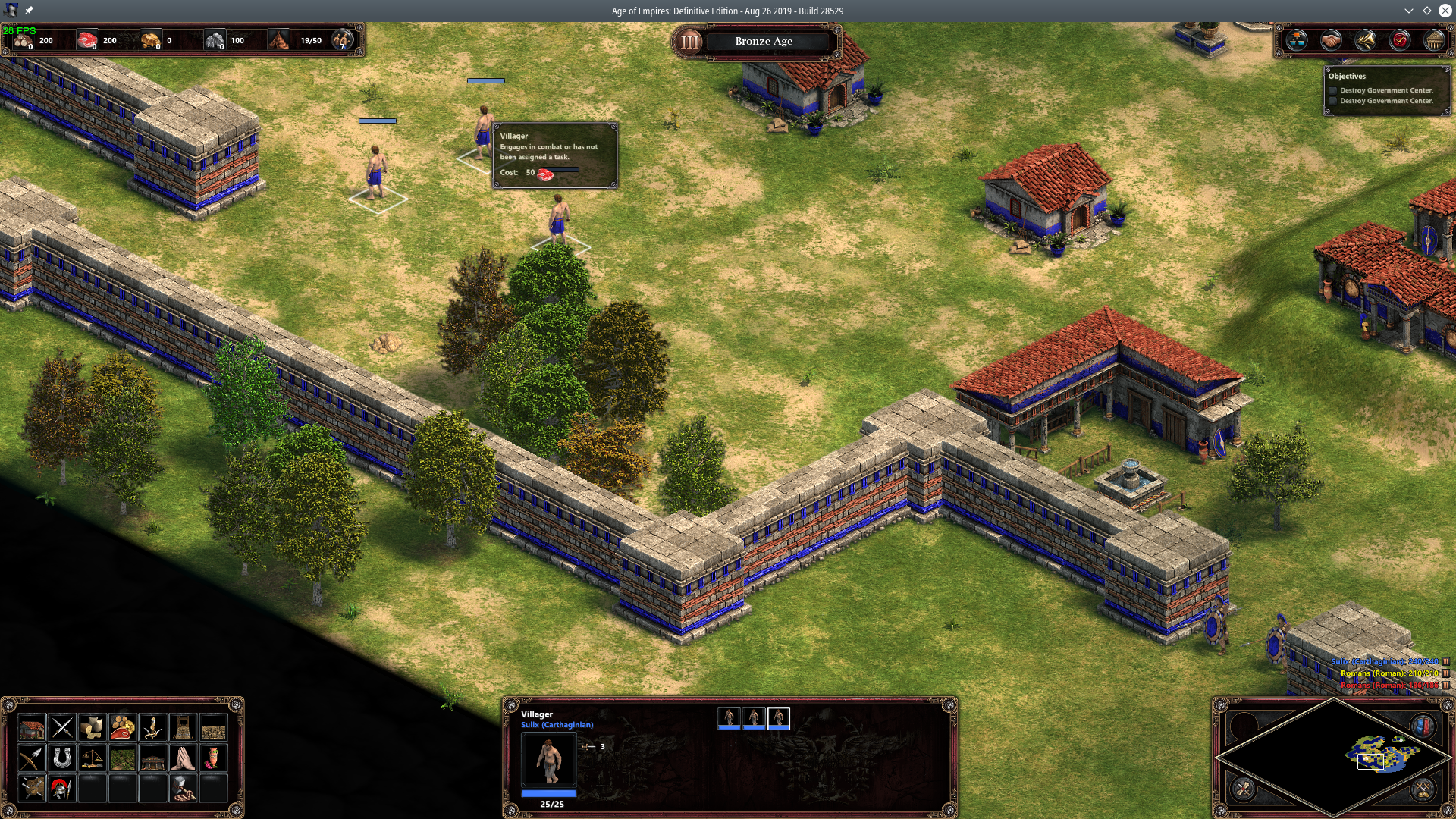
[Edit: Also nopping out 7 bytes at 0xcadde is sufficient to fix the crashes. The game now works pretty well, except for keyboard input, which doesn't work at all (no hotkeys, no text input — so saving doesn't work). Otherwise, the game works pretty well.]
Does the keyboard work before changing 0xcadde?
Alas, no: without the change at 0xcadde, pressing any key will crash the game.
Apart from the keyboard, though, the game is pretty stable and playable. I haven't had a chance to test multiplayer, yet, but it looks promising: the XBLA account stuff doesn't seem to work, but otherwise the Steam-based lobby seems to.
[Edit: Hotkeys work with nopping out two bytes at 0xCADE7. This doesn't fix text input, so still no saving.]
is there any howto to apply these workarounds?
Use a hex editor or some related tool on the game's exe
sorry for asking, it was so obvious, that this edit include the winetricks and everythink else mentioned in here .....
With all the hype with aoe2DE, this game seems to have been forgotten. I have a few questions about running this:
-
Is nopping out the bytes sufficient to get this game running? Or do I also have to apply the fix mentioned here to get things running? I have tried only nopping out the bytes to no avail, but I could be doing something wrong.
-
Has anyone tried the workarounds mentioned in the aoe2DE issue to get this game running? To my knowledge the games are running on a similar if not updated engine.
-
A more general question, what would be required either on Wine or Proton's end to get this game working with keyboard input without the aforementioned hex editor edits on the game's exe?
To the best of my knowledge:
- No, you do also need to get a new enough mf and RTWorkQ.dll as that post (and the one beneath it) mention.
- The games are different enough that the problems don't really overlap: AoE2DE's issues are largely with the Speech Synthesis feature (which doesn't exist in AoE1DE), whereas the issues in this game are mostly to do with text input APIs, and a multithreaded graphics context feature, neither of which are used in AoE2DE. (This actually is likely why AoE2DE still has the "stuck scrolling" bug, but AoE1DE doesn't — AoE2DE doesn't have the newer keyboard code which fixed that issue, but requires this nopping to work under wine.)
- To avoid the nopping, wine would need to implement the Win32 Text Services Framework more completely — I haven't looked into exactly what is missing in detail, but it's almost certainly there. If wine also implements a few extra media framework features (e.g. MFPlat.DLL.MFCreateDXGIDeviceManager), that could remove the need to install the newer mf and RTWorkQ.dll.
Hope that helps, even if it's not all good news. Alas, AoE2DE seems to actually be quite different from this game in the parts wine has trouble with, so fixes for one are unlikely to help the other much.
Now with the newest Proton and Proton 4.15-GE-4 the game is starting ( I think Microsoft changed something) The game is running fine but there is no audio
I can confirm that with Proton 4-11-12 the game is running fine except no audio.
Some Windows users have reported the same issue that was fixed by reinstalling DirectX. Maybe there is a sound library missing?
I'm running on the 5.4.13-3-MANJARO kernel.
I can confirm it's working for me as well, although there seems to be no audio and first startup takes forever. I have also tried the z0z0z patch mentioned on protondb, however that causes the game to crash almost instantly (before getting to the menu).
My kernel is 5.4.13-arch1-1.
Same for Ubuntu 19.04 (working fine, no audio)
Linux version 5.0.0-40-generic (buildd@lgw01-amd64-020) (gcc version 8.3.0 (Ubuntu 8.3.0-6ubuntu1)) #44-Ubuntu SMP Wed Jan 15 02:03:45 UTC 2020
Same for me, no sound.
Linux rl-Home 4.15.0-72-generic #81-Ubuntu SMP Tue Nov 26 12:20:02 UTC 2019 x86_64 x86_64 x86_64 GNU/Linux
I got audio to work!
the initial fix applys to getting audio to work on windows 8.1 but I can confirm on centos kernel 4.18.0-168 with latest proton audio does work.
https://steamcommunity.com/app/1017900/discussions/0/2763442118824570475/
I got audio to work!
the initial fix applys to getting audio to work on windows 8.1 but I can confirm on centos kernel 4.18.0-168 with latest proton audio does work.https://steamcommunity.com/app/1017900/discussions/0/2763442118824570475/
The xaudio2_8.dll and xaudio2_9.dll are placeholder dll's. I have replaced them with dll's I found on wikidll but that doesn't work for me.
Can you do a checksum (md5sum) of the dll file so I can compare this with mine?
md5sum: 5137262f1d43c11f20c4dd47fb6f0c7d
md5sum 2b9a8ba991348e45b8a01245c8eda3da
your not suposed to download any new .dll rather rename the ones already in your pfx folder
-Go to Windows/System32
-Copy XAudio2_8.dll (Default for Windows 8.1)
-Paste it in the same directory
-Change the copy name to XAudio2_9.dll
if you want I can make a copy and email or dropbox it to you?
Hello @linux4life1, please do not redistribute game files. Other players who have the game should have equal access.
md5sum 2b9a8ba991348e45b8a01245c8eda3da
your not suposed to download any new .dll rather rename the ones already in your pfx folder
-Go to Windows/System32
-Copy XAudio2_8.dll (Default for Windows 8.1)
-Paste it in the same directory
-Change the copy name to XAudio2_9.dllif you want I can make a copy and email or dropbox it to you?
I got this from Proton:
$ md5sum xaudio2*
717b3e5fc98d0d3b8dbda13ccedfe7d9  xaudio2_0.dll
f8d44b128d5913e63b206b3fc71a45e6  xaudio2_1.dll
8c1c2e1ab3d0d9984676f71453164e8c  xaudio2_2.dll
45586f69eafb87dcbd49aa8681584d10  xaudio2_3.dll
d52c14ce2d96fd4ae5e97f767ff1ae9d  xaudio2_4.dll
0a1a0d55ef1be1dfaa2a3f434961ebde  xaudio2_5.dll
b444773828ba05bae0d476a5e0924e5e  xaudio2_6.dll
b5141853435e6ae9a9109127f7ffbf90  xaudio2_7.dll
2b9a8ba991348e45b8a01245c8eda3da  xaudio2_8.dll
2b9a8ba991348e45b8a01245c8eda3da  xaudio2_9.dll
And I got this from Lutris-Wine:
$ md5sum xaudio2*
9134d28d5bb85714f1d2ea393debb38d  xaudio2_0.dll
e9c0f926d7c9082a805f4fef81deeb30  xaudio2_1.dll
9df5e8721cbba07e96b9dab4d8338bf9  xaudio2_2.dll
dab239cd4541d96c853c02872da10e46  xaudio2_3.dll
b6662b7a0f62ba457eaf72dc2e857acb  xaudio2_4.dll
be4f013454649d99555d0dc780fac7d9  xaudio2_5.dll
8a08a8f2ab92a0f14ac9f002d8125e10  xaudio2_6.dll
8264b8835ace2dec4ed5c7580b36ea22  xaudio2_7.dll
a5541841720a7dafafdf84597a58f0b9  xaudio2_8.dll
43bebae3cf4ac42fdd76dc1e384e94bc  xaudio2_9.dll
They're so different :man_shrugging:
That md5sum (2b9a8ba991348e45b8a01245c8eda3da) matches with a bunch of placeholder dll's. Are you sure this is is the correct dll?
$ strings xaudio2_8.dll
Wine placeholder DLL
.text
`.reloc
B.rsrc
HKCR
    NoRemove Interface
    {
    }
    NoRemove CLSID
    {
    }
That md5sum (2b9a8ba991348e45b8a01245c8eda3da) matches with a bunch of placeholder dll's. Are you sure this is is the correct dll?
$ strings xaudio2_8.dll
Wine placeholder DLL
.text
`.reloc
B.rsrc
HKCR
    NoRemove Interface
    {
    }
    NoRemove CLSID
    {
    }
Oh yes, actually, I didn't do anything besides md5sum.
That's the original file I got when using Proton (v4.11-12).
It prints exactly the same as yours:
$ strings xaudio2_8.dll
Wine placeholder DLL
.text
`.reloc
B.rsrc
HKCR
    NoRemove Interface
    {
    }
    NoRemove CLSID
    {
    }
I got this from Proton:
$ md5sum xaudio2*
717b3e5fc98d0d3b8dbda13ccedfe7d9  xaudio2_0.dll
f8d44b128d5913e63b206b3fc71a45e6  xaudio2_1.dll
8c1c2e1ab3d0d9984676f71453164e8c  xaudio2_2.dll
45586f69eafb87dcbd49aa8681584d10  xaudio2_3.dll
d52c14ce2d96fd4ae5e97f767ff1ae9d  xaudio2_4.dll
0a1a0d55ef1be1dfaa2a3f434961ebde  xaudio2_5.dll
b444773828ba05bae0d476a5e0924e5e  xaudio2_6.dll
b5141853435e6ae9a9109127f7ffbf90  xaudio2_7.dll
2b9a8ba991348e45b8a01245c8eda3da  xaudio2_8.dll
2b9a8ba991348e45b8a01245c8eda3da  xaudio2_9.dll
And as we can see there, both xaudio2_8.dll and xaudio2_9.dll have the same md5sum.
Note: I installed another game.
I don't have Age of Empires: Definitive Edition yet.
I have managed to get the sound working by following the guide on ProtonDB (including renaming the videos). I am seeing another issue now, game seems to crash, usually when doing something mouse related (panning, scrolling)
<Link removed by moderator>
With the new workarounds on protondb this installed and the video files renamed the Game is working fine with playing the music/voices/sounds fine
edit: @kisak-valve sry didnt know it
Hello @Shatrico, the workaround you linked is legally problematic and has been removed.
Can we use the Xaudio2_9.dll redistributable provided by nuget galleries? https://www.nuget.org/packages/Microsoft.XAudio2.Redist/1.2.0#
The game is playable on Proton 5.0-1, but still no sound.
The game is playable on Proton 5.0-1, but still no sound.
Have you tried WINEDLLOVERRIDES="xaudio2_7=b,n" or WINEDLLOVERRIDES="xaudio2_7=n,b"
@CSahajdacny just tried here and still no sound.
I got sound working with the latest proton (5.0.1) and the <Workaround removed by moderator>
Also, I have disabled the intro videos by moving the Video directory:
cd {steamlibrary}/steamapps/common/AoEDE/Assets
mv Video Video_disabled
Hello @montyubuntu, the workaround you linked is legally problematic and has been removed.
With vanilla Wine it doesn't need MFplat and the sounds works out-of-the-box :)
Latest update seems to have fixed the crashes for me, now everything works as it should, with the exception of XBox live integration, so I can't invite friends from that list, but aside from that the game seems to be fully playable.
I still have no sound and intro even with latest updates and Proton 5.0.3.
Hi,
I have no sound and intro, running Proton 5.0.4. But the game works.
I tried replacing the xaudio2_8 and xaudio2_9 in both system32 and syswow64 but it did not have any effect. Also the script talked about on ProtonDB make the game immediately crash after the poster screen.
Game runs, but I keep hitting the autoscroll bug. I attempted running the patch from https://github.com/kukkerman/aoe2-scroll-bugfix/ against Definitive Edition, but it fails
python patch.py  AoE2DE_s.exe
Reading file...
done.

Searching for patch signatures...
failed! Some signatures are not found!
The only solution seems to be to disable scrolling entirely in the game. Anyone has an alternative?
No audio in Proton 5.0-5 either: the game works perfectly except for that. xaudio2_9 and 2_8 dlls are both here but are both placeholders.
Still no sound not working on 5.0.6 :( Haven't tried multiplayer though.
<Workaround removed by moderator>
Tested on last proton 5.0.6. Asides, multiplayer works fine.
Hello @carlos-mg89, the workaround you linked is legally problematic and has been removed.
Could you @kisak-valve specifically point at the legal problem please? Perhaps we could all work out a non-legal fix.
It's sad to have to bear all this in mind, when we're in fact all doing a favour to the developers of this game.
To rehash this yet again, we can not condone the redistribution of copyrighted libraries by third parties. There's ongoing work to bring up support for Media Foundation upstream, and that's the correct way forward in resolving the issue. This is being discussed in general at #1464.
Age of Empires Definitive Edition on Steam on Play (Linux) with no sound :-(.
No sound, did anyone find a fix? =(
game starts without a problem but no intro sound and everything works fine. but when i start a game the campaign or custom map the game crashes without any error poping up. weirdly tho it worked once and the game itself was running smoothly.
Game CTD after splash screen today after a lot of arch updates. Was previously working perfectly with Proton Experimental for at least a month or so.
Huh… I can reproduce the crash with Proton Experimental on (K)Ubuntu 21.10 (under nVidia/Wayland), and it seems to be related to mf, as using the "nostartup" command line parameter fixes it.
Maybe it's an issue with a Proton Experimental update?
Could be, I just switched to 6.3.8 from experimental and it worked again.
(R7 3700X, 5700XT EndeavourOS)
@bradgy @sulix Thank you reporting this! We switched some stub logic for MFCreateDXGIDeviceManager around so its "off by default" instead of "on by default". We'll add this game to the stubbed list for now, so it should be working again with the next experimental release, and get to work on the "real fix" - this is exactly the type of thing we were hoping to catch :D
@bradgy @sulix Fix shipped last night - should be working again in experimental :+1:
Cheers — I can see the workaround here, and confirm it's working again under Proton Experimental on my machine, without the nostartup option.
The game works pretty well for me, in general, in Proton 6.3.8. However, it has happened to me already a few times that when I try to save a game, but renaming a previous save game, the game crashes while loosing all my progress on that game. Saving works perfectly fine, as loading previous saved games. The issue is only when renaming a game at the moment of saving it again.
Deleting previous saved games works too.
This is my setup:
- OS: Ubuntu 21.10
- KERNEL: 5.13.0-22-generic
- CPU: AMD Ryzen 7 5800X 8-Core
- GPU: NVIDIA GeForce GTX 1650 SUPER
- GPU DRIVER: NVIDIA 470.86
- RAM: 32 GB
Ah yeah, thanks for reminding me, I noticed this too. Finished the game now, but from memory it only crashed at the save screen when I hit my arrow keys? If I just started typing the new save game name file while it was highlighted in the text entry field, I could avoid a crash. EndeavourOS, R7 3700X, RX5700XT, 32GB, proton experimental
Thanks for the tip! I hope to remember it the next time. It was sad to lose an hour of campaign game.
Hello all,
I'm trying to run Age of Empires : Definitive Edition under Linux (Debian Bookworm Sid). I've two GCUs:
Device-1: Intel HD Graphics 530 driver: i915 v: kernel
Device-2: NVIDIA GM206M [GeForce GTX 965M] driver: nvidia v: 470.103.01
Display: x11 server: X.Org v: 1.21.1.3 driver: X: loaded: modesetting
unloaded: vesa gpu: i915 resolution: 1920x1080~60Hz
OpenGL: renderer: Mesa Intel HD Graphics 530 (SKL GT2) v: 4.6 Mesa 21.3.8
and start from console via primusrun steam.
I've tried several proton versions, so far without success. The game doesn't start. I attached the output of my console as txt file (how can I create a full system information report?). Apparently libGL.so.1 isn't found. However, there is a /usr/lib/x86_64-linux-gnu/libGL.so.1 ! Does ELFCLASS32 mean this is a bit 64 <-> bit 32 problem?
What can I do? Thank you in advance!
konsole_log.txt
Hello @LysirisMalven, primus is known to be unreliable when used with the Steam Linux Runtime - Soldier container environment (https://github.com/ValveSoftware/steam-runtime/blob/master/doc/steamlinuxruntime-known-issues.md#-multiple-gpu-systems). It might be worthwhile to look at setting up NVIDIA's PRIME Render Offload (https://download.nvidia.com/XFree86/Linux-x86_64/470.103.01/README/primerenderoffload.html).
Oh, that is interesting, thanks!
If I open steam with
__NV_PRIME_RENDER_OFFLOAD_PROVIDER=NVIDIA-G0 __GLX_VENDOR_LIBRARY_NAME=nvidia steam
the splash screen of AOE opens and I get two error messages:
- This system is low on video memory, you may experience low performance issues.
- DirectX rendering could not be initialized, check if GPU supports DirectX11 and drivers are up to date.
I've a NVIDIA GeForce GTX 965M/PCIe/SSE2 and found the tip that starting with
PROTON_USE_WINED3D=1 %command%
might solve this issue. And indeed: The error messages don't show up any more, and the game starts... kind of... I can hear the AoE soundtrack. If I click around, I also can hear the menu buttons being pressed. But I cannot see anything, the screen is completely black.
I found another tip: this could be fixed by (re)moving the start videos in steamapps/common/AoEDE/Assets/Video. I did so but that didn't help, the game stays black.
Hello all,
I now changed to proton version 5.13-6 and now it works!!
Thank you!
Finished the game now, but from memory it only crashed at the save screen when I hit my arrow keys? If I just started typing the new save game name file while it was highlighted in the text entry field, I could avoid a crash
This is definitely still happening. There's a crash somewhere deep in InputSystem_w32.dll (+0xcc3c), which appears to be due to some msctf issue: the game is poking around in some returned object, and hits something which it expects being NULL.
It's a pain to debug because InputSystem_w32.dll is obfuscated to hell and back, and seems to be packed/encrypted somehow. It's a bit more readable when loaded (i.e, under gdb), though.
Here's a Proton log w/ +msctf. It crashes just after:
111941.590:012c:0130:trace:msctf:ThreadMgr_SetFocus (000000001216D680) 0000000012140190
111941.590:012c:0130:trace:msctf:ThreadMgrEventSink_OnSetFocus (000000001216D680) 0000000012140190 0000000000000000
Hacking ThreadMgrEventSink_OnSetFocus to be a no-op pushes the crash a few instructions later, but doesn't solve the issue.
I may have found a possible fix for the LAN multiplayer issues here: at the very least, the LAN button now shows up and seems to work.
It looks like the issue is that the UDP socket being used (which, at least on my version, isn't a dup() of the TCP one) is failing to connect() to a broadcast address because SO_BROADCAST isn't set on the socket. BattleServer.exe does seem to set this, but only after the connect() call, which fails, causing a crash. This seems to be the correct behaviour, according to MSDN (see the comment on WSAEACCES), but doesn't match reality.
In any case, a hack to make all UDP sockets SO_BROADCAST by default makes the LAN option show up in both this and AOE2DE.
From 40c02c4fc48836b00d207e4467f541758c1e12f2 Mon Sep 17 00:00:00 2001
From: David Gow <[email protected]>
Date: Thu, 23 Nov 2023 15:00:24 +0800
Subject: [PATCH] server: UDP sockets should be SO_BROADCAST by default

Windows seems to allow UDP sockets to connect() to a broadcast address
without SO_BROADCAST having been set beforehand. Whether this is because
SO_BROADCAST is the default, or just a difference in semantics with
connect(), I'm not sure.

MSDN calls out this behaviour as invalid, and says that connect() ought
to WSAEACCES in exactly this situation, which matches wine's current
behaviour:
https://learn.microsoft.com/en-us/windows/win32/api/winsock2/nf-winsock2-connect

However, the 'Relic BattleServer' used for LAN multiplayer in the
'Definitive Edition' Age of Empires games crashes on start, due to
receiving this error. The game does set SO_BROADCAST, but only _after_
connect() has been called, which is too late.

It's possible this is because BattleServer.exe makes this a non-blocking
socket, and the error hasn't been generated until after the socket
option is changed, but that's just a random guess.
---
 server/sock.c | 7 +++++++
 1 file changed, 7 insertions(+)

diff --git a/server/sock.c b/server/sock.c
index 16769fc2b4b..aefac6c8916 100644
--- a/server/sock.c
+++ b/server/sock.c
@@ -1910,6 +1910,13 @@ static int init_socket( struct sock *sock, int family, int type, int protocol )
     }
 #endif

+    if (unix_type == SOCK_DGRAM)
+    {
+        /* Windows enables SO_BROADCAST by default for datagram sockets? */
+        static const int enable = 1;
+        setsockopt( sockfd, SOL_SOCKET, SO_BROADCAST, &enable, sizeof(enable) );
+    }
+
     len = sizeof(value);
     if (!getsockopt( sockfd, SOL_SOCKET, SO_RCVBUF, &value, &len ))
         sock->rcvbuf = value;
--
2.42.1
@sulix i'm really glad you love this game. You are the best issues solver! Everytime i have an issue with this game, it popup your solution! Amazing!
Hello! Is anyone still looking into this?
The game doesn't launch for me.
I tried various versions of Proton from Experimental down to 6.3.
I also tried starting the game with or without PROTON_USE_WINED3D=1 %command% and with or without NoStartup.
My System Information is:
Operating System: Solus 4.4
KDE Plasma Version: 5.27.8
KDE Frameworks Version: 5.110.0
Qt Version: 5.15.11
Kernel Version: 6.6.4-265.current (64-bit)
Graphics Platform: X11
Processors: 8 × Intel® Core™ i5-10300H CPU @ 2.50GHz
Memory: 7.6 GiB of RAM
Graphics Processor: NVIDIA GeForce GTX 1660 Ti/PCIe/SSE2
Manufacturer: Micro-Star International Co., Ltd.
Product Name: GF65 Thin 10SDR
System Version: REV:1.0
Still works fine here (with nostartup) on both Proton Experimental bleeding-edge and Proton 8.0 with the battleserver hack above on my desktop (openSUSE, KDE Wayland, Intel ARC), as well as with the default setup on Steam Deck.
Is there any error message / something suspicious in the logs / issues with other games?
I have tried using Proton Experimental bleeding-edge (with NoStartup) as well and I'm getting the same result.
At the moment I have no issues with other games.
How can I check logs?
- Add
PROTON_LOG=1 %command%to the game command-line options. - Look at
steam-1017900.login your home directory.
Note that this file is often very big, so you'll definitely want to upload it elsewhere (as a GitHub gist, for example), or (carefully) edit it down if you're confident you've found the cause.
Age of Empires DE also stores its own logs in:
~/.steam/root/steamapps/compatdata/1017900/pfx/drive_c/users/steamuser/Games/Age of Empires DE/Logs/
These are often less useful than the wine logs, but can be helpful for some issues.
(You can create a user_settings.py file in the appropriate Proton directory (copy user_settings.sample.py and rename it) instead to enable logging for all games, but I'd not advise it if this is the only game causing problems.)
Wow! Thank you @sulix for these detailed instructions.
I added PROTON_LOG=1 %command% to the game's launch options and a log appeared in my Home directory.
I created a Github Gist where I copy/pasted the contents of the log file. Here's a link to the Gist file! Does it work? Can you see it? Unfortunately the text is not color-coded.
Lines 919 to 922, 1167, 1169, 1170, 1174, 1400 and 1401 are colored red to me. I hope it helps if I'm pointing this out, maybe it's easier to track the issue(s).
Thanks — it looks to me like Steam failed to load properly:
[S_API FAIL] SteamAPI_Init() failed; no appID found
Make sure you're running the game from Steam — ideally using the Steam link, not one added via the 'Add a non-steam game' option, and that Steam is logged into the account which owns the game.
Also, there's a crash with CODEX64.dll, which doesn't appear in my copy of the game. I'd try 'verifying the integrity of the game files' to make sure you've got the latest updates and that no files are corrupted. If you've got the game from some source other than Steam (like the Windows Store), then you're out of luck — only the Steam version works on Linux.
Yes I am running the game as a non-Steam game. Hmm.. so it's my fault from not getting it from Steam. Damn it! : )
I'll either get it from Steam or maybe try running it with Lutris.. I don't know.
Thank you for the assistance! : )
Replying to https://github.com/ValveSoftware/Proton/issues/2995#issuecomment-1596197099
Same here. A workaround is to use PROTON_USE_WINED3D=1 %command%, but it's weird because this only happens on my notebook, not on my main desktop. Maybe it's a bug with DXVK and PRIME?
Replying to https://github.com/ValveSoftware/Proton/issues/2995#issuecomment-1823909936
Sounds interesting, but where can I find the file I have to edit, please?
@LysirisMalven
every info you need is there.
The file to modify is: server/sock.c (https://github.com/ValveSoftware/wine/blob/a8514f9606ee3fdc3d912c988f651edc5d7d0d55/server/sock.c)
After you modify it, you need to build it.
Replying to https://github.com/ValveSoftware/Proton/issues/2995#issuecomment-1596197099
I also have this issue on openSUSE tumbleweed (KDE) using proton-9, the PROTON_USE_WINED3D=1 %command% workaround did fix it
Operating System: openSUSE Tumbleweed 20240722
KDE Plasma Version: 6.1.80
KDE Frameworks Version: 6.5.0
Qt Version: 6.7.2
Kernel Version: 6.9.9-1-default (64-bit)
Graphics Platform: Wayland
Processors: 16 × AMD Ryzen 7 5700G with Radeon Graphics
Memory: 46.8 GiB of RAM
Graphics Processor: NVIDIA GeForce RTX 3060 Ti/PCIe/SSE2
Driver: v555.58.02
Have anyone seen out of sync error in multi-player mode? It seems happened several times for me. I am not 100% sure it's an issue with proton but I can barely finish a multi-player game with it. The game did run for like 20 minutes and then go out of sync.
I have no issue when I boot into windows on the same machine.
I try to log in to the XBOX network, but when I click the button, the window doesn't display the form to enter my email address and password. The same thing happens in Age of Empires II Definitive Edition.
Proton versions
proton experimentalx6 2023-12proton 8.0x1 2023-12proton 6.3x1 2022-01proton 5.0x3 2020-04proton 5.0-5x1 2020-03proton 5.0-1x2 2020-02proton 4.15x1 2020-01proton 4.2-9x1 2019-08
Launch options
PROTON_USE_WINED3D=1x5 2024-07PROTON_LOG=1x2 2023-12WINEDLLOVERRIDES="xaudio2_7=b,n"x1 2020-02WINEDLLOVERRIDES="xaudio2_7=n,b"x1 2020-02
Launch lines
PROTON_USE_WINED3D=1 %command%x5 2024-07
Upstream links
- ValveSoftware/Proton/issues/1102x2 2019-08
DLLs
codex64.dllx1 2023-12inputsystem_w32.dllx3 2023-07xaudio2_9.dllx5 2020-02xaudio2_8.dllx6 2020-01xaudio2_0.dllx2 2020-01xaudio2_1.dllx2 2020-01xaudio2_2.dllx2 2020-01xaudio2_3.dllx2 2020-01xaudio2_4.dllx2 2020-01xaudio2_5.dllx2 2020-01xaudio2_6.dllx2 2020-01xaudio2_7.dllx2 2020-01mfplat.dllx3 2019-11rtworkq.dllx3 2019-11msctf.dllx1 2019-09
Compatibility Report
System Information
I confirm:
======================
Proton: 1561645030 proton-4.2-9
SteamGameId: 1017900
Errors (I cant paste here because of the "Comment is too long (maximum is 65536 characters) Error": https://gist.github.com/gcavalcante8808/46146866096ba70d56a9607cc1a7c77e
Symptoms
The gamejust Crahes and wont open.
Reproduction
Install and try to run the game.