State of Decay: YOSE
System Information
- GPU: RX VEGA 56
- GPU Driver: 19.1.0+aco+git1566739320-db73bde35cc-1bionic1 (Valves PPA)
- Kernel version: 5.2.10-050210-lowlatency
- Distro version: Linux Mint 19.2 Tina (64 bit) (Cinnamon)
- Proton version: 4.11-3
Compatibility Report
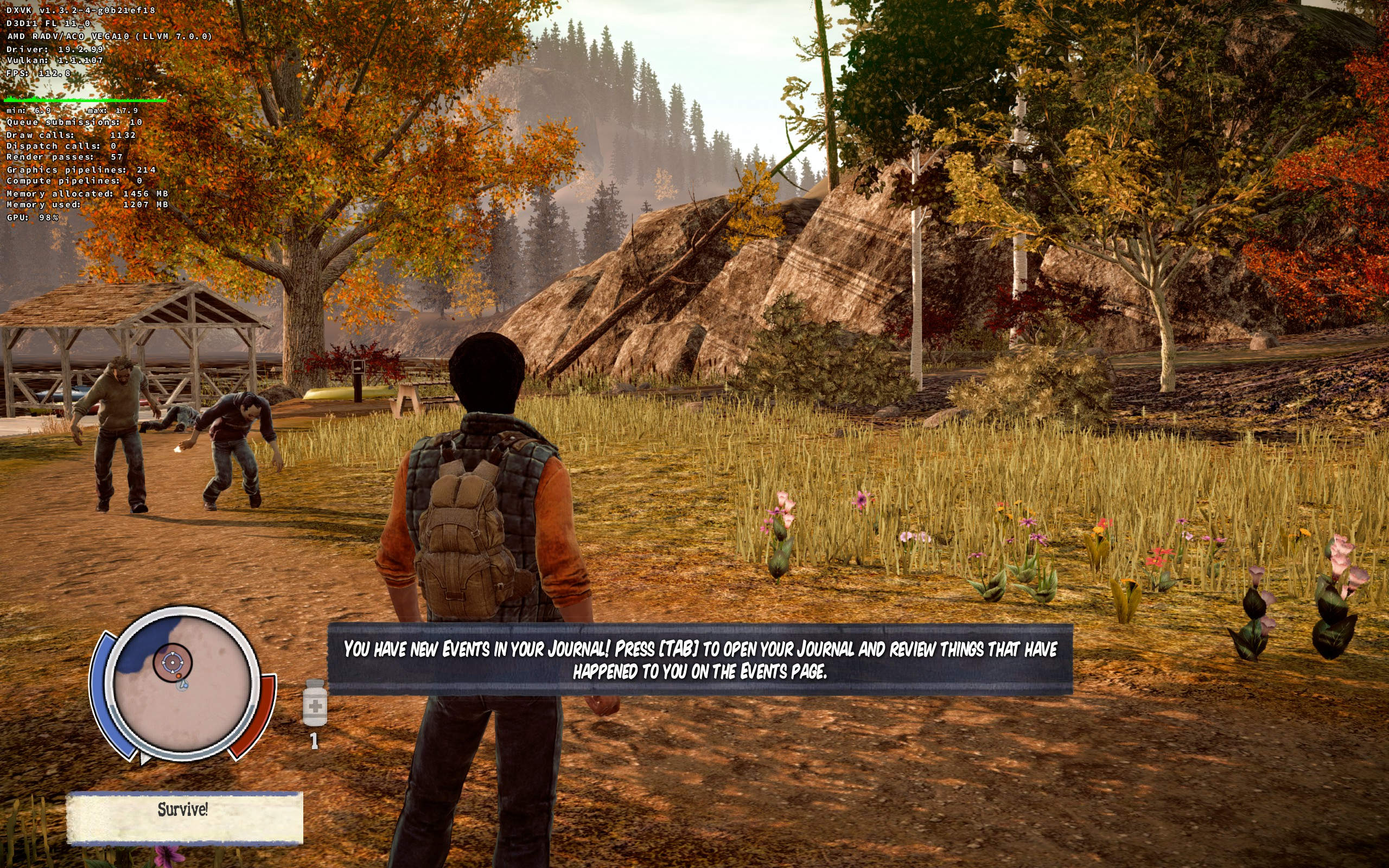
I can confirm problem with the shadows (occurs both with LLVM and ACO).
However the problem is not visible in 1920x1200 or 1920x1080 resolution. Or if you start the game in a higher resolution, switch to a lower and then back to higher.
Here I started the game in 2560x1600 resolution and the game looked like this:
Then I switched the game to 1920x1200 resolution and the stretched shadows went away, and then switched back to 2560x1600 resolution:
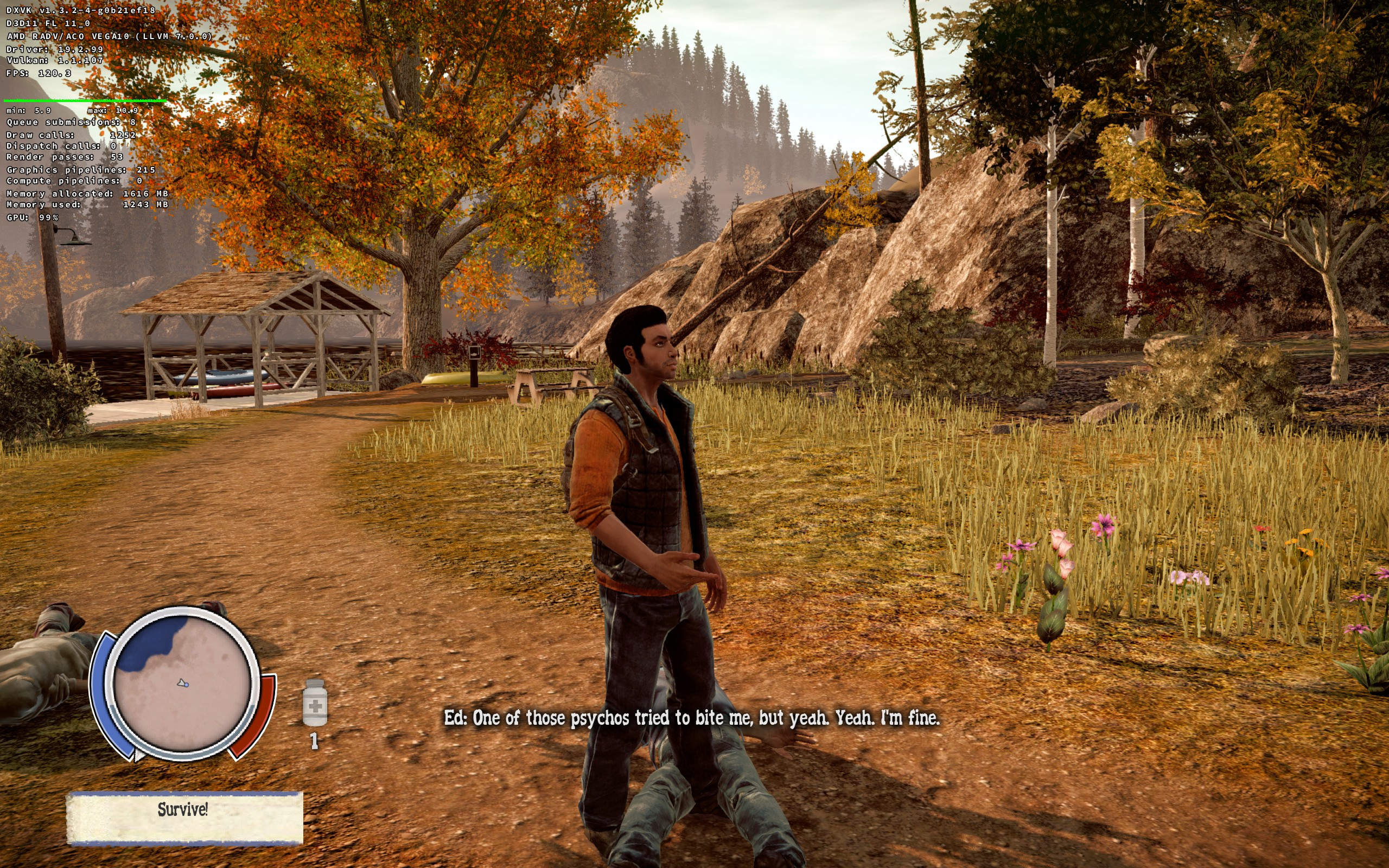
As you can see the stretched shadows on the rocks are now gone, however I suspect the picture below is not actually correct rendering either (I think there is probably some shadows missing that should be there).
System Information
- GPU: RX 5700 ITX
- GPU Driver: 20.1.0-devel (git-cfa299e 2020-03-12 bionic-oibaf-ppa)
- Kernel version: 5.3.18-050318-lowlatency
- Distro version: 19.3 Tricia (64 bit) (Cinnamon)
- Proton version: 5.0-4
Retest Compatibility Report
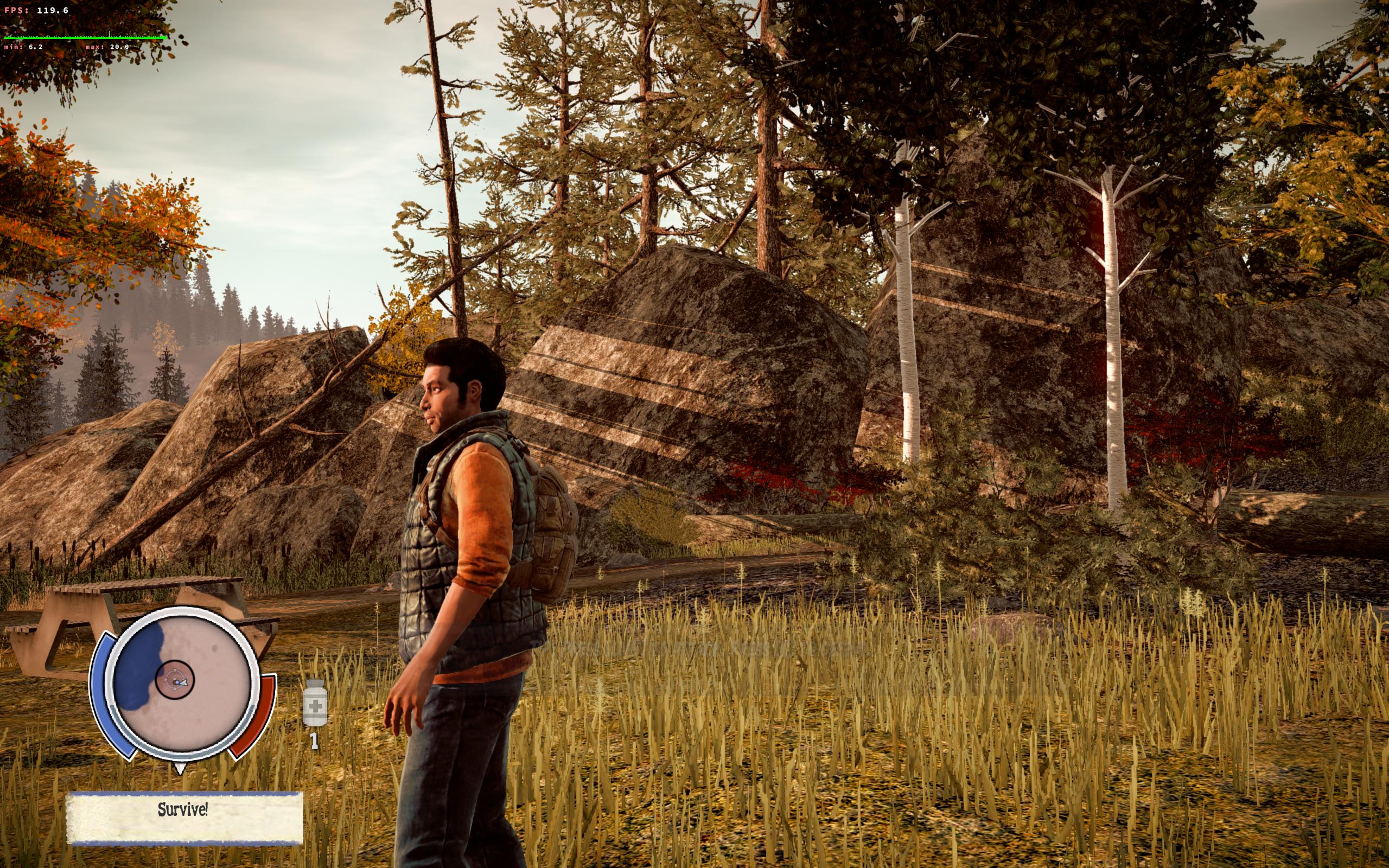
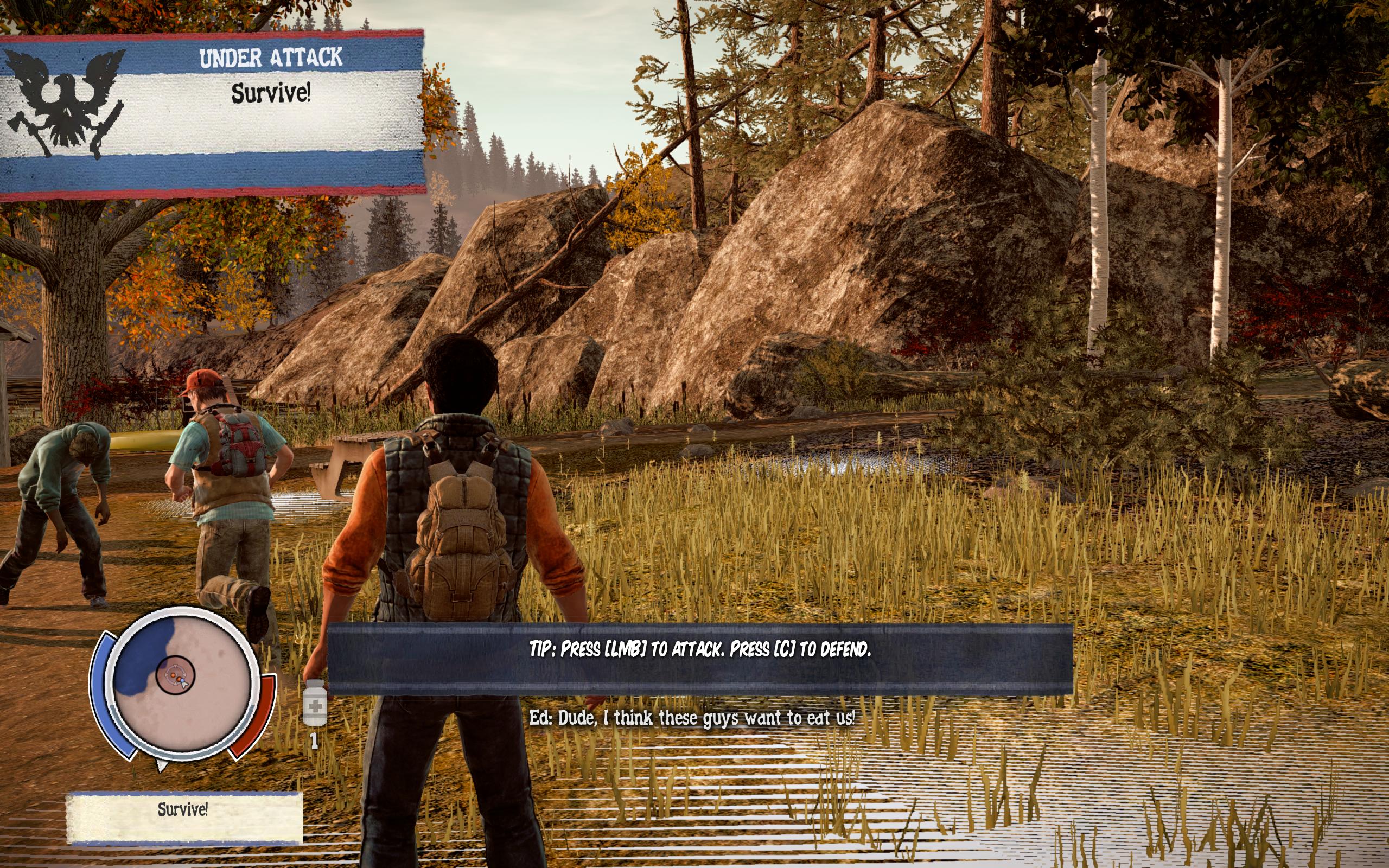
The same issue with stretched shadows remain with Proton 5.0-4. I tried also launch option wined3d and got a different rending issue (white textures).
Out of the box:
With WineD3D:
The shadows looking awful is actually also a problem on Windows when you use resolutions that the game doesn't support natively (i.e. ones that aren't in the Resolution slider in the Options).
The workaround I found from this Steam post does work however.
To apply the workaround you need to create a user.cfg in your game's location and populate it as that post states.
As an example here's what's in my user.cfg forcing a non-native resolution (as well as fullscreen due to weird menu / scaling issues) and applying the shadows fix:
r_Fullscreen=1
r_Width=2560
r_Height=1440
e_ShadowsMaxTexRes=512
r_ShadowJittering=3
Screenshot:
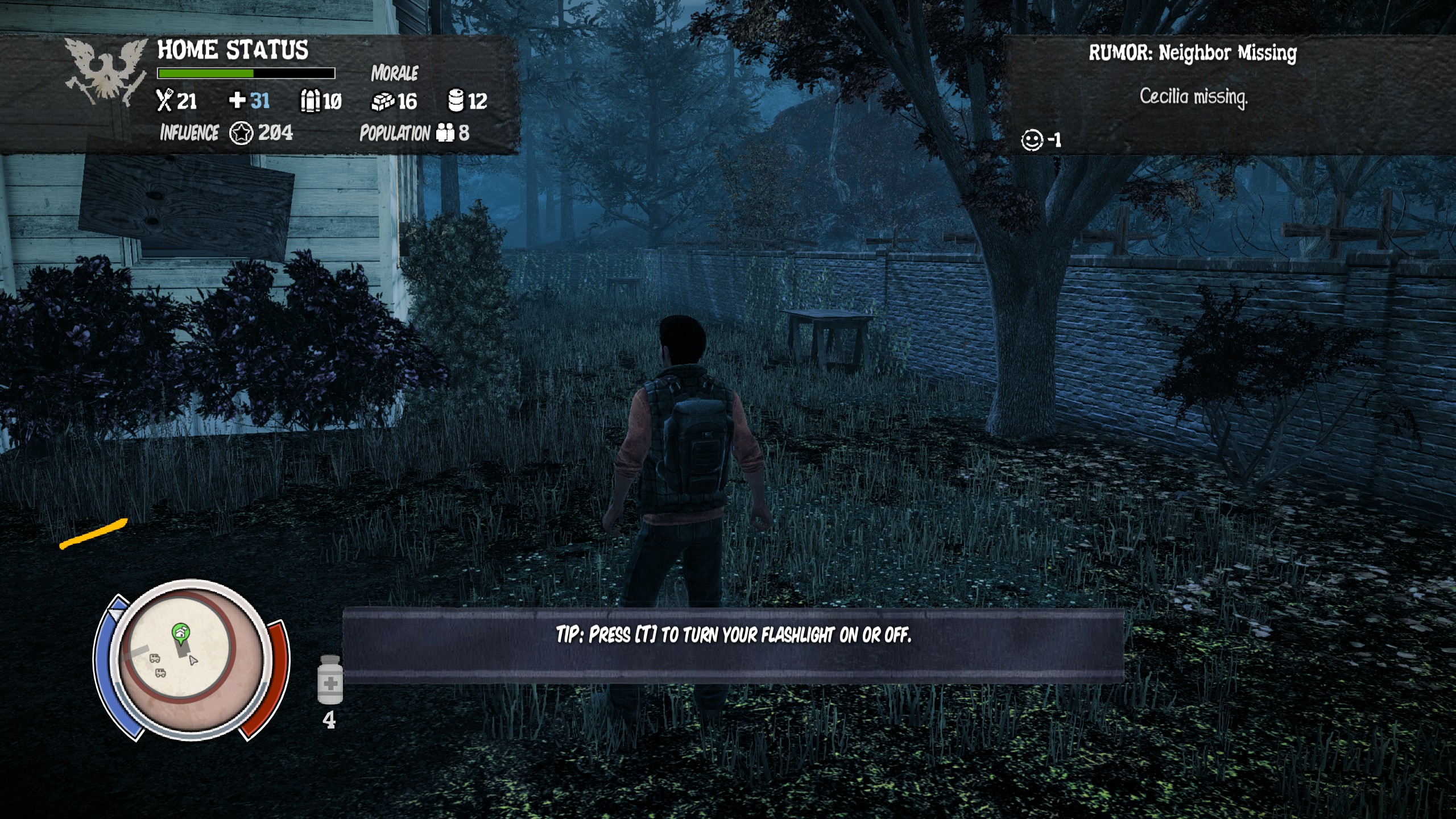
Addendum: Using Proton-5.5-GE-1 on a AMD 5700 XT (mesa-git-68f325b256)
Proton versions
proton 5.5-ge-1x1 2020-04proton 5.0-4x1 2020-03proton 4.11-3x1 2019-08
Compatibility Report
System Information
I confirm:
steam-329430.log
Symptoms
It seems that everything works, only the shadows are stretched.
Demonstration: https://youtu.be/926cLHrd9Jg
Renderdoc here: https://mega.nz/#F!p14w3a6K!epF-_v1FawPhmeZcc-9cEA
Can anyone look at what the problem is?
Reproduction