STAR WARS Jedi: Fallen Order
Out of curiosity, what happens if you use this to install Origin: https://github.com/DrDoctor13/wine-origin-updater/blob/master/updateorigin.sh
@Newbytee i was able to manually add origin into the proton prefix, still a no-go even after it then lets it skip the setup step.
@Newbytee i was able to manually add origin into the proton prefix, still a no-go even after it then lets it skip the setup step.
Were you able to get a log?
I already edited it into the OP.
I already edited it into the OP.
Ah, oops. Thank you.
Mind you people are having activation issues on Windows so I can see the extra stuff here as being a problem for Linux [Proton].
It really depends on if Valve or EA wants it working on Linux anytime soon. It will either be or it could be a long long time if ever. Time will tell.
There's a good chance the link2ea error is due to you installing the regular variant of Origin. The Origin client shipped with Steam may have a protocol handler which handles the link2ea protocol request.
There's a good chance the link2ea error is due to you installing the regular variant of Origin. The Origin client shipped with Steam may have a protocol handler which handles the link2ea protocol request.
This would be the Origin thin client right?
@Guy1524 true, but i've seen people mention on Steam they were able to just use their normal Origin install with the Steam version, as long as Origin was loaded it worked so I though that could possibly be an issue somewhere
Hopefully Valve/CodeWeavers/Wine hackers can do some testing and figure it out for sure. But until then, it's a bust.
whats the status of Origin launcher on winedb/protondb?
you might need to run this through the .proton prefix making your own "launcher" similiar to how i have GOG and several other windows programs running through a seperate .proton pfx
whats the status of Origin launcher on winedb/protondb?
you might need to run this through the .proton prefix making your own "launcher" similiar to how i have GOG and several other windows programs running through a seperate .proton pfx
The problem with that is that with this game there's a new communication with Origin. Nothing might work at all and older Origin hints in regards to Wine/Proton may not apply to the issue at hand.
It would be nice if Valve or EA would say specifically if it should work or not but I assume from their silence that its not supported at this time.
For the record, Lutris is now able to workaround the issue, through some scripts. Here is the official Lutris install script to set it up to play Jedi: Fallen Order on GNU/Linux : https://lutris.net/games/install/16926/view
Bought it through Origin and it's working now with GloriousEggroll's Proton 4.20. Can't say if that also fixes the Steam version tho.
Has anyone tried running the game through the Windows version of Steam? I noticed that the steam client update log specifically talked about Installation support for STAR WARS Jedi: Fallen Order™.
Hi,
What does working mean exactly? Platinum level working? How's performance?
On Thu, 21 Nov 2019, 19:44 alex9k1, [email protected] wrote:
Bought it through Origin and it's working now with GloriousEggroll's
Proton 4.20. Can't say if that also fixes the Steam version tho.—
You are receiving this because you commented.
Reply to this email directly, view it on GitHub
https://github.com/ValveSoftware/Proton/issues/3224?email_source=notifications&email_token=AK3OXTTFBGJNKBIOA5E7DWTQU4TNNA5CNFSM4JNY34I2YY3PNVWWK3TUL52HS4DFVREXG43VMVBW63LNMVXHJKTDN5WW2ZLOORPWSZGOEE4ETHI#issuecomment-557336989,
or unsubscribe
https://github.com/notifications/unsubscribe-auth/AK3OXTU2VGPPYRLNL2GCZI3QU4TNNANCNFSM4JNY34IQ
.
Hi, What does working mean exactly? Platinum level working? How's performance?
I've limited the FPS to 60 tho
Has anyone tried running the game through the Windows version of Steam? I noticed that the steam client update log specifically talked about
Installation support for STAR WARS Jedi: Fallen Order™.
Seems like it was for the release on Steam (i.e. Windows), not for Steam Play.
Has anyone tried running the game through the Windows version of Steam? I noticed that the steam client update log specifically talked about
Installation support for STAR WARS Jedi: Fallen Order™.Seems like it was for the release on Steam (i.e. Windows), not for Steam Play.
I get that; I want someone to test the Windows version of steam through wine to see if this is a wine issue or a Steam Play issue.
@CuriousTommy I was able to install and launch this game via Lutris, using both Origin and Steam+Origin launchers (using the wine-jedi flavor of wine).
However, I won't be playing until nvidia releases 441 drivers for linux as the performance is dreadful.
Ah, almost forgot to mention, this game requires Media Foundation for cut-scenes to work (https://github.com/ValveSoftware/Proton/issues/1464).
@CuriousTommy I was able to install and launch this game via Lutris, using both Origin and Steam+Origin launchers (using the wine-jedi flavor of wine).
Could you explain how you proceed to launch it with Steam+Origin launcher?
@julienbenjamin In my case, I've installed Steam via Lutris (I believe it's called Wine Steam runner or something). Then linked my existing game files to the directory where Wine Steam's game files were supposed to be (must be done before Steam starts installing the game for it to discover existing files, otherwise it just starts downloading whole game again). After I did that, I installed Star Wars and launched as usual.
Once your origin account is tied to your Star Wars game, you no longer need Steam - install Origin via Lutris, link game files like before, validate game files and you're good to go.
Keep in mind that you'll be limited to 5 game launches per 24 hours, as denuvo kicks in and thinks you're on a different PC :/ . Steam's proton somehow solves this, but Lutris and other Proton distributions don't.
Finally, it takes some time for origin to start the game itself - in my case origin would minimize and then would immediately pop up again, but after some time the game launches. Keep this in mind as you're limited to 5 games launches as I've mentioned before.
P.S. Game, might not work with ESync enabled, haven't tested this myself, but other people keep saying this.
I have managed to run this game with GloriousEggroll's proton 4.21 build. It's not perfect, but at least it works for now.
These steps should work for anyone who already has Steam account tied to Origin via Wine Steam or just regular Window's Steam:
- Install Star Wars and get greeted by "Try relaunching your game to continue linking accounts" error when launching.
- Launch regedit for your prefix. For ex. type
WINEPREFIX=~/.steam/steam/steamapps/compatdata/1172380/pfx/ ~/.steam/steam/compatibilitytools.d/Proton-4.21-GE-1/dist/bin/wine64 regedit - Navigate to
HKEY_CLASSES_ROOT\link2ea\shell\open\commandand change default value to"C:\Program Files (x86)\Origin\Origin.exe" - Install Media Foundation workaround (normal version) manually.
- Launching Star Wars via Steam, this will now open Origin client (Origin might not work with ESync enabled, however FSync seems to work).
- Actually launch the game from Origin.
I have managed to run this game with GloriousEggroll's proton 4.21 build. It's not perfect, but at least it works for now.
These steps should work for anyone who already has Steam account tied to Origin via Wine Steam or just regular Window's Steam:
1. Install Star Wars and get greeted by "Try relaunching your game to continue linking accounts" error when launching.

2. Launch regedit for your prefix. For ex. type
   `WINEPREFIX=~/.steam/steam/steamapps/compatdata/1172380/pfx/ ~/.steam/steam/compatibilitytools.d/Proton-4.21-GE-1/dist/bin/wine64 regedit`

3. Navigate to `HKEY_CLASSES_ROOT\link2ea\shell\open\command` and change default value to `"C:\Program Files (x86)\Origin\Origin.exe"`

4. Install Media Foundation workaround (normal version) manually.

5. Launching Star Wars via Steam, this will now open Origin client (Origin might not work with ESync enabled, however FSync seems to work).

6. Actually launch the game from Origin.
I've been trying to launch the game using these steps but it always crashes saying that it can't load DirectX.
I followed the advice on the lutris wiki, but now it keep saying that there's something wrong with my install and it won't launch.
Ran into the same thing.
Says something wrong on install and won't launch via Origin.
On Sat, Dec 14, 2019 at 1:38 PM Abhiram Kuchibhotla <
[email protected]> wrote:
I have managed to run this game with GloriousEggroll's proton 4.21 build.
It's not perfect, but at least it works for now.These steps should work for anyone who already has Steam account tied to
Origin via Wine Steam or just regular Window's Steam:
Install Star Wars and get greeted by "Try relaunching your game to continue linking accounts" error when launching.
Launch regedit for your prefix. For ex. type
WINEPREFIX=~/.steam/steam/steamapps/compatdata/1172380/pfx/ ~/.steam/steam/compatibilitytools.d/Proton-4.21-GE-1/dist/bin/wine64 regeditNavigate to
HKEY_CLASSES_ROOT\link2ea\shell\open\commandand change default value to"C:\Program Files (x86)\Origin\Origin.exe"Install Media Foundation workaround (normal version) manually.
Launching Star Wars via Steam, this will now open Origin client (Origin might not work with ESync enabled, however FSync seems to work).
Actually launch the game from Origin.
I've been trying to launch the game using these steps but it always
crashes saying that it can't load DirectX.
I followed the advice on the lutris wiki, but now it keep saying that
there's something wrong with my install and it won't launch.—
You are receiving this because you commented.
Reply to this email directly, view it on GitHub
https://github.com/ValveSoftware/Proton/issues/3224?email_source=notifications&email_token=AK3OXTTDKYLG2AESL6D2GFDQYRWODA5CNFSM4JNY34I2YY3PNVWWK3TUL52HS4DFVREXG43VMVBW63LNMVXHJKTDN5WW2ZLOORPWSZGOEG327VI#issuecomment-565686229,
or unsubscribe
https://github.com/notifications/unsubscribe-auth/AK3OXTVIWN5LAMOQGS5QEZTQYRWODANCNFSM4JNY34IQ
.
I have managed to run this game with GloriousEggroll's proton 4.21 build. It's not perfect, but at least it works for now.
These steps should work for anyone who already has Steam account tied to Origin via Wine Steam or just regular Window's Steam:
1. Install Star Wars and get greeted by "Try relaunching your game to continue linking accounts" error when launching.

2. Launch regedit for your prefix. For ex. type
   `WINEPREFIX=~/.steam/steam/steamapps/compatdata/1172380/pfx/ ~/.steam/steam/compatibilitytools.d/Proton-4.21-GE-1/dist/bin/wine64 regedit`

3. Navigate to `HKEY_CLASSES_ROOT\link2ea\shell\open\command` and change default value to `"C:\Program Files (x86)\Origin\Origin.exe"`

4. Install Media Foundation workaround (normal version) manually.

5. Launching Star Wars via Steam, this will now open Origin client (Origin might not work with ESync enabled, however FSync seems to work).

6. Actually launch the game from Origin.
When I did that, the game didn't show up on Origin.
You need to add non Origin game on Origin but it just says error when you
try to launch it after that.
On Sun, 15 Dec 2019, 13:35 YamiYukiSenpai, [email protected] wrote:
I have managed to run this game with GloriousEggroll's proton 4.21 build.
It's not perfect, but at least it works for now.These steps should work for anyone who already has Steam account tied to
Origin via Wine Steam or just regular Window's Steam:
Install Star Wars and get greeted by "Try relaunching your game to continue linking accounts" error when launching.
Launch regedit for your prefix. For ex. type
WINEPREFIX=~/.steam/steam/steamapps/compatdata/1172380/pfx/ ~/.steam/steam/compatibilitytools.d/Proton-4.21-GE-1/dist/bin/wine64 regeditNavigate to
HKEY_CLASSES_ROOT\link2ea\shell\open\commandand change default value to"C:\Program Files (x86)\Origin\Origin.exe"Install Media Foundation workaround (normal version) manually.
Launching Star Wars via Steam, this will now open Origin client (Origin might not work with ESync enabled, however FSync seems to work).
Actually launch the game from Origin.
When I did that, the game didn't show up on Origin.
—
You are receiving this because you commented.
Reply to this email directly, view it on GitHub
https://github.com/ValveSoftware/Proton/issues/3224?email_source=notifications&email_token=AK3OXTVUU2KFCCUHEAC2WRDQYW62HA5CNFSM4JNY34I2YY3PNVWWK3TUL52HS4DFVREXG43VMVBW63LNMVXHJKTDN5WW2ZLOORPWSZGOEG4R3VA#issuecomment-565779924,
or unsubscribe
https://github.com/notifications/unsubscribe-auth/AK3OXTV4MCZK7Q6PJ4DGU23QYW62HANCNFSM4JNY34IQ
.
So, I have no idea what happened but the game just magically started working for me a few minutes ago.
Is there something I can do to figure out what changed?
@Cxpher, @YamiYukiSenpai Game must be already added to your Origin account via other means (for ex. by using wine-steam or launching this game on Windows).
@AxelSilverdew If you mean that the game crashes after the splash screen, then it's normal (at least for me). You just have to keep launching it until, well, it launches. It's like winning a lottery...
@FrogTheFrog, here's a quick rundown of everything I did so far :D
- Bought the game on Steam.
- Tried to launch the game directly from Steam using GloriousEggroll's proton 4.21 build, but that failed because it couldn't install OriginThinClient.exe.
- Then I used the Lutris WineSteam script to install it, which got me to the point where I could link my Steam account to Origin.
- Once that step completed, the game wouldn't run and it would throw a DirectX error at me.
- Then I saw that I could just install Origin and run the game without Steam, so I tried it that way using Lutris' Origin script, but I ran into the same DirectX error there.
- I looked at the Lutris Wiki's solution for that problem and followed it, and while it fixed the DX issue, it made the game throw a new error saying "Your game install is corrupt. Please reinstall and try again."
- That remained the case until earlier today. Out of stubbornness I just tried launching the game from Origin again and it just magically started working with no issues whatsoever. Keep in mind, I made no change to the configuration or the prefix, it just decided to work today. :p
I'm getting super decent FPS with almost no stuttering on an RX 570.
I got the game running by combining @AxelSilverdew and @FrogTheFrog methods :
- First use Lutris to launch Origin through Steam, link my Steam account and activate the game in Origin.
- Then use regedit in the Proton prefix to launch the full Origin client and launch the game from there.
Now the game runs with Proton-GE-4.21-2 and Media Foundation stuff.
Performance is generally good but I still run into a weird bug: Sometimes (randomly it seems), when I go into the menu and then back in game, framerate drops into single digits and GPU usage is capped at 10%. Strangely, if I go back to the menu, GPU usage climbs back up to 99% and framerate is good while in the menu, but back in game it drops again. I have to restart the game for it to work well again.
Is anyone else running into this?
GIST
@poke86 It's a game bug - every time you open game menu it leaks VRAM, happens both on windows and linux, but it's really noticeable on linux. I've already reported it to EA's bugs' forum.
Thanks, I didn't think to look at VRAM usage, it's pretty bad, about 150MB more used each time the menu is opened. Good to know we've got bug parity with Windows I guess -_-
Even with the instructions provided by @YamiYukiSenpai, I am unable to run the game through Steam (complains about "linking accounts" even after changing the specific registry key) or Origin (complains about the game being impossible to be launched and ask for a reinstall).
Is someone encountering the same problem?
The Esync/FSync issues with Origin seem to be caused by this bug:
https://bugs.winehq.org/show_bug.cgi?id=48032
I was able to install and play this exactly once under Proton 5.0-4 yesterday. Today it just hangs when starting. :man_shrugging:
@taisph Can you provide some logs?
After several attempts, jumping between proto versions or maybe by choosing the beta origin install or by the Proton 5.0 update (?) I noticed today, it launches every time now.
Though going into the menu (Esc or meditation) and back to the game will randomly tank the frame rate (~3 FPS) until the game is restarted. Likely the same issue as https://github.com/ValveSoftware/Proton/issues/3224#issuecomment-568436000.
I got the game running by combining @AxelSilverdew and @FrogTheFrog methods :
- First use Lutris to launch Origin through Steam, link my Steam account and activate the game in Origin.
- Then use regedit in the Proton prefix to launch the full Origin client and launch the game from there.
Now the game runs with Proton-GE-4.21-2 and Media Foundation stuff.Performance is generally good but I still run into a weird bug: Sometimes (randomly it seems), when I go into the menu and then back in game, framerate drops into single digits and GPU usage is capped at 10%. Strangely, if I go back to the menu, GPU usage climbs back up to 99% and framerate is good while in the menu, but back in game it drops again. I have to restart the game for it to work well again.
Is anyone else running into this?
GIST
I actually have this same issue in another game.
Vampyr.
Exact same phenomenon and temporary workaround. So it may not be game specific but rather something in the way those menus are invoked in game that's not sitting well with wine.
Best would be to create a log while specifically doing this action and see what's going on.
It's a pretty easy bug to trigger, so here's my log - if it makes any difference.
steam-1172380.log
I noticed the Steam overlay doesn't work during this game. And Origin doesn't seem to sync the save game to the cloud correctly either. Might be killed too quickly when exiting the game.
Note that this is a vanilla Steam install on Ubuntu 18.04. No regedits, manual wine prefix component installs or any such thing. I chose the Origin Beta version when prompted to install Origin when launching the game from Steam.
Got the game working with the here in this thread described steps. But when origin got installed it was always complaining about not being able to save games to its default folder. Just re-selecting the same folder weirdly works. Seems to work pretty good (got about 11 hours now) but i added %command% "origin2://game/launch?offerIds=Origin.OFR.50.0003794&autoDownload=1" to the launch options to automatically have the game start.
Updated to proton 5.5 glorious eggroll. And without having benchmarks it seam to be significantly better. And videos rendered as a texture work now. And I can pause the game and go back into the game without always becoming a power point presentation.
I just tested it on gamer-os and it seems to start ok so far.
But I cannot get any controller to work. I have the SteamController, XBox and DS4 and all of them are just acting as keyboard mouse.
Also when I bring up the Steam overlay I cannot use the controller either. Tried frocing Steam input off and wired xbox controller didnt change anything.
I've got the game running on proton 5.0-5, and it is quite playable. The only issues so far are:
- opening the menu sometimes kills my fps (happens quite rarely, not every time)
- steam overlay won't start if the game is started via steam link or in fullscreen mode, preventing any joypad input
- First use Lutris to launch Origin through Steam, link my Steam account and activate the game in Origin.
Holy geez this sentence blows my mind. If this is the state of gaming on Linux I think I may need to stick to consoles. I blame EA for whatever this rotten Origin client is. Have been trying to follow multiple threads (mostly obsolete) on this for hours now after seeing this game had "Gold" on WineHQ and ProtonDB but I wish there had been a free demo so I could at least see it doesn't work before shilling out the cash. Wine, Lutris(?), Origin(?), Steam, etc.... All to run something built on a Linux-supporting Unreal4 Engine?
Anybody doing this on Fedora? I'd hate to have to wipe out 65GB and start fresh needing to re-download it all. Is there really no simple way to link Origin and Steam accounts? All threads I see just say "Use X to run Y and link your accounts" but no description of how that actually happens. Maybe I'm just not observant...
@jboero
I haven't tried this on Fedora as my gaming PC is currently on Manjaro. But my two work computers are on Fedora, its the distro where I call "home". I think my method would work fine on Fedora as well.
I got the Proton-GE from here. I used Proton-5.5-GE-1, but Proton-5.6-GE-1 literally was released 2 hours ago. It might work even better (might try it but I just beat the story of this game on Proton-5.5-GE-1 so I am finished with the game).
CD into your steam directory. I dont remember where it was on Fedora, and I think I had mine installed on Flatpack, so there are different locations for different install methods. Mine on Manjaro with native steam install is ~/.steam/steam
Then cd into the compatibilitytools.d folder. And wget the release you want to try. Then tar xzf filename of the tar.gz file you got. The I always rm the tar.gz file.
Then restart steam. Find the game in steam, right click properties. Then Force use specific Steam Play Compatibility tool. To the one you downloaded.
Install the game.
When it launches and Origin wants to be setup, chose beta. Because they put into beta some things that fix bugs in wine/proton.
Then it should be smooth sailing from here. I didnt do anything else finicky, the game just worked. With some small bugs that didnt bother me. (only one that bothered me was that when opening the pause menu (or settings from main menu) the GPU was throttled to 10%. And that most of the time didnt go back to full speed when going out of the menu. I just restarted the game and never paused when I was playing. Or if I needed to change the settings I just restarted the game if it didnt go back to full speed again.
Thanks for the encouragement @sigboe
I just tried upgrading my 5.5-GE-1 to 5.6-GE-1 and neither of them are working for me. In 5.6 the first run install just pops open a black window (no text) and sits idle. If I strace the process for that blank window it's just looping and waiting for something. 5.5 wasn't working either but at least now I see I can move the contents of my download dir within ~/.steam/steamapps/common/[game dir] and uninstall/reinstall without needing to download it again. I'll see if I can troubleshoot more. Fedora 31. Maybe I'm a glutton for punishment but it's my "home/work" distro too.

@jboero are you running steam in flatpak? I don't think that's officially supported, since steam now also ships with a container it self to optionally run native Linux games in, I know it doesn't work in flatpak. Just thinking proton can behave weird as well?
Are you running Wayland? Try an x session in stead just to troubleshoot.
I tried with proton-5.6-ge-1 and it worked even better than before. I can not confirm 100% but it seamed to have proper lighting and shadows (looked slightly off before) and I could not see any texture depth issues. I was basically not able to reproduce any graphical glitches but I didn't specifically do something where I know it was before. I just played for an hour finding some more of the last chests and secrets. The issue with the start menu locking the gpu to 10% load was still there but I managed to get it smooth again like I sometimes did before.
@sigboe none of the above. Steam from RPMFusion, Fedora KDE spin - XOrg. I've rarely had good luck with Flatpak too. Maybe it's just me? :)
$ sudo dnf info steam
Last metadata expiration check: 1:09:10 ago on Mon 13 Apr 2020 05:08:01 PM BST.
Installed Packages
Name         : steam
Version      : 1.0.0.61
Release      : 9.fc31
Architecture : i686
Size         : 2.8 M
Source       : steam-1.0.0.61-9.fc31.src.rpm
Repository   : @System
From repo    : rpmfusion-nonfree-updates
Summary      : Installer for the Steam software distribution service
URL          : http://www.steampowered.com/
License      : Steam License Agreement
Description  : Installer for the Steam software distribution service.
             : Steam is a software distribution service with an online store, automated
             : installation, automatic updates, achievements, SteamCloud synchronized savegame
             : and screenshot functionality, and many social features.

$ uname -a
Linux z640 5.5.15-200.fc31.x86_64 #1 SMP Thu Apr 2 19:16:17 UTC 2020 x86_64 x86_64 x86_64 GNU/Linux
HP Z640 - 2x10 Xeons E5-2660. 128GB RAM. Quadro RTX4000 + Radeon PRO WX 2100. Primary NVidia with latest NVidia 440.82, DXVK. This is my workstation so not exactly a frequent gamer but figured I'd give it a try under isolation.
I normally run Compiz Fusion but I've even disabled that for this and no dice. How long should it take for Origin to install? I got it to install directly with wine and it took a few seconds but can't link Steam + Origin. Shouldn't be a problem though as Steam/Proton sets up a separate wine home/prefix for each app.
Come to think about it, I can't get anything to work via Proton. Most games crash during launch. One gives an error that it couldn't change resolution to 1024x768 which is odd. I'm on a 4k screen. Maybe all of these apps are trying to switch resolutions?

If I run this one manually via Wine it works just fine. Oh wait I see in a log D3D is picking up and selecting my AMD card which isn't plugged into a monitor...
@sigboe Thanks! I actually shutdown, unplugged my AMD card (which is an additional headless card for development) and suddenly things work. Seems there's a major bug somewhere with Wine/Proton detecting primary graphical device. I saw a log message about D3D detecting and selecting my AMD card which has no screens attached. Can't set resolutions on a device like that...
Hi,
i have it running with proton 5.0-6 too, but my controller isn't working at all.
Same as 200Puls posted here, but it isn't working at all:
https://github.com/ValveSoftware/Proton/issues/3224#issuecomment-610591572
It's working if i start origin with lutris and start the game from there.
It's also working if i use proton-5.4-ge3
funny thing, since the update of origin today, proton-5.4-ge3 doesnt launch origin client anymore, proton 5.0-6 starts origin client, but then we, again, have no controller working.
@fsyy
I had a similar issue with getting the game to launch on various GE versions of Proton, while the game ran just fine on Proton 5.0-7, but without any controller response from my wired DualShock 4 (V2).
What worked for me was just to switch the Steam Input Per-Game Setting to Forced Off in the game's properties, works perfectly fine now.
I hope it helps you too.
Had to perform a number of fixes to get it working - great article here <Guide removed by moderator> with a good guide on getting it up and running. In addition as I'm running Ubuntu 18.04 at the moment I had to boot with the kernel param clearcpuid=514 to stop the UMIP issues (https://github.com/ValveSoftware/Proton/issues/2927)
So it works pretty well with Proton-5.6-GE-2, though there are some serious stutters present after playing for a short period.
Using the DXVK HUD you can see consistent peaks dropping to around 3FPS from a previous locked 60FPS. This is on 2070super + Ryzen 3800x
After playing for a short period the audio starts to become choppy and eventually becomes unplayable :(
Hello @jamoflaw, the guide you linked contains a legally problematic workaround and has been removed.
Ah apologies @kisak-valve - I had forgotten about that part of the guide
For reference to the persistent pauses - the DXVK_HUD screengrab attached shows the very consistent pauses seen ingame min ~4fps and max over 120... really odd

Update on the post above - those massive stutters are solved by putting origin into offline mode (!?) Game runs at a locked 60fps now on epic
@KRFTSPP
i didn't try this yet, because i'm struggling already to install origin launcher in steam again.
i run it from origin launcher, installed by lutris, for now.
@jamoflaw
this really seems to work way better, i had some trouble putting it into offline mode as some games, also Star Wars Jedi Fallen Order) weren't launchable anymore after putting origin in offline mode, but out of a sudden it worked, having ~140 fps dropping to 40-60 fps sometimes. before it was way worse (dropping to 2 fps sometimes)
Has anyone been able to get this working in the last week? Steam shows that it was updated 5 days ago and now it doesn't seem to work at all anymore even with GE.
I've tried multiple proton versions and deleting the compatdata folder for the game, but after origin installs it wont get past the failed linking accounts dialogue even though I have linked them previously.
Maybe an update to the Origin client has broken? The only thing I haven't tried is reinstalling the game cause it takes a while.
Has anyone been able to get this working in the last week? Steam shows that it was updated 5 days ago and now it doesn't seem to work at all anymore even with GE.
I've tried multiple proton versions and deleting the compatdata folder for the game, but after origin installs it wont get past the failed linking accounts dialogue even though I have linked them previously.
Maybe an update to the Origin client has broken? The only thing I haven't tried is reinstalling the game cause it takes a while.
Yes, I've played the entire game through on my system.
The issue I was seeing was due to UMIP which was resolved by booting with the kernel parameter:
clearcpuflags=514
Then the application launched normally, I played the entire way through, only issue was I had to play on medium settings (as pressing start on anything other than that resulted in a frame drop to about 3fps) - and I had to run origin in offline mode else you got weird hitching every second or two.
I am unable to install with pretty much any proton build. Tried all the way back to 3.x.
It tries to install the Origin thin client with 3.x and just closes. The installer is stuck infinitely.
For anything newer, the Origin thin client is not able to even install. It just gets stuck at installing client message and keeps attempting to retry. The origin window does not even pop up.
Since the registry entry for link2ea does not appear in my wine prefix, i'm unable to change it.
Using AMD Ryzen 9 3950x and 2080 Super.
My error messages seem very similar to what @jardon posted before. Plus i've already got clearcpuflags sets as a boot parameter for the kernel i load. Makes no diff. Also tried to use taskset to confine all the way down to 4 cores. Only thing that had a noticeable difference was using Proton 3.x but it was not able to get too far ahead either.
The logs are using Proton GE.
I bought the game through Epic Games Store, then activating it on Origin.
Tried Lutris's Wine & GE's Proton with no luck. Nothing got launched when I hit the "Play" button in the Origin client.
In Lutris, I see a very long logs, but nothing got appended when I hit the "Play" button :man_shrugging:
Just like what this user said:
https://www.protondb.com/users/617643740#6iNW3MpS8q
This game is now completely broken. Both on Origin and Steam (and apparently Epic as well).
Wine gives a page fault on read access.
@jamoflaw try it again. No one can get it to launch now, not on Steam, and not on Origin.
This error message keeps showing when trying to launch, followed by a register dump:
wine: Unhandled page fault on write access to 00000000FFFFFFFF at address 000000007B413FA0 (thread 0242), starting debugger...
Unhandled exception: page fault on write access to 0xffffffff in 64-bit code (0x000000007b413fa0).
Tried completely new wineprefixes, a dozen different builds of Wine. Multiple people are also reporting that this game is completely broken (on both Steam and Origin). The game previously worked flawlessly on both, except for the VRAM leak.
@kisak-valve something in the latest update broke wine compatibility (an update was required on both Steam and Origin versions. Is there anything you can do to maybe try and find out what that was?
@kisak-valve okay, I'll keep an eye out over there, but I think the Jedi Fallen Order issue is separate.
Jedi Fallen Order is now broken even ONLY on Origin (like if you own it on Origin and not on Steam) AND Steam version, both of them are broken.
But Origin works fine with other games, so it's not the client.
JFO received an update (both the Steam version and the Origin version) which seems to have broken compatibility. j
So I have a very strong feeling that even if this Origin issue is resolved, Jedi Fallen Order will remain broken. I guess I'll have to go upstream and report it to Wine.
Hi,
tried proton 5.0-9 and had no succes either in updating origin client nor with launching star wars jedi fallen order. It just does nothing on clicking play. No appearance in top, just nothing. Same behaviour with only origin-client, which worked before.
tried proton 5.0-9 and had no succes either in updating origin client nor with launching star wars jedi fallen order. It just does nothing on clicking play. No appearance in top, just nothing. Same behaviour with only origin-client, which worked before.
I deleted the compatdata folder for Jedi Fallen Order before trying Proton 5.0-9 and it worked.
yes, you're right, that did the trick. nice :)
I can attest to the fact the game launches and runs perfectly with Proton 5.0-9.
Except 1 thing, the pause menu bug is still around. It seems a function of session length and amount of menu interactions (the longer the session, the less times you can enter the menu without triggering the extreme slowdowns).
I read somewhere it might be related to ESYNC, so I tried running it with ESYNC disabled, but alas, no dice.
Anyone have a clue?
That's been a bug since launch, on both the Origin and Steam versions.
Back when the game came out, and I had an RX 580, I noticed it was REALLY
bad @ 1080p. But now I have a 5700XT and at 1440p the other day I didn't
notice much of a slowdown, but I did note about a 10fps difference. But it
used to make it unplayable (Note, I own the Origin version, but it should
make no difference).
But you're right, it does seem to depend at least in part on the length of
the session and how many times you access (or rather, how much time you
spend inside) the pause menu. Weird how it doesn't happen with the
meditation menu.
Disabling Esync (I use Fsync anyway) does seem to lessen the blow, but not
eliminate it. Actually I've noticed that Esync tanks this game's
performance just in general, it's best to use Fsync or nothing with this
game.
I'll try with a different driver (I'm using RADV right now, I'll try AMDVLK
or vulkan-amdgpu-pro) tomorrow or something and see what happens. But I
don't look for this bug to be fixed any time soon, it seems that nothing is
being done about it and it's been there for 7 months without a word spoken
from Valve, Codeweavers, or any Wine/Proton devs.
I have the steam version, but the only difference it makes is that it's also listed in Steam. If I were to 'just' setup Origin, I can still play it :-)
Is there any way to check if FSYNC is enabled in Proton? Or a means to actively enable it?
I'm stuck with an Nvidia GTX 1070 for now (my next GPU won't be ;-) ).. but running the newest driver also didn't put a dent in it.
I did notice the game seems to leak quite a bit of VRAM (which eventually chokes up my GPU).
The VRAM leak is the pause menu bug. That's what happens when you pause
the game, there's a VRAM leak which causes the fps to tank.
Fsync is enabled automatically in Steam on Linux but only if you have an
Fsync-patched kernel, fsync only works with fsync-enabled kernels (for now,
they're trying to upstream it but it hasn't happened yet).
You can manually patch the kernel, but there are numerous alternative
kernels out there that already include it. The Zen kernel has it (it's
called the Liquorix kernel on Ubuntu and its derivatives), so does the
Xanmod kernel. TK-Glitch's custom kernels include fsync patches you can
enable, but that's only available on Arch-based distros. But there are
plenty of options, and both the Zen and Xanmod (as well as TK-Glitch's)
kernels are optimized for gaming and perform generally better than the
vanilla kernel.
If you're on Ubuntu, you can easily just look up the PPA for Liquorix or
Xanmod and add whichever one you want and install it.
If you're on Arch/Manjaro, you can just install linux-zen and
linux-zen-headers from the repos, or linux-xanmod and linux-xanmod-headers
from the AUR.
On Thu, Jun 18, 2020 at 6:45 AM Jeffrey van Pelt [email protected]
wrote:
I have the steam version, but the only difference it makes is that it's
also listed in Steam. If I were to 'just' setup Origin, I can still play it
:-)Is there any way to check if FSYNC is enabled in Proton? Or a means to
actively enable it?I'm stuck with an Nvidia GTX 1070 for now (my next GPU won't be ;-) )..
but running the newest driver also didn't put a dent in it.I did notice the game seems to leak quite a bit of VRAM (which eventually
chokes up my GPU).—
You are receiving this because you were mentioned.
Reply to this email directly, view it on GitHub
https://github.com/ValveSoftware/Proton/issues/3224#issuecomment-645937940,
or unsubscribe
https://github.com/notifications/unsubscribe-auth/AM5Y333J7IXZFZPEEE5FWW3RXHV3JANCNFSM4JNY34IQ
.
Thanks for the infos! I tried installing the Liquorix and Xanmod kernel on my system, but it seems to have issues compiling the ZFS modules for it. I'll try to figure it out later. On the other hand, I've have played the game for 20 hrs without any major issues (just don't open the menu ;-) )
The game plays mostly ok but for some reason it's not able to create a savegame. I checked the privileges to my user under the compatdata prefix for the game and it looks like I have write access but the game says it can't save. I'm not sure what to do to workaround this but I don't see any other reports of this issue.
Did you do the stuttering workaround?
On Sun, Jun 28, 2020 at 2:21 AM korodarn [email protected] wrote:
The game plays mostly ok but for some reason it's not able to create a
savegame. I checked the privileges to my user under the compatdata prefix
for the game and it looks like I have write access but the game says it
can't save. I'm not sure what to do to workaround this but I don't see any
other reports of this issue.—
You are receiving this because you were mentioned.
Reply to this email directly, view it on GitHub
https://github.com/ValveSoftware/Proton/issues/3224#issuecomment-650704001,
or unsubscribe
https://github.com/notifications/unsubscribe-auth/AM5Y336HIWD7S7W2UYIHF73RY3OQBANCNFSM4JNY34IQ
.
I had not done that yet as I wasn't having too much stuttering but I figured out the save game issue finally. I first tried creating the "Saved Games", "Respawn", "JediFallenOrder" folder manually under users\myuser\ because that was in the prefix for the game, but apparently manually creating that under steamuser will work to resolve this issue. I'm not sure why no one else has had to manually create the save game folders to get it to save, but once I did this it seems to be saving settings and gave no error about the save games. I'm testing that now .. I expect it will work.
And ... it worked, I encountered the annoying pause/menu bug that causes frame rate to drop to nothing and then left the game, and was able to reload from where I left off. A bit frustrating only because I tried this fix after numerous other things that didn't work (using windows version of Steam with wine/origin wouldn't work as origin doesn't work with the same version of wine that steam will work with, and steam doesn't work with the one that origin works with.) But in the end that was not altogether necessary, this works just fine with Proton-GE-5.11-MF, except for the menu bug.
Hm, that's weird.
I've only played the Origin (non-Steam) version, and while I've had stupid
issues with saved games getting corrupted (because of stupid Origin cloud
saving stuff) I haven't had any issues actually creating the original save.
That said, I do remember after my save got corrupted I couldn't create a
new save and had to just nuke the prefix and start over. But then
everything worked fine.
On Sun, Jun 28, 2020 at 4:04 AM korodarn [email protected] wrote:
I had not done that yet as I wasn't having too much stuttering but I
figured out the save game issue finally. I first tried creating the "Saved
Games", "Respawn", "JediFallenOrder" folder manually under users\myuser
because that was in the prefix for the game, but apparently manually
creating that under steamuser will work to resolve this issue. I'm not sure
why no one else has had to manually create the save game folders to get it
to save, but once I did this it seems to be saving settings and gave no
error about the save games. I'm testing that now .. I expect it will work.—
You are receiving this because you were mentioned.
Reply to this email directly, view it on GitHub
https://github.com/ValveSoftware/Proton/issues/3224#issuecomment-650714605,
or unsubscribe
https://github.com/notifications/unsubscribe-auth/AM5Y334TC2VLTIW4GIG4M6LRY32Q7ANCNFSM4JNY34IQ
.
Hello,
here is my report:
- Game installs;
- Game from Steam launches Origin;
- Origin successfully logs on;
- Game stops before rendering the screen with the following error message:
"We've noticed your computer is currently offline. To activate your game on this computer using your EA Account, you'll need to connect to the Internet"
The issue has been experienced in 3 different running methods:
- Steam Play
- Steam on Wine
- Origin on Wine
Wine log and error screenshot attached here below. Same report has been shared on protondb.com (pending moderation at the moment).
What would you advise? Is there any additional check I could consider?
Cheers,
Dave

@LordDaveTheKind How did you install the Origin version (I'm assuming you also own the game on Origin as well)?
@korodarn Hey, this is apparently a known issue, and Proton-5.11-GE-1-MF fixes this:
-hotfix added to use normal username instead of 'steamuser' when run with non-steam games. This also seems to fix issues with origin and other platforms not being able to save game (such as running Jedi Fallen Order origin version in lutris with proton)
https://github.com/GloriousEggroll/proton-ge-custom/releases/tag/5.11-GE-1-MF
So I would just download that and use it instead of vanilla Proton or whatever you were using.
I have another hotfix build I'm releasing today that handles this a bit
better as well as some mouse issues. I'd wait until 5.11-GE-2-MF is
released.
On Sun, Jun 28, 2020 at 1:23 PM gardotd426 [email protected] wrote:
@korodarn https://github.com/korodarn Hey, this is apparently a known
issue, and Proton-5.11-GE-1-MF fixes this:-hotfix added to use normal username instead of 'steamuser' when run with
non-steam games. This also seems to fix issues with origin and other
platforms not being able to save game (such as running Jedi Fallen Order
origin version in lutris with proton)https://github.com/GloriousEggroll/proton-ge-custom/releases/tag/5.11-GE-1-MF
So I would just download that and use it instead of vanilla Proton or
whatever you were using.—
You are receiving this because you are subscribed to this thread.
Reply to this email directly, view it on GitHub
https://github.com/ValveSoftware/Proton/issues/3224#issuecomment-650810120,
or unsubscribe
https://github.com/notifications/unsubscribe-auth/ACWD2HJTQNIN4JT6OFSVMP3RY6KDXANCNFSM4JNY34IQ
.
Well why didn't you tell me before I posted that?!?! Now I look like a fool!
But seriously that's awesome, yeah @korodarn yeah do what the man (the myth. the legend.) said ^
Yep, sounds like 2-MF will be the proper solution to the issue I ran into. Good to hear.
@LordDaveTheKind How did you install the Origin version (I'm assuming you also own the game on Origin as well)?
Purchased, tested and asked for a refund (as soon as I have found the same exact issue). EA Customer Service stated they will issue the refund.
@LordDaveTheKind How did you install the Origin version (I'm assuming you also own the game on Origin as well)?
Purchased, tested and asked for a refund (as soon as I have found the same exact issue). EA Customer Service stated they will issue the refund.
Well I mean the game works, so asking for a refund was a bit dumb if you have any interest in playing the game, but apparently not. You didn't even bother to try and get it working. Oh well, never mind then.
Well I mean the game works, so asking for a refund was a bit dumb if you have any interest in playing the game, but apparently not. You didn't even bother to try and get it working. Oh well, never mind then.
Well I returned the EA Origin copy, but I still have the Steam copy (which relies on a different EA account). My issue is still there and I still intend to analyse it and investigate its root cause.
hi anyone got it working with the Epic Store? I'm running it as none steam game, Origin got installed but Epic Store is asking to be installed again, like it doesn't detect the Origin installation. So now I'm trying to install it directly through Origin, but it gets to 48% and VC++ fails installing and it cancels. any help will be appreciated. now I installed vcrun2015 and vcrun2013 on the proton bottle to see if it doesn't fail now (I'm still downloading again)
Hi, I tried to play this game and aside poor performance there were also rendering issues.
- You could see fog through the ground:

- Shadow of MC renders incorrectly (camera looks in the direction of the sun):

- There are afterimages of light saber when it moves:

GPU: Nvidia GTX 960 (2GB)
Driver/LLVM version: nvidia 440.100
Kernel version: 5.7.9-1
Link to full system information report as Gist: https://gist.github.com/Dvakote/97b902e90f44a0e8b4932a921531d853
Proton version: 5.0-9
Proton log: steam-1172380.log
hi anyone got it working with the Epic Store? I'm running it as none steam game, Origin got installed but Epic Store is asking to be installed again, like it doesn't detect the Origin installation. So now I'm trying to install it directly through Origin, but it gets to 48% and VC++ fails installing and it cancels. any help will be appreciated. now I installed vcrun2015 and vcrun2013 on the proton bottle to see if it doesn't fail now (I'm still downloading again)
So the issue with Origin being a pain and reinstalling is fixed by browsing to the dir which contains the proton/wine prefix which will be in your Steam compatdata dir
Eg on my setup:
/disks/data/SteamLibrary/steamapps/compatdata/1172380/pfx
Then find your Origin dir in the equivalent of the Windows dir structure (which will probably be in Program Files (x86))
Then run:
while true; do chmod -R a+rwx Origin; done
It will allow origin to update for some reason there are some permission issues when it normally runs. As soon as Origin restarts and logs in, you can kill the command with CTRL-C and it will be properly updated and will stop complaining for a while - as soon as it needs updating again you seem to need to repeat though but its worked the last few times I've tried.
If you have problems with performance try setting Origin into Offline mode (switching into Windowed mode in the GFX settings can help with this so you can still see the GUI)
Hi, I tried to play this game and aside poor performance there were also rendering issues.
yes performance is not optimal on windows with my rx 570 you can play at steady 60 fps on highest settings, with proton it can barely sustain 60 fps on medium settings with everything turned off. But that's not the issue, the problem is that it dips below 20 fps sometimes. I seen this happen on another Unreal engine game, on HellBlade Senuas Sacrifice, but that happened on AMD only, now this happens on Nvidia also.
hi anyone got it working with the Epic Store? I'm running it as none steam game, Origin got installed but Epic Store is asking to be installed again, like it doesn't detect the Origin installation. So now I'm trying to install it directly through Origin, but it gets to 48% and VC++ fails installing and it cancels. any help will be appreciated. now I installed vcrun2015 and vcrun2013 on the proton bottle to see if it doesn't fail now (I'm still downloading again)
I have the Epic Games Store version. And now it's running well :tada:
- I use Lutris and this script: https://lutris.net/games/epic-games-store/
- I use this Proton GE version: https://github.com/GloriousEggroll/proton-ge-custom/releases/tag/5.11-GE-3-MF (extract the contents of the
distfolder to~/.local/share/lutris/runners/wine/Proton-5.11-GE-3-MF). - Disable Esync.
- Set
WINEUSERNAMEenvironment variable.
The game needs both EGS launcher and Origin launcher installed, but it can only be launched from EGS.
hi anyone got it working with the Epic Store? I'm running it as none steam game, Origin got installed but Epic Store is asking to be installed again, like it doesn't detect the Origin installation. So now I'm trying to install it directly through Origin, but it gets to 48% and VC++ fails installing and it cancels. any help will be appreciated. now I installed vcrun2015 and vcrun2013 on the proton bottle to see if it doesn't fail now (I'm still downloading again)
It's a really bad idea in general to try and do stuff like this, running a game through three separate launchers and a compatibility layer. That's asking for trouble.
Use Lutris, use it's EGS install script to install EGS, and then install JFO from there.
got it working thanks for the help! Origin crashes in some wine versions but it works on wine staging 5.13 and 5.14.
Game stops before rendering the screen with the following error message:
"We've noticed your computer is currently offline. To activate your game on this computer using your EA Account, you'll need to connect to the Internet"
Wine AppDB team found the solution, which affects several other apps and is related to missing CA Certificates in both Debian Stable and Testing:
https://appdb.winehq.org/objectManager.php?sClass=version&iId=26175#Comment-105750
Now it works perfectly, and got the 100% achievements on both EA and Steam.
Cheers,
Dave
Still no solution to the extreme slowdown after entering the settings menu and similar?
It's honestly something that would probably require a patch to the game
itself, which for obvious reasons is unlikely.
FWIW, I don't see this anymore on the Origin version using Nvidia, but back
when I was using AMD it would cause FPS to drop by like 60%.
On Thu, Nov 26, 2020 at 3:13 PM Ernst Sjöstrand [email protected]
wrote:
Still no solution to the extreme slowdown after entering the settings menu
and similar?—
You are receiving this because you were mentioned.
Reply to this email directly, view it on GitHub
https://github.com/ValveSoftware/Proton/issues/3224#issuecomment-734464532,
or unsubscribe
https://github.com/notifications/unsubscribe-auth/AM5Y336SEPXXTMCITYUZCJ3SR2ZILANCNFSM4JNY34IQ
.
It seems to work in Proton Experimental except the MP4 videos dont' play (test pattern), I can't get my PS5 controller working and the Steam Overlay won't work. Makes it not worth playing for me unfortunately.
Just like Vash63 I am also perfectly able to play the game without any performance issues or tinkering. Origin and everything installed without a hickup. I play on max settings at 4K.
Specs:
AMD Ryzen 1800X, 16GB RAM
AMD Radeon Vega 64 (kisak-stable mesa)
Ubuntu 20.10
However, just like Vash63 as well, I am also not able to view any ingame videos. Whenever the games wants to show me a preview of a new ability, the area where that video was supposed to be is completely white.
Does the game still slow down when you enter the menu with Proton Experimental?
To get it running in first place I think I used Proton Experimental, but it did not continue. Therefore, I did
- Remove the games
pfxfolder - Rerun the game with Steam to let Steam reinstall Origin
Currently, I'm running it withProton 6.8 GE 1, but might also solve the issue with "Proton Experimental", too.
To fix the "slow graphics issue" I disabled MotionBlur and Bloom by adding the following to SteamLibrary/steamapps/compatdata/1172380/pfx/drive_c/users/steamuser/Local Settings/Application Data/SwGame/Saved/Config/WindowsNoEditor/GameUserSettings.ini
[/Script/SwGame.SWGameUserSettings]
...
r.BloomQuality=0
r.MotionBlurQuality=0
r.DepthOfFieldQuality=0
I just switched to "Proton Experimental" and it starts nicely. I guess, deleting the old pfx fixes quite some "Startup issues" with old Uplay/Origin setups.
Edit: It seems like there is still MotionBlur with Experimental. Not sure if the suggested settigns even work with all Proton versions. You may try yourself and report back.
You can disable motion blur in the game settings, right? No need to edit an ini file
You can disable motion blur in the game settings, right? No need to edit an ini file
Unfortunately, disabling it in-game does not work, see notes https://www.pcgamingwiki.com/wiki/Star_Wars_Jedi:_Fallen_Order#Disable_motion_blur
Hi!
Do any of you guys know what this glitch could be?
I have an RX 580, I use Arch Linux with bspwm everything is up to date.
i have not seen any glitch like this before.
i used Proton-6.8-GE-2 and Proton-6.10-GE-1 i could not run the game with any other version. Sometimes i have sudden stutters but otherwise the game runs fine. This same glitch occurs in-game very frequently and it is always green as it seems, except the intro scene, the raindrops are extended to a weird length and direction, and that does not have this rotation effect, and it is grey.
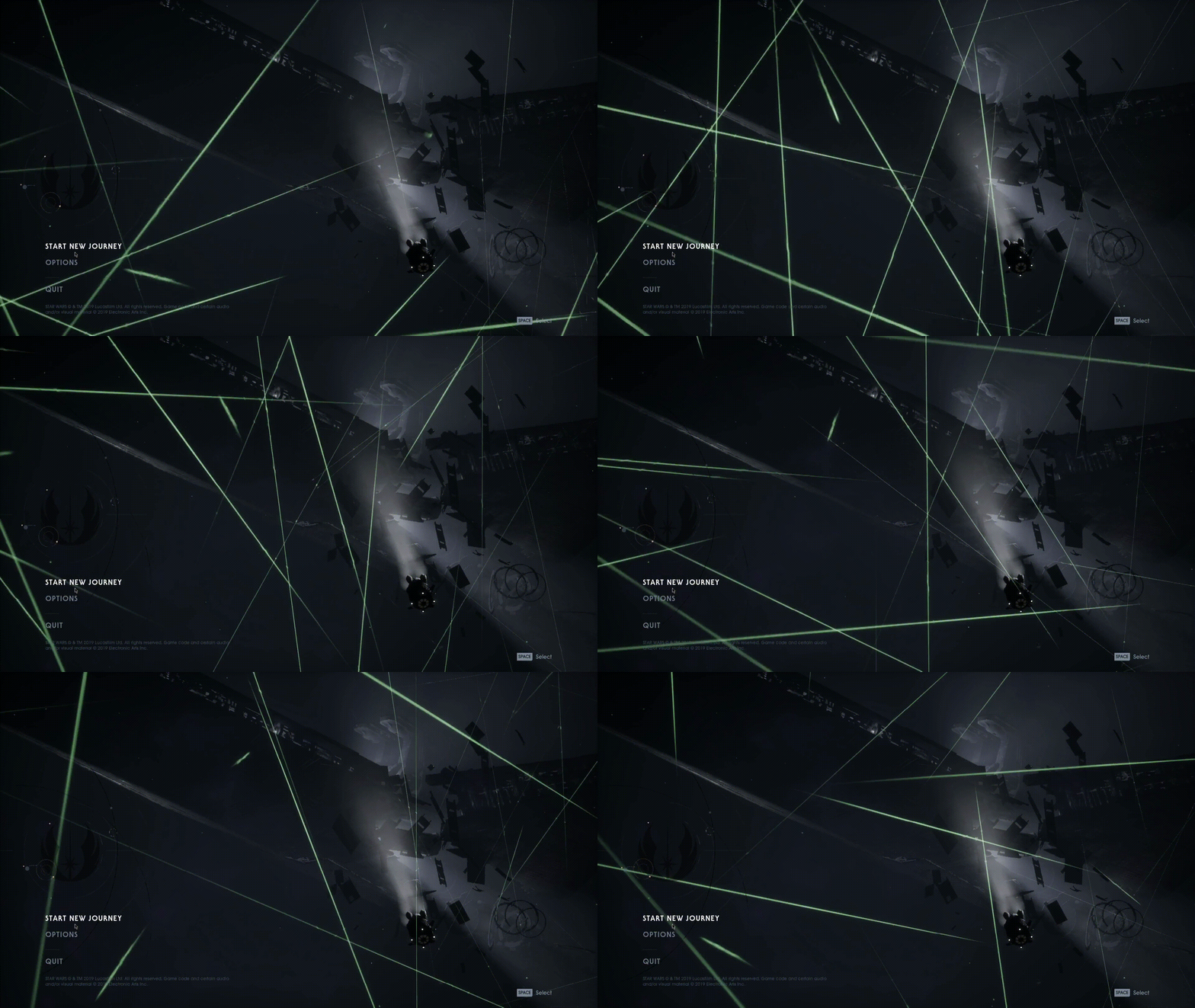
Try AMDVLK instead of RADV.
Install amdvlk and lib32-amdvlk, and then do
VK_ICD_FILENAMES=/usr/share/vulkan/icd.d/amd_icd32.json:/usr/share/vulkan/icd.d/amd_icd64.json
%command% in the launch options
On Wed, Jun 9, 2021 at 3:55 PM bence1971387 @.***>
wrote:
Hi!
Do any of you guys know what this glitch could be?
I have an RX 580, I use Arch Linux with bspwm everything is up to date.
i have not seen any glitch like this before.i used Proton-6.8-GE-2 and Proton-6.10-GE-1 i could not run the game with
any other version. Sometimes i have sudden stutters but otherwise the game
runs fine. This same glitch occurs in-game very frequently and it is always
green as it seems, except the intro scene, the raindrops are extended to a
weird length and direction, and that does not have this rotation effect,
and it is grey.[image: 2021-06-09 21-31-41-fallen-order]
https://user-images.githubusercontent.com/22481550/121419402-32bf9780-c96c-11eb-9026-29ff0c624e1e.gif—
You are receiving this because you were mentioned.
Reply to this email directly, view it on GitHub
https://github.com/ValveSoftware/Proton/issues/3224#issuecomment-858049955,
or unsubscribe
https://github.com/notifications/unsubscribe-auth/AM5Y335LLNUK6T33FUHYOWLTR7BMHANCNFSM4JNY34IQ
.
I tried to get it running and the thing is since I "publicly stated" that it runs Origin just refuses to do anything with or without launch options. I tried to delete the prefix and game many times. I bought EA Play for one month it expires tomorrow, I just wanted to see if it works somewhat reliably with these updates.
Thank you very much for your help!
On Proton 6.3-4, the game doesn't launch Origin through Steam at all and doesn't produce a Proton log but does create a prefix
(Just bought the game yesterday)
Edit: This also the case for 6.3-5
Game launches fine with proton-experimental but there are no voices... I can hear Music and SFX but no voices... Any Idea what to do?
XBox One Controller Wired is not working while Steam's "General Controller Settings" -> "Xbox Configurations Support" activated.
Problem exists in Experimental and Proton 6.3-5.
Removing the tick in Xbox Configurations Support makes the game using the controller.
Beta/ default Steam both the same.
Game installs and starts with no custom launch options, but when it first opens after starting Origin, I get this on my screen for about 30 seconds until I reach the menu:

Specs:
GPU: RX 580
Driver/LLVM version: mesa 21.1.5
Kernel version: 5.13.4-arch
Link to full system information report as Gist: https://gist.github.com/getchoo/c630c7698f333d2503f6961067d71f25
Proton version: 6.3-5
Hello @getchoo, do you have Steam's shader pre-caching setting enabled? If it isn't, then it might be interesting to test the game after enabling that setting.
That looks like a codec issue, and the shader pre-cache can include videos that have been transcoded to a compatible format.
@kisak-valve I checked my settings and it said it was enabled, but after turning it off and on again (the classic method), the shaders reinstalled and now the intro videos are playing fine. Thank you for your help!
I'm having an odd issue when playing the game via Steam Link on a Raspberry Pi 4: even though the game stars fine, the controller is not correctly detected. The DS4 imput simply won't so anything, while the Steam Controller's buttons are somehow mapped to keyboard keys.
Both controllers work flawlessly in the game while.playing directly on the pc, both when they are connected via cable or wireless.
This happens both with Steam beta updates enabled and disabled, and up to Proton Experimental.
Got a crash on Proton-Experimental when a video was supposed to play after unlocking a new ability, the rectangle in which the video should appear was just transparent, 3 or 4 seconds later (when the video ended i assume) i got a crash to desktop.
This never happened to me on this game like 2 months ago. I will try Proton-GE when getting new abilities to compare.
Hi,
Using Proton-Experimental with shader pre-caching enabled, the game works fine, Introduction videos are played correctly, but ability videos are not played. Instead a test card is displayed in the zone where video is supposed to play.
Kernel : 5.13.12-1-MANJARO
GPU : GTX 1070
Driver : Nvidia 470.63.01
Proton version : Experimental (31AUG2021)
New downloads of pre-caching stuff in the last days had fix the issue with ability videos.
On Proton 6.3-7, and the game still stutters. Gets worse after pausing the game.
CPU: i5-6500
GPU: Zotac GTX 1060 6GB AMP! (470.82.00)
RAM: 16GB
Kernel: 5.13.0-7620-generic
OS: KDE Neon 20.04
Desktop: Plasma 5.23
Will try this:
It seems to have been solved for me with 6.19-GE & DXVK_ASYNC=1. Oddly, 6.20 wouldn't install DirectX.
Oddly, 6.20 wouldn't install DirectX
That's a known issue.
Slowness after hitting escape to go into settings while in game
Issue transferred from https://github.com/ValveSoftware/Proton/issues/5469.
@brzozowskia posted on 2022-01-01T19:17:48:
Compatibility Report
- Name of the game with compatibility issues: Star Wars Jedi Fallen Order
- Steam AppID of the game: 1172380
System Information
- GPU: NVIDIA Corporation GP107 [GeForce GTX 1050 Ti]
- Driver/LLVM version: NVIDIA Corporation GP107 [GeForce GTX 1050 Ti]
- Kernel version: Ubuntu 21.10
- Link to full system information report as Gist:
- Proton version: Proton Experimental, Proton GE
I confirm:
- [x] that I haven't found an existing compatibility report for this game.
- [x] that I have checked whether there are updates for my system available.
Symptoms
The game runs reasonably well but drops to very low frame rates after escaping to the settings menu even one time. It does this reliably but if i don't do this i can play the game uninterrupted for hours. Game will run cut scenes.
Reproduction
NVIDIA driver 470.86
This is a known bug in the game (that apparently doesn't get triggered in Windows) where there's a memory leak triggered when you enter the ESC menu (but not the meditation circle menu).
It's been there since the game released, and it affects all GPU vendors so it happens on Nvidia and AMD (and presumably Intel if anyone is trying to play this game with Intel integrated graphics, or when the Arc dGPUs come out).
Weirdly, I own the game on Origin and I haven't seen the bug in quite a while, but it MIGHT coincide with the moment I switched from a 5700 XT to an RTX 3090. But the thing is, I don't see VRAM usage increase when I go into the escape menu, you'd think that it would still affect me it would just take longer, but idk.
I've just picked this game up (free from amzg) and noticed everything is pretty good except some scenes have this crackling audio. On protondb its mentioned fixing buffer underruns... anyone have information on how to fix audio crackling in this game?
I'm using PIPEWIRE!
This is a known bug in the game (that apparently doesn't get triggered in Windows) where there's a memory leak triggered when you enter the ESC menu (but not the meditation circle menu).
Looking at the DXVK HUD it more looks like the game is overshooting VRAM memory budget for a brief moment during transitioning from the game scenery to the menu screen or vice versa. This makes some GPU buffers end up in slower system memory. Reducing shadow or texture settings can work around it. It also looks like the latest DXVK allocation-related commits seem to work around it in most cases. According to Windows DirectX docs, Windows is able to move buffer back to GPU memory while temporarily freezing the game in the OS scheduler - this may explain why it cannot be observed as a problem there. There are other games with a similar behavior, e.g. Elite Dangerous since the Odyssey DLC.
What's weird is that everyone on ProtonDB is reporting that since Denuvo was removed, this issue no longer exists.
I for one haven't been able to reproduce it in over a year and a half, and entering the escape menu causes zero increase in VRAM usage or system RAM usage (not even a momentary one), and even at 1440p the total system VRAM usage while in-game (with stuff on a second monitor) is like 5-6GB.
I use the Origin version, but still. People on ProtonDB are reporting this has not been an issue since Denuvo was removed back in November.
I for one haven't been able to reproduce it in over a year and a half, and entering the escape menu causes zero increase in VRAM usage or system RAM usage (not even a momentary one), and even at 1440p the total system VRAM usage while in-game (with stuff on a second monitor) is like 5-6GB.
I was seeing it: The game shoots above 4 GB of VRAM for a blink of an eye when going to the menu - just to show less VRAM usage the very moment later. Going back to the game overshoots again, then uses more VRAM than the menu screen but less than the overshoot amount, just that now some more memory sits in sysmem and the game crawls at below 20 fps (while it runs at 50-60 fps usually). I haven't been able to reproduce the performance problem with the latest DXVK which actually frees VRAM chunks to repurpose heap types.
The total VRAM usage as seen from outside the game (or outside from DXVK) doesn't tell you much due to how the chunk allocator works in DXVK: It always tries to keep all VRAM allocated and never frees memory from the driver (but it frees memory from the game) - that is until the latest commits: It will now actually free memory from the driver, and thus games will be able to re-allocate that memory for another purpose (like simply speaking, make it shadow buffer instead of texture buffer).
I guess I never tried the Denuvo version, I only bought it lately during some sale, and just installed it a few weeks ago.
I think my audio Crackle issue is due to my USB SB Omni 5.1 going faulty; even happens in windows. :(
System Information
- GPU: GTX 1080 TI
- Driver/LLVM version: nvidia 510.47.03
- Kernel version: 5.16.5-1
- Link to full system information report as Gist: System Info
- Proton version: 6.4-8
I confirm:
- [ ] that I haven't found an existing compatibility report for this game.
- [x] that I have checked whether there are updates for my system available.
Symptoms
Game Crashes a bit into the loading screen and pops up an UE crash window with link to crash dump UE4CC-Windows-99CB1FAC405EB3138CA85EA446FFF9F4_0000.zip
Reproduction
Have tried with the following proton versions: 6.4-8, Experimental and GE
Hello @jopejoe1, looks like an audio issue of some kind. From the log:
err:dsound:DSOUND_ReopenDevice Initialize failed: 8889000f
[...]
INFO: OpenAudioDevice failed: Could not connect PulseAudio stream
INFO: Assertion failed: 0 && "Failed to open audio device!"
[Access violation c0000005]
Maybe remove pulse altogether and install Pipewire and its compatibility stuff for pulse and alsa. That's what I use and it ran fine.
I have already switched to Pipewire a few months ago.
Works now after todays system update
had an issue where the transcoding of the intro videos was broken, they'd render green and at the wrong res, had to rename the files to get into the game
Just want to report that I as well experience frame rate drop when entering the pause menu, which can only be fixed by a restart. Curiously, the game still continues to lag when VRAM sits at 3.8G out of 4, but the GPU is at 100%.
Distro: Arch Linux
Kernel: 5.17.5-arch1-1
RAM: 16 GB
GPU Driver: NVIDIA 510.60.02
GPU: NVIDIA GeForce GTX 1650 SUPER
CPU: AMD Ryzen 5 3400G with Radeon Vega Graphics
when entering the pause menu, which can only be fixed by a restart
Well, it looks like it can be fixed sometimes by moving around, so the game works with another set of textures, and entering the pause menu again. This usually only works if texture quality was set low enough so the game gets a big enough budget of free memory.
This is just guessing:
To me, it looks like the game first loads new data into GPU memory when opening the pause menu, and only the very next moment, it frees texture memory from the in-game scenes - thus overshooting the DXVK budget (at least when looking at the DXVK memory stats and hitting the right moment). If you go back to the game, it does the same: First loading textures again overshooting the budget again, then freeing stuff from the pause menu. This overshooting results in some important memory allocated from sysmem instead of VRAM. There's a situation where even the pause menu can have low FPS with 100% GPU usage due to this. Unlike Windows, DXVK is not able to swap GPU data back from sysmem to VRAM. According to Microsoft docs, this would need some integration with the kernel scheduler to momentarily freeze the affected processes, which DXVK cannot do (not at all, or at least not easily).
This is probably the main issue why you need more VRAM budget in Linux for games than in Windows, one way to work around it is lowering the texture quality which uses most of the VRAM, another is to close applications which tend to use VRAM (browser) or disable GPU acceleration for some programs (Steam client, browsers, Discord). Latest DXVK can at least return completely free chunks of memory to the driver allocator, allowing to repurpose those chunks for another type of memory. This sometimes helps to get games back into a better performing situation if you can force it to reallocate big chunks memory (like entering and leaving the pause menu from different in-game in scenes in Fallen Order).
Graphics card with bigger memory budgets should generally perform better here (like current AMD cards which come with more VRAM out-of-the-box).
When you hit the issue, you probably see more sysmem allocated (and used) by DXVK than before the problem.
This affects multiple games with lazily implemented memory management, e.g. Elite Dangerous Odyssey also overshoots memory budgets when switching between different game scenes (on-foot, surface, hangar).
Thanks for a detailed response! Too bad that it's something that cannot be fixed in DXVK at the moment.
There's a situation where even the pause menu can have low FPS with 100% GPU usage due to this.
This happens for me 100% of the time, pause menu is always immediately laggy, and the lag continues when returning to the game.
Hello @thokr, if part of the render hot path gets pushed to system memory, then you should be able to see that as a high percentage in the PCIe Bandwidth Utilization statistic which you can see in NVIDIA's X server settings utility.
then you should be able to see that as a high percentage in the PCIe Bandwidth Utilization statistic
Interesting, thanks. I'll have a look at that.
@kisak-valve This is indeed what happens! When the game runs normally it sits between 2% and 5%, but shortly after opening the pause menu it rockets to 67%. And when resuming the game it stays at 32%. Interestingly, for the first time the menu didn't lag as much, it was between 20 and 70 FPS, but the game continues to crawl at 4 FPS after closing the pause menu.
I can confirm this, too... For me, the game hovers at 5-7%, after the fps drop happens, it varies between 15% (still mostly usable framerate) and 70% (fps drops below 20-30 fps, much worse with higher resolutions and/or graphics quality settings) depending on which direction I'm looking at. Going back to the menu, the game locks at 60 fps again with utilization at around 5% again. Minimizing most open windows reduces the dedicated VRAM allocation a little and then there's a chance the game won't tank fps after going to the pause menu.
Additionally, the game stutters a lot, sometimes more, sometimes less (even with audio dropouts) but this seems to be a different issue not connected to graphics settings.
Good writeup kakra.
I peeked very slightly into this one time over in the dxvk issue
Good writeup kakra. I peeked very slightly into this one time over in the dxvk issue
I can confirm that setting lower (sometimes much lower) resolutions usually works around the problem... like there's only a few MB of mis-alignment for the memory budget as seen by the games. A full-res 4k screen buffer probably needs almost 32 MB of VRAM (if we calculate 32 bit per pixel), multiply that for double buffering or triple buffering, or whatever amount of frames the game renders ahead, let's say this makes up to 128 MB in total. Now compare that with Full HD which only takes 32 MB for the same number of frames, so all frame buffers fit into one single 4k frame. 1024x768 would need only 12 MB of frame buffers. We need to keep in mind that fshack usually scales that up back to the native resolution, I'm not sure how this plays into the budget but it probably adds an overhead of two additional native-res frame buffers.
Each window on your desktop that is not minimized will probably also use some amount of VRAM for its intermediate render surface before the compositor renders that to the desktop, minimizing windows before running the game can thus free a lot of VRAM (almost 0.5 GB the last time I tried and measured that, browsers and Steam usually run fullscreen for me, so minimizing each one will free around 32 MB, in KDE you may need to disable window previews, other desktops may have a similar setting). But I'm not sure if all the intermediate render surfaces have to be in VRAM, YMMV. Disabling compositing can work around this because window backbuffers should be backed by sysmem then, and the CPU will compose the desktop directly to the frame buffer.
Doing all of that helps a lot for this game but it usually doesn't completely fix it.
Origin not using 300-400 vram on it's own would also help maybe :grin:
And with Mass Effect it's even more stupid since there origin takes up 300-400 and then the launcher takes up around the same and they both run in the background while game is running hehe. Also they both go through dxvk :thinking:
But that is offtopic ofc :eyes:
Edit: i saw your comment in the dxvk issue about origin :+1:
@Blisto91 I discovered on GOG forums that it's possible to run the game without Origin and even without Steam, apparently the executable SwGame/Binaries/Win64/SwGame-Win64-Shipping.exe is completely DRM-free! But for me personally it didn't help with the lags.
Yay!
And boo! 😁
@Blisto91 I discovered on GOG forums that it's possible to run the game without Origin and even without Steam, apparently the executable
SwGame/Binaries/Win64/SwGame-Win64-Shipping.exeis completely DRM-free! But for me personally it didn't help with the lags.
How up to date is that info?
How up to date is that info?
It is up to date and it works. On the same forum page you can scroll a little down to find the checksums of the DRM-free executable, and my latest executable from Steam matches them.
Maybe a stupid question, but I'm absolutely new to steam. I bought the game yesterday and it is really unstable, more than 30min play are not possible, than it crashes.
How can I play Fallen Order without origin and steam, directly over wine? Or can I set SwGame-Win64-Shipping.exe to start from steam?
Maybe a stupid question, but I'm absolutely new to steam. I bought the game yesterday and it is really unstable, more than 30min play are not possible, than it crashes. How can I play Fallen Order without origin and steam, directly over wine? Or can I set SwGame-Win64-Shipping.exe to start from steam?
Do you use Lutris or something like that?
no, steam with proton GE7.16, debian sid.
I bought the game yesterday and it is really unstable, more than 30min play are not possible, than it crashes.
Could you share your hardware info and video driver version?
How can I play Fallen Order without origin and steam, directly over wine? Or can I set SwGame-Win64-Shipping.exe to start from steam?
You can point a Wine prefix manager like Lutris or Bottles to this executable. Or just run it directly with Wine, but you'll need to manually install DXVK in your prefix, otherwise performance will be terrible or the game won't start at all.
  Model: "ATI Navi 10 [Radeon RX 5600 OEM/5600 XT / 5700/5700 XT]"
  Vendor: pci 0x1002 "ATI Technologies Inc"
  Device: pci 0x731f "Navi 10 [Radeon RX 5600 OEM/5600 XT / 5700/5700 XT]"
  SubVendor: pci 0x1da2 "Sapphire Technology Limited"
  SubDevice: pci 0xe409
  Revision: 0xc1
  Driver: "amdgpu"
  mesa-vulkan-drivers:amd64                      22.0.3-1
I have yesterday replaced pulseaudio with pipewire, now it seems better, game not crashed yesterday evening. Would be great to get rid of origin.
Playing on the steamdeck, embedded videos stopped working (that video test screen shows now). Worked fine yesterday, not sure if the used Proton version changed.
I'm wrong. It seems like they are using different video formats for the skill videos, some work, some don't. Got confused, cause the ones for the skills you get in the start work, while the later ones do not work.
Video problem seems gone now with the latest versions
This game doesn't run anymore for me on latest Proton 7. It appears that it's not even able to start Origin anymore. Can someone confirm?
EDIT: My lib32/i686 Vulkan drivers were lacking and are necessary of the Origin installer at least.
System Information
- GPU: AMD Radeon RX 570 Series (polaris10, LLVM 13.0.1, DRM 3.46)
- Driver Version: 4.6 (Compatibility Profile) Mesa 22.1.2
- Kernel Version: 5.18.6
- Link to full system information report as Gist
- Proton version: 7.0-3
I confirm:
- [ ] that I haven't found an existing compatibility report for this game.
- [x] that I have checked whether there are updates for my system available.
Symptoms
Steam runs the initial setup steps and silently closes. The splash screen never appears.
Pressing Play again attempts to run the OriginThinSetup and silently fails.
ThinSetupWrapper_Log.txt
Reproduction
The issue occurs when pressing Play. I've tested with 7.0-3, experimental, and GE.
Workaround
Adding the Launch Option PROTON_DUMP_DEBUG_COMMANDS=1 stores debug scripts in $PROTON_DEBUG_DIR/proton_$USER/. Entering the path to the "run" script followed by the argument
${GAME_DIRECTORY}//SwGame/Binaries/Win64/SwGame-Win64-Shipping.exe in the terminal successfully
launches the game.
Fix
Recently I bypassed an issue where all games would not launch on version 2022.Q2.3-1 of AMDVLK by uninstalling the "amdvlk" package. Inspired by the above comment on
lib32 and origin, removing lib32-amdvlk allows the origin installer to work correctly.
Hello @troytjh, your issue is with AMDVLK and https://github.com/GPUOpen-Drivers/AMDVLK/issues/278. There's not much Proton can do with a broken render path.
This game doesn't run anymore for me on latest Proton 7. It appears that it's not even able to start Origin anymore. Can someone confirm?
EDIT: My lib32/i686 Vulkan drivers were lacking and are necessary of the Origin installer at least.
Can confirm.Game not installable / playable with Proton 7.0.3 on Steam Deck.
Did some digging on the issue too. Had game working before just fine with rx480. "Upgraded" just few days ago to nvidia gtx1080 and issues started with origin specificly for some reason. Thou think this is not related to gpu cause i am able to launch the game with commandline with protontricks following:
protontricks -c 'WINEFSYNC=1 wine /path_where_game_installed/steamapps/common/Jedi\ Fallen\ Order/__Installer/Origin/redist/internal/OriginThinSetup.exe' 1172380
Command installs origin just fine inside 1172380-"proton bottle" and im able to login etc.
After that running the executable directly with:
protontricks -c 'VK_ICD_FILENAMES=/usr/share/vulkan/icd.d/nvidia_icd.json DXVK_ASYNC=1 WINEFSYNC=1 wine /path_where_game_installed/steamapps/common/Jedi\ Fallen\ Order/SwGame/Binaries/Win64/SwGame-Win64-Shipping.exe' 1172380
Im able to start game directly with origin enable. But not under steam. So in short:
- Game seems to work technically just fine with origin launcher.
- Steam Install script seems to be broken atm and game fails to launch every time during pre-scripts that tries enable/install origin. Even it is installed/enabled/linked inside the bottle manually via protontricks.
- No difference for me trying between different proton versions to progress origin install process on preinstall scripts.
P.S on previous working "Steam install" with rx480 i had origin disabled by renaming igo64.dll and it caused no issues what so ever. Also non of the previous install files are anymore present as i did fresh install on game (with deleting all directories related, including bottle) with gtx 1080 upgrade.
**Got it working! ** Thanks for @troytjh comment i read after writing previous. Installed lib32-nvidia-utils (which i was missing for some reason) and game launched without issues. Apparently installer/steam/origin needs lib32 installed.
Game crashes with latest experimental (same with GE what is based on that) - 7.0-3 seems to work. Origin seems to crash and so to entire process. Seems Origin compatibility is regressed with experimental now?
Hello @spaghetticodez, please add PROTON_LOG=1 %command% to the game's launch options, reproduce the crash, and attach the generated $HOME/steam-$APPID.log to this issue report as a file. (Proton logs compress well if needed.) Also, please copy your system information from Steam (Steam -> Help -> System Information) and put it in a gist, then include a link to the gist in this issue report.
The game stopped working for me. It was working great last week and when I tried today, it just stop during launch. I think it's a problem with Origin since Burnout Paradise Remastered and Need for Speed Most Wanted are not working either.
I tried 7.0-4 and axperimental and it's the same.
If I add PROTON_USE_WINED3D=1 the game launches, even if it runs like crap, as expected. It is very strange. Is it a Vulkan issue?
It also worked for NFS Most Wanted but not for Burnout Paradise Remastered.
Opting out of the steam client beta solved the problem.
It also worked for NFS Most Wanted but not for Burnout Paradise Remastered.
In my experience Burnout Paradise Remastered is broken even on Windows.
For Burnout Paradise, I noticed that it wasn't associated with any Proton version. When I was on the game page and unfold the information part, there wasn't a "Run on this computer via Steam Play...". So I forced a version of Proton and it works great. And I unchecked the specific version of Proton and now, it is associated with the default one. Anyway, Burnout Paradise Remastered works great on linux.
Opting out of the steam client beta solved the problem.
THIS IS IT! I was opted into the beta and for some reason that keeps Origin from launching with Vulkan. You could bypass this by using WINED3D, but in the case of Mirror's Edge Catalyst, the shaders were all messed up and every time you'd boot the game, the colors would be radically different from intended. Opting out of the beta allows Origin to boot using Vulkan and everything works good!
Anyone else having issues with controller detection in this game? I'm using an Xbox Series controller and the game just won't detect it like it should. This seems to be an issue with all EA games right now and is more than likely caused by the EA app running in the background
more
Weird one but have you tried alt tabbing out and back into the game? I found that sometimes kicks it into line
more
I've tried that and while the controller does do something in game (I'm able to look around with the right joystick), Steam input doesn't seem to be loading the correct controller configurations for the game
For me, the game just won't launch. I get "something went wrong" asks me to relink the account or something in the st*pid EA App but no way of doing it, i can only close the window and then the game quits. Tried several Proton versions to no avail. Anyone has a fix?

after installing, it pops up like this and i just cannot run the game.
Here's a log in case somebody can help:
i've found a couple of ways of preventing slowdowns when opening a menu here:
https://github.com/doitsujin/dxvk/issues/2552#issuecomment-1500457982
Tested on two different Steam Decks, and across the current Stable and Preview, it seems there's a whole bunch of broken textures with the latest Proton Experimental (needed for EA App).
Can be seen largely on the planet Kashyyyk.
Can others confirm they're seeing the same?

okay so i made an account just so i could comment my issue i got this game working once but never again it launches but to an immediate black screen than crashes and i get this error code LoginId:3dd09ffa170b704427c23ab19f00b1c5
Looks like there is a regression with this game on Proton 8...I tried Expriemental (stable and bleeding edge branches) and Stable and the game will launch but then crash.
Selecting Proton 7 prefix launches the game just fine. However, obviously not ideal because its using an older dxvk release.
Hello @bluestang2006, please add PROTON_LOG=1 %command% to the game's launch options, reproduce the regression, and attach the generated $HOME/steam-$APPID.log to this issue report as a file. (Proton logs compress well if needed.) Also, please copy the contents of Steam Runtime Diagnostics from Steam (Steam -> Help -> Steam Runtime Diagnostics) and put it in a gist, then include a link to the gist in this issue report.
Steam RD here - https://gist.github.com/bluestang2006/7e1d1a1003ab3c59372f6e346525ddaa
But the Proton Log is ~750 MB, how can I upload that?
The log seems to be spammed with d3dcompiler:D3DCompile2 Failed to compile shader, vkd3d result -4. too.
@kisak-valve https://easyupload.io/ci0lbt proton log as requested.
UPDATE
My issue is resolved...the problem was that my audio profile in pipewire had become set to Pro Audio and it exposed too many audio devices that the game couldn't handle and would crash. I have 3 audio devices in my PC, external Razer USB (headphones), mobo on-board, and audio from 6800XT. All 3 were mysteriously set to the Pro Audio profile in the pipewire audio controls.
If I just disabled one device with that profile still set, the game would launch, but always crashed if all 3 devices with the profile were active.
Anyways, case closed...user error here since that profile is not recommended for consumer audio use cases.
Found a way to play it, but skips EA App completely:
Launch Options: "...steamapps\common\Jedi Fallen Order\SwGame\Binaries\Win64\SwGame-Win64-Shipping.exe" %command%
Haven't tested with other games that have EA App, hopefully this works for all single games as long a different binary can be used to run the game.
The Origin and Steam versions used to have Denuvo.
When it was removed in December of 2021, those versions of the game became DRMFREE using the SwGame-Win64-Shipping.exe file.
somebody trying to play game with vkd3d, run game with -dx12 key. it crashes on my system
Compatibility Report
- Name of the game with compatibility issues: Jedi Fallen Order
- Steam AppID of the game: 1172380
System Information
- GPU: AMD Radeon RX 7900 XTX
- Video driver version: Mesa 25.2.6
- Kernel version: 6.19.2
- Link to full system information report as Gist, (click the blue word "Gist")
- Proton version: Currently testing 10.0-4, but has been also tested with the latest Proton-GE, Proton Experimental, Proton 9.0-4 and Proton 7.0-6.
I confirm:
- [X] that I haven't found an existing compatibility report for this game.
- [X] that I have checked whether there are updates for my system available.
Symptoms
When launching the game you get the following error popup.
You cannot proceed further.
Reproduction
- You press play on Steam
- The game launcher (EA App) gets loaded
- The popup error I previously showed appears on screen
- The game never actually launches and I remain logged inside the EA App
Already attempted fixes
- I tried just deleting the entire proton prefix by deleting the compatdata directory (multiple times)
- I tried many different version of Proton
- I tried temporarily disabling my firewall entirely in case it was just a network related issue
Suspected issue
I decided to check directly the logfiles of the EA App located on /INSTALLATION-DRIVE/SteamLibrary/steamapps/compatdata/1172380/pfx/drive_c/ProgramData/EA Desktop/Logs/ which I compressed and attached here as-well so it can help debugging what is going on here:
from what I can tell on my own in the EADesktop.log file (look inside the archive above) on the lines 695 and 696 with this content:
   615	[2026-02-19T23:56:48.884Z]	PID:  1444	TID:   640	ERROR   	(eax::foundation::serializeEnvironmentImpl)	Cannot serialize environment: the result is too long, 48507
   616	[2026-02-19T23:56:48.884Z]	PID:  1444	TID:   640	ERROR   	(`anonymous-namespace'::createGameProcess)	[GLS] Error getting game launch environment
Could that be the specific error?
A few lines after we proceed with a failure at launching the game.
619 [2026-02-19T23:56:48.885Z] PID: 1444 TID: 1448 ERROR (eax::ui::GamesManagerProxy::sendGameLaunchStatus) Game launch error: [9] (LaunchFailed)
The other full logs from the launcher are all present in the archive linked above, please ping me and feel free to ask anything more that might help you out figuring out what the issue could be. I have really no more ideas on how to pin down or resolve this issue entirely my own at this point.
@kisak-valve I am really sorry for the ping but I am having a doubt, this issue is to be specific more regarding the EA App then it is about this game specifically, but I did encounter it while testing this game.
Is this the correct issue to post about it? Do you suggest I move it or you move it somewhere else? Is there a way to inform the EA developers or do you think they will just ignore it as it is a Linux issue?
Sorry and thanks again!
In general, issues with a game's launcher should be mentioned with the game it's paired with.
If anyone on this issue has idea how to properly debug this please let me know, I am willing to try it
Does anyone know if there is a way to force proton to pass only a handful of environment variables to the game its launching? What are the mandatory ones? because at this point I strongly believe the error could be just that one, that the env string is too long and EA App will never fix it.
Hello,
There was a global update of all EA games yesterday (23 Feb 2026), and now none of them start anymore (except Dragon Age Inquisition after much manual tinkering).
Launching with PROTON_LOG=1 reveals that the error is err:steam:run_process Failed to execute L"link2ea://launchgame/1172390?platform=steam&theme=jfo
This affects at least Mass Effect Legendary Edition/Andromeda/1/2/3, Dragon Age Inquisition, Star Wars Jedi Fallen Order/Survivor/Battlefront.
Deleting the corresponding compatdata/<app_id> directories doesn't fix the issue. Verifying the game files only enable the install script to run. Sometimes the EA App installer shows and download something, then the buttons just return to 'Play' after a while, or the EA App installer just flashes and then the game doesn't start. After that, launching the game again just does nothing until and the aforementioned error is shown in the proton log.
I tried to uninstall EA App through protontricks → Run uninstaller → EA App → Modify/Remove (this fails and just remove the app entry in the list), then 'install' → select EAuninstall.exe from the Program Files/Electronic Arts/EA Desktop/13.649.[numbers] → Repair (This just uninstall all version of EA App), and then verify the game files to trigger the install script, run game. It worked for Dragon Age Inquisition that installed the EA App anew and was functionnal, but not for the other games. They just don't seem to be able to install the new EA App.
Regards.
Hello,
It seems that my issue lies within the 13.649.[numbers] update to EA App, as it affects Windows and Mac users alike with multiple symptoms (failure to install, invalid entry point, black screen/not responding) as can be seen in the recent influx of bug reports on the EA technical forums.
Regards.
For me, EA app window with a loading bar and the text "Preparing game" would show up, and silently crash after few seconds.
Log: steam-1172380.log
Updating the EA app from 13.468 to 13.743 within the prefix resolved the issue for me:
- Download EA app from https://www.ea.com/ea-app
- Run
protontricks-launch --appid 1172380 ~/Downloads/EAappInstaller.exe(substitute ~/Downloads with your downloads directory) - Click "Repair"
Proton versions
proton experimentalx10 2026-02proton 7.0-6x1 2026-02proton 9.0-4x1 2026-02proton 7.0x1 2022-07proton 6.3-7x1 2021-11proton 6.3-5x1 2021-07proton 6.3-4x1 2021-06proton 6.10-ge-1x2 2021-06proton 6.8-ge-2x2 2021-06proton 6.8x1 2021-05proton 5.11-ge-3x1 2020-08proton 5.11-ge-1x2 2020-06proton 5.0-9x3 2020-06proton 5.6-ge-2x1 2020-05proton 5.0-7x1 2020-05
Launch options
PROTON_LOG=1x3 2026-02PROTON_USE_WINED3D=1`x1 2022-10DXVK_ASYNC=1x1 2022-07WINEFSYNC=1x1 2022-07PROTON_DEBUG_DIRx1 2022-06PROTON_DUMP_DEBUG_COMMANDS=1x1 2022-06DXVK_ASYNC=1`.x1 2021-11DXVK_HUDx1 2020-05WINEPREFIX=~/.steam/steam/steamapps/compatdata/1172380/pfx/x5 2019-12
Upstream links
- doitsujin/dxvk/issues/2552x3 2023-04
- ValveSoftware/Proton/issues/5469x1 2022-01
- ValveSoftware/Proton/issues/2927x1 2020-05
- show_bug.cgi?id=48032x1 2020-02
- ValveSoftware/Proton/issues/1464x1 2019-11
DLLs
igo64.dllx1 2022-07
Compatibility Report
System Information
I confirm:
Issues
Doesn't work at all. You see the initial Origin installer UI, then it fails in the 1/4 step for "Installing: OriginThinSetup".
Proton logging doesn't work, as it doesn't go past the initial setup. However, here's my Steam log if it helps at all: https://pastebin.com/7hgQ1KLt
Total no-go.
Edit: After setting up Origin manually into the Prefix, I could skip over the Origin setup step. Still a no-go - log: https://gist.github.com/LiamDawe/57a8155e3c9cdb729d83d56da7c6e54a
This bit might be of interest: