DX-Ball 2: 20th Anniversary Edition poor performance
Odd. Home desktop with essentially the same software setup (RX 480) plays fine https://gist.github.com/parkerlreed/6f3b01f589018ca0af37e618112b041b
Exiting fullscreen on the original computer, it seems to clear up.
That started as fullscreen and I switched mid way.
The computer that was working still does but after a while of playing in fullscreen, the game starts to lag really badly. Almost as if it's the behavior from here.
Running regular wine with WINEDEBUG I get
0009:warn:palette:GDISelectPalette invalid selected palette (nil)
0009:warn:palette:GDISelectPalette invalid selected palette (nil)
0009:warn:palette:GDISelectPalette invalid selected palette (nil)
0009:warn:palette:GDISelectPalette invalid selected palette (nil)
0009:warn:palette:GDISelectPalette invalid selected palette (nil)
0009:warn:palette:GDISelectPalette invalid selected palette (nil)
0009:warn:debugstr:OutputDebugStringA "FPS: 111.11\n"
Repeated a ton
Have you tried disabling all logging? Remove any WINEDEBUG or PROTON_LOG lines from the launch options and/or user_settings.py. Logging can impact performance, and this game seems to be doing a ton of logging with those FPS lines.
Yeah the initial behavior was without any logging. So I think whatever is happening happens both in the normal mode and with logging enabled.
I've poked the devs a bit on the Discord but nobody seems to know what's going on.
Just to recap:
On the laptop it's instant terrible performance.
On the desktop it takes playing it a while (I got about 8 or 9 levels in) but eventually slows down a bit as well.
And only while fullscreen on both. Exiting fullscreen and the performance is fine.
Compatibility Report
- Name of the game with compatibility issues: DX-Ball 2: 20th Anniversary Edition
- Steam AppID of the game: https://steamdb.info/app/922400/
System Information
- GPU: GTX 760
- Driver/LLVM version: NVIDIA 440.64
- Kernel version: 5.5.8-zen
- https://github.com/shoober420/linux-scripts/blob/main/home/shoober420/sysinfonvidia
- Proton version: 5.0-3
LOG:
NONE
Symptoms
Crashes at launch. No log gets generated.
@parkerlreed
Thank you so much for making this issue. I played this game when I was a kid, and couldn't remember the name of it. The history of this game is pretty cool, it being based off the highly influential Amiga "Breakout clone" Megaball, which was inspired by Arkanoid.
I got the game up and running. For some reason, it specifically looks for an old "Proton 3.16" install. I only have Proton 5.0-3 installed, so I forced use of it under the games launch options.
After that, it launched and runs great. I recommend playing this with high refresh rates (120Hz+).
LOG 2048x1536_75Hz:
steam-922400ORG.log
LOG: 1024x768_150Hz:
steam-922400.zip
Works with NVIDIA.
@shoober420 The reason it was looking for 3.16 is that this was officially added to the whitelist by Valve a while back. This is a new issue spawned from what I was seeing.
Complains about missing file with 5.13. Verified game cache. It's good.
145857.512:00ec:00f0:warn:debugstr:OutputDebugStringA "boost::filesystem::status: Access denied: \"Z:\\run\\media\\parker\\dd64c0b4-4357-4847-8ca1-ef83f5fc2244\\SteamLibrary\\steamapps\\common\\DX-Ball 2 - 20th Anniversary Edition\\Audiow32.dll\\Icons.img\""
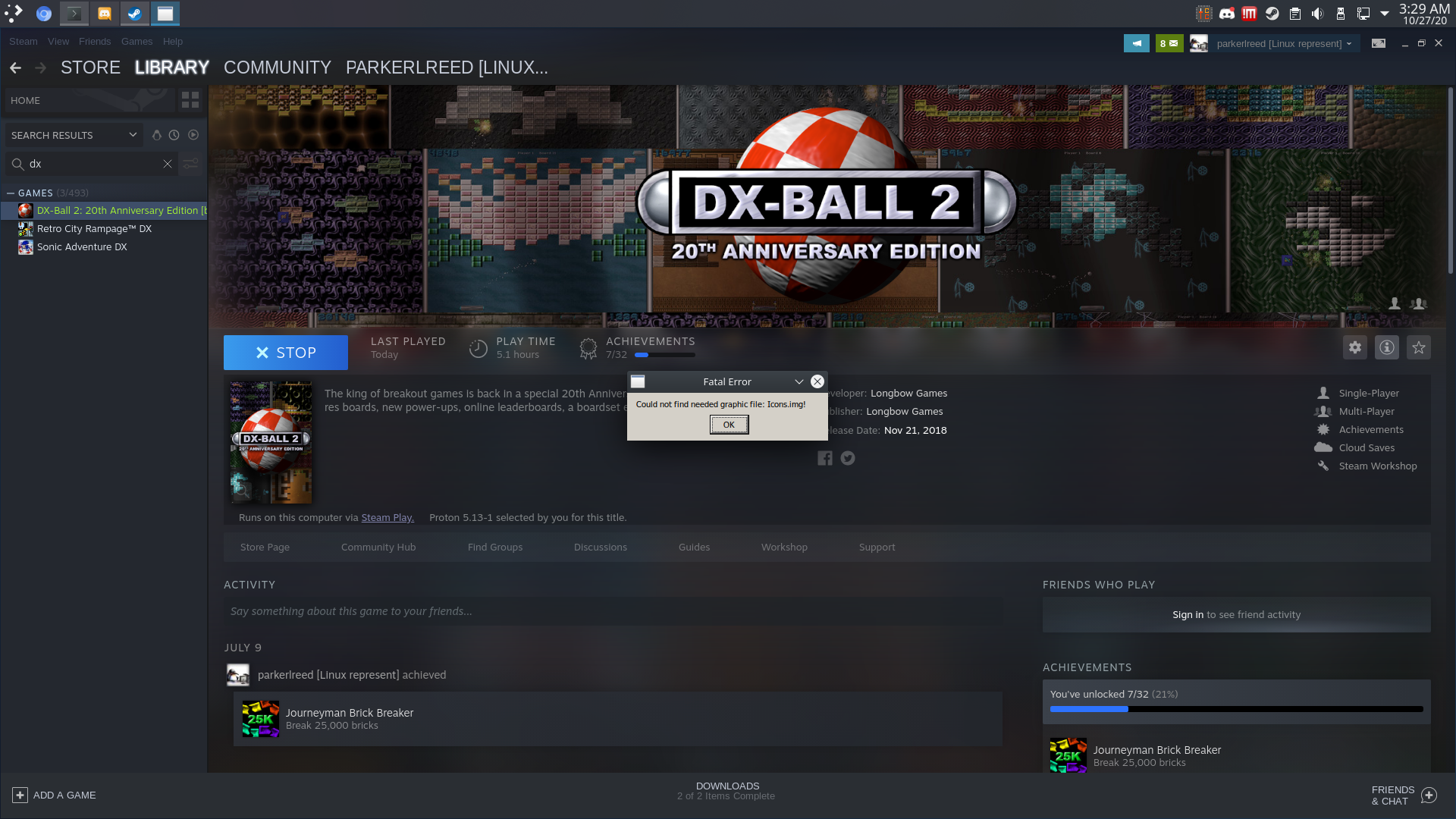
System
specs.txt
Hello @parkerlreed, since this game is whitelisted, it would be nice to have a separate issue report for each issue with the game. Please open a new issue report and also verify that the game runs with an earlier Proton version.
Proton versions
proton 3.16x1 2020-03proton 5.0-3x1 2020-03
Launch options
WINEDEBUGx2 2020-03PROTON_LOGx1 2020-03RADV_PERFTEST=llvm)x1 2020-03
DLLs
audiow32.dllx1 2020-10
Compatibility Report
System Information
I confirm:
steam-922400.log
Symptoms
The entire game appears to lag. Just starting it up, the menu is choppy and this persists for the entire session.
Tried with and without aco (RADV_PERFTEST=llvm) and also using Wine's D3D implementation. Always the same result.
Reproduction
Install game and try launching either via 3.16 officially supported or 5.0.