Resident Evil 3: Raccoon City Demo
Hello @iWeaker4you, your comment was removed because that workaround is legally problematic.
That said, it tells us is that this game would benefit from support for Media Foundation maturing.
FYI the demo worked out of the box on my pc. Played for about an hour before getting bored. Flawless.
Ubuntu 18.04. Proton 5.05. NVIDIA GTX 1060
There are glitches with DX12 in this game, but fine with DX11.
Proton 5.0-5
5.5.10-1-MANJARO
Mesa Gallium driver 20.0.1 for Radeon RX 580 Series
https://youtu.be/BDcmbxYqIlA
I read @iweakerforyou post, but i didnt even know how to set a WINEPREFIX, so this is a little bit risky for me if we dont get a proton fix, i dont want to get more issues thant i have if im doing wrong.
The Xbox One Controller D-pad and left stick are opposite with Remote Play in this game.
It runs perfectly with this controller on local PC.
I had a few graphics glitches with DX11, and the demo froze completely after the completion screen, but otherwise it was playable.
Proton 5.0-5
Radeon RX 5700 XT, Driver: X.Org AMD NAVI10 (DRM 3.36.0, 5.5.10-arch1-1, LLVM 9.0.1)
maybe ppl can do some reports on protondb for this game
I had a few graphics glitches with DX11, and the demo froze completely after the completion screen, but otherwise it was playable.
Proton 5.0-5
Radeon RX 5700 XT, Driver: X.Org AMD NAVI10 (DRM 3.36.0, 5.5.10-arch1-1, LLVM 9.0.1)
There is a known mfplat issue for Resident Evil 2, and it also happens to Resident Evil 3.
Here is the way to solve it: <Workaround removed by moderator>
WINE developers haven't solved this issue, yet.
By the way, I have graphical issue with DX12, but no issue with DX11.
Hello @laichiaheng, the workaround you linked is legally problematic and has been removed.
Please don't play dumb games with the edit button. You've been given a 24 hour timeout for the edit war.
after a new re-install, i got a new error message
my computer dont crash this time, but there is still the black screen after game launched
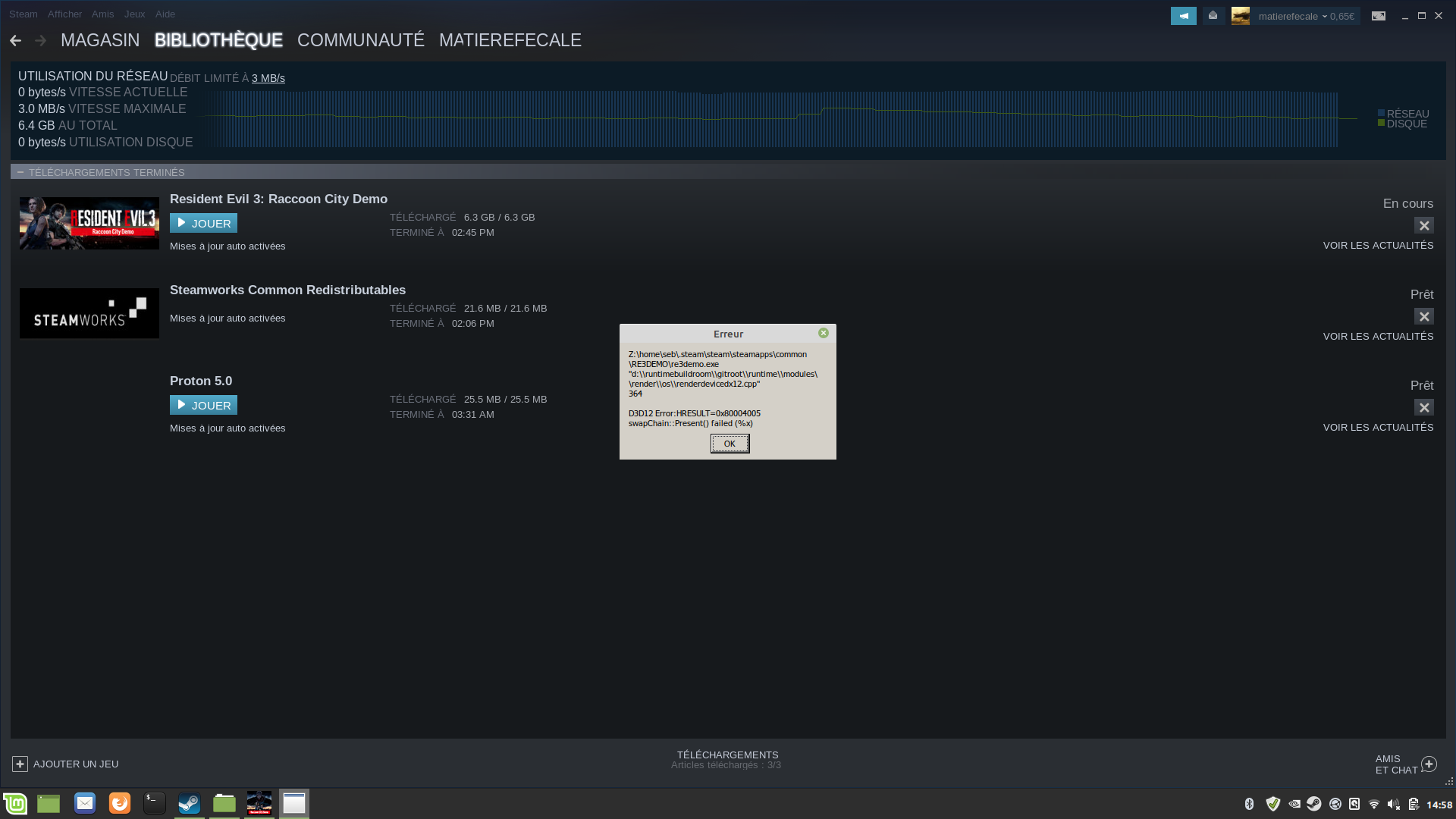
seems to be relative to dx12
Is there any way to launch it via dx11 ? except something like WINEPREFIX or else
There are glitches with DX12 in this game, but fine with DX11.
Proton 5.0-5
5.5.10-1-MANJARO
Mesa Gallium driver 20.0.1 for Radeon RX 580 Series
https://youtu.be/BDcmbxYqIlA
I confirm the glitches with DX12 too (have an AMD Radeon RX590 card, see also my system information), although I haven't tried with DX11 settings yet.
The glitches are the same as in the linked video, but they seem to appear only in the initial area of the metro/subway, not further on.
I also had a hang after completing the demo, probably due a cinematic that cannot be played. I guess this is related to missing mfplat support as in #1464 (the same as RE2).
Been googling around to see if anyone else has my issues but apparently not. There's some areas where I just get a grey fog that doesn't allow me to see almost anything:
https://steamcommunity.com/sharedfiles/filedetails/?id=2034553502
AMD R9 270x, proton 5.0-5
@indeedwatson I believe your gpu only has experimental support with amdgpu. That might be the cause of your issue.
Answers litterally has nothing to do with the original question.
I resolve this problem by updating my nvidia-435 drivers to nvidia-440 drivers (adding through ppa, because linux mint doesnt have for the moment the 440 version).
After that, the game finally launch, but still suffer from severe stuttering. I went to the option and choose "dx11" at 30-35 fps. then I needed also to set up graphic parameters almost to the max settings to more than 50 fps.
If that helps nvidia graphic cards owners.
ppl just glue to my thread and it doesnt go further. Just open a new thread if you get glitches with an AMD GPU. The problem isnt really the same.
i close the thread.
As far as i know (@kisak-valve, correct me if I'm wrong), Valve is using one issue report per unofficially supported game title, so "people gluing" to your thread were doing what is done also for other titles.
Compatibility Report
System Information
I confirm:
Symptoms
Resident evil 3 demo is properly installed but the game crashed (black screen) when i launch it
i have to reboot the computer every time i try to launch the game
steam-1173690.log