Call of Cthulhu Cutscenes Won't Trigger
Hello @ConnorA3, please add PROTON_LOG=1 %command% to the game's launch options and drag and drop the generated $HOME/steam-$APPID.log into the comment box.
Thanks, looks like this game would benefit from support for Media Foundation maturing.
Ah, I see....hopefully there will be official support for that soon. Thanks for the reply, much appreciated!
@ConnorA3 The latest release of Proton-GE includes some support for Media Foundation, maybe you can try it : https://github.com/GloriousEggroll/proton-ge-custom/releases/tag/5.5-GE-1
If you don't know how to install it : https://github.com/GloriousEggroll/proton-ge-custom#installation
@jalabb @ConnorA3 I can confirm that the latest Proton-GE fixes the issue with Media Foundation. The background video in main menu works and intro video aswell.
@ConnorA3 The latest release of Proton-GE includes some support for Media Foundation, maybe you can try it : https://github.com/GloriousEggroll/proton-ge-custom/releases/tag/5.5-GE-1
If you don't know how to install it : https://github.com/GloriousEggroll/proton-ge-custom#installation
Thank you very much, greatly appreciated!
@jalabb @ConnorA3 I can confirm that the latest Proton-GE fixes the issue with Media Foundation. The background video in main menu works and intro video aswell.
Cheers, it works fine! It seems really well optimized apart from that.
System Information
- GPU: RX 5700 ITX
- GPU Driver: Mesa 20.1.0-rc1 (ppa:ernstp/mesarc)
- Kernel version: 5.7.0-050700rc4-lowlatency
- Distro version: 19.3 Tricia (64 bit) (Cinnamon)
Just for future reference, I'm commenting here to say that with custom/unofficial Proton 5.8-GE-1 the game does work for me out of the box. With regular Proton game gets stuck on any cut-scenes.
steam-399810-5.8-GE-1-MF-4-gbefbdfc.log.zip
steam-399810-proton-5.0-7.log
system_info.txt
Cutscenes still don't work with 5.13-1.
Also, this should probably be kept open at least until it works without tweaks.
With Proton 6.3-2, I get a weird screen glich on every cutscene (they just get skiped)
Hands here for a while: 
Even the Menu looks weird:
How the medu looks: 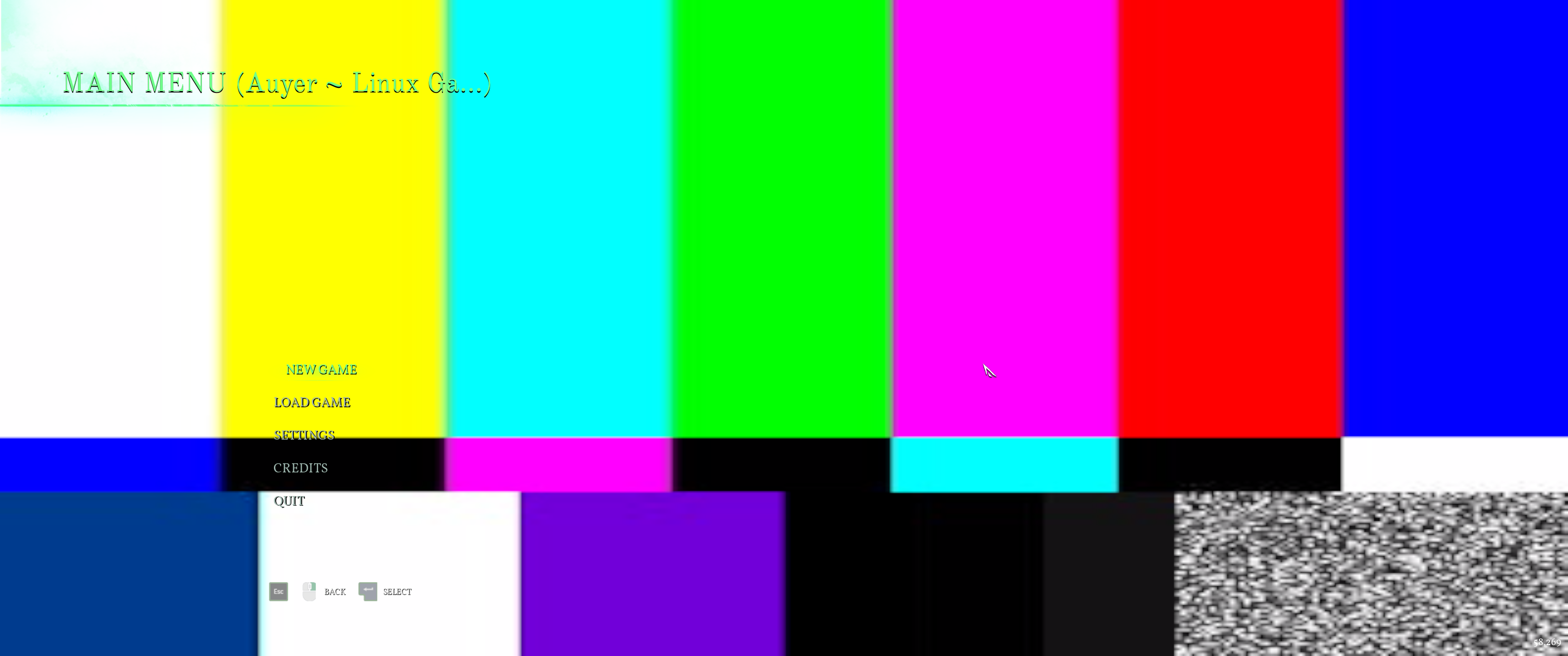
Related threads
- Call of Cthuluprotonopen same game
Proton versions
proton 6.3-2x1 2021-04proton 5.0-7x1 2020-05proton 5.8x1 2020-05
Launch options
PROTON_LOG=1x1 2020-03
Compatibility Report
Call of Cthulhu
399810
System Information
https://gist.github.com/ConnorA3/2e4fd8cc2ee69d805caa7e9b12db5f35
I confirm:
Symptoms
The game itself runs as smooth as butter on High settings, and with impressive smoothness on Ultra, too, with no lag or graphical hiccups, however, the cutscenes are not being triggered and they are a requirement in order to progress in the story. I've tried setting the videos in their rightful folder to "read and write", I've tried playing them as individual video files and they work perfectly well, so I am unsure of what the actual issue is, especially since all the other games I have tested/played on Steam Play trigger cutscenes as they should.
Reproduction