Tokyo School Life
Posting a trace to the DXVK issue tracker will be your best bet to get this fixed
You can use these instructions to create one
https://github.com/Joshua-Ashton/d9vk/wiki/Making-a-Trace
The prefix should be at ~/.steam/steam/steamapps/compatdata/320760
Next point release of DXVK might fix this, if doitsujin/dxvk#1647 is related. Will try with a nightly build soon
That's great news! Hopefully it'll fix it for this game, too.
I tried to create a trace but the download in your link is 404 and I didn't have time to dig around (It seemed like the guide is kind of outdated, too?) and I was okay with using WINE3D11.
Latest DXVK dev build fixes it for me
Proton versions
proton 4.11x1 2020-04proton 5.0x1 2020-04
Launch options
PROTON_USE_WINED3D11=1x1 2020-04
Compatibility Report
System Information
I confirm:
steam-320760.log
Symptoms
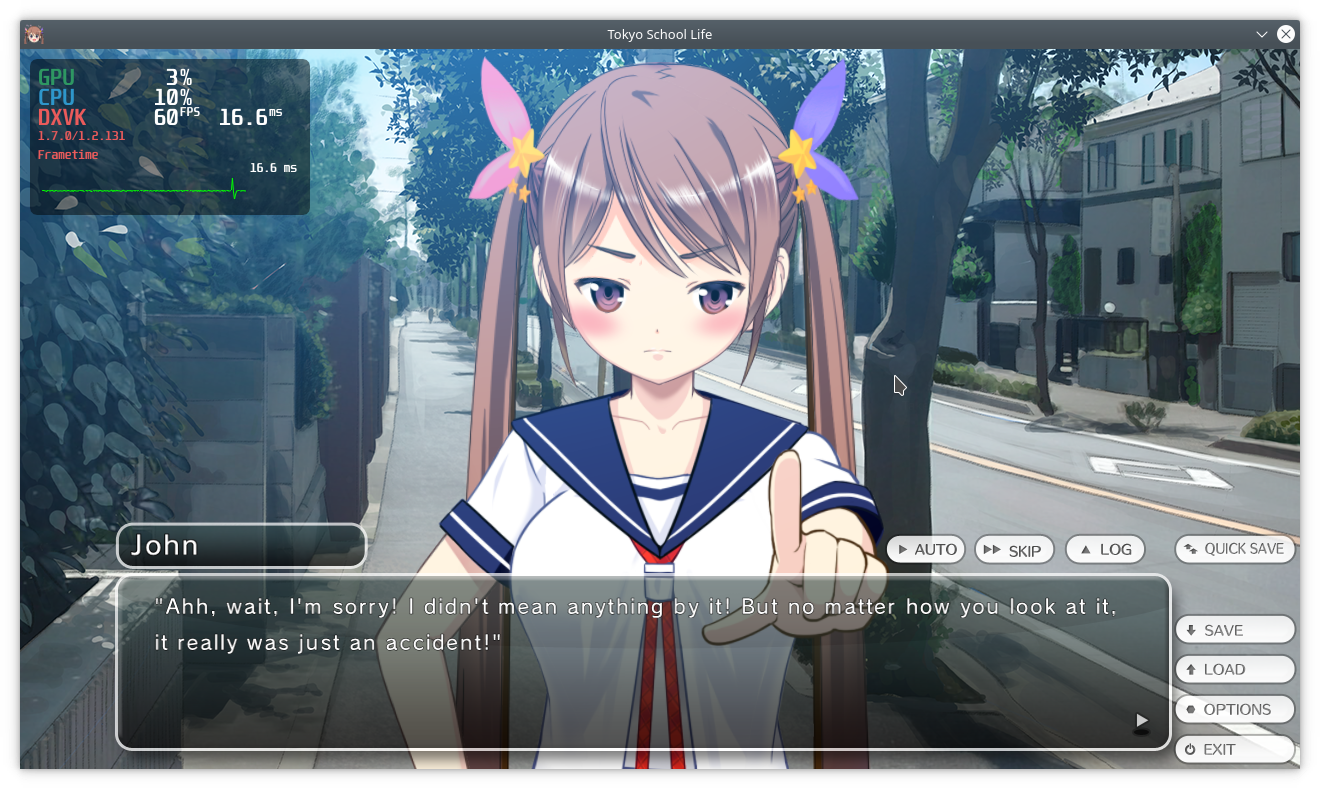
With Proton 5.0 the characters sprites turn transparent or invisible.
The issue doesn't appear with PROTON_USE_WINED3D11=1 or by using Proton 4.11
Reproduction
Just run it with default Proton version.