Sea Of Thieves
The crash stack is unsymbolicated but is inside libcef:
Backtrace:
=>0 0x00007f824b003b57 EntryPoint+0x7f81fe73b167() in libcef (0x0000000000000007)
  1 0x00007f824a41efae EntryPoint+0x7f81fdb565bd() in libcef (0x0000000000000007)
  2 0x00007f824b2962cf EntryPoint+0x7f81fe9cd8de() in libcef (0x0000000000000007)
  3 0x00007f824b295798 EntryPoint+0x7f81fe9ccda7() in libcef (0x0000000000000007)
  4 0x00007f82497cfe4d EntryPoint+0x7f81fcf0745c() in libcef (0x0000000000000007)
  5 0x00007f82497cf994 EntryPoint+0x7f81fcf06fa3() in libcef (0x000000000022d800)
  6 0x00007f830d95fa75 EditWndProcA+0xa54() in user32 (0x000000000022d8f8)
0x00007f824b003b57 EntryPoint+0x7f81fe73b167 in libcef: movq	(%rcx),%rax
I am also able to reproduce this error, however I was able to get further than @mdiluz using Proton-5.8-GE-2-MF.
I was successfully able to do the following:
- Launch the game
- Select
Start Game - Sign in with a Microsoft Account
- Link my Steam account to my Microsoft Account
- Game proceeds to load
The game will then crash at the 'Loading Journal' section.
Log: steam-1172620.log
Does not crashing on proton 5.0-7 with win7, after login stuck on "ship supplies" message (or something) and then gives this error
Game services are not available. Try later (Daffodilbeard)

Log - steam-1172620.log
Hello @ga2mer, fixme:vulkan:X11DRV_vkCreateWin32SurfaceKHR Application requires child window rendering, which is not implemented yet! in the log points towards https://bugs.winehq.org/show_bug.cgi?id=45277.
Just in case it matters I've also confirmed I have the same issue with Proton 5.0-8 RC
Same with Proton-5.9-GE-1-MF (with Vulkan child window patch) and setting prefix to win7 (win10 crashed on default proton on xbox live auth and on journal with GE) it passed journal and stucks on daffodilbeard (screenshot in my above comment)
Log - steam-1172620.log
I think issue with creating http request:
fixme:wininet:query_global_option Stub for 105
fixme:wininet:InternetSetOptionW Option 77 STUB
fixme:winhttp:request_set_option unimplemented option 114
Has anyone found a workaround or fix for Sea Of Thieves yet?
Also confirmed not working with proton or proton-ge on archlinux.
Would also love to know if anyone's got a workaround yet, but my bug report is a little different:
- I can start the game
- I can sign into Xbox Live
- The game will load up until "Loading supplies," and then error with Cyanbeard (Your connection to Xbox Live has been lost) even with a stable Internet connection. I can try again without the game crashing, but I'll come back around to Cyanbeard most of the time, and Daffodilbeard less than half the time.
I'll figure out how to get a debug log or something and report back here.
Edit: Here's the log
I believe this is an issue that's been around since 2018-ish? Or at least has been apparent.
Child Window rendering dxvk bug:
https://bugs.winehq.org/show_bug.cgi?id=45277
Felix Hädicke seems to have committed a patch last year to address some of these issues.
https://github.com/felixhaedicke/wine/commit/258a826593df383c5117e2c04d0a1eb4c866d809
But even with this patch from Felix Hädicke, it seems that someone needs to figure out "Option 114" for "winhttp:request_set_option" in order to progress any further.
WinHttpRequest-Option Reference
Might be speaking out of my buttocks by this, but did anyone try using native winhttp instead of builtin? I don't own the game on steam yet so I've yet to try.
wininet=builtin winihttp=native
EDITED: My bad, forgot to put options for wine/protontricks.
I can't get the game to run at all with the settings from the above comment. I will play around a bit more.
EDIT: update, only default settings get the game to boot reguarding wininet and winhttp.
Looks like game wants websocket in winhttp, i returned true with 114 request_set_option and it's crashed on
wine: Call from 0x7bc8c9bc to unimplemented function WINHTTP.dll.WinHttpWebSocketCompleteUpgrade, aborting


I can start game
And also login to xbox live
But can't to connect to server with Proton 4.11-13
And can't to login to xbox live with Proton 5.0-7
Kernel: 5.6.15-1-MANJARO
GeForce RTX 2080Ti / NVIDIA 440.82
I can link my account now, perhaps because I install protontricks (but I don't use it for launch) and launch it with 4.11, it works now withon proton 5.0 or 4.11, I wasn't able to link account before.
But can't connect to serveur like above. "the sea of thieves services are temporaly unavailable. Please try again (Daffodibeard)."
For what it is worth people saying that proton 4.11 is working better than 5.0 it is because proton 4.11 defaulted to windows 7 and proton 5.0 defaults to windows 10. It was posted earlier in this bug that windows 7 works better... I don't believe that there is any other reason why the older proton would be any better. Hope that this helps.
EDIT: Also has anyone tried installing "windows dlls/components" in proton tricks?
I agree, for me it's working also with 5.0 (but same error "Daffodibeard").
I read somewhere that's Daffodibeard error can be caused by ipv4 (or ipv6 ?..) settings.
I try to desactivate ipv6, but it doesn't change anything.
EDIT : there it is ùy sources :
"I found that it was my router security settings were to high and was denying sot. I don't know why it's this way, no problem with any other game. Basically went into its IP ex:192.168.0.2. login and change ip4 settings to low. It fixed my problem instantly. Hope this helps any some way."
https://www.seaofthieves.com/forum/topic/38392/daffodil-beard/4
I tried DMZ earlier but it didn't help. I have not disabled ipv6 yet though.
I try with a manual IP connection, but that's still don't work
Update from me: After installing some dlls and components as suggested by @l33tlinuxh4x0r , SoT is now crashing on Proton 5: steam-1172620-after-dll-components.log
Downgrading to Proton 4.11-13, I started getting Cyanbeard again, as before: steam-1172620-proton-4_11-13.log
Update from me: After installing some dlls and components as suggested by @l33tlinuxh4x0r , SoT is now crashing on Proton 5: steam-1172620-after-dll-components.log
Downgrading to Proton 4.11-13, I started getting Cyanbeard again, as before: steam-1172620-proton-4_11-13.log
I can confirm that adding wininet and winhttp causes issues described above.
Hi,
used Proton version 4.11-13 ... now 5.0-7 the only problem i have is :
DaffodilBeard
Something has happened on our side that we're working to fix. Please check the status of the game at seaofthieves.com for more information.
:(, same problem like you.
I tried to use protontricks and here is what happened :
I use this terminal command : "protontricks [game ID] winecfg" with proton 4.11 and proton 5.0.
When winecfg is on "windows 10" (or 8.1 8.0), it launch and crash on the Xbox link pop up.
When winecfg is on "windows 7" (or 2008 R2) it launch and we have the DaffodilBeard error.
Perhaps people who have pop up crashes have their proton's winecfg on windows 10 and the DoffodilBeard's other window 7 ?
I don't know if that will help...
System information:
Wine build: wine-5.9 (Staging)
Platform: x86_64
Version: Windows 10
Host system: Linux
Host version: 5.6.14-300.fc32.x86_64
I comfirmed this problem, plz fix it =)
Same problem. Please fix it. I believe you can do it!

😉
winhttp dll | source/patch for wine
(drop winhttp.dll in ~/.steam/root/compatibilitytools.d/Proton-5.9-GE-1-MF/dist/lib64/wine/ (backup old))
also set win7 on prefix (via protontricks), it avoid crash on xbox login
Builded on GE proton(5.9 probably), I don’t know how it will work with other versions and whether it works at all, but I'm in the gameplay
Issue - websockets, I wrote bad code for implement few methods (upgrade and send) and looks like it's working
😉
Any details on how you got it working???
@l33tlinuxh4x0r Looks like they posted an edit. Exciting! I'll try this solution out once I get time.
😉winhttp.zip
(dropwinhttp.dllin~/.steam/root/compatibilitytools.d/Proton-5.9-GE-1-MF/dist/lib64/wine/(backup old))
also set win7 on prefix (via protontrics), it avoid crash on xbox login
Builded on GE proton(5.9 probably), I don’t know how it will work with other versions and whether it works at all, but I'm in the gameplayIssue - websockets, I wrote bad code for implement few methods (upgrade and send) and looks like it's working
Do you have the source code? Did you post a patch upstream?
Do you have the source code? Did you post a patch upstream?
It's very bad code (with code from one websocket library) and it can broke http requests.
For example with my changes, I get "ashbeard", because "play" button window popups very later, but maybe it game issue.
I just found the source of the problem and hope Wine guys will wrote better websocket implementation, it's easy, but not with my C knowledges
has anyone else tried the dll fix yet?
It is working for me on 5.9-GE + "win7". Keep getting xbox live login failures sporadically (the ashbeard ones ga2mer references), but once it gets past them, it works fine.
working on 5.0-8
working on 5.0-8
Working fully or with the disconnects mentioned above?
Do you have the source code? Did you post a patch upstream?
It's very bad code (with code from one websocket library) and it can broke http requests.
For example with my changes, I get "ashbeard", because "play" button window popups very later, but maybe it game issue.I just found the source of the problem and hope Wine guys will wrote better websocket implementation, it's easy, but not with my C knowledges
Even if the code is bad, making it available will let developers see what you did, and write a better implementation. Please provide the source code for this, even if it won't be used upstream.
working perfectly on 5.0-8 been playing for about an hour with no issues.
working perfectly on 5.0-8 been playing for about an hour with no issues.
Can you post your setup. I still crash at the microsoft login.
working perfectly on 5.0-8 been playing for about an hour with no issues.
Can you post your setup. I still crash at the microsoft login.
you need to protontricks 1172620 winecfg and change your windows version to 7
@l33tlinuxh4x0r Where did you drop the dll file? I have it at ~/.steam/root/compatibilitytools.d/Proton-5.0-8-rc1/dist/lib64/wine/winhttp.dll and am still getting Daffodilbeard, even after switching to Windows 7
@l33tlinuxh4x0r Where did you drop the dll file? I have it at
~/.steam/root/compatibilitytools.d/Proton-5.0-8-rc1/dist/lib64/wine/winhttp.dlland am still getting Daffodilbeard, even after switching to Windows 7
You can click on proton in steam and then properties and view local files to find your proton dir then just navigate to dist/lib64/wine but the following should work.
~/.steam/steam/steamapps/common/Proton 5.0/dist/lib64/wine
working perfectly on 5.0-8 been playing for about an hour with no issues.
Can you post your setup. I still crash at the microsoft login.
you need to protontricks 1172620 winecfg and change your windows version to 7
That worked perfectly thank you.
Same here! Thank you!
On Sat, Jun 6, 2020, 8:50 PM Shwiboo [email protected] wrote:
working perfectly on 5.0-8 been playing for about an hour with no issues.
Can you post your setup. I still crash at the microsoft login.
you need to protontricks 1172620 winecfg and change your windows version
to 7That worked perfectly thank you.
—
You are receiving this because you commented.
Reply to this email directly, view it on GitHub
https://github.com/ValveSoftware/Proton/issues/3931#issuecomment-640148428,
or unsubscribe
https://github.com/notifications/unsubscribe-auth/AH7YQ43IUTLYLBJ7CCFAORLRVL565ANCNFSM4NRT3LGA
.
I have noticed that the mic doesn't work for in game chat when on Linux. It works in windows but not at all game on Linux(other programs work fine). I have this same issue with GTA V. I think that it is a proton bug. If anyone knows how to fix it please post.
Same here! Thank you!
@harrisonthorne can you post what you did to get this working? I have the winhttp.dll in the correct folder and I have changed to Windows 7 but I am still getting the Daffodilbeard connection error.
When using the hacked winhttp.dll I just keep getting failed logins (Ashbeard) is there a trick to getting past it or just repeatedly trying?
winkwinhttp dll | patch
(dropwinhttp.dllin~/.steam/root/compatibilitytools.d/Proton-5.9-GE-1-MF/dist/lib64/wine/(backup old))
also set win7 on prefix (via protontrics), it avoid crash on xbox login
Builded on GE proton(5.9 probably), I don’t know how it will work with other versions and whether it works at all, but I'm in the gameplayIssue - websockets, I wrote bad code for implement few methods (upgrade and send) and looks like it's working
it work! thx !
winhttp dll | patch
(dropwinhttp.dllin~/.steam/root/compatibilitytools.d/Proton-5.9-GE-1-MF/dist/lib64/wine/(backup old))
also set win7 on prefix (via protontrics), it avoid crash on xbox login
Builded on GE proton(5.9 probably), I don’t know how it will work with other versions and whether it works at all, but I'm in the gameplayIssue - websockets, I wrote bad code for implement few methods (upgrade and send) and looks like it's working
@ga2mer can you clarify that this websocket.patch is supposed to be used to patch the previous winhttp.dll file you uploaded? Attempting to patch the file fails for me.
@richardtatum this patch for wine for creating this dll, useless for players
Thank you for your hard work in making this fix @ga2mer. If you would be able to share the source code so that other potential devs could contribute that would be great!
As a side note, does anyone else have to log into their Microsoft account everytime they run the game?
Thank you for your hard work in making this fix @ga2mer. If you would be able to share the source code so that other potential devs could contribute that would be great!
As a side note, does anyone else have to log into their Microsoft account everytime they run the game?
I too have to log into the game every time that I run it.
Also to those asking for the code, it has been posted as a patch file. Just patch the wine source code with that patch.
I don't fine the folder "compatibiliytools.d" in steam root ... I have to create it ?
I don't fine the folder "compatibiliytools.d" in steam root ... I have to create it ?
This is only if you are using a custom version of Proton. If you are using the default version it's should be placed at ~/.steam/steam/steamapps/common/Proton 5.0/dist/lib64/wine
It's working !! Thank you so much
Confirm, it's works. With change winhttp.dll
I'm able to launch the game and get to the menu to select what I want. However as soon as I load the crew ledger to start a session I get the "coarsebeard" error. What do I do from there?
@ga2mer since you're mainly adding functionality and only one game requires not using the if statement in request.c, you can modify it with something like this to work just with sea of thieves in steam so that outside of SoT it retains normal behavior:
diff --git a/dlls/winhttp/request.c b/dlls/winhttp/request.c
index fbccf0228b..cdc260653a 100644
--- a/dlls/winhttp/request.c
+++ b/dlls/winhttp/request.c
@@ -2747,8 +2747,12 @@ static DWORD receive_response( struct request *request, BOOL async )
     }

     netconn_set_timeout( request->netconn, FALSE, request->receive_timeout );
-    if (request->content_length) ret = refill_buffer( request, FALSE );
-
+
+    const char *sgi = getenv("SteamGameId");
+    if (!sgi | strcmp(sgi, "1172620")) {
+        if (request->content_length) ret = refill_buffer( request, FALSE );
+    }
+
     if (async)
     {
         if (!ret) send_callback( &request->hdr, WINHTTP_CALLBACK_STATUS_HEADERS_AVAILABLE, NULL, 0 );
Note for those who don't know, strcmp returns 0 if the strings match. In our case we want to make sure they DON'T match, as we only want the specific action to happen if SoT is -not- running, which is why we're not using ! in front of it. If we use !strcmp(sgi, "1172620")
it means we are checking for a match/0 return, which means it gets used when SoT is running, which is not correct.
Has anyone been able to use voice chat? I can't hear other people or talk.
Has anyone been able to use voice chat? I can't hear other people or talk.
I posted this issue about a day ago... However I can hear other people, they just can't hear me.
@GloriousEggroll thanks for code, but I found other way, I'll check response status and ignore this if statement if status 101
index fbccf02..1410974 100644
--- a/dlls/winhttp/request.c
+++ b/dlls/winhttp/request.c
@@ -2747,7 +2747,7 @@ static DWORD receive_response( struct request *request, BOOL async )
     }

     netconn_set_timeout( request->netconn, FALSE, request->receive_timeout );
-    if (request->content_length) ret = refill_buffer( request, FALSE );
+    if (status != 101 && request->content_length) ret = refill_buffer( request, FALSE );

     if (async)
     {
HTTP status 101 response only if server upgrade to websockets, so I think it's good solution for not ignore this code for not ws requests
I think it's not will save from ashbeard error, but now it's not removing wine code -
winhttp 101.zip
The complete list of issues I've encountered:
- The intermittent login problem.
- Voice chat (both directions) not working.
- Texture issues with the ropes for raising the sails. They flicker and go see through
- The compass next to the steering wheel sometimes just gets stuck saying North, rather than rotating. Handheld compass continues to work.
And that's all. Anything other "issues" have been pretty on par for what Windows shipmates have experienced.
The complete list of issues I've encountered:
* The intermittent login problem.

* Voice chat (both directions) not working.

* Texture issues with the ropes for raising the sails. They flicker and go see through

* The compass next to the steering wheel sometimes just gets stuck saying North, rather than rotating. Handheld compass continues to work.
And that's all. Anything other "issues" have been pretty on par for what Windows shipmates have experienced.
I know for sure that the compass issue is a Windows issue as well not related to Linux.
after changing Proton to win 7 etc, I got into the game, when im longer as 10 seconds in the main menu, i get a crash, firstly i created my Pirat and go into the touturial, my complete game is lagging so hard so i changed the Fullscreen mode to window mode, and set the graphic settings on "cursed" the worstest setting,s whats available. So, i can complete the touturial. After this i crashed again ( longer as 10 seconds in main menu ) after finding this out, i clicked directly on an Adventure and played 1 - 2 hours. ((normally its not a problem to have multyply games open and listening music in the background ))
On the evening my friends come online ( Windos 10 users + 1 Microsoft Store User ) they invited me to a party ( 4 guys ) i accepted and joined Teamspeak 3, ... i cant have open ts3 or the Browser in the background when im playing Sea of Thieves because i get soooo fps downs, the complete game is laggy, the cursor is slow ...
I think the gameplay is beautiful but with so many issues its a horrible experiance !
I hope Valve is going to work and support the Linux users more for this Game.
For me, the game is almost fine with the fixes listed.
But after about 40 minutes of playing the game develops large and constant stuttering and I need to close and restart the game to fix it.
- GPU: RX 5700XT
- Driver/LLVM version: RADV/ACO Mesa: 20.2.0_devel.124701.a6c747e8e0b-1 / LLVM: 11.0.0_r356639.e47c0ef09f4-1
- Kernel version: 5.7.1-3-tkg-pds
- Link to full system information report as Gist
- Proton version: proton-5.0-8
Anyone else encountered this?
Can confirm this works very well!
Having Ubuntu 20.04 with a default Steam Install you can do the following two steps to make it run:
- Set Windowsversion to Windows 7
WINEPREFIX=~/.steam/steam/steamapps/compatdata/1172620/pfx/ ~/.steam/steam/steamapps/common/Proton\ 5.0/dist/bin/wine64 winecfg
- Exchange the given DLL in the Folder
~/.steam/root/steamapps/common/Proton 5.0/dist/lib64/wine/
It stutters a bit when loading new textures or objects in new areas, but definitly playable!
@ga2mer is it possible that the changes that were made to the websockets may have interfered with the connection to the SoT servers? I have an issue where no achievements/commendations will trigger until I reload the game, then they will all trigger on load.
Is anyone else having a similar issue?
@ga2mer is it possible that the changes that were made to the websockets may have interfered with the connection to the SoT servers? I have an issue where no achievements/commendations will trigger until I reload the game, then they will all trigger on load.
Is anyone else having a similar issue?
yes same issue here
@ga2mer is it possible that the changes that were made to the websockets may have interfered with the connection to the SoT servers? I have an issue where no achievements/commendations will trigger until I reload the game, then they will all trigger on load.
Only if achievements works through websockets, but I don't know how to debugging soft, so can't confirmed this
If you are talking about lag from when you sell and when you get your gold or the messages that the item is sold being late, it happens on windows too.
Edit: It seems to be random and (probably) server related, almost like lag.
If you are talking about lag from when you sell and when you get your gold or the messages that the item is sold being late, it happens on windows too.
Edit: It seems to be random and (probably) server related, almost like lag.
Different thing. I turned in a bunch of stuff. Everyone else got commendations. I log out, log back in, and suddenly i get all the commendations at once.
Killed a kraken, no commendation. next time I log in, commendation at log in.
If you are talking about lag from when you sell and when you get your gold or the messages that the item is sold being late, it happens on windows too.
Edit: It seems to be random and (probably) server related, almost like lag.Different thing. I turned in a bunch of stuff. Everyone else got commendations. I log out, log back in, and suddenly i get all the commendations at once.
Killed a kraken, no commendation. next time I log in, commendation at log in.
I have had this happen on windows as well... You can also sink your ship or die and the commendations will come in... Have you had this happen today? The game seems stable today but I haven't had a chance to try on Linux yet today.
I just tried with the latest proton-5.9-GE-2-MF and it includes the patch here. Everything is working as in windows with the exception of voice chat. Please someone fix in game voice chat and this game will be working perfectly on Linux (except for the windows bugs).
Edit: commendations seem to work too.
Edit2: I just played and steam achievements and commendations in fact did not come in until I logged out and back in. Disregard my previous statement.
Sorry for the triple post but I just noticed that new twitch drops are not registering on Linux. Booted to windows and it was there instantly.
Sorry for the triple post but I just noticed that new twitch drops are not registering on Linux. Booted to windows and it was there instantly.
For me twitch drops are like commendations - you just have to relog to receive them.
Is anyone else getting as of today:
>>> Adding process 10195 for game ID 1172620
GnuTLS error: Rehandshake was requested by the peer.
GnuTLS error: Rehandshake was requested by the peer.
GnuTLS error: Rehandshake was requested by the peer.
resulting in:

(Achlinux, AMD, RTX 2070)
Edit:
Fixed itself it seems, all working again now.
Is anyone else getting as of today:
>>> Adding process 10195 for game ID 1172620
GnuTLS error: Rehandshake was requested by the peer.
GnuTLS error: Rehandshake was requested by the peer.
GnuTLS error: Rehandshake was requested by the peer.
resulting in:
(Achlinux, AMD, RTX 2070)
I just tried... My game is working fine... Using the latest proton-ge-custom as of yesterday.
Hmm interesting maybe its unrelated then, I also tried latest GE which doesnt give this but still doesnt get past this error, hmm, thanks for letting me know.
@GloriousEggroll thanks for code, but I found other way, I'll check response status and ignore this if statement if status 101
index fbccf02..1410974 100644
--- a/dlls/winhttp/request.c
+++ b/dlls/winhttp/request.c
@@ -2747,7 +2747,7 @@ static DWORD receive_response( struct request *request, BOOL async )
     }

     netconn_set_timeout( request->netconn, FALSE, request->receive_timeout );
-    if (request->content_length) ret = refill_buffer( request, FALSE );
+    if (status != 101 && request->content_length) ret = refill_buffer( request, FALSE );

     if (async)
     {
HTTP status 101 response only if server upgrade to websockets, so I think it's good solution for not ignore this code for not ws requests
I think it's not will save from ashbeard error, but now it's not removing wine code -
winhttp 101.zip
I tried compiling proton but I'm having issues... Could someone that can compile proton try changing the above code to while (status != 101 && request->content_length) ret = refill_buffer( request, FALSE ); and see if the game still works? Just a theory but maybe the net issues are because the variables aren't being updated... the while should hopefully update the variable. Can someone please test?
Edit: I built the dll with wine and it doesn't work... I'm going to tinker some more.
Can also confirm this works really well if not better than the Windows Store version on Windows.
Tested both vanilla proton and GE's builds. (Requires the Windows 7 Prefix change on GE even though the hotfix states that shouldn't be required. )
OS: Fedora 32 with Rawhide's kernel
GPU: Radeon VII
Driver/LLVM version: RADV/ACO Mesa: 20.0.7 / LLVM: 10.0.0
Kernel version: 5.7.0-1.fc33.x86_64
Proton version: proton-5.9-GE-2-MF
I did hit two "bugs" though but I'm unsure if they're related to proton or just the game. In one instance my mouse input became really stutter-y (but controler input was still smooth) and another where my compass was locked to North.
Can also confirm this works really well if not better than the Windows Store version on Windows.
Tested both vanilla proton and GE's builds. (Requires the Windows 7 Prefix change on GE even though the hotfix states that shouldn't be required. )
OS: Fedora 32 with Rawhide's kernel
GPU: Radeon VII
Driver/LLVM version: RADV/ACO Mesa: 20.0.7 / LLVM: 10.0.0
Kernel version: 5.7.0-1.fc33.x86_64
Proton version: proton-5.9-GE-2-MF
I did hit two "bugs" though but I'm unsure if they're related to proton or just the game. In one instance my mouse input became really stutter-y (but control input was still smooth) and another where my compass was locked to North.
The compass north bug is a windows bug too so not proton related, not sure about your other bug. Does voice chat work for you in game?
Also for what it is worth uninstalling mono and installing .net 4.8 gets proton (windows 10) past the xbox login but the game crashes before the menu loads... not sure why have to check the logs. It crashes on "Opening Journal."
I can confirm:
Voicechat is not working and needs fixing.
New winhttp.dll / windows 7 fix solves other major problems.
Does anyone have a clue what can be causing the voice chat issue? I would like to help, but I have no experience with the wine/proton source tree and just looking through few logs, there are so many fixmes that I don't even know where to start.
Can also confirm this works really well if not better than the Windows Store version on Windows.
Tested both vanilla proton and GE's builds. (Requires the Windows 7 Prefix change on GE even though the hotfix states that shouldn't be required. )OS: Fedora 32 with Rawhide's kernel GPU: Radeon VII Driver/LLVM version: RADV/ACO Mesa: 20.0.7 / LLVM: 10.0.0 Kernel version: 5.7.0-1.fc33.x86_64 Proton version: proton-5.9-GE-2-MFI did hit two "bugs" though but I'm unsure if they're related to proton or just the game. In one instance my mouse input became really stutter-y (but control input was still smooth) and another where my compass was locked to North.
The compass north bug is a windows bug too so not proton related, not sure about your other bug. Does voice chat work for you in game?
Also for what it is worth uninstalling mono and installing .net 4.8 gets proton (windows 10) past the xbox login but the game crashes before the menu loads... not sure why have to check the logs. It crashes on "Opening Journal."
I can also confirm and extend the following bugs:
-
Mouse Compass direction stuck to North after 30 mins or so of gametime. (infact I could see two compasses inside the ships compass one stuck north another turning normally just below it.) (modified 5.0.9, 5.9-GE-2-MF)
-
Voicechat is not working, I can neither hear other players nor have I been given any indication that other players can hear me. (modified 5.0.9, 5.9-GE-2-MF)
-
Stuttering Mouse movement. Interestingly enough while running SoT with the modified proton 5.0.9 i.e windows 7 + winhttp.dll I never experienced this mouse stuttering bug even after hours of playtime. However using Proton-5.9-GE-2-MF I frequentley get this bug after something moves the player, like docking a rowboat a few times, or if the ship is struck by a megladon etc.(only 5.9-GE-2-MF)
-
No pirate fort skull clouds; Frequent inability or heavily distorted clouds including pirate fort skulls that come in and out of existence if not absent altogether. (modified 5.0.9, 5.9-GE-2-MF)
When I can will grab some screenies for reference of these.
Also for what it is worth uninstalling mono and installing .net 4.8 gets proton (windows 10) past the xbox login but the game crashes before the menu loads... not sure why have to check the logs. It crashes on "Opening Journal."
Hello @l33tlinuxh4x0r, I don't recall seeing any mention of .NET being involved with this game in the previous proton logs, can you share a Proton log of this with vanilla Proton 5.0 (wine-mono installed).
The compass north bug is a windows bug too so not proton related, not sure about your other bug. Does voice chat work for you in game?
Was coming back on just to say that no, my mic is not working in the game. Made communicating with random pirates much more difficult. I also didn't hear anyone talk, but I'm not sure they had a mic either.
No pirate fort skull clouds; Frequent inability or heavily distorted clouds including pirate fort skulls that come in and out of existence if not absent altogether. (modified 5.0.9, 5.9-GE-2-MF)
When I can will grab some screenies for reference of these.
I also did not see this as fort Clouds were perfectly visible. Could you link a capture? So I can verify/confirm if I've seen this issue?
My mic is not working too and I can assure you I tried with a friend and couldn't hear him and he told me other players were talking.
Also for what it is worth uninstalling mono and installing .net 4.8 gets proton (windows 10) past the xbox login but the game crashes before the menu loads... not sure why have to check the logs. It crashes on "Opening Journal."
Hello @l33tlinuxh4x0r, I don't recall seeing any mention of .NET being involved with this game in the previous proton logs, can you share a Proton log of this with vanilla Proton 5.0 (wine-mono installed).
Might have been a glorious eggroll fix because using the default proton the game still crashes on xbox live screen. Sorry to get hopes up.
I can confirm that Sea of Thieves does not require .net nor mono. I uninstalled both and the game still works.
Ok so after playing a few hours, i can tell you that using steam proton 5.0 here are the issues i see:
- I can't use vocal chat at all (I can't speak and hear)
- I can't see text messages from players that are not in my crew, unless if it's quick messages (the ones from the presets)
- Some descriptions appear like "something.otherthing.description"
Does anybody have any idea on how to join a game you've been invited to? This issue is one of two (the other being low frame rate) that is keeping me from playing on Linux.
Does anybody have any idea on how to join a game you've been invited to? This issue is one of two (the other being low frame rate) that is keeping me from playing on Linux.
You should get a pop up in Sea of Thieves that says something like [firendname] has asked you to join. yes or no.
You have to have followed them and they have to have followed you for this to work. You can use xbox live via the website at xbox.com. Only thing that isn't working on Linux is the ability to join someone without an invite.
Not quite the right place to ask this, but has anyone tested whether the version bought via the Microsoft store would works as well?
Trying to add some information on the voicechat issue:
The game is using Chromium Embedded Framework (CEF3) and Partyfab for voice-chat and Xbox-Live features (PartyWin.dll and PartyXboxLive.dll). I appended two proton debug-log-files using the fixed winhttp.dll:
Started the game with windows7 in winecfg, logged in and played a few seconds and tried to use voicechat using 'alt' key:
steam-1172620_win7.log
I removed a few trace messages to make the log a bit smaller.
During the game I see a few messages like:
13303.376:00e8:00ec:fixme:wininet:InternetSetOptionW Option 77 STUB
13303.476:00e8:0618:fixme:wininet:query_global_option Stub for 105
13303.481:00e8:00ec:fixme:bcrypt:BCryptGenRandom ignoring selected algorithm
13303.482:00e8:00ec:fixme:wininet:InternetSetOptionW Option 77 STUB
13303.584:00e8:0614:fixme:wininet:query_global_option Stub for 105
13313.302:00e8:00ec:fixme:wininet:InternetSetOptionW Option 77 STUB
13313.579:00e8:0668:fixme:wininet:query_global_option Stub for 105
13417.797:00e8:0618:fixme:bcrypt:BCryptCreateHash ignoring object buffer
13418.605:00e8:00ec:fixme:bcrypt:BCryptGenerateSymmetricKey ignoring object buffer
13418.620:00e8:00ec:fixme:bcrypt:BCryptGenRandom ignoring selected algorithm
13418.662:00e8:00ec:fixme:bcrypt:BCryptGenerateSymmetricKey ignoring object buffer
13418.663:00e8:00ec:fixme:bcrypt:BCryptGenRandom ignoring selected algorithm
13418.664:00e8:00ec:fixme:bcrypt:BCryptGenRandom ignoring selected algorithm
13418.665:00e8:00ec:fixme:bcrypt:BCryptGenRandom ignoring selected algorithm
(repeating more then 100x ...)
and also:
GnuTLS error: Key usage violation in certificate has been detected.
GnuTLS error: Key usage violation in certificate has been detected.
GnuTLS error: Key usage violation in certificate has been detected.
GnuTLS error: Rehandshake was requested by the peer.
GnuTLS error: Rehandshake was requested by the peer.
GnuTLS error: Rehandshake was requested by the peer.
Here is the debug.log from the game itself:
sot_debug.log
Here are also messages about network / encryption problems:
[0614/153330.875:ERROR:network_change_notifier_win.cc(141)] WSALookupServiceBegin failed with: 0
[0614/153335.054:ERROR:network_change_notifier_win.cc(141)] WSALookupServiceBegin failed with: 0
[0614/153338.144:WARNING:cert_verify_proc_win.cc(104)] Unknown error -2146762482 mapped to net::ERR_FAILED
These lines come from the chromium framework.
This describes the WSALookupServiceBegin failed: stackoverflow
As for the unkown error - which could be the important one - guess someone has to debug cert_verify_proc_win.cc from cef.
Could it be some sort of certificate missing or encryption-algorithm?
Another idea:
The Rare FAQ for windows 10 tells the user to go to the privacy settings and allow voice communication over the selected devices when they have no voice communication. For windows 7 there is no such configuration parameter to my knowledge? In the API documentation of CEF there is also some information about getting access using a commandline-switch. SoT starts a child process by executing:
Z:/mnt/games_1tb/steam/steamapps/common/Sea of Thieves/Engine/Binaries/Win64/UnrealCEFSubProcess.exe --type=renderer --no-sandbox --log-file=Z:\mnt\games_1tb\steam\steamapps\common\Sea of Thieves\Athena\Binaries\Win64\debug.log --field-trial-handle=7044,7954405723136390423,9820120017904409753,131072 --enable-features=CastMediaRouteProvider --disable-features=OutOfBlinkCors --lang=de --locales-dir-path=Z:/mnt/games_1tb/steam/steamapps/common/Sea of Thieves/Engine/Binaries/ThirdParty/CEF3/Win64/81.3.1/Resources/locales --log-file=Z:\mnt\games_1tb\steam\steamapps\common\Sea of Thieves\Athena\Binaries\Win64\debug.log --resources-dir-path=Z:/mnt/games_1tb/steam/steamapps/common/Sea of Thieves/Engine/Binaries/ThirdParty/CEF3/Win64/81.3.1/Resources --device-scale-factor=1 --num-raster-threads=3 --enable-main-frame-before-activation --renderer-client-id=4 --no-v8-untrusted-code-mitigations --mojo-platform-channel-handle=7284 /prefetch:1
Maybe we should add --enable-media-stream switch?
How can I proceed testing? I want to help but I really don't know where to start next? Install all the proton and wine sourcetree and start using gdb and walk through the code?
Or should I try to build the CEF library with all permissions set to access the media devices?
I am new to proton/wine debugging/issue fixing - so help would be appreciated.
Edit:
Many people also on Windows seem to have this issue as stated here:
sot steam-community
A ticket is filed on june 9th on Rare`s support system.. let's see what they find.
I'm down to help test. Send a message if you want to play the game to test voice comms.
@greenbigfrog the Microsoft Store itself doesn't work as far as I know, and it'd need that DRM
~Mouse movement was super choppy with GE 5.9-2, reverted to 5.9-1 with manual winhttp fix and it was fine again.~
edit: retried 5.9-2 and it seems to be fine now. might have just been a one off thing previously
edit2: It showed back up after an hour or so into gameplay. It's not a framerate drop... it's literally that it feels like my mouse is moving in bursts. Keyboard movement is fine and perfectly smooth. mouse movement is stuttery... like mouse movement is rendering at 2fps. Swapping back to 5.9-1 and everything is fine again even after several hours.
Mouse movement was super choppy with GE 5.9-2, reverted to 5.9-1 with manual winhttp fix and it was fine again.
I'm using Proton-5.9-GE-2-MF (note there have been 2 hotfixes for this version) with the latest update from SoT I have noticed improved FPS and FPS stability. Using an AMD RX Vega 64.
EDIT: Alt tabbing seems to make the game more sluggish than before. I just tested on windows and it seems to be the same for both os's
Today I decided to give it a shot again. I got Proton-5.9-GE-2-MF and am experiencing intermittent Cyanbeard issues with Xbox Live. I can sign into Xbox Live and then get to the main menu, but I couldn't start a game or join someone else's game because the game would say I lost connection with Xbox Live and then take me back to the opening menu. Anybody else?
Edit: Also tried with Proton 5.0-9 with the winhttp.101 fix and still got the same issue
For people having issues with connecting (beard errors) out of curiosity are you by any chance not in North America??? I have played (on windows) with some people that aren't in the Americas (also on windows) and they report having xbox live connection issues on windows too. Personally I have not had any xbox live issues using Proton-5.9-GE-2-MF or on windows... I am in NA though... Not sure how SoT/xbox servers work but it seems like people in Europe tend to have more connection issues with this game than people in NA.
Also if you are in NA and still having issues what distro are you running? Are you using steam native or are you using the steam runtime.
I'm in North America. Seems like my internet connection was spotty today,
too, so idk if that has anything to do with it.
Edit: Tried it again tonight and was getting the same Cyanbeard issue :/
The only issues I had with Proton-5.9-GE-2-MF (Hotfix 2) was that I still needed to apply the Windows 7 fix. I now have 45 hours into the game with zero issues playing with friends. It's annoying to 2FA every launch but hey, it works. Still have not received twitch drops or ancient coins in game.
I am getting little bit frustrated with achievements and emissary level. It seems that whenever I should unlock commendation, new achievement or just selling stuff to emissaries, i do not get the achievement/level does not update until I launch the game again. It is probably linked with the impossibility to link Xbox account.
I'm using Proton-5.9-GE-2-MF and I have been experiencing the mouse stuttering as well. The game ran (with stuttinging after an hour or two), and I borked my installation somehow. I'm going to have to reinstall it, but I would love to help in any way to solve this if I can. I have very, VERY limited programming skill, but I at least know how to copy and paste and get around the terminal.
I am getting little bit frustrated with achievements and emissary level. It seems that whenever I should unlock commendation, new achievement or just selling stuff to emissaries, i do not get the achievement/level does not update until I launch the game again. It is probably linked with the impossibility to link Xbox account.
I just played for about 4 hours on Windows today and experienced the same thing. This might either be a Steam version of Sea of Thieves or a Sea of Thieves issue in general. However I cannot test the later as I do not have Sea of Thieves on the MS store.
There are all the errors or fixme: comments I have found in the logs:
265791.752:0058:0068:fixme:plugplay:pdo_pnp_dispatch Unhandled function 00000017
265791.752:0058:0068:fixme:plugplay:pdo_pnp_dispatch Unhandled function 00000002
265790.490:00e0:0560:fixme:msvcrt:MSVCRT__stdio_common_vsprintf_s options 24 not handled
265789.550:00e0:0518:fixme:bcrypt:BCryptCreateHash ignoring object buffer
265789.545:00e0:00e4:fixme:msctf:ThreadMgr_Destructor Left Over ITfDocumentMgr.  Should we do something with it?
265789.545:00e0:00e4:fixme:msctf:ThreadMgr_Destructor Left Over ITfDocumentMgr.  Should we do something with it?
265789.546:00e0:00e4:fixme:wtsapi:WTSUnRegisterSessionNotification Stub 0000000000010084
265789.546:00e0:00e4:fixme:iphlpapi:CancelIPChangeNotify (overlapped 0x7f7faf1b9e70): stub
265789.547:00e0:00e4:fixme:wtsapi:WTSUnRegisterSessionNotification Stub 0000000000010086
265789.547:00e0:00e4:fixme:ntdll:EtwEventUnregister (deadbeef) stub.
265789.522:00e0:020c:fixme:userenv:UnregisterGPNotification 0000000000001B10
265789.522:00e0:020c:fixme:userenv:UnregisterGPNotification 0000000000001B14
265789.526:02b8:02fc:fixme:iphlpapi:CancelIPChangeNotify (overlapped 0xa880fc0): stub
265789.528:02b8:02bc:fixme:ntdll:EtwEventUnregister (deadbeef) stub.
GnuTLS error: Rehandshake was requested by the peer.
265722.157:02dc:02e0:fixme:heap:RtlSetHeapInformation (nil) 1 (nil) 0 stub
265722.157:02dc:02e0:fixme:ntdll:EtwEventRegister ({d2d578d9-2936-45b6-a09f-30e32715f42d}, 0x4e57080, 0x99bc548, 0x99bc548) stub.
265722.162:02dc:02e0:fixme:ntdll:NtQueryInformationToken QueryInformationToken( ..., TokenElevation, ...) semi-stub
265722.189:02e4:02e8:trace:loaddll:load_so_dll Loaded L"C:\\windows\\system32\\Kerberos.dll" at 0x7f860e670000: builtin
265722.467:02e4:02e8:fixme:dwrite:dwritefontface5_HasVariations 0x507b60: stub
265725.509:00e0:0230:fixme:process:CreateProcessInternalW Unsupported attribute 0x20002.
265725.540:00e0:00e4:fixme:win:RegisterTouchWindow (0x100d2 00000002): stub
265725.547:02dc:02e0:fixme:time:QueryThreadCycleTime (0xfffffffffffffffe,0x21ea60): stub!
265726.986:00e0:0224:fixme:dwrite:dwritefactory3_GetSystemFontSet 0x20ae1310, 0x7f7f93b9ee18: stub
265727.047:00e0:00e4:fixme:msctf:SetInputScopes STUB: 0000000000070080 ... (null) (null)
265727.048:00e0:00e4:fixme:imm:NotifyIME IMC_SETCANDIDATEPOS
265727.786:03b0:03b4:fixme:ntdll:NtQuerySystemInformation info_class SYSTEM_PERFORMANCE_INFORMATION
Okay, just to provide an update to twitch drops/ancient coins (pirate emporium) issues I was having. My support ticket into rare was closed as "Solved" without a textual response. Upon logging in to the steam version with Proton...no drops.
I had to boot into Windows, download the UWP Windows Store version, and login/play there then boom...all of my drops/coins were there.
I believe this issue is due to me owning both versions of the game but I cannot be sure. This post clued me into this.
At present, if you own a DLC 5x5 code for a promotional item, this code can only be claimed through the Xbox and UWP (Windows Store) versions of Sea of Thieves and not through Steam.
Should you own Sea of Thieves on both Steam and UWP / Xbox, the way to receive these items within the Steam version is to redeem the code through the Windows / Xbox stores and then launch your UWP / Xbox version of the game.
Once your game entitlements have been confirmed (this occurs when proceeding from the 'Start Game' screen to the main menu) the items will now be available in Steam as normal.
I've been perfectly able to get ancient coins in game via steam purchases. but not twitch drops.
I also don't have UWP/xbox.
I just tested the latest glorious eggroll proton 5.11 by raising and lowering an emissary flag several times. The splash that appears when raising the flag worked every time! Also the newest release of GE works out of the box with no need for any mods! The changelog for GE proton says something about not needing windows 7 and proper websockets implementation. Maybe this is the fix that we have been waiting for? However you still have to log into xbox live every time you start the game.
I just tested the latest glorious eggroll proton 5.11 by raising and lowering an emissary flag several times. The splash that appears when raising the flag worked every time! Also the newest release of GE works out of the box with no need for any mods! The changelog for GE proton says something about not needing windows 7 and proper websockets implementation. Maybe this is the fix that we have been waiting for? However you still have to log into xbox live every time you start the game.
Sounds great, if you test again can you check if you see skull clouds above forts when far away ? I got this bug when I tested. And the reputation bug is quite annoying too.
I tested with the latest glorious eggroll proton 5.11. I still get mouse stuttering after 30 min to an hour of playing, not present in valve proton 5.9. I do see skull fort clouds from far away. Still have to login every time, and still no reputation.commendations until relog.
GE 5.9-2 has Rawinput re-enabled in the release notes. I wonder if the stutter is related to rawinput? I know nothing about what this is, or how proton is built (or what any of the other changes are), or how one might toggle this, just adding speculation based on seeing the word Input.
I tested with the latest glorious eggroll proton 5.11. I still get mouse stuttering after 30 min to an hour of playing, not present in valve proton 5.9. I do see skull fort clouds from far away. Still have to login every time, and still no reputation.commendations until relog.
Possible fix to mouse stuttering has been added in newest version of GE Proton 5.11-GE-2-MF.
Currently unable to test, I'm facing hazelnutbeard non-stop (tested with Insider edition of the game, can fully get into servers fine and play, just can't on the live build via steam.) If anyone has any ideas, it'd be greatly appreciated, will try the latest GE Proton and see if that causes any changes to hazel.
EDIT -
Adding onto this, the issues related to reputation/commendation are common bugs that also frequently occur in the Windows steam and Microsoft store versions of the game, nothing you can really do about it other than relog, it's normal though.
If I can get in, I'll also see if I can render skull fort clouds (Can confirm, they do render on the Insider build of the game properly under 5.11-GE-1-MF.)
EDIT2 -
Still getting hazelnut on the newest GE Proton, but the menu does feel a lot more responsive with mouse movement/asset loading, compared to 5.11-GE-1-MF.
UPDATE -
Still facing hazelnutbeard, adding log for anyone to see if they spot anything.
- Game still works on insider version (On linux), game still works on Windows store version.
- Can get past main menu / signing into xbox, cannot 'set sail', (with or without other players in lobby.)
- Only occurs on Linux/Main build of Sea of Thieves. - 1172620
- Tried removing any and all proton versions/wine versions/prefixes, etc, and trying them one at a time, none fixed.
- Tried signing out of xbox, and resigning in.
- Tried getting a friend to invite me, and then 'setting sail'.
- Tried re-'linking' xbox progress to steam version after attempting to 'set sail'.
- Tried fully re-installing the game
- Tried copying wine prefix from the Insider edition
- Tried using a completely new wine prefix with some patches applied.
- Tried fully reconfiguring DNS, other networking components (even though, at this point in time, I can play on Insider / MS Store version freely.)
steam-1172620.log
UPDATE -
Fully reinstalled the game, no luck, still getting hazelnutbeard every time I 'set sail'.
Tested insider build with 5.11-GE-2-MF, works perfectly fine when connecting to servers (bro what even is going on anymore?) - 1172630.
Will re-check main build sometime today to see if it fixed itself.
Still no luck, am out of ideas now.
5.11-GE-2-MF working so far for me.
First try, got a Hazelnutbeard error after login... but then i clicked enter game and it let me right in.
can no longer mouse out of the game during menus when in fullscreen mode.
also had a weird issue the first time trying it where after alt tabbing out, when i went back into the game, i couldnt click on any menu items. had to use keyboard to exit the game... mouse clicks still worked for attacking, but not any menus...
Can't replicate either issue, but happened once each.
edit: sailed in circles for an hour and had no issues again. Am going to stick with 5.11-GE-2-MF for daily driver
Just reporting in - with 5.11-GE-2-MF I do get logged in and can load up the game but I have a very questionable framerate (2-3fps)
update: Tried it with the newly released Glorious Eggroll 5.11-GE-3-MF. It shows running but no game. Also do not see any tag for it in system monitor. Not sure if it is getting stuck somewhere. Maybe I will have to dig into some configs or something. I was just hoping it was something dumb I was overlooking. Unlike Lutris I cannot just easily adjust the runner for the game to make it work.
Been struggling to get this working again. I had it working with Glorious eggroll 5.11-GE-1-MF, with some lag and such, up until a few days ago when it decided it was just not going to work anymore. I have tried the new version of eggroll 5.11-GE-2 as well however same issue. Just does not load. I then decided to try the other, longer work around using 5.09. I am trying to get my protontricks to work and this is what I get. Not sure how to fix it. I guess uninstalling wine?? I have other games that are working fine through Lutris and did not want to screw them up by blowing out wine. Any thoughts or suggestions???
Thanks.
Addendum: I already tried the wineboot -u option
---------------------------------------------------------------------------------------------------------------------------------------------------
protontricks 1172620 --gui
winetricks GUI enabled, using zenity 3.32.0
Executing mkdir -p /media/exiledwolf83/extra/Steam_library/steamapps/compatdata/1172620
------------------------------------------------------
WINEPREFIX INFO:
Drive C: total 17
drwxrwxrwx 1 exiledwolf83 exiledwolf83 4096 Jul  3 23:56 .
drwxrwxrwx 1 exiledwolf83 exiledwolf83 4096 Jul  4 14:58 ..
drwxrwxrwx 1 exiledwolf83 exiledwolf83    0 Jul  3 23:56 ProgramData
drwxrwxrwx 1 exiledwolf83 exiledwolf83    0 Jul  3 23:56 Program Files
drwxrwxrwx 1 exiledwolf83 exiledwolf83 4096 Jul  3 23:56 Program Files (x86)
drwxrwxrwx 1 exiledwolf83 exiledwolf83    0 Jul  3 23:56 users
drwxrwxrwx 1 exiledwolf83 exiledwolf83    0 Jul  3 23:56 vrclient
drwxrwxrwx 1 exiledwolf83 exiledwolf83 4096 Jul  3 23:56 windows
-rwxrwxrwx 1 exiledwolf83 exiledwolf83    9 Jul  3 23:56 .windows-serial

Registry info:
/media/exiledwolf83/extra/Steam_library/steamapps/compatdata/1172620/pfx/system.reg:#arch=win64
/media/exiledwolf83/extra/Steam_library/steamapps/compatdata/1172620/pfx/user.reg:#arch=win64
/media/exiledwolf83/extra/Steam_library/steamapps/compatdata/1172620/pfx/userdef.reg:#arch=win64
------------------------------------------------------
This option is not available. Please see --help for all possible usages.
------------------------------------------------------
/home/exiledwolf83/.cache/protontricks/proton/Proton 5.0/bin/wine cmd.exe /c echo '%AppData%' returned unexpanded string 'C:\Program Files (x86)' ... this can be caused by a corrupt wineprefix (`wineboot -u` may help), by an old wine, or by not owning /media/exiledwolf83/extra/Steam_library/steamapps/compatdata/1172620/pfx
------------------------------------------------------

------------------------------------------------------
On 5.11-GE-3-MF i had wind indicators disappear. came back on restart.
Still haven't received emissary ledger leaderboard rewards. Probably related to other xbox live linked redemption issues. (I constantly see "Link Xbox Account" on the menus even though I'm already linked steam to xbox live and am logged in).
On 5.11-GE-3-MF i had wind indicators disappear. came back on restart.
This is a Windows/game bug as well. Still no major issues with 89 hours in game (on 5.11-GE-1-MF). The occasional login error is fixed by pressing start game again and any crashes are recoverable since you can rejoin sessions. The lack of voice chat (and the stuttering mouse input) are the biggest challenges to playing this game as it's meant to be played. I have not tried 5.11-GE-3-MF yet.
I can almost get it to run through Lutris by running the SoT.exe but it gives me Alpacabeard. I have esync off and VKD3D off as well. I am fairly certain the alpaca beard is because of it looking for the DRM from Steam for the game. I am trying to find good syntax to disable VKD3D through the Glorious eggroll game fixes. I am wondering if I disable esync and D3D if it will work. It is so strange that the game worked for me just the other day using the 5.11-GE-1 and now it is dead. Not sure what could suddenly have broken it.
Please see the attached log. Maybe someone better than me can decipher all that stuff. I tried multiple work arounds and the game just doesn't work anymore. Less than a week ago it was fine.
edit: latest log was with 5.11-GE-3-MF
I thought I would do a roundup of how I got SoT working on a generic Steam install on Ubuntu 18.04 - no custom compiled version of Proton, out-of-the-box Proton 5.x within Steam with no special beta / next channels:
- Patch
winehttp.dll- Download the WineHttp101 Zip file provided by @ga2mer
- In Steam right click on "Proton 5" (if you can't see it you may need to adjust the "Type" filter in your game library enable Tools), then click on Manage > Browse local files
- Navigate into
dist>lib64>wine - Backup
winhttp.dllby renaming it to something safe likewinhttp.dll.original - Drop the
winhttp.dllcontained in the zip in this folder
- Install ProtonTricks
- (Ubuntu users) - In a terminal window -
sudo apt-get install python3-venv && python3 -m pip install --user pipx && pipx install protontricks - Everyone else may need to customise their install by reading the instructions
- (Ubuntu users) - In a terminal window -
- Switch game to Windows 7 compatibility mode
- Run
protontricks --gui - Select "Sea of Theives" as the game and press OK
- Select "Select the default wineprefix" and press OK
- Select "Run winecfg" and press OK
- Switch "Windows Version" to "Windows 7" and press OK to close dialog
- Keep hitting Cancel until the dialogs stop bothering you
- Run
- Run SoT normally as you would any other Steam game
Game works perfectly for me without any issues noticeable.
Thanks. I utilized that process but still only get steam to say running at best but no launched game. Usually it just cancels itself. I will probably tackle it again tomorrow. I uninstalled steam completely, deleted anything that had steam in it with an apt purge steam. I uninstalled and reinstalled SoT multiple times. Ran with the custom ones and the standard builds too. I am using ubuntu 20.04 so shouldn't be that different. Using a Ryzen 2700X and an AMD 5700 XT 50th anniversary edition. 32gb of RAM and have reinstalled all of the Vulkan stuff and mesa as well. Unless I am missing one of the libraries or something but since it was working earlier in the week not sure what could have broken it. I might go through the 5.0.9 and proton tricks process again to see if I can get it to work again. Previously it literally was just used 5.11-GE-1-MF and boom it worked. I have started looking into the python script that was used in the 5 0.9 custom build to see if I could find the syntax to disable the DX12 which eludes me but I think between that and esync being disabled I may get it to work.
Update. can get the game to load but the water is all glitched out. I am more or less able to see under the water and not really see the waves or texture of waves for that matter. Still tweaking. Hash-bang, I followed what you did again and it seemed to work but yeah glitchy. I am sure I can find a setting that works with extra tweaks here and there
@hash-bang Im currently having problems with in-game voice coms and i'm unable to recieve crew invites. Do your current installation have both things working?
@Shyrak, to be honest I've been playing PvE rather than with anyone else so I can't really speak to that.
Skimming the above comments though there does seem to have been others having difficulty with the Mic functionality.
Using the latest Proton-GE the mouse stuttering issue seems to be resolved. Crew invites from friends have been working for me all along, are the people inviting you your friends?
And it broke again. Maybe I need to re download the custom proton. The one I have aside from the glorious eggroll .5.09 do not have any fixes listed for SoT. I have copied it to newer ones manually but maybe I am still missing something with them. I have even tried tweaking stuff in the game fix scripts, I am rather ignorant on python scripting though so I may just not have syntax correct.
@hash-bang I reinstalled using "vanilla" proton 5.0-9 from steam and invites seem to be working now. About the voice chat, your comment gave me hope that somehow it was fixed in the Steam proton version.
@drlamb Yeah, they were in my friends list. I think the problem was that i got it to work on proton 4.11 with the http.dll, so I stayed with that version as it seemed it was working. But in the third session i tried to join some people from the discord server and the invites didn't appear (the list was empty). With proton 5.0-9 the invites are indeed working. It could also be the xbox live system being buggy (which wouldn't surprise me), but given that 3 people tried in the span of an hour I had my doubts.
Anyone else having trouble getting the game to even launch?
@yurgburg I have not had success in over a week. It worked for roughly a week after glorious eggroll 5.11 came out but then it decided it just wasn't going to launch anymore. I have given up for now. I have tried all the vanilla 5.09 stuff, the win 7 stuff, the custom builds. None of it works anymore and I have no clue why. I feel it could be esync and/or VKD3D as I have had other games act up with those settings. Sometimes with esync on other times with it off. Same with VKD3D. Dragon Age Inquisition is one of them. Sometimes I can leave esync and VKD3D on other times it won't launch other times I can turn one on and one off. But through Lutris that is easier. Using steam I am not sure how to make those functions turn on and off to try them.
I have been working on the log in problem for awhile and I believe I have narrowed down the problem to either some difference in how wine stores credentials, or perhaps the information that it reports back to the game.
The game requires log in everytime it is started via wine. On windows it requires login the first time, and I assume periodically after that. The game stores a series of credentials:
On windows 10 these are stored in the Credential Manager:
LegacyGeneric:target=Xbl|1717113201|8499474462a5f9f1|Production|RETAIL|Xtoken|http://playfab.xboxlive.com/||JWT
LegacyGeneric:target=Xbl|1717113201||Production|RETAIL|Dtoken|http://auth.xboxlive.com||JWT
LegacyGeneric:target=Xbl|1717113201|8499474462a5f9f1|Production|RETAIL|Xtoken|http://sisu.xboxlive.com/||JWT
LegacyGeneric:target=Xbl|1717113201||Production|RETAIL|Ttoken|http://auth.xboxlive.com||JWT
LegacyGeneric:target=Xbl|DeviceKey
LegacyGeneric:target=Xbl|1717113201|8499474462a5f9f1|Production|RETAIL|Xtoken|http://athena.prod.msrareservices.com/||JWT|1
LegacyGeneric:target=Xbl|1717113201|8499474462a5f9f1|Production|RETAIL|Xtoken|http://athena.prod.msrareservices.com/||JWT
LegacyGeneric:target=Xbl|1717113201|8499474462a5f9f1|Production|RETAIL|Xtoken|http://xboxlive.com||JWT
LegacyGeneric:target=WindowsLive:(token):name=<email>;serviceuri=scope=service::user.auth.xboxlive.com::mbi_ssl
LegacyGeneric:target=Xbl|1717113201|8499474462a5f9f1|Production|RETAIL|Xtoken|https://gameservices.xboxlive.com/||JWT
LegacyGeneric:target=Xbl|1717113201|8499474462a5f9f1|Production|RETAIL|Xtoken|http://xboxlive.com||JWT|1
LegacyGeneric:target=MicrosoftAccount:user=<email>
LegacyGeneric:target=Xbl_Ticket|1717113201|Production|8499474462a5f9f1
LegacyGeneric:target=Xbl|1717113201|8499474462a5f9f1|Production|RETAIL|Xtoken|http://playfab.xboxlive.com/||JWT|1
LegacyGeneric:target=Xbl|1717113201|8499474462a5f9f1|Production|RETAIL|Utoken|http://auth.xboxlive.com||JWT
LegacyGeneric:target=Xbl|1717113201|8499474462a5f9f1|Production|RETAIL|Utoken|http://auth.xboxlive.com||JWT
On wine these are stored in the registry in user.reg:
[Software\\Wine\\Credential Manager\\Generic: Xbl_Ticket|1717113201|Production|8499474462a5f9f1] 1593543345
[Software\\Wine\\Credential Manager\\Generic: Xbl|1717113201|8499474462a5f9f1|Production|RETAIL|Utoken|http://auth.xboxlive.com||JWT] 1593543346
[Software\\Wine\\Credential Manager\\Generic: Xbl|1717113201|8499474462a5f9f1|Production|RETAIL|Xtoken|http://athena.prod.msrareservices.com/||JWT] 1593543369
[Software\\Wine\\Credential Manager\\Generic: Xbl|1717113201|8499474462a5f9f1|Production|RETAIL|Xtoken|http://athena.prod.msrareservices.com/||JWT|1] 1593543369
[Software\\Wine\\Credential Manager\\Generic: Xbl|1717113201|8499474462a5f9f1|Production|RETAIL|Xtoken|http://playfab.xboxlive.com/||JWT] 1593543409
[Software\\Wine\\Credential Manager\\Generic: Xbl|1717113201|8499474462a5f9f1|Production|RETAIL|Xtoken|http://playfab.xboxlive.com/||JWT|1] 1593543409
[Software\\Wine\\Credential Manager\\Generic: Xbl|1717113201|8499474462a5f9f1|Production|RETAIL|Xtoken|http://sisu.xboxlive.com/||JWT] 1593543369
[Software\\Wine\\Credential Manager\\Generic: Xbl|1717113201|8499474462a5f9f1|Production|RETAIL|Xtoken|http://xboxlive.com||JWT] 1593543346
[Software\\Wine\\Credential Manager\\Generic: Xbl|1717113201|8499474462a5f9f1|Production|RETAIL|Xtoken|http://xboxlive.com||JWT|1] 1593543346
[Software\\Wine\\Credential Manager\\Generic: Xbl|1717113201|8499474462a5f9f1|Production|RETAIL|Xtoken|https://gameservices.xboxlive.com/||JWT] 1593543380
[Software\\Wine\\Credential Manager\\Generic: Xbl|1717113201||Production|RETAIL|Dtoken|http://auth.xboxlive.com||JWT] 1593543286
[Software\\Wine\\Credential Manager\\Generic: Xbl|1717113201||Production|RETAIL|Ttoken|http://auth.xboxlive.com||JWT] 1593543346
[Software\\Wine\\Credential Manager\\Generic: Xbl|DeviceKey] 1593543285
The biggest Difference I can see is these are stored as Generic instead of LegacyGeneric. These are JWT, Json Web Token are usually created by applications after validating user login with password. These tokens are used to verify login without username/password until they expire.
My guess is they are not being stored as expected: LegacyGeneric, or they are not being returned from the registry correctly for the application to use them.
The other curiosity is the Xbl|DeviceKey. This could be expecting Windows 10 but getting back something related to linux/wine and thus not considered a valid device key. This is just a theory.
Due to work/kids probably wont get to work on this to much in the next few weeks, hoping someone else more familiar with wine could pick this up.
Hey does anyone know a fix to this graphical glitch? I don't even know what to call this.
This only applies to certain clouds and only looks that way when I look directly at it. https://imgur.com/GklQ4mH
if the link doesn't work let me know
At least you have water! Last time I got it to play (over a week ago) the water was as if I was clipping through a wall. Which would not be as much of an issue were this not a game entirely based on water.
Hello !
I've tried with Proton-5.9-GE-3-ST and the game seems to work almost flawlessly.
But I've this issue, do you know if there's a way to fix it?
Every time I try to link my steam account with the xbox one I only get this...
There are no friends to suggest.

Try again later
So this is the only issue I'm having but looks like it can alter some things in-game.
Hello !
I've tried with Proton-5.9-GE-3-ST and the game seems to work almost flawlessly.
But I've this issue, do you know if there's a way to fix it?
Every time I try to link my steam account with the xbox one I only get this...
There are no friends to suggest.

Try again later
So this is the only issue I'm having but looks like it can alter some things in-game.
As long as the game is working there is a workaround you can do to add friends. If you install the xbox app on your phone you cann them there and also do invites and etc.
I think it works, thanks for the advice pal.
By the way, have any of you experienced these notifications are missing?

Every time I get a commendation. It does not appear.
@Nuxmin I've been having a minor problem where reputation and achievement unlocks don't update until the next time join a server. That may be related. I don't believe server mergers (When that "The world is changing" message appears) causes this update, though I'd need to pay closer attention to confirm that. I've put in about 20 hr now, but I don't believe I've ever seen these notifications.
So, current update. I uninstalled the AMD drivers and am just using, I guess Vulkan? Whatever the case. using 5.11 3-MF it is working no issue. That being said, if anyone is using the AMD driver and is having issues, try uninstalling it. I know it seems counter intuitive but apparently it works. At least for me. Running Ubuntu 20.04, 5700XT 50th Anniversary and a 2700X Ryzen.
Side note, other games seem to be running a bit better with non-AMD drivers.
So, current update. I uninstalled the AMD drivers and am just using, I guess Vulkan? Whatever the case. using 5.11 3-MF it is working no issue. That being said, if anyone is using the AMD driver and is having issues, try uninstalling it. I know it seems counter intuitive but apparently it works. At least for me. Running Ubuntu 20.04, 5700XT 50th Anniversary and a 2700X Ryzen.
Side note, other games seem to be running a bit better with non-AMD drivers.
You getting any artifacting on the clouds?
@yurgburg I only hopped to one island and was only checking clouds to ensure I was able to see if the skull for was up or the ship. At first they were not and I was certain maybe I would have that glitch where you couldn't see them. I did not notice any artifacting with it though in my 30 minutes messing around.
Keep an eye out for something like that so we can determine the issue (It's not urgent sine everything is playable) https://imgur.com/a/ltXmCol https://imgur.com/a/ltXmCol
@yurgburg just wanted to let you, and others, know using the vulkan instead of AMD specific drivers on my rig anyway had no anomalies when I played for over an hour last night so I think if you haven't gone to the vulkan drivers you may want to give it a go.
@exiledw0lf might need to clarify that - Proton runs using Vulkan regardless of drivers. Which driver are you using? (RADV, AMDVLK, AMDGPUPRO etc.)
Hmm. Well I uninstalled the driver that I had downloaded from AMD.com and can only guess I must be on AMDVulkan instead of the PRO as I think the PRO is what you get from going to AMD.com and getting the drivers from them. I have a 5700XT 50th anniversary edition. After I uninstalled the driver Radeon™ Software for Linux® Driver for Ubuntu 20.04 all games started running better with no anomalies. I ensured I used the purge command to remove any AMD signed drivers.
Alright. Did some quick digging for better info.
Extended renderer info (GLX_MESA_query_renderer):
Vendor: X.Org (0x1002)
Device: AMD Radeon RX 5700 XT 50th Anniversary (NAVI10, DRM 3.37.0, 5.7.8-050708-generic, LLVM 10.0.0) (0x731f)
Hopefully that helps a bit more.
Extended renderer info (GLX_MESA_query_renderer):
Vendor: X.Org (0x1002)
Device: AMD Radeon RX 5700 XT 50th Anniversary (NAVI10, DRM 3.37.0, 5.7.8-050708-generic, LLVM 10.0.0) (0x731f)
You're now running RADV, the open source radeon vulkan driver. The only use cases for AMDGPUPRO are compute/enterprise certification/OpenCL purposes or if you're trying to enable support for a GPU that Mesa/RADV doesn't support yet (like on an older distribution).
The open source drivers (Mesa) are more than sufficient for most users and shouldn't require any additional installation steps to "just work," depending on the Linux distribution chosen and the relative age of the GPU in question. Ubuntu 20.04 shouldn't have had any issues supporting your 5700 XT out of the box.
@drlamb Thanks for the clarification. This experiment to replace Windows for my gaming needs has been teaching me a lot. I use Linux for work but from a different standpoint then at home use. I have had little to no issue ever since swapping out drivers. Still have a few games I am working through.
Noted now. RADV = success
So this happened after a bug in which the 'ESC" menu wouldn't go away (But I was still "in game") causing the camera to lock forward. Upon my death the issue was resolved and I started receiving in-game reputation updates. I'm not sure if this is reproducible without that bug happening first though.

<Reply to comment just before this one>
These are the notifications I was referring too. I'm trying to make them work till the first daybecause it's annoying having to check it manually every time...
How did you were able to make them work? Just the bug? Did you do something more?
The ESC bug and loot notifications getting stuck both also happen on Windows.
The biggest issues I'm still having are voice chat and being able to join friends' games, and not getting reputation until after relogging.
The first 2 are directly related to the Xbox live app which isnt running in wine. I even had a friend on Windows unable to use in game voice until they did something in the windows 10 xbox app to enable it.
Was poking through help docs today. I still believe there is a lot of stuff that requires the Xbox App/Game Bar, but I also found a reference to "Credentials Manager" here: https://support.seaofthieves.com/hc/en-gb/articles/360014243439-Steam-Issues-signing-in-to-Xbox-Live
It has a bit of useful info
How many people are still having problems not being able to hear or transmit voice chat? I'm itching to try and fix this problem, but I'm not sure a) how to go about debugging this problem and b) that it's a Wine problem at all. Over a month ago @hennaken gave a summary of his findings, but I haven't seen any progress since.
Edit:
To give my own hypotheses, I believe this is not an audio issue. My evidence is that I do not see any of those voice chat indicators in game (on others or myself) even when I know someone is talking because my friend in Discord is responding to the player. Curiously enough, were it simply a faulty connection to XBox Live I'd expect other things to have problems, yet sending and receiving game invites works just fine.
My best guess is that the VC subsystem of this game is trying to query the Win10 Game Bar for settings information, but when that fails the whole subsystem goes down. I'd love to see a log entry to support that, though.
I had a burst of inspiration after my previous comment and went back to the logs. These lines in particular stand out to me as being suspicious.
1043933.415:00b4:00b8:trace:loaddll:build_module Loaded L"Z:\\home\\levi\\.local\\share\\Steam\\SteamApps\\common\\Sea of Thieves\\Engine\\Source\\ThirdParty\\PlayfabParty\\Win64\\1.3.0\\lib\\x64\\release\\PartyWin.dll" at 000000002BF60000: native
1043933.415:00b4:00b8:fixme:ntdll:EtwEventRegister ({4fea5d20-9853-424d-8ce9-bd8ed5d584f8}, 000000002BF61000, 000000002C1BE028, 000000002C1BE048) stub.
1043933.415:00b4:00b8:fixme:ntdll:EtwEventSetInformation (deadbeef, 2, 000000002C18E20B, 52) stub
1043933.415:00b4:00b8:fixme:ntdll:EtwRegisterTraceGuidsW (000000002BFCBE90, 000000002C1C6990, {b895a8ee-76c9-4fb5-af4b-6beb6b4e05a0}, 1, 000000000021CF70, (null), (null), 000000002C1C6998): stub
1043933.415:00b4:00b8:fixme:ntdll:EtwRegisterTraceGuidsW   register trace class {b895a8ee-76c9-4fb5-af4b-6beb6b4e05a0}
1043933.415:00b4:00b8:fixme:ntdll:EtwRegisterTraceGuidsW (000000002BFCBE90, 000000002C1C69B8, {00000000-0000-0000-0000-000000000001}, 1, 000000000021CF70, (null), (null), 000000002C1C69C0): stub
1043933.415:00b4:00b8:fixme:ntdll:EtwRegisterTraceGuidsW   register trace class {00000000-0000-0000-0000-000000000001}
1043933.415:00b4:00b8:fixme:ntdll:EtwRegisterTraceGuidsW (000000002BFCBE90, 000000002C1C69E0, {4e8f98a2-3dc0-4dd8-bb6f-7335068650a5}, 1, 000000000021CF70, (null), (null), 000000002C1C69E8): stub
1043933.415:00b4:00b8:fixme:ntdll:EtwRegisterTraceGuidsW   register trace class {4e8f98a2-3dc0-4dd8-bb6f-7335068650a5}
1043933.426:00b4:00b8:trace:loaddll:build_module Loaded L"Z:\\home\\levi\\.local\\share\\Steam\\SteamApps\\common\\Sea of Thieves\\Engine\\Source\\ThirdParty\\PlayfabParty\\Win64\\1.2.0\\lib\\x64\\release\\PartyXboxLive.dll" at 000000002C200000: native
1043933.426:00b4:00b8:fixme:ntdll:EtwRegisterTraceGuidsW (000000002C212740, 000000002C2EF580, {b895a8ee-76c9-4fb5-af4b-6beb6b4e05a0}, 1, 000000000021CF40, (null), (null), 000000002C2EF588): stub
1043933.426:00b4:00b8:fixme:ntdll:EtwRegisterTraceGuidsW   register trace class {b895a8ee-76c9-4fb5-af4b-6beb6b4e05a0}
1043933.426:00b4:00b8:fixme:ntdll:EtwRegisterTraceGuidsW (000000002C212740, 000000002C2EF5A8, {00000000-0000-0000-0000-000000000001}, 1, 000000000021CF40, (null), (null), 000000002C2EF5B0): stub
1043933.426:00b4:00b8:fixme:ntdll:EtwRegisterTraceGuidsW   register trace class {00000000-0000-0000-0000-000000000001}
1043933.426:00b4:00b8:fixme:ntdll:EtwRegisterTraceGuidsW (000000002C212740, 000000002C2EF5D0, {4e8f98a2-3dc0-4dd8-bb6f-7335068650a5}, 1, 000000000021CF40, (null), (null), 000000002C2EF5D8): stub
1043933.426:00b4:00b8:fixme:ntdll:EtwRegisterTraceGuidsW   register trace class {4e8f98a2-3dc0-4dd8-bb6f-7335068650a5}
What I think I'm seeing is that the XBox Live libraries that hennaken identified are loaded, then the code attempts to hook into the event tracing systems. Perhaps these event handlers are critical to VC. Looking into the Wine code, the Etw* functions are stubbed out to feign success, meaning that the VC subsystem crashing like I hypothesized seems unlikely. I'm still a bit iffy on that explanation, though, particularly because I'd still expect push-to-talk to at least indicate that it is active, perhaps even to transmit, if my computer were receiving VC information but not reacting to it because of false event tracing.
What I think I'm seeing is that the XBox Live libraries that hennaken identified are loaded, then the code attempts to hook into the event tracing systems. [...] particularly because I'd still expect push-to-talk to at least indicate that it is active, perhaps even to transmit, if my computer were receiving VC information but not reacting to it because of false event tracing.
What I speculate is happening here (based on conversations with Windows players and their struggles with voice):
Those libraries are not for transmitting voice, but rather for triggering the XBox Game Bar to transmit voice. Sea of Thieves itself does not handle any voice or friends list stuff (as far as I can tell), but rather messages with the game bar or live (beta) app to have them handle it. One of which is assumed to be available since the game "requires" windows 10. So you get no activity indicator because the xbox game bar hasn't flagged you as speaking.
hmm. If that's true (and it sounds likely to me), what would a failure to contact the Game Bar look like in the logs? The only part of that that I'm not sure about is that @l33tlinuxh4x0r commented about being able to hear others back on June 7. How could his VC work (if only in one direction) if the core problem is that Game Bar isn't implemented/available in Wine?
Edit:
Another thought: what about text chat? My text chat works just fine in both directions. Does anyone know if text chat would go through Xbox Live just like VC? If so, why would that work while VC doesn't?
I found the documentation page for PlayFab Party. diff confirms that the PartyWin.dll distributed by SoT is identical to the 1.3.0 version I downloaded from NuGet. What's interesting is that both the documentation page and the NuGet page suggest that this library should be compatible with Windows 7. The download contained a PartyWin7.dll, but replacing the redistributed one with PartyWin7.dll from NuGet doesn't seem to have any effect on the game. The indication that I was looking for was that the chat icon appeared in the corner of my screen. I tried that again with the recently released 1.4.8, but still no effect.
Given that PartyFab Play a) is the most likely candidate for what is handling VC and b) supposed to be compatible with Windows 7, I'm not sure that the Game Bar is the problem here, unless it got backported to Win7.
Just updated to the ashen winds update and I can't sign into xbox live. Just a black screen for me. Anyone else experience this?
EDIT: I just relaunched using GE and it is working now.
I've got a strange twist in this voice chat problem. If I set the wine prefix to win10 and replace the distributed PartyWin.dll with the downloaded PartyWin7.dll, then I can transmit chat but still not receive chat. PartyWin.dll does not appear to ever work, and win7 + PartyWin7.dll, strangely enough, also does not work. That game works with win10 at all is because I'm using Proton-5.9-GE-3-ST.
While watching a streamer the other night, his friend was having issues with voice chat. A viewer suggested there was a "Credentials Manager fix". Which feels like it draws attention back to credentials manager for a lot of our linux issues.
Things I've noticed that could be credentials manager related:
- Having to log in every time
- My gamertag shows up in the top right of the main menu, but stills says "Link Xbox Live Account" at the bottom.
- Inability to claim twitch drops or ledger rewards.
- My name shows up as blank in the emissary ledger leaderboards.
- (Now apparently) voice.
Windows 7 doesn't have same prevalence of credentials manager like win10, so using the PartyWin7.dll wouldn't try to use the credentials manager to transmit voice.
(here is a link referencing the proper credentials manager things to clear out for auto log in: https://support.seaofthieves.com/hc/en-gb/articles/360014243439-Steam-Issues-signing-in-to-Xbox-Live which are the exact same credentials the viewer suggested clearing to fix voice)
edit Perhaps unrelated, but the "Whats New" section has a static list of things in it. Apparently daily bounties and other news show up in this list, but ive never seen it. Could be somehow xbl MOTD related.
I can confirm I had the same thing that @l33tlinuxh4x0r had https://github.com/ValveSoftware/Proton/issues/3931#issuecomment-640300505 .
I first installed manjaro and sea of thieves and used the protontricks win7 and GE11 with the mouse stutter issue around June 27th and voip was working fine for me, didn't test out the mic input but I could hear other players in game but it stopped working maybe a week or two possibly after a patch for whatever reason. Also around July 11th it worked for me for a single session where I could hear others but haven't had it work since, I used the generic proton 5 with the winhttp file.
Hey there, the game was working really good for me since the last patch. Now I'm having crashes every 5 or 10 min. My computer also freezes sometimes so I have to reboot the entire system. Does someone have the same issue?
@Nuxmin What Proton are you using? What drivers? I had a few issues right after the latest patch but no crashes. I used Glorious Eggroll latest stable (Proton 5.9-GE-5-ST) and it works fine. I also use Mesa drivers. I can say at least with my build this latest stable has been working nearly perfect. I don't use the voice chat in game so not sure if that has been resolved or not but everything seems to have been, I was even finally able to link my Steam and XBox account properly. Hope that helps?
@Nuxmin What Proton are you using? What drivers? I had a few issues right after the latest patch but no crashes. I used Glorious Eggroll latest stable (Proton 5.9-GE-5-ST) and it works fine. I also use Mesa drivers. I can say at least with my build this latest stable has been working nearly perfect. I don't use the voice chat in game so not sure if that has been resolved or not but everything seems to have been, I was even finally able to link my Steam and XBox account properly. Hope that helps?
Hi pal!
I'm also using Proton 5.9-GE-5-ST. I even did a roll-back to GE-3 just in case but it concludes with the same issue. I'm using the latest Nvidia drivers so that hasn't changed. Nvidia 440.100. Using Pop OS! I deleted the compatdata folder, reinstalled the game. Nothing seems to fix it :'(.
@Nuxmin are you running it through Steam or Lutris? If you are on Lutris you can turn on the logging and see what the errors are. Or at least post them here for those way smarter with this than I am. Not sure about any additional stuff for NVida GPUs. I found that when I deleted the AMD drivers I had downloaded from AMD all my games started running better. Not sure if NVidia has something similar. Maybe look into downloading the latest Mesa/Vulkan stuff? I am sadly not sure on those GPU. I have run into my share of random after update issues with SoT but it always seems to just be swapping around my Proton's that eventually gets it running again. Sorry I have not been able to assist more.
@Nuxmin are you running it through Steam or Lutris? If you are on Lutris you can turn on the logging and see what the errors are. Or at least post them here for those way smarter with this than I am. Not sure about any additional stuff for NVida GPUs. I found that when I deleted the AMD drivers I had downloaded from AMD all my games started running better. Not sure if NVidia has something similar. Maybe look into downloading the latest Mesa/Vulkan stuff? I am sadly not sure on those GPU. I have run into my share of random after update issues with SoT but it always seems to just be swapping around my Proton's that eventually gets it running again. Sorry I have not been able to assist more.
It seems it was something hardware related. Looks I've been able to solve it.
Just tested with a custom Proton build Proton-5.9-GE-5-ST. Game runs perfectly fine, but there is nothing persistent as it still requires a MS login on each launch along with the startup map scene. No stutters from what I can tell visually along with MangoHUD.
As I am just now getting into the scene of gaming on Proton, any ideas what could be causing this to happen?

When you say "perfectly fine", can you confirm that that includes voice chat in both directions? The problems I have with the game are 1) VC is totally inoperable in either direction; 2) must log in every time I start the game; 3) Reputation and Steam achievements are not updated until I next join a server; 4) dramatically reduced performance when I start the game "cold", which can be fixed by restarting the game; and 5) accessing the clothing chest, cosmetics chest, or pet chest dramatically reduces performance until I restart the game.
When you say "perfectly fine", can you confirm that that includes voice chat in both directions? The problems I have with the game are 1) VC is totally inoperable in either direction; 2) must log in every time I start the game; 3) Reputation and Steam achievements are not updated until I next join a server; 4) dramatically reduced performance when I start the game "cold", which can be fixed by restarting the game; and 5) accessing the clothing chest, cosmetics chest, or pet chest dramatically reduces performance until I restart the game.
Except for the point 5. You described exactly what also happens to me. (I think that point 3 is related to the fact that I never get rep or commendations notifications) (every time I seek about that, people in Windows talks about some kind of firewall or antivirus. Do you think that could be any issue related of Linux blocking some ports needed for the game?)
Honestly I think the delayed notifications are a red herring, they sometimes work and sometimes don't on Windows too. I've had times on Windows where I didn't get any notifications for 2 hours and then they all happened at once the second I interacted with a specific NPC.
When you say "perfectly fine", can you confirm that that includes voice chat in both directions? The problems I have with the game are 1) VC is totally inoperable in either direction; 2) must log in every time I start the game; 3) Reputation and Steam achievements are not updated until I next join a server; 4) dramatically reduced performance when I start the game "cold", which can be fixed by restarting the game; and 5) accessing the clothing chest, cosmetics chest, or pet chest dramatically reduces performance until I restart the game.
- VC is still completely broken, no indication of it working in the slightest
- Logging in on each startup is still an issue on all builds of Proton that I've tested
- Achievements always are earned after the next server join, not too much of a deal breaker for myself personally
- Never experienced this myself, the game has loaded up fine each and every time so far
- I have never experienced this happening with my build
The main annoyance is the forced login on each startup, if this can be resolved it would be entirely functional in my eyes. Working VC would be amazing as well, but Discord has sufficed so far as an alternative.
- accessing the clothing chest, cosmetics chest, or pet chest dramatically reduces performance until I restart the game.
Update on this point: A new GPU came in today, and moving from my old GTX 750 to this new RX 5600 XT removes this problem. My guess is that it's related to packing in just a little too much into vram, but I can't be sure. I didn't even notice any performance problems in my tests with the new GPU
Wanted to report that 1 of the 3 main bugs appears to have been fixed by by using a custom proton version of wine-staging 5.17.
I cloned this git repo and intalled as a script, and the bug of having to log in every time is now fixed:
https://github.com/Frogging-Family/wine-tkg-git/tree/master/proton-tkg
The last 2 bugs remaining seem to be:
- No reputation/commendations until next login
- No Mic and cant hear other in game voice chat
The last 2 bugs remaining seem to be:
1. No reputation/commendations until next login

2. No Mic and cant hear other in game voice chat
And possible "Inability to get Twitch Drops/Ledger Rewards" unless the log-in saving somehow fixes that too. But we may not be able to test that until the next round of twitch drops, or the ledger reset.
It keeps looping the sign in to xbox live. Any fixes?
I cannot make the game work. I tried Proton GE 3, 5, 6 , copied the dll, switched to windows 7 and tried in windows 10 with protontricks. But I can only sign in to my Microsoft account. After that the main menu comes, but when I try to open a crew it usually gives Cyanbeard error but sometimes gives Coarsebeard error. Any help is appreciated.
So i just came into here um so i am quite excited to see this but um sorry for not being able to be a coder but um id like to test this out to see if i can run the game and play with my friends on win 7 pro. Could i get an instruction on to see about trying to add this to steam
@Dragoonduneman If I'm understanding you correctly, you are running Windows 7? If so, there may not be much help for you here, as this thread is about getting SoT to work on the Linux operating system. When people talk about which version of Windows they're using in this thread, they're usually talking about what version of Windows they're (sorta) emulating to get SoT to run. That we can run SoT in "Windows 7 mode" (or at all, really) is vaguely promising that it may work on the real Windows 7, but YMMV. If you are running Linux, however, the google search you're looking for is "install steam proton".
@fluffy-coder @berkersal Sorry, but I don't know what your problems are. I built proton-ge-custom from the top of stable (should correspond with Proton-5.9-GE-6-ST) and SoT runs just fine for me (excluding the three known problems).
New proton 5.13 supposedly makes Sea of Thieves more playable? https://github.com/ValveSoftware/Proton/releases/tag/proton-5.13-1b
To me proton 5.13 performs much better than proton-ge, especially at outposts (We're talking 30-40 FPS before to > 60 all the time now). Also, I don't have to re-sign in to my microsoft account every launch of the game.
@drlamb Did you have to follow a specific process? I just tried with 5.13 and it stayed at a blank screen on start. Really would love a performance increase, so if you did anything specific, would love to hear it.
New proton works fine, but not better than proton-ge (the login process work greater, and I don't have to login every time however).
Is there any clues to fix the voice chat problem ?
Also I can't have "friends" and so I can't invite anybody to join my crew. (but I can be invited).
Somebody tried the GloriousEggroll proton version ?
I just read on reddit that outbound voice chat works if you use the windows 7 partyfab dll. But inbound voice chat will not work though. Is that correct?
The issue with missing incoming ledger rewards could be connected to the missing inbound voice chat. Furthermore the user from reddit said that his username on the ledger boards was an empty string ingame - so maybe something with ingame registration/user authentication for rewards/voice chat did not work here? Did someone check the winhttp.dll fixes to be sufficient?
As of todays update "Fate of the Damned", Sea of Thieves is not playable anymore.
I'm using Proton 5.13-1
When I try to start an adventure, arena game or try the maiden voyage, it shows the loading comment "Opening crew ledger".
Shortly after I get the following error message :
Sea of Thieves failed to setup a crew session. Please try again. (Coarsebeard)
It works on Windows with the same account.
What I tried:
- I deleted the steamapps/compatdata folder
- Removed linked steam account and added again
- Setting Windows 7 instead of Windows 10
- Uninstalling and Installing the Game again
- Sign out of Xbox Live and signing in again
- Completely remove Steam (dnf remove steam) and delete all steam folders and reinstalling everything from scratch
Nothing works.
- Operating System: Fedora 33
- KDE Plasma Version: 5.19.5
- KDE Frameworks Version: 5.73.0
- Qt Version: 5.15.1
- Kernel Version: 5.8.16-300.fc33.x86_64
- OS Type: 64-bit
- Processors: 32 × AMD Ryzen 9 3950X 16-Core Processor
- Memory: 31.3 GiB of RAM
- Graphics Processor: GeForce GTX 1080 Ti/PCIe/SSE2
- NVIDIA-SMI 455.28 Driver Version: 455.28 CUDA Version: 11.1
As of todays update "Fate of the Damned", Sea of Thieves is not playable anymore.
Nerfed for me too. After the update the first launch crashed when trying to access the Xbox login pop-up, so I uninstalled and re-downloaded. Now the game won't start at all (Steam button flips to "Running" then immediately back to "Play").
I've tried flipping between Proton versions (5.13-1 standard, 5.9-GE-8-ST latest, and the instance that worked before the update: 5.11-GE-3-MF) and Windows 7 & 10. No dice.
I've been playing Fate of the Damned just fine. The game still works. I'm using the standard proton 5.13-1 build. Steam is installed via RPM, not flatpak.

And @fluffy-coder No, I didn't have to do anything special. The latest update further improves performance for me too.
@drlamb Are you running Steam under flatpak, by chance? I suspect that may have something to do with the issue I'm having.
Nice Xbox username btw :)
Hello @netstat-peanut, if you're running Steam on Flatpak, it's likely you've encountered #4283 in addition to the recent issue here.
@netstat-peanut Unfortunately not yet though I do use Flatpaks for most of my applications outside of steam. I cannot recall the reason I've stayed with the steam rpm but there was one at one time.
Hello @netstat-peanut, if you're running Steam on Flatpak, it's likely you've encountered #4283 in addition to the recent issue here.
Interesting; thanks. Looks like that issue may be unique to 5.13-1, however, and I've tried that & several other versions all with the same result.
I've been playing Fate of the Damned just fine. The game still works. I'm using the standard proton 5.13-1 build. Steam is installed via RPM, not flatpak.
Which OS are you using? I installed steam via rpm/dnf clean and it does not work for me :-(
I'm on Fedora 33. Specs are above: https://github.com/ValveSoftware/Proton/issues/3931#issuecomment-718221380
Proton 5.13-1 straight from Steam seems to work well for me. I was able to start up a closed crew sloop, but didn't attempt to invite anyone. It solves login-every-time and transmitting voice, but I can't confirm receiving voice or the quality of that transmission, and I am still seeing deferred reputation updates. 5.13-1 was the only version I tried today.
Proton 5.13-1 straight from Steam seems to work well for me.
Thanks for weighing in. What mechanism did you use for your Steam installation?
I'm running Archlinux, Steam installed through pacman and using Archlinux's native runtime (as opposed to the version packaged with Steam).
I'm getting problems when running the game through the latest proton version and I get a driver issue when I move back to protonge. The window is completely transparent unless I shift focus to a different window and then focus it again, then it locks whatever it had started behind it, as the image shows. Not sure what the problem is. I'm on Arch. Not really sure how to debug it either. Would appreciate information.

steam-1172620.log
On Proton 5.13-1 the game crashes on the first startup window before switching to fullscreen. See the log for more info.
Hello @fluffy-coder, please add PROTON_LOG=1 %command% to the game's launch options and attach the generated $HOME/steam-$APPID.log to this issue report as a file. (Proton logs compress well if needed.) Also, please copy your system information from Steam (Steam -> Help -> System Information) and put it in a gist, then include a link to the gist in this issue report.
Hello @hennaken, some possible lines of interest from your log immediately followed by an access violation (c0000005)
ALSA lib pcm_dmix.c:1108:(snd_pcm_dmix_open) unable to open slave
INFO: OpenAudioDevice failed: ALSA: Couldn't open audio device: Device or resource busy
INFO: Assertion failed: 0 && "Failed to open audio device!"
https://gist.github.com/Jontett/6aeacbb947982a4ad73d194a36a09c5f
While using Proton 5.13-1 the game opens up in a new window. Nothing shows up and then it crashes.
https://gist.github.com/Jontett/4c51f729688265a26eef399da982e2c1
Using 5.9 GE-2-MF I actually got the game up and running a few times but it crashed when the Xbox-login window showed up:
https://gist.github.com/Jontett/70a96ab31b3c6dcfd4c0e55a7cf667cd
Hello @Jontett, looks like your system is an Optimus laptop configured to always use the nVidia GPU, but the game is trying to run on the Intel GPU. Maybe try temporarily disabling the Intel Vulkan driver with something like sudo mv /usr/share/vulkan/icd.d/intel_icd.x86_64.json /usr/share/vulkan/icd.d/intel_icd.x86_64.json.disabled?
@Jontett @kisak-valve There's also the following env var which will force the use of the dGPU and the Vulkan device to use:
__NV_PRIME_RENDER_OFFLOAD=1 __VK_LAYER_NV_optimus=NVIDIA_only %command%
You most likely don't need the first one if you already running of the nVidia.
Might be worth trying, more info over at: https://download.nvidia.com/XFree86/Linux-x86_64/440.31/README/primerenderoffload.html
Hey all
Before the FotD update I could run SoT with proton 5.0-9 but it would randomly crash. The only mostly stable Proton version I could run was 5.11-GE-3-MF. No other versions of Proton or GE would work or be as stable as this one.
Since the FotD update Proton 5.0-9 and 5.13-1 will open the game but will crash when clicking "Start Game" (where I would expect the login widow to pop up). With 5.11-GE-3-MF the login window will appear, but is all black and then crash after a couple of seconds. Before it would be black for a few seconds but the login window would eventually fill out and I could log in.
Launch Options: PROTON_LOG=1 DRI_PRIME=1 %command%
Where DRI_PRIME=1 is used to set the discrete GPU (Radeon RX 560X) but I have also tried without the env var to use integrated GPU with the same results.
Windows version set to 7 using protontricks as was previously necessary.
Log using Proton 5.13-1
steam-1172620.log
Hello @jyfletcher, your log contains err:winediag:NtCreateFile Too many open files, ulimit -n probably needs to be increased. Please verify that ulimit -Hn returns a high value and not 4096.
I've been playing Fate of the Damned just fine. The game still works. I'm using the standard proton 5.13-1 build. Steam is installed via RPM, not flatpak.
Which OS are you using? I installed steam via rpm/dnf clean and it does not work for me :-(
I'm on Fedora 33. Specs are above: [#3931 (comment)](https://github.com/ValveSoftware/Proton/issues/3931#issuecomment-718221380)
Originally disclosed here but now I've upgraded to Fedora 33. I'm still running rawhide's kernel (5.10rc1 currently) but now Mesa is at 20.2.1.
Hello @Jontett, looks like your system is an Optimus laptop configured to always use the nVidia GPU, but the game is trying to run on the Intel GPU. Maybe try temporarily disabling the Intel Vulkan driver with something like
sudo mv /usr/share/vulkan/icd.d/intel_icd.x86_64.json /usr/share/vulkan/icd.d/intel_icd.x86_64.json.disabled?
This seemed to do the trick. Thanks a lot.
@kisak-valve Good eyes! Fixed and the game now runs.
So, maybe another simple solution... Now that SoT is running with 5.13-1 I can see that the discrete GPU is not being used, as it was with 5.0-9 and 5.11-GE-3-MF. DRI_PRIME=1 is set as posted above, but it seems to be ignored...??
Another log where the iGPU is being used:
steam-1172620-integrated.log
Blind guess that the issue is that VK_LAYER_MESA_device_select isn't around to listen to DRI_PRIME=1 since we currently don't have system-wide Vulkan layer support inside of Steam Linux Runtime - Soldier. (The System-wide Vulkan layers like MangoHUD or vkBasalt don't work note in #4289)
@kisak-valve I'll keep an eye on that issue. Thanks again!
@kisak-valve Optimus laptops appear to require sudo mv /usr/share/vulkan/icd.d/intel_icd.x86_64.json /usr/share/vulkan/icd.d/intel_icd.x86_64.json.disabled. I looked through my log and had the same issue as Jontett.
Regarding DRI_PRIME, a comment on #4289 suggested setting DXVK_FILTER_DEVICE_NAME to make dxvk select the right GPU. This works for me!
To find the right device name, run "vulkaninfo" and look for the devices found. For me, it looked like this:
GPU id = 0 (AMD RADV RAVEN (LLVM 10.0.1))
GPU id = 1 (AMD RADV POLARIS11 (LLVM 10.0.1))
Where GPU id 1 is the discrete GPU, so I set the launch options like this:
DXVK_FILTER_DEVICE_NAME="POLARIS11" %command%
A substring search on the device names is done so it just needs to be a unique enough to select the right one.
Hey. Can't run SoT now as well, with Proton-5.9-GE-8-ST it reaches the microsoft login window, then stutters and crashes still running in background. With Proton-5.13.1 doesn't launch at all.
Laptop with Ryzen 5 APU and RX550 graphics.
Launch options:
PROTON_LOG=1 MESA_GLTHREAD=1 DXVK_HUD=0 DXVK_FILTER_DEVICE_NAME="POLARIS" ENABLE_VKBASALT=0 VKBASALT_LOG_FILE=/home/xolophreny/vkBasalt.log %command%
Same results without any launch options, with MESA_GLTHREAD and/or vkBasalt disabled. Windows version set to win7
Logs with Proton-GE:
steam-1172620.log
Proton-5.13 doesn't generate any logs
Hello @xolophreny, the lack of logs generated by Proton 5.13 is most likely a Pressure Vessel issue. If you completely close Steam, then run Steam from a terminal, are there any hints in the terminal spew when trying to run the game with Proton 5.13?
@kisak-valve some very weird-looking hints...
esync: up and running.
Opted-in Controller Mask for AppId 413080: 0
wine: configuration in L"/home/xolophreny/.local/share/Steam/steamapps/compatdata/1172620/pfx" has been updated.
/data/src/clientdll/compatmanager.cpp (844) : Assertion Failed: GetCompatibilityToolCommandLineInternal on dependent tool failed
/data/src/clientdll/compatmanager.cpp (844) : Assertion Failed: GetCompatibilityToolCommandLineInternal on dependent tool failed
GameAction [AppID 1172620, ActionID 1] : LaunchApp changed task to SiteLicenseSeatCheckout with ""
GameAction [AppID 1172620, ActionID 1] : LaunchApp changed task to CreatingProcess with ""
GameAction [AppID 1172620, ActionID 1] : LaunchApp waiting for user response to CreatingProcess ""
GameAction [AppID 1172620, ActionID 1] : LaunchApp continues with user response "CreatingProcess"
/data/src/clientdll/compatmanager.cpp (844) : Assertion Failed: GetCompatibilityToolCommandLineInternal on dependent tool failed
/data/src/clientdll/compatmanager.cpp (844) : Assertion Failed: GetCompatibilityToolCommandLineInternal on dependent tool failed
Game update: AppID 1172620 "", ProcID 884, IP 0.0.0.0:0
ERROR: ld.so: object '/home/xolophreny/.local/share/Steam/ubuntu12_32/gameoverlayrenderer.so' from LD_PRELOAD cannot be preloaded (wrong ELF class: ELFCLASS32): ignored.
ERROR: ld.so: object '/home/xolophreny/.local/share/Steam/ubuntu12_32/gameoverlayrenderer.so' from LD_PRELOAD cannot be preloaded (wrong ELF class: ELFCLASS32): ignored.
/home/xolophreny/.local/share/Steam/steamapps/common/Sea of Thieves/Athena/Binaries/Win64/SoTGame.exe: 1: MZ@: not found
/home/xolophreny/.local/share/Steam/steamapps/common/Sea of Thieves/Athena/Binaries/Win64/SoTGame.exe: 6: $s؍؍HjtLtAظ؇$
5+؇؍dc$WJAL؍؍vwwwwRichPEd _"
~~~pb@~f`@B08)7 PpA`T؊(78"0}.text `.rdatatt@@.data@^@.pdataAPAZ@@_RDATA`j@@.rsrc@@.relocXX@@[email protected] `%p%%%%%%%%%P%%0%p%%%%%P%p%%p%%%p%%%%%%&P&%&P%0&%%p%p%%p%%&%%P%%p%%p%%P&%%%0%%%P%W4+j,<
䬸0HE#WsM*<7J:ºUruiIő TND5:釲圥G%T[cu=
VZV
/?CfNVW`AS~45J87MCu*8O?}Q:{r
sS+>v}8GJ\%c(*k@!<*Q`J7|DLZ
r?&p^FI%T-GhV{C+՛it(\Di6LyzQ>嵒2
܅e6|MNQڬQ(;7ʛnggߣV,ejw1T>: File name too long
/home/xolophreny/.local/share/Steam/steamapps/common/Sea of Thieves/Athena/Binaries/Win64/SoTGame.exe: 6: cannot open5T: No such file
/home/xolophreny/.local/share/Steam/steamapps/common/Sea of Thieves/Athena/Binaries/Win64/SoTGame.exe: 7: Syntax error: ")" unexpected
Starting app 1172620
Loaded Config for Local Override Path for App ID 1172620, Controller 0: /home/xolophreny/.local/share/Steam//controller_base/empty.vdf
>>> Adding process 884 for game ID 1172620
GameAction [AppID 1172620, ActionID 1] : LaunchApp changed task to WaitingGameWindow with ""
>>> Adding process 885 for game ID 1172620
>>> Adding process 886 for game ID 1172620
GameAction [AppID 1172620, ActionID 1] : LaunchApp changed task to Completed with ""
Game removed: AppID 1172620 "", ProcID 884
Almost as if Steam tried to run the .exe as a bash script. https://github.com/ValveSoftware/Proton/issues/4278#issuecomment-720081413 came in a few hours ago with /data/src/clientdll/compatmanager.cpp (844) : Assertion Failed: GetCompatibilityToolCommandLineInternal on dependent tool failed, please follow the response I gave just after that comment.
Hm, complete reinstall of Proton-5.13 and the two Steam Linux Runtimes seemed to fix SoT here, which now works and allows to log in... Don't know if that is worthy of opening an issue, looks like that was a corrupted install on my end. Thanks
Okay so this is weird. When I start Steam (Beta Client) via the console, it works. When I don't, I get the coursebeard error.
If you're having issues running SoT, what I've found is that if you're running Proton-5.13 you have to have your system updated completely. That resolved it for me at least.
If you're having issues running SoT, what I've found is that if you're running Proton-5.13 you have to have your system updated completely. That resolved it for me at least.
What do you mean, "system updated completely"? Do you have any more specifics?
@lbibass I think he means drivers, vulkan libraries etc up to date. You can check about drivers and vulkan here and here.
Right now i have the game running on Proton 5.13, nvidia driver 450 (gtx 970), but the VOIP is still not working on my end, and i need to re-log to get my reputation updated. The log in credentials not being saved has been fixed with Proton 5.13 for me though.
@Shyrak my drivers are fully up to date, but it still crashes as soon as it tries to load the Xbox login screen.
EDIT: This problem seems to be related to installing steam through flatpak. When I installed it through apt, I had no issues.
Hello,
Game is working fine on my linux gaming PC.
Up to date Manjraro, Steam, Proton 5.13-2
only issue is the ingame audio proximity chat is not working.
No voice going out, or comming in.
Shoud I open a separate bug for that.
I ticket, 1 bug...
Hello @feydreva, in general we're using one compatibility report per unofficially supported game title. This is the right place to discuss all game-specific issues with Sea of Thieves when run on Proton.
OK thx,
An another bug I found, if when you gain Rank in one of the trading company, I do not get the banner in the middle of the screen like other people have when playing windows. (I guess it goes with what @Shyrak is having about reputation not updated properly)
Anything I can do to help with the 2 issues ? (Proximity audio chat and Banner)
Hello, Another bug I found today.
With pre-cache option on on Steam, game do not start
Un-checking the tixck box for precaching, and rebooting, solved that issue.
Hey so to add some information to the proximity chat not working in game (both outgoing and incoming), I have tried a multitude of setting and account fixes but have seen a bit stating that the audio goes through the Xbox Game Bar (although the ingame lobby says the microphone is working). From my research, I don't believe it is possible to have the Xbox Game Bar running on any kind of Linux system (due to authentication issues). But when looking for a fix, I'd imagine this would be the best place to start.
Hi all ! i downloaded SoT from gamepass and after open it i've got a "daffodilbeard" error. I read like 100+ post about that and no one has found a solution to this error. I tryed to check the ports of my router and no problems with that, my nat is open and I dont know what to do. I hear that im not the first to which it happened but is seems no one have a fix.
@GiaZ98 if you downloaded from gamepass, are you playing through steam, or running the game standalone with proton?
Gamepass probably uses the xbox app to authenticate, which relates to a lot of other issues people are having with achievements and in game voice.
I would suspect that because of different authentication methods, only the Steam version would be working (but that's just speculation).
@bisby nono, i start the game with xbox app, im not start the game with steam.
I tried a lot of things but nothing work.
@bisby When I was using 5.11-GE-3-MF before the FotD update I almost certain I received the achievement notifications - meaning just faction point notifications when selling things, to be specific.
But since FotD, 5.11-GE-3-MF no longer works for me. I can use 5.13-2 and 5.21-GE-1 but achievements do not work with either of them.
Game voice has never worked, so my point is that it seems to me that achievements can work and perhaps the two issues are unrelated.
Hopefully this helps you, or someone else smarter than me, figure it out. :-)
Hi I had problem while logging to xbox account (open new window) than game crash. I solve this by lutris wine steam with runner winehq-6.0-rc1 ;)
Hi
I use 5.13-3, and all works pretty fine with 60+FPS. But sometime in the game when the game seems to load new stuff to show (like it's the first time of the session I use canon, or shoot with the pistol, or use the cutlass, or it's a new place with a lots of details), the game freeze an half of a second. And it can be pretty annoying when unexpected guests come into my ship and the game freeze to load the other players layouts. It's not a CPU (system monitor show that's it's not overloaded) or GPU problem (I have a GTX 1660 SUPER, but the problem was the same with my old GTX 750 Ti), and the RAM seems not to be overloaded also, so I thinks it's a proton problem, but don't know how to fix it.
Also the voice chat doesn't works.
Everything seems to work until trying to join a game, upon loading crew it seems to fail and then give the "Coarsebeard" error. I've tried multiple proton versions, eggroll proton, dll fix, different networks, windows 7 etc - nothing. Anyone else have similar problems?
EDIT: some interesting lines from the log, perhaps related?
21584.936:0104:0144:err:wininet:HTTP_ParseDateAsAsctime unexpected weekday L"-1"
21584.936:0104:0144:err:wininet:HTTP_ParseDate unexpected date format L"-1"
21577.639:0104:0108:err:winediag:SECUR32_initNTLMSP ntlm_auth was not found or is outdated. Make sure that ntlm_auth >= 3.0.25 is in your path. Usually, you can find it in the winbind package of your distribution.
21584.947:0104:0108:fixme:wininet:InternetSetOptionW Option INTERNET_OPTION_IGNORE_OFFLINE: STUB
21573.600:0028:002c:err:winediag:WS_getaddrinfo Failed to resolve your host name IP
With wireshark I can confirm that the game is making requests to xbox live services and ms azure (requesting SSL certificates, cant see much else beyond that). I have latest samba installed on my distro (Arch, fully upgraded as of this post), so odd that I'm seeing the ntlm_auth error. System info:
======================
Proton: 1605817237 5.21-GE-1-19-g057089f
SteamGameId: 1172620
Command: ['/ssd-extra/SteamLibrary/steamapps/common/Sea of Thieves/Athena/Binaries/Win64/SoTGame.exe', 'PROTON_LOG=1']
Options: {'forcelgadd'}
SteamLinuxRuntime: v0.20201124.0-0-gd107701
pressure-vessel: 0.20201124.0+srt1 scout 0.20201125.0
soldier: 0.20201124.0 soldier 0.20201124.0
wine-staging 5.21
======================
Can confirm i get same issues using latest proton release (5.13) and experimental in steam. With older versions even with the winhttp dll fix I just crash at xbox live sign in.
Another edit:
I tested with another steam game, Blackwake (multiplayer also pirate themed) and I was able to load that game just fine, until trying to connect to a server. That game un-gracefully crashes, but I still see the same errors in logs. Using my distro's native wine version, I am not able to play SoT but I can play WoW (which is obviously multiplayer/internet heavy). I'm thinking that it's something todo with my distro's libraries being incorrectly linked in proton's wine or something of that sort. I will try install another OS when I get time this week to see if that makes a difference and I can run on a fresh install.
EDIT: Fresh Pop! OS install - works perfect (just no voice chat)
I can't run the game, all versions (including eggroll) either crash when loading or say I'm must be logged on when I start the game.
Only the version 4.11-3 shows a popup & accept MS live login, then makes an error (after a while) saying the servers aren't available.
In short no version works but 4.11 go further.
- Linux 5.4.85-1-lts
- Nividia 455.45.01-1
- GeForce GTX 1070
- All set to win7 with protontricks
- tested with and without winhttp.dll
EDIT: Works quite well using Proton-tkg from https://github.com/Frogging-Family/wine-tkg-git/tree/master/proton-tkg
Some random slowdowns happening (when new things are loaded ?) and I suspect some mouse issues (mouse movements leads to low fps) when the game is running for a long time.
I wanted to add my report, this game is 100% unplayable.
I've put at least 4 hours of time into testing different versions of proton, no dice.
My computer is running:
- Debian 10
- Linux 5.9.0-0.bpo.2-amd64
- AMDGPU
I have tested the last 5 releases of Proton, and Proton GE. I have tried the "winhttp.dll", but it mostly creates crashes. Any version of proton under 5.9 will crash when the login screen comes up.
Proton 5.13-4 shows the most promise, however it always will get stuck on the first screen after login and claim it was "disconnected" from the server. I imagine this is what the "winhttp.dll" was modified to fix, however on proton 5.13 it crashes the game as soon as the login screen appears.
I might put more time into debugging this later (will post debug logs). Now I just want to get this bug report out, then wait and see if I flushed money down the drain...
@SamHellawell I am hitting the same error here (coarsebeard when trying to launch an actual game), I see the ntlm_auth error appears in the OP log, so I think this one might be a red heering.
Would you be able to report if the wininet:HTTP_ParseDate... errors happen on Pop! OS as well or not ? Any difference in networking setup between the two OS ? Or maybe a difference in the ca certificates config ?
I wanted to add an update about my bug report.
@mawww @SamHellawell you may find the below information very useful when dealing with the "coarsebeard" connection error.
After reading all the reports on this thread it started to feel like this might be a user-space issue related to system libraries. I am unsure what libraries, but I can confirm updating from Debian 10 (Buster/Stable) to Debian 11 (Bullseye/Testing) fixed the issue for me.
Please let me know if anyone would like me to provide specific versions of libraries I am using, but I can tell you right now I'm just running Debian 11 on the latest updates. That hopefully is enough information for others to know how up to date their distro needs to be (you can view debian testing library information here https://packages.debian.org/search?suite=bullseye&keywords=testing).
Sea of Thieves now runs for me (near) flawless with graphics set to max @ 60FPS.
Voice chat does not work at all, this seems to be related to VoIP, possibly WebRTC related?
I will keep digging and post updates as I debug.
@mehgames Thanks for your update, I was looking on the ca certificates setup side myself, as I noticed that my setup was lacking a few Microsoft ones that were in Pop OS, however that did not seem to fix the issue.
My understanding is that in Proton 5.13 which uses a container based steam-runtime, only the "overrides" libraries are pulled from the host system, with all other libraries being provided by steam-runtime itself. If its a library version issue, I'd expect it to come from one in that list:
overrides.txt (taken from the output of ~/ .steam/steam/steamapps/common/SteamLinuxRuntime_soldier/run-in-soldier /usr/bin/steam-runtime-system-info).
Most of those a graphic related so I would not expect them to be the issue, here are the non graphics one I identified:
- libunistring.so.2: got 0.9.10 installed here, same as buster and bullseye
- librt.so.1, libresolv.so.2, libmemusage.so, libm.so, libnsl.so.1, libutil.so.1, libcrypt.so.1, libmvec.so.1, libdl.so.2, libanl.so.1, libnss_compat.so.2: comes from glibc, got 2.32 here, bullseye is 2.31
- libz.so.1: zlib 1.2.11 here seems bullseye has the same
- libbsd.so.0: libbsd-0.10.1 here, same in bullseye
- libexpat.so.1: expat 2.2.10 here, same in bullseye
- libidn2.so.0: libidn2 2.3.0 here, same in bullseye
- libffi.so.7: libffi 3.3 here, same in bullseye
I cannot see any obvious candidate that would explain the issue here, so I am leaning towards some configuration issue, which is what led me to look at encryption certificates in the first place (as the issue seems to be linked to some networking error).
Looking a bit deeper into network traffic, what I observe is that just before the coarsebeard error takes place, the game connects to gameserverds.xboxlive.com through SSL, sends some request, gets an answer then proceed to resolve around 20 domain names (xblcxplatqos-ause-9-18-2-0.cloudapp.net, xblcxplatqos-brs-9.18.2-0.cloudapp.net...), communicates over UDP port 3075 with all of them for a few seconds then closes the connections that it opened at login time.
The UDP traffic could be trying to decide which region to use for servers (as the changing parts of the name seem to be some kind of region identifier, and there is qos before), not really sure what to make of it, but I figured I'd still try to document my findings.
EDIT: the UDP traffic really seems to be about finding the closest server, as each server is sent 8 100 bytes packets and answers each of them with the same payload it received. Also, it seems steam-runtime provides its own CA certificates so I imagine the host ones would not be impactful.
So another update, the game no longer runs on Debian 11! I have not updated or rebooted (I later rebooted, and even deleted the proton/wine prefix) the system, nor has SoT released any updates that I can see. When I try to connect I get "Longbeard" errors right before the game normally would load.
I should also note when it was working I would always get a "Cyanbeard" error my first try.
If I get "Corsebeard" errors I always have to restart the game, or log out and log in again via the menu.
With so many different errors, its very hard to track down what is exactly going on. "Longbeard"errors seem to be related directly to network issues, so it could just be my side. But with a 10ms ping and no packet loss that seem doubtful.
I am wondering else if anyone else can confirm the "Cyanbeard" and "Longbeard" behaviours.
I wanted to add an update for some really strange behaviour I am seeing
@mawww if you have time it would be super useful to see if you can reproduce.
To get the game to launch on Proton 5.13-4:
Log into the game with a clean wine prefix:
- Delete your wine prefix for SoT (your path may vary):
rm -rf ~/.local/share/Steam/steamapps/compatdata/1172620/ - Start the game via Steam
- Click
Start Game - Login via
Xbox Live - When the animation plays hit
ESCAPE - Click
ESCAPEagain to return to the main menu. - Click
Exit to Desktop
Attempt to start the game
This is the annoying part that needs debugging. If at any point during this part of the procedure you receive the Coursebeard error you will have to exit the game and restart it.
- Click `Start Game
- When the animation plays hit
ESCAPE - Click
Adventure - Click any of the three ships
- Click
OpenorClosedcrew
If you did the above correctly, you will get the Cyanbeard error. If you get the Cyanbeard error BEFORE reaching step 5 (clicking open or closed crew), just exit the game and try again. You MUST receive the Cyanbeard error when attempting to access the Crew Select screen or the game will not load.
Once you have the Cyanbeard error and have had it trigger on the correct screen you can move on the the final step:
- Click
Start Game - When the animation plays hit
ESCAPE - Click
Adventure - Click any of the three ships
- Click
OpenorClosedcrew - Click
Set Sail - Enjoy! It loads somehow!
That is the procedure that launches the game for me. Recently i started receiving a Longbeard which states there was a Network connection error. I am unsure if the Longbeard bug is on my end, or a change to the SoT servers.
If anyone has time to test the above, it would greatly help me figure out if there is some type of bug in the Main Menu that is causing Xbox Live connectivity to be put in a failed state.
Following the above procedure, I was able to generate the attached log. The log captures the Cyanbeard and Longbeard (network connection lost) errors.
1172620-longbeard.log
Following the above procedure except allowing Cyanbeard error to occur while watching the video that plays after clicking "Start Game". I was able to generate the attached log. The log captures the Cyanbeard and Coursebeard errors.
Sorry to keep posting these, but I was not expecting the above procedure to allow me to produce each type of error.
Here is a debug log of the game launching with only the CyanBeard error after a clean wine prefix was created. Gameplay was smooth, 60FPS @ 1080P no disconnects (and no voice, but that is to be expected).
I could not reproduce here, I always get Coarsebeard errors. I assume what you called Coursebeard is actually this Coarsebeard (as Coursebeard does not seem to exist in the error list of the Sea of Thieves wiki).
Taking a look at your logs, grepping on err:, one thing stands out in the working log. There is a bunch of errors that do not appear in the other logs: 00d4:058c:err:secur32:schan_AcquireClientCredentials Could not find matching protocol, this is even weirder as it would indicate that the game works when wine fails more...
@mawww Thank you for catching my typo. Yes I mean Coarsebeard (I find the beard errors annoying!).
I believe this might be related? https://bugs.winehq.org/show_bug.cgi?id=44990
If it is, I think I should attempt to link that ticket to the correct App in the AppDB...
Looking for feedback here, it looks similar but I am unsure if that bug applies to what we're seeing here...
Spent some time yesterday going through the network traffic (discovered that setting the SSLKEYLOGFILE env var makes it possible for wireshark to decrypt ssl traffic), unfortunately did not find anything in there that would clearly explain the issue. There is one HTTP call to a 'createprivateserver' URL that gets answered with an "Unauthorized" response, not sure if that is our issue or if this is expected.
If you can both failing and working cases, it would be good to do it again with PROTON_LOG=1 WINEDEBUG=+secur32,+wininet,+winhttp in the commandline, as it looks increasingly like our issue lies somewhere around there.
I dont think the linked wine bug is relevant as it relates to using the native (i.e. non-wine provided but Microsoft provided) wininet library, which I dont think any of us is doing, except if for some reason the game ships with its own copy. I cannot check that here, but if that is the case (if there is a wininet.dll library inside the game folder) maybe removing it will have an effect.
@mawww See below for two additional logs (coarsebeard and longbeard errors). I am unable to get the game to launch successfully any more, so there is no "working" log this time.
Longbeard Error
Coarsebeard Error
Additionally I noticed a lot of people say this game works on Manjaro so I tested on Manjaro 20.2. The behaviour and bugs I am getting are the exact same as I see on Debian 11/bullseye.
It hurts my head trying to figure out why this has "Gold" on ProtonDB.I will say there are 0 failed reports from Manjaro users.
I also want to add that I created a new account and changed my IP address just to rule out the idea of being banned from the server. Still get the same errors, nothing different.
From recent protondb report:
Originally Had Corsebeard Error, this was fixed by changing the system time format from osa_US to Default/en_US. Also had issue with audio stutter that was fixed by disabling vsync.
I'm currently not at home, but can you try this @mawww @mehgames ?
@shumvgolove as far as I know that is a "KDE" thing that bypasses the system locales. I will install KDE and report back, if it works I am assuming we can just copy the time/date format and put it in user.reg under sShortTime or sLongTime.
@shumvgolove installed KDE, in Formats -> Regional Settings -> Formats set 'Region' to 'default (C)' set 'Time' to 'en_US'
No change, except now I get coarsebeard errors 100% of the time. (regression)
MESSAGE TO PROTONDB USER (if you happen to see this): Could you please post what you exactly did, and where you made these changes? What GUI are you running?
Update, I remembered that rare is a company based in the UK. So I set my timeformat to "en_GB" and it worked on the first try....
One last update, works 100% of the time if I load the game with KDE and the above setting.
If I try on Gnome/Xfce4 by setting LC_TIME=en_GB (ensuring locales were built) it still crashes with the beard errors described above.
Basically KDE is doing something magic with LC_TIME or locales in general, but I'm unsure what.
Also: Happy New Years & Happy Hackingz everyone!
After many experiments, I managed to get it working by running steam itself with LANG=en_GB steam
Just wanted to post an update. I built a new machine for a friend to try to reproduce (Manjaro 20.2), and I am unable to reproduce the game working. Keep ending up with the HTTP_ParseDate unexpected date format/coarsebeard errors.
I attempted trying LANG=en_GB steam (also tried LC_ALL and LC_TIME), as well as actually building the en_GB.utf8 locale.
If anyone has any ideas on debugging this deeper, please let me know.
hi there!
has anyone found a way to fix the voice chat in game?
is it maybe a current proton known limitation, is there a dedicated issue for this?
hi there!
has anyone found a way to fix the voice chat in game?
is it maybe a current proton known limitation, is there a dedicated issue for this?
No, but everyone is interested in seeing it fixed. Mics save lives in this game...
There is at least one report https://www.protondb.com/app/1172620#SHs5eHNn-e that suggest voice chat can work, would be good to track that user and try to see what is different about their system.
There is at least one report https://www.protondb.com/app/1172620#SHs5eHNn-e that suggest voice chat can work, would be good to track that user and try to see what is different about their system.
AFAIK there's no possibility of in-game voice working "by chance" with any proton version/configuration. Homie was probably using Discord with his friends.
AFAIK there's no possibility of in-game voice working "by chance" with any proton version/configuration. Homie was probably using Discord with his friends.
yes that would make much more sense.
I've tried to find out which technology the voice chat is based on, but nothing conclusive; it could be provided by the Unreal Engine. Another approach could be find other games where voice chat is broken and find a common element; I obviously dont know any...
A quick search seems to indicate a trend, but it's hard to make sure these games really do use UE4 for voice chat (but they are based on UE4 and have voice chat issues with proton too):
https://www.protondb.com/app/408900
https://github.com/ValveSoftware/Proton/issues/284
https://www.protondb.com/app/505460
I've tried to find out which technology the voice chat is based on, but nothing conclusive; it could be provided by the Unreal Engine. Another approach could be find other games where voice chat is broken and find a common element; I obviously dont know any...
https://github.com/ValveSoftware/Proton/issues/3931#issuecomment-643778734
If you scroll up in this thread (a long ways up), there is a reference to PartyFab. At a point in the past, replacing PartyFab with the windows 7 dll would make it so you could do outbound voice, at least.
My understanding based on how it has worked for Windows crew-mates is that voice is handled by the Xbox app (crew-mates who had issue with the xbox app had issues getting voice to work on windows).
And PartyFab is a Xbox live wrapper lib. Partial support happened through windows 7 (ie, no Xbox App) build, for a brief window of time.
Similarly, Phasmophobia voice chat works fine, but the voice recognition (to make the ghosts understand you) doesn't, because it uses Cortana for the voice recognition.
thanks, I totally missed that post.
well, if it's any help, I can run the game on win10 and Linux both, and try to debug/log whatever is useful to get a better understanding, feel free to ping me...
https://www.protondb.com/app/408900#6GMs9tB34Y This comment is interesting, it could be that we hit the same issue as latest wine does not seem to implement support for that WAVE_MAPPED_DEFAULT_COMMUNICATION_DEVICE flag. Getting wine trace logs through this function would be nice, as we could check if that flag is indeed passed to it (and to waveOutOpen as well).
If that is the case, then getting this implemented in wine would be the first step to fix voice chat issues.
(Cannot check that now, I'll try to in a couple days time)
https://www.protondb.com/app/408900#6GMs9tB34Y This comment is interesting, it could be that we hit the same issue as latest wine does not seem to implement support for that WAVE_MAPPED_DEFAULT_COMMUNICATION_DEVICE flag. Getting wine trace logs through this function would be nice, as we could check if that flag is indeed passed to it (and to
waveOutOpenas well).If that is the case, then getting this implemented in wine would be the first step to fix voice chat issues.
It's perhaps step one of several. We're not receiving voice comms either so I think the root issue is missing or inoperative XBL subsystems.
It's perhaps step one of several. We're not receiving voice comms either so I think the root issue is missing or inoperative XBL subsystems.
That flag can be passed to waveInOpen and waveOutOpen so if thats whats used for both it could explain the failure by itself (The game has neither a device to capture audio nor one to send audio to for voice communication).
The game has neither a device to capture audio nor one to send audio to for voice communication
I've been wondering about that; I have the 'microphone ready' label green when starting a game, and in game I have the top right text bubble icon when speaking (trying to).
since march 31, when joining a lobby the game gets stuck on lockating fresh supplies
since march 31, when joining a lobby the game gets stuck on lockating fresh supplies
I believe this is a regression between Wine 6.1 and 6.3.
I do not have this issue on Proton 5.13-6 and GE 6.1-2 however I do on 6.3-1, Experimental, and GE 6.4-1 (and later).
since march 31, when joining a lobby the game gets stuck on lockating fresh supplies
I believe this is a regression between Wine 6.1 and 6.3.
I do not have this issue on Proton 5.13-6 and GE 6.1-2 however I do on 6.3-1, Experimental, and GE 6.4-1 (and later).
thanks for your help! I'll roll back to Proton 5.13 .
Hello @Revilum, @llamasking, can one of you please add PROTON_LOG=1 %command% to the game's launch options, reproduce the regression, and attach the generated $HOME/steam-$APPID.log to this issue report as a file. (Proton logs compress well if needed.) Also, please copy your system information from Steam (Steam -> Help -> System Information) and put it in a gist, then include a link to the gist in this issue report.
I played this game for several hours using Proton 5.13.6. The only issue is that the voice chat does not work, I cannot hear no one nor can my friends hear me.
Also does not proceed when joining an open crew, gets stuck on "Locating Fresh Supplies" when you find another player.
I played this game for several hours using Proton 5.13.6. The only issue is that the voice chat does not work, I cannot hear no one nor can my friends hear me.
Also does not proceed when joining an open crew, gets stuck on "Locating Fresh Supplies" when you find another player.
I don't believe voice has ever worked for this game.
As for the "Locating Fresh Supplies" issue, I have not been able to recreate this on 5.13-6.
I'm also experiencing the "Locating Fresh Supplies". I have tried with multiple version of Proton from 4.11 to 6.3 and experimental and all result in the same thing. First server on a fresh start of the game loads in fine. Returning to the menu OR accepting an invite and attempting to load into a new server fails.
If I close the game down and restart it, the game offers for me to rejoin my previous session, which is the session that I was unable to join. At that point, more often than not, I am able to get into the game at that point. Simply put, every starting of the game is a one-shot option. I get one session per starting of the game.
in my log file, I started the game, loaded into a session, exited to main menu and tried to start a new server and let it stay in the hung state for about 30 seconds before force closing. If you think it would be valuable to have the log after closing and restarting the game to see what happens when rejoining the previous session and successfully loading in, let me know and I'll do that.
I'm also experiencing the "Locating Fresh Supplies".
First server on a fresh start of the game loads in fine. Returning to the menu OR accepting an invite and attempting to load into a new server fails.
This is my experience since last week as well. Apologies for upsetting signal-to-noise ratio but I haven't seen many others chiming in.
I see the same as @gwstorm. The proton log is full of c000001d exceptions when the issue happens, often preceded by:
fixme:msvcrt:MSVCRT__stdio_common_vsprintf_s options 24 not handled
fixme:bcrypt:BCryptGenRandom ignoring selected algorithm
but I don't know if they are related.
For me, the game starts but with a black window which, after a while, crashes.
I tried running with several versions of Proton, but none of them worked. Also tried disabling Steam overlay, but to no avail.
Can this be linked to a problem with the game requiring XBox Live?
For me, the game starts but with a black window which, after a while, crashes.
I tried running with several versions of Proton, but none of them worked. Also tried disabling Steam overlay, but to no avail.Can this be linked to a problem with the game requiring XBox Live?
I don't think so, I didn't even have an XBox Live account before purchasing this game and I managed to create one and link it to my Steam account from the game itself (use Proton >= 5.13 for this, as previous versions had issues).
Sounds like you're having some kind of graphical issue. You should probably look at your Proton game log to get a glimpse of what's happening.
I just bought the game, started with Proton 6, when click Start Game button the Xbox sign-in popup comes, but it freezes, unfreezes, freezes, randomly, but you can sign-in. Once you are signed in with your Microsoft account, you link your Steam account to the Microsoft account, and it just works for me. I created a pirate, did the tutorial and closed the game when connected to the server.
Provide your hardware information and Steam system information too guys if you want your issue posts to be somewhat relevant. Also giving your Proton log is a good idea.
I have noticed that when the game loses focus (when you alt-tab, or when the Microsoft sign-in popup appears), it freezes, and when you go back to the game it unfreezes after two seconds. Besides that I run the game in Legendary quality at 60+ FPS stable.
@Zorrototo Are you able to switch servers though? I can confirm the game has been perfectly stable for quite a while, however, it's the changing of servers that doesn't work.
If you start a new ship, are you able to leave to main menu (not close the game entirely) and then start another ship after that?
I'll try tomorrow I just ended a 4 hours session :D
Will edit this post. In the meantime if you can give me a reproduction to do what you want exactly, please edit your post too.
//EDIT: clicking Leave Game, and then clicking Start Game leads to a broken game state where it stays on the "Loading Supplies..." message.
@414n not sure if this might be the issue, but the logs, at some point, show me this:
warn: OpenXR: Unable to get required Vulkan Device extensions size
7600.256:00d4:00d8:trace:loaddll:free_modref Unloaded module L"C:\windows\system32\wineopenxr.dll" : builtin
info: D3D11CoreCreateDevice: Probing D3D_FEATURE_LEVEL_11_0
info: D3D11CoreCreateDevice: Using feature level D3D_FEATURE_LEVEL_11_0
info: Device properties:
info: Device name: : Intel(R) UHD Graphics 620 (WHL GT2)
info: Driver version : 20.2.6
However, if I run nvidia-smi, it shows this line related to the process name and the GPU Memory Usage:
...\SoTGame.exe 0 MiB
So, I don't understand if it does try to use the graphics card or not.
@ZeCarlosCoutinho looks like the game is trying to use your integrated graphics card instead of the Nvidia card? That could explain the 0 MiB memory usage on the Nvidia card.
Try running the game with the launch option: prime-run %command% (assuming you have nvidia-prime package installed depending on your distribution)
info: Device name: : Intel(R) UHD Graphics 620 (WHL GT2)
I'm also experiencing what I think is a regression. I am completely unable to successfully launch the game with anything newer than Proton 5.13-6.
I've tried Proton 5.13-6, Proton 6.3-2, Proton Experimental (Wine 6.3 / 2021-04-07), Proton 6.1-GE-2 and Proton 6.5-GE-2.
-
My system information: https://gist.github.com/santeri3700/d1f51a82179f1cead11b7c9f1994cb0c
- Arch Linux, Linux 5.11.12-zen1-1-zen, Wayland+SwayWM, AMD RX 5700 XT with AMDGPU driver.
-
SOT with Proton 5.13-6: https://gist.github.com/santeri3700/ab9c5a5bc1f5fb76f62a2a39c9b9964d
- Proton prefix was deleted before this launch.
- I successfully logged in to my Xbox account and got to the game's main menu.
- In-game/Maiden voyage also works, but not tested while capturing this specific log.
- Multiplayer does work, but I can not join an existing session or join a crew and then load in to a new session together.
-
SOT with Proton 6.3-2: https://gist.github.com/santeri3700/c334aede446e240ecbd1b17c99330880
- Proton prefix was deleted before this launch.
- I can sometimes see the Rare logo and the game freezes there or to a black screen seemingly indefinitely.
- I experienced two GPU crashes where I had to reboot in order to restore video output.
Crashes were related to the known "Waiting for fences timed out!" problem with AMDGPU navi driver.
Proton Experimental (Wine 6.3 / 2021-04-07) seems to be unable to create a prefix for the game and it stays at "Preparing to launch" indefinitely.
This could be related to me running Arch Linux etc.. I also tried reinstalling Proton Experimental which didn't help.I am willing to gather more logs and do more testing if needed.
* Proton Experimental (Wine 6.3 / 2021-04-07) seems to be unable to create a prefix for the game and it stays at "Preparing to launch" indefinitely.
  This could be related to me running Arch Linux etc.. I also tried reinstalling Proton Experimental which didn't help.
I've played exclusively on Proton Experimental almost every night since the last SoT update almost 2 weeks ago on Arch Linux. It's certainly functional for me, but only as referenced in my other post about each server being 1 shot (sometimes 2 or 3 game restarts required). I do think this is a change on Rare's side though and not necessarily a regression in Proton since multiple proton versions work, including experimental, and it happened exactly after an update to the game.
Just really hoping it's something that can be sorted out as hopping servers is dreadful now.
@santeri3700 The only version I could start the game with was 5.0-10.
All the ones above that just showed me a black screen.
Try running the game with the launch option: prime-run %command% (assuming you have nvidia-prime package installed depending on your distribution)
Even though I have X Server installed with PRIME Profiles, for some reason I don't have prime-run installed
Hello @ZeCarlosCoutinho, you've probably encountered https://github.com/ValveSoftware/steam-runtime/issues/312.
I noticed in my session tonight that achievements are unlocked only on your next game start. I had a dozen Steam achievements unlocking when I started playing tonight.
I noticed in my session tonight that achievements are unlocked only on your next game start. I had a dozen Steam achievements unlocking when I started playing tonight.
This has been a thing for a long time, at least on my setup.
@santeri3700 Could you try running the game on the Stable kernel? I have a pretty similar setup to you, and I'm not seeing any trouble on 6.3-2. The main difference is I'm running the stable kernel, not the zen kernel.
@gwstorm @alasky17 Interesting, seems like the Zen kernel breaks something with Proton 6.
I tested with the default kernel (Linux 5.11.12-arch1-1) and Proton 6.3-2 and the game loads to the main menu with a fresh prefix.
Proton Experimental however still doesn't seem to work (game is just stuck in a black screen).
I can live without the Zen kernel (and F-sync). I'll continue doing some tests and I'll edit this comment when I'm done.
EDIT: Something weird happened. After booting the default kernel once, now I'm able to launch the game successfully with the Zen kernel and Proton 6.3-2. And just to make it clear, I did reboot the Zen kernel many times yesterday and no system updates have been done in this time.
Proton Experimental still fails to work even with the PROTON_NO_FSYNC=1 %command% launch option with the Zen kernel.
EDIT2: Something really weird happened again.. Now I am unable to launch the game with or without a clean prefix on Proton 6.3-2. This is with both the Default and Zen kernel. I just get a black screen and nothing else. Tried rebooting both kernels twice.
There is definitely something wrong with my setup, so don't mind me for a while :P
EDIT3: I switched from AMDVLK to RADV and it fixed the issues with Proton 6.
Hello @santeri3700, it might be interesting to test with your zen kernel build and the game's launch options set to PROTON_NO_FSYNC=1 %command% to see if the change in behavior you're seeing is isolated to that subcomponent.
I have been able to run the game using 5.13-6 and 6.3-2 with the zen kernel, but I do still primarily use experimental. I can use 5.0-10, but it takes a bit of effort with signing back into xbox. To complicate things even more, I was able to take an invite 2 times in the last few nights while already in a server of my own. Granted, it was only once per night and it's certainly not reliable or understood why, but it happened again last night, so I figured I'd report it.
I also downloaded the game in Windows on both steam and Microsoft Store and both of those still work as expected, however, upon returning to linux, I did get a few connection errors that were only sorted out in linux once I started the game, signed out of xbox and then signed back in. Stability is still fine though. Performance is similar to that of Windows and no crashes last night in a 4 hour session.
@gwstorm I have the same issue where I am able to initially connect to the server correctly, but then when I try to join my friends' crew, it freezes on "loading fresh supplies". However, I am unable to get past this issue; I tried like 4 or 5 times. I'll post my system info later.
@AugustZellmer Once you reach that hung state on loading fresh supplies, you should be able to force close the game, reopen and then hit start game. At that point you should get a prompt to rejoin your session, not an invite, which does work, albeit after this last update again yesterday, it seems to have gotten even worse somehow. It now takes multiple restarts, upwards of 5+. So it has gotten considerably worse.
I can confirm trying to play with people is a nightmare, we were three people, 2 on Proton one on Windows 10 (host), we accepted the invitation in menu, and after Windows 10 host clicked to start loading, only me went to the server, the second Proton user was stuck on loading supplies.. and he restarted at least ten times to no avail. We took turn to recreate the lobby then eventually the one who wasn't able to join created a lobby, I could join, but Windows 10 PC couldn't, he restarted his game once and it worked. Something in the network from Proton side is somewhat broken but functional. Very unpleasant 30 minutes before being able to play.
@aeikum should we provide Proton logs for the failed attempt to join friends? I can start piling them if needed.
I can confirm trying to play with people is a nightmare
it's almost to the point of being unplayable with friends. no one wants to sit around and wait for you to restart the game 20 times before they get their Nth crewmate in the game. and to think it worked so well for almost an entire year :(
I now get the locating fresh supplies issues like 50% for adventure and like 70% for arena. And it is frustrating since it takes like 30-45 minutes to join a game.
What makes it longer is that I cannot skip the main menu video or the arena intro video which means I have to wait about 5-10 minutes to get into the game
I'm using Proton Experimental (6.3-20210423) and I am able to skip the intro videos by pressing Escape.
I've been able to join Solo Adventure in a minute three times in a row without problems.
The first time I tried arena I also got stuck to the Locating Fresh Supplies screen.
The second time (after restarting the game and abandoning match) I got almost immediately to the loading screen and loaded in to the Arena Duo game in under a minute.
I'm getting lots of warn:seh:dispatch_exception EXCEPTION_ILLEGAL_INSTRUCTION exception (code=c000001d) raised lines in the log almost all of the time (even if the game works just fine).
I've attached a compressed log where I joined an Arena Duo game, successfully loaded in and played the whole game. I exited the game after loading in to the end lobby.
Does anybody know which WINEDEBUG flags we should use to get better and more verbose logs?
Nothing is more frustrating than getting into an encounter, DISCONNECTING, and then spending the next 15 minutes trying to get back into the game you just "left" only to find your ship long since sunk. It's even worse with your crew-mates screaming at you regarding losing the fight.
I've seen the "locating fresh supplies" issue happen to a streamer on Windows 10 but even that was 1/100000 launches whereas with proton it's every time.
Over 400 hours into this game using proton and these past few weeks have been terrible.
I quickly stopped playing it.. It was fun but these lobby issues are annoying (also but this has nothing to do with Proton, being ganged by full crew Pirate Legends, like the last time I play with a friend the other day, being chased for ONE HOUR non stop gets old pretty quick too.. noobs have no chance in this game if they don't play with another full crew of experienced players).
Here's another log of the hanging issue, when going back to the menu:
I have also gathered some logs from the "loading fresh supplies" hang:
- Error joining: entered the game, joined a friend, freeze, Alt-F4 sot-join.tar.gz
- Error rejoining: entered the game, rejoined, freeze, Alt-F4 sot-rejoin.tar.gz
- Successful join & gameplay: entered the game, joined a friend, played, got disconnected and rejoined (once or twice), played, exited the game sot-working.tar.gz
Still no clues, anyone, to fix the voice chat problem ?
Perhaps there is a way to install the Xbox bar ?
Sea Glitch issue
Issue transferred from https://github.com/ValveSoftware/Proton/issues/4853.
@josh56432 posted on 2021-05-24T17:35:08:
I'm on ubuntu and using any proton version that runs the game makes the sea flicker its really annoying on all graphics settings, nobody i can find has the same issue and everything else functions perfectly.
SPECS:
rx 5600xt GPU up to date drivers
Proton 5.13 - 6.9-GE all broken
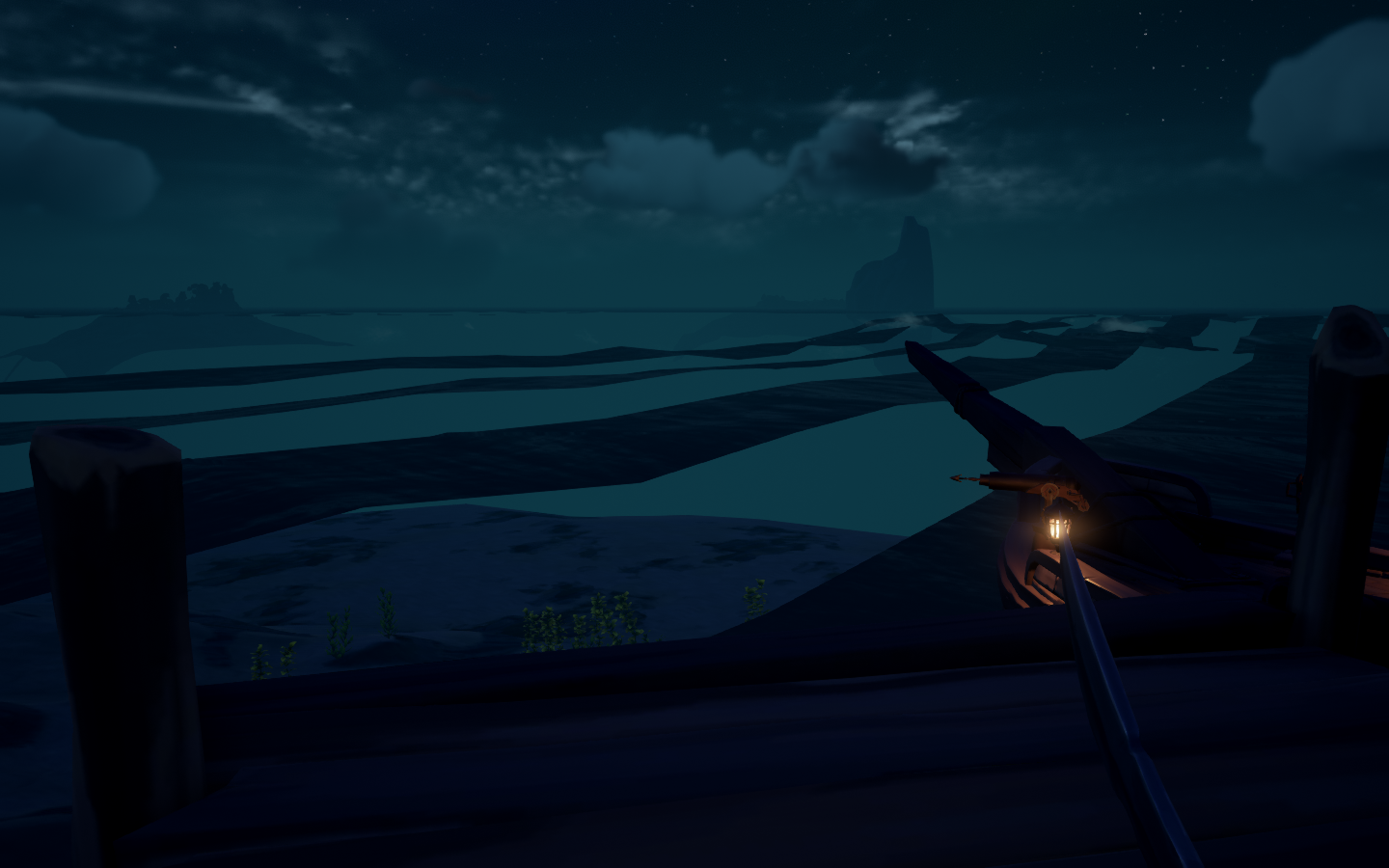
glitches and flickers everything else works perfectly.
Hello @josh56432, please add PROTON_LOG=1 %command% to the game's launch options and attach the generated $HOME/steam-$APPID.log to this issue report as a file. (Proton logs compress well if needed.) Also, please copy your system information from Steam (Steam -> Help -> System Information) and put it in a gist, then include a link to the gist in this issue report.
Blind guess that you might be seeing a chipset-specific video driver issue.
Is there any update as to being able to play with friends?
Is there any update as to being able to play with friends?
For real...I am so tired of Locating Fresh Supplies that I'm willing to pay a capable developer to address this (srsly)
Is there any update as to being able to play with friends?
For real...I am so tired of Locating Fresh Supplies that I'm willing to pay a capable developer to address this (srsly)
you have to use an older Proton version to fix the issue. 5.13-6 made the trick for me
Is there any update as to being able to play with friends?
For real...I am so tired of Locating Fresh Supplies that I'm willing to pay a capable developer to address this (srsly)
you have to use an older Proton version to fix the issue. 5.13-6 made the trick for me
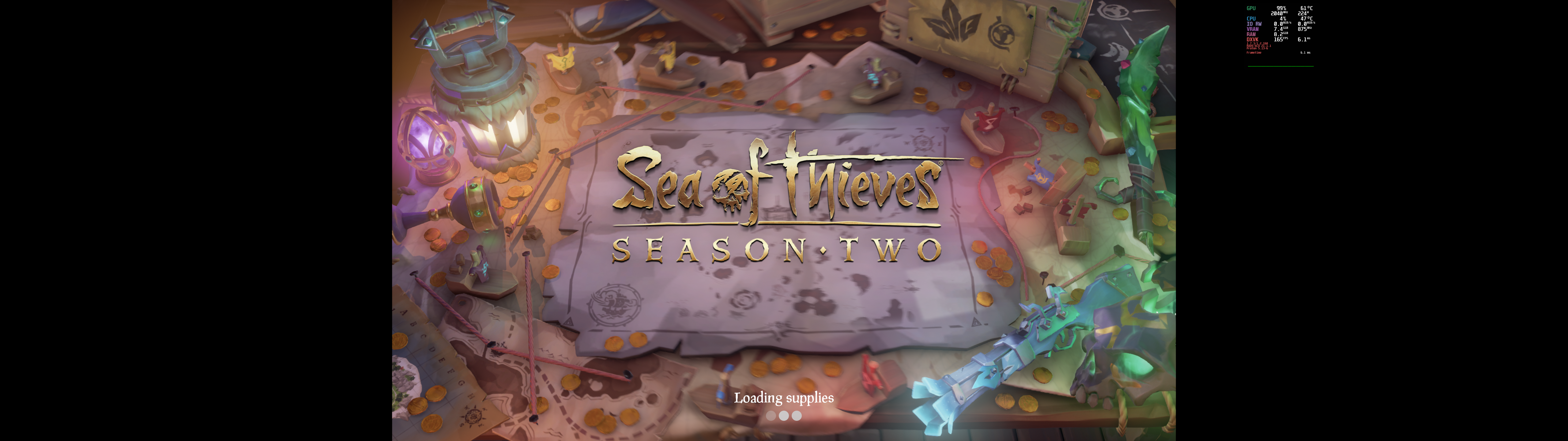
It's a bit small text, but I tried running 5.13-6 (again) as displayed in the top right mangohud overlay and I still get stuck at a loading supplies screen. Granted, it's not loading fresh supplies, but it's the same result. Force close and restart the game.
I personally have no issues with the game apart from getting stuck on either "Loading Supplies" or "Locating Fresh Supplies" every now and then.
The best method I have found to alleviate either issue is to restart the game and abandon your prior session. Instead, ask for another invite or rejoin through your friends list.
I run SoT with 6.9-GE-1 but I don't believe any other Proton versions will be much different.
I personally have no issues with the game apart from getting stuck on either "Loading Supplies" or "Locating Fresh Supplies" every now and then.
Does in-game voice chat work for you? Both input and output?
I personally have no issues with the game apart from getting stuck on either "Loading Supplies" or "Locating Fresh Supplies" every now and then.
Does in-game voice chat work for you? Both input and output?
That has never worked and likely won't ever work.
"Locating Fresh Supplies" issue can be worked around with the Host player loading into game first. The other person going Adventure, Closed Crew and then accepting invite. So far has been worked every time like that. Sadly this cant be used for Arenas
"Locating Fresh Supplies" issue can be worked around with the Host player loading into game first. The other person going Adventure, Closed Crew and then accepting invite. So far has been worked every time like that. Sadly this cant be used for Arenas
This has not worked for me. Still have to quit the game and retry multiple times.
This has not worked for me. Still have to quit the game and retry multiple times.
Has been working for me 3 times in a row like that. Maybe luck then. Weird issue anyway.
This has not worked for me. Still have to quit the game and retry multiple times.
Has been working for me 3 times in a row like that. Maybe luck then. Weird issue anyway.
It's the only way I can play online somewhat reliably with a friend too, but is extremely fragile as well: as soon as I get disconnected from the game by a crash (season 2 has been pretty unstable, at least for a time) or other reasons I face the "Locating fresh supplies" issue again when trying to rejoin.
From my experience the two largest issues at the moment are:
- Being stuck on the "Locating Fresh Supplies" loading screen when joining friends in Adventure or Arena
- Rendering problems, such as rendering chests in the water at a much lower range than on windows
"Locating Fresh Supplies" issue can be worked around with the Host player loading into game first. The other person going Adventure, Closed Crew and then accepting invite. So far has been worked every time like that. Sadly this cant be used for Arenas
This workaround only works for me 1/4th of the time.
This issue appears to have gotten worse with the latest update. While I never had significant issues getting stuck on "Loading Supplies" and have not seen that issue happen again as of yet,I now always get stuck on "Locating Fresh Supplies" when joining a friend
I am yet to figure out a workaround.
I had just had been able to get into an ongoing session now. I restarted the game and rejoined the session and it just so happens to have randomly worked fine.
I believe that the issue is still worse than before, but at least it seems possible to join a session if you are lucky.
Sea of Thieves (1172620)
Issue transferred from https://github.com/ValveSoftware/Proton/issues/4948.
@iSaluki posted on 2021-07-06T21:51:34:
Compatibility Report
- Name of the game with compatibility issues: Sea of Thieves
- Steam AppID of the game: 1172620
System Information
- GPU: GTX 1060 6GB
- Driver/LLVM version: NVIDIA 460.80
- Kernel version: 5.11
- Link to full system information report as Gist: This issue shouldn't require additional system information. It has been confirmed by other people on all systems on protondb.
- Proton version: 6.3-5
I confirm:
- [ ✓] that I haven't found an existing compatibility report for this game.
- [✓ ] that I have checked whether there are updates for my system available.
Due to the nature of the issues it would be quite time consuming to get the logs needed. I definitely could do it if required, but it would likely be a few days. These issues should be reproducible.
Symptoms
-
Major: If a friend invites you to a game through Steam, then joining them leads to you getting stuck in a loading screen forever.
-
Mild annoyance: It takes significantly longer for the game to load in than on Windows.
-
Mild annoyance: There are occasional frame drops throughout the game, usually during intense combat or cinematics.
Reproduction
- To reproduce perpetual loading screen issue (requires 2 people, friends on Steam):
- Load the game up and go to the main menu (both)
- One person should create a closed crew. (Play -> Closed Crew -> Sloop)
- Crew creator should then press Shift + Tab and invite the other player to join their game
- Other player should accept the invite
- Observe how the joining player gets stuck on "Loading fresh supplies" forever.
- To reproduce slower than Windows loading times:
- Load the game up on Windows, and join a server (Play Game -> Adventure -> Closed Crew -> Sloop -> Set Sail). Observe time it takes to load into the game.
- Load the game up on Linux and replicate the steps. Observe how the time is significantly longer.
- To reproduce frame drops:
- Join a game (Play -> Adventure -> Closed Crew -> Sloop -> Set Sail)
- Play the game for a while, and notice how there are occasional frame drops. These don't occur on Windows.
Note: If you do require any more details, anything at all, then let me know. I'll do my best to get it to you within a couple of days.
I had just had been able to get into an ongoing session now. I restarted the game and rejoined the session and it just so happens to have randomly worked fine.
I believe that the issue is still worse than before, but at least it seems possible to join a session if you are lucky.
I've had this randomly work too, to the point I'll at least TRY to join them before going through the quit/locating supplies cycle.
3. Mild annoyance: There are occasional frame drops throughout the game, usually during intense combat or cinematics.
I have some performance hitches while DXVK is compiling shaders as I do in any other game but these do go away. I've had no issues with performance of the game itself. If your drivers/the game recently updated it's best to spend the few minutes at an outpost triggering every animation/effect (shooting each gun, firing a cannon, throwables (especially fire!), etc) before setting out.
I will say that performance did increase going from my Radeon VII to the 6900XT (The VII would dip below 60FPS at some outposts at 1440P/maxed) but then again my system is far from averagely spec'd so me saying it works well for me doesn't really prove anything.
Hi y'all, I have some possibly interesting news regarding the "Locating Fresh Supplies" issue.
Five days ago, Proton-6.12-GE-1 released, and I gave it a try while testing Sea of Thieves and working to find a consistent way around the "Locating Fresh Supplies" issue. Using that version, the "Locating Fresh Supplies" issue appears to have gone away. However, while I could reliably connect to someone else's crew, once connected I experienced extremely bad freezing problems. The game would connect and load into a server without issue, but once there would freeze for ~30-60 seconds, then unfreeze for ~1-3 seconds, then go back to freezing again. That cycle repeated until the game was killed. This cycle of freezing turned up whether I hosted my own crew or joined someone else's.
After going over the logs and discussing this issue with some other proton-ge-custom users, the maintainer of that fork (GloriousEggroll) located and reverted a single wine commit that they had determined was causing the freezing: https://github.com/alexhenrie/wine/commit/b8aaf86b2dbb8ecb3f7094cc40a0df89bb2add27
After trying a patched build of Proton-6.12-GE-1 with that one commit reverted, the freezing issue was gone, however the "Locating Fresh Supplies" issue was back. It appears, therefore, that the changes in that commit are tied to the "Locating Fresh Supplies" issue that has been haunting the game for so long. The commit in question is a fairly small one which, with the message: "secur32: Use blocking mode for DTLS sessions."
Gist with two log files taken while experiencing the freezing issue (one with mountmgr being traced in addition to the default logging settings, and one with winsock being traced) and my system info take from steam linked below:
https://gist.github.com/eldritchScholar/eaa377c1c30d6561cdf7a38dd2303e0c
This is really interesting. Hopefully now we've got more specific information on the issue someone will be able to fix it. Is there much chance of Valve taking note of this and trying to roll out a fix in a future Proton build?
Just a few days ago, I was running 6.12-GE-1 and can confirm that what I experienced was very similar, if not identical.
I believe I was still having the "Locating Fresh Supplies" issue, however that may have simply been me quitting the game too quickly to let it actually finish whatever it is doing.
I can confirm the unusual freezing issues, however. Like you experienced, the game would freeze for a bit, unfreeze for a brief period, and repeat. This issue initially starts on the loading screen (which would take much longer than normal) but persists once in game.
Unfortunately, I don't have a log of this, however I will add one the next time that I play.
@eldritchScholar Thank you for mentioning this and the clear details :+1: . Very interesting. For any who may not know, that DTLS commit isn't in any "regular" proton branch yet fwiw.
I think I have found a way to join people more reliably, but this may be pure luck each time I had success. When joining someone and I get stuck in the lobby/loading screen (and it never joins), I close the game, and restart the game, I let the Rare intro video play after clicking Play in the menu, and I cancel the intro with escape key after it played for 20-30 seconds, then I accept to rejoin the session (there is an automatic message), and it worked every time I have done that (I think waiting in the intro might make some magic, or as said, it is pure luck, for sure I hd success every time I waited in the intro video and canceled before it finished).
On a side note, issues remaining with this game:
- joining on friends is terrible and you can barely join after trying many workaround (eventually join by luck)
- achievements unlock after you restart the game not during gameplay
- some in-game notification never show (same kind of message as the achievements?)
- VOIP doesn't work, both way
Same issues as above but today the game crashes to desktop while lifting the anchor or on menus.
Attaching logfile of last crash.
steam-1172620.log
Did a full system upgrade 3 days ago but after that the game was running fine.
Just to try to see if my theory/workaround works, can you guys try and report after multiple attempts over multiple sessions/days? This way we can see if it actually seem to work or improve the situation, so then we can spread the info to others if confirmed to work good. Thanks.
Just adding my experience as it differs slightly from others posted here running 6.10-GE (I'll have to try a newer update).
In-game voice does 'work' as I am able to communicate to other players not in my crew and their voice does play, just incredibly quietly to the point where it's unintelligible, whereas it's clear and loud for my friends. edit: It seems that the issue was leaky headphones coming through Discord unfortunately.
Not sure if it's 100% effective but I've found loading in solo and then Steam joining usually gets around the Fresh Supplies issue. This does add significant loading time as loading times are very slow as mentioned above. There seems to be lots of anecdotal workarounds here though so idk.
Wine 6.14 seeems to have fixed the loading problem 🎉
https://www.winehq.org/announce/6.14
Wine 6.14 seeems to have fixed the loading problem 🎉
https://www.winehq.org/announce/6.14
Awesome! Could you clarify which loading issue has been fixed? There are a few.
Hopefully we'll see the change merged into a future Proton release anyway.
Today's release of Glorious Eggroll (6.14.1) contains the fix; I tried it and can confirm that it's fixed: I've never loaded into a session as fast as I did just now, not even before the whole Loading Fresh Supplies debacle!
I feel like I'm on a different page than some. I am still in the exact same position I was yesterday and the last few months. I have tried both 6.14.1 and the unrelated hotfix 6.14.2 and neither resolved the issue.
I have always been able to get into my own server on first load of the game. However, if I leave that server and keep the game running and start a new server, I still get stuck at the loading fresh supplies screen.
Same applies to joining people. When accepting an invite, I will get stuck at the loading screen, but I will appear in their crew and have a spot reserved for me. I still have to force close the game, reopen and accept the prompt to try and rejoin the session multiple times until I finally get in. Could be 2 attempts, could be 20.
So in the end, nothing has changed. It's still one server per load of the game at best.
I feel like I'm on a different page than some. I am still in the exact same position I was yesterday and the last few months. I have tried both 6.14.1 and the unrelated hotfix 6.14.2 and neither resolved the issue.
So in the end, nothing has changed. It's still one server per load of the game at best.
Same here, unfortunately. (p.s. Github needs a +1 reaction)
Yep. Played with 6.14.1-GE last night and experienced Fresh Supplies on the first try with success on the second. It also got stuck on Searching the Seas when attempting to load in solo which I haven't experienced before. Searching the Seas seems to be a game server connection issue so might be temporary.
@netstat-peanut people usually use thumbs up as +1
@netstat-peanut people usually use thumbs up as +1
yes, i know. i'm saying that a +1 reaction mitigates the need to add a comment confirming the findings of others, which would be useful in an issue thread with 300+ posts.
thumbs up = "good" or "like", not necessarily "yes i'm experiencing the same thing".
The latest SoT update has introduced a moderately acceptable patch. When leaving a server, keeping the game open and reloading a new server, if it doesn't work immediately (which my success rate seemed to be higher now), there is a 30 - 35 second timeout now that will present a DaisyBeard error when stuck at the loading supplies screen. Clicking Okay on that error will put you back at the start game screen. At that point, you can load into a new server without force closing the game.
I tested this with the latest Proton-GE and Proton 6.3.5, so I believe this to be a server side patch and that it will apply to any functional proton versions.
I have not been able to test accepting invites from other crew yet. However, in the end, while this helps, it's still not resolved in my opinion, but it has at least improved. Waiting 30 seconds to error out is quicker and less painful than force closing.
Since I used the latest Proton-GE, I did follow its instructions for clearing wine prefixes. That is purely anecdotal at this time because I don't think it has anything to do with the changes. Just remember that if you do that, some of your settings like graphics and performance counters will be reset.
The latest SoT update has introduced a moderately acceptable patch. When leaving a server, keeping the game open and reloading a new server, if it doesn't work immediately (which my success rate seemed to be higher now), there is a 30 - 35 second timeout now that will present a DaisyBeard error when stuck at the loading supplies screen. Clicking Okay on that error will put you back at the start game screen. At that point, you can load into a new server without force closing the game.
Confirming this was my experience as well. And because all we have to operate from here seems to be anecdotal evidence, I'll add that I noticed a "new" status indicator when the game ends up loading after the DaisyBeard error: "Rewriting Parchments". Seems to imply scrubbing of cached session data (?) so it may be worth looking into what occurs in the background when that status is displayed.
Twitch Drops also don't work on Proton
Twitch Drops also don't work on Proton
you may realize this but for those that don't, they'll move into your permanent inventory if you login once from a windows installation.
I'm on Arch and I am constantly getting the Coarsebeard issue, I can't join a game or play the tutorial.
I tried setting the LANG or the LC_TIME to en_GB but still the same issue.
Did you try to not use the experimental Proton branch, and reset the game prefix to start fresh? I could play like a few days ago, on Manjaro, with 5.14 kernel, and Proton 6.3 (not experimental), I have Steam BETA though but I do not think it is changing a lot.
Did you try to not use the experimental Proton branch, and reset the game prefix to start fresh? I could play like a few days ago, on Manjaro, with 5.14 kernel, and Proton 6.3 (not experimental), I have Steam BETA though but I do not think it is changing a lot.
Yes, nuked the prefix every time I changed the Proton version (also tried Proton-GE, to no luck).
EDIT: LC_ALL=en_GB.UTF-8 steam did it, very weird workaround but game runs fine now.
EDIT:
LC_ALL=en_GB.UTF-8 steamdid it, very weird workaround but game runs fine now.
Now that just fixed MS Flight Simulator to me as well. Thanks, @yoyossef.
I was getting the "the sea of thieves services are temporarily unavailable. Please try again" message each time I tried to join my friends game. I remembered that I had a similar issue when trying to play Borderlands 3. Someone on the internet said it happens if you have a docker bridge network. I don't remember where I found this explanation, and solution, but running steam in firejail resolved my connection problem:
firejail --net=enp5s0 --dns=8.8.8.8 --noprofile steam
After today's Steam Client update, I am not able to run Sea of Thieves, the process fails. I tried multiple Proton versions, from GE as well as 6.3.8, however the behavior is still the same. Anyone noticing the same problem?
systemd-coredump[33364]: [🡕] Process 33301 (wine64) of user 1000 dumped core.

                                               Found module /home/ragnar/.local/share/Steam/compatibilitytools.d/Proton-6.21-GE-2/files/bin/wine64 without build-id.
                                               Found module /home/ragnar/.local/share/Steam/compatibilitytools.d/Proton-6.21-GE-2/files/lib64/wine/x86_64-unix/libwine.so.1.0 without build-id.
                                               Found module /home/ragnar/.local/share/Steam/compatibilitytools.d/Proton-6.21-GE-2/files/lib64/wine/x86_64-unix/ntdll.so without build-id.
                                               Found module /run/host/usr/lib/libXdmcp.so.6.0.0 with build-id: 8ca0792d23c8b8b4c0864297512349292bea5955
                                               Found module /run/host/usr/lib/libXau.so.6.0.0 with build-id: 1c67764663e07bec24d8951e5fd93f4d165979ff
                                               Found module /run/host/usr/lib/libxcb.so.1.1.0 with build-id: 0d1ef11740a5daad2ee331e812a51aa6574af222
                                               Found module /run/host/usr/lib/libX11.so.6.4.0 with build-id: 5ba5798d193c0065014b8c6252a0678671c8d478
                                               Found module /run/host/usr/lib/libGLX.so.0.0.0 with build-id: 0f40ceaa036edc65147e9559b94e0219472493fc
                                               Found module /run/host/usr/lib/libGLdispatch.so.0.0.0 with build-id: 195b34c1bb271f3b1162c897cfbcfb859e656b93
                                               Found module /run/host/usr/lib/libm-2.33.so with build-id: 2b8fd1f869ecab4e0b55e92f2f151897f6818acf
                                               Found module /run/host/usr/lib/libGL.so.1.7.0 with build-id: 8b3028bab286029945569a0dfcf695f0f61d9c3b
                                               Found module /run/host/usr/lib/librt-2.33.so with build-id: 75484da2d6f1515189eefa076e0a40328834cd16
                                               Found module /run/host/usr/lib/libstdc++.so.6.0.29 with build-id: 9b5eeeb149bf3c4efe787fb398b44f00507aec87
                                               Found module /run/host/usr/lib/libc-2.33.so with build-id: 4b406737057708c0e4c642345a703c47a61c73dc
                                               Found module /run/host/usr/lib/libdl-2.33.so with build-id: 5abc547e7b0949f89f3c0e21ab0c8331a7440a8a
                                               Found module /run/host/usr/lib/libpthread-2.33.so with build-id: 07c8f95b4f3251d08550217ad8a1f31066229996
                                               Found module /home/ragnar/.local/share/Steam/ubuntu12_64/gameoverlayrenderer.so with build-id: 3eb9b71505d9454f3e56758b81a6669448b151ad
                                               Found module /run/host/usr/lib/ld-2.33.so with build-id: 040cc3dd10461562f177df39e3be2f3704258c3c
                                               Found module linux-vdso.so.1 with build-id: 34ce7d9e9e52decbbe2ad4dbbb77e7b72d5f56c6
                                               Stack trace of thread 33301:
                                               #0  0x00007ff90fbfcbcf n/a (/run/host/usr/lib/libc-2.33.so + 0xf3bcf)
                                               #1  0x00007ff90fd272bb n/a (/home/ragnar/.local/share/Steam/ubuntu12_64/gameoverlayrenderer.so + 0x202bb)
Subject: Process 33301 (wine64) dumped core
Defined-By: systemd
Support: https://lists.freedesktop.org/mailman/listinfo/systemd-devel
Documentation: man:core(5)
Process 33301 (wine64) crashed and dumped core.
This usually indicates a programming error in the crashing program and
should be reported to its vendor as a bug.
Here is dump when Steam is running from cmdline.
GameAction [AppID 1172620, ActionID 2] : LaunchApp changed task to Completed with ""
pid 28282 != 28279, skipping destruction (fork without exec?)
ProtonFixes[28429] INFO: Running protonfixes
ProtonFixes[28429] INFO: Running checks
ProtonFixes[28429] INFO: All checks successful
ProtonFixes[28429] INFO: Using global defaults for "Sea of Thieves" (1172620)
ProtonFixes[28429] INFO: No protonfix found for "Sea of Thieves" (1172620)
esync: up and running.
double free or corruption (out)
pid 28433 != 28432, skipping destruction (fork without exec?)
@RagnarOlafsson
I received the steam update yesterday, accepted it and took its prompted restart. I just tried the game and it seemed to not want to launch. So, as you did, I exited steam and launched it via the steam command to duplicate and the game loaded up and set sail as per usual. Anecdotal, but just for reference that the current steam version is still working on my end, so it might be worth testing a few local fixes.
This is on the Dec 16th steam client build and launched with Proton-6.21-GE-2
For me it stopped working sometime between December 10th and 17th. The wine processes just hang there, idle, and the game window never opens.
Yesterday I tried everything, from different Proton versions (Proton-GE and the official ones), to the beta version of the Steam client, etc. What finally worked was disabling shader pre-caching on the Steam settings, which is not ideal because it affects the game's performance.
Tried it again this morning, and re-enabling it made the game not launch again, same behaviour.
This might be a wider problem related to shader pre-caching. I just found this thread through Google trying to diagnose an identical problem with What Remains of Edith Finch. Disabling shader pre-caching also fixed it for me.
I've just tried again and it still works for me, with both wayland and x. Running nvidia drivers on gnome.
Anyone tried the Proton Experimental version for the new supposedly fixed voice chat feature? I couldn't have it to work, I nuked the prefix completely after switching to Proton Experimental, but it doesn't work, I can't hear people, people can't hear me. It is in the changelog so I guessed it has been tested and should work?
Changelog was here https://github.com/ValveSoftware/Proton/wiki/Changelog
Fix Sea of Thieves' voice chat.
An article about it here https://www.gamingonlinux.com/2022/01/proton-experimental-fixes-up-sea-of-thieves-voice-chat/
I just finished a play session with it working using the latest proton-GE so I can say it's working. Had to delete the prefix for it to work though obviously that didn't help you. Another tip is to also make sure your default audio input device is set correctly as that's the one it uses though that may not be your problem. Don't know beyond that sorry
It seemed to work for me: I could hear people. They couldn't hear me, but
we didn't delve into settings (we're so used to using an external voice
chat) so it could well be a volume issue. I'll have a play around next time.
On Mon, 17 Jan 2022 at 11:57, ®omano @.***> wrote:
Anyone tried the Proton Experimental version for the new supposedly fixed
voice chat feature? I couldn't have it to work, I nuked the prefix
completely after switching to Proton Experimental, but it doesn't work, I
can't hear people, people can't hear me. It is in the changelog so I
guessed it has been tested and should work?Changelog was here https://github.com/ValveSoftware/Proton/wiki/Changelog
Fix Sea of Thieves' voice chat.
An article about it here
https://www.gamingonlinux.com/2022/01/proton-experimental-fixes-up-sea-of-thieves-voice-chat/—
Reply to this email directly, view it on GitHub
https://github.com/ValveSoftware/Proton/issues/3931#issuecomment-1014442115,
or unsubscribe
https://github.com/notifications/unsubscribe-auth/AAAO2LXELRTEP46ZLLLCXALUWP7XDANCNFSM4NRT3LGA
.
Triage notifications on the go with GitHub Mobile for iOS
https://apps.apple.com/app/apple-store/id1477376905?ct=notification-email&mt=8&pt=524675
or Android
https://play.google.com/store/apps/details?id=com.github.android&referrer=utm_campaign%3Dnotification-email%26utm_medium%3Demail%26utm_source%3Dgithub.You are receiving this because you are subscribed to this thread.Message
ID: @.***>
Anyone tried the Proton Experimental version for the new supposedly fixed voice chat feature? I couldn't have it to work, I nuked the prefix completely after switching to Proton Experimental, but it doesn't work, I can't hear people, people can't hear me. It is in the changelog so I guessed it has been tested and should work?
@Zorrototo when we were testing this, it took quite a bit of messing around with the sound settings outside of the game to get things working, so that would be my first instinct. If you still can't get voice chat working, could you try using the user_settings.py file to get a log and adding "+tid,+wininet,+winhttp,+winsock,+steam,+steamclient,+bcrypt,+secur32" to the end of the WINEDEBUG line?
i have a rather weird problem
i always got the coarsebeard error (a kind of network error)
after a lot of struggling i found this thread here
https://forum.manjaro.org/t/sea-of-thieves-not-working-on-manjaro/29010/3
this user basically had the same problem
but it could be resolved by either switching to windows or even another linux distro
so i tried that as well and it worked
i primarily use popOS, but to get it running i dual-booted with ubuntu
and just installed it and it worked
and now i wonder where the problem is since i can play on ubuntu just find but get the error on my mainOS
and i do not want to switch the os just for one game
I play on Manjaro without issue, besides the voice chat not working and most of the 'logging' of ingame event not working..
//EDIT: and with any official Proton version, the post you linked is just plain wrong, and I'm the one who replied to it on Manjaro forum.
//EDIT2: https://seaofthieves.fandom.com/wiki/Beard_Errors#Coarsebeard
Voice chat working out of the box here on Fedora 35 and vanilla Proton experimental. So appreciative of this fix.
Does the voice chat work with everyone? or Linux <-> Linux, or Linux <-> Windows Store, or Linux <-> Steam Windows, or Linux <-> Console? If the one for who it is working can add the info it may help me troubleshoot why it doesn't work, or try combination that work for you.
Does the voice chat work with everyone? or Linux <-> Linux, or Linux <-> Windows Store, or Linux <-> Steam Windows, or Linux <-> Console? If the one for who it is working can add the info it may help me troubleshoot why it doesn't work, or try combination that work for you.
To answer your question, voice comms are functional across OS/platform and a Steam Win or Lin client can communicate just fine with one another--and likewise for Windows Store or Xbox consoles. In-game voice is not specific to or constrained within platform or launcher.
What compounds your troubleshooting efforts here is the possible (if not likely) existence of networking-related issues that the comms channel depends upon. Specifically, those on a Windows or Xbox platform can assess their connectivity for certain NAT criteria, with the results being STRICT, MODERATE, or OPEN. If it indicates STRICT you can only communicate with other OPEN clients, MODERATE can communicate with other MODERATE and OPEN clients, and OPEN may communicate with all others.
There are a host of alternatives for rectifying NAT issues, from port forwarding (in the case of XBL, port 3074 will usually do the job), UPnP (which introduces security considerations), or placing your gaming machine in a DMZ (open to the internet = not good).
I would start first by validating your client/software setup is functional. Plug it directly into the router, run the game, check for comms, and disconnect ASAP. If it works, chase after a resolution to NAT issues. If not, work through the client/software setup and rinse/repeat with the above.
You'll be hearing the cries of the day 1 maiden voyager pirates you spawn camp in no time...please just hit em with a GG in return. Good luck!
OK thanks. I will try to dig deeper into that. But it is not easy to find people in game willing to just stop and chat for my own troubleshooting, or to have friends available when I want to test.
OK thanks. I will try to dig deeper into that. But it is not easy to find people in game willing to just stop and chat for my own troubleshooting, or to have friends available when I want to test.
Join an open crew galleon. That's what I did the other night when I wanted to test it and my regular crew wasn't available.
The most recent Experimental update (the one from today) should also fix the "Locating fresh supplies..." hang. Might be worth an update if you haven't done so already. :)
Join an open crew galleon.
That's actually smart! Didn't even think of that as I only play solo or duo with a friend.
//EDIT: no success so far, I tried opening/forwarding the mentioned port, enabling UPNP, still no in-game communication. What is bugging me is that I can not HEAR people, so it doesn't seem to be simply an issue in my microphone setup in the OS, but the whole in game voice chat that doesn't work (both ways).
on a side note, achievements seems to instantly unlock in game now, instead of requiring a game restart to all pop up in the next game instance (my Steam profile looks like I use hacker tools to unlock many achievements in bulk lol), will edit when I could confirm other in game notifications work (like the events/progression logging in top left corner).
//EDIT2: indeed in game event notifications work! https://i.imgur.com/Qhn0cXe.jpg

Replying to https://github.com/ValveSoftware/Proton/issues/3931#issuecomment-1017045381
Could you try getting a log following alasky17's earlier comment? I could at least diagnose if things are working properly for voice chat on the Proton side.
Here's the requested log, I joined an open crew galleon, tried to talk, waited a little, left:
Hm, it's definitely not even reaching the point of making contact with the voice servers. I can investigate this some more tomorrow, but off of the top of my head, when was the last time you logged in/out of your Xbox account? That's the step it seems to get stuck on from a quick look at the log. I've had issues before in testing that required me to log out of my account, and then log back in. That may help here.
I have a new problem. I kept getting lavender beard issues, so I deleted my prefix and tried with the new proton experimental. My microsoft account somehow got 2fa turned on and after authenticating it crashes.
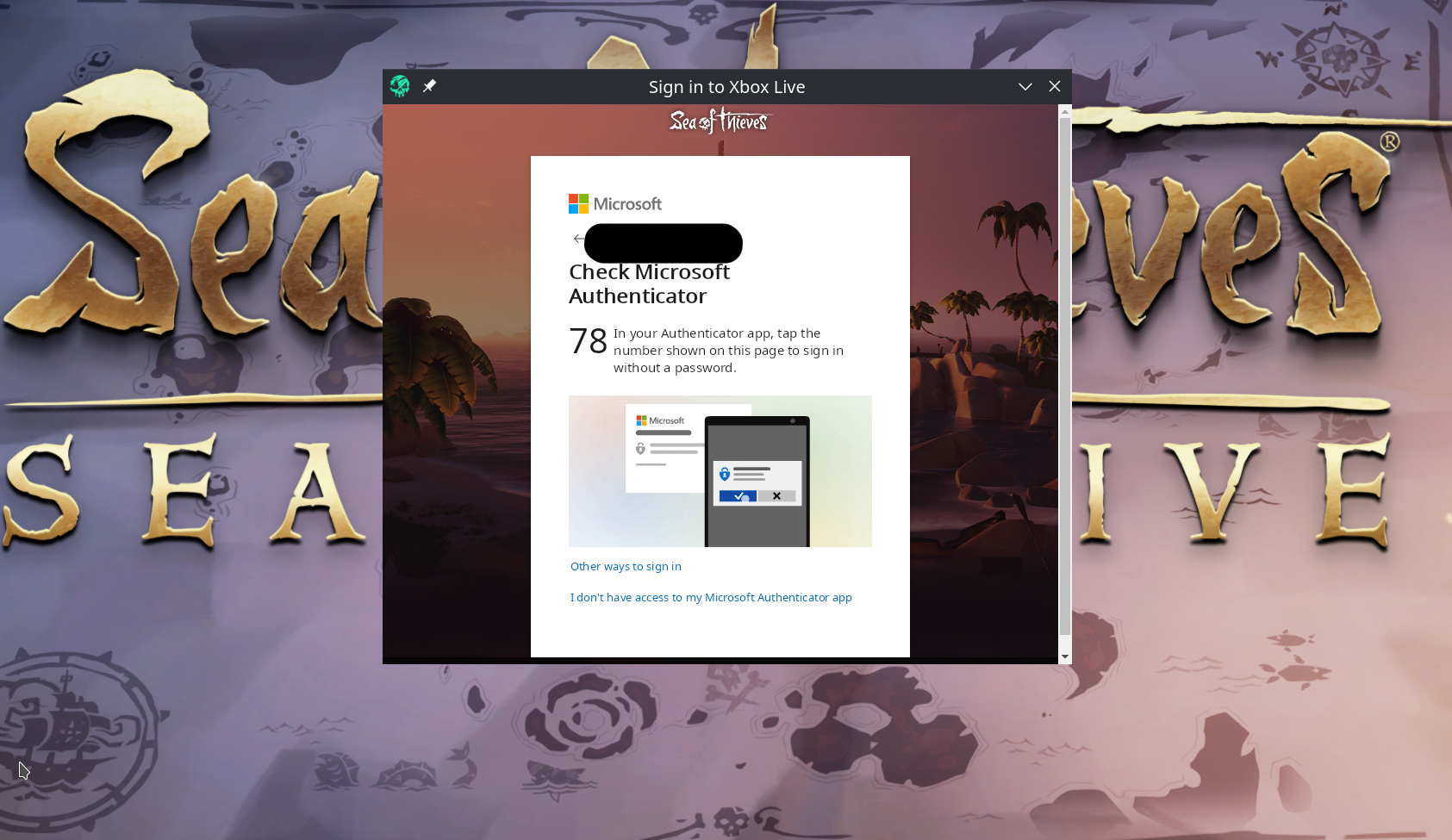
log:
Unhandled exception: page fault on read access to 0x00001c90 in 64-bit code (0x00007fedb344c6f1). Register dump: rip:00007fedb344c6f1 rsp:000000004551f0e0 rbp:00007fed2402c140 eflags:00010202 ( R- -- I - - - ) rax:0000000000000000 rbx:000000004551f800 rcx:0000000000000001 rdx:000000004551fae8 rsi:00007fed84a03b40 rdi:00007fed2402c140 r8:0000000000000003 r9:00007fed2409c270 r10:00007ffe16c99170 r11:00007ffe16c991b0 r12:0000000000000000 r13:0000000000000000 r14:00007fed2402c240 r15:00007fed76fecea0
Edit:
When I choose "Other Options" and "Use my Password" it still crashes.
when was the last time you logged in/out of your Xbox account?
What do you mean? I auto log into my microsoft/Xbox account when the game launches. I nuked my prefix one game session before giving the log (I played too much and the log was 500+ MB so I closed game and restarted it to create a new lighter log file) so I logged into the account in game the previous game before I took the log (and I also verified Proton and game files through Steam.
I logged on the website tonight to check which email I was using (credentials saved in browser).
I don't understand what else you meant.
//EDIT: I logged out from the game, it brought me back to main menu, I clicked the Launch button, it opened the Xbox account popup, but I could simply click a button to connect (no password asked in that case), so I clicked "connect with another account", I entered my credentials for the same account, and logged in, I joined an open crew, tried to talk, couldn't hear anyone:
//EDIT: I could try to put my PC in DMZ for a test, tell me if you want me to try, but from what I understood you said, the game isn't even trying to connect to voice servers, it's not like it is blocked, it just doesn't event try, right?
@Zorrototo Review your Xbox/Microsoft account's privacy settings, in particular this option:
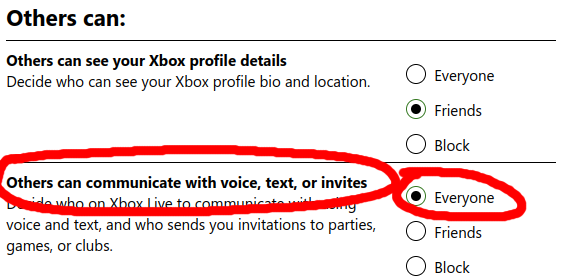
If this is not set to "Everyone", it'll prevent the in-game voice chat from working (both directions).
I can also confirm that, with the latest Proton Experimental update, both the in-game voice chat and in-game notifications are working. Steam achievements, however, still won't unlock for me (0/197 unlocked).
My account is already configured like that (I think this is the defaults).
//EDIT: for reference here are tips (mostly for Windows specific parameters) but there are fixes 6 and 7 that could be to verify (7 is about the account security). https://www.drivereasy.com/knowledge/fixed-sea-of-thieves-voice-chat-not-working-on-pc/
What I meant by the Xbox login is what is referred to here, but if that doesn't work, that may not be the issue. Trying to run within a DMZ would probably be worth it to rule out any sort of port related issues.
Essentially, what it looks like in your case is it contacts the xbox live servers, and then just doesn't do anything afterwards. Usually, the game contacts the xbox live servers, gets some data back, and continues on with authentication/connecting. I'm still not sure why it isn't doing that in your case. This is getting a little bit outside of my area of knowledge, so if the DMZ stuff doesn't work, I don't have too many more suggestions :/
My account is already configured like that (I think this is the defaults).
I think you are correct. I must have changed the settings at some point but that was what did the trick for me.
One thing you may want to do to help troubleshooting is to enable "Player Chat Indicator" under Audio Settings. That'll give you an on-screen indicator whenever the game receives audio from your microphone. If that doesn't even light up, I'd guess it's an audio driver/os/hardware issue.
Update: Steam achievements do unlock now after I've wiped the prefix. Very happy to see those fixes for SoT coming in!
As stated a few posts above I have my chat bubble appearing in the top right corner when I try to talk in game. I will try to unlink/link my Steam account again, but I already tried to logout/login with the Xbox account, and it needs me to login anyway every time I wipe my prefix.
I would love to understand the fix for it, someone has the commit revision for the fix(es)? Or any article on it? I tried looking it up on the commit history but it is not very clear which one fixed it.
In the past, I've tried sometimes to pinpoint the issue on code but to no avail
The fix for voice chat specifically are: commit 1 and commit 2. Also, the patches to support DTLS from upstream Wine were backported to 6.3. Basically, there was an issue in Wine's DTLS implementation that needed fixed. If we didn't clear the SECBUFFER_ALERT output buffer count, the game assumed there was data in that buffer, and sent that instead of the actual data that needed to be sent.
The achievement stuff/locating fresh supplies hang was caused by a bug in our WebSocket implementation. Basically, the game would hang if trying to send data on a websocket. If this happened before getting the server connection data, it'd end up hanging on locating fresh supplies. If the websocket send occured after getting the server connection data, it'd just hang and eventually fail, but you'd still be able to connect. Fixing the bug in our websocket implementation is what fixed the achievements as well. There are quite a few commits for fixing that, starting with this one, and ending on this one.
Hopefully this helps.
Basically, there was an issue in Wine's DTLS implementation that needed fixed. If we didn't clear the SECBUFFER_ALERT output buffer count, the game assumed there was data in that buffer, and sent that instead of the actual data that needed to be sent.
Nice summary, @Conmanx360; thanks!
It seems I may have not been entirely off base here: https://github.com/ValveSoftware/Proton/issues/3931#issuecomment-902138945 🙂
Here's my last log, PC should be in DMZ
steam-1172620_2.zip
Something I wonder too, in the Audio settings, I can select "headphones" or "speaker" (but I only have one audio peripheral in the system), when I select speaker instead of headset and restart the game, I have the volume bar available, otherwise the first voice chat volume bar is grayed out. https://i.imgur.com/DNh9ncJ.jpg (here it is available). Speaker or headphones doesn't change anything apparently.

What should I look for in the log to see if something is working regarding the voice chat? What is showing it doesn't work, and what would that be if that worked?
My system uses OpenDNS DNS servers if that makes a difference (but I don't think so. I can try other DNS maybe?)
//EDIT: I can see in my taskbar that "SoTGame.exe is using the microphone" (KDE feature).
You should see something like:
13550.111:0128:0290:trace:secur32:InitializeSecurityContextW 000000006423ABC8 0000000000000000 L"dns072fcd69-bc54-4943-8ad7-e9c03975475e-azurebatch-cloudservice.northcentralus.cloudapp.azure.com" 0x0008449c 0 16 00000000781CF0C0 0 00000000781CF0D0 00000000781CF0E8 00000000781CF114 00000000781CF108
in the log. The keyword I look for is azurebatch, it's common among all the different regional servers it seems. You should also see it query each different azure server, with addresses like:
5104.758:0144:028c:trace:winsock:GetAddrInfoExW (L"pfmsqos.westus.cloudapp.azure.com" (null) 0 (null) 0x81a7f480 0x80027aa8 (nil) 0x80027a50 (nil) 0x80027ab0)
One thing I do see in your log, is it looks like it's starting to send data to begin the sequence I'm mentioning, here:
28838.291:0120:0124:trace:winsock:WSASocketW    created 2248
28838.292:0120:0124:trace:winsock:setsockopt (socket 2248, level SOL_SOCKET, name SO_BROADCAST, optval 0x63e8b8 (1), optlen 4)
28838.292:0120:0124:trace:winsock:setsockopt (socket 2248, level SOL_SOCKET, name SO_REUSEADDR, optval 0x63e8b8 (0), optlen 4)
28838.292:0120:0124:trace:winsock:setsockopt (socket 2248, level SOL_SOCKET, name SO_RCVBUF, optval 0x63e8b8 (32768), optlen 4)
28838.292:0120:0124:trace:winsock:getsockopt (socket 2248, level SOL_SOCKET, name SO_RCVBUF, optval 0x63e940, optlen 0x63e8b0 (4))
28838.292:0120:0124:trace:winsock:setsockopt (socket 2248, level SOL_SOCKET, name SO_SNDBUF, optval 0x63e8b8 (32768), optlen 4)
28838.292:0120:0124:trace:winsock:getsockopt (socket 2248, level SOL_SOCKET, name SO_SNDBUF, optval 0x63e8f8, optlen 0x63e8b0 (4))
28838.292:0120:0124:trace:winsock:gethostname name 0x63e3c0, len 256
28838.292:0120:0124:trace:winsock:gethostname <- 'omano-nvme'
28838.292:0120:0124:trace:winsock:getaddrinfo "omano-nvme", (null) 0x63e498 -> 0x63e4f0 0
28838.292:0120:0124:trace:winsock:inet_ntop family 2, addr (0x33d79054), buffer (0x63e280), len 16
28838.292:0120:0124:trace:winsock:getaddrinfo => 0x40a09290, flags 0, family 2, type 0, protocol 0, len 16, name (null), addr { family AF_INET, address 127.0.1.1, port 0 }
28838.292:0120:0124:trace:winsock:inet_ntop family 2, addr (0x824616ac), buffer (0x63e5c0), len 16
28838.292:0120:0124:trace:winsock:bind socket 2248, ptr 0x824616a8 { family AF_INET, address 0.0.0.0, port 0 }, length 16
28838.292:0120:0124:trace:winsock:getsockname socket 2248, ptr 0x63e848, len 00000010
28838.292:0120:0124:trace:winsock:inet_ntop family 2, addr (0x63e84c), buffer (0x63e600), len 16
28838.292:0120:0124:trace:winsock:getsockname => { family AF_INET, address 0.0.0.0, port 36107 }
28838.292:0120:0124:trace:winsock:WSAIoctl 2248, FIONBIO, 0x63e8b8, 4, 0x63e8b8, 4, 0x63e86c, (nil), (nil)
28838.292:0120:0124:trace:winsock:WSAIoctl -> FIONBIO (1)
28838.292:0120:0124:trace:winsock:WS_inet_pton family 2, addr "20.93.254.144", buffer (0x63e740)
But it just keeps sending and never ends up receiving a response. I'm beginning to wonder if it isn't some sort of weird network adapter setup in Linux perhaps. That's all I can think of, but I'm not an expert in Linux networking. Someone else may be able to help there. There was mention much earlier in the bug comments of a user having network adapter related issues, here, maybe that might be relevant.
This is a weird issue. :/
The voice chat is working for me too with the Proton Experimental, has anyone had any errors when trying to join games (such as fresh supplies issues) using the current Proton Experimental version? This Proton Experimental may have made this game Platinum in its compatibility
Hello team,
I picked up the game this week and unfortunately I can't play it.
At the slightest movement of the mouse I fall to 3 or 4 fps :(
I have a Ryzen 9, 6800xt, 32go of ram and manjaro kernel 5.16
Do you know of this problem. How can I help you if not?
@flamme-demon in your case, it would probably help to have more info than that. You should post your system info from steam (as a gist link, see opening post for an example) so we can see what drivers are in use.
Go to Steam > Help > System Information and copy and past that into a gist and share the link here.
You can also generate helpful logs by setting a launch command for the game with PROTON_LOG=1 %command% which will dump logs into your home folder under the Sea of Thieve app id number. So you would enable that launch flag, Start the game, reproduce the issue, and then drop that into a gist as well and share that link.
@flame-demon This could be a pretty well known issue with wine and high polling rate mice. I had it as well and could fix it by using another mouse with a lower poll rate. It looks like some games event-loop can be flooded by mouse events which leads to low FPS when the mouse moves.
@flamme-demon in your case, it would probably help to have more info than that. You should post your system info from steam (as a gist link, see opening post for an example) so we can see what drivers are in use.
Go to Steam > Help > System Information and copy and past that into a gist and share the link here.
You can also generate helpful logs by setting a launch command for the game with
PROTON_LOG=1 %command%which will dump logs into your home folder under the Sea of Thieve app id number. So you would enable that launch flag, Start the game, reproduce the issue, and then drop that into a gist as well and share that link.
Thank you for the link
@flame-demon This could be a pretty well known issue with wine and high polling rate mice. I had it as well and could fix it by using another mouse with a lower poll rate. It looks like some games event-loop can be flooded by mouse events which leads to low FPS when the mouse moves.
Thanks for your, it seems indeed that they come from the because in the settings menu the drop of FPS this also see :(
I have a Roccat kone xtd optical.
I can set on the mouse and in the game. When I set it to low (slow) I get more than 15/20 fps, it's still far from wonderful.
Changing mouse for a game is pretty crazy though.
I just reinstall the game but I can't login to Microsoft Account : game instant crash after I enter login+pw.
Here is log :
steam-1172620.log
If your issue is realted to mouse polling bug in WINE, you could easily try various fixes, one simple is to use the mouse on a basic USB port, and force mouse polling parameter in GRUB command line, for example add this after the basic quiet splash parameters:
usbhid.mousepoll=8
then issue a sudo update-grub command, reboot, and try, it should fix the issue. there is other method but try that first it is easier, otherwise have a look in the Arch WIKI.
Replying to https://github.com/ValveSoftware/Proton/issues/3931#issuecomment-1025151823
Thanks for your feedback, sorry for my delay.
I created the file /etc/modprobe.d/usbhid.conf in which I added the value options usbhid mousepoll=8.
After a reboot, I can see the value 8 by doing the command systool -m usbhid -A mousepoll ! My lags are still there unfortunately.
Module = "usbhid"

    mousepoll           = "8"
If I run the command evhz I always see 1000 hz
You're not using a basic USB port for your mouse, right? You're using a USB3 port for which this setting is not doing anything. Am I right?
You're not using a basic USB port for your mouse, right? You're using a USB3 port for which this setting is not doing anything. Am I right?
Sorry, I didn't understand that usb3 was not compatible with this option.
But I only have this at my disposal unfortunately.
Would it be possible to configure this mouse differently?
According to the Arch WIKI, if you only have USB3 at your disposal, it will not be easy to go around that issue (if your issue is the one related to the mouse polling rate).
Check this link from there to bottom https://wiki.archlinux.org/title/Mouse_polling_rate#Set_polling_interval
You may be able to change the requested polling rate from the mouse itself (maybe there is a tool in Linux, or another OS, that could internally reconfigure the mouse, depending on the model you use).
You also could disable xHCI completely, but I think the result would be having USB2 type ports then, which depending on your usage could not be acceptable.
//EDIT: at least to confirm this is your issue, you may try another mouse that doesn't request 1000Hz polling rate, or disable USB3/xHCI. Once you confirm this is your issue then try to workaround it.
Replying to https://github.com/ValveSoftware/Proton/issues/3931#issuecomment-1025464774
On the AUR repository there is an application for ROCCAT that allows to control this parameter.
Thank you for your help.
Nice, now check if it properly changes the polling rate, and then if it fixes the issue :+1:
Nice, now check if it properly changes the polling rate, and then if it fixes the issue +1
I redid an evhz and now the mouse displays 125 hz.
The linux community is amazing, you just have to know where to look :)
The voice chat is working for me too with the Proton Experimental, has anyone had any errors when trying to join games (such as fresh supplies issues) using the current Proton Experimental version? This Proton Experimental may have made this game Platinum in its compatibility
Ill try experimental here tomorrow, ive been running base 6.3.whatever for a while cause experimental had a silly change that kept lettucebearding me a few weeks back.
Can confirm voice is working along with most ui elements. I've yet to see any issues with experimental proton
only issue now is the radial menu buttons not working some frames
yeah, have to hammer the key and force retry it, especially for stuff that's deeper in the menu. (but I'm also using a non standard keyboard layout)
Anyone else notice a problem when you ALT + TAB when the game is in fullscreen (workaround is to just put the game in windowed mode and use Kde Plasma (right click on the window to set it to fullscreen))
The game just freezes forever when you alt tab. Can't alt tab back, and it seems unresponsive (others report I dropped out of the game. Game still open though but doesn't render)
Not last time I played I can ALT-TAB whenever and as long as I want. Didn't play latest update though.
I haven't played since around last September, but I can't get past the Microsoft login window anymore; whenever the popup is closed (i.e. before attempting logging in by clicking the X, or finishing the login) the game instantly closes. I can't find anything special in the proton or steam logs (I think I only have stacktraces of a page fault). I tried all Proton versions available in the client, the beta steam client, GE-7.1 and GE-6.21 and experimental. I guess the thing that's specific to my setup is that it's Fedora Silverblue with the flatpak steam, but I haven't experienced particular issues in other games.
@tillmzw did you try to recreate the prefix?
For what it's worth, I was able to login fine last week, but on a non flatpaked version
@tillmzw did you try to recreate the prefix?
Yup, I did, no changes. Luckily (or suspiciously?) recreating the prefix for SoT is super quick compared to other games.
Recreating the prefix just means deleting one folder and starting the game.
Also why using Steam as Flatpak that makes no sense.
Also why using Steam as Flatpak that makes no sense.
Offtopic and it makse sense, look into systems like Fedora Silverblue.
From my observation user with Flatpak version of Steam has issues no one else here has... "makes sense".
I didnt even know there was a flatpak version of steam.. sounds vile
Recreating the prefix just means deleting one folder and starting the game.
Other games may require things like MS' Visual C++ libraries (I think Elite Dangerous is one of them) which can't be bundled with Proton and need to be installed locally in the prefix before the game starts.
Anyway, as long as no solution materializes I just wanted to leave this here for others having the same issue.
I don't see how what you wrote could relate to this issue here for SoT. When the prefix is recreated by starting the game, it will install the pre-requisite after creating the prefix (//EDIT: and the game installs only one pre-requisite, VC 2019, this is why it is quick, some games have 10 pre-requisites to install).
For the sake of it I deleted my prefix, I set Steam to use the new Proton 7, started the game, it recreated the prefix, and I could login to my account, play many hours, ALT-TAB during gameplay, earn achievements, and so on, everything is as good as before.
If you have issues verify game files integrity, check you video driver settings, and all the basics.
I haven't played since around last September, but I can't get past the Microsoft login window anymore; whenever the popup is closed (i.e. before attempting logging in by clicking the X, or finishing the login) the game instantly closes. I can't find anything special in the proton or steam logs (I think I only have stacktraces of a page fault). I tried all Proton versions available in the client, the beta steam client, GE-7.1 and GE-6.21 and experimental. I guess the thing that's specific to my setup is that it's Fedora Silverblue with the flatpak steam, but I haven't experienced particular issues in other games.
Same issue here since more than 2 weeks with non Flatpak version but ArchLinux.
Maybe provide relevant info to track a potential issue and/or do the basics to make sure issue is not in your side.
Maybe provide relevant info to track a potential issue and/or do the basics to make sure issue is not in your side.
I ever post my logs :
https://github.com/ValveSoftware/Proton/issues/3931#issuecomment-1025150755
You run old version of Proton, also did you try to delete the prefix (I would always do that when troubleshooting, and/or switching Proton version)? Did you check game files? Did you provide your system info?
You run old version of Proton, also did you try to delete the prefix (I would always do that when troubleshooting, and/or switching Proton version)? Did you check game files? Did you provide your system info?
Oh I post bad logs sorry... Anyway it's the same result, i just tried with some different proton version with exact same problem.
Yes i deleted the prefix, before that, I could connect to my Microsoft Account without crash but i had "Lavenderbeard Error".
I checked game files integrity, I deleted + download the game without result.
I've Ryzen 5900x, AMD 6900 XT Red Devil, 32 Go RAM. Kernel linux-zen 5.16.10, mesa 21.3.6. I tried on Gnome Wayland / Plasma Wayland / Openbox Xorg, same result.
I will post updated logs + more system info later today, after work.
Basic suggestion, try Stable kernel, try Xorg.
//EDIT: on a side not, here are game error codes https://seaofthieves.fandom.com/wiki/Beard_Errors it would be also good starting point to see why two people have the same issue, if these two provided relevant info to compare.
Sea of Thieves - Mouse Capture Broken in Proton 7
Issue transferred from https://github.com/ValveSoftware/Proton/issues/5610.
@JoeRLDuncan posted on 2022-02-23T18:14:55:
Compatibility Report
- Name of the game with compatibility issues: Sea of Thieves
- Steam AppID of the game: 1172620
System Information
Proton 7.0-1
System Information
Computer Information:
    Manufacturer:  MSI
    Model:  X99S GAMING 7 (MS-7885)
    Form Factor: Desktop
    No Touch Input Detected

Processor Information:
    CPU Vendor:  GenuineIntel
    CPU Brand:  Intel(R) Core(TM) i7-5820K CPU @ 3.30GHz
    CPU Family:  0x6
    CPU Model:  0x3f
    CPU Stepping:  0x2
    CPU Type:  0x0
    Speed:  3600 Mhz
    12 logical processors
    6 physical processors
    HyperThreading:  Supported
    FCMOV:  Supported
    SSE2:  Supported
    SSE3:  Supported
    SSSE3:  Supported
    SSE4a:  Unsupported
    SSE41:  Supported
    SSE42:  Supported
    AES:  Supported
    AVX:  Supported
    AVX2:  Supported
    AVX512F:  Unsupported
    AVX512PF:  Unsupported
    AVX512ER:  Unsupported
    AVX512CD:  Unsupported
    AVX512VNNI:  Unsupported
    SHA:  Unsupported
    CMPXCHG16B:  Supported
    LAHF/SAHF:  Supported
    PrefetchW:  Unsupported

Operating System Version:
    Linux Mint 19.3 Tricia (64 bit)
    Kernel Name:  Linux
    Kernel Version:  5.4.0-99-generic
    X Server Vendor:  The X.Org Foundation
    X Server Release:  12008000
    X Window Manager:  Metacity (Marco)
    Steam Runtime Version:  steam-runtime_0.20211207.0

Video Card:
    Driver:  NVIDIA Corporation NVIDIA GeForce GTX 970/PCIe/SSE2
    Driver Version:  4.6.0 NVIDIA 470.103.01
    OpenGL Version: 4.6
    Desktop Color Depth: 24 bits per pixel
    Monitor Refresh Rate: 60 Hz
    VendorID:  0x10de
    DeviceID:  0x13c2
    Revision Not Detected
    Number of Monitors:  2
    Number of Logical Video Cards:  2
    Primary Display Resolution:  1920 x 1080
    Desktop Resolution: 3840 x 1080
    Primary Display Size: 20.91" x 11.77" (23.98" diag)
                                            53.1cm x 29.9cm (60.9cm diag)
    Primary Bus: PCI Express 16x
    Primary VRAM: 4096 MB
    Supported MSAA Modes:  2x 4x 8x 16x

Sound card:
    Audio device: Realtek ALC1150

Memory:
    RAM:  15903 MB

VR Hardware:
    VR Headset: None detected

Miscellaneous:
    UI Language:  English
    LANG:  en_CA.UTF-8
    Total Hard Disk Space Available:  468426 MB
    Largest Free Hard Disk Block:  121487 MB

Storage:
    Number of SSDs: 0
    Number of HDDs: 0
I confirm:
- [x ] that I haven't found an existing compatibility report for this game.
- none that have reported this issue
- [x ] that I have checked whether there are updates for my system available.
I added PROTON_LOG=1 %command% to the game's launch options but there wasn't any log file generated in $HOME/steam-$APPID.log, sorry.
Symptoms
Prior to Proton 7, proton would capture the mouse properly in Sea of Thieves, and I would have to alt-tab to get out. Now, Sea of Thieves frequently loses mouse capture altogether resulting in input not being received by the game, and the mouse exiting the game window at in opportune times :(
Please restore the previous mouse capture functionality, it worked just fine. This is broken.
Reproduction
1 - Run Sea of Thieves in Linux with Proton 7
2 - Open a radial menu (e.g. the item menu)
3 - Notice the mouse is no longer properly captured
4 - Try to use the keyboard shortcuts for the radial menu
Expected result: menus should work
Actual result: 9 times out of 10 they don't
1 - Run Sea of Thieves in Linux with Proton 7
2 - Open a radial menu (e.g. the item menu)
3 - Notice the mouse is no longer properly captured
4 - Try to use the keyboard shortcuts for the radial menu
I'm not able to reproduce 3 with proton experimental and don't remember that happening to me. But 4 has been an issue, as we already discussed above, for some time.
Here's a log of me trying to get into the submenus from the radial menu. Basically pressing Q then hitting Space like mad.
steam-1172620.log
Going back to proton 6.3-8 seems to help, but it doesn't seem to be perfect either. Getting into that submenu is mostly working, but if you try again and again, you will have some key strokes not opening the sub menu. It seems to be more likely when your running and pulling up the menu while doing that, but I'm willing to blame that on my keyboard. But I could also get it to fail, while standing still.
Tests with Proton 7.2-GE-3-test-3 seem to also have the behavior of 6.3-8. So with some luck it's already fixed somewhere and just something that needs to be pulled into proton itself.
I'm not sure if the issue should be reported here, but I can reproduce a crash of Plasma Shell consistently after playing a couple hours of Sea of Thieves. It is the only game that crashes the desktop (basically I have no more desktop, no taskbar, but I can open programs with keyboard shortcuts like the terminal for example, or continue to use the already opened programs). Three days in a row I had this issue, at some point during gameplay I notice frame drops for a few seconds, and if I ALT-TAB out of the game I can see I have no taskbar and basically plamashell is crashed.
I will try to collect more relevant logs but I'm not sure the issue is related directly to Proton and Sea of Thieves (I mean I'm sure it is when I play this game on Proton that it triggers the crash after some times), or the Nvidia drivers, or KDE.
A quick update: The latest Proton Experimental (2022/02/28) fixed the login issue for me, and that fix is also in the changelog.
I'm still getting crashes of the KDE desktop when playing this game specifically (no other game I play does that) after probably an hour of playing (more or less).
Here is the journal logs of the crash: sotcrsh.txt
Here is my system info: sysinfo.txt
When it occurs, the game is "lagging" a bit (like you open a crate and it opens 0.5 second after, or there is general stuttering in game), if I ALT-TAB (or when I exit the game) I can see there is no more taskbar/panel.
Anyone having similar issue with KDE+Nvidia after a long game session?
//EDIT: should be a KDE / NVIDIA issue, not game/Proton related directly.
I tried Proton Experimental, Proton 7,0-1, Xorg render, Wayland render, KDE/Gnome/OpenBox, standard kernel, zen kernel with exactly same problem.
Here is log with proton Ex / KDE Wayland / Zen kernel (but it exactly same for all test cases) :
steam-1172620.log
I definitely can't login to my Microsoft account, it crash after press "send" to my logins.
I'm not able to reproduce 3 with proton experimental and don't remember that happening to me. But 4 has been an issue, as we already discussed above, for some time.
Well, I don't know what version "experimental" represents, but it definitely happens in Proton 7.
In Proton 7, the moment I open the radial menu, my OS cursor appears on the screen, and I am able to move it out of the game and interact with other OS windows outside of SoT. It's pretty obvious that the game is not receiving input anymore because it has lost focus/input capture.
If I go back to earlier versions of Proton, the OS mouse cursor does not show up when I open the radial menu, and remains locked to the game, it won't exit the game window. Again, it's also obvious in this case that the on screen radial keyboard shortcuts are working because the game has kept mouse capture/input focus instead of getting blurred.
Its starting to sound like this might be something other than just proton breaking... Is there different kernel modules for mouse handling that some distros use?
Game seems to crash after logging in to xbox account.
steam-1172620.log
Edit: Randomly started working, have played around 15 hours since without any issues.
Sea of Thieves won't allow me to join an Open Crew
Issue transferred from https://github.com/ValveSoftware/Proton/issues/5761.
@joe1inux posted on 2022-04-09T19:21:13:
Compatibility Report
Name of the game with compatibility issues: Sea Of Thieves
Steam AppID of the game: 1172620
System Information
- GPU: i9-12900
- Driver/LLVM version: Nvidia 510.60.02
- Kernel version: 5.15.26-gentoo-x86_64
- Link to full system information report as Gist:
- Proton version: Proton Experimental
I confirm:
- [X ] that I haven't found an existing compatibility report for this game.
- [ X] that I have checked whether there are updates for my system available.
Proton Log:
steam-1172620.log
Symptoms
I can no longer join open crews. I suspect there is something interfering with my ability to communicate with Microsoft/Xbox Social gaming servers.
Reproduction
System Information
- GPU:
RTX 3080 10G - Driver/LLVM version:
NVIDIA 510.60.02 - Kernel version:
5.17.1-arch1-1 - Link to full system information report as Gist:
- Proton version:
1648742470 experimental-7.0-20220331
I confirm:
- [x] that I have checked whether there are updates for my system available.
- [x] that I haven't found any mention of a similar error
Symptoms
The game starts but no login prompt appears.
Launch and installation went without a problem. Game starts, plays the logo intros and titles. Menu background loads and music loop plays.
Menu options are Spiel starten ("Play game") and Zurück zum Desktop ("Close to Desktop"). If i click Spiel starten the game shows Abenteuer wird angenommen ("accepting adventure") as a loading message for a while.
After a few seconds a message box appears saying i need to be logged into "Xbox Live" to play Sea of Thieves. I should try logging in again (Ashbeard). The only option is Fortsetzen ("Continue") which brings me back to the Spiel starten/Zurück zum Desktop menu. This loop continues forever (or at least the 5-6 times i tried it in a row)
As far as i understand other users reports i should get a window with a login form for the xbox/microsoft account. This isnt happening.
Reproduction
- Fairly fresh Arch installation with Xorg and herbstluftwm.
- Update everything and install Steam via pacman.
- Install Sea of Thieves via Steam.
- Enable Proton Experimental (or older versions) for Sea of Thieves.
- Launch Game.
- Click
Spiel Starten.
The game has started randomly crashing after latest game updates.
Logs: steam-1172620.logs.zip
There are logs for two instances when it crashed with [bleeding edge] and one with Experimental.
Adding to my previous comment: disabling Steam Overlay doesn't help.
There are three .log files created by the Game
SoTGame_d3d11.log
SoTGame_dxgi.log
and SoTGame_d3d9.log which is empty.
SoTGame_dxgi.log is notable for logging three warnings:
warn:  OpenXR: Unable to get required Vulkan instance extensions size
warn:  OpenXR: Unable to get required Vulkan Device extensions size
warn:  DXGI: MakeWindowAssociation: Ignoring flags
the latter warning is associated with the alt+enter keyboard shortcut to make the game run in fullscreen. the other two are too technical for my understanding.
despite a game and Proton Experimental updates, the game behaves the same as before
Try to delete the prefix, and use the normal Proton 7 once again as there are multiple fixes in the changelog related to Xbox login and window managers.
The behavior is unchanged. I still can not log in.
steam-1172620.log Proton 7.0-2
steam-1172620.log Proton Experimental
Both runs done with cleared prefixes and clicking Start Game multiple times in a row, in fullscreen-, tiled- and windowed mode.
The behavior is unchanged. I still can not log in. steam-1172620.log Proton 7.0-2 steam-1172620.log Proton Experimental Both runs done with cleared prefixes and clicking
Start Gamemultiple times in a row, in fullscreen-, tiled- and windowed mode.
Seems Arch bug since very long time...
I don't have any solution, i tried everything explain here but nothing work. Nobody seems to have a solution...
Others distros users seems don't have this problem (except some Manjaro users). I can't understand why, there is nothing understandable for me in logs... I'm developper.
People on Arch or Manjaro don't have this problem I don't think so, this is on your setup that something is not working.
Did you try with something more classical for desktop/windows manager?
People on Arch or Manjaro don't have this problem I don't think so, this is on your setup that something is not working. Did you try with something more classical for desktop/windows manager?
Can confirm. Well over 1000 hours on arch, including a session last night with zero issues. Some games do have issues with window managers, but I'm on bspwm and it works flawlessly.
Not on arch but on ubuntu 20.04 on xorg (cause wayland sucks cause discord streaming is broke on it) with over 1k hours, no issues except the radial menu ones. Snd sea of thieves doing the usual random crash from failing to load an island for no reason
People on Arch or Manjaro don't have this problem I don't think so, this is on your setup that something is not working. Did you try with something more classical for desktop/windows manager?
I know some Arch users are able to play yes but, check on this thread, everybody who can't pass the Xbox login seems Arch users, me included.
I follow the thread since some months, I read every post to try to find a solution without success.
I tried to change desktop environment : KDE Xorg, KDE Plasma, Openbox, Gnome Xorg, Gnome Plasma.
I tried to use other kernels : standard kernel, zen kernel.
I tried to switch graphic driver : amdgpu, amdvlk, amdgpupro.
I tried to use different Proton version : Experimental, 7.0-1, 7.0-2, some GE, 6.3-8
I tried to delete the game prefix.
I tried to uninstall the game and download it again.
I was ever able to play in 2021. But a day, i had the "Lavanderbeard error" then I deleted my game prefix. Since this time, I can't pass the Xbox login because the game crash after I enter my password.
Maybe it's nothing about Arch but it's the only same thing in common I saw here with the Xbox login crash.
Maybe if those with the issue would compare their system, a common denominator could be found. So who has the issue (game crashing when trying to login to Microsoft account / unable to reach the main menu)? maybe give your inxi -Fazy and Steam system information logs, list of installed packages on the system, I don't know, things like that.
Maybe if those with the issue would compare their system, a common denominator could be found. So who has the issue (game crashing when trying to login to Microsoft account / unable to reach the main menu)? maybe give your
inxi -Fazyand Steam system information logs, list of installed packages on the system, I don't know, things like that.
People here who can't pass the Xbox Login because of crash after entering password :
- ~https://github.com/ValveSoftware/Proton/issues/3931#issuecomment-1106712044~ (not the same bug)
- https://github.com/ValveSoftware/Proton/issues/3931#issuecomment-1079889508 (me)
- https://github.com/ValveSoftware/Proton/issues/3931#issuecomment-643566576
- https://github.com/ValveSoftware/Proton/issues/3931#issuecomment-1040260149
We seems to have the exact same problem : we saw the Xbox Live Login popup, we can enter our logins but after sending them, it's instantly crash.
Here is my inxi -Fazy output :
inxi.txt
Here is my Steam system information logs :
steam-system-info.txt
Here is all my packages installed + version :
list-packages.txt
Without others giving more info like you, not much we can say, but for now what I can say is it is not related to specific distribution (I see Arch or Fedora having this issue), and it is not video card vendor specific (I see AMD or Nvidia having this issue).
@Wuppdich @l33tlinuxh4x0r @tillmzw can you also post more information about your system like above please?
inxi -Fazy system information
Steam System Report system report
pacman -Q installed packages
I've also tried it in Openbox and Gnome, the behavior is exactly the same. No login window appears. Unlike others in a similar predicament, my login window doesn't crash after entering the password. It simply never appears.
I also have the issue of the game crashing after I attempt to sign in to my Xbox Live account. I can enter my login info, but the game crashes right after I submit them. I am on Linux Mint 20.3 with nvidia graphics, if that makes any difference. I tried with Proton Experimental, 7.0, 6.3, 5.13, and Glorious Eggroll. They all have the same issue.
I also have the issue of the game crashing after I attempt to sign in to my Xbox Live account. I can enter my login info, but the game crashes right after I submit them. I am on Linux Mint 20.3 with nvidia graphics, if that makes any difference. I tried with Proton Experimental, 7.0, 6.3, 5.13, and Glorious Eggroll. They all have the same issue.
Try this, purely anecdotal workaround:
- Delete prefix in
compatdatafolder - Change to Proton 7.0
- Launch the game and login with your MS account (don't click off the little window)
- It should crash
- Change to Proton Experimental
- It should work
Wanted to leave another couple of data points here in case it helps anyone.
For a while I had the issue where I couldn't play at all; when I clicked Start Game it would fail to connect with a "---beard" error. I was able to fix this by clicking Sign Out, then Sign In again, enter my microsoft credentials, then it worked fine.
For the radial issue, it seems that it will pick up the 2nd hotkey press if it happens on the same frame that your mouse interacts with one of the radial menus (possibly on any of the frames that a menu item is playing a mouseover animation where it grows larger). So I am consistently able to use the radial hotkeys if I also quickly move my cursor in a circle over all of the radial options at the same time. I don't know what would cause this behavior.
I am using Manjaro + Gnome, with whatever the default proton is right now.
For the radial issue, it seems that it will pick up the 2nd hotkey press if it happens on the same frame that your mouse interacts with one of the radial menus (possibly on any of the frames that a menu item is playing a mouseover animation where it grows larger). So I am consistently able to use the radial hotkeys if I also quickly move my cursor in a circle over all of the radial options at the same time. I don't know what would cause this behavior.
I've noticed that same quirk/solution. It's better than nothing
Today I learned that mouse capture is a common issue with wine apps. Don't force the app to capture the cursor and half of apps have random issues like this. Force the app to capture the cursor and half of users complain that they have to alt tab to use their second monitor.
I was able to solve the radial issue by using protontricks and winecfg to enable "Automatically capture the mouse in full-screen windows" for this game specifically. Good luck to anyone else who has this problem.
I was able to solve the radial issue by using protontricks and winecfg to enable "Automatically capture the mouse in full-screen windows" for this game specifically. Good luck to anyone else who has this problem.
This fixed the issue for me. No issues for me when focusing another window but that could be due to me running Sway (Wayland) instead of something like i3 where I've experienced focus switching issues in the past.
INFO
OS: Chimera OS
Kernel: Kernel: Linux 5.17.9-arch1-1
Proton Version: 7.24 GE
Proton Log: steam-1172620.log
ISSUE
The game crashes after submitting login credentials. Works ok and refreshes if wrong credentials were to be submitted. Tried multiple proton versions as well as the Proton Experimental to no avail. Even the subsequent anecdotal solution does not seem to work.
I also have the issue of the game crashing after I attempt to sign in to my Xbox Live account. I can enter my login info, but the game crashes right after I submit them. I am on Linux Mint 20.3 with nvidia graphics, if that makes any difference. I tried with Proton Experimental, 7.0, 6.3, 5.13, and Glorious Eggroll. They all have the same issue.
Try this, purely anecdotal workaround:
- Delete prefix in
compatdatafolder- Change to Proton 7.0
- Launch the game and login with your MS account (don't click off the little window)
- It should crash
- Change to Proton Experimental
- It should work
The anecdotal workaround did not work for me, either. It still always crashes when attempting to submit the login credentials. Switching between proton versions does not help.
I had the same problem to login recently too.
However, I just tried to login to my Microsoft Account through the GitHub option in the login credentials window.
It worked for me and now I can go ingame. No idea why that login option made a difference tho.
Tried alternative login options, specifically GitHub as that i what my Microsoft account actually is to no avail.
I had the same problem to login recently too.
However, I just tried to login to my Microsoft Account through the GitHub option in the login credentials window. It worked for me and now I can go ingame. No idea why that login option made a difference tho.
For me, disabling MangoHud (have it globally enabled via the env var) allowed me to log in again. Running Steam via Flatpak.
TL;DR: MANGOHUD=0 %command%
arch user here, i have had no issues with sea of theives, except for a short time where it wouldnt launch, starting steam via console somehow eleviated the issue. (typicly i would just run screen so i didnt have to keep the konsole window open)
other than that ive had no issues while on arch
using a rx6600 as gpu with amd-gpu drivers (the open source ones
Outgoing voice chat seems to be working fine, but incoming voice chat does not. (verified with a friend)
For me it never worked both ways. Can't find the culprit to this day.
Replying to https://github.com/ValveSoftware/Proton/issues/3931#issuecomment-1107434038
I saw I didn't post my solution. So I finally have SoT working again : just install a standalone desktop notifier...
I install xfce4-notifyd then it works.
Yeah it's stupid but...
I can't start the game in its menu anymore, I don't know how long before I had some time without playing the game. It says it can't connect at the moment, for at least three days already. Anyone also experiencing this?
Tried normal proton (7.0-4), experimental, GE-Proton7-30
Tried normal proton (7.0-4), experimental, GE-Proton7-30
I just tested all three of those versions and each one worked. For what it's worth, I haven't had any issues with getting into servers since Proton supported the game and my in game chat works fine. The only thing I've ever had to do was delete the prefix for the game on certain GE updates.
I can't start the game in its menu anymore, I don't know how long before I had some time without playing the game. It says it can't connect at the moment, for at least three days already. Anyone also experiencing this?
If you have not tried it yet, then instead of starting the game, use the Log Out option and then log back in. What you are describing sounds familiar and this has fixed it for me.
Indeed, I should have tried harder. Erasing the prefix and logging in again made the problem go away. Seems relying on stable stored credentials is not a thing with this game. :/
Indeed, I should have tried harder. Erasing the prefix and logging in again made the problem go away. Seems relying on stable stored credentials is not a thing with this game. :/
If you play often then it works fine, ime... but if you do not then I suspect a token expires that is only refreshed with a logout/login ( where deleting the prefix also means logging in again, as you mention)... Maybe on Windows there is a system that refreshes this auth, but if so then it does not work properly in Proton.
A friend on Windows had the exact same issue if you don't play for a while.
Sea Of Thieves (1172620)
Issue transferred from https://github.com/ValveSoftware/Proton/issues/6171.
@WiedenhoeverD posted on 2022-09-19T10:22:18:
Compatibility Report
- Sea Of Thieves
- 1172620
System Information
- CPU: Ryzen 3 3300X
- GPU: RX5700XT
- LLVM version: 14.0.6
- Driver/LLVM version: Mesa 22.1.7
- operating system: Arch Linux
- Kernel version: 5.15.68-1-lts
- Proton version: 7.0-4
- https://gist.github.com/WiedenhoeverD/33a173316396431ae472c9d0a6995bc8
I confirm:
- [x] that I haven't found an existing compatibility report for this game.
- [x] that I have checked whether there are updates for my system available.
Symptoms
Can't play the game.
Ingame error "Your connection to Xbox Live has been lost. Please check your connection and try again. (Cyanbeard)".
Reproduction
On first start I have to connect to Microsoft Account. This is working fine. After login into the Microsoft Account you can click "Start Game". Then it is loading and after some Seconds I get back to the start Menu with the error "Your connection to Xbox Live has been lost. Please check your connection and try again. (Cyanbeard)".
Ich have found my issue. I forgot the last piont in the installation guide from steam. On arch linux you have to create a symbloic link for the DNS settings.
Here is the documentation in the arch wiki.
I only had to run the command ln -rsf /run/systemd/resolve/stub-resolv.conf /etc/resolv.conf in my terminal
Force the app to capture the cursor and half of users complain that they
have to alt tab to use their second monitor.<<
That is stupid.
Alt-tab to switch windows is standard, expected behaviour.
The mouse spontaneously being "uncaptured" and not recognized by the
full-screen app is moronic.
On Wed, Jul 6, 2022 at 1:10 AM Steven Reed @.***> wrote:
Today I learned that mouse capture is a common issue with wine apps. Don't
force the app to capture the cursor and half of apps have random issues
like this. Force the app to capture the cursor and half of users complain
that they have to alt tab to use their second monitor.I was able to solve the radial issue by using protontricks and winecfg to
enable "Automatically capture the mouse in full-screen windows" for this
game specifically. Good luck to anyone else who has this problem.—
Reply to this email directly, view it on GitHub
https://github.com/ValveSoftware/Proton/issues/3931#issuecomment-1175787686,
or unsubscribe
https://github.com/notifications/unsubscribe-auth/ABO5ADDGM3LKIQCXL7JIAS3VSUIMLANCNFSM4NRT3LGA
.
You are receiving this because you were mentioned.Message ID:
@.***>
--
Joe Duncan
@.***
(647)216-9135
In-game voice chat seems to be broken again (both incoming and outgoing audio as well as the on-screen VC indicator are non-functional). It had been working reliably on my end since the initial fix in January. The time frame of the breakage seems to coincide with the Season 8 update (game version 2.7.0).
In-game voice chat seems to be broken again (both incoming and outgoing audio as well as the on-screen VC indicator are non-functional). It had been working reliably on my end since the initial fix in January. The time frame of the breakage seems to coincide with the Season 8 update (game version 2.7.0).
Had the same issue last night. I swapped to GE-Proton7-41 and deleted the prefix and it worked. It could just be the prefix deletion only that fixes it tbh.
@AccidentalCalzone We just tested this on our end and were unable to replicate the problem. We tested Proton to Proton voice chat, and Proton to Windows voice chat. We didn't have prefixes from before the update, so it is possible that the prefix from pre-update is causing the issue. Can you try with a new prefix and see if that fixes the issue for you?
Huh, that's a peculiar issue. When I first noticed VC not working, I was using GE-Proton7-30, so I switched to 7.0-4, wiped the prefix and tried again to see no change. I then repeated the process with Experimental getting the same result (still no VC).
I played yesterday (without making any changes to the setup whatsoever) when I noticed another crew using in-game comms and when I tried, transmitting voice would indeed work as well.
So I don't really know what's going on. It might just have been a temporary issue on Rare's end but if so, it persisted across multiple days/sessions and doesn't explain why no other player in my crew (all on Windows) experienced the problem.
Whatever the cause, I don't think Proton is to blame here, considering recent findings.
@AJuujarvi Thanks for taking the time to test things out!
We've brought the game on 25. Sept. 2022 and it was working fine (both single and multi-player). Wanted to play with friends over Christmas and we have the following symptoms:
- game is much slower to start (~10 seconds of just black screen)
- when starting a game or accepting an invite we get the "Lavenderbeard" error
Additional info: sysinfo and proto logs
Notable from the proton log are imho 2 things:
- Lots of:
dispatch_exception EXCEPTION_ILLEGAL_INSTRUCTION exception (code=c000001d) raisedand since this is a modern CPU this should not happen. We let steam verify the installation to exclude corrupted binaries. - Quite a few
mountmgr:enumerate_credentials not supported, but I can't find anything about it.
We also tried proton experimental with no difference.
From time to time I get this error. It happened once when loading the game after running it on a few Proton versions. After deleting the prefix, I run on the error after dying in the game. I'm using GE-Proton7-46. I will try a few different versions and see if the error persists. It is only fixable by restarting the prefx
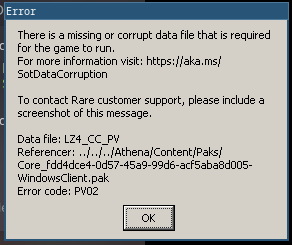
Transcription for search engines:
There is a missing or corrupt data file that is required for the game run. For more information visit: https://aka.ms/StoDataCorruption

To contact Rare customer support, please include a screenhot of this message.

Data file: LZ4_CC_PV
Referencer: ../../../Athena/Content/Paks/Core_fdd4dce4-0d57-45a9-99d6-acf5aba8d005-WindowsClient.pak
Error code: PV02
hey, add me on discord NoahZ#6451, I'm having the same issue but I contacted people at proton and found out its a host memory issue (RAM), I want to see if your output log also shows the same
I didn't played it after but I did had some faulty RAM sticks that I had to swap, that might be it if anyone had the same error. If I play it again I will test if the error shows up again
@ensonic I had the same problem with the Lavenderbeard error, what fixed it for me was logging out of Xbox Live in the title screen and loggin back in.
Sea of thieves: takes only 1 keyboard input per time (1172620)
Issue transferred from https://github.com/ValveSoftware/Proton/issues/6759.
@Plarpoon posted on 2023-05-09T18:12:21:
Compatibility Report
- Name of the game with compatibility issues: Sea of Thieves
- Steam AppID of the game: 1172620
System Information
- GPU: AMD ATI Radeon RX 7900 XTX
- Driver/LLVM version: Mesa 23.0.3
- Kernel version: 6.2.14-300.fc38.x86_64
- Link to full system information report as Gist:
- Proton version: Experimental and 8.0-2
I confirm:
- [X] that I haven't found an existing compatibility report for this game. (There is another but it's not relevant to this issue)
- [X] that I have checked whether there are updates for my system available.
The game contains a radial menu that can be opened with several buttons, taking as example the radial menu that appears when pressing "Q", this is the menu in question. The menu will remain open only while you are keeping the button "Q" pressed, to open any of the submenus (like "Throwables", "More" and "Quests"), without lifting your fringer from the first button, you will have to press one of the corresponding buttons to the submenu you want to open. Issue is that none of the submenus can actually be opened.

I supposed that it could be an issue given by the game not registering multiple inputs, but such a thing was proven wrong once I used the gun. Which requires to right click for aiming and left clicking to shoot. The issue seems to be present, exclusively for keyboard buttons.
Other infos:
I am currently running Fedora 38 (GNOME), I am currently using Proton Experimental but I did try the game with Proton 8.0-2 too and had the same issues. Currently these are my launch options "gamemoderun mangohud LFX=1 ENABLE_VKBASALT=1 %command%" but I tried without it and still nothing changed.
@Plarpoon commented on 2023-05-09T18:48:56:
Had to make a small edit to the links in order to fix them
Hello @Plarpoon, as a quick test, can you check if the game behaves the same with a GNOME/X user session as your GNOME/Wayland session?
The game contains a radial menu that can be opened with several buttons, taking as example the radial menu that appears when pressing "Q", this is the menu in question. The menu will remain open only while you are keeping the button "Q" pressed, to open any of the submenus (like "Throwables", "More" and "Quests"), without lifting your fringer from the first button, you will have to press one of the corresponding buttons to the submenu you want to open. Issue is that none of the submenus can actually be opened.
Enable "Automatically capture mouse in full-screen widows" in the games winecfg
Hello @Plarpoon, as a quick test, can you check if the game behaves the same with a GNOME/X user session as your GNOME/Wayland session?
I have tried this solution as you described it but unfortunately it did not change the outcome
The game contains a radial menu that can be opened with several buttons, taking as example the radial menu that appears when pressing "Q", this is the menu in question. The menu will remain open only while you are keeping the button "Q" pressed, to open any of the submenus (like "Throwables", "More" and "Quests"), without lifting your fringer from the first button, you will have to press one of the corresponding buttons to the submenu you want to open. Issue is that none of the submenus can actually be opened.
Enable "Automatically capture mouse in full-screen widows" in the games winecfg
I used protontricks and did the change as you described it, that instantly fixed the problem. May I suggest making that the default behavior for the Sea of Thieves game?
I've had the same issue with radial menus for some time now. In my case I worked randomly, with around 1-5% chance of working.
I can also confirm that enabling "Automatically capture mouse in full-screen widows" fixes the problem, and submenus now open every time.
This definitely needs to become the default option in Proton. I suggest someone at Valve to just merge the suggested setting.
I just experienced a freeze, but the audio kept on working, the game didn't crash completely and I think this log might be related:
err: DxvkSubmissionQueue: Failed to sync fence: VK_ERROR_DEVICE_LOST
err: DxvkDevice: waitForIdle: Operation failed
err: DxvkSubmissionQueue: Failed to sync fence: VK_ERROR_DEVICE_LOST
err: DxvkDevice: waitForIdle: Operation failed
err: DxvkSubmissionQueue: Failed to sync fence: VK_ERROR_DEVICE_LOST
err: DxvkSubmissionQueue: Command submission failed: VK_ERROR_DEVICE_LOST
I don't know what might've caused it, but my logs are filled with:
33060.803:0124:0128:warn:seh:dispatch_exception EXCEPTION_ILLEGAL_INSTRUCTION exception (code=c000001d) raised
Hello @powerjungle, please copy your system information from Steam (Steam -> Help -> System Information) and put it in a gist, then include a link to the gist in this issue report. If you're using the Steam client beta, then please also include the runtime system information.
Hello @powerjungle, please copy your system information from Steam (
Steam->Help->System Information) and put it in a gist, then include a link to the gist in this issue report.
Sorry, here you go: Steam system information
If you're using the Steam client beta, then please also include the runtime system information.
I'm not using the beta, but I've included it anyway, just in case.
Thanks, unfortunately upstream DXVK development has advanced to the point that it requires the video driver to provide Vulkan 1.3, which for NVIDIA is the 510 and newer driver series and that doesn't support your hardware generation.
Realistically, there's no major fixes expected for the LTS NVIDIA 470 video driver series or older DXVK which is needed to run with that video driver series. It's also unreasonable to ask for you to switch to a newer video card.
Thanks, unfortunately upstream DXVK development has advanced to the point that it requires the video driver to provide Vulkan 1.3, which for NVIDIA is the 510 and newer driver series and that doesn't support your hardware generation.
Yeah that's why I'm using Proton 7.0-6 which as far as I can understand uses DXVK v1.10.3 which should support my GPU accorging to this page.
Realistically, there's no major fixes expected for the LTS NVIDIA 470 video driver series or older DXVK which is needed to run with that video driver series. It's also unreasonable to ask for you to switch to a newer video card.
Oh so newer games might be troublesome with my versions. It's not too bad since I have a dual boot setup, but I prefer to stay on Linux for as many things as possible. The game works fine on Windows with my current hardware.
Thank you for looking into it!
Is there a way to play the Xbox App version of the game? I tried adding the exe as a non-steam game and run it with proton but it doesn't work
protonlog: https://gist.github.com/Klairm/38afd4c4f3457f538e0f68d0c766e78a
I don't think so as it is an integrated service in Windows 10/11 I believe.
As far as I remember using Windows, some Windows apps like SoT are installed on a similar fashion to SNAPS on Linux. Which means they are actually mounted in an encrypted separated partition, don't quote me on their behavior as I am literally writing this on the go with no reference material. Anyway, with such a behavior the compatibility on Linux sounds doubtful as it's part of their store DRM service.
Yep I think the issue is the Windows Store implementation, as far as I know, it can not be executed somehow on our Linux computers because it is a special type of application (UWP apps). These apps if I understood are deeply integrated with the original OS, and WINE is not able to manage such app as far as I understand.
This definitely needs to become the default option in Proton. I suggest someone at Valve to just merge the suggested setting.
Reading up on https://github.com/ValveSoftware/Proton/issues/53 it seems like this was the default for a few hot minutes, till people started to complain
I have seen that one, as far as I understood tho Valve had enabled it globally. I will admit that as of now every single game I tried took benefit from having it enabled, so I understood why they did so. But perhaps they should just add it per game title instead, that way those games that we know for a fact are broken without it will have it enabled, and those who have no difference won't change.
Ashbeard is a network error.
My resolv.conf was empty so it didn't work.
Hopefully this can help others troubleshooting.
Sea of thieves
Issue transferred from https://github.com/ValveSoftware/Proton/issues/7178.
@Djkm5 posted on 2023-10-18T14:53:05:
Wont launch says change settings. Says avocado beard
https://support.seaofthieves.com/articles/115005299167-Beard-Errors
Avocadobeard
When playing on an Xbox One console, you need an Xbox Game Pass Core membership to play online. Please check your subscription settings and purchase a Core membership as needed.
I did purchase a core membership for my steam consol
On Wednesday, October 18, 2023, ®omano @.***> wrote:
https://support.seaofthieves.com/articles/115005299167-Beard-Errors
Avocadobeard
When playing on an Xbox One console, you need an Xbox Game Pass Core
membership to play online. Please check your subscription settings and
purchase a Core membership as needed.—
Reply to this email directly, view it on GitHub
https://github.com/ValveSoftware/Proton/issues/3931#issuecomment-1769047223,
or unsubscribe
https://github.com/notifications/unsubscribe-auth/BDL42JELVNPLPVRY7WUWTZLYAAJGTAVCNFSM4NRT3LGKU5DIOJSWCZC7NNSXTN2JONZXKZKDN5WW2ZLOOQ5TCNZWHEYDINZSGIZQ
.
You are receiving this because you were mentioned.Message ID:
@.***>
The account you're playing with doesn't seem to have a "core membership" or whatever it's called. Explain exactly in details your setup because it seems odd to me you get this error.
Intro cinematics and embedded videos do not play
steam-1172620.log
Signed up for xbox live consol membership for my steamdeck. But also wont
run on my pc
On Friday, October 20, 2023, Kolja @.***> wrote:
Intro cinematics and embedded videos do not play
steam-1172620.log
https://github.com/ValveSoftware/Proton/files/13057392/steam-1172620.log—
Reply to this email directly, view it on GitHub
https://github.com/ValveSoftware/Proton/issues/3931#issuecomment-1773184414,
or unsubscribe
https://github.com/notifications/unsubscribe-auth/BDL42JCT4HIHNWMEDHFEJRLYAK5HFAVCNFSM4NRT3LGKU5DIOJSWCZC7NNSXTN2JONZXKZKDN5WW2ZLOOQ5TCNZXGMYTQNBUGE2A
.
You are receiving this because you were mentioned.Message ID:
@.***>
Intro cinematics and embedded videos do not play steam-1172620.log
I just played today, re-enabled the intro cinematic, restarted the game, the intro cinematic plays fine on Proton 8.
Signed up for xbox live consol membership for my steamdeck. But also wont run on my pc
So you don't own the game on Steam, but it is a game pass game? Make some efforts in explaining the situation because it seems like you're avoiding giving proper information.. Does it work on Windows? Does it work on Xbox? If you have neither of these systems, why would you buy a whatever (still not clear) console membership to play on Linux/Proton? The game pass version (if this is what you're talking about) maybe needs the gamebar Windows feature I would guess if it definitely is not a user error.
Intro cinematics and embedded videos do not play steam-1172620.log
I just played today, re-enabled the intro cinematic, restarted the game, the intro cinematic plays fine on Proton 8.
Switched over from experimental to 8, doesn't change anything, still not working. Might have to drop the prefix.
It just keeps spinning
OK. So I have seen that at some point in menu and pressed ESC key (mine was whole black screen with that spinning thing in middle). The intro video is playing though once I logged in. So it is not the videos which are not playing (globally), but some parts here and there. //EDIT: unless the starting credits (for Unreal Engine for example) and intro video I'm talking about (right after you login), are not a video.
Also yes, for troubleshooting, always delete the prefix to start fresh, especially if you switch Proton version (I had fresh prefix, as I had another network issue which was not allowing me to login, then to connect to a game, which was unrelated because of security software on my side).
I will retry and search the logs for relevant info then.
//EDIT: I suppose it is around/after this kind of line in the log
23109.636:0128:02ec:warn:threadname:dispatch_exception Thread ID 02f4 renamed to "ElectraPlayer::fmp4 Video" I have it twice in the log, and I tried to play the two trailer videos in the menu, so it probably matches. I can't tell from the log it is too cryptic for me, maybe someone will be able to understand what is going on.
I see also many blocks of the same "illegal instruction" log
23056.828:0128:012c:warn:seh:dispatch_exception EXCEPTION_ILLEGAL_INSTRUCTION exception (code=c000001d) raised
23056.828:0128:012c:trace:seh:dispatch_exception  rax=000000000011ef68 rbx=0000000045c22800 rcx=00000001700713e0 rdx=0000000000000008
23056.828:0128:012c:trace:seh:dispatch_exception  rsi=0000000145f5e000 rdi=0000000000000048 rbp=000000000011ef00 rsp=000000000011eec8
23056.828:0128:012c:trace:seh:dispatch_exception   r8=0000000000251800  r9=000000005bf96370 r10=0000000000000008 r11=000000000011f0e0
23056.828:0128:012c:trace:seh:dispatch_exception  r12=00000000ffffffff r13=0000000000000000 r14=000000000024fca0 r15=00000001486120c0
23056.828:0128:012c:trace:seh:call_vectored_handlers calling handler at 0000000149580C28 code=c000001d flags=0
23056.828:0128:012c:trace:seh:call_vectored_handlers handler at 0000000149580C28 returned ffffffff
23057.183:0128:012c:warn:seh:dispatch_exception backtrace: --- Exception 0xc000001d.
23057.183:0128:012c:trace:seh:dispatch_exception code=c000001d flags=0 addr=0000000149515674 ip=149515674
right from the start of the log file to its end.
No i purchased the game on steam paid for prepaid membership card at game
store
On Sunday, October 22, 2023, ®omano @.***> wrote:
OK. So I have seen that at some point in menu and pressed ESC key (mine
was whole black screen with that spinning thing in middle). The intro video
is playing though once I logged in. So it is not the videos which are not
playing (globally), but some parts here and there.Also yes, for troubleshooting, always delete the prefix to start fresh,
especially if you switch Proton version.I will retry and search the logs for relevant info then.
—
Reply to this email directly, view it on GitHub
https://github.com/ValveSoftware/Proton/issues/3931#issuecomment-1774148464,
or unsubscribe
https://github.com/notifications/unsubscribe-auth/BDL42JEO5Y256BTGAXZDVI3YAVHYLAVCNFSM4NRT3LGKU5DIOJSWCZC7NNSXTN2JONZXKZKDN5WW2ZLOOQ5TCNZXGQYTIOBUGY2A
.
You are receiving this because you were mentioned.Message ID:
@.***>
Have you logged into your microsoft account, when starting the game?
Yes
On Monday, October 23, 2023, Kolja @.***> wrote:
Have you logged into your microsoft account, when starting the game?
—
Reply to this email directly, view it on GitHub
https://github.com/ValveSoftware/Proton/issues/3931#issuecomment-1775477671,
or unsubscribe
https://github.com/notifications/unsubscribe-auth/BDL42JHCRKBTKNDX4YAT25LYA2FJDAVCNFSM4NRT3LGKU5DIOJSWCZC7NNSXTN2JONZXKZKDN5WW2ZLOOQ5TCNZXGU2DONZWG4YQ
.
You are receiving this because you were mentioned.Message ID:
@.***>
If you bought the game on Steam then why would you buy a whatever membership? Just install the game on Steam, play, link a microsoft account. At this point to me this is user error, hence the console beard error you get if you try to add a console game account.
@Zorrototo @razzeee If you are seeing the spinning logo instead of videos playing, you can run "steam steam://unlockh264/" in a terminal to get the h264 videos to play. Thank you for reporting - h264 should unlock by default when folks play Sea of Thieves on Proton soon :)
Alright thanks for the tip. It did not work on my side it did nothing, but if it is known issue and the H264 playback will be available later then I guess I'll wait.
omano ~ $ steam steam://unlockh264/
steam.sh[32439]: Running Steam on manjarolinux 23.1.0 64-bit
steam.sh[32439]: STEAM_RUNTIME is enabled automatically
setup.sh[32509]: Steam runtime environment up-to-date!
steam.sh[32439]: Steam client's requirements are satisfied
Seems to also doesn't work for me, even after running that
It says i need core membership to play online
On Monday, October 23, 2023, ®omano @.***> wrote:
If you bought the game on Steam then why would you buy a whatever
membership? Just install the game on Steam, play, link a microsoft account.—
Reply to this email directly, view it on GitHub
https://github.com/ValveSoftware/Proton/issues/3931#issuecomment-1775998749,
or unsubscribe
https://github.com/notifications/unsubscribe-auth/BDL42JCBKP2DMKYWJSXQAPLYA3KCBAVCNFSM4NRT3LGKU5DIOJSWCZC7NNSXTN2JONZXKZKDN5WW2ZLOOQ5TCNZXGU4TSOBXGQ4Q
.
You are receiving this because you were mentioned.Message ID:
@.***>
@Zorrototo @razzeee It is possible to double check if h264 is unlocked by looking in ~/.steam/steam/userdata//config/localconfig.vdf for the line "UnlockedH264Feature" and see if the value is 1 or 0. If the value is 1, could you grab a log of the failure by adding the launch option "PROTON_LOG=+quartz,+strmbase,+strmbase_qc,+gstreamer,+amstream,+qcap,+qcap_v4l,+qedit,+mciqtz,+mci,+mfplat,+gstreamer,+evr,+dxva2,+wvmcore %command%"?
Lmao no at this point im refunding the game to recover some coin from the
core membership i was told to purchase and did not help. Ill also be
requesting a refund from xbox but i doubt ill ever see that 12$ again.
On Wednesday, October 25, 2023, alasky17 @.***> wrote:
@Zorrototo https://github.com/Zorrototo @razzeee
https://github.com/razzeee It is possible to double check if h264 is
unlocked by looking in ~/.steam/steam/userdata//config/localconfig.vdf
for the line "UnlockedH264Feature" and see if the value is 1 or 0. If the
value is 1, could you grab a log of the failure by adding the launch option
"PROTON_LOG=+quartz,+strmbase,+strmbase_qc,+gstreamer,+
amstream,+qcap,+qcap_v4l,+qedit,+mciqtz,+mci,+mfplat,+gstreamer,+evr,+dxva2,+wvmcore
%command%"?—
Reply to this email directly, view it on GitHub
https://github.com/ValveSoftware/Proton/issues/3931#issuecomment-1779464019,
or unsubscribe
https://github.com/notifications/unsubscribe-auth/BDL42JGGZKOI2EXHIFM267TYBER53AVCNFSM4NRT3LGKU5DIOJSWCZC7NNSXTN2JONZXKZKDN5WW2ZLOOQ5TCNZXHE2DMNBQGE4Q
.
You are receiving this because you were mentioned.Message ID:
@.***>
Nobody has the issue you had, because nobody tried to play with an Xbox account or whatever with the Steam version of the game.
Why would the game tell me i need a core subscription and nobody else?
On Wednesday, October 25, 2023, ®omano @.***> wrote:
Nobody has the issue you had, because nobody tried to play with an Xbox
account or whatever with the Steam version of the game.—
Reply to this email directly, view it on GitHub
https://github.com/ValveSoftware/Proton/issues/3931#issuecomment-1779950928,
or unsubscribe
https://github.com/notifications/unsubscribe-auth/BDL42JHM7FCDPTPT7A5YSMLYBFURJAVCNFSM4NRT3LGKU5DIOJSWCZC7NNSXTN2JONZXKZKDN5WW2ZLOOQ5TCNZXHE4TKMBZGI4A
.
You are receiving this because you were mentioned.Message ID:
@.***>
Why would the game tell me i need a core subscription and nobody else?
Because you are playing a game designed for Windows. You had a error presented to you that was intended to be interpreted for Windows, not Linux, and therefore doesn't translate directly.
To play Sea of Thieves with Steam on Linux, the only requirements are purchasing Sea of Thieves on Steam, enabling Proton and then signing in with a Xbox Live account in the game (no paid subscriptions required). It's highly likely that this isn't a Proton issue and this conversation would be better suited for a discussion forum providing general support like reddit.com/r/linux_gaming
That being said, since it is only affecting you, I would suggest following the steps here regarding the first question "Do I need an Xbox Live account to play?" and follow the steps to create a new account and signing in with it in game to see if it works.
My guess is that you are using an Xbox account when you sign-in, when I signed-in with my Microsoft account there was no Xbox license on it or whatever, it was my Microsoft mail account.
As said before by others, I don't really think this type of issue is suited for here. Try writing on the Sea of Thieves forums if anyone had a similar issue.
Generally speaking license issues have little to do with Proton, if you do think it is indeed an error of the translation layer tho you can try to run the game from the terminal and show us the proton error stack when it faults on translating that.
@Zorrototo @razzeee It is possible to double check if h264 is unlocked by looking in ~/.steam/steam/userdata//config/localconfig.vdf for the line "UnlockedH264Feature" and see if the value is 1 or 0. If the value is 1, could you grab a log of the failure by adding the launch option "PROTON_LOG=+quartz,+strmbase,+strmbase_qc,+gstreamer,+amstream,+qcap,+qcap_v4l,+qedit,+mciqtz,+mci,+mfplat,+gstreamer,+evr,+dxva2,+wvmcore %command%"?
Yeah, it's 1 for me, here's a log with those options
@razzeee Can you get the log with Proton Experimental, while it is set to the Beta Branch "Bleeding Edge" please?
Same problem it seems
@razzeee Just to confirm that we are talking about the same thing... You are saying that the videos in the "what's new" area of the main menu just have a loading animation forever on Proton Experimental right? And that is what the log is?
For clarification @Zorrototo @razzeee , those videos in the "what's new" area, as well as the video that plays only the very first time you launch the game on a device (not the video that plays every time you launch the game before the main menu) should be fixed in experimental, but they are expected to just show the spinning icon on 8.0-4. So the concern is if you are seeing the videos not load on experimental. Also note - these videos are all disabled by the dev on the Steam Deck right now, so they will only play on a desktop + experimental.
@alasky17 yes, those videos just show the spinning skull. as asked above, I was using the bleeding edge branch. I did however not reset the prefix, if that's needed, please let me know.
@razzeee Could you please also copy your system information from Steam (Steam -> Help -> System Information and Steam -> Help -> Steam Runtime Diagnostics) and put each in a gist, then include a link to the gists in this issue report. With h264 enabled (which you already checked), the videos are playing correctly for me on experimental and experimental-bleeding-edge on several different machines :/
https://gist.github.com/razzeee/87451bc95e945658caddd44af4cbc32d
https://gist.github.com/razzeee/c744bc415728c83af72712c500ffad29
I did previously use a nvidia gpu and also played sea of thieves with that. But it seemed fine in general so far.
Dropped the prefix as described in https://www.gamingonlinux.com/2021/05/proton-ge-gets-some-big-updates-but-you-may-need-to-remove-old-wine-prefixes/ and tried to run it again with experimental.
Had to login again and everything, videos still not working, but it crashed in the menu when I left that menu. Haven't seen that lately.
Video playback in What's new worked for me on Proton Experimental / Bleeding Edge (with new prefix).
I also had a game crash when pressing Escape key after playing some videos.
System info: https://gist.github.com/Zorrototo/cdb665226e775c44df34fcc0d40c03ba
Runtime diagnostic: https://gist.github.com/Zorrototo/33e13c82c00d90dbadb2017f67a48c84
Proton log: steam-1172620.zip
//EDIT: Exact same behavior with Proton Experimental / None (with new prefix).
I am able to start the game, join a Server but I'm then losing the connection with the Hazelnutbeard error. Googling suggest an Error with my EAC runtime. According to friends playing on Linux they have the EAC logo flash up before Sea of Thieves launches, I don't see the EAC logo on startup. I tried specifing PROTON_EAC_RUNTIME but that doesn't seem to work.
Tried different Protons incl. Experimental, Hotfix, and the newest GEs.
I'm running on PopOS 22.04; The friend who has it working is on Manjaro
You have a network issue most likely.
https://support.seaofthieves.com/articles/115005299167-Beard-Errors
Check EAC log /home/you/.local/share/Steam/steamapps/compatdata/1172620/pfx/drive_c/users/steamuser/Application Data/EasyAntiCheat/0367a3a8ea344f08851d76facf6f66d3/ab3dcc35b343407b80dfe60cc9d1f450/anticheatlauncher.log
@StoffelCPR - Do you have ProtonEasyAntiCheat Runtime installed? It's an obvious yes if you have other EAC enabled games running, however, if you don't, you should verify that you do.
EAC has been enabled for a little while now, so it's also safe to assume you haven't played in a bit. It might be worth deleting your prefix and starting fresh there.
Hey,
Yes Installed. Used in Apex Legends. Couldn't uninstall because Apex was still using the EAC Runtime. Removed Apex Legends, then removed EAC Runtime. Re-Installed a few times. But apparently Sea of Thieves isn't using it.
Which prefix am I deleting?
I'm finding glibc responsible comments on the web. protondb has an Arch user with the same disconnect who fixes it by deploying a custom glibc!?
Deleted the pfx folder in compatdata of my SoT install. Didn't fix my problems.
When starting I see
This. Which is a picture I found under SteamLibrary/steamapps/common/Sea of Thieves/EasyAntiCheat/SplashScreen.png
The Error happens sometime after joining a game, it throws me out with the Hazelnutbeard error. protondb got me on the idea that it is the AntiCheat not working. I have SoT installed on another drive.
EDIT://
I never played SoT on Linux. This is the first time I'm trying it.
On first startup it asks me to login to my Microsoft account and crashes after Login. Though on next start I see my character properly so the login worked.
I'm finding glibc responsible comments on the web
No. Don't follow random workarounds that only one user claims to do the trick. There is no need for glibc-eac AUR package (because that' what you're referring to). SoT works with all defaults. I played for hours a couple days ago, with default Proton 8, default system.
I asked for a log, start here to confirm EAC works.
@Zorrototo didn't see your's.
➞  cat anticheatlauncher.log
[11:49:19:414] [Windows] [EAC Launcher] [Info] Loaded the following settings .json file: 'Z:\media\stoffel\9f789e9b-2865-4809-abd8-b0b9612e6b2b\SteamLibrary\steamapps\common\Sea of Thieves\EasyAntiCheat\Settings.json'
[11:49:19:414] [Windows] [EAC Launcher] [Info] Provided settings:
[11:49:19:414] [Windows] [EAC Launcher] [Info] ProcessTitle: Sea of Thieves.
[11:49:19:414] [Windows] [EAC Launcher] [Info] ExecutablePath: Athena/Binaries/Win64/SotGame.exe.
[11:49:19:414] [Windows] [EAC Launcher] [Info] ProductId: 0367a3a8ea344f08851d76facf6f66d3.
[11:49:19:414] [Windows] [EAC Launcher] [Info] SandboxId: 681b0e60c5d24d3cb2455752f98de6fa.
[11:49:19:414] [Windows] [EAC Launcher] [Info] DeploymentId: ab3dcc35b343407b80dfe60cc9d1f450.
[11:49:19:414] [Windows] [EAC Launcher] [Info] RequestedSplashScreen: EasyAntiCheat/SplashScreen.png.
[11:49:19:414] [Windows] [EAC Launcher] [Info] WaitForGameProcessExit: false.
[11:49:19:414] [Windows] [EAC Launcher] [Info] HideGUI: false.
[11:49:19:414] [Windows] [EAC Launcher] [Info] HideBootstrapper: false.
[11:49:19:807] [Windows] [EAC Launcher] [Info] Embedded resources successfully loaded.
[11:49:19:809] [Windows] [EAC Launcher] [Info] Will use the icon extracted from the game executable.
[11:49:19:944] [Windows] [EAC Launcher] [Info] Loader initializing with bootstrapper version 1.6.3.
[11:49:19:945] [Windows] [EAC Launcher] [Info] Loader component initialized.
[11:49:19:954] [Windows] [EAC Launcher] [Info] [Connection] Connecting to URL: https://modules-cdn.eac-prod.on.epicgames.com/modules/0367a3a8ea344f08851d76facf6f66d3/ab3dcc35b343407b80dfe60cc9d1f450/linux64
[11:49:19:977] [Windows] [EAC Launcher] [Info] Current progress: 0 (0/0).
[11:49:19:982] [Windows] [EAC Launcher] [Info] Current progress: 0 (0/0).
[11:49:19:983] [Windows] [EAC Launcher] [Info] Current progress: 0 (0/0).
[11:49:19:983] [Windows] [EAC Launcher] [Info] [Connection] Connect result: Couldn't connect to server (7) Response Code: 0 Destination IP: Unavailable
[11:49:20:031] [Windows] [EAC Launcher] [Info] Connection to the Content Distribution Network failed! Curl Code: 7!
[11:49:20:031] [Windows] [EAC Launcher] [Warn] Could not reach the Easy Anti-Cheat CDN, launching with null client, result code: 506.
[11:49:20:497] [Windows] [EAC Launcher] [Info] Launcher finished with: 301, 'Easy Anti-Cheat successfully loaded in-game'.
[11:49:20:497] [Windows] [EAC Launcher] [Info] Successfully initialized the Easy Anti-Cheat service, waiting for game window to become visible.
[11:49:20:497] [Windows] [EAC Launcher] [Info] Unlocking the launch lock, allowing next game to launch to take place.
You seem to be correct. I can't open the url provided in the Connection log
Downloads fine for me, so you might either be provider or region locked
What is the result of ping modules-cdn.eac-prod.on.epicgames.com command?
The log says EAC successfully loaded though.
What is the content of the EAC game folder? ls -al "/home/you/.local/share/Steam/steamapps/compatdata/1172620/pfx/drive_c/users/steamuser/Application Data/EasyAntiCheat/0367a3a8ea344f08851d76facf6f66d3/ab3dcc35b343407b80dfe60cc9d1f450/"
PING modules-cdn.eac-prod.on.epicgames.com (127.0.0.1) 56(84) bytes of data.
64 bytes from localhost (127.0.0.1): icmp_seq=1 ttl=64 time=0.019 ms
64 bytes from localhost (127.0.0.1): icmp_seq=2 ttl=64 time=0.029 ms
64 bytes from localhost (127.0.0.1): icmp_seq=3 ttl=64 time=0.030 ms
64 bytes from localhost (127.0.0.1): icmp_seq=4 ttl=64 time=0.027 ms
^C
--- modules-cdn.eac-prod.on.epicgames.com ping statistics ---
4 packets transmitted, 4 received, 0% packet loss, time 3079ms
rtt min/avg/max/mdev = 0.019/0.026/0.030/0.004 ms
/media/stoffel/9f789e9b-2865-4809-abd8-b0b9612e6b2b/SteamLibrary/steamapps/compatdata/1172620/pfx/drive_c/users/steamuser/Application Data/EasyAntiCheat/0367a3a8ea344f08851d76facf6f66d3/ab3dcc35b343407b80dfe60cc9d1f450
➞  ls -lah
total 12K
drwxrwxr-x 2 stoffel stoffel 4.0K Apr 24 11:41 .
drwxrwxr-x 3 stoffel stoffel 4.0K Apr 24 11:41 ..
-rw-rw-r-- 1 stoffel stoffel 2.7K Apr 24 12:59 anticheatlauncher.log
The ping didn't work before because my locally running nginx caught it. But with that disabled I still get the same error
And I need to read!!! The ping is still getting caught locally. Imma need to find out why
You probably have a custom DNS, or you defined hosts locally, or a security/network program is forcing the DNS request to resolve as local host.
I think you should first fix these network issues because the DNS request should resolve to EAC server IP, not your local host (no need to show you my result as it is most likely a CDN and you'll have different results based on geolocation).
Also yeah, you didn't download the EAC files yet:
drwxr-xr-x - omano 21 Apr 15:20 .
drwxr-xr-x - omano 20 Apr 17:23 ..
.rw-r--r-- 5.9k omano 21 Apr 15:20 anticheatlauncher.log
.rw-r--r-- 7.8M omano 21 Apr 15:20 easyanticheat_linux_x64.eac
.rw-r--r-- 88 omano 21 Apr 15:20 easyanticheat_linux_x64.eac.metadata
127.0.0.1 modules-cdn.eac-prod.on.epicgames.com #Star Citizen EAC workaround
Look what I found. I'm pretty sure I did that myself back then ( based on documentation that is ). Been 2 years tho
[14:07:15:486] [Windows] [EAC Launcher] [Info] [Connection] Connect result: No error (0) Response Code: 200 Destination IP: 18.173.233.46
[14:07:15:491] [Windows] [EAC Launcher] [Info] Current progress: 100 (1/1).
[14:07:15:509] [Windows] [EAC Launcher] [Info] Starting Wine module mapping, Wine version: 9.0.
[14:07:16:669] [Windows] [EAC Launcher] [Info] Launcher finished with: 301, 'Easy Anti-Cheat successfully loaded in-game'.
[14:07:16:669] [Windows] [EAC Launcher] [Info] Successfully initialized the Easy Anti-Cheat service, waiting for game window to become visible.
[14:07:16:669] [Windows] [EAC Launcher] [Info] Unlocking the launch lock, allowing next game to launch to take place.
[14:07:16:693] [Windows] [EAC Launcher] [Info] Downloaded 7813016 bytes in 977 ms (7809.52 KB/s)

/media/stoffel/9f789e9b-2865-4809-abd8-b0b9612e6b2b
➞  ls -lah SteamLibrary/steamapps/compatdata/1172620/pfx/drive_c/users/steamuser/Application\ Data/EasyAntiCheat/0367a3a8ea344f08851d76facf6f66d3/ab3dcc35b343407b80dfe60cc9d1f450
total 7.5M
drwxrwxr-x 2 stoffel stoffel 4.0K Apr 24 14:08 .
drwxrwxr-x 3 stoffel stoffel 4.0K Apr 24 13:04 ..
-rw-rw-r-- 1 stoffel stoffel 4.7K Apr 24 14:08 anticheatlauncher.log
-rw-rw-r-- 1 stoffel stoffel 7.5M Apr 24 14:08 easyanticheat_linux_x64.eac
-rw-rw-r-- 1 stoffel stoffel   88 Apr 24 14:08 easyanticheat_linux_x64.eac.metadata
Welp. That worked. And I'm ingame! Thank you. Appreciate the help
Yep, you defined locally the host ;) as expected (why? only you would know, probably you wanted at some point to forbid connections to Epic and others). You're welcome, and sorry guys for all these off topic notifications, I know I don't like that myself.
While the last time i tried the game, it worked fine, right now, i can't play the game, after less than a minute in-game, the game visually freezes but i can still hear myself moving
GPU: RTX 2080
Video driver version: Nvidia proprietary 550.78
Kernel version: 6.8.8-zen
Link to full system information report as Gist: https://gist.github.com/Lifeismana/2f5bf549f8723bbc08d9672cf6fcb9e4
Proton version: 9.0/8.0
Edit 1 month later: can't reproduce anymore but not sure what changed, arch update/game update/proton update
6.8.8-zen => same issue with unmodified kernel?
Tried to monitor system resources when the issue occurs?
Tried to recreate a new prefix?
The game works.
39317.980:0194:033c:err:sync:RtlpWaitForCriticalSection section 00006FFFFFFB0160 "../src-wine/dlls/ntdll/loader.c: loader_section" wait timed out in thread 033c, blocked by 0198, retrying (60 sec)
39320.566:0194:0198:trace:loaddll:build_module Loaded L"C:\\windows\\system32\\oleacc.dll" at 00006FFFFCFA0000: builtin
39320.566:0194:0198:trace:loaddll:build_module Loaded L"C:\\windows\\system32\\UIAutomationCore.DLL" at 00006FFFFD000000: builtin
39321.669:0194:01f8:err:sync:RtlpWaitForCriticalSection section 00006FFFFFFB0160 "../src-wine/dlls/ntdll/loader.c: loader_section" wait timed out in thread 01f8, blocked by 0198, retrying (60 sec)
39321.669:0194:0334:err:sync:RtlpWaitForCriticalSection section 00006FFFFFFB0160 "../src-wine/dlls/ntdll/loader.c: loader_section" wait timed out in thread 0334, blocked by 0198, retrying (60 sec)
39321.669:0194:0340:err:sync:RtlpWaitForCriticalSection section 00006FFFFFFB0160 "../src-wine/dlls/ntdll/loader.c: loader_section" wait timed out in thread 0340, blocked by 0198, retrying (60 sec)
As of the update today I can't play anymore. These pop-up in the logs
As of the update today I can't play anymore. These pop-up in the logs
Same
Replying to https://github.com/ValveSoftware/Proton/issues/3931#issuecomment-2093673019
Had the same issue. I deleted my proton prefix and now I do NOT see the same issue anymore, now it just simply gets stuck in the "Signing on for adventure" phase, using 2 cores to the max but not producing any logs in PROTON_LOGS
Replying to https://github.com/ValveSoftware/Proton/issues/3931#issuecomment-2093673019
Same here
Replying to https://github.com/ValveSoftware/Proton/issues/3931#issuecomment-2093673019
Same issue, unable to login/sign in. Says its unable to connect to Xbox servers.
Same here.
steam-1172620.log
Same on Steam Deck. Stucked at Loading Adventure + no Xbox Live Login Window.
I've tried just about everything from switching between Wayland and Xorg, to updating my Nvidia drivers, but the game always freezes after I click "start game". I suspect the new update broke compatibility with proton when you try to sign in.
Same here.
Worked recently but now gets stuck on Loading Adventure.
I can confirm current issue, I don't even have a window created passed the EAC popup, and two cores kinda maxed out.
After a couple minutes where two cores are maxed out, the game window appears, and if I'm lucky it loads in the login screen, but then I can not login to the game.
//EDIT: Here are logs, where I launched the game, waited two minutes for the game window to appear, after startup video credits the login menu appear, and I click the button to connect, then the game freezes after the login animation starts, then I force quit the game by flooding ALT+F4.
DX12: steam-1172620 (dx12).log
DX11: steam-1172620 (dx11).log
Note that I wiped the prefix, verified game files, restarted computer, tried both Proton 8 and 9. Same behavior all the time.
@kisak-valve Please ask for any relevant information that would help troubleshoot this new issue.
Replying to https://github.com/ValveSoftware/Proton/issues/3931#issuecomment-2094135289
Your logs have the same ntdll timeout errors as reported by at least me and @DJGummikuh
5250.221:0184:033c:err:sync:RtlpWaitForCriticalSection section 00006FFFFFFB0160 "../src-wine/dlls/ntdll/loader.c: loader_section" wait timed out in thread 033c, blocked by 0188, retrying (60 sec)
5250.237:0184:0330:err:sync:RtlpWaitForCriticalSection section 00006FFFFFFB0160 "../src-wine/dlls/ntdll/loader.c: loader_section" wait timed out in thread 0330, blocked by 0188, retrying (60 sec)
5250.237:0184:0334:err:sync:RtlpWaitForCriticalSection section 00006FFFFFFB0160 "../src-wine/dlls/ntdll/loader.c: loader_section" wait timed out in thread 0334, blocked by 0188, retrying (60 sec)
5251.133:0184:0188:trace:loaddll:build_module Loaded L"C:\\windows\\system32\\USERENV.dll" at 00006FFFFF870000: builtin
5252.440:0184:0340:err:sync:RtlpWaitForCriticalSection section 00006FFFFFFB0160 "../src-wine/dlls/ntdll/loader.c: loader_section" wait timed out in thread 0340, blocked by 0188, retrying (60 sec)
5259.325:0184:0188:trace:loaddll:build_module Loaded L"C:\\windows\\system32\\NETAPI32.dll" at 00006FFFF1D50000: builtin
5262.398:0184:0188:trace:loaddll:build_module Loaded L"C:\\windows\\system32\\WINTRUST.dll" at 00006FFFFDFB0000: builtin
5265.493:0184:0188:trace:loaddll:build_module Loaded L"C:\\windows\\system32\\WTSAPI32.dll" at 00006FFFF1D30000: builtin
5268.600:0184:0188:trace:loaddll:build_module Loaded L"Z:\\home\\omano\\.local\\share\\Steam\\steamapps\\common\\Sea of Thieves\\Engine\\Binaries\\ThirdParty\\CEF3\\Win64\\85.2.0+g94efef2+chromium-85.0.4183.26\\Release\\chrome_elf.dll" at 00006FFFF1C10000: native
5269.061:0184:01e8:err:sync:RtlpWaitForCriticalSection section 00006FFFFFFB0160 "../src-wine/dlls/ntdll/loader.c: loader_section" wait timed out in thread 01e8, blocked by 0188, retrying (60 sec)
Confirming the same issue and that it only popped up with the most recent update to the steam depot. I have tried wiping prefix, verifying game integrity, using different Proton versions (GE-9.4 and Experimental).
Not sure if relevant but after launching with +server debug flag I'm noticing these particular lines which suggests to me that wine failed to load the game's chrome_elf/libcef libs and is attempting to find an alternative on ld library path?
0190: create_file( access=80100000, sharing=00000005, create=1, options=00000060, attrs=00000000, objattr={rootdir=0000,attributes=00000000,sd={},name=L"\\??\\Z:\\mnt\\bottle\\SteamLibrary\\steamapps\\common\\Sea of Thieves\\Engine\\Binaries\\ThirdParty\\CEF3\\Win64\\85.2.0+g94efef2+chromium-85.0.4183.26\\Release\\chrome_elf.dll"}, filename="/home/steamuser/.local/share/Steam/steamapps/common/Proton EasyAntiCheat Runtime/v2/lib32//chrome_elf.dll" )
0190: create_file() = NO_SUCH_FILE { handle=0000 }
0190: create_file( access=80100000, sharing=00000005, create=1, options=00000060, attrs=00000000, objattr={rootdir=0000,attributes=00000000,sd={},name=L"\\??\\Z:\\mnt\\bottle\\SteamLibrary\\steamapps\\common\\Sea of Thieves\\Engine\\Binaries\\ThirdParty\\CEF3\\Win64\\85.2.0+g94efef2+chromium-85.0.4183.26\\Release\\chrome_elf.dll"}, filename="/home/steamuser/.local/share/Steam/steamapps/common/Proton EasyAntiCheat Runtime/v2/lib64//x86_64-windows/chrome_elf.dll" )
0190: create_file() = NO_SUCH_FILE { handle=0000 }
Same messages occur for both chrome_elf.dll and libcef.dll using a variety of paths including proton dist path, eac runtime path, battleeye runtime path, etc.
Can provide further logs if needed.
EDIT: Upon further inspection wine fails to find certain 'key values' from the cef libs provided and then attempts to search lib path.
0180: get_mapping_info( handle=59bc, access=0000000c )
0180: get_mapping_info() = 0 { size=00101000, flags=01800000, shared_file=0000, total=410, image={base=180000000,stack_size=00100000,stack_commit=00001000,entry_point=0007ce38,map_size=00101000,zerobits=00000000,subsystem=00000002,subsystem_minor=0002,subsystem_major=0005,osversion_major=0005,osversion_minor=0002,image_charact=2022,dll_charact=0160,machine=8664,contains_code=1,image_flags=04,loader_flags=00000000,header_size=00000400,file_size=000f4e30,checksum=000fc955}, name=L"\\??\\Z:\\mnt\\bottle\\SteamLibrary\\steamapps\\common\\Sea of Thieves\\Engine\\Binaries\\ThirdParty\\CEF3\\Win64\\85.2.0+g94efef2+chromium-85.0.4183.26\\Release\\chrome_elf.dll" }
0180: get_key_value( hkey=0004, name=L"Z:\\mnt\\bottle\\SteamLibrary\\steamapps\\common\\Sea of Thieves\\Engine\\Binaries\\ThirdParty\\CEF3\\Win64\\85.2.0+g94efef2+chromium-85.0.4183.26\\Release\\chrome_elf" )
0180: get_key_value() = OBJECT_NAME_NOT_FOUND { type=-1, total=0, data={} }
0180: get_key_value( hkey=0004, name=L"*chrome_elf" )
0180: get_key_value() = OBJECT_NAME_NOT_FOUND { type=-1, total=0, data={} }
0180: get_key_value( hkey=0004, name=L"chrome_elf" )
0180: get_key_value() = OBJECT_NAME_NOT_FOUND { type=-1, total=0, data={} }
Apologies if this is unrelated..
I ran into the same problem, except for the above log lines, I didn't have any problems loading the chrome_elf module.
I added startup logs, i hope it helps for solution
I have problem after recent update i think something wrong with chromium.
steam-1172620.log
does anyone tried to replace chromium ? is that possible ?
one of my friend that uses Windows had same problem but after an restart Xbox application got launched and everything worked, maybe chromium version shipped with games has some problem.
Wrote SOT support and got this, haven't tried replacing the winhttp.dll
If you’re encountering the Cyanbeard error while playing Sea of Thieves on Linux, here are some steps you can try to troubleshoot and resolve the issue:


- Disable IPv6:
        -Go to your router settings and check if you can disable IPv6 completely.
        -Sometimes disabling IPv6 can help resolve connectivity issues.
- Check for Proton Compatibility:
        -Ensure that you’re using Proton 5.08 (or a compatible version) in Steam for running Sea of Thieves.
        -Proton is a compatibility layer that allows Windows games to run on Linux.
- Replace winhttp.dll:
        -Download the winhttp.dll file from a reliable source.
        -Replace the existing winhttp.dll in your game’s Proton folder (usually located in steam/steamapps/common/Proton 5.0/dist/lib64/wine).
        -Back up the old DLL before replacing it.
- Submit Reports to ProtonDB:
        -If you manage to get the game working, consider submitting your experience to ProtonDB to help other Linux users.


Remember that Linux compatibility can be tricky due to system configurations, but with persistence and patience, you can enhance your Sea of Thieves experience.

Best regards,
The Sea of Thieves Team
UPDATE:
Okay, tried it and stuff changed now it doesn't freeze but I get Ashbeard error and no sign in window
After replace winhttp.dllin :
~/.local/share/Steam/steamapps/common/Proton\ -\ Experimental/files/lib/wine/i386-windows
and
~/.local/share/Steam/steamapps/common/Proton\ -\ Experimental/files/lib64/wine/x86_64-windows
I received a message about the inability to connect to the xbox network
Removed by moderator - for i386-windows folder
Removed by moderator - for x86_64-windows folder
Hello @nialliv, third party redistribution of copyrighted software is legally problematic and some of your attachments have been removed.
The recent Proton Experimental update changed very little.
I can now hear sound the entire time. And the log is a bit fuller than before. But I still see the ntdll.dll timeouts
The SoT Support mentioned proton 5.08 doesn't work at all.. Doesn't even start the game.
We now have Proton 9, Proton 5 was 4 years ago, information and workaround from this period are most likely null and void.
It's still not working. =(
I hope the problem will be resolved after tomorrow's update(
I know. But it seemed to be coming from the SoT game support a few days ago. So I tested it.
Also tested replacing winhttp.dll and ntdll.dll with the most current version I've found. Which results in SoT not even getting to the Start Game screen.
It stays on a black screen and opens a steam app not respoding window of my linux distribution. After hitting Wait for a while I Force quit the app.
I replaced:
/home/stoffel/.steam/steam/steamapps/common/Proton - Experimental/files/lib64/wine/x86_64-windows/ntdll.dll
/home/stoffel/.steam/steam/steamapps/common/Proton - Experimental/files/lib64/wine/x86_64-windows/winhttp.dll
But the ProtonLog would tell me it can't open the unix .so files.
I also replaced the windows dlls in the prefix ( cleared my prefix and replaced them in the default_pfx folder:
/home/stoffel/.steam/steam/steamapps/common/Proton - Experimental/files/share/default_pfx/drive_c/windows/system32/ntdll.dll
/home/stoffel/.steam/steam/steamapps/common/Proton - Experimental/files/share/default_pfx/drive_c/windows/system32/winhttp.dll
/home/stoffel/.steam/steam/steamapps/common/Proton - Experimental/files/share/default_pfx/drive_c/windows/syswow64/ntdll.dll
/home/stoffel/.steam/steam/steamapps/common/Proton - Experimental/files/share/default_pfx/drive_c/windows/syswow64/winhttp.dll
The Log is attached though I doubt this is helpful.
omg, after updating the game and reinstalling proton experimental, I was still able to log into the game =)
but apparently the work on the servers is still underway
After updating the game I was able to login
After updating the game I was able to login
Works for me too no more cyanbeard
Can Concur, after updating I can log in again and launch a game.
OK so previous game update broke the game on Proton, current game update unbroke the game on Proton.
Sea of Thieves
Issue transferred from https://github.com/ValveSoftware/Proton/issues/7810.
@Iancooles posted on 2024-06-03T17:51:09:
Compatibility Report
- Name of the game with compatibility issues: Sea of Thieves
- Steam AppID of the game: 1172620
System Information
- GPU: AMD Radeon RX 7900 XT
- Video driver version: Mesa 24.1.0-arch1.1
- Kernel version: 6.9.3-1-cachyos-bore-lto
- Link to full system information report as Gist: https://gist.github.com/Iancooles/241e9796e95feda0ddae522fb0997163
- Proton version: 9.0-1
I confirm:
- [X] that I haven't found an existing compatibility report for this game.
- [X] that I have checked whether there are updates for my system available.
Symptoms
In the last month when I start the game, it asks me to sign in even though I already have my Xbox account linked. However, when the sign in window opens up, its completely black with no way to input anything. This has prevented me from playing the game for a while now with no workarounds to be seen.
Reproduction
- Download the game on a Linux based operating system and then run it.
- When the at the title screen, click "Start Game"
- A black window pops up that won't let you sign in.
- Congratulations, the game you paid for doesn't let you play anymore.
Delete your prefix, make sure in Steam Settings you have selected Proton 9 as a version, check in the game Properties in Steam if you have a custom version of Proton selected, and disable it if so (to use the version set in Steam Settings; no customization).
It should recreate a fresh Proton prefix when you'll start the game, in which you will have to login.
Thanks for the advice. Unfortunately, this didn't work. I'm still getting the same issue.
@Iancooles I tried the game with a clean prefix with both proton 9 and the release candidate for 9.0.2 and the sign-in loaded both times. The login window is initially black, but it shows properly after a few seconds.
This hasn't worked for me as I've left it open for minutes on end, and each time the login window doesn't change from its black color. I don't know what I'm doing wrong.
I've got the same issue as @Iancooles. Also RX7900XTX but in arch, tried proton experimental and proton 9.0-1 to no avail (removing the prefix between attempts). Steam Runtime System Info System Information
Funny thing is, the black window seems to have a text entry field, when I hovered the cursor over some areas it changes to a text input cursor, and below them there are clickable sections.
Proton log?
Tried to start with no Launch Options if applicable?
Tried X11 instead of Wayland if applicable?
Proton log? Tried to start with no Launch Options if applicable? Tried X11 instead of Wayland if applicable?
Yeah, you were right. Removing the launch parameters didn't help, but switching to X11 (icewm) and launching the game allowed me to log in. Once I've logged in, I exited the game and went back to KDE 6 Plasma and started it again and it worked with me logged in.
I suspect that next time my login cookie for this game expires, maybe using gamescope can help.
Hello @Iancooles, @Patola, can you both note what version of xwayland you're using?
I suspect it's 24.1.0 and you've encountered a regression that might be fixed with https://gitlab.freedesktop.org/xorg/xserver/-/merge_requests/1564.
xorg-xwayland 24.1.0-1 with wayland 1.23.0-1
@Patola @Iancooles Testing on a wayland session I was able to reproduce the black sign in window, it 's the same issue mentioned by kisak, and having compiled xorg-xwayland with the mentioned merge request I can confirm that it lets it load normally, so the issue should be solved when there's a release with the merge request.
about 60% of the time when i open the game it crashes with
There is a missing or corrupt data file that is required for the game to run.
For more information blah blah blah
...
Data file:
../../../Athena/Content/Paks/Core_something.pak
Referencer: N/A
Error code: P06
and when it does open successfully it crashes after around 30 minutes
i just reinstalled the game and got the md5 sum from all the pak files then started the game
it crashed with the same error and when i checked the current hash of all the pak files including the one it says is corrupted it was the same as the hash after installing it
why would it be corrupted after a reinstall
The file is not corrupt.
Many things to explore regarding the link, and potential issues on the system.
Also you gave no information at all about your system and setup of the game in Steam.
Recreate the prefix on latest Proton 9 (no experimental, the plain basic Proton 9).
Issue is on your end.
proton 9
6.8.12-gentoo
i suppose i could be unlucky and its on my end but this has persisted accross a couple of reinstalls across distros
and its happening on another computer using artix and another computer somewhere else using void
@DiarrheaMcgee What's the filesystem you installed sea of thieves on? I had that happen when sea of thieves was on a btrfs partition (with compression enabled) moving the game to an ext4 partition fixed that
im using zfs but since steam zfs support broke for some reason i have it on a separate ssd using xfs
the artix one is using xfs
and the other one is using ext4 or xfs (i forgot which one but its probably ext4)
should i just delete all the pak files and let steam redownload them
The workaround that I found on ProtonDB for the Microsoft login window issues was to launch with PROTON_USE_WINED3D=1 %command%.
This fixed the window not being visible on Sway and completely black on Game scope such that I was able to login and then remove the flag to actually play.
I'll try the xorg-xwayland patch too.
This Launch Option is to disable Vulkan and use OpenGL to run the game.
I am experiencing the same issue consistently just like @DiarrheaMcgee .
I am running Alpine Linux. Artix and Void share one thing with Alpine: They don't use systemd. Could this be the underlying issue somehow? This is so far the only game I'm experiencing issues with.
Edit: I would also like to note that I have had this exact install of the game running before, that is, before I installed Alpine over Debian. But aside from the distro, everything is the same, as the disk(s) with the game have gone untouched.
I managed to figure it out! Sea of Thieves doesn't run for very long on non-systemd distributions because systemd overwrites the default limit of 4096 file descriptors, and Sea of Thieves/Athena/Content/Paks/ alone is 2134 files as of the time of writing this.
So the solution was as follows, 524288 being the recommended/minimum amount for ESYNC:
# echo "myusername hard nofile 524288" >> /etc/security/limits.conf
# reboot
I guess it would be great if Proton could have a warning. There has been a FR in the past ValveSoftware/Proton#1970 but has been dismissed due to the fact that systemd always has "fixed" the issue. My naive solution would be that Proton could simply run ulimit -Hn and check if the output is atleast 524288 and logging out a WARN if not.
I guess such warnings could be added to Proton, but is that really Proton's issue to make sure your system can open enough files to run your applications? Especially if this is a requirement of some features of Proton?
//EDIT: anyway, this will not be added as it is the default for systemd now to have higher value.
I was going through closing old issues that won't be acted on. Systemd raised the default limit and we haven't seen users running into this issue in a long time. If you're still encountering a low limit, you should raise the issue with your distribution.
(oops, sent the comment too early)
If systemd is considered the only platform for Proton, then so be it. People could also theoretically lower the value themselves for whichever reason though. Or systemd could lower it in the future arbitrarily. Or a distribution could change the value within their build of systemd.
But to answer your question:
is that really Proton's issue to make sure your system can open enough files to run your applications? Especially if this is a requirement of some features of Proton?
I would say that you've answered the question: It's a requirement of some of its features, so therefore it should at least give out a warning.
For the sake of agruing, I would say if SystemD is expected (originally Proton was worked on on Ubuntu if I recall correctly, and now Arch, two SystemD based distros), then there is no issue. Only if you use a distro without SystemD would this warning be relevant and from my understanding, SystemD based distro is an implicit requirement.
From what I know about Steam and Proton development, just move on, nothing will be done about that issue as it would probably considered a non issue.
Sea of Thieves does not recognize Proton EasyAntiCheat Runtime
Issue transferred from https://github.com/ValveSoftware/steam-for-linux/issues/11317.
@TomyLobo posted on 2024-10-04T11:50:26:
Your system information
- Steam client version (build number or date): 1726604483
- Distribution (e.g. Ubuntu): Kubuntu 22.04
- Opted into Steam client beta?: No
- Have you checked for system updates?: Yes
- Steam Logs: Prefer not to share this publicly, as it contains all kinds of private data. Send me a list of files you absolutely need and I'll manually censor and post them.
- GPU: Nvidia/Intel/AMD
Please describe your issue in as much detail as possible:
Launch Error

Unexpected error. (#1)

Exit
For details, see repro steps below
Steps for reproducing this issue:
- Install FlatPak
- Activate FlatHub
- Install FlatSeal from FlatHub
- Install Steam from FlatHub
- Change the following permissions in FlatSeal (for privacy reasons):
- Deactivate share=ipc
- Activate device=dri
- Deactivate device=all
- Deactivate allow=devel
- Deactivate allow=bluetooth
- Install Proton EasyAntiCheat Runtime
- Install Start Sea of Thieves
- Launch Start Sea of Thieves
- Expected: Game launches
- Actual: The error depicted in the issue details above
Running it through FlatPak and the permission changes in step 5 are non-negotiable, I'm not giving Steam and all games free reign over my system.
Steam is neither inspecting nor sandboxing the games on its own and I don't want some rogue game to steal my browser cookies or something, so I'm taking what I think are appropriate precautions.
This is the same error as for Insurgency Sandstorm https://github.com/ValveSoftware/Proton/issues/1651#issuecomment-2155867165 which has not been resolved since very long time..
@kisak-valve - Have you found a solution yet? I'm experiencing the same issue with Unexpected Error [#1] in SoT running in Linux.
Did you report to SoT devs? Maybe it is something on their side?
I have the same problem with Throne and Liberty only on 9.x versions including bleeding edge Experimental. It works fine with 8.05 and 8.32 for example.
In this particular game EAC Bootstrapper 1.9.0 is used and I managed to bypass the issue using:
WINE_CPU_TOPOLOGY=32
I do not know if the issue is identical or EAC Bootstrapper dumps a lot of different unhandled errors under Unexpected Error #1 but in my particular case it just doesn't like many cores.
@Nodens- So are you able to play Sea of Thieves with this method?
Tried and still getting Unexpected Error #1
Sea of Thieves (1172620)
Issue transferred from https://github.com/ValveSoftware/Proton/issues/8370.
@BlueberryDingle posted on 2025-01-04T06:26:09:
Compatibility Report
- Name of the game with compatibility issues: Sea of Thieves
- Steam AppID of the game: 1172620
System Information
- GPU: UHD Graphics 750
- Video driver version: Mesa 24.2.8
- Kernel version: 6.12.7
- Link to full system information report as Gist: https://gist.github.com/BlueberryDingle/5a5e414ac05ce4d69091929fb40c68ef
- Proton version: 9.0-4
I confirm:
- [x] that I haven't found an existing compatibility report for this game.
- [x] that I have checked whether there are updates for my system available
Symptoms
No matter the use of Proton Hotfix, Experimental or Latest Stable, the game launches to a full black screen after shader compilation. Uninstalls and Reinstalls did not fix the issue mentioned and File Integrity check did not fix the mentioned issue.
Reproduction
As simple as installing and attempt the use of the aforementioned Proton
Screenshots
@BlueberryDingle that transferred issue sounds a lot like what I mentioned here:
https://github.com/ValveSoftware/Proton/issues/3931#issuecomment-2182172866
Hey @ChrisLane I shall attempt the use of the launch option from your reply and shall report back if anything happens.
Thank you kindly.
@BlueberryDingle that transferred issue sounds a lot like what I mentioned here: [#3931 (comment)](https://github.com/ValveSoftware/Proton/issues/3931#issuecomment-2182172866)
RAAAAAAAREEEEEEE!!!!!! shakes fists angrily
But of course, it comes with Texture issues
Now running this with the -d3d11 launch parameter, game launches normally and models look normal now.
Upon further testing, the odd Microsoft Login window issue ONLY happens on GNOME. I think what should be done is have Steam auto open the Xbox login window in the Game Overlay browser, have the login stuff done there and throw us back to the game.
As of the release of Proton 10 beta, the mouse exits the window when playing on multi monitored setups using:
- Proton Hotfix
- Proton Experimental
- Proton 10.0-1 (beta)
Forcing the game to run with Proton 9 fixes the issue.
Could it be looked at for a future patch in current releases ?
Replying to https://github.com/ValveSoftware/Proton/issues/3931#issuecomment-2906765562
I am also seeing this same issue
Hello @Captn138, @RobotRoss, please add PROTON_LOG=1 %command% to the game's launch options, reproduce the regression, and attach the generated $HOME/steam-$APPID.log to this issue report as a file. (Proton logs compress well if needed.) Also, please copy your system information from Steam (Steam -> Help -> System Information) and put it in a gist, then include a link to the gist in this issue report.
Hello @Captn138, @RobotRoss, please add
PROTON_LOG=1 %command%to the game's launch options, reproduce the regression, and attach the generated $HOME/steam-$APPID.log to this issue report as a file. (Proton logs compress well if needed.) Also, please copy your system information from Steam (Steam->Help->System Information) and put it in a gist, then include a link to the gist in this issue report.
Log : https://paste.jaajeur.xyz/?c93fcf94f7c7a8bb#45ZcMzHz5wB1AM6S6BDopyBSNJCLJupMsDPobTM89fuU
Sys info :
Computer Information:
Manufacturer: Micro-Star International Co., Ltd.
Model: MPG B550 GAMING PLUS (MS-7C56)
Form Factor: Desktop
No Touch Input Detected
Processor Information:
CPU Vendor: AuthenticAMD
CPU Brand: AMD Ryzen 7 5800X 8-Core Processor
CPU Family: 0x19
CPU Model: 0x21
CPU Stepping: 0x2
CPU Type: 0x0
Speed: 4853 MHz
16 logical processors
8 physical processors
Hyper-threading: Supported
FCMOV: Supported
SSE2: Supported
SSE3: Supported
SSSE3: Supported
SSE4a: Supported
SSE41: Supported
SSE42: Supported
AES: Supported
AVX: Supported
AVX2: Supported
AVX512F: Unsupported
AVX512PF: Unsupported
AVX512ER: Unsupported
AVX512CD: Unsupported
AVX512VNNI: Unsupported
SHA: Supported
CMPXCHG16B: Supported
LAHF/SAHF: Supported
PrefetchW: Unsupported
BMI1: Supported
BMI2: Supported
F16C: Supported
FMA: Supported
Operating System Version:
"Arch Linux" (64 bit)
Kernel Name: Linux
Kernel Version: 6.14.6-zen1-1-zen
X Server Vendor: The X.Org Foundation
X Server Release: 12401006
X Window Manager: GNOME Shell
Steam Runtime Version: steam-runtime_1.0.20250408.124523
Client Information:
Version: 1747701111
Browser GPU Acceleration Status: Enabled
Browser Canvas: Enabled
Browser Canvas out-of-process rasterization: Enabled
Browser Direct Rendering Display Compositor: Disabled
Browser Compositing: Enabled
Browser Multiple Raster Threads: Enabled
Browser OpenGL: Enabled
Browser Rasterization: Enabled
Browser Raw Draw: Disabled
Browser Skia Graphite: Disabled
Browser Video Decode: Enabled
Browser Video Encode: Disabled
Browser Vulkan: Disabled
Browser WebGL: Enabled
Browser WebGL2: Enabled
Browser WebGPU: Disabled
Browser WebNN: Disabled
Video Card:
Driver: AMD AMD Radeon RX 6750 XT (radeonsi, navi22, LLVM 19.1.7, DRM 3.61, 6.14.6-zen1-1-zen)
Driver Version: 4.6 (Compatibility Profile) Mesa 25.1.1-arch1.1
Desktop Color Depth: 24 bits per pixel
Monitor Refresh Rate: 74 Hz
VendorID: 0x1002
DeviceID: 0x73df
Revision Not Detected
Number of Monitors: 2
Number of Logical Video Cards: 1
Primary Display Resolution: 1920 x 1080
Desktop Resolution: 3840 x 1080
Primary Display Size: 20.87" x 11.81" (23.98" diag), 53.0cm x 30.0cm (60.9cm diag)
Primary VRAM: 12288 MB
Sound card:
Audio device: ATI R6xx HDMI
Memory:
RAM: 32012 Mb
VR Hardware:
VR Headset: None detected
Miscellaneous:
UI Language: English
LANG: en_US.UTF-8
Total Hard Disk Space Available: 467866 MB
Largest Free Hard Disk Block: 121599 MB
Storage:
Number of SSDs: 6
SSD sizes: 3000G,1000G,1000G,640G,0B,0B
Number of HDDs: 0
Number of removable drives: 0
Hey all, I have the same issue since Proton 10 beta.
When using my melee weapon, my mouse unfocus the game and clicks on my other screen.
Proton log : steam-1172620.log
Sys info : https://gist.github.com/DevEkode/a70fcf7a97e6bb5ba9ea4abfd208cf78
Hope this can help
Game crashes when Plugging/Unplugging an USB device
Issue transferred from https://github.com/ValveSoftware/Proton/issues/9493.
@hweAkisdfuytt posted on 2026-02-13T09:21:24:
Game: Sea of Thieves (1172620)
System Infos:
OS: Bazzite 43.20260212 (Fedora 43), Kernel 6.17.7
Specs:
CPU: AMD Ryzen 5 5600
GPU: Ryzen 5500XT
Memory: 64Gb DDR4 3400
Problem: When Playing Sea Of Thieves (Other games don't have this issue) and Plugging or Unplugging an USB device like an Headset, Mouse or Keyboard (Even when Only Charging it), the Game Freezes and Crashes 30 Seconds Later
Proton Version: All Proton Versions have this Issue even the Experimental one
Logs: I'll do that later
Sea of Thieves complete computer crash, force-restart necessary
Issue transferred from https://github.com/ValveSoftware/Proton/issues/9528.
@TheCarpetMerchant posted on 2026-02-25T18:05:38:
Compatibility Report
- Name of the game with compatibility issues: Sea of Thieves
- Steam AppID of the game: 1172620
System Information
- GPU: RTX 2060
- Video driver version: Where do I get this ?
- Kernel version: 6.17.0-14-generic
- Link to full system information report as Gist:
- Proton version: Where do I get this ? The default from Steam at this point in time.
I confirm:
- [X] that I haven't found an existing compatibility report for this game.
- [X] that I have checked whether there are updates for my system available.
Symptoms
The game very often crashes in a myriad of ways. Sometimes it will be a complete freeze and no action can be taken on the system other than to force-restart it. More often it will be a freeze whetever the game is in focus (getting it out of focus by alt+tab for example makes it run fine). Oftentimes the audio continues playing and the other applications opened work fine but the mouse does not click anymore.
I also get a lot of connection issues.
None of these problem appear on Windows 11.
Reproduction
I don't know, but it usually happens within 15 minutes of playing.
Log from a game frozen where even unfocused nothing moves :
err:winevulkan:signaller_worker wait timed out with non-empty poll list.
Seems to be a Vulkan issue, can I make it run on OpenGL ?
Started to get an EAC error popup on launch lately and thus being unable to launch the actual game and play:
I normally use Proton Experimental but also tried to use the Proton Hotfix which seems to be tied to the game, which also didn't work. A new prefix didn't either. The only workaround which helped in the end was unsetting the SDL_VIDEODRIVER via launch options:
unset SDL_VIDEODRIVER; %command%
Proton Hotfix log: steam-1172620.log
Are you on the beta branch of the steam client? If so try to opt out
I've seen the SDL_VIDEODRIVER string pop in yesterday's beta client update datamine and I think they changed the default value (to x11, wayland) and the eac client that ships with SOT might be using an sdl version that's so old that it doesn't like that string
Are you on the beta branch of the steam client? If so try to opt out
I've seen the
SDL_VIDEODRIVERstring pop in yesterday's beta client update datamine and I think they changed the default value (tox11, wayland) and the eac client that ships with SOT might be using an sdl version that's so old that it doesn't like that string
Yes indeed I'm on the beta for the steam client and have only tested opting out of Steam-RT3 client which didn't make any difference. But shouldn't it somehow use the Proton EasyAntiCheat Runtime in any case in combination with the Windows version installed into the prefix? So it shouldn't be game specific, or rather the SDL variable shouldn't influence something running inside/under Proton, but rather Proton and the runtime(s) themselves(?).
- I haven't yet tested any other game which also requires EAC to see if they're affected as well
- I didn't yet opt out of the steam client beta to see if it changes anything
If a change in the steam beta client like you mentioned is causing this probably a regression for the beta client should be reported instead(?).
Valve appears to have removed that change in a new beta that dropped today
Valve appears to have removed that change in a new beta that dropped today
@Lifeismana Thanks, I can confirm that it works out of the box again and the workaround having to unset the SDL_VIDEODRIVER variable is no longer needed with the latest beta update re-released 11th April 2026: https://store.steampowered.com/news/group/4397053/view/517491686155226700
Still having an issue with the Xbox login screen
https://github.com/ValveSoftware/Proton/issues/6481#issuecomment-4256580029
Sea of Thieves (1172620) - Crash ~1 min after entering the sea, PartyXboxLive/rpcrt4 RPC_S_SERVER_UNAVAILABLE
Issue transferred from https://github.com/ValveSoftware/Proton/issues/9889.
@sandritodambolena44-dot posted on 2026-06-20T18:46:45:
Compatibility Report
- Name of the game with compatibility issues: Sea of Thieves
- Steam AppID of the game: 1172620
System Information
- GPU: AMD Radeon RX 570 Series (RADV POLARIS10), secondary GPU also present: AMD Radeon RX 550 (RADV POLARIS12)
- Video driver version: Mesa 26.1.2-arch3.1 (RADV)
- Kernel version: 7.0.12-1-cachyos
- Link to full system information report as Gist:
https://gist.github.com/sandritodambolena44-dot/4213953a18bdcc656d99e8fbc3e5f2c2#file-gistfile1-txt
- Proton version: Tested on both Proton Experimental and Proton-GE, identical crash on both
I confirm:
- [x] that I haven't found an existing compatibility report for this game.
- [x] that I have checked whether there are updates for my system available.
Symptoms
Game crashes consistently ~1 minute after entering the sea, even when sailing solo with no party members (Safe Seas). The crash is an unhandled exception with a page fault on write access, originating in SotGame.exe (lock xaddl %eax, 8(%rdi) at offset +0x332b03). The backtrace consistently passes through PartyXboxLive.dll → rpcrt4.dll → sechost.dll, and the log shows RPC_S_SERVER_UNAVAILABLE exceptions alongside err:service:device_notify_proc failed to get event, error 1726.
Reproduction
- Launch Sea of Thieves via Steam, with launch options
PROTON_LOG=1 MESA_VK_DEVICE_SELECT=1002:67df %command% - Log in to Xbox Live account (succeeds)
- Reach main menu and select "Set Sail" (solo, Safe Seas, no party)
- Game enters the loading screen, loads into the sea
- Approximately 1 minute later, the game crashes unexpectedly
Already tested and ruled out:
- Identical crash on Proton Experimental and Proton-GE
- Identical crash with a completely fresh/reset Wine prefix (no cached login/session data)
- Identical crash whether playing solo or with a party (rules out it being party-specific despite the DLL name)
- Forcing a single GPU via
MESA_VK_DEVICE_SELECTand DXVK/VKD3D device filters did not change the outcome - Verified game file integrity via Steam (no corrupted files found)
Full Proton log (PROTON_LOG=1) attached.
Reporting a different crash signature on this game that I haven't seen mentioned above:
System: AMD Ryzen 7 5600, RX 570 (RADV POLARIS10) + RX 550 (RADV POLARIS12) — tested both with both GPUs connected and with the RX 550 physically disconnected, same result. Mesa 26.1.2, kernel 7.0.12-1-cachyos (CachyOS).
Symptom: Game crashes consistently ~1 minute after entering the sea (Safe Seas, even completely solo with no party members). Login and main menu work fine.
Crash details: Unhandled exception, page fault on write at SotGame.exe+0x332b03 (lock xaddl %eax, 8(%rdi)). Backtrace consistently passes through PartyXboxLive.dll → rpcrt4.dll → sechost.dll. Log also shows RPC_S_SERVER_UNAVAILABLE exceptions and repeated err:service:device_notify_proc failed to get event, error 1726.
Tested and ruled out:
- Identical crash on Proton Experimental and Proton-GE
- Identical crash with a fully reset/clean Wine prefix
- Identical crash solo or in a party (not party-specific despite the DLL name)
- Identical crash with single GPU forced via MESA_VK_DEVICE_SELECT/DXVK_FILTER_DEVICE_NAME
- Identical crash with the secondary GPU physically removed
Full PROTON_LOG=1 log attached.
Additional system detail: booting with amdgpu.dc=0 kernel parameter (required for this system to boot at all). This disables AMD's Display Core, which may affect how the kernel handles GPU/display notifications — possibly relevant given the device_notify_proc errors in the log.
Additional system detail: booting with amdgpu.dc=0 kernel parameter (required for this system to boot at all). This disables AMD's Display Core, which may affect how the kernel handles GPU/display notifications — possibly relevant given the device_notify_proc errors in the log.
Note: This appears to coincide with Sea of Thieves' Season 20 "Custom Seas" update (released June 18, 2026), which reworked the game's session/party system. The crash signature (PartyXboxLive.dll, session-related RPC calls) strongly suggests this is a regression caused by that update interacting badly with Wine's RPC implementation, not a pre-existing issue.
Proton versions
proton experimentalx36 2026-06proton hotfixx3 2026-04proton 10.0-1x1 2025-05proton 9.0-1x1 2024-06proton 5.08x2 2024-05proton 5.0x12 2024-05proton 7.0-6x1 2023-05proton 8.0-2x1 2023-05ge-proton7-46x1 2023-01ge-proton7-30x3 2022-12ge-proton7-41x1 2022-12proton 7.0x2 2022-07proton 7.0-2x2 2022-04proton 6.3-8x1 2022-02proton 7.2x1 2022-02
Launch options
PROTON_LOG=1x13 2026-06DXVK_FILTER_DEVICE_NAMEx2 2026-06MESA_VK_DEVICE_SELECTx2 2026-06MESA_VK_DEVICE_SELECT=1002:67dfx1 2026-06PROTON_LOG=1)x1 2026-06SDL_VIDEODRIVERx4 2026-04WINE_CPU_TOPOLOGY=32`x1 2024-12PROTON_USE_WINED3D=1x1 2024-06PROTON_LOGSx1 2024-05PROTON_EAC_RUNTIMEx1 2024-04PROTON_LOG=+quartz,+strmbase,+strmbase_qc,+gstreamer,+amstream,+qcap,+qcap_v4l,+qedit,+mciqtz,+mci,+mfplat,+gstreamer,+evr,+dxva2,+wvmcorex2 2023-10PROTON_LOG=+quartz,+strmbase,+strmbase_qc,+gstreamer,+x1 2023-10ENABLE_VKBASALT=1x1 2023-05MANGOHUD=0x1 2022-08WINEDEBUGx2 2022-01
Launch lines
PROTON_LOG=1 MESA_VK_DEVICE_SELECT=1002:67df %command%x1 2026-06PROTON_USE_WINED3D=1 %command%x1 2024-06gamemoderun mangohud LFX=1 ENABLE_VKBASALT=1 %command%x1 2023-05MANGOHUD=0 %command%x1 2022-08PROTON_NO_FSYNC=1 %command%x2 2021-04prime-run %command%x2 2021-04PROTON_LOG=1 MESA_GLTHREAD=1 DXVK_HUD=0 DXVK_FILTER_DEVICE_NAME="POLARIS" ENABLE_VKBASALT=0 VKBASALT_LOG_FILE=/home/xolophreny/vkBasalt.log %command%x1 2020-11DXVK_FILTER_DEVICE_NAME="POLARIS11" %command%x1 2020-11PROTON_LOG=1 DRI_PRIME=1 %command%x1 2020-10__NV_PRIME_RENDER_OFFLOAD=1 __VK_LAYER_NV_optimus=NVIDIA_only %command%x1 2020-10
Upstream links
- ValveSoftware/Proton/issues/9889x1 2026-06
- ValveSoftware/Proton/issues/6481x1 2026-04
- ValveSoftware/Proton/issues/9528x1 2026-02
- ValveSoftware/Proton/issues/9493x1 2026-02
- ValveSoftware/Proton/issues/8370x1 2025-01
- ValveSoftware/Proton/issues/1651x1 2024-10
- ValveSoftware/steam-for-linux/issues/11317x1 2024-10
- ValveSoftware/Proton/issues/7810x1 2024-06
- ValveSoftware/Proton/issues/7178x1 2023-10
- ValveSoftware/Proton/issues/53x1 2023-05
- ValveSoftware/Proton/issues/6759x1 2023-05
- ValveSoftware/Proton/issues/6171x1 2022-09
- ValveSoftware/Proton/issues/5761x1 2022-04
- ValveSoftware/Proton/issues/5610x1 2022-02
- ValveSoftware/Proton/issues/4948x1 2021-07
DLLs
partyxboxlive.dllx5 2026-06rpcrt4.dllx2 2026-06sechost.dllx2 2026-06winhttp.dllx20 2024-05ntdll.dllx2 2024-05chrome_elf.dllx2 2024-05libcef.dllx1 2024-05netapi32.dllx1 2024-05userenv.dllx1 2024-05wintrust.dllx1 2024-05wtsapi32.dllx1 2024-05oleacc.dllx1 2024-05uiautomationcore.dllx1 2024-05wineopenxr.dllx1 2021-04wininet.dllx1 2020-12
Error codes
0xc000001dx1 2023-100x80027a50x1 2022-010x80027aa8x1 2022-010x80027ab0x1 2022-010x81a7f480x1 2022-010x824616a8x1 2022-010x824616acx1 2022-01
Compatibility Report
System Information
I confirm:
steam-1172620.log
Symptoms
~The game loads up to the main menu, but clicking
Start Gametries to open the Xbox live sign-in window and then crashes~Update for tracking current issues:
Reproduction
Start Game