Crysis 3
Do you happen to have a 1000Hz mouse? There's a known issue that causes performance to tank (sometimes dramatically, depends on the game and also the kernel you're running) with high mouse polling rates, and the only known workaround as of right now is to set that to 125Hz if at all possible.
The symptoms in that case would be severe frame rate drops when you start moving the mouse, while pressing keys on the keyboard shouldn't cause issues. That said, Crysis 3 doesn't have this issue on my end, but I'm also running a custom kernel and stronger CPU.
Currently running kernel 5.6.17 and my mouse is steelseries rival 300. I can try reducing mouse polling rate but I'm not quite sure how high it is.
@doitsujin yeah, it seems to be the mouse causing the issue. Tried to reduce the speed but no improvement what so ever. Not sure if I need to go to steelseries engine and change the speed from there.
The game refuses to launch for me, not sure why
Here is the steam log
steam-1282690.log
Seems to page fault after loading d3d9.dll but im not positive as i have little experience with wine/proton logs, the suspect part is
wine: Unhandled page fault on read access to FFFFFFFF at address 392D995D (thread 09c8), starting debugger
edit: System info https://gist.github.com/Eckoa/ebff3ee7fa2fd065ceb08bb60439b21a
Hello @Eckoa, please copy your system information from Steam (Steam -> Help -> System Information) and put it in a gist, then include a link to the gist in this issue report.
Hello @Eckoa, please copy your system information from Steam (
Steam->Help->System Information) and put it in a gist, then include a link to the gist in this issue report.
done. edited the comment to include it
Thanks, but can you update it with the s-r-t-info extended diagnostic information that was still being generated.
Thanks, but can you update it with the s-r-t-info extended diagnostic information that was still being generated.
i noticed some stuff was missing i just updated it
Did you try running the game before Proton was updated to 5.0-9? If you did, you could be seeing after effects of #3937 and can try deleting <steamapps>/compatdata/1282690/pfx/drive_c/windows/syswow64/kernel32.dll.
Separately, does setting the game's launch options to RADV_PERFTEST=aco %command% have an effect?
Did you try running the game before Proton was updated to 5.0-9? If you did, you could be seeing after effects of #3937 and can try deleting /compatdata/1282690/pfx/drive_c/windows/syswow64/kernel32.dll. Separately, does setting the game's launch options to RADV_PERFTEST=aco %command% have an effect?
tried both removing kernel32 and with aco and exact same thing happens, same page fault in the exact same place
I didnt attempt to run it till 5.0-9 was out and ive tried other proton version with no luck
When i run it from terminal i get a constant spam of varying versions of this, but it doesnt just crash
0070:fixme:netprofm:list_manager_GetConnectivity
also found this spammed a lot
d3d:state_multisampmask WINED3D_RS_MULTISAMPLEMASK 0xfffffff not yet implemented.
@kisak-valve Game launches without issue on my laptop, software is kept syncd between my LT and DT
LT Info
https://gist.github.com/Eckoa/c283f2e4e9e85102f06342b46fe4ac77
Edit: Made sure that all the packages between the 2 systems are the exact same (they are) so this leads me to believe its a 5700xt/Navi thing
Well after 2 days of trying to figure this out ive given up. I beat the game 7yrs ago when it came out and mostly just wanted it in my steam library.
Im not experienced enough with wine/mesa to dig into this so at this point i have to assume its just not going to run without and older AMD GPU or Nvidia GPU and i cant get any confirmation from other Navi users that the game does or doesnt work for them.
When I start the game using proton 5.0.9 (never used a different version) there are some popup windows for the origin client.
The origin window appears and disappears two times within approximately 20 seconds until the window is finally fully loaded and the origin client appears with a message about a path error.
After 3 seconds the window disappears and the game stops. I have no chance to start crysis within origin, although I don't know why that is necessary in the first place, after starting it from steam.
Process terminates after loading Origin client.
Origin message about unable to install in certain location appears, then all processes related to Crysis/Origin terminate.
Proton version: 5.0-9
Error in log
wine: Unhandled page fault on read access to FFFFFFFF at address 392D995D (thread 0af0), starting debugger...
pid 25384 != 25383, skipping destruction (fork without exec?)
Game removed: AppID 1282690 "", ProcID 26190
I do wonder if this has something to do with prexisting version of Crysis 3 in my Origin account that differs from the version I bought from Steam? And somehow this confuses steam/origin?
Process terminates after loading Origin client.
Origin message about unable to install in certain location appears, then all processes related to Crysis/Origin terminate.Proton version:
5.0-9Error in log
wine: Unhandled page fault on read access to FFFFFFFF at address 392D995D (thread 0af0), starting debugger... pid 25384 != 25383, skipping destruction (fork without exec?) Game removed: AppID 1282690 "", ProcID 26190I do wonder if this has something to do with prexisting version of Crysis 3 in my Origin account that differs from the version I bought from Steam? And somehow this confuses steam/origin?
It happens to me with a brand new origin account separate from my old one with original Crysis 3 so I don't think that's the case
Process terminates after loading Origin client.
Origin message about unable to install in certain location appears, then all processes related to Crysis/Origin terminate.Proton version:
5.0-9Error in log
wine: Unhandled page fault on read access to FFFFFFFF at address 392D995D (thread 0af0), starting debugger... pid 25384 != 25383, skipping destruction (fork without exec?) Game removed: AppID 1282690 "", ProcID 26190I do wonder if this has something to do with prexisting version of Crysis 3 in my Origin account that differs from the version I bought from Steam? And somehow this confuses steam/origin?
just wanted to reply to this again that this may not in fact be related to Navi/Amd GPU then since you have an nvidia GPU but may be related to Ryzen 3000 cpu? The reports i see of success all seem to be on pre 3k ryzen or intel CPU and my intel based laptop it works just fine.
@Sirina32 @flegald @kisak-valve
Finally figured out whats causing Crysis 3 to crash, its UMIP. Thanks to @flegald s report i narrowed down it being Ryzen based and began digging.
I found this https://lkml.kernel.org/lkml/[email protected]/T/
and this patch https://github.com/ricardon/tip/commit/1692889cb3f8accb523d44b682458e234b93be50
The kernel currently does not emulate/ spoof STR/SLDT and Crysis 3 or Origin im not sure which uses this so on Ryzen 3000 CPU with UMIP you need to add this kernel parameter clearcpuid=514
@Sirina32 @flegald @kisak-valve
Finally figured out whats causing Crysis 3 to crash, its UMIP. Thanks to @flegald s report i narrowed down it being Ryzen based and began digging.
I found this https://lkml.kernel.org/lkml/[email protected]/T/
and this patch ricardon/tip@1692889
The kernel currently does not emulate/ spoof STR/SLDT and Crysis 3 or Origin im not sure which uses this so on Ryzen 3000 CPU with UMIP you need to add this kernel parameter
clearcpuid=514
I'm not sure this is UMIP related, the proof of that would be to look at the bottom of dmesg (when running without the clearcpuid=514 argument).
If it's caused by UMIP, there will be messages like:
[22743.282370] umip: Ace7Game.exe[70104] ip:14d1c53b2 sp:5ffcc8: SGDT instruction cannot be used by applications.
I tried Crysis 3 out and got the same result (Origin windows about invalid path then everything quits) but don't see any signs of UMIP.
@Sirina32 @flegald @kisak-valve
Finally figured out whats causing Crysis 3 to crash, its UMIP. Thanks to @flegald s report i narrowed down it being Ryzen based and began digging.
I found this https://lkml.kernel.org/lkml/[email protected]/T/
and this patch ricardon/tip@1692889
The kernel currently does not emulate/ spoof STR/SLDT and Crysis 3 or Origin im not sure which uses this so on Ryzen 3000 CPU with UMIP you need to add this kernel parameterclearcpuid=514I'm not sure this is UMIP related, the proof of that would be to look at the bottom of
dmesg(when running without theclearcpuid=514argument).If it's caused by UMIP, there will be messages like:
[22743.282370] umip: Ace7Game.exe[70104] ip:14d1c53b2 sp:5ffcc8: SGDT instruction cannot be used by applications.I tried Crysis 3 out and got the same result (Origin windows about invalid path then everything quits) but don't see any signs of UMIP.
I disabled UMIP and it worked immediately and with it enabled it doesnt, if its not UMIP related then idk why disabling it would make the game work.
I didnt check dmesg previously so didnt see anything umip related there as i didnt even think it could be related to processor. Just decided to try disabling it and now it works. I found that guy on kernel.org talking about having umip errors with page fault on access to 0xffffffff and thats the issue launching crysis was having.
On my machine it tries to start but can not activate the game with origin. I guess the people who report it works had it already activated in origin. I try now to install steam in a win10 virtual kvm environment and check if I can activate it there.
https://gist.github.com/ChrisLauinger77/ac3f8a7cf89c1499688617bbad1d0cdb
@ChrisLauinger77 I was able to activate the game through Proton without any issues. Not sure what could possibly be the issue on your end 🤔
@ChrisLauinger77 I was able to activate the game through Proton without any issues. Not sure what could possibly be the issue on your end
Thx for letting me know. Then I need to dig where is the problem on my side
Good stuff @Eckoa !
Looks like you nailed it the root cause! I suspect that's the problem for many suffering the same symptoms with the newer CPUs.
My problem with this game is it cannot recognize my controllers. Xbox one controller is not recognized at all, while Steam Controller is recognized as desktop mode.
I must underline that i am using proton 5.0.10-rc4, maybe it's related to that, but i doubt since i've encountered no problems with controllers in other games.
@Sirina32 @flegald @kisak-valve
Finally figured out whats causing Crysis 3 to crash, its UMIP. Thanks to @flegald s report i narrowed down it being Ryzen based and began digging.
I found this https://lkml.kernel.org/lkml/[email protected]/T/
and this patch ricardon/tip@1692889
The kernel currently does not emulate/ spoof STR/SLDT and Crysis 3 or Origin im not sure which uses this so on Ryzen 3000 CPU with UMIP you need to add this kernel parameterclearcpuid=514I'm not sure this is UMIP related, the proof of that would be to look at the bottom of
dmesg(when running without theclearcpuid=514argument).If it's caused by UMIP, there will be messages like:
[22743.282370] umip: Ace7Game.exe[70104] ip:14d1c53b2 sp:5ffcc8: SGDT instruction cannot be used by applications.I tried Crysis 3 out and got the same result (Origin windows about invalid path then everything quits) but don't see any signs of UMIP.
I get all sorts:
sudo dmesg | grep -i umip
[sudo] password for matt:
[81335.560906] umip: WatchDogs2.exe[2918244] ip:cee7aa5 sp:16ace0c8: SGDT instruction cannot be used by applications.
[81335.560908] umip: WatchDogs2.exe[2918244] ip:cee7aa5 sp:16ace0c8: For now, expensive software emulation returns the result.
[81377.281161] umip: WatchDogs2.exe[2918583] ip:cee7aa5 sp:16ace0c8: SGDT instruction cannot be used by applications.
[81377.281162] umip: WatchDogs2.exe[2918583] ip:cee7aa5 sp:16ace0c8: For now, expensive software emulation returns the result.
[81378.344412] umip: WatchDogs2.exe[2918590] ip:cee7aa5 sp:16ace0c8: SGDT instruction cannot be used by applications.
[170505.343990] umip_printk: 65 callbacks suppressed
[170505.343992] umip: crysis3.exe[3643653] ip:392d9957 sp:38ec3c: SIDT instruction cannot be used by applications.
[170505.343993] umip: crysis3.exe[3643653] ip:392d9957 sp:38ec3c: For now, expensive software emulation returns the result.
[170505.343994] umip: crysis3.exe[3643653] ip:392d995d sp:38ec3c: SLDT instruction cannot be used by applications.
[170646.920284] umip: crysis3.exe[3645397] ip:392d9957 sp:39ebec: SIDT instruction cannot be used by applications.
[170646.920286] umip: crysis3.exe[3645397] ip:392d9957 sp:39ebec: For now, expensive software emulation returns the result.
[170646.920287] umip: crysis3.exe[3645397] ip:392d995d sp:39ebec: SLDT instruction cannot be used by applications.
[170745.510599] umip: crysis3.exe[3646718] ip:392d9957 sp:39ebec: SIDT instruction cannot be used by applications.
[170745.510600] umip: crysis3.exe[3646718] ip:392d9957 sp:39ebec: For now, expensive software emulation returns the result.
[170940.476230] umip_printk: 1 callbacks suppressed
[170940.476232] umip: crysis3.exe[3648065] ip:392d9957 sp:39ebec: SIDT instruction cannot be used by applications.
[170940.476233] umip: crysis3.exe[3648065] ip:392d9957 sp:39ebec: For now, expensive software emulation returns the result.
[170940.476234] umip: crysis3.exe[3648065] ip:392d995d sp:39ebec: SLDT instruction cannot be used by applications.
Ryzen 3800X.
You'll need a kernel built with https://git.kernel.org/pub/scm/linux/kernel/git/tip/tip.git/commit/?h=x86/pti&id=b91e7089ae70d2f7c81a4456e5b78fef498663d9 to deal with the SLDT usage.
Good to know, that's the highest profile app/game I've seen that uses SLDT/STR.
That patch is in Linux 5.9, which should be released in the next few days.
Thanks for the heads up @mrpippy, not that I don't believe you, but I couldn't find the commit in Torvald's tree. Can you share the commit id? It looked like it was lined up for the next merge window and 5.10 and not marked for backport.
Thanks for the heads up @mrpippy, not that I don't believe you, but I couldn't find the commit in Torvald's tree. Can you share the commit id? It looked like it was lined up for the next merge window and 5.10 and not marked for backport.
Oh yes you're right, I forgot, it just missed the 5.9 merge window. Like you said, people will need to build a kernel with that patch or wait for 5.10.
Crysis3 not starting
Issue transferred from https://github.com/ValveSoftware/Proton/issues/5219.
@zohozer posted on 2021-10-12T20:20:43:
Compatibility Report
- Name of the game with compatibility issues: Crysis3
- Steam AppID of the game: 1282690
System Information
- GPU: RTX 3070
- Driver/LLVM version: 470.74
- Kernel version: 5.13.0-19-generic
- Proton version: All
I confirm:
- [ x ] that I haven't found an existing compatibility report for this game.
- [ x ] that I have checked whether there are updates for my system available.
Symptoms
Every time I launch the game it is asking me to install the Origin Launcher, and after installation it is flashing for a second a white window and the game stops.
Hello
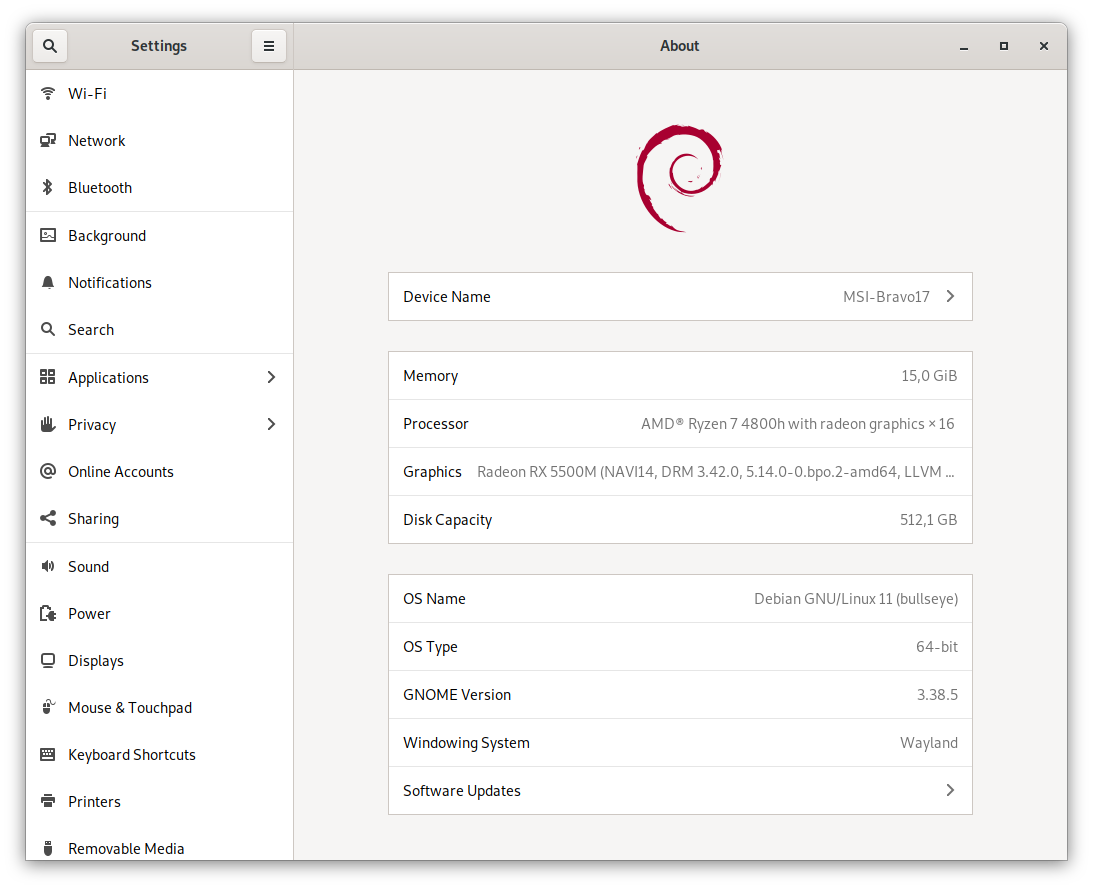
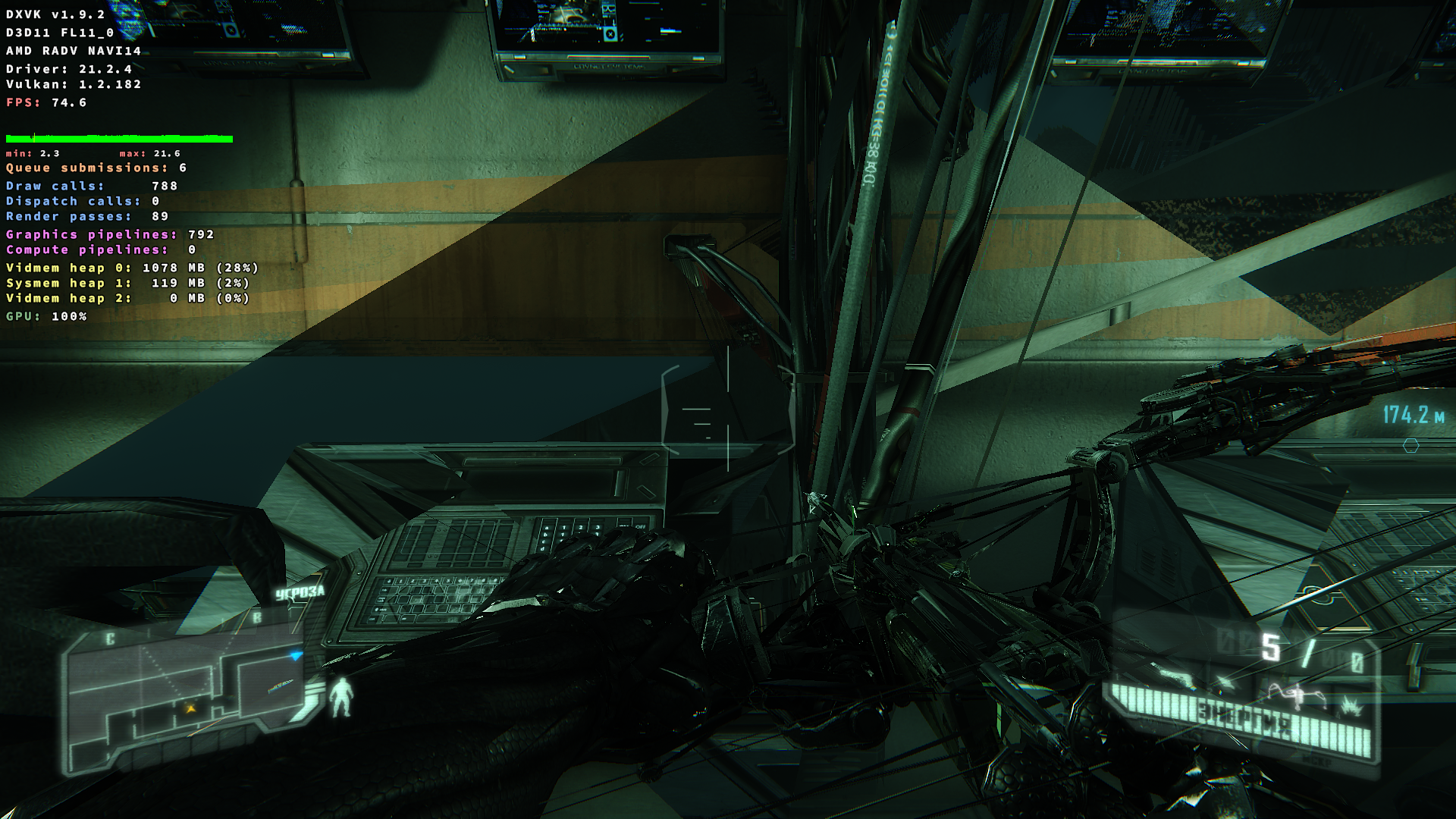
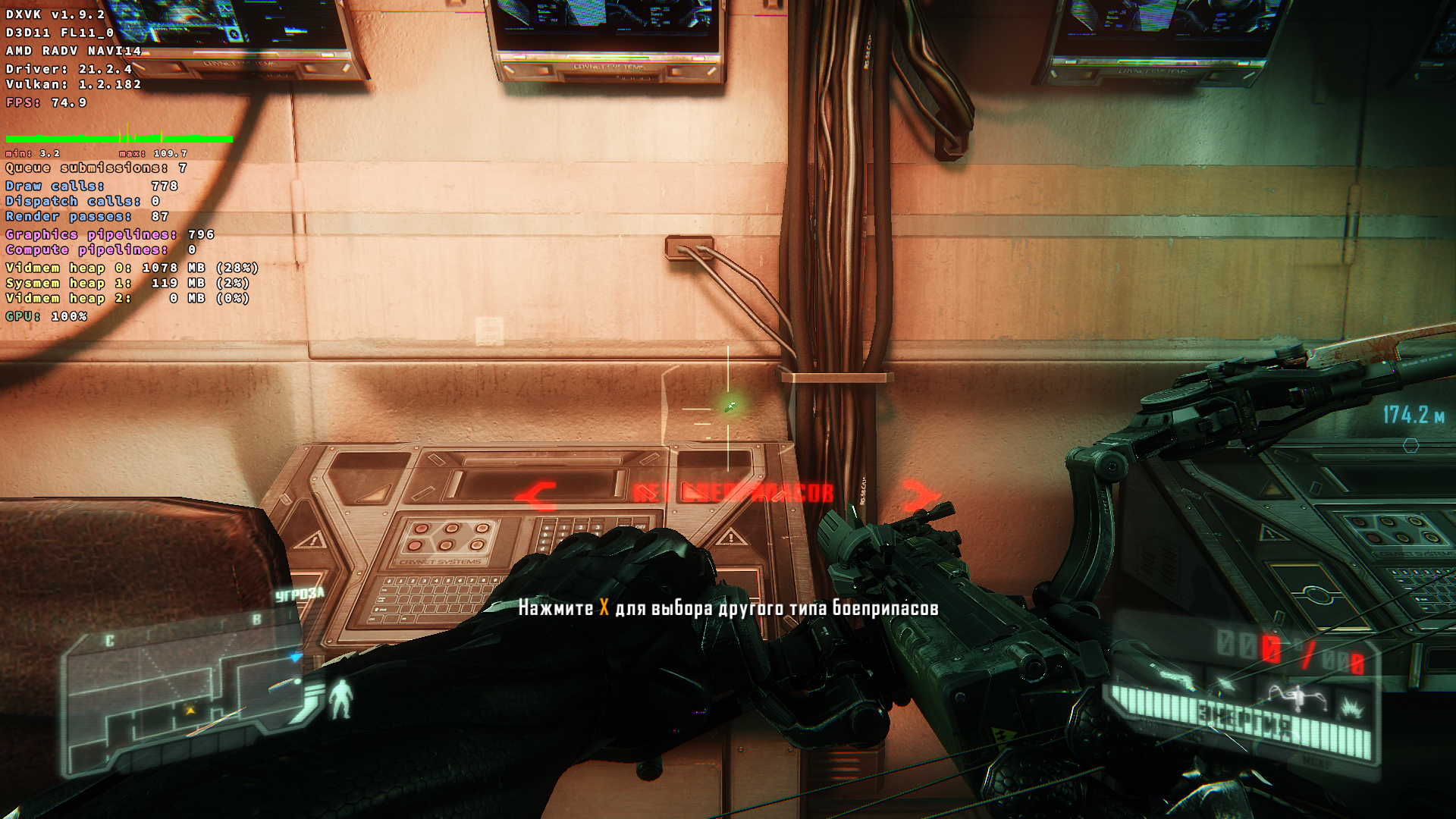
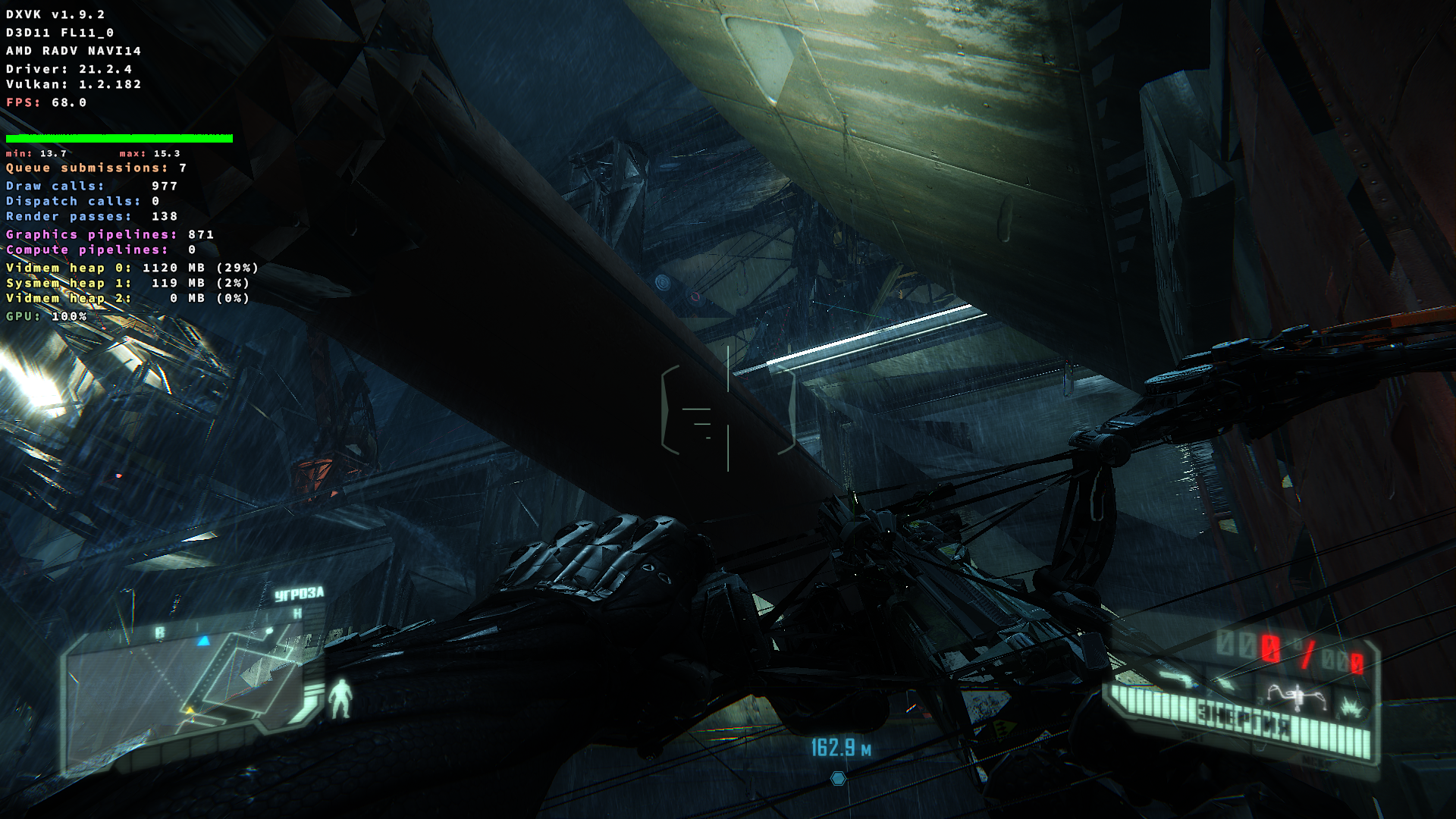
I have graphical artifacts with Mesa 20 and Mesa 21.2 on RX5500M or APU Renoir
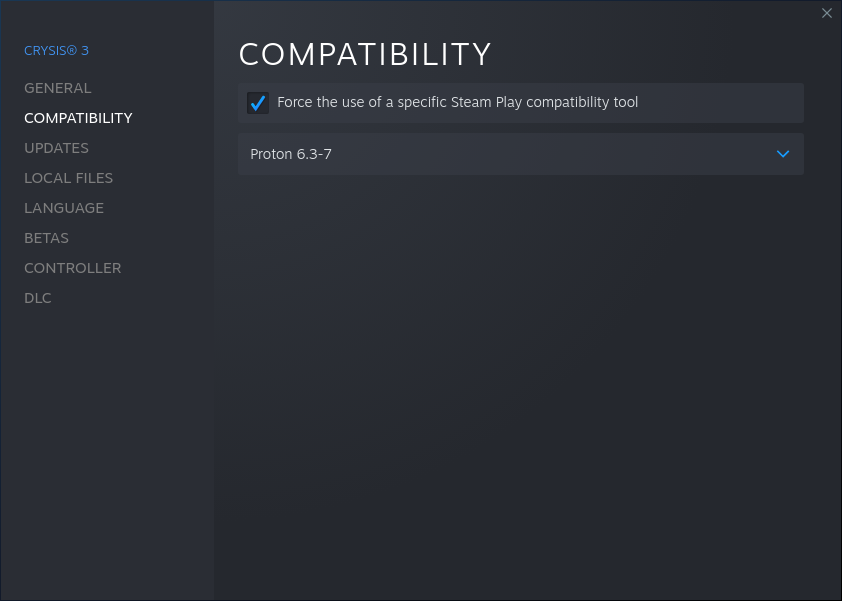
I didn't do any modifications over default latest stable proton
Kernel was 5.14 and 5.10 the same problems.
I also updated firmware from linux-firmware repository for RX5500M or APU Renoir, it didn't fix a problem.
vulkainfo.txt
glxinfo_rx5500m.txt
glxinfo_renoir_apu.txt
Screenshots
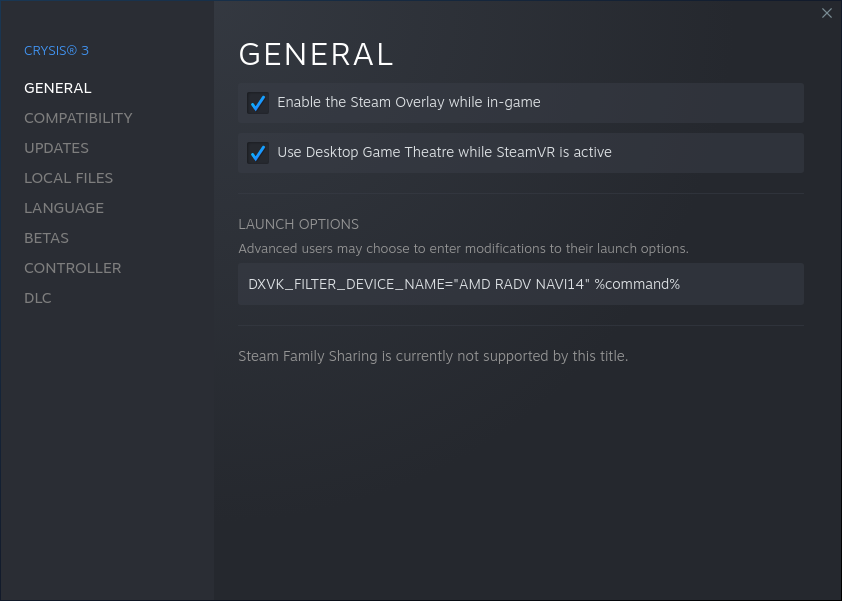
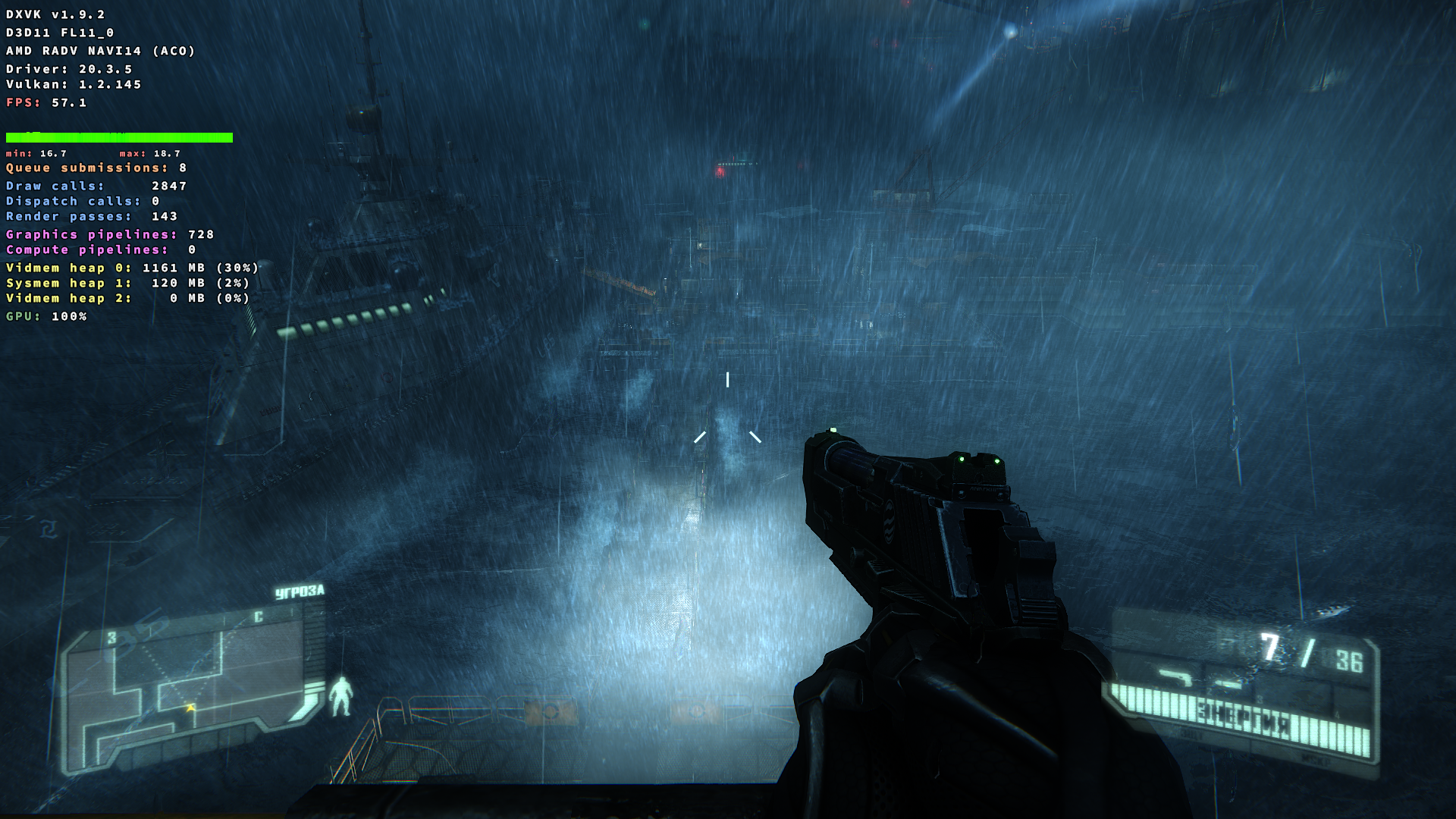
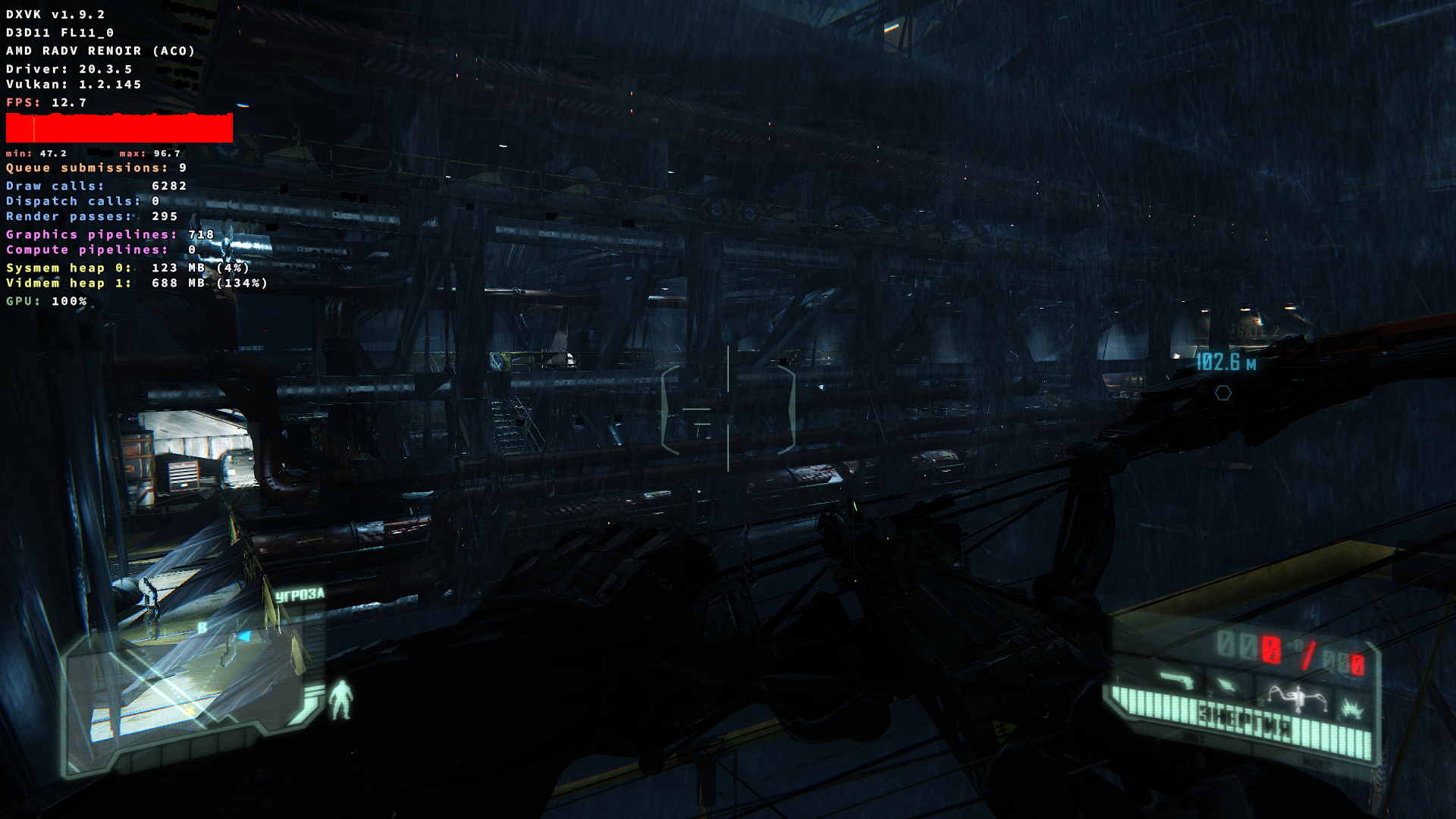
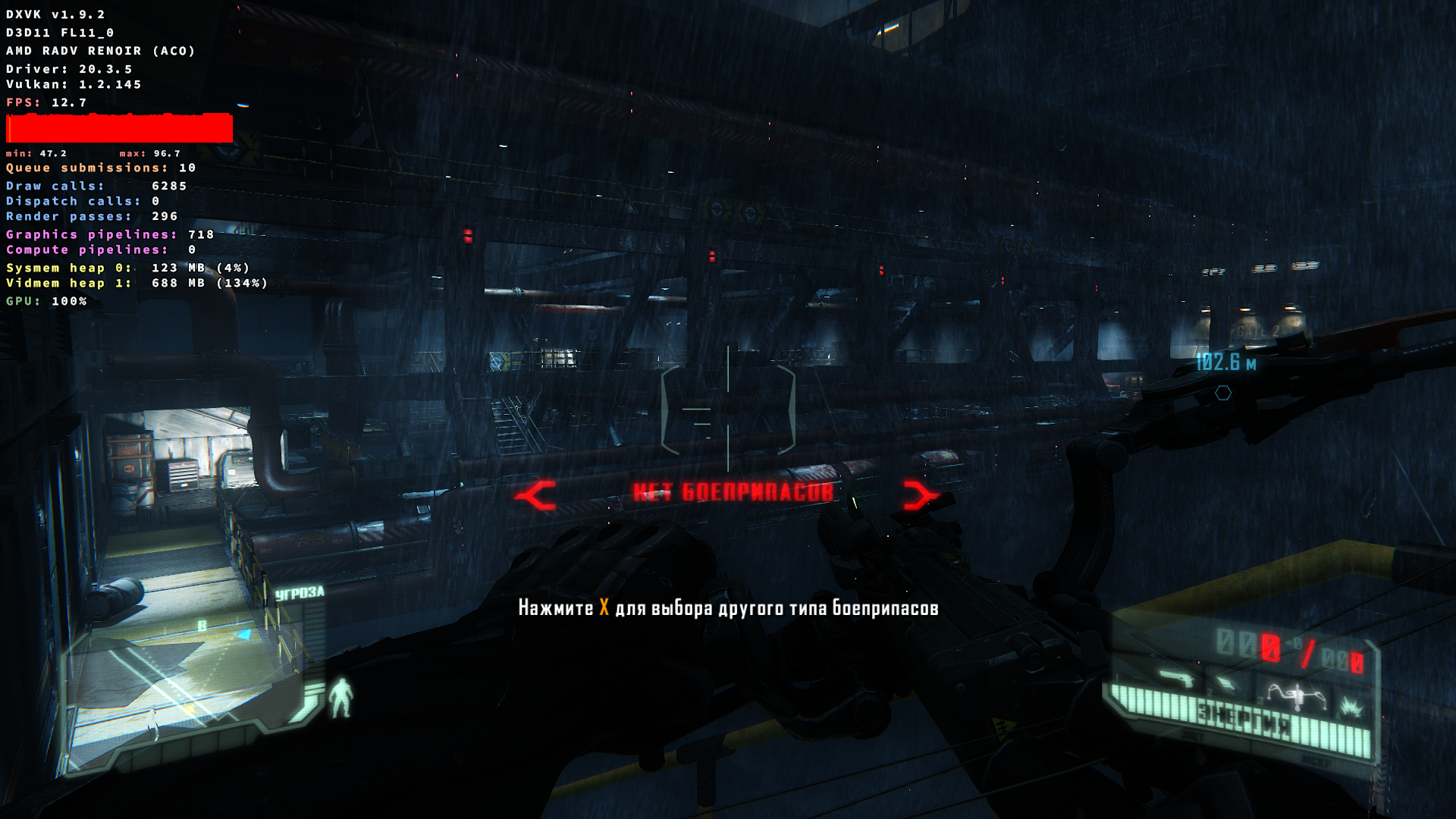
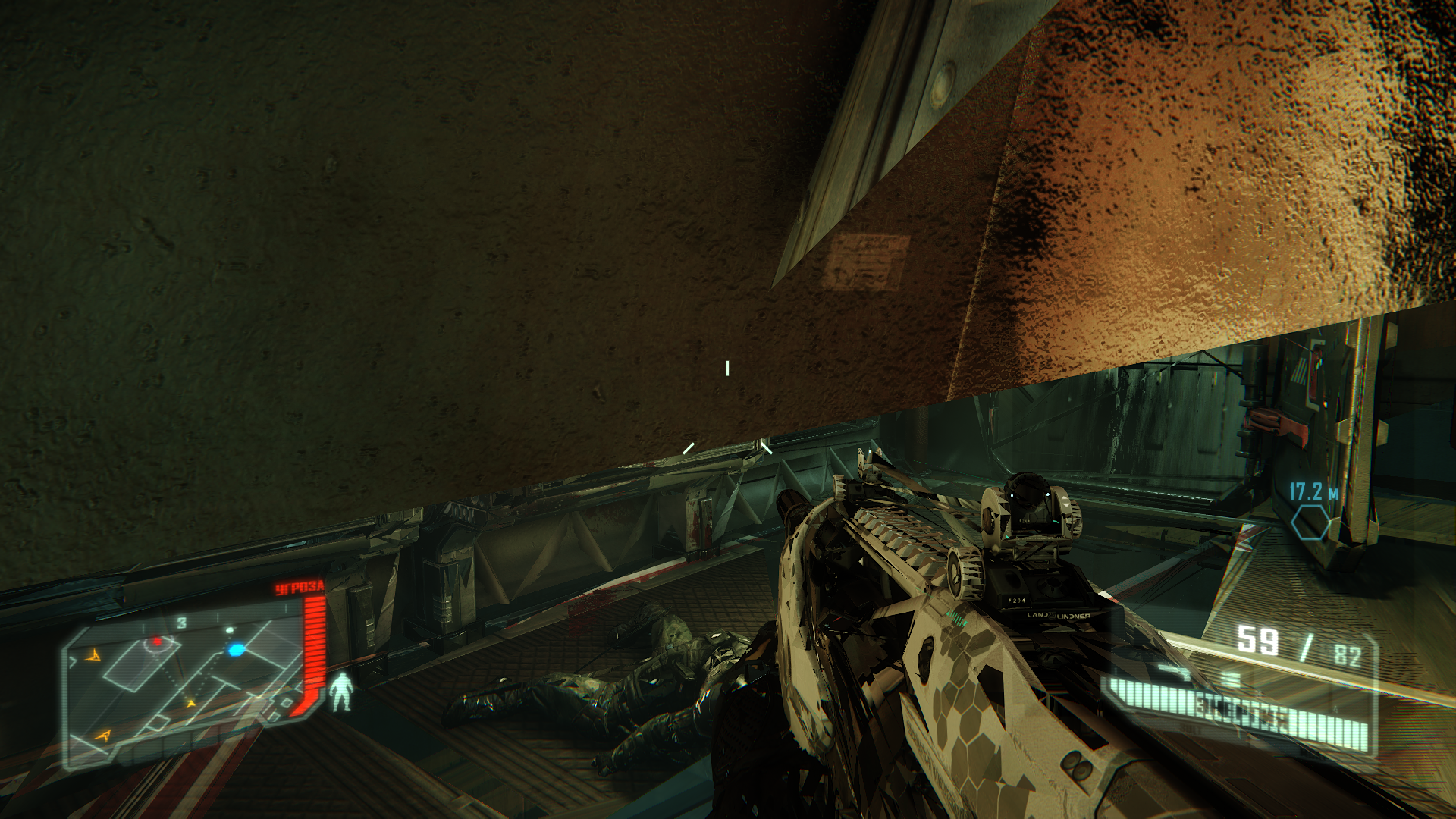
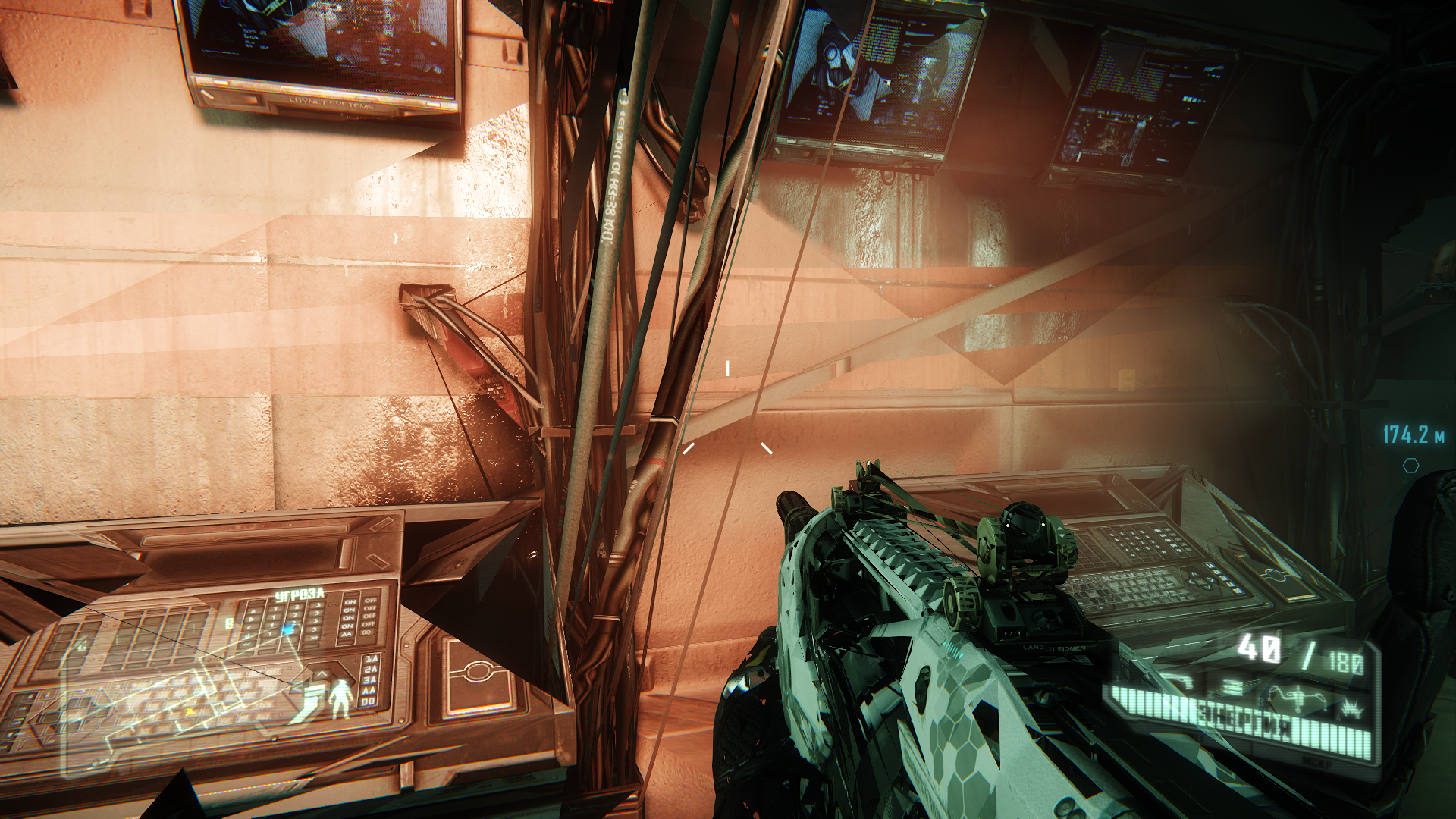


Also when I see this red message about "no ammunition" it render game without any problems. When i switch to another one with ammunition it again show artifacts. I not sure but possible problem also with DXVK.

For example there artifact
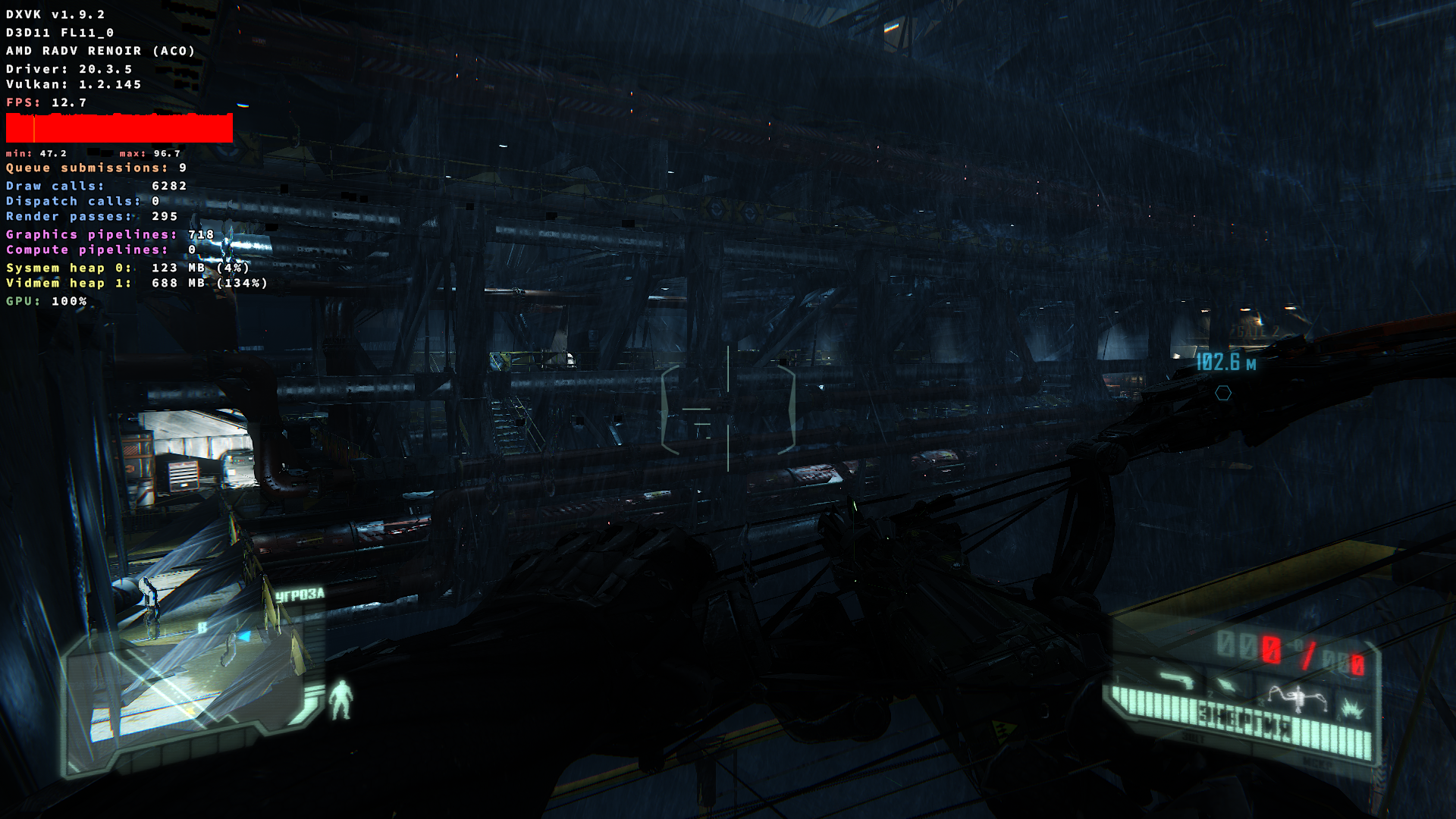
Hello @serhii-nakon, these newer sceenshots are back with mesa 20.3.5, which is not supported anymore by upstream mesa. Can you confirm the behavior with mesa 21.2.4 (or newer)?
Yes. Screenshots without DXVK_HUD were with mesa 21.2.4
Also vulkainfo.txt glxinfo_rx5500m.txt glxinfo_renoir_apu.txt created with mesa 21.2.4
I did few new with hud to confirm it.
Screenshots
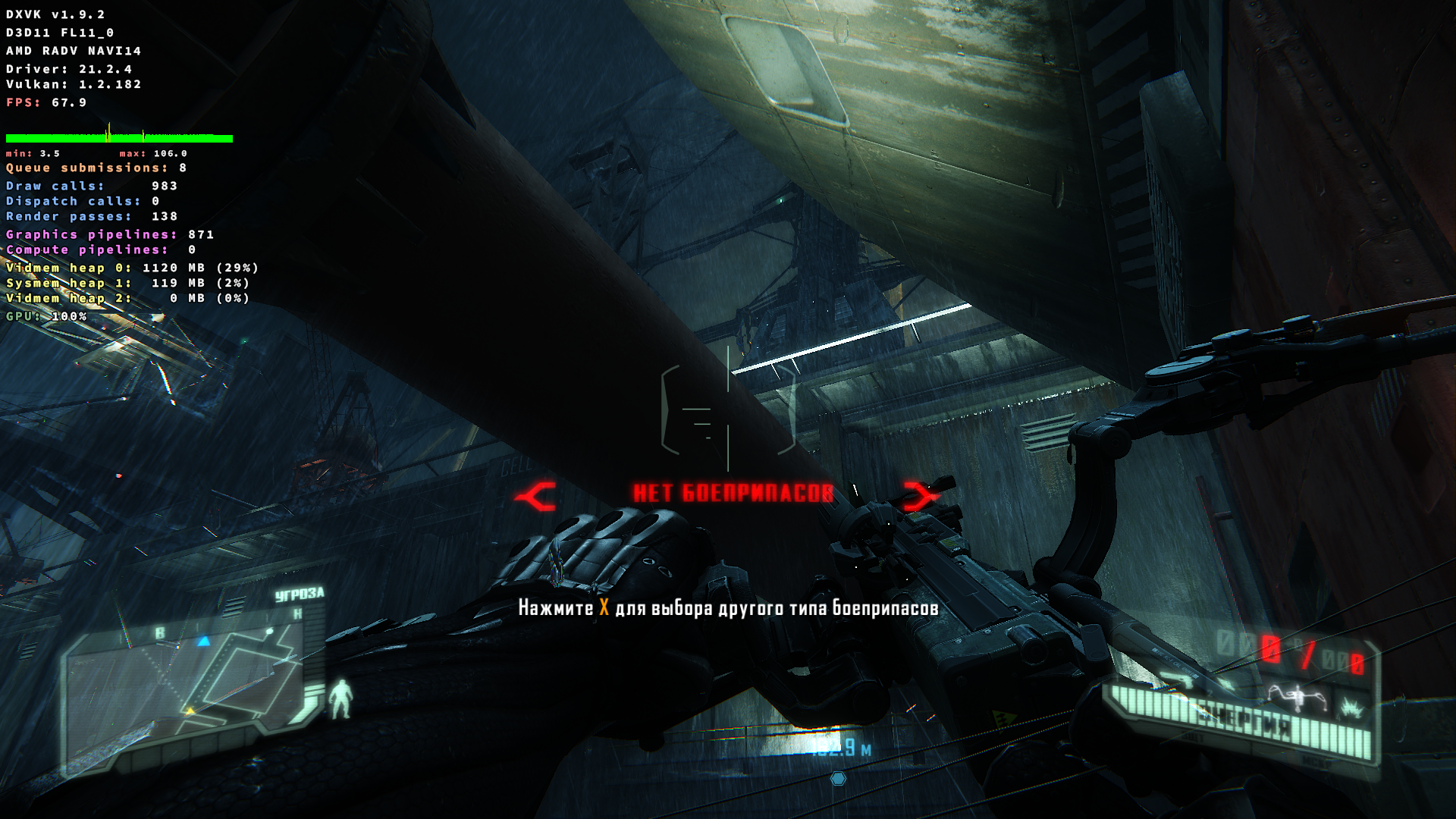
@serhii-nakon Are you still able to reproduce your issue on Renoir with Mesa 22.0.2?
I will try latter, I have not enough time to build new mesa for Debian.
@serhii-nakon Did you get a chance to try with up-to-date driver?
@hakzsam Sorry, not yet...
@hakzsam @kisak-valve Looks like after update Proton and DXVK it fixed, because I didn't update Mesa
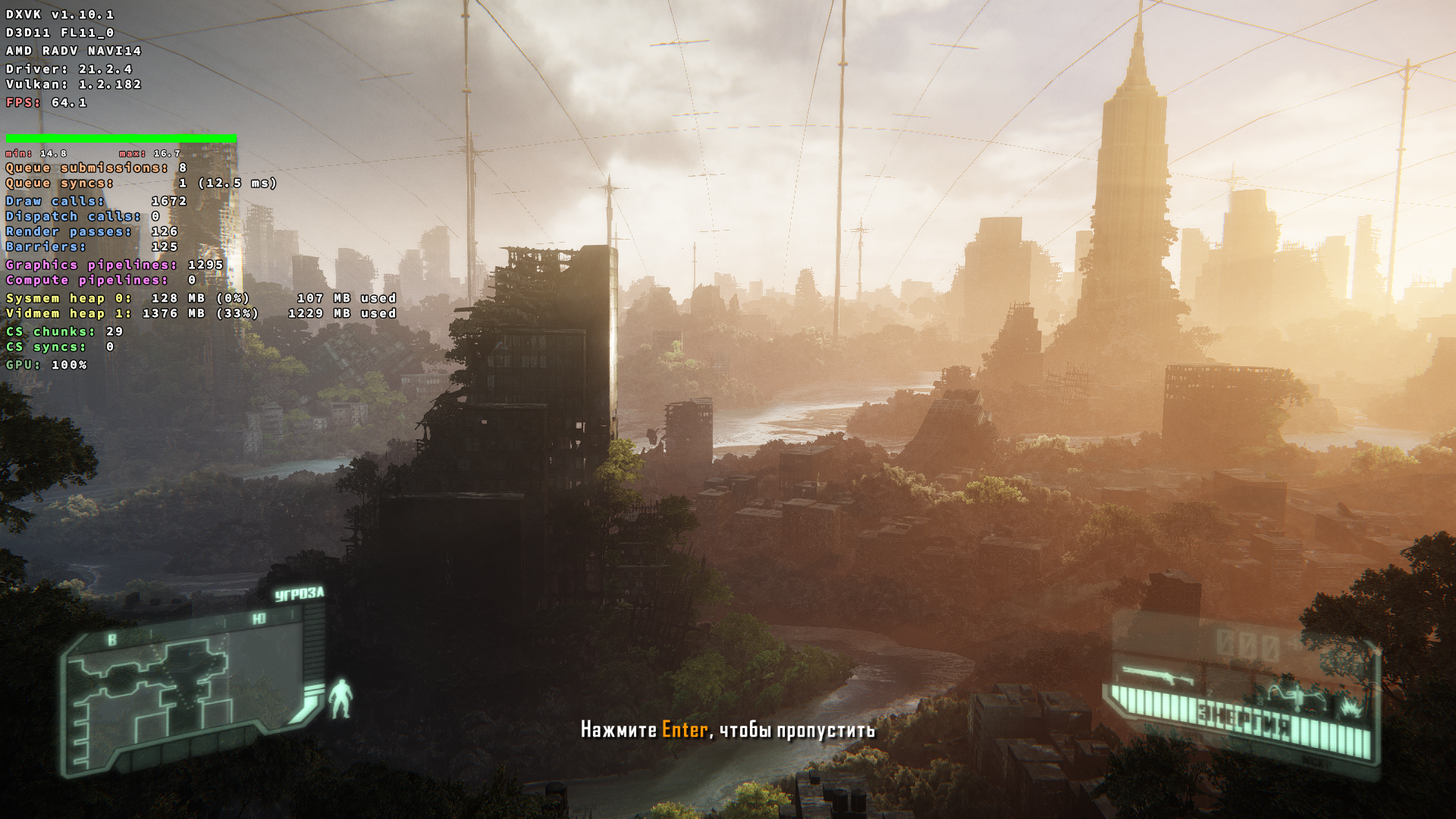
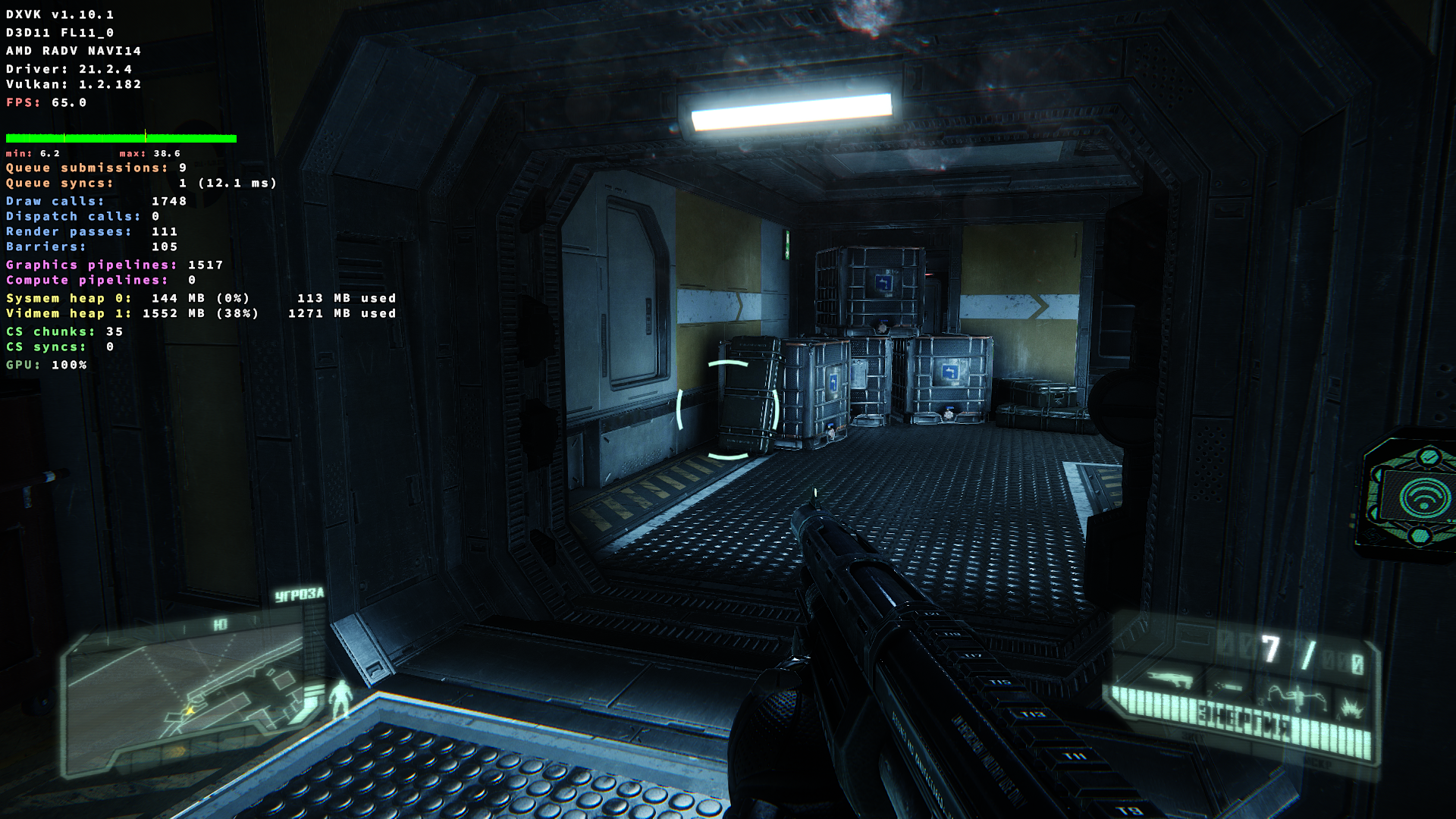
Also I enabled Above 4G Limit for PCI-E (I don't sure that relate to this problem)
And I also downgrade AMDGPU firmwares (due VAAPI problems with latest version)
@hakzsam It works fine after update Proton and DXVK with Renoir APU
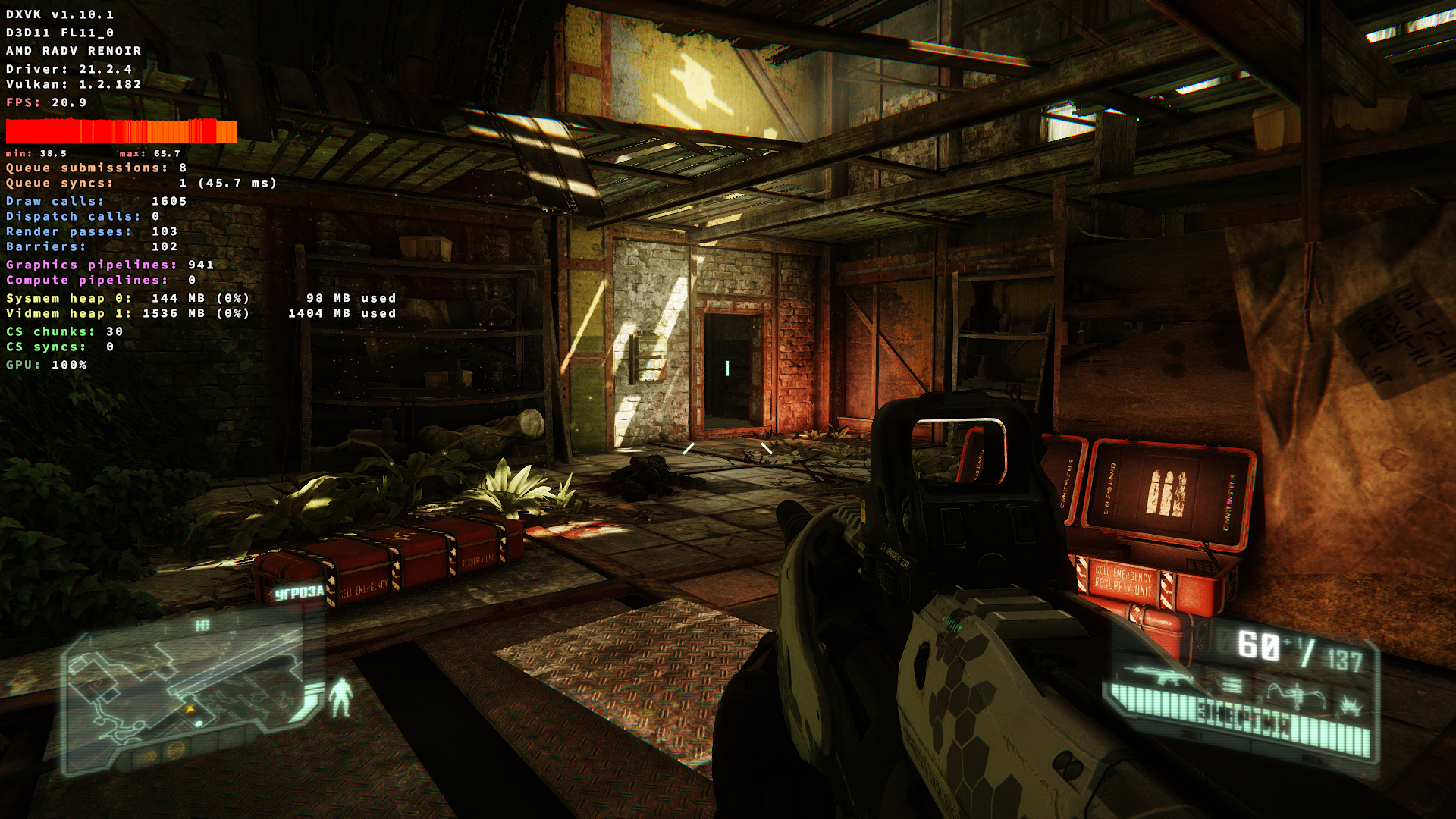
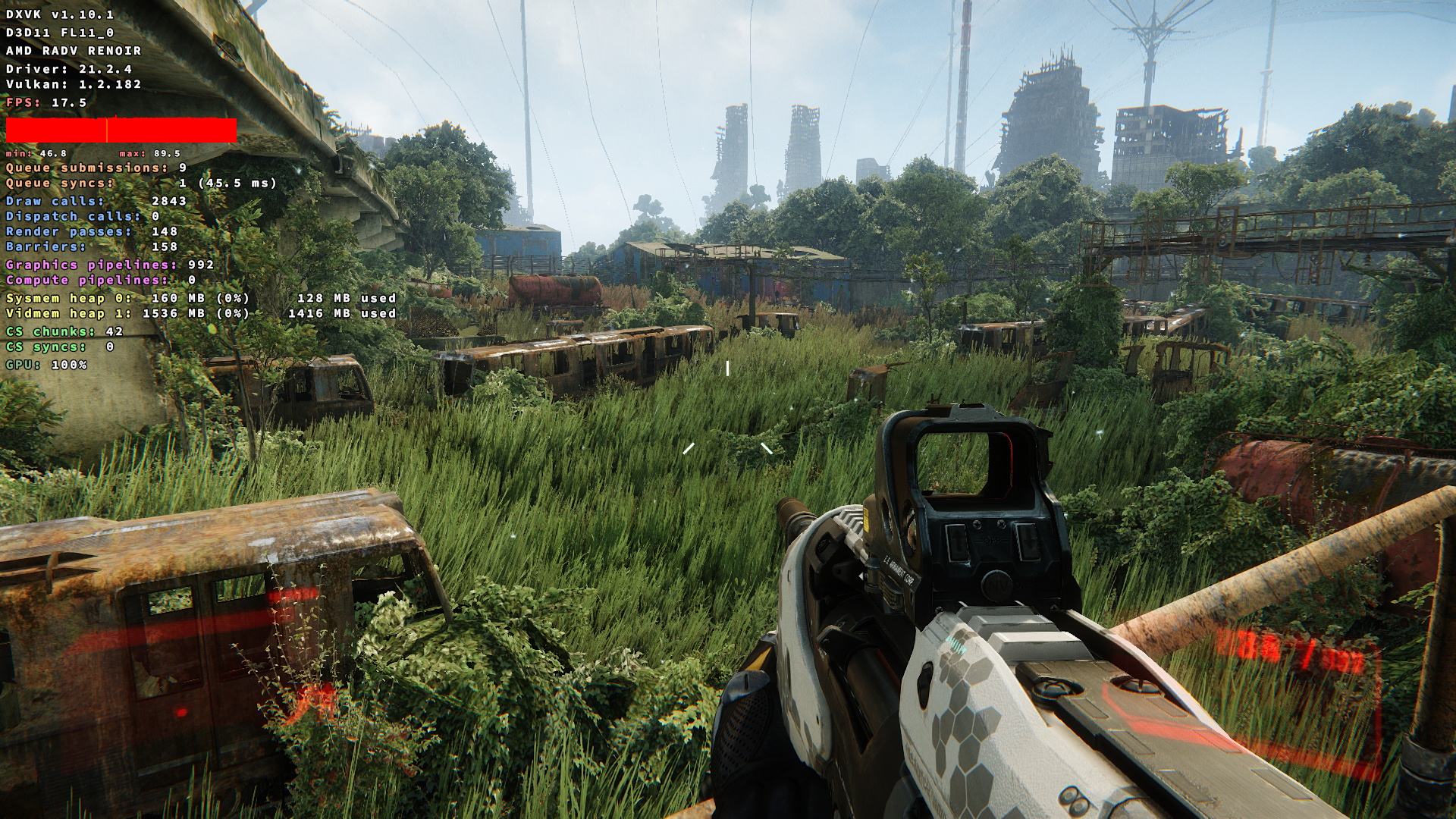
Latter I will re-test it without About 4G Limit maybe it related...
It doesn't relate with About 4G Limit. I disabled it and game still work fine.
So it fixed after last update Proton and DXVK.
This game used to work. What's required to get it to run these days? Here it just launches the EA App which claims the game failed to launch.
Yep, now I have the same problem. EA launcher tell that game failed to launch. With latest Mesa and I see it in console:
Resource id in failed request: 0x0 Serial number of failed request: 9 xerror_handler: X failed, continuing Steam: An X Error occurred X Error of failed request: BadWindow (invalid Window parameter) Major opcode of failed request: 20 (X_GetProperty)
Hello @serhii-nakon, https://github.com/ValveSoftware/steam-for-linux/issues/9164 is a red herring.
@kisak-valve PS: other games works fine, like Forza Horizon 5, Resident Evel 7 and The Witcher 3...
I'm having the same problem unfortunately, the EA launcher appears with a black window over,.
With Tab + enter I can make that black window go away, but if I click the play button again an error appears, like in the following video:
https://github.com/ValveSoftware/Proton/assets/3611330/c94508e0-3850-432d-bb07-b98e8b70f3c4
Just tried Crysis 3 with EA App from Proton 8 and Mesa 22.x/Kernel 5.15.x.
The game asks for administrative rights, then tries to start and eventually fails with an error message (translated):
"Could not start game. Due to an error on our side, the start failed. Please try again later"
UPDATE: after switching forth and back to 9.0-1 and experimental, it's back to Proton 8.0-5, where the game will run now (after forced re-download and install everything AGAIN). That is, at least, until the next App Update. Again, the game asks for administrative rights on every startup. EA WTF ?!?
EA app mass memory leakage on start Crysis 3 with mangohud
Issue transferred from https://github.com/ValveSoftware/Proton/issues/8936.
@Limemani posted on 2025-07-29T01:49:22:
Compatibility Report
- Name of the game with compatibility issues: Crysis 3
- Steam AppID of the game: 1282690
System Information
- GPU: RX 6600
- Video driver version: Mesa 25.0.7
- Kernel version: 6.14
- Link to full system information report as Gist:
- Proton version: Experimental
I confirm:
- [*] that I haven't found an existing compatibility report for this game.
- [*] that I have checked whether there are updates for my system available.
Symptoms
On launching Crysis 3 with mangohud Link2EA.exe start consuming unreasonably much ram
Reproduction
Launch Crysis 3(it's not gonna to launch anyway) and that's it.
Proton versions
proton 8.0-5x1 2023-06proton 5.0x2 2020-09proton 5.0-9x1 2020-06
Launch options
DXVK_HUDx1 2021-10RADV_PERFTEST=acox2 2020-06
Launch lines
RADV_PERFTEST=aco %command%x2 2020-06
Upstream links
- ValveSoftware/Proton/issues/8936x1 2025-07
- ValveSoftware/steam-for-linux/issues/9164x1 2023-05
- ValveSoftware/Proton/issues/5219x1 2021-10
DLLs
kernel32.dllx2 2020-06d3d9.dllx1 2020-06
The game runs under Proton 5.0-9 perfectly when using a controller but interestingly when you start using a keyboard and mouse as you input device, the game starts stuttering and dipping a lot.
Hopefully this log will help you to find an issue with Proton that causes input stuttering with mouse and keyboard.
Crysis3.log
System specs:
I5-4570
GTX 1060 6GB
16GB ddr3 ram
OS:
KDE Neon (based on Ubuntu 18.04)