EarthWorm Jim 3D
This exact problems happens w/ the GOG version of the game as well
The same happens with the old cd rom version. The game works fine and without problems on Windows 10 (in compatibility mode) and older versions. Here on Linux the game installed w/o any problems in Lutris and it runs, but w/o displaying any letters or numbers.
EndeavourOS @ Kernel 6.10.8.arch1-1 @ KDE Plasma 6.1.4 @ X11
I found the solution!
I found this patch on the WineHQ Bug Tracker Website. A user describes you must install a hex editor programm, then load the games exe file in there, change the specific hex values written in the comment and save the changes in the exe file (maybe save on an other location and override the existing games exe with the altered one). Voilà, Earthworm Jim 3D displays any letters and numbers.
Can be applied to the old CD ROM version as well as the Steam version (and certainly the GOG version).
I found the solution! I found this patch on the WineHQ Bug Tracker Website. A user describes you must install a hex editor programm, then load the games exe file in there, change the specific hex values written in the comment and save the changes in the exe file (maybe save on an other location and override the existing games exe with the altered one). Voilà, Earthworm Jim 3D displays any letters and numbers.
Have you tried that? I go to said offset, but the numbers are different from mentioned. I've changed them anyway, and the game crashes at starting.
Ahhhh I see. I have tried this yesterday in the evening with my cd rom version and it was the solution and the game displays now the font. I have tried this just with the steam version and I have also the same values that you have at the offset and the crashes with the altered one exe.
I assumed that the hex values for the steam version are the exactly the same, which is why - when I tested it yesterday with the steam version - I don't altered the exe file from the steam version, but rather I overwrote the steam version exe file with the altered one from my cd rom version. And it worked without any problems.
I hadn't checked if the steam version have the same hex values, it was my mistake.
I attach the altered exe file from my cd rom version in a zip file, which is functional for me with steam. If you want to try this with steam, you can download and extract it. Replace the exe from the steam version with this one.
<Link removed by moderator>
Hello @Hyourinmaru0, the binary you shared is legally problematic and has been removed.
Oh okay. I could have realized that it was legally problematic, probably from a copyright perspective myself. After all, the game code was changed.
Despite the exe has still to be modify to bring the game in a working condition. The Font is not correctly rendered or displayed with color codes oder alpha values that can't displaying under Linux correctly or different, so it's a Linux specific problem.
Someone has to research and develop a solution or substitute so that the game can work without problems. Can Valve fix this with future release of Proton for the steam version?
I've tried that exe from the CD version, and although it fixes the font problem, there is still no music in the game. But if you download the music fix from EWJ 3D Steam Discussions, it contains an exe too (which seems different), and that one has the desired value E8 B3 0F 01 00 8B F4 6A FF at offset 0x82e88. I've changed it with 66 90 89 E6 68 FF FF FF 00, and now both text and music work.
I've tried that exe from the CD version, and although it fixes the font problem, there is still no music in the game. But if you download the music fix from EWJ 3D Steam Discussions, it contains an exe too (which seems different), and that one has the desired value E8 B3 0F 01 00 8B F4 6A FF at offset 0x82e88. I've changed it with 66 90 89 E6 68 FF FF FF 00, and now both text and music work.
I used ghex, just jump to the byte and replace, it worked perfectly with vanilla Wine!
Upstream links
- show_bug.cgi?id=19471x2 2024-09
Compatibility Report
System Information
I confirm:
steam-41600.zip
Symptoms
The game seems to run fine, even my controller work properly (Logitech F710), except there is one problem preventing from playing: it doesn't display letters or numbers.
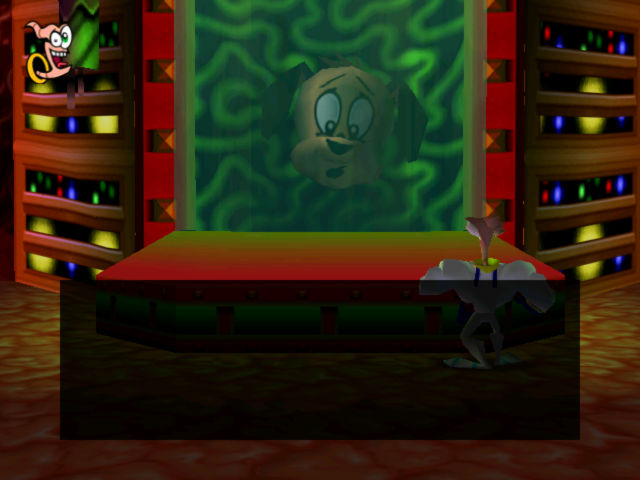
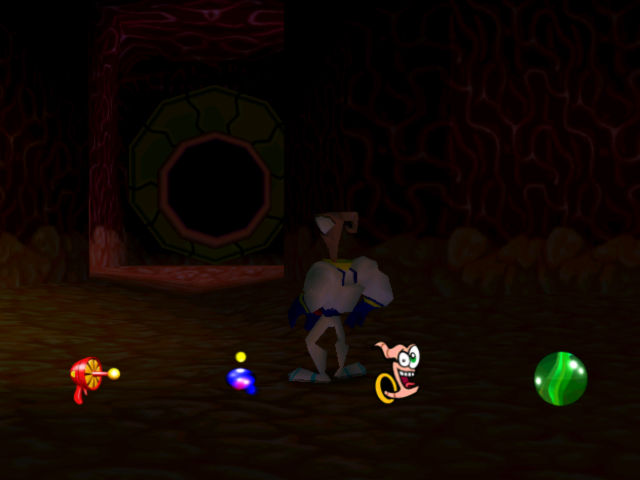
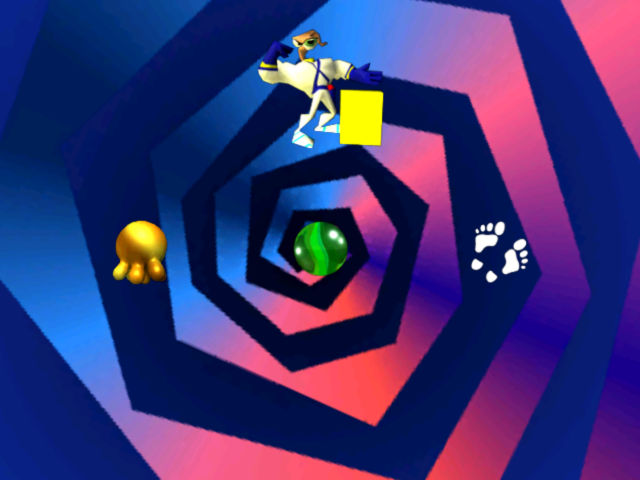
There is Funhouse.ttf font in the game's folder, I've installed it on my system, even copied it into steamapps/compatdata/41600/pfx/drive_c/windows/Fonts/, no use. Is there a way to fix that?
Reproduction
Just launch the game and get to the main menu. It will look like this: