Phantasy Star Online 2 New Genesis
I tried with 5.9-GE5-ST, it shows a window and crashes after a second.

With 5.0.9 the launcher was super unresponsive and after getting the start button to work, the game never opens.
I encounter the same behaviour as @PSebs running 5.0-10 RC. Similar hardware.
I tried with 5.9-GE5-ST, it shows a window and crashes after a second.
With 5.0.9 the launcher was super unresponsive and after getting the start button to work, the game never opens.
Same exact experience here. This game uses nProtect GameGuard, which is a rootkit anticheat. I feel like unless someone makes a patch specifically for this game (or nProtect GG in general) it's very unlikely it will be playable.
well for some reason I got the SEGA intro playing before I got that same error (with the same '5.9-GE5-ST' proton version): steam-1056640.log
for some reason when I tried launching the game the first time I never got any error screen ....just a blank screen (neither SEGA intro either): steam-1056640.log
...oh and, at least for me the launcher worked really, no issues with it's responsiveness
my system spec:
inxi -bxx
System:    Host: 91-158-92-139 Kernel: 5.3.18-lp152.36-default x86_64 bits: 64 compiler: gcc v: 7.5.0 Console: tty 1 dm: SDDM
           Distro: openSUSE Leap 15.2
Machine:   Type: Desktop Mobo: ASUSTeK model: Z170 PRO GAMING v: Rev X.0x serial: 150647662404153 UEFI: American Megatrends
           v: 3805 date: 05/16/2018
CPU:       Quad Core: Intel Core i5-6600K type: MCP arch: Skylake-S speed: 4400 MHz min/max: 800/4400 MHz
Graphics:  Device-1: NVIDIA GM204 [GeForce GTX 970] vendor: eVga.com. driver: nvidia v: 450.57 bus ID: 01:00.0
           chip ID: 10de:13c2
           Display: server: X.org 1.20.3 compositor: kwin_x11 driver: nvidia tty: 286x41
           Message: Advanced graphics data unavailable in console for root.
Network:   Device-1: Intel Ethernet I219-V vendor: ASUSTeK driver: e1000e v: 3.2.6-k port: f000 bus ID: 00:1f.6
           chip ID: 8086:15b8
Drives:    Local Storage: total: 35.95 TiB used: 191.53 GiB (0.5%)
Info:      Processes: 285 Uptime: N/A Memory: 15.57 GiB used: 1.98 GiB (12.7%) Init: systemd v: 234 runlevel: 5
           target: graphical.target Compilers: gcc: 7.5.0 alt: 7 Shell: bash v: 4.4.23 running in: tty 1 inxi: 3.1.00
Until there is a patch for GameGuard, this will all be a lottery. For example Lineage 2 in isolated cases works with GameGuard.
some progress...I get now this far:

and then it stops on GameGuard...but it does ask to send crash report or something...well once the 2nd time it just crashes/stops and sends you to this link: https://www.gameguard.co.kr/gameguard/faq/eng/FAQ_114.htm
system info:
inxi -b
System:    Host: localhost Kernel: 5.12.4-1-default x86_64 bits: 64 Desktop: KDE Plasma 5.21.5
           Distro: openSUSE Tumbleweed 20210524
Machine:   Type: Convertible System: HP product: HP ENVY x360 Convertible 15-ee0xxx v: Type1ProductConfigId
           serial: <superuser required>
           Mobo: HP model: 876F v: 13.40 serial: <superuser required> UEFI: Insyde v: F.15 date: 11/12/2020
Battery:   ID-1: BAT1 charge: 49.6 Wh (100.0%) condition: 49.6/51.0 Wh (97.2%)
CPU:       Info: 8-Core AMD Ryzen 7 4700U with Radeon Graphics [MCP] speed: 1486 MHz min/max: 1400/2000 MHz
Graphics:  Device-1: Advanced Micro Devices [AMD/ATI] Renoir driver: amdgpu v: kernel
           Display: x11 server: X.org 1.20.11 driver: loaded: amdgpu,ati unloaded: fbdev,modesetting,vesa
           resolution: <missing: xdpyinfo>
           OpenGL: renderer: AMD RENOIR (DRM 3.40.0 5.12.4-1-default LLVM 12.0.0) v: 4.6 Mesa 21.1.1
Network:   Device-1: Realtek RTL8822CE 802.11ac PCIe Wireless Network Adapter driver: rtw_8822ce
Drives:    Local Storage: total: 593.96 GiB used: 196.73 GiB (33.1%)
Info:      Processes: 298 Uptime: N/A Memory: 15.01 GiB used: 4.08 GiB (27.2%) Shell: Bash inxi: 3.3.03
So with the announcement of the Steam Deck and mention of other anti-cheat platforms being worked with to add support in Proton, is it possible someone at Valve could reach out to nProtect/GameGuard to do the same? This is one game I'd like to have on the device, but short of loading Windows on it, this is likely a no-go unless there is some push to get GameGuard to actually support the platform or Proton.
As an additional note: GameGuard seems to be the only roadblock here. Sega has provided a 'Character Creator/Benchmark' tool which runs the same engine but does not have GameGuard added as it is 100% an offline only tool and it has been reported to work fine via Proton.
It is. GameGuard used to be popular in Lineage 2 and is still in some versions, and everything works fine without it. There have been many tests by me.
Unfortunately (though not unexpectedly), issue still persists as of current Experimental and forks.
Since this is one of the few games I keep a Windows install for, I'd really like to see this resolved.
Currently the game is now booting, but has huge performance issues related to IO. Unless the game has terrain render distance set to the minimum it takes too long to load and times out. Even when in game the game has huge stuttering from IO unrelated to shader caching. Base PSO2 is playable for the most part, but NGS is nearly unplayable to the performance.
Indeed, I can confirm that the game now boots, on both GE and Experimental.
PSO2 classic works perfectly, as far as I can tell. Which is a good thing.
But like the comment above, NGS seems to have issues.
Bad IO seems like a very familiar problem NGS has, even on Windows - from my experience, a first boot will always take a really long time; but on the high capacity rotational drive I'm playing it on (not enough space on solid state to put it in), in Linux, I can't seem to connect - quits on Error 630... usually just as the player character spawns in. Might be a network connectivity error, however I have yet to confirm this on the Windows side.
5MIN EDIT: So I went back and checked. The same machine on the Windows partition can successfully connect and load into NGS spawn just fine.
On Linux, I've noticed that it does get as far as loading the event call, and even receives a local convo from some players amidst the duration of loading, but most of this time is spent staring at a frozen display w/ sound while it's fetching data. With KSysGuard, I can tell that it's still connected and receiving/sending some KBs of data back and forth for most of this. But as soon as the screen unfreezes, the connection is immediately killed in Error 630 as it jumps into a disconnected Aelio.
Proof:

Could this be linked to the I/O problems? Perhaps. But I've also no other choice due to lack of space on solid state storage.
Said drive is NTFS (the compatdata is symlinked back into a BTRFS user home dir - the same setup I use for all my other games and reports).
F2FS stutters extremely hard, but is borderline "playable" compared to ext4 and xfs which I tried also. It seems like the game is unloading everything from memory the moment it is able to. The game seems to result in a ton of standby cache memory generated extremely quickly on Windows.
Phantasy Star Online 2: New Genesis framerate problems
Issue transferred from https://github.com/ValveSoftware/Proton/issues/5781.
@CathyRina posted on 2022-04-22T20:12:43:
Compatibility Report
- Name of the game with compatibility issues: Phantasy Star Online 2: New Genesis
- Steam AppID of the game: 1056640
System Information
- GPU: AMD AMD Custom GPU 0405 (vangogh, LLVM 13.0.0, DRM 3.45, 5.13.0-valve10.1-1-neptune-02144-g7fffaf925dfb)
- Driver/LLVM version: 4.6 (Compatibility Profile) Mesa 22.0.0-devel (git-676ccacebc)
- Kernel version: 5.13.0-valve10.1-1-neptune-02144-g7fffaf925dfb
- Link to full system information report as Gist: https://gist.github.com/CathyRina/ec924f5ac8776136bd2c12e194755661
- Proton version: 7.0-2
I confirm:
- [x] that I haven't found an existing compatibility report for this game.
- [x] that I have checked whether there are updates for my system available.
steam-1056640.log
Symptoms
Game boots up fine however the framerate dies after selecting a character & loading the main map.
Reproduction
Boot up the game, select a server, select a character
Can confirm seeing these loading/stuttering issues on my 256GB Steam Deck loaded onto main storage, current stable SteamOS build. All default launch/proton options. Just install and launch.
Even lowering all graphics settings that I can on the PSO2 Classic side and trying to switch to an NGS block it still stutters bad when trying to load. Eventually gets in but throws the Error 630 'No response from PSO2 server'. Even the PSO2 classic lobby stutters good, similar to the early days of the PC Launch. But classic does load and run.
Honestly shocked to see the GameGuard concern just solved out of nowhere, though. So close to being functional.
I still believe it is an IO issue given that if DXVK is used on Windows for this game the stutters clean up even on the AMD proprietary drivers under Windows which compile shaders much slower than ACO. Also the game has extremely small sizes per file compared to most games. The game contains over 500,000 files with some of them being as small as a few hundred bytes.
I'm curious if using an Nvidia gpu or the AMDGPU-PRO drivers would have any effect as both vendors with dxvk on Windows do not have the issues that are occurring on Linux with the RADV drivers.
Base PSO2 seems to run at a perfect 60fps unless an asset needs to be loaded. This is worst in Lobby, minor annoyance in quest and basically not a issue in private quaters. This might suggest that the asset streaming isn't optimized because once the assets are loaded it seems to run just fine.
and once an asset unloads the moment it loads again it still has the same stutter even when a shader cache is built up.
I'm curious if using an Nvidia gpu or the AMDGPU-PRO drivers would have any effect as both vendors with dxvk on Windows do not have the issues that are occurring on Linux with the RADV drivers.
FWIW I'm using Nvidia, so. . .
I'm definitely noticing somewhat repetitive pauses with repeat assets in the same session in classic, but would still call playable regardless. Again; PSO2 was never a very well opt'd game in the first place, so it isn't much of a shocker that it has some problems that only now crop up.
game doesnt load on the amdgpu-pro driver, don't think that makes a difference.
I played ngs intro with a new character up to the attack, then my game kept disconnected during the loading screen for after the attack occurred with error code 630. -- I checked reddit, found this https://www.reddit.com/r/PSO2NGS/comments/o385fs/ngs_630/, then based on point (2) set my graphics to lowest -- it allowed me to login again.
As a test, I then let the in-game cinematic play for after the attack, set settings back to ultra, logged out, then tried to log in and once again was greeted with error 630. So -- something funky is going on with loading the games assets over the network I assume.
I confirm that now that it appears the Anti-Cheat lets us join, there are heavy stutters that appear to be caused by asset loading. Using DXVK HUD, I could confirm there's no shader compilation happening during the stutters/freeze.
Also, setting the Terrain Draw Distance to 1 and everything else to max has allowed me to avoid any disconnection issue before, but I do experience timeouts today.
Also, someone suggested that DXVK may still be a worthy culprit somehow but the game do runs with PROTON_USE_WINED3D=1and when it did, I still encountered the exact same loading issue that prevented me to get in-game. So while DXVK state cache shenanigans may be a symptom, I don't believe it's the crux of the matter.
This looks like a potential Wine issue with the client. Could be the AC as well, who knows...
Proton Log:
Replying to https://github.com/ValveSoftware/Proton/issues/4122#issuecomment-1107814338
Setting terrain draw distance to 1 did indeed allow me to connect to ngs without getting the 630 error without needing to set everything to low.
It maybe placebo, but I compiled a new kernel linux518-tkg-cfs with the multigen LRU v10 patch and I seemed to have a slightly smoother experience with PSO2NGS compared to the build of linux517-tkg-cfs without the LRU patch I was using before. The amount of time the stutter occurs seems to be a bit shorter most of the time. I'd assume 5.17 with the Multigen LRU v9 patch would fare the same. The kernel patch did not seem to effect loading into the game initially at least for what I noticed.
For what I have looked into and heard from people who are experienced from tinkering with the game on Windows apparantly the file names for the assets are extremely long as they are based off the MD5 of the path as well as the file name and extension. I'm thinking the long file names could be causing performance issues on most file systems. Would this be a possibility?
For what I have looked into and heard from people who are experienced from tinkering with the game on Windows apparently the file names for the assets are extremely long as they are based off the MD5 of the path as well as the file name and extension. I'm thinking the long file names could be causing performance issues on most file systems. Would this be a possibility?
As far as filesystems go, I had installed the game on ZFS backed by SSD, with 16 GB ARC. ZFS ARC I believe has a comprehensive cache subsystem with "innovative" algorithms compared to "simple" LRU and I didn't get the impression I was having it better than anyone else.
During the stutters indeed, I notice what appears higher I/O on loading the "checksum-like named" assets. I believe there core of the issue is there, especially since the game doesn't looks like it's using more than 2 cores, possibly just 1 if we say the second one is for the rendering but I may be wrong.
In PSO2 basic, you can notice the same phenomenon, but since the base game is "instance areas"-based, it happens mostly when the game loads all assets for the area, and almost not at all afterwards while you're playing in the area.
In constrast, NGS appears to be more "open-wordly" and loads assets as gameworld encounters them (very apparent in PSO2 basic lobby as well where there are many assets that couldn't be predicted/pre-loaded) Somehow, between the way Wine translates the file calls or the way Linux handles such calls, or how the game expects the system to answer back, something is wrong...
I'm trying to play PSO2 classic. It stutters on loading assets, but is mostly playable.
However, in the lobby, it stutters to the point it's almost unplayable.
Sometimes the game freezes on a black screen right after I choose my character and select "Start Game [PSO2]", so I have to kill it and start over.
The xorg mouse cursor shows up in the middle of the screen every time I go to a different location/scene, and sometimes when a menu pops up. I'm playing with a gamepad, so I have to reach for the mouse and move it, and then it goes away. Very annoying.
Somebody have a workaround for me ? When I finished the tutorial, and the multiplayer mode was enabled, I was disconnected, and now, when I try to be connected to the server, I have always an error after a long time my game screen was freezing on the loading screen
Result : https://www.zupimages.net/up/22/21/hceh.png
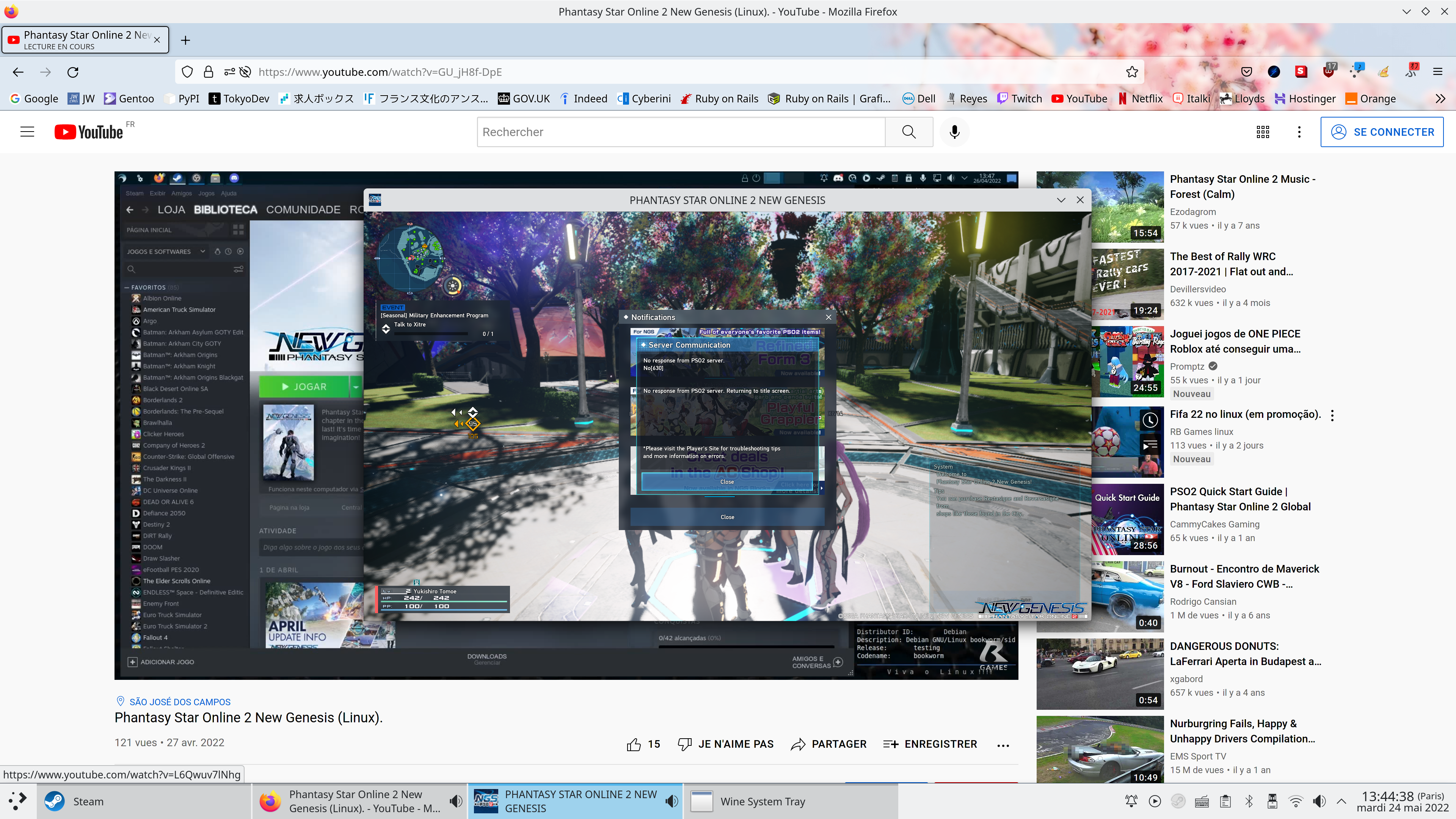
Is there any workaround as well to avoid sometimes latency ?
I use Proton GE 7-14 and I'm on Gentoo Linux
Try reducing your terrain draw distance to the lowest first, if that doesn't work then try reducing graphics settings completely using the presets.
What do you mean by latency, are you referring to the stutters? because the stutters are unavoidable currently.
Reducing terrain draw distance solved my freezing issue. I don't know if it's stutters, but normally the game is very fluide, but sometimes, when the game load something (I guess), I have a small latency.
Reducing terrain draw distance solved my freezing issue. I don't know if it's stutters, but normally the game is very fluide, but sometimes, when the game load something (I guess), I have a small latency.
These be the problems we've been discussing in this thread earlier (regarding New Genesis, which is what's displayed in your screenie), which has yet to be addressed.
NGS is essentially unplayable; PSO2 Classic is fine with only marginal loading hitches in the lobby, in comparison.
Just as an FYI as this was something I personally missed in all this: The terrain draw distance option is only available in the options from the main character/ship select menu. Once you are in-game, the options there do not have this.
As a Steam Deck user, the game still stutters a lot with asset loads with terrain draw distance and other settings lowered to minimum. This does permit NGS to load successfully however. It can be playable but I definitely wouldn't recommend any heavy/high level combat.
Replying to https://github.com/ValveSoftware/Proton/issues/4122#issuecomment-1144801589
Not sure if I'm missing something but the terrain draw distance option should be at the bottom of the graphics menu when you pause. Not at my deck to look at the moment but that's how I turned it down to one, I thought on mine. Didn't do a whole lot.
Also random question for the group here: Are there any gains when running this in DXVK Async mode? Can you even make it into a ship without anticheat blowing up because of it?
Replying to https://github.com/ValveSoftware/Proton/issues/4122#issuecomment-1145390916
I had looked repeatedly for the terrain draw distance setting in-game on the classic side but have not been able to find it. If it's there and I'm overlooking it, I'd love to know where. I never looked at the settings on the NGS side as obviously I was never able to get in without that setting turned down first. 😛
As far as the Async thing, I added the DXVK_ASYNC=1 parameter to the launch options in Steam but it seemed to make little or no difference for me at least.
Replying to [#4122 (comment)](https://github.com/ValveSoftware/Proton/issues/4122#issuecomment-1145390916)
I had looked repeatedly for the terrain draw distance setting in-game on the classic side but have not been able to find it.
PSO2 and NGS have separate graphics settings.
Based on my observations, the stuttering always happens when anything 'new' is being loaded. This pretty much means it happens just about everywhere, because new things can be loaded at virtually any time thanks to the open world nature of the game. If you go into a place where new assets aren't being streamed constantly, such as a story mission, the stuttering will often stop during encounters such as bosses, when enemies are no longer being loaded in.
PROTON_USE_WINED3D=1 does not seem to stop the stuttering in any meaningful way, either. I am suspecting less that this problem lies in the graphics subsystem and is probably related to something in WINE & whatever really bizarre way SEGA handles this game's data.
Has anyone tried to install the game in a case insensitive filesystem? Just a wild guess here.
Has anyone tried to install the game in a case insensitive filesystem? Just a wild guess here.
Holy crap, this was the root cause the whole time.
I spent the better part of the day (it is 3am as I'm typing) just to rule out that this wasn't the case; uninstalling PSO2, formatting a part of one of my drives as strict case-insensitive ext4, redownloading the whole game to it...
And now the load times are fixed; are roughly equivalent to Windows, and works up to the highest draw distance setting. And performance isn't hitching on loading assets anymore. Now that it works, sans some of the caching on DXVK's side on the first go, the performance is about where it should be.
(This is regarding both first load, login cycling, normal area transitions, and quick travel warp transitions; at least for my hard disk, it's exactly what I'd expect this game to be at).
Which I'm guessing, if both this game under Wine, and the WIP BeamNG native port are the poster children of (seemingly) the exact same issue regarding case-sensitive file systems performance... something at the filesystem level regarding casing checks is mucking things up.
Wine has a known issue with trying to prove whether a file exists or not in a case sensitive filesystem, it has to traverse through directories making note of the casing.
The reason it has to do all this is because Windows on NTFS is case insensitive. (Note that NTFS itself does support case sensitive, Windows opts not to for legacy compat reasons)
https://wiki.winehq.org/Case_Insensitive_Filenames
I'm rather surprised that this was it all along, but it does line up with Wineserver seemingly having a lot of overhead and resulting in drastically lower read throughput, especially as PSO2's unique file structure means that it has to read a lot of individual files with it being mostly 3-4 KiB in size.
It might be good if there's a way of telling Wine to not do this at all? though I've never really checked how PSO2 tries to load files off of disk (if it passes a path that is entirely uppercase or lowercase for example, not exact)
After reformatting my F2FS partition with casefold, and recreating the directory structure with casefold as I am restoring from rsync, I can confirm that: Yes, case folding does help immensely. :tada:
Initial loading time from character selection to Kvaris Camp now takes 13 seconds instead of 47 seconds on a 1 TB Samsung 980 NVMe drive.
Can confirm this also solves it on the Steam Deck and is actually very easy there since Valve already configures the Micro SD partitions with the necessary casefold feature (not sure about internal storage).
Basically just need to drop into desktop mode and run chattr -R +F on the PSO2 directory.
Doing this on my 256GB deck with PSO2 installed on Micro SD this change is a night and day difference. Zero stutters in the usual places where I'd get them like crazy. No other changes were made.
Had around a four hour session this morning, and can confirm that perf is perfectly smooth post-casefolding, no issues with either loading or graphics/performance.
Anecdotally, FPS might be slightly reduced compared to an intended setup, but my 1060 is running at 4K with the game's resolution scaler set to "low" - rather than a native 1080p I was running at before on Windows (and I'm not sure if PSO2's scaler stops at 50% or if it's higher than that).
Really, the only problem is that this is the only example I can think of where casefolding improves performance--let alone being a necessity like this one. This isn't a common knowledge kind of fix like DXVK-async is, yet it's something that a user would have to be aware about before even setting up their drives - many distros (and myself included) default to btrfs, which doesn't even have a case-insensitivity flag option (and this is the first time I'm hearing F2FS has it :sweat_drops:). And even on the Deck, as @cr08 noted, though the formatting is already set, toggling the flag still requires some user intervention in the super scary hacker mode terminal.
/rant
I'm happy this works and I can play my addiction again on Linux... not happy about reformatting my games drive (it's pretty much only for Windows games anyways, and something like Vortex Mod Manager has the occasion casing snafu, so I may as well-).
After some testing on the Steam Deck, it looks like it's rock solid with acceptable framerates and little to no stuttering. The game works more or less perfectly in casefold mode.
There is a minor hang when the On Screen Keyboard is opened, but since that doesn't really happen in normal gameplay, it is more of an annoyance when trying to chat with people then a game-breaker.
Kind of funny that the extremely poor way SEGA designed their game's file structures has put a long-standing WINE issue into the spotlight. Here's hoping that the WINE maintainers find a good solution, since the way they do it now is extremely inefficient and exasperates problems like this one.
The hang also occurs when opening the Steam Overlay on PC, I suspect it might be related?
Can confirm this also solves it on the Steam Deck and is actually very easy there since Valve already configures the Micro SD partitions with the necessary casefold feature (not sure about internal storage).
Basically just need to drop into desktop mode and run
chattr -R +Fon the PSO2 directory.Doing this on my 256GB deck with PSO2 installed on Micro SD this change is a night and day difference. Zero stutters in the usual places where I'd get them like crazy. No other changes were made.
Getting a „operation not supported while setting flags on PHANTASYSTARONLINE2…“ error myself. I guess it’s not as easy as described?
Getting a „operation not supported while setting flags on PHANTASYSTARONLINE2…“ error myself. I guess it’s not as easy as described?
You might want to try the approach that I did which involves recreating the folder structure, it might be because +F should only be toggled on empty directories.
# Rename the current `pso2_bin` folder
mv pso2_bin/ tmp/

# Make a new folder, and mark it as case insensitive
mkdir pso2_bin/
chattr +F pso2_bin/

# New folders created inside `pso2_bin` will inherit F attr
# Next, we'll recreate the folder structure using find command
cd tmp/
find . -type d -exec mkdir -p ../pso2_bin/{} \;

# Now you just need to move all the files back into `pso2_bin` directory
# In this case I just did a drag and drop from file manager

# You might want to do this for other folders
# like the Wine prefix folder if that's already been made
I did the same thing for the prefix folder as well because I wasn't so sure.
Replying to https://github.com/ValveSoftware/Proton/issues/4122#issuecomment-1166409494
Yep. Apologies. I forgot about that step and had to do it myself as well. I took the longer route and simply deleted the contents from the PHANTASYSTARTONLINE2 directory, ran chattr, then had Steam validate and SLOWLY redownload all the files. Could have probably saved myself the headache with the above steps. lol
Replying to https://github.com/ValveSoftware/Proton/issues/4122#issuecomment-1166409494
Still doesn't seem to work, i suppose this must be done on a SD card directory and not internal storage?
Still doesn't seem to work, i suppose this must be done on a SD card directory and not internal storage?
This is with Steam Deck, right?
I don't know if Steam Deck's internal storage is formatted with casefold, no, but what I do know is that the SD card is if you chose to format it via the Deck's interface (someone has to correct me on the internal storage thing because I don't own a Deck unfortunately, but if we go by this Reddit thread, yes it does?)
You can confirm if the F attr is present on the directory by using lsattr
[intrnl@azalea PHANTASYSTARONLINE2_NA_STEAM]$ lsattr
-----------I-----FN--- ./pso2_bin

[intrnl@azalea PHANTASYSTARONLINE2_NA_STEAM]$ lsattr ./pso2_bin/
# Command output truncated for brevity
-----------I-----FN--- ./pso2_bin/data
-----------I-----FN--- ./pso2_bin/GameGuard
Info for making a casefolding enabled sd card (or USB thumb drive!):
Make sure your kernel supports ext4 casefolding:
$ cat /sys/fs/ext4/features/casefold
supported
Insert your sdcard. Use lsblk to find it. If it's mounted, unmount the location:
$ lsblk
....
sde 8:64 1 953.6G 0 disk /mnt/Portable
....
sudo umount /mnt/Portable
Create a new ext4 partition with casefolding enabled using the entire device:
sudo mkfs -t ext4 -O casefold /dev/sde
Verify 'casefold' shows up in options:
sudo dumpe2fs -h /dev/sde | grep 'Filesystem features'
Make a location to mount it:
sudo mkdir -p /mnt/Portable
Mount the device:
sudo mount /dev/sde /mnt/Portable
Make the location owned by your user:
sudo chown username:username /mnt/Portable
Make the location fully writable for good measure:
sudo chmod -R 777 /mnt/Portable
Open Steam. Navigate to Steam>Settings>Downloads>Steam Library Folders
Add the new location as a new steam library
Navigate to SteamLibrary/ inside your new library and enable case folding on the 'steamapps' folder:
cd /mnt/Portable/SteamLibrary/
chattr +F steamapps
Make sure it has the 'F' flag:
lsattr
Go back to Steam and download the game to that library.
This will allow everything -- the game files, the wine prefix, the shader cache, the temp directory, etc within that library to be case insensitive -- which shouldn't leave the game with any reason to complain.
FWIW I use a Samsung Duo Plus 128GB USB stick -- it has a stupid fast read/write speed and is only around $25 on amazon. (Note the game is roughly 100GB in size)
I used strace to see what the file accesses look like:
sudo strace -f -t -e trace=file -p $(pgrep pso2.exe)
Here's an excerpt from the trace (compatdata path trimmed for brevity):
[pid  6449] 15:18:18 stat("<compatdata>/1056640/pfx/dosdevices/z:/mnt/booty/SteamLibrary/steamapps/common/PHANTASYSTARONLINE2_NA_STEAM/pso2_bin/data/win32/4faefcffad1ca8a5f1e8fef157e2b542", 0x66b6d940) = -1 ENOENT (No such file or directory)
[pid  6449] 15:18:18 stat("<compatdata>/1056640/pfx/dosdevices/z:/mnt", {st_mode=S_IFDIR|0700, st_size=60, ...}) = 0
[pid  6449] 15:18:18 stat("<compatdata>/1056640/pfx/dosdevices/z:/mnt/booty", {st_mode=S_IFDIR|0700, st_size=60, ...}) = 0
[pid  6449] 15:18:18 stat("<compatdata>/1056640/pfx/dosdevices/z:/mnt/booty/SteamLibrary", {st_mode=S_IFDIR|0700, st_size=60, ...}) = 0
[pid  6449] 15:18:18 stat("<compatdata>/1056640/pfx/dosdevices/z:/mnt/booty/SteamLibrary/steamapps", {st_mode=S_IFDIR|0755, st_size=361, ...}) = 0
[pid  6449] 15:18:18 stat("<compatdata>/1056640/pfx/dosdevices/z:/mnt/booty/SteamLibrary/steamapps/common", {st_mode=S_IFDIR|0770, st_size=356, ...}) = 0
[pid  6449] 15:18:18 stat("<compatdata>/1056640/pfx/dosdevices/z:/mnt/booty/SteamLibrary/steamapps/common/PHANTASYSTARONLINE2_NA_STEAM", {st_mode=S_IFDIR|0777, st_size=5, ...}) = 0
[pid  6449] 15:18:18 stat("<compatdata>/1056640/pfx/dosdevices/z:/mnt/booty/SteamLibrary/steamapps/common/PHANTASYSTARONLINE2_NA_STEAM/pso2_bin", {st_mode=S_IFDIR|0777, st_size=50, ...}) = 0
[pid  6449] 15:18:18 stat("<compatdata>/1056640/pfx/dosdevices/z:/mnt/booty/SteamLibrary/steamapps/common/PHANTASYSTARONLINE2_NA_STEAM/pso2_bin/data", {st_mode=S_IFDIR|0777, st_size=7, ...}) = 0
[pid  6449] 15:18:18 stat("<compatdata>/1056640/pfx/dosdevices/z:/mnt/booty/SteamLibrary/steamapps/common/PHANTASYSTARONLINE2_NA_STEAM/pso2_bin/data/win32", {st_mode=S_IFDIR|0777, st_size=98786, ...}) = 0
[pid  6449] 15:18:18 stat("<compatdata>/1056640/pfx/dosdevices/z:/mnt/booty/SteamLibrary/steamapps/common/PHANTASYSTARONLINE2_NA_STEAM/pso2_bin/data/win32/4faefcffad1ca8a5f1e8fef157e2b542", 0x66b6d9d0) = -1 ENOENT (No such file or directory)
[pid  6449] 15:18:18 openat(AT_FDCWD, "<compatdata>/1056640/pfx/dosdevices/z:/mnt/booty/SteamLibrary/steamapps/common/PHANTASYSTARONLINE2_NA_STEAM/pso2_bin/data/win32", O_RDONLY|O_NONBLOCK) = 922
[pid  6449] 15:18:18 newfstatat(922, ".ciopfs", 0x66b6d820, AT_NO_AUTOMOUNT) = -1 ENOENT (No such file or directory)
[pid  6449] 15:18:18 openat(AT_FDCWD, "<compatdata>/1056640/pfx/dosdevices/z:/mnt/booty/SteamLibrary/steamapps/common/PHANTASYSTARONLINE2_NA_STEAM/pso2_bin/data/win32", O_RDONLY|O_NONBLOCK|O_CLOEXEC|O_DIRECTORY) = 922
[pid  6449] 15:18:18 newfstatat(922, "", {st_mode=S_IFDIR|0777, st_size=98786, ...}, AT_EMPTY_PATH) = 0
[pid  6411] 15:18:18 openat(AT_FDCWD, "/proc/stat", O_RDONLY) = 923
[pid  6449] 15:18:18 stat("<compatdata>/1056640/pfx/dosdevices/z:/mnt/booty/SteamLibrary/steamapps/common/PHANTASYSTARONLINE2_NA_STEAM/pso2_bin/data/win32_na/4faefcffad1ca8a5f1e8fef157e2b542", 0x66b6d940) = -1 ENOENT (No such file or directory)
[pid  6449] 15:18:18 stat("<compatdata>/1056640/pfx/dosdevices/z:/mnt", {st_mode=S_IFDIR|0700, st_size=60, ...}) = 0
[pid  6449] 15:18:18 stat("<compatdata>/1056640/pfx/dosdevices/z:/mnt/booty", {st_mode=S_IFDIR|0700, st_size=60, ...}) = 0
[pid  6449] 15:18:18 stat("<compatdata>/1056640/pfx/dosdevices/z:/mnt/booty/SteamLibrary", {st_mode=S_IFDIR|0700, st_size=60, ...}) = 0
[pid  6449] 15:18:18 stat("<compatdata>/1056640/pfx/dosdevices/z:/mnt/booty/SteamLibrary/steamapps", {st_mode=S_IFDIR|0755, st_size=361, ...}) = 0
[pid  6449] 15:18:18 stat("<compatdata>/1056640/pfx/dosdevices/z:/mnt/booty/SteamLibrary/steamapps/common", {st_mode=S_IFDIR|0770, st_size=356, ...}) = 0
[pid  6449] 15:18:18 stat("<compatdata>/1056640/pfx/dosdevices/z:/mnt/booty/SteamLibrary/steamapps/common/PHANTASYSTARONLINE2_NA_STEAM", {st_mode=S_IFDIR|0777, st_size=5, ...}) = 0
[pid  6449] 15:18:18 stat("<compatdata>/1056640/pfx/dosdevices/z:/mnt/booty/SteamLibrary/steamapps/common/PHANTASYSTARONLINE2_NA_STEAM/pso2_bin", {st_mode=S_IFDIR|0777, st_size=50, ...}) = 0
[pid  6449] 15:18:18 stat("<compatdata>/1056640/pfx/dosdevices/z:/mnt/booty/SteamLibrary/steamapps/common/PHANTASYSTARONLINE2_NA_STEAM/pso2_bin/data", {st_mode=S_IFDIR|0777, st_size=7, ...}) = 0
[pid  6449] 15:18:18 stat("<compatdata>/1056640/pfx/dosdevices/z:/mnt/booty/SteamLibrary/steamapps/common/PHANTASYSTARONLINE2_NA_STEAM/pso2_bin/data/win32_na", {st_mode=S_IFDIR|0777, st_size=12966, ...}) = 0
[pid  6449] 15:18:18 stat("<compatdata>/1056640/pfx/dosdevices/z:/mnt/booty/SteamLibrary/steamapps/common/PHANTASYSTARONLINE2_NA_STEAM/pso2_bin/data/win32_na/4faefcffad1ca8a5f1e8fef157e2b542", 0x66b6d9d0) = -1 ENOENT (No such file or directory)
[pid  6449] 15:18:18 openat(AT_FDCWD, "<compatdata>/1056640/pfx/dosdevices/z:/mnt/booty/SteamLibrary/steamapps/common/PHANTASYSTARONLINE2_NA_STEAM/pso2_bin/data/win32_na", O_RDONLY|O_NONBLOCK) = 922
[pid  6449] 15:18:18 newfstatat(922, ".ciopfs", 0x66b6d820, AT_NO_AUTOMOUNT) = -1 ENOENT (No such file or directory)
[pid  6449] 15:18:18 openat(AT_FDCWD, "<compatdata>/1056640/pfx/dosdevices/z:/mnt/booty/SteamLibrary/steamapps/common/PHANTASYSTARONLINE2_NA_STEAM/pso2_bin/data/win32_na", O_RDONLY|O_NONBLOCK|O_CLOEXEC|O_DIRECTORY) = 922
[pid  6449] 15:18:18 newfstatat(922, "", {st_mode=S_IFDIR|0777, st_size=12966, ...}, AT_EMPTY_PATH) = 0
The game is trying to load 4faefcffad1ca8a5f1e8fef157e2b542 which doesn't exist anywhere in the game data (thanks SEGA). That causes wine to walk the whole tree and list all the files there (newfstatat). There's also a check for a .ciopfs file there, which I assume is a marker for the case insensitive on purpose filesystem. After that the game checks for the same file, but this time in win32_na (the first one checked in win32).
Pretty much the entire trace looks like this (with different files each time), sometimes it succeeds at finding the archive in the first data folder, other times it has to scan everything because the file doesn't exist anywhere.
However, since the game is accessing the files with the correct case, it should be sufficient to tell Wine to not scan directories if possible, or create a patch that adds a flag to skip this behavior.
So, the source of the slowdowns on default filesystems is by virtue of SEGA doing a SEGA because making games is hard?
Considering the state of this game at NA's (two) launch(es), I'm somehow not surprised that this would be an issue. But weird how it causes that much havoc on a normal case-sensitive fs - and being the only one that does, at least of my own personal library.
Can also confirm that summoning the Steam overlay causes a likewise stall every time it's used, even on a casefolded directory structure.
Replying to https://github.com/ValveSoftware/Proton/issues/4122#issuecomment-1166541144
The game is trying to load
4faefcffad1ca8a5f1e8fef157e2b542which doesn't exist anywhere in the game data (thanks SEGA).
I asked someone knowledgeable enough about the game's internals for details on asset loading, it trying to read 4faefcffad1ca8a5f1e8fef157e2b542 could be explained by the game trying to load things that could possibly be there even if it might not be, mostly regarding outfits, but also terrains as well as it seems to load a lower LOD that doesn't exist.
As for whether the game is consistently giving out the correct filepath to read however, is rather unknown, might have to trace the game for longer possibly just to confirm that a patch is feasible.
(The game engine is very much designed with resiliency in the case that an asset goes missing or kaboom, so it might not be a surprise to see little care with it just trying to read files that does not exist)
It's quite possible that 4faefcffad1ca8a5f1e8fef157e2b542 is some piece of Japanese exclusive content that was stripped from the US client - it would take cross referencing the JP client to confirm this.
So, the source of the slowdowns on default filesystems is by virtue of SEGA doing a SEGA because making games is hard?
Considering the state of this game at NA's (two) launch(es), I'm somehow not surprised that this would be an issue. But weird how it causes that much havoc on a normal case-sensitive fs - and being the only one that does, at least of my own personal library.
Can also confirm that summoning the Steam overlay causes a likewise stall every time it's used, even on a casefolded directory structure.
The game has always used this data structure even on the JP client, and it's always been this bad. It never stopped the ARKS Layer team from patching the game data, and we've had the unofficial English patch for far longer then the game has been alive in the US.
However, this stupid file schema is (likely) the main reason that things like patching, installing, and downloading take so long, because of the huge amount of overhead from operating on so many individual files. It takes multiple hours just to allocate, download, and install the game, and it was about as bad on JP as well - so bad that the PSO2 Tweaker uses a heavily multithreaded download engine just to speed the process up.
Of course, we see the results of two inefficiently designed processes colliding with each other here.
It's quite possible that
4faefcffad1ca8a5f1e8fef157e2b542is some piece of Japanese exclusive content that was stripped from the US client - it would take cross referencing the JP client to confirm this.
It doesn't show up in the JP client, neither does it show up in any of the past clients (including the ancient SEA client nor the Taiwan client). Whatever that file is, SEGA has simply forgotten about it. I assume it might have been from the alpha, as you could find data relating to the game's beta and alpha despite being from 2010 ~ 2012.
Whatever that file is, it's not particularly important - the game tries to open hundreds, if not thousands, of files that don't exist or are elsewhere. I've made a PR that addresses that issue.
Still not sure what's causing the freeze when opening the steam overlay, however.
It's quite possible that
4faefcffad1ca8a5f1e8fef157e2b542is some piece of Japanese exclusive content that was stripped from the US client - it would take cross referencing the JP client to confirm this.It doesn't show up in the JP client, neither does it show up in any of the past clients (including the ancient SEA client nor the Taiwan client). Whatever that file is, SEGA has simply forgotten about it. I assume it might have been from the alpha, as you could find data relating to the game's beta and alpha despite being from 2010 ~ 2012.
As alluded to earlier, NGS and PSO2 as a whole attempt load many files that don't exist as we've seen through prehashed filename logging. And I should note MANY of these exist specifically within NGS as well. I've attached a file showing this though note that it was tested quite a while ago so I can't vouch for its validity in current patches, but it's unlikely it was changed much, if at all. megaice.txt
For example, each terrain section has 3 levels of detail that are in the files. As you would see in the file attached, the game tries to load detail level 4 for each of the 100 sectors (0 based). That's 100 read attempts on its own.

There's also the player outfits. A rarely used feature of outfits is that they can dynamically load material animations from another ICE file with the costume denoting characters swapped for 'bm'. In addition, the basewear outfits are known to trigger checks for potential alt versions in the case of certain outer wears.
There's also random one off files that haven't been added yet which get checked for.
Point is, there's a lot, lot of cases even in current where it happens and it's a pretty big deal in this case. Sega could fix this on their end potentially, but it seems more sensical to fix this and alleviate it for the myriad other games which might suffer from this issue.
Okay, looks like the fix isn't as simple as I thought it was gonna be. I do have an idea based on the Wine Wiki page.
The first option is too finicky: building in a coherent cache (we need to know when files change and make it stale) into Wine, way too much effort and prone to breaking (the wiki says we'd need kernel support for that).
The second one:
Using a case-insensitive FUSE filesystem for just the Wine folder
Is much more reasonable, since Wine already has (some) support for detecting ciopfs. So we could have Proton mount certain directories with ciopfs (perhaps only the steamapps dir is necessary), if configured to.
However there are some caveats:
- ciopfs hasn't been updated since 2011, it's likely unmaintained
- It's licensed under GPL so I'm not sure if we can include it with Proton
- FUSE support would be required when the fix is necessary (shouldn't really be a problem, other than a libfuse dependency)
- ciopfs would need heavy modifications for this use case, see below (perhaps it's better to make something new)
But FUSE doesn't give you any advantages to just doing the mapping in Wine.
ciopfs isn't exactly suited for this use case:
To avoid any conflicts you should not manipulate the data directory directly, any change should be done over the mount point. All filenames in the data directory which aren’t all lower case are ignored.
Instead of ignoring, we would need to build an in memory mapping. Same issue as in Wine, so FUSE is actually completely unnecessary for this. So that brings us right back to building a coherent cache. Dang.
At this point, I don't know if this is an issue that could be fixed in Wine itself without some kind of refactor on how it handles these case-sense checks and balances entirely.
IMO, if this were a semi-perfect world, btrfs, ext4, f2fs, et al filesystems would all come with casefold support flags in newly created filesystems by default, and any (also fresh) Steam library folders should have that attribute checked (it's doable on the user side, and assuming the folder is clean, no reason why Steam couldn't do this automagically for the user). Hecc, they could even just add a "Windows compatibility" checkbox when creating new folders!
This might be controversial, and PSO2 (and I guess BeamNG) are the only real culprits guilty of this soft-dependency right now; but especially in the context of Windows-on-Linux gaming... I don't see the downside to making this optional feature a new default. If anything, the only problems I've ever had regarding gaming on Linux with Wine &/or Proton (especially in the case of modding games) were because of case-sensitivity and the snafus regarding that.
Then again, I just never saw the appeal or point of case-sensitivity in Linux filesystems anyways so I might just be the odd one out, this whole idea of mine is getting a touch political mayhaps... apologies, but those are just my thoughts.
Good news:
You can enable casefolding on any existing ext4 partition without wiping it as long as it's not encrypted (afaik) and your kernel supports ext4 casefolding:
Make sure your kernel supports ext4 casefolding:
$ cat /sys/fs/ext4/features/casefold
supported
Unmount the partition from it's current location:
sudo umount /mnt/Storage
Use tune2fs to enable casefolding allowance:
sudo tune2fs -O casefold /dev/sda1
mount the drive again:
sudo mount /dev/sda1 /mnt/Storage
Now, let's say you need to convert your existing steamlibrary so that you can install PSO2. First, move it to a backup:
mv SteamLibrary SteamLibrary1
Now you'll need to rebuild the basic folder structure and enable casefolding on that structure:
mkdir SteamLibrary
chattr +F SteamLibrary
mkdir steamapps
cd steamapps
mkdir -p {common,compatdata,downloading,shadercache,temp.workshop}
Now -- anything that is -moved/merged- into any of those folders will -not- have case folding, but anything -copied/downloaded- newly to them will, and the folders we created will retain casefolding.
SO let's get files moved over. First go to your backup SteamLibrary1/steamapps/ folder. You're going to select everything -except- the common folder and right click + CUT. Then go to your new SteamLibrary/steamapps/, rightclick + PASTE. Choose 'MERGE'. This will move everything over while retaining the +F flag on your new folders.
Last thing is the games themselves. Go to the backup SteamLibrary1/steamapps/common/, again -CUT- everything, and PASTE + MERGE everything into SteamLibrary/steamapps/common/
We do this separately so that nothing is tried to copy which wastes space.
Finally -- open steam -- now you can install PSO2 into /mnt/Storage/SteamLibrary and it will have case folding! No more stutter, and you didnt have to wipe your drive!
Last thing -- If you have PSO already installed here, you can copy it to another drive, delete the original, then copy it back, and it will then be copied with new casefolding attributes. You need to make sure to copy both the game files:
SteamLibrary/steamapps/common/PHANTASYSTARONLINE2_NA_STEAM/
And the appmanifest:
SteamLibrary/steamapps/appmanifest_1056640.acf
Oooo, didn't realize there's tune2fs, I wonder if there's an equivalent for F2FS somewhere :thinking:
Recreating the folder structure using the find command here also works wonder.
I took udf's code and improved the hack a little. Fundamentally the issue is that PSO2 is scanning the win32*_na folder for the files it wants and then falling back to the standard (japanese) win32* folder for the content. If you have a handful of files this no problem, but if you're looking for over a few thousand files the manual search will just murder the performance.
Here's the patch:
pso2_hack.txt
For TKG build you can add this as a user patch in the wine-tkg folder (rename extension to .mypatch), for other builds you do their specific thing. The improvement I made is that I can filter out a specific folder where the manual search isn't executed. Run the game with WINE_NO_OPEN_FILE_SEARCH="pso2_bin/data" %command% for best effect. I had some sounds missing and got a crash after hours of play, but nothing terrible. I suppose sound issues can be fixed by checking what files can't be loaded from the win32* folders and renaming them as they are searched for by the game.
Enjoy.
EDIT: sound issues were my mistake, the game is in dolby surround and I forgot to reroute the other channels to my front speakers in jack. So all sounds are there. And the game also works perfectly with just WINE_NO_OPEN_FILE_SEARCH="_na" which allows the system to fallback on the search system for the base folders (which it apparently never does because I haven't had a performance issue for over 7 hours).
Unfortunately, some of us don't make use of EXT4 (i personally use btrfs on my major Linux systems) so casefolding isn't an option. PSO2 remains inaccessible on those filesystems until mainstream releases of WINE are available with GoLd-ReAvEr/udf's patch, or some variant of such.
Unfortunately, some of us don't make use of EXT4 (i personally use btrfs on my major Linux systems) so casefolding isn't an option. PSO2 remains inaccessible on those filesystems until mainstream releases of WINE are available with GoLd-ReAvEr/udf's patch, or some variant of such.
Speaking purely anecdotally, ext4 performs a bit better than btrfs did on the same hard disk over a few other games, so there is merit to switching. But I also agree with the sentiment, considering how widespread the latter is becoming than the former, in recent years anyways.
For now (because I have my doubts such patches will make it into Wine in the short term), either make some space with a dedicated partition for it, or annoy kindly ask btrfs maintainers to consider support.
Replying to https://github.com/ValveSoftware/Proton/issues/4122#issuecomment-1172770360
btrfs has become the default filesystem in Fedora, and it's use of subvolumes is very useful for spreading space out over your entire disk without requiring multiple partitions.
the way I settled on getting this working was creating a new sparsefile, formatting it with EXT4 with the casefolding flag turned on, then setting it up with Steam as a separate library folder with attribute +F set. It's not a perfect solution and I can't verify that the performance will be perfect, but it's a good stopgap solution at least.
Weird, enabled case insensitivity on this game's folder on ZFS and still experience hiccups and freezes although it's better indeed. Was something else needed?
strace is also full of --- SIGSEGV {si_signo=SIGSEGV, si_code=SEGV_MAPERR, si_addr=NULL} --- , no idea if related...
@DistantThunder Wine currently doesn't check for ZFS when determining the case (in)sensitivity of a directory. ZFS also doesn't support the casefold flag (Wine is checking the same flag that lsattr shows for ext4 and f2fs).
So we need to find different way to detect a case insensitive ZFS dataset, and add the check to Wine. I had a look at the ZFS ioctl source code, and I didn't find anything that would help for this. The way zfs get casesensitivity <dataset> works involves multiple ioctl calls that return a custom structure, and implementing that would add way too much overhead for it to be worth it.
I ran into the first real issue. The concert has a tendency to crash the game and show black on the TV. When this happens I'm also unable to participate in the urgent quest that comes after.
The concert has a tendency to crash the game and show black on the TV
To be clear, is this regarding the limited-time watch-together concert events that's currently going on, or is this with the usual random idol concerts? or does it happen with both?
I just heard it's with the PSO2 anime. This is with the TKG build, it's on right now, this exact moment.
I applied some foundation and at least the crashes are gone. Installing the media package that should not be named at least prevents the game from crashing it seems. I had sound initially but that was gone 5 minutes in or so.
About the slowdown on shows and videos, this is reproducible on Windows too, as long the game is on an exFAT partition. I contacted SEGA on 16/04/2021 about this. Soon after that they made the anti-cheat more restrict and I stopped playing, as it would always trigger when I went to character selection.
Yesterday, I tested the game again and I was able to play it (Xubuntu 22.04) using Proton Experimental.
The game and the compatdata are on NTFS. There is stuttering while the shader cache is being created and when loading certain elements. I can see the external HDD LED blinking nonstop when I'm around other players. If I set the graphics preset above 2, then it will fail to connect with a 630. After playing for some time, the experience is much better.
There's black screen on displays, but there are no FPS drops this time. I don't know when something should be playing at all.
Loading on PSO2 Classic is pretty fast, loading on NGS takes long, but not as long as on CBT (it took 12 minutes back then!). Teleporting from Retem to Central City seem to not work, the game freezes without disk activity and doesn't even send the 630, while the sound effect or the Ryuker Device and the music play. If I go back to Halphana Plains it works, but as long as I enter Central City, it freezes with similar symptoms.
I even tried running from Retem City to Central City, and as soon as I entered Central City, the game froze. I think that if I waited for like 1 hour the game would recover, as I experienced those large freezes when going to other places with players, but I don't want to really wait for 1 hour...
What I have to do is to go from Retem to Aelio (not Central City), log out, log in and then I can go to Central City.
I tried generating a log using PROTON_LOG=1, nothing special. Just from running from Retem to Aelio, the log already had 5 GiB! When I finally reached Central City, the log had 14,9 GiB.
I think I'll have to get 4 TB of NVMe exclusively to do the same with PROTON_LOG=+all.
I'm still early on NGS (just got on Retem), they really messed up with this Battle Points thing.
These are the mount settings I'm using for the NTFS partition on /etc/fstab:
UUID=43754B5932F34301 /mnt/Externo ntfs-3g rw,uid=1000,gid=1000,umask=022,relatime,user_id=0,group_id=0,exec,allow_other,uhelper=udisks2,noauto,x-gvfs-show 0 0
It works as a normal removable HDD you would mount using GNOME Disks/Thunar. Obviously, my user's UID and GID are 1000.
Edit: I can confirm the show is working and the video is playing on Retem
@FurretUber Logs should be saved to a directory with compression, any compression. Text converts very well from gigabytes to a few megabytes.
I've got 322 hours in the game right now and I've seen nothing happening on this front. If there's no intention of doing any code fixes for the abhorrent search speeds or standardization fixes to deal with the case sensitivity of the standard ext* filesystems, could my patch be included in the proton release and the video issues (with the anime being played in game) be fixed so other people can also enjoy this game? I mean right now it's looking kinda silly.
I've got 322 hours in the game right now and I've seen nothing happening on this front. If there's no intention of doing any code fixes for the abhorrent search speeds or standardization fixes to deal with the case sensitivity of the standard ext* filesystems, could my patch be included in the proton release and the video issues (with the anime being played in game) be fixed so other people can also enjoy this game? I mean right now it's looking kinda silly.
You're free to test with other non-PSO2 games to make sure there's no regressions, since it is a fairly deep-rooted change you're suggesting. Otherwise, the length to which it'd take to test this change seems appropriate. Might have better luck submitting the patch to Wine upstream directly rather than a Proton-only patch.
Also, what video issues? I've not seen any problems on this front with the ~80hrs I've spent. Only crashing problems I've had all seems to be networking related. Unless I'm really missing something here...
The video issues relates to the special anime watch together event that was being held, those videos wasn't a local game asset as is the case with the concert events, instead they were being streamed remotely.
I have in-game video playback explicitly disabled so I don't really have anything to say in this regards. related comment
I don't think I've mentioned it on this issue thread but I've written a guide that summarizes all the stuff that's been discussed here in regards to casefolding
includes a step to make a loop device, which I've never tried personally, but should potentially work?
Replying to https://github.com/ValveSoftware/Proton/issues/4122#issuecomment-1203428561
or just add a SteamGameId check around the hack -- thats the easier solution here.
Something like this I think should work, @GoLD-ReaVeR?:
diff --git a/dlls/ntdll/unix/file.c b/dlls/ntdll/unix/file.c
index ad66954eb8b..70d73eb4557 100644
--- a/dlls/ntdll/unix/file.c
+++ b/dlls/ntdll/unix/file.c
@@ -3350,6 +3350,13 @@ static NTSTATUS lookup_unix_name( const WCHAR *name, int name_len, char **buffer
     if (is_unix && (disposition == FILE_OPEN || disposition == FILE_OVERWRITE))
         return STATUS_OBJECT_NAME_NOT_FOUND;

+    static char *skip_search = "_na";
+    const char *sgi = getenv("SteamGameId");
+    if ((!sgi) | (sgi && !strcmp(sgi, "1056640"))) {
+        if (strcasestr(unix_name, skip_search) && disposition == FILE_OPEN)
+            return STATUS_OBJECT_NAME_NOT_FOUND;
+    }
+
     /* now do it component by component */

     while (name_len)
a note on the code for those that may think this is incorrect:
!strcmp(sgi, "1056640")
strcmp returns 0 if the strings match and 1 if they don't match. We want them to match. 0 is determined as "false" while 1 is determined as "true" , and in boolean land you check if a boolean is false by prefacing it with !, hence:
!strcmp(sgi, "1056640")
You replaced the environment variable guard with a steam id. It would work but it would prevent users from changing the filter when necessary. I suppose it's fine for the ordinary plebeian users.
You replaced the environment variable guard with a steam id. It would work but it would prevent users from changing the filter when necessary. I suppose it's fine for the ordinary plebeian users.
how often do they need to change the filters is the question. does _na work universally or is it going to be problematic
The cleaner way to do this is use environment vars and set them using protonfixes.
The cleaner way to do this is use environment vars and set them using protonfixes.
I disagree. If only _na is ever used and it's only ever used for one game, specifically only usable within steam then there is no need for a protonfix. All that does is add a second requirement on top of the hack. otherwise I would have done it that way.
pretty sure it's best to think about PSO2 for now as it's currently the only case where this fix is needed the most, making the patch extensible for other games can come later no?
Someone mentioned BeamNG.drive also suffering from this. I'm pretty sure there are or there will be other games that could benefit from this.
Has anyone got the built-in controller on the Steam Deck to work with this game? Controller doesn't seem to get recognized. Also, if I use kbm, mouse tends to freak out.
Has anyone got the built-in controller on the Steam Deck to work with this game? Controller doesn't seem to get recognized. Also, if I use kbm, mouse tends to freak out.
Never had a problem on mine. With all default settings it should just work. Make sure you have the controller settings set for classic gamepad mode. I'll go through and double check all the settings on mine and report back.
EDIT: Verified the PSO2 install is stock on my Steam Deck. Default controller config is Gamepad, no custom proton version. Just Works(tm).
Seems the GE-Proton got broke after PSO2's September 14th maintenance. The launcher no longer is able to open when using any GE version, however the Proton Experimental/7.0 versions the launcher will open but the game still has the long loading problems the GE workaround fixed.
A few reports on ProtonDB have started appeared stating the same
I hereby state that the tkg build I'm using with my patch is still working for me.
@GloriousEggroll perhaps switching to WINE_NO_OPEN_FILE_SEARCH="pso2_bin/data" will help you. I switched to it a while ago to try to avoid some performance issues that were introduced during the wa(n)ker release and I never switched back. I tested _na just now and it won't start for me, so the problem seems to be there.
Sega's done it again. When previewing the player character in shops, scratch ticket or the look menu, the game locks up.
Occurs on both Valve and GE builds of Proton and will re-occur.
Log (Is this the right log?)
Update: I was worried it was my system and didn't want to do a drastic change but did it anyway. Switched to Pop-OS and it's now resolved on my side. I was on Kubuntu 22.04, basically stock. So things that I can think of, Mesa being out of date, AMDVLK being out of date... any ideas?
I'm not the only one I've seen with the issue, there was one other on a Discord that I frequent. I don't want to recommend distro-hopping or reinstalling OS as a solution so, I don't know. This is beyond my skill level.
can't repro (Proton Experimental; Arch Linux; linux-lqx 5.19.8-lqx1-1-lqx; Mesa 22.3.0-devel git-34a390569d)
could it perhaps be graphics quality-related?
screenshots
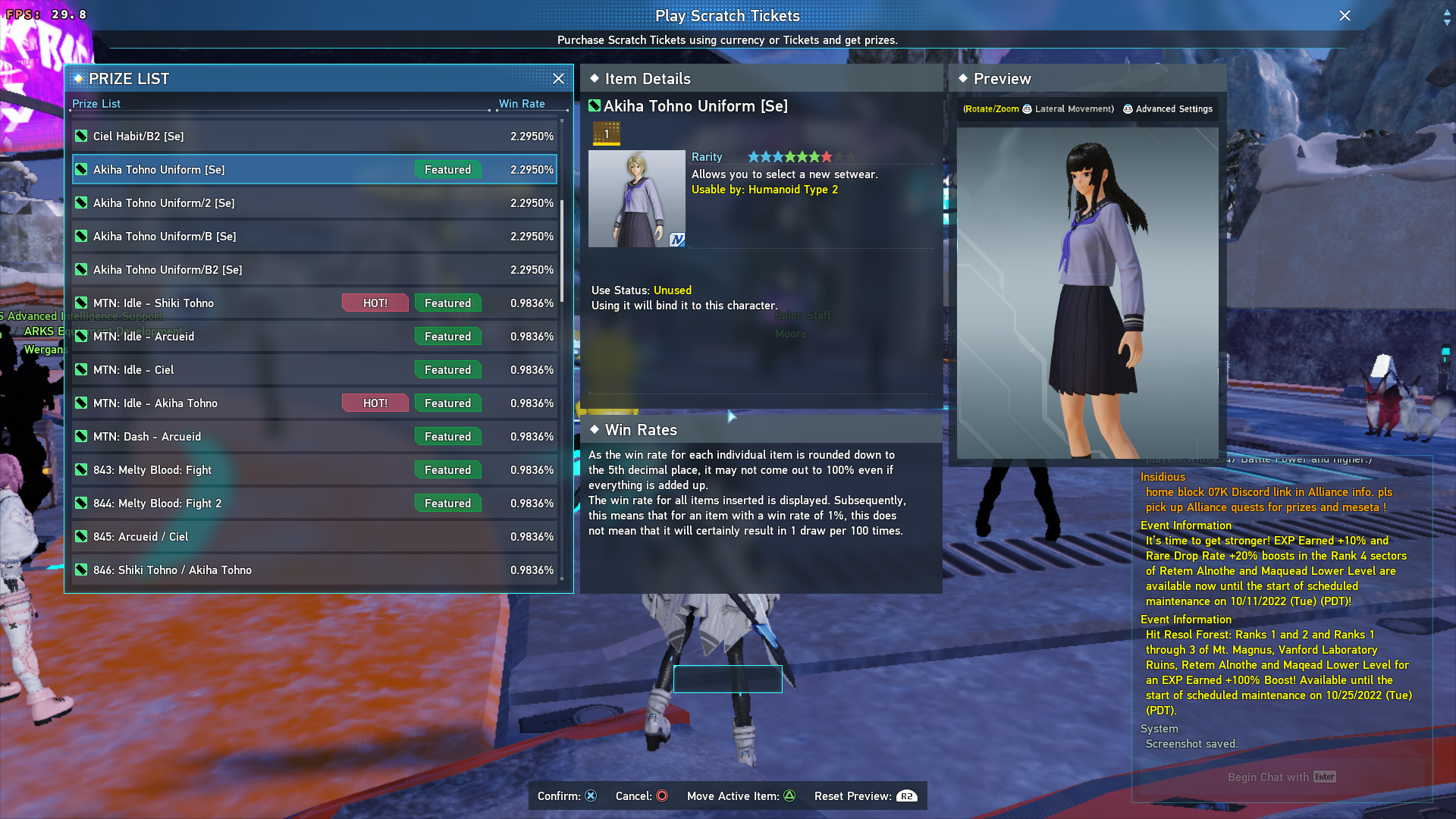
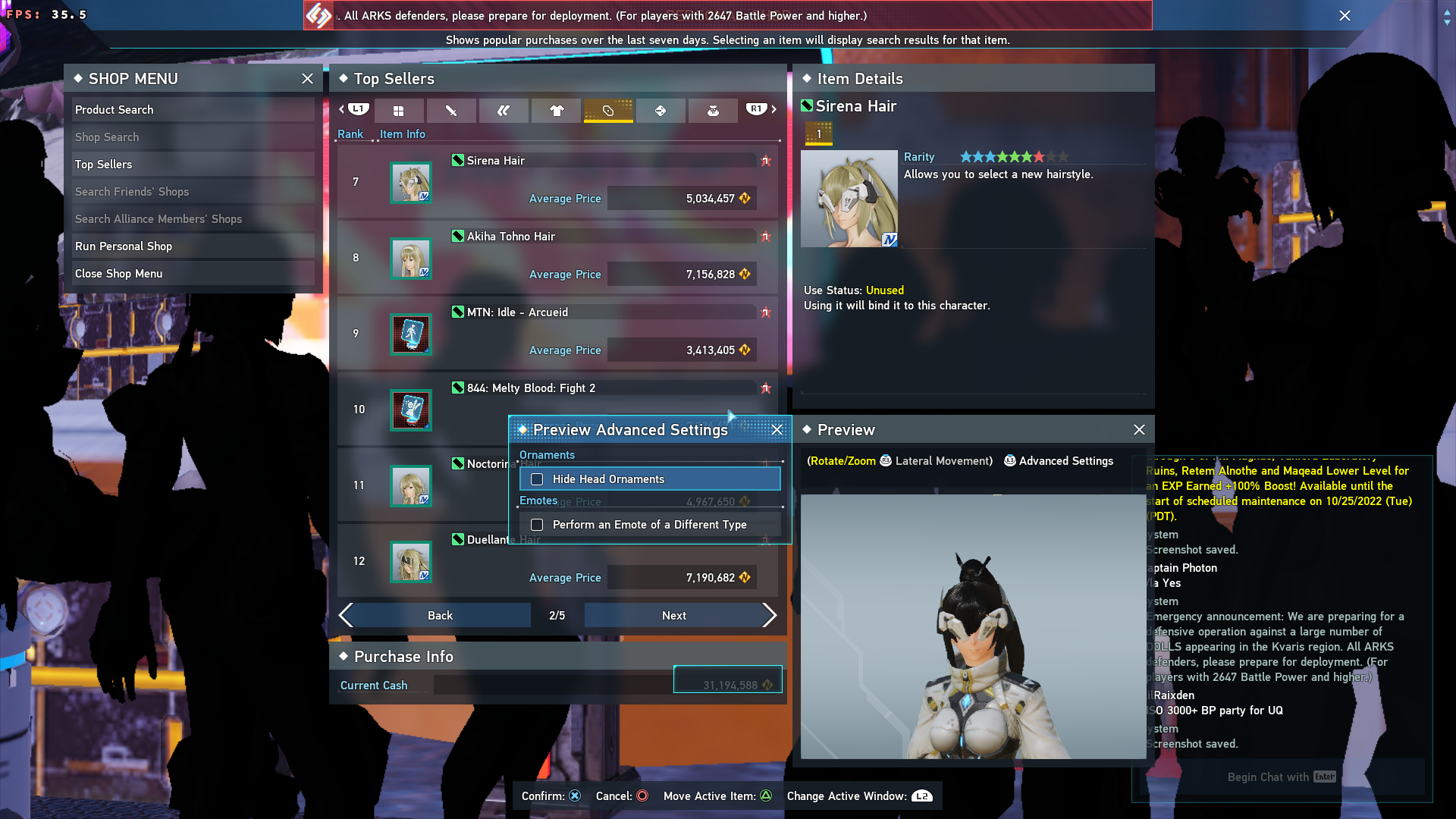
I didn't have this problem either. I'm running the game maxed and still with my own patch on a tkg build compiled a few days ago.
Just for the record, I'm running nvidia with DLSS enabled.
AMDVLK being out of date...
@jhc1993-846 so are you using AMDVLK as default? what happens if you switch to RADV?
@jhc1993-846 if you're providing new info, please make a new post so that people tracking the conversation get an update. If you edit your post it's unlikely for people to see it.
I suppose the last step of the journey is figuring out why Steam Overlay causes the game to freeze momentarily?
AFAICT this affects typing with the OSK on Steam Deck as well (which might be a huge bummer for some people as socializing is what the game is mostly about for them)
It seems with one of the last updates they did the game seems to get hung up loading into the actual game. Experimental, 7 and 8 all behave the same. It will get past the launcher, and to character selection, but trying to load into the game usually causes the loading screen to lock up.
Now i did find the game will eventually respond, but by then the game has been locked up for so long the servers will just kick you, and it'll come back. I then tried to login again...it immediately bypassed the loading screen (likely because most of it was already loaded); but i loaded into basically nothing as it slowly loads everything in one by one until it freezes again (this eventually has the same disconnect issue before it kicks you back out and repeats this on further attempts).
GE Proton 7 and 8 both seem to bypass this issue, but both still carry that Steam Overlay issue (so i just disable it).
But in addition i found some audio seems to be missing (mostly anything with your own character voice attached to it, dodging, grunts, etc.. but anything that has its own separate sound like gunfire and footsteps seem to be fine).
Its been a minute since this one has been updated, but i thought i'd put this here.
the status of this game is still the same as June last year.
https://github.com/ValveSoftware/Proton/issues/4122#issuecomment-1165651616
Proton doesn't carry the patch for bypassing Wine's case-insensitivity traversal, only GE does. the other workaround that doesn't involve the patch involves creating an ext4/F2FS partition with casefolding (or configure existing partitions)
after that initial hurdle, game works flawlessly so long as it is installed on an SSD, HDD is not recommended (same as on Windows). Steam Overlay does momentarily freeze the game however.
EDIT: just realized that tomorrow marks the anniversary of this game properly at all on Linux
Ok i tried that method; Using non-GE; but the missing audio issue remains. Funny enough when adjusting the character volume slider i can hear it; but everywhere else (including the salon's preview voices section) those sounds are just gone.
For the steam overlay its a crapshoot if it works or causes some horrible error.
Sometimes it works and just lags for a second like you said. Other times it gives me this error (and i also sometimes won't get past the SEGA logo on start)
Hello @Arucied, please copy the contents of Steam Runtime Diagnostics from Steam (Steam -> Help -> Steam Runtime Diagnostics) and put it in a gist, then include a link to the gist in this issue report.
As a small update. Wine/Wine-staging just updated for me; and it seems to have resolved that audio issue. I still need to keep the seam overlay off, as when its on there's a 50/50 shot the game won't launch; and the other where it'll give the error i linked previously.
The latest version of GE-Proton8-10 seems to break the workaround for long loading times and now has severe performance hiccups. GE-Proton8-9 and below work properly still. Edit to add context that this was on Steam Deck.
The latest version of GE-Proton8-10 seems to break the workaround for long loading times and now has severe performance hiccups. GE-Proton8-9 and below work properly still.
No problems here. Clean install, clean prefix, GE-Proton8-10. Loaded into game just fine. All ultra settings on ultrawide monitor.
The latest version of GE-Proton8-10 seems to break the workaround for long loading times and now has severe performance hiccups. GE-Proton8-9 and below work properly still.
No problems here. Clean install, clean prefix, GE-Proton8-10. Loaded into game just fine. All ultra settings on ultrawide monitor.
I'm not sure if it’s just a Steam Deck issue; I only tried with it. I will clean install to see if it fixes. Otherwise, 8–9 works perfect on Deck.
Still no problems for me with the hack I made.
Still no problems for me with the hack I made.
We've been using your patch/method for a long while now if that's what you're getting at:
diff --git a/dlls/ntdll/unix/file.c b/dlls/ntdll/unix/file.c
index 850c70a6b2b..8882ed7aaff 100644
--- a/dlls/ntdll/unix/file.c
+++ b/dlls/ntdll/unix/file.c
@@ -3188,6 +3350,18 @@ static NTSTATUS lookup_unix_name( const WCHAR *name, int name_len, char **buffer
     if (is_unix && (disposition == FILE_OPEN || disposition == FILE_OVERWRITE))
         return STATUS_OBJECT_NAME_NOT_FOUND;

+
+    static char *skip_search = NULL;
+    if (skip_search == NULL)
+    {
+        const char *env_var;
+
+				skip_search = getenv("WINE_NO_OPEN_FILE_SEARCH");
+        WARN("Disabling case insensitive search for opening files");
+    }
+    if (skip_search && strcasestr(unix_name, skip_search) && disposition == FILE_OPEN)
+        return STATUS_OBJECT_NAME_NOT_FOUND;
+
     /* now do it component by component */

     while (name_len)
""" Game fix for Phantasy Star Online 2
"""
#pylint: disable=C0103

from protonfixes import util

def main():
    """
    """

    util.set_environment('WINE_NO_OPEN_FILE_SEARCH','pso2_bin/data')
I've reproduced the issue on my Steam Deck as well. Something changed between:
https://github.com/ValveSoftware/wine/commits/94c68efa45ac4b8be14de928a30af00031c26c5e
and
https://github.com/ValveSoftware/wine/commits/255b1632b063f35a53c9f95aa1a807e59c7722e6
thats causing the patch not to work
-edit-
Just double checked to verify and confirmed. I rebuilt GE-Proton8-10 using 94c68efa45ac4b8be14de928a30af00031c26c5e and it works fine, so its none of my extra patches causing it.
sigh. time to bisect..
Ok... now I can't reproduce the issue on 255b1632b063f35a53c9f95aa1a807e59c7722e6, but the end build size is off by like 3mb. My only guess here is somehow the patches didn't get applied.
Aaaand ofc I was going to ask him to test a build but he's now a deleted user....
-edit-
yeah confirmed thats the problem, somehow the patches didnt get applied :facepalm:
Fixed now:
https://github.com/GloriousEggroll/proton-ge-custom/releases/tag/GE-Proton8-11
What I was getting at was that there were no changes with the game nor the way wine presumably works with the code ;)
For whatever reason, this only happens on my Fedora system, but i've been experiencing extremely slow network loading times (very long pipe tunnel sequences, long delays when loading scratches, et al) when attempting to log into the game.
I don't know what could be causing it, or why it only seems to happen under Fedora. My old Arch install didn't have that problem.
Is there some kind of network issue or setting that could be causing weird issues on Fedora that I'm not aware of?
Replying to https://github.com/ValveSoftware/Proton/issues/4122#issuecomment-1869054041
Long loading times makes me think it's a storage issue, since I'm running off a mechanical and notice a lot of this (but it happens regardless). That's assuming you're using -GE with the file casing check hack that it comes with, anyways (not aware if this was patched upstream at any point).
Replying to https://github.com/ValveSoftware/Proton/issues/4122#issuecomment-1869058433
I'm using GE, and the game is running from a solid state disk. It shouldn't (at least, as far as I know) have an issue with storage. The filesystem is BTRFS, and it's exhibited the same issue running from an EXT4 sparsefile partition, so I'm unsure.
PSO2 Classis (Not NGS): Transfer to a PSO2 block from menu or from within game = blackscreen requiring hard reboot (does not solve)
Issue transferred from https://github.com/ValveSoftware/Proton/issues/8078.
@blb-works posted on 2024-09-07T15:16:47:
Game launched via compatibility tool: Steam Play. Cannot access PSO2 (original game) as intended from PSO2:NGS launcher.
Intended/expected behavior:
- Select PSO2 from character screen
- Land in PSO2 (original) gate area.
OR
- Select Transfer to PSO2 Block from within PSO2:NGS
- Land in PSO2 (original) gate area.
ACTUAL behavior trying EITHER of the two paths offered:
- PSO2:NGS closes.
- Another game window is spawned, remains black, never loads game.
- Must hard cancel PID, close steam, and reboot system to regain ability to access PSO2:NGS.
- PSO2 (original) game never loads.
Item of note - It appears that they are not supporting actual connection between these two games as, when you request PSO2 (classic), it shuts down the game, the launcher, and appears to launch both a new anti-cheat as well as a new game window - but the game never loads.
I feel like there should be a way from the Steam launcher to manage this, as it consistently fails no matter what I'm doing or how I'm trying to manage it. If Steam would allow me to launch the PSO2 classic game, going from Classic to NGS hasn't been an issue, but going to PSO (classic) from NGS always is an issue.
Some research indicates that there are requirements (i.e., no NGS items can be taken into Classic, only some Classic items can be taken into NGS), but I've been careful to observe these, so can say with confidence this is not contributing to the current issue.
I have tried ProtonGE, Proton (current-stable), ProtonTricks, PSOTweaker (won't install), and various workarounds but none of them are helping.
Support request at Steam told me to come here and file an issue. Please let me know if I can provide additional information to assist.
Thank you. Happy to make a short video to demonstrate issue if it would be helpful.
Hello @blb-works, please add PROTON_LOG=1 %command% to the game's launch options and attach the generated $HOME/steam-$APPID.log to this issue report as a file. (Proton logs compress well if needed.) Also, please copy the contents of Steam Runtime Diagnostics from Steam (Steam -> Help -> Steam Runtime Diagnostics) and put it in a gist, then include a link to the gist in this issue report.
Hello @kisak-valve, I've tested the game on Proton 11 (Beta), Phantasy Star Online 2 New Genesis still has Frames per second runs terrible while in a loading screen.
Also, I'm having issues on uploading a Proton log file to GitHub Gist, so I can't upload the file to it, but here's a file that you can see it here.
Yes, I even tested with PROTON_USE_NTSYNC manually as well, just to troubleshoot. However, not even that command helped either, the game is still running terrible and will require to use Proton-GE instead of Proton 11 (Beta), until the problem is fixed. We'll be so happy if Proton 11 was the first version that fixes performance issues for all games (Especially Phantasy Star Online 2 New Genesis).
I really can't have myself to use Proton-GE (While if it's not on Steam), due to strict security reasons.
Apologies, I gave up in frustration and then life pounced and I'm only just back. I did try what you suggest but it was long ago, did not work, and I no longer have those logs. I bow to others who seemingly took that baton and thank them for it.
Proton versions
ge-proton8-11x1 2023-08ge-proton8-10x4 2023-08ge-proton8-9x3 2023-08proton experimentalx3 2022-10
Launch options
PROTON_USE_NTSYNCx1 2026-04PROTON_LOG=1x1 2024-09WINE_NO_OPEN_FILE_SEARCHx1 2023-08WINE_NO_OPEN_FILE_SEARCH="pso2_bin/data"x2 2022-09PROTON_LOG=+all`.x1 2022-07PROTON_LOG=1`,x1 2022-07WINE_NO_OPEN_FILE_SEARCH="_na"x1 2022-06PROTON_USE_WINED3D=1```x1 2022-06DXVK_ASYNC=1`x1 2022-06PROTON_USE_WINED3D=1`andx1 2022-04
Launch lines
Upstream links
- ValveSoftware/Proton/issues/8078x1 2024-09
- ValveSoftware/Proton/issues/5781x1 2022-04
Compatibility Report
System Information
I confirm:
Symptoms
The game would not launch when you click the Start Game button in the game's own launcher. pso2.exe runs in the background as a zombie process.
Reproduction
Log
Google Drive link to steam-1056640.log, It kinda blew up to 53 MB in just a few seconds when opening up the game.