Divinity Original Sin 2
I'm not having any joy with installation, either. No useful error message at command line, but installation appears to fail during or just after Microsoft DotNet framework.
EoCApp.exe can be made to run using standard Wine 3.0.2, but blackscreens.
Distro: Ubuntu Mate18.04
Kernel: 4.15.0-32-generic
Resolution: 1920x1080
CPU: AMD Ryzen 1600 six-core
GPU: 4GB AMD Radeon 6990 (Caymen), Padoka driver (see https://launchpad.net/~paulo-miguel-dias/+archive/ubuntu/mesa)
RAM: 16GB
It certainly seems to me as if the issue is .Net. In CrossOver I had been able to run it perfectly by simply specifying the executable (and skipping Steam).
I renamed EoCApp.exe to SupportTool.exe for it to load with proton. I used proton_winedbg_run (modified to override xaudio2_7) with the following results (black screen, game cursor):
./proton_winedbg_run2
wine: Call from 0x7b43c45c to unimplemented function mscoree.dll.CorIsLatestSvc, aborting
wine: Unimplemented function mscoree.dll.CorIsLatestSvc called at address 0x760023:0x7b43c45c (thread 0015), starting debugger...
WineDbg starting on pid 0035
0x000000007bc8f905 DbgBreakPoint+0x1 in ntdll: ret
Wine-dbg>next
start_process () at /home/proton/proton/wine/dlls/kernel32/process.c:1067
1067	    return entry( peb );
Wine-dbg>next
Thread ID=0041 not in our list of threads -> can't rename
Thread ID=0042 not in our list of threads -> can't rename
Thread ID=0043 not in our list of threads -> can't rename
Thread ID=0044 not in our list of threads -> can't rename
Tried again with some overrides and taskset -c 1 (as suggested by this workaround: https://bugs.winehq.org/show_bug.cgi?id=29215)
please see this gist:
https://gist.github.com/FreeLikeGNU/efb26bebb40fc13a3fb78f2c0b0c78f5
@FreeLikeGNU Did it work? I'm assuming it failed, but could you clarify?
@nstgc It failed with the same result of black screen and game cursor, but I got more information from the debug output, so maybe a step closer?
Error logs are indeed a step forward!
I get the exact same error.
Some people have had success by just renaming the app. Most likely a video driver issue.
@notfood and anyone else getting this, it may help to post your system information from Steam's Help menu:
https://steamcommunity.com/sharedfiles/filedetails/?id=390278662
Hmm could it be lack of hyperthreading or something about realtek audio chips that DOS2 on WINE does not like? I've tried testing in Mint, Manjaro and Xubuntu (with xaudio2_7 and renamed exe's) with the same results. On the same hardware running Xubuntu and Manjaro I can run Witcher 3 and Skyrim SE just fine.
I don't see a way to enable it. I can play Witcher 3 and Skyrim.
It's not very likely to be a Realtek audio issue - I'm using an external USB audio device and appear to be having the same difficulties.
In my case, at least, my bet is firmly on some combination of (maybe) DotNet and (very likely) driver issues with my powerful-but-ancient Radeon 6990.
Steam info, and I've switched to the stock radeon driver to provide more representative results while submitting Proton test results: https://gist.github.com/KGOrphanides/c0fe99f0d9824a8ab434907637c07400
https://gist.github.com/Elisto/b27246d9bfa63f4fbd110616cec1cb2d
same problem here black screen + mouse
D:OS2 updated to "Definite Edition" and can't run anymore.
The "bin" folder now contains the frontend. The steam/steamapps/common/Divinity Original Sin 2/ folder now contains "Classic" and "DefEd" folders each with their own set of executable. No luck getting the frontend working so far.
I got the game to work without any add/winetricks/installation and even skipping the script installation from steam.
Since D:OS2 and D:OS2 Difinitive Edition is DRM free I can run the game without steam, thanks to this I could troubleshoot a little further.
I managed to set up a seperate WINEPREFIX for my own and use Wine 3.7 on it, the game just did not want to start, the black screen, I figure I had to install XACT. Out of curiosity I tried Wine-Staging 14 (cleaning my WINEPREFIX fully) I made it work without installing XACT, just like that, no problem playing the game. Even using Wine 3.14 had the same affect, no problems no extra installations. The problem was, it was without the steam-environment, as I can play the game it feels naked on the multiplayer side, I still want the steam version run like the steam version (how it's supposed to run).
So what I take from this is that I have wait until Valve update Proton to a newer Wine-base version.
Note: I used Lutris for this troubleshooting (Easier to force kill the WINEPREFIX when needed). I also may have LSI (Linux Steam Integration) on but it does not have any affect on this "experiment".
OS: Solus x86_64
Kernel: 4.17.17-87.current
Shell: bash 4.4.19
Resolution: 1920x1080
DE: Budgie
CPU: Intel i7-2600K (8) @ 3.800GHz
GPU: AMD ATI Radeon R9 290
Total Memory: 20040MiB
@Sethox maybe I'm getting a bit off topic here but here is output of my fresh wineprefix of wine-staging 3.14 with DXVK .70 (no xact) with Witcher3 (runs great) and D:OS2 DE (blackscreen). I really dont know what to make of this or the fact that DOS2 runs for some of us but not others. Maybe there is some other system configuration that is blocking this!?
https://gist.github.com/FreeLikeGNU/5d438df7aa8a6b8c851f768e4839722c
after testing a few machines using the same Xubuntu 18.04.1 nvidia 396.54, wine staging 3.14 and DXVK .70 I get:
Intel(R) Core(TM) i5-3470 CPU, GTX1070 - fail
Intel(R) Core(TM) i5-4590 CPU, GTX 680 - fail
Intel(R) Core(TM) i7-3630QM CPU, GTX 670MX - runs great
Intel(R) Core(TM) i7-2679QM CPU, GTX670 - runs great
all tested machines run The Witcher 3 in that same prefix fine (except for the minor known texture streaming issue)
Have not been able to run D:OS2; been trying since it came out. Now I tried with Proton, but results in black screen just like with regular wine (or wine + DXVK).
Ubuntu 18.04
CPU: Intel(R) Core(TM) i5-4460 @ 3.20GHz (family: 0x6, model: 0x3c, stepping: 0x3)
GPU: GeForce GTX 950 driver 396.54
RAM: 8GB
Been running games like Witcher 3 or Kingdom Come: Deliverance just fine.
@FreeLikeGNU May be game tries to detect graphics settings on first run? What if copy generated settings from working system to non-working?
I'm one of those who never got the game to run with wine. Just like @FreeLikeGNU, the game would would segfault (and create a minidump) and than hang with the black screen.
So I debugged the game a while back, and I'm very sure, that the problem isn't gpu related at all.
What I found out:
On game start, during the initialization of the game's audio engine (Audiokinetic Wwise), a new thread is created. When this thread is executed first, it makes a call to some subroutine within the engine. However, unlike on Windows, on Wine the pointer to that subroutine contains an invalid memory address. The call to that address causes the thread to segfault. I assume the game hangs at this point because other threads are waiting for the thread forever to release locked semaphores.
As the crash happens before xaudio2_7.dll is even loaded, installing xact doesn't help in this case.
Sadly, I couldn't find a solution or workaround to get it running. I can only assume it's somewhat related to .NET, which Wwise is based on. Maybe in invalid vtable or something like that.
@Rotscha any idea why it might work on some machines and not others, like perhaps the audio chipset or driver?
EDIT: I disabled my onboard audio via bios, no effect.
Could it be that the people running it have simple 2.1 audio and D:OS2 is trying to do something fancy for 5.1/7.1 users?
@notfood That is a possibility I did not think myself. Since it's about audio..
My test did involve a headphone so it's basically "2.1". For those that does not work for, what audio setup do you have?
@lieff that was my line of thinking when I used an external drive with xubuntu and the game installed in a known working configuration. This is a portable system I can use to test on lots of hardware quickly with game configuration saved. I built the installation with the non-working hardware tested again on that and then tested with working hardware (and those ran the game). I then ran the game on the non-working hardware again to verify (and hope maybe something changed the games configuration file to work) but results remained the same.
I'm using a simple stereo setup, nothing fancy at all, hooked to line out of the mainboard. Can't get much simpler than that, but no dice.
Reading things around and looking at the spreadsheet (https://docs.google.com/spreadsheets/d/1DcZZQ4HL_Ol969UbXJmFG8TzOHNnHoj8Q1f8DIFe8-8/htmlview?sle=true#gid=0)
I notice that some people compile their own proton version direct from source, that seems to work for most of the people. I cannot get it to work with steam's own version (beta or the other), only if I make my own WINEPREFIX with newer mainline wine version.
Edit: I just validated the game folder, and bam more than 30 files "failed to validate", so disregard my message.
I think @Rotscha is on the right track, I wish I had the skills to debug how a game interacts with WINE, my biggest fear it will require a hack that even staging wont touch for it to start up for everyone with a multi-core CPU from at least 2012 and Vulkan capable GPU . (not just those with the right combination of hardware). WineHQ doesn't care about any results that involve DXVK (already had my tests revoked there).
https://gist.github.com/berenm/3e67cd273c2a530849e52218a1f2e70c
hack/workaround for launching problem with description what caused this
I have the strange feeling this is somehow cpu related. Looking at reports from various people, the game seems to generally work on i7 but not on i5. I'm starting to believe, it could be an issue with Hyperthreading.
@Rotscha I have a i5 4210U and disabling hyperthreading works!!
Edit: Divinity just detects (see window title) and uses one core (out of two) while on Windows it used all two (with hyperthreading four).
So it seems some GetInfo about processor function fails in wine.
I have i7 with HT and game runs with wine-3.15 (Staging) but not with Proton 3.7-5 Beta.
So, good news. I found the reason, why Wine crashes the game. It has indeed to do with thread affinity. Apply this patch and it should work.
--- dlls/ntdll/thread.c 2018-09-07 12:33:51.689761974 +0200
+++ dlls/ntdll/thread.c 2018-09-07 21:09:33.463365868 +0200
@@ -1290,6 +1290,7 @@
             if (length != sizeof(ULONG_PTR)) return STATUS_INVALID_PARAMETER;
             req_aff = *(const ULONG_PTR *)data;
             if ((ULONG)req_aff == ~0u) req_aff = affinity_mask;
+            else if ((LONG) req_aff < 0) req_aff = affinity_mask & req_aff;
             else if (req_aff & ~affinity_mask) return STATUS_INVALID_PARAMETER;
             else if (!req_aff) return STATUS_INVALID_PARAMETER;
             SERVER_START_REQ( set_thread_info )
Hello @Rotscha, this patch should go to upstream wine if it has not been already.
@kisak-valve yes, i will submit the patch to wine as soon as i can. Meanwhile it would be nice, if others could report, if the patch works for them too.
Reactos do simple
                /* Combine masks */
                CombinedAffinity = Affinity & Process->Pcb.Affinity;
                if (CombinedAffinity != Affinity)
                {
                    /* Fail */
                    Status = STATUS_INVALID_PARAMETER;
                }
                else
                {
                    /* Set the affinity */
                    KeSetAffinityThread(&Thread->Tcb, CombinedAffinity);
                }
https://github.com/reactos/reactos/blob/master/ntoskrnl/ps/query.c#L2104
Without "if" series, and gets Pcb.Affinity while wine uses const ULONG_PTR affinity_mask = get_system_affinity_mask();.
Is this normal?
@Rotscha Game failed to run for me with that patch.
It passed the issue where it locks, then I got sound, then it wrote minidump and hanged.
Hm, damn. The game launches fine for me. I used a fresh prefix with only dxvk installed. No additional winetricks stuff. Patch applied to vanilla wine 3.15
Did you try in a fresh prefix too?
Small update:
While the Definitive Edition seems to work fine, the Classic Client (which is included) still hangs on startup. So there must be something more...
One more update:
Classic works too now, after installing xact via winetricks.
I disable HT and stock wine stops working as expected. After applying patch to vanilla Wine 3.15 it works.
@notfood Is there any configure warnings? It's easy to miss them...
There also some shader warnings
002b:fixme:d3d_shader:shader_sm4_read_instruction_modifier Unhandled modifier 0x800000c2.
002b:fixme:d3d_shader:shader_sm4_read_instruction_modifier Unhandled modifier 0x00155543.
I assume progress bar colors broken because of this:

@lieff Great! Thanks for testing
Also books rendered incorrectly:

That's without dxvk, right?
@Rotscha Always welcome :)
It's Proton prefix and dxvk dlls are in place, but DXVK_HUD=1 do not shows HUD, so it seems do not use dx11.
I'm using a clean wineprefix. I tried with dxvk as well. Installed xact and no dice.
The relevant lines:
warn:  DXGI: MakeWindowAssociation: Ignoring flags
0032:fixme:thread:SetThreadIdealProcessorEx (0xfffffffffffffffe, 0x224fdf0, (nil)): stub
002b:fixme:thread:SetThreadIdealProcessorEx (0x3f4, 0x22f9b0, (nil)): stub
0033:fixme:thread:SetThreadIdealProcessorEx (0x410, 0x23bfbc0, (nil)): stub
info:  DxgiVkPresenter: Recreating swap chain:
  Format:       VK_FORMAT_B8G8R8A8_UNORM
  Present mode: VK_PRESENT_MODE_FIFO_KHR
  Buffer size:  1152x864
0048:fixme:thread:SetThreadIdealProcessorEx (0xfffffffffffffffe, 0x68efdf0, (nil)): stub
0049:fixme:explorerframe:taskbar_list_SetProgressState iface 0x2e62610, hwnd 0x10058, flags 1 stub!
0049:fixme:explorerframe:taskbar_list_SetProgressValue iface 0x2e62610, hwnd 0x10058, ullCompleted 1, ullTotal 64 stub!
004b:fixme:thread:SetThreadIdealProcessorEx (0xfffffffffffffffe, 0x4ddfdf0, (nil)): stub
004b:fixme:msvcp:_Locinfo__Locinfo_ctor_cat_cstr (0x4ddf240 1 C) semi-stub
004b:fixme:msvcp:_Locinfo__Locinfo_ctor_cat_cstr (0x4ddecc0 1 C) semi-stub
004b:fixme:msvcp:_Locinfo__Locinfo_ctor_cat_cstr (0x4ddf400 1 C) semi-stub
004b:fixme:msvcp:_Locinfo__Locinfo_ctor_cat_cstr (0x4ddeae0 1 C) semi-stub
0033:fixme:dbghelp:MiniDumpWriteDump NIY MiniDumpWithHandleData
On a side note, my processor doesn't support HyperThreading. i5 6600 cpu doesn't have that option.
The patch is working like a glove with my i5-4440
for the classic version try installing xact and directx SDK june 2010
@Rotscha thanks for the patch. Works perfectly.
@Rotscha Patch is working for DE.
The game is only using ~25% of each core all the time (10 FPS ingame).
Edit: Divinity on Wine seems to use less threads than on Windows. (atleast with i5)
There also crash on alt+tab.
My bad, I've not checked that Proton prefix do not contains dxvk overrides for this game. After I setup dxvk overrides - dxvk hud showed and colors are correct for progress bar and books.
I tried with vanilla wine+patch, wine-staging-nine+patch, proton+patch
I get the same error in them all from a clean prefix, doesn't matter if I use DXVK or not. Am I missing something else? I only set the FakeFullScreen to 1. Isn't that all is needed to get it to run from a clean prefix?
Hangs at SetThreadIdealProcessorEx
@notfood Are you sure you patched Wine correctly?
@Kron4ek I tried your patched exe and had similar results as before:
i5-3470 CPU GTX 1070 DXVK .70 - fail
i7-2670QM GTX 670MX DXVK.70 - runs
wine debug output:
https://gist.github.com/FreeLikeGNU/38a1e5ee4535b76dff96c1f18770c075
Yes, certain the patching works. It does change the result a bit. I get audio, it plays short and the window no longer becomes unresponsible. But then after a moment, it hangs again and writes a dmp file. Previously it'd just hang with no audio.
@notfood You use configure --enable-win64 ? Is there any warnings?
Also I have problem with startup video in clean prefix (it's black, but not crashes). May be this related, xaudio_2_7 helps with startup video in my case.
Hmm, I remove xaudio_2_7 override and still no problem with video. Not sure what cause black video earlier then.
I actually use a modified PKGBUILD file to create a package to install under ArchLinux. I'm certain the patching is correct.
With i5 4210U DOS2 (DE) only uses core 0 and 1 and hangs infinitely when assigning more cores (regardless the wine version w/ or w/o the patch).

Can someone please verify this?
@notfood I had similar symptoms as you describe after applying the patch to wine. The Larian jingle would play, but screen remained black and after hitting CTRL+C it would create a crash dump. As I'm using the steam version of the game, I verified the installation, upon which it re-downloaded about 4GB. And now it's working just fine!
@Rotscha: my CPU (i5-4460) has 4 physical cores and no hyper threading. Did not run without the patch.
No success... it redownloaded one file but the result is the same.
This is the output when I skip Steam and put the executable on a WINEPREFIX:
https://pastebin.com/raw/sdL2CGMB
These output only prints out when an application with DXVK fails to run for me. I don't think this output will help anything though (it's output for my test earlier, this one is fresh though).
https://source.winehq.org/patches/ does not seem to have a search function but I see @Rotscha's patch in there awaiting approval. :D
Watching for approved commit of @Rotscha's patch or any other adjustments to thread affinity:
Thanks everyone for testing.
The patch was merged into upstream wine, just in time to make it into the new 3.16 release :)
Tried with 3.16 release, no success...
Sound plays, the cracks, then hangs.
Hangs at this:
006e:fixme:thread:SetThreadIdealProcessorEx (0xfffffffffffffffe 0x550fdf0 (nil)): stub
I got it to run by installing xact and vcrun2015. Sounds cracks all the time for some reason though, does that happen to everyone else?
With patch, I was getting black screen with music then I deleted my ~//Documents/Larian Studios/Divinity Original Sin 2 Definitive Edition/ folder and made a fresh prefix. The game runs great! I had high frame rate but some stutter until I disabled vsync in the game. It runs great now over 110fps with max settings! Thank you @Rotscha for your awesome patch and everyone who tested along the way!
@notfood I did not encounter sound issues with a fresh prefix + DXVK .71 (no xact or vcrun)
I compiled only 64bit version using the following these very concise instructions:
https://www.reddit.com/r/wine_gaming/comments/9fg4jn/is_anyone_successfully_running_witcher_3_on/e5w9sv2/
edit: forgot to clarify, I compiled the 3.16 source that includes the upstream patch
i've got sound crackling as well... using alsa not pulse.
AL lib: (EE) ReleaseThreadCtx: Context 0x7fb3ac08fd00 current for thread being destroyed, possible leak!
I'm using Pulse and I get a lot of cracking.
I tried messing with default.pa
load-module module-udev-detect tsched=0
default-fragments = 5
default-fragment-size-msec = 2
These settings seem to reduce the cracking but they're still there.
Xact reduce crackling a bit.
But you have to install it manually, cause winetricks won't install 64-bit xact.
@eNTi Audio sounds good for me and I don't see the AL lib message unitl I quit the game from the main menu:
AL lib: (EE) ReleaseThreadCtx: Context 0x7fd604026400 current for thread being destroyed, possible leak!
Ubuntu 18.04.1 pulseaudio 11.1 (audio stereo dulplex)
https://gist.github.com/FreeLikeGNU/aa22b62dbcabb393160fb5304ecd0cc4
Audio device: Realtek ALC898
from LSHW:
*-multimedia
description: Audio device
product: 7 Series/C216 Chipset Family High Definition Audio Controller
vendor: Intel Corporation
physical id: 1b
bus info: pci@0000:00:1b.0
version: 04
width: 64 bits
clock: 33MHz
capabilities: bus_master cap_list
configuration: driver=snd_hda_intel latency=0
resources: irq:35 memory:f7230000-f7233fff
edit @notfood :
what happens if you switch pulseaudio out modes (such as: from stereo to stereo duplex) after the game has started?
Using the above renaming strategy doesnt work for me. In fact. the game doesnt even start. Anyone else not able to get the game to launch?
Xact reduce crackling a bit.
But you have to install it manually, cause winetricks won't install 64-bit xact.
winetricks -q xact works for me on an 64 bit prefix.
i had the game running with wine-staging 3.15 before and that had no crackling...
winetricks -q xact works for me on an 64 bit prefix.
Yes it works, but installs only 32-bit libraries (into syswow64) of xact, but skips 64-bit ones.
This is on latest winetricks from github. So as i said, you have to install it manually.
But maybe it works for 64-bit too on old version of winetricks.
@Kron4ek is right. Xact via winetricks installs 32bit dlls only.
The game actually doesn't really need them on Wine anyways. If you still get a blackscreen at startup, set xaudio2_7 to disabled in winecfg. The game should then start just fine. Maybe it even fixes the crackling sound (I personally don't have that issue, so I can't say for sure).
Disabling every xaudio2_* fixes the crackling for me. Thank you!
disabling xaudio2_7 seems to be working for me as well.
So...what is necesary for playing this game today?? I'm lost! Only xaudio2_7 disabling?? The patch is needed?? We still need to rename exes??? it's confusing.
I'm trying to run steam version in KDE Neon with Nvidia970 and 396.54 drivers.
Thank you!
Great @eNTi @notfood
@ekkia
As it stands, to be on the safe side, all that is needed is
- Wine 3.16 (for the patch)
- xaudio2_7 disabled
- optional and recommended: dxvk
That should be all, I think.
Is there a way to get this to work inside of steam at this point? I've got it running perfectly using wine 3.16, but it won't let me play online with my friend. I've done all of the renaming tricks and linking stuff etc, but it just does not work no matter what I do.
@xrishox I was able to get it working through steam. I haven't tried connecting with friends (no friends are online).
DO NOT JUST COPY/PASTE THE COMMANDS, READ EVERYTHING!!!
To play this through steam you need to make a custom Proton folder in your steamapps/common directory (on ubuntu 18.04 it is "~/.steam/steam/steamapps/common").
Navigate there
cd ~/.steam/steam/steamapps/common
Copy the original Proton folder to a custom one:
cp -r "Proton 3.7" "Proton 3.7 Custom"
rename "Proton 3.7" to "Proton 3.7 Original"
mv "Proton 3.7" "Proton 3.7 Original"
Now we need to replace the files in the Proton 3.7 Custom directory with wine 3.16-staging.
On my system, wine-staging is in "/opt/wine-staging". You'll have to figure out where your install is.
Note the names end with "/", that is important with rsync
rsync -avhP "/opt/wine-staging/" "Proton 3.7 Custom/dist/"
Finally, link the custom Proton folder to what steam is expecting
ln -s "Proton 3.7 Custom" "Proton 3.7"
Now we have a Proton that will use Wine-Staging 3.16 (as this is the version with the patch)
Now to rename the files in "Divinity Original Sin 2" (if you haven't done this yet)
cd "Divinity Original Sin 2"
Link DefEd bin folder to top level bin folder
mv bin bin.bak
ln -s DefEd/bin bin
Copy EoCApp.exe to SupportTool.exe
cd bin
mv SupportTool.exe SupportTool.exe.bak
cp EoCApp.exe SupportTool.exe
Now you should be able to run Divinity Original Sin 2 through steam. You may need to force the compatibility tool in the Steam Play settings to use Proton 3.7-6. If this doesn't work for anyone please let me know.
Also, DO NOT VERIFY FILES AFTER DOING THIS. This will hose the "Proton 3.7 Custom" directory. Before you verify, make sure to put the original Proton folder in place
cd ~/.steam/steam/steamapps/common
rm "Proton 3.7"
ln -s "Proton 3.7 Original" "Proton 3.7"
And put DoS2 folder back in order
cd "Divinity Original Sin 2"
cd bin
mv SupportTool.exe.bak SupportTool.exe
cd ..
rm bin
mv bin.bak bin
Isn't there a way to make steam recognize multiple proton instalations?
@smilligan93 Dear Smilling, I followed your instruction and I got the game working, however there are some issues
- The game cannot connect to "Steam" : no online game, cannot find Steam friends, etc.
- It cannot load Mods
- It doesn't sync my save games from Steam Cloud
I have no idea why it is happening, as I can play single player perfectly fine ...
My spec (I think it is the cause for all of this, also according to everyone's posts above)
- Ryzen 3 1200 (SMT disabled)
- NVIDIA 1050TI, nvidia-driver 390
If you need any information, just ping, thanks
Interestingly enough, even after using @Rotscha's patch, and listening to @notfood's suggestions about installing xact and vcrun2015, the game hangs at the same function call as he described:
fixme:thread:SetThreadIdealProcessorEx (0xfffffffffffffffe 0x550fdf0 (nil)): stub
After playing around a bit, I can confirm that the Classic version of this game runs but the Definitive Edition does not. That still hangs at the black screen, but plays a little bit of the Larian Studios intro sound. After that, unresponsive for a while, then writes a minidump.
I tried disabling all kinds of xaudio2_* permutations. I am not sure, how to provide more information currently, but maybe after the exams I can start debugging around. If somebody has a good idea, where to look or what to try, please ping.
Make sure you run it in the same directory where EoCApp.exe is located.
Mh, I was sure I have done that, but apparently not. Thanks for the advice!
Running the Definitive Edition now works, but only when I disable xaudio2_7.
Game works perfectly for hours but after some long time sound becomes corrupted, does it happen to anyone else? It's a mild annoyance because restarting it fixes the issue.
Books and spell icons all work for me. Finished Fort Joy with no issues other than the sound turning strange after a few hours.
@smilligan93 Dear Smilling, I followed your instruction and I got the game working, however there are some issues
* The game cannot connect to "Steam" : no online game, cannot find Steam friends, etc.

* It cannot load Mods

* It doesn't sync my save games from Steam Cloud
I have no idea why it is happening, as I can play single player perfectly fine ...
My spec (I think it is the cause for all of this, also according to everyone's posts above)
* Ryzen 3 1200 (SMT disabled)

* NVIDIA 1050TI, nvidia-driver 390
If you need any information, just ping, thanks
There is a link for the steam workshop to work, a new update for proton has been added to suppose to solve it. By link I mean that proton is sort of "isolated".
Game works perfectly for hours but after some long time sound becomes corrupted, does it happen to anyone else? It's a mild annoyance because restarting it fixes the issue.
Books and spell icons all work for me. Finished Fort Joy with no issues other than the sound turning strange after a few hours.
I do have that too - interesting enough, after a longer play time, the corruption disappears and the sound is normal again. I, however, have this problem in Path of Exile too - where I can fix it by just selecting another sound device, which is not possible in Divinity: Original Sin 2.
Hello,
The game works but when i choose the mod for the campaign (story mod, exploration mod or other), the loading bar stay empty during very long time. The message popup in the loading screen appears randomly and there is the music so the game has not crashed. It really the loading bar which stay empty and don't load...
Game works perfectly after following @smilligan93 instruction. Downloading Mods using the steam workshop didn't work though, so I manually created a folder called "Mods" in /home/USER/Documents/Larian Studios/Divinity Original Sin 2 Definitive Edition/Mods and copied the downloaded Mods from /home/USER/.local/share/Steam/steamapps/workshop/content/435150 to the new folder.
Game works perfectly for hours but after some long time sound becomes corrupted, does it happen to anyone else? It's a mild annoyance because restarting it fixes the issue.
Books and spell icons all work for me. Finished Fort Joy with no issues other than the sound turning strange after a few hours.
Hey @notfood, I have fixed that issue for me and I want to see if the source is the same. Are you using Pulseaudio and a sound setup with more than 2 channels?
I had 6 channels because I have a 5.1 sound system. After switching to 2 channels in Pulseaudio, I no longer have corrupted sound, even after plenty hours of playing.
Yesterday the sound crackling came back... using lutris running on esync-wine-staging-pba-3.16-nopulse and dxvk 0.80 with xaudio2_7 disabled.
@eloquenza I have the same setup, I'll try setting it to two channels but that's undesirable system wide...
@eloquenza I have the same setup, I'll try setting it to two channels but that's undesirable system wide...
Believe me, I don't like it either. I automatically change the channels, restart Pulseaudio and then start the game in a script, which changes the channels back after the game has exited. This solution helped also helped in other games. Maybe there is a deeper underlying issue.
@eloquenza @notfood Perhaps you could try the module-remap-sink module in pulseaudio. It lets you create a virtual sound device with 2 channels and map those 2 channels to any of the 6 channels on your 5.1 output. You can set that up with something like this on the command line:
pactl load-module module-remap-sink master=MASTER_SINK_NAME channels=2 master_channel_map=front-left,front-right channel_map=front-left,front-right remix=no
Replace MASTER_SINK_NAME with the name of your 5.1 output. You can find that name with pactl list sinks short.
More info about the module in the pulseaudio docs.
@Roliga I followed your advice and sound corruption happened again, but this time I can switch between sinks and the game fixes itself, but after a while it corrupts again. No need to restart though, so that's a plus.
@notfood for the crackling have you tried adding the following PULSE_LATENCY environmental variable to either 30 or 60 in your command like:
$ PULSE_LATENCY_MSEC=30 wine EoCApp.exe
It helped with my Skyrim audio in wine
@lieff
There also crash on alt+tab.
Same for me, seems only to happen with dxvk.
Sometimes it crashes every time I switch to another app and other times it doesn't crash at all.
When it crashes the log always says:
002a:fixme:msctf:ThreadMgrSource_AdviseSink (0x11d9a0) Unhandled Sink: {ea1ea136-19df-11d7-a6d2-00065b84435c} 002a:fixme:imm:NotifyIME NI_CLOSECANDIDATE 002a:fixme:msctf:ThreadMgrSource_AdviseSink (0x11d9a0) Unhandled Sink: {ea1ea136-19df-11d7-a6d2-00065b84435c} 002a:fixme:imm:NotifyIME NI_CLOSECANDIDATE 002a:fixme:msctf:ThreadMgrSource_AdviseSink (0x11d9a0) Unhandled Sink: {ea1ea136-19df-11d7-a6d2-00065b84435c}
Where 0x11d9a0 sometimes is 0x11d9b0 or 0x11dde0.
(These errors appear after every switch to/from another app but doesn't always crash)
Can you please confirm this?
Try windowed, I never crashed on alt+tab.
@FreeLikeGNU PULSE_LATENCY_MSEC=30 doesn't seem to do anything. Sound still corrupts over time.
Try windowed, I never crashed on alt+tab.
Seems to work but not an option for me.
I've submitted another patch to upstream wine, which should prevent the classic client from crashing on launch when using builtin xaudio2_7.
Trying on the latest Proton 3.16 (and the bin copying mentioned above) will launch the game, but all I see is a cursor with a black screen. The audio seems to work though.
I get the same result @d10sfan, but not even any audio. I checked that Steamplay beta is set to 3.16-1 beta.
I noticed that when I run the current patch of DOS2 in wine 3.17 staging that I get black screen and audio.
EDIT: Oddly enough, when I run from /tmp/proton_/winedbg_run it runs fine
https://gist.github.com/FreeLikeGNU/16cab181ce10947501ff60bcf194bfef
I can't test the Steam version of the game, as I only own the GOG version. But running that with Proton 3.16-1 works fine for me.
The game had a update on Steam a few days ago. Some people (windows user) on the discussion boards report, that the game failed to start after the update, too.
Turns out removing the xaudio2_7 override I had added to the Steam launch properties made the game work again. The current 3.6.31.1571 update is working as well.
I recently upgraded to Ubuntu 18.10 and now DOS2:DE (3.6.29.3822*) won't launch anymore.
It's like some described above, black screen with cursor without sound.
Other games are working fine, no hardware changes.
I tried many configurations (w/ and w/o xaudio2_7 override, fresh prefix, different nvidia driver, w/ and w/o dxvk, different wine versions, disabled hyperthreading) but nothing seems to help.
Log: https://paste.ee/p/3eskK
I didn't need depencies before, are there any?
*old version because people report they can't start the game anymore after updating
Make sure you are running EoCApp.exe from the same folder. It'll error anywhere else with a black screen with cursor.
It's working for me now. The soft link from the bin folder to the root bin folder worked. And sound works as well. Thanks
Still no luck, starting from Divinity/DefEd/bin/EoCApp.exe or soft-linked bin doesn't work.
Always crashes after audio init (full log in my comment before)
0047:fixme:pulse:AudioSessionControl_RegisterAudioSessionNotification (0x1c3f5c0)->(0x4067a88) - stub 004d:fixme:avrt:AvSetMmThreadCharacteristicsW (L"Audio",0x436fc84): stub 004d:fixme:avrt:AvSetMmThreadPriority (0x12345678)->(1) stub
What's exactly needed to run it? Any depencies in winetricks?
I moved the Divinity/DefEd/bin folder to Divinity/ (the soft link way didn't work) and now the Divinity cursor is displayed, audio is played but the screen still keeps black.
New log lines: https://paste.ee/p/XNbv2
Any ideas?
How did you do the soft link? I tried the mainly copy and it didn't work. I think it's specific to some files it's looking for.
How did you do the soft link? I tried the mainly copy and it didn't work. I think it's specific to some files it's looking for.
Divinity$ ln -s DefEd/bin bin
It works for me on Arch after following instructions in this thread following the method described by @smilligan93 though performance seems to be quite poor on my end.
My R9 290 can only really handle 60 FPS at 720p with all graphical settings turned down to their lowest setting (it was definitely MUCH better than this on windows, and it was very playable at a 4k resolution provided that graphical settings were tweaked).
So everytime i tried to launch the game tries to install .NET with steam play, since there's no DRM i tried to launch using Lutris, the game started just fine, but stucked on loading, Classic works just fine in this way tho.
Similarly to @MinIsMin i got the game to launch with audio (I could get audio just through the soft link) and a cursor, but other than that its a black screen. Does anyone have any ideas what might be causing this problem. I'm using an intel HD530 gpu with Mesa 18.2 for the driver. At first i thought the problem might be my integrated graphics card but on the protondb page someone reported the same problem using a GeForce GTX1070.
It's a path issue if you got audio. Launch the game exactly from the folder where the exe is located, don't get fancy.
hi guys. i got this to run fairly easy today from a fresh install:
-browse to the game's local files
-open a terminal in that directory
mv bin bin.bak
ln -s DefEd\bin bin
cd bin
mv SupportTool.exe SupportTool.bak
ln -s EoCApp.exe SupportTool.exe
profit.
system specs:
Arch Linux, Kernel 4.19
Ryzen 2400G
RX 570 4gb
mesa-git, llvm-svn
on 3.16-4, failed to launch at first (only issue in the log that I could find was something about a broken .net install)
Followed @GloriousEggroll 's instructions to rename EoCApp and the game seems to work perfectly (granted, only got to the point where I could run around with my character)
sysinfo: https://gist.github.com/Cuddlypuff/f344bde8278c91859fd4d5ecdc1baa17
I mange to run the DefEd with
ln -s DefEd\bin bin
cd bin
mv SupportTool.exe SupportTool.bak
ln -s EoCApp.exe SupportTool.exe
But how to run the classic?
@GloriousEggroll May I ask, how's performance on your RX 570 ?
This @GloriousEggroll method variant worked for me on Ubuntu Mate 18.04
mv bin bin.bak
ln -s DefEd/bin bin
cd bin
mv SupportTool.exe SupportTool.bak
ln -s EoCApp.exe SupportTool.exe
Movement, combat, conversation and books all work as normally. However, Steam repeated its first run install process the second time I ran the game, as well.
Specs:
AMD Ryzen 5 1600
16 GB RAM
AMD Vega 64 8GB RAM
Driver: X.Org Radeon RX Vega (VEGA10, DRM 3.23.0, 4.15.0-46-generic, LLVM 9.0.0)
Driver Version: 4.5 (Compatibility Profile) Mesa 19.1.0-devel - padoka PPA
Full system info: https://gist.github.com/KGOrphanides/931ca3d9ce743573d66ed9fb29a1f574
Divinity: Original Sin 2 - Definitive Edition (435150)
Issue transferred from https://github.com/ValveSoftware/Proton/issues/2523.
@Bamsey posted on 2019-04-10T11:51:10:
Compatibility Report
- Name of the game with compatibility issues: Divinity: Original Sin 2 - Definitive Edition
- Steam AppID of the game: 435150
System Information
- GPU:GTX950M
- Driver/LLVM version:nvidia 418. 56
- Kernel version:4.18.17
- Link to full system information report as Gist:
- Proton version:4.2-2
I confirm:
- [x] that I haven't found an existing compatibility report for this game.
- [x] that I have checked whether there are updates for my system available.
Symptoms
Dramatically drop FPS (7-11fps) after QuickSaveGame or SaveGame. After that only game restart helps (sometimes Alt+Tab)
Reproduction
SaveGame works fine witch parameter PROTON_USE_WINED3D=1 %command% but generates some glitches like black heroes status icon or loading bar.
The problem is that the VRAM (2GB) is too small. The solution is to reduce the texture quality (medium).
I have the same issue like @Bamsey.
System info: https://gist.github.com/headlesscyborg/9519a667da049ef7885361b4e3674e3b
Video: https://youtu.be/HRMexHPGAmM
Lowering video quality helps but not always. I also have 2GB VRAM.
Seems Xaudio related:
16405.613:002a:003c:trace:module:get_load_order looking for L"C:\\windows\\system32\\XAudio2_7.dll"
16406.007:002a:0036:trace:module:load_dll looking for L"xaudio2_8.dll" in L"Z:\\media\\bams\\DANE\\SteamLibrary\\steamapps\\common\\Divinity Original Sin 2\\bin;C:\\Program Files (x86)\\Steam;C:\\windows\\system32;C:\\windows\\system;C:\\windows;.;C:\\windows\\system32;C:\\windows;C:\\windows\\system32\\wbem"
Quick note: the game stopped working following an update, and failed to run.
I had previously got it running with a variant of @GloriousEggroll's method (see my last post).
I was able to return it to functionality by, in bin, removing my SupportTool.exe symlink and relinking with ln -s EoCApp.exe SupportTool.exe
Quick note: the game stopped working following an update, and failed to run.
I had previously got it running with a variant of @GloriousEggroll's method (see my last post).
I was able to return it to functionality by, in bin, removing my SupportTool.exe symlink and relinking with
ln -s EoCApp.exe SupportTool.exe
That's gonna happen with this workaround by design everytime steam updates the game or verify its checksums.
You don't actually have to link around the launcher. You can fix it by enabling .net in proton using winetricks using this script https://gitlab.com/quietkerb/steamplayprefix
./sppfx.sh 435150 winetricks -q dotnet472
Afterwards the launcher works normally.
I've noticed with the soft symlink, the first time you launch the game it still blackscreens, all times afterwards it runs fine.
Also dotnet472 sometimes causes issues with the prefix, giving rundll32 error spam, and sometimes does not always complete installation/takes a very long time.
I noticed that the game freezes frequently after the Steam update to Proton 4.2. It mostly ran without major issues but I'm not entirely certain if the update was actually the cause though.
You don't actually have to link around the launcher. You can fix it by enabling .net in proton using winetricks using this script https://gitlab.com/quietkerb/steamplayprefix
./sppfx.sh 435150 winetricks -q dotnet472Afterwards the launcher works normally.
I tried this but didn't help, the script ends with:
dotnet40 install completed, but installed file /home/$USER/.steam/steam/steamapps/compatdata/435150/pfx/dosdevices/c:/windows/Microsoft.NET/Framework/v4.0.30319/ngen.exe not found
and wants to install .net again
Is there any solution or an incoming fix for the FPS drop after saving the game? I'm stuck in the middle of the game, can't play it due to this bug because I save often which means restarting ~30-40 times per hour.
I bought it because people said "runs like native, no port needed" but this really makes me want to go back to full "no tux no bux".
So, in the middle of the game even lowering the quality of textures to low does not always help. An interesting fact is that playing without using DXVK (only WINED3D) FPS never drops after saving the game. Never. Something's wrong in memory alocated. DXVK author said it wasn't DXVK errors, but by WINED3D works fine. To bad that the wine and dxvk developers don't cooperate.
I can confirm what Bamsey said, this bug doesn't happen with PROTON_USE_WINED3D=1 %command% (WineD3D) but the performance is much worse (20 fps on low instead of 50-60 fps on high/ultra).
It really looks like a DXVK-specific bug, something similar (fps drop to 10-12 after changing graphic settings) happens in other games (for example The Evil Within, Hitman 2). For some reason the only DX11 game where I never saw sudden severe FPS drops on a 2GB VRAM card was Witcher 3.
So, in the middle of the game even lowering the quality of textures to low does not always help. An interesting fact is that playing without using DXVK (only WINED3D) FPS never drops after saving the game. Never. Something's wrong in memory alocated. DXVK author said it wasn't DXVK errors, but by WINED3D works fine. To bad that the wine and dxvk developers don't cooperate.
I don't believe this is a DXVK bug. DXVK just happens to max out your graphics card faster than regular WINED3D.
This FPS issue has been a Linux problem for many years.
https://github.com/ValveSoftware/csgo-osx-linux/issues/185
https://github.com/ValveSoftware/csgo-osx-linux/issues/1206
Also dotnet472 sometimes causes issues with the prefix, giving rundll32 error spam, and sometimes does not always complete installation/takes a very long time.
@GloriousEggroll so. I tried this trick, and now the game won't launch.
After a while, wine console pops up a window which says:
The .NET Runtime Optimization Service is started and paused.
Microsoft (R) CLR Native Image Generator - Version 2.0.50727.3053
Copyright (c) Microsoft Corporation. All rights reserved
And then repeats it ad infinium.
Running xprops on said window reveals that it's indeed a wine console.
WM_CLASS(STRING) = "wineconsole.exe", "Wine"
But I've never seen it before.
Also, the installation is no longer progressing taking a very long time, but it's now just 1 step, instead of 4:

While taking the time to write this (maybe ~20 mins since launch), the installation actually ended (I'm not sure what made it end though). Then I got this message:

I might have made a royal mistake somewhere. I'll investigate and see what I can find.
Any help is appreciated though. :smile:
So I ran ./sppfx.sh 435150 winetricks dotnet472 again, but this time without the -q flag. Then I clicked myself through all the wizards (it will install .NET Framework 4.5 and onwards).
The last .NET Framework 4.7.2 install failed. So I closed the wizard, launched the game, and then voilá — insta-launch :woman_shrugging:
You don't actually have to link around the launcher. You can fix it by enabling .net in proton using winetricks using this script https://gitlab.com/quietkerb/steamplayprefix
./sppfx.sh 435150 winetricks -q dotnet472Afterwards the launcher works normally.
I tried this but didn't help, the script ends with:
dotnet40 install completed, but installed file /home/$USER/.steam/steam/steamapps/compatdata/435150/pfx/dosdevices/c:/windows/Microsoft.NET/Framework/v4.0.30319/ngen.exe not foundand wants to install .net again
In my own experimentation, I ran into this problem with recent versions of winetricks, but it worked with the winetricks package from the Ubuntu 19.04 repo.
@Endiverge I'm new to Linux in general (had to pick it up for a class and decided to experiment with Manjaro on this side) and I'm wondering what the move would be for someone not running Ubuntu if you know. Trying to run sppfx 435150 winetricks -q dotnet472 (and without the -q) both result in:
wine cmd.exe /c echo '%ProgramFiles%' returned empty string, error message ""
even though it ran the first time but game the dotnet40 install completed, but installed... message the first time.
@ThatGhost54 The version on Ubuntu 19.04 doesn't look different from version 20181203 on the winetricks github in any way that should matter. If you download an archive of the source, the winetricks script itself is the winetricks file in the src folder.
Put that file in your working directory, and preface your sppfx commands with WINETRICKS_COMMAND="./winetricks"
@Endiverge Thank you. It came up with: error: dotnet472 conflicts with dotnet40, which is already installed. You can run './winetricks --force dotnet472' to ignore this check and attempt installation
I ran it with --force instead of -q and it had me restart after installing some .net stuff. I did and now Divinity says running on steam when I hit play, but nothing actually shows up. I run ps in the terminal and there is no Divinity running. It stays running in my library and I've launched other games as well (sometimes this would happen in windows after exiting a game and launching another one would normally fix it) I'm when I try to run the winetricks command again becuase I feel like maybe I shouldn't have restarted to quickly, I get the same error as before, would it be worth it to just delete the game and any .net files and start from scratch again?
EDIT: I decided to put up a report on ProtonDB but I found out my graphics driver was the free one instead of the non-free one. I remember that I didnt use the non-free one because when installing Manjaro selecting that driver would keep the whole sytem from booting properly. Installed the Nvidia driver and I have entered the menu of the game! Going to play around for a few hours and see if any issues arise.
Based on this comment, it looks like we could tell Steam to stop re-running its .Net install script by creating the right registry key under HKEY_LOCAL_MACHINE/Software/Wow6432Node/Valve/Steam/Apps/CommonRedist/.NET. Is there some way to find out exactly which registry key is missing?
Sharing workarounds:
The rename+symlink trick worked for me, but I wanted to avoid depending on that, mainly so I wouldn't have to do it again whenever the game gets an update. So:
I used winetricks version 20181203 to install dotnet472. I did not use the --force or -q options. It ran several .NET installers with increasing version numbers. Whenever they prompted me to reboot now or later, I chose now, knowing that Wine would not actually reboot my computer.
At two points during the process, I noticed one CPU core stuck at 100% while no progress appeared in the terminal window. I let the first one run for an hour, decided it was stuck, and killed the responsible process: pkill ngen.exe. When it happened again later, I checked the process' full command line, which turned out to be something like "ngen.exe uninstall System" followed by some additional options. Manually running "ngen display System" revealed that no assembly by that name was installed, so I figured it was safe to kill ngen once again. After this, the .NET installation continued and eventually finished.
I then removed my symlinks and reverted the directory and file names from the earlier workaround, started Steam, and launched the game. Steam still insisted on repeating the first time setup (Installing Microsoft .NET Framework), but the Larian Launcher appeared after that, and I was able to start the game from there. Progress!
Strangely, Steam sometimes thinks the game is still running long after I have quit, preventing Steam from exiting cleanly. The game process has actually exited, but this process stays around keeping the Wine instance alive: mscorsvw.exe -StartupEvent c4 -InterruptEvent b4 -NGENProcess b8 -Pipe c0 -Comment NGen Worker Process Looks like another ngen-related hang.
All this was with Proton 4.11-2.
A few questions remain in my mind:
- Do any newer versions of winetricks work for installing dotnet472?
- What is ngen.exe trying to do, and why does it never finish?
- Is mscorsvw.exe trying to do the same thing? Is there some way to prevent it from sticking around in the background after I finish playing the game?
- Did manually killing those ngen processes leave something in a broken state that will bite me later?
- Why does the Larian Launcher max out my CPU even when it's basically a glorified menu with nothing much to do except wait for me to make a choice? Does it do this on Windows? Could it be activating a .NET background service that tries to do the same work that ngen was attempting?
- The first time I started the game from the launcher, a black window appeared with nothing visible except an "I agree" button and a "no thanks" button. What was it trying to ask me?
How can we convince Steam not to run its first time setup every time we launch the game?Solution found. See my next comment.
Solution for Steam "Installing Microsoft .NET Framework" every time it launches the game, despite the framework already being installed: A single value is missing from the registry.
Here's a .reg file that will create the missing value when imported using regedit:
Windows Registry Editor Version 5.00
[HKEY_LOCAL_MACHINE\Software\Wow6432Node\Valve\Steam\Apps\CommonRedist\.NET\3.5]
"3.5 SP1"=dword:00000001
Here's a command line that will do the same, assuming your WINEPREFIX environment variable and wine executable are set correctly:
wine reg add "HKLM\Software\Wow6432Node\Valve\Steam\Apps\CommonRedist\.NET\3.5" /v "3.5 SP1" /t REG_DWORD /d 1 /f
My proton build runs 'protonfixes' which auto applies the symlink rename trick if it's detected that it hasnt been done when the game is run. no user intervention required and no mucking with files if there's an update.
@GloriousEggroll Tried it with your proton version and works perfectly for me. Plus all of the mods are working as well. Nice one!
After the last update (4.11-6) , game not start.
LOG:
[ERROR] FATAL UNHANDLED EXCEPTION: System.IO.FileNotFoundException: Could not load file or assembly 'PresentationFramework, Version=4.0.0.0, Culture=neutral, PublicKeyToken=31bf3856ad364e35' or one of its dependencies.
File name: 'PresentationFramework, Version=4.0.0.0, Culture=neutral, PublicKeyToken=31bf3856ad364e35'
134308.524:0016:001a:trace:loaddll:free_modref Unloaded module L"C:\windows\system32\winebus.sys" : builtin
134308.524:0016:001a:trace:loaddll:free_modref Unloaded module L"C:\windows\system32\setupapi.dll" : builtin
pid 14972 != 14971, skipping destruction (fork without exec?)
@Bamsey, I'm also using Proton 4.11-6, and not experiencing that problem. Did you use the symlink/rename trick when you installed? I did not.
The game doesn't show thumbnails for savegames, i don't know if proton is failing at saving them, or it just can't show them. Tried with Valve's and GE's proton versions.
@KibaGasteiz I have also noticed this. Albeit a minor issue.
Hi there, completely new to this Steam.
It reports it has finished the download one microsecond after I have hit the install button.
And there is of course nothing installed.

I really love that smart move of Valve, to make the actual error message unmarkable. Remarkable!
What to do next?
I haven't tinkered with this game in a while, but I've read that you need to rename some executable to get it to launch. The info should be back in this thread and also on ProtonDB.
I really love that smart move of Valve, to make the actual error message unmarkable. Remarkable!
What to do next?
If you don't have a Steam folder at .../.local/share where did you install Steam? That's not normal, and the renaming executables thing was needed when i played that game, but it wasn't giving me that error you have.
Well, the game reports it is 9mb large, so ..
I have it in the Flatpak, maybe that's the reason?
The path to Flatpak is /home/$USER/.var/app/com.valvesoftware.Steam/.local/share/Steam/steamapps/common/Divinity Original Sin 2/
Flatpak is super useful, since my distribution supports no 32 bit.
From https://github.com/ValveSoftware/steam-for-linux/issues/6740#issuecomment-562624291:
@ShalokShalom commented on 2019-12-06T15:44:40:
I changed to Proton, this is what I got:
Installed it into the the default folder.
Thanks a lot kisak, now I understand the goal of the different repositories.
So, in short, the installation of .Net fails.
Would it help if I compile .Net Core and set a link to its executable?
Or how to check any error log, so we can see what is going on?
Thanks you all :hugs:
@ShalokShalom You can try run it without launcher, something like:
export WINEDEBUG=-all
export WINEPREFIX=[path_to]/SteamLibrary/steamapps/compatdata/435150/pfx
export WINEESYNC=1
[path_to]/SteamLibrary/steamapps/common/Proton\ 4.11/dist/bin/wine64 [path_to]/SteamLibrary/steamapps/common/Divinity\ Original\ Sin\ 2/DefEd/bin/EoCApp.exe >/dev/null 2>/dev/null
I have done all the things you said. Is that supposed to start now?

@ShalokShalom Try remove '>/dev/null 2>/dev/null' to see what happen. Probably '\' is missing before spaces in path.
Yeah ^-^
And is there a way to fix that in the launcher?
Thanks a lot
Ahm, totally not amused. After playing several hours yesterday, I login today and see this:

No profile, all game progress completely lost, as it seems.
@ShalokShalom Do you run it using regular wine or Proton? Proton stores saves in
SteamLibrary/steamapps/compatdata/435150/pfx/drive_c/users/steamuser/My\ Documents/Larian\ Studios/Divinity\ Original\ Sin\ 2\ Definitive\ Edition/
while regular wine uses logged in user name instead of 'steamuser'.
Or may be something wipes out My Documents folder in prefix, try look at files there.
Thank you lieff.

So yes, the game files seem to be there. While starting the game with the same exact command - I actually used by bash history - results in the screen above:
No profile available. How to succeed from here now? Thanks :hugs:
@ShalokShalom Do you run all 4 lines from bash history including
export WINEDEBUG=-all
export WINEPREFIX=[path_to]/SteamLibrary/steamapps/compatdata/435150/pfx
export WINEESYNC=1
May be you run only last line and wine creates new prefix?
It's better put that lines in .sh script and just run script to run the game.
Ah, I see. Perfect, thanks a lot, great help :hugs:
In order to start Divinity within Flatpak, save this as .sh and mark it as executable. Like with chmod +x /path/to/script or with your file manager.
 export WINEDEBUG=-all
 export WINEPREFIX=/home/$USER/.var/app/com.valvesoftware.Steam/.local/share/Steam/steamapps/compatdata/435150/pfx
 export WINEESYNC=1
 /home/$USER/.var/app/com.valvesoftware.Steam/.local/share/Steam/steamapps/common/Proton\ 4.11/dist/bin/wine64 /home/$USER/.var/app/com.valvesoftware.Steam/.local/share/Steam/steamapps/common/Divinity\ Original\ Sin\ 2/DefEd/bin/EoCApp.exe

In order to clear things up, @lieff: I see no SteamLibrary in my path, Steam is it here. Can we figure out why, so this script works consistently?
@ShalokShalom [path_to]/SteamLibrary in my example equivalent to /home/$USER/.var/app/com.valvesoftware.Steam/.local/share/Steam on your side. I'm just name it to point this is one of Steam Library folders form Settings->Downloads->STEAM LIBRARY FOLDERS which contains the game (there can be multiple Steam Library folders).
Oh, I see. Can we incorporate this script into the native Steam or is it doomed to be played by a script outside of the launcher?
Divinity Original Sin Crash on Launch | Arch
Issue transferred from https://github.com/ValveSoftware/Proton/issues/3421.
@lo4952 posted on 2020-01-11T00:04:48:
Compatibility Report
Divinity: Original Sin 2
435150
System Information
- GPU: GTX 1060 6GB
- Graphics Driver: nvidia-440.44
- Kernel version: 5.4.8-arch1-1
- Gist:
- Proton version: 4.11-11
I confirm:
- [X] that I haven't found an existing compatibility report for this game.
- [X] that I have checked whether there are updates for my system available.
Symptoms
DOS2 crashes on boot, shows status as "Launching" for a few seconds and then back to "Play"
Reproduction
Launching DOS2
Can confirm that DOS2 is playable through Lutris. Specifically, add a new game and select the EoCApp.exe from the game files, without doing anything to it.
@lo4952
I had the same problem. In my case the SupportTool.exe-file got overwritten in the game's last update, so the symlink-fix needs to be applied again. Rename/delete SupportTool.exe, create a new symlink for ln -s EoCApp.exe SupportTool.exe, and the game should be playable again.
@KRFTSPP Thanks, the damn thing must have stealth-updated on me. All fixed.
I tried to find a solution to the problem of renaming directories to launch the game, and here's what I found. The big problem here is that Steam disallow to launch scripts when launching a game.
1. The working solution
If you want to run the game from a terminal just do:
env STEAM_COMPAT_DATA_PATH="/<SteamLibraryPath>/compatdata/435150" /<SteamLibraryPath>/steamapps/common/Proton\ 5.0/proton waitforexitandrun '<SteamLibraryPath>/steamapps/common/Divinity Original Sin 2/DefEd/bin/EoCApp.exe'
Change <SteamLibraryPath> to the right path for your Steam library.
I haven't (yet) tried, but I think you can create a .desktop file to launch the game with just one click.
2. The good non working solution
Then I tried, failing, to have something to put into the "Set Launch Options" input field.
I come up with this string that converts correctly the names, but fails to launch the game:
echo '%command%' | sed 's/bin\/SupportTool.exe/DefEd\/bin\/EoCApp.exe/'
The command string is correctly converted, but game doesn't launch. :(
Conclusion
According to me, there's no need to rename any directory to launch the game.
I haven't tried, but you can also run the Classic version of the game using these suggestions, but changing the paths.
That command doesn't say to actually do anything, just print the result to stdout.
Maybe try something like this:
$(echo '%command%' | sed 's/bin\/SupportTool.exe/DefEd\/bin\/EoCApp.exe/')
@ziabice Try using string substitution functionality of bash, like I did here.
This one should work:
bash -c 'exec "${@/bin\/SupportTool/DefEd\/bin\/EoCApp}"' -- %command%
Damn, I already asked for a refund for the game so I can't try, but @Saancreed and @madewokherd thanks for the reply, hope it can help other players!
@Saancreed
bash -c 'exec "${@/bin\/SupportTool/DefEd\/bin\/EoCApp}"' -- %command%
I tried that with a clean installation, but it only got to the black screen with game-themed mouse cursor. I tried again after disabling xaudio2_7 in winecfg, and that got the Larian splash screen sound to play, but the game was still stuck at the black screen and cursor. This matches what others described in the early comments of this report. If someone could solve this stuck-at-black-screen problem, your launch command would be a very convenient solution. Unfortunately, it seems to be a no-go for now.
However, I can still get the game working (with no special launch commands) by installing dotnet472 in the wine prefix. I use protontricks to make this easier:
WINETRICKS=/path/to/winetricks protontricks 435150 --force --unattended dotnet472
That command hangs at one point during .NET installation, but opening another terminal and running pkill ngen.exe allows it to complete. Once it finishes, Steam can start the Larian launcher, and the game works.
A black dialog box appears the first time you start the game from the launcher. I think this is asking permission to share data with the publisher. Mousing over the bottom of it reveals the Yes & No options:

Also, the registry value described in my earlier comment still solves the problem of Steam reinstalling .NET every time the game runs. You can use WINETRICKS=/path/to/winetricks protontricks 435150 regedit to import or manually add registry settings.
Hi guys, so for those of you trying to do the symlink workaround, I've found why the black screen issue occurs on first attempt.
This is the -incorrect- way to symlink the game:
mv bin bin-bak
ln -s DefEd/bin bin
mv bin/SupportTool.exe bin/SupportTool.bak
ln -s bin/EoCApp.exe bin/SupportTool.exe
-The reason this is incorrect, and why you may get a black screen if using some kind of shell script for this, is because DefEd/bin/EoCApp.exe, expects DefEd/Data to be in ../
-Now we DO have a pre-existing ../Data folder in the main directory, but it does not work with the DefEd/bin/EoCApp.exe, the game -WANTS- DefEd/Data for DefEd/bin/EoCApp.exe.
-The reason it work -after- a relaunch, is because you've symlinked bin, so it's starting in /DefEd/bin this time instead of /bin. The Data path is relative like '../'
SO the -correct- way to symlink, in order to get around the launcher, is like this:
mv bin bin-bak
mv Data Data-bak
ln -s DefEd/bin bin
ln -s DefEd/Data Data
mv bin/SupportTool.exe bin/SupportTool.bak
ln -s bin/EoCApp.exe bin/SupportTool.exe
--I've fixed this for my next proton-ge release within protontricks so its done automatically, however there are the manual steps in case anyone needs them.
Thanks GloriousEggroll, I can confirm those steps above work flawlessly on a fresh install and indeed avoid the black screen.
Out of curiosity, has anyone got Norbyte's Script Extender to run? https://github.com/Norbyte/ositools/releases
I presume there is no easy way to get the game to pull the .dll from Proton?
As far as 5.0-7 goes, the game works perfectly for me with excellent performance on ultra graphics after the fix given by @GloriousEggroll.
Log of the crash before I applied the fix
My system information
Hi I am running the game successfully via Lutris + GOG and using multiple Proton(WINE) versions: 5.6-2, 5.7 and 5.9-GE. Everything is fine except terrible input lag (The cursor moves fine but the game reads it with a delay, same for keyboard) Hence, it feels like playing with lags online.
Did anyone experience similar issues?
Thee game runs fine for like 10-30 minutes and then causes my gpu to crash. tried a bunch of proton versions, using nvidia 450.57 with a gtx 1050M
I have also attempted running it through Lutris' wine, and I get the same issue
Thee game runs fine for like 10-30 minutes and then causes my gpu to crash. tried a bunch of proton versions, using nvidia 450.57 with a gtx 1050M
I have also attempted running it through Lutris' wine, and I get the same issue
I can't say this is the problem, but I've seen on the Final Fantasy 14 Proton issue tracker that there is a driver bug introduced with the recent nVidia update that is causing crashes with DXVK. @doitsujin posted some kind of work around there.
Thee game runs fine for like 10-30 minutes and then causes my gpu to crash. tried a bunch of proton versions, using nvidia 450.57 with a gtx 1050M
I have also attempted running it through Lutris' wine, and I get the same issueI can't say this is the problem, but I've seen on the Final Fantasy 14 Proton issue tracker that there is a driver bug introduced with the recent nVidia update that is causing crashes with DXVK. @doitsujin posted some kind of work around there.
I tried putting the dxvk conf file in bin/ didn't seem to do anything. I'm not convinced it's the same issue tho, because I ran into the current issue with ffxiv, and it didn't kill my gpu - could just restart the game. This game is completely crashing the GPU needing a power cycle to get back up and running
thx @GloriousEggroll - I added custom script support into my stl wrapper today and used DOS2 as example, just to add your fix a few minutes later
https://github.com/frostworx/steamtinkerlaunch/commit/d7799befe02123473cbe63cc153d465a58f39c82
Hi, I am running Arch Linux with Proton-5.9-GE-5-ST and I am getting consistent frame time spikes every few frames (which is also noticeable visually when panning the camera and moving around):

I have already tried setting
dxgi.syncInterval    = 0
d3d9.presentInterval = 0
in my dxvk.conf, but this didn't work either.
Does anyone have any idea on what is going on here or what else I could try?
Here is the steam-435150.log.
I'm not sure how much within the purview of Proton as a whole this is, but Divinity is failing to launch entirely within Wayland+Sway environment, but works fine inside of X-server with i3. It has a page-fault and crashes on startup, with no real other information. If this is considered within the range of what Proton should support, I can try to help out with debugging/logging info.
Obviously I'm using xwayland, and I haven't had problems with other games, including games using Proton such as Shadow of War.
Game is borked on Manjaro 20.2. Tried both fixes, ie symlinking some folders and .exes and running with Proton G.E 5.21, nothing works so far. Game doesn't even open a window, just pretends to run and then quits. It generates a dmp file but I cannot find any way to open these files on Linux. Does anyone know how to read the dmp files generated by the game? It'd really help me narrow down the problem.
Edit: apparently works with Proton 5.0 and the symlink fix. Neat.
Starting the game worked for me after applying the symlink fix.
I get a freeze after about 2 hours of playing tough which forces me to kill the game. Here is the proton log and the memory dump of the game and my system information.
From the changelog of Proton 6.3:
Newly playable games include:
Divinity: Original Sin 2
And indeed it does! After clearing my prefix, the launcher now works and the screenshots for saves works too, no more looking for "that save" completely in the dark!
Launcher screenshot
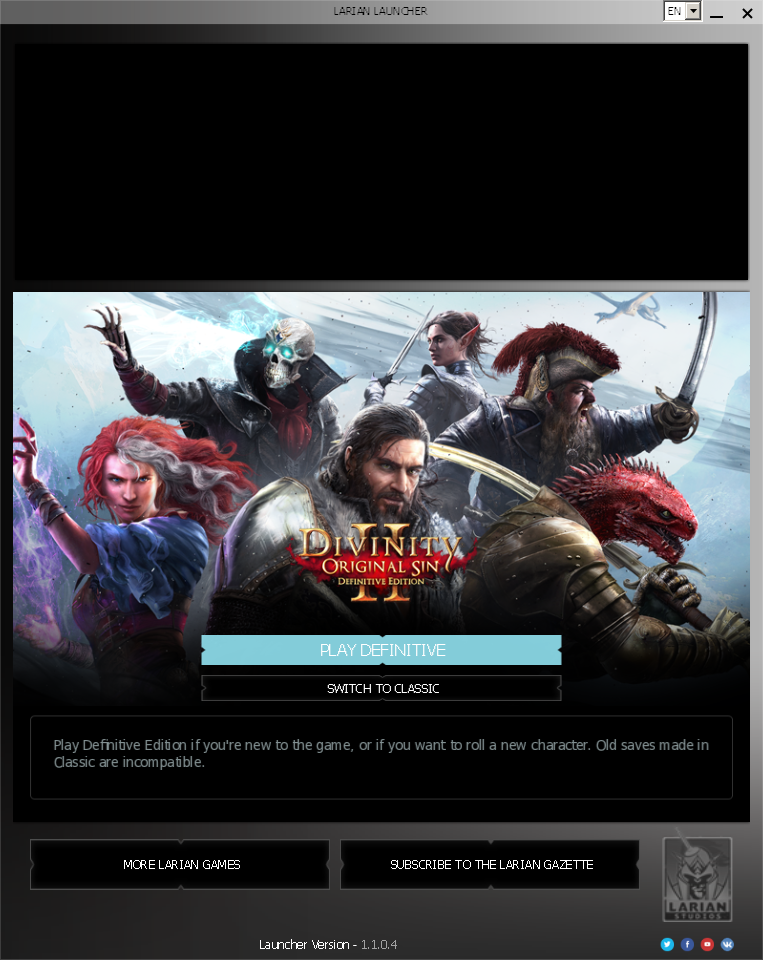
296+ hours before I got to see this.. frankly godawful launcher. But still, GOD BLESS!!
I've tried out all of the tweaks I see from this thread with no luck.
OS: Ubuntu 20.04.2 LTS
Kernel: x86_64 5.4.0-77-generic
DE: gnome
WM: xmonad
CPU: AMD Ryzen 7 2700X Eight-Core Processor
GPU: GeForce RTX 2070, driver 460.84
RAM: 16 GB
On Proton-6.8-GE-1 and Proton-6.12-GE-1, I get a black screen and then a crash. On the non-GloriousEggroll versions available in my steam, namely 6.3-5, 5.13-6 and some older ones, I get a popup that says the application was not able to start. Installing xact on top of GE makes GE give the same "not able to start" error. Installing dotnet472 leads to an error about a broken .NET installation. taskset -c %command% doesn't seem to make a difference. Tweaks to graphicSettings.lsx to run non-fullscreen or at a smaller resolution don't seem to make a difference. The nvidia proprietary 465 driver seemed to behave the same way.
Proton log for the crash:
steam-435150.log
It looks like it's segfaulting:
3112.761:0110:01d4:warn:seh:dispatch_exception EXCEPTION_ACCESS_VIOLATION exception (code=c0000005) raised
Any advice on a potential workaround?
@pscollins
Hi, I had the same problem on NixOS + xmonad (without DE). After some days of trouble i found that the problem was xmonad. Launching the game with latest proton version in a de or wm different from xmonad solved the problem
Suddenly I'm no longer able to launch this game, ran fine a few weeks ago but now I get the launcher and then nothing at all. Tried reinstalling the game, removing prefix, tried Proton 6.3-5, 6.3-6rc and Experimental with no difference. Also tried both steam runtime and native runtime (arch), no difference.
steam-435150.log
https://gist.github.com/kattjevfel/14928da45bfee44eeb5ebd6709435242 system information
Just tried successfully with proton-6.3-5, maybe a proton-6.3-6-rc2 regression, @kattjevfel?
wine_dbg_output: debugstr buffer overflow (contents: ' 49.618:0210:0214:trace:mscoree:_CorExeMain L"Z:\\home\\katt\\.local\\share\\Steam\\steamapps\\common\\Divinity Original Sin 2\\bin\\CefSharp.BrowserSubprocess.exe" "CefSharp.BrowserSubprocess.exe" "--type=gpu-process" "--no-sandbox" "--log-file=Z:\\home\\katt\\.local\\share\\Steam\\steamapps\\common\\Divinity Original Sin 2\\bin\\debug.log" "--log-severity=disable" "--lang=en-US" "--gpu-preferences=KAAAAAAAAAAABwAAAQAAAAAAAAAAAGAAAQAAAAAAAAAIAAAAAAAAACgAAAAEAAAAIAAAAAAAAAAoAAAAAAAAADAAAAAAAAAAOAAAAAAAAAAQAAAAAAAAAAAAAAAKAAAAEAAAAAAAAAAAAAAACwAAABAAAAAAAAAAAQAAAAoAAAAQAAAAAAAAAAEAAAALAAAA" "--use-gl=swiftshader-webgl" "--gpu-vendor-id=0x1002" "--gpu-device-id=0x687f" "--gpu-driver-vendor" "--gpu-driver-version" "--gpu-driver-date=8-14-2021" "--log-file=Z:\\home\\katt\\.local\\share\\Steam\\steamapps\\common\\Divinity Original Sin 2\\bin\\debug.log" "--log-severity=disable" "--lang=en-US" "--service-request-channel-token=A921B7392A2346C0F1D4503F9F10E529" "--mojo-platform-channel-handle=996" "/prefetch:2"')
I didn't know it could happen with the mscoree channel, but that's a crash caused by logging. I think you need to turn off the mscoree channel to find what else is going wrong.
We should probably limit the number of command-line arguments traced.
@frostworx Sorry if I wasn't being clear, but it happens on 6.3-5 as well (and Experimental), below I've attached a log performed on 6.3-5.
steam-435150.log
@madewokherd Here is a (much shorter) log with WINEDEBUG-mscoree and Proton 6.3-5:
steam-435150.log
I'm thinking perhaps a kernel update or mesa update broke things, I'll have to investigate that later.
Worth mentioning is that other games work just fine.
This message seems like it might be relevant, but I'm not sure what to do with it.
[0814/173635.177:ERROR:mf_helpers.cc(14)] Error in dxva_video_decode_accelerator_win.cc on line 396
@kattjevfel
np. doesn't help with your problem, but
I just tried again without an existing compatdata (again using proton-6.3-5)
and it still works here (Arch Linux, 5.13.10-xanmod1-1, mesa-21.1.6)
the mf error might indicate that enabling shader cache is required. At last some time ago the shader cache enabled STEAM_COMPAT_MEDIA_PATH and STEAM_COMPAT_TRANSCODED_MEDIA_PATH variables in the background, which enabled gstreamer media converter stuff.
edit: hah, still in my local "wip text file": https://github.com/flathub/com.valvesoftware.Steam/issues/692#issuecomment-758223823
edit2: no, "unfortunately" disabling the shader cache didn't make the game fail to start, sorry...
@frostworx Thanks for looking into it, any help that might lead somewhere is appreciated.
Anyway I'm on Arch testing repos, which I see you aren't, so it might be something there.
I tried downgrading mesa from 21.2.0 to 21.1.6 and from linux-zen 5.13.10 to linux-lts 5.10.56, without any change.
edit: I've now tried downgrading my entire system to "stable" repos, no change.
@kattjevfel
your system information is missing several libs (especially the ffmpeg/libav* look suspicious)
good luck!
@frostworx The issue happens with the steam runtime as well, here's system information using that: https://gist.github.com/kattjevfel/6fabcaf9ac5cd9b09e3168c3dbbb7fa7
I'm using steam-native to work around https://github.com/ValveSoftware/steam-for-linux/issues/7935 atm :)
The game ran fine for me with Proton 6.3-5, but did not in Proton Experimental. Today, 6.3-6 stable was released, which appears to have pulled in the changes from experimental that break the game - in other words, the game is now effectively broken in Proton. It starts up, and when the Larian logo should show up, you get a black screen and a crash, as reported above already.
The stack trace does not contain much of interest:
[🡕] Process 107130 (EoCApp.exe) of user 1000 dumped core.

#0  0x00007f2ecf46b60b n/a (/run/host/usr/lib/libc-2.33.so + 0xf560b)
#1  0x00000002000005b8 n/a (n/a + 0x0)
I do see a bunch of these, but don't recall if they weren't already there before:
(wine:107507): GStreamer-WARNING **: 13:19:43.416: Failed to load plugin '/home/user/.local/share/Steam/steamapps/common/Proton 6.3/dist/lib64/gstreamer-1.0/libgstpbtypes.so': /home/user/.local/share/Steam/steamapps/common/Proton 6.3/dist/lib64/gstreamer-1.0/libgstpbtypes.so
Flags such as PROTON_NO_ESYNC do not help. I also tried reverting to 5.13-6, which made the game start exactly once for me, after which it just gets stuck on a black screen.
Renaming Divinity 2/Data/Localization/Video.pak to something else seems to fix the issue. The strange thing is I still see the start-up logo animation after this fix, and I did not see any other videos when everything still worked, before; perhaps there is some video that was trying to play, but failing to before (and being skipped), which is now crashing the game instead - maybe I'm missing some newly required system library or package (I'm on Arch Linux)?
The game still works fine on my up-to-date Arch using proton-6.3-6b, a clean compatdata, enabled shader pre-caching and unmodified gamefiles.
I see no videos other than the logo animation, followed by a short nvidia intro (no idea if this is the same file).
system ffmpeg and gst-launch-1.0 can't play the video, so I don't think you're missing any video related system packages, @Gert-dev
Hello @Gert-dev, please add PROTON_LOG=1 %command% to the game's launch options, reproduce the regression, and attach the generated $HOME/steam-$APPID.log to this issue report as a file. (Proton logs compress well if needed.) Also, please note if you have Steam's shader pre-cache enabled (some transcoded videos for use with Proton get distributed through it) and copy your system information from Steam (Steam -> Help -> System Information) and put it in a gist, then include a link to the gist in this issue report.
Thanks for the reply. Weirdly enough, I can now suddenly no longer reproduce this, where I could previously reproduce this every time (that's how I got the crash logs from my OP). I did have some disk corruption problems afterwards today that I solved, perhaps they lie at the basis of the same issues I had with the game.
Sorry for the noise! If the problem comes back, I'll follow the requested steps and reply again here.
So it turns out the game actually does launch, it just takes roughly 2 minutes for the game to pop up (I'm using an nvme SSD).
Here's a log with the game getting into the main menu, Arch Linux testing, Proton 6.3-6c and with WINEDEBUG=-mscoree:
steam-435150.log
Hope this can shine some light on this absurd situation, I only found this out as a user on the ProtonDB discord had the exact same issue, but on arch stable
EDIT: I've now also reproduced this on my much weaker laptop with an i7-5600U and integrated graphics, arch stable.
Here's a copy of my relevant message on the ProtonDB discord:
- The game does launch in proton 6.3-5
- The launcher appears quickly with 6.3-5
- However, after selecting the DE it takes very long to launch the actual game. Probably like 1-2 minutes; reminds me of the HDD days
- There are some dxva errors like the following which may be the cause of the long bootup times
[0818/084712.542:ERROR:mf_helpers.cc(14)] Error in dxva_video_decode_accelerator_win.cc on line 396
[0818/084712.542:ERROR:viz_main_impl.cc(197)] Exiting GPU process due to errors during initialization
[0818/084714.076:ERROR:browser_gpu_channel_host_factory.cc(120)] Failed to launch GPU process. [0818/084714.078:ERROR:gpu_process_transport_factory.cc(1029)] Lost UI shared context. >>> Adding process 88458 for game ID 435150 libc++abi: terminating with uncaught foreign exception abnormal program termination
- I don't have data, but the load times do seem a little long too.
I'm also using a gen 3 nvme drive with a ryzen 3900x, so the startup time is abnormally long. To attempt to fix the issue (unsuccessful), I completely removed steam from my system, reinstalled wine, winetricks, and all optional dependencies, and updated the system. I'm thinking maybe when launching the game it's trying to do something dxva related and gives up after a few tries.
OS: Arch Linux
Kernel: linux-tkg-pds 6.13 (also occurs on vanilla kernel)
Display Server: Xorg
GPU Driver: Nvidia 470
Hello,
not sure if this is the right place to post my "issue", but it seems that the latest DOS2 update (which enabled crossplay with iPads) broke the game when using proton. This seems to be the case for some people over on protonDB, too...
Has anyone else experiences this?
I can confirm that after pressing "Play" in the revamped launcher, a black window appears and the cursor changes its shape (as you expect in DOS2). Shortly after this the game crashes however, and it writes some 'CrashDump' into .local/share/Steam/steamapps/common/Divinty..../bin. The Dump is in binary format and there's a CrashReporter.exe in the same dir, not sure if those belong together... Does anyone know how to read the dumps?
In debug.log in the same directory it adds these contents:
[0903/075624.561:ERROR:network_change_notifier_win.cc(142)] WSALookupServiceBegin failed with: 0
[0903/075624.871:ERROR:dxva_video_decode_accelerator_win.cc(1368)] DXVAVDA fatal error: could not LoadLibrary: msmpeg2vdec.dll: Module not found. (0x7E)
[0903/075625.581:ERROR:network_change_notifier_win.cc(142)] WSALookupServiceBegin failed with: 0
[0903/075636.082:INFO:CONSOLE(1)] "GET ARCHITECTURE", source: https://launcher.larian.com/js/app.fdff114c.js (1)
[0903/075636.083:INFO:CONSOLE(1)] "Trying to load user session:  20", source: https://launcher.larian.com/js/app.fdff114c.js (1)
[0903/075636.083:INFO:CONSOLE(1)] "set game from STORE dos2", source: https://launcher.larian.com/js/app.fdff114c.js (1)
[0903/075636.177:INFO:CONSOLE(1)] "Uncaught (in promise) TypeError: launcher.webpageReady is not a function", source: https://launcher.larian.com/js/app.fdff114c.js (1)
[0903/075636.206:INFO:CONSOLE(1)] "error: System.InvalidOperationException: Could not execute method: getLanguageIso() ^M
 ---> System.Reflection.TargetInvocationException: Exception has been thrown by the target of an invocation.^M
 ---> System.NullReferenceException: Object reference not set to an instance of an object.^M
   at LariLauncher.ViewModel.Cef.JavascriptHandler.GetLanguageIso()^M
   --- End of inner exception stack trace ---^M
   at System.RuntimeMethodHandle.InvokeMethod(Object target, Object[] arguments, Signature sig, Boolean constructor, Boolean wrapExceptions)^M
   at System.Reflection.RuntimeMethodInfo.Invoke(Object obj, BindingFlags invokeAttr, Binder binder, Object[] parameters, CultureInfo culture)^M
   at System.Reflection.MethodBase.Invoke(Object obj, Object[] parameters)^M
   at CefSharp.Internals.JavascriptObjectRepository.TryCallMethod(Int64 objectId, String name, Object[] parameters, Object& result, String& exception)^M
   --- End of inner exception stack trace ---^M
   at CefSharp.Internals.JavascriptObjectRepository.TryCallMethod(Int64 objectId, String name, Object[] parameters, Object& result, String& exception)", source: https://launcher.larian.com/js/app.fdff114c.js (1)
[0903/075636.215:INFO:CONSOLE(1)] "CefSharp platform (PLAT, GAMEID, TOK):  steam 435150 <REDACTED>", source: https://launcher.larian.com/js/app.fdff114c.js (1)
[0903/075646.807:INFO:CONSOLE(1)] "run game with param - definitive", source: https://launcher.larian.com/js/app.fdff114c.js (1)
Can anyone help me to make sense of these crashes?
On a sidenote, I have already tried deleting my profile folder and relaunching the game. It felt like the blackscreen lasted longer, but the end result was the same: the game crashes.
Thank you!
System information
- OS: Fedora 34.20210827.0 (Silverblue)
- Steam version: 1.0.0.70 (installed via flatpak)
- Proton version: 6.3-6b (installed via flatpak)
- Display Server: Wayland
- GPU: AMD Radeon RX580
Divinity: Original Sin 2 black screen after launcher, then crashes
Issue transferred from https://github.com/ValveSoftware/Proton/issues/5139.
@strattonbrazil posted on 2021-09-04T18:01:58:
Two days ago Divinity: Original Sin 2 stopped launching on my Ubuntu machine. It had been running fine for weeks. I received an update to the game, which included a new launcher, which I thought would be related, but am not sure. When booting I can hear the Lucian suction-cup sound, but down see the image animation below as I previously did.

Several seconds after that the game exits. I'm looking at the logs and am not sure what the issue could be. I see some errors that may not be related.
GameAction [AppID 435150, ActionID 2] : LaunchApp continues with user response "CreatingProcess"
Opted-in Controller Mask for AppId 435150: 0
/bin/sh\0-c\\0PROTON_LOG=1 /home/stratton/.local/share/Steam/ubuntu12_32/reaper SteamLaunch AppId=435150 -- '/home/stratton/.local/share/Steam/steamapps/common/SteamLinuxRuntime_soldier'/_v2-entry-point --verb=waitforexitandrun -- '/home/stratton/.local/share/Steam/steamapps/common/Proton 6.3'/proton waitforexitandrun  '/home/stratton/.local/share/Steam/steamapps/common/Divinity Original Sin 2/bin/SupportTool.exe'\\0
Game update: AppID 435150 "", ProcID 127222, IP 0.0.0.0:0
ERROR: ld.so: object '/home/stratton/.local/share/Steam/ubuntu12_32/gameoverlayrenderer.so' from LD_PRELOAD cannot be preloaded (wrong ELF class: ELFCLASS32): ignored.
Starting app 435150
>>> Adding process 127222 for game ID 435150
GameAction [AppID 435150, ActionID 2] : LaunchApp changed task to WaitingGameWindow with ""
ERROR: ld.so: object '/home/stratton/.local/share/Steam/ubuntu12_64/gameoverlayrenderer.so' from LD_PRELOAD cannot be preloaded (wrong ELF class: ELFCLASS64): ignored.
ERROR: ld.so: object '/home/stratton/.local/share/Steam/ubuntu12_32/gameoverlayrenderer.so' from LD_PRELOAD cannot be preloaded (wrong ELF class: ELFCLASS32): ignored.
ERROR: ld.so: object '/home/stratton/.local/share/Steam/ubuntu12_32/gameoverlayrenderer.so' from LD_PRELOAD cannot be preloaded (wrong ELF class: ELFCLASS32): ignored.
ERROR: ld.so: object '/home/stratton/.local/share/Steam/ubuntu12_32/gameoverlayrenderer.so' from LD_PRELOAD cannot be preloaded (wrong ELF class: ELFCLASS32): ignored.
pid 127227 != 127224, skipping destruction (fork without exec?)
GameAction [AppID 435150, ActionID 2] : LaunchApp changed task to Completed with ""
>>> Adding process 127223 for game ID 435150
>>> Adding process 127224 for game ID 435150
>>> Adding process 127225 for game ID 435150
>>> Adding process 127471 for game ID 435150
Proton: Error while copying to "/home/stratton/.local/share/Steam/steamapps/compatdata/435150/pfx/drive_c/windows/system32/_nvngx.dll": No such file or directory
>>> Adding process 127477 for game ID 435150
Could that missing dll be related?
I got the game working again using the proven method of mv ./bin ./bin.bak && ln -s DefEd/bin bin && cd bin && mv ./SupportTool.exe ./SupportTool.bak && ln -s EoCApp.exe SupportTool.exe, aka skipping launcher entirely.
For what it's worth I dont' get the _nvngx.dll error either.
Removing the launcher also worked for me. Thanks, @kattjevfel .
~/.local/share/Steam/steamapps/common/Divinity Original Sin 2$ mv ./bin ./bin.bak && ln -s DefEd/bin bin && cd bin && mv ./SupportTool.exe ./SupportTool.bak && ln -s EoCApp.exe SupportTool.exe
I tried running mv ./bin ./bin.bak && ln -s DefEd/bin bin && cd bin && mv ./SupportTool.exe ./SupportTool.bak && ln -s EoCApp.exe SupportTool.exe in the game's root directory however it launches to a black screen with a cursor, I hear a popping audio sound, and then 5-10 seconds later the game closes.
Compatibility Report
- Name of the game with compatibility issues: Divinity: Original Sin 2 - Definitive Edition
- Steam AppID of the game: 435150
System Information
- GPU: NVIDIA GeForce GTX 960M
- Driver/LLVM version: NVIDIA-SMI 470.57.02
- Kernel version: 5.11.0-7633-generic
- Link to full system information report as Gist: here
- Proton version: Flatpak Community build (com.valvesoftware.Steam.CompatibilityTool.Proton) 6.3-6b
For some cryptic reason Steam doesn't generate steam-435150.log in $HOME neither anywhere else.
$ neofetch

OS: Pop!_OS 20.04 LTS x86_64
Host: Inspiron 7559 1.2.9
Kernel: 5.11.0-7633-generic
Uptime: 1 hour, 23 mins
Packages: 1844 (dpkg), 96 (flatpak)
Shell: bash 5.0.17
Resolution: 1920x1080, 1280x1024
DE: GNOME
WM: Mutter
WM Theme: Pop
Theme: Pop-dark [GTK2/3]
Icons: Pop [GTK2/3]
Terminal: gnome-terminal
CPU: Intel i7-6700HQ (8) @ 3.500GHz
GPU: Intel HD Graphics 530
GPU: NVIDIA GeForce GTX 960M
Memory: 4766MiB / 15873MiB
File System
- NTFS
- Was NTFS when game worked last week (2021-08-31), is NTFS now (2021-09-06), when game doesn't work.
- Games installed at external drive in additional SteamLibrary.
- All (rwx) necessary permissions granted.
OS updates
$ cat /var/log/apt/history.log

Start-Date: 2021-09-05 17:42:56
Commandline: packagekit role='update-packages'
Requested-By: tanhok (1000)
Upgrade: ntfs-3g:amd64 (1:2017.3.23AR.3-3ubuntu1, 1:2017.3.23AR.3-3ubuntu1.1), libntfs-3g883:amd64 (1:2017.3.23AR.3-3ubuntu1, 1:2017.3.23AR.3-3ubuntu1.1), pop-launcher:amd64 (1.0.0~1630341338~20.04~777fe78, 1.0.0~1630370024~20.04~8b7c835), thermald:amd64 (1.9.1-1ubuntu0.4, 1.9.1-1ubuntu0.5)
End-Date: 2021-09-05 17:43:29
GPU Driver
$ nvidia-smi
(some info omitted)
Mon Sep 6 21:38:38 2021
NVIDIA-SMI 470.57.02 Driver Version: 470.57.02 CUDA Version: 11.4
Steam Client
- running using eGPU (Nvidia GeForce GTX 960M)
- installed via flatpak:
$ flatpak info com.valvesoftware.Steam

Steam - Manage and play games distributed by Steam

ID: com.valvesoftware.Steam
Ref: app/com.valvesoftware.Steam/x86_64/stable
Arch: x86_64
Branch: stable
Version: 1.0.0.70
License: LicenseRef-proprietary
Origin: flathub
Collection: org.flathub.Stable
Installation: user
Installed: 41.1 MB
Runtime: org.freedesktop.Platform/x86_64/20.08
Sdk: org.freedesktop.Sdk/x86_64/20.08

Commit: b5bc849bc8e5b8ac924a2538a71b342b929d7ca3f1d53e2f2de57e6dea9753ea
Parent: 59ca423d1b9ecd3d6b819c63b070c7ce1c31362b0107cd7287b0005a97d51c4e
Subject: Drop network manager permission This seems to be really wide and if system policies are not set properly, it might allow access to eg WiFi passwords (af6f1609)
Date: 2021-06-20 10:22:15 +0000
Proton
- Game launched via compatibility tool: Steam Play
- Using Proton Flatpak Community build (com.valvesoftware.Steam.CompatibilityTool.Proton) version 6.3-6b
- Why? This is the only version that at least is able to launch most games.
- Using Proton Flatpak Community build (com.valvesoftware.Steam.CompatibilityTool.Proton) version 6.3-6b
$ flatpak info com.valvesoftware.Steam.CompatibilityTool.Proton

Proton (community build) - Latest Proton version built on the Flatpak
Freedesktop SDK

ID: com.valvesoftware.Steam.CompatibilityTool.Proton
Ref: runtime/com.valvesoftware.Steam.CompatibilityTool.Proton/x86_64/stable
Arch: x86_64
Branch: stable
Version: 6.3-6b
License: BSD-3-Clause and LGPL-2.1 and zlib-acknowledgement and Zlib and OFL-1.1 and MIT and MPL-2.0 and LicenseRef-proprietary
Origin: flathub
Collection: org.flathub.Stable
Installation: user
Installed: 1.3 GB

Commit: e48892a3c6aff7ce23220d6fcbe413896e8da9cbe92d8107a36137ddaf211dc7
Parent: 77ea42993a37668456c5a88bc238711785632eac13e62871b69c9d8a82214ee4
Subject: Update wine-mono to 6.3.0 (5cd6e777)
Date: 2021-08-21 16:35:00 +0000
Symptoms
Having issue launching "Divinity: Original Sin 2 - Definitive Edition" (435150) on Pop!_OS 20.04 (updated 2021-09-06)
Issue 1
Game doesn't launch with an error:
[0906/194936.817120:ERROR:frame_sink_video_capturer_impl.cc(206)] Invalid resolutions constraints: 0x0 must not be greater than 0x0; and also within media::limits.

(process:4800): GLib-GObject-CRITICAL **: 23:55:23.907: g_object_unref: assertion 'G_IS_OBJECT (object)' failed
After the Larian Launcher starts, I click on "Play" in it, and then I only hear a Larian logo intro and see a black screen. Then game crashes.
I tried to modify launch options with this command: PROTON_NO_ESYNC=1 PROTON_DUMP_DEBUG_COMMANDS=1 PROTON_LOG=1 %command%, but it had no effect.
Issue 2
Another error message I was receiving in terminal is this:
wine: RLIMIT_NICE is <= 20, unable to use setpriority safely
I tried to fix this issue by launching my Steam client like so:
nice -n 20 flatpak run --branch=stable --arch=x86_64 --command=/app/bin/steam-wrapper --file-forwarding com.valvesoftware.Steam
So far it seems that this particular sub-issue is solved, but the main one persists.
Reproduction
- Reproduce system setup
- Try to launch DOS2DE from Steam
- Get obscure errors
- Get frustrated due to lack of troubleshooting information
@JeffRockatansky Please calm down with the logs and try the above workaround and see if it works for you.
Games installed at external drive in additional SteamLibrary. All (rwx) permissions granted.
Hello @JeffRockatansky, what filesystem are you using with that library folder?
@Rudi9719
I tried running
mv ./bin ./bin.bak && ln -s DefEd/bin bin && cd bin && mv ./SupportTool.exe ./SupportTool.bak && ln -s EoCApp.exe SupportTool.exein the game's root directory however it launches to a black screen with a cursor, I hear a popping audio sound, and then 5-10 seconds later the game closes.
Having exactly the same issue, but didn't do any described modifications yet.
@kisak-valve
Games installed at external drive in additional SteamLibrary. All (rwx) permissions granted.
Hello @JeffRockatansky, what filesystem are you using with that library folder?
NTFS. Was NTFS when game worked last week, is NTFS now, when game doesn't work.
Proton and NTFS are a known finicky combination and most likely a key detail to your issue, but I'm not aware of something changing in the last week that would have broken a game that you've already figured out how to avoid the various filesystem pitfalls related to NTFS.
I have a compatdata backup before having launched the new version though, and the new one ships (and depends on) an own drive_c/Program Files/dotnet/ installation. Not unlikely this causes the error (because dotnet)
proton logs also has a CefSharp exeption between multiple others.
steam-435150.log
dxvk debug log from a previous run:
EoCApp_d3d11.log
(haven't tried the good old exe rename one-liner again)
@kattjevfel
try the above workaround and see if it works for you.
It actually helped, thanks.
For future adventurers, the aforementioned (probably temporary) solution is this:
I got the game working again using the proven (?) method of
mv ./bin ./bin.bak && ln -s DefEd/bin bin && cd bin && mv ./SupportTool.exe ./SupportTool.bak && ln -s EoCApp.exe SupportTool.exe, aka skipping launcher entirely.
The shell command should be executed in the root of game folder (within "$STEAMLIBRARY/steamapps/common/Divinity Original Sin 2"). What it does is it creates all necessary backups and links to bypass the launchers.
The only downside is it for sure breaks after any Local Files Integrity Verification, re-installation or game update. Valve and Larian should probably come up with a permanent fix. After all, old launcher worked fine for some time.
@kisak-valve
Proton and NTFS are a known finicky combination and most likely a key detail to your issue
So, it seems that it's most unlikely.
I got the game working again using the proven method of
mv ./bin ./bin.bak && ln -s DefEd/bin bin && cd bin && mv ./SupportTool.exe ./SupportTool.bak && ln -s EoCApp.exe SupportTool.exe, aka skipping launcher entirely.
I can confirm that this workaround solves issue. Worth to mention that it works with Proton Experimental as well.
Thanks for solution.
I can confirm that switching to Proton Experimental fixed the issue for me as well. Running the command didn't do anything until I switch to Proton Exprimental
The breakage after game update should be fixed with the latest Proton Expiremental, so it should work out of the box with it (without directory renames and links).
I can play the game after switching to Proton Experimental without using any tinkering or workaround. Thanks Guys!!
Today the game updated again and I was welcomed with a popup to "Install .NET". Reverting the mv ./bin ./bin.bak ... hack and running using Proton Experimental worked!
Tried the update
Reverted Launcher skip
Results
- Proton Experimental
- doesn't launch any games at all. Attempts to launch and silently fails.
- Proton 6.3-6b (Flatpak Community Build)
- black screen after launcher issue
Launcher skip again
Results
- Proton 6.3-6b (Flatpak Community Build)
- Doesn't launch lol
Launcher skip broke! Fixed by using this mod, it skips the intro clip. For non-English locale copy Splash_Logo_Larian.bk2 into <DOS2Folder>\Data\Localization\<LocaleFolder>\Video folder.
@JeffRockatansky Can you verify game files and delete prefix and retry with proton experimental. Seems similar to a issue my friend had. Launcher skip messes updates :(. It seemed to seemed fine after that..
@JeffRockatansky Can you verify game files and delete prefix and retry with proton experimental. Seems similar to a issue my friend had. Launcher skip messes updates :(. It seemed to seemed fine after that..
@flashrocket
I did the file verification after update in my case above. Seem that the issue is either in Pop!_OS or Steam being Flatpak.
Issue
Guys I am having performance issues after loading save. Sometimes after loading a save the game runs at very low fps 20-30 instead of the usual 120-144 fps.
Analysis
I see that one of the CPU core usage becomes 100% and even though the process gets scheduled to another core, atleast one core remains at 100%. The bug appears randomly. The cpu usage is around 10-20% when the issue does not occur. The cause of the issue seems to be loading the game and I managed to have similar symptom on the main menu itself but was not able to recreate this instance.
Workaround
The only way to fix this issue seems to be restarting the game. Once the issue occurs it does not go away until the game is restarted, loading other saves do not work.
More info
The issue seems to appear more on certain saves(of act 2) more than others. In the attached game save the bug seems to cause the bug around 19/20 times when the game is loaded. I started a single player game and tried loading into it but was unable to recreate the bug in a fresh save. The bug does not occur when the save is transferred to windows system and opened there, but will occur when joining to that game from the proton system
Compatibility Report
Name of the game with compatibility issues: Divinity: Original Sin 2 - Definitive Edition
Steam AppID of the game: 435150
System Information
CPU: Intel(R) Core(TM) i7-10870H CPU @ 2.20GHz
GPU: NVIDIA GeForce RTX 3060 Mobile/Intel Integrated (nvidia prime is on-demand but issue occurs even if only nvidia is selected)
Driver/LLVM version: 470.63.01
OS: Kubuntu 20.04 LTS
Kernel version: 5.8.0-63-generic (5.11.0-36 seems to have some issues with some acer laptops of freezing them randomly when gaming but was able to recreate the issue in it too)
Device: Acer Predator Helios 300
File System: btrfs
Proton version: 1632248184 experimental-6.3-20210921
Display Server: X11
Steam installed via apt
I have attached logs from several runs recreating the issue.(The one marked superbad is the one when i found issue in main menu itself.)
Please let me know if you need more information.
logs.zip
To load the save, Load into single player, and save a game as "save8". then go to SteamLibrary/steamapps/compatdata/435150/pfx/drive_c/users/steamuser/Documents/Larian Studios/Divinity Original Sin 2 Definitive Edition/PlayerProfiles//Savegames/Story/
save8.zip
systeminfo.txt
EDIT:
Screenshots to better show the issue


It looks like uninstalling Visual C++ from the prefix solves the Issue. If anyone else has FPS drops in the game they can try this.
JFYI: Proton 6.3-7 RC testing should fix issue with startup D:OS 2 https://github.com/ValveSoftware/Proton/issues/5179
- Divinity Original Sin 2 (broken after a game update)
The game shows a black screen after startup but is running in the background. I'm on gnome, and hitting the super key to bring up the command view shows the startup menu of the game running normally. If I switch back to the game window, I can see everything for 1-3 seconds. Afterwards, the screen goes completely black. All of this is new, and did not happen before the recent updates and on older versions of proton 6.3
Edit: I guess the game just doesn't like to be at 5120x1444@120Hz now. My monitor supports this resolution/refresh, my DE is running at this resolution/rate, and it used to work fine. Dropping to 1080p seems fine too. When I try to switch back to 1440p, it tells me "unsupported resolutions" may make the system unstable. Not sure what is happening here.
Edit2: Dropping the resolution only helps a little. I am still seeing occasional random flickers to black, and all of the loading screens stay black. It's annoying enough to be not really playable.
Edit3: Playing in windowed mode solves the issue, but playing in windowed mode is kind of an annoying workaround
Arch Linux
Proton 6.3-7
Nvidia Proprietary Driver
Display Server: Xorg
Same issue here. Game with manual workaround worked before Proton 6.3-7 update, now it doesn’t work at all. Black screen and sound then closing. Launcher doesn't appears with new Proton but game doesn't work either.
- Distro: Fedora 35 beta
- Proton 6.3-7 & tried Proton 6.3-7-community build
- Steam Flathub
- DE/WM: GNOME
- Display Server: Xorg
- GPU driver: amdgpu
- Runtime log: slr-app0-t20211008T123459.log
- Proton log: steam-435150.log
- Proton log 2: steam-435150.log
Everything is up to date. Everything is vanilla, nothing tweaked.
For me it works now on Fedora Silverblue, with steam installed through flatpak and using Proton 6.3-6b community build (1631470529). Didn't apply any workaround. System info:
- DE: GNOME
- Display Server: Wayland
- GPU driver: amdgpu
For comparison I tried to play the game on another PC running Silverblue (i.e. the software was very much identical. Silverblue yay!) but with an NVIDIA card (GTX 1050 Ti, using both nouveau and the proprietary driver). That didn't work at all, the came would crash before launching. So I assume that Nvidias to blame for that one, didn't care to investigate further...
Thanks for sharing the warning about proton 6.3-7! For anyone using flatpak, here are some useful commands to exclude proton from updates:
Exclude proton from automatic updates
flatpak mask 'com.valvesoftware.Steam.CompatibilityTool.*'
Prevent automatic removal of proton
flatpak pin 'com.valvesoftware.Steam.CompatibilityTool.*'
Restore original settings
flatpak mask --remove 'com.valvesoftware.Steam.CompatibilityTool.*'
flatpak pin --remove 'com.valvesoftware.Steam.CompatibilityTool.*'
I think you could also apply these commands to specific versions of Proton, like this:
flatpak pin 'com.valvesoftware.Steam.CompatibilityTool.Proton//6.3-6b'
but I just masked and pinned all of proton.
- With Proton Flatpak Community build (
com.valvesoftware.Steam.CompatibilityTool.Proton) I'm having the game crash on load screen with errorGLib-GObject-CRITICAL **: 22:40:50.547: g_object_unref: assertion 'G_IS_OBJECT (object)' failed - With Proton Experimental I'm getting
pressure-vessel (SteamLinuxRuntime) cannot be run in a Flatpak environmenterror. - With other Proton options it just doesn't launch at all.
I rolled all the way back to Proton 5.0 (just for DOS2) and renamed the files. The game launches, proceeds past the Larian splash screen and gets to the main menu. I don't have time right now to make sure that every aspect of gameplay is alright, but unless using older Proton versions is a risk of some sort, this could be used as a temporary workaround.
For anyone wondering how to rollback using flatpak:
View older available versions of a flatpak
flatpak remote-info --log flathub com.valvesoftware.Steam.CompatibilityTool.Proton
Copy the commit of the release that you want to install instead, then proceed with the next command.
Downgrade to an older version
flatpak update --commit="your commit here" com.valvesoftware.Steam.CompatibilityTool.Proton
So to get back to Proton release 6.3-6b (for example), you would use this command:
flatpak update --commit=d8d2a03f3bd19c4d5bfac963e1a48e915b1ef6a7c6038125bd27b9e78d016496 com.valvesoftware.Steam.CompatibilityTool.Proton
(Although you'd have to guess that this is in fact 6.3-6b, as the release of that commit doesn't say so)
After that make sure you pin/mask proton so it doesn't get updated by PackageKit in the background.
Two month later - game still broken and doesn't work after Proton 6.3-7 update. With 6.3-8 doesn't work as well. Note: not launcher issue but new one.
Also to fix launcher issue there is better solution exist and no need to move binaries: add in Steam launch options:
--skip-launcher
Huh? I am playing this game multiple times a week with the latest official proton. No workarounds needed whatsoever. Even the launcher works.
Huh? I am playing this game multiple times a week with the latest official proton.
@Mushoz nice to hear but now try to read thread above. What is more important that other people confirm the same issue and regression and the only way to play the game for them is downgrading Proton. All necessary logs attached but seem like this was just wasted time since there is no any feedback from devs in two month.
No workarounds needed whatsoever. Even the launcher works.
Workaround for launcher needed for pre Proton 6.3-7 release. 6.3-7 exactly intended for fixing launcher issue, but sadly introduce new one.
Huh? I am playing this game multiple times a week with the latest official proton. No workarounds needed whatsoever. Even the launcher works.
@Mushoz nice to hear but now try to read thread above. What is more important that other people confirm the same issue and regression and the only way to play the game for them is downgrading Proton. All necessary logs attached but seem like this was just wasted time since there is no any feedback from devs in two month.
I am merely stating that it doesn't seem to be broken for everyone, so it would be good to pinpoint exactly what the difference is for people that have this issue, and those who can play just fine.
Several people mentioned that they are using the flatpak version of Steam. Is everyone that is having issues using the Flatpak version? Because I am using the regular version under Arch Linux, and it's working fine for me. Maybe it's a Flatpak specific issue?
Just checked again, can confirm it (still) plays under Proton 5.0-10 (no launcher though, didn't even know this game had a launcher).
Launches to black screen under proton-GE-6.21.
Launches to black screen under proton-6.3-8 (current version).
Some system specs
OS: Ubuntu 20.04.3 LTS
GPU: GTX 1050 Ti (4Gb)
GPU driver version: 470.86
Steam installed from apt, with required 32-bit libraries.
I think my installation is pretty typical of linux users, so even if this is an Ubuntu specific problem, I think it warrants attention. Isn't SteamOS Ubuntu based, after all?
The game definitely has a launcher. If you go straight to the game on proton 5.0-10, it means you are bypassing the launcher. You either ran the commands that were given earlier in this topic (many months ago), or you started the game with proton-GE in the past (it did the symlinking manually).
To go back to a default installation WITH launcher, you will have to reinstall the game (or undo the launcher bypass). Make sure you:
- First uninstall the game within Steam
- Delete the folder containing the game data. Steam won't delete it all automatically when you uninstall, since the moving of files and symlinking prevents steam from deleting it automatically, since the structure is not what it is expecting it to be.
- Delete the proton prefix for this game.
Obviously, make sure you have backups of your save games. They should be backed up to Steam cloud, but it never hurts to have an extra backup for safety.
@daireocarroll
Isn't SteamOS Ubuntu based, after all?
SteamOS that will be shipped with Steam Deck is Arch-based (sadly not Artix, but systemd holywar is a whole another can of worms, not worth discussing here).
The game definitely has a launcher. If you go straight to the game on proton 5.0-10, it means you are bypassing the launcher. You either ran the commands that were given earlier in this topic (many months ago), or you started the game with proton-GE in the past (it did the symlinking manually).
Yes, looks possible that the issues reported against Proton 6.3-7+ are the consequences of the installation broken by the old Proton GE versions applying the launcher workaround (which workaround probably breaks things on later game and official Proton versions).
Replying to https://github.com/ValveSoftware/Proton/issues/413#issuecomment-987854654
Agreed. I also had issues with the game in later proton versions after I had used GE. I was unable to update the game anymore, and wasn't able to play. Completely deleting it (in steam + data directory + prefix directory) fixed those issues for me.
Interesting. I'll try a complete removal and reinstallation and edit this comment with the outcome.
Edit: Following a clean install, the game and launcher both work as expected under proton 6.3-8. I deleted the "(whatever)/steam/steamapps/compatdata/435150/" and "(whatever)/steam/steamapps/common/Divinity Original Sin 2/" directories, uninstalled via Steam, re-installed via Steam, and chose proton 6.3-8 as the compatibility tool.
Mind you: The launcher does NOT work in old proton versions (which is why the launcher bypass was developed in the first place). So make sure you use the latest non-experimental Proton version. That one is working fine for me.
@Mushoz thanks a lot. Nuking bin directory and game prefix enough to do the trick. So for anyone who still struggle with this issue this should help. Game works now with latest official Proton 6.3-8 (Steam flathub).
The installation of script extender introduces verification loop when forcing game files verification. It's redownloading more than half of the game and after completion it's not playable (black screen after start, than a crash). Same effect when forcing verification again... and again, and again.
Can't reproduce it on Windows.
Steam said DOS2 is running and SupportTool.exe was running in the background as a process, but nothing shown on screen.
Launching DOS2 with proton 7.0-1 or 6.3-8 with or without --skip-launcher yielded the same result.
Proton DB report that DOS2 works well. I wonder what are the human errors in my case?
CPU: Intel i7-7700HQ (8) @ 3.800GHz
GPU: NVIDIA GTX 1050 Ti Mobile
Driver: nvidia 510.54
GPU: Intel HD Graphics 630
Operating System: EndeavourOS
Kernel Version: 5.16.14-arch1-1 (64-bit)
Graphics Platform: X11
Edit: Directly running SupportTool.exe with wine worked but it's using intel GPU only.
Output of Steam in terminal when starting DOS2:
CAPIJobRequestUserStats - Server response failed 2
Installing breakpad exception handler for appid(steam)/version(1647446817)
GameAction [AppID 435150, ActionID 1] : LaunchApp changed task to ProcessingInstallScript with ""
fsync: up and running.
wine: RLIMIT_NICE is <= 20, unable to use setpriority safely
Installing breakpad exception handler for appid(steam)/version(1647446817)
GameAction [AppID 435150, ActionID 1] : LaunchApp changed task to SynchronizingCloud with ""
GameAction [AppID 435150, ActionID 1] : LaunchApp changed task to SynchronizingControllerConfig with ""
Store/Community web auth request failed: Auth error
GameAction [AppID 435150, ActionID 1] : LaunchApp changed task to SiteLicenseSeatCheckout with ""
GameAction [AppID 435150, ActionID 1] : LaunchApp changed task to CreatingProcess with ""
GameAction [AppID 435150, ActionID 1] : LaunchApp waiting for user response to CreatingProcess ""
GameAction [AppID 435150, ActionID 1] : LaunchApp continues with user response "CreatingProcess"
/bin/sh\0-c\0/home/pseud/.local/share/Steam/ubuntu12_32/reaper SteamLaunch AppId=435150 -- '/home/pseud/.local/share/Steam/steamapps/common/SteamLinuxRuntime_soldier'/_v2-entry-point --verb=waitforexitandrun -- '/home/pseud/.local/share/Steam/steamapps/common/Proton 7.0'/proton waitforexitandrun '/run/media/pseud/Entertainment/SteamLibrary/steamapps/common/Divinity Original Sin 2/bin/SupportTool.exe'\0
Game process added : AppID 435150 "/home/pseud/.local/share/Steam/ubuntu12_32/reaper SteamLaunch AppId=435150 -- '/home/pseud/.local/share/Steam/steamapps/common/SteamLinuxRuntime_soldier'/_v2-entry-point --verb=waitforexitandrun -- '/home/pseud/.local/share/Steam/steamapps/common/Proton 7.0'/proton waitforexitandrun '/run/media/pseud/Entertainment/SteamLibrary/steamapps/common/Divinity Original Sin 2/bin/SupportTool.exe'", ProcID 6583, IP 0.0.0.0:0
chdir /run/media/pseud/Entertainment/SteamLibrary/steamapps/common/Divinity Original Sin 2/bin
ERROR: ld.so: object '/home/pseud/.local/share/Steam/ubuntu12_32/gameoverlayrenderer.so' from LD_PRELOAD cannot be preloaded (wrong ELF class: ELFCLASS32): ignored.
ERROR: ld.so: object '/home/pseud/.local/share/Steam/ubuntu12_64/gameoverlayrenderer.so' from LD_PRELOAD cannot be preloaded (wrong ELF class: ELFCLASS64): ignored.
ERROR: ld.so: object '/home/pseud/.local/share/Steam/ubuntu12_32/gameoverlayrenderer.so' from LD_PRELOAD cannot be preloaded (wrong ELF class: ELFCLASS32): ignored.
ERROR: ld.so: object '/home/pseud/.local/share/Steam/ubuntu12_32/gameoverlayrenderer.so' from LD_PRELOAD cannot be preloaded (wrong ELF class: ELFCLASS32): ignored.
ERROR: ld.so: object '/home/pseud/.local/share/Steam/ubuntu12_32/gameoverlayrenderer.so' from LD_PRELOAD cannot be preloaded (wrong ELF class: ELFCLASS32): ignored.
pid 6587 != 6584, skipping destruction (fork without exec?)
GameAction [AppID 435150, ActionID 1] : LaunchApp changed task to WaitingGameWindow with ""
GameAction [AppID 435150, ActionID 1] : LaunchApp changed task to Completed with ""
fsync: up and running.
wine: RLIMIT_NICE is <= 20, unable to use setpriority safely
ThreadGetProcessExitCode: no such process 6739
ThreadGetProcessExitCode: no such process 6737
ThreadGetProcessExitCode: no such process 6585
Game process updated : AppID 435150 "/home/pseud/.local/share/Steam/ubuntu12_32/reaper SteamLaunch AppId=435150 -- '/home/pseud/.local/share/Steam/steamapps/common/SteamLinuxRuntime_soldier'/_v2-entry-point --verb=waitforexitandrun -- '/home/pseud/.local/share/Steam/steamapps/common/Proton 7.0'/proton waitforexitandrun '/run/media/pseud/Entertainment/SteamLibrary/steamapps/common/Divinity Original Sin 2/bin/SupportTool.exe'", ProcID 6738, IP 0.0.0.0:0
Setting breakpad minidump AppID = 435150
Steam_SetMinidumpSteamID: Caching Steam ID: 76561198060488926 [API loaded no]
ThreadGetProcessExitCode: no such process 6742
Steam said DOS2 is running and SupportTool.exe was running in the background as a process, but nothing shown on screen.
Fixed by doing symbolic links manually
mv bin bin-bak
mv Data Data-bak
ln -s DefEd/bin bin
ln -s DefEd/Data Data
cd bin
mv SupportTool.exe SupportTool.bak
ln -s EoCApp.exe SupportTool.exe
So it seems that proton failed linking on my system.
I've had a long standing problem with this symlinking method, and it's mostly because of game updates. Each update breaks the install because of how Steam follows symlinks. The wrong files are overwritten and you have to redownload 30gbs. It's painfully obnoxious.
So I finally stopped pissing around and came up with a solution; a pre-launch script and a post-launch script. These scripts add the symlinks before you start the game, and removes the symlinks when you exit. So if an update is pushed, nothing is broken, even if it updates when you're not looking. That's the theory, anyways.
Save both of these files to DOS2's base install directory:
pre-launch.sh:
https://pastebin.com/XYXLLBAX
post-launch.sh:
https://pastebin.com/zxtru5KB
Then simply set the game's launch option to run the scripts before and after the game runs:
$("/path/to/steamapps/common/Divinity Original Sin 2/pre-launch.sh"); %command%; $("/path/to/steamapps/common/Divinity Original Sin 2/post-launch.sh")
It's important to note that the path in the launch options must be the raw path. $HOME and ~/ won't work. So you'll have to use /home/[ your username ]/
For total transparency, the script uses rm but a number of checks are performed before hand, to ensure only the correct files/directories get rm'd. But if you're still not comfortable with rm, you can easily replace it with something else. For example, gio trash [ files ] is one option. It doesn't delete files by itself, but instead simply and properly moves them to your trash.
It also uses zenity, but it's optional. It only calls zenity if it enters into a fail state. So long as that never happens, you won't need it.
So that's the end of the explanation. Hopefully this will solve the problem once and for all. Let me know if you have any problems with it.
@techmouse the symlink workaround isn't even needed in the first place. The launcher works just fine with the latest proton. Just install & play.
the symlink workaround isn't even needed
It is if you don't want 30 extra gigabytes of unused content on your NVMe. Half of this game's install isn't needed.
I have no idea how you guys are having issues. It has been working properly with proton experimental for a long time now. I have clocked over 500 hrs on Linux now.
Game exits shortly after starting.
Per the steam startup log I'm thinking it breaks on pipewire?
I've tried Proton Experimental, 7 and the two 5 versions with the same result.
Verified game files: ✅
Steam system info https://gist.githubusercontent.com/zaggynl/a88ca66b155da5e212c82896139fac4a/raw/109b7fc6df96167491faae6ced95181376cb546f/gistfile1.txt
steam-435150.log
steam terminal startup log: https://gist.githubusercontent.com/zaggynl/aa16dba52c0790372d9fde454caa728f/raw/0e7cc11f6f1016d09efefd3dcd34b9dd6f7691b1/gistfile1.txt
Remote Play with a friend hosting from Windows we could both interact through keyboard/mouse and I could switch to my controller but no split screen gameplay, per this 2019 steamcommunity forum thread this is a game limitation: https://steamcommunity.com/app/435150/discussions/0/1660068911657891381/?ctp=2
No issues playing on Steam deck.
Hello @zaggynl, FileNotFoundError: [Errno 2] No such file or directory: '/home/az/.local/share/Steam/steamapps/compatdata/435150/tracked_files' in your terminal spew is where Proton is having a hard time. We've seen this before in #5118.
Thanks, indeed an issue with the prefix, workaround by:
exit Steam
rm -r ~/.local/share/Steam/steamapps/compatdata/435150
start Steam and Divine Divinity 2
I can't launch the game on Steam after a clean install, I get the same DirectX Crash (DXGI_ERROR_INVALID_CALL) with Proton Experimental, 7.0 or 6.3. The launcher appears when I am not using --skip-launcher but the game still doesn't launch. I have tried changing the game settings file (fullscreen on/off, different resolutions...) but no luck.
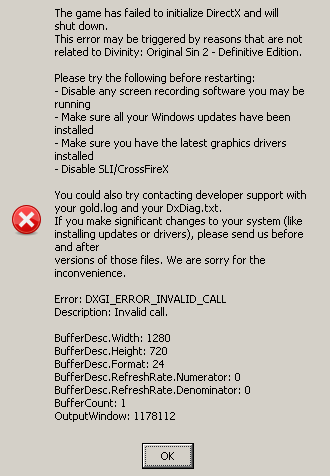
Don't know if it's a Proton problem or something I could fix in my system, would appreciate any help.
System:
- CPU: Intel i5-1130G7
- GPU: Mesa Intel(R) Xe Graphics (TGL GT2)
- Driver version: Mesa 22.1.2-1
- Kernel version: 5.18.6 Arch Linux
Attachments:
PROTON_LOG=1:
steam-435150.log
DOS2 launcher logs:
gold.log
Hello @ivomac, these look like some lines of interest from your log:
System.NullReferenceException: Object reference not set to an instance of an object.
   at LariLauncher.App.OnStartup(StartupEventArgs e)
   at System.Windows.Application.<.ctor>b__1_0(Object unused)
   at System.Windows.Threading.ExceptionWrapper.InternalRealCall(Delegate callback, Object args, Int32 numArgs)
   at System.Windows.Threading.ExceptionWrapper.TryCatchWhen(Object source, Delegate callback, Object args, Int32 numArgs, Delegate catchHandler)
   at System.Windows.Threading.DispatcherOperation.InvokeImpl()
   at System.Windows.Threading.DispatcherOperation.InvokeInSecurityContext(Object state)
   at MS.Internal.CulturePreservingExecutionContext.CallbackWrapper(Object obj)
   at System.Threading.ExecutionContext.RunInternal(ExecutionContext executionContext, ContextCallback callback, Object state)
--- End of stack trace from previous location where exception was thrown ---
   at System.Threading.ExecutionContext.RunInternal(ExecutionContext executionContext, ContextCallback callback, Object state)
   at System.Threading.ExecutionContext.Run(ExecutionContext executionContext, ContextCallback callback, Object state)
   at MS.Internal.CulturePreservingExecutionContext.Run(CulturePreservingExecutionContext executionContext, ContextCallback callback, Object state)
   at System.Windows.Threading.DispatcherOperation.Invoke()
   at System.Windows.Threading.Dispatcher.ProcessQueue()
   at System.Windows.Threading.Dispatcher.WndProcHook(IntPtr hwnd, Int32 msg, IntPtr wParam, IntPtr lParam, Boolean& handled)
   at MS.Win32.HwndWrapper.WndProc(IntPtr hwnd, Int32 msg, IntPtr wParam, IntPtr lParam, Boolean& handled)
   at MS.Win32.HwndSubclass.DispatcherCallbackOperation(Object o)
   at System.Windows.Threading.ExceptionWrapper.InternalRealCall(Delegate callback, Object args, Int32 numArgs)
   at System.Windows.Threading.ExceptionWrapper.TryCatchWhen(Object source, Delegate callback, Object args, Int32 numArgs, Delegate catchHandler)
   at System.Windows.Threading.Dispatcher.LegacyInvokeImpl(DispatcherPriority priority, TimeSpan timeout, Delegate method, Object args, Int32 numArgs)
   at MS.Win32.HwndSubclass.SubclassWndProc(IntPtr hwnd, Int32 msg, IntPtr wParam, IntPtr lParam)
   at MS.Win32.UnsafeNativeMethods.DispatchMessage(MSG& msg)
   at System.Windows.Threading.Dispatcher.PushFrameImpl(DispatcherFrame frame)
   at System.Windows.Threading.Dispatcher.PushFrame(DispatcherFrame frame)
   at System.Windows.Threading.Dispatcher.Run()
   at System.Windows.Application.RunDispatcher(Object ignore)
   at System.Windows.Application.RunInternal(Window window)
   at System.Windows.Application.Run()
   at LariLauncher.App.Main()
../mesa-22.1.2/src/intel/isl/isl.c:2216: FINISHME: ../mesa-22.1.2/src/intel/isl/isl.c:isl_surf_supports_ccs: CCS for 3D textures is disabled, but a workaround is available. also looks curious, but doesn't sound fatal.
@kisak-valve thanks, but I don't know what to read from that. Interestingly, if I run EoCApp.exe with wine and Win10 compatibility the game launches with only audio (no window appears but I hear the menu music). I get this in the stdout:
0100:err:winediag:wined3d_dll_init Using the Vulkan renderer.
0100:fixme:d3d:adapter_vk_init_driver_info Failed to retrieve GPU description for device "Intel(R) Xe Graphics (TGL GT2)" 8086:9a40.
0100:fixme:vulkan:X11DRV_vkCreateWin32SurfaceKHR Application requires child window rendering, which is not implemented yet!
0100:err:d3d:wined3d_swapchain_vk_create_vulkan_swapchain Failed to create Vulkan surface, vr VK_ERROR_INCOMPATIBLE_DRIVER.
full output: wine_vulkan.txt
Getting the same kind of issue with DXGI_ERROR_INVALID_CALL, as seen in the screenshot here: 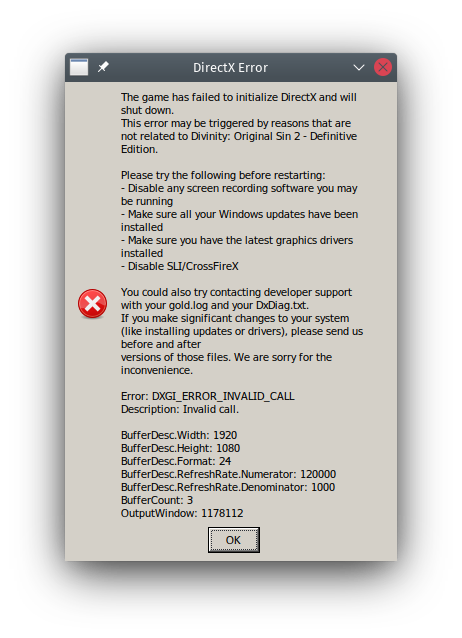
Relevant system info:
- CPU: AMD 5600X
- GPU: AMD RX 580
- Driver version: Mesa Git ~ AMDGPU
- Kernel version: 5.18.3-arch1-1-custom-bcachefs-git-430243-g00e321143014
Proton log: steam-435150.log
gold.log: gold.log
gold.log has an interesting bit at the start:
"[05-07-2022 08:52:25:379][D:\Jenkins\workspace\Repo\FW3.5\RC\Stable\LSProjects\Framework\Code\RenderFramework\dx11\D3D11RenderFrame.cpp 451 api::D3D11RenderFrame::CreateFrameBufferSurfaces]:"
Might be a game change that has broken DXVK...?
I'm not sure if you guys still have performance issues but I've stopped having them for some time now. Using proton experimental btw
I had exactly the same issue, and got it to work by running it with
PROTON_USE_WINED3D=1 %command% --skip-launcher
Looks like vulkan doesn't play nice with all GPUs?
PROTON_USE_WINED3D=1 %command% --skip-launcher
With this the game launches with no window for me, but I can hear the menu music. SupportTool.exe is running in the background.
Proton log: steam-435150.log
Recently discovered that if I switch from KDE Wayland to KDE X11, Divinity: Original Sin 2 - Definitive Edition works without issue. I get a working window, with working input and sound. On KDE Wayland, I get no window, just sound and no input.
Using Proton Experimental, on KDE Wayland, nothing special exists in the logs except for:
3658.312:0130:0134:fixme:vulkan:wine_vk_surface_set_offscreen Redirecting vulkan surface offscreen, expect degraded performance.
3658.312:0130:0134:err:fshack:fs_hack_monitor_from_hwnd Invalid hwnd 0x7fffde11bcc0.
info:  Presenter: Actual swap chain properties:
info:    Format:       VK_FORMAT_B8G8R8A8_UNORM
info:    Present mode: VK_PRESENT_MODE_IMMEDIATE_KHR
info:    Buffer size:  1x1
info:    Image count:  4
info:    Exclusive FS: 1
3658.312:0130:0134:err:fshack:fs_hack_monitor_from_hwnd Invalid hwnd 0x7fffde11bcc0.
It's a weird issue... makes me wonder if there's a strange bug in XWayland...? Or maybe KDE's implementation for hooking into XWayland...
A commenter on the DXVK Discord mentioned that they got it working on Sway without issue...
So, might be a KDE Wayland bug after all, presuming the same issue doesn't arise on Gnome Wayland.
@Valmar33 Can you please report that on bugs.kde.org for us?
@Valmar33 Can you please report that on bugs.kde.org for us?
Not entirely sure it's the right place to report the bug to, as the cause is unknown.
I'm merely speculating that it might be KDE Wayland-related, but I can't actually confirm, as I haven't tested the other DEs.
Well, you have tested it with KWin X11 and given the state of Wayland on KDE, that's highly likely.
You can launch a session of Wayland from the command line and see the output.
I would highly recommend reporting it.
@Valmar33 I just had this issue myself as a result of setting SDL_VIDEODRIVER=wayland in my Sway environment. I fixed this by prepending it with an empty value to the game's launch options:
SDL_VIDEODRIVER="" %command% --skip-launcher
@Valmar33 I just had this issue myself as a result of setting
SDL_VIDEODRIVER=waylandin my Sway environment. I fixed this by prepending it with an empty value to the game's launch options:SDL_VIDEODRIVER="" %command% --skip-launcher
Huh. Interesting... I'll test it out. :)
@dabrowskiw I was using dxvk itself. not wineD3D. The performance issue suddenly dissapeared sometime 6 months ago. I haven't tested it in some time though.
@0xC0ncord
@Valmar33 I just had this issue myself as a result of setting
SDL_VIDEODRIVER=waylandin my Sway environment. I fixed this by prepending it with an empty value to the game's launch options:SDL_VIDEODRIVER="" %command% --skip-launcher
Can confirm that this resolved my issue entirely. :)
I have this while playing on the Steam Deck
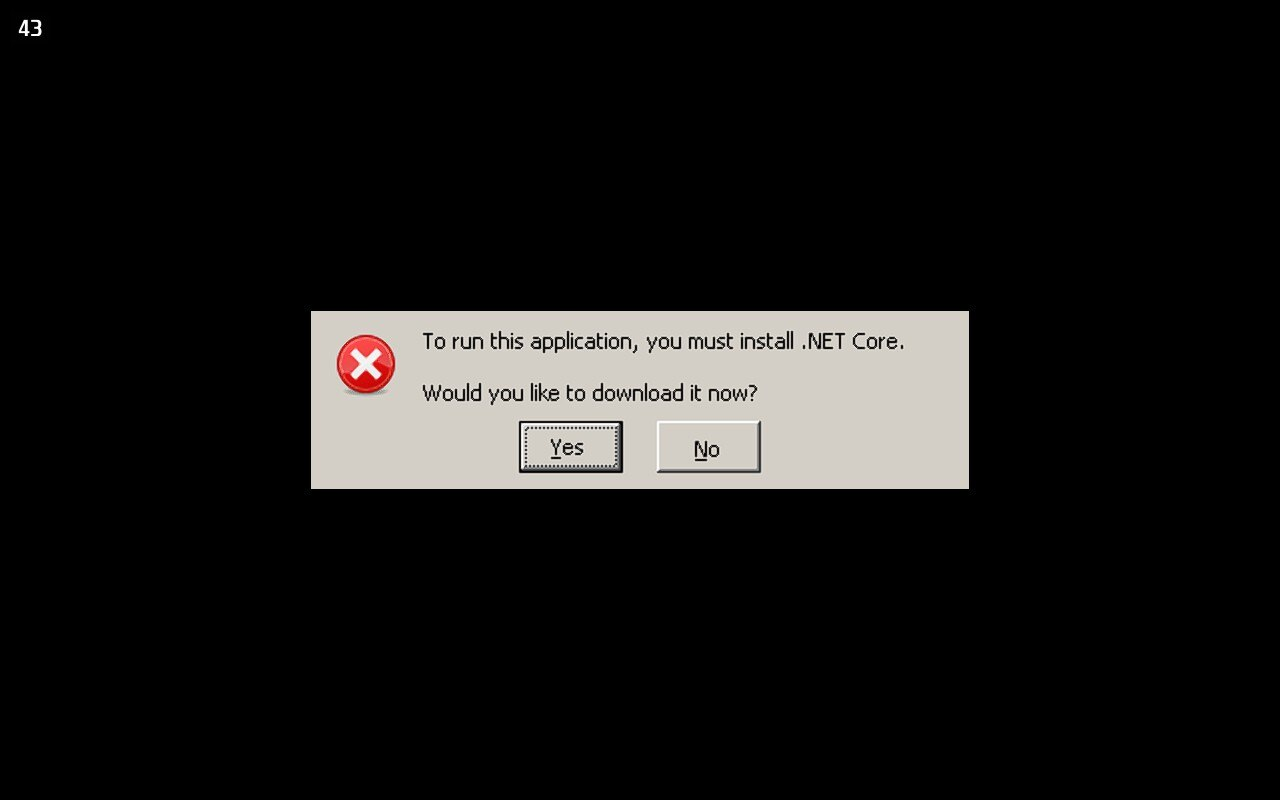
I can't install .NET core with it, I also tried protontricks and it crashed before installing
I have this while playing on the Steam Deck
I can't install .NET core with it, I also tried protontricks and it crashed before installing
No idea about the Steam Deck, but about a month ago I started running into this exact issue on my Gentoo system. It turns out I had another version of Mono installed and it seemed to not like it. After uninstalling it, that error just went away.
I have this while playing on the Steam Deck
I can't install .NET core with it, I also tried protontricks and it crashed before installingNo idea about the Steam Deck, but about a month ago I started running into this exact issue on my Gentoo system. It turns out I had another version of Mono installed and it seemed to not like it. After uninstalling it, that error just went away.
Oh ok, thanks, I made it work by using proton7-ge 35 :shrug:
For me this stopped working for months, these options resolve it (either crash to desktop, or 1fps.
PROTON_USE_WINED3D=1 DXVK_HUD=0 __NV_PRIME_RENDER_OFFLOAD=1 __GLX_VENDOR_LIBRARY_NAME=nvidia ENABLE_VKBASALT=1 %command% --skip-launcher
Environment
nvidia driver 470.74
kernel 5.14.18-100.fc33.x86_64
steam    "version" : "0.20221019.0",
GE-Proton-7-41
Add launch option : LANG=en_US.UTF-8 %command% --skip-launcher game works.
But my locale is
LANG=zh_CN.UTF-8
LANGUAGE=
LC_CTYPE="zh_CN.UTF-8"
LC_NUMERIC="zh_CN.UTF-8"
LC_TIME="zh_CN.UTF-8"
LC_COLLATE="zh_CN.UTF-8"
LC_MONETARY="zh_CN.UTF-8"
LC_MESSAGES="zh_CN.UTF-8"
LC_PAPER="zh_CN.UTF-8"
LC_NAME="zh_CN.UTF-8"
LC_ADDRESS="zh_CN.UTF-8"
LC_TELEPHONE="zh_CN.UTF-8"
LC_MEASUREMENT="zh_CN.UTF-8"
LC_IDENTIFICATION="zh_CN.UTF-8"
LC_ALL=
Here is my game log @JeffRockatansky
======================
Proton: 1680202810 experimental-7.0-20230330
SteamGameId: 435150
Command: ['/home/snake/.local/share/Steam/steamapps/common/Divinity Original Sin 2/bin/SupportTool.exe']
Options: {'forcelgadd', 'wined3d', 'heapdelayfree'}
depot: 0.20230314.45274
pressure-vessel: 0.20230314.0 scout
scripts: 0.20230314.0
soldier: 0.20230314.45274 soldier 0.20230314.45274
Kernel: Linux 5.10.0-21-amd64 #1 SMP Debian 5.10.162-1 (2023-01-21) x86_64
Language: LC_ALL None, LC_MESSAGES None, LC_CTYPE None
======================
However, when I input "loacl", the environment language is displayed correctly.
The debug of my game
[0416/164715.444:INFO:CONSOLE(1)] "error: System.InvalidOperationException: Could not execute method: getLanguageIso()
 ---> System.Reflection.TargetInvocationException: Exception has been thrown by the target of an invocation.
 ---> System.NullReferenceException: Object reference not set to an instance of an object.
   at LariLauncher.ViewModel.Cef.JavascriptHandler.GetLanguageIso()
   --- End of inner exception stack trace ---
   at System.RuntimeMethodHandle.InvokeMethod(Object target, Object[] arguments, Signature sig, Boolean constructor, Boolean wrapExceptions)
   at System.Reflection.RuntimeMethodInfo.Invoke(Object obj, BindingFlags invokeAttr, Binder binder, Object[] parameters, CultureInfo culture)
   at System.Reflection.MethodBase.Invoke(Object obj, Object[] parameters)
   at CefSharp.Internals.JavascriptObjectRepository.TryCallMethod(Int64 objectId, String name, Object[] parameters, Object& result, String& exception)
   --- End of inner exception stack trace ---
   at CefSharp.Internals.JavascriptObjectRepository.TryCallMethod(Int64 objectId, String name, Object[] parameters, Object& result, String& exception)", source: https://launcher.larian.com/js/app.580e4daf.js (1)
The game works properly, but the books in the game are black and cannot be read, as shown in the picture.
I have tried the following methods:
- Verify file integrity
- Reinstall the game
- Try playing the game in other languages such as Japanese, but the problem still exists. When I switch to Chinese, the game runs but there is no visible image interface.
Note: I did not install any mods, and the parameters of my Steam are like this.
__GL_SHADER_DISK_CACHE=1 _PERFTEST=aco VK_INSTANCE_LAYERS=VK_LAYER_MESA_overlay PROTON_USE_WINED3D=1 PROTON_LOG=1 %command%
It seems Proton 8.0-1 breaks compatibility of the game as the launcher works but game doesn't start. I switched to Proton 7.0-6 and the game works out of the box now.
Hello @terrestrian, please add PROTON_LOG=1 %command% to the game's launch options, reproduce the regression, and attach the generated $HOME/steam-$APPID.log to this issue report as a file. (Proton logs compress well if needed.) Also, please copy your system information from Steam (Steam -> Help -> System Information) and put it in a gist, then include a link to the gist in this issue report.
Hello @terrestrian, please add
PROTON_LOG=1 %command%to the game's launch options, reproduce the regression, and attach the generated $HOME/steam-$APPID.log to this issue report as a file. (Proton logs compress well if needed.) Also, please copy your system information from Steam (Steam->Help->System Information) and put it in a gist, then include a link to the gist in this issue report.
I don't know how i supposed to compress this 27mb log file so I just used gzip.
steam-435150.log.gz
And here is my system information.
If it matters I'm having the same problem, though we have rather similar setups it would seem. (Both have AMD graphics and run Arch Linux with KDE):
steam-435150.zip
System information
Here is something interesting. I realized Proton 8.0-1 doesn't open Fallout 4 and Skyrim as well. I tried opting out of Steam client beta participation and tested again. Divinity still doesn't open but now Fallout 4 and Skyrim runs without an issue.
It seems Proton 8.0-1 breaks compatibility of the game as the launcher works but game doesn't start. I switched to Proton 7.0-6 and the game works out of the box now.
The same for me.
It seems Proton 8.0-1 breaks compatibility of the game as the launcher works but game doesn't start. I switched to Proton 7.0-6 and the game works out of the box now.
Same issue here, but the game is not working with Proton 7.0-6 on my Steam Deck.
It shows an alert box that says "Failed to create dir"
Here's my log: https://gist.github.com/KatyushaScarlet/03768a9a4055a16e92d630e9b1ba66b4
Divinity: Original Sin 2
Issue transferred from https://github.com/ValveSoftware/Proton/issues/6883.
@VeilSilence posted on 2023-06-27T16:22:01:
Compatibility Report
Divinity:Original Sin 2 Definitive Edition.
Steam AppID of the game:435150
System Information
- GPU: Nvidia RTX 3090
- Driver/LLVM version: nvidia-open-dkms 535.54.03-3
- Kernel version: 6.3.9-zen1-1-zen
- Link to full system information report as Gist:
- Proton version:Proton 8.0.2, Proton Experimental, Proton 7.0.6
I confirm:
- [✓] that I haven't found an existing compatibility report for this game.
- [✓] that I have checked whether there are updates for my system available.
Symptoms
Greetings.
When i'm chosing in Divinity Launcher start "Definitive Edition" game crash after ~60% loading on start. If i chose "Classic" version however, game works properly.
Tried different proton version ( see proton version ) without any luck.
Reproduction
1:Launch the game
2:Choose in Launcher "Definitive Edition"
3:Crash of loading
DOS 2 definitive edition doesn't start on steam deck
Issue transferred from https://github.com/ValveSoftware/Proton/issues/6997.
@sumilinux posted on 2023-08-06T13:37:09:
Compatibility Report
- Name of the game with compatibility issues: Divinity Original Sin 2 Definitive edition
- Steam AppID of the game: 435150
System Information
- GPU:
- Video driver version:
- Kernel version:
- Link to full system information report as Gist:
- Proton version: experimental/ 8.0-3
I confirm:
- [ ✓] that I haven't found an existing compatibility report for this game.
- [ ✓] that I have checked whether there are updates for my system available.
Symptoms
Game crashes on startup. I see a black screen and then the game exists.
Tried with different proton version like experimental,8.0-3 7.0-6. Crashes in both regular and desktop mode
Reproduction
After doing a reset of steam deck, the game is starting up with proton latest version without any other tweaks from user.
This game shows graphical artifacts when installed on a NTFS partition!
This problem does not happen on an ext4 partition.
Replying to https://github.com/ValveSoftware/Proton/issues/413#issuecomment-1721563052
I feel like I'm missing a subtle joke but I'll just say this anyways in case you don't know.
Don't use NTFS. It's a proprietary closed source file system made and maintained by microsoft. "Broken on Linux" is not a bug. It's intentional. "Working perfectly on Linux" would be the bug.
Should a day ever come where the NTFS Linux drivers ever start working perfectly, microsoft will update NTFS again, to "fix" that Linux bug.
Anyways, sorry if I missed a joke.
Replying to [#413 (comment)](https://github.com/ValveSoftware/Proton/issues/413#issuecomment-1722189793)
No, this was definitely not meant as a joke even if it was funny to some. I just documented an issue that cost me a lot of time to debug. To explain my setup a bit more: I followed the wiki and put
UUID=BADF00D00BADF00D /media/gamedisk lowntfs-3g uid=1000,gid=1000,rw,user,exec,umask=000,allow_other,ignore_case,nofail 0 0
in my /etc/fstab. Without lowntfs-3g recent steam wouldn't even recognize the directory.
My use case for NTFS is that I want to be able to use big game directories from Windows without needing additional space and download time. It is interesting to me if something is a game bug or a proton bug. (Or even a mesa or Linux bug - those do happen.)
My use case for NTFS is that I want to be able to use big game directories from Windows without needing additional space and download time.
Yeah I know. It's a very common pitfall. We all fall for it.
I hear there's an ext driver for windows, but I've never used it so I can't recommend it. I mean would you really want M$ to have control over your Linux drives anyways?
The best choice really is just to get another hard drive. Unless you want to go full time Linux. Sucks, but this is corporate sandbagging for ya. One tries to provide choices, the other tries to reduce them.
I hear there's an ext driver for windows, but I've never used it so I can't recommend it. I mean would you really want M$ to have control over your Linux drives anyways?
There are a couple ones, and you can set them to read only.
Another option is OpenZFS, that is supported by both.
Don't use NTFS. It's a proprietary closed source file system made and maintained by microsoft. "Broken on Linux" is not a bug. It's intentional. "Working perfectly on Linux" would be the bug.
Linux 5.15 onwards should have proper NTFS support in the new driver from Paragon.
https://docs.kernel.org/filesystems/ntfs3.html
Proton Experimental, 8, 7 and 6:
I click on "Play" and the game tries to launch, but ultimately fails and restores the text on the button back to "Play"
The game doesnt launch, no error message at all.
I am on NixOS.
My system
PROTON_LOG=1 %command% does not produce a log in my HOME directory.
Can I provide anything else?
DOS2 sound broken
Issue transferred from https://github.com/ValveSoftware/Proton/issues/7409.
@sumilinux posted on 2024-01-14T21:19:33:
Compatibility Report
- Name of the game with compatibility issues: DOS2
- Steam AppID of the game:435150
System Information
- Steamdeck
- Kernel version:
- Link to full system information report as Gist:
- Proton version: 8.04 or experimental
I confirm:
- [ ] that I haven't found an existing compatibility report for this game.
- [ ] that I have checked whether there are updates for my system available.
Symptoms
Ever since the upgrade to latest proton, the sound for the game is not working.
Tried the following:
- Restart deck
- Downgrade and use older proton versions
- Verify integrity of the game files
- Reinstall the game.
None of the above restores the sound for the game.
Reproduction
Started getting crashes today-ish, seems to be some change that was pushed in the Experimental Branch that caused it. Switched to using 8.0-5 and it loaded up again just fine. (My client defaults to using the Proton Experimental branch.)
Guessing it's something in the Proton 9.0 (Beta11) from 3days ago that is causing this.
Specifically I was getting a crash during the "Instantiate Level" step of the Script Extender mod (v59), during first game launch loading. Couldn't find anything in neither the script extender nor the game's logs to figure out why, but saw a comment in the steam discussions about how a recent proton change was giving them CTD, and switching a version back fixed it (so am confirming that). Also seen comments about how GeForce is causing problems right now, but I'm AMD (so anti-confirming that).
(Game has run perfectly fine besides this point, no issues at all even with mods. Just want to have this documented somewhere besides a throw-away steam discussions thread, so it's more easily found)
Hello @Lightsockie, please add PROTON_LOG=1 %command% to the game's launch options, reproduce the regression, and attach the generated $HOME/steam-$APPID.log to this issue report as a file. (Proton logs compress well if needed.) Also, please copy your system information from Steam (Steam -> Help -> System Information) and the contents of Steam Runtime Diagnostics from Steam (Steam -> Help -> Steam Runtime Diagnostics) and put them in a gist, then include a link to the gist in this issue report.
Okay so I rewrote my launch commands to skip the launcher (SupportTool.exe) and launch the game directly (the --skip-launcher still launches the launcher). Doing this brought the log file size from about ~60Mb to ~1Mb (forced third-party launchers are such a cancer). For posterity, here's that quick lil hack:
echo "PROTON_LOG=1 WINEDLLOVERRIDES=\"DXGI.dll=n,b\" PROTON_NO_ESYNC=1 %command%" | sed 's\bin/SupportTool\DefEd/bin/EoCApp\' | sh
Here's the logs, tho looking in I dunno if there's a clear smoking gun. Attaching both 8 and 9, for comparison sake.
v8.0-5: https://files.catbox.moe/wz0xdq.log
v9.0 (Beta): https://files.catbox.moe/as445n.log
The crash itself seemed to happen around 1372853.534
Me:
CPU Brand: AMD Ryzen 9 7950X 16-Core Processor
"Artix Linux" (64 bit)
Kernel Version: 6.8.0-rc2-273-tkg-bore
Steam Runtime Version: steam-runtime_0.20231127.68515
X Server Release: 12101011
Driver: AMD AMD Radeon RX 7900 XT (radeonsi, navi31, LLVM 16.0.6, DRM 3.57, 6.8.0-rc2-273-tkg-bore)
Driver Version: 4.6 (Compatibility Profile) Mesa 24.0.1-arch1.1
@Lightsockie We are trying to look into this, but I'm not familiar with the script extender specifically. I found https://github.com/Norbyte/ositools/releases but I don't see a v59 - it looks like the most recent is v3. Is this the one you are using or are you using a different one? Any extra tips on how to set this up so that we can attempt to reproduce locally would be greatly appreciated :)
@alasky17 Yep that's the right one. I'm not sure why it says v5 there, it'll say v59 in-game. (tbh the whole thing is a little jank, even among these sorts-of frameworks imo.) I followed what that link ya posted, no caveats or gotchas -- should hopefully just be as easy as dropping that DXGI.dll (the only thing in that archive) where it says to, and setting the "native,builtin" override in wine for that DLL (which the launch options does easily enough).
The framework itself is horrendously documented, though, so if you want to get any useful info out of it I'll save ya the headhunt I wasted an afternoon on. If you create ./Divinity Original Sin 2/DefEd/bin/OsirisExtenderSettings.json and toss the following into it, you'll get it's console and logging enabled.
{
    "CreateConsole": true,
    "EnableLogging": true,
    "LogRuntime": true,
    "LogCompile": true,
    "LogFailedCompile": true,
    "DeveloperMode": true
}
Is the regression only happening for the case with the script extender? I just tried disabling it, but it still seems to be crashing without it. But tbf my environment isn't pristine, "Verifying Game Integrity" now to try and give a better test case without it.
EDIT:
Oh, I should've looked back before I posted. The Verify finished, but still getting the crash at about the same spot: https://files.catbox.moe/bzhjwk.png. With the script extender enabled, it'll call this "Instantiate Level".
EDIT2:
Oh, also I have these workshop mods enabled. I'm not sure how "loaded" these mods even are before the main menu (where you'd select which to use), but I'd think they wouldn't be relevant at the point we're CTDing at? Still, in the interest of giving ya all I know:
https://steamcommunity.com/sharedfiles/filedetails/?id=1506776884
https://steamcommunity.com/sharedfiles/filedetails/?id=1499447796
https://steamcommunity.com/sharedfiles/filedetails/?id=1503849808
https://steamcommunity.com/sharedfiles/filedetails/?id=1506230499
https://steamcommunity.com/sharedfiles/filedetails/?id=2943080327
@Lightsockie This should be working now with Proton Experimental on the Bleeding Edge Branch. Let me know if you have any additional problems. It was in fact unrelated to the mod, the issue was happening with the mod uninstalled.
for a while now the game stopped running past launcher. It fails every time with the below error:
I have tried multiple proton versions, recreating compat directory from scratch but the results are the same.
Setup:
CPU Brand: AMD Ryzen 9 5900X 12-Core Processor
RAM: 64219 Mb
Driver: NVIDIA Corporation Quadro RTX 5000/PCIe/SSE2
Driver Version: 4.6.0 NVIDIA 550.76
Arch Linux" (64 bit)
Kernel Version: 6.8.9
X Server Vendor: The X.Org Foundation
X Server Release: 12101013
X Window Manager: KWin
@siborg Hi there. Attach a Proton log if you can.
Running the game with PROTON_LOG=1 %command% in its launch options in Steam should make a file called steam-435150.log appear in your users home folder
@siborg Hi there. Attach a Proton log if you can. Running the game with
PROTON_LOG=1 %command%in its launch options in Steam should make a file calledsteam-435150.logappear in your users home folder
Please see the attached.
Crashes on latest proton experimental, doesn't crash (but gets stuck on black screen) when run outside of Steam with wine with taskset -c 0. Seems to be fundamental proton multithreading bug maybe? There are mentions in various places online that other users see such a multithreading bug with specifically this game and wine or proton too.
Sadly I can't run it with taskset -c 0 inside Steam due to it being seemingly impossible to figure out. taskset -c 0 %command% doesn't work, my guess is because it only applies to the launcher not to the game once that one is launched.
Edit: update: it almost always crashes no matter what, seems like the differences I saw were just random.
I tried PROTON_LOG=1 %command% but it looks a little like it just covers the launcher and not the actual game. Is there a way to make it log for the game, too?
It should include everything launched through the play button in one big log. The starting point is just the launcher.
steam-435150.log
I see! Then here's the crash log, or the quit log I guess (dmesg doesn't log a segfault but it's disappearing after 1 second of black fullscreen with game mouse cursor, so something isn't working right). I tried multiple older proton versions and proton experimental, none work. Fallout 4 runs fine on this machine with high settings, so it shouldn't be a general hardware issue.
Here's how it looks like:
bug-proton-divinity-original-sin-2-crash.webm
Update: this has been fixed now with a Proton update.
None of Proton Experimental, Proton 9, Proton 8, Proton 7 work, by now I tested them all and it always looks like this. Is this the CPU detection issues? But it seemed from the previous comments like that was supposed to be fixed.
Update: this has been fixed now with a Proton update.
Game crashes at startup on AMD Ryzen AI 9 365 / AMD Radeon 890M Graphics (RADV GFX1150) laptop running Fedora 43 / Wayland. Starts with a black screen and the splash screen sound plays but screen remains black, afterwards crashes with a game crash dialog. Proton log seems to point to Xalia.
Tried both with flatpak steam and the native steam package. Proton Experimental / Proton 10-0.3 / GE-Proton10-26 neither of these work. Game runs fine on desktop system with 7900XTX / Fedora 43 / Wayland and on SteamDeck.
update: Commandline mentioned in https://github.com/ValveSoftware/Proton/issues/413#issuecomment-1965810655 to actually skip the launcher all together makes it run, as apparently passing --skip-launcher doesn't actually skip it.
ie. launching with:
echo "%command%" | sed 's\bin/SupportTool\DefEd/bin/EoCApp\' | sh
seems to work fine. Title screen shows and can load up a saved game.
Hello,
I get a similar "black screen with game cursor" while using in-home streaming from my unmodified steam deck (host) with steamOS to my windows laptop (client). The game itself runs normally on the steam deck (host), but the laptop gets the black screen with only the cursor visible. It's different from some other reports here, as the game launcher seems to be skipped by the game.
After I uninstall the game and reinstall the game, the streaming works fine for the first launch, but any consecutive launches have the blackscreen issue appearing again.
Sound and inputs stream fine.
If you can give me guidance I would like to help you debug this issue, however, I am not a power user of the steam deck and not familiar with deeper configuration options. But I am happy to follow instructions and provide logs or test potential fixes.
Here is a demonstration of the issue:
https://www.youtube.com/watch?v=j69LXlycJ9k
I tried the following compatibility modes in the game's steam settings:
- Proton 9.0.4
- Proton Hotfix
- Proton Experimental
- No compatibility mode enabled and left on default
Please note that I only have about ~40 Minutes of game time left to debug this issue, as I would like to request a refund if we can't get this working.
Edit: I just had the chance to test it with another windows host, and that works fine (although it even starts with the launcher in that config, but the stream flawlessly switches to the main game, once you click on "launch divinity 2 original sin" in the larian launcher.
After talking with steam support I have now tried to disable hardware decoding on the client, which did not work either.
Also, I tried out streaming other games (Bread & Fred (1607680)) from the steam deck to my windows laptop, which worked fine. As streaming "Divinity Original Sin 2" also worked from a windows host to my windows laptop, it really is most likely a Proton / Steam Linux issue.
In case it helps someone else to not waste their time too, I tried most of the suggestions here on my PC (Proton Experimental and Proton-GE 11.1) and none worked. The fix was to download the last Proton 10 (Proton-GE 10.34 in my case)
In case it helps someone else to not waste their time too, I tried most of the suggestions here on my PC (Proton Experimental and Proton-GE 11.1) and none worked. The fix was to download the last Proton 10 (Proton-GE 10.34 in my case)
No success for me with Proton-GE 10.34 for me (Lutris), as well as Proton Experimental (Steam) :( The game crashes after a few seconds. I see a normal loading screen with the bar progressing, but then suddenly the game just closes with no error message.
Proton versions
proton experimentalx25 2026-07proton 9.0x2 2026-02proton hotfixx1 2026-02ge-proton10-26x1 2025-12proton 7.0x2 2023-06proton 8.0x1 2023-06proton 8.0-1x4 2023-04proton 7.0-6x3 2023-04proton 7.0-1x1 2022-03proton 6.3-8x3 2021-12proton 6.3-7x7 2021-12proton 5.0-10x3 2021-12proton 5.0x2 2021-10proton 6.3-6bx3 2021-10proton 6.3x4 2021-10
Launch options
PROTON_LOG=1x11 2024-05PROTON_NO_ESYNC=1x2 2024-02WINEDLLOVERRIDES=\"DXGI.dll=n,b\"x1 2024-02PROTON_USE_WINED3D=1x6 2023-04__GL_SHADER_DISK_CACHE=1x1 2023-04DXVK_HUD=0x1 2022-12ENABLE_VKBASALT=1x1 2022-12SDL_VIDEODRIVER=""x3 2022-09SDL_VIDEODRIVER=wayland`x3 2022-09PROTON_LOG=1:x1 2022-06PROTON_LOGx1 2022-03PROTON_DUMP_DEBUG_COMMANDS=1x1 2021-09WINEDEBUG=-mscoree`:x1 2021-08PROTON_NO_ESYNCx1 2021-08STEAM_COMPAT_MEDIA_PATHx1 2021-08
Launch lines
taskset -c 0 %command%x1 2024-05PROTON_NO_ESYNC=1 %command%x1 2024-02__GL_SHADER_DISK_CACHE=1 _PERFTEST=aco VK_INSTANCE_LAYERS=VK_LAYER_MESA_overlay PROTON_USE_WINED3D=1 PROTON_LOG=1 %command%x1 2023-04LANG=en_US.UTF-8 %command% --skip-launcherx1 2023-01PROTON_USE_WINED3D=1 DXVK_HUD=0 __NV_PRIME_RENDER_OFFLOAD=1 __GLX_VENDOR_LIBRARY_NAME=nvidia ENABLE_VKBASALT=1 %command% --skip-launcherx1 2022-12SDL_VIDEODRIVER="" %command% --skip-launcherx3 2022-09PROTON_USE_WINED3D=1 %command% --skip-launcherx2 2022-07PROTON_NO_ESYNC=1 PROTON_DUMP_DEBUG_COMMANDS=1 PROTON_LOG=1 %command%x1 2021-09taskset -c %command%x1 2021-07PROTON_USE_WINED3D=1 %command%x2 2019-07
Upstream links
- ValveSoftware/Proton/issues/7719x1 2024-05
- ValveSoftware/Proton/issues/7409x1 2024-01
- ValveSoftware/Proton/issues/6997x1 2023-08
- ValveSoftware/Proton/issues/6883x1 2023-06
- ValveSoftware/Proton/issues/5179x1 2021-09
- ValveSoftware/Proton/issues/5139x1 2021-09
- ValveSoftware/steam-for-linux/issues/7935x1 2021-08
- ValveSoftware/Proton/issues/2791x1 2020-03
- ValveSoftware/Proton/issues/3421x1 2020-01
- ValveSoftware/steam-for-linux/issues/6740x1 2019-12
- ValveSoftware/Proton/issues/2523x1 2019-04
- show_bug.cgi?id=29215x1 2018-08
DLLs
dxgi.dllx2 2024-02_nvngx.dllx2 2021-09msmpeg2vdec.dllx1 2021-09setupapi.dllx1 2019-09xaudio2_7.dllx2 2019-04xaudio2_8.dllx1 2019-04mscoree.dllx1 2018-08
Error codes
0x800000c2x1 2018-09
D:OS2 will not start after installation (SupportTool.exe). Some users report that using the EoCApp.exe and WINE dll override xaudio2_7 allows the game to run, but for me, I get only as far as a black screen and the game cursor with those modifications.
OS: Ubuntu 18.04 bionic
Kernel: x86_64 Linux 4.15.0-32-generic
Resolution: 1920x1080
DE: XFCE
WM: Xfwm4
CPU: Intel Core i5-3470 @ 4x 6.3GHz
GPU: GeForce GTX 1070 driver 396.54
RAM: 2030MiB / 15989MiB