Serious Sam 4
Try D3D11 via command line if it selects Vulkan by default. Their older games were shaky due to what looked like Vulkan Wine windowing issues.
Try D3D11 via command line if it selects Vulkan by default.
Adding +gfx_strAPI D3D11 to launch options didn't helps.
steam-257420.log
I was able to get into the menu.
If you look into the log file from "NTMan" you can see the lines "INF: Vendor: ATI (0x1002)" and "WRN: Display driver is too old, please update it ASAP!", which seems to be causing the issue, because I have the same lines in my log files and I'm using an Nvidia gpu with the newest drivers.
I modified a file located under: GameFolder/Content/SeriousSam4/Config/CheckDriver.lua
There I added "gfx_iDriverVersion=12000" (without quotes) under the variables for the vendors.
It seems to get the wrong driver version and with that you can fool it into thinking it's okay to launch the game.
After starting a new game I got into the opening cutscene, which crashed after skipping.
I was able to get into the menu.
If you look into the log file from "NTMan" you can see the lines "INF: Vendor: ATI (0x1002)" and "WRN: Display driver is too old, please update it ASAP!", which seems to be causing the issue, because I have the same lines in my log files and I'm using an Nvidia gpu with the newest drivers.I modified a file located under: GameFolder/Content/SeriousSam4/Config/CheckDriver.lua
There I added "gfx_iDriverVersion=12000" (without quotes) under the variables for the vendors.It seems to get the wrong driver version and with that you can fool it into thinking it's okay to launch the game.
After starting a new game I got into the opening cutscene, which crashed after skipping.
Can you please send a screenshot where and how you past it?
Here where I placed the line:

Here an image from the main menu in Linux:

I modified a file located under: GameFolder/Content/SeriousSam4/Config/CheckDriver.lua
There I added "gfx_iDriverVersion=12000" (without quotes) under the variables for the vendors.
Thanks, it works.

Damn, anyway it crashes after the first cutscene.

I have the same experience, I tried D3D11 and Vulkan.
Both crash in the first cutscene.
I have the same experience, I tried D3D11 and Vulkan.
Both crash in the first cutscene.

Here an image from the main menu in Linux:
Why does the config say "... or sys_strPlatform==Linux" "? :thinking:
Hello @daugustin, there's obvious hints that the game devs intend for there to be Mac and Linux native variants of this game (and a long track record of most newer Serious Sam games having cross-platform support). You're going to find bits like that lying around for when they are ready to ship a native Linux build.
Setting these settings in <steamroot>/userdata/<id>/257420/local/SeriousSam4.ini got me in the game, and past the first mission with Proton 5.0.9:
gfx_strAPI = "VLK"
sfx_strAPI = "OpenAL"
Lots of visual glitches and some stuttering, but it's a start. :)
Ever since switching the graphics API to Vulkan, the game doesn't crash anymore but will instead freeze completely.
Have you guys tried using amdgpu-pro vulkan driver ? I have it, but the game is still downloading for me... for some reason bulgarian server downloaded 2.4mb/s and since I just changed to romania it went to 6-7mb/s! I will be able to try soon and will try using proton-ge as well and report back!
I tried proton-5.9-ge-6-st and it produces the same result.
Alright my download is almost ready, I will try with the settings that egospodinova suggests and I wanna try proton 4.11 as when I tried SS Fusion had visual glitches on newer proton versions, so let's see where this goes...
Good shout on Proton 4.11, seems to work well so far w.r.t. the visual glitches. Still kinda stuttering occasionally, though. Haven't had any crashes for now, gonna go see if it stays that way.
Setting these settings in
<steamroot>/userdata/<id>/257420/local/SeriousSam4.inigot me in the game, and past the first mission with Proton 5.0.9:gfx_strAPI = "VLK" sfx_strAPI = "OpenAL"Lots of visual glitches and some stuttering, but it's a start. :)
Thanks, that worked for me, although I just added these parameters to the start options. Getting graphical glitches as well, though :(
OK I can confirm the game runs just fine with Proton 4.11! There is occasional stutter due to shader compilation but it works. On mesa just like DOOM Eternal the ACO shader compiler crashes the game(after the first cinematic). So if you want to use Mesa you have to use RADV_PERFTEST=llvm %command%, if you want to use amdgpu-pro(which I didn't notice much difference in performance) you have to do something more complicated if you don't want to install it system wide, but it's not that hard and there is a great tutorial you can find on reddit.(THAT IS ONLY IF YOU ARE ON AMD)
Just last thing to note either do what egospodinova mentioned above or just after %command% type +gfxapi VLK
OK I can confirm the game runs just fine with Proton 4.11! There is occasional stutter due to shader compilation but it works. On mesa just like DOOM Eternal the ACO shader compiler crashes the game(after the first cinematic). So if you want to use Mesa you have to use RADV_PERFTEST=llvm %command%
Works for me with Proton 5.0.9 and ACO
Nice alex9k1! For me it has graphical/visual bugs and only what I described above works, but everyone is free to try.
Controllers don't work
Setting these settings in
<steamroot>/userdata/<id>/257420/local/SeriousSam4.inigot me in the game, and past the first mission with Proton 5.0.9:gfx_strAPI = "VLK" sfx_strAPI = "OpenAL"Lots of visual glitches and some stuttering, but it's a start. :)
What should be the exe switch for this? I'm with GOG version ant there isn't SeriousSam4.ini at all. I tried:
wine Sam4.exe +gfxapi VLK
or
wine Sam4.exe -gfxapi VLK
and
wine Sam4.exe -vlk
to no avail.
Following @egospodinova with
gfx_strAPI = "VLK"
sfx_strAPI = "OpenAL"
allowed me to get into the game, however I am unable to start playing both singleplayer & coop. The level loads and the cinematic plays for about 1 second before crashing my entire system, needing a hard restart.
I have tried Proton versions: 5.9-GE-ST, 5.0-9 & 4.11-13
Btw I also tried the Direct3D 11 & 12 options (Proton 5.0.9-next). 11 works, when setting it to 12 it immediately crashes. Has the same glitches for me tho as with Vulkan (some black spots flickering).
Hello @daugustin, there's obvious hints that the game devs intend for there to be Mac and Linux native variants of this game (and a long track record of most newer Serious Sam games having cross-platform support). You're going to find bits like that lying around for when they are ready to ship a native Linux build.
https://steamcommunity.com/app/257420/discussions/0/2840039920168915477/
IIIIDANNYIIII [dev]
Linux support is not planned at the moment.
OK I can confirm the game runs just fine with Proton 4.11! There is occasional stutter due to shader compilation but it works. On mesa just like DOOM Eternal the ACO shader compiler crashes the game(after the first cinematic). So if you want to use Mesa you have to use RADV_PERFTEST=llvm %command%
Works for me with Proton 5.0.9 and ACO
Btw I also tried the Direct3D 11 & 12 options (Proton 5.0.9-next). 11 works, when setting it to 12 it immediately crashes. Has the same glitches for me tho as with Vulkan (some black spots flickering).
Only proton 4.11 would solve that, but you will have to sacrifice using ACO shader compiler that's why I wrote the things mentioned above in my post.
EDIT: BUT I found proton 4.11 to cause a lot of freezes for me so I just bear with the black spots flickering for the time being if I find a way to stop them I will give info.
What should be the exe switch for this? I'm with GOG version ant there isn't SeriousSam4.ini at all. I tried:
wine Sam4.exe +gfxapi VLKor
wine Sam4.exe -gfxapi VLKand
wine Sam4.exe -vlkto no avail.
I used "+gfx_strAPI Vulkan" (without quotes) and it seems to be working, it says "Vulkan" in the options.
So it would be:
wine Sam4.exe +gfx_strApi Vulkan
Works better with proprietary vulkan driver on rx5700. Still see shadows flickering (?)
What should be the exe switch for this? I'm with GOG version ant there isn't SeriousSam4.ini at all. I tried:
wine Sam4.exe +gfxapi VLK
or
wine Sam4.exe -gfxapi VLK
and
wine Sam4.exe -vlk
to no avail.I used "+gfx_strAPI Vulkan" (without quotes) and it seems to be working, it says "Vulkan" in the options.
So it would be:wine Sam4.exe +gfx_strApi Vulkan
Thanks but it's still uses DXVK/D3D11 on my end and I only see a black screen and a crash :(
Thanks but it's still uses DXVK/D3D11 on my end and I only see a black screen and a crash :(
Did you modify the CheckDriver.lua so it looks like this?
(Note the added gfx_iDriverVersion=12000)
You have to change graphics (and probably sound) api in SeriousSam4.ini
Works better with proprietary vulkan driver on rx5700. Still see shadows flickering (?)
Good call and pair it with proton 4.2.9 and I don't have any issues so far on my r9 390x!
EDIT: Performance seems to be even better than latest proton with ACO shader!
EDIT2: Alright I tested Mesa both with ACO and LLVM, ACO crashes the game on proton 4.2.9, but LLVM works just fine and some trees and other vegetation don't have black shadow flickering like amdgpu-pro(proprietary driver) so I recommend if you are on amd use proton 4.2.9 and launch option RADV_PERFTEST=llvm %command%
EDIT3: It seems to be crashing the driver(Mesa) will spend some time with amdgpu-pro...but I highly doubt it's gonna stay consistent...
Thanks but it's still uses DXVK/D3D11 on my end and I only see a black screen and a crash :(
Did you modify the CheckDriver.lua so it looks like this?
(Note the added gfx_iDriverVersion=12000)
Yes this was the first thing I did :)
I managed to fix all of the flickering issues and have stable performance(even more so than any newer proton) using amd proprietary driver linked above in a previous comment using specifically Proton 4.14 GE 2 and in game setting it to Direct3D 11. Then DXVK does it's magic, game runs perfectly I played for about 2 hours with cutscenes, lots of action, high stress on system 0 crashes.
I managed to fix all of the flickering issues and have stable performance(even more so than any newer proton) using amd proprietary driver linked above in a previous comment using specifically Proton 4.14 GE 2 and in game setting it to Direct3D 11. Then DXVK does it's magic, game runs perfectly I played for about 2 hours with cutscenes, lots of action, high stress on system 0 crashes.
Also works with default Proton 4.11-13 and AMDVLK ... at least for me :)
I've also tried to replace Proton 5.0.9's DXVK with the one from 4.11-13, but that didn't help.
With the v1.01 hotfix and Proton 4.11-13 and Direct3D 11 I can l play, however my the game is automatically setting my graphics to the lowest graphics setting, when I try to set them to Ultra the game crashes. I have a 1080ti, is anyone else having this issue?
EDIT: I manually set the graphics settings to ultra with the SeriousSam4.ini file. Although the in-game menu still says my settings are on low. Playing the game, they are on ultra, so if you're having issues with the game defaulting to low. Set them manually like I did, I used the graphics settings in the 'GPU-QL5.cfg' file as a guide when editing the SeriousSam4.ini file.
I have a 1080 using the latest provided NVIDIA drivers for Fedora 32 (450.66). I was able to get it somewhat functional using 5.9-GE-3-ST and using the Vulkan API with the shadow flickering issue, but the game would crash at every cutscene. I was only able to get passed the cutscenes when using D3D11, with major shadow flickering.. my experience didn't change a whole lot when using the different Proton versions.
EDIT: I tried what the user suggested above and played with Proton 4.14 GE 2 & D3D11.. Runs well and I'm able to get passed the cutscenes and the flickering is gone (for the most part).. Changing performance settings in the menu has adverse affects though (freezes and crashes).
EDIT2: Game still freezes on occasion having to manually terminate.. Not during cutscenes so much but normal mission progression, an example being when Sam and the shotgun friend he found go and help his friends on the roof, after killing everything on the roof and progressing someone started talking and the game froze requiring a kill.
I tried Proton 4.14 GE 2 with Direct 3D 11 as well and I managed to see the first cutscene and play a bit in the first mission.
I was able to play the first and the second mission with not much of an issue, but it crashed on the third mission.
All is fine:
<Link removed by moderator>
Hello @mozo78, the video you linked references a guide which points to a legally problematic workaround, which is why it was removed.
Which is the legally problematic workaround? There's nothing illegal.
Proofread where the links in the guide actually go, not what they claim they are.
Thanks, it was technical error. Fixed :)
https://youtu.be/oCB70du5_iA
Hello @daugustin, there's obvious hints that the game devs intend for there to be Mac and Linux native variants of this game (and a long track record of most newer Serious Sam games having cross-platform support). You're going to find bits like that lying around for when they are ready to ship a native Linux build.
There's no Linux version coming. They said so recently. They had originally planned to bring the game to Linux but canceled it, this is probably where the bits in the config file come from.
Linux support is not planned at the moment.
That's a direct quote from the developer three days ago.
Did some further testing with Proton 4.14 GE 2. For me it also works with RADV + ACO and on Vulkan renderer without the graphical glitches. Was quite a bit crashy with Direct3D 11 tho.
Also tested Proton 4.21 GE 2, but that brought back the glitches in all constellations.
Thanks for the solution
Game is running best with Proton 14.15-GE-1, allowing me to change the graphics settings in game without crashing.
The game is still quite laggy jumping from 40 - 140 FPS often with infrequent crashes, however this is due to the horrible optimisation rather than Proton as I get the same performance when running the game in native Windows.
Thanks for the help everyone, I'm now able to enjoy the game in Linux.
Game is running best with Proton 14.15-GE-1, allowing me to change the graphics settings in game without crashing.
The game is still quite laggy jumping from 40 - 140 FPS often with infrequent crashes, however this is due to the horrible optimisation rather than Proton as I get the same performance when running the game in native Windows.
Thanks for the help everyone, I'm now able to enjoy the game in Linux.
Yes and if you are on amd I found mesa-git to give the best performance overall, the standard mesa is lacking behind. proton 4.15-GE-1 paired with Vulkan gives best performance outcome
EDIT: I did play a little bit more and with this it seems the crashing stopped and I am having much higher performance!
Game is running best with Proton 14.15-GE-1, allowing me to change the graphics settings in game without crashing.
The game is still quite laggy jumping from 40 - 140 FPS often with infrequent crashes, however this is due to the horrible optimisation rather than Proton as I get the same performance when running the game in native Windows.
Thanks for the help everyone, I'm now able to enjoy the game in Linux.
Yes and if you are on amd I found mesa-git to give the best performance overall, the standard mesa is lacking behind. proton 4.15-GE-1 paired with Vulkan gives best performance outcome
EDIT: I did play a little bit more and with this it seems the crashing stopped and I am having much higher performance!
I am getting no graphical glitches but am still getting random frequent crashes.
I am using a NVIDIA card so Mesa-Git is not an option for me
EDIT: I did play a little bit more and with this it seems the crashing stopped and I am having much higher performance!
I switched to Proton 14.15-GE-1 as well and I did not have a crash since.
I'm using an NVIDIA GPU, so no mesa for me.
So my configuration currently is:
- The CheckDriver.lua edit
- Direct 3D 11
- Proton 14.15-GE-1
If it is of any help, you guys can test for the crash by using the benchmark mode (in the extras menu option), set it to the first level "Death from above" for just 30 seconds. In my case there is a 1/3 chance of the game crashing in the tunnel, makes testing for it a bit more reproducible.
So I have no idea if this is an issue with Proton or not, but I was directed to this thread on the Steam forum. I'm getting a missing executable error when I try to start the game. I looked where it was supposed to be, and indeed, the entire bin folder is nowhere to be found. I tried verifying the game files (came back perfect), then uninstalling and reinstalling, no effect. Just this morning, I searched my entire home folder for the executable file, and it's just gone. Again, this doesn't even sound like an issue with Proton, but I don't know what else to try. Even if it just crashed on startup, I'd understand, but it's like I got a computer with no motherboard.
Hello @EvilRoda, can you go to the game in your Steam library and click the ⓘ on the right side. Then, please verify that it says "Runs on this computer via Steam Play. Proton # selected by you for this title." I suspect that you've selected the Steam Linux Runtime, which is intended for running Linux native games in a Linux container instead of a Proton version, either in the global Steam Play settings or the per-game preferences. This would cause the situation you are seeing.
@kisak-valve Oh hey, it doesn't. Verified with another game that I know for a fact is running with Proton, that one has what you described, SS4 doesn't.
For anybody else having the same problem:
*Click the gear icon on the right side, it's next to the aforementioned i icon.
*Click Properties.
*Look at the bottom of the window that pops up, and check off, "Force the use of a specific Steam Play compatibility tool"
*Select your preferred Proton version from the dropdown that appears.
Now the game just crashes on startup. :')
On GTX 1080 Ti with the 455.23.04 drivers, using Proton 5.0-9, I got the game to run setting SeriousSam4.ini to
gfx_strAPI = "Direct3D11";
sfx_strAPI = "OpenAL";
and adding gfx_iDriverVersion=12000 to CheckDriver.Lua as mentioned above.
A lot of textures, most notably the floor, blink black, as experienced by other people here.
With Proton 4.15-GE-1 I get no visual artifacts, but the performance is noticeably worse, still playable however.
Thought I'd post since most people here are rocking AMD.
With Proton 4.14 GE 2 and Proton 4.15 GE 1 there are no blinking and artefacts. But it'll be great Valve/Wine team to fix it in newer versions.
4.15 G1 - Still experiencing progression crashes on nVidia 1080
log
>>> Adding process 112399 for game ID 257420
>>> Adding process 112400 for game ID 257420
INF: [Direct3D] Detected devices:
INF: #1: (1002; 67DF:0000.0000) GeForce GTX 1080 (8438, 0/24044 MB)
INF: Using device #1...
Fossilize INFO: Overriding serialization path: "/mnt/datastore/backup/SteamLibrary/steamapps/shadercache/257420/fozpipelinesv4/steamapprun_pipeline_cache".
ERROR: Could Not Get Primary Adapter Handle
INF:
INF: Direct3D 11.1:
INF: Deferred contexts: supported by driver
INF: Concurrent resource creation: supported
INF: Extended constant buffers: supported (but not used)
INF: Discard render-targets: supported
INF: Clear views: supported
Installing breakpad exception handler for appid(gameoverlayui)/version(20200930223412)
Installing breakpad exception handler for appid(gameoverlayui)/version(1.0)
Installing breakpad exception handler for appid(gameoverlayui)/version(1.0)
INF:
INF: Gfx API: Direct3D 11
INF: Resolution: 1920 x 1080
INF: Driver: Direct3D 11 (11.1 features)
INF: Vendor: ATI (0x1002)
INF: Renderer: GeForce GTX 1080 (0x67DF)
INF: Version: 0.0.0.0
INF: Video memory size: 8438 MB
INF: Active GPU(s): 1
INF: GPU architecture: forward conventional rendering
INF: Allowed memory size used for streaming: 3072.0 MB
ERR: Lua error> [Content/SeriousSam4/Config/CheckDriver.lua]:23: Attempted to write to a const variable (gfx_iDriverVersion).
ERR:
INF: Lua stack traceback:
INF: [C]:-1 in ?
INF: [Content/SeriousSam4/Config/CheckDriver.lua]:23 in main chunk
ALSA lib pcm_dsnoop.c:642:(snd_pcm_dsnoop_open) unable to open slave
INF:
INF: Sfx API: OpenAL
INF: Software mixer: enabled
INF: Current device: OpenAL Soft (OpenAL Soft)
INF: Available devices:
INF: 0: OpenAL Soft (OpenAL Soft)
INF: Mixer frequency: 44100 Hz
INF: Mixer voices: 0
INF: Max sound sources: 40
INF: Max total volume: 3
INF: Speaker config: stereo
INF: Environment FX: enabled
INF: Current environment: Padded cell
INF:
[0930/232857.959019:INFO:crash_reporting.cc(270)] Crash reporting enabled for process: renderer
Installing breakpad exception handler for appid(gameoverlayui)/version(1.0)
[0930/232858.128660:ERROR:frame_sink_video_capturer_impl.cc(206)] Invalid resolutions constraints: 0x0 must not be greater than 0x0; and also within media::limits.
Installing breakpad exception handler for appid(steam)/version(1601512230)
Installing breakpad exception handler for appid(steam)/version(1601512230)
Installing breakpad exception handler for appid(steam)/version(1601512230)
Installing breakpad exception handler for appid(steam)/version(1601512230)
Installing breakpad exception handler for appid(steam)/version(1601512230)
INF: AutoDetect: Hardware values unchanged, nothing to do.
Installing breakpad exception handler for appid(steam)/version(1601512230)
Installing breakpad exception handler for appid(steam)/version(1601512230)
Installing breakpad exception handler for appid(steam)/version(1601512230)
Installing breakpad exception handler for appid(steam)/version(1601512230)
Installing breakpad exception handler for appid(steam)/version(1601512230)
Installing breakpad exception handler for appid(steam)/version(1601512230)
Installing breakpad exception handler for appid(steam)/version(1601512230)
Installing breakpad exception handler for appid(steam)/version(1601512230)
Installing breakpad exception handler for appid(steam)/version(1601512230)
INF: Resizing atlas 'HUD' from 2048x2048 to 4096x2048.
RecordSteamInterfaceCreation (PID 112355): SteamUtils007 / Utils
OnFocusWindowChanged to game window type: AppID 257420, 257420
Controller 4 Gamepad uses xinput : true
Loaded Config for Local Selection Path for App ID 257420, Controller 4: /home/user/.local/share/Steam//controller_base/templates/controller_xboxone_gamepad_joystick.vdf
Controller 4 Gamepad uses xinput : true
Installing breakpad exception handler for appid(steam)/version(1601512230)
Installing breakpad exception handler for appid(steam)/version(1601512230)
Installing breakpad exception handler for appid(steam)/version(1601512230)
Installing breakpad exception handler for appid(steam)/version(1601512230)
Installing breakpad exception handler for appid(steam)/version(1601512230)
Installing breakpad exception handler for appid(steam)/version(1601512230)
Installing breakpad exception handler for appid(steam)/version(1601512230)
Installing breakpad exception handler for appid(steam)/version(1601512230)
Installing breakpad exception handler for appid(steam)/version(1601512230)
Installing breakpad exception handler for appid(steam)/version(1601512230)
Installing breakpad exception handler for appid(steam)/version(1601512230)
Installing breakpad exception handler for appid(steam)/version(1601512230)
Installing breakpad exception handler for appid(steam)/version(1601512230)
Installing breakpad exception handler for appid(steam)/version(1601512230)
Installing breakpad exception handler for appid(steam)/version(1601512230)
Installing breakpad exception handler for appid(steam)/version(1601512230)
Installing breakpad exception handler for appid(steam)/version(1601512230)
Installing breakpad exception handler for appid(steam)/version(1601512230)
Installing breakpad exception handler for appid(steam)/version(1601512230)
Installing breakpad exception handler for appid(steam)/version(1601512230)
Installing breakpad exception handler for appid(steam)/version(1601512230)
Installing breakpad exception handler for appid(steam)/version(1601512230)
Installing breakpad exception handler for appid(steam)/version(1601512230)
Installing breakpad exception handler for appid(steam)/version(1601512230)
Installing breakpad exception handler for appid(steam)/version(1601512230)
Installing breakpad exception handler for appid(steam)/version(1601512230)
Installing breakpad exception handler for appid(steam)/version(1601512230)
Installing breakpad exception handler for appid(steam)/version(1601512230)
Installing breakpad exception handler for appid(steam)/version(1601512230)
Installing breakpad exception handler for appid(steam)/version(1601512230)
Installing breakpad exception handler for appid(steam)/version(1601512230)
Installing breakpad exception handler for appid(steam)/version(1601512230)
Installing breakpad exception handler for appid(steam)/version(1601512230)
Installing breakpad exception handler for appid(steam)/version(1601512230)
INF: Started simulation on 'Content/SeriousSam4/Levels/Menu/MenuLevelKeyArt.wld' in 0.14 seconds.
INF: Starting Content/SeriousSam4/Levels/Menu/MenuLevelKeyArt.wld took 0.16 seconds.
Installing breakpad exception handler for appid(steam)/version(1601512230)
INF: Started simulation on 'Content/SeriousSam4/Levels/Menu/MenuLevelKeyArt.wld' in 0.17 seconds.
INF: Starting Content/SeriousSam4/Levels/Menu/MenuLevelKeyArt.wld took 0.35 seconds.
INF: Started simulation on 'Content/SeriousSam4/Levels/Menu/IntroLogo01.wld' in 0.20 seconds.
INF: Starting Content/SeriousSam4/Levels/Menu/IntroLogo01.wld took 0.22 seconds.
INF: Using 6 threads for rendering.
INF: Using 6 threads for prepare rendering.
Installing breakpad exception handler for appid(steam)/version(1601512230)
Installing breakpad exception handler for appid(steam)/version(1601512230)
Installing breakpad exception handler for appid(steam)/version(1601512230)
Installing breakpad exception handler for appid(steam)/version(1601512230)
Installing breakpad exception handler for appid(steam)/version(1601512230)
Installing breakpad exception handler for appid(steam)/version(1601512230)
INF: Started simulation on 'Content/SeriousSam4/Levels/Menu/NetricsaLevel.wld' in 0.12 seconds.
INF: Starting Content/SeriousSam4/Levels/Menu/NetricsaLevel.wld took 0.12 seconds.
Installing breakpad exception handler for appid(steam)/version(1601512230)
Installing breakpad exception handler for appid(steam)/version(1601512230)
Installing breakpad exception handler for appid(steam)/version(1601512230)
Installing breakpad exception handler for appid(steam)/version(1601512230)
Installing breakpad exception handler for appid(steam)/version(1601512230)
Installing breakpad exception handler for appid(steam)/version(1601512230)
Installing breakpad exception handler for appid(steam)/version(1601512230)
Installing breakpad exception handler for appid(steam)/version(1601512230)
Installing breakpad exception handler for appid(steam)/version(1601512230)
Installing breakpad exception handler for appid(steam)/version(1601512230)
Installing breakpad exception handler for appid(steam)/version(1601512230)
Installing breakpad exception handler for appid(steam)/version(1601512230)
Installing breakpad exception handler for appid(steam)/version(1601512230)
Installing breakpad exception handler for appid(steam)/version(1601512230)
Installing breakpad exception handler for appid(steam)/version(1601512230)
Installing breakpad exception handler for appid(steam)/version(1601512230)
Installing breakpad exception handler for appid(steam)/version(1601512230)
INF: Resizing texture array 'TerrainARMStochastic_SrcToGaussLUT' (default capacity: 15 slices, old capacity 15, new capacity: 23 slices).
INF: Resizing texture array 'TerrainARMStochastic_GaussToSrcLUT' (default capacity: 15 slices, old capacity 15, new capacity: 23 slices).
INF: Resizing texture array 'TerrainARMStochastic' (default capacity: 15 slices, old capacity 15, new capacity: 23 slices).
INF: Resizing texture array 'TerrainColorMaps' (default capacity: 17 slices, old capacity 17, new capacity: 14 slices).
INF: Resizing texture array 'TerrainNormalMaps' (default capacity: 17 slices, old capacity 17, new capacity: 12 slices).
INF: Resizing texture array 'TerrainHeightMaps' (default capacity: 17 slices, old capacity 17, new capacity: 13 slices).
INF: Resizing texture array 'TerrainARMMaps' (default capacity: 17 slices, old capacity 17, new capacity: 10 slices).
INF: Resizing texture array 'TerrainColorMapsStochastic' (default capacity: 55 slices, old capacity 55, new capacity: 30 slices).
INF: Resizing texture array 'TerrainColorMapsStochastic_SrcToGaussLUT' (default capacity: 55 slices, old capacity 55, new capacity: 30 slices).
INF: Resizing texture array 'TerrainColorMapsStochastic_GaussToSrcLUT' (default capacity: 55 slices, old capacity 55, new capacity: 30 slices).
INF: Resizing texture array 'TerrainNormalMapsStochastic' (default capacity: 51 slices, old capacity 51, new capacity: 27 slices).
INF: Resizing texture array 'TerrainNormalMapsStochastic_SrcToGaussLUT' (default capacity: 51 slices, old capacity 51, new capacity: 27 slices).
INF: Resizing texture array 'TerrainNormalMapsStochastic_GaussToSrcLUT' (default capacity: 51 slices, old capacity 51, new capacity: 27 slices).
INF: Resizing texture array 'TerrainHeightMapsStochastic' (default capacity: 40 slices, old capacity 40, new capacity: 20 slices).
INF: Resizing texture array 'TerrainHeightMapsStochastic_SrcToGaussLUT' (default capacity: 40 slices, old capacity 40, new capacity: 20 slices).
INF: Resizing texture array 'TerrainHeightMapsStochastic_GaussToSrcLUT' (default capacity: 40 slices, old capacity 40, new capacity: 20 slices).
INF: Resizing texture array 'TerrainARMStochastic' (default capacity: 15 slices, old capacity 23, new capacity: 18 slices).
INF: Resizing texture array 'TerrainARMStochastic_SrcToGaussLUT' (default capacity: 15 slices, old capacity 23, new capacity: 18 slices).
INF: Resizing texture array 'TerrainARMStochastic_GaussToSrcLUT' (default capacity: 15 slices, old capacity 23, new capacity: 18 slices).
INF: Painted material information reinitialized in 40.72 ms.
INF: Painted material information reinitialized in 11.34 ms.
INF: Resizing atlas 'Forest' from 8192x4096 to 4096x2048.
INF: Resizing atlas 'ForestBakedAO' from 4096x4096 to 4096x2048.
INF: Resizing atlas 'ForestNormal' from 8192x4096 to 4096x2048.
INF: Resizing atlas 'ForestSubsurface' from 4096x4096 to 4096x2048.
INF: Resizing atlas 'Plants_AO' from 4096x4096 to 4096x2048.
INF: Resizing atlas 'Plants_Color' from 4096x4096 to 4096x2048.
INF: Resizing atlas 'Plants_Normal' from 4096x4096 to 4096x2048.
INF: Resizing atlas 'Plants_Subsurface' from 4096x4096 to 4096x2048.
INF: Painted material information reinitialized in 11.87 ms.
INF: Starting Content/SeriousSam4/Levels/01_PB/04_Colosseum.wld took 100.56 seconds.
Local Device Found
type: 28de 1142
path: /dev/hidraw5
serial_number: - 0
Manufacturer: Valve Software
Product: Steam Controller
Release: 1
Interface: 0
DBG:
DBG: //=====================================================
DBG: Report generated at: 09/30/20 23:35:24
DBG: Version: $Version: main; SeriousSam4-Windows-Final; 557352 2020-09-25 14:57:07 @builder12; Windows-x64-Static-Final-Default$
DBG: Build type: Windows-x64-Static-Final-Default
DBG: Dump type: Crash
DBG: Exception code: C0000005 ACCESS_VIOLATION
DBG: Fault address:
DBG: 0000000140FD7DBA 0001:0000000000FD6DBA "$Z:/mnt/datastore/backup/SteamLibrary/steamapps/common/Serious Sam 4/Bin/x64/Sam4.exe"
DBG:
DBG: Dumping registers:
DBG: RAX:0000000000012AEF
DBG: RBX:0000000000000800
DBG: RCX:0000000000012B15
DBG: RDX:00000000000007FD
DBG: RSP:000000000022C7E0
DBG: RBP:00007FBEC86F53C0
DBG:
DBG: RSI:00000000000007DE
DBG: RDI:00000000000007FF
DBG: R08:00000000000007E0
DBG: R09:00000000000007DD
DBG: R10:0000000000012316
DBG: R11:00000000000007DF
DBG: R12:0000000000000025
DBG: R13:00000000000007FE
DBG:
DBG: R14:00000000000007FE
DBG: R15:000000000022CA28
DBG:
DBG: XMM00 (4x32bit): 428FE318 ( 71.943536) 00000000 ( 0) 00000000 ( 0) 00000000 ( 0)
DBG: XMM01 (4x32bit): 44FFC000 ( 2046) 00000000 ( 0) 00000000 ( 0) 00000000 ( 0)
DBG: XMM02 (4x32bit): 00000000 ( 0) 00000000 ( 0) 00000000 ( 0) 00000000 ( 0)
DBG: XMM03 (4x32bit): 40800000 ( 4) 00000000 ( 0) 00000000 ( 0) 00000000 ( 0)
DBG: XMM04 (4x32bit): 00000000 ( 0) 00000000 ( 0) 00000000 ( 0) 00000000 ( 0)
DBG: XMM05 (4x32bit): C18FE318 ( -17.985884) 00000000 ( 0) 00000000 ( 0) 00000000 ( 0)
DBG: XMM06 (4x32bit): 418FE318 ( 17.985884) 00000000 ( 0) 00000000 ( 0) 00000000 ( 0)
DBG: XMM07 (4x32bit): 4193B52B ( 18.463458) 00000000 ( 0) 00000000 ( 0) 00000000 ( 0)
DBG: XMM08 (4x32bit): 41908A05 ( 18.067392) 00000000 ( 0) 00000000 ( 0) 00000000 ( 0)
DBG: XMM09 (4x32bit): C1908A05 ( -18.067392) 00000000 ( 0) 00000000 ( 0) 00000000 ( 0)
DBG: XMM10 (4x32bit): 44FBDFFF ( 2014.9998) 00000000 ( 0) 00000000 ( 0) 00000000 ( 0)
DBG: XMM11 (4x32bit): 3F7FF800 ( 0.99987792) 00000000 ( 0) 00000000 ( 0) 00000000 ( 0)
DBG: XMM12 (4x32bit): 3CA0FE00 ( 0.019652366) 00000000 ( 0) 00000000 ( 0) 00000000 ( 0)
DBG: XMM13 (4x32bit): 3F000000 ( 0.5) 00000000 ( 0) 00000000 ( 0) 00000000 ( 0)
DBG: XMM14 (4x32bit): 4190CD68 ( 18.100294) 00000000 ( 0) 00000000 ( 0) 00000000 ( 0)
DBG: XMM15 (4x32bit): 00000000 ( 0) 00000000 ( 0) 00000000 ( 0) 00000000 ( 0)
DBG:
DBG: XMM00 (2x64bit): 00000000428FE318 ( 0) 0000000000000000 ( 0)
DBG: XMM01 (2x64bit): 0000000044FFC000 ( 0) 0000000000000000 ( 0)
DBG: XMM02 (2x64bit): 0000000000000000 ( 0) 0000000000000000 ( 0)
DBG: XMM03 (2x64bit): 0000000040800000 ( 0) 0000000000000000 ( 0)
DBG: XMM04 (2x64bit): 0000000000000000 ( 0) 0000000000000000 ( 0)
DBG: XMM05 (2x64bit): 00000000C18FE318 ( 0) 0000000000000000 ( 0)
DBG: XMM06 (2x64bit): 00000000418FE318 ( 0) 0000000000000000 ( 0)
DBG: XMM07 (2x64bit): 000000004193B52B ( 0) 0000000000000000 ( 0)
DBG: XMM08 (2x64bit): 0000000041908A05 ( 0) 0000000000000000 ( 0)
DBG: XMM09 (2x64bit): 00000000C1908A05 ( 0) 0000000000000000 ( 0)
DBG: XMM10 (2x64bit): 0000000044FBDFFF ( 0) 0000000000000000 ( 0)
DBG: XMM11 (2x64bit): 000000003F7FF800 ( 0) 0000000000000000 ( 0)
DBG: XMM12 (2x64bit): 000000003CA0FE00 ( 0) 0000000000000000 ( 0)
DBG: XMM13 (2x64bit): 000000003F000000 ( 0) 0000000000000000 ( 0)
DBG: XMM14 (2x64bit): 000000004190CD68 ( 0) 0000000000000000 ( 0)
DBG: XMM15 (2x64bit): 0000000000000000 ( 0) 0000000000000000 ( 0)
DBG:
DBG: RIP:0000000140FD7DBA
DBG: Flags:00010202
DBG:
DBG: Dumping stack back trace:
DBG: 0000000140FD7DBA 00000001 $adr: "$Z:/mnt/datastore/backup/SteamLibrary/steamapps/common/Serious Sam 4/Bin/x64/Sam4.exe" 0001:0000000000FD6DBA
DBG:
DBG: //=====================================================
DBG:
DBG:
DBG: 2020/09/30 23:35:24: Crashed! (used process memory: 0 MB, free system memory: 23774 MB)
ERR: sysStartProcess("Z:\mnt\datastore\backup\SteamLibrary\steamapps\common\Serious Sam 4\Bin\x64\BugReporter_Win32.exe") - 'No such file or directory'
Steam Controller reserving XInput slot 1
Controller 0 connected, configuring it now...
ioctl (SFEATURE): Broken pipe
ioctl (SFEATURE): Broken pipe
ioctl (SFEATURE): Broken pipe
ioctl (SFEATURE): Broken pipe
ioctl (SFEATURE): Broken pipe
ioctl (SFEATURE): Broken pipe
ioctl (SFEATURE): Broken pipe
ioctl (SFEATURE): Broken pipe
Local Device Found
type: 28de 1142
path: /dev/hidraw5
serial_number: - 0
Manufacturer: Valve Software
Product: Steam Controller
Release: 1
Interface: 0
ioctl (SFEATURE): Broken pipe
ioctl (SFEATURE): Broken pipe
Chip ID: 0c8001154218bdae78bc1756401900f5
!! Controller 0 attributes (wireless):
Type: 2
ProductID: 4358
Serial: FC72420297
Capabilities: 00213ff7
Firmware Version: 0
Firmware Build Time: 1527718333 (Wed, 30 May 2018 22:12:13 GMT)
Bootloader Build Time: 1439863405 (Tue, 18 Aug 2015 02:03:25 GMT)
Loaded Config for Local Selection Path for App ID 413090, Controller 4: /home/user/.local/share/Steam/steamapps/workshop/content/241100/1689651975/1007024772344596662_legacy.bin
[413090]Non-Steam Controller Configs Enabled: 1
BYieldingQueryAccountsRegisteredToController
Loaded Config for Local Selection Path for App ID 413090, Controller 0: /home/user/.local/share/Steam/steamapps/workshop/content/241100/1689651975/1007024772344596662_legacy.bin
Loaded Config for Local Selection Path for App ID 413090, Controller 4: /home/user/.local/share/Steam/steamapps/workshop/content/241100/1557881022/956347096063773104_legacy.bin
Loaded Config for Local Selection Path for App ID 413090, Controller 0: /home/user/.local/share/Steam/steamapps/workshop/content/241100/754616467/266097744495173226_legacy.bin
Controller 0 Gamepad With Camera Controls uses xinput : true
Loaded Config for Local Selection Path for App ID 257420, Controller 0: /home/user/.local/share/Steam//controller_base/templates/gamepad_fps.vdf
Controller 0 Gamepad With Camera Controls uses xinput : true
wine: Unhandled page fault on read access to 0x7fbec873ff7c at address 0x140fd7dba (thread 0034), starting debugger...
ERROR: ld.so: object '/home/user/.local/share/Steam/ubuntu12_32/gameoverlayrenderer.so' from LD_PRELOAD cannot be preloaded (wrong ELF class: ELFCLASS32): ignored.
0069:fixme:thread:create_user_shared_data_thread Creating user shared data update thread.
0069:fixme:dbghelp:elf_search_auxv can't find symbol in module
0069:fixme:dbghelp:elf_search_auxv can't find symbol in module
0069:fixme:dbghelp:elf_search_auxv can't find symbol in module
0069:fixme:dbghelp:elf_search_auxv can't find symbol in module
0069:fixme:dbghelp:elf_search_auxv can't find symbol in module
0069:fixme:dbghelp:elf_search_auxv can't find symbol in module
0069:fixme:dbghelp:elf_search_auxv can't find symbol in module
0069:fixme:dbghelp:elf_search_auxv can't find symbol in module
0069:fixme:dbghelp:elf_search_auxv can't find symbol in module
0069:fixme:dbghelp:elf_search_auxv can't find symbol in module
0069:fixme:dbghelp:elf_search_auxv can't find symbol in module
0069:fixme:dbghelp:elf_search_auxv can't find symbol in module
0069:fixme:dbghelp:elf_search_auxv can't find symbol in module
0069:fixme:dbghelp:elf_search_auxv can't find symbol in module
0069:fixme:dbghelp:elf_search_auxv can't find symbol in module
0069:fixme:dbghelp:elf_search_auxv can't find symbol in module
0069:fixme:dbghelp:elf_search_auxv can't find symbol in module
0069:fixme:dbghelp:elf_search_auxv can't find symbol in module
0069:fixme:dbghelp:elf_search_auxv can't find symbol in module
0069:fixme:dbghelp:elf_search_auxv can't find symbol in module
0069:fixme:dbghelp:elf_search_auxv can't find symbol in module
0069:fixme:dbghelp:elf_search_auxv can't find symbol in module
0069:fixme:dbghelp:elf_search_auxv can't find symbol in module
0069:fixme:dbghelp:elf_search_auxv can't find symbol in module
0069:fixme:dbghelp:elf_search_auxv can't find symbol in module
0069:fixme:dbghelp:elf_search_auxv can't find symbol in module
0069:fixme:dbghelp:elf_search_auxv can't find symbol in module
0069:fixme:dbghelp:elf_search_auxv can't find symbol in module
0069:fixme:dbghelp:elf_search_auxv can't find symbol in module
0069:fixme:dbghelp:elf_search_auxv can't find symbol in module
0069:fixme:dbghelp:elf_search_auxv can't find symbol in module
0069:fixme:dbghelp:elf_search_auxv can't find symbol in module
0069:fixme:dbghelp:elf_search_auxv can't find symbol in module
0069:fixme:dbghelp:elf_search_auxv can't find symbol in module
0069:fixme:dbghelp:elf_search_auxv can't find symbol in module
0069:fixme:dbghelp:elf_search_auxv can't find symbol in module
0069:fixme:dbghelp:elf_search_auxv can't find symbol in module
0069:fixme:dbghelp:elf_search_auxv can't find symbol in module
0069:fixme:dbghelp:elf_search_auxv can't find symbol in module
0069:fixme:dbghelp:elf_search_auxv can't find symbol in module
0069:fixme:dbghelp:elf_search_auxv can't find symbol in module
0069:fixme:dbghelp:elf_search_auxv can't find symbol in module
0069:fixme:dbghelp:elf_search_auxv can't find symbol in module
0069:fixme:dbghelp:elf_search_auxv can't find symbol in module
0069:fixme:dbghelp:elf_search_auxv can't find symbol in module
0069:fixme:dbghelp:elf_search_auxv can't find symbol in module
0069:fixme:dbghelp:elf_search_auxv can't find symbol in module
0069:fixme:dbghelp:elf_search_auxv can't find symbol in module
0069:fixme:dbghelp:elf_search_auxv can't find symbol in module
0069:fixme:dbghelp:elf_search_auxv can't find symbol in module
0069:fixme:dbghelp:elf_search_auxv can't find symbol in module
0069:fixme:dbghelp:elf_search_auxv can't find symbol in module
0069:fixme:dbghelp:elf_search_auxv can't find symbol in module
0069:fixme:dbghelp:elf_search_auxv can't find symbol in module
0069:fixme:dbghelp:elf_search_auxv can't find symbol in module
0069:fixme:dbghelp:elf_search_auxv can't find symbol in module
0069:fixme:dbghelp:elf_search_auxv can't find symbol in module
Unhandled exception: page fault on read access to 0x7fbec873ff7c in 64-bit code (0x0000000140fd7dba).
0069:fixme:dbghelp:elf_search_auxv can't find symbol in module
0069:fixme:dbghelp:interpret_function_table_entry PUSH_MACHFRAME 11
0069:fixme:dbghelp:interpret_function_table_entry PUSH_MACHFRAME 10
0069:fixme:dbghelp:interpret_function_table_entry PUSH_MACHFRAME 9
0069:fixme:dbghelp:interpret_function_table_entry PUSH_MACHFRAME 8
0069:fixme:dbghelp:interpret_function_table_entry PUSH_MACHFRAME 7
0069:fixme:dbghelp:interpret_function_table_entry PUSH_MACHFRAME 6
Register dump:
rip:0000000140fd7dba rsp:000000000022c7e0 rbp:00007fbec86f53c0 eflags:00010202 ( R- -- I - - - )
rax:0000000000012aef rbx:0000000000000800 rcx:0000000000012b15 rdx:00000000000007fd
rsi:00000000000007de rdi:00000000000007ff r8:00000000000007e0 r9:00000000000007dd r10:0000000000012316
r11:00000000000007df r12:0000000000000025 r13:00000000000007fe r14:00000000000007fe r15:000000000022ca28
Stack dump:
0x000000000022c7e0: 000007de000007fe 0000080200000822
0x000000000022c7f0: 0000000000000000 0000000000000000
0x000000000022c800: 0000000041908cec 0000000000000000
0x000000000022c810: 000000004190f116 0000000000000000
0x000000000022c820: 0000000041908a05 0000000000000000
0x000000000022c830: 000000003f800000 0000000000000000
0x000000000022c840: 00000000be0ec166 0000000000000000
0x000000000022c850: 00000000419081ca 0000000000000000
0x000000000022c860: 0000000000000800 0000000000000ffe
0x000000000022c870: 0000000000012316 0000000140fd7611
0x000000000022c880: 000000000022ca00 0000000000000fbe
0x000000000022c890: 00007fbee75903c8 00000000000007ff
Backtrace:
=>0 0x0000000140fd7dba EntryPoint+0xffbff00e() in sam4 (0x00007fbec86f53c0)
0x0000000140fd7dba EntryPoint+0xffbff00e in sam4: repe subpsq %xmm4,%xmm4
Modules:
Module Address Debug info Name (198 modules)
PE 55b0000- 59b4000 Deferred d3dcompiler_47
PE 59c0000- 5a57000 Deferred openvr_api_dxvk
PE 6830000- 68de000 Deferred openal32
PE 14320000- 144f9000 Deferred tobii.gameintegration
PE 3b400000- 3b437000 Deferred steam_api64
PE 6a340000- 6a5d0000 Deferred d3d11
PE 6f200000- 6f3ba000 Deferred dxgi
ELF 7b400000- 7b85c000 Deferred kernel32<elf>
\-PE 7b420000- 7b85c000 \ kernel32
ELF 7bc00000- 7bdab000 Deferred ntdll<elf>
\-PE 7bc20000- 7bdab000 \ ntdll
ELF 7c000000- 7c004000 Deferred <wine-loader>
PE 140000000- 142c19000 Export sam4
PE 180000000- 187358000 Deferred compressonator_mt_dll
ELF 7fbf5909e000- 7fbf591a8000 Deferred crypt32<elf>
\-PE 7fbf590b0000- 7fbf591a8000 \ crypt32
ELF 7fbf94189000- 7fbf942ba000 Deferred msvcr120<elf>
\-PE 7fbf941b0000- 7fbf942ba000 \ msvcr120
ELF 7fbf9c075000- 7fbf9c178000 Deferred libasound.so.2
ELF 7fbf9c178000- 7fbf9c1c2000 Deferred winealsa<elf>
\-PE 7fbf9c180000- 7fbf9c1c2000 \ winealsa
ELF 7fbf9c1c2000- 7fbf9c1e6000 Deferred libgpg-error.so.0
ELF 7fbf9c1e6000- 7fbf9c200000 Deferred libresolv.so.2
ELF 7fbf9c297000- 7fbf9c342000 Deferred libvorbisenc.so.2
ELF 7fbf9c342000- 7fbf9c39f000 Deferred libflac.so.8
ELF 7fbf9c39f000- 7fbf9c4c0000 Deferred libgcrypt.so.20
ELF 7fbf9d467000- 7fbf9e1ad000 Deferred libnvidia-glvkspirv.so.450.66
ELF 7fbf9e352000- 7fbfa30d3000 Deferred libllvm-10.so
ELF 7fbfa30d3000- 7fbfa3731000 Deferred libvulkan_radeon.so
ELF 7fbfa3731000- 7fbfa3fc1000 Deferred libvulkan_intel.so
ELF 7fbfa3fc1000- 7fbfa5d8a000 Deferred libnvidia-glcore.so.450.66
ELF 7fbfa5d8a000- 7fbfa5f8e000 Deferred libnvidia-tls.so.450.66
ELF 7fbfa5f8e000- 7fbfa62a1000 Deferred libglx_nvidia.so.0
ELF 7fbfa62a1000- 7fbfa6411000 Deferred libsdl2-2.0.so.0
ELF 7fbfa6411000- 7fbfa6bb0000 Deferred vrclient.so
ELF 7fbfa6c65000- 7fbfa6c94000 Deferred libtinfo.so.6
ELF 7fbfa6c94000- 7fbfa6cd1000 Deferred libedit.so.0
ELF 7fbfa6d08000- 7fbfa6d50000 Deferred libvklayer_steam_fossilize.so
ELF 7fbfa6d50000- 7fbfa6d6d000 Deferred libxcb-glx.so.0
ELF 7fbfa6d80000- 7fbfa6d8c000 Deferred libvklayer_mesa_device_select.so
ELF 7fbfa6d8c000- 7fbfa6da9000 Deferred steamoverlayvulkanlayer.so
ELF 7fbfa6da9000- 7fbfa6dc4000 Deferred libelf.so.1
ELF 7fbfa6dc4000- 7fbfa6dd0000 Deferred libdrm_amdgpu.so.1
ELF 7fbfa6dd0000- 7fbfa6dd5000 Deferred libxshmfence.so.1
ELF 7fbfa6dd5000- 7fbfa6ddf000 Deferred libxcb-sync.so.1
ELF 7fbfa6ddf000- 7fbfa6de4000 Deferred libxcb-present.so.0
ELF 7fbfa6de4000- 7fbfa6de9000 Deferred libx11-xcb.so.1
ELF 7fbfa6de9000- 7fbfa6dfc000 Deferred libxcb-randr.so.0
ELF 7fbfa6dfc000- 7fbfa6e0d000 Deferred libwayland-client.so.0
ELF 7fbfa6e0d000- 7fbfa6e14000 Deferred libxcb-dri3.so.0
ELF 7fbfa6e14000- 7fbfa6e28000 Deferred libdrm.so.2
ELF 7fbfa6e28000- 7fbfa6e83000 Deferred libvulkan.so.1
ELF 7fbfa6e83000- 7fbfa6ed6000 Deferred winevulkan<elf>
\-PE 7fbfa6e90000- 7fbfa6ed6000 \ winevulkan
ELF 7fbfa6ed6000- 7fbfa6eef000 Deferred vulkan-1<elf>
\-PE 7fbfa6ee0000- 7fbfa6eef000 \ vulkan-1
ELF 7fbfa6efc000- 7fbfa6f2c000 Deferred libvorbis.so.0
ELF 7fbfa6f2c000- 7fbfa6f37000 Deferred libogg.so.0
ELF 7fbfa6f37000- 7fbfa6f46000 Deferred libgsm.so.1
ELF 7fbfa6f46000- 7fbfa6f67000 Deferred liblz4.so.1
ELF 7fbfa6f67000- 7fbfa6f91000 Deferred liblzma.so.5
ELF 7fbfa6f91000- 7fbfa6f9a000 Deferred libuuid.so.1
ELF 7fbfa6f9a000- 7fbfa6fa1000 Deferred libcap.so.2
ELF 7fbfa6fa1000- 7fbfa6ff8000 Deferred libdbus-1.so.3
ELF 7fbfa6ff8000- 7fbfa7000000 Deferred libasyncns.so.0
ELF 7fbfa7000000- 7fbfa7075000 Deferred libsndfile.so.1
ELF 7fbfa7075000- 7fbfa712c000 Deferred libsystemd.so.0
ELF 7fbfa712c000- 7fbfa7135000 Deferred libxtst.so.6
ELF 7fbfa7135000- 7fbfa7140000 Deferred libsm.so.6
ELF 7fbfa7140000- 7fbfa715e000 Deferred libice.so.6
ELF 7fbfa715e000- 7fbfa71e5000 Deferred libpulsecommon-13.99.so
ELF 7fbfa71e5000- 7fbfa723b000 Deferred libpulse.so.0
ELF 7fbfa7280000- 7fbfa72a7000 Deferred mmdevapi<elf>
\-PE 7fbfa7290000- 7fbfa72a7000 \ mmdevapi
ELF 7fbfa752e000- 7fbfa7547000 Deferred libnss_myhostname.so.2
ELF 7fbfa7547000- 7fbfa7587000 Deferred rsaenh<elf>
\-PE 7fbfa7550000- 7fbfa7587000 \ rsaenh
ELF 7fbfa76ac000- 7fbfa76b5000 Deferred libnss_dns.so.2
ELF 7fbfa76b5000- 7fbfa76bb000 Deferred libnss_mdns4_minimal.so.2
ELF 7fbfa76bb000- 7fbfa76cf000 Deferred libnss_files.so.2
ELF 7fbfa76cf000- 7fbfa76e4000 Deferred api-ms-win-appmodel-runtime-l1-1-1<elf>
\-PE 7fbfa76d0000- 7fbfa76e4000 \ api-ms-win-appmodel-runtime-l1-1-1
ELF 7fbfa772d000- 7fbfa7757000 Deferred libpng12.so.0
ELF 7fbfa7757000- 7fbfa776e000 Deferred winejoystick<elf>
\-PE 7fbfa7760000- 7fbfa776e000 \ winejoystick
ELF 7fbfa776e000- 7fbfa7788000 Deferred hid<elf>
\-PE 7fbfa7770000- 7fbfa7788000 \ hid
ELF 7fbfa7788000- 7fbfa77a1000 Deferred xinput1_4<elf>
\-PE 7fbfa7790000- 7fbfa77a1000 \ xinput1_4
ELF 7fbfa77d4000- 7fbfa96a7000 Deferred steamclient.so
ELF 7fbfa96a7000- 7fbfa99fb000 Deferred lsteamclient<elf>
\-PE 7fbfa97b0000- 7fbfa99fb000 \ lsteamclient
ELF 7fbfa99fc000- 7fbfa9a10000 Deferred api-ms-win-core-localization-obsolete-l1-2-0<elf>
\-PE 7fbfa9a00000- 7fbfa9a10000 \ api-ms-win-core-localization-obsolete-l1-2-0
ELF 7fbfa9a10000- 7fbfa9a24000 Deferred api-ms-win-core-datetime-l1-1-1<elf>
\-PE 7fbfa9a20000- 7fbfa9a24000 \ api-ms-win-core-datetime-l1-1-1
ELF 7fbfa9a24000- 7fbfa9a38000 Deferred api-ms-win-core-string-l1-1-0<elf>
\-PE 7fbfa9a30000- 7fbfa9a38000 \ api-ms-win-core-string-l1-1-0
ELF 7fbfa9a38000- 7fbfa9a4d000 Deferred api-ms-win-core-localization-l1-2-1<elf>
\-PE 7fbfa9a40000- 7fbfa9a4d000 \ api-ms-win-core-localization-l1-2-1
ELF 7fbfa9a4d000- 7fbfa9a61000 Deferred api-ms-win-core-fibers-l1-1-1<elf>
\-PE 7fbfa9a50000- 7fbfa9a61000 \ api-ms-win-core-fibers-l1-1-1
ELF 7fbfa9a61000- 7fbfa9a76000 Deferred api-ms-win-core-synch-l1-2-0<elf>
\-PE 7fbfa9a70000- 7fbfa9a76000 \ api-ms-win-core-synch-l1-2-0
ELF 7fbfa9a76000- 7fbfa9a81000 Deferred libffi.so.6
ELF 7fbfa9a81000- 7fbfa9b18000 Deferred libgmp.so.10
ELF 7fbfa9b18000- 7fbfa9b4a000 Deferred libhogweed.so.5
ELF 7fbfa9b4a000- 7fbfa9b87000 Deferred libnettle.so.7
ELF 7fbfa9b87000- 7fbfa9b9d000 Deferred libtasn1.so.6
ELF 7fbfa9b9d000- 7fbfa9d22000 Deferred libunistring.so.2
ELF 7fbfa9d22000- 7fbfa9d44000 Deferred libidn2.so.0
ELF 7fbfa9d44000- 7fbfa9e74000 Deferred libp11-kit.so.0
ELF 7fbfa9e74000- 7fbfaa063000 Deferred libgnutls.so.30
ELF 7fbfaa063000- 7fbfaa0a7000 Deferred uxtheme<elf>
\-PE 7fbfaa070000- 7fbfaa0a7000 \ uxtheme
ELF 7fbfaa0a9000- 7fbfaa0b2000 Deferred libxfixes.so.3
ELF 7fbfaa0b2000- 7fbfaa0bf000 Deferred libxcursor.so.1
ELF 7fbfaa1b5000- 7fbfaa1e4000 Deferred libexpat.so.1
ELF 7fbfaa1e4000- 7fbfaa22f000 Deferred libfontconfig.so.1
ELF 7fbfaa22f000- 7fbfaa249000 Deferred libz.so.1
ELF 7fbfaa249000- 7fbfaa280000 Deferred libpng16.so.16
ELF 7fbfaa280000- 7fbfaa293000 Deferred libbz2.so.1
ELF 7fbfaa293000- 7fbfaa358000 Deferred libfreetype.so.6
ELF 7fbfaa358000- 7fbfaa36a000 Deferred libxi.so.6
ELF 7fbfaa36a000- 7fbfaa36f000 Deferred libxcomposite.so.1
ELF 7fbfaa36f000- 7fbfaa37c000 Deferred libxrandr.so.2
ELF 7fbfaa37c000- 7fbfaa389000 Deferred libxrender.so.1
ELF 7fbfaa389000- 7fbfaa390000 Deferred libxxf86vm.so.1
ELF 7fbfaa390000- 7fbfaa395000 Deferred libxinerama.so.1
ELF 7fbfaa395000- 7fbfaa45e000 Deferred winex11<elf>
\-PE 7fbfaa3b0000- 7fbfaa45e000 \ winex11
ELF 7fbfaa470000- 7fbfaa484000 Deferred msimg32<elf>
\-PE 7fbfaa480000- 7fbfaa484000 \ msimg32
ELF 7fbfaa484000- 7fbfaa5da000 Deferred oleaut32<elf>
\-PE 7fbfaa4b0000- 7fbfaa5da000 \ oleaut32
ELF 7fbfaa5da000- 7fbfaa600000 Deferred bcrypt<elf>
\-PE 7fbfaa5e0000- 7fbfaa600000 \ bcrypt
ELF 7fbfaa600000- 7fbfaa68b000 Deferred setupapi<elf>
\-PE 7fbfaa610000- 7fbfaa68b000 \ setupapi
ELF 7fbfaa68b000- 7fbfaa70a000 Deferred dbghelp<elf>
\-PE 7fbfaa690000- 7fbfaa70a000 \ dbghelp
ELF 7fbfaa70a000- 7fbfaa73d000 Deferred iphlpapi<elf>
\-PE 7fbfaa710000- 7fbfaa73d000 \ iphlpapi
ELF 7fbfaa73d000- 7fbfaa77f000 Deferred ws2_32<elf>
\-PE 7fbfaa750000- 7fbfaa77f000 \ ws2_32
ELF 7fbfaa77f000- 7fbfaa79b000 Deferred wsock32<elf>
\-PE 7fbfaa790000- 7fbfaa79b000 \ wsock32
ELF 7fbfaa79b000- 7fbfaa7c1000 Deferred imm32<elf>
\-PE 7fbfaa7a0000- 7fbfaa7c1000 \ imm32
ELF 7fbfaa7c1000- 7fbfaa810000 Deferred usp10<elf>
\-PE 7fbfaa7d0000- 7fbfaa810000 \ usp10
ELF 7fbfaa810000- 7fbfaa967000 Deferred comctl32<elf>
\-PE 7fbfaa820000- 7fbfaa967000 \ comctl32
ELF 7fbfaa967000- 7fbfaa983000 Deferred aclui<elf>
\-PE 7fbfaa970000- 7fbfaa983000 \ aclui
ELF 7fbfaa983000- 7fbfaaa16000 Deferred rpcrt4<elf>
\-PE 7fbfaa990000- 7fbfaaa16000 \ rpcrt4
ELF 7fbfaaa16000- 7fbfaab80000 Deferred ole32<elf>
\-PE 7fbfaaa40000- 7fbfaab80000 \ ole32
ELF 7fbfaab80000- 7fbfaaba5000 Deferred shcore<elf>
\-PE 7fbfaab90000- 7fbfaaba5000 \ shcore
ELF 7fbfaaba5000- 7fbfaac0c000 Deferred shlwapi<elf>
\-PE 7fbfaabb0000- 7fbfaac0c000 \ shlwapi
ELF 7fbfaac0c000- 7fbfab67e000 Deferred shell32<elf>
\-PE 7fbfaac30000- 7fbfab67e000 \ shell32
ELF 7fbfab67e000- 7fbfab76f000 Deferred msvcrt<elf>
\-PE 7fbfab6a0000- 7fbfab76f000 \ msvcrt
ELF 7fbfab76f000- 7fbfab786000 Deferred version<elf>
\-PE 7fbfab770000- 7fbfab786000 \ version
ELF 7fbfab786000- 7fbfab81c000 Deferred advapi32<elf>
\-PE 7fbfab7a0000- 7fbfab81c000 \ advapi32
ELF 7fbfab81c000- 7fbfab9cd000 Deferred gdi32<elf>
\-PE 7fbfab830000- 7fbfab9cd000 \ gdi32
ELF 7fbfab9cd000- 7fbfabc5f000 Deferred user32<elf>
\-PE 7fbfab9f0000- 7fbfabc5f000 \ user32
ELF 7fbfabc5f000- 7fbfabd26000 Deferred winmm<elf>
\-PE 7fbfabc70000- 7fbfabd26000 \ winmm
ELF 7fbfb8e19000- 7fbfb8e2d000 Deferred wow64cpu<elf>
\-PE 7fbfb8e20000- 7fbfb8e2d000 \ wow64cpu
ELF 7fbfb8f2d000- 7fbfb8fc0000 Deferred kernelbase<elf>
\-PE 7fbfb8f40000- 7fbfb8fc0000 \ kernelbase
ELF 7fbfb9894000- 7fbfb98a1000 Deferred libnss_sss.so.2
ELF 7fbfbaf7f000- 7fbfbaf85000 Deferred libxau.so.6
ELF 7fbfbaf87000- 7fbfbafb3000 Deferred libxcb.so.1
ELF 7fbfbafb3000- 7fbfbb06c000 Deferred libgldispatch.so.0
ELF 7fbfbb06c000- 7fbfbb081000 Deferred libxext.so.6
ELF 7fbfbb081000- 7fbfbb1c8000 Deferred libx11.so.6
ELF 7fbfbb1c8000- 7fbfbb1fc000 Deferred libglx.so.0
ELF 7fbfbb1fc000- 7fbfbb217000 Deferred libgcc_s.so.1
ELF 7fbfbb219000- 7fbfbb35f000 Deferred libm.so.6
ELF 7fbfbb35f000- 7fbfbb3e7000 Deferred libgl.so.1
ELF 7fbfbb3e7000- 7fbfbb3f2000 Deferred librt.so.1
ELF 7fbfbb5e2000- 7fbfbb5e9000 Deferred libdl.so.2
ELF 7fbfbb5e9000- 7fbfbb7b3000 Deferred libc.so.6
ELF 7fbfbb7b5000- 7fbfbb7d7000 Deferred libpthread.so.0
ELF 7fbfbb7d7000- 7fbfbbb98000 Export libwine.so.1
ELF 7fbfbbb98000- 7fbfbbbd6000 Deferred gameoverlayrenderer.so
ELF 7fbfbbbd8000- 7fbfbbc07000 Deferred ld-linux-x86-64.so.2
Threads:
process tid prio (all id:s are in hex)
00000008 steam.exe
[C:\windows\system32\steam.exe "/mnt/datastore/backup/SteamLibrary/steamapps/common/Serious Sam 4/Bin/x64/Sam4.exe"]
00000032 0
00000009 0
0000000c services.exe
[C:\windows\system32\services.exe]
0000002b 0
00000028 0
0000001b 0
00000018 0
00000011 0
0000000e 0
0000000d 0
0000000f plugplay.exe
[C:\windows\system32\plugplay.exe]
00000015 0
00000014 0
00000010 0
00000016 winedevice.exe
[C:\windows\system32\winedevice.exe]
00000025 0
00000024 0
00000021 0
00000020 0
0000001f 0
0000001e 0
0000001d 0
0000001c 0
0000001a 0
00000019 0
00000017 0
00000022 winedevice.exe
[C:\windows\system32\winedevice.exe]
0000002c 0
0000002a 0
00000029 0
00000023 0
0000002d explorer.exe
[C:\windows\system32\explorer.exe /desktop]
00000031 0
00000030 0
0000002f 0
0000002e 0
00000033 (D) Z:\mnt\datastore\backup\SteamLibrary\steamapps\common\Serious Sam 4\Bin\x64\Sam4.exe
["Z:\mnt\datastore\backup\SteamLibrary\steamapps\common\Serious Sam 4\Bin\x64\Sam4.exe"]
00000065 0
00000064 0
0000005a 0
00000059 0
00000057 0
00000056 0
00000055 0
00000054 0
00000053 0
00000052 0
00000051 0
00000050 0
0000004f 0
0000004e 0
0000004d 0
0000004c 0
0000004b 0
0000004a 15
00000049 0
00000048 0
00000047 0
00000046 0
00000045 0
00000044 0
00000043 0
00000042 -2
00000041 -2
00000040 -2
0000003f -2
0000003e -2
0000003d -2
0000003c -2
0000003b -2
0000003a -2
00000039 -1
00000038 0
00000037 0
00000036 0
00000035 0
00000034 0 <==
System information:
Wine build: wine-4.15 (Staging)
Platform: x86_64
Version: Windows 7
Host system: Linux
Host version: 5.8.11-200.fc32.x86_64
wine: Unhandled page fault on read access to 0x00000120 at address 0x7fdcba4e6c89 (thread 001a), starting debugger...
pid 112246 != 112245, skipping destruction (fork without exec?)
Fetching Config Sets 0
CClientJobFetchPersonalizationFileID
>>> Adding process 112716 for game ID 257420
OnFocusWindowChanged to window type: k_nGameIDControllerConfigs_Desktop, AppID 413080
Controller 4 Gamepad uses xinput : true
Loaded Config for Local Selection Path for App ID 413080, Controller 4: /home/user/.local/share/Steam/steamapps/workshop/content/241100/922638163/818937737353552570_legacy.bin
Controller 4 Gamepad uses xinput : true
Controller 0 Gamepad With Camera Controls uses xinput : true
Loaded Config for Local Selection Path for App ID 413080, Controller 0: /home/user/.local/share/Steam/steamapps/workshop/content/241100/539845602/391044742287994710_legacy.bin
Controller 0 Gamepad With Camera Controls uses xinput : true
Local Device Found
type: 28de 1142
path: /dev/hidraw5
serial_number: - 0
Manufacturer: Valve Software
Product: Steam Controller
Release: 1
Interface: 0
Set Account Config Sets 0 1 1
OnFocusWindowChanged to window type: k_nGameIDControllerConfigs_Desktop, AppID 413080
Controller 4 Gamepad uses xinput : true
Loaded Config for Local Selection Path for App ID 413080, Controller 4: /home/user/.local/share/Steam/steamapps/workshop/content/241100/922638163/818937737353552570_legacy.bin
Controller 4 Gamepad uses xinput : true
Controller 0 Gamepad With Camera Controls uses xinput : true
Loaded Config for Local Selection Path for App ID 413080, Controller 0: /home/user/.local/share/Steam/steamapps/workshop/content/241100/539845602/391044742287994710_legacy.bin
Controller 0 Gamepad With Camera Controls uses xinput : true
Game removed: AppID 257420 "", ProcID 112355
Game 257420 created interface STEAMAPPLIST_INTERFACE_VERSION001 / AppList
Game 257420 created interface STEAMAPPS_INTERFACE_VERSION007 / Apps
Game 257420 created interface STEAMHTMLSURFACE_INTERFACE_VERSION_003 / HTMLSurface
Game 257420 created interface STEAMHTTP_INTERFACE_VERSION002 / HTTP
Game 257420 created interface STEAMINVENTORY_INTERFACE_V001 / Inventory
Game 257420 created interface STEAMMUSICREMOTE_INTERFACE_VERSION001 / MusicRemote
Game 257420 created interface STEAMMUSIC_INTERFACE_VERSION001 / Music
Game 257420 created interface STEAMREMOTESTORAGE_INTERFACE_VERSION013 / RemoteStorage
Game 257420 created interface STEAMSCREENSHOTS_INTERFACE_VERSION002 / Screenshots
Game 257420 created interface STEAMUGC_INTERFACE_VERSION007 / UGC
Game 257420 created interface STEAMUNIFIEDMESSAGES_INTERFACE_VERSION001 / UnifiedMessages
Game 257420 created interface STEAMUSERSTATS_INTERFACE_VERSION011 / UserStats
Game 257420 created interface STEAMVIDEO_INTERFACE_V001 / Video
Game 257420 created interface SteamController003 / Controller
Game 257420 created interface SteamFriends015 / Friends
Game 257420 created interface SteamMatchMaking009 / Matchmaking
Game 257420 created interface SteamMatchMakingServers002 / MatchmakingServers
Game 257420 created interface SteamNetworking005 / Networking
Game 257420 created interface SteamUser018 / User
Game 257420 created interface SteamUtils007 / Utils
Game 257420 method call count for IClientUser::BLoggedOn : 3
Game 257420 method call count for IClientUser::BIsSubscribedApp : 58404
Game 257420 method call count for IClientUser::GetUserDataFolder : 1
Game 257420 method call count for IClientUser::GetSteamID : 7
Game 257420 method call count for IClientFriends::GetFriendPersonaName_Public : 1
Game 257420 method call count for IClientUtils::GetAppID : 78238
Game 257420 method call count for IClientUtils::GetAPICallResult : 4
Game 257420 method call count for IClientUtils::RecordSteamInterfaceCreation : 21
Game 257420 method call count for IClientAppManager::BIsDlcEnabled : 58403
Game 257420 method call count for IClientAppManager::GetCurrentLanguage : 1
Game 257420 method call count for IClientUserStats::RequestCurrentStats : 1
Game 257420 method call count for IClientUserStats::DownloadLeaderboardEntries : 2
Game 257420 method call count for IClientUserStats::GetAchievement : 54
Game 257420 method call count for IClientUserStats::FindOrCreateLeaderboard : 2
Game 257420 method call count for IClientUserStats::GetAchievementDisplayAttribute : 162
Game 257420 method call count for IClientRemoteStorage::GetFileCount : 1
Game 257420 method call count for IClientRemoteStorage::FileRead : 50
Game 257420 method call count for IClientRemoteStorage::GetFileSize : 50
Game 257420 method call count for IClientRemoteStorage::FileExists : 83
Game 257420 method call count for IClientRemoteStorage::GetFileNameAndSize : 62
Game 257420 method call count for IClientUGC::GetNumSubscribedItems : 2
Game 257420 method call count for IClientUGC::GetSubscribedItems : 2
Uploaded AppInterfaceStats to Steam
Exiting app 257420
No cached sticky mapping in ActivateActionSet.No cached sticky mapping in ActivateActionSet.No cached sticky mapping in ActivateActionSet.Local Device Found
type: 28de 1142
path: /dev/hidraw5
serial_number: - 0
Manufacturer: Valve Software
Product: Steam Controller
Release: 1
Interface: 0
Local Device Found
type: 28de 1142
path: /dev/hidraw5
serial_number: - 0
Manufacturer: Valve Software
Product: Steam Controller
Release: 1
Interface: 0
I just tested using my stable ge 5.9 release and only added:
+gfx_strAPI Vulkan
to the launch options in steam and the game ran immediately. cutscenes worked fine also. I did not change anything else. no config edits or anything. There are some graphical flickering (pictured in one of the screenshots below), but I am on upstream mesa-git/RADV using a Vega VII. Also the game does not like vsync. Seems to crash when enabled.
Screenshots:


Flicker video clip (audio muted):
https://streamable.com/cdk9sw
Will check on nvidia later tonight
Edit: To others also please use pastebin or some paste service for logs. Noone wants to scroll down infinite walls of text.
Replying to the comment just before this one
I just tried with v-sync off (was on before) and still experience the same crashes... Chapter 5 (The die is cast) appears to be a good reproducible area, I've crashed about every time I've tried to navigate through this area..
EDIT: Just to mention again, I'm using D3D, Vulkan seems to be totally foobar at every cutscene for NV chipsets.
Since the newest update 1.02/1.03 the game crashes at every save file I have.
I did not change any of my configurations.
Still works here, game claims build 557897 in the menu.
Since the newest update 1.02/1.03 the game crashes at every save file I have.
I did not change any of my configurations.
hmm strange, for me after the update the game got more stable...
There are some graphical flickering (pictured in one of the screenshots below), but I am on upstream mesa-git/RADV using a Vega VII. Also the game does not like vsync. Seems to crash when enabled.
I have the same flickering using Radeon 5700 XT (Mesa git-a3543ad), Proton-5.9-GE-6-ST and (this may be important) Ryzen 7 1700. Kernel is 5.4.0-48 (Ubuntu default one)
Restricting rendering to a single thread fixes flickering:
ren_iMaxPrepareThreads=1
ren_iMaxRenderThreads=1
Of course it also reduces performance a lot.
Vsync coupled with VRR works fine for me.
Edit:
Setiing ren_iMaxRenderThreads to 2 increases flickering, setting to higher number makes flickering less noticeable.
Good finding :)
Game is running well with the Nvidia 455.23.04 driver and Proton-5.9-GE-7-ST.
The only problem is the shadow flickering, the fix by @kwahoo2 works
ren_iMaxPrepareThreads=1
ren_iMaxRenderThreads=1
but in my opinion is not worth the performance hit so I switched it back to '0'. I'd rather have 140fps with flickering over 50 fps without flickers, a good suggestion though!
Further bisecting:
Disabling depth prepass fixes flickering
ren_bDepthPrepass=0
even with multithreaded rendering. SS4 looks different: more vivid and more "flat" (I think AO is missing).
@kwahoo2 the more vivid look may be due to the patch today:
Visual fixes and changes:
The default color settings have been tweaked to liven things up. If you wish to adjust them further, please use the Color Options menu.
Can confirm ren_bDepthPrepass=0 completely fixes the flicker!
I can also confirm that ren_bDepthPrepass=0 fixes the flicker!
he more vivid look may be due to the patch today:
No, it's realtime change after toggling ren_bDepthPrepass. I am surprised you haven't noticed that.
Speaking about the patch: does weapon wheel work for you? It crashes the game immediately for me. Edit: Ok, that was a temporay issue from a single savegame.
Ok, so even more digging on this:
Getting the game running using any API (DX11, DX12, Vulkan), and being able to switch between them without the game hanging/crashing/freezing:
gfx_iReqDriverVersionvsgfx_iDriverVersion=12000:
For DX11 or DX12gfx_iDriverVersion=12000does not work becausegfx_iDriverVersionis a constant, meaning it cannot be changed. It reports this in the error log. For Vulkan this value is ignored. The problem is the game checks for a version 1100, and the version reported is something like 1012:
Serious Sam 4/Content/SeriousSam4/Config/CheckDriver.lua:
  -- if OS is WinXP 64-bit or newer
  elseif sys_iOSMajor>5 or not sys_b32bitOS then

    -- set needed driver version (August 2012)
    gfx_iReqDriverVersion = 1100;
Error log:
02:55:16 LOG:   Processing file Content/SeriousSam4/Config/CheckDriver.lua
02:55:16 INF:   Driver version: 1012 (required: 1100)
So, changing gfx_iReqDriverVersion in Serious Sam 4/Content/SeriousSam4/Config/CheckDriver.lua to 1000 is enough to allow safely switching gfx_strAPI between Direct3D11, Direct3D12, and Vulkan.
-
d3dcompiler_47:
When running the game in Direct3D11 or Direct3D12 mode, the game callsd3dcompiler_47, so this will need to be added via protontricks, otherwise you may run into crashes in some areas or incorrect rendering. -
sfx_strAPI = "OpenAL";:
The game has 3 different audio options:
xaudio2_7
xaudio2_9
OpenAL
If launching for the first time with Direct3D11 or Direct3D12, it may try to use xaudio2_7 or xaudio2_9, resulting in a crash, so setting sfx_strAPI = "OpenAL"; in in Serious Sam 4/UserCfg.lua is necessary to force it to use OpenAL instead.
-
gfx_strAPI-- AMD vs Nvidia:
From my experience, the game crashes usingVulkanon Nvidia once you go in-game, so you may want to useDirect3D11orDirect3D12for Nvidia.VulkanandDirect3D11worked fine for AMD,Direct3D12had some graphical issues. To set the API you want, add something likegfx_strAPI = "Direct3D11";toSerious Sam 4/UserCfg.lua, -
ren_bDepthPrepass = 0;:
As mentioned in previous comments, the game has a flicker problem across all graphic APIs. To fix this, you will want to setren_bDepthPrepass = 0;inSerious Sam 4/UserCfg.lua.
In total, to get this game to run under any API, you want to:
Open
Serious Sam 4/UserCfg.lua, and add the following lines (change the gfx_strAPI to whatever APi you want):
gfx_strAPI = "Direct3D11";
ren_bDepthPrepass = 0;
sfx_strAPI = "OpenAL";
Open
Serious Sam 4/Content/SeriousSam4/Config/CheckDriver.luaand change:
gfx_iReqDriverVersion = 1100;
to
gfx_iReqDriverVersion = 1000;
That should get you up and running.
Here's a protonfix that does this for my Proton-5.9-GE-7-ST version and allows selecting between DX11 or Vulkan:
Replace Proton-5.9-GE-7-ST/protonfixes/gamefixes/257420.py contents:
""" Game fix for Serious Sam 4
"""
#pylint: disable=C0103

import os
import subprocess
from protonfixes import util
from protonfixes import splash

def main():
    """ Graphics API workaround
    """
    util.protontricks('d3dcompiler_47')
    if not os.path.isfile('UserCfg.lua.bak'):
        subprocess.call(['cp', 'UserCfg.lua', 'UserCfg.lua.bak'])
        f = open('UserCfg.lua',"a+")
        f.write("gfx_strAPI = \"Vulkan\";\nsfx_strAPI = \"OpenAL\";\nren_bDepthPrepass = 0;")
        f.close

    if not os.path.isfile('Content/SeriousSam4/Config/Content/SeriousSam4/Config/CheckDriver.lua.bak'):
        subprocess.call(['cp', 'Content/SeriousSam4/Config/CheckDriver.lua', 'Content/SeriousSam4/Config/CheckDriver.lua.bak'])
        f = open('Content/SeriousSam4/Config/CheckDriver.lua',"rt")
        data = f.read()
        data = data.replace('gfx_iReqDriverVersion = 1100;', 'gfx_iReqDriverVersion = 1000;')
        f.close()
        f = open('Content/SeriousSam4/Config/CheckDriver.lua',"wt")
        f.write(data)
        f.close()

    zenity_bin = splash.sys_zenity_path()
    if not zenity_bin:
        return
    zenity_cmd = ' '.join([zenity_bin, '--question','--text', '"Would you like to run the game with Vulkan? (No = DX11)"', '--no-wrap'])
    zenity = subprocess.Popen(zenity_cmd, stdin=subprocess.PIPE, stdout=subprocess.PIPE, shell=True)
    zenity.communicate()
    if zenity.returncode:
        util.set_environment('WINEDLLOVERRIDES','dxgi=n')
        f = open("UserCfg.lua", "r")
        for line in f:
            if "Vulkan" in line:
                f = open('UserCfg.lua',"rt")
                data = f.read()
                data = data.replace('gfx_strAPI = "Vulkan";', 'gfx_strAPI = "Direct3D11";')
                f.close()
                f = open('UserCfg.lua',"wt")
                f.write(data)
                f.close()
            if "Direct3D12" in line:
                f = open('UserCfg.lua',"rt")
                data = f.read()
                data = data.replace('gfx_strAPI = "Direct3D12";', 'gfx_strAPI = "Direct3D11";')
                f.close()
                f = open('UserCfg.lua',"wt")
                f.write(data)
                f.close()
    else:
        f = open("UserCfg.lua", "r")
        for line in f:
            if "Direct3D11" in line:
                f = open('UserCfg.lua',"rt")
                data = f.read()
                data = data.replace('gfx_strAPI = "Direct3D11";', 'gfx_strAPI = "Vulkan";')
                f.close()
                f = open('UserCfg.lua',"wt")
                f.write(data)
                f.close()
            if "Direct3D12" in line:
                f = open('UserCfg.lua',"rt")
                data = f.read()
                data = data.replace('gfx_strAPI = "Direct3D12";', 'gfx_strAPI = "Vulkan";')
                f.close()
                f = open('UserCfg.lua',"wt")
                f.write(data)
                f.close()
Please be aware that ren_bDepthPrepass = 0 is NOT a proper workaround. It disables part of rendering and introduces new issues. I mentioned wrong colours (fog, AO?) before, but it also makes faces in cutscenes missing:

Another interesting thing that PROTON_NO_ESYNC=1 reduces flicker, but not entirely removes it.
wdym? everything's fine. peeerrrfectly fine. nbd..... ....

lol.
@GloriousEggroll Do you have an idea why flickering is not present in your 4.14-GE1, even without ren_bDepthPrepass = 0?
I tried the game with the just-released Proton 5.13-1 on Nvidia.
Game crashes immediately and doesn't even get to the main menu, so I guess it's still Proton 4.15-GE-1 for me.
@GloriousEggroll Do you have an idea why flickering is not present in your 4.14-GE1, even without ren_bDepthPrepass = 0?
If I knew, I'm pretty sure I would've fixed it already.
After a long night of bisecting, I've found:
https://github.com/wine-mirror/wine/commit/0b2e65f53aeb4fbda660828ad06bff554fccb1d5
To be the cause of the flicker rendering issue.
That sounds great, thanks a lot for your efforts!
hacky hotfix until a real fix is available:
diff --git a/dlls/ntdll/unix/signal_x86_64.c b/dlls/ntdll/unix/signal_x86_64.c
index dd3f6ff4899..d8e9dfda2c0 100644
--- a/dlls/ntdll/unix/signal_x86_64.c
+++ b/dlls/ntdll/unix/signal_x86_64.c
@@ -2968,15 +2968,21 @@ void signal_init_early(void)
  */
 static void init_thread_context( CONTEXT *context, LPTHREAD_START_ROUTINE entry, void *arg )
 {
+    const char *sgi = getenv("SteamGameId");
     __asm__( "movw %%cs,%0" : "=m" (context->SegCs) );
     __asm__( "movw %%ss,%0" : "=m" (context->SegSs) );
+    if (sgi && !strcmp(sgi, "257420"))
+    {
+        __asm__( "fxsave %0" : "=m" (context->u.FltSave) );
+    } else {
+        context->u.FltSave.ControlWord = 0x27f;
+        context->u.FltSave.MxCsr = context->MxCsr = 0x1f80;
+    }
     context->Rcx    = (ULONG_PTR)entry;
     context->Rdx    = (ULONG_PTR)arg;
     context->Rsp    = (ULONG_PTR)NtCurrentTeb()->Tib.StackBase - 0x28;
     context->Rip    = (ULONG_PTR)pRtlUserThreadStart;
     context->EFlags = 0x200;
-    context->u.FltSave.ControlWord = 0x27f;
-    context->u.FltSave.MxCsr = context->MxCsr = 0x1f80;
 }
Official fix should be upstreamed soon:
For Nvidia users: SS4's LUA scripts are really stupid. In order for the game not to crash with vulkan, you need to set the driver to Direct3D12 in UserCfg.lua, then replace all of the lines starting with gfx_iReqDriverVersion in Content/SeriousSam4/Config/CheckDriver.lua with gfx_strAPI = "Vulkan";
It's REALLY stupid, but it works 100%. (Note you will still need the patch fix to prevent the flicker and vulkan in-game freeze):
UserCfg.lua:
-- Place any configuration you want executed at startup in this script.
-- :ocation and execution of this script is controlled by scr_strUserCfg and scr_bUseUserCfg cvars.
-- Note: if the script doesn't work as expected, please check the log for errors executing this script.
-- You can have scripts executed or cvars modified depending on the executable and configuration.
-- For example:
--[[
local exeName = scrGetExeName()
if corIsAppEditor() then
  if scrIsDebugVersion() then
  else
  end
elseeif exeName == 'Talos'
end
]]
gfx_strAPI = "Direct3D12";
sfx_strAPI = "OpenAL";
Content/SeriousSam4/Config/CheckDriver.lua:
local aSettings = {
  { cvar="sys_iGPUVendorID" },
  { cvar="sys_strPlatform" },
  { cvar="gfx_iReqDriverVersion" },
  { cvar="gfx_iAPI" },
}

-- vendor IDs

local VID_NVIDIA = 0x10DE;
local VID_ATI = 0x1002;
local VID_INTEL = 0x8086;

-- assume no driver version detection
gfx_strAPI = "Vulkan";

-- if vendor is nVidia
if sys_iGPUVendorID==VID_NVIDIA then

  -- set needed driver version (September 2020)
gfx_strAPI = "Vulkan";

-- if vendor is ATI
elseif sys_iGPUVendorID==VID_ATI then

  -- set needed driver version (September 2020)
gfx_strAPI = "Vulkan";

-- if vendor is ATI
elseif sys_iGPUVendorID==VID_INTEL then

  -- set needed driver version (September 2020)
gfx_strAPI = "Vulkan";

-- for any other vendor
else

  -- just report a warning
  print( "Unable to check for correct version of display driver!");

end
This should all be taken care of in this Proton-GE release:
https://github.com/GloriousEggroll/proton-ge-custom/releases/tag/5.21-GE-1
Trying on Nvidia 455.38, Linux 5.9.8, X, KDE.
Changing certain graphic settings still immediately crashes the game, so they need to still be changed through the .ini files.
The flickering is indeed gone, but item pickup highlights are now broken.
Proton-4.15-GE-1
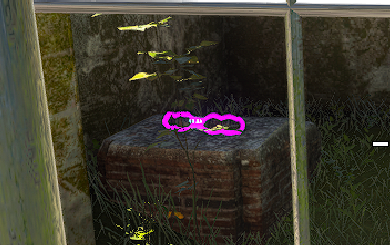
Proton-5.21-GE-1
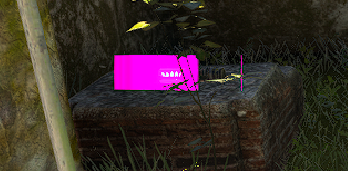
The flickering is indeed gone, but item pickup highlights are now broken.
This does seem be Nvidia-speciffic issue. On RX 5700 XT (Mesa 21.0.0-devel git-5ad9f95) there is no graphical artifacts now.
Do you still experiment issues with RADV?
Do you still experiment issues with RADV?
Latest (1.0.7) SS4 works 100% fine with RADV and Proton Experimental.
Thanks! Can someone else also confirm that everything works fine now with RADV?
@NTMan Can you confirm that it works fine now?
The game requires d3dcompiler_47.dll to be enabled in the prefix (protontricks 257420 d3dcompiler_47) in order to work with D3D11, also a launch command +sfx_api OpenAL is necessary otherwise the game would just show croteam crash reporter.
D3D11 has good performance, as well as D3D12, but Vulkan on nvidia seems to be crashing for no reason, the log indicates absolutely nothing and I have just a log generated. It's more like a hang/freeze if you can call it that(I recently changed GPU and I can confirm that this is only Nvidia related issue about the Vulkan renderer api hang). Also to reproduce Vulkan hang/freeze on Nvidia just simply start the game using Vulkan load up a level and you'll hang either immediately or in a bit. The entire system would be unresponsive, but if you keep alt+tabbing it'll show up steam and you'll be able to stop the game.
steam-257420.log
While it works just fine using both D3D11 and D3D12, being able to use the native Vulkan renderer would be most ideal way to play the game and currently it is possible only on AMD video cards(had an r9 390x before switching to RTX 3070, so I can confirm)
@NTMan Can you confirm that it works fine now?
steam-257420.log
Unfortunately the game crashed at start.
Add launch options +sfx_api OpenAL +gfx_api VLK
If you are on amd Vulkan is working just fine, it probably either tries to use Xaudio or is trying to run in D3D11 for which you need what I wrote above d3dcompiler_47 for the prefix.
@ NTMan
Excuse me for double post, The nvidia drivers tag can be removed, I can confirm that after the game's latest update I've had no issues playing with all 3 APIs on nvidia gpu! However the newly released editor suffers from the same issue that I reported for Serious Sam Fusion 2017 Editor, thus having gray screen. I do believe it's the same thing causing it.
Regression as of today with the latest proton-experimental update.
Serious Sam 4 refuses to work at all with D3D11 and Serious Sam Fusion runs but it has a lot of graphical glitches.
I'll leave both log from Sam4 and from Fusion.
steam-564310.tar.gz
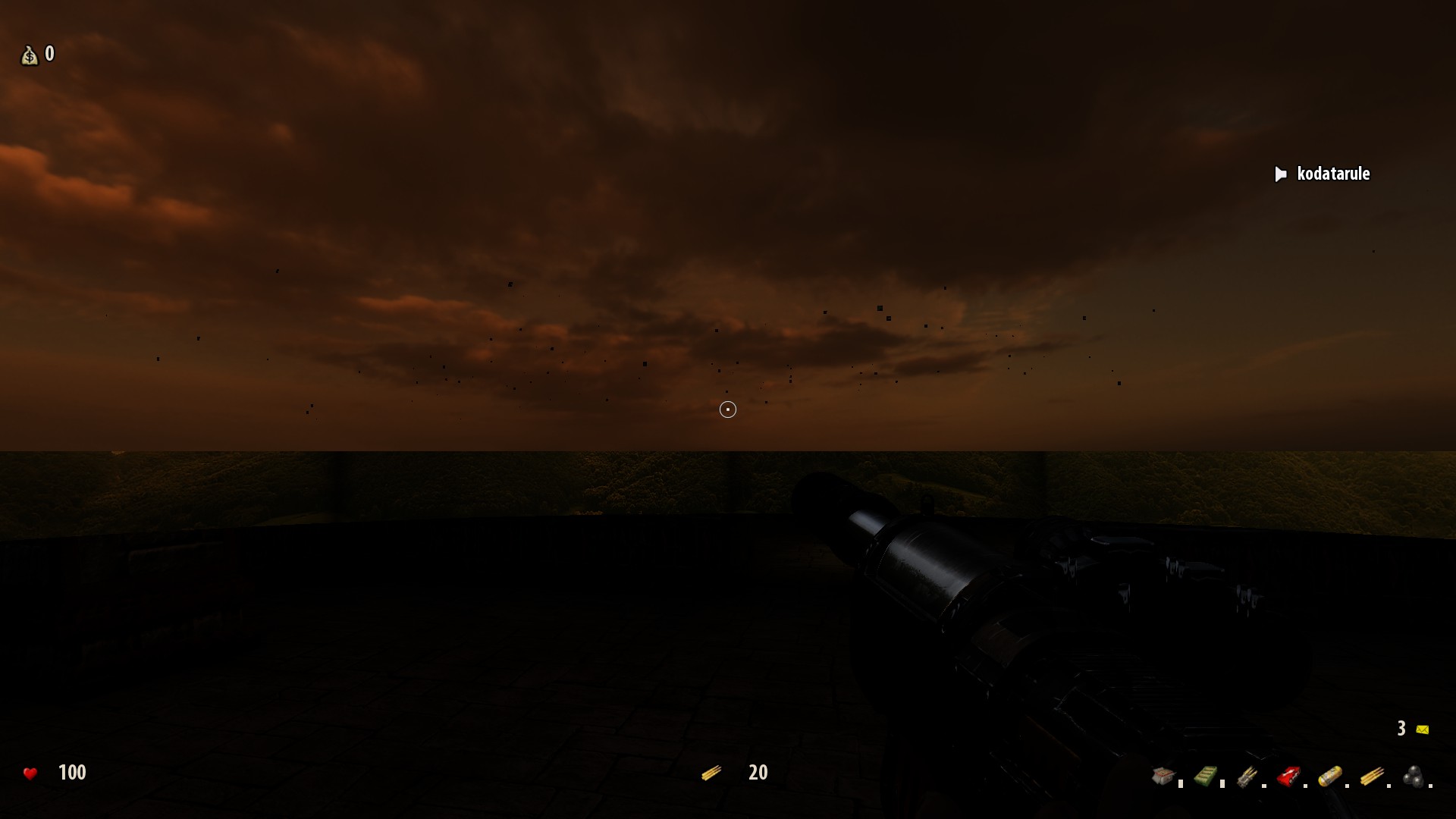
EDIT: UPON further testing while attempting to do an apitrace when adding to the prefix dxgi.dll native,builtin it seems to work perfectly again with d3d11! It may be related to the issue that some other people are having https://github.com/ValveSoftware/Proton/issues/4815 / https://github.com/ValveSoftware/Proton/issues/4816
EDIT2: I tested the modding tools so they also require for the prefix to be opened with winecfg and add d3d11 native builtin and dxgi native builtin, but serious sam fusion editor seems to just hang while it was working just fine prior to today's update.
steam-564380.tar.gz
@kodatarule Thanks for reporting. I see the problem and will have a fix for that out soon.
@kodatarule I just pushed an update to Experimental which I think should fix this. Can you retest?
@kodatarule I just pushed an update to Experimental which I think should fix this. Can you retest?
Oh yes, sorry for the late reply everything seems to be working properly again I also had the same issue in Mega Man 11, but now it seems resolved thanks for the quick update!
I guess that I'm going to reopen an "old" issue.... This started about a week ago, when the FreeType2 problem was causing the Steam interface to not work--I applied the fix to get Steam to start--I updated the Beta Client & Steam started normally---but Serious Sam 4 would start Audio, but no Video. Until that problem, SS4 would run normally with the fixes posted above. Afterward, the terminal output looks like this:
INF: Executing user startup config from UserCfg.lua
INF:
INF: * Desktop settings...
INF: Color depth: 32-bit
INF: Desktop resolution: 1024 x 768
INF: Virtual screen: 1024 x 768
INF: Monitors attached: 1
ERR: Display mode error: DISP_CHANGE_BADMODE
ERR: Cannot set requested display mode 2560x1080: GfxAPI error:
ERR: Vulkan error: Cannot setup full-screen display mode.
ERR:
INF: (display mode already stopped)
INF: Trying fallback modes...
ERR: Display mode error: DISP_CHANGE_BADMODE
ERR: Cannot set requested display mode 3440x1440: GfxAPI error:
ERR: Vulkan error: Cannot setup full-screen display mode.
ERR:
INF: (display mode already stopped)
WRN: [VLK] No instance layers found - validation disabled!
INF: [VLK] Detected devices:
INF: #1 (0x007D87D0): NVIDIA GeForce GTX 1070 (discrete)
INF: Using device #1 (0x007D87D0)...
Fossilize INFO: Overriding serialization path: "/media/Storage/Steam/steamapps/shadercache/257420/fozpipelinesv5/steamapprun_pipeline_cache".
INF: [VLK] Using transfer queue for copy operations.
INF: [VLK] Using relaxed FIFO presentation mode.
WRN: Failed to initialize NvAPI. Error code: %d
WRN:
INF:
INF: Resolution: 1024 x 768
INF: Driver: Vulkan 1.2.175
INF: Vendor: nVidia (0x10DE)
INF: Renderer: NVIDIA GeForce GTX 1070 (0x1B81)
INF: Version: 1972355136
INF: Video memory size: 8438 MB
INF: Driver version: 47063
INF: Memory used for texture streaming: 2048.0 MB
INF: Driver version: 47063 (required: 1000)
INF: CPU efficiency: 3792 MHz * 8 usable cores = 17061
INF:
INF: Sfx API: OpenAL
INF: Software mixer: enabled
INF: Current device: OpenAL Soft (OpenAL Soft)
INF: Available devices:
INF: 0: OpenAL Soft (OpenAL Soft)
INF: Mixer frequency: 44100 Hz
INF: Mixer voices: 0
INF: Max sound sources: 40
INF: Max total volume: 3
INF: Speaker config: stereo
INF: Environment FX: enabled
INF: Current environment: Padded cell
INF:
INF: AutoDetect: Hardware values unchanged, nothing to do.
RecordSteamInterfaceCreation (PID 1913400): SteamUtils007 / Utils
INF: Resizing atlas 'HUD' from 2048x2048 to 4096x2048.
I have reinstalled twice, deleted all files & generally pounded my head against the keyboard without any effect...
Ideas--Please?
After the update to Proton 11, as well as experimental, Serious Sam games(Fusion, 4 and Siberian Mayhem) all fail to utilize the SteamAPI which either load you as "Guest 1" or ask you for some login credentials. Reverting back to Proton 10.0-4 fixes the issue.
Hello @kodatarule, please add PROTON_LOG=1 %command% to the game's launch options, reproduce the regression, and attach the generated $HOME/steam-$APPID.log to this issue report as a file. (Proton logs compress well if needed.)
Hello, here is the ss4 log - it is at the start of the game where it just doesn't utilize steamAPI, cloud saves gone and in general it doesn't load your user at all.
@kodatarule https://github.com/ValveSoftware/Proton/wiki/Proton-Versions#proton-bleeding-edge can you check with proton bleeding edge?
With proton experimental set to bleeding edge the issue is fixed.
Related threads
- [Regression] Multi-gpu setups needs DXVK dxgi,otherwise d3d11 and 12 games doesn't work due to misreported device capabilitiesprotonclosed same upstream bug
- nVidia 465 + Wayland does not renderprotonopen same upstream bug
Proton versions
proton experimentalx3 2026-08proton 10.0-4x1 2026-08proton 4.15-ge-1x1 2020-11proton 5.21-ge-1x1 2020-11proton 4.15x5 2020-10proton 5.13-1x1 2020-10proton 5.9-ge-7x2 2020-10proton 5.9-ge-6x2 2020-10proton 4.14x6 2020-09proton 5.0-9x1 2020-09proton 14.15x4 2020-09proton 4.21x1 2020-09proton 4.11-13x2 2020-09proton 5.0x7 2020-09proton 4.2x1 2020-09
Launch options
PROTON_LOG=1x1 2026-08PROTON_NO_ESYNC=1x1 2020-10WINEDLLOVERRIDESx1 2020-10RADV_PERFTEST=llvmx4 2020-09
Launch lines
RADV_PERFTEST=llvm %command%x4 2020-09
Upstream links
- ValveSoftware/Proton/issues/4815x1 2021-05
- ValveSoftware/Proton/issues/4816x1 2021-05
DLLs
dxgi.dllx1 2021-05d3dcompiler_47.dllx1 2021-01
Compatibility Report
System Information
I confirm:
steam-257420.log
After applying workaround
gfx_iDriverVersion=12000: steam-257420.logSymptoms
The game crashes immediately after the start.

Reproduction
Just launch the game.