Baldur's Gate 3
Hello @cwebster2, looks like there's several rough edges in the log, but wine: Call from 0x7b00fc3e to unimplemented function mscoree.dll.GetTokenForVTableEntry, aborting stands out more than the rest.
Hello @cwebster2, looks like there's several rough edges in the log, but
wine: Call from 0x7b00fc3e to unimplemented function mscoree.dll.GetTokenForVTableEntry, abortingstands out more than the rest.
Hi @kisak-valve, I agree in that assessment of the log. If there is anything i can test, i am happy to do so.
I got the same issues, heres the log:
steam-1086940.log
Chiming in here to say that the GOG version of this game also crashes if you try to start it with the LariLauncher.exe, but seemingly works very well if you start the bg3.exe instead (not past the character creator yet). This is using wine-tkg 5.17 that I compiled for use with Tony Hawk's Pro Skater 1+2, and includes some additional patches if I remember correctly. I'll see if I can remember what those were, in case they can help.
Chiming in here to say that the GOG version of this game also crashes if you try to start it with the LariLauncher.exe, but seemingly works very well if you start the bg3.exe instead (not past the character creator yet). This is using wine-tkg 5.17 that I compiled for use with Tony Hawk's Pro Skater 1+2, and includes some additional patches if I remember correctly. I'll see if I can remember what those were, in case they can help.
You are correct, i tried running bg3.exe with ordinary wine and it runs perfectly well.
Managed to make it work (Proton 5.0.9) with a similar solution to what's required for Divinity 2:
Run the following from your Baldur's Gate 3 main directory.
mv Launcher Launcherbak
ln -s bin Launcher
ln -s ./bin/bg3_dx11.exe ./bin/LariLauncher.exe
cp ./Launcherbak/*.dll ./bin
Little explanation:
I had to basically trick Steam into thinking it's running the launcher but it's actually the executable.
On top of that, I had to copy all the dll files from the Launcher directory into bin.
The vulkan version crashed on start for me so I use the dx11 one here.
Edit: It crashes after character creation
Edit 2: I switched to amdvlk and it works now with the Vulkan version. It no longer crashes after character creation
@przmkg Your driver version/compiler ( if there are multiple options exist) and gpu?
@przmkg
I have no issues running the vulkan version in wine. Might be an issue with your vulkan version?
@Leopard1907 I have a 5700xt with Mesa 20.1.8 (llvm 10 I think).
I have only tried with the ACO shader compiler, maybe that's the issue.
Tried the Vulkan version on Arch Linux (5700XT + Mesa 20.2). Just got a black screen, the Dx11 version runs fine. Here are the logs for the Vulkan version (Needed to compress it like ZIP)
I also could run the Vulkan version with the AMDVLK drivers

~Hello @alosarjos, fixme:vulkan:wine_vkCreateDevice Support for allocation callbacks not implemented yet looks like a line of interest from the log. This is followed by a bunch of access violations (c0000005).~ The circumstantial evidence previously mentioned devalues this observation.
Hello @alosarjos,
fixme:vulkan:wine_vkCreateDevice Support for allocation callbacks not implemented yetlooks like a line of interest from the log. This is followed by a bunch of access violations (c0000005).
I have opened an issue on the Mesa GitLab: https://gitlab.freedesktop.org/mesa/mesa/-/issues/3607 in case you can provide more info or logs on what they may need.
It needs vcrun2015 or 17 or 19 on newer versions of wine
DX11 crashes after char creation on nvidia, AMDVLK, and RADV
Vulkan works on Nvidia and on AMD with AMDVLK
Vulkan crashes with RADV
Saves work fine.
You only need dotnet48 for the launcher, which takes way too long to install and sometimes fails. If you skip the launcher and launch the game directly, it works fine.
Here's a protonfix that works with my latest ge release on vulkan, as noted for AMD you currently need AMDVLK:
""" Game fix for Baldur's Gate 3
"""
#pylint: disable=C0103

from protonfixes import util

def main():
    """ Run script extender if it exists.
    """
    # Fixes the startup process.
    util.protontricks('vcrun2019_ge')
    util.protontricks('d3dcompiler_47')
    util.replace_command('LariLauncher.exe', '../bin/bg3.exe')
Drop it in to Proton-5.9-GE-7-ST/protonfixes/gamefixes/
I used protontricks to install dotnet48 with Proton 5.0-9.
The launcher started, Vulkan render works great with Nvidia card and i was able to create a character. Also played for an hour. No crashes and save / load works.
@MrCraigen what OS are you on?
@GloriousEggroll Your patch worked like a charm; thanks!
Just wanted to add to @MrCraigen comment, with some more explicit instructions:
sudo python3 -m pip install protontricks
protontricks -i baldur # get the (ID) that's in round brackets
protontricks ID dotnet48 # I had to run it twice because something got stuck or it appeared to stop updating
# It will open an agree/continue dialogue window

I tested my installing dotnet48 into the game's wineprefix with protontricks and while the launcher appears to have some grapghical glitches, the game does launch and seems to be working fine. havent made it past character creation, and will update once i have some time in game
Game works great!
@1beb this gives me the error
Unknown arg dotnet48
@MrCraigen what OS are you on?
Im using Manjaro KDE, I installed the protontricks through the AUR
@1beb this gives me the error
Unknown arg dotnet48
What version of winetricks are you using with prontricks? I'm using winetricks 20200412.
You can try run protontricks --gui, choose Baldurs Gate 3 on the list and then dontnet48 from there
after updating winetricks I was able to install dotnet48 and then everything runs just fine ))
Thanx!

Proton installs a bunch of dependencies when the game is first launched through Proton for the first time, so for people using Lutris or Wine you'll need get those dependencies also. I don't know exactly what those dependencies are, but most likely they're the cause of your misery.
For Proton (with dependencies installed) the game will refuse to start without tinkering (as in Play-button turns into "Loading" for a few seconds, then back to "Play").
This is fixed by linking the executable as described in another post above. Alternatively, copy the bg3.exe from the Bin-folder to the Launcher-folder, then, in the launcher-folder, rename LariLauncher.exe to something else, and after that rename the copied bg3.exe to LariLauncher.exe. Game should work then, at least it does for me on an Nvidia-card.
I did the mentioned steps but it's still crashing. Tried AMDVLK and RADV.
- GPU: RX 580
- Driver/LLVM version: Mesa 20.1.5, LLVM 10.0.1
- Kernel Version: 5.4.0-7642-generic
- Link to full system information report: https://gist.github.com/Traxmaxx/ce57cf1009e3b93e13476a536abcef52
- Proton version: Proton-5.9-GE-7-ST
Log: https://gist.github.com/Traxmaxx/826dcfed9d438d69a2438ea08ea4ecc5
@Traxmaxx
I seem to have the same issue on
OS: Pop!_OS 20.04 LTS
KERNEL: 5.4.0-7642-generic
CPU: Intel Core i5-6500 @ 3.20GHz
GPU: AMD Radeon RX 470
GPU DRIVER: 4.6 Mesa 20.0.8
RAM: 16 GB
Get Same errors with AMDVLK
@GloriousEggroll ... Vulkan doesn't seem to want to run on my nvidia Quadro RTX 5000 Mobile chipset... don't usually have issues with getting things to run on this beast. Is this log helpful at all?
To me the most consistent way to make it work on AMD GPU has been doing on the Game directory:
cd Launcher
mv LariLauncher.exe LariLauncher.exe_BAK
ln -s ../bin/bg3.exe ./LariLauncher.exe
And running the game with AMDVLK:
VK_ICD_FILENAMES="/usr/share/vulkan/icd.d/amd_icd64.json" %command%
It seems similar to previous solutions, but only changing the Launcher.exe and not the whole folder, etc... is making it work pretty nicely. Still, can't make it work with Mesa....
PD: AMDVLK Version: 2020.Q3.6-1
Ive installed through protontricks the net48 and i am using the workaround for skipping the launcher with this gamefix and the game will start ill see the larian logo and then it crashes right after.
can't install dotnet48 by protontricks 1086940 dotnet48
stuck here for hours, tried several times

dotnet48 has poped up below message before start:
Setup may not run properly, because the Windows Modules Installer Service is not available on this computer.
@leslielg I had to try a couple of times. Ctrl + X / Ctrl + C in the terminal and then restarting the process. Only then did it move forward. It did seem to take a long time. But maybe like 5-7 minutes... not hours.
@leslielg I had to try a couple of times. Ctrl + X / Ctrl + C in the terminal and then restarting the process. Only then did it move forward. It did seem to take a long time. But maybe like 5-7 minutes... not hours.
Tried more attempts, still not installed.
I'm using MX Linux KDE, it doesn't have systemd, will that be a problem? And my network is blocked by China GFW, is it OK?
I'm using GE's 5.09 , added 1086940.py as above (confirmed it's active by checking vcrun2019_ge was installed), applied AMDVLK in game launch and downloaded dotnet48 (although this is only for the launcher right?).
The game starts with a hand pointer, arrow sound and the intro screen (same as DOS2) for a second and then quits before the arrow sound is finished. I think I can prove AMDVLK is applied because if I remove if from the launcher code I get no intro at all.
I'm on openSUSE TW with AMD 570.
@leslielg I had to try a couple of times. Ctrl + X / Ctrl + C in the terminal and then restarting the process. Only then did it move forward. It did seem to take a long time. But maybe like 5-7 minutes... not hours.
Tried more attempts, still not installed.
I'm using MX Linux KDE, it doesn't have systemd, will that be a problem? And my network is blocked by China GFW, is it OK?
You are with a very old winetricks version.
The game is running great both on Mint 20 and Arch:
https://youtu.be/aaUK6BlEhQs
@mozo78 my winetricks version is:
winetricks --version
20200412 - sha256sum: 7651c93e39fcb080483c38836513bf912273a87ea97d137f6b958ed3d9628c3d
The dotnet and winetricks are only required for the launcher, and you can bypass it by changing it by the game binary. I don't think you should spend time there if you are trying to play the game.
@mozo78 my winetricks version is:
winetricks --version
20200412 - sha256sum: 7651c93e39fcb080483c38836513bf912273a87ea97d137f6b958ed3d9628c3d
Hmm, it's the latest version, I don't know what it could be than :(
The dotnet and winetricks are only required for the launcher, and you can bypass it by changing it by the game binary. I don't think you should spend time there if you are trying to play the game.
could you share me how? I already spend half day on this...
Actually I have done
ls Launcher/LariLauncher.exe -l
lrwxrwxrwx 1 leslie leslie 14 10月 8 13:28 Launcher/LariLauncher.exe -> ../bin/bg3.exe
Seems not enough for play the game
The dotnet and winetricks are only required for the launcher, and you can bypass it by changing it by the game binary. I don't think you should spend time there if you are trying to play the game.
could you share me how? I already spend half day on this...
Actually I have done
ls Launcher/LariLauncher.exe -l
lrwxrwxrwx 1 leslie leslie 14 10月 8 13:28 Launcher/LariLauncher.exe -> ../bin/bg3.exeSeems not enough for play the game
Nvidia or AMD GPU? If Nvidia get latest drivers, if AMD, are you setting up AMDVLK?
@alosarjos nvidia, and I already installed nv 440 driver, I can play games like witcher3 and sekiro
leslie@leslie-home ~/Games/SteamLibrary/steamapps/common/Baldurs Gate 3 $ apt list --installed nvidia*
正在列表... 完成
nvidia-alternative/mx,now 440.100-1~mx19+1 amd64 [已安装,自动]
nvidia-detect/mx,now 440.100-1~mx19+1 amd64 [已安装]
nvidia-driver-bin/mx,now 440.100-1~mx19+1 amd64 [已安装,自动]
nvidia-driver-libs-i386/mx,now 440.100-1~mx19+1 i386 [已安装,自动]
nvidia-driver-libs/mx,now 440.100-1~mx19+1 amd64 [已安装,自动]
nvidia-driver-libs/mx,now 440.100-1~mx19+1 i386 [已安装,自动]
nvidia-driver/mx,now 440.100-1~mx19+1 amd64 [已安装]
nvidia-egl-common/mx,now 440.100-1~mx19+1 amd64 [已安装,自动]
nvidia-egl-icd/mx,now 440.100-1~mx19+1 amd64 [已安装,自动]
nvidia-egl-icd/mx,now 440.100-1~mx19+1 i386 [已安装,自动]
nvidia-installer-cleanup/stable,now 20151021+9 amd64 [已安装,自动]
nvidia-kernel-common/stable,now 20151021+9 amd64 [已安装,自动]
nvidia-kernel-dkms/mx,now 440.100-1~mx19+1 amd64 [已安装]
nvidia-kernel-support/mx,now 440.100-1~mx19+1 amd64 [已安装,自动]
nvidia-legacy-check/mx,now 440.100-1~mx19+1 amd64 [已安装,自动]
nvidia-modprobe/stable,now 418.56-1 amd64 [已安装,自动]
nvidia-settings/mx,now 440.100-1~mx19+1 amd64 [已安装]
nvidia-smi/mx,now 440.100-1~mx19+1 amd64 [已安装,自动]
nvidia-support/stable,now 20151021+9 amd64 [已安装,自动]
nvidia-vdpau-driver/mx,now 440.100-1~mx19+1 amd64 [已安装,自动]
nvidia-vulkan-common/mx,now 440.100-1~mx19+1 amd64 [已安装,自动]
nvidia-vulkan-icd/mx,now 440.100-1~mx19+1 amd64 [已安装,自动]
nvidia-vulkan-icd/mx,now 440.100-1~mx19+1 i386 [已安装,自动]
leslie@leslie-home ~/Games/SteamLibrary/steamapps/common/Baldurs Gate 3 $
@leslielg I'm not sure if the Proton version may be something, are you on the next branch? It took me lots of tries yesterday to get it working but I ended up with it working pretty nicely just doing what I commented on my last post. I used Steam Proton on next branch but maybe you can also give it a try to GEs build.
@alosarjos thanks, will try
I have the same issue on Arch (Kernel 5.8.13) with a 5700XT - tried 5.0.9 as well as the newest GE, then bypassed the Launcher by using the .py workaround, then switched to amdvlk, both 32 and 64bit (through launch options) but still no luck. (Also installed dotnet48 now I can use the Launcher, but of course get the same error on starting the game.)
Attached the log for a GE 64bit amdvlk run:
steam-1086940.log
Pop!_OS here using TK-Glitch 5.8 Kernel and latest Nvidia drivers. I just had to use protontricks to install dotnet48 and Vulkan client works using 5.09 Proton.
Edit.
GloriousEggRoll 5.11MF also will work but It may have some more stutters. It could be that shader cache is needing to build up though. Once I can get TKG-Proton to work I will test that out as well.
steam-1086940.log
Tried below steps, not working, attached steam log
Dоwnlоаd Рrоtоn-5.9-GЕ-7-ЅТ, сrеаtе а ~/.ѕtеаm/rооt/соmраtіbіlіtуtооlѕ.d dіrесtоrу іf іt dоеѕ nоt ехіѕt, ехtrасt thе rеlеаѕе tаrbаll іntо ~/.ѕtеаm/rооt/соmраtіbіlіtуtооlѕ.d/, rеѕtаrt Ѕtеаm аnd еnаblе рrоtоn-gе-сuѕtоm. Рut thе 1086940.ру fіlе іntо Рrоtоn-5.9-GЕ-7-ЅТ/рrоtоnfіхеѕ/gаmеfіхеѕ/.
@leslielg Have you tried with regular Steam Proton on next branch?
@leslielg Have you tried with regular Steam Proton on next branch?
Not yet, seems it need to build manually, do you have something like nightly build of it?
@leslielg You only need to go to Proton properties on Steam (Inside your library it should appear as another game) go to betas tab and select the next branch
@leslielg Have you tried with regular Steam Proton on next branch?
Hey, that did it for me. Regular proton, replace LariLauncher.exe with bg3.exe, AMDVLK.
Game Launched.
Thank you!
@alosarjos just tried next branch, with LariLauncher.exe replaced to bg3.exe, after click play, it shows a blackscreen, then returned back to steam and game exit.
steam-1086940.log
@alosarjos just tried next branch, with LariLauncher.exe replaced to bg3.exe, after click play, it shows a blackscreen, then returned back to steam and game exit.
steam-1086940.log
Did you replace it by copying or with a symlink? Also try with the dx11 version just in case
symlink, just tried dx11 version also, no luck:
ln -s ../bin/bg3_dx11.exe LariLauncher.exe
@leslielg @alosarjos Same for me
Have you tried removing the compatdata for the game. Just in case after changing the proton version?
Yes, before last attempt, I delete pfx folder for bg3 in compatdata for a fresh proton running with next branch
It needs vcrun2015 or 17 or 19 on newer versions of wine
DX11 crashes after char creation on nvidia, AMDVLK, and RADV
Vulkan works on Nvidia and on AMD with AMDVLK
Vulkan crashes with RADV
Saves work fine.
You only need dotnet48 for the launcher, which takes way too long to install and sometimes fails. If you skip the launcher and launch the game directly, it works fine.Here's a protonfix that works with my latest ge release on dx11, as noted for AMD you currently need AMDVLK:
""" Game fix for Baldur's Gate 3
"""
#pylint: disable=C0103

from protonfixes import util

def main():
    """ Run script extender if it exists.
    """
    # Fixes the startup process.
    util.protontricks('vcrun2019_ge')
    util.protontricks('d3dcompiler_47')
    util.replace_command('LariLauncher.exe', '../bin/bg3.exe')
Drop it in to Proton-5.9-GE-7-ST/protonfixes/gamefixes/
on nvidia cards if dotnet48 is installed we not need to change launcher :)
@leslielg I had to install vcrun2019 with protontricks/winetricks to stop it from crashing after the Larian logo if that is any help.
For those who can't run it. Could you try disabling steam cloud save feature, and then removing the compatdata dir?
@alosarjos yes. It launches the DX11 version which crashes after character creation. I also follow the Mesa issue and since the update the game launches with AMDVLK but kind of freezes my system and displays pink screens with artefacts. So similar issue to yours I assume. I wait if they get back to you on the logging.
Runs for me. Using Proton-5.9-GE-7-ST, with Glorious Eggroll's gamefix. On Arch, latest Nvidia Drivers with a GTX 960, and deleted any relevant compatdata as mentioned by @alosarjos. After those steps and then running the game it worked for me.
Played for about half an hour and works past the character creation menu.
Also runs for me using the above fix from GE - running on Proton-5.9-GE-7-ST.
However, I do have a graphical bug with Light shadows being enabled and in cutscenes or conversations.
When enabled, any reflection is either black or white and extremely bright. disabled everything displays perfect, have played for about 8 hours so far. Not sure if that's a early access bug or specific to linux tho.
Everything works as expected following https://github.com/ValveSoftware/Proton/issues/4243#issuecomment-704590818 instructions.
Though it would be nice to be able to use RADV/ACO and default proton
I'm running an nvidia quadro rtx 5000 mobile in my lappy... I found that I had to disable flipping and UBB for this card... and then the vulkan version runs just fine. Some interesting artifacts in cinematics... odd flare effects of some sort... and the one gruesome death at a certain battle left a crazy tearing effect from one corpse.
I'm using GE's 5.09 , added 1086940.py as above (confirmed it's active by checking vcrun2019_ge was installed), applied AMDVLK in game launch and downloaded dotnet48 (although this is only for the launcher right?).
The game starts with a hand pointer, arrow sound and the intro screen (same as DOS2) for a second and then quits before the arrow sound is finished. I think I can prove AMDVLK is applied because if I remove if from the launcher code I get no intro at all.
I'm on openSUSE TW with AMD 570.
I removed the contents of the compatdata and disabled cloud save as suggested by @alosarjos and it works!
I created a character, skipped the following cinematic and got to the 1st room and saved.
Once it's working ok I would say you can enable the cloud settings if you want.
@alosarjos I re-enabled cloud sync and it seems fine, I went a little further into the 2nd room and saved from there.
Just out of interest, why did deleting pfx and disabling cloud fix it?
All this is what I think from my testing but I can't confirm at all. But to me it looks like if by some reason de compat data gets corrupted or badly generated by some reason so the game doesn't run, this data is uploaded to the cloud as part of the savedata. And then if you regenerate with cloud save active, the bad data gets downloaded instead of regenerating.
While this doesn't make sense to me, it's kinda the conclusion I've taken from my tests.
I finally made it work, Using Proton-5.9-GE-7-ST, with Glorious Eggroll's gamefix.
The issue blocked me most is the gamefix script I copy&paste didn't work. I have to type the .py file by hand then it is recognized and working.
Thanks a lot for all helps.
Can now also run it with Arch/Sway using GE proton with the above protonfix! Turns out I forgot that I was exporting SDL_VIDEODRIVER=wayland in my profile, removing that got me just past the logo before it crashed. That could then be fixed by also manually installing vcrsrun2019 like @vandergail said!
I have an issue right now where some interactions (in particular the barter screen and the equipment screen) brings my fps down to 5-10, normally I'm around 70 fps. I haven't logged extensively, but I see no additional drive activity, cpu usage or similar, and no change in gpu (i.e. constantly at 100% with full nvram).
Has anyone encountered something similar?
Running Proton-5.9-GE-7-ST with GE's gamefix, nvidia 455.28 drivers on 980 gtx, running X (obviously with nvidia).
EDIT: Also running xanmod-kernel, with default flags for i7-5820k.
I still can't get it to run at all. bg3.exe goes to black screen then crashes. bg3_dx11.exe goes to black screen changes cursor to gauntlet, makes a sound, then crashes. Installing in PlayOnLinux and running Proton-5.9-GE-7-ST with GE's gamefix, I was able to get bg3_dx11.exe to go to black screen and I could hear the intro music in the background after telling it to ignore errors. However, it stayed on a black screen. I've attached the error from PlayOnLinux.
I'm running Fedora 31, Steam BG3, Proton-5.9-GE-7-ST with GE's gamefix, nvidia 450.66 (455 isn't yet out on fedora).
I've tried all the other suggestions so far with no different results. I saw someone suggest applying "AMDVLK in game launch." I don't know how to do that, or if it would help on nvidia.

Thank you for the solution @kudlatyamroth .
The game works pretty well (only cutscenes have minor problems) here's the gameplay https://youtu.be/41r0cdpsbKg
The game works on Nvidia 1650 4GB and Ryzen 1700. Driver version 450.66 and 1086940.py file only. (without additional modifications)
""" Game fix for Baldur's Gate 3
"""
#pylint: disable=C0103
from protonfixes import util
def main():
""" Run script extender if it exists.
"""
# Fixes the startup process.
util.protontricks('vcrun2019_ge')
util.protontricks('d3dcompiler_47')
util.replace_command('LariLauncher.exe', '../bin/bg3.exe')
File 1086940.py Create in Proton-5.9-GE-7-ST/protonfixes/gamefixes/ see on Video.
The game works fine without installing "dotnet 48". This is only needed for Launcher.
For me, the game did not work immediately after adding the file. I had to delete the Prefix directory with "protontricks --gui"
I have an issue right now where some interactions (in particular the barter screen and the equipment screen) brings my fps down to 5-10, normally I'm around 70 fps. I haven't logged extensively, but I see no additional drive activity, cpu usage or similar, and no change in gpu (i.e. constantly at 100% with full nvram).
Has anyone encountered something similar?
I debugged this a bit, and I am confused. My xorg-process (i.e. /usr/lib/Xorg vt2 -displayfd 3 -auth /run/user/1000/gdm/Xauthority -nolisten tcp -background none -noreset -keeptty -verbose 3) runs amok with the GPU (although not memorywise), but only when certain menus are open in BG3 (for example the equipment menu, but not the inventory menu).
I tried windowed, fullscreen and borderless fullscreen and get the same behaviour with all of them.
Any suggestions where to look?
With the latest Proton-5.9-GE-8-ST the crash after character creation when starting DX11 is fixed. Thank you @GloriousEggroll :pray:
With the latest Proton-5.9-GE-8-ST the crash after character creation when starting DX11 is fixed. Thank you @GloriousEggroll
Did it halt and lock up a few times before getting there? It eventually worked for me like you say... but, there were more than a few times where it locked and gave me a force quit/wait choice before eventually working.
Did it halt and lock up a few times before getting there? It eventually worked for me like you say... but, there were more than a few times where it locked and gave me a force quit/wait choice before eventually working.
No. I had a bug after one NPC conversation and the whole UI blacked out, but it didn't hang. A restart of the game fixed it.
Manjaro / Nvidia 1080TI / GE-8-ST
I'm told the game will CTD with vulkan and NVIDIA. (notes on GE-8-ST releases page)
This appears to be true after a short while playing, generally you can get to menu and play a bit but it will crash.
Not sure if there is a solution, and yes using GE-8-ST which notes this problem.
I installed dotnet48 but it says I need to download .NET Core if I use the launcher. (maybe bad install)
bg3.exe = crashes to desktop after taking a few steps / or after quicksave / seems awfully random
bg3_dx11.exe = black screen with just cursor
UPDATE:
I deleted the prefix and tried again without touching anything but using GE-8-ST and bg3.exe appears to work longer now.
Spoke too soon, I used the quick save and it CTD :-(, however I was able to rest at camp beforehand.
The head scratching continues!
It seems every time I save my game(save works), it crashes to desktop. Anyone had this issue? know what it might be?
Installing d3dcompiler_47 & vcrun2019 may have resolved the save game crashing.
The game does crash with a window error when you attempt to alt-tab, however I think everyone gets this atm.
Spoke too soon, I used the quick save and it CTD :-(, however I was able to rest at camp beforehand.
Do you have any kind of error? Either in dialog-boxes or in logs?
Spoke too soon, I used the quick save and it CTD :-(, however I was able to rest at camp beforehand.
Do you have any kind of error? Either in dialog-boxes or in logs?
Not atm. I'm still testing as I think installing d3dcompiler and vcrun2019 resolved it but you can never be 100% sure. I'll do some more testing/playing.
Nvidia 1660/ ubuntu 20
Installed the proton patch posted above & dotnet48, but after launching via steam
Proton 5.13

Proton-5.9-GE-8-ST

I'm using proton TKG now which has a few extra patches in it.
Use bg3.exe for vulkan or bg3_dx11.exe for dx11. Avoid the launcher for now.
Nvidia 1660/ ubuntu 20
Installed the proton patch posted above & dotnet48, but after launching via steam
Proton 5.13
Proton-5.9-GE-8-ST
Try using protontricks to launch winecfg and change the windows version to Windows 10 - That might fix your issue :)
Nvidia 1660/ ubuntu 20
Installed the proton patch posted above & dotnet48, but after launching via steam
Proton 5.13
Proton-5.9-GE-8-ST
Try using protontricks to launch winecfg and change the windows version to Windows 10 - That might fix your issue :)
In case you're wondering that's:
protontricks 1086940 winecfg
I can confirm that once I've 1) installed the amdvlk driver (from the Copr) and 2) hardlinked bg3.exe over LarianLauncher.exe, the game starts up and runs perfectly on Fedora 33 beta with Radeon Vega 56 GPU.
I can confirm that once I've 1) installed the amdvlk driver (from the Copr) and 2) hardlinked bg3.exe over LarianLauncher.exe, the game starts up and runs perfectly on Fedora 33 beta with Radeon Vega 56 GPU.
Can/Have you try/tried that on fedora 32 by any chance?
Can/Have you try/tried that on fedora 32 by any chance?
No, sorry -- I'd already updated. I can confirm that the non-amdvlk driver doesn't work on F32 either, but that's probably not much help.
Can/Have you try/tried that on fedora 32 by any chance?
No, sorry -- I'd already updated. I can confirm that the non-amdvlk driver doesn't work on F32 either, but that's probably not much help.
I can confirm it also works on fedora 32 using amdvlk and Proton-5.9-GE-8-ST.
Howto:
- Install amdvlk:
sudo dnf copr enable tkov/amdvlk
sudo dnf install amdvlk-vulkan-driver
-
Install Proton-5.9-GE-8-ST
https://github.com/GloriousEggroll/proton-ge-custom#manual -
Set launch option in steam
VK_ICD_FILENAMES=/usr/share/vulkan/icd.d/amd_icd.x86_64.json %command%
- Delete any existing compat data for baldurs gate (1086940) from your steamlibrary
located somewhere like ~/.local/share/Steam/steamapps/compatdata/1086940
have fun
bg3.exe was working (amdvlk, I used proton 5.13, I have now also tested proton 5.11-GE with clean compatdata) but after the last update, it crashes : Runtime error | abnormal program termination
btw: launcher works but looks weird (dotnet48 installed)
try a new prefix without dotnet, if you launch via bg3.exe it shouldn't be needed.
No that was the thing. I did run without dotnet and direct bg3.exe but tried everything to get it working again.
Edit: cleaned the prefix again, but the problem persists. Started with the latest hotfix.
Sadly I don't have latest version (I was only test driving it, will buy later), so I can't test this issue. However problems can be different between AMD and NVIDIA. (I have 1080TI, but end of next month MAYBE a 6800XT)
OK this is weird. I have tried a lot of different Proton versions, including GE ST and MT without success. I downgraded amdvlk from Q4.3 to Q4.1 because there appeared to be a problem based on vulkaninfo.
This did NOT help launching from within Steam with different Proton versions (with clean prefixes).
I could however run the game with wine-staging (5.20):
WINEPREFIX=~/.steam/steam/steamapps/compatdata/1086940/pfx wine .steam/steam/steamapps/common/Baldurs\ Gate\ 3/bin/bg3.exe
Edit: and now for some unexplainable reason I get the run time error crash again also with wine-staging. Super weird...
stopped working for me after today's patch...
RecordSteamInterfaceCreation (PID 489816): STEAMPARENTALSETTINGS_INTERFACE_VERSION001 / ParentalSettings
ERROR: ld.so: object '/home/niedzwiedz/.local/share/Steam/ubuntu12_32/gameoverlayrenderer.so' from LD_PRELOAD cannot be preloaded (wrong ELF class: ELFCLASS32): ignored.
>>> Adding process 489866 for game ID 1086940
[200:208:20210225,231230.522:ERROR crashpad_client_win.cc:521] CreateProcess: File not found. (2)
Game update: AppID 1086940 "", ProcID 489866, IP 0.0.0.0:0
RecordSteamInterfaceCreation (PID 489866): SteamUtils009 /
Setting breakpad minidump AppID = 1086940
RecordSteamInterfaceCreation (PID 489866): SteamUser021 / User
SteamInternal_SetMinidumpSteamID:  Caching Steam ID:  76561197981075295 [API loaded no]
RecordSteamInterfaceCreation (PID 489866): STEAMAPPS_INTERFACE_VERSION008 /
RecordSteamInterfaceCreation (PID 489866): SteamUtils009 /
RecordSteamInterfaceCreation (PID 489866): SteamUser020 /
RecordSteamInterfaceCreation (PID 489866): SteamFriends017 /
RecordSteamInterfaceCreation (PID 489866): STEAMUSERSTATS_INTERFACE_VERSION011 /
CAPIJobRequestUserStats - Server response failed 2
Fossilize INFO: Overriding serialization path: "/home/niedzwiedz/.local/share/Steam/steamapps/shadercache/1086940/fozpipelinesv5/steamapprun_pipeline_cache".
ChromaSDKPlugin failed to load!
[200:284:20210225,231234.226:ERROR crashpad_client_win.cc:132] crash server failed to launch, self-terminating
pid 489818 != 489817, skipping destruction (fork without exec?)
Game removed: AppID 1086940 "", ProcID 489866
Game 1086940 created interface STEAMAPPS_INTERFACE_VERSION008 /
Game 1086940 created interface STEAMUSERSTATS_INTERFACE_VERSION011 /
Game 1086940 created interface SteamFriends017 /
Game 1086940 created interface SteamUser020 /
Game 1086940 created interface SteamUser021 / User
Game 1086940 created interface SteamUtils009 /
Game 1086940 method call count for IClientFriends::GetPersonaName : 1
Game 1086940 method call count for IClientUtils::GetAppID : 8
Game 1086940 method call count for IClientUtils::RecordSteamInterfaceCreation : 7
Game 1086940 method call count for IClientUserStats::RequestCurrentStats : 1
Game 1086940 method call count for IClientUser::GetSteamID : 2
Game 1086940 method call count for IClientUser::BIsSubscribedApp : 1
Uploaded AppInterfaceStats to Steam
Exiting app 1086940
No cached sticky mapping in ActivateActionSet.ExecCommandLine: "'/home/niedzwiedz/.local/share/Steam/ubuntu12_32/steam' 'steam://install/1086940'"
ExecuteSteamURL: "steam://install/1086940"
Replying to https://github.com/ValveSoftware/Proton/issues/4243#issuecomment-786264225
Hey, try disabling CChromaEditorLibrary64.dll in winecfg for that prefix. Worked for me. You'll notice that the terminal output mentions looking for the Chroma SDK plugin.
Replying to https://github.com/ValveSoftware/Proton/issues/4243#issuecomment-786419129
Yea seems to work wonders (Thx for help on Twitter)
I would love ask Laurian Studios to make a launch option to disable Chroma (and by that not try to load the DLL)
@AnzoDK Glad it worked for you. Someone may have to bring it to the Proton dev's attention or something.
What does the CChromaEditorLibrary64 plugin actually do anyway? As in what feature are you disabling by not having that?
https://github.com/razerofficial/CSDK_SampleApp
Is it just this for discord communication or something?
What does the CChromaEditorLibrary64 plugin actually do anyway? As in what feature are you disabling by not having that?
https://github.com/razerofficial/CSDK_SampleApp
Is it just this for discord communication or something?
That could be the case, but I think it was for dynamic color respone on chroma keyboard/mouse/accessories
What does the CChromaEditorLibrary64 plugin actually do anyway? As in what feature are you disabling by not having that?
https://github.com/razerofficial/CSDK_SampleApp
Is it just this for discord communication or something?
Based on this tweet - The plugin is definitely for Razer Chroma Integration
https://twitter.com/baldursgate3/status/1365013978687152130
Seems like bloat that isn't needed unless you have that hardware. Something they should just enable via launcher/settings rather then injecting the plugin into memory for everyone!
CChromaEditorLibrary64.dll
For me this starts the game but it hangs after, with a black screen and a bit of the logo audio.
Only proton version that worked for me was Glorious Eggroll 6.1-GE-2 but it stopped working after the last patch.
Replying to [#4243 (comment)](https://github.com/ValveSoftware/Proton/issues/4243#issuecomment-786264225)
Hey, try disabling CChromaEditorLibrary64.dll in winecfg for that prefix. Worked for me. You'll notice that the terminal output mentions looking for the Chroma SDK plugin.
How do you disable the chroma dll
Replying to [#4243 (comment)](https://github.com/ValveSoftware/Proton/issues/4243#issuecomment-786264225)
Hey, try disabling CChromaEditorLibrary64.dll in winecfg for that prefix. Worked for me. You'll notice that the terminal output mentions looking for the Chroma SDK plugin.
How do you disable the chroma dll
set env WINEDLLOVERRIDES="cchromaeditorlibrary64=" %command% as the launch options for Baldurs Gate 3
Thank you very much. Been trying to get this to work the whole night.
Just to let you guys know, I ain't got problems with patch4 using Proton-5.21-GE-1 and a Radeon 5700xt and using mesa 20.3.4 on fedora33
On Sat, 2021-02-27 at 03:48 -0800, Anzo wrote:
CAUTION: This email originated from outside of Wichita State
University. Do not click links or open attachments unless you
recognize the sender and know the content is safe.Replying to #4243 (comment)
Hey, try disabling CChromaEditorLibrary64.dll in winecfg for that
prefix. Worked for me. You'll notice that the terminal output
mentions looking for the Chroma SDK plugin.
How do you disable the chroma dll
set env WINEDLLOVERRIDES="cchromaeditorlibrary64=" %command% as the
launch options for Baldurs Gate 3
—
You are receiving this because you commented.
Reply to this email directly, view it on GitHub, or unsubscribe.
That doesn't seem to help me on nvidia... clean wineprefix using
Proton-6.1-GE-2 ... these runtime options:
PROTON_LOG=1 WINEDLLOVERRIDES="cchromaeditorlibrary64=" %command%
WINEDLLOVERRIDES="CChromaEditorLibrary64=d"
Perhaps the =d (for disable) isn't needed. But I always use it. Another solution would be to move the CChromaEditorLibrary64 dll to a backup location. If it can't find it, it can't load it.
WINEDLLOVERRIDES="CChromaEditorLibrary64=d"
Perhaps the =d (for disable) isn't needed. But I always use it. Another solution would be to move the CChromaEditorLibrary64 dll to a backup location. If it can't find it, it can't load it.
the = (nothing) just means that its not n (native) or b (built in) so by setting it to nothing it forces it to not load it. So yea I guess you can set it to d as d is not programmed to do anything - And I also remember WINE not taking casing into account when it comes to dll's - so writing it in lowercase should be fine, but yea if you can't get it to work moving the dll could be a solution
On Sat, 2021-02-27 at 03:48 -0800, Anzo wrote: CAUTION: This email originated from outside of Wichita State University. Do not click links or open attachments unless you recognize the sender and know the content is safe. > > > Replying to #4243 (comment) > > Hey, try disabling CChromaEditorLibrary64.dll in winecfg for that > > prefix. Worked for me. You'll notice that the terminal output > > mentions looking for the Chroma SDK plugin. > How do you disable the chroma dll set env WINEDLLOVERRIDES="cchromaeditorlibrary64=" %command% as the launch options for Baldurs Gate 3 — You are receiving this because you commented. Reply to this email directly, view it on GitHub, or unsubscribe.
That doesn't seem to help me on nvidia... clean wineprefix using Proton-6.1-GE-2 ... these runtime options: PROTON_LOG=1 WINEDLLOVERRIDES="cchromaeditorlibrary64=" %command%
The reason for it not working is that you forgot the env in the command WINEDLLOVERRIDES="cchromaeditorlibrary64=" %command% it should be env WINEDLLOVERRIDES="cchromaeditorlibrary64=" %command%
Alternitivly you could also use export instead of env, but that would make the DLLOVERRIDE active for the entire session instead of for that game only
Replying to https://github.com/ValveSoftware/Proton/issues/4243#issuecomment-787431439
Yeah... that didn't seem to change anything. It seems to die after
playing that initial short sound byte...
Hello @sidrew, please use a gist or other pastebin service when doing large copy/pastes. Your last reply to this compatibility report has been trimmed due to excessive length.
Yeah, woops.
So currently the game is working fine but my mouse is invisible. I tried proton-5.9-ge-8-st, proton-5.21-ge-1, proton-6.1-ge-2
Also
env WINEDLLOVERRIDES="cchromaeditorlibrary64=" %command%
and
env WINEDLLOVERRIDES="cchromaeditorlibrary64=" VK_ICD_FILENAMES=/usr/share/vulkan/icd.d/amd_icd.x86_64.json %command%
Any ideas about the invisible mouse problem?
You can tell wine/proton to auto capture mouse in full-screen windows, and also emulate a virtual desktop can sometimes help.
There are env commands for those options also, but if you use lutris as a launcher they are toggle boxes for ease of use.
So currently the game is working fine but my mouse is invisible. I tried proton-5.9-ge-8-st, proton-5.21-ge-1, proton-6.1-ge-2
Also
env WINEDLLOVERRIDES="cchromaeditorlibrary64=" %command%
and
env WINEDLLOVERRIDES="cchromaeditorlibrary64=" VK_ICD_FILENAMES=/usr/share/vulkan/icd.d/amd_icd.x86_64.json %command%Any ideas about the invisible mouse problem?
@jarrard might be right - That at least sounds like it's worth a try - You should also be able to toggle emulated desktop on in winecfg and on steam you can use protontricks to easily access winetricks for a specific game
virtual desktop worked wonders :) thx
@AnzoDK Thank you, very much. That fix worked for the game, i had a issue for a few days and out of desperation i googled and came across this and when i tried your fix it worked. Much appreciated.
I was able to play to level 4 by running, on Ubuntu 20.04 with an NVIDIA 460.39 driver :
WINEDLLOVERRIDES="cchromaeditorlibrary64=" WINEPREFIX=~/.steam/steam/steamapps/compatdata/1086940/pfx wine .steam/steam/steamapps/common/Baldurs\ Gate\ 3/bin/bg3.exe

Hi @kisak-valve,
The Mesa / RADV labels can be removed. The failure to launch the title on Vulkan was reported here (https://gitlab.freedesktop.org/mesa/mesa/-/issues/3607) and fixed here (https://gitlab.freedesktop.org/mesa/mesa/-/merge_requests/7207). The fix is already upstreamed since Mesa 20.2.2 and a game update has also apparently addressed the issue.
The title is currently not functional out of the box on Proton due to various launcher issues, but was confirmed fixed on Mesa-Git using Proton-6.1GE-2 w/ the following launch option: WINEDLLOVERRIDES="cchromaeditorlibrary64=d" %command%
| RADV |
|---|
 |
@ZereoX Is Mesa git realy necessary ?
The game seems to work just fine with Proton-6.1GE-2, launch option: WINEDLLOVERRIDES="cchromaeditorlibrary64=d" %command%
and Mesa 20.3.4 on arch linux.

Is Mesa git realy necessary ?
and Mesa 20.3.4 on arch linux.
I've successfully run too with current v20.3.4 Mesa in Fedora 33 and game works fine.
Hello @elovin, @ZereoX's comment says that the issue reported in https://github.com/ValveSoftware/Proton/issues/4243#issuecomment-704568856 was triaged in mesa 20.2.2, but they used mesa-git when they tested the game. The comment doesn't say that the latest development build of mesa was required.
Is Mesa git realy necessary ?
Fixes are being back ported to current mesa 20.x.x
I am running Ubuntu 20.04, NVIDIA GeForce GTX 1080 with drivers 460, and Proton 6.3. When I try to launch Baldur's Gate 3 I get this message, "Platform not supported". I have tried setting the launch options to WINEDLLOVERRIDES="cchromaeditorlibrary64=d" %command% and WINEDLLOVERRIDES="cchromaeditorlibrary64=" WINEPREFIX=~/.steam/steam/steamapps/compatdata/1086940/pfx wine .steam/steam/steamapps/common/Baldurs\ Gate\ 3/bin/bg3.exe, but it doesn't change anything.

The game is crashing for me in the main menu with Proton 6.3. Earlier versions of Proton are unable to even open the game (the launcher won't start). Anyone else with the same issue? Using Mesa/Radv 21.1.0 on a 6900xt, 5.12.2 kernel. Error message in the logs below:
May 10 18:51:41 Jaap-Desktop steam.desktop[7704]: RecordSteamInterfaceCreation (PID 17435): SteamUtils009 /
May 10 18:51:41 Jaap-Desktop steam.desktop[7704]: RecordSteamInterfaceCreation (PID 17435): SteamController007 /
May 10 18:51:41 Jaap-Desktop steam.desktop[7704]: RecordSteamInterfaceCreation (PID 17435): SteamInput001 /
May 10 18:51:42 Jaap-Desktop steam.desktop[17435]: [0510/185142.398:ERROR:network_change_notifier_win.cc(142)] WSALookupServiceBegin failed with: 0
May 10 18:51:42 Jaap-Desktop steam.desktop[17465]: ERROR: ld.so: object '/home/jaap/.local/share/Steam/ubuntu12_32/gameoverlayrenderer.so' from LD_PRELOAD cannot be preloaded (wrong ELF class: ELFCLASS32): ignored.
May 10 18:51:42 Jaap-Desktop steam.desktop[7704]: >>> Adding process 17465 for game ID 1086940
May 10 18:51:42 Jaap-Desktop steam.desktop[17465]: [0510/185142.816:ERROR:dxva_video_decode_accelerator_win.cc(1368)] DXVAVDA fatal error: could not LoadLibrary: msmpeg2vdec.dll: Module not found. (0x7E)
May 10 18:51:42 Jaap-Desktop steam.desktop[17465]: [0510/185142.817:ERROR:dxva_video_decode_accelerator_win.cc(1376)] DXVAVDA fatal error: could not LoadLibrary: msvproc.dll: Module not found. (0x7E)
May 10 18:51:43 Jaap-Desktop steam.desktop[17524]: ERROR: ld.so: object '/home/jaap/.local/share/Steam/ubuntu12_32/gameoverlayrenderer.so' from LD_PRELOAD cannot be preloaded (wrong ELF class: ELFCLASS32): ignored.
May 10 18:51:43 Jaap-Desktop steam.desktop[17435]: WARNING: radv is not a conformant vulkan implementation, testing use only.
May 10 18:51:43 Jaap-Desktop steam.desktop[7704]: >>> Adding process 17524 for game ID 1086940
May 10 18:51:43 Jaap-Desktop steam.desktop[17524]: [0510/185143.481:ERROR:network_change_notifier_win.cc(142)] WSALookupServiceBegin failed with: 0
May 10 18:51:43 Jaap-Desktop steam.desktop[17435]: WARNING: radv is not a conformant vulkan implementation, testing use only.
May 10 18:51:43 Jaap-Desktop steam.desktop[17551]: ERROR: ld.so: object '/home/jaap/.local/share/Steam/ubuntu12_32/gameoverlayrenderer.so' from LD_PRELOAD cannot be preloaded (wrong ELF class: ELFCLASS32): ignored.
May 10 18:51:43 Jaap-Desktop steam.desktop[7704]: >>> Adding process 17551 for game ID 1086940
May 10 18:51:43 Jaap-Desktop steam.desktop[17435]: [0510/185143.974:INFO:CONSOLE(1)] "Trying to load user session: 20", source: https://launcher.larian.com/js/app.989d96ba.js (1)
May 10 18:51:43 Jaap-Desktop steam.desktop[17435]: [0510/185143.975:INFO:CONSOLE(1)] "set game from STORE bg3", source: https://launcher.larian.com/js/app.989d96ba.js (1)
May 10 18:51:44 Jaap-Desktop steam.desktop[17435]: [0510/185144.032:INFO:CONSOLE(1)] "error: System.InvalidOperationException: Could not execute method: getLanguageIso()
May 10 18:51:44 Jaap-Desktop steam.desktop[17435]: ---> System.Reflection.TargetInvocationException: Exception has been thrown by the target of an invocation.
May 10 18:51:44 Jaap-Desktop steam.desktop[17435]: ---> System.NullReferenceException: Object reference not set to an instance of an object.
May 10 18:51:44 Jaap-Desktop steam.desktop[17435]: at LariLauncher.ViewModel.Cef.JavascriptHandler.GetLanguageIso()
May 10 18:51:44 Jaap-Desktop steam.desktop[17435]: --- End of inner exception stack trace ---
May 10 18:51:44 Jaap-Desktop steam.desktop[17435]: at System.RuntimeMethodHandle.InvokeMethod(Object target, Object[] arguments, Signature sig, Boolean constructor, Boolean wrapExceptions)
May 10 18:51:44 Jaap-Desktop steam.desktop[17435]: at System.Reflection.RuntimeMethodInfo.Invoke(Object obj, BindingFlags invokeAttr, Binder binder, Object[] parameters, CultureInfo culture)
May 10 18:51:44 Jaap-Desktop steam.desktop[17435]: at System.Reflection.MethodBase.Invoke(Object obj, Object[] parameters)
May 10 18:51:44 Jaap-Desktop steam.desktop[17435]: at CefSharp.Internals.JavascriptObjectRepository.TryCallMethod(Int64 objectId, String name, Object[] parameters, Object& result, String& exception)
May 10 18:51:44 Jaap-Desktop steam.desktop[17435]: --- End of inner exception stack trace ---
May 10 18:51:44 Jaap-Desktop steam.desktop[17435]: at CefSharp.Internals.JavascriptObjectRepository.TryCallMethod(Int64 objectId, String name, Object[] parameters, Object& result, String& exception)", source: https://launcher.larian.com/js/app.989d96ba.js (1)
May 10 18:51:44 Jaap-Desktop steam.desktop[17435]: [0510/185144.037:INFO:CONSOLE(1)] "CefSharp platform (PLAT, GAMEID, TOK): steam 1086940 FAAAADTojkhstsE5JaJJAgEAEAGDYplgGAAAAAEAAAACAAAAJpfdt7uELTUM1hUADQAAALIAAAAyAAAABAAAACWiSQIBABAB3JUQADm4WFa7AajAAAAAAPpTjGB6A6hgAQAhkwUAAAAAABIKFfGqsFXYZvn5vy+OzvU6k7Iz+9ir3PKY0OxtiEs268Em4cNdGU6xyejjapEszgAn8XU3PSaczLVmvLtUQPJ1KffnmW0INOHc0SHt43cWw/jtkngHFUEjVHKg55loLNixrfy7sNf9EaE2Gn6DzYvSoZ1kIPbjk40C0uBDoyXn", source: https://launcher.larian.com/js/app.989d96ba.js (1)
May 10 18:51:56 Jaap-Desktop steam.desktop[17435]: [0510/185156.227:INFO:CONSOLE(1)] "vulkan", source: https://launcher.larian.com/js/app.989d96ba.js (1)
May 10 18:51:56 Jaap-Desktop steam.desktop[17593]: ERROR: ld.so: object '/home/jaap/.local/share/Steam/ubuntu12_32/gameoverlayrenderer.so' from LD_PRELOAD cannot be preloaded (wrong ELF class: ELFCLASS32): ignored.
May 10 18:51:56 Jaap-Desktop steam.desktop[7704]: >>> Adding process 17593 for game ID 1086940
May 10 18:51:58 Jaap-Desktop steam.desktop[7704]: Game update: AppID 1086940 "", ProcID 17593, IP 0.0.0.0:0
May 10 18:51:58 Jaap-Desktop steam.desktop[7704]: RecordSteamInterfaceCreation (PID 17593): SteamUtils009 / Utils
May 10 18:51:58 Jaap-Desktop steam.desktop[7704]: RecordSteamInterfaceCreation (PID 17593): SteamUser020 / User
May 10 18:51:58 Jaap-Desktop steam.desktop[7704]: RecordSteamInterfaceCreation (PID 17593): STEAMAPPS_INTERFACE_VERSION008 /
May 10 18:51:58 Jaap-Desktop steam.desktop[7704]: RecordSteamInterfaceCreation (PID 17593): SteamUtils009 /
May 10 18:51:58 Jaap-Desktop steam.desktop[7704]: RecordSteamInterfaceCreation (PID 17593): SteamUser020 /
May 10 18:51:58 Jaap-Desktop steam.desktop[7704]: RecordSteamInterfaceCreation (PID 17593): SteamFriends017 /
May 10 18:51:58 Jaap-Desktop steam.desktop[7704]: RecordSteamInterfaceCreation (PID 17593): STEAMUSERSTATS_INTERFACE_VERSION011 /
May 10 18:51:58 Jaap-Desktop steam.desktop[17593]: WARNING: radv is not a conformant vulkan implementation, testing use only.
May 10 18:51:58 Jaap-Desktop steam.desktop[17593]: Fossilize INFO: Overriding serialization path: "/home/jaap/.local/share/Steam/steamapps/shadercache/1086940/fozpipelinesv5/steamapprun_pipeline_cache".
May 10 18:51:58 Jaap-Desktop steam.desktop[7704]: CAPIJobRequestUserStats - Server response failed 2
May 10 18:51:58 Jaap-Desktop steam.desktop[7704]: RecordSteamInterfaceCreation (PID 17593): STEAMUGC_INTERFACE_VERSION014 /
May 10 18:51:58 Jaap-Desktop steam.desktop[7704]: RecordSteamInterfaceCreation (PID 17593): SteamUtils009 / Utils
May 10 18:51:58 Jaap-Desktop steam.desktop[7704]: RecordSteamInterfaceCreation (PID 17593): SteamController007 / Controller
May 10 18:51:58 Jaap-Desktop steam.desktop[7704]: RecordSteamInterfaceCreation (PID 17593): SteamInput001 / Controller
May 10 18:51:59 Jaap-Desktop rtkit-daemon[991]: Supervising 12 threads of 8 processes of 1 users.
May 10 18:51:59 Jaap-Desktop rtkit-daemon[991]: Supervising 12 threads of 8 processes of 1 users.
May 10 18:51:59 Jaap-Desktop rtkit-daemon[991]: Supervising 12 threads of 8 processes of 1 users.
May 10 18:51:59 Jaap-Desktop rtkit-daemon[991]: Successfully made thread 17632 of process 17593 owned by '1000' high priority at nice level -15.
May 10 18:51:59 Jaap-Desktop rtkit-daemon[991]: Supervising 13 threads of 9 processes of 1 users.
May 10 18:52:06 Jaap-Desktop steam.desktop[7704]: RecordSteamInterfaceCreation (PID 17593): STEAMREMOTESTORAGE_INTERFACE_VERSION014 /
May 10 18:52:06 Jaap-Desktop rtkit-daemon[991]: Successfully made thread 17642 of process 17593 owned by '1000' high priority at nice level -15.
May 10 18:52:06 Jaap-Desktop rtkit-daemon[991]: Supervising 14 threads of 9 processes of 1 users.
May 10 18:52:17 Jaap-Desktop pipewire-pulse[1702]: 1 events suppressed
May 10 18:52:17 Jaap-Desktop pipewire-pulse[1702]: pulse-server 0x558d9f9797c0: [bg3.exe] UNDERFLOW channel:0 offset:7133184 underrun:2048
May 10 18:52:17 Jaap-Desktop steam.desktop[17650]: ERROR: ld.so: object '/home/jaap/.local/share/Steam/ubuntu12_32/gameoverlayrenderer.so' from LD_PRELOAD cannot be preloaded (wrong ELF class: ELFCLASS32): ignored.
May 10 18:52:17 Jaap-Desktop steam.desktop[7704]: >>> Adding process 17650 for game ID 1086940
May 10 18:52:18 Jaap-Desktop steam.desktop[7704]: Game update: AppID 1086940 "", ProcID 17650, IP 0.0.0.0:0
May 10 18:52:18 Jaap-Desktop steam.desktop[7704]: RecordSteamInterfaceCreation (PID 17650): SteamUtils009 /
May 10 18:52:18 Jaap-Desktop steam.desktop[7704]: RecordSteamInterfaceCreation (PID 17650): SteamUser021 / User
May 10 18:52:18 Jaap-Desktop steam.desktop[7704]: RecordSteamInterfaceCreation (PID 17650): SteamUser021 / User
May 10 18:52:18 Jaap-Desktop steam.desktop[7704]: RecordSteamInterfaceCreation (PID 17650): SteamFriends017 / Friends
May 10 18:52:18 Jaap-Desktop steam.desktop[7704]: RecordSteamInterfaceCreation (PID 17650): SteamUtils009 / Utils
May 10 18:52:18 Jaap-Desktop steam.desktop[7704]: RecordSteamInterfaceCreation (PID 17650): SteamMatchMaking009 / Matchmaking
May 10 18:52:18 Jaap-Desktop steam.desktop[7704]: RecordSteamInterfaceCreation (PID 17650): SteamMatchMakingServers002 / MatchmakingServers
May 10 18:52:18 Jaap-Desktop steam.desktop[7704]: RecordSteamInterfaceCreation (PID 17650): STEAMUSERSTATS_INTERFACE_VERSION012 / UserStats
May 10 18:52:18 Jaap-Desktop steam.desktop[7704]: RecordSteamInterfaceCreation (PID 17650): STEAMAPPS_INTERFACE_VERSION008 / Apps
May 10 18:52:18 Jaap-Desktop steam.desktop[7704]: RecordSteamInterfaceCreation (PID 17650): SteamNetworking006 / Networking
May 10 18:52:18 Jaap-Desktop steam.desktop[7704]: RecordSteamInterfaceCreation (PID 17650): STEAMREMOTESTORAGE_INTERFACE_VERSION014 / RemoteStorage
May 10 18:52:18 Jaap-Desktop steam.desktop[7704]: RecordSteamInterfaceCreation (PID 17650): STEAMSCREENSHOTS_INTERFACE_VERSION003 / Screenshots
May 10 18:52:18 Jaap-Desktop steam.desktop[7704]: RecordSteamInterfaceCreation (PID 17650): SteamMatchGameSearch001 / GameSearch
May 10 18:52:18 Jaap-Desktop steam.desktop[7704]: RecordSteamInterfaceCreation (PID 17650): STEAMHTTP_INTERFACE_VERSION003 / HTTP
May 10 18:52:18 Jaap-Desktop steam.desktop[7704]: RecordSteamInterfaceCreation (PID 17650): SteamController007 / Controller
May 10 18:52:18 Jaap-Desktop steam.desktop[7704]: RecordSteamInterfaceCreation (PID 17650): STEAMUGC_INTERFACE_VERSION014 / UGC
May 10 18:52:18 Jaap-Desktop steam.desktop[7704]: RecordSteamInterfaceCreation (PID 17650): STEAMAPPLIST_INTERFACE_VERSION001 / AppList
May 10 18:52:18 Jaap-Desktop steam.desktop[7704]: RecordSteamInterfaceCreation (PID 17650): STEAMMUSIC_INTERFACE_VERSION001 / Music
May 10 18:52:18 Jaap-Desktop steam.desktop[7704]: RecordSteamInterfaceCreation (PID 17650): STEAMMUSICREMOTE_INTERFACE_VERSION001 / MusicRemote
May 10 18:52:18 Jaap-Desktop steam.desktop[7704]: RecordSteamInterfaceCreation (PID 17650): STEAMHTMLSURFACE_INTERFACE_VERSION_005 / HTMLSurface
May 10 18:52:18 Jaap-Desktop steam.desktop[7704]: RecordSteamInterfaceCreation (PID 17650): STEAMINVENTORY_INTERFACE_V003 / Inventory
May 10 18:52:18 Jaap-Desktop steam.desktop[7704]: RecordSteamInterfaceCreation (PID 17650): STEAMVIDEO_INTERFACE_V002 / Video
May 10 18:52:18 Jaap-Desktop steam.desktop[7704]: RecordSteamInterfaceCreation (PID 17650): STEAMPARENTALSETTINGS_INTERFACE_VERSION001 / ParentalSettings
May 10 18:52:18 Jaap-Desktop steam.desktop[7704]: RecordSteamInterfaceCreation (PID 17650): SteamInput001 / Controller
May 10 18:52:18 Jaap-Desktop steam.desktop[7704]: RecordSteamInterfaceCreation (PID 17650): SteamParties002 / Parties
May 10 18:52:18 Jaap-Desktop steam.desktop[7704]: RecordSteamInterfaceCreation (PID 17650): STEAMREMOTEPLAY_INTERFACE_VERSION001 / RemotePlay
May 10 18:52:18 Jaap-Desktop steam.desktop[7704]: RecordSteamInterfaceCreation (PID 17650): SteamNetworkingUtils003 /
May 10 18:52:18 Jaap-Desktop steam.desktop[7704]: RecordSteamInterfaceCreation (PID 17650): SteamNetworkingUtils003 /
May 10 18:52:18 Jaap-Desktop steam.desktop[7704]: RecordSteamInterfaceCreation (PID 17650): SteamNetworkingSockets008 /
May 10 18:52:18 Jaap-Desktop rtkit-daemon[991]: Supervising 11 threads of 7 processes of 1 users.
May 10 18:52:18 Jaap-Desktop rtkit-daemon[991]: Supervising 11 threads of 7 processes of 1 users.
May 10 18:52:18 Jaap-Desktop rtkit-daemon[991]: Supervising 11 threads of 7 processes of 1 users.
May 10 18:52:18 Jaap-Desktop rtkit-daemon[991]: Successfully made thread 17658 of process 17650 owned by '1000' high priority at nice level -10.
May 10 18:52:18 Jaap-Desktop rtkit-daemon[991]: Supervising 12 threads of 8 processes of 1 users.
May 10 18:52:18 Jaap-Desktop steam.desktop[7704]: RecordSteamInterfaceCreation (PID 17650): SteamUtils009 /
May 10 18:52:18 Jaap-Desktop steam.desktop[7704]: RecordSteamInterfaceCreation (PID 17650): SteamController007 /
May 10 18:52:18 Jaap-Desktop steam.desktop[7704]: RecordSteamInterfaceCreation (PID 17650): SteamInput001 /
May 10 18:52:18 Jaap-Desktop steam.desktop[17435]: Setting breakpad minidump AppID = 1086940
May 10 18:52:18 Jaap-Desktop steam.desktop[17435]: SteamInternal_SetMinidumpSteamID: Caching Steam ID: 76561197998645797 [API loaded no]
May 10 18:52:18 Jaap-Desktop steam.desktop[17650]: Unhandled exception. System.Windows.Markup.XamlParseException: Provide value on 'System.Windows.Markup.StaticExtension' threw an exception.
May 10 18:52:18 Jaap-Desktop steam.desktop[17650]: ---> System.Reflection.TargetInvocationException: Exception has been thrown by the target of an invocation.
May 10 18:52:18 Jaap-Desktop steam.desktop[17650]: ---> System.TypeInitializationException: The type initializer for 'CrashReporter.ViewModel.CrashReporter' threw an exception.
May 10 18:52:18 Jaap-Desktop steam.desktop[17650]: ---> System.ArgumentNullException: Value cannot be null. (Parameter 'value')
May 10 18:52:18 Jaap-Desktop steam.desktop[17650]: at System.Globalization.CultureInfo.set_CurrentUICulture(CultureInfo value)
May 10 18:52:18 Jaap-Desktop steam.desktop[17650]: at CrashReporter.ViewModel.CrashReporter..ctor()
May 10 18:52:18 Jaap-Desktop steam.desktop[17650]: at CrashReporter.ViewModel.CrashReporter..cctor()
May 10 18:52:18 Jaap-Desktop steam.desktop[17650]: --- End of inner exception stack trace ---
May 10 18:52:18 Jaap-Desktop steam.desktop[17650]: at CrashReporter.ViewModel.CrashReporter.get_Instance()
May 10 18:52:18 Jaap-Desktop steam.desktop[17650]: --- End of inner exception stack trace ---
May 10 18:52:18 Jaap-Desktop steam.desktop[17650]: at System.RuntimeMethodHandle.InvokeMethod(Object target, Object[] arguments, Signature sig, Boolean constructor, Boolean wrapExceptions)
May 10 18:52:18 Jaap-Desktop steam.desktop[17650]: at System.Reflection.RuntimeMethodInfo.Invoke(Object obj, BindingFlags invokeAttr, Binder binder, Object[] parameters, CultureInfo culture)
May 10 18:52:18 Jaap-Desktop steam.desktop[17650]: at System.Reflection.RuntimePropertyInfo.GetValue(Object obj, BindingFlags invokeAttr, Binder binder, Object[] index, CultureInfo culture)
May 10 18:52:18 Jaap-Desktop steam.desktop[17650]: at System.Reflection.RuntimePropertyInfo.GetValue(Object obj, Object[] index)
May 10 18:52:18 Jaap-Desktop steam.desktop[17650]: at System.Windows.Markup.StaticExtension.GetFieldOrPropertyValue(Type type, String name, Object& value)
May 10 18:52:18 Jaap-Desktop steam.desktop[17650]: at System.Windows.Markup.StaticExtension.ProvideValue(IServiceProvider serviceProvider)
May 10 18:52:18 Jaap-Desktop steam.desktop[17650]: at MS.Internal.Xaml.Runtime.ClrObjectRuntime.CallProvideValue(MarkupExtension me, IServiceProvider serviceProvider)
May 10 18:52:18 Jaap-Desktop steam.desktop[17650]: --- End of inner exception stack trace ---
May 10 18:52:18 Jaap-Desktop steam.desktop[17650]: at System.Windows.Markup.XamlReader.RewrapException(Exception e, IXamlLineInfo lineInfo, Uri baseUri)
May 10 18:52:18 Jaap-Desktop steam.desktop[17650]: at System.Windows.Markup.WpfXamlLoader.Load(XamlReader xamlReader, IXamlObjectWriterFactory writerFactory, Boolean skipJournaledProperties, Object rootObject, XamlObjectWriterSettings settings, Uri baseUri)
May 10 18:52:18 Jaap-Desktop steam.desktop[17650]: at System.Windows.Markup.WpfXamlLoader.LoadBaml(XamlReader xamlReader, Boolean skipJournaledProperties, Object rootObject, XamlAccessLevel accessLevel, Uri baseUri)
May 10 18:52:18 Jaap-Desktop steam.desktop[17650]: at System.Windows.Markup.XamlReader.LoadBaml(Stream stream, ParserContext parserContext, Object parent, Boolean closeStream)
May 10 18:52:18 Jaap-Desktop steam.desktop[17650]: at System.Windows.Application.LoadBamlStreamWithSyncInfo(Stream stream, ParserContext pc)
May 10 18:52:18 Jaap-Desktop steam.desktop[17650]: at System.Windows.Application.LoadComponent(Uri resourceLocator, Boolean bSkipJournaledProperties)
May 10 18:52:18 Jaap-Desktop steam.desktop[17650]: at System.Windows.Application.DoStartup()
May 10 18:52:18 Jaap-Desktop steam.desktop[17650]: at System.Windows.Application.<.ctor>b__1_0(Object unused)
May 10 18:52:18 Jaap-Desktop steam.desktop[17650]: at System.Windows.Threading.ExceptionWrapper.InternalRealCall(Delegate callback, Object args, Int32 numArgs)
May 10 18:52:18 Jaap-Desktop steam.desktop[17650]: at System.Windows.Threading.ExceptionWrapper.TryCatchWhen(Object source, Delegate callback, Object args, Int32 numArgs, Delegate catchHandler)
May 10 18:52:18 Jaap-Desktop steam.desktop[17650]: at System.Windows.Threading.DispatcherOperation.InvokeImpl()
May 10 18:52:18 Jaap-Desktop steam.desktop[17650]: at System.Windows.Threading.DispatcherOperation.InvokeInSecurityContext(Object state)
May 10 18:52:18 Jaap-Desktop steam.desktop[17650]: at MS.Internal.CulturePreservingExecutionContext.CallbackWrapper(Object obj)
May 10 18:52:18 Jaap-Desktop steam.desktop[17650]: at System.Threading.ExecutionContext.RunInternal(ExecutionContext executionContext, ContextCallback callback, Object state)
May 10 18:52:18 Jaap-Desktop steam.desktop[17650]: --- End of stack trace from previous location where exception was thrown ---
May 10 18:52:18 Jaap-Desktop steam.desktop[17650]: at System.Threading.ExecutionContext.RunInternal(ExecutionContext executionContext, ContextCallback callback, Object state)
May 10 18:52:18 Jaap-Desktop steam.desktop[17650]: at System.Threading.ExecutionContext.Run(ExecutionContext executionContext, ContextCallback callback, Object state)
May 10 18:52:18 Jaap-Desktop steam.desktop[17650]: at MS.Internal.CulturePreservingExecutionContext.Run(CulturePreservingExecutionContext executionContext, ContextCallback callback, Object state)
May 10 18:52:18 Jaap-Desktop steam.desktop[17650]: at System.Windows.Threading.DispatcherOperation.Invoke()
May 10 18:52:18 Jaap-Desktop steam.desktop[17650]: at System.Windows.Threading.Dispatcher.ProcessQueue()
May 10 18:52:18 Jaap-Desktop steam.desktop[17650]: at System.Windows.Threading.Dispatcher.WndProcHook(IntPtr hwnd, Int32 msg, IntPtr wParam, IntPtr lParam, Boolean& handled)
May 10 18:52:18 Jaap-Desktop steam.desktop[17650]: at MS.Win32.HwndWrapper.WndProc(IntPtr hwnd, Int32 msg, IntPtr wParam, IntPtr lParam, Boolean& handled)
May 10 18:52:18 Jaap-Desktop steam.desktop[17650]: at MS.Win32.HwndSubclass.DispatcherCallbackOperation(Object o)
May 10 18:52:18 Jaap-Desktop steam.desktop[17650]: at System.Windows.Threading.ExceptionWrapper.InternalRealCall(Delegate callback, Object args, Int32 numArgs)
May 10 18:52:18 Jaap-Desktop steam.desktop[17650]: at System.Windows.Threading.ExceptionWrapper.TryCatchWhen(Object source, Delegate callback, Object args, Int32 numArgs, Delegate catchHandler)
May 10 18:52:18 Jaap-Desktop steam.desktop[17650]: at System.Windows.Threading.Dispatcher.LegacyInvokeImpl(DispatcherPriority priority, TimeSpan timeout, Delegate method, Object args, Int32 numArgs)
May 10 18:52:18 Jaap-Desktop steam.desktop[17650]: at MS.Win32.HwndSubclass.SubclassWndProc(IntPtr hwnd, Int32 msg, IntPtr wParam, IntPtr lParam)
May 10 18:52:18 Jaap-Desktop steam.desktop[17650]: at MS.Win32.UnsafeNativeMethods.DispatchMessage(MSG& msg)
May 10 18:52:18 Jaap-Desktop steam.desktop[17650]: at System.Windows.Threading.Dispatcher.PushFrameImpl(DispatcherFrame frame)
May 10 18:52:18 Jaap-Desktop steam.desktop[17650]: at System.Windows.Threading.Dispatcher.PushFrame(DispatcherFrame frame)
May 10 18:52:18 Jaap-Desktop steam.desktop[17650]: at System.Windows.Threading.Dispatcher.Run()
May 10 18:52:18 Jaap-Desktop steam.desktop[17650]: at System.Windows.Application.RunDispatcher(Object ignore)
May 10 18:52:18 Jaap-Desktop steam.desktop[17650]: at System.Windows.Application.RunInternal(Window window)
May 10 18:52:18 Jaap-Desktop steam.desktop[17650]: at System.Windows.Application.Run()
May 10 18:52:18 Jaap-Desktop steam.desktop[17650]: at CrashReporter.App.Main()
May 10 18:52:18 Jaap-Desktop steam.desktop[17650]: wine: Unhandled exception 0xe0434352 in thread 37c at address 000000007B01223E (thread 037c), starting debugger...
May 10 18:52:18 Jaap-Desktop steam.desktop[17662]: ERROR: ld.so: object '/home/jaap/.local/share/Steam/ubuntu12_32/gameoverlayrenderer.so' from LD_PRELOAD cannot be preloaded (wrong ELF class: ELFCLASS32): ignored.
May 10 18:52:18 Jaap-Desktop steam.desktop[7704]: >>> Adding process 17662 for game ID 1086940
May 10 18:52:18 Jaap-Desktop steam.desktop[17662]: Unhandled exception: 0xe0434352 in 64-bit code (0x000000007b01223e).
May 10 18:52:18 Jaap-Desktop steam.desktop[17662]: Register dump:
May 10 18:52:18 Jaap-Desktop steam.desktop[17662]: rip:000000007b01223e rsp:00000000002ad9c0 rbp:00000000002ade00 eflags:00000206 ( - -- I - -P- )
May 10 18:52:18 Jaap-Desktop steam.desktop[17662]: rax:00000000002ada00 rbx:00000000e0434352 rcx:00000000002ad9e0 rdx:0000000000000001
May 10 18:52:18 Jaap-Desktop steam.desktop[17662]: rsi:00000000002adb90 rdi:00000000002ada28 r8:0000000000000005 r9:00000000002adb68 r10:0000000000000006
May 10 18:52:18 Jaap-Desktop steam.desktop[17662]: r11:00000000002adb68 r12:000000001167dcf0 r13:0000000000000000 r14:0000000000000001 r15:00000000002adb68
May 10 18:52:18 Jaap-Desktop steam.desktop[17662]: Stack dump:
May 10 18:52:18 Jaap-Desktop steam.desktop[17662]: 0x00000000002ad9c0: 00000000002ad9e0 0000000000d7be9e
May 10 18:52:18 Jaap-Desktop steam.desktop[17662]: 0x00000000002ad9d0: 00000000017fa980 0000000000000000
May 10 18:52:18 Jaap-Desktop steam.desktop[17662]: 0x00000000002ad9e0: 00000001e0434352 0000000000000000
May 10 18:52:18 Jaap-Desktop steam.desktop[17662]: 0x00000000002ad9f0: 000000007b01223e 0000000000000005
May 10 18:52:18 Jaap-Desktop steam.desktop[17662]: 0x00000000002ada00: ffffffff80131501 0000000000000000
May 10 18:52:18 Jaap-Desktop steam.desktop[17662]: 0x00000000002ada10: 0000000000000000 0000000000000000
May 10 18:52:18 Jaap-Desktop steam.desktop[17662]: 0x00000000002ada20: 0000000000c70000 0000000000000000
May 10 18:52:18 Jaap-Desktop steam.desktop[17662]: 0x00000000002ada30: fffffffffffffffe 0000000000000000
May 10 18:52:18 Jaap-Desktop steam.desktop[17662]: 0x00000000002ada40: 0000000000000000 00090e040001005e
May 10 18:52:18 Jaap-Desktop steam.desktop[17662]: 0x00000000002ada50: 0000000080000000 0000000000000000
May 10 18:52:18 Jaap-Desktop steam.desktop[17662]: 0x00000000002ada60: 00090f040001005f 0000000000d7c141
May 10 18:52:18 Jaap-Desktop steam.desktop[17662]: 0x00000000002ada70: 0000000000000000 0000000000a3da30
May 10 18:52:18 Jaap-Desktop steam.desktop[17662]: Backtrace:
May 10 18:52:18 Jaap-Desktop steam.desktop[17662]: =>0 0x000000007b01223e EntryPoint+0xffffffffffffffff() in kernelbase (0x00000000002ade00)
May 10 18:52:18 Jaap-Desktop steam.desktop[17662]: 1 0x0000000000d7bd68 EntryPoint+0xffffffffffffffff() in coreclr (0x00000000002ade00)
May 10 18:52:18 Jaap-Desktop steam.desktop[17662]: 2 0x0000000000d7b4d3 EntryPoint+0xffffffffffffffff() in coreclr (0x00000000002ade00)
May 10 18:52:18 Jaap-Desktop steam.desktop[17662]: 3 0x000006448a515901 in system.private.corelib (+0x515900) (0x00000000002ade00)
May 10 18:52:18 Jaap-Desktop steam.desktop[17662]: 4 0x000006448a3e8d4e in system.private.corelib (+0x3e8d4d) (0x00000000002ade00)
May 10 18:52:18 Jaap-Desktop steam.desktop[17662]: 5 0x000006448a40a390 in system.private.corelib (+0x40a38f) (0x00000000002ade90)
May 10 18:52:18 Jaap-Desktop steam.desktop[17662]: 6 0x0000000180246ad8 in windowsbase (+0x136ad7) (0x00000000002ade90)
May 10 18:52:18 Jaap-Desktop steam.desktop[17662]: 7 0x00000001802ad294 in windowsbase (+0x19d293) (0x00000000002adef0)
May 10 18:52:18 Jaap-Desktop steam.desktop[17662]: 8 0x00000001802a9fe1 in windowsbase (+0x199fe0) (0x00000000002adf90)
May 10 18:52:18 Jaap-Desktop steam.desktop[17662]: 9 0x00000001802aa538 in windowsbase (+0x19a537) (0x00000000002ae020)
May 10 18:52:18 Jaap-Desktop steam.desktop[17662]: 10 0x0000000180236e78 in windowsbase (+0x126e77) (0x00000000000200a4)
May 10 18:52:18 Jaap-Desktop steam.desktop[17662]: 11 0x0000000180236029 in windowsbase (+0x126028) (0x0000000000000000)
May 10 18:52:18 Jaap-Desktop steam.desktop[17662]: 12 0x00000001802a67b5 in windowsbase (+0x1967b4) (0x0000000000000000)
May 10 18:52:18 Jaap-Desktop steam.desktop[17662]: 13 0x00000001802a6646 in windowsbase (+0x196645) (0x00000000002ae1b0)
May 10 18:52:18 Jaap-Desktop steam.desktop[17662]: 14 0x00000001802a8b9e in windowsbase (+0x198b9d) (0x00000000002ae240)
May 10 18:52:18 Jaap-Desktop steam.desktop[17662]: 15 0x0000000180235dbc in windowsbase (+0x125dbb) (0x00000000002ae370)
May 10 18:52:18 Jaap-Desktop steam.desktop[17662]: 0x000000007b01223e EntryPoint+0xffffffffffffffff in kernelbase: nop
May 10 18:52:18 Jaap-Desktop steam.desktop[17662]: Modules:
May 10 18:52:18 Jaap-Desktop steam.desktop[17662]: Module Address Debug info Name (121 modules)
May 10 18:52:18 Jaap-Desktop steam.desktop[17662]: PE ac0000- b52000 Deferred hostpolicy
May 10 18:52:18 Jaap-Desktop steam.desktop[17662]: PE c70000- 11df000 Export coreclr
May 10 18:52:18 Jaap-Desktop steam.desktop[17662]: PE 1a060000- 1a1a2000 Deferred clrjit
May 10 18:52:18 Jaap-Desktop steam.desktop[17662]: PE 1a780000- 1a80c000 Deferred crashreporter
May 10 18:52:18 Jaap-Desktop steam.desktop[17662]: PE 1a930000- 1a93e000 Deferred system.runtime
May 10 18:52:18 Jaap-Desktop steam.desktop[17662]: PE 1a950000- 1aaad000 Deferred system.xaml
May 10 18:52:18 Jaap-Desktop steam.desktop[17662]: PE 1ab10000- 1ab2c000 Deferred netstandard
May 10 18:52:18 Jaap-Desktop steam.desktop[17662]: PE 1ab50000- 1ab8b000 Deferred system.private.uri
May 10 18:52:18 Jaap-Desktop steam.desktop[17662]: PE 1ac40000- 1ac52000 Deferred mscorlib
May 10 18:52:18 Jaap-Desktop steam.desktop[17662]: PE 1ad80000- 1adf9000 Deferred directwriteforwarder
May 10 18:52:18 Jaap-Desktop steam.desktop[17662]: PE 1ae40000- 1ae73000 Deferred system.runtime.extensions
May 10 18:52:18 Jaap-Desktop steam.desktop[17662]: PE 1ae80000- 1ae8e000 Deferred system.runtime.interopservices
May 10 18:52:18 Jaap-Desktop steam.desktop[17662]: PE 1aeb0000- 1aeb5000 Deferred system.runtime.compilerservices.visualc
May 10 18:52:18 Jaap-Desktop steam.desktop[17662]: PE 1aed0000- 1aed3000 Deferred system.diagnostics.debug
May 10 18:52:18 Jaap-Desktop steam.desktop[17662]: PE 1aee0000- 1aef3000 Deferred system.threading
May 10 18:52:18 Jaap-Desktop steam.desktop[17662]: PE 1af00000- 1af06000 Deferred microsoft.win32.primitives
May 10 18:52:18 Jaap-Desktop steam.desktop[17662]: PE 1af20000- 1af38000 Deferred system.collections.nongeneric
May 10 18:52:18 Jaap-Desktop steam.desktop[17662]: PE 1b060000- 1b0c6000 Deferred system.linq
May 10 18:52:18 Jaap-Desktop steam.desktop[17662]: PE 1b0f0000- 1b141000 Deferred system.collections
May 10 18:52:18 Jaap-Desktop steam.desktop[17662]: PE 1b160000- 1b175000 Deferred microsoft.win32.registry
May 10 18:52:18 Jaap-Desktop steam.desktop[17662]: PE 1b190000- 1b1a6000 Deferred system.collections.specialized
May 10 18:52:18 Jaap-Desktop steam.desktop[17662]: PE 1b1c0000- 1b1ce000 Deferred system.componentmodel.primitives
May 10 18:52:18 Jaap-Desktop steam.desktop[17662]: PE 1b1e0000- 1b21f000 Deferred system.diagnostics.process
May 10 18:52:18 Jaap-Desktop steam.desktop[17662]: PE 1b4e0000- 1b4e5000 Deferred system.threading.thread
May 10 18:52:18 Jaap-Desktop steam.desktop[17662]: PE 1b500000- 1b62d000 Deferred presentationnative_cor3
May 10 18:52:18 Jaap-Desktop steam.desktop[17662]: PE 1b660000- 1b665000 Deferred system.xml.readerwriter
May 10 18:52:18 Jaap-Desktop steam.desktop[17662]: PE 1b680000- 1be89000 Deferred system.private.xml
May 10 18:52:18 Jaap-Desktop steam.desktop[17662]: PE 1bef0000- 1bf25000 Deferred system.io.filesystem
May 10 18:52:18 Jaap-Desktop steam.desktop[17662]: PE 1bf50000- 1bf77000 Deferred system.net.webclient
May 10 18:52:18 Jaap-Desktop steam.desktop[17662]: PE 1bfa0000- 1bfcc000 Deferred system.memory
May 10 18:52:18 Jaap-Desktop steam.desktop[17662]: PE 1c000000- 1c0a8000 Deferred system.security.cryptography.algorithms
May 10 18:52:18 Jaap-Desktop steam.desktop[17662]: PE 1c0b0000- 1c0b3000 Deferred system.text.encoding.extensions
May 10 18:52:18 Jaap-Desktop steam.desktop[17662]: PE 1c1a0000- 1c1a4000 Deferred system.threading.tasks
May 10 18:52:18 Jaap-Desktop steam.desktop[17662]: PE 1c1c0000- 1c1dc000 Deferred shared
May 10 18:52:18 Jaap-Desktop steam.desktop[17662]: PE 1c1e0000- 1c3ee000 Deferred wpfgfx_cor3
May 10 18:52:18 Jaap-Desktop steam.desktop[17662]: PE 1c3f0000- 1c84c000 Deferred d3dcompiler_47_cor3
May 10 18:52:18 Jaap-Desktop steam.desktop[17662]: PE 1c850000- 1c8b2000 Deferred steamworks.net
May 10 18:52:18 Jaap-Desktop steam.desktop[17662]: PE 1c910000- 1cafa000 Deferred gameoverlayrenderer64
May 10 18:52:18 Jaap-Desktop steam.desktop[17662]: PE 1cb20000- 1cb23000 Deferred system.threading.timer
May 10 18:52:18 Jaap-Desktop steam.desktop[17662]: PE 1cb40000- 1cb44000 Deferred system.resources.resourcemanager
May 10 18:52:18 Jaap-Desktop steam.desktop[17662]: PE 1cb50000- 1cb55000 Deferred system.componentmodel
May 10 18:52:18 Jaap-Desktop steam.desktop[17662]: PE 1cb70000- 1cb8f000 Deferred system.diagnostics.tracesource
May 10 18:52:18 Jaap-Desktop steam.desktop[17662]: PE 1cbb0000- 1cc5c000 Deferred system.componentmodel.typeconverter
May 10 18:52:18 Jaap-Desktop steam.desktop[17662]: PE 1cc80000- 1cc9e000 Deferred system.windows.extensions
May 10 18:52:18 Jaap-Desktop steam.desktop[17662]: PE 1ccb0000- 1ccb3000 Deferred system.threading.threadpool
May 10 18:52:18 Jaap-Desktop steam.desktop[17662]: PE 1ccd0000- 1ccff000 Deferred system.collections.concurrent
May 10 18:52:18 Jaap-Desktop steam.desktop[17662]: PE 1cd40000- 1cd56000 Deferred system.objectmodel
May 10 18:52:18 Jaap-Desktop steam.desktop[17662]: PE 1cfe0000- 1d024000 Deferred uiautomationtypes
May 10 18:52:18 Jaap-Desktop steam.desktop[17662]: PE 1d0a0000- 1d208000 Deferred system.net.http
May 10 18:52:18 Jaap-Desktop steam.desktop[17662]: PE 1d240000- 1d274000 Deferred system.net.primitives
May 10 18:52:18 Jaap-Desktop steam.desktop[17662]: PE 1d2a0000- 1d2a4000 Deferred system.diagnostics.tracing
May 10 18:52:18 Jaap-Desktop steam.desktop[17662]: PE 1d2b0000- 1d33c000 Deferred system.net.security
May 10 18:52:18 Jaap-Desktop steam.desktop[17662]: PE 1d360000- 1d3d1000 Deferred system.security.cryptography.x509certificates
May 10 18:52:18 Jaap-Desktop steam.desktop[17662]: PE 1d3f0000- 1d49e000 Deferred newtonsoft.json
May 10 18:52:18 Jaap-Desktop steam.desktop[17662]: PE 1d4d0000- 1d51c000 Deferred system.runtime.serialization.formatters
May 10 18:52:18 Jaap-Desktop steam.desktop[17662]: PE 1d550000- 1da54000 Deferred system.linq.expressions
May 10 18:52:18 Jaap-Desktop steam.desktop[17662]: PE 1daa0000- 1dad0000 Deferred system.runtime.numerics
May 10 18:52:18 Jaap-Desktop steam.desktop[17662]: PE 1db00000- 1db1e000 Deferred system.drawing.primitives
May 10 18:52:18 Jaap-Desktop steam.desktop[17662]: PE 1db20000- 1db27000 Deferred system.runtime.serialization.primitives
May 10 18:52:18 Jaap-Desktop steam.desktop[17662]: PE 1db40000- 1de0b000 Deferred system.data.common
May 10 18:52:18 Jaap-Desktop steam.desktop[17662]: PE 1de70000- 1de73000 Deferred system.reflection.emit.ilgeneration
May 10 18:52:18 Jaap-Desktop steam.desktop[17662]: PE 1de90000- 1de94000 Deferred system.reflection.primitives
May 10 18:52:18 Jaap-Desktop steam.desktop[17662]: PE 1dea0000- 1dea3000 Deferred system.reflection.emit.lightweight
May 10 18:52:18 Jaap-Desktop steam.desktop[17662]: PE 1dff0000- 1e15f000 Deferred microsoft.diasymreader.native.amd64
May 10 18:52:18 Jaap-Desktop steam.desktop[17662]: PE 1e160000- 1e169000 Deferred system.diagnostics.stacktrace
May 10 18:52:18 Jaap-Desktop steam.desktop[17662]: PE 1e170000- 1e275000 Deferred system.reflection.metadata
May 10 18:52:18 Jaap-Desktop steam.desktop[17662]: PE 1e2c0000- 1e35e000 Deferred system.collections.immutable
May 10 18:52:18 Jaap-Desktop steam.desktop[17662]: PE 1e3a0000- 1e3a5000 Deferred system.diagnostics.tools
May 10 18:52:18 Jaap-Desktop steam.desktop[17662]: PE 7b000000- 7b0d3000 Export kernelbase
May 10 18:52:18 Jaap-Desktop steam.desktop[17662]: PE 7b600000- 7b812000 Deferred kernel32
May 10 18:52:18 Jaap-Desktop steam.desktop[17662]: PE 7bc00000- 7bc99000 Deferred ntdll
May 10 18:52:18 Jaap-Desktop steam.desktop[17662]: PE 80360000- 80baf000 Deferred presentationcore
May 10 18:52:18 Jaap-Desktop steam.desktop[17662]: PE 138000000- 139487000 Deferred steamclient64
May 10 18:52:18 Jaap-Desktop steam.desktop[17662]: PE 13b400000- 13b444000 Deferred steam_api64
May 10 18:52:18 Jaap-Desktop steam.desktop[17662]: PE 140000000- 140089000 Deferred crashreporter
May 10 18:52:18 Jaap-Desktop steam.desktop[17662]: PE 180000000- 180094000 Deferred hostfxr
May 10 18:52:18 Jaap-Desktop steam.desktop[17662]: PE 180110000- 18032c000 Export windowsbase
May 10 18:52:18 Jaap-Desktop steam.desktop[17662]: PE 180590000- 18149a000 Deferred presentationframework
May 10 18:52:18 Jaap-Desktop steam.desktop[17662]: PE 1cd860000- 1cd863000 Deferred api-ms-win-crt-utility-l1-1-0
May 10 18:52:18 Jaap-Desktop steam.desktop[17662]: PE 1d97a0000- 1d97a7000 Deferred api-ms-win-core-fibers-l1-1-1
May 10 18:52:18 Jaap-Desktop steam.desktop[17662]: PE 1e7540000- 1e7548000 Deferred api-ms-win-core-winrt-roparameterizediid-l1-1-0
May 10 18:52:18 Jaap-Desktop steam.desktop[17662]: PE 1fedf0000- 1fee05000 Deferred api-ms-win-crt-private-l1-1-0
May 10 18:52:18 Jaap-Desktop steam.desktop[17662]: PE 21a7e0000- 21a854000 Deferred setupapi
May 10 18:52:18 Jaap-Desktop steam.desktop[17662]: PE 231ae0000- 231b62000 Deferred rpcrt4
May 10 18:52:18 Jaap-Desktop steam.desktop[17662]: PE 23d820000- 23da47000 Deferred user32
May 10 18:52:18 Jaap-Desktop steam.desktop[17662]: PE 241850000- 241853000 Deferred api-ms-win-crt-environment-l1-1-0
May 10 18:52:18 Jaap-Desktop steam.desktop[17662]: PE 262250000- 262259000 Deferred api-ms-win-crt-runtime-l1-1-0
May 10 18:52:18 Jaap-Desktop steam.desktop[17662]: PE 26b4c0000- 26b642000 Deferred gdi32
May 10 18:52:18 Jaap-Desktop steam.desktop[17662]: PE 2739c0000- 273af6000 Deferred oleaut32
May 10 18:52:18 Jaap-Desktop steam.desktop[17662]: PE 28ba60000- 28ba67000 Deferred api-ms-win-crt-time-l1-1-0
May 10 18:52:18 Jaap-Desktop steam.desktop[17662]: PE 2ba290000- 2ba298000 Deferred api-ms-win-core-winrt-l1-1-0
May 10 18:52:18 Jaap-Desktop steam.desktop[17662]: PE 2d4d40000- 2d4d57000 Deferred bcrypt
May 10 18:52:18 Jaap-Desktop steam.desktop[17662]: PE 2e3540000- 2e3591000 Deferred shlwapi
May 10 18:52:18 Jaap-Desktop steam.desktop[17662]: PE 2e8f10000- 2e9028000 Deferred ole32
May 10 18:52:18 Jaap-Desktop steam.desktop[17662]: PE 2f1fa0000- 2f1fad000 Deferred version
May 10 18:52:18 Jaap-Desktop steam.desktop[17662]: PE 2fe110000- 2fe115000 Deferred api-ms-win-crt-multibyte-l1-1-0
May 10 18:52:18 Jaap-Desktop steam.desktop[17662]: PE 30a2c0000- 30a2c9000 Deferred api-ms-win-crt-stdio-l1-1-0
May 10 18:52:18 Jaap-Desktop steam.desktop[17662]: PE 30c980000- 30c988000 Deferred api-ms-win-core-synch-l1-2-0
May 10 18:52:18 Jaap-Desktop steam.desktop[17662]: PE 3126f0000- 312709000 Deferred shcore
May 10 18:52:18 Jaap-Desktop steam.desktop[17662]: PE 327020000- 327072000 Deferred combase
May 10 18:52:18 Jaap-Desktop steam.desktop[17662]: PE 32a700000- 32a729000 Deferred sechost
May 10 18:52:18 Jaap-Desktop steam.desktop[17662]: PE 330260000- 33029f000 Deferred advapi32
May 10 18:52:18 Jaap-Desktop steam.desktop[17662]: PE 33ea00000- 33ea09000 Deferred api-ms-win-crt-string-l1-1-0
May 10 18:52:18 Jaap-Desktop steam.desktop[17662]: PE 344840000- 344848000 Deferred api-ms-win-crt-filesystem-l1-1-0
May 10 18:52:18 Jaap-Desktop steam.desktop[17662]: PE 350a30000- 350a39000 Deferred api-ms-win-crt-convert-l1-1-0
May 10 18:52:18 Jaap-Desktop steam.desktop[17662]: PE 351680000- 351688000 Deferred api-ms-win-core-localization-l1-2-1
May 10 18:52:18 Jaap-Desktop steam.desktop[17662]: PE 355100000- 355107000 Deferred api-ms-win-crt-locale-l1-1-0
May 10 18:52:18 Jaap-Desktop steam.desktop[17662]: PE 356770000- 3567a9000 Deferred mscoree
May 10 18:52:18 Jaap-Desktop steam.desktop[17662]: PE 360a80000- 360a8a000 Deferred api-ms-win-crt-math-l1-1-0
May 10 18:52:18 Jaap-Desktop steam.desktop[17662]: PE 361450000- 361457000 Deferred api-ms-win-core-synch-l1-1-0
May 10 18:52:18 Jaap-Desktop steam.desktop[17662]: PE 39b510000- 39b518000 Deferred api-ms-win-crt-heap-l1-1-0
May 10 18:52:18 Jaap-Desktop steam.desktop[17662]: PE 3af670000- 3af728000 Deferred ucrtbase
May 10 18:52:18 Jaap-Desktop steam.desktop[17662]: PE 3afd00000- 3afd1a000 Deferred imm32
May 10 18:52:18 Jaap-Desktop steam.desktop[17662]: PE 3be590000- 3be5f0000 Deferred dbghelp
May 10 18:52:18 Jaap-Desktop steam.desktop[17662]: PE 6448a000000- 6448a91d000 Export system.private.corelib
May 10 18:52:18 Jaap-Desktop steam.desktop[17662]: PE 644a0040000- 644a0083000 Deferred system.io.packaging
May 10 18:52:18 Jaap-Desktop steam.desktop[17662]: PE 644a00c0000- 644a01b0000 Deferred system.configuration.configurationmanager
May 10 18:52:18 Jaap-Desktop steam.desktop[17662]: PE 7f8413520000- 7f8413523000 Deferred lsteamclient
May 10 18:52:18 Jaap-Desktop steam.desktop[17662]: PE 7f8413950000- 7f8413953000 Deferred dwrite
May 10 18:52:18 Jaap-Desktop steam.desktop[17662]: PE 7f84202c0000- 7f84202c4000 Deferred winex11
May 10 18:52:18 Jaap-Desktop steam.desktop[17662]: PE 7f84216b0000- 7f8421f87000 Deferred shell32
May 10 18:52:18 Jaap-Desktop steam.desktop[17662]: Threads:
May 10 18:52:18 Jaap-Desktop steam.desktop[17662]: process tid prio (all id:s are in hex)
May 10 18:52:18 Jaap-Desktop steam.desktop[17662]: 00000020 steam.exe
May 10 18:52:18 Jaap-Desktop steam.desktop[17662]: 00000024 0
May 10 18:52:18 Jaap-Desktop steam.desktop[17662]: 000000d0 0
May 10 18:52:18 Jaap-Desktop steam.desktop[17662]: 00000030 services.exe
May 10 18:52:18 Jaap-Desktop steam.desktop[17662]: 00000034 0
May 10 18:52:18 Jaap-Desktop steam.desktop[17662]: 00000038 0
May 10 18:52:18 Jaap-Desktop steam.desktop[17662]: 00000044 0
May 10 18:52:18 Jaap-Desktop steam.desktop[17662]: 00000054 0
May 10 18:52:18 Jaap-Desktop steam.desktop[17662]: 00000064 0
May 10 18:52:18 Jaap-Desktop steam.desktop[17662]: 0000007c 0
May 10 18:52:18 Jaap-Desktop steam.desktop[17662]: 00000088 0
May 10 18:52:18 Jaap-Desktop steam.desktop[17662]: 000000c4 0
May 10 18:52:18 Jaap-Desktop steam.desktop[17662]: 000000fc 0
May 10 18:52:18 Jaap-Desktop steam.desktop[17662]: 0000003c winedevice.exe
May 10 18:52:18 Jaap-Desktop steam.desktop[17662]: 00000040 0
May 10 18:52:18 Jaap-Desktop steam.desktop[17662]: 0000004c 0
May 10 18:52:18 Jaap-Desktop steam.desktop[17662]: 00000050 0
May 10 18:52:18 Jaap-Desktop steam.desktop[17662]: 00000058 0
May 10 18:52:18 Jaap-Desktop steam.desktop[17662]: 0000005c plugplay.exe
May 10 18:52:18 Jaap-Desktop steam.desktop[17662]: 00000060 0
May 10 18:52:18 Jaap-Desktop steam.desktop[17662]: 00000068 0
May 10 18:52:18 Jaap-Desktop steam.desktop[17662]: 0000006c 0
May 10 18:52:18 Jaap-Desktop steam.desktop[17662]: 00000070 0
May 10 18:52:18 Jaap-Desktop steam.desktop[17662]: 00000090 0
May 10 18:52:18 Jaap-Desktop steam.desktop[17662]: 00000094 0
May 10 18:52:18 Jaap-Desktop steam.desktop[17662]: 000002ec 0
May 10 18:52:18 Jaap-Desktop steam.desktop[17662]: 00000074 winedevice.exe
May 10 18:52:18 Jaap-Desktop steam.desktop[17662]: 00000078 0
May 10 18:52:18 Jaap-Desktop steam.desktop[17662]: 00000080 0
May 10 18:52:18 Jaap-Desktop steam.desktop[17662]: 00000084 0
May 10 18:52:18 Jaap-Desktop steam.desktop[17662]: 0000008c 0
May 10 18:52:18 Jaap-Desktop steam.desktop[17662]: 00000098 0
May 10 18:52:18 Jaap-Desktop steam.desktop[17662]: 0000009c 0
May 10 18:52:18 Jaap-Desktop steam.desktop[17662]: 000000a0 0
May 10 18:52:18 Jaap-Desktop steam.desktop[17662]: 000000a4 0
May 10 18:52:18 Jaap-Desktop steam.desktop[17662]: 000000a8 0
May 10 18:52:18 Jaap-Desktop steam.desktop[17662]: 000000ac 0
May 10 18:52:18 Jaap-Desktop steam.desktop[17662]: 000000b0 0
May 10 18:52:18 Jaap-Desktop steam.desktop[17662]: 000000b4 0
May 10 18:52:18 Jaap-Desktop steam.desktop[17662]: 000000b8 0
May 10 18:52:18 Jaap-Desktop steam.desktop[17662]: 000000bc svchost.exe
May 10 18:52:18 Jaap-Desktop steam.desktop[17662]: 000000c0 0
May 10 18:52:18 Jaap-Desktop steam.desktop[17662]: 000000c8 0
May 10 18:52:18 Jaap-Desktop steam.desktop[17662]: 000000cc 0
May 10 18:52:18 Jaap-Desktop steam.desktop[17662]: 000000d4 explorer.exe
May 10 18:52:18 Jaap-Desktop steam.desktop[17662]: 000000d8 0
May 10 18:52:18 Jaap-Desktop steam.desktop[17662]: 000000e0 0
May 10 18:52:18 Jaap-Desktop steam.desktop[17662]: 000000e4 0
May 10 18:52:18 Jaap-Desktop steam.desktop[17662]: 000000f4 rpcss.exe
May 10 18:52:18 Jaap-Desktop steam.desktop[17662]: 000000f8 0
May 10 18:52:18 Jaap-Desktop steam.desktop[17662]: 00000104 0
May 10 18:52:18 Jaap-Desktop steam.desktop[17662]: 00000108 0
May 10 18:52:18 Jaap-Desktop steam.desktop[17662]: 0000010c 0
May 10 18:52:18 Jaap-Desktop steam.desktop[17662]: 00000110 0
May 10 18:52:18 Jaap-Desktop steam.desktop[17662]: 00000114 0
May 10 18:52:18 Jaap-Desktop steam.desktop[17662]: 00000378 (D) Z:\home\jaap\.local\share\Steam\steamapps\common\Baldurs Gate 3\Launcher\CrashReporter.exe
May 10 18:52:18 Jaap-Desktop steam.desktop[17662]: 0000037c 0 <==
May 10 18:52:18 Jaap-Desktop steam.desktop[17662]: 00000380 0
May 10 18:52:18 Jaap-Desktop steam.desktop[17662]: 00000384 2
May 10 18:52:18 Jaap-Desktop steam.desktop[17662]: 00000388 0
May 10 18:52:18 Jaap-Desktop steam.desktop[17662]: 0000038c 0
May 10 18:52:18 Jaap-Desktop steam.desktop[17662]: 00000394 0
May 10 18:52:18 Jaap-Desktop steam.desktop[17662]: 00000398 0
May 10 18:52:18 Jaap-Desktop steam.desktop[17662]: 0000039c 0
May 10 18:52:18 Jaap-Desktop steam.desktop[17662]: 000003a8 0
May 10 18:52:18 Jaap-Desktop steam.desktop[17662]: 000003ac 0
May 10 18:52:18 Jaap-Desktop steam.desktop[17662]: System information:
May 10 18:52:18 Jaap-Desktop steam.desktop[17662]: Wine build: wine-6.3
May 10 18:52:18 Jaap-Desktop steam.desktop[17662]: Platform: x86_64
May 10 18:52:18 Jaap-Desktop steam.desktop[17662]: Version: Windows 10
May 10 18:52:18 Jaap-Desktop steam.desktop[17662]: Host system: Linux
May 10 18:52:18 Jaap-Desktop steam.desktop[17662]: Host version: 5.12.2-arch1-1
May 10 18:52:23 Jaap-Desktop steam.desktop[17368]: pid 17368 != 17367, skipping destruction (fork without exec?)
May 10 18:52:24 Jaap-Desktop steam.desktop[7704]: Game removed: AppID 1086940 "", ProcID 17650
May 10 18:52:24 Jaap-Desktop steam.desktop[7704]: Game 1086940 created interface STEAMAPPLIST_INTERFACE_VERSION001 / AppList
May 10 18:52:24 Jaap-Desktop steam.desktop[7704]: Game 1086940 created interface STEAMAPPS_INTERFACE_VERSION008 / Apps
May 10 18:52:24 Jaap-Desktop steam.desktop[7704]: Game 1086940 created interface STEAMHTMLSURFACE_INTERFACE_VERSION_005 / HTMLSurface
May 10 18:52:24 Jaap-Desktop steam.desktop[7704]: Game 1086940 created interface STEAMHTTP_INTERFACE_VERSION003 / HTTP
May 10 18:52:24 Jaap-Desktop steam.desktop[7704]: Game 1086940 created interface STEAMINVENTORY_INTERFACE_V003 / Inventory
May 10 18:52:24 Jaap-Desktop steam.desktop[7704]: Game 1086940 created interface STEAMMUSICREMOTE_INTERFACE_VERSION001 / MusicRemote
May 10 18:52:24 Jaap-Desktop steam.desktop[7704]: Game 1086940 created interface STEAMMUSIC_INTERFACE_VERSION001 / Music
May 10 18:52:24 Jaap-Desktop steam.desktop[7704]: Game 1086940 created interface STEAMPARENTALSETTINGS_INTERFACE_VERSION001 / ParentalSettings
May 10 18:52:24 Jaap-Desktop steam.desktop[7704]: Game 1086940 created interface STEAMREMOTEPLAY_INTERFACE_VERSION001 / RemotePlay
May 10 18:52:24 Jaap-Desktop steam.desktop[7704]: Game 1086940 created interface STEAMREMOTESTORAGE_INTERFACE_VERSION014 / RemoteStorage
May 10 18:52:24 Jaap-Desktop steam.desktop[7704]: Game 1086940 created interface STEAMSCREENSHOTS_INTERFACE_VERSION003 / Screenshots
May 10 18:52:24 Jaap-Desktop steam.desktop[7704]: Game 1086940 created interface STEAMUGC_INTERFACE_VERSION014 / UGC
May 10 18:52:24 Jaap-Desktop steam.desktop[7704]: Game 1086940 created interface STEAMUSERSTATS_INTERFACE_VERSION012 / UserStats
May 10 18:52:24 Jaap-Desktop steam.desktop[7704]: Game 1086940 created interface STEAMVIDEO_INTERFACE_V002 / Video
May 10 18:52:24 Jaap-Desktop steam.desktop[7704]: Game 1086940 created interface SteamController007 /
May 10 18:52:24 Jaap-Desktop steam.desktop[7704]: Game 1086940 created interface SteamController007 / Controller
May 10 18:52:24 Jaap-Desktop steam.desktop[7704]: Game 1086940 created interface SteamFriends017 / Friends
May 10 18:52:24 Jaap-Desktop steam.desktop[7704]: Game 1086940 created interface SteamInput001 /
May 10 18:52:24 Jaap-Desktop steam.desktop[7704]: Game 1086940 created interface SteamInput001 / Controller
May 10 18:52:24 Jaap-Desktop steam.desktop[7704]: Game 1086940 created interface SteamMatchGameSearch001 / GameSearch
May 10 18:52:24 Jaap-Desktop steam.desktop[7704]: Game 1086940 created interface SteamMatchMaking009 / Matchmaking
May 10 18:52:24 Jaap-Desktop steam.desktop[7704]: Game 1086940 created interface SteamMatchMakingServers002 / MatchmakingServers
May 10 18:52:24 Jaap-Desktop steam.desktop[7704]: Game 1086940 created interface SteamNetworking006 / Networking
May 10 18:52:24 Jaap-Desktop steam.desktop[7704]: Game 1086940 created interface SteamNetworkingSockets008 /
May 10 18:52:24 Jaap-Desktop steam.desktop[7704]: Game 1086940 created interface SteamNetworkingUtils003 /
May 10 18:52:24 Jaap-Desktop steam.desktop[7704]: Game 1086940 created interface SteamParties002 / Parties
May 10 18:52:24 Jaap-Desktop steam.desktop[7704]: Game 1086940 created interface SteamUser021 / User
May 10 18:52:24 Jaap-Desktop steam.desktop[7704]: Game 1086940 created interface SteamUtils009 /
May 10 18:52:24 Jaap-Desktop steam.desktop[7704]: Game 1086940 created interface SteamUtils009 / Utils
May 10 18:52:24 Jaap-Desktop steam.desktop[7704]: Game 1086940 method call count for IClientNetworkingSocketsSerialized::GetSTUNServer : 2
May 10 18:52:24 Jaap-Desktop steam.desktop[7704]: Game 1086940 method call count for IClientUtils::RecordSteamInterfaceCreation : 32
May 10 18:52:24 Jaap-Desktop steam.desktop[7704]: Game 1086940 method call count for IClientUtils::GetAppID : 34
May 10 18:52:24 Jaap-Desktop steam.desktop[7704]: Game 1086940 method call count for IClientFriends::SetRichPresence : 2
May 10 18:52:24 Jaap-Desktop steam.desktop[7704]: Game 1086940 method call count for IClientUser::GetAuthSessionTicket : 1
May 10 18:52:24 Jaap-Desktop steam.desktop[7704]: Game 1086940 method call count for IClientUser::GetSteamID : 2
May 10 18:52:24 Jaap-Desktop steam.desktop[7704]: Game 1086940 method call count for IClientUser::BLoggedOn : 2
May 10 18:52:24 Jaap-Desktop steam.desktop[7704]: Uploaded AppInterfaceStats to Steam
May 10 18:52:24 Jaap-Desktop steam.desktop[7704]: Exiting app 1086940

OS: Arch
KERNEL: linux-zen 5.12.15
CPU: Intel Core i5-9300H @ 2.40GHz
GPU: AMD Radeon RX 580 EGPU
GPU DRIVER: Mesa 21.1.5-1
RAM: 40 GB
I can't seem to figure out whats going on here. I've tried proton 6.3 and 5.13.
I have env WINEDLLOVERRIDES="cchromaeditorlibrary64=" %command% as well.
I can't seem to get any of the GloriousEggroll versions installed but the game launches and I think I can play but it's hard to tell with the color issue. Anyone else seen this or have any suggestions?
3 things to try. Install AMDVLK
VK_ICD_FILENAMES=/usr/share/vulkan/icd.d/amd_icd64.json %command%
RADV_DEBUG=invariantgeom %command%
RADV_DEBUG=nodcc %command%
Don't use these all at once, try each separately.
OS: Linux 5.12.15-arch1-1
CPU: i5 10600k
GPU: 1070ti
RAM: 32gb
NVIDIA VER: 465.31
After a while, the saves stops loading, crashes at the end loading. Tried it through proton, steam, pure wine, the result is the same.
Steam log
[276: 352: 20210718,182539.495: ERROR crashpad_client_win.cc:132] crash server failed to launch, self-terminating
gold.log in the game folder
[18-07-2021 15: 25: 39: 436] [D: \ Jenkins \ workspace \ Repo \ FW4 \ EA \ Stable \ LSProjects \ Framework \ Code \ RenderAPI \ vk \ err \ Errors.cpp 41 rf :: vk :: err :: Error]: [rf :: vk :: Device] vkBindImageMemory failed with error "VK_ERROR_VALIDATION_FAILED_EXT"
3 things to try. Install AMDVLK
VK_ICD_FILENAMES=/usr/share/vulkan/icd.d/amd_icd64.json %command%
RADV_DEBUG=invariantgeom %command%
RADV_DEBUG=nodcc %command%
Don't use these all at once, try each separately.
Thank you for this Jarrard. It did not fix my issue but it led me down the right path. Turned out to be a kernel bug bolt.service had been failing to launch. So while my EGPU was being recognized only my internal intel gpu was in use. Turns out this is a known issue in the current linux-zen kernel. Switching to LTS fixes the problem for me.
OS: Linux 5.x
KERNEL: 5.13.9-200.fc34.x86_64
CPU: AMD Ryzen 5 3600 6-Core
GPU: NVIDIA NVIDIA GeForce RTX 2070
GPU DRIVER: NVIDIA 470.63.01
RAM: 32 GB
I came here with the same problem as @cthutqspb
Dump: The thread tried to read from or write to a virtual address for which it does not have the appropriate access.
Same gold.log error too I believe.
Patch 6 (released today) shows ~immediate crash for Vulkan and~ the following assertion error for DX11. Tested on Proton 6.3-7.

EDIT: Vulkan is working after starting it a second time. Can confirm I see the same artifacts as @mattdm (almost same setup - F35 Beta - mesa 21.2.3, AMD RX6800).

FWIW Patch 6 works fine for me in Vulkan; did not try DX11.
Fedora Linux 35 beta
kernel: 5.14.10-300.fc35.x86_64
GPU: AMD Navi 10 Radeon Pro W5700
There are some weird visual artifacts, like colored ribbons running through all of the textures. There was some of this before, but now it's everywhere. (Patch notes a lot of changes to the visuals, so I supposed that's why.)
Enabling NVAPI for Patch 6 DLSS Support seems to decimate performance. Just unhiding the Nvidia GPU doesn't do it, so it looks like it's about NVAPI.
Can confirm I see the same artifacts as @mattdm
Yep, that screenshot matches what I see. Previously these would sometimes occur in the distance, but now they're everywhere.
There are some weird visual artifacts, like colored ribbons running through all of the textures. There was some of this before, but now it's everywhere. (Patch notes a lot of changes to the visuals, so I supposed that's why.)
I am getting the same weird ribbons on Ubuntu 21.04, AMD Vega 64
Seems to be a mesa issue. Created: https://gitlab.freedesktop.org/mesa/mesa/-/issues/5509
I've just tried running it with mesa-git (from flatpak org.freedesktop.Platform.GL.mesa-git) but the launcher, as well as directly running the game instantly crashes (log attached to the mesa issue). Can someone reproduce this with e.g. https://copr.fedorainfracloud.org/coprs/xxmitsu/mesa-git/ ?
EDIT: It's a flatpak + mesa-git issue, not specific to BG3.
I'm on Manjaro, and installed mesa-git. The vulkan version of BG3 crashed on startup, but the dx11 version seems to run fine now, no weird graphics. Not sure why the vulkan version is crashing, but it's something, I guess.
Fully updated Manjaro-testing, Ryzen 3600 and Radeon 6700XT. Running BG3 under steam.
I can confirm the bug with the colored ribbons too using Vulkan.
DX11 does not launch for me.
Arch Linux
Kernel: 5.14.14-arch1-1
GPU: Radeon RX 570 Series (POLARIS10, DRM 3.42.0, 5.14.14-arch1-1, LLVM 12.0.1)
Mesa: 21.2.4-1
Proton: 6.19-GE-2 (as well as 6.3-7)
UPDATE:
I rebooted and updated BG3 (Hotfix 16).
No change for Vulkan, but DX11 starts now and it does not have the issue.
However, it does appear to have slightly worse performance.
Can confirm the ribbon issue on AMD (RX 6800) and the slightly worse performance on DX11.
For me Vulkan version is crashing with
MESA-INTEL: error: ../src/intel/vulkan/anv_device.c:3713: GPU hung on one of our command buffers (VK_ERROR_DEVICE_LOST)
Typical steam run with experimental proton
#~ VK_ICD_FILENAMES=/usr/share/vulkan/icd.d/nvidia_icd.json __NV_PRIME_RENDER_OFFLOAD=1 __GLX_VENDOR_LIBRARY_NAME=nvidia MANGOHUD=1 WINEDLLOVERRIDES="cchromaeditorlibrary64=d" %command%
Basically, the rendering/shader compilation takes too much time and hits a timeout, tried
~# echo "5000" > /sys/class/drm/card0/engine/rcs0/preempt_timeout_ms
and it is starting and running fine after this. Slightly better performance (~10%) under vulkan comparing to DX11 on my hardware.
Specs:
Fedora35
5.14.17-301.fc35.x86_64
GPU:
#~ __NV_PRIME_RENDER_OFFLOAD="1" __GLX_VENDOR_LIBRARY_NAME="nvidia" inxi -G
Graphics: Device-1: Intel CoffeeLake-H GT2 [UHD Graphics 630] driver: i915 v: kernel
Device-2: NVIDIA TU117M [GeForce GTX 1650 Ti Mobile] driver: nvidia v: 495.44
Device-3: Acer HD Webcam type: USB driver: uvcvideo
Display: x11 server: X.Org 1.20.11 driver: loaded: modesetting,nvidia unloaded: fbdev,nouveau,vesa
resolution: 1920x1080~144Hz
OpenGL: renderer: NVIDIA GeForce GTX 1650 Ti/PCIe/SSE2 v: 4.6.0 NVIDIA 495.44
#~ glxinfo | grep version
server glx version string: 1.4
client glx version string: 1.4
GLX version: 1.4
Max core profile version: 4.6
Max compat profile version: 4.6
Max GLES1 profile version: 1.1
Max GLES[23] profile version: 3.2
OpenGL core profile version string: 4.6 (Core Profile) Mesa 21.2.5
OpenGL core profile shading language version string: 4.60
OpenGL version string: 4.6 (Compatibility Profile) Mesa 21.2.5
OpenGL shading language version string: 4.60
OpenGL ES profile version string: OpenGL ES 3.2 Mesa 21.2.5
OpenGL ES profile shading language version string: OpenGL ES GLSL ES 3.20
Cool thing they are using Jenkins compiling binaries, but why no native Linux build I wonder xD
So I have some information that may help. The vulkan-amdgpu-pro driver (the official AMD drivers for radeon gpus) I can run vulkan BG3 without graphics bugs. It requires specifying the use of the pro driver via "VK_ICD_FILENAMES=/usr/share/vulkan/icd.d/amd_pro_icd32.json:/usr/share/vulkan/icd.d/amd_pro_icd64.json %command%" in the steam launch options.
It has a slight performance improvement over DX11 mode, and it does seem to work. Unsure of the difference between vulkan-radeon and the pro driver, but there it is. Using manjaro-gnome with latest updates, and proton 6.3-8.
Attached below is a screenie of me running the pro drivers using mangohud

.
There is PRO driver and Unified Linux driver, the PRO is proprietary solution and is currently at version 21.30 if I remember correctly. The unified one is 21.40.
I don't know when but I suspect AMD will release a updated PRO driver sometime. The PRO driver is the one with Ray-tracing support btw; I don't believe the Linux Unified Driver has RT support atm.
I believe amdvlk driver is different to unified Linux driver... so all in all I believe there are 4 or more AMD GPU drivers about which makes it very confusing for people.
RadeonSI/AMDGPU (RADV/MESA)
AMDVLK (AMD Open Source)
Linux Unified Driver (AMD Website)
Linux AMDGPU-PRO Driver (AMD Website)
I'm using the vulkan-amdgpu-pro driver under manjaro, from AUR. I believe it downloads the driver from the amd website, so my assumption is that it's the AMDGPU-PRO driver that you mentioned. Last updated on the 19th of August, from the date in the package manager. It does seem to be version 21.30.
But the point remains that I'd rather have the open source vulkan-radeon driver have that support, rather than relying on the PRO driver. It's more hassle than I'd like, and involves too much fiddling with steam launch options for my liking. If the kernel devs or whomever does the vulkan-radeon driver can manage that, it'd be the preferred solution.
I’ve been able to launch the game, but I have this graphical issue where the entire game screen is just black with some random artifacts moving around.
I can start the game and move my character/use the UI, but the screen still remains blacked out.

both vulkan and dx11 seem to have this same issue
both vulkan and dx11 seem to have this same issue
Old NVIDIA driver? Incorrect AMD driver? (there are 4-5 amd drivers btw, be sure to CONFIRM use of RADV) Use Mangohud full for easy in-game checking.
I don't have the game but it seems others had success with amdgpu-pro. I use this one which doesn't confuse the OS like the amdvlk one does (which is different driver to pro, lol) . https://github.com/Frogging-Family/amdgpu-pro-vulkan-only
Replying to https://github.com/ValveSoftware/Proton/issues/4243#issuecomment-1013764702
The computer in question only has an integrated Intel GPU which I thought could be the issue, however I’ve seen others able to run it on lower settings without this error.
Intel Mesa driver has variable flags you can enable to test things to see whats causing the issue. I don't know which shader compiler is default for intel but you can try different ones. Also be sure to flush mesa cache between testing.
Huh! Latest Mesa dev (and 5.16.1, if that has any connection) fixed the Vulkan ribbon issue for me! Also latest few Proton GE RC versions work, as they skip the launcher and fire the Vulkan version directly. :)
Can confirm. Vulkan is fixed with 5.16.1-arch1-1 for me on my RX 570.
Replying to https://github.com/ValveSoftware/Proton/issues/4243#issuecomment-1013714062
same here for me - nothing helped so far -.-"
any advices?
Edit: 5.16.8-arch1-1 , Radeon R9 390, it occurs in all Proton and GE versions for me
@lzzP @KeenanDD regarding the black screen issue.
I had the same issue. I can not remember exactly, but I think it was either after trying to install some mods that were not compatible with the patch I was running BG3 at, or right after installation and the textures were corrupt.
If you use mods, I'd try to disable all mods temporarily and then if the game works turn them back on again 1 by 1 to figure out which mod is causing the issue.
If not try reinstall the game and make sure you got enough disk space for the game files and potential updates.
Hope this helps you. Sorry, if you already tried that.
Starting with Patch #7 (released today) the Vulkan renderer does not display Vulkan overlays correctly anymore - the Steam Overlay as well as mangohud (tested combined and separatly) show a heavy flicker and most of the time the overlay is not visible at all. Opening the Steam overlay shows a change in the cursor but no visible overlay.
The issue is reproduceable on a clean prefix with Proton 6.3-8 and Experimental. Tested on Gnome 41.2 (Wayland session) and RADV (mesa 21.3.5, RX 6800).
The issue is not present in the DX11 renderer of BG3.
As of Proton 7, Baldur's Gate 3 now plays very well for me.
Hello. Can not run game with vulkan. Also it worked perfectly well until I reached the end of the prologue. Then it just crashed every time i finish the end combat of the prologue. I was trying get save file after prologue, but it also won't run.
GE-Proton7-9 Released
NVIDIA GeForce RTX 3050 Laptop
NVIDIA Driver Version: 510.54
Crashes for me on Proton 7-2 with Steam Deck 256GB. Vulkan got me to the character creation screen, DX didn't manage that. Both crash the game and the deck itself, requiring a hard power off and restart. Happened three times in a row for me.
Post proton logs if possible.
Edit: tho i haven't followed this game closely on proton so dunno if the cause is know.
Starting with patch 8, I am experiencing issues with the vulkan version of the game. When it loads the main menu I get black screens and then a noised version of the loading screen and my desktop. I assume the GPU crashes in these cases. I have to force a shut down.
Dx11 starts and I've been able to create a character and load a game. However, it runs less smoothly than vulkan with Baldur's Gate on patch 6.
Starting with patch 8, I am experiencing issues with the vulkan version of the game. When it loads the main menu I get black screens and then a noised version of the loading screen and my desktop. I assume the GPU crashes in these cases. I have to force a shut down.
Dx11 starts and I've been able to create a character and load a game. However, it runs less smoothly as vulkan with Baldur's Gate on patch 6.
I'm seeing the same behaviour. Would you mind a few questions about your system?
What GPU are you using? What driver and what version are you using? Are you using Steam flatpak? Are you using Proton GE or Proton official?
I can reproduce it on an RX6800, mesa 21.3.8 (flatpak), using Flatpak Steam and Proton GE.
GPU: AMD Radeon RX 570 8GB
driver: amdgpu in kernel 5.18.10-arch1-1
steam: multilib/steam 1.0.0.74-1
proton: aur/proton-ge-custom-bin 1:GE_Proton7_24-1
Hi @pepper-jk,
Which version of mesa do you have installed on your system? If you don't mind I'll add your information to the mesa bugtracker: https://gitlab.freedesktop.org/mesa/mesa/-/issues/6875
extra/mesa 22.1.3-1
I don't mind. Whatever helps us get this bug fixed.
Patch 8
Launch with DX11.
Set launch options
WINEDLLOVERRIDES=”cchromaeditorlibrary64=” %command% --skip-launcher
Loads and plays well until the cut scene of the ship crashing after reaching the helm.
At this point my whole system crashes. Black screen and unresponsive on all monitors.
Workaround:
Skip cut scene by hitting spacebar as soon as it begins.
After using the workaround the game crashes frequently at random.
             /////////////
         /////////////////////            ------------------
      ///////*767////////////////         OS: Pop!_OS 22.04 LTS x86_64
    //////7676767676*//////////////       Host: Serval WS serw12
   /////76767//7676767//////////////      Kernel: 5.19.0-76051900-generic
  /////767676///*76767///////////////     Uptime: 10 mins
 ///////767676///76767.///7676*///////    Packages: 3225 (dpkg), 65 (flatpak), 14 (snap)
/////////767676//76767///767676////////   Shell: bash 5.1.16
//////////76767676767////76767/////////   Resolution: 1920x1080, 1920x1080, 1280x1024
///////////76767676//////7676//////////   DE: GNOME
////////////,7676,///////767///////////   WM: Mutter
/////////////*7676///////76////////////   WM Theme: Pop
///////////////7676////////////////////   Theme: Pop-dark [GTK2/3]
 ///////////////7676///767////////////    Icons: Pop [GTK2/3]
  //////////////////////'////////////     Terminal: tilix
   //////.7676767676767676767,//////      CPU: AMD Ryzen 9 3900 (24) @ 3.100GHz
    /////767676767676767676767/////       GPU: NVIDIA GeForce RTX 2070 Mobile / Max-Q Refresh
      ///////////////////////////         Memory: 3158MiB / 64202MiB
         /////////////////////
             /////////////
+-----------------------------------------------------------------------------+
| NVIDIA-SMI 515.48.07    Driver Version: 515.48.07    CUDA Version: 11.7     |
|-------------------------------+----------------------+----------------------+
| GPU  Name        Persistence-M| Bus-Id        Disp.A | Volatile Uncorr. ECC |
| Fan  Temp  Perf  Pwr:Usage/Cap|         Memory-Usage | GPU-Util  Compute M. |
|                               |                      |               MIG M. |
|===============================+======================+======================|
|   0  NVIDIA GeForce ...  Off  | 00000000:07:00.0  On |                  N/A |
| N/A   56C    P0    33W /  N/A |    465MiB /  8192MiB |      6%      Default |
|                               |                      |                  N/A |
+-------------------------------+----------------------+----------------------+

+-----------------------------------------------------------------------------+
| Processes:                                                                  |
|  GPU   GI   CI        PID   Type   Process name                  GPU Memory |
|        ID   ID                                                   Usage      |
|=============================================================================|
|    0   N/A  N/A      3617      G   /usr/lib/xorg/Xorg                174MiB |
|    0   N/A  N/A      3775      G   /usr/bin/gnome-shell               95MiB |
|    0   N/A  N/A      4067      G   firefox                           139MiB |
+-----------------------------------------------------------------------------+
Today's released Patch 9 crashes the Larian Launcher on startup:
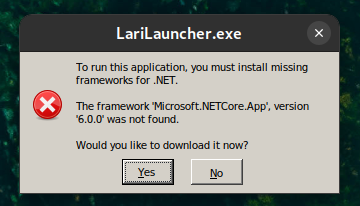
Workaround is to run bg3.exe or bg3_dx11.exe without the launcher using launch parameters:
DX11
eval $( echo "%command%" | sed "s/Launcher\/LariLauncher.exe'.*/bin\/bg3_dx11.exe'/" )
Vulkan
eval $( echo "%command%" | sed "s/Launcher\/LariLauncher.exe'.*/bin\/bg3.exe'/" )
Recommendation (using DX11, disabling the Razer chroma libraries, enabling gamemode and mangohud)
eval $( echo WINEDLLOVERRIDES=”cchromaeditorlibrary64=” gamemoderun mangohud "%command%" | sed "s/Launcher\/LariLauncher.exe'.*/bin\/bg3_dx11.exe'/" )
Enabling DLSS in the latest game update seems to cause the game to freeze. It used to work before several patches ago.
Launched with PROTON_ENABLE_NVAPI=1 %command%
Arch Linux
Kernel 6.2.11
Nvidia 3090 w/ 530.41.03 drivers
Ryzen 3900x
32GB of RAM
@urbenlegend Hello. Could you post a Proton log? 🙂
Include DXVK_NVAPI_LOG_LEVEL=info along with PROTON_LOG=1. Should enable some relevant logging in regards to nvapi.
@Blisto91 Happy to. Logs attached below.
steam-1086940.zip
I could only reproduce the DLSS freeze bug when using the Vulkan renderer. DX11 renderer seems to work fine.
Steps to reproduce:
- Launch game with Vulkan Renderer
- (Optional) Use the Ultra graphics preset
- Try to enable DLSS.
- Freeze will happen when clicking Apply
On a side note, I also noticed that the Vulkan renderer seems to cause a VRAM leak. After a few minutes of playing (with DLSS off of course), the game will eventually consume all of my 24 GB of VRAM and start to slow down and stutter.
EDIT: The DLSS freeze and the VRAM leak with the Vulkan renderer appear to have been fixed with the latest Proton Experimental. Not sure what got updated but the game works fantastically now!
I tried the current version of the game on my system with both AMDVLK and RADV, and the game's Vulkan renderer doesn't like either of these and crashes at different points (the intro video for AMDVLK, after the main menu's load screen for RADV).
Only the D3D11 renderer works, and even then, some polygons were flickering in the character creation screen (with RADV as the Vulkan driver, haven't tried AMDVLK).
My GPU is a Radeon RX 7900 XTX, with driver versions 2023.q2.3 for AMDVLK and 23.1.3 for RADV.
I tried the current version of the game on my system with both AMDVLK and RADV, and the game's Vulkan renderer doesn't like either of these and crashes at different points (the intro video for AMDVLK, after the main menu's load screen for RADV).
Only the D3D11 renderer works, and even then, some polygons were flickering in the character creation screen (with RADV as the Vulkan driver, haven't tried AMDVLK).
My GPU is a Radeon RX 7900 XTX, with driver versions 2023.q2.3 for AMDVLK and 23.1.3 for RADV.
Issue links
RADV hang: https://gitlab.freedesktop.org/mesa/mesa/-/issues/6875
Flickering on DXVK (DX11): https://gitlab.freedesktop.org/mesa/mesa/-/issues/8975 -> https://github.com/doitsujin/dxvk/issues/3401
Balder's gate 3 Launch Issue
Issue transferred from https://github.com/ValveSoftware/Proton/issues/6955.
@tarainnarelli posted on 2023-07-23T03:22:11:
Compatibility Report
- Name of the game with compatibility issues: Balder's Gate 3
- Steam AppID of the game: 1086940
System Information
- GPU: RTX 3070
- Video driver version: 4.6.0 NVIDIA 525.105.17
- Kernel version: PopOS 6.2.6-76060206-generic
- Link to full system information report as Gist:
https://gist.github.com/tjinnarelli/eb315d46b0d503b226a8219360ad254b - Proton version: 7.0-6
I confirm:
- [ x] that I haven't found an existing compatibility report for this game.
- [ ] that I have checked whether there are updates for my system available.
Symptoms
Hit PLay in Steam --> Launches Larian's Launcher --> Click Play Game --> then I receive the following error
"usage: dxdiag [/whql:off | /whql:on] [/t filename | /x filename]"
then the Larian Launcher simply close and I'm left back at the steam launcher
Reproduction
This happens everytime when I follow the steps listed above
Same issue as above. Different specs:
System Information
GPU: RX 6800XT
Video driver version: Mesa RADV 1.3.211
Kernel version: 6.4.4-200
Link to full system information report as Gist: Full system information
Proton version: 7.0-6, 8.0-3, Experimental
System Information
CPU: 13th Gen Intel(R) Core(TM) i7-13700KF
GPU: RTX 4080
Video driver version: 4.6.0 NVIDIA 535.86.05
Distro: "Arch Linux" (64 bits)
Kernel version: 6.4.6-arch1-1
Link to full system information report as Gist: https://gist.github.com/EnLaLuna91/6d444ba2f4545ddd2f4c31e1176c59f5
Proton version: Proton Experimental-8.0-20230721
Symptoms
Game/launcher does not start
Reproduction
Install game, click Play.
Extra, First steps:
Firstly, I had problems with dotnetdesktop6, since it would not install from steam, but I managed to install it thanks to protontricks, previously I did sudo winetricks --self-update to update winetricks and it gave me the option to install dotnetdesktop6.
When I managed to install dotnetdesktop6, I hit "Play", the button changes to "Cancel", but it never loads the game, and never shows the Baldur's Gate launcher.
log
Replying to https://github.com/ValveSoftware/Proton/issues/4243#issuecomment-1653960769
Update
I noticed that with protontricks the x86 version was installed instead of x64, I have deleted it and now I am trying to install the version that Steam installs (x64), but the progress bar is always frozen at the same point for hours.
I have seen that the dotnetdesktop6 exe, is located in ~/.steam/steam/steamapps/common/Baldurs Gate 3/DotNetCore/ and I have tried to install it through protontricks, I attach image of where it freezes.
I suspect this is what happens to Steam as it is given to play for the first time.
PS: I have tried to install the version that installs steam and a newer version that uses winetricks, in both the same thing happens.
And at least in my case, I am unable to skip this point and, as a result, I can't play the game. Please, does anyone have a solution?
Thanks in advance.
And at least in my case, I am unable to skip this point and, as a result, I can't play the game. Please, does anyone have a solution?
Use eval $( echo gamemoderun mangohud "%command%" | sed "s/Launcher\/LariLauncher.exe'.*/bin\/bg3_dx11.exe'/" ) as a launch parameter to skip the Larian launcher.
Remove gamemoderun and/or mangohud as you need.
Replace bg3_dx11.exe with bg3.exe if you want to start using the Vulkan renderer (causes a GPU hang on AMDGPU, only useable on Nvidia and Intel GPU).
And at least in my case, I am unable to skip this point and, as a result, I can't play the game. Please, does anyone have a solution?
Use
eval $( echo gamemoderun mangohud "%command%" | sed "s/Launcher\/LariLauncher.exe'.*/bin\/bg3_dx11.exe'/" )as a launch parameter to skip the Larian launcher. Removegamemoderunormangohudas you need.
Hi,
I have tried it, I have also tried putting --skip-launcher, and in both cases it always wants me to install dotnetdesktop6.
That's why I ask for help.
PS: I apologize that I forgot to put this information.
Please try the following approach (I tested this just now on Fedora 38 using Proton 8.0-3):
- restart your system to avoid any stray wineserver processes
- remove the compatdata folder (the wine prefix managed by Steam) of Baldurs Gate 3
2.1 for Steam:~/.local/share/Steam/steamapps/compatdata/1086940
2.2 for Flatpak Steam:~/.var/app/com.valvesoftware.Steam/.local/share/Steam/steamapps/compatdata/1086940 - start BG3 via Steam
- the installation of dotnetdesktop6 should not take longer than 5 seconds (depending on your network connection)
If this still fails please attach your log when running BG3 the first time after the prefix was removed.
Replace
bg3_dx11.exewithbg3.exeif you want to start using the Vulkan renderer (causes a GPU hang on AMDGPU, only useable on Nvidia and Intel GPU).
Tracking note, skipping mesa / RADV labels since this is better off being tracked at https://gitlab.freedesktop.org/mesa/mesa/-/issues/6875.
Replying to https://github.com/ValveSoftware/Proton/issues/4243#issuecomment-1655930015
I tried what you told me, but since it still didn't work, I uninstalled the game, deleted all the associated folders, restarted the computer and reinstalled, and still didn't get it to work.
Steps I have done:
- Follow all your steps.
- Since it didn't work, I uninstalled the game and deleted the folders that remained.
- Restart the computer and install the game again with proton 8.0-3 and the parameters you gave me
eval $( echo gamemoderun mangohud "%command%" | sed "s/Launcher\/LariLauncher.exe'.*/bin\/bg3_dx11.exe'/" ). - Seeing that it was still frozen with the installation of
dotnetdesktop6, I tried to do the same from step 1 to 3, but with these parametersmangohud gamemoderun PROTON_ENABLE_NVAPI=1 PROTON_LOG=1 %command% --skip-launcherand the result is the same, it is frozen when I go to play because it tries to installdotnetdesktop6.
I don't understand why it doesn't work for me, and it seems that other people do.
As it does not start the game (or the launcher) it does not generate the log.
Seeing that it was still frozen with the installation of dotnetdesktop6
@EnLaLuna91 is there anything unusual in the output of sudo journalctl -b | grep -i steam when this happens? I also use Arch Linux and Proton experimental and even if I create a new Proton prefix it goes beyond its initial setup just fine.
Seeing that it was still frozen with the installation of dotnetdesktop6
@EnLaLuna91 is there anything unusual in the output of
sudo journalctl -b | grep -i steamwhen this happens? I also use Arch Linux and Proton experimental and even if I create a new Proton prefix it goes beyond its initial setup just fine.
This is the journalctl log;
steam-journalctl.log
This is the log when I launch Steam from the console:
steam.log
PS: For security reasons, I have changed the host name to HOST and the path /home/USER/ to ~/
UPDATE about dotnetdesktop6
I have seen that Wine does install the dotnetdesktop6 x64 package correctly, but of course it is useless for Proton. I suspect that the fact that it doesn't install is a Proton thing that maybe has something around.
Replying to https://github.com/ValveSoftware/Proton/issues/4243#issuecomment-1646830774
I'm having the same issue as @tarainnarelli
I'm trying to play in Ubuntu 20.04, driver Is also Nvidia 525.
Tried using Experimental, 8.0-3, 7.1-GE-2, 7.0-6.
Has anyone managed to solve this yet?
Has anyone managed to solve this yet?
@andrezopo do you mean the directx diagnostic tool error? This one always happens on my computer but the game still works in directx11 mode despite of it. I just close that window whenever I launch the game.
@wwmm Yes, but after i get this error the game crashes even before It starts and o get back to steam as If the game was never openned.
O tried using --skip-launcher and the only diference ia that i dont get the DirectX error. But the game just tries to open and immediately closes afterwards as If It was never openned.
Any guesses of what should i do?
@andrezopo no, I just met a bunch of other people with the same problem but no real fix
I got it to work by rebuilding the proton prefix, aka renaming the ~/.steam/steam/steamapps/compatdata/1086940 directory to 1086940_bak and letting steam build a fresh proton prefix.
Only dx11 version works, obviously. My start parameters taken from a protondb post are
eval $( echo "%command%" | sed "s/Launcher\/LariLauncher.exe'.*/bin\/bg3_dx11.exe'/" )
I'm using the proton-ge-custom-bin aur package version 1:GE_Proton8_9-1.
mesa: 23.1.4-2
linux: 6.4.7-arch1-1
GPU: AMD RX 6950 XT
Replying to https://github.com/ValveSoftware/Proton/issues/4243#issuecomment-1656114009
Has anyone found a solution to the above problem? Or has anyone found anything in the previous data?
Or has anyone found anything in the previous data?
I did not notice anything there that could explain dotnetdesktop6 installation failing on your computer. We are both using Arch Linux and Proton experimental. I do not understand how the same Proton version running in the same distribution could be failing in this task in one computer but not on others. The only difference I have noticed between our systems is the GPU(I have a RX 7900 XT). But it does not make sense that the GPU driver would be involved in the dotnetdesktop6 installation.
O tried using --skip-launcher and the only diference ia that i dont get the DirectX error. But the game just tries to open and immediately closes afterwards as If It was never openned.
@tarainnarelli @andrezopo sounds like you are launching the vulkan version of the game. Try the dx11 version. Either by renaming the bg3_dx11.exe to bg3.exe or using the start parameters I used here.
Replying to [#4243 (comment)](https://github.com/ValveSoftware/Proton/issues/4243#issuecomment-1656114009)
Has anyone found a solution to the above problem? Or has anyone found anything in the previous data?
@EnLaLuna91 I found something crazy on protonDB, they mention a DirectX install freezing, killing the process and then being able to start the game. Maybe the same could work for your DotNet problem. If you plan to skip the launcher anyway, you should not need DotNet.
Also I'd advice against installing stuff manually in your proton prefix, especially with wine(tricks) since they are not 100% compatible, and it can lead to a broken prefix.
I may have found a solution for the dotnet installation issue, try to delete the installscript from the baldurs gate 3 installation folder located in $HOME/.steam/root/steamapps/common/Baldurs Gate 3/InstallScript.vdf and add the command-line argument --skip-launcher in the steam launch options. You may have to wait a bit for the shaders to build but it should start.
I hope it works for you guys too :)
Oh apologies for my bad english skills i am not a native english speaker if anythin is unclear please ask and i might be able to elaborate a bit more.
Replying to https://github.com/ValveSoftware/Proton/issues/4243#issuecomment-1662759434
Thank you very much, this solution worked for me with Proton-GE8_10.
And thank you very much to all of you who helped me find a solution :).
I have just installed the full release and the game is not making my RX 7900 XT crash anymore. The directx diagnotisc error is still a thing but the vulkan backend now gets to the game menu. Let's see if the rest is also fine :-).
Replying to [#4243 (comment)](https://github.com/ValveSoftware/Proton/issues/4243#issuecomment-1662759434)
Thank you very much, this solution worked for me with Proton-GE8_10.
And thank you very much to all of you who helped me find a solution :).
Glad to be of help. Enjoy the game :)
I have just installed the full release and the game is not making my
RX 7900 XTcrash anymore. Thedirectx diagnotiscerror is still a thing but the vulkan backend now gets to the game menu. Let's see if the rest is also fine :-).
I find that if I disable the driver check in the launcher, the diagnostic error goes away :)
I find that if I disable the driver check in the launcher, the diagnostic error goes away :)
Really?? I am almost sure I disabled it. I will test it again later.
Disabling the driver check does not avoid the dxdiag error on startup for me. In my experience the error is harmless though.
Sometimes when we "alt-tab" the game crashes with the following error
Is this happening to anybody else?
Replying to https://github.com/ValveSoftware/Proton/issues/4243#issuecomment-1664506674
This is happening for me, too. I also have really, really bad performance on a 6900XT card. It's barely getting 30FPS on high settings. Currently using GE-Proton 8.10.
Is this with the Vulkan or Direct3D 11 backend? The alt tab crash
This is happening for me, too. I also have really, really bad performance on a 6900XT card. It's barely getting 30FPS on high settings. Currently using GE-Proton 8.10.
No issues getting 60 fps in the RX 7900 XT. But besides having FSR turned on I am also using Mesa git and the 6.5.0-rc4 kernel. One of these factors probably has part on this.
Is this with the Vulkan or Direct3D 11 backend? The alt tab crash
Vulkan. I did not try the dx11 backend yet.
@wwmm looks like a vulkan issue as the expression starts with vk.
Also you can try to use "fake fullscreen" instead of "fullscreen" in the graphics settings, when facing alt-tab issues.
Seen two Vulkan crashes in 2.5 hours now - though they were not Wine C++ assertions (like seen by @wwmm), they were "Unrecoverable Vulkan errors". Interesting enough after those crashes the 7900XTX stays on max SCLK and uses much more power than it should. Rebooting helps after seeing this behaviour.
I've seen the "Unrecoverable Vulkan error" on two Twitch streams as well. They were using Nvidia hardware - so this might be a game bug.
Switching to the DX11 renderer for now.
Was watching someone play this the other night and they got a Vulkan crash after a hour on Windows.
So it may be the game bug.
Something weird going on with my partner's setup. She is on an 6800XT and running the game in dx11 mode with Proton Experimental. What happens is when the game screen is unfocused the frame rate is super smooth, but when the game is in focus, the frame rate drops by a lot.
We'll fiddle with some settings, but just thought I'd pop in here to see if anyone else has experienced this.
Likely a compositor disrupting things. Seen it before. Create a rule to block/disable or kill the compositor then test again!
KWIN is nasty like this sometimes if that's what you use. Sometimes it can just invoke tearing and all sorts, but I'm on a NVIDIA GPU not AMD.
Something weird going on with my partner's setup. She is on an 6800XT and running the game in dx11 mode with Proton Experimental. What happens is when the game screen is unfocused the frame rate is super smooth, but when the game is in focus, the frame rate drops by a lot.
We'll fiddle with some settings, but just thought I'd pop in here to see if anyone else has experienced this.
Here too, but only with DLSS enable in my case. Running the game with dx11 + DLSS, in focus, GPU usage goes to 100% and fps ~20-40. Running with vulkan + DLSS, the game runs very fine with GPU usage 70% and 60 FPS stable.
How does the game behave in Windowed mode?
Got a weird one here, for me the game launches in DX11 mode and I can hear audio of the intro movies but it does not render a window. If I try launch via vulkan I get a popup saying failed to collect displays then it closes.
I've tried multiple mesa versions, proton 8.0.3, experimental, GE 8.10 as well as using gamescope. I've also tried both Ubuntu and Arch and it does the same on both. Tried various kernels too 6.4 6.3 and even 6.5RC.
I'm running on a desktop with an AMD 7900XTX and 7950X3D and have even disabled the iGPU.
Here are my logs for both DX11 and vulkan:
I've tried multiple mesa versions, proton 8.0.3, experimental, GE 8.10 as well as using gamescope. I've also tried both Ubuntu and Arch and it does the same on both. Tried various kernels too 6.4 6.3 and even 6.5RC.
I'm running on a desktop with an AMD 7900XTX and 7950X3D and have even disabled the iGPU.
@ferrreo did you try the mesa-git package? I am also on Arch and putting aside the "alt-tab" issue that happens even in borderless mode the vulkan backend has been working. I did not try it with amdvlk or the stable mesa package yet.
Something that may or may not have influence is that I have my monitor plugged in the Ryzen 7700 igpu and the environmental variable DRI_PRIME=1 set to make the game use the RX 7900 XT.
The DX11 logs show a lot of fshack errors. I recommend starting with a fresh prefix and proton experimental. If the issue still shows please post a log based on Proton Experimental.
The DX11 logs show a lot of fshack errors. I recommend starting with a fresh prefix and proton experimental. If the issue still shows please post a log based on Proton Experimental.
Here you go:
And yeah I've tried mesa-git and stable and both on a different distro too.
4495.509:0134:0138:fixme:vulkan:wine_vk_surface_set_offscreen Redirecting vulkan surface offscreen, expect degraded performance.
4495.509:0134:0138:err:fshack:fs_hack_monitor_from_hwnd Invalid hwnd 0x144c73c70.
4495.509:0134:0138:err:fshack:fs_hack_monitor_from_hwnd Invalid hwnd 0x144c73c70.
4495.509:0134:0138:err:fshack:fs_hack_monitor_from_hwnd Invalid hwnd 0x144c73c70.
4495.509:0134:0138:err:fshack:fs_hack_monitor_from_hwnd Invalid hwnd 0x144c73c70.
info:  Presenter: Actual swap chain properties:
info:    Format:       VK_FORMAT_B8G8R8A8_UNORM
info:    Color space:  VK_COLOR_SPACE_SRGB_NONLINEAR_KHR
info:    Present mode: VK_PRESENT_MODE_IMMEDIATE_KHR (dynamic: no)
info:    Buffer size:  1x1
info:    Image count:  6
info:    Exclusive FS: 1
4495.509:0134:0138:err:fshack:fs_hack_monitor_from_hwnd Invalid hwnd 0x144c73c70.
this is the source of your issues. I was not aware that fshack is still in "normal" Proton (I'm still not sure)...
@ferrreo Could you please copy your system information from Steam (Steam -> Help -> System Information and Steam -> Help -> Steam Runtime Diagnostics) and put each in a gist, then include a link to the gists in this issue report?
I may have found a solution for the dotnet installation issue, try to delete the installscript from the baldurs gate 3 installation folder located in
$HOME/.steam/root/steamapps/common/Baldurs Gate 3/InstallScript.vdfand add the command-line argument--skip-launcherin the steam launch options. You may have to wait a bit for the shaders to build but it should start.I hope it works for you guys too :)
Oh apologies for my bad english skills i am not a native english speaker if anythin is unclear please ask and i might be able to elaborate a bit more.
Thank you so much!
I was able to launch the game properly on Arch+nvidia by skipping the launcher via the "Launch Options" command posted by @pepper-jk. Proton 8-11.
@ferrreo Could you please copy your system information from Steam (Steam -> Help -> System Information and Steam -> Help -> Steam Runtime Diagnostics) and put each in a gist, then include a link to the gists in this issue report?
Here you go https://gist.github.com/ferrreo/199c3bcddfc6e21bc432d1cd5f9a2e86
CPU: AMD Ryzen 5 5600H
GPU: RTX 3060 Laptop
Video driver version: NVIDIA 535.86.05
Distro: "Linux Mint 20.2" (64 bits)
Kernel version: 5.15.0-78-generic
When launching the game it freezes in the install of the provided ( with game files ) windowsdesktop-runtime-6.0.11-win-x64.exe ( dotnetdesktop6 ? )
I tried replacing the .exe with 6.0.20 but it does the same.
Affected proton versions: "experimental",8.0-3, "proton hotfix" ( the it uses when you dont force a version )
Changing to proton 7.0-6 Means it installs both .Net and DX in no time, spends ~20 minutes compiling vulcan shaders and then there is just "X STOP" button, while steam claims the game is running.
LariLauncher.exe is using ~7% cpu at this point.. so maybe it is?
I hit stop - switch to proton experimental again - now it's stuck on "X CANCEL" / "launching"
so I cancel and reboot.
now the game launches.
Gotta say the first fight of this game had pretty steep learning curve, hopefully they will keep up the difficulty for the next ones
Narrowed down my issue to only be happening with wlroots based WMs
for some reason I have no audio, I use pipewire
I have the same problem as @ferrreo, but I'm not using a wlroots based compositor, I'm on KDE Plasma 5.27.7, Mesa 23.1.4, GLIBC 2.38 and Linux Kernel 6.4.7.
I have the game installed on an external NVMe which (also includes the prefixes). I tried everything: changing the Proton version, deleting the prefix and starting over, deleting shader cache before launching the game, tried to run Flatpak Steam and Steam Runtime installed from Arch Linux repositories.
On Flatpak's version of Steam the launcher does not even start, tried to bypass it but the game just crashes. On Steam Runtime, Vulkan does not work (fails while trying to capture displays, something like that), and on DX11 it starts off-screen, I can hear the audio but there's no window. I can even find the application registered on PipeWire but with no name.
Since people are successfully running the game without issues, I decided to try to run it on my NixOS installation. Same prefix, Proton Experimental just like on Arch Linux (the prefix is stored in the external drive after all), but on Mesa 23.1.3, KDE Plasma 5.27.6, GLIBC 2.37 and Linux Kernel 6.1.41, and it ran just fine, both under DX11 and Vulkan, I had no crashes at all. Glibc shouldn't matter since I'm running Steam Runtime, I tried Steam Native just for the sake of ironing out all possibilities of working, but Steam Native rarely can run Proton games and that's not different with BD3.
Besides the Kernel and slightly different library versions, the other major difference between my NixOS and Arch Linux installation is cleanness, my NixOS installation is very clean (I don't use it that much, it's much more of a backup if Arch dies) while my Arch Linux has a lot of customizations, it has AMD OpenGL Pro (for DaVinci Resolve), it had AMDVLK and AMDVLK Pro installed in the past as well, and there's some additional Vulkan Layers, but none of them are enabled by default, and I never had any problems with any games until now.
I tested all the other games that I play and they are all working just fine on Arch, this problem is specific to Baldur's Gate 3. Interestingly the early access version didn't had those problems, I played it this year on Arch and it ran pretty well.
Yeah one of the banes with ARCH is its easier to test things out and forget you have something installed that might interfere such as amdvlk or amdgpu-pro drivers which may have a issue with this game.
There is a special tool on the AUR that lets you select MESA RADV driver or the other with simple launch line command, but by the sounds of it you run a multi monitor setup (I have two myself) which ads extra complications on top.
You can also try X11 instead of Wayland. (may need a new user account due to x11+wl account corruption bug that kde team not fixed)
has anyone managed to fix missing sound? game is completely muted
for some reason I have no audio, I use pipewire
has anyone managed to fix missing sound? game is completely muted
@Niedzwiedzw I use PipeWire on Arch Linux and the audio is fine. Try to take a look at the output of pw-dot to see if there is some problem in the links from the game stream to the sound card.
It may also be worth to delete ~/.local/state/wireplumber/ and reboot to make sure there is nothing muted somewhere or a bad configuration of default devices in case you have multiple cards.
Replying to https://github.com/ValveSoftware/Proton/issues/4243#issuecomment-1666238167
Someone else has the same problem too but on gentoo with an nvidia card. It's really odd but this game must be something when it gets the displays that others don't that is hitting some sort of edge case.
Replying to https://github.com/ValveSoftware/Proton/issues/4243#issuecomment-1666539901
That sounds like me.
System is:
Gentoo, 6.4.7-xanmod1 w/Winesync et al.
Ryzen 3900X 64GB RAM RTX Quadro 4000
Game is installed on NVME FWIW
Using Nvidia's latest mainline driver, 835.86.05 I think (apologies, not at my PC atm, so I'm going by memory)
Tried Proton- 8, hotfix, experimental and the latest GE. S/w either fail with a DX error or start with a black screen (audio plays and is seen by Pipewire) No window registers with my WM.
I'll try using nsys to capture the error when I'm back.
Todd
@wwmm thanks for replying, actually I decided to see if audio appears in game (cause I've only tested up to the main menu before) and it crashes after difficulty selection screen... I'll try pw-top for audio when I get back home
I'm running into a strange issue. Seems to be some sort of performance issue?
I am running on Void Linux with a rtx 3070, and a ryzen 5950x, 32 GB of RAM, and nvidia driver version 535.86.05 and proton version GE-Proton-8-11.
I am able to launch the game, both with and without the launcher, however it seems there is an extreme amount of latency before either program even launches. This latency persists even after the game launches. The intro movie will take a while to load (after the screen goes black), and whenever it finally gets to the first loading screen before the EULA, it will load rather quickly, but freeze once the progress reaches 100%. It then takes ~20 minutes to get to the EULA, which is completely unresponsive and doesn't allow me to accept.
Setting PROTON_LOG=1 doesn't seem to actually generate any logs.
CPU usage for the game stays low the entire time, <1% usage.
and on DX11 it starts off-screen, I can hear the audio but there's no window.
In my case problem was fullscreen. I had to reset the settings using the launcher. For me, the game runs perfectly fine. DLSS + 4k + dx11 + nvidia + single monitor
Arch. Everything latest version
Kernel linux-zen
NVIDIA 3080ti
Driver Version: 4.6.0 NVIDIA 535.86.05
qtile windows manager
and on DX11 it starts off-screen, I can hear the audio but there's no window.
In my case problem was fullscreen. I had to reset the settings using the launcher. For me, the game runs perfectly fine. DLSS + 4k + dx11 + nvidia + single monitor
Arch. Everything latest version Kernel linux-zen NVIDIA 3080ti Driver Version: 4.6.0 NVIDIA 535.86.05 qtile windows manager
I tried to reset the settings but it still defaults to Fullscreen. What I can do is change the settings on NixOS and try again on Arch Linux (since the prefix resides on the external drive it may work).
You said that you are on a single monitor setup, I may try disabling one of my monitor and see if that helps as well.
I tried Gamescope with the preferred Vulkan Device parameter but it didn't helped, the window is never created and I'm left with a black screen. It had helped with other games that were trying to use lavapipe instead of RADV, but didn't with this one.
I even uninstalled all the other Vulkan implementations, amdvlk, amdvlk-pro, lavapipe (llvmpipe) and kept only RADV, but it didn't helped as well.
Also, I just had an ideia, I have obs-vkcapture, I can try to use it to see if it's really rendering something.
On Flatpak's version of Steam the launcher does not even start, tried to bypass it but the game just crashes. On Steam Runtime, Vulkan does not work (fails while trying to capture displays, something like that), and on DX11 it starts off-screen, I can hear the audio but there's no window. I can even find the application registered on PipeWire but with no name.
I'm seeing both of these behaviors too. Launching bg3.exe instantly gives me an error "failed to collect displays":
Launching bg3_dx11.exe seemingly opens the game with no visual window, only audio.
- Arch Linux (kernel 6.4.7-273 with
tkg-cfspatches) - GPU/CPU: 6800XT / 5800X3D on x570
- Using
sway(wlroots-based Wayland compositor). - Using the Arch
steampackage (Steam runtimem, not flatpak). - Using
mesa 23.1.5, tried RADV + AMDVLK + AMDGPU-PRO. - Tried Proton 8.0-3, Proton Experimental, and GE-Proton8-11.
- Tried running in Gamescope.
I am not able to try running it in windowed mode, I can't find any config settings that I can edit manually. The graphicSettings.lsx in my WINE prefix doesn't seem to have anything related to fullscreen.
edit: I tried adding to graphicSettings.lsx manually:
  <node id="ConfigEntry">
      <attribute id="MapKey" type="FixedString" value="Fullscreen"/>
      <attribute id="Type" type="int32" value="0"/>
      <attribute id="Value" type="int32" value="0"/>
  </node>
but opening the game causes this file to be reset to default, deleting this entry. Making this file read-only did not allow the game to open in windowed mode.
If I use value="Windowed" and set it to 1, the config entry persists after launching the game, but doesn't fix the issue.
Re-running with PROTON_LOG set I see a fshack error:
208361.349:0230:0320:warn:threadname:NtSetInformationThread Thread renamed to L"dxvk-frame"
208361.351:0230:0234:fixme:vulkan:wine_vk_surface_set_offscreen Redirecting vulkan surface offscreen, expect degraded performance.
208361.388:0230:0234:err:fshack:fs_hack_monitor_from_hwnd Invalid hwnd 0x144c87370.
info: Presenter: Actual swap chain properties:
info: Format: VK_FORMAT_B8G8R8A8_UNORM
info: Color space: VK_COLOR_SPACE_SRGB_NONLINEAR_KHR
info: Present mode: VK_PRESENT_MODE_IMMEDIATE_KHR (dynamic: no)
info: Buffer size: 1x1
info: Image count: 4
info: Exclusive FS: 1
208361.388:0230:0234:err:fshack:fs_hack_monitor_from_hwnd Invalid hwnd 0x144c87370.
For some reason I can't add an attachment without GH barfing so let me know if you want me to email the full log to you.
The same fshack error is in my logs too posted earlier. Not sure if that's the problem or part of the symptoms
Someone else has the same problem too but on gentoo with an nvidia card. It's really odd but this game must be something when it gets the displays that others don't that is hitting some sort of edge case.
We spoke on discord.
Nvidia 4090, nvidia-drivers 535.86.05, kernel 6.4.8 w gentoo patchset, tried mesa 23.1.{3,4,5} and latest git. Triple monitor setup, 3x 2560x1440, 60/144/60Hz. Fluxbox wm (mentioning since I was recommended to try KDE instead, but haven't had the time yet).
Tried proton 5.13, 6.3, 7.0, 8.0, proton experimental, proton hotfix, glorious eggroll 8.{4,5,9,11}.
A weird thing is that I verified that I could get it running this Thursday. It took a few attempts, but with GE-8.8 or 8.9 I just got a directx error popup, and after clicking ok it was possible to start and get to the main menu. Then as we were going to play @ friday steam pulls the BG3 patches and now I only get a black screen flash before the game shuts down again.
I'm not getting any fshack errors though.
The same fshack error is in my logs too posted earlier. Not sure if that's the problem or part of the symptoms
I'm also seeing:
[0805/213051.866:ERROR:dxva_video_decode_accelerator_win.cc(1421)] Fatal DXVAVDA error, could not LoadLibrary: msvproc.dll: Module not found. (0x7E)
Full log https://gist.github.com/ToddAWalter/9b4cd1754822dfc972014e621b97eecb
I also have the nsys capture if it is of interest.
Interesting enough under Windows11 I had this game on BTRFS drive with winbtrfs driver and it had endless crashtodesktop and errors for some reason.
Moving it to NTFS and almost all problems went away even for Vulkan api. It still does crash if you minimize more then twice while in-game, maybe that won't happen under Linux.
Also I believe the games launcher uses .Net Desktop 6.0 and .Net Core 6.0!
ubuntu 22.04
nvidia titan V with 535.54.03
with proton experimental
Game installs and launches fine (with DirectX option), but after the initial Larian splash screen it crashes and puts up
The DirectX Diagnostic Tool window reads:
Usage: dxdiag [/whql:off | /whql:on] [\t filename | /x filename]
When selecting the Vulkan option in the Larian Launcher, the client crashes as soon as it tries to start, with the same error message.
Hmm I'm using Vulkan api, but I'd like to try directx emulation, maybe it'll work... thing is I set --no-launcher option on steam launch parameters, and now it's always --no-launcher even if I remove it :D
Replying to https://github.com/ValveSoftware/Proton/issues/4243#issuecomment-1666612641
Same settings and system as you and same result.
what GPU do you have ? Could this be related to 7900 series ? (I have a 7900 XT)
Or maybe it's just wlroots related?
maybe it's just wlroots related?
The failed to collect displays / fshack error has only been seen on wlroots-based desktops so far. Might make sense to create an issue on their tracker for further investigation.
ok tried both vulkan and directx, both modes crash at the same time - right after difficulty selection. there's also no sound. does anyone have any idea how to debug this? I don't have huge experience with wine/proton sadly but I'd really want to play this game D:
my system information: https://gist.github.com/Niedzwiedzw/1223eb155de527aff95a2fd78de2640a
As you're based on Manjaro/Arch and the audio issue is not wide spread please give the following tips a try:
- https://www.gloriouseggroll.tv/how-to-get-out-of-wine-dependency-hell/
- use steam instead of steam-native-runtime
- if all things fail try the steam flatpak (which would confirm a dependency issue of your base system)
ok if flatpak isolates the installation and keeps track of all the dependencies then it's a nobrainer, actually it's weird I haven't heard of this before (steam flatpak)
is flatpak version the one that is running on steam deck by default?
is flatpak version the one that is running on steam deck by default?
nope. Steam Deck needs all the performance benefit it can get, so it runs native steam.
2. use steam instead of steam-native-runtime
so I have wrong version installed from pacman or what?
3. if all things fail try the steam flatpak (which would confirm a dependency issue of your base system)
sadly it doesn't start at all under flatpak... on normal steam (I have confirmed it's steam not steam-native-runtime) it at least reaches the main menus. but maybe it's a different issue that's easier to fix?
I'm also seeing: [0805/213051.866:ERROR:dxva_video_decode_accelerator_win.cc(1421)] Fatal DXVAVDA error, could not LoadLibrary: msvproc.dll: Module not found. (0x7E)
I have that too, but searching for the message it's in the logs for tons of games that starts without issue, so I think that one can be ignored.
I'm not using steam. Gog version through lutris.
I've anyway installed all the dependencies (other new games work correctly such as re4 and hogwarts legacy)
I've checked all 3rd party dependencies on steamDB
I think the problem isn't strictly steam-dependency related.
is this how I collect the extra proton logs?
(I'm gonna try fixing the native version cause every other game I've tried works fine)
I'm using Xfce4 on X and I'm getting both those errors.
Replying to https://github.com/ValveSoftware/Proton/issues/4243#issuecomment-1666574260
Setting STEAM_RUNTIME=1 whenever I launch Steam resolved this issue for me. Works perfectly now.
maybe it's just wlroots related?
The
failed to collect displays/ fshack error has only been seen on wlroots-based desktops so far. Might make sense to create an issue on their tracker for further investigation.
Setting env --unset=SDL_VIDEODRIVER %command% seems to fix the launch on sway
how can I see some form of crashlog? maybe there is some information there on why it crashes right after difficulty selection...
maybe it's just wlroots related?
The
failed to collect displays/ fshack error has only been seen on wlroots-based desktops so far. Might make sense to create an issue on their tracker for further investigation.Setting
env --unset=SDL_VIDEODRIVER %command%seems to fix the launch on sway
Doesn't work either dx11 or vulkan
I'm on lutris / gog version
maybe it's just wlroots related?
The
failed to collect displays/ fshack error has only been seen on wlroots-based desktops so far. Might make sense to create an issue on their tracker for further investigation.Setting
env --unset=SDL_VIDEODRIVER %command%seems to fix the launch on sway
This worked for me, but now I get a 'file mismatch' error every time (presumably the check is influenced by EXT4?)
For some unknown reason game have troubles with performance when I set my monitor refresh rate to 144
It running only ±30fps
However, on 60/120 refresh rate performance is pretty much like on Windows with 100-120 fps
I'm running Artix Linux on Ryzen 5 5600, RX 6700 XT
(Sorry for my bad english)
Setting
env --unset=SDL_VIDEODRIVER %command%seems to fix the launch on sway
This did allow me to launch the game in Vulkan successfully. Thanks.
maybe it's just wlroots related?
The
failed to collect displays/ fshack error has only been seen on wlroots-based desktops so far. Might make sense to create an issue on their tracker for further investigation.Setting
env --unset=SDL_VIDEODRIVER %command%seems to fix the launch on swayThis worked for me, but now I get a 'file mismatch' error every time (presumably the check is influenced by EXT4?)
Ignore it.
You can ignore the launcher altogether by adding --skip-launcher as an argument :)
I launched the game successfully with this command "env --unset=SDL_VIDEODRIVER %command%" GOG version of the game through Lutris.
I was setting it wrongly in the Lutris config
UPDATE: To anyone having problem to boot directly the executable and/or the launcher asks for .NET Desktop runtime (but having it correctly installed in the wineprefix of the game) set the environment variable DOTNET_ROOT to the dotnet installation folder.
As an example, I set it to "/mnt/1TB_Disk/Games/baldurs-gate-3/drive_c/Program Files/dotnet" which reside in my wineprefix installation
Lately I'm just having all kinds of issues on my desktop with steam. I wanted to post a log here after a fresh retry with a new prefix but when I go to validate files on Baldur's Gate 3 I just get stuck with "Resetting install script" but it never finishes, not even after force closing steam and trying it again.
Why would it get stuck on that? I don't understand how to troubleshoot, and it's preventing me from properly reporting on the game issue.
I'll describe the issue as best I can for now
I can launch game on my laptop with EndeavourOS / Nvidia 3060, but on desktop with same OS, 3080 it does not work. I've tried several different versions of proton as well as letting steam decide and I get hardly any feedback from the Steam UI as to what is going on except occasionally seeing it running the install script after I reset it. But it never validates the files (which I think are fine, but I'm not 100% sure. I copied the install from the laptop where it works fine after removing the old desktop install which was crashing in Windows as well.)
I had previously pared my failure/warning errors to these, but i don't think these are the problem
774.332:00f4:00f8:warn:seh:dispatch_exception unknown exception (code=6ba) raised
774.504:013c:0140:trace:loaddll:build_module Loaded L"C:\\windows\\system32\\api-ms-win-core-windowserrorreporting-l1-1-0.dll" at 00000002BB990000: builtin
774.505:013c:0140:fixme:seh:WerRegisterRuntimeExceptionModule (L"C:\\Program Files\\dotnet\\shared\\Microsoft.NETCore.App\\6.0.11\\mscordaccore.dll", 0000000001120000) stub
774.505:013c:0140:trace:loaddll:free_modref Unloaded module L"C:\\windows\\system32\\api-ms-win-core-windowserrorreporting-l1-1-0.dll" : builtin
774.505:013c:0140:warn:seh:OutputDebugStringA "Profiler was prevented from loading notification profiler due to app settings.\n  Process ID (decimal): 316.  Message ID: [0x2509].\n"

777.368:0078:0088:warn:seh:dispatch_exception unknown exception (code=6ba) raised
777.369:0078:0088:warn:seh:dispatch_exception unknown exception (code=6ba) raised
777.371:0078:0088:warn:seh:dispatch_exception unknown exception (code=6ba) raised
777.372:0078:0088:warn:seh:dispatch_exception unknown exception (code=6ba) raised
774.332:00f4:00f8:warn:seh:dispatch_exception unknown exception (code=6ba) raised
774.504:013c:0140:trace:loaddll:build_module Loaded L"C:\\windows\\system32\\api-ms-win-core-windowserrorreporting-l1-1-0.dll" at 00000002BB990000: builtin
774.505:013c:0140:fixme:seh:WerRegisterRuntimeExceptionModule (L"C:\\Program Files\\dotnet\\shared\\Microsoft.NETCore.App\\6.0.11\\mscordaccore.dll", 0000000001120000) stub
774.505:013c:0140:trace:loaddll:free_modref Unloaded module L"C:\\windows\\system32\\api-ms-win-core-windowserrorreporting-l1-1-0.dll" : builtin
774.505:013c:0140:warn:seh:dispatch_exception "Profiler was prevented from loading notification profiler due to app settings.\n  Process ID (decimal): 316.  Message ID: [0x2509].
I tried installing dotnet 6 using protontricks as well as vcrun2019 and that didn't help.
The closest I got to getting it to launch, which I couldn't replicate, was creating a symbolic link to Launcher from bg3.exe so it wouldn't go through launcher first, it flashed a black window and then crapped out.
Replying to https://github.com/ValveSoftware/Proton/issues/4243#issuecomment-1666997548
For me the execution of the launcher is mandatory
So first try to launch it correctly to verify that everything works and .NET environment is read successfully.
Then you can skip it adding the --skip-launcher as additional argument
Try this first and report back which error you'll encounter
I guess you're using steam.
If it asks for the NET framework (even if you're sure you installed), export the environment variable DOTNET_ROOT as I explained above.
This solved the black screen and crash, the execution with sound without window, the collect display errors.
Let me know if you need further details
It started working after I rebooted again. I am not sure why. I got to the point where I was repeating things I tried but I also incorporated some things like switching which window manager I was using. I had been on KDE + openbox because I had previously had some issues with the default WM, so I switched to the standard WM and it didnt work, until after I rebooted. All I did in Windows with the game was to play it one time and it crashed there just as it was doing before for me (it crashes as save finishes loading in vulkan version, dx11 was just crashing after about 5 minutes of play instead).
For the moment at least, it seems to be running stable on Linux. I've played for just a bit more than 5 minutes, loaded up several saves to see if it would drop out on any, and nothing so far. But it's odd, I have no idea why it's working.
The first time launcher loaded I was surprised, but it wouldn't let me interact with it (using Proton Hotfix). I switched to GE-Proton-8-11 or whatever latest is and that worked. But it's odd because Hotfix works fine on laptop.
Something weird going on with my partner's setup. She is on an 6800XT and running the game in dx11 mode with Proton Experimental. What happens is when the game screen is unfocused the frame rate is super smooth, but when the game is in focus, the frame rate drops by a lot.
We'll fiddle with some settings, but just thought I'd pop in here to see if anyone else has experienced this.
Looks like we got to the bottom of this. Seems to have been a window manager issue (gnome on manjaro). The game was apparently confused about when it is focused and when not when opened via the launcher. The fix was just to add --skip-launcher to the Steam launch options.
maybe it's just wlroots related?
The
failed to collect displays/ fshack error has only been seen on wlroots-based desktops so far. Might make sense to create an issue on their tracker for further investigation.Setting
env --unset=SDL_VIDEODRIVER %command%seems to fix the launch on sway
This worked perfectly for me
Looks like we got to the bottom of this. Seems to have been a window manager issue (gnome on manjaro). The game was apparently confused about when it is focused and when not when opened via the launcher. The fix was just to add
--skip-launcherto the Steam launch options.
This suggested that it might've been the window focus model in fluxbox that was the issue, so I tried with KDE/Plasma and disabling all but one monitor. Made no difference for me, still just a black screenflash and gamecrash.
Unsetting SDL_VIDEODRIVER made no difference either.
For some unknown reason game have troubles with performance when I set my monitor refresh rate to 144 It running only ±30fps However, on 60/120 refresh rate performance is pretty much like on Windows with 100-120 fps I'm running Artix Linux on Ryzen 5 5600, RX 6700 XT (Sorry for my bad english)
Strange, I'm on Gnome Fedora 38, Wayland, Steam Flatpak, Ryzen 9 5900X, RX 6700XT, 180hz monitor.
Experiencing the same low-fps issues the recent days, it seems that some time in the evening I would get higher FPS (without doing anything).
I did try switch my refresh rate from 180 to 100, the game seemed to had improved performance again after. Switching back to 180 seemed to not make it worse either...
I think a lot of my issue is impatience to not seeing anything going on. I switched back to my old steam install which I had kept backed up. It didn't work at first, but this time, since I knew I was using the same prefix, the same Proton version, etc. I "just waited"
Well, not exactly just that. I had some scripts that I used after the launch stalled out that killed any processes containing wine or any processes containing exe. I found these useful when it came to validating files when it gets stuck on "resetting install script." It will move on to validating the install whereas otherwise it seems to just freeze forever.
In any case, after
- Clicking launch - waiting 10 seconds, and seeing it stuck on launching (with cancel button) and not moving on, I
- Ran my killexe & killwine command
- Waited about 2 minutes
- Finally, I started seeing fossilize and then the popup came up for processing shader data
- I waited through this, and then the game launched normally.
- I closed the game to re-run it, and it is launching in a reasonable timeframe now
So I guess... just have to be more patient with these scripts and just because nothing appears to be going on doesn't mean nothing is. That said, I can't say for 100% sure because I have been using that script to kill wine and exe to move things along
https://pastebin.com/S5ugtaYQ has the scripts if it might be useful to someone else.
uhhh why doesn't this game provide any kind of crash log? the window just disappears... or maybe there is a way to turn them on somehow?
@Niedzwiedzw I had some success getting crashlogs as long as I would use my killexe & killwine commands to prevent it from getting stuck in the launching phase.
You also of course need to set the launch options
Steps:
Library -> Search for Baldur -> Right click Baldur's Gate 3 -> Properties -> General -> Launch Options (Advanced Users) -> PROTON_LOG=1 %COMMAND%
This should generate a steam-1086940.log file in the folder (it's named after the appid, which you can use protontricks -s baldur to find, or you can search google for the appid as well)
I do think Steam probably needs a little admin panel for troubleshooting tools like this. Unfortunately for Linux almost everyone needs to be an "Advanced user" if they are looking to play the most recent games and run into issues.
maybe it's just wlroots related?
The
failed to collect displays/ fshack error has only been seen on wlroots-based desktops so far. Might make sense to create an issue on their tracker for further investigation.Setting
env --unset=SDL_VIDEODRIVER %command%seems to fix the launch on sway
Thank you for this! This helped me to get this game working on Hyprland.
Does anyone know what could cause these periodic stutters? They keep going on forever even when the camera is standing still.
No issues in any other game, tried both DX11 and Vulkan, tried with and without vsync. Seems to only happen when the framerate can't match the display/target framerate.
https://github.com/ValveSoftware/Proton/assets/975131/d0a76c3d-8fee-49af-8b1d-bcf75cb8d874
OS: Fedora Linux 38 (KDE Plasma) x86_64
Kernel: 6.4.8-201.fsync.fc38.x86_64
DE: Plasma 5.27.6
CPU: AMD Ryzen 7 5800X3D (16) @ 3.400GHz
GPU: AMD ATI Radeon RX 6800/6800 XT / 6900 XT
Memory: 12083MiB / 32000MiB
Hello, has anyone had issues launching the game using Vulkan?
I've got an AMD RX 7900XTX, and I've seen reports online about people having issues in Vulkan on AMD, but not on NVIDIA.. can anyone verify if that's true?
Intermittently I cannot get past the studio video and if I do, alt-tabbing the game tends to crash it out.
I forgot to capture the exact error message window but the error was as follows: vkAcquireNextImageKHR failed with error "VK_SUBOPTIMAL_KHR"
With RADV the crashing behaviour is seen, and with AMDVLK the game refuses to start outright, hanging at a black screen.
My specs are here: https://gist.github.com/ProjectSynchro/f0d4e4f102ca29c71a683ea49dd4df7e
Here's a log from an instance of the game hanging: steam-1086940.tar.gz
Here's a log from an outright crash: steam-1086940.log
I am running Proton Experimental (experimental-bleeding-edge-8.0-52326-20230812-p314065-w2408b5-d0746a3-v6f4b6b).
I should note that running the game with DXVK mitigates these issues, but it would be nice to be able to use the Vulkan backend.
If this is an issue on my end I can always attempt to rebuild my driver, but I don't think this is exclusive to my own system.
In respect to my above comment, https://gitlab.freedesktop.org/mesa/mesa/-/issues/6875#note_2027262 appears to be relevant to the behaviour I have been seeing.
I keep getting this crash in the Grymforge with Vulkan:
It happens with Proton Experimental bleeding edge (every version from the last 3-4 days). I'm using NixOS, with a 5700XT. I run in windowed mode, and have had FSR1.0 and TAA enabled every time I've gotten this error.
Running EndeavourOS on my RTX 3070, i5 CPU and using KDE. I cannot for the life of me get this game to run on Steam. I have tried every single fix I have seen online but it seems to just be stuck in "Launching" phase. I can't even validate the files as it gets stuck on "resetting install script". It does not even generate a log! I've been able to play every major game release so far up until this one. Unfortunate, as I ended up playing this game on my Windows drive as I could not make my friends wait any longer for our MP game for me to troubleshoot
If anyone has any suggestions let me know. I have pretty much exhausted suggestions on here, protondb and even on reddit..
Hello @den7007, what video driver version are you using? It might be worthwhile to check #6859 and see if that's the issue you're seeing.
Hello @den7007, what video driver version are you using? It might be worthwhile to check #6859 and see if that's the issue you're seeing.
Interesting, thanks for sending me to that post. I am running 535.98-1 currently. I will see if downgrading my drivers solves the issue.
Running EndeavourOS on my RTX 3070, i5 CPU and using KDE. I cannot for the life of me get this game to run on Steam. I have tried every single fix I have seen online but it seems to just be stuck in "Launching" phase. I can't even validate the files as it gets stuck on "resetting install script". It does not even generate a log! I've been able to play every major game release so far up until this one. Unfortunate, as I ended up playing this game on my Windows drive as I could not make my friends wait any longer for our MP game for me to troubleshoot
If anyone has any suggestions let me know. I have pretty much exhausted suggestions on here, protondb and even on reddit..
SOLVED!
Seems I was getting a mix of the following problems:
#6859 - which is now okay using latest drivers 535.98-1
and a separate problem with mangohud (which I configure using goverlay)
https://github.com/flightlessmango/MangoHud/issues/840
and
https://github.com/flightlessmango/MangoHud/issues/1014
Fixed by disabling globally enable for now and running mangohud %command% argument instead in the launcher, not mangohud=1 (which I believe is what is enforced for all vulkan apps when I enable mangohud globally through goverlay).
hope this helps someone!
my problem is still the same: menu starts normally (no sound), I start new game, select difficulty, loading screen goes 0->100% and window just closes. tested on multiple versions of proton (GE included) and on both vulkan and directx
all right, issue was with my kinda-exotic hardware (pro audio sound card)
here's a soloution
https://gitlab.freedesktop.org/pipewire/pipewire/-/issues/3120#note_2046068
Well that was quite an adventure. At first I was suffering from various of the issues described elsewhere (stuck for a long time at installing DirectX, just not displaying anything after starting, etc.)
I finally got it to run, but I'm not sure which of the things I did helped or if I just finally picked up the right version of the nvidia modules or what, but the game started and promptly hard-crashed my PC so thoroughly that the USB-C expansion board I have failed to be recognized, even in the BIOS. After much debugging it seems related to the fact that I have a mirrored display via DisplayPort and USB-C -> HDMI to different ports on the same monitor.
If the displays aren't mirrored (or the USB-C expansion card via which the HDMI display is output is disabled from a previous crash) the game works fine. But, uh, I think I'll be using Windows to play it just in case...
Apparently Steam deck performance seems to drop to unplayable levels around act 3, moreso once you get into the city, feel like its probably a game issue rather than a proton issue cause it seems to be a performance drain even on higher end pcs (which probably explains why the deck tanks in performance), but feel as though it shouldn't be verified until it gets fixed, since it routinely drops below 30 FPS.
The Vulkan renderer is currently showing artifacts in form of black boxes, mostly on the right side of the screen. It affects RADV (tested on an 7900XTX) and Windows is unaffected on the very same system.
The DX11 renderer is NOT affected by this issue.
The issue looks like this and can be mistaken for weird flickering as it only appears for a single frame:
Recording of the issue: https://www.youtube.com/watch?v=JaN-s-XxuIE
If you see this issue on RDNA2 (or earlier) or an NVIDIA/Intel GPU please leave a short comment with your specs on this ticket: https://gitlab.freedesktop.org/mesa/mesa/-/issues/9655
Replying to https://github.com/ValveSoftware/Proton/issues/4243#issuecomment-1685285535
In my case, I have been seeing these black boxes since the first day I started playing, specifically since August 3.
The truth is that I had not given importance, but seeing that it happens to more people, I put it in case it helps.
In my case it is with a nvidia RTX 4080 with the official nvidia drivers, I attach my gist.
PS: As I do not use the mesa driver I can not put the ticket in the mesa repo.
I still can't even get the launcher to open, whether I use Proton 7, 8 or Experimental - deleting the compatibility folder hasn't helped, nor has upgrading or downgrading my drivers (Nvidia GTX 970). This is on a fresh install of Linux Mint 21.2.
interestingly, it works perfectly fine for me in the default steamapps directory, but fails to run under any proton version if it's on a different drive
interestingly, it works perfectly fine for me in the default
steamappsdirectory, but fails to run under any proton version if it's on a different drive
Oh, my install of BG3 is in fact also on a different drive than my default steam directory (NTFS filesystem, shares documents, media files and games with Windows)
I still can't even get the launcher to open, whether I use Proton 7, 8 or Experimental - deleting the compatibility folder hasn't helped, nor has upgrading or downgrading my drivers (Nvidia GTX 970). This is on a fresh install of Linux Mint 21.2.
Hello,
This problem may be solved by doing https://github.com/ValveSoftware/Proton/issues/4243#issuecomment-1662759434, it worked for me.
But it can also be because of this other problem https://github.com/ValveSoftware/Proton/issues/6859, which in my case is happening to me.
With vulkan on arch linux latest with kde wayland and a 7900xt I just get a full system crash that requires a force shutdown when running the game in vulkan after a few seconds. Log is pretty much useless since it stops outputting during the crash. Anyone else get this problem?
With vulkan on arch linux latest with kde wayland and a 7900xt I just get a full system crash that requires a force shutdown when running the game in vulkan after a few seconds. Log is pretty much useless since it stops outputting during the crash. Anyone else get this problem?
Anything in kernel log if you check by sudo journalctl -k ?
You can look back by: sudo journalctl -k --since "2023-08-27"
Could you link your steam system information report as Gist ?
I've had one crash where my GPU driver reset when I went from act 2 to 3, kernel output snippet: https://paste.debian.net/plain/1290344, ended up with xorg restarting, back at KDE login screen, ended up rebooting to be 100% stable.
My Steam system information: https://gist.githubusercontent.com/zaggynl/10c7dfa7e6c1cc8167fd19150ce281b1/raw/273bdecc636d76b0b9b93484be66771fe8f29224/steam%2520sysinfo%25202023-08-29
I'm using CoreCtl to change the fancurve/power settings, otherwise GPU crashes from overheating: https://i.imgur.com/wyigSaZ.png
Baldur's Gate 3 launch options used: --skip-launcher

interestingly, it works perfectly fine for me in the default
steamappsdirectory, but fails to run under any proton version if it's on a different driveOh, my install of BG3 is in fact also on a different drive than my default steam directory (NTFS filesystem, shares documents, media files and games with Windows)
Ah, I got it to work! Nvidia with 525 drivers, Linux Mint:
After finding out why it's a bad idea to try and use the same shared directory for both Windows Steam and Linux Steam, I installed the game again from scratch, on my linux home partition this time.
Ran it with Proton 7, it created the prefix and got through the install script.
After that, there was a "LariLauncher.ex" (not ".exe") process running, but it didn't open a window.
Stopped the game through Steam, switched to Proton Experimental.
This time around, the launcher opened up properly (and recommended I install newer Nvidia drivers).
The game starts with DirectX selected just fine, now!
(It also switched my sound device to the line output on my microphone, which was a bit odd, but y'know, easy enough to change back!)
Oddly enough, I never did run into that dxsetup issue I've seen people mention, having to manually kill the dxsetup process and whatnot.
Replying to https://github.com/ValveSoftware/Proton/issues/4243#issuecomment-1697332172
Seems like patch 2 managed to fix the crash, although it's very possible that crashing the game some other way would be similarly catastrophic so I'll keep the thread posted if I can replicate it again
Alright, was able to cause a crash, here's journalctl -k during the crash
Sep 02 17:41:45 cncz-arch-desktop kernel: [drm:amdgpu_job_timedout [amdgpu]] *ERROR* ring gfx_0.0.0 timeout, signaled seq=26430588, emitted seq=26430590
Sep 02 17:41:45 cncz-arch-desktop kernel: [drm:amdgpu_job_timedout [amdgpu]] *ERROR* Process information: process bg3.exe pid 58037 thread bg3.exe pid 58037
Sep 02 17:41:45 cncz-arch-desktop kernel: amdgpu 0000:0c:00.0: amdgpu: GPU reset begin!
Sep 02 17:41:46 cncz-arch-desktop kernel: amdgpu 0000:0c:00.0: amdgpu: IP block:gfx_v11_0 is hung!
Sep 02 17:41:46 cncz-arch-desktop kernel: amdgpu 0000:0c:00.0: amdgpu: [gfxhub] page fault (src_id:0 ring:174 vmid:0 pasid:0, for process  pid 0 thread  pid 0)
Sep 02 17:41:46 cncz-arch-desktop kernel: amdgpu 0000:0c:00.0: amdgpu:   in page starting at address 0x0000000000000000 from client 10
Sep 02 17:41:46 cncz-arch-desktop kernel: amdgpu 0000:0c:00.0: amdgpu: GCVM_L2_PROTECTION_FAULT_STATUS:0x00040B5D
Sep 02 17:41:46 cncz-arch-desktop kernel: amdgpu 0000:0c:00.0: amdgpu:          Faulty UTCL2 client ID: CPC (0x5)
Sep 02 17:41:46 cncz-arch-desktop kernel: amdgpu 0000:0c:00.0: amdgpu:          MORE_FAULTS: 0x1
Sep 02 17:41:46 cncz-arch-desktop kernel: amdgpu 0000:0c:00.0: amdgpu:          WALKER_ERROR: 0x6
Sep 02 17:41:46 cncz-arch-desktop kernel: amdgpu 0000:0c:00.0: amdgpu:          PERMISSION_FAULTS: 0x5
Sep 02 17:41:46 cncz-arch-desktop kernel: amdgpu 0000:0c:00.0: amdgpu:          MAPPING_ERROR: 0x1
Sep 02 17:41:46 cncz-arch-desktop kernel: amdgpu 0000:0c:00.0: amdgpu:          RW: 0x1
Sep 02 17:41:46 cncz-arch-desktop kernel: amdgpu 0000:0c:00.0: amdgpu: [gfxhub] page fault (src_id:0 ring:174 vmid:0 pasid:0, for process  pid 0 thread  pid 0)
Sep 02 17:41:46 cncz-arch-desktop kernel: amdgpu 0000:0c:00.0: amdgpu:   in page starting at address 0x0000000000000000 from client 10
Sep 02 17:41:46 cncz-arch-desktop kernel: amdgpu 0000:0c:00.0: amdgpu: GCVM_L2_PROTECTION_FAULT_STATUS:0x00000000
Sep 02 17:41:46 cncz-arch-desktop kernel: amdgpu 0000:0c:00.0: amdgpu:          Faulty UTCL2 client ID: CB/DB (0x0)
Sep 02 17:41:46 cncz-arch-desktop kernel: amdgpu 0000:0c:00.0: amdgpu:          MORE_FAULTS: 0x0
Sep 02 17:41:46 cncz-arch-desktop kernel: amdgpu 0000:0c:00.0: amdgpu:          WALKER_ERROR: 0x0
Sep 02 17:41:46 cncz-arch-desktop kernel: amdgpu 0000:0c:00.0: amdgpu:          PERMISSION_FAULTS: 0x0
Sep 02 17:41:46 cncz-arch-desktop kernel: amdgpu 0000:0c:00.0: amdgpu:          MAPPING_ERROR: 0x0
Sep 02 17:41:46 cncz-arch-desktop kernel: amdgpu 0000:0c:00.0: amdgpu:          RW: 0x0
Sep 02 17:41:46 cncz-arch-desktop kernel: amdgpu 0000:0c:00.0: amdgpu: [gfxhub] page fault (src_id:0 ring:174 vmid:0 pasid:0, for process  pid 0 thread  pid 0)
Sep 02 17:41:46 cncz-arch-desktop kernel: amdgpu 0000:0c:00.0: amdgpu:   in page starting at address 0x0000000000000000 from client 10
Sep 02 17:41:46 cncz-arch-desktop kernel: amdgpu 0000:0c:00.0: amdgpu: GCVM_L2_PROTECTION_FAULT_STATUS:0x00000000
Sep 02 17:41:46 cncz-arch-desktop kernel: amdgpu 0000:0c:00.0: amdgpu:          Faulty UTCL2 client ID: CB/DB (0x0)
Sep 02 17:41:46 cncz-arch-desktop kernel: amdgpu 0000:0c:00.0: amdgpu:          MORE_FAULTS: 0x0
Sep 02 17:41:46 cncz-arch-desktop kernel: amdgpu 0000:0c:00.0: amdgpu:          WALKER_ERROR: 0x0
Sep 02 17:41:46 cncz-arch-desktop kernel: amdgpu 0000:0c:00.0: amdgpu:          PERMISSION_FAULTS: 0x0
Sep 02 17:41:46 cncz-arch-desktop kernel: amdgpu 0000:0c:00.0: amdgpu:          MAPPING_ERROR: 0x0
Sep 02 17:41:46 cncz-arch-desktop kernel: amdgpu 0000:0c:00.0: amdgpu:          RW: 0x0
Sep 02 17:41:46 cncz-arch-desktop kernel: amdgpu 0000:0c:00.0: amdgpu: [gfxhub] page fault (src_id:0 ring:174 vmid:0 pasid:0, for process  pid 0 thread  pid 0)
Sep 02 17:41:46 cncz-arch-desktop kernel: amdgpu 0000:0c:00.0: amdgpu:   in page starting at address 0x0000000000000000 from client 10
Sep 02 17:41:46 cncz-arch-desktop kernel: amdgpu 0000:0c:00.0: amdgpu: GCVM_L2_PROTECTION_FAULT_STATUS:0x00000000
Sep 02 17:41:46 cncz-arch-desktop kernel: amdgpu 0000:0c:00.0: amdgpu:          Faulty UTCL2 client ID: CB/DB (0x0)
Sep 02 17:41:46 cncz-arch-desktop kernel: amdgpu 0000:0c:00.0: amdgpu:          MORE_FAULTS: 0x0
Sep 02 17:41:46 cncz-arch-desktop kernel: amdgpu 0000:0c:00.0: amdgpu:          WALKER_ERROR: 0x0
Sep 02 17:41:46 cncz-arch-desktop kernel: amdgpu 0000:0c:00.0: amdgpu:          PERMISSION_FAULTS: 0x0
Sep 02 17:41:46 cncz-arch-desktop kernel: amdgpu 0000:0c:00.0: amdgpu:          MAPPING_ERROR: 0x0
Sep 02 17:41:46 cncz-arch-desktop kernel: amdgpu 0000:0c:00.0: amdgpu:          RW: 0x0
Sep 02 17:41:46 cncz-arch-desktop kernel: [drm] kiq ring mec 3 pipe 1 q 0
Sep 02 17:41:46 cncz-arch-desktop kernel: amdgpu 0000:0c:00.0: amdgpu: recover vram bo from shadow start
Sep 02 17:41:46 cncz-arch-desktop kernel: amdgpu 0000:0c:00.0: amdgpu: recover vram bo from shadow done
Sep 02 17:41:46 cncz-arch-desktop kernel: [drm] Skip scheduling IBs!
Sep 02 17:41:46 cncz-arch-desktop kernel: [drm] Skip scheduling IBs!
Sep 02 17:41:46 cncz-arch-desktop kernel: [drm] Skip scheduling IBs!
Sep 02 17:41:46 cncz-arch-desktop kernel: [drm] Skip scheduling IBs!
Sep 02 17:41:46 cncz-arch-desktop kernel: [drm] Skip scheduling IBs!
Sep 02 17:41:46 cncz-arch-desktop kernel: [drm] Skip scheduling IBs!
Sep 02 17:41:46 cncz-arch-desktop kernel: [drm] Skip scheduling IBs!
Sep 02 17:41:46 cncz-arch-desktop kernel: [drm] Skip scheduling IBs!
Sep 02 17:41:46 cncz-arch-desktop kernel: [drm] Skip scheduling IBs!
Sep 02 17:41:46 cncz-arch-desktop kernel: [drm] Skip scheduling IBs!
Sep 02 17:41:46 cncz-arch-desktop kernel: [drm] Skip scheduling IBs!
Sep 02 17:41:46 cncz-arch-desktop kernel: [drm] Skip scheduling IBs!
Sep 02 17:41:46 cncz-arch-desktop kernel: [drm] Skip scheduling IBs!
Sep 02 17:41:46 cncz-arch-desktop kernel: [drm] Skip scheduling IBs!
Sep 02 17:41:46 cncz-arch-desktop kernel: [drm] Skip scheduling IBs!
Sep 02 17:41:46 cncz-arch-desktop kernel: [drm] Skip scheduling IBs!
Sep 02 17:41:46 cncz-arch-desktop kernel: [drm] Skip scheduling IBs!
Sep 02 17:41:46 cncz-arch-desktop kernel: [drm:amdgpu_cs_ioctl [amdgpu]] *ERROR* Failed to initialize parser -125!
Sep 02 17:41:46 cncz-arch-desktop kernel: [drm:mes_v11_0_submit_pkt_and_poll_completion.constprop.0 [amdgpu]] *ERROR* MES failed to response msg=14
Sep 02 17:41:46 cncz-arch-desktop kernel: [drm:amdgpu_mes_reg_write_reg_wait [amdgpu]] *ERROR* failed to reg_write_reg_wait
Sep 02 17:41:46 cncz-arch-desktop kernel: [drm:mes_v11_0_submit_pkt_and_poll_completion.constprop.0 [amdgpu]] *ERROR* MES failed to response msg=14
Sep 02 17:41:46 cncz-arch-desktop kernel: [drm:amdgpu_mes_reg_write_reg_wait [amdgpu]] *ERROR* failed to reg_write_reg_wait
Sep 02 17:41:46 cncz-arch-desktop kernel: [drm:mes_v11_0_submit_pkt_and_poll_completion.constprop.0 [amdgpu]] *ERROR* MES failed to response msg=14
Sep 02 17:41:46 cncz-arch-desktop kernel: [drm:amdgpu_mes_reg_write_reg_wait [amdgpu]] *ERROR* failed to reg_write_reg_wait
Sep 02 17:41:46 cncz-arch-desktop kernel: [drm:mes_v11_0_submit_pkt_and_poll_completion.constprop.0 [amdgpu]] *ERROR* MES failed to response msg=14
Sep 02 17:41:46 cncz-arch-desktop kernel: [drm:amdgpu_mes_reg_write_reg_wait [amdgpu]] *ERROR* failed to reg_write_reg_wait
Sep 02 17:41:46 cncz-arch-desktop kernel: [drm:mes_v11_0_submit_pkt_and_poll_completion.constprop.0 [amdgpu]] *ERROR* MES failed to response msg=14
Sep 02 17:41:46 cncz-arch-desktop kernel: [drm:amdgpu_mes_reg_write_reg_wait [amdgpu]] *ERROR* failed to reg_write_reg_wait
Sep 02 17:41:46 cncz-arch-desktop kernel: [drm:mes_v11_0_submit_pkt_and_poll_completion.constprop.0 [amdgpu]] *ERROR* MES failed to response msg=14
Sep 02 17:41:46 cncz-arch-desktop kernel: [drm:amdgpu_mes_reg_write_reg_wait [amdgpu]] *ERROR* failed to reg_write_reg_wait
Sep 02 17:41:46 cncz-arch-desktop kernel: [drm:mes_v11_0_submit_pkt_and_poll_completion.constprop.0 [amdgpu]] *ERROR* MES failed to response msg=14
Sep 02 17:41:46 cncz-arch-desktop kernel: [drm:amdgpu_mes_reg_write_reg_wait [amdgpu]] *ERROR* failed to reg_write_reg_wait
Sep 02 17:41:47 cncz-arch-desktop kernel: [drm:mes_v11_0_submit_pkt_and_poll_completion.constprop.0 [amdgpu]] *ERROR* MES failed to response msg=14
Sep 02 17:41:47 cncz-arch-desktop kernel: [drm:amdgpu_mes_reg_write_reg_wait [amdgpu]] *ERROR* failed to reg_write_reg_wait
Sep 02 17:41:47 cncz-arch-desktop kernel: [drm:mes_v11_0_submit_pkt_and_poll_completion.constprop.0 [amdgpu]] *ERROR* MES failed to response msg=2
Sep 02 17:41:47 cncz-arch-desktop kernel: [drm:amdgpu_mes_add_hw_queue [amdgpu]] *ERROR* failed to add hardware queue to MES, doorbell=0x1000
Sep 02 17:41:47 cncz-arch-desktop kernel: [drm:amdgpu_mes_self_test [amdgpu]] *ERROR* failed to add ring
Sep 02 17:41:47 cncz-arch-desktop kernel: [drm:mes_v11_0_submit_pkt_and_poll_completion.constprop.0 [amdgpu]] *ERROR* MES failed to response msg=14
Sep 02 17:41:47 cncz-arch-desktop kernel: [drm:amdgpu_mes_reg_write_reg_wait [amdgpu]] *ERROR* failed to reg_write_reg_wait
Sep 02 17:41:47 cncz-arch-desktop kernel: [drm:mes_v11_0_submit_pkt_and_poll_completion.constprop.0 [amdgpu]] *ERROR* MES failed to response msg=14
Sep 02 17:41:47 cncz-arch-desktop kernel: [drm:amdgpu_mes_reg_write_reg_wait [amdgpu]] *ERROR* failed to reg_write_reg_wait
Sep 02 17:41:47 cncz-arch-desktop kernel: [drm:mes_v11_0_submit_pkt_and_poll_completion.constprop.0 [amdgpu]] *ERROR* MES failed to response msg=14
Sep 02 17:41:47 cncz-arch-desktop kernel: [drm:amdgpu_mes_reg_write_reg_wait [amdgpu]] *ERROR* failed to reg_write_reg_wait
Sep 02 17:41:47 cncz-arch-desktop kernel: [drm:mes_v11_0_submit_pkt_and_poll_completion.constprop.0 [amdgpu]] *ERROR* MES failed to response msg=14
Sep 02 17:41:47 cncz-arch-desktop kernel: [drm:amdgpu_mes_reg_write_reg_wait [amdgpu]] *ERROR* failed to reg_write_reg_wait
Sep 02 17:41:47 cncz-arch-desktop kernel: [drm:mes_v11_0_submit_pkt_and_poll_completion.constprop.0 [amdgpu]] *ERROR* MES failed to response msg=14
Sep 02 17:41:47 cncz-arch-desktop kernel: [drm:amdgpu_mes_reg_write_reg_wait [amdgpu]] *ERROR* failed to reg_write_reg_wait
Sep 02 17:41:47 cncz-arch-desktop kernel: [drm:mes_v11_0_submit_pkt_and_poll_completion.constprop.0 [amdgpu]] *ERROR* MES failed to response msg=14
Sep 02 17:41:47 cncz-arch-desktop kernel: [drm:amdgpu_mes_reg_write_reg_wait [amdgpu]] *ERROR* failed to reg_write_reg_wait
Sep 02 17:41:47 cncz-arch-desktop kernel: [drm:mes_v11_0_submit_pkt_and_poll_completion.constprop.0 [amdgpu]] *ERROR* MES failed to response msg=14
Sep 02 17:41:47 cncz-arch-desktop kernel: [drm:amdgpu_mes_reg_write_reg_wait [amdgpu]] *ERROR* failed to reg_write_reg_wait
Sep 02 17:41:47 cncz-arch-desktop kernel: [drm:mes_v11_0_submit_pkt_and_poll_completion.constprop.0 [amdgpu]] *ERROR* MES failed to response msg=2
Sep 02 17:41:47 cncz-arch-desktop kernel: [drm:amdgpu_mes_add_hw_queue [amdgpu]] *ERROR* failed to add hardware queue to MES, doorbell=0x1000
Sep 02 17:41:47 cncz-arch-desktop kernel: [drm:amdgpu_mes_self_test [amdgpu]] *ERROR* failed to add ring
Sep 02 17:41:47 cncz-arch-desktop kernel: [drm:mes_v11_0_submit_pkt_and_poll_completion.constprop.0 [amdgpu]] *ERROR* MES failed to response msg=14
Sep 02 17:41:47 cncz-arch-desktop kernel: [drm:amdgpu_mes_reg_write_reg_wait [amdgpu]] *ERROR* failed to reg_write_reg_wait
Sep 02 17:41:47 cncz-arch-desktop kernel: [drm:mes_v11_0_submit_pkt_and_poll_completion.constprop.0 [amdgpu]] *ERROR* MES failed to response msg=14
Sep 02 17:41:47 cncz-arch-desktop kernel: [drm:amdgpu_mes_reg_write_reg_wait [amdgpu]] *ERROR* failed to reg_write_reg_wait
Sep 02 17:41:47 cncz-arch-desktop kernel: [drm:mes_v11_0_submit_pkt_and_poll_completion.constprop.0 [amdgpu]] *ERROR* MES failed to response msg=14
Sep 02 17:41:47 cncz-arch-desktop kernel: [drm:amdgpu_mes_reg_write_reg_wait [amdgpu]] *ERROR* failed to reg_write_reg_wait
Sep 02 17:41:47 cncz-arch-desktop kernel: [drm:mes_v11_0_submit_pkt_and_poll_completion.constprop.0 [amdgpu]] *ERROR* MES failed to response msg=14
Sep 02 17:41:47 cncz-arch-desktop kernel: [drm:amdgpu_mes_reg_write_reg_wait [amdgpu]] *ERROR* failed to reg_write_reg_wait
Sep 02 17:41:48 cncz-arch-desktop kernel: [drm:mes_v11_0_submit_pkt_and_poll_completion.constprop.0 [amdgpu]] *ERROR* MES failed to response msg=14
Sep 02 17:41:48 cncz-arch-desktop kernel: [drm:amdgpu_mes_reg_write_reg_wait [amdgpu]] *ERROR* failed to reg_write_reg_wait
Sep 02 17:41:48 cncz-arch-desktop kernel: [drm:mes_v11_0_submit_pkt_and_poll_completion.constprop.0 [amdgpu]] *ERROR* MES failed to response msg=14
Sep 02 17:41:48 cncz-arch-desktop kernel: [drm:amdgpu_mes_reg_write_reg_wait [amdgpu]] *ERROR* failed to reg_write_reg_wait
Sep 02 17:41:48 cncz-arch-desktop kernel: [drm:mes_v11_0_submit_pkt_and_poll_completion.constprop.0 [amdgpu]] *ERROR* MES failed to response msg=14
Sep 02 17:41:48 cncz-arch-desktop kernel: [drm:amdgpu_mes_reg_write_reg_wait [amdgpu]] *ERROR* failed to reg_write_reg_wait
Sep 02 17:41:48 cncz-arch-desktop kernel: [drm:mes_v11_0_submit_pkt_and_poll_completion.constprop.0 [amdgpu]] *ERROR* MES failed to response msg=14
Sep 02 17:41:48 cncz-arch-desktop kernel: [drm:amdgpu_mes_reg_write_reg_wait [amdgpu]] *ERROR* failed to reg_write_reg_wait
Sep 02 17:41:48 cncz-arch-desktop kernel: [drm:mes_v11_0_submit_pkt_and_poll_completion.constprop.0 [amdgpu]] *ERROR* MES failed to response msg=2
Sep 02 17:41:48 cncz-arch-desktop kernel: [drm:amdgpu_mes_add_hw_queue [amdgpu]] *ERROR* failed to add hardware queue to MES, doorbell=0x1200
Sep 02 17:41:48 cncz-arch-desktop kernel: [drm:amdgpu_mes_self_test [amdgpu]] *ERROR* failed to add ring
Sep 02 17:41:48 cncz-arch-desktop kernel: amdgpu 0000:0c:00.0: amdgpu: GPU reset(2) succeeded!
Sep 02 17:41:48 cncz-arch-desktop kernel: [drm:mes_v11_0_submit_pkt_and_poll_completion.constprop.0 [amdgpu]] *ERROR* MES failed to response msg=14
Sep 02 17:41:48 cncz-arch-desktop kernel: [drm:amdgpu_mes_reg_write_reg_wait [amdgpu]] *ERROR* failed to reg_write_reg_wait
Sep 02 17:41:48 cncz-arch-desktop kernel: [drm:mes_v11_0_submit_pkt_and_poll_completion.constprop.0 [amdgpu]] *ERROR* MES failed to response msg=14
Sep 02 17:41:48 cncz-arch-desktop kernel: [drm:amdgpu_mes_reg_write_reg_wait [amdgpu]] *ERROR* failed to reg_write_reg_wait
Sep 02 17:41:48 cncz-arch-desktop kernel: [drm:mes_v11_0_submit_pkt_and_poll_completion.constprop.0 [amdgpu]] *ERROR* MES failed to response msg=14
Sep 02 17:41:48 cncz-arch-desktop kernel: [drm:amdgpu_mes_reg_write_reg_wait [amdgpu]] *ERROR* failed to reg_write_reg_wait
Sep 02 17:41:48 cncz-arch-desktop kernel: [drm:mes_v11_0_submit_pkt_and_poll_completion.constprop.0 [amdgpu]] *ERROR* MES failed to response msg=14
Sep 02 17:41:48 cncz-arch-desktop kernel: [drm:amdgpu_mes_reg_write_reg_wait [amdgpu]] *ERROR* failed to reg_write_reg_wait
Sep 02 17:41:48 cncz-arch-desktop kernel: [drm:mes_v11_0_submit_pkt_and_poll_completion.constprop.0 [amdgpu]] *ERROR* MES failed to response msg=14
Sep 02 17:41:48 cncz-arch-desktop kernel: [drm:amdgpu_mes_reg_write_reg_wait [amdgpu]] *ERROR* failed to reg_write_reg_wait
Sep 02 17:41:48 cncz-arch-desktop kernel: amdgpu 0000:0c:00.0: AMD-Vi: Event logged [IO_PAGE_FAULT domain=0x001c address=0x9e7ff000 flags=0x0020]
Sep 02 17:41:48 cncz-arch-desktop kernel: amdgpu 0000:0c:00.0: AMD-Vi: Event logged [IO_PAGE_FAULT domain=0x001c address=0x9e7ff000 flags=0x0020]
Sep 02 17:41:48 cncz-arch-desktop kernel: amdgpu 0000:0c:00.0: AMD-Vi: Event logged [IO_PAGE_FAULT domain=0x001c address=0x9e7ff000 flags=0x0020]
Sep 02 17:41:48 cncz-arch-desktop kernel: amdgpu 0000:0c:00.0: AMD-Vi: Event logged [IO_PAGE_FAULT domain=0x001c address=0x9e7ff000 flags=0x0020]
Sep 02 17:41:48 cncz-arch-desktop kernel: amdgpu 0000:0c:00.0: AMD-Vi: Event logged [IO_PAGE_FAULT domain=0x001c address=0x9e7ff000 flags=0x0020]
Sep 02 17:41:48 cncz-arch-desktop kernel: amdgpu 0000:0c:00.0: AMD-Vi: Event logged [IO_PAGE_FAULT domain=0x001c address=0x9e7ff000 flags=0x0020]
Sep 02 17:41:48 cncz-arch-desktop kernel: amdgpu 0000:0c:00.0: AMD-Vi: Event logged [IO_PAGE_FAULT domain=0x001c address=0x9e7ff000 flags=0x0020]
Sep 02 17:41:48 cncz-arch-desktop kernel: amdgpu 0000:0c:00.0: AMD-Vi: Event logged [IO_PAGE_FAULT domain=0x001c address=0x9e7ff000 flags=0x0020]
Sep 02 17:41:48 cncz-arch-desktop kernel: [drm:mes_v11_0_submit_pkt_and_poll_completion.constprop.0 [amdgpu]] *ERROR* MES failed to response msg=14
Sep 02 17:41:48 cncz-arch-desktop kernel: [drm:amdgpu_mes_reg_write_reg_wait [amdgpu]] *ERROR* failed to reg_write_reg_wait
Sep 02 17:41:49 cncz-arch-desktop kernel: [drm:mes_v11_0_submit_pkt_and_poll_completion.constprop.0 [amdgpu]] *ERROR* MES failed to response msg=14
Sep 02 17:41:49 cncz-arch-desktop kernel: [drm:amdgpu_mes_reg_write_reg_wait [amdgpu]] *ERROR* failed to reg_write_reg_wait
Sep 02 17:41:49 cncz-arch-desktop kernel: amdgpu 0000:0c:00.0: AMD-Vi: Event logged [IO_PAGE_FAULT domain=0x001c address=0xc5ff0000 flags=0x0020]
Sep 02 17:41:49 cncz-arch-desktop kernel: amdgpu 0000:0c:00.0: AMD-Vi: Event logged [IO_PAGE_FAULT domain=0x001c address=0xc5ff0000 flags=0x0020]
Sep 02 17:41:49 cncz-arch-desktop kernel: [drm:mes_v11_0_submit_pkt_and_poll_completion.constprop.0 [amdgpu]] *ERROR* MES failed to response msg=14
Sep 02 17:41:49 cncz-arch-desktop kernel: [drm:amdgpu_mes_reg_write_reg_wait [amdgpu]] *ERROR* failed to reg_write_reg_wait
Sep 02 17:41:49 cncz-arch-desktop kernel: [drm:mes_v11_0_submit_pkt_and_poll_completion.constprop.0 [amdgpu]] *ERROR* MES failed to response msg=14`
Hello @cncz42, please copy the contents of Steam Runtime Diagnostics from Steam (Steam -> Help -> Steam Runtime Diagnostics) and put it in a gist, then include a link to the gist in this issue report.
Hello @cncz42, please copy the contents of Steam Runtime Diagnostics from Steam (
Steam->Help->Steam Runtime Diagnostics) and put it in a gist, then include a link to the gist in this issue report.
No problem:
https://gist.github.com/cncz42/d79ab3eac4fb2a797a31fceec10513c7
Wait, this issue is a little stupider than I thought, the game was running with amdvlk instead of mesa. For some reason it wasn't obeying AMD_VULKAN_ICD=RADV envar while every other vulkan game on proton i've tried as well as bg3 with dxvk obeyed this, had to use VK_ICD_FILENAMES=/usr/share/vulkan/icd.d/radeon_icd.i686.json:/usr/share/vulkan/icd.d/radeon_icd.x86_64.json instead. Crash doesn't happen on mesa (although the game runs a tiny bit worse), still strange that the game won't respect AMD_VULKAN_ICD=RADV.
Pirated versions are not supported so you shouldn't report issues with them here.
Your screenshot literally shows that it's a pirated version.
DRM-free doesn't mean community property.
- GPU: NVIDIA GeForce RTX 2060
- Driver/LLVM version: 535.104.05
- Kernel version: 6.2.0-31
- Link to full system information report: Gist
- Proton version: 8.0, also GE8-14
Very low framerates (8-12 FPS), audio stuttering, regardless of whether anything graphics-intensive is going on. Audio desync (as symptom of low framerates?) in prerendered cinematics. This is despite consistently low CPU and GPU load.
- GPU: RTX 3050 Laptop
- Driver/LLVM version: 535.104.05
- Kernel version: 6.4.12-arch1-1
- Link to full system information report: Gist
- Proton version: Experimental [bleeding-edge]
Low FPS (10-25) in a specific area of the game (Act 1- Underdark - Grymforge) while using Vulkan.
Images for demonstration:
Vulkan
DXVK
I played normally with Vulkan until this moment. For me, being in this area (near the lava) and looking in this specific direction causes low fps.
I'm currently using dxvk on this part to continue playing. But I found Vulkan's behavior strange and that's why I decided to report it.
The slow performance with Vulkan happened after Patch 2. Before that it was fine, so it may be a game regression.
Wait, this issue is a little stupider than I thought, the game was running with amdvlk instead of mesa. For some reason it wasn't obeying
AMD_VULKAN_ICD=RADVenvar while every other vulkan game on proton i've tried as well as bg3 with dxvk obeyed this, had to useVK_ICD_FILENAMES=/usr/share/vulkan/icd.d/radeon_icd.i686.json:/usr/share/vulkan/icd.d/radeon_icd.x86_64.jsoninstead. Crash doesn't happen on mesa (although the game runs a tiny bit worse), still strange that the game won't respect AMD_VULKAN_ICD=RADV.
Well, looks like it's can happen on radv following a shader cache reset (although it stops after a few restarts and shader cache processing), although it's atleast possible to get back into desktop session by doing ctrl+alt+backspace, here's journalctl -k. Seems to be a similar page fault error but no GPU reset afterwards.
Sep 11 23:21:29 cncz-arch-desktop kernel: amdgpu 0000:0c:00.0: amdgpu: [gfxhub] page fault (src_id:0 ring:24 vmid:1 pasid:32809, for process bg3.exe pid 9533 thread bg3.exe pid 9533)
Sep 11 23:21:29 cncz-arch-desktop kernel: amdgpu 0000:0c:00.0: amdgpu:   in page starting at address 0x00008001c3705000 from client 10
Sep 11 23:21:29 cncz-arch-desktop kernel: amdgpu 0000:0c:00.0: amdgpu: GCVM_L2_PROTECTION_FAULT_STATUS:0x00101031
Sep 11 23:21:29 cncz-arch-desktop kernel: amdgpu 0000:0c:00.0: amdgpu:          Faulty UTCL2 client ID: TCP (0x8)
Sep 11 23:21:29 cncz-arch-desktop kernel: amdgpu 0000:0c:00.0: amdgpu:          MORE_FAULTS: 0x1
Sep 11 23:21:29 cncz-arch-desktop kernel: amdgpu 0000:0c:00.0: amdgpu:          WALKER_ERROR: 0x0
Sep 11 23:21:29 cncz-arch-desktop kernel: amdgpu 0000:0c:00.0: amdgpu:          PERMISSION_FAULTS: 0x3
Sep 11 23:21:29 cncz-arch-desktop kernel: amdgpu 0000:0c:00.0: amdgpu:          MAPPING_ERROR: 0x0
Sep 11 23:21:29 cncz-arch-desktop kernel: amdgpu 0000:0c:00.0: amdgpu:          RW: 0x0
Sep 11 23:21:29 cncz-arch-desktop kernel: amdgpu 0000:0c:00.0: amdgpu: [gfxhub] page fault (src_id:0 ring:24 vmid:1 pasid:32809, for process bg3.exe pid 9533 thread bg3.exe pid 9533)
Sep 11 23:21:29 cncz-arch-desktop kernel: amdgpu 0000:0c:00.0: amdgpu:   in page starting at address 0x00008001c3706000 from client 10
Sep 11 23:21:29 cncz-arch-desktop kernel: amdgpu 0000:0c:00.0: amdgpu: GCVM_L2_PROTECTION_FAULT_STATUS:0x00000000
Sep 11 23:21:29 cncz-arch-desktop kernel: amdgpu 0000:0c:00.0: amdgpu:          Faulty UTCL2 client ID: CB/DB (0x0)
Sep 11 23:21:29 cncz-arch-desktop kernel: amdgpu 0000:0c:00.0: amdgpu:          MORE_FAULTS: 0x0
Sep 11 23:21:29 cncz-arch-desktop kernel: amdgpu 0000:0c:00.0: amdgpu:          WALKER_ERROR: 0x0
Sep 11 23:21:29 cncz-arch-desktop kernel: amdgpu 0000:0c:00.0: amdgpu:          PERMISSION_FAULTS: 0x0
Sep 11 23:21:29 cncz-arch-desktop kernel: amdgpu 0000:0c:00.0: amdgpu:          MAPPING_ERROR: 0x0
Sep 11 23:21:29 cncz-arch-desktop kernel: amdgpu 0000:0c:00.0: amdgpu:          RW: 0x0
Sep 11 23:21:29 cncz-arch-desktop kernel: amdgpu 0000:0c:00.0: amdgpu: [gfxhub] page fault (src_id:0 ring:24 vmid:1 pasid:32809, for process bg3.exe pid 9533 thread bg3.exe pid 9533)
Sep 11 23:21:29 cncz-arch-desktop kernel: amdgpu 0000:0c:00.0: amdgpu:   in page starting at address 0x00008001c3702000 from client 10
Sep 11 23:21:29 cncz-arch-desktop kernel: amdgpu 0000:0c:00.0: amdgpu: GCVM_L2_PROTECTION_FAULT_STATUS:0x00000000
Sep 11 23:21:29 cncz-arch-desktop kernel: amdgpu 0000:0c:00.0: amdgpu:          Faulty UTCL2 client ID: CB/DB (0x0)
Sep 11 23:21:29 cncz-arch-desktop kernel: amdgpu 0000:0c:00.0: amdgpu:          MORE_FAULTS: 0x0
Sep 11 23:21:29 cncz-arch-desktop kernel: amdgpu 0000:0c:00.0: amdgpu:          WALKER_ERROR: 0x0
Sep 11 23:21:29 cncz-arch-desktop kernel: amdgpu 0000:0c:00.0: amdgpu:          PERMISSION_FAULTS: 0x0
Sep 11 23:21:29 cncz-arch-desktop kernel: amdgpu 0000:0c:00.0: amdgpu:          MAPPING_ERROR: 0x0
Sep 11 23:21:29 cncz-arch-desktop kernel: amdgpu 0000:0c:00.0: amdgpu:          RW: 0x0
Sep 11 23:21:29 cncz-arch-desktop kernel: amdgpu 0000:0c:00.0: amdgpu: [gfxhub] page fault (src_id:0 ring:24 vmid:1 pasid:32809, for process bg3.exe pid 9533 thread bg3.exe pid 9533)
Sep 11 23:21:29 cncz-arch-desktop kernel: amdgpu 0000:0c:00.0: amdgpu:   in page starting at address 0x00008001c3703000 from client 10
Sep 11 23:21:29 cncz-arch-desktop kernel: amdgpu 0000:0c:00.0: amdgpu: GCVM_L2_PROTECTION_FAULT_STATUS:0x00000000
Sep 11 23:21:29 cncz-arch-desktop kernel: amdgpu 0000:0c:00.0: amdgpu:          Faulty UTCL2 client ID: CB/DB (0x0)
Sep 11 23:21:29 cncz-arch-desktop kernel: amdgpu 0000:0c:00.0: amdgpu:          MORE_FAULTS: 0x0
Sep 11 23:21:29 cncz-arch-desktop kernel: amdgpu 0000:0c:00.0: amdgpu:          WALKER_ERROR: 0x0
Sep 11 23:21:29 cncz-arch-desktop kernel: amdgpu 0000:0c:00.0: amdgpu:          PERMISSION_FAULTS: 0x0
Sep 11 23:21:29 cncz-arch-desktop kernel: amdgpu 0000:0c:00.0: amdgpu:          MAPPING_ERROR: 0x0
Sep 11 23:21:29 cncz-arch-desktop kernel: amdgpu 0000:0c:00.0: amdgpu:          RW: 0x0
Sep 11 23:21:29 cncz-arch-desktop kernel: amdgpu 0000:0c:00.0: amdgpu: [gfxhub] page fault (src_id:0 ring:24 vmid:1 pasid:32809, for process bg3.exe pid 9533 thread bg3.exe pid 9533)
Sep 11 23:21:29 cncz-arch-desktop kernel: amdgpu 0000:0c:00.0: amdgpu:   in page starting at address 0x00008001c3707000 from client 10
Sep 11 23:21:29 cncz-arch-desktop kernel: amdgpu 0000:0c:00.0: amdgpu: GCVM_L2_PROTECTION_FAULT_STATUS:0x00000000
Sep 11 23:21:29 cncz-arch-desktop kernel: amdgpu 0000:0c:00.0: amdgpu:          Faulty UTCL2 client ID: CB/DB (0x0)
Sep 11 23:21:29 cncz-arch-desktop kernel: amdgpu 0000:0c:00.0: amdgpu:          MORE_FAULTS: 0x0
Sep 11 23:21:29 cncz-arch-desktop kernel: amdgpu 0000:0c:00.0: amdgpu:          WALKER_ERROR: 0x0
Sep 11 23:21:29 cncz-arch-desktop kernel: amdgpu 0000:0c:00.0: amdgpu:          PERMISSION_FAULTS: 0x0
Sep 11 23:21:29 cncz-arch-desktop kernel: amdgpu 0000:0c:00.0: amdgpu:          MAPPING_ERROR: 0x0
Sep 11 23:21:29 cncz-arch-desktop kernel: amdgpu 0000:0c:00.0: amdgpu:          RW: 0x0
Sep 11 23:21:29 cncz-arch-desktop kernel: amdgpu 0000:0c:00.0: amdgpu: [gfxhub] page fault (src_id:0 ring:24 vmid:1 pasid:32809, for process bg3.exe pid 9533 thread bg3.exe pid 9533)
Sep 11 23:21:29 cncz-arch-desktop kernel: amdgpu 0000:0c:00.0: amdgpu:   in page starting at address 0x00008001c3704000 from client 10
Sep 11 23:21:29 cncz-arch-desktop kernel: amdgpu 0000:0c:00.0: amdgpu: GCVM_L2_PROTECTION_FAULT_STATUS:0x00000000
Sep 11 23:21:29 cncz-arch-desktop kernel: amdgpu 0000:0c:00.0: amdgpu:          Faulty UTCL2 client ID: CB/DB (0x0)
Sep 11 23:21:29 cncz-arch-desktop kernel: amdgpu 0000:0c:00.0: amdgpu:          MORE_FAULTS: 0x0
Sep 11 23:21:29 cncz-arch-desktop kernel: amdgpu 0000:0c:00.0: amdgpu:          WALKER_ERROR: 0x0
Sep 11 23:21:29 cncz-arch-desktop kernel: amdgpu 0000:0c:00.0: amdgpu:          PERMISSION_FAULTS: 0x0
Sep 11 23:21:29 cncz-arch-desktop kernel: amdgpu 0000:0c:00.0: amdgpu:          MAPPING_ERROR: 0x0
Sep 11 23:21:29 cncz-arch-desktop kernel: amdgpu 0000:0c:00.0: amdgpu:          RW: 0x0
Sep 11 23:21:39 cncz-arch-desktop kernel: [drm:amdgpu_job_timedout [amdgpu]] *ERROR* ring gfx_0.0.0 timeout, but soft recovered
Some textures not loading in properly in act 3. Hard to say if this is the game though or proton:
Some textures not loading in properly in act 3. Hard to say if this is the game though or proton:
That's a game bug. My party (Linux and Windows users) have all seen this issue.
Replying to https://github.com/ValveSoftware/Proton/issues/4243#issuecomment-1718378278
I don't understand which textures are not loaded? I also just passed this moment also with a Linux-Windows party and it looked exactly the same and it looks okay to me?!
I don't understand which textures are not loaded? I also just passed this moment also with a Linux-Windows party and it looked exactly the same and it looks okay to me?!
This is the intended look: https://youtu.be/8aX3TA1rGNA?t=141 (Act 3 Spoiler Alert)
Some textures not loading in properly in act 3. Hard to say if this is the game though or proton:
That's a game bug. My party (Linux and Windows users) have all seen this issue.
Nice when proton is good enough that the bugs you are getting are the same as the ones on Windows.
I got a crash at a specific spot in the Enclave Library twice, and afterwards the game loading broke somehow, crashing all the time while loading. This is using Proton 8.0-3. System info:
Details
Computer Information:
Manufacturer: Gigabyte Technology Co., Ltd.
Model: X570 AORUS ELITE
Form Factor: Desktop
No Touch Input Detected
Processor Information:
CPU Vendor: AuthenticAMD
CPU Brand: AMD Ryzen 5 3600 6-Core Processor
CPU Family: 0x17
CPU Model: 0x71
CPU Stepping: 0x0
CPU Type: 0x0
Speed: 4558 MHz
12 logical processors
6 physical processors
Hyper-threading: Supported
FCMOV: Supported
SSE2: Supported
SSE3: Supported
SSSE3: Supported
SSE4a: Supported
SSE41: Supported
SSE42: Supported
AES: Supported
AVX: Supported
AVX2: Supported
AVX512F: Unsupported
AVX512PF: Unsupported
AVX512ER: Unsupported
AVX512CD: Unsupported
AVX512VNNI: Unsupported
SHA: Supported
CMPXCHG16B: Supported
LAHF/SAHF: Supported
PrefetchW: Unsupported
Operating System Version:
Ubuntu 22.04.3 LTS (64 bit)
Kernel Name: Linux
Kernel Version: 6.2.0-33-generic
X Server Vendor: The X.Org Foundation
X Server Release: 12101004
X Window Manager: GNOME Shell
Steam Runtime Version: steam-runtime_0.20230905.59207
Video Card:
Driver: NVIDIA Corporation NVIDIA GeForce RTX 4080/PCIe/SSE2
Driver Version: 4.6.0 NVIDIA 535.104.05
OpenGL Version: 4.6
Desktop Color Depth: 24 bits per pixel
Monitor Refresh Rate: 179 Hz
VendorID: 0x10de
DeviceID: 0x2704
Revision Not Detected
Number of Monitors: 1
Number of Logical Video Cards: 1
Primary Display Resolution: 2560 x 1440
Desktop Resolution: 2560 x 1440
Primary Display Size: 27.56" x 15.35" (31.54" diag), 70.0cm x 39.0cm (80.1cm diag)
Primary Bus: PCI Express 16x
Primary VRAM: 16376 MB
Supported MSAA Modes: 2x 4x 8x 16x
Sound card:
Audio device: Nvidia GPU a4 HDMI/DP
Memory:
RAM: 32028 Mb
VR Hardware:
VR Headset: None detected
Miscellaneous:
UI Language: English
LANG: en_US.UTF-8
Total Hard Disk Space Available: 937327 MB
Largest Free Hard Disk Block: 72951 MB
Storage:
Number of SSDs: 3
SSD sizes: 1000G,525G,0B
Number of HDDs: 0
Number of removable drives: 0
@vadi2 Hi there. Would you be able to share a save game?
Sorry, false alert - fixed the issue by verifying game files.
I just tested the Vulkan renderer in both Windows and Linux using Patch 3, and there's a big difference in performance. Windows can achieve somewhere around 95fps, while Linux can only get up to 45fps. It's strange because Vulkan used to work fine in Linux, getting similar FPS to Windows, but not anymore. It has been like this ever since Patch 2, and given that the problem doesn't appear on Windows, perhaps this is a Proton issue worth investigating?
"Arch Linux" (64 bit)
Kernel Name: Linux
Kernel Version: 6.5.4-arch2-1
X Server Vendor: The X.Org Foundation
X Server Release: 12101008
X Window Manager: KWin
Steam Runtime Version: steam-runtime_0.20230801.56012
Video Card:
Driver: NVIDIA Corporation NVIDIA GeForce RTX 3090/PCIe/SSE2
Driver Version: 4.6.0 NVIDIA 535.104.05
OpenGL Version: 4.6
Desktop Color Depth: 24 bits per pixel
Monitor Refresh Rate: 119 Hz
VendorID: 0x10de
DeviceID: 0x2204
Revision Not Detected
Number of Monitors: 1
Number of Logical Video Cards: 1
Primary Display Resolution: 3840 x 2160
Desktop Resolution: 3840 x 2160
Primary Display Size: 62.99" x 35.43" (72.24" diag), 160.0cm x 90.0cm (183.5cm diag)
Primary Bus: PCI Express 16x
Primary VRAM: 24576 MB
Supported MSAA Modes: 2x 4x 8x 16x
Memory:
RAM: 32020 Mb
Windows can achieve somewhere around 95fps, while Linux can only get up to 45fps.
@urbenlegend does this happen with fsr on or off? I never had problems to get 60 fps at 3440x1440 in this game but I do not think I have ever played with fsr disabled. So the problem may be here too but I just did not notice it.
I also noticed a distinct regression in performance in the city in patch 3.
I'm using an Nvidia GTX 1080Ti @ 1440p. Updated everything after I played
last night and if it still isn't good I'll follow up details.
On Fri, Sep 22, 2023, 19:18 Wellington Wallace @.***>
wrote:
Windows can achieve somewhere around 95fps, while Linux can only get up to
45fps.@urbenlegend https://github.com/urbenlegend does this happen with fsr
on or off? I never had problems to get 60 fps at 3440x1440 in this game but
I do not think I have ever played with fsr disabled. So the problem may be
here too but I just did not notice it.—
Reply to this email directly, view it on GitHub
https://github.com/ValveSoftware/Proton/issues/4243#issuecomment-1732143429,
or unsubscribe
https://github.com/notifications/unsubscribe-auth/ABL6ZVNZP7LWPQKD3KXNURDX3YTD7ANCNFSM4SGLXFVA
.
You are receiving this because you were mentioned.Message ID:
@.***>
I have noticed the same regression in patch 3. It's particularly worse at initial launch of the game in DXVK - it loads very slowly and there is a long delay before "Press any key to continue" appears. Loading a saved game also seems subjectively slower but I don't have pre-patch timings to compare with. I have tried both Proton Hotfix and Experimental - no difference.
Running under Vulkan is slightly better. I'm currently in act 2.
My machine is a 12-core AMD 5900X + AMD 6800XT card + 32gb RAM, running Ubuntu 22.04 LTS w/ 6.2.0-33 kernel. Running the game at 2k resolution with no FSR.
I also noticed a distinct regression in performance in the city in patch 3. I'm using an Nvidia GTX 1080Ti @ 1440p. Updated everything after I played last night and if it still isn't good I'll follow up details.
@urbenlegend does this happen with fsr on or off? I never had problems to get 60 fps at 3440x1440 in this game but I do not think I have ever played with fsr disabled. So the problem may be here too but I just did not notice it.
I was testing with DLSS enabled. It's even worse with DLSS off.
I was testing with DLSS enabled. It's even worse with DLSS off.
Weird. I started a new game after patch 3 but I am still on act 1. So far solid 60 fps in the vulkan backend with fsr on. Do you remember at which game locations you got fps below 45 even with dlss on?
How do I get access to DLSS? The game doesn't see that I am running an NVidia card (I have a 4080).
Weird. I started a new game after patch 3 but I am still on act 1. So far solid 60 fps in the vulkan backend with fsr on. Do you remember at which game locations you got fps below 45 even with dlss on?
In general it hovers around 45, but my most recent test was at Rosymorn at the beginning of Act 2.
How do I get access to DLSS?
You need the PROTON_ENABLE_NVAPI=1 environment variable in your launch options.
I bought Baldur's Gate 3 yesterday and when I went to play it the launcher worked but the game wouldn't play. When I updated the launch parameters with %command% --skip-launcher only the sound worked, no window or anything else. Switching from the default Proton to GE-Proton8-16, with and without --skip-launcher, gave an error window saying failed to collect displays.
Running the game with env --unset=SDL_VIDEODRIVER %command% with Steam's default Proton allows the launcher to work and launching the game with either DX11 or Vulkan from within the launcher works, too. With GE-Proton8-16 the launcher is skipped but the game works.
I got the update to Patch 4 today and regular Proton is giving a .Net 6 error. Clicking yes doesn't work.
Switching to Proton Experimental works and solves that issue.
However, Vulkan doesn't work regardless of the Proton version and gives the error in the following image.
DirectX 11 does work as well as env --unset=SDL_VIDEODRIVER %command% is still needed.
However, Vulkan doesn't work regardless of the Proton version and gives the error in the following image
Same problem here on my RX 7900 XT. Patch 4 has completely broken the vulkan backend :-(
Proton log
steam-1086940.zip. Among the lines there is an interesting one
seh:handle_syscall_fault backtrace: --- Exception 0xc0000005 at 0x7f5f8752753f: /usr/lib/pressure-vessel/overrides/lib/x86_64-linux-gnu/vulkan/4/libvulkan_radeon.so + 0x12753f.
Maybe something in pressure-vessel has to be updated?
Same problem in my machine too (RX 6700XT). Deleting Shadercache and starting with fresh prefix too didn't help.
Same problem in my machine too (RX 6700XT). Deleting Shadercache and starting with fresh prefix too didn't help.
Switching to the amdvlk driver or using radv's llvm backend also does not help. If amdvlk is used the game just instantly crashes without showing the wine c++ runtime error window. I wonder how things are for people on nvidia.
Can confirm, 7900XT user here. It seems to work when using Proton Experimental and selecting DirectX 11 in the launcher.
With the patch 4 now out. I am getting a ton of messed up graphics and weird colors in the character creator and when characters level up. I'm using and 1080 GTX card with the latest Nvidia driver on Arch (KDE). I have tried bothe proton 8.0-4 and the latest GE and the results are the same. Also tried switching dx11 to vulkan but the issue is still there. Anyone else have that?
Replying to https://github.com/ValveSoftware/Proton/issues/4243#issuecomment-1790909182
Also having this happen on my Steam Deck (haven't tried my desktop yet). This is very sad to see on a Steam Deck Verified title.
With the patch 4 now out. I am getting a ton of messed up graphics and weird colors in the character creator and when characters level up. I'm using and 1080 GTX card with the latest Nvidia driver on Arch (KDE). I have tried bothe proton 8.0-4 and the latest GE and the results are the same. Also tried switching dx11 to vulkan but the issue is still there. Anyone else have that?
I only have the broken vulkan backend. I started a new game today and played for a few hours in the dx11 backend. There everything is fine on my computer. But I am using Proton's experimental branch and an RX 7900 XT.
Replying to https://github.com/ValveSoftware/Proton/issues/4243#issuecomment-1790909182
Same issue on RX 7900 XTX (and Arc A770) using Mesa 23 and Mesa 24; I also tried various Proton versions.
I can launch using DX11 and load a save but performance drops from 120 to 10-20 FPS after a few seconds.
Edit: I didn't encounter the error on my Steam Deck using SteamOS 3.5 preview.
I'm hitting this as well, but, for some reason, I can't switch my game back over to dx11. It always just launches the vulkan exe. The launcher never opens. I always get the vulkan assertion error.
I've tried a variety of different launch options, deleting the prefix, switching proton versions, etc. I can see the launch option changes reflected in htop -- they just don't seem to be having any affect.
@BenFradella if you are running this on the steam deck, launch the game via:
SteamDeck=0 %COMMAND%
That will get the launcher to open. You are then able to select dx11. Once you have launched the game once, the render setting should be saved, and you are free to remove the environment variable to skip the launcher again.
Edit: make sure to include the capital S and D in the environment variable
@Mushoz I'm not on steam deck but I figured I'd give it a try. Didn't help, sadly.
With the patch 4 now out. I am getting a ton of messed up graphics and weird colors in the character creator and when characters level up. I'm using and 1080 GTX card with the latest Nvidia driver on Arch (KDE). I have tried bothe proton 8.0-4 and the latest GE and the results are the same. Also tried switching dx11 to vulkan but the issue is still there. Anyone else have that?
I only have the broken vulkan backend. I started a new game today and played for a few hours in the dx11 backend. There everything is fine on my computer. But I am using Proton's experimental branch and an RX 7900 XT.
Switched to proton experimental as well now and I can confirm that the issues that I was having are gone (dx11).
I'm hitting this as well, but, for some reason, I can't switch my game back over to dx11. It always just launches the vulkan exe. The launcher never opens. I always get the vulkan assertion error.
I've tried a variety of different launch options, deleting the prefix, switching proton versions, etc. I can see the launch option changes reflected in htop -- they just don't seem to be having any affect.
It's a hack, but you can rename bg3.exe to bg3.exe.bak and copy/paste bg3_dx11.exe to bg3.exe so it'll think it's launching the Vulkan version when it's really launching the DX11 version. Whenever it gets fixed or you get the launcher to work, delete the copied bg3.exe and remove the .bak from the original.
It seems that the biggest problems (Vulkan, DX11) are on AMD cards:
It seems that the biggest problems (Vulkan, DX11) are on AMD cards
During early access the vulkan backend was completely broken on Linux on both amd drivers while it worked on Nvidia. So it is sad to see something like this again. But this time things seem to be worse and beyond the amd drivers. Out of curiosity I forced the game's vulkan backend to use lavapipe (software emulation) instead of the GPU driver and it crashed in the same location with the same error window.
It seems that the biggest problems (Vulkan, DX11) are on AMD cards:
NVidia card here, haven't been able to start the game at all except for hours after release when I verified I could start it to main menu, so I'd be able to play w friends later. Since that one start I've only gotten black screen and crash without anything in logs.
I got the vkCreateComputePipelines assert as well today. It happens consistently on the loading screen, just after the Larian logo is shown on startup. Before BG3 patch 4 everything worked fine.
When I switch from Vulkan to the DX11 renderer, the assert no longer triggers.
GPU: AMD Radeon RX 5500 XT (RADV NAVI14)
driver: libvulkan_radeon-23.2.1
I always has run it in with DX11, but now it take looooongg very looong in blackscreen and then try loading game, and just when should enter in menu, the game crash :/
Rx6750XT and Manjaro linux
Nvidia 1080 Ti, latest drivers. Nobaru Linux, up to date. Proton
experimental.
Vulkan unplayably broken. Dx11 works great.
On Sat, Nov 4, 2023, 14:00 Mateo Bohorquez G. @.***>
wrote:
I always have to plain in DX11, but now it take looooongg very looong in
blackscreen and then try loading game, and just when should enter in menu,
the game crash :/Rx6750XT and Manjaro linux
—
Reply to this email directly, view it on GitHub
https://github.com/ValveSoftware/Proton/issues/4243#issuecomment-1793525785,
or unsubscribe
https://github.com/notifications/unsubscribe-auth/ABL6ZVJWE3RZZY7GGTULKYTYC2GGPAVCNFSM4SGLXFVKU5DIOJSWCZC7NNSXTN2JONZXKZKDN5WW2ZLOOQ5TCNZZGM2TENJXHA2Q
.
You are receiving this because you were mentioned.Message ID:
@.***>
This is so bad because for me, dx11 doesn't run well at all. Loading times are huge and stutters are the norm. Hope anybody fixed vulkan soon!
Deb12-RX7900XTX
Does anyone have problem with game window not showing at all? Vulkan version, as noted before, broken completely, but while trying to run dx11 version I can hear the game starts and can see the process is up and running, but there's no game window whatsoever.
UPD: as rialpa84 suggested, adding env --unset=SDL_VIDEODRIVER helps to run the game at least on dx11
Does anyone have problem with game window not showing at all? Vulkan version, as noted before, broken completely, but while trying to run dx11 version I can hear the game starts and can see the process is up and running, but there's no game window whatsoever.
UPD: as rialpa84 suggested, adding
env --unset=SDL_VIDEODRIVERhelps to run the game at least on dx11
it dont work for me, not Dx11 Not vulkan works
it dont work for me, not Dx11 Not vulkan works
Which mesa version are you using? Maybe an update will help. I also have an AMD card but at this moment I am using a custom package built from Mesa's main branch. At least with the latest Mesa code and Proton Experimental the dx11 backend is fine.
it dont work for me, not Dx11 Not vulkan works
Which mesa version are you using? Maybe an update will help. I also have an AMD card but at this moment I am using a custom package built from Mesa's main branch. At least with the latest Mesa code and Proton Experimental the dx11 backend is fine.
I have this:
glxinfo | grep "OpenGL version"
ATTENTION: default value of option allow_rgb10_configs overridden by environment.
OpenGL version string: 4.6 (Compatibility Profile) Mesa 23.3.0-devel (git-d97427f41c)
Mesa 23.3.0-devel, which do you have?
Mesa 23.3.0-devel, which do you have?
This one 24.0.0_devel.179928.cd0a01522f2.d41d8cd-1. But the version you are using is also recent. So my guess the problem is somewhere else.
@Milor123 run the game with PROTON_LOG=1 and take a look at the file it will be generated in your home. Maybe there will be some clues there.
Mesa 23.3.0-devel, which do you have?
This one
24.0.0_devel.179928.cd0a01522f2.d41d8cd-1. But the version you are using is also recent. So my guess the problem is somewhere else.
I going to try it, i am in arch, i'll use the AUR repo and too enable PROTON_LOG=1, wait me 5 minutes
thank u very much bro !
@Milor123 run the game with
PROTON_LOG=1and take a look at the file it will be generated in your home. Maybe there will be some clues there.
I've installed the version 24 mesa and rebooted the linux
but the error persist when try load the menu, the game crashed. :/
With FSYNC
Log file: bg3_dx11_log_mesa_24.log
With ESYNC (The game stuck at 100% loading)
info:  Presenter: Actual swap chain properties:
info:    Format:       VK_FORMAT_B8G8R8A8_UNORM
info:    Color space:  VK_COLOR_SPACE_SRGB_NONLINEAR_KHR
info:    Present mode: VK_PRESENT_MODE_FIFO_KHR (dynamic: no)
info:    Buffer size:  1920x1200
info:    Image count:  4
info:    Exclusive FS: 1
0218:fixme:mmdevapi:SAC_GetMaxDynamicObjectCount (000000000BB14260)->(000000000E3FF408)
01f8:fixme:explorerframe:taskbar_list_SetProgressState iface 00000000022DFD90, hwnd 0000000000030066, flags 1 stub!
0128:fixme:uiautomation:uia_get_providers_for_hwnd Override provider callback currently unimplemented.
0128:fixme:uiautomation:msaa_provider_GetPropertyValue Unimplemented propertyId 30024
info:  Setting timer interval to 1000 us
0128:fixme:uiautomation:uia_element_GetCurrentPropertyValueEx Default property values currently unimplemented
0128:fixme:uiautomation:uia_element_GetCurrentPropertyValueEx Default property values currently unimplemented
0128:fixme:uiautomation:msaa_provider_GetPatternProvider Unimplemented patternId 10002
0128:fixme:uiautomation:nc_provider_GetPatternProvider 0000000000B79950, 10002, 000000000161ECC0: stub
0128:fixme:uiautomation:base_hwnd_provider_GetPatternProvider 0000000000B798C0, 10002, 000000000161ECC0: stub
0128:fixme:uiautomation:uia_get_providers_for_hwnd Override provider callback currently unimplemented.
0128:fixme:uiautomation:msaa_provider_GetPropertyValue Unimplemented propertyId 30024
0128:fixme:uiautomation:msaa_fragment_get_FragmentRoot 0000000000B9F008, 000000000161FAB0: stub!
0128:fixme:uiautomation:uia_get_providers_for_hwnd Override provider callback currently unimplemented.
0128:fixme:uiautomation:msaa_provider_GetPropertyValue Unimplemented propertyId 30024
0128:fixme:uiautomation:msaa_fragment_get_FragmentRoot 0000000000B9F088, 000000000161FAB0: stub!
01f8:fixme:explorerframe:taskbar_list_SetProgressValue iface 00000000022DFD90, hwnd 0000000000030066, ullCompleted 8, ullTotal 64 stub!
01e8:err:sync:RtlpWaitForCriticalSection section 000000000DEDD7DC (null) wait timed out in thread 01e8, blocked by 01cc, retrying (60 sec)
01e4:err:sync:RtlpWaitForCriticalSection section 000000000DEDD7DC (null) wait timed out in thread 01e4, blocked by 01cc, retrying (60 sec)
01e0:err:sync:RtlpWaitForCriticalSection section 000000000DEDD7DC (null) wait timed out in thread 01e0, blocked by 01cc, retrying (60 sec)
01ec:err:sync:RtlpWaitForCriticalSection section 000000000DEDD7DC (null) wait timed out in thread 01ec, blocked by 01cc, retrying (60 sec)
01f0:err:sync:RtlpWaitForCriticalSection section 000000000DEDD7DC (null) wait timed out in thread 01f0, blocked by 01cc, retrying (60 sec)
01e8:err:sync:RtlpWaitForCriticalSection section 000000000DEDD7DC (null) wait timed out in thread 01e8, blocked by 01cc, retrying (60 sec)
01e4:err:sync:RtlpWaitForCriticalSection section 000000000DEDD7DC (null) wait timed out in thread 01e4, blocked by 01cc, retrying (60 sec)
01e0:err:sync:RtlpWaitForCriticalSection section 000000000DEDD7DC (null) wait timed out in thread 01e0, blocked by 01cc, retrying (60 sec)
01ec:err:sync:RtlpWaitForCriticalSection section 000000000DEDD7DC (null) wait timed out in thread 01ec, blocked by 01cc, retrying (60 sec)
01f0:err:sync:RtlpWaitForCriticalSection section 000000000DEDD7DC (null) wait timed out in thread 01f0, blocked by 01cc, retrying (60 sec)
I'm very sorry for the delay, but every time I start Baldur's Gate III after the update, it takes about 5 minutes on a black screen before the loading screen with the percentage % appears for the first time. (Note: this didn't happen before)
I've opened a issue in the official forum, please help with your feedback: [After Patch 4 BUG] Linux Crash on Dx11 and Vulkan
Yes, I confirm the problem, too. 4.1.1.3905231
problem on all version wine, on amdvlk and mesa
Before that, there had never been a problem running on the Vulcan version.
mesa 23.1.7
CPU: Intel Core i5-11400F
Graphics: Radeon RX 6700 vendor: Sapphire
Kernel: 6.5.9-1-MANJARO arch: x86_64
Desktop: KDE Plasma v: 5.27.9 wayland Distro: Manjaro Linux
Replying to https://github.com/ValveSoftware/Proton/issues/4243#issuecomment-1806892249
I've found a temporal and weird solution. (using Patch 4 HOTFIX 10)
- Try repair in my bugged GOG version the game or I prefer simply delete entery game folder and redownload all (it fix my bug of slow entering in menu and crash in menu)
- Thanks to the user "silencer" in steam forum, I've deleted this files
and my game fixed stupid bugs. (Maybe it can help to fix bugs in vulkan and dx11 api's, it fix the bug that "Menu disappeared" or the player dont show in game, are invisible)
Tested in ArchLinux (Manjaro)
I am experiencing the same issue. I've tried uninstalling the game via Steam, and moving the game directory into my main SSD (as apart from a 2nd SSD). Here are some associated screenshots. I was running Vulkan fine prior to patch 4, and the game runs on DX11. (although it is incredibly stuttery) I'd much prefer to have this running on Vulkan.
I'm getting really fed up with these crashes that happen out of nowhere... I can't figure out what's in common with all of them, in terms of what I was doing immediately before it crashed. Sometimes it runs for 2 hours without a crash, while other times it only takes a few minutes for a crash to occur. What gives? Aside from the crashes, the game runs perfectly. I'm running the game using DirectX 11. No launch options other than PROTON_LOG=1 %command%. Just in case, I've tried adding --skip-launcher to the launch options, but it didn't help.
System Information
- GPU: AMD Radeon RX 5700 XT
- Video driver version: Mesa/radv 23.2.1-2
- Kernel version: 6.1.62-1-lts
- Link to full system information report as Gist: https://gist.github.com/daigennki/a4e84c740b00beeb0bd2ddee4967ff6c
- Proton version: Experimental (latest as of 2023/11/13)
*System information report says that I have two monitors, which I do, but I turn off the second monitor (effectively disconnecting it) when I play games.
Proton log file: steam-1086940_crash.log.gz (CAUTION: 317.9 MiB when extracted!)
Yes, I confirm the problem, too. 4.1.1.3905231
problem on all version wine, on amdvlk and mesa Before that, there had never been a problem running on the Vulcan version.
mesa 23.1.7 CPU: Intel Core i5-11400F Graphics: Radeon RX 6700 vendor: Sapphire Kernel: 6.5.9-1-MANJARO arch: x86_64 Desktop: KDE Plasma v: 5.27.9 wayland Distro: Manjaro Linux
I've been having this issue at least since Patch 4 as well, and I didn't have any of the files listed above in the Steam screenshot, but after several days of playing around with things and searching online I may have finally found a workaround. I came across a forum thread with similar advice to the above comment mentioning to delete the patch files, but it also contained this tidbit:
This issue - in a lot of cases - seems to be related to leftover Patch .pak files from before Patch 4.
- Navigate to your Baldur's Gate 3 Install Folder's "Data" folder.
- Find every .pak starting with "Patch" or "Patch_"
- Delete them.
- Restart Baldur's Gate 3.
With Patch 4, most of the pre-existing patches are now referenced in the PsoCache file. Deleting the Patch .pak's themselves seems to solve the invisible character/missing main menu button issue. This has been a confirmed fix for many Nvidia users, and a multitude of AMD users.
I had previously tried deleting the only patch file that I had present in my installation (Patch4_Hotfix1.pak), but I hadn't realized that PsoCache.pak was related, so I tried deleting both of those files and...it seems to work!
I can't vouch for the safety of "workaround", and I imagine it might need to be done each time the game updates (or is "verified"), so use at your own risk, but if you're impatient for this issue to get fixed and don't want to run with DX11 while you wait, you might have some luck going into ~/.steam/steam/steamapps/common/Baldurs Gate 3/Data (assuming you're running via steam; if you're using Proton separately, the location will presumably be different) and deleting any Patch4 files in addition to the ones shown above in the screenshot as well as PsoCache.pak.
I had previously tried deleting the only patch file that I had present in my installation (Patch4_Hotfix1.pak), but I hadn't realized that PsoCache.pak was related, so I tried deleting both of those files and...it seems to work!
That is interesting. I am doing some tests now and there is no need to delete Patch4_Hotfix1.pak. The trick is deleting PsoCache.pak. After this the vulkan backend is loading just fine. Weird...
I can't vouch for the safety of "workaround"
Yes. This is the question now. I have loaded one of my save files and the game seems fine. But it is hard to know if there is really no undesirable consequences. Last week I submitted a bug report to Larian and they were kind enough to exchange some words despite the fact Linux isn't officially supported. Maybe they can answer if it is safe to delete this file or not. I will send a new email in my bug report. Maybe they will tell something :smile:
That is interesting. I am doing some tests now and there is no need to delete Patch4_Hotfix1.pak. The trick is deleting PsoCache.pak. After this the vulkan backend is loading just fine. Weird...
That's super interesting, and subjectively it feels maybe 60-70% less sketchy to only delete something with "Cache" in the name compared to something labeled as a patch and hotfix :)
Last week I submitted a bug report to Larian and they were kind enough to exchange some words despite the fact Linux isn't officially supported. Maybe they can answer if it is safe to delete this file or not. I will send a new email in my bug report. Maybe they will tell something 😄
That would be super appreciated! The main reason I had been digging into this myself and wanted to share what I found was that across all of the numerous reports of this bug here, on Larian's forums, and on Steam's forums, it seemed like there wasn't a clear, definitive reproduction that everyone was able to verify, and I hoped that narrowing down the source of this issue as much as possible might expedite it getting fixed by Larian (assuming that the fix does need to be done as part the game itself). I was planning on trying to find the best way to contact them some time tomorrow unless someone was able to respond here with a reason why this wacky "workaround" wouldn't be useful information, but if you're able to do that, that would be even easier!
but if you're able to do that, that would be even easier!
I've sent another e-mail to the conversation in my bug report. Hopefully the guy who responded before will see it. In my last e-mail he even said he would let their development team know about our situation so they could try to consider Linux users in the future. So there is hope they will say something about this cache file.
I've played for about one hour in act 2 and so far the vulkan backend is solid. It does not seem to need that cache file. Performance is good and there was no crash.
I am doing some tests now and there is no need to delete
Patch4_Hotfix1.pak
For me the solution was to delete both Patch4_Hotfix1.pak AND PsoCache.pak. After deleting only cache file vulkan renderer was still crashing.
I had previously tried deleting the only patch file that I had present in my installation (
Patch4_Hotfix1.pak), but I hadn't realized thatPsoCache.pakwas related, so I tried deleting both of those files and...it seems to work!
Just adding my voice here, deleting PsoCache.pak seems to work for me... Or at least, it gets me to the menu without crashing. Can't verify how well it works overall, but it's promising. Thanks for finding that!
@saghm here is the support team answer:
Hello, Wellington
After checking with the technical team for more details on this particular file.
This is "Abstract Shaders definitions" pack which are used to warm up shader cache, if you remove it you will just lose this cache, so shader compilation might cause some frame spikes but shouldn't "break" the game entirely.
The team is curious about this issue and are interested on Linux players, could you please share which GPU and GPU driver are you using?, and which version of Linux (Proton) are you using?
Thanks in advance for the information.
So it is safe to delete the file. I have already sent the additional information they asked. If we are lucky they will be able to fix it.
That's super amazing! Kind of crazy that a company who "doesn't support" a configuration is able to give an answer so quickly and is actually interested in looking into this. I was hoping that narrowing down the cause might help them look into it, but this is basically the best possible response I can imagine from a developer.
I can confirm that removing PsoCache.pak also fixed vulkan renderer also in my install.
openSUSE Tumbleweed
Latest Mesa and updates
R75700x + RX6700 + 32Gbram
ProtonGE 8-23
I also can confirm removing PsoCache.pak fixes the vulkan renderer for me
GPU: AMD Radeon RX580
CPU: AMD Ryzen 3700x
Mesa 23.1.8
Proton Experimental 8.0.20231107c (that comes with Steam)
(Gentoo Linux Kernel 6.5.9 - but that's not that important)
Thank you @saghm @wwmm for figuring that out and <3 Larian
Just wanted to provide feedback as well. After removing PsoCache.pak I am able to play the Vulkan version again (BG3.exe).
Game version 4.1.1.3911062 (GOG offline installer)
Ubuntu 23.10
Ryzen 5 5560U with integrated graphics
Mesa 23.2.1
Lutris with wine-ge-8-22
Thank you for all. After removing PsoCache.pak + removing all in folder /drive_c/users/{user}/AppData/Local/Larian Studios/Baldur's Gate 3/LevelCache/ I am able to play the Vulkan version too
I also can confirm that removing PsoCache also fixes the Vulkand backend on Nvidia drivers. Before that shaders and textures were messed up and had a lot of artifacts, rendering it unplayable. Removing the file made the game same as before patch 4
Removing PsoCache.pak worked for me, many thanks to everyone!
Ubuntu 22.04.3
Kernel: 5.15.0-58-generic
CPU: AMD Ryzen 9 3900X 12-Core
GPU: NVIDIA GeForce RTX 2070 SUPER with NVIDIA 525.147.05
steam-runtime_0.20231024.64411
Game v4.1.1.3911062
Same issue, game suddenly failed with Vulkan selected. After deleting data/PsoCache.pak game is starting correctly again.
Fedora 39
Kernel 6.5.10
CPU: AMD Ryzen 7 7700X
GPU: AMD RX 6900XT w/ Mesa 23.2.1
steam-runtime_0.20231024.64411
Proton 8 + Experimental
Today's update Hotfix#11 completely broke the game. It won't launch now. Probably the launcher fails to start.
steam-1086940.log
steam-1086940.log
Today's update Hotfix#11 completely broke the game. It won't launch now. Probably the launcher fails to start.
Yes. I tested it now and the launcher is completely broken. Even if passing --skip-launcher as argument :-(
Hello @varbhat, skimming through your log, these look like some lines of interest:
err:module:import_dll Library libcef.dll (which is needed by L"Z:\\home\\vbt\\.var\\app\\com.valvesoftware.Steam\\.local\\share\\Steam\\steamapps\\common\\Baldurs Gate 3\\Launcher\\runtimes\\win-x64\\lib\\netcoreapp3.1\\CefSharp.Core.Runtime.dll") not found
[...]
System.IO.FileNotFoundException: Could not load file or assembly 'CefSharp.Core.Runtime, Version=117.2.40.0, Culture=neutral, PublicKeyToken=40c4b6fc221f4138'. File not found.
File name: 'CefSharp.Core.Runtime, Version=117.2.40.0, Culture=neutral, PublicKeyToken=40c4b6fc221f4138'
It looks like depot 1419653 has:
[...]/Launcher/runtimes/win-x64/lib/netcoreapp3.1/CefSharp.Core.Runtime.dll
[...]/Launcher/runtimes/win-x64/native/libcef.dll
Today's update Hotfix#11 completely broke the game. It won't launch now. Probably the launcher fails to start.
Yes. I tested it now and the launcher is completely broken. Even if passing
--skip-launcheras argument :-(
I had the same problem. Validate the game file via
Steam Library > Baldurs Gate 3 > Properties > Installed Files > Verify Integrity of game files
Wait until it is done validating, then delete "PsoCache.pak" as described above.
The game will launch again.
EDIT: I also have "--skip-launcher" launch option and I am using GE-PRoton8-22.
Validate the game file via Steam Library > Baldurs Gate 3 > Properties > Installed Files > Verify Integrity of game files Wait until it is done validating, then delete "PsoCache.pak" as described above.
Didn't work. :(
For the moment, making a symbolic link between bg3_dx11.exe and LariLauncher.exe seems to work fine. It's about the only thing that can sort this out for now.
For the moment, making a symbolic link between bg3_dx11.exe and LariLauncher.exe seems to work fine. It's about the only thing that can sort this out for now.
Not for me, game crashing on the load screen
Updated today with the new patch 11 and removed 'PsoCache.pak' using BG3.exe, works perfectly. Awesome.
A fix for the launcher have arrived in Bleeding Edge. Will get included in regular Experimental next time Proton Wine updates gets pulled in.
Is there a way i can try Bleeding edge right now?
Working with GE-Proton8-23 and --skip-launcher for now, takes a minute or so of nothing before the game boots up though, so be patient.
Edit; Lots of visual artifacts and crashing in certain areas though, never had an issue before this.
@varbhat You can find Proton Experimental in your Steam library and right click -> select Properties -> go to Betas -> select Bleeding Edge from the drop down.
Then in the compatibilities tab of the game properties for Baldurs Gate 3 set it to Experimental
I recommend not using Bleeding Edge in general unless one is prepared for more occasional breakage than regular Experimental as changes are pulled in automatically and haven't received the same amount of testing.
The linking workaround worked for me, it also can be merged with the earlier fix for Vulkan which makes the game work as it did before.
The steps should be similar to following, first kill or rename the launcher file:
cd "~/.steam/steam/steamapps/common/Baldurs Gate 3/Launcher/"
mv LariLauncher.exe LariLauncher.exe.backup
Then for DirectiX just link the original launcher name with the executable: ls -s ../bin/bg3_dx11.exe LariLauncher.exe and run the game.
For Vulkan the same cache problem persisted in my case, so I had to remove the PsoCache.pak first (rm ../Data/PsoCache.pak) and then link the Vulkan executable ln -s ../bin/bg3.exe LariLauncher.exe, everything (except the launcher) is working after that.
These hotfixes are getting more challenging though :)
Worked for me:
- install https://github.com/GloriousEggroll/proton-ge-custom/releases/tag/GE-Proton8-23
- pick GE-Proton8-23 compatibility tool in game properties
rm -Rf ~/.steam/steam/steamapps/compatdata/1086940- re-initialize proton env by "play" game via steam
rm ~/.steam/steam/steamapps/common/Baldurs\ Gate\ 3/Data/PsoCache.pakcd ~/.steam/steam/steamapps/common/Baldurs\ Gate\ 3/Launchermv LariLauncher.exe LariLauncher.exe.bakln -s ../bin/bg3.exe LariLauncher.exe
Launch options:
DRI_PRIME=1 PULSE_LATENCY_MSEC=60 prime-run %command% --skip-launcher
Replying to https://github.com/ValveSoftware/Proton/issues/4243#issuecomment-1816887253
Unfortunately no dice for me running GE-Proton8-23 or Proton-Experimental
Guess I'll wait for the next Proton update. Thanks for the notes though.
Throwing in my two cents here,
Worked well until patch 4 without issues. After patch 4, DXVK worked but Vulkan didnt. After applying the HT1 patch from the beta section; using default Proton version and removing the PsoCache.pak, it worked as well as it did before!
System info:
,met$$$$$gg. alisi@DWBZen59
,g$$$$$$$$$$$$$$$P. --------------
,g$$P" """Y$$.". OS: Debian GNU/Linux 12 (bookworm) x86_64
,$$P' $$$. Kernel: 6.5.5 ',$$P ,ggs. $$b: Uptime: 23 mins
d$$' ,$P"' . $$$ Packages: 4854 (dpkg), 42 (flatpak) $$P d$' , $$P Shell: bash 5.2.15 $$: $$. - ,d$$' Resolution: 3440x1440 $$; Y$b._ _,d$P' DE: Plasma 5.27.5 Y$$. ."Y$$$$P"' WM: kwin $$b "-._ Theme: [Plasma], Breeze [GTK3]
Y$$ Icons: [Plasma], breeze-dark [GTK2/3] Y$$. Terminal: yakuake
$$b. CPU: AMD Ryzen 9 5950X (32) @ 3.400GHz Y$$b. GPU: AMD ATI Radeon RX 6700/6700 XT/6750 XT / 6800M/6850M XT
"Y$b._ Memory: 12081MiB / 64222MiB """
Also having an issue where the game does not launch after hotfix 11. The proton logs seem to be complaining about missing libpthread.so.0?
I also tried GE 8-23 but still had immediate and severe graphical glitches.
For me, following fixed worked on Debian12 with AMD GPU:
Vulkan: Remove PsoCache.pak, resp. mv PsoCache.pak PsoCache.pak.bak
Launch in General: Validate Game Files, set Proton Experimental to (Beta->Bleeding Edge 7.0). Native Mods (Camera Tweaks/WASD) will not work afterwards, just reinstall them.
I also found that for some reason, the dx11 and vulkan tags in steam launcher don't work. I had to start the launcher and choose the one I wanted. Afterwards, re-enabling --skip-launcher, it'd always choose the last one used.
I have yet to find a workaround to get the game to work on Steam Deck. Launcher has never opened for me on Steam OS, and launch options for vulkan or dx11 have all had no effect.
On my desktop, however, the game runs just fine launcher and everything. No Vulkan errors whatsoever. The errors only happen on Steam Deck weirdly enough. The errors I have on Steam Deck I have screen shots of and have posted below:
This is exactly the error I got before the fix. If switching to DX11 doesn't work, try removing Data/PsoCache.pak
Switching to Proton Hotfix has resolved the issue for me.
Switching to Proton Hotfix has resolved the issue for me.
Was just about to comment the same thing. Hotfix resolve the issue for me.
This is exactly the error I got before the fix. If switching to DX11 doesn't work, try removing Data/PsoCache.pak
Well I'll be damned, that did the trick!
If anyone comes here from google complaining about hotfix 11, you can rollback to a previous game version from the "beta" tab in the game properties.
Replying to https://github.com/ValveSoftware/Proton/issues/4243#issuecomment-1817542581
This did the trick for me! Thanks! :D
seems that proton hotfix is needed to run bg3 hotfix 11 :-) seems to be working for me.
Replying to https://github.com/ValveSoftware/Proton/issues/4243#issuecomment-1816887253
one thing to note at least for me , that this resulted in me losing my saves. (bummer but that's on me for not backing them up). Mainly putting this here so others using this fix (or resetting wine prefixes) don't make the same mistake I made :smiling_face_with_tear:
edit I will try valve's backup feature in the future
https://help.steampowered.com/en/faqs/view/4593-5CB7-DC3C-64F0
You can also manually copy the save files from ~/.steam/steam/steamapps/compatdata/1086940/pfx/drive_c/users/steamuser/AppData/Local/Larian Studios/Baldur's Gate 3/PlayerProfiles/Public/Savegames/Story/. I stopped using Steam's built-in cloud save to sync between my desktop and laptop because it was pretty slow, and instead I just manually rsync them back and forth (with some judicious pruning as needed, although I suspect it would be still much faster even without pruning).
I've just installed patch 5 and using bleeding-edge for the launcher to work and deleting PsoCache.pak for vulkan to not crash at startup is still necessary.
I've just installed
patch 5and usingbleeding-edgefor the launcher to work and deletingPsoCache.pakfor vulkan to not crash at startup is still necessary.
To add to that, after deleting PsoCache.pak to get the game to start with Vulkan, I get the same crash in the in the options menu when changing aspect ratios. I also still have to launch it with env --unset=SDL_VIDEODRIVER %command% to get around the "Failed to collect displays" issue regardless of the Proton version used (Stable, Experimental, and GE8-25).
The game had the same Vulkan crash when starting a new game.
For me the patch #5 seems to have fixed both launcher and Vulkan problems, the game starts just fine without removing the PsoCache.pak, launcher works, Vulkan version works.
For me the patch https://github.com/ValveSoftware/Proton/issues/5 seems to have fixed both launcher and Vulkan problems, the game starts just fine without removing the PsoCache.pak, launcher works, Vulkan version works.
Maybe the hotfix that came today and the recent Proton experimental commits did something. I will test it on my computer now.
I still have to remove PsoCache.pak for the vulkan backend to work on my computer. I verified the integrity of game files to make sure it had the right PsoCache.pak file and it still crashed with the same error as in the past. But I could verify that Proton bleeding edge is not needed anymore for the launcher to work. I wonder if now it is crashing only on some cards. I have a RX 7900 XT.
Mine is GeForce RTX 2070 SUPER, maybe they fixed Nvidia :man_shrugging: It started working before the most recent hotfix though, right after the big fat patch. At the moment I have Proton Experimental and that's it, kind of out of the box experience.
After verifying my game files, I still have to remove (or append .bak to the filename) PsoCache.pak for Vulkan to work and I also have to set the launch command to env --unset=SDL_VIDEODRIVER %command% to run the game on KDE Plasma 6 Beta or KDE Plasma 5 with a 6700 XT.
Testing Gamescope with HDR on Plasma 6, env --unset=SDL_VIDEODRIVER %command% wasn't needed when I launched the game using Gamescope with HDR using this launch command: ENABLE_HDR_WSI=1 gamescope -H 1440 -W 3440 -r 144 -f --hdr-enabled --hdr-debug-force-output --steam -- env ENABLE_GAMESCOPE_WSI=1 DXVK_HDR=1 DISABLE_HDR_WSI=1 %command%.
Oh, HDR works and I did all that with Proton Stable.
On my RX 6600 I'm unable to play with either backend. With DX11, the game crashes whenever I start a new game or load an old save, while with Vulkan the game refuses to even launch. Tried Proton Experimental, Hotfix and GE-Proton to no effect.
On my RX 6600 I'm unable to play with either backend. With DX11, the game crashes whenever I start a new game or load an old save, while with Vulkan the game refuses to even launch. Tried Proton Experimental, Hotfix and GE-Proton to no effect.
@AdivonSlav which mesa version are you using? At this moment I have a custom package built from its main gitlab branch. So I do not know if the game is still working on older drivers.
On my RX 6600 I'm unable to play with either backend. With DX11, the game crashes whenever I start a new game or load an old save, while with Vulkan the game refuses to even launch. Tried Proton Experimental, Hotfix and GE-Proton to no effect.
@AdivonSlav which mesa version are you using? At this moment I have a custom package built from its main gitlab branch. So I do not know if the game is still working on older drivers.
@wwmm I'm using Mesa 23.3.0 on PopOS 22.04. From the kisak-mesa PPA
I'm using Mesa 23.3.0 on PopOS 22.04. From the kisak-mesa PPA
It is newer than the stable release on Arch Linux repos. So it should be new enough. It is probably worth to run the game with PROTON_LOG=1 set and take a look at the error messages.
For me, before patch 5 everything just worked, with standard settings. After patch 5, it almost directly goes back to the green play button without launching anything. Maybe a restart will fix it because I also updated drivers.
Even after the last few patches, I'm still getting random crashes, and it seems to be consistently occurring during the battle at the very end of the game, A**p the N*********n (censored as it might be spoiler-y, but you'll know what I'm talking about if you made it that far). Because of this, so far it's been impossible for me to finish my campaign. Crashes 100% before I'm able to make a move that ends the battle, and I've lost track of how many times I've even tried. :(
Has anybody else gotten crashes like these? Does anybody have any clue as to what's going on?
Again, I have a RX 5700 XT using radv (the game gets stuck at a black screen upon starting it with amdvlk). I've tried both LTS and current kernels on Arch Linux, no difference there. I've also tried lowering graphics settings, clearing level cache, switching between DX11 and Vulkan, reinstalling the game, and none of those helped. Larian support wasn't able to help me beyond that. I even recently moved from Plasma X11 to Wayland, and even that didn't help.
...This might be a long shot, but could not having swap memory be related at all? This rig has swap disabled, but it has a whole 32GB of system RAM, so I seriously doubt it's running out of memory.
I do also get a lot of crashes. But only while playing in act3.
Last night i played a couple hours in act 1 with a new character and everything was fine. As soon as i loaded my first campaign where i am playing act 3 i started experience random crashes and on one occasion i had to hard reset the system since all the display driver hanged and died.
I suppose we just have to wait patches.
Replying to https://github.com/ValveSoftware/Proton/issues/4243#issuecomment-1840878067
Could you post the Proton log and your Steam sysinfo?
To get the Proton log, set the Launch Options to: PROTON_LOG=1 %command%
Run the game until crash, close it, grab the steam-11086940.log file, compress if needed and attach along with Steam system information.
Replying to [#4243 (comment)](https://github.com/ValveSoftware/Proton/issues/4243#issuecomment-1840910909)
Here you go: steam-1086940.log.gz
This crash occurred only a minute or so after loading the save. I called in some reinforcements, then I think it crashed after I ended the turn for one of the characters. In fact, it seems like the entire video driver crashed, because the monitor lost signal, and I had to do a hard reset for the whole system.
EDIT: Sorry, forgot the system information, here it is: https://gist.github.com/daigennki/8cad79943b6808fe92d26729ab110953
@daigennki I've noticed some unusual lines in your log
X connection to :1 broken (explicit kill or server shutdown).
X connection to :1 broken (explicit kill or server shutdown).
X connection to :1 broken (explicit kill or server shutdown).
X connection to :1 broken (explicit kill or server shutdown).
X connection to :1 broken (explicit kill or server shutdown).
XIO:  fatal IO error 62 (Timer expired) on X server ":1"
X connection to :1 broken (explicit kill or server shutdown).
X connection to :1 broken (explicit kill or server shutdown).
But I do not know if they are just a consequence of the game crash or the reason for it to go down.
Replying to [#4243 (comment)](https://github.com/ValveSoftware/Proton/issues/4243#issuecomment-1840910909)
Here you go: steam-1086940.log.gz
This crash occurred only a minute or so after loading the save. I called in some reinforcements, then I think it crashed after I ended the turn for one of the characters. In fact, it seems like the entire video driver crashed, because the monitor lost signal, and I had to do a hard reset for the whole system.
EDIT: Sorry, forgot the system information, here it is: https://gist.github.com/daigennki/8cad79943b6808fe92d26729ab110953
Thanks!
Anything in kernel log around the time the GPU driver crashes?
Can be looked up by: journalctl --since=today
For me, before patch 5 everything just worked, with standard settings. After patch 5, it almost directly goes back to the green play button without launching anything. Maybe a restart will fix it because I also updated drivers.
Fixed after another update and verifying game files for me.
Replying to [#4243 (comment)](https://github.com/ValveSoftware/Proton/issues/4243#issuecomment-1841242142)
Yes: https://gist.github.com/daigennki/9003a0f61007b96eca8cede50a08767b
The above seems to have occurred right as the same crash for which I gave the proton log for occurred. Nothing after that except "-- Boot [some sort of ID] --" since I did a hard reset.
Replying to [#4243 (comment)](https://github.com/ValveSoftware/Proton/issues/4243#issuecomment-1841242142)
Yes: https://gist.github.com/daigennki/9003a0f61007b96eca8cede50a08767b
The above seems to have occurred right as the same crash for which I gave the proton log for occurred. Nothing after that except "-- Boot [some sort of ID] --" since I did a hard reset.
Definitely a GPU driver crash then.
Might be worth it to create an issue here: https://gitlab.freedesktop.org/mesa/mesa/-/issues/?sort=created_date&state=opened&search=reset&first_page_size=20
Instructions on how to report here: https://gitlab.freedesktop.org/mesa/mesa/-/blob/main/.gitlab/issue_templates/Bug Report - AMD Radeon Vulkan.md
Replying to [#4243 (comment)](https://github.com/ValveSoftware/Proton/issues/4243#issuecomment-1842623446)
Alright, I created an issue there: https://gitlab.freedesktop.org/mesa/mesa/-/issues/10258
Baldur's Gate 3 Healing Party by resting at camp doesn't actually heal them (had to fix this by healing them on a windows laptop)
Issue transferred from https://github.com/ValveSoftware/SteamOS/issues/1304.
@hvanrobays posted on 2023-12-11T09:08:02:
Your system information
- Steam client version: 1701289036
- SteamOS version: 3.5.7
- Opted into Steam client beta?: [Yes/No] No
- Opted into SteamOS beta?: [Yes/No] No
- Have you checked for updates in Settings > System?: [Yes/No] Yes
Please describe your issue in as much detail as possible:
Baldur's Gate 3 Healing Party by resting at camp (ending the day by using the campfire) doesn't actually heal them (had to fix this by healing them on a windows laptop).
App ID: 1086940
Build ID: 12907234
Expected result: all active party members should have full health.
Actual result: no healing was done.
Steps for reproducing this issue:
- Damage your party
- Go to camp
- Heal them by ending the day with the campfire
@hvanrobays We haven't been able to recreate this issue. Could you attach a log file? You can create one by clicking the Gear to the Right of the Play Button -> clicking Properties -> Pressing Right on the Dpad when General is highlighted -> scrolling down to Launch Options and typing in PROTON_LOG=1 %command%. That will create the file in your home directory. Can you attach that please?
Additionally, could you attach a save file from right before you experience the lack of healing? I am wondering if maybe it is tied to some specific camp event that it is failing to heal.
I could not upload the requested save files (before and afetr ending the day), because they were to big.
I put all those files on a shared Google Drive folder with link:
https://drive.google.com/drive/folders/1vWEXwN9KtBlBSGH55sauYYDcLB1ThIBu?usp=sharing
I think I figured out what I wrong in game: I forgot to first auto select the camp supplies with X before clicking Y to end the day.
Now it always works as expected 😂.
You can close the ticket 🤪
Recent update bumped the .NET version for the launcher to 6.0.18, the steam install script still installs 6.0.11. Interestingly, installing .NET Desktop 6.0.18 or newer will not actually fix it.
--skip-launcher does nothing as the executable itself will never run.
Only fix is to replace Launcher/LariLauncher.exe with a symlink to bin/bg3.exe for vulkan or bin/bg3_dx11.exe for DX11.
The python script above from GE will also fix it (as it replaces the command.)
@yretenai Which proton version are you having issues with? The launcher should be working fine with Experimental and 8.0-5RC
Proton Experimental, clean install with no compatdata yields this error dialog
even with the 6.0.18 manually installed on the prefix.
I can't get BG3 to work properly on my RX 5700 XT on Nobara 38.
If I choose Vulkan, it crashes when loading shaders, and deleting or renaming PsoCache.pak does make it get past that, but then it eventually crashes before loading a save file with another error: !status && vkAcquireNextImageKHR. I tried different Proton versions, including GE and Experimental [bleeding edge], but nothing works.
If I choose DX11, the game starts and I can play, but it eventually crashes my whole system with a ring gfx_0.0.0 timeout, freezing and corrupting the last frame before the freeze, and I need to hard reset. Journalctl says my card reset succeeded, followed with a spam of Skip scheduling IBs!.
If I choose Vulkan, it crashes when loading shaders, and deleting or renaming
PsoCache.pakdoes make it get past that, but then it eventually crashes before loading a save file with another error:!status && vkAcquireNextImageKHR. I tried different Proton versions, including GE and Experimental [bleeding edge], but nothing works.
It randomly worked in Vulkan just now out of nowhere, but it eventually also crashed my whole system.
!status && vkAcquireNextImageKHR
I think I had a similar error happen periodically whenever anything GPU intensive happened when I tried using amdvlk for a while back (which I had installed for a different game that happened to crash less with it). Obviously what works on one machine won't always work on another, but at least on both my laptop (with a RX 6850M XT) and desktop (with an RX 6900 XT) I've had no issues running with Vulkan for a while now using radeon (which I get through the mesa packages on Arch; I don't know other distros well enough to know if its packaged differently or not) and Proton Experimental. I do need to delete PsoCache.pak every time the game updates, but from what I can tell I haven't really had any other issues with this setup since figuring that part out (other than things that were not specific to my setup at all, like the short period where they accidentally had introduced a bug causing the game to slow down significantly during Act 3, which they've since fixed).
I think I had a similar error happen periodically whenever anything GPU intensive happened when I tried using amdvlk for a while back (which I had installed for a different game that happened to crash less with it).
Unfortunately this is happening to me using RADV. I don't even have AMDVLK installed. I'll need to test a bunch of things to be sure it's not an issue with my system, but so far this is the only game where this is happening. It's been at least a year and a half to two years since I had a game crash my whole system.
@yretenai @krasmazov483 Can you attach a Proton log?
Running the game with PROTON_LOG=1 %command% in it's launch options will create the file in your home directory.
Can you attach a Proton log?
The log is too big to upload, so I compressed it:
steam-1086940.zip
I've figured out how to trigger the crash that shows the message !status && vkAcquireNextImageKHR. It only happens when playing with a controller. If using mouse and keyboard, the game works fine. I've managed to play the game for half and hour before plugging my Dualsense and the game immediately crashed with that message.
it haven't crashed my whole system this time, so I don't know if it is also related to using a controller.
Interesting...
I've never tried using a controller, but I know that Steam has some options for controller settings (called something like "Steam Input" iirc), and my limited understanding is that they sort of "mask" the input by handling the bindings on their own and then mapping them to the ones the game normally expects, so you don't have to worry about the game-specific settings. Maybe trying different configurations with that could help (either turning it on if you haven't, or changing the settings/turning it off if you are)?
I'm having the same problem with the launcher complaining about dotnet on Experimental Bleeding Edge:
steam-1086940.log
Looking at my own proton log, it seems that because DOTNET_ROOT is set in /etc/.profile and/or ~/.profile, it will always use that path (even with env --unset=DOTNET_ROOT %command%.) This env variable is mandatory when working with C# in Linux, and it's strange that Proton sources it from profile even after the host env unsets it.
this python script in protonfixes/gamefixes/1086940.py with Proton-GE fixes it.
""" Game fix for Baldur's Gate 3
"""
#pylint: disable=C0103

from protonfixes import util

def main():
    """ Run script extender if it exists.
    """
    # .NET and SDL issues
    util.del_environment('DOTNET_ROOT')
    util.del_environment('SDL_VIDEODRIVER')
I don't have DOTNET_ROOT set anywhere.
Maybe trying different configurations with that could help (either turning it on if you haven't, or changing the settings/turning it off if you are)?
Baldur's Gate 3 support the Dualsense natively, so by default it disables Steam Input. I'll override it for the game and test if the issue persists if using Steam Input, but I think this issue might be linked with the totally different UI the game uses when playing with a controller instead of the controller itself being the source of the problem.
Ok, looks like I was wrong, it does have to do with the Dualsense.
By forcing Steam Input, which makes the game use Xbox button prompts, I haven't crashed with the !status && vkAcquireNextImageKHR message. While, with the game's default configuration I get correct button prompts, but it crashes eventually , be it immediately after opening the game or any time after.
While testing, my whole system crashed again, this time while forcing Steam Input.
Here's the Proton log:
steam-1086940.log
I still have to test if the game will eventually crash my system with a GPU reset while playing with mouse and keyboard.
I doubt this is causing the crashes, but I noticed you might want to fix your MangoHUD config:
[2023-12-23 17:32:40.257] [MANGOHUD] [error] [overlay_params.cpp:1001] Failed to read presets file: '/home/jojo/.config/MangoHud/presets.conf'
[2023-12-23 17:32:40.257] [MANGOHUD] [error] [overlay_params.cpp:145] Unrecognized key: '=Shift_L'
[2023-12-23 17:32:40.257] [MANGOHUD] [error] [overlay_params.cpp:836] Unknown option 'engine'
Tested the game again, this time playing only with a keyboard and mouse. I think I played for 2 and half hours before it crashed my whole system. The other times it crashed like that was always while playing with a gamepad and it was mostly 20 - 30 minutes into it. I'll continue to test more.
I also tested the gamepad a little bit more, and I did get the previous !status && vkAcquireNextImageKHR error while forcing Steam Input, but after relaunching the game the error didn't show up again. So the issue is still present. Not only that, but I also managed load a save without the error appearing with Steam Input disabled, so I got no clue what is going on here.
Testing further: without Steam Input, it crashes a lot, I can't play for more than 5 minutes or so. With Steam Input it may crash every now and then. Also, whole system crash always happens way quicker when playing with a gamepad. I tested twice with mouse and keyboard, the first one crashed my GPU, the second one didn't, but I played half the time of the first test.
I doubt this is causing the crashes, but I noticed you might want to fix your MangoHUD config:
Thanks for the heads up, I fixed all but the Unrecognized key error, as the keybind to toggle the FPS limit works even if it says it doesn't recognize Shift_L.
Thanks for the heads up, I fixed all but the Unrecognized key error, as the keybind to toggle the FPS limit works even if it says it doesn't recognize Shift_L.
Interesting, I wonder if the error message about that is a bug their code to check the error doesn't currently handle there not being a space between = and the name of the key, but the parser handles it fine anyhow
Not sure if this is related, but I notice that there seem to be others with ongoing issues with the PlayStation controller at least on the steamdeck: https://github.com/ValveSoftware/steam-for-linux/issues/9597#issuecomment-1821578433.
It sounds like the issues are stemming from the hid_playstation kernel module. I'm not sure whether or not that's something that would be loaded on your system by default or not, but you can find out if it's currently loaded by running this in the terminal (you'll likely need to run it as root/with sudo):
modprobe --first-time --dry-run hid_playstation
If you get the message modprobe: ERROR: could not insert 'hid_playstaion': Module already in kernel, that means the module is already loaded, so you can try unloading it with the following command:
modprobe --remove hid_playstation
If you don't get any output at all, that means that the module isn't currently loaded, but you could try loading it to see if that helps at all by running this:
modprobe hid_playstation
If the module doesn't exist at all on your system, you'll get an error starting with modprobe: FATAL: Module hid_playstation not found. I'd be surprised if this is the case, since it seems to exist on my system despite my not having heard of it before finding the Github issue I linked above, so I suspect that its either included by default or brought in by some dependency that I would imagine you already have installed as well, but maybe things are bundled differently on your distro, and we could try to find where to get it.
One final note: the modprobe commands will only affect the currently running kernel, so the next time you reboot, the defaults will be loaded again as normal. If you do find out that either enabling or disabling it manually fixes issues and you need help changing that to the default, I can show you how.
Even after unloading the module, the game still recognizes it as a Dualsense and it still crashes the game with the same message as before.
I didn't need to reboot to reload the kernel module tho, just restarting the gamepad makes it load again.
Interesting, it didn't occur to me that it would get loaded by the game
starting. I think you can disable the module from ever being loading using
the method here (which I think should work for most Linux distros):
https://wiki.archlinux.org/title/Kernel_module#Using_files_in_/etc/modprobe.d/_2
I'm not sure if there's a way to make it take effect without a reboot,
though, although maybe you can manually unload it and start the game to see
if that successfully blocks.
On Mon, Dec 25, 2023, 12:44 PM krasmazov483 @.***>
wrote:
Even after unloading the module, the game still recognizes it as a
Dualsense and it still crashes the game with the same message as before.I didn't need to reboot to reload the kernel module tho, just restarting
the gamepad makes it load again.—
Reply to this email directly, view it on GitHub
https://github.com/ValveSoftware/Proton/issues/4243#issuecomment-1869066833,
or unsubscribe
https://github.com/notifications/unsubscribe-auth/ABM2O2HOVAMW5FMJZQC3YS3YLG3QRAVCNFSM4SGLXFVKU5DIOJSWCZC7NNSXTN2JONZXKZKDN5WW2ZLOOQ5TCOBWHEYDMNRYGMZQ
.
You are receiving this because you were mentioned.Message ID:
@.***>
Interesting, it didn't occur to me that it would get loaded by the game starting.
Sorry, I should have been more specific, the game didn't load the kernel module again. When I check with lsmod it doesn't show up after disabling it with modprobe, even after launching BG3. So, unless something is up, the module is being unloaded successfully, but the game is still able to tell I'm using a Dualsense and it still crashes with the same vulkan error on Wine.
Just brought bg3 and when launching with vulkan it fails to load. steam-1086940.log.tar.gz (gist isn't working so I had to compress the file)
It fails to load at 41% every time.
- OS: Arch Linux
- Kernel: 6.6.8-arch1-1
- GPU: AMD Radeon RX 7900 XTX (radeonsi, navi31, LLVM 18.0.0, DRM 3.54, 6.6.8-arch1-1)
- GPU Driver: 4.6 Mesa 24.0.0-devel (git-551924aa87)
Just brought bg3 and when launching with vulkan it fails to load. steam-1086940.log.tar.gz (gist isn't working so I had to compress the file)
It fails to load at 41% every time. :
but the game runs fine with --skip-launcher on DX11.
I'm able to launch the game with DX11, but I have another issue - the FPS is atrocious. Vulkan crashes instantly and I can't test it.
I'm running an NVidia RTX 4090 via an eGPU connected via Thunderbolt (yes, it's bottlenecked, but that's unrelated).
On Windows 10 and 11 I get 130-160-200 fps on max graphics. On Linux I get 40-55 fps no matter which graphics settings are set. Both Low and Ultra produce the same FPS.
How can I debug this and figure out what's causing the issue?
X11 - AwesomeWM, Gentoo, Linux 6.6.8.
EDIT: I completely wiped out my steam install from flatpak and installed it through the arch multilib repo, it seems to have fixed it. so maybe this is a flatpak issue?
I'm now completely unable to play BG3 on Linux. It sits on a black screen for several minutes before eventually moving to the loading screen. Once it gets to the loading screen it sits at 100% until I kill it. No amount of waiting will cause it to advance to the "click to continue" screen.
Some potentially interesting highlights from the log (Full log attached below):
During the black screen:
System.NullReferenceException: Object reference not set to an instance of an object.
   at LariLauncher.App.OnStartup(StartupEventArgs e)
   at System.Windows.Application.<.ctor>b__1_0(Object unused)
   at System.Windows.Threading.ExceptionWrapper.InternalRealCall(Delegate callback, Object args, Int32 numArgs)
   at System.Windows.Threading.ExceptionWrapper.TryCatchWhen(Object source, Delegate callback, Object args, Int32 numArgs, Delegate catchHandler)
   at System.Windows.Threading.DispatcherOperation.InvokeImpl()
   at System.Windows.Threading.DispatcherOperation.InvokeInSecurityContext(Object state)
   at MS.Internal.CulturePreservingExecutionContext.CallbackWrapper(Object obj)
   at System.Threading.ExecutionContext.RunInternal(ExecutionContext executionContext, ContextCallback callback, Object state)
--- End of stack trace from previous location ---
   at System.Threading.ExecutionContext.RunInternal(ExecutionContext executionContext, ContextCallback callback, Object state)
   at System.Threading.ExecutionContext.Run(ExecutionContext executionContext, ContextCallback callback, Object state)
   at MS.Internal.CulturePreservingExecutionContext.Run(CulturePreservingExecutionContext executionContext, ContextCallback callback, Object state)
   at System.Windows.Threading.DispatcherOperation.Invoke()
   at System.Windows.Threading.Dispatcher.ProcessQueue()
   at System.Windows.Threading.Dispatcher.WndProcHook(IntPtr hwnd, Int32 msg, IntPtr wParam, IntPtr lParam, Boolean& handled)
   at MS.Win32.HwndWrapper.WndProc(IntPtr hwnd, Int32 msg, IntPtr wParam, IntPtr lParam, Boolean& handled)
   at MS.Win32.HwndSubclass.DispatcherCallbackOperation(Object o)
   at System.Windows.Threading.ExceptionWrapper.InternalRealCall(Delegate callback, Object args, Int32 numArgs)
   at System.Windows.Threading.ExceptionWrapper.TryCatchWhen(Object source, Delegate callback, Object args, Int32 numArgs, Delegate catchHandler)
   at System.Windows.Threading.Dispatcher.LegacyInvokeImpl(DispatcherPriority priority, TimeSpan timeout, Delegate method, Object args, Int32 numArgs)
   at MS.Win32.HwndSubclass.SubclassWndProc(IntPtr hwnd, Int32 msg, IntPtr wParam, IntPtr lParam)
   at MS.Win32.UnsafeNativeMethods.DispatchMessage(MSG& msg)
   at System.Windows.Threading.Dispatcher.PushFrameImpl(DispatcherFrame frame)
   at System.Windows.Threading.Dispatcher.PushFrame(DispatcherFrame frame)
   at System.Windows.Threading.Dispatcher.Run()
   at System.Windows.Application.RunDispatcher(Object ignore)
   at System.Windows.Application.RunInternal(Window window)
   at System.Windows.Application.Run()
   at LariLauncher.App.Main()
2699.719:0134:0138:fixme:advapi:RegisterEventSourceW ((null),L".NET Runtime"): stub
2699.719:0134:0138:fixme:advapi:ReportEventW (00000000CAFE4242,0x0001,0x0000,0x00000402,0000000000000000,0x0001,0x00000000,000000000019BBC0,0000000000000000): stub
2699.719:0134:0138:err:eventlog:ReportEventW L"Application: LariLauncher.exe\nCoreCLR Version: 6.0.1122.52304\n.NET Version: 6.0.11\nDescription: The process was terminated due to an unhandled exception.\nException Info: System.NullReferenceException: Object reference not set to an instance of an object.\r\n   at LariLauncher.App.OnSt"...
2699.719:0134:0138:fixme:advapi:DeregisterEventSource (00000000CAFE4242) stub
wine: Unhandled exception 0xe0434352 in thread 138 at address 000000007B00CDB7 (thread 0138), starting debugger...
and then later
err:   DxvkImage::DxvkImage: Failed to bind device memory
2719.413:0260:035c:trace:seh:dispatch_exception code=406d1388 flags=0 addr=000000007B00CDB7 ip=7b00cdb7
2719.413:0260:035c:trace:seh:dispatch_exception  info[0]=0000000000001000
2719.413:0260:035c:trace:seh:dispatch_exception  info[1]=00000000837fa0c8
2719.413:0260:035c:trace:seh:dispatch_exception  info[2]=000000000000035c
2719.413:0260:035c:warn:threadname:dispatch_exception Thread ID 035c renamed to "DeviceDiscovery"
2719.413:0260:035c:trace:seh:call_vectored_handlers calling handler at 000000035906B320 code=406d1388 flags=0
2719.413:0260:035c:trace:seh:call_vectored_handlers handler at 000000035906B320 returned ffffffff
2785.721:0260:0264:fixme:imm:NotifyIME himc 00000000000100B4, action 0x11, index 0, value 0 stub!
2785.722:0114:0128:fixme:uiautomation:uia_get_providers_for_hwnd Override provider callback currently unimplemented.
2785.722:0114:0128:fixme:uiautomation:msaa_provider_GetPropertyValue Unimplemented propertyId 30024
2785.723:0114:0128:fixme:uiautomation:msaa_fragment_get_FragmentRoot 00000000008E9228, 0000000001B2FAB0: stub!
2785.724:0114:0128:fixme:uiautomation:uia_get_providers_for_hwnd Override provider callback currently unimplemented.
2785.724:0114:0128:fixme:uiautomation:msaa_provider_GetPropertyValue Unimplemented propertyId 30024
2785.725:0114:0128:fixme:uiautomation:msaa_fragment_get_FragmentRoot 00000000008EFF78, 0000000001B2FAB0: stub!
2785.725:0114:0128:fixme:uiautomation:uia_get_providers_for_hwnd Override provider callback currently unimplemented.
2785.725:0114:0128:fixme:uiautomation:msaa_provider_GetPropertyValue Unimplemented propertyId 30024
2785.726:0114:0128:fixme:uiautomation:msaa_fragment_get_FragmentRoot 00000000008EFFF8, 0000000001B2FAB0: stub!
warn:  D3D11Texture2D::SetEvictionPriority: Stub
And then while it's sitting forever at 100%
2895.063:0260:02fc:err:sync:RtlpWaitForCriticalSection section 000000000C9B622C (null) wait timed out in thread 02fc, blocked by 0314, retrying (60 sec)
2956.470:0260:0264:err:sync:RtlpWaitForCriticalSection section 000000000C9B622C (null) wait timed out in thread 0264, blocked by 0324, retrying (60 sec)
3057.186:0260:02fc:err:sync:RtlpWaitForCriticalSection section 000000000C9B622C (null) wait timed out in thread 02fc, blocked by 0314, retrying (60 sec)
3066.938:0260:02fc:err:sync:RtlpWaitForCriticalSection section 000000000C9B622C (null) wait timed out in thread 02fc, blocked by 0328, retrying (60 sec)
3103.481:0260:0324:err:sync:RtlpWaitForCriticalSection section 000000000C9B622C (null) wait timed out in thread 0324, blocked by 0320, retrying (60 sec)
3284.683:0260:0264:err:sync:RtlpWaitForCriticalSection section 000000000C9B622C (null) wait timed out in thread 0264, blocked by 0328, retrying (60 sec)
and so on.
Here's the full log:
steam-1086940.log
@gelvinp Looking at your log i can see that dxvk seems to be picking the software Vulkan driver lavapipe. That usually only happens if it can't find any hardware drivers to work with so i think you need to take at your drivers through flatpak and on system.
I am on Hyprland on hybrid nvdia-amd graphics. My game starts, but the window never shows up; there is only sound.
The game successfully starts and captures the usage of my nvidia dGPU; however, there are no visuals. My desktop environment remains unaffected, no weird black screens or glitches.
Got it working:
env --unset=SDL_VIDEODRIVER %command% --skip-launcher --vuikan
The game crashes on second splash screen if used Vulkan API.
Demonstration: https://youtu.be/E3I-2L2tXKk
steam-1086940.zip
steam-1086940.zip
With DX11 API it's possible to play.
Unfortunately it has been like that for a while. They had an issue in early access with the Vulkan version and it was eventually fixed but I have seen no such movement since this most recent problem with Vulkan.
The problem is being explored in the mesa issue https://gitlab.freedesktop.org/mesa/mesa/-/issues/10278#note_2208608
Vulkan version should not crash on startup anymore with the latest game update.
I had an issue where split screen coop would crash when the second player would try to join.
I fixed it by launching steam from the terminal instead of through the application launcher.
I am using Fedora 39 (GNOME workstation edition), fully up to date.
As a side note:
I've made a minor tweak to the steam.desktop file where I've changed
PrefersNonDefaultGPU=true to PrefersNonDefaultGPU=false because of a linux steam issue where steam wouldn't launch otherwise. (See https://github.com/ValveSoftware/steam-for-linux/issues/9940)
On top of the issues I have while running it on an eGPU with NVidia, I've been getting this error for the past 2 weeks:
I tried with multiple Proton versions, Experimental, even GE-Proton from 25 to 30 - the same error.
No command arguments, --skip-launcher --vulkan and --skip-launcher --dx11 - all produce the same error.
Using Gentoo with Kernel 6.7.3, Mesa 24.0.0, NVidia 550.40.07
Replying to https://github.com/ValveSoftware/Proton/issues/4243#issuecomment-1934805628
@Kaukov you should install the latest version of Winetricks. Then run this:
$ env WINEPREFIX=~/.local/share/Steam/steamapps/compatdata/1086940/pfx winetricks -q dotnetdesktop6
Vulkan version should not crash on startup anymore with the latest game update.
Vulkan version still crash, but now it crashes my DE session. Sometimes this crashes with full hang of my system. I want to give you any crash logs, but I don't know how to do it in my full system hang case.
D3D11 game version works most stable than Vulkan version.
I use Arch Linux with GNOME, Radeon RX 550 GPU, Mesa RADV 24.0.
Replying to [#4243 (comment)](https://github.com/ValveSoftware/Proton/issues/4243#issuecomment-1934805628)
@Kaukov you should install the latest version of Winetricks. Then run this:
$ env WINEPREFIX=~/.local/share/Steam/steamapps/compatdata/1086940/pfx winetricks -q dotnetdesktop6
Sadly this didn't work. I also tried installing dotnetdesktop7 and even cleared the whole prefix and tried again - still the same error.
Vulkan version should not crash on startup anymore with the latest game update.
Vulkan version still crash, but now it crashes my DE session. Sometimes this crashes with full hang of my system. I want to give you any crash logs, but I don't know how to do it in my full system hang case. D3D11 game version works most stable than Vulkan version. I use Arch Linux with GNOME, Radeon RX 550 GPU, Mesa RADV 24.0.
Mesa 24.0 is still only available in the testing repos for Arch from what I can tell. If you haven't tried with the latest version in the stable repos (23.3.5), I'd give that a shot.
I can't make it run on my machine.
I'm running Pop_OS 22_04, GPU Nvidia GTX 1650 mobile, CPU Intel Core i5 2,5Ghz.
I tried using Proton experimental, 8.0.5 and Proton GE 9.0.1 with the custom patch that Glorious Eggroll published here.
I tried to skip the launcher and directly run bg3_dx11.exe (also tried vulkan). Tried this manually (moving the files and dlls) and with launch options.
I also tried running it with protontricks and dotnet48 but nothing seems to work...
I don't know what more i can do... I know it can work but i'm lost here
Steam Logs of my last attempt (using proton GE):
Replying to https://github.com/ValveSoftware/Proton/issues/4243#issuecomment-1992136196
@2niz346 Do you have the 32bit version of the Nvidia video driver installed?
I have the latest driver version, the 550, tried to install other versions using sudo ubuntu-drivers autoinstall then restarted but the game still refuses to launch
I have the latest driver version, the 550, tried to install other versions using
sudo ubuntu-drivers autoinstallthen restarted but the game still refuses to launch
@2niz346
Basically you should just need
sudo apt install -y libnvidia-gl-550:i386
If it will not help you, try to switch to X11, because Nvidia currently hates Wayland.
I have this driver, and it doesn't start with dx11 nor vulkan..
I have this driver, and it doesn't start with dx11 nor vulkan..
Try to switch to X11, because Nvidia currently hates Wayland.
I already tried and i still doesn't work...
@2niz346 Hi there.
Could you add a Proton log and a Steam Runtime Diagnostics report?
The former can be acquired by launching the game with PROTON_LOG=1 %command% added to the game's launch options. A log named steam-1086940.log should appear in your users home folder.
The latter can be found in Steam -> Help -> Steam Runtime Diagnostics. Copy its content and put it in a file to attach here or link it as a gist
Replying to [#4243 (comment)](https://github.com/ValveSoftware/Proton/issues/4243#issuecomment-1934805628)
@Kaukov you should install the latest version of Winetricks. Then run this:
$ env WINEPREFIX=~/.local/share/Steam/steamapps/compatdata/1086940/pfx winetricks -q dotnetdesktop6Sadly this didn't work. I also tried installing
dotnetdesktop7and even cleared the whole prefix and tried again - still the same error.
Turns out my issue came from the system dotnet installed packages. When I uninstalled them, the game ran perfectly fine with Proton Experimental. DLSS and everything works.
Hi
When i try tu run it with protontricks i get this :
protontricks 1086940 Proton_GE-9.0-1 -v
Executing mkdir -p /media/niz/jeux/SteamLibrary/steamapps/compatdata/1086940
------------------------------------------------------
WINEPREFIX INFO:
Drive C: total 12
drwxrwxr-x 1 niz niz 4096 mars   9 10:55 .
drwxrwxr-x 1 niz niz 4096 mars  12 14:17 ..
drwxrwxr-x 1 niz niz    0 mars   9 10:55 openxr
drwxrwxr-x 1 niz niz    0 mars   9 10:55 ProgramData
drwxrwxr-x 1 niz niz    0 mars   9 10:55 Program Files
drwxrwxr-x 1 niz niz    0 mars   9 10:55 Program Files (x86)
drwxrwxr-x 1 niz niz    0 mars   9 10:55 users
drwxrwxr-x 1 niz niz 4096 mars   9 10:55 windows

Registry info:
/media/niz/jeux/SteamLibrary/steamapps/compatdata/1086940/pfx/system.reg:#arch=win64
/media/niz/jeux/SteamLibrary/steamapps/compatdata/1086940/pfx/user.reg:#arch=win64
/media/niz/jeux/SteamLibrary/steamapps/compatdata/1086940/pfx/userdef.reg:#arch=win64
------------------------------------------------------
------------------------------------------------------
warning: /home/niz/.cache/protontricks/proton/GE-Proton9-1/bin/wine cmd.exe /c echo '%AppData%' returned empty string, error message "wine: could not load kernel32.dll, status c0000135"
https://gist.github.com/rafal-zelek/854c96b78b55c7e9a934fb7853462fd5
for me bg3 crashes on steam deck like every 30 mins
Getting an error message requesting I install .NET 6, and it asks to install. When I click yes, the message simply closes and the game stops launching. Trying to install dotnet46 with protontricks yields nothing, using Proton 8.0-5, GE-Proton9-3, or Proton 7.0-6 doesn't change anything, and yet somehow everyone on ProtonDB is having 0 issues with this? I also keep seeing people use dotnetdesktop6 in protontricks, but whenever I try it on protontricks v1.11.1, all I get is a help command list.
Running Pop!_OS with NVidia
EDIT: Just found this wonderful guide that works: https://blog.syntaxseed.com/baldurs-gate-3-on-ubuntu-linux/
Still have no idea how no one else on ProtonDB is having this problem, or at least isn't mentioning it.
Replying to https://github.com/ValveSoftware/Proton/issues/4243#issuecomment-2057744337
you mean dotnetdesktop6 in winetricks or was that a typo? No wonder you would see a help command list.
Replying to https://github.com/ValveSoftware/Proton/issues/4243#issuecomment-2057751732
I was seeing multiple guides with protontricks dotnetdesktop6, is that winetricks only? That would make much more sense if that's the case lol
Replying to https://github.com/ValveSoftware/Proton/issues/4243#issuecomment-2057798200
As mentioned above by me, I experienced the same issue. Turns out the game has issues when you have .NET SDK installed on the system. If you uninstall it, it will launch without any issues. There was a time when a certain version 6.something of .NET SDK worked fine, but the recent versions of 6.X and 8.X started producing the error again, so the only solution is to uninstall .NET SDK.
Update: having only .NET SDK 6.0.X installed or selected as the system .NET SDK, the game launches fine. But having .NET SDK 8.0, 7.0, or any other version different than 6.0 will break BG3
No success on my end, tried the sed replace, protontricks, different Proton versions including experimental and GE.
No clue what to look for here. This is with
PROTON_LOG=1 eval $( echo "%command%" | sed "s/Launcher\/LariLauncher.exe'.*/bin\/bg3.exe'/" )
Also tried
PROTON_LOG=1 eval $( echo "%command%" | sed "s/Launcher\/LariLauncher.exe'.*/bin\/bg3_dx11.exe'/" )
Running Mesa 24.0.6
I would also really appreciate some help. I've tried some other Steam games (Monster Train and Doom) which work fine, but BG3 just crashes when I try to launch it.
I am running openSUSE Leap 15.6 on a Dell Precision 7550
GPU: Quadro T2000/PCIe/SSE2
CPU: 12 × Intel® Core™ i7-10850H CPU @ 2.70GHz
Graphics Platform: X11
Kernel Version: 6.4.0-150600.21-default (64-bit)
steam-1086940.log
steam_sys_rep.txt
steam_runtime_sysinf.txt
Does anyone have any advice? When I click play the launcher starts without problems. When I then try to start with DX the game crashes instantly. When I try to start with Vulkan it hangs at a black screen.
Replying to https://github.com/ValveSoftware/Proton/issues/4243#issuecomment-2174034057
Is there any change if you use proton experimental instead of GE-Proton?
Unfortunately not. I get exactly the same behaviour from proton 8, 9, experimental and GE.
Is there a way to get more informative error messages? Or any other information I could provide.
Based on the ICDs listed in your steam_runtime_sysinf.txt, it looks like you have an "nvidia optimus" setup where there's both an integrated GPU on the processor and a discrete nvidia card for the higher performance stuff. I don't have any experience with opensuse personally, but from a quick google it seems like the nvidia drivers are only available via a third-party repo.
I think following the steps here might be necessary if you haven't done them yet.
Well spotted. Yes, I have the latest Nvidia drivers (550.90.07) installed.
I've used the suse version of nvidia optimus (called prime-select) to lock things onto the discrete nvidia card only.
Since I can run the Steam games "Doom" and "Monster Train" (no particular reason for those choices apart from them being quite different from each other and in my library) without any issues. I'm taking this as fairly solid evidence that my nvidia drivers are properly installed and configured.
Interesting, thanks for the additional info! I noticed under the "vulkan" -> "icds" section of the runtime info that the nvidia file is in a different place than I would expect (/etc/vulkan/icd.d/nvidia_icd.json rather than in /usr/share/vulkan/icd.d; on Arch all of mine are always under /usr/share), and I figured it was worth double checking. BG3 does have settings in-game for selecting the GPU, so I wouldn't be totally shocked if it was using the integrated one by mistake due to some combination of how it attempts to detect the default GPU and proton maybe passing the info through in a way that differs slightly from how the info appears on Windows natively.
I think you can rule out whether the issue is the wrong GPU being used by overriding the list of available Vulkan loaders to only include the nvidia one by doing the following:
- Right-click the game entry in the list on the left side of the Steam window
- Select "Properties..."
- In the "General tab", add the following to the box under "LAUNCH OPTIONS":
VK_ICD_FILENAMES=/etc/vulkan/icd.d/nvidia_icd.json %command%
My hope is that running the Vulkan version of the game like this will at least get further than the blank screen you're seeing currently. If it doesn't, at least we'll be able to rule out the issue being the game trying to run on the integrated GPU.
I added that launch option and sadly still get the same result: An instant crash when launching with DX and a hung black screen when launching with Vulkan. So I guess this is evidence for the nvidia implementation of Vulkan being used?
Yeah, sounds like the issue isn't that it's trying to use the integrated GPU.
I took a closer look at the log you provided from trying to launch the game; it looks like it's from trying to launch the DX11 version of the game (from the presence of info: Game: bg3_dx11.exe a couple of times but not info: Game: bg3.exe. Assuming this was from one of the attempts you made launching with DX11, if you could provide one from launching with Vulkan as well as a log file from launching one of the other two Steam games you mentioned working fine (just booting the game to the main menu or something should be fine), I could take a look and see if there's something obvious that's different about them to try to narrow down what could be going wrong.
If this log was from an attempt to launch with Vulkan, I'd be interested in seeing a log file from an attempt to launch with DX11! The fact that you're getting different behavior with DX11 and Vulkan means that something different is happening, but I have no idea what it could be if the DX11 version is getting launched when you try to use Vulkan as well.
Certainly. Here are the log files you requested.
The other games:
monster_train.log
doom.log
BG3 DX11
bg3_DX11.log
The Vulkan log file is 45MB and so I can't upload it. Here is a Google Drive link to it instead.
https://drive.google.com/file/d/1twBWwijoACfOKsMkTE-aoP4oLtE9K3FT/view?usp=sharing
Comparing monster_train.log to the vulkan BG3 one, a couple of things stick out:
Monster Trainis using Proton Experimental, whereas BG3 is using Proton Ge 9.6. I think you mentioned earlier that you had tried using experimental as well, but if you could try it again and make sure to try to launch the vulkan version of the game and send the log on Google Drive again we can potentially eliminate some of the other differences that are superficial- BG3 seems to be using
DXVK-NVAPI, whereasmonster_train.logdoesn't mentionnvapiat all. I'm not sure if this is just due to the different proton versions though - The BG3 vulkan log contains the line
NvAPI_DRS_FindApplicationByName (Z:\home\gonneman\.local\share\Steam\steamapps\common\Baldurs Gate 3\bin\bg3.exe): Executable not found. I'd be surprised if this file actually didn't exist at all for you since it should come with the game installation itself via steam, but worth double checking since it would definitely cause issues if you don't :)
In case it's helpful to know, I've mostly been stripping out trace and fixme: level logs to make it easier to look at the less granular error messages. If you're comfortable using the CLI, you can do this yourself with grep -v trace: | grep -v fixme: or something similar to keep the file size small enough to upload; the log files you provided end up only being around 700 lines or so after that.
OK here are Monster Train using Proton GE
monster_train_GE.log
and BG3 using DX11 and Proton Experimental
BG3_exp.log
I trimmed the log files using grep, as you recommended. That was very helpful advice and much appreciated, thank you.
I also check \home\gonneman.local\share\Steam\steamapps\common\Baldurs Gate 3\bin\bg3.exe. The file is definitely there.
Looks like BG3 is still using NVAPI with Proton Experimental, and Monster Train isn't. I haven't used Nvidia cards recently, but from some googling it seems like recent Proton versions proactively try to use some workarounds to get NVAPI working when it normally wouldn't be possible to enable, so I wonder if maybe something is going on with that. If you change the launch options for BG3 to PROTON_DISABLE_NVAPI=1 %command% and run with vulkan, does it get any further?
With NVAPI disabled the crash is now instant on vulkan as opposed to a black screen that just hangs. Here are the logs. Once with Proton Experimental and once with GE.
BG3_exp_nvapi1.log
BG3_GE_nvapi1.log
Oh, I only just realized that you're running the launcher specifically from Steam rather than the game itself; I always prefer to skip the launcher and have --skip-launcher after %command% in my launch options. Is the launcher starting up and running fine, and then the crash happening after trying to launch the game from it, or is the launcher itself not starting up at all?
The launcher starts without any issues and I can selecte DX11 or Vulkan for starting the game. The crashes do not until I try to actually start the game from the launcher.
Have been having a slightly different issue where the Vulkan option fails with a "failed to collect displays" error, while the DX11 option does start the game process and audio can be heard, but no graphical window is opening.
I am using Arch Linux with SwayWM. Weirdly enough, it does work on my laptop, which also runs Arch+Sway.
My desktop has a AMD Radeon RX 7900 XTX discrete GPU and an AMD Ryzen 7 5700G CPU with an integrated Vega APU.
The laptop only has Intel Iris Xe integrated graphics.
I have tried re-installing the game with a different Proton version (experimental, 9.0, 8.0), as well as setting DRI_PRIME=1, with no effect. swaymsg -t get_tree only shows the launcher XWayland window if started without --skip-launcher, and no other BG3-related windows otherwise.
I am using Arch Linux with SwayWM. Weirdly enough, it does work on my laptop, which also runs Arch+Sway.
My desktop has a AMD Radeon RX 7900 XTX discrete GPU and an AMD Ryzen 7 5700G CPU with an integrated Vega APU.
The laptop only has Intel Iris Xe integrated graphics.
My desktop and laptop both have AMD GPUs and CPUS, and my previous desktop had an AMD GPU and an Intel processor (but no integrated GPU). It's starting to sound like there might be something about dual integrated/discrete offloaded GPUs might be a common pattern with some of the issues (and honestly the one time in the past when I had a laptop with this setup I always found it pretty frustrating for stuff like this). I also run Arch but I've been using Plasma 6, so I'm not sure how much of the configuration would be specific to the desktop being used (since I know that with Wayland, the compositor ends up handling quite a lot compared to desktop environments in the past with X11).
I'm not sure whether you've been trying other launch options or not, but here's what I've been running with lately with pretty good performance (consistently high framerate with close to max graphics settings on 1440p displays, although I do occasionally get a crash or two on the laptop, usually if I try to hit tab to open the group inventory UI quickly after a bunch of other inputs):
VK_ICD_FILENAMES=/usr/share/vulkan/icd.d/radeon_icd.x86_64.json:/usr/share/vulkan/icd.d/radeon_icd.i686.json STAGING_WRITECOPY=1 STAGING_SHARED_MEMORY=1 WINEDLLOVERRIDES="DWrite.dll=n,b" PROTON_NO_ESYNC=1 %command% --skip-launcher
You'll need to tweak the ICD filenames (or remove the env var entirely if you're confident the right driver and GPU is getting used) if you're using AMDVLK, but if you're using the open source drivers in mesa the paths will be the same for you since we're both on Arch (not sure how other distros package things).
If that doesn't fix things, you might want to try comparing the logs on your laptop and desktop to see where they differ. I'd also be interested to see how similar your failing config with the dual GPU setup is to the ones @gonneman has shared; maybe there's a common pattern where dual GPU setups are somehow getting mixed up when the info is passed through Proton to BG3 that's independent of the GPU vendor.
@saghm Unfortunately your solution did not work for me. I have also tried disabling the iGPU completely through UEFI settings and using the AMDGPU PRO Vulkan drivers with no success, which makes me think it is caused by something unrelated to multi-GPU. I will try to test it on a fresh Arch + Sway install and compare the logs then.
Just to make sure, did you verify that only the discrete GPU was detected by proton when running with the integrated GPU disabled? This is also something you might have to verify in the logs, but if something is wrong with how the info about dual GPUs is being presented to the game when running with proton, it's not something that necessarily would be fixed by changing the bios setting. Setting VK_ICD_FILENAMES to only the discrete GPU should already be enough to ensure that it's the only one the game is using when running the Vulkan version, so if the integrated GPU is mistakenly trying to be used by the game in that case, there's no reason it couldn't also happen even when it's not enabled at all.
This isn't to say that there couldn't be something else causing the issues you're having of course, but at least from the info shared by the other user above about other games working but not BG3, it seems plausible that there's something incorrect in how the GPU settings are being detected by BG3, and dual GPU setups are notoriously finicky even when they're being used natively rather than via a compatibility layer pretending to be a different operating system.
Just to make sure, did you verify that only the discrete GPU was detected by proton when running with the integrated GPU disabled?
No, I have only verified that only one GPU is being detected via lspci. What do I need to do to verify that through proton?
Setting VK_ICD_FILENAMES to only the discrete GPU should already be enough to ensure that it's the only one
To my understanding, since the iGPU is a Radeon Vega integrated into the 5700G, it would use the same driver as the 7900XTX dGPU, no?
@saghm Do you have any other ideas as to what I could try to get BG3 running?
Unfortunately, the only other thing I can think of is that it seems like some people have had issues with Steam installed via flatpak instead of a native package, but otherwise I'm pretty much out of ideas.
Unfortunately, the only other thing I can think of is that it seems like some people have had issues with Steam installed via flatpak instead of a native package, but otherwise I'm pretty much out of ideas.
That did it! I installed Steam via Flatpak and now BG3 works flawlessly (on ultra settings with DX11 to boot!). I'm feeling a little silly now for not trying this before posting here...
Thanks for taking the time to help. I really appreciate it.
ow for not trying this before posting here...
Honestly, I feel like I should have thought of asking that earlier before asking you to try so many other things, but I'm thrilled that it's working for you now :)
Flatpack version does seem to work fine, I do feel quite stupid for not trying that earlier lol. Although now it is more confusing as to why it doesn't work via the native package
First of all I'm sorry if this is not the right place to report but the related issue I found is over 3 years old.
Baldur's Gate 3 runs mostly fine for me except that I cannot bind in-game commands to the horizontal scroll wheel on my MX Master 3S. It seems to recognize the wheel as Mouse X1 and X2 buttons (which the 3S also has) while running on Proton. Therefore I cannot bind commands to the horizontal wheel without sacrificing the X1 and X2 buttons, and vice versa.
On Windows 11 the game sees horizontal scrolling inputs as "Mouse Scroll Left" and "Mouse Scroll Right" as one would expect and allows binding the 2 scroll wheels, X1 and X2 buttons separately.
@huutaiii not sure what could be the cause of that but as a workaround you could try re-mapping the mouse buttons externally
From my understanding, since 5.13-2 horizontal scrolling events are made to be reported to applications as X1 and X2 buttons, reverting a change in 5.13-1 which had the correct behavior.
Thanks for the suggestion but I need the thumb wheel for scrolling as well. I suppose I can have the mouse re-mapped only while playing, it seems tedious however.
I suppose I can have the mouse re-mapped only while playing, it seems tedious however.
You could enable the mapping when you start the game by editing the command option in steam, but it is indeed more work than it should be.
ow for not trying this before posting here...
Honestly, I feel like I should have thought of asking that earlier before asking you to try so many other things, but I'm thrilled that it's working for you now :)
The game has been working perfectly with DX11 for 3 weeks and now it suddenly doesn't any more.
I'm not sure what changed and I don't think the were as an update for the graphics drivers. Would you mind having a look at the logs again @saghm?
Edit: Sorry, I should add what exactly is going wrong (and I attached the wrong logs previously). I can start the BG3 launcher without any problems. Then when I click start with either DX11 or Vulkan I get a black screen and the game hangs. I can't exit it with killing the process. I've tried this with Proton Experimental. Older versions of Proton seem to struggle to even start the launcher.
Here is the log for DX11, which was working perfectly until a few days ago.
BG3_DX11_new.log
It looks to me like it is trying to use the open source mesa drivers and then complaining that the proprietary drivers are being used. Is there a way to make it use the proprietary drivers?
Although now it is more confusing as to why it doesn't work via the native package
@switch-blade-stuff Do you have SDL_VIDEODRIVER=wayland set in your environment? I just ran into the “Failed to collect displays” error and unsetting that resolved that issue. Using the Flatpak would fail to pick that variable up from your environment, also resolving it.
Although now it is more confusing as to why it doesn't work via the native package
@switch-blade-stuff Do you have
SDL_VIDEODRIVER=waylandset in your environment? I just ran into the “Failed to collect displays” error and unsetting that resolved that issue. Using the Flatpak would fail to pick that variable up from your environment, also resolving it.
I do have that one set. Wouldn't un-setting it cause issues with native wayland stuff and SDL though?
I do have that one set. Wouldn't un-setting it cause issues with native wayland stuff and SDL though?
I rather meant unsetting it within Steam; e.g., SDL_VIDEODRIVER='' %command%. As for the game itself, it's running within XWayland, so it's looking at the X11 environment and not the Wayland one, which is where the problem comes from — you've told it to use Wayland, and it can't.
I am using Steam Flatpak (although have test non-flatpak) and can't get past the loading screen sticking at 67%. I've also tried both DX and Vulkan with no success. I'm attaching a log, where I can clearly see something crashing at the end, but I don't know what it is. Perhaps someone has an idea what's happening?
I've tried a lot of troubleshooting steps so far as well with no change:
- Since I have dual GPU, I've tried forcing just the nvidia one
- Tried both vulkan and DX
- Tried multiple different versions of Proton (GE, 9, experimental, hotfix)
- Tried removing the game entirely and reinstalling
- Tried both Flatpak and non-flatpak
Apparently I can't attach a log, so here's the pastebin: https://pastebin.ai/g40tfbamiy
neofetch
                   -`                    devin@bean
                  .o+`                   ----------
                 `ooo/                   OS: Arch Linux x86_64
                `+oooo:                  Host: OMEN Transcend Gaming Laptop 14-fb0xxx
               `+oooooo:                 Kernel: 6.10.0-arch1-2
               -+oooooo+:                Uptime: 3 days, 7 hours, 18 mins
             `/:-:++oooo+:               Packages: 905 (pacman), 27 (flatpak)
            `/++++/+++++++:              Shell: zsh 5.9
           `/++++++++++++++:             Resolution: 2880x1800
          `/+++ooooooooooooo/`           DE: Xfce 4.18
         ./ooosssso++osssssso+`          WM: Xfwm4
        .oossssso-````/ossssss+`         WM Theme: catppuccin-frappe-dark
       -osssssso.      :ssssssso.        Theme: catppuccin-frappe-dark [GTK2/3]
      :osssssss/        osssso+++.       Icons: Tela-circle-dark [GTK2/3]
     /ossssssss/        +ssssooo/-       Terminal: tmux
   `/ossssso+/:-        -:/+osssso+-     CPU: Intel Ultra 9 185H (22) @ 4.800GHz
  `+sso+:-`                 `.-/+oso:    GPU: Intel Arc Graphics]
 `++:.                           `-/+/   GPU: NVIDIA GeForce RTX 4070 Max-Q / Mobile
 .`                                 `/   Memory: 5169MiB / 31666MiB
Here is the log for DX11, which was working perfectly until a few days ago. BG3_DX11_new.log It looks to me like it is trying to use the open source mesa drivers and then complaining that the proprietary drivers are being used. Is there a way to make it use the proprietary drivers?
You can set the env var VK_ICD_FILENAMES to specify which driver to load. (I think there's a newer env var that's supposed to supersede it, but last time I tried using it I couldn't get it working). Setting it to the absolute paths of the ICD files separated by : will override which driver is used. On Arch Linux, they're located in /usr/share/vulkan/icd.d, but I'm not sure if that will be the same on other distros.
If you want to verify that you're specifying it correctly before you paste it into the launch options, you can run vulkaninfo with it set to verify that the correct driver is found. As an example, here's the output of it on my desktop specifying the open source drivers and the proprietary drivers respectively:
→ VK_ICD_FILENAMES=/usr/share/vulkan/icd.d/radeon_icd.i686.json:/usr/share/vulkan/icd.d/radeon_icd.x86_64.json vulkaninfo | grep driverID
        driverID        = DRIVER_ID_MESA_RADV
        driverID                                             = DRIVER_ID_MESA_RADV
        driverID        = DRIVER_ID_MESA_RADV
        driverID                                             = DRIVER_ID_MESA_RAD
→ VK_ICD_FILENAMES=/usr/share/vulkan/icd.d/amd_pro_icd32.json:/usr/share/vulkan/icd.d/amd_pro_icd64.json vulkaninfo | grep driverID
        driverID        = DRIVER_ID_AMD_PROPRIETARY
        driverID                                             = DRIVER_ID_AMD_PROPRIETARY
        driverID        = DRIVER_ID_AMD_PROPRIETARY
        driverID                                             = DRIVER_ID_AMD_PROPRIETARY
Using the paths above as examples, the game can be forced to run with the proprietary driver by setting the launch parameters to VK_ICD_FILENAMES=/usr/share/vulkan/icd.d/amd_pro_icd32.json:/usr/share/vulkan/icd.d/amd_pro_icd64.json %command%.
I can find *.json files in two locations.
- /etc/vulkan/icd.d/nvidia_icd.json
- /usr/share/vulkan/icd.d/ which contains intel_hasvk_icd.i686.json intel_hasvk_icd.x86_64.json intel_icd.i686.json intel_icd.x86_64.json
I'm guessing the formers is what I want.
Regarding setting the environment variable, I think I might be misunderstanding you there. If I run
export VK_ICD_FILENAMES=/etc/vulkan/icd.d/nvidia_icd.json
and then
vulkaninfo
I get this output
vk.log
As far as I can see it does not contain a line with "VK_ICD_FILENAMES" in it. Did I misunderstand your suggestion?
If I try and launch BG3 with VK_ICD_FILENAMES=/etc/vulkan/icd.d/nvidia_icd.json %command% then nothing happens. The game is listed as running in Steam but no launcher window ever appears.
As far as I can see it does not contain a line with "VK_ICD_FILENAMES" in it. Did I misunderstand your suggestion?
I think you did. The example I did was grepping the output of vulkaninfo for driverID after setting VK_ICD_FILENAMES before running it; it won't appear in the log output itself. Grepping your attached log shows that the driverID is in fact being set:
→ grep driverID vk.log
        driverID                                             = DRIVER_ID_NVIDIA_PROPRIETARY
If I try and launch BG3 with VK_ICD_FILENAMES=/etc/vulkan/icd.d/nvidia_icd.json %command% then nothing happens. The game is listed as running in Steam but no launcher window ever appears.
Can you attach the game's logs (both with the flatpak version of Steam and the native Version)?
I see. For completeness here are the outputs of vulkaninfo before and after setting VK_ICD_FILENAMES to /etc/vulkan/icd.d/nvidia_icd.json.
vkinfo_pre_export.log
vkinfo_post_export.log
I don't have enough disk space to install BG3 in both Flatpak and native Steam. Is it possible to have both use the same games directory? Here is the output of launching BG3 with PROTON_LOG=1 VK_ICD_FILENAMES=/etc/vulkan/icd.d/nvidia_icd.json %command% (with "trace" and "fixeme" lines removed).
BG3.log
I got some silent crashes to desktop that happen only when I open a UI element that has a character preview like the inventory or trade screen, for examples. While it's not consistent it happens often enough that it's a nuisance.
It seems that using the DirectX 11 executable, as opposed to the Vulkan one, made the game much more stable.
It seems like the toolkit doesn't play well with proton. You can get basic functionality with only wine and dotnet471, but with proton you get stuck at "starting services". I checked the logs, and found this error beneath some mscoree traces: 03d4:err:sync:RtlpWaitForCriticalSection section 00006FFFFFFB0360 "../src-wine/dlls/ntdll/loader.c: loader_section" wait timed out in thread 03d4, blocked by 024c, retrying (60 sec)
Game stopped working for me with patch 7. Using NVIDIA driver on Fedora Workstation.
The launcher runs fine, but if I pick Vulkan it says 'failed to create Vulkan device' and then Larian crash submission dialog appears. If I choose DX11 the screen just blinks black and then the Larian crash dialog appears.
Tried uninstalling and reinstalling too, but still same error.
Others games still work fine on the system like Total War:Wharhammer3 (windows version) and Elite Dangerous.
I'm not able to run the BG3 Toolkit either. I followed the larian documentation to get setup and had a similar experience to aperture32glados. When I launch the toolkit, I set the data directory and it eventually freezes at "Starting Services..." the logs generated by the toolkit have a number of errors. I installed the dotnetdesktop6 package via proton tricks but that didn't seem to have an impact. This seems like it should work, its acting like missing a dependency?
I haven't had the chance to check, but looking over at https://steamdb.info/depot/1086941/ it has DotNetCore/windowsdesktop-runtime-6.0.11-win-x64.exe while winetricks (and in turn protontricks) actually uses a version higher windowsdesktop-runtime-6.0.19-win-x86.exe ( see https://github.com/Winetricks/winetricks/blob/master/src/winetricks#L10236-L10257 )
Could that make the difference? Was the update between those two versions of dotnet enough to break BG3?
I was able to successfully install the .NET version that's packaged with the game and sadly I could see no discernible difference in behavior.
When running the app with PROTON_LOG=1 at the point of the crash it keeps trying to parse the config from several of the DLLs in the root folder and failing, resulting in repeating the segment below. Seems like its related to .NET as however these dlls are compiled mscoree can't read them properly?
307004.984:0124:0128:trace:mscoree:CLRMetaHost_GetVersionFromFile L"Z:$HOME\\.steam\\debian-installation\\steamapps\\common\\Baldurs Gate 3 Toolkit\\EoCPlugin.dll" 000000000041C510 000000000041C4E0
307004.991:0124:0128:trace:mscoree:CLRRuntimeInfo_QueryInterface 00006FFFFDCE67C0 {bd39d1d2-ba2f-486a-89b0-b4b0cb466891} 000000000041C9D8
307004.991:0124:0128:trace:seh:RtlAddGrowableFunctionTable 0000000022998838, 0000000022AD66F0, 0, 2, a3a55c0, a3a568b
307004.991:0124:0128:trace:seh:RtlGrowFunctionTable 000000001A95EA70, 1
307004.996:0124:0128:trace:seh:RtlGrowFunctionTable 000000001A95EA20, 3
307004.996:0124:0128:trace:seh:RtlGrowFunctionTable 000000001A95EA20, 4
307004.996:0124:0128:trace:mscoree:ReallyFixupVTable 0000000006C45A90,00000001010B0000,L"Z:$HOME\\.steam\\debian-installation\\steamapps\\common\\Baldurs Gate 3 Toolkit\\EoCPlugin.dll"
307004.996:0124:0128:trace:mscoree:CreateConfigStream (L"Z:$HOME\\.steam\\debian-installation\\steamapps\\common\\Baldurs Gate 3 Toolkit\\EoCPlugin.dll.config", 000000000041C458)
307004.996:0124:0128:warn:mscoree:get_runtime_info failed to parse config file L"Z:$HOME\\.steam\\debian-installation\\steamapps\\common\\Baldurs Gate 3 Toolkit\\EoCPlugin.dll.config", hr=80070002
Full log attached - I replaced my home dir with $HOME
steam-2934770.log
I was able to get the editor to launch following the instructions on a different thread.
Basic steps that worked for me
- export WINEPREFIX=path to prefix
- Winetricks remove_mono
- Winetricks dotnet48
- wine reg add "HKCU\SOFTWARE\Microsoft\Avalon.Graphics" /v DisableHWAcceleration /t REG_DWORD /d 1 /f
Afterwards, the editor launches and is fairly responsive however the in game editor doesn't display. You can hear the editor loading the level sections as it plays the "loading" audio you'd hear in game.
I've done limited testing so far but the interesting part is that the asset preview seem to work fine and the AllSpark preview also works fine. So 3d rendering does work just not the main in game editor.
BG3 wasn't working on my new laptop using any version of proton 8.0, proton 9.0, proton experimental, or proton GE. I did a bit of digging and came across this thread which seemed to be a similar issue and included a fix. The thread references a bug in wine which is fixed in wine 9.9. No version of proton includes wine 9.9. I added the patch from the thread as a patch to Proton-GE, compiled a new version, and everything worked flawlessly.
The issue suggested in the linked bug reports is that wine doesn't understand something about my CPU, and fails to report some critical information when the BG3 engine queries for it. This leads to the game stalling on the initial loading screen. A segfault is reported in the BG3 logs.
Applying this fix also made Divinity 2 Original Sin run on this machine, which makes sense as they are the same game engine.
System Information:
- GPU: GeForce RTX 4050 Max-Q / Mobile
- CPU: Intel Core Ultra 7 155H
- Kernel version: 6.12.1
- Link to full system information report: Gist
- Proton version: Proton 9.0 (Stable), Proton Experimental, Proton GE
@mx-moth That's interesting. I wonder if that GetLogicalProcessorInformation() patch would also stop the game from crashing when run with restricted CPU core affinity using something like taskset f bg3.exe.
Are you by any chance able to test this?
@foresto I updated the launch parameters to include taskset f like so:
__NV_PRIME_RENDER_OFFLOAD=1 __GLX_VENDOR_LIBRARY_NAME=nvidia __VK_LAYER_NV_optimus=NVIDIA_only taskset f %command% --skip-launcher --vulkan
and it showed a black screen when launching and never got any further. Before applying this patch I would variously get either a black unresponsive screen with the gauntlet mouse cursor, or the intro videos would play without sound and then the loading screen would never get past 95%. I don't think this patch makes taskset work unfortunately.
Thanks for testing it. Just to be sure the f argument was valid, does your CPU have at least 4 cores?
@foresto Yep, 16 cores, 2 threads per core. I successfully ran prime-run taskset f glxgears and saw the expected spinning gears running on my GPU. taskset -p $( pgrep glxgears ) reported the expected affinity mask for the process. My lscpu is attached:
lscpu output
Architecture:                         x86_64
CPU op-mode(s):                       32-bit, 64-bit
Address sizes:                        46 bits physical, 48 bits virtual
Byte Order:                           Little Endian
CPU(s):                               22
On-line CPU(s) list:                  0-21
Vendor ID:                            GenuineIntel
Model name:                           Intel(R) Core(TM) Ultra 7 155H
CPU family:                           6
Model:                                170
Thread(s) per core:                   2
Core(s) per socket:                   16
Socket(s):                            1
Stepping:                             4
CPU(s) scaling MHz:                   13%
CPU max MHz:                          4800.0000
CPU min MHz:                          400.0000
BogoMIPS:                             5992.00
Flags:                                fpu vme de pse tsc msr pae mce cx8 apic sep mtrr pge mca cmov pat pse36 clflush dts acpi mmx fxsr sse sse2 ss ht tm pbe syscall nx pdpe1gb rdtscp lm constant_tsc art arch_perfmon pebs bts rep_good nopl xtopology nonstop_tsc cpuid aperfmperf tsc_known_freq pni pclmulqdq dtes64 monitor ds_cpl vmx smx est tm2 ssse3 sdbg fma cx16 xtpr pdcm pcid sse4_1 sse4_2 x2apic movbe popcnt tsc_deadline_timer aes xsave avx f16c rdrand lahf_lm abm 3dnowprefetch cpuid_fault epb intel_ppin ssbd ibrs ibpb stibp ibrs_enhanced tpr_shadow flexpriority ept vpid ept_ad fsgsbase tsc_adjust bmi1 avx2 smep bmi2 erms invpcid rdseed adx smap clflushopt clwb intel_pt sha_ni xsaveopt xsavec xgetbv1 xsaves split_lock_detect user_shstk avx_vnni dtherm ida arat pln pts hwp hwp_notify hwp_act_window hwp_epp hwp_pkg_req hfi vnmi umip pku ospke waitpkg gfni vaes vpclmulqdq rdpid bus_lock_detect movdiri movdir64b fsrm md_clear serialize arch_lbr ibt flush_l1d arch_capabilities
Virtualization:                       VT-x
NUMA node(s):                         1
NUMA node0 CPU(s):                    0-21
Vulnerability Gather data sampling:   Not affected
Vulnerability Itlb multihit:          Not affected
Vulnerability L1tf:                   Not affected
Vulnerability Mds:                    Not affected
Vulnerability Meltdown:               Not affected
Vulnerability Mmio stale data:        Not affected
Vulnerability Reg file data sampling: Not affected
Vulnerability Retbleed:               Not affected
Vulnerability Spec rstack overflow:   Not affected
Vulnerability Spec store bypass:      Mitigation; Speculative Store Bypass disabled via prctl
Vulnerability Spectre v1:             Mitigation; usercopy/swapgs barriers and __user pointer sanitization
Vulnerability Spectre v2:             Mitigation; Enhanced / Automatic IBRS; IBPB conditional; RSB filling; PBRSB-eIBRS Not affected; BHI BHI_DIS_S
Vulnerability Srbds:                  Not affected
Vulnerability Tsx async abort:        Not affected
Hi, I'm not sure if I should make a new issue for this but,
surround sound doesn't work for BG3. My speakers/receiver are in dolby digital/AC3 mode but I only hear stereo sound (If I play a video file with surround sound then it works just fine).
I saw a steam community thread that said to add a launch command. But this didn't work for me. Does any one have a suggestion?
Baulders Gate 3 will not launch
Issue transferred from https://github.com/ValveSoftware/Proton/issues/8387.
@Weber462 posted on 2025-01-11T04:06:33:
Compatibility Report
Baulder Gate 3
1086940
Computer Information:
Manufacturer: Giga Computing
Model: MZ73-LM0-000
Form Factor: Desktop
No Touch Input Detected
Processor Information:
CPU Vendor: AuthenticAMD
CPU Brand: AMD EPYC 9534 64-Core Processor
CPU Family: 0x19
CPU Model: 0x11
CPU Stepping: 0x1
CPU Type: 0x0
Speed: 3718 MHz
0 logical processors
128 physical processors
Hyper-threading: Unsupported
FCMOV: Supported
SSE2: Supported
SSE3: Supported
SSSE3: Supported
SSE4a: Supported
SSE41: Supported
SSE42: Supported
AES: Supported
AVX: Supported
AVX2: Supported
AVX512F: Supported
AVX512PF: Unsupported
AVX512ER: Unsupported
AVX512CD: Supported
AVX512VNNI: Supported
SHA: Supported
CMPXCHG16B: Supported
LAHF/SAHF: Supported
PrefetchW: Unsupported
BMI1: Supported
BMI2: Supported
F16C: Supported
FMA: Supported
Operating System Version:
Freedesktop SDK 24.08 (Flatpak runtime) (64 bit)
Kernel Name: Linux
Kernel Version: 6.8.0-51-generic
X Server Vendor: The X.Org Foundation
X Server Release: 12101011
X Window Manager: GNOME Shell
Steam Runtime Version: steam-runtime_0.20241024.105847
Client Information:
Version: 1733265492
Browser GPU Acceleration Status: Disabled
Browser Canvas: Unavailable
Browser Canvas out-of-process rasterization: Disabled
Browser Direct Rendering Display Compositor: Disabled
Browser Compositing: Disabled
Browser Multiple Raster Threads: Enabled
Browser OpenGL: Disabled
Browser Rasterization: Disabled
Browser Raw Draw: Disabled
Browser Skia Graphite: Disabled
Browser Video Decode: Disabled
Browser Video Encode: Disabled
Browser Vulkan: Disabled
Browser WebGL: Unavailable
Browser WebGL2: Unavailable
Browser WebGPU: Disabled
Browser WebNN: Disabled
Video Card:
Driver: NVIDIA Corporation NVIDIA GeForce RTX 4070 Ti/PCIe/SSE2
Driver Version: 4.6.0 NVIDIA 550.120
Desktop Color Depth: 24 bits per pixel
Monitor Refresh Rate: 59 Hz
VendorID: 0x10de
DeviceID: 0x2782
Revision Not Detected
Number of Monitors: 1
Number of Logical Video Cards: 2
Primary Display Resolution: 2560 x 1440
Desktop Resolution: 4480 x 1440
Primary Display Size: 23.98" x 13.98" (27.72" diag), 60.9cm x 35.5cm (70.4cm diag)
Primary Bus: PCI Express 16x
Primary VRAM: 12282 MB
Supported MSAA Modes: 2x 4x 8x 16x
Sound card:
Audio device: Nvidia GPU a5 HDMI/DP
Memory:
RAM: 131072 Mb
VR Hardware:
VR Headset: None detected
Miscellaneous:
UI Language: English
LANG: en_US.UTF-8
Total Hard Disk Space Available: 1875626 MB
Largest Free Hard Disk Block: 1503206 MB
Storage:
Number of SSDs: 1
SSD sizes: 2000G
Number of HDDs: 0
Number of removable drives: 0
I confirm:
- [ x] that I haven't found an existing compatibility report for this game.
- [ x] that I have checked whether there are updates for my system available.
Forgive my ignorance if this is the incorrect place to post this. I cannot get Baulders Gate 3 (or divinity 2) to start. I have tried proton 9, experimental, hot fix.
Output with Proton Experimental
wine: using kernel write watches, use_kernel_writewatch 1.
wine: using kernel write watches, use_kernel_writewatch 1.
wine: using kernel write watches, use_kernel_writewatch 1.
wine: using kernel write watches, use_kernel_writewatch 1.
wine: using kernel write watches, use_kernel_writewatch 1.
wine: using kernel write watches, use_kernel_writewatch 1.
wine: using kernel write watches, use_kernel_writewatch 1.
wine: using kernel write watches, use_kernel_writewatch 1.
wine: using kernel write watches, use_kernel_writewatch 1.
wine: using kernel write watches, use_kernel_writewatch 1.
wine: using kernel write watches, use_kernel_writewatch 1.
wine: using kernel write watches, use_kernel_writewatch 1.
wine: using kernel write watches, use_kernel_writewatch 1.
wine: using kernel write watches, use_kernel_writewatch 1.
wine: using kernel write watches, use_kernel_writewatch 1.
wine: using kernel write watches, use_kernel_writewatch 1.
wine: using kernel write watches, use_kernel_writewatch 1.
wine: using kernel write watches, use_kernel_writewatch 1.
wine: using kernel write watches, use_kernel_writewatch 1.
wine: using kernel write watches, use_kernel_writewatch 1.
wine: using kernel write watches, use_kernel_writewatch 1.
wine: using kernel write watches, use_kernel_writewatch 1.
wine: using kernel write watches, use_kernel_writewatch 1.
wine: using kernel write watches, use_kernel_writewatch 1.
wine: using kernel write watches, use_kernel_writewatch 1.
wine: using kernel write watches, use_kernel_writewatch 1.
wine: using kernel write watches, use_kernel_writewatch 1.
wine: using kernel write watches, use_kernel_writewatch 1.
wine: using kernel write watches, use_kernel_writewatch 1.
wine: using kernel write watches, use_kernel_writewatch 1.
wine: using kernel write watches, use_kernel_writewatch 1.
wine: using kernel write watches, use_kernel_writewatch 1.
wine: using kernel write watches, use_kernel_writewatch 1.
wine: using kernel write watches, use_kernel_writewatch 1.
wine: using kernel write watches, use_kernel_writewatch 1.
wine: using kernel write watches, use_kernel_writewatch 1.
wine: using kernel write watches, use_kernel_writewatch 1.
wine: using kernel write watches, use_kernel_writewatch 1.
regsvr32: Successfully registered DLL 'C:\windows\\system32\\xactengine2_0.dll'
wine: using kernel write watches, use_kernel_writewatch 1.
wine: using kernel write watches, use_kernel_writewatch 1.
wine: using kernel write watches, use_kernel_writewatch 1.
regsvr32: Successfully registered DLL 'C:\windows\\system32\\xactengine2_1.dll'
wine: using kernel write watches, use_kernel_writewatch 1.
wine: using kernel write watches, use_kernel_writewatch 1.
wine: using kernel write watches, use_kernel_writewatch 1.
regsvr32: Successfully registered DLL 'C:\windows\\system32\\xactengine2_2.dll'
wine: using kernel write watches, use_kernel_writewatch 1.
wine: using kernel write watches, use_kernel_writewatch 1.
wine: using kernel write watches, use_kernel_writewatch 1.
regsvr32: Successfully registered DLL 'C:\windows\\system32\\xactengine2_3.dll'
wine: using kernel write watches, use_kernel_writewatch 1.
wine: using kernel write watches, use_kernel_writewatch 1.
wine: using kernel write watches, use_kernel_writewatch 1.
regsvr32: Successfully registered DLL 'C:\windows\\system32\\xactengine2_4.dll'
wine: using kernel write watches, use_kernel_writewatch 1.
wine: using kernel write watches, use_kernel_writewatch 1.
wine: using kernel write watches, use_kernel_writewatch 1.
wine: using kernel write watches, use_kernel_writewatch 1.
regsvr32: Successfully registered DLL 'C:\windows\\system32\\xactengine2_5.dll'
wine: using kernel write watches, use_kernel_writewatch 1.
wine: using kernel write watches, use_kernel_writewatch 1.
regsvr32: Successfully registered DLL 'C:\windows\\system32\\xactengine2_6.dll'
wine: using kernel write watches, use_kernel_writewatch 1.
wine: using kernel write watches, use_kernel_writewatch 1.
wine: using kernel write watches, use_kernel_writewatch 1.
wine: using kernel write watches, use_kernel_writewatch 1.
regsvr32: Successfully registered DLL 'C:\windows\\system32\\xactengine2_7.dll'
wine: using kernel write watches, use_kernel_writewatch 1.
wine: using kernel write watches, use_kernel_writewatch 1.
wine: using kernel write watches, use_kernel_writewatch 1.
wine: using kernel write watches, use_kernel_writewatch 1.
wine: using kernel write watches, use_kernel_writewatch 1.
regsvr32: Successfully registered DLL 'C:\windows\\system32\\xactengine2_8.dll'
wine: using kernel write watches, use_kernel_writewatch 1.
wine: using kernel write watches, use_kernel_writewatch 1.
wine: using kernel write watches, use_kernel_writewatch 1.
wine: using kernel write watches, use_kernel_writewatch 1.
regsvr32: Successfully registered DLL 'C:\windows\\system32\\xactengine2_9.dll'
wine: using kernel write watches, use_kernel_writewatch 1.
wine: using kernel write watches, use_kernel_writewatch 1.
wine: using kernel write watches, use_kernel_writewatch 1.
wine: using kernel write watches, use_kernel_writewatch 1.
wine: using kernel write watches, use_kernel_writewatch 1.
regsvr32: Successfully registered DLL 'C:\windows\\system32\\xactengine2_10.dll'
wine: using kernel write watches, use_kernel_writewatch 1.
wine: using kernel write watches, use_kernel_writewatch 1.
wine: using kernel write watches, use_kernel_writewatch 1.
wine: using kernel write watches, use_kernel_writewatch 1.
wine: using kernel write watches, use_kernel_writewatch 1.
regsvr32: Successfully registered DLL 'C:\windows\\system32\\xactengine3_0.dll'
wine: using kernel write watches, use_kernel_writewatch 1.
wine: using kernel write watches, use_kernel_writewatch 1.
regsvr32: Successfully registered DLL 'C:\windows\\system32\\XAudio2_0.dll'
wine: using kernel write watches, use_kernel_writewatch 1.
wine: using kernel write watches, use_kernel_writewatch 1.
wine: using kernel write watches, use_kernel_writewatch 1.
wine: using kernel write watches, use_kernel_writewatch 1.
wine: using kernel write watches, use_kernel_writewatch 1.
regsvr32: Successfully registered DLL 'C:\windows\\system32\\xactengine3_1.dll'
wine: using kernel write watches, use_kernel_writewatch 1.
wine: using kernel write watches, use_kernel_writewatch 1.
regsvr32: Successfully registered DLL 'C:\windows\\system32\\XAudio2_1.dll'
wine: using kernel write watches, use_kernel_writewatch 1.
wine: using kernel write watches, use_kernel_writewatch 1.
wine: using kernel write watches, use_kernel_writewatch 1.
wine: using kernel write watches, use_kernel_writewatch 1.
regsvr32: Successfully registered DLL 'C:\windows\\system32\\xactengine3_2.dll'
wine: using kernel write watches, use_kernel_writewatch 1.
wine: using kernel write watches, use_kernel_writewatch 1.
regsvr32: Successfully registered DLL 'C:\windows\\system32\\XAudio2_2.dll'
wine: using kernel write watches, use_kernel_writewatch 1.
wine: using kernel write watches, use_kernel_writewatch 1.
wine: using kernel write watches, use_kernel_writewatch 1.
regsvr32: Successfully registered DLL 'C:\windows\\system32\\xactengine3_3.dll'
wine: using kernel write watches, use_kernel_writewatch 1.
wine: using kernel write watches, use_kernel_writewatch 1.
regsvr32: Successfully registered DLL 'C:\windows\\system32\\XAudio2_3.dll'
wine: using kernel write watches, use_kernel_writewatch 1.
wine: using kernel write watches, use_kernel_writewatch 1.
wine: using kernel write watches, use_kernel_writewatch 1.
wine: using kernel write watches, use_kernel_writewatch 1.
wine: using kernel write watches, use_kernel_writewatch 1.
regsvr32: Successfully registered DLL 'C:\windows\\system32\\xactengine3_4.dll'
wine: using kernel write watches, use_kernel_writewatch 1.
wine: using kernel write watches, use_kernel_writewatch 1.
regsvr32: Successfully registered DLL 'C:\windows\\system32\\XAudio2_4.dll'
wine: using kernel write watches, use_kernel_writewatch 1.
wine: using kernel write watches, use_kernel_writewatch 1.
wine: using kernel write watches, use_kernel_writewatch 1.
wine: using kernel write watches, use_kernel_writewatch 1.
wine: using kernel write watches, use_kernel_writewatch 1.
wine: using kernel write watches, use_kernel_writewatch 1.
wine: using kernel write watches, use_kernel_writewatch 1.
wine: using kernel write watches, use_kernel_writewatch 1.
wine: using kernel write watches, use_kernel_writewatch 1.
regsvr32: Successfully registered DLL 'C:\windows\\system32\\xactengine3_5.dll'
wine: using kernel write watches, use_kernel_writewatch 1.
wine: using kernel write watches, use_kernel_writewatch 1.
regsvr32: Successfully registered DLL 'C:\windows\\system32\\XAudio2_5.dll'
wine: using kernel write watches, use_kernel_writewatch 1.
wine: using kernel write watches, use_kernel_writewatch 1.
wine: using kernel write watches, use_kernel_writewatch 1.
regsvr32: Successfully registered DLL 'C:\windows\\system32\\xactengine3_6.dll'
wine: using kernel write watches, use_kernel_writewatch 1.
wine: using kernel write watches, use_kernel_writewatch 1.
regsvr32: Successfully registered DLL 'C:\windows\\system32\\XAudio2_6.dll'
wine: using kernel write watches, use_kernel_writewatch 1.
wine: using kernel write watches, use_kernel_writewatch 1.
wine: using kernel write watches, use_kernel_writewatch 1.
wine: using kernel write watches, use_kernel_writewatch 1.
wine: using kernel write watches, use_kernel_writewatch 1.
wine: using kernel write watches, use_kernel_writewatch 1.
wine: using kernel write watches, use_kernel_writewatch 1.
regsvr32: Successfully registered DLL 'C:\windows\\system32\\xactengine3_7.dll'
wine: using kernel write watches, use_kernel_writewatch 1.
wine: using kernel write watches, use_kernel_writewatch 1.
regsvr32: Successfully registered DLL 'C:\windows\\system32\\XAudio2_7.dll'
Fossilize INFO: Setting autogroup scheduling.
chdir "/home/weber/.var/app/com.valvesoftware.Steam/.local/share/Steam/steamapps/common/Baldurs Gate 3/bin"
ERROR: ld.so: object '/home/weber/.var/app/com.valvesoftware.Steam/.local/share/Steam/ubuntu12_32/gameoverlayrenderer.so' from LD_PRELOAD cannot be preloaded (wrong ELF class: ELFCLASS32): ignored.
ERROR: ld.so: object '/home/weber/.var/app/com.valvesoftware.Steam/.local/share/Steam/ubuntu12_32/gameoverlayrenderer.so' from LD_PRELOAD cannot be preloaded (wrong ELF class: ELFCLASS32): ignored.
ERROR: ld.so: object '/home/weber/.var/app/com.valvesoftware.Steam/.local/share/Steam/ubuntu12_64/gameoverlayrenderer.so' from LD_PRELOAD cannot be preloaded (wrong ELF class: ELFCLASS64): ignored.
Game Recording - would start recording game 1086940, but recording for this game is disabled
Adding process 3307 for gameID 1086940
ERROR: ld.so: object '/home/weber/.var/app/com.valvesoftware.Steam/.local/share/Steam/ubuntu12_32/gameoverlayrenderer.so' from LD_PRELOAD cannot be preloaded (wrong ELF class: ELFCLASS32): ignored.
ERROR: ld.so: object '/home/weber/.var/app/com.valvesoftware.Steam/.local/share/Steam/ubuntu12_32/gameoverlayrenderer.so' from LD_PRELOAD cannot be preloaded (wrong ELF class: ELFCLASS32): ignored.
Adding process 3308 for gameID 1086940
WARNING: discarding _NET_WM_PID 5656 as invalid for X11 window - use specialized XCB_X11_TO_PID function!
WARNING: discarding _NET_WM_PID 6340 as invalid for X11 window - use specialized XCB_X11_TO_PID function!
WARNING: discarding _NET_WM_PID 24724 as invalid for X11 window - use specialized XCB_X11_TO_PID function!
WARNING: discarding _NET_WM_PID 5 as invalid for X11 window - use specialized XCB_X11_TO_PID function!
WARNING: discarding _NET_WM_PID 26602 as invalid for X11 window - use specialized XCB_X11_TO_PID function!
WARNING: discarding _NET_WM_PID 5656 as invalid for X11 window - use specialized XCB_X11_TO_PID function!
WARNING: discarding _NET_WM_PID 6340 as invalid for X11 window - use specialized XCB_X11_TO_PID function!
WARNING: discarding _NET_WM_PID 24724 as invalid for X11 window - use specialized XCB_X11_TO_PID function!
WARNING: discarding _NET_WM_PID 5 as invalid for X11 window - use specialized XCB_X11_TO_PID function!
WARNING: discarding _NET_WM_PID 26602 as invalid for X11 window - use specialized XCB_X11_TO_PID function!
Adding process 3309 for gameID 1086940
Adding process 3396 for gameID 1086940
wine: using kernel write watches, use_kernel_writewatch 1.
Adding process 3397 for gameID 1086940
fsync: up and running.
Adding process 3398 for gameID 1086940
wine: using kernel write watches, use_kernel_writewatch 1.
Adding process 3399 for gameID 1086940
Adding process 3402 for gameID 1086940
wine: using kernel write watches, use_kernel_writewatch 1.
Adding process 3405 for gameID 1086940
wine: using kernel write watches, use_kernel_writewatch 1.
Adding process 3408 for gameID 1086940
wine: using kernel write watches, use_kernel_writewatch 1.
Adding process 3418 for gameID 1086940
wine: using kernel write watches, use_kernel_writewatch 1.
Adding process 3431 for gameID 1086940
wine: using kernel write watches, use_kernel_writewatch 1.
Adding process 3437 for gameID 1086940
wine: using kernel write watches, use_kernel_writewatch 1.
wine: using kernel write watches, use_kernel_writewatch 1.
Adding process 3450 for gameID 1086940
wine: using kernel write watches, use_kernel_writewatch 1.
Setting breakpad minidump AppID = 1086940
Steam_SetMinidumpSteamID:  Caching Steam ID:  76561197972021254 [API loaded no]
wine: using kernel write watches, use_kernel_writewatch 1.
Adding process 3467 for gameID 1086940
pid 3400 != 3399, skipping destruction (fork without exec?)
Game Recording - game stopped [gameid=1086940]
Removing process 3467 for gameID 1086940
Removing process 3450 for gameID 1086940
Removing process 3437 for gameID 1086940
Removing process 3431 for gameID 1086940
Removing process 3418 for gameID 1086940
Removing process 3408 for gameID 1086940
Removing process 3405 for gameID 1086940
Removing process 3402 for gameID 1086940
Removing process 3399 for gameID 1086940
Removing process 3398 for gameID 1086940
Removing process 3397 for gameID 1086940
Removing process 3396 for gameID 1086940
Removing process 3309 for gameID 1086940
Removing process 3308 for gameID 1086940
Removing process 3307 for gameID 1086940
Output with proton 9.0-4
wine: using kernel write watches, use_kernel_writewatch 1.
wine: using kernel write watches, use_kernel_writewatch 1.
wine: using kernel write watches, use_kernel_writewatch 1.
wine: using kernel write watches, use_kernel_writewatch 1.
wine: using kernel write watches, use_kernel_writewatch 1.
wine: using kernel write watches, use_kernel_writewatch 1.
wine: using kernel write watches, use_kernel_writewatch 1.
wine: using kernel write watches, use_kernel_writewatch 1.
wine: using kernel write watches, use_kernel_writewatch 1.
wine: using kernel write watches, use_kernel_writewatch 1.
Fossilize INFO: Setting autogroup scheduling.
chdir "/home/weber/.var/app/com.valvesoftware.Steam/.local/share/Steam/steamapps/common/Baldurs Gate 3/bin"
ERROR: ld.so: object '/home/weber/.var/app/com.valvesoftware.Steam/.local/share/Steam/ubuntu12_32/gameoverlayrenderer.so' from LD_PRELOAD cannot be preloaded (wrong ELF class: ELFCLASS32): ignored.
ERROR: ld.so: object '/home/weber/.var/app/com.valvesoftware.Steam/.local/share/Steam/ubuntu12_32/gameoverlayrenderer.so' from LD_PRELOAD cannot be preloaded (wrong ELF class: ELFCLASS32): ignored.
ERROR: ld.so: object '/home/weber/.var/app/com.valvesoftware.Steam/.local/share/Steam/ubuntu12_64/gameoverlayrenderer.so' from LD_PRELOAD cannot be preloaded (wrong ELF class: ELFCLASS64): ignored.
ERROR: ld.so: object '/home/weber/.var/app/com.valvesoftware.Steam/.local/share/Steam/ubuntu12_32/gameoverlayrenderer.so' from LD_PRELOAD cannot be preloaded (wrong ELF class: ELFCLASS32): ignored.
Game Recording - would start recording game 1086940, but recording for this game is disabled
Adding process 7178 for gameID 1086940
ERROR: ld.so: object '/home/weber/.var/app/com.valvesoftware.Steam/.local/share/Steam/ubuntu12_32/gameoverlayrenderer.so' from LD_PRELOAD cannot be preloaded (wrong ELF class: ELFCLASS32): ignored.
Adding process 7179 for gameID 1086940
Adding process 7180 for gameID 1086940
WARNING: discarding _NET_WM_PID 5656 as invalid for X11 window - use specialized XCB_X11_TO_PID function!
WARNING: discarding _NET_WM_PID 6340 as invalid for X11 window - use specialized XCB_X11_TO_PID function!
WARNING: discarding _NET_WM_PID 24724 as invalid for X11 window - use specialized XCB_X11_TO_PID function!
WARNING: discarding _NET_WM_PID 5 as invalid for X11 window - use specialized XCB_X11_TO_PID function!
WARNING: discarding _NET_WM_PID 26602 as invalid for X11 window - use specialized XCB_X11_TO_PID function!
WARNING: discarding _NET_WM_PID 6340 as invalid for X11 window - use specialized XCB_X11_TO_PID function!
WARNING: discarding _NET_WM_PID 32874 as invalid for X11 window - use specialized XCB_X11_TO_PID function!
WARNING: discarding _NET_WM_PID 5656 as invalid for X11 window - use specialized XCB_X11_TO_PID function!
WARNING: discarding _NET_WM_PID 6340 as invalid for X11 window - use specialized XCB_X11_TO_PID function!
WARNING: discarding _NET_WM_PID 24724 as invalid for X11 window - use specialized XCB_X11_TO_PID function!
WARNING: discarding _NET_WM_PID 5 as invalid for X11 window - use specialized XCB_X11_TO_PID function!
WARNING: discarding _NET_WM_PID 26602 as invalid for X11 window - use specialized XCB_X11_TO_PID function!
WARNING: discarding _NET_WM_PID 6340 as invalid for X11 window - use specialized XCB_X11_TO_PID function!
WARNING: discarding _NET_WM_PID 32874 as invalid for X11 window - use specialized XCB_X11_TO_PID function!
WARNING: discarding _NET_WM_PID 5656 as invalid for X11 window - use specialized XCB_X11_TO_PID function!
WARNING: discarding _NET_WM_PID 6340 as invalid for X11 window - use specialized XCB_X11_TO_PID function!
WARNING: discarding _NET_WM_PID 24724 as invalid for X11 window - use specialized XCB_X11_TO_PID function!
WARNING: discarding _NET_WM_PID 5 as invalid for X11 window - use specialized XCB_X11_TO_PID function!
WARNING: discarding _NET_WM_PID 26602 as invalid for X11 window - use specialized XCB_X11_TO_PID function!
WARNING: discarding _NET_WM_PID 6340 as invalid for X11 window - use specialized XCB_X11_TO_PID function!
WARNING: discarding _NET_WM_PID 32874 as invalid for X11 window - use specialized XCB_X11_TO_PID function!
Adding process 7267 for gameID 1086940
Adding process 7268 for gameID 1086940
Adding process 7269 for gameID 1086940
wine: using kernel write watches, use_kernel_writewatch 1.
fsync: up and running.
wine: using kernel write watches, use_kernel_writewatch 1.
Adding process 7270 for gameID 1086940
Adding process 7273 for gameID 1086940
wine: using kernel write watches, use_kernel_writewatch 1.
Adding process 7276 for gameID 1086940
wine: using kernel write watches, use_kernel_writewatch 1.
Adding process 7279 for gameID 1086940
wine: using kernel write watches, use_kernel_writewatch 1.
Adding process 7288 for gameID 1086940
wine: using kernel write watches, use_kernel_writewatch 1.
Adding process 7301 for gameID 1086940
wine: using kernel write watches, use_kernel_writewatch 1.
Adding process 7307 for gameID 1086940
wine: using kernel write watches, use_kernel_writewatch 1.
wine: using kernel write watches, use_kernel_writewatch 1.
Adding process 7320 for gameID 1086940
wine: using kernel write watches, use_kernel_writewatch 1.
Setting breakpad minidump AppID = 1086940
Steam_SetMinidumpSteamID:  Caching Steam ID:  76561197972021254 [API loaded no]
wine: using kernel write watches, use_kernel_writewatch 1.
Adding process 7337 for gameID 1086940
pid 7271 != 7270, skipping destruction (fork without exec?)
Game Recording - game stopped [gameid=1086940]
Removing process 7337 for gameID 1086940
Removing process 7320 for gameID 1086940
Removing process 7307 for gameID 1086940
Removing process 7301 for gameID 1086940
Removing process 7288 for gameID 1086940
Removing process 7279 for gameID 1086940
Removing process 7276 for gameID 1086940
Removing process 7273 for gameID 1086940
Removing process 7270 for gameID 1086940
Removing process 7269 for gameID 1086940
Removing process 7268 for gameID 1086940
Removing process 7267 for gameID 1086940
Removing process 7180 for gameID 1086940
Removing process 7179 for gameID 1086940
Removing process 7178 for gameID 1086940
I am very new to linux. Other games to launch fine. (ex counterstrike, civ, stellaris).
Thank you in advance for the support and your patience.
-weber
I believe @Weber462's issue is caused by wine bug #56653 -- I ran into the an issue with the same symptoms on a newer laptop and using latest version of GE-Proton9-21 fixed it for me.
@rickybrent Thank your for comment! Per your recommendation, I did try both GE-Proton 9-21 and 9-20 with no luck unfortunately. I would be open to any other recommendations.
I can repost this elsewhere if this is not the appropriate place, but I was instructed by Steam support to get help from the Proton GitHub page for assistance with this, and I saw this thread is already opened, albeit for a slightly different issue.
I haven't played this game in a long time, but when I played it earlier in 2024, it worked perfectly on this same computer with my same Arch Linux install. Now when I open it, it freezes every few seconds, which makes the game essentially unplayable. When it freezes, it does it for a full minute or two every time. The opening credits and main menu are the worst part. If I can get into the game, it doesn't freeze as often, but it still happens for a couple minutes each time it freezes. This is the only game having the issue. My hardware is fully capable of playing the game, and I've tried too much troubleshooting to list it all here (and I don't fully remember all the steps I've taken these last few months). I have tried multiple different versions of Proton, verifying the game files, reinstalling the game, deleting the compatdata folder for this game and relaunching, using many different launch options related to Proton/DXVK/Wine, resetting the settings, changing my display settings for KDE as well as various options in the game itself, using both DirectX and Vulkan, and probably other steps I cannot remember now. My drivers and everything are up to date, and this issue has persisted across multiple driver and kernel updates, so that does not seem to be the issue. I've also tried multiple different versions of Proton, and it happens with every one I've tried except for the ones that are so old the game doesn't work at all. The issue also happens with Proton GE (which I normally use by default anyway). I've tried looking through the Proton logs and searching the internet for any possible errors, but nothing is helping. I have also removed ClamAV to make sure it wasn't somehow preventing the game from accessing files it needs or something, but that didn't help. There's no other steps I can find from any source to troubleshoot this further, and ProtonDB and other sites pretty much say this game should be working (as it was for me until recently). The first time I noticed it not working was near the end of last year. I am at a complete loss as to what could be causing this.
Baldur's Gate 3 launch problem.
Issue transferred from https://github.com/ValveSoftware/Proton/issues/8726.
@witchlliee posted on 2025-05-23T06:05:09:
Compatibility Report
- Name of the game with compatibility issues: Baldur's Gate 3
- Steam AppID of the game: 1086940
System Information
- GPU: RX 6650 XT
- Video driver version: mesa 1:25.1.1-2
- Kernel version: Linux 6.15.0-rc7-4-cachyos-rc
- Link to full system information report as Gist:
- Proton version: Proton Experimental, Proton 9.0-4
I confirm:
- [x] that I haven't found an existing compatibility report for this game.
- [x] that I have checked whether there are updates for my system available.
Symptoms
Basically the game won't launch at all after the launcher unless i use "SDL_VIDEODRIVER=" as var.
Edit: i discovered the issue was because i had the env-var on my system "SDL_VIDEODRIVER=wayland" but that was the only game that complained about that so far.
Reproduction
HDR10 errors in Baldur's Gate 3 creates black screen (DXVK_HDR=1), but working for Horizon Forbidden West Complete Edition
Issue transferred from https://github.com/ValveSoftware/Proton/issues/8746.
@blitmap posted on 2025-05-29T13:35:42:
Compatibility Report
- Name of the game with compatibility issues: Baldur's Gate 3 & Horizon Forbidden West Complete Edition
- Steam AppID of the game: 1086940 (BG3), 2420110 (HFWCE)
System Information
- GPU: Nvidia GTX 3080 Ti (notebook edition)
- Video driver version: 570.153.02
- Kernel version: 6.14.6-105.bazzite.fc42.x86_64 #1 SMP PREEMPT_DYNAMIC
- Link to full system information report as Gist:
- Proton version: Proton 10 (beta)
I confirm:
- [x] that I haven't found an existing compatibility report for this game.
- [x] that I have checked whether there are updates for my system available.
Symptoms
HDR (HDR10?) prevents Baldur's Gate 3 from rendering anything but a black screen. It seems as though DXVK_HDR=1 (set in my env variables) creates this issue. Removing it allows BG3 to render correctly, but without HDR at all.
Reproduction
The steam launch options I have for BG3 are: PROTON_LOG=1 steam-game-launch.sh %command%
The launcher renders. The game after it creates a black (gamescope) screen and the HDR10 errors in the log.
I believe a fix for this game may be disabling HDR10 if not HDR entirely. In my case I was trying to forcibly enable this with DXVK_HDR=1 and found this issue.
Note: I have a mixed-DPI setup. I run games in gamescope because Steam thinks my main 4k display is 2 x greater than the actual 3840x2160. My laptop display is scaled at 200% and creates this situation. I use the script below to correct this.
#!/bin/bash

# +40 FPS in PalWorld fix, seems like this forces the correct Nvidia libGL?
export VK_DRIVER_FILES="/usr/share/vulkan/icd.d/nvidia_icd.i686.json:/usr/share/vulkan/icd.d/

# HDR correctly detected in Horizon Forbidden West
# Broken for Baldur's Gate 3, possibly due to HDR10, not necessarily HDR being available
export DXVK_HDR=1

#exec mangohud "$@"

exec gamescope \
        --output-width 3840 \
        --output-height 2160 \
        --borderless \
        --hdr-enabled \
        --hdr-debug-force-output \
        --steam \
        --adaptive-sync \
        --rt \
        --immediate-flips \
        --force-grab-cursor \
        --mouse-sensitivity 2 \
        -- \
        mangohud "$@"
Computer Information:
Manufacturer: GIGABYTE
Model: AERO 16 YE4
Form Factor: Laptop
No Touch Input Detected
Processor Information:
CPU Vendor: GenuineIntel
CPU Brand: 12th Gen Intel(R) Core(TM) i9-12900H
CPU Family: 0x6
CPU Model: 0x9a
CPU Stepping: 0x3
CPU Type: 0x0
Speed: 4900 MHz
20 logical processors
14 physical processors
Hyper-threading: Supported
FCMOV: Supported
SSE2: Supported
SSE3: Supported
SSSE3: Supported
SSE4a: Unsupported
SSE41: Supported
SSE42: Supported
AES: Supported
AVX: Supported
AVX2: Supported
AVX512F: Unsupported
AVX512PF: Unsupported
AVX512ER: Unsupported
AVX512CD: Unsupported
AVX512VNNI: Unsupported
SHA: Supported
CMPXCHG16B: Supported
LAHF/SAHF: Supported
PrefetchW: Unsupported
BMI1: Supported
BMI2: Supported
F16C: Supported
FMA: Supported
Operating System Version:
"Bazzite 42 (FROM Fedora Silverblue)" (64 bit)
Kernel Name: Linux
Kernel Version: 6.14.6-105.bazzite.fc42.x86_64
X Server Vendor: The X.Org Foundation
X Server Release: 12401006
X Window Manager: GNOME Shell
Steam Runtime Version: steam-runtime_1.0.20250408.124523
Client Information:
Version: 1747701111
Browser GPU Acceleration Status: Enabled
Browser Canvas: Enabled
Browser Canvas out-of-process rasterization: Enabled
Browser Direct Rendering Display Compositor: Disabled
Browser Compositing: Enabled
Browser Multiple Raster Threads: Enabled
Browser OpenGL: Enabled
Browser Rasterization: Enabled
Browser Raw Draw: Disabled
Browser Skia Graphite: Disabled
Browser Video Decode: Enabled
Browser Video Encode: Disabled
Browser Vulkan: Disabled
Browser WebGL: Enabled
Browser WebGL2: Enabled
Browser WebGPU: Disabled
Browser WebNN: Disabled
Video Card:
Driver: Intel Mesa Intel(R) Iris(R) Xe Graphics (ADL GT2)
Driver Version: 4.6 (Compatibility Profile) Mesa 25.1.0
Desktop Color Depth: 24 bits per pixel
Monitor Refresh Rate: 34 Hz
VendorID: 0x10de
DeviceID: 0x2420
Revision Not Detected
Number of Monitors: 2
Number of Logical Video Cards: 2
Primary Display Resolution: 7680 x 4320
Desktop Resolution: 11520 x 4320
Primary Display Size: 27.56" x 15.75" (31.73" diag), 70.0cm x 40.0cm (80.6cm diag)
Primary VRAM Not Detected
Sound card:
Audio device: Realtek ALC897
Memory:
RAM: 63952 Mb
VR Hardware:
VR Headset: None detected
Miscellaneous:
UI Language: English
LANG: en_US.UTF-8
Total Hard Disk Space Available: 3682272 MB
Largest Free Hard Disk Block: 1494181 MB
Storage:
Number of SSDs: 2
SSD sizes: 2000G,2000G
Number of HDDs: 0
Number of removable drives: 0
Apologies for the duplicate, but thank you for transferring the report here. I am attaching the log from the run beneath:
chdir "/var/home/undeadparsley/.local/share/Steam/steamapps/common/Baldurs Gate 3/bin"
ERROR: ld.so: object '/var/home/undeadparsley/.local/share/Steam/ubuntu12_32/gameoverlayrenderer.so' from LD_PRELOAD cannot be preloaded (wrong ELF class: ELFCLASS32): ignored.
ERROR: ld.so: object '/var/home/undeadparsley/.local/share/Steam/ubuntu12_32/gameoverlayrenderer.so' from LD_PRELOAD cannot be preloaded (wrong ELF class: ELFCLASS32): ignored.
ERROR: ld.so: object '/var/home/undeadparsley/.local/share/Steam/ubuntu12_32/gameoverlayrenderer.so' from LD_PRELOAD cannot be preloaded (wrong ELF class: ELFCLASS32): ignored.
Game Recording - would start recording game 1086940, but recording for this game is disabled
Adding process 36343 for gameID 1086940
[gamescope] [Info]  console: gamescope version 3.16.1-4-gf873ec7+ (gcc 15.1.1)
[gamescope] [Info]  scriptmgr: Loading scripts from: '/usr/share/gamescope/scripts'
[gamescope] [Info]  scriptmgr: Loading scripts from: '/usr/share/gamescope/scripts/00-gamescope'
[gamescope] [Info]  scriptmgr: Loading scripts from: '/usr/share/gamescope/scripts/00-gamescope/common'
[gamescope] [Info]  scriptmgr: Running script file '/usr/share/gamescope/scripts/00-gamescope/common/inspect.lua' (id: 0)
[gamescope] [Info]  scriptmgr: Running script file '/usr/share/gamescope/scripts/00-gamescope/common/modegen.lua' (id: 1)
[gamescope] [Info]  scriptmgr: Running script file '/usr/share/gamescope/scripts/00-gamescope/common/util.lua' (id: 2)
[gamescope] [Info]  scriptmgr: Loading scripts from: '/usr/share/gamescope/scripts/00-gamescope/displays'
[gamescope] [Info]  scriptmgr: Running script file '/usr/share/gamescope/scripts/00-gamescope/displays/asus.rogally.lcd.lua' (id: 3)
[gamescope] [Info]  scriptmgr: Running script file '/usr/share/gamescope/scripts/00-gamescope/displays/asus.z13.lcd.lua' (id: 4)
[gamescope] [Info]  scriptmgr: Running script file '/usr/share/gamescope/scripts/00-gamescope/displays/deckhd.steamdeck.deckhd-lcd.lua' (id: 5)
[gamescope] [Info]  scriptmgr: Running script file '/usr/share/gamescope/scripts/00-gamescope/displays/gpd.win4.lcd.lua' (id: 6)
[gamescope] [Info]  scriptmgr: Running script file '/usr/share/gamescope/scripts/00-gamescope/displays/lenovo.legiongo.lcd.lua' (id: 7)
[gamescope] [Info]  scriptmgr: Running script file '/usr/share/gamescope/scripts/00-gamescope/displays/lenovo.legiongos.lcd.lua' (id: 8)
[gamescope] [Info]  scriptmgr: Running script file '/usr/share/gamescope/scripts/00-gamescope/displays/valve.steamdeck.lcd.lua' (id: 9)
[gamescope] [Info]  scriptmgr: Running script file '/usr/share/gamescope/scripts/00-gamescope/displays/valve.steamdeck.oled.lua' (id: 10)
[gamescope] [Info]  scriptmgr: Loading scripts from: '/etc/gamescope/scripts'
[gamescope] [Warn]  scriptmgr: Directory '/etc/gamescope/scripts' does not exist
[gamescope] [Info]  scriptmgr: Loading scripts from: '/home/undeadparsley/.config/gamescope/scripts'
Adding process 36344 for gameID 1086940
WARNING: discarding _NET_WM_PID 2 as invalid for X11 window - use specialized XCB_X11_TO_PID function!
WARNING: discarding _NET_WM_PID 2 as invalid for X11 window - use specialized XCB_X11_TO_PID function!
ATTENTION: default value of option vk_khr_present_wait overridden by environment.
ATTENTION: default value of option vk_khr_present_wait overridden by environment.
ATTENTION: default value of option vk_khr_present_wait overridden by environment.
ATTENTION: default value of option vk_khr_present_wait overridden by environment.
ATTENTION: default value of option vk_khr_present_wait overridden by environment.
ATTENTION: default value of option vk_khr_present_wait overridden by environment.
[gamescope] [Info]  vulkan: selecting physical device 'Intel(R) Iris(R) Xe Graphics (ADL GT2)': queue family 0 (general queue family 0)
[gamescope] [Info]  vulkan: physical device supports DRM format modifiers
[gamescope] [Info]  wlserver: [backend/headless/backend.c:67] Creating headless backend
[gamescope] [Info]  xdg_backend: Seat name: seat0
[gamescope] [Info]  vulkan: supported DRM formats for sampling usage:
[gamescope] [Info]  vulkan:   AR24 (0x34325241)
[gamescope] [Info]  vulkan:   XR24 (0x34325258)
[gamescope] [Info]  vulkan:   AB24 (0x34324241)
[gamescope] [Info]  vulkan:   XB24 (0x34324258)
[gamescope] [Info]  vulkan:   RG16 (0x36314752)
[gamescope] [Info]  vulkan:   NV12 (0x3231564E)
[gamescope] [Info]  vulkan:   AB4H (0x48344241)
[gamescope] [Info]  vulkan:   XB4H (0x48344258)
[gamescope] [Info]  vulkan:   AB30 (0x30334241)
[gamescope] [Info]  vulkan:   AR30 (0x30335241)
[gamescope] [Info]  vulkan:   XR30 (0x30335258)
[gamescope] [Info]  wlserver: Using explicit sync when available
[gamescope] [Info]  wlserver: Running compositor on wayland display 'gamescope-0'
[gamescope] [Info]  wlserver: [backend/headless/backend.c:17] Starting headless backend
[gamescope] [Info]  wlserver: Successfully initialized libei for input emulation!
[gamescope] [Info]  wlserver: [xwayland/server.c:107] Starting Xwayland on :2
The XKEYBOARD keymap compiler (xkbcomp) reports:
> Warning:          Could not resolve keysym XF86RefreshRateToggle
> Warning:          Could not resolve keysym XF86Accessibility
> Warning:          Could not resolve keysym XF86DoNotDisturb
Errors from xkbcomp are not fatal to the X server
[gamescope] [Info]  pipewire: stream state changed: connecting
[gamescope] [Info]  pipewire: stream state changed: paused
[gamescope] [Info]  pipewire: stream available on node ID: 177
[gamescope] [Info]  xwm: Embedded, no cursor set. Using left_ptr by default.
[gamescope] [Info]  vblank: Using timerfd.
[gamescope] [Info]  edid: Patching res 800x1280 -> 3840x2160
fsync: up and running.
[2025-05-29 06:39:14.826] [MANGOHUD] [info] [blacklist.cpp:75] process 'explorer.exe' is blacklisted in MangoHud
[Gamescope WSI] Application info:
  pApplicationName: (null)
  applicationVersion: 0
  pEngineName: (null)
  engineVersion: 0
  apiVersion: 4198400
[Gamescope WSI] Executable name: explorer.exe
[Gamescope WSI] Application info:
  pApplicationName: CefSharp.BrowserSubprocess.exe
  applicationVersion: 0
  pEngineName: DXVK
  engineVersion: 8413185
  apiVersion: 4206592
[Gamescope WSI] Executable name: CefSharp.BrowserSubprocess.exe
[Gamescope WSI] Application info:
  pApplicationName: CefSharp.BrowserSubprocess.exe
  applicationVersion: 1
  pEngineName: ANGLE
  engineVersion: 1
  apiVersion: 4198400
[Gamescope WSI] Executable name: CefSharp.BrowserSubprocess.exe
[Gamescope WSI] Forcing on VK_EXT_swapchain_maintenance1.
Fossilize INFO: Overriding serialization path: "/var/home/undeadparsley/.local/share/Steam/steamapps/shadercache/1086940/fozpipelinesv6/steamapprun_pipeline_cache".
[Gamescope WSI] Creating Gamescope surface: xid: 0x1e00013
[Gamescope WSI] Atom of T was wrong type. Expected XCB_ATOM_CARDINAL.
[Gamescope WSI] Made gamescope surface for xid: 0x1e00013
[Gamescope WSI] Surface state:
  steam app id:                  1086940
  window xid:                    0x1e00013
  wayland surface res id:        5
  layer client flags:            0x0
  server hdr output enabled:     true
  hdr formats exposed to client: true
[Gamescope WSI] Application info:
  pApplicationName: Baldur's Gate 3
  applicationVersion: 4
  pEngineName: The Divinity Engine
  engineVersion: 6848561
  apiVersion: 4198400
[Gamescope WSI] Executable name: bg3.exe
[gamescope] [Warn]  xwm: got the same buffer committed twice, ignoring.
The XKEYBOARD keymap compiler (xkbcomp) reports:
> Warning:          Unsupported maximum keycode 708, clipping.
>                   X11 cannot support keycodes above 255.
> Warning:          Could not resolve keysym XF86RefreshRateToggle
> Warning:          Could not resolve keysym XF86Accessibility
> Warning:          Could not resolve keysym XF86DoNotDisturb
Errors from xkbcomp are not fatal to the X server
[Gamescope WSI] Creating Gamescope surface: xid: 0x1a0005c
[Gamescope WSI] Atom of T was wrong type. Expected XCB_ATOM_CARDINAL.
[Gamescope WSI] Made gamescope surface for xid: 0x1a0005c
[Gamescope WSI] Surface state:
  steam app id:                  1086940
  window xid:                    0x1a0005c
  wayland surface res id:        5
  layer client flags:            0x0
  server hdr output enabled:     true
  hdr formats exposed to client: true
[Gamescope WSI] Forcing on VK_EXT_swapchain_maintenance1.
[gamescope] [Info]  xdg_backend: Changed refresh to: 120.000hz
[gamescope] [Error] xdg_backend: Compositor released us but we were not acquired. Oh no.
Fossilize INFO: Overriding serialization path: "/var/home/undeadparsley/.local/share/Steam/steamapps/shadercache/1086940/fozpipelinesv6/steamapprun_pipeline_cache".
[Gamescope WSI] Application info:
  pApplicationName: (null)
  applicationVersion: 0
  pEngineName: (null)
  engineVersion: 0
  apiVersion: 4198400
[Gamescope WSI] Application info:
  pApplicationName: bg3.exe
  applicationVersion: 0
  pEngineName: DXVK
  engineVersion: 8413185
  apiVersion: 4206592
[Gamescope WSI] Creating Gamescope surface: xid: 0x1a00065
[Gamescope WSI] Atom of T was wrong type. Expected XCB_ATOM_CARDINAL.
[Gamescope WSI] Made gamescope surface for xid: 0x1a00065
[Gamescope WSI] Surface state:
  steam app id:                  1086940
  window xid:                    0x1a00065
  wayland surface res id:        9
  layer client flags:            0x0
  server hdr output enabled:     true
  hdr formats exposed to client: true
[Gamescope WSI] Creating swapchain for xid: 0x1a00065 - oldSwapchain: (nil) - provided minImageCount: 4 - minImageCount: 4 - format: VK_FORMAT_A2B10G10R10_UNORM_PACK32 - colorspace: VK_COLOR_SPACE_HDR10_ST2084_EXT - flip: true
[Gamescope WSI] Refusing to make swapchain (unsupported VkFormat) for xid: 0x1a00065 - format: VK_FORMAT_A2B10G10R10_UNORM_PACK32 - colorspace: VK_COLOR_SPACE_HDR10_ST2084_EXT - flip: true
[Gamescope WSI] Creating swapchain for xid: 0x1a00065 - oldSwapchain: (nil) - provided minImageCount: 4 - minImageCount: 4 - format: VK_FORMAT_A2B10G10R10_UNORM_PACK32 - colorspace: VK_COLOR_SPACE_HDR10_ST2084_EXT - flip: true
[Gamescope WSI] Refusing to make swapchain (unsupported VkFormat) for xid: 0x1a00065 - format: VK_FORMAT_A2B10G10R10_UNORM_PACK32 - colorspace: VK_COLOR_SPACE_HDR10_ST2084_EXT - flip: true
[gamescope] [Info]  launch: Primary child shut down!
(EE) failed to read Wayland events: Broken pipe
Game Recording - game stopped [gameid=1086940]
Removing process 36344 for gameID 1086940
Removing process 36343 for gameID 1086940
My limited experience with this says the HDR10 (color formats?) are not supported yet.
This occurs when selecting DX11 or Vulkan in the BG3 launcher. The game runs smoothly for me if I DO NOT set DXVK_HDR=1.
Okay... so my HDR troubles are self-inflicted: --hdr-debug-force-output
I export DXVK_HDR=1 to enable HDR in games. However, the option I was passing to gamescope created the issue I found in Baldur's Gate 3: --hdr-debug-force-output with the HDR10 errors.
Continuing to set DXVK_HDR=1 and removing the --hdr-debug-force-output option from my invocation of gamescope allows me to play the game with HDR. I can confirm I have HDR working in both Baldur's Gate 3, and my control group: Horizon Forbidden West. It seems --hdr-debug-force-output goes a step further and tries to get the game to produce HDR10. My understanding is this is a deeper, more enhanced version of traditional HDR - another color format?
My issue is fixed. I shouldn't have really-really forced HDR in all its formats.
Game is now running smoothly, with the (lesser?) HDR enabled.
Game stopped working a couple of days ago on the experimental branch, it became stuck at 93% loading into the main menu.
I set proton to hotfix, which fixed my problems.
@torgeros When loading the game do you use DX11 or Vulkan? Would the behavior be any different when loading it with the other one, including it potentially getting stuck at a different percentage?
Do you have any mods installed, either via 3rd party software or with the built in mod manager?
Additionally, please add PROTON_LOG=1 %command% to the game's launch options, reproduce the bug, and attach the generated $HOME/steam-$APPID.log to this issue report as a file. (Proton logs compress well if needed.) Also, please copy the contents of Steam Runtime Diagnostics from Steam (Steam -> Help -> Steam Runtime Diagnostics) and put it in a gist, then include a link to the gist in this issue report.
I cannot promise you I will get to the repro part. But I can tell you that there are no mods installed, I do not know whether it uses default or x11 by default but I am using the default settings under the x11 desktop environment (not wayland) on an ubuntu derivate. The only thing I have configured in my launch options is, as I have said, a fixed proton version (now hotfix) and the --skip-launcher` flag.
PSA: A NATIVE Linux version of BG3 has been released in September. If you are having trouble with Proton, switch to native. You just need to migrate save files via cloud sync.
And this might be intersting (e.g. nvidia fps issues): https://steamcommunity.com/app/1086940/discussions/0/591783323960912302/
Seeing the freeze at 93% on both Proton Experimental and Hotfix. One CPU is constantly pegged, "Stop" doesn't work, process needs to be killed. Happens with both --vulkan and --dx11. (I can't use the native version because it's very laggy on nvidia, even with the __GL_13ebad=0x1 trick.)
Proton 10.0-3 is working.
Steam Runtime info: https://gist.github.com/vuori/9f30a3c4589ebd853bd982740daa3a91
Proton logs:
Replying to https://github.com/ValveSoftware/Proton/issues/4243#issuecomment-3533474863
BG3 now works without Proton, as it has a native build, which actually performs better in my experience. It should be selected if you do not override the compatibility tool.
Replying to [#4243 (comment)](https://github.com/ValveSoftware/Proton/issues/4243#issuecomment-3533474863)
BG3 now works without Proton, as it has a native build, which actually performs better in my experience. It should be selected if you do not override the compatibility tool.
Hey @returntoreality, can you explain how to do this? I do have Heroic Launcher and with that, obviously BG3 via GOG.
Ah, I assumed you were launching from steam, since this is the valve proton github. I don't know if GOG has the native build available for download.
Proton versions
proton experimentalx47 2025-11proton 10.0-3x1 2025-11proton 9.0-4x2 2025-05ge-proton9-21x1 2025-01proton 8.0x3 2024-12proton 9.0x1 2024-12proton 7.0-6x2 2024-04ge-proton9-3x1 2024-04proton 8.0-5x1 2024-04ge-proton9-1x1 2024-03proton hotfixx7 2023-11ge-proton8-23x3 2023-11ge-proton8-22x1 2023-11proton 8.0-4x3 2023-11ge-proton8-16x1 2023-10
Launch options
__GL_13x1 2025-11PROTON_LOG=1x14 2025-09DXVK_HDR=1`x1 2025-05MANGOHUDx2 2025-05DXVK_HDR=1`.x1 2025-05DXVK_HDR=1x2 2025-05DXVK_HDR=1),x1 2025-05SDL_VIDEODRIVER="x1 2025-05SDL_VIDEODRIVER=wayland"x1 2025-05WINEPREFIX=pathx1 2024-09SDL_VIDEODRIVER=''x1 2024-07SDL_VIDEODRIVER=wayland`x2 2024-07PROTON_NO_ESYNC=1x1 2024-06WINEDLLOVERRIDES="DWrite.dll=n,b"x1 2024-06PROTON_DISABLE_NVAPI=1x1 2024-06
Launch lines
%command% --skip-launcher --vulkanx1 2024-12PROTON_LOG=1 VK_ICD_FILENAMES=/etc/vulkan/icd.d/nvidia_icd.json %command%x1 2024-08VK_ICD_FILENAMES=/etc/vulkan/icd.d/nvidia_icd.json %command%x3 2024-07VK_ICD_FILENAMES=/usr/share/vulkan/icd.d/amd_pro_icd32.json:/usr/share/vulkan/icd.d/amd_pro_icd64.json %command%x2 2024-07SDL_VIDEODRIVER='' %command%x1 2024-07VK_ICD_FILENAMES=/usr/share/vulkan/icd.d/radeon_icd.x86_64.json:/usr/share/vulkan/icd.d/radeon_icd.i686.json STAGING_WRITECOPY=1 STAGING_SHARED_MEMORY=1 WINEDLLOVERRIDES="DWrite.dll=n,b" PROTON_NO_ESYx1 2024-06PROTON_DISABLE_NVAPI=1 %command%x1 2024-06unset=SDL_VIDEODRIVER %command% --skip-launcher --vuikanx1 2024-01unset=DOTNET_ROOT %command%x1 2023-12unset=SDL_VIDEODRIVER %command%x11 2023-12ENABLE_GAMESCOPE_WSI=1 DXVK_HDR=1 DISABLE_HDR_WSI=1 %command%x1 2023-12DRI_PRIME=1 PULSE_LATENCY_MSEC=60 prime-run %command% --skip-launcherx1 2023-11%command% --skip-launcherx1 2023-10mangohud %command%x1 2023-08mangohud gamemoderun PROTON_ENABLE_NVAPI=1 PROTON_LOG=1 %command% --skip-launcherx1 2023-07
Upstream links
- ValveSoftware/Proton/issues/8746x1 2025-05
- ValveSoftware/Proton/issues/8726x1 2025-05
- ValveSoftware/Proton/issues/8387x1 2025-01
- show_bug.cgi?id=56653x1 2024-12
- ValveSoftware/steam-for-linux/issues/9940x1 2024-01
- ValveSoftware/steam-for-linux/issues/9597x1 2023-12
- ValveSoftware/SteamOS/issues/1304x1 2023-12
- ValveSoftware/Proton/issues/5x1 2023-12
- ValveSoftware/Proton/issues/6859x1 2023-08
- ValveSoftware/Proton/issues/6955x1 2023-07
- doitsujin/dxvk/issues/3401x1 2023-07
DLLs
xactengine2_0.dllx1 2025-01xactengine2_1.dllx1 2025-01xactengine2_10.dllx1 2025-01xactengine2_2.dllx1 2025-01xactengine2_3.dllx1 2025-01xactengine2_4.dllx1 2025-01xactengine2_5.dllx1 2025-01xactengine2_6.dllx1 2025-01xactengine2_7.dllx1 2025-01xactengine2_8.dllx1 2025-01xactengine2_9.dllx1 2025-01xactengine3_0.dllx1 2025-01xactengine3_1.dllx1 2025-01xactengine3_2.dllx1 2025-01xactengine3_3.dllx1 2025-01
Error codes
0xc0000005x1 2023-110xc5ff0000x1 2023-09
Compatibility Report
System Information
I confirm:
Symptoms
Game does not start. fails to run steamapps/common/Baldurs Gate 3/Launcher/LariLauncher.exe
Reproduction
Install game, click Play.
steam-1086940.log