Apex Legends
Same here, minus the error message. It displays the Easy Anti Cheat logo, and then respawn logo, and then silently crashes to the desktop. Sometimes it crashes but Steam thinks it's still running in the background even.
I didn't even get that... :D Pressed Play, the little update/setup dialog disappeared when it finished, but nothing happened after that... A few moments later the Play button became active again, and that's it. No message, no error, no nothing. Meh...
(Although I installed it on an NTFS partition, which has caused some issues in the past for a few other games, even though it really shouldn't... Most games work perfectly fine on it!)
I was able to get to the main menu and even setup the graphics settings. But then it looks like there is a EAC timeout.
I had the exact same issue, EAC will throw me out yesterday. Today that I tried again seemed better but I didn't dare to play online.
Other than that it had a bit of a struggle on the first launch, then Steam cached the Vulcan shades so, after that it seems that runs as good as in Windows if not better.
Same here. After a minute or two, I get thrown out of whatever I was doing, even just the main menu. Until getting disconnected though, I can seemingly do anything just fine, whether it's the firing range or a normal match. I only tried the latter once for obvious reasons though. When I get thrown out, the game gives an error screen with "ERROR: The client is not running the anti-cheat, or has failed the anti-cheat authentication"
There's also some short hangs upon map load, probably because of shader compiles. EAC not working is a much worse problem though.
Seems like something's changed, as I now can spend however much time in menu's and shooting range. A couple days ago, while testing on lutris+origin, I was being kicked out regardless of what i was doing. I'm still getting kicked out from actual games, though.
Alright, I really tried to get this run by taking a deeper dive into Proton's functions. And I think the problem is at a missing implementation of BCrypt. If I look at Proton's Log, there are 9809 lines containing BCryptGenRandom ignoring selected algorithm. If I try to set the crypt32.dll in the winecfg with the prefix of the game to "Native (Windows)", I get an error message that looks like if it's coming from Wine when trying to start the game that says, Could not find Z:/home/lightosk/bigspace/SteamLibrary/steamapps/common/Apex Legends/EasyAntiCheat.dll. I have no idea if that is even related, but it could be. I don't want to interpret too much in here, I could write an essay about what I think could have caused this.
Summed up, the facts that are observable:
- If you start the game, you get kicked out after a minute or so with an EAC error
The client is not running the anti-cheat, or has failed the anti-cheat authentication: Authentication timed out (1/2) - In Proton's log,
steam-1172470.log, the errors and messages are mostly normal and known from other games, but a LOT of that is:fixme:bcrypt:BCryptGenRandom ignoring selected algorithm
I just found a bug on Wine's bugzilla about this. It links to a commit on Wine-staging, which is only 11 days ago. I'll try to build this version now and see if Apex works there.
Okay, then it even works less because it fails to find some DLLs of steamclient64.dll. I guess these are provided by Proton and Windows itself only.
I'm trying to make the patch work with Proton (by just following the build/install instructions in https://github.com/ValveSoftware/Proton).
The issue is that those patches are against the wine master while the Proton uses wine 5.13.
I've tried to drop in wine 5.21 into Proton build: the game doesn't launch.
Next thing I'll try is to backport the patchset to wine 5.13.
EDIT: the patchset doesn't build cleanly with Proton - cross-compilation of bcrypt.dll fails.
@Lightosk how are you testing this?
The fixme:bcrypt:BCryptGenRandom ignoring selected algorithm just says that wine uses the wrong RNG algorithm. At this point can't really tell if it's the cause of the problem.
That bug on Wine's bugzilla is not related to the RNG. That bug is about the fixme:bcrypt:BCryptSecretAgreement errors so it can't be the solution.
Hoping for a fix! :O
I am pretty sure we'll see some progress on this once Linux 5.11 comes out thanks to Collabora's work on DRM compatability https://www.gamingonlinux.com/2020/10/collabora-expect-their-linux-kernel-work-for-windows-game-emulation-in-kernel-5-11
It's not really related to the DRM compatibility.
The anticheat checks for wine specifically and treats it as one of the platforms. But the anticheat server doesn't host the driver modules for this game for the wine platform.
My thoughts: EA didn't bother to set up wine support with EAC developers, or EAC developers didn't bother to develop a decent anticheat for wine. And from the wine side it's as usual: need to keep implementing windows.
Apex Legends used to be playable on Linux for some time so I suspect it to be a case of Wine support being pulled
Has there been any progress on getting Easy Anti Cheat and others working as the new linux kernel 5.11 is rolled out?
Has there been any progress on getting Easy Anti Cheat and others working as the new linux kernel 5.11 is rolled out?
It's not about the Kernel
https://www.reddit.com/r/linux_gaming/comments/l6cam9/syscall_dispatch_and_kernel_511_clarification/
Been a couple of months, wondering on development on EAC on proton?
I had a few ideas but im not a developer, im just a nerd with some ideas;
-Decompile and recompile EAC under Winelib?
-Make proton report back to EAC that its just windows instead of wine.
-Patch out EAC (stupid and not worth bugging people with dedicated cheaters)
-Work with EAC devs to help with compatibility but maintain the Anti-Cheat part.
If there is more info I should know about and I might just waste a couple of days testing it out.
(no I refuse to use QEMU/KVM, I dont think I have the power for that assuming it emulates the GPU.)
Hi, iv'e been trying to make this work, too. What i have found so far, is that during the install, EAC tries to download dependencies. It somehow detects the os as wine and therefore requests the 'wine' version of the EAC client. This version of the client should just be the same as the one used for windows, since thats the entire point of wine. Either EA/Respawn have specifically disabled the wine 'os' or it is an off-per-default option in eac to support wine.
Now for the solution i have already tried (not very thoroughly though) and not succeeded:
If we can use some software like mitmproxy to redirect the eac setup from the wine download URL to the files for windows, the right client might be downloaded. This could be prevented by EAC through checksums, etc. though and it would always be preferred if EAC/Respawn just enabled support for wine.
This is what i found in about three days of research. The infos are mainly from blogposts, logfiles and my creative thinking, but i think this should be rather accurate. Hope it helps.
Here is the python script i tried with mitmproxy in case anyone is interested https://gist.github.com/leonhma/858dced671358f02187b2fa251a18850
Edit: I think it might be good to let Respawn or EAC know of this Problem and how they could fix it.
@leonhma you know, about a week ago Valve has announced Steam Deck. It's a handheld PC that's supposed to eventually run all games of the Steam library, and it runs Arch-based Steam OS with Wine/Proton.
More importantly for us, Valve mentioned in their FAQ about Steam Deck that they're working with the BattlEye and EAC anticheat developers to get support for Proton ahead of launch (2022).
@leonhma
how i can use your script in proton?
just place in root folder or smt else?
i try to run New World and sems like it have same problem.
@Nix-id I tried it with lutris and changed the install script so this script may not be very fitting here and would definitely require some additional work.
As @ChipmunkV said, valve will probably push for Linux support by EAC with the release of Steam Deck
There might be some hope as Epic just announced Proton support.
https://dev.epicgames.com/en-US/news/epic-online-services-launches-anti-cheat-support-for-linux-mac-and-steam-deck
Now it's up to Respawn/EA to enable it
Season 11 is out... did anyone test?
Just did, no changes. EAC still not enabled.
Ok... I guess they will wait for Steam deck. Sad :(
It doesn't even look like they've updated EAC at all: it's still looking for the wine64 module.
Steam deck has been delayed to Feb 2022 so maybe enabling eac for Apex delayed too
I would not doubt if someone told me that this was the reason Steam deck was delayed, lol!
I found these two threads in the EA forums regarding this matter. I think it would be good if everyone clicks in the "Me too" for upvoting the issue (and hopefully helping to bring EA's attemtion).
https://answers.ea.com/t5/General-Feedback/Apex-for-Linux/m-p/7575146#M7152
https://answers.ea.com/t5/General-Feedback/Easy-Anti-Cheat-for-Linux-Proton-available/td-p/10755083
The first one is for Linux in general, while the second is specifically for Proton. I would suggest to upvote both. These are the highest voted ones I found.
There is also the +XP button after you click in Me too. I don't know exactly how it works, but it seems to upvote it as well, so I would suggest to also click on it.
10122021: PROTON 6.3-8 / Experimental_Anti-Cheat Borked.. still
I think it would be good if everyone clicks in the "Me too" for upvoting the issue (and hopefully helping to bring EA's attemtion).
Also regularly use this search request (sort by latest) on twitter and upvote relevant tweets:
((@PlayApex OR @Respawn) AND (EAC OR Linux OR Proton OR Deck OR SteamDeck OR @OnDeck))
Legacy EAC can now support Proton, without requiring developers to update it to the newer Epic Online Services variant:
https://www.gamingonlinux.com/2022/01/easy-anti-cheat-gets-much-simpler-for-proton-and-steam-deck/
And Season 12 will be out today. While I didn't see any mention to it in the release notes, the hope is the last that dies:
https://www.ea.com/en-us/games/apex-legends/news/defiance-patch-notes
Of course, we still hope that, if not by the Season 12 launch, by the Steam Deck launch then. 😋
Update: season 12, still the EAC problem as before.
Weirdly enough, this was committed 5 days ago: https://github.com/ValveSoftware/Proton/commit/25a58123a169dec4282b92bc1b24411278d0b65f
Is this potentially preparation work because maybe Apex is about to have the EAC switch thrown on?
They have steam_deck branch on steam now, so fingers crossed
Can confirm, just joined my first session via the bleeding edge experimental proton + beta steam client
Build 8270674 adds easyanticheat_x64.so. This same build is the steam_deck branch from earlier.
It's here!
(edit: so it's abundantly clear: I'm successfully playing Apex under Proton Experimental)
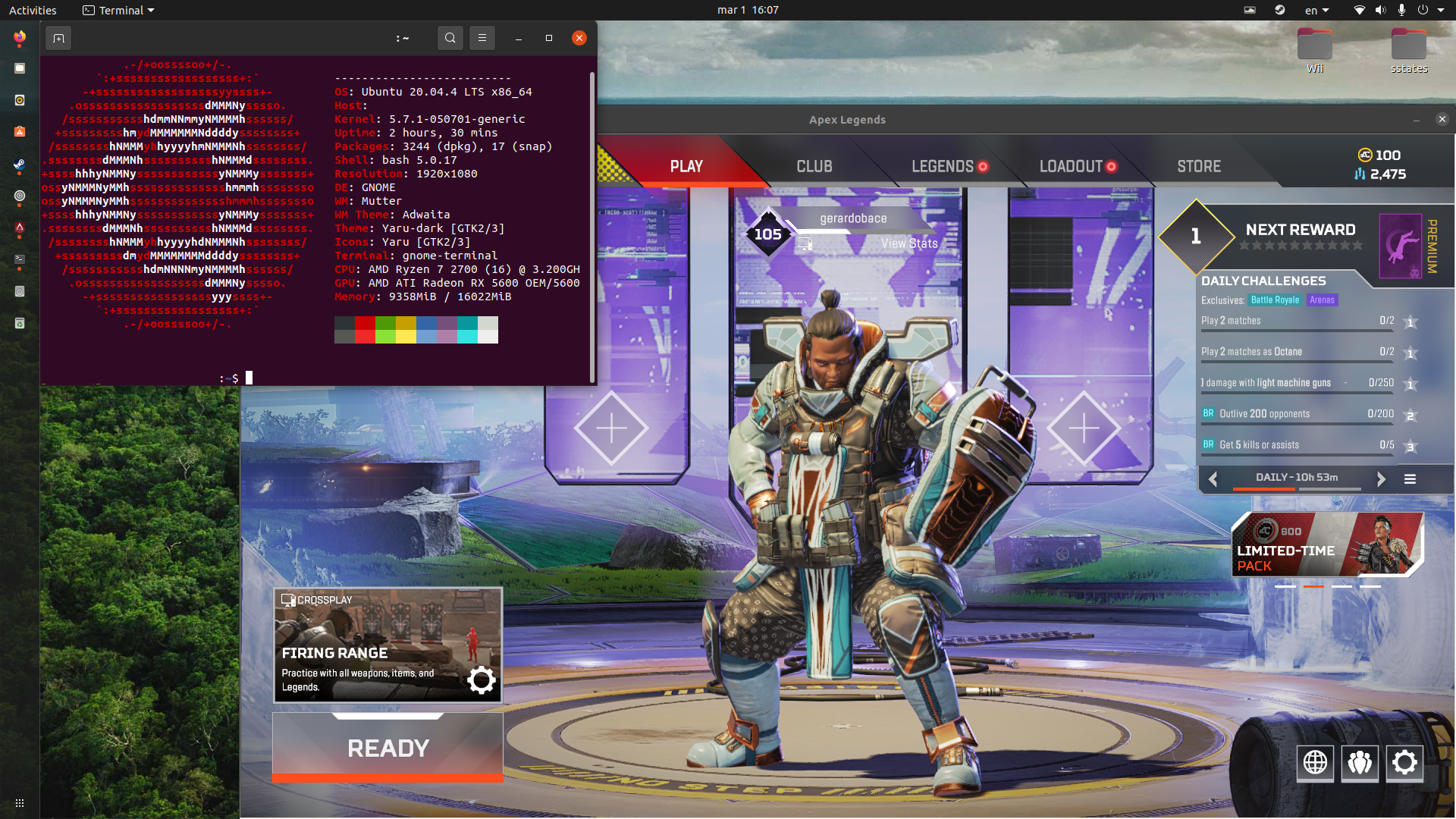
up and running
Just tested it on a shooting range map.
It works, but it's quite stuttery right now, probably needs a few optimizations.
Just tested it on a shooting range map. It works, but it's quite stuttery right now, probably needs a few optimizations.
Stutter is just shader compiling. The stutter disappears after playing a couple rounds, and will get better for everyone as Steam builds up a compiled shader cache.

Seizure land over here :smile: The worst part is that the tutorial map works absolutely fine - this only happens on the battle royale.
Proton 7 and experimental / OpenSUSE Tumbleweed / R9 380 4GB / R5 1600 / Mesa 21.3.7
adding a log
steam-1172470.zip
User Totzo seems to have the same issue with a Tonga video card in this reddit thread
https://old.reddit.com/r/linux_gaming/comments/t4ec58/respawn_has_just_merged_the_steam_deck_branch_for/hyygq26/
Bloodhound seems to cause framerate issues in the main lobby. You need to have played one match before this happens
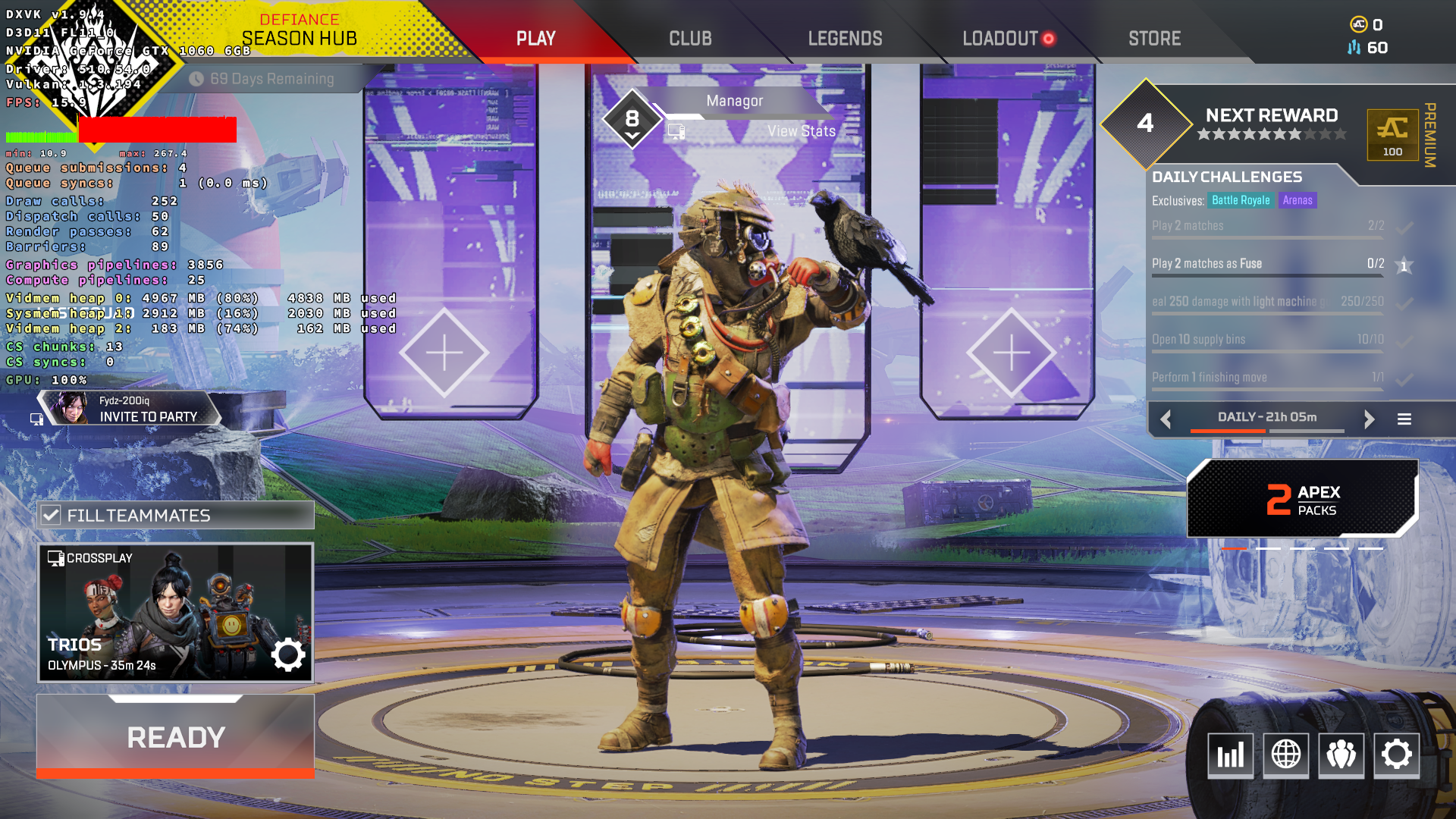
Just as FYI,
The lobby frame rate is crapped even on Windows since launch on Steam and never got fixed. The same issue does not happen when running from Origin, AFAIK.
But there is one graphics setting that when you decrease from Very High to High helps a lot. I don't remember which one though.
Anyone else having issues with voice chat? My XBOX friend and I can't hear each other.
False alarm on my part. I set my graphics details too high and forgot about them. My vram was getting capped like the image shows.
Issue with mouse focus on a dual monitor Setup.
Cannot click to join the lobby in full screen mod.
But keyboard works well.
Weird, I also have dual monitors, but had no such issue at all.
(On KDE Plasma and Wayland, BTW.)
I have dual (triple) monitor set up as well and it works fine. X11 with i3wm - no issues. Maybe it's not about monitors @flowHater, but something else...
I'm using sway(Wayland). I can confirm the issue. And the cause. No issue with the mouse when the game is on the left monitor (DP-2) but cannot work on the right one (DP-1).
In my sway config, I virtually positioned my main monitor on the right of the the second one.
output DP-2 pos 0 0 res 5120x2160 scale 2
output DP-1 pos 2560 0 res [email protected]
It seems that Apex "listen mouse for an area starting at 0x0". And as you can see, in my initial config, the main monitor start at 2560x0. So mouse input is not recorded on the correct position. I'm literally out of the screen of the game.
To confirm, I switched the position of the two monitors and it works pretty well on my main monitor.
It's a specific issue with Apex, any other game I could try works well with the initial Setup.
It seems to be linked with https://github.com/swaywm/sway/issues/4857. They are describing the same issue about monitor positioning.
So It seems to be an issue with Wine/Sway.
I got a fix. Explained in https://github.com/swaywm/sway/issues/6422#issuecomment-965366253
You have to set a primary output for xwayland.
List your xwayland outputs by just typing xrandr.
Add these lines at the top level of your sway config.
xwayland force #preload xwayland for the next line
exec xrandr --output XWAYLAND0 --primary
I confirm it works well after.
gamescope would probably also be a valid workaround. I have a triple head setup on GNOME X11 and did not have issues with mouse input, but I also didn't move the game to the left of my primary monitor.
For me, the game is crashing after a loading screen with Assertion failed: field_size, file ../src-vkd3d/libs/vkd3d-shader/hlsl.c, line 186. I'm running Flatpak Steam, Proton Experimental bleeding edge, AMD Radeon R9 270X, latest Mesa stable drivers, forced AMDGPU kernel driver, and latest stable sway as my wm
Whenever I try to run the game, I get an error in a message box during the intro cinematic:
"Engine Error
Failed to allocate a network port"
If I ignore the message, the game just hangs on the black screen before the lobby. If I click "OK" the game closes as expected.
I've tried with several versions of Proton (Experimental, 7.0-1, 6.3-8).
I haven't had much luck diagnosing this, given it's vagueness.
I don't block any ports by default, nor have I ever had this issue before (both in and out of Steam).
I haven't tried any other games through Proton as I usually dualboot into a Windows OS for any non-linux-native games.
Searching online I found only a couple of related posts;
-
one from several years ago on Windows for checking file integrity, clean rebooting, and disabling VPNs. This is a fresh install of Apex, PC is powered off daily, and I don't have any VPNs installed.
-
a second post recommending to switch the networking tools from systemd-networkd to NetworkManager. I don't use either one on my system but I tried to install and configure NetworkManager anyway just to rule it out and still ran into the same issue.
Otherwise, most posts I've found online seem to indicate the game runs fine for others on Linux and Steam Deck, so I suspect there may be a missing package/dependency on my system which I'm not seeing, and which isn't covered by Proton.
Any help or feedback is greatly appreciated!
@andynewjack the exact same thing happens to me on Windows when I have NordVPN connected before starting the game (out of curiosity).
@andynewjack the exact same thing happens to me on Windows when I have NordVPN connected before starting the game (out of curiosity).
For clarification I'm running on Linux (Gentoo).
I don't have any VPN installed on my system.
For me the EAC loading window flashes up and then disappears. I was able to get into games yesterday but seemingly a shader cache update broke that?
Log: steam-1172470.log
got the same error, any reasons why?
For me the EAC loading window flashes up and then disappears. I was able to get into games yesterday but seemingly a shader cache update broke that?
Apex Legends closes immediately after EAC splashscreen opens
Issue transferred from https://github.com/ValveSoftware/Proton/issues/5671.
@masonnl posted on 2022-03-12T18:01:42:
Compatibility Report
- Name of the game with compatibility issues: Apex Legends
- Steam AppID of the game: 1172470
System Information
- GPU: GTX 2060
- Driver/LLVM version: Nvidia Driver: 510.54 | LLVM: 13.0.1
- Kernel version: 5.15.25-1-Manjaro
- Link to full system information report as Gist: n/a
- Proton version: Experimental (Mar 11) & Proton7.0-1
I confirm:
- [x] that I haven't found an existing compatibility report for this game.
- [x] that I have checked whether there are updates for my system available.
Symptoms
EAC closes immediately after the splash screen shows. The game does not open and the process closes.
Reproduction
Without compatibility tools specified OR with Proton7.0-1 OR with Proton Experimental (Mar 11, 2022):
- (without an existing compat folder)
- Press play
- 8/8 install steps complete
- Vulkan shaders build
- EAC splash screen for Apex Legends opens
- EAC closes immediately
More info:
Proton EasyAntiCheat Runtimehas been uninstalled/reinstalled in.local/share/SteamSteam Linux Runtime - Soldierhas been uninstalled/reinstalled.local/share/Steam- The game is installed on a separate NTFS drive with the compat data for
1172470/symlinked to my.local/share/Steamsimilar to other games I have installed in the NTFS drive as encouraged in the Proton help article. Can confirm other games work fine with this symlink structure.
masonnl @masonnl.
Can confirm other games work fine with this symlink structure.
Did you get other games on this NTFS drive ?
Apex Legends closes immediately after EAC splashscreen opens
I got this issue for other games. With a NTFS drive too. Switch to a plain ext4. Fix it instantly. Can you setup the game on an other drive ? At least to confirm, It's not NTFS relevant.
@flowHater @kisak-valve I can confirm that by moving the game into my ext4 drive (from the original NTFS drive) the game opened and ran natively. I used Steam's built-in move tool: Apex Legends > Properties > Local Files > Move install folder...
Not sure if further details matter, but I will share what relevant information that I have now that the game opens and I can play a match.
- Game is installed in a steam library located in a ext4 drive
- Required dependencies like
Steam Linux Runtime - SoldierandProton EasyAntiCheat Runtimeare installed in the same library - I have not configured any forced compatibility nor specified any launch options (other than
PROTON_LOG=1 %command%to gather debug info). - Game now runs. The resolution was to move it to the ext4 drive.
a. An additional data point about this: I am more confident that this is due to the format of the drive as suggested by @flowHater because part of my troubleshooting yesterday involved ensuring that the dependencies were co-located with the game in the ntfs drive which seemingly had no effect. Once I relocated the dependencies to the ext4 drive there was still no improvement. Once I moved the game to the ext4 drive it ran.
I can also confirm that moving the game from an NTFS partition to an ext4 one has also fixed this for me. This shouldn't be necessary in my opinion, and is only a workaround.
I can also confirm that moving the game from an NTFS partition to an ext4 one has also fixed this for me. This shouldn't be necessary in my opinion, and is only a workaround.
This is due to the fact that by default NTFS does not support Linux file permissions (stack overflow says that you can make it work but only if you don't want windows compatibility). You can follow this guide but it's also just a workaround. Might as well use a Linux file system and avoid any potential problems.
If you need to share the Filesystem with a windows installation: I've been successfully using WinBtrfs to access Linux btrfs partitions from windows for years now. Seems to work a lot better than accessing ntfs from Linux.
You can follow this guide but it's also just a workaround
The issue is I have followed that guide and have no issues with other games on proton off this drive.
oh boi what mess did I get myself into.
As I heard, apex now works on linux. I was excited to try it out, and after I installed it and just clicked play, with proton 7.0.3, it ran perfectly. I was able to run it in gamescope with upscaling from 720p to 1080p. I enjoyed the game up until about 15 hours in, over the span of 3 days. Then the problems began. At the moment I was using these launch options: gamescope -h 720 -H 1080 -U -f -- %command%. They're important later.
Launching the game as usual results in EAC loading bar flashing for a couple of frames and then nothing. No game window every appears. However, I can see that the game has a process. Here's a video example:
At that point I started trying out different variants of what could go wrong. I tried running without gamescope. With and without mangohud. I also tried deleting proton prefix for the game (many times), I tried different proton versions (6.3, 7.1-GE, 7.9-GE). And of course I did obvious ones like verifying game files, and reinstalling the whole game. No changes whatsoever, except if I run the game with proton 6.3 it will launch and display start up animation with the EA logo, but get stuck at this loading splash screen:
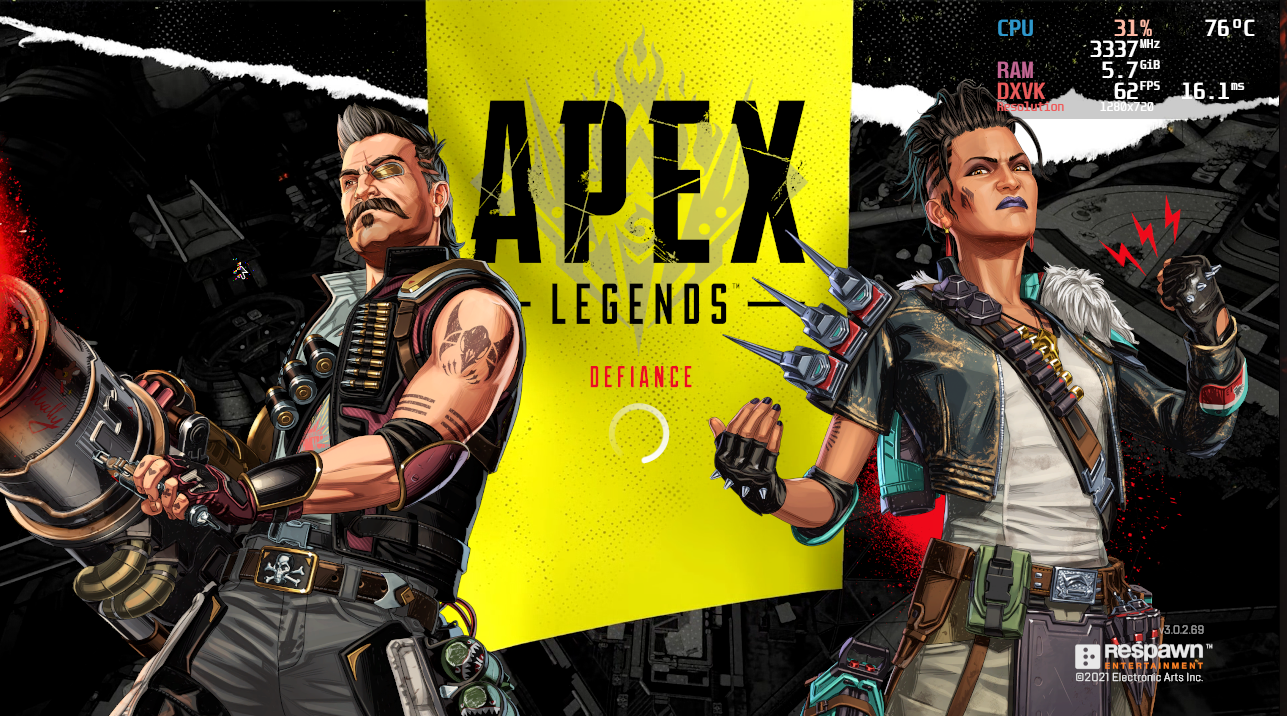
I suppose that was because 6.3 doesn't support EAC, or something.
But, today I discovered a new bit of behavior. While gamescope documentation tells me to put launch options like this: gamescope <options> -- %command%, if I remove the --, i.e. gamescope <options> %command% it now crashes almost instantly, right after the EAC loading bar, instead of hanging around in the background. But that same launch option works fine for other games so I don't know if this is intended behavior on gamescope's part, probably yes.
At that point I became curios, and tried out this combination: gamescope mangohud %command% as launch options, mostly thinking perhaps that's how the steam deck launches it? Here's what happened:
It launches just fine, but completely ignores the fact that my mouse exists. So I still can't play the game.
This is about where I stand right now, I don't know what to do anymore, so I'm just going to attach my neofetch and some PROTON_LOG=1 files. Hopefully my write up will help someone diagnose the problem, I would really like to play more.
P.S. All troubleshooting steps were repeated on both Wayland and Xorg. Steam is installed as a flatpak, though that doesn't matter since rpm steam didn't change anything at all.
             .',;::::;,'.                vega@dart
         .';:cccccccccccc:;,.            ---------
      .;cccccccccccccccccccccc;.         OS: Fedora Linux 35.20220311.0 (Silverblue) x86_64
    .:cccccccccccccccccccccccccc:.       Host: Notebook NS50MU
  .;ccccccccccccc;.:dddl:.;ccccccc;.     Kernel: 5.16.12-200.fc35.x86_64
 .:ccccccccccccc;OWMKOOXMWd;ccccccc:.    Uptime: 55 mins
.:ccccccccccccc;KMMc;cc;xMMc;ccccccc:.   Packages: 1441 (rpm), 128 (flatpak)
,cccccccccccccc;MMM.;cc;;WW:;cccccccc,   Shell: fish 3.3.1
:cccccccccccccc;MMM.;cccccccccccccccc:   Resolution: 1920x1080
:ccccccc;oxOOOo;MMM0OOk.;cccccccccccc:   DE: GNOME 41.4 (Wayland)
cccccc;0MMKxdd:;MMMkddc.;cccccccccccc;   Theme: Adwaita-dark [GTK2/3]
ccccc;XM0';cccc;MMM.;cccccccccccccccc'   Icons: Adwaita [GTK2/3]
ccccc;MMo;ccccc;MMW.;ccccccccccccccc;    Terminal: gnome-terminal
ccccc;0MNc.ccc.xMMd;ccccccccccccccc;     CPU: 11th Gen Intel i7-1165G7 (8) @ 4.700GHz
cccccc;dNMWXXXWM0:;cccccccccccccc:,      GPU: Intel TigerLake-LP GT2 [Iris Xe Graphics]
cccccccc;.:odl:.;cccccccccccccc:,.       Memory: 6949MiB / 31889MiB
:cccccccccccccccccccccccccccc:'.
.:cccccccccccccccccccccc:;,..
  '::cccccccccccccc::;,.
steam-PROTON_LOG=1 gamescope mangohud %command%.log
steam-PROTON_LOG=1 gamescope %command%.log
steam-PROTON_LOG=1 %command%.log
steam-PROTON_LOG=1 mangohud %command%.log
steam-PROTON_LOG=1 gamescope -- %command%.log
@vega-d is your game installed on an NTFS drive, as that's caused similar issues for others in this thread.
@vega-d is your game installed on an NTFS drive, as that's caused similar issues for others in this thread.
no, my game is installed into my /home btrfs partition
A little update to my post.
Today I launched it with Proton 7.0.1 and no launch options. It does spawn a window, but it's full screen and is absolute black with no sound or reaction to anything.
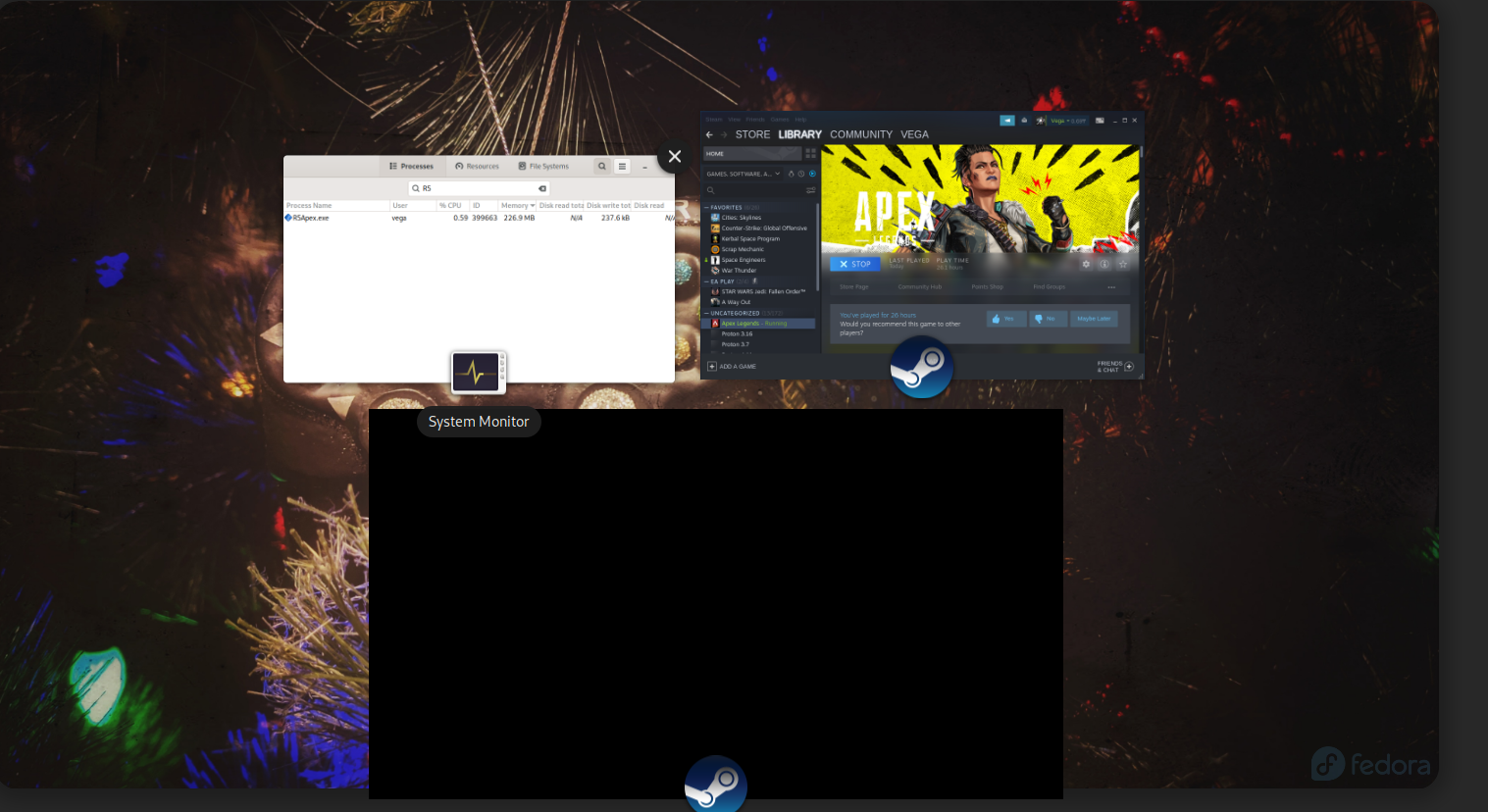
Have you deactivated Steam Overlay in the settings of the library entry for the game?
Have you deactivated Steam Overlay in the settings of the library entry for the game?
Just did and it works??? I am very confused since I did try this yesterday (proton 7, no launch options, overlay off) and it did not work.
Latest update has broken EAC support: https://steamdb.info/patchnotes/8312665/
Since it's a verified game, that is an issue
I can confirm. I got kicked once in the lobby.
Apex Legends.zip
This is the files that got removed by the last update. Idon't know if it helps, just unzip it into the apex folder
do we have any reason why it was removed? being a verified title seems contra-productive to brake compatibility now
just unzip it into the apex folder
I just asked a friend who haven't updated yet to send me the missing file, easyanticheat_x64.so, and I put it into the Apex Legends folder and I can confirm it doesn't kick me out if I try to join the firing range.
Here are proofs, pay attention to the clock on top.
I put the file in:
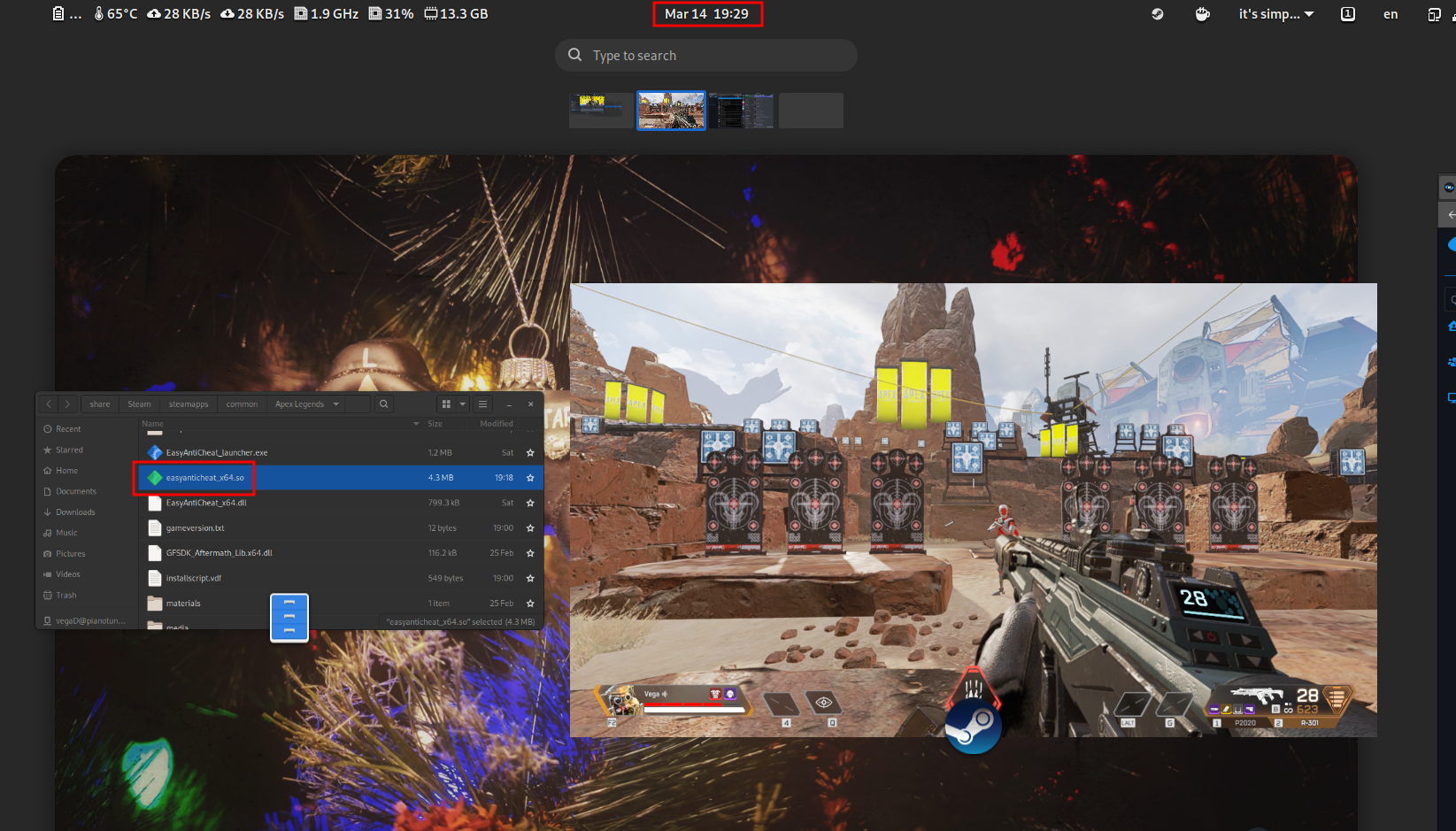
I rename the file and restart the game:
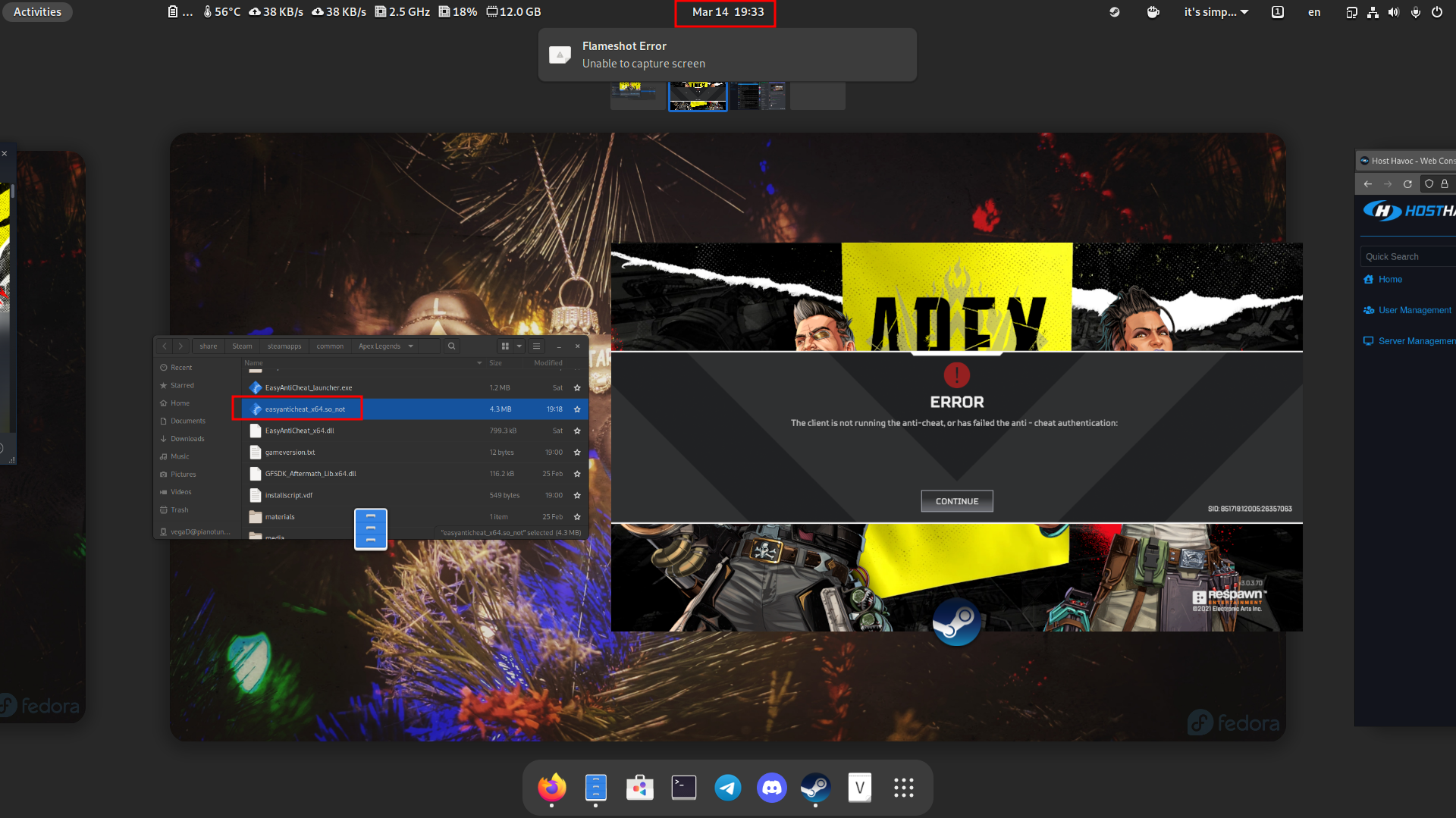
easyanticheat_x64.so.gz
Drop it into /Steam/steamapps/common/Apex Legends
Edit: Removed, they added it back
Drop it into /Steam/steamapps/common/Apex Legends
This is risking a ban. I suggest no one follow Tibladar's advice, as it is horrible.
@kisak-valve, if this change was deliberate and is not remedied by Respawn/EA, then Apex Legends needs to be removed from the Steam Deck Verified list, or have its status changed to unplayable or whatever.
This is risking a ban. I suggest no one follow Tibladar's advice, as it is horrible.
If they wanted to stop supporting Linux they would disable EAC support server-side. Thus currently it's only a missing file
I used the new tweak, but after around 2 minutes I got kicked from the server. So I think even with this file, since it won't matches the server's version, you are going to get kicked all around!
Kicked or server shutdown? For me it works for 5 rounds now
The servers currently have problems right now
Server shutdown, hooooooo thank you!
This is risking a ban. I suggest no one follow Tibladar's advice, as it is horrible.
surprisingly, it was good advice XD
respawn added that same file back. I wonder how such a mishap got into production branch.
they most likely pushed a branch that did not contain the shared object without knowing so
Apex Legends crashing Steam on Wayland (Manjaro)
Issue transferred from https://github.com/ValveSoftware/Proton/issues/5682.
@PC-Heini posted on 2022-03-15T09:13:30:
Compatibility Report
- Name of the game with compatibility issues: Apex Legends
- Steam AppID of the game: 1172470
System Information
- GPU: Nvidia T600
- Driver/LLVM version: Nvidia 510.54
- Kernel version: 5.16
- Link to full system information report as Gist: System summary
- Proton version: Experimental
I confirm:
- [ ] that I haven't found an existing compatibility report for this game.
- [x] that I have checked whether there are updates for my system available.
Symptoms
On x11 everything is fine but when I run wayland the game crashes every few minutes and often kills steam while crashing. Running Steam in a terminal got me this: Steam Terminal output after game has crashed
Steam will never upload these dumps for some reason. Two of the .dmp files:
assert dmp.zip
Wayland on Manjaro is still fairly wonky, especially on Nvidia GPUs but maybe Proton has a part in this.
Reproduction
Login on a wayland session on Manjaro, start Apex Legends and play for a few minutes.
Games Crashes At Launch - Failed to allocate a network port
Issue transferred from https://github.com/ValveSoftware/Proton/issues/5683.
@etoven posted on 2022-03-15T21:54:36:
Compatibility Report
- Name of the game with compatibility issues: Apex Legends
- Steam AppID of the game: 1172470
System Information
Computer Information:
    Manufacturer:  MSI
    Model:  970A-G46 (MS-7693)
    Form Factor: Desktop
    No Touch Input Detected

Processor Information:
    CPU Vendor:  AuthenticAMD
    CPU Brand:  AMD FX(tm)-4130 Quad-Core Processor
    CPU Family:  0x15
    CPU Model:  0x1
    CPU Stepping:  0x2
    CPU Type:  0x0
    Speed:  3800 Mhz
    4 logical processors
    4 physical processors
    HyperThreading:  Unsupported
    FCMOV:  Supported
    SSE2:  Supported
    SSE3:  Supported
    SSSE3:  Supported
    SSE4a:  Supported
    SSE41:  Supported
    SSE42:  Supported
    AES:  Supported
    AVX:  Supported
    AVX2:  Unsupported
    AVX512F:  Unsupported
    AVX512PF:  Unsupported
    AVX512ER:  Unsupported
    AVX512CD:  Unsupported
    AVX512VNNI:  Unsupported
    SHA:  Unsupported
    CMPXCHG16B:  Supported
    LAHF/SAHF:  Supported
    PrefetchW:  Unsupported

Operating System Version:
    KDE neon User - 5.24 (64 bit)
    Kernel Name:  Linux
    Kernel Version:  5.16.0-14.1-liquorix-amd64
    X Server Vendor:  The X.Org Foundation
    X Server Release:  12013000
    X Window Manager:  KWin
    Steam Runtime Version:  steam-runtime_0.20220119.0

Video Card:
    Driver:  NVIDIA Corporation NVIDIA GeForce GTX 1060 3GB/PCIe/SSE2
    Driver Version:  4.6.0 NVIDIA 510.54
    OpenGL Version: 4.6
    Desktop Color Depth: 24 bits per pixel
    Monitor Refresh Rate: 60 Hz
    VendorID:  0x10de
    DeviceID:  0x1c02
    Revision Not Detected
    Number of Monitors:  3
    Number of Logical Video Cards:  1
    Primary Display Resolution:  1920 x 1080
    Desktop Resolution: 5760 x 1080
    Primary Display Size: 27.48" x 15.47" (31.54" diag)
                                            69.8cm x 39.3cm (80.1cm diag)
    Primary Bus: PCI Express 16x
    Primary VRAM: 3072 MB
    Supported MSAA Modes:  2x 4x 8x 16x

Sound card:
    Audio device: %s1

Memory:
    RAM:  16025 MB

VR Hardware:
    VR Headset: None detected

Miscellaneous:
  Computer Information:
    Manufacturer:  MSI
    Model:  970A-G46 (MS-7693)
    Form Factor: Desktop
    No Touch Input Detected

Processor Information:
    CPU Vendor:  AuthenticAMD
    CPU Brand:  AMD FX(tm)-4130 Quad-Core Processor
    CPU Family:  0x15
    CPU Model:  0x1
    CPU Stepping:  0x2
    CPU Type:  0x0
    Speed:  3800 Mhz
    4 logical processors
    4 physical processors
    HyperThreading:  Unsupported
    FCMOV:  Supported
    SSE2:  Supported
    SSE3:  Supported
    SSSE3:  Supported
    SSE4a:  Supported
    SSE41:  Supported
    SSE42:  Supported
    AES:  Supported
    AVX:  Supported
    AVX2:  Unsupported
    AVX512F:  Unsupported
    AVX512PF:  Unsupported
    AVX512ER:  Unsupported
    AVX512CD:  Unsupported
    AVX512VNNI:  Unsupported
    SHA:  Unsupported
    CMPXCHG16B:  Supported
    LAHF/SAHF:  Supported
    PrefetchW:  Unsupported

Operating System Version:
    KDE neon User - 5.24 (64 bit)
    Kernel Name:  Linux
    Kernel Version:  5.16.0-14.1-liquorix-amd64
    X Server Vendor:  The X.Org Foundation
    X Server Release:  12013000
    X Window Manager:  KWin
    Steam Runtime Version:  steam-runtime_0.20220119.0

Video Card:
    Driver:  NVIDIA Corporation NVIDIA GeForce GTX 1060 3GB/PCIe/SSE2
    Driver Version:  4.6.0 NVIDIA 510.54
    OpenGL Version: 4.6
    Desktop Color Depth: 24 bits per pixel
    Monitor Refresh Rate: 60 Hz
    VendorID:  0x10de
    DeviceID:  0x1c02
    Revision Not Detected
    Number of Monitors:  3
    Number of Logical Video Cards:  1
    Primary Display Resolution:  1920 x 1080
    Desktop Resolution: 5760 x 1080
    Primary Display Size: 27.48" x 15.47" (31.54" diag)
                                            69.8cm x 39.3cm (80.1cm diag)
    Primary Bus: PCI Express 16x
    Primary VRAM: 3072 MB
    Supported MSAA Modes:  2x 4x 8x 16x

Sound card:
    Audio device: %s1

Memory:
    RAM:  16025 MB

VR Hardware:
    VR Headset: None detected

Miscellaneous:
    UI Language:  English
    LANG:  en_US.UTF-8
    Total Hard Disk Space Available:  1876768 MB
    Largest Free Hard Disk Block:  118969 MB

Storage:
    Number of SSDs: 0
    Number of HDDs: 0
I confirm:
- [X ] that I haven't found an existing compatibility report for this game.
- [X ] that I have checked whether there are updates for my system available.
Symptoms
Launching game - Crashes EAC. Have applied latest patched and checked for EAC.so files.
Could liquorix be the issue?
Tried both steam provided. and alternate .so files that someone said to try.
Reproduction
Launch Game
Expected Result
Game is expected to function
Attached:
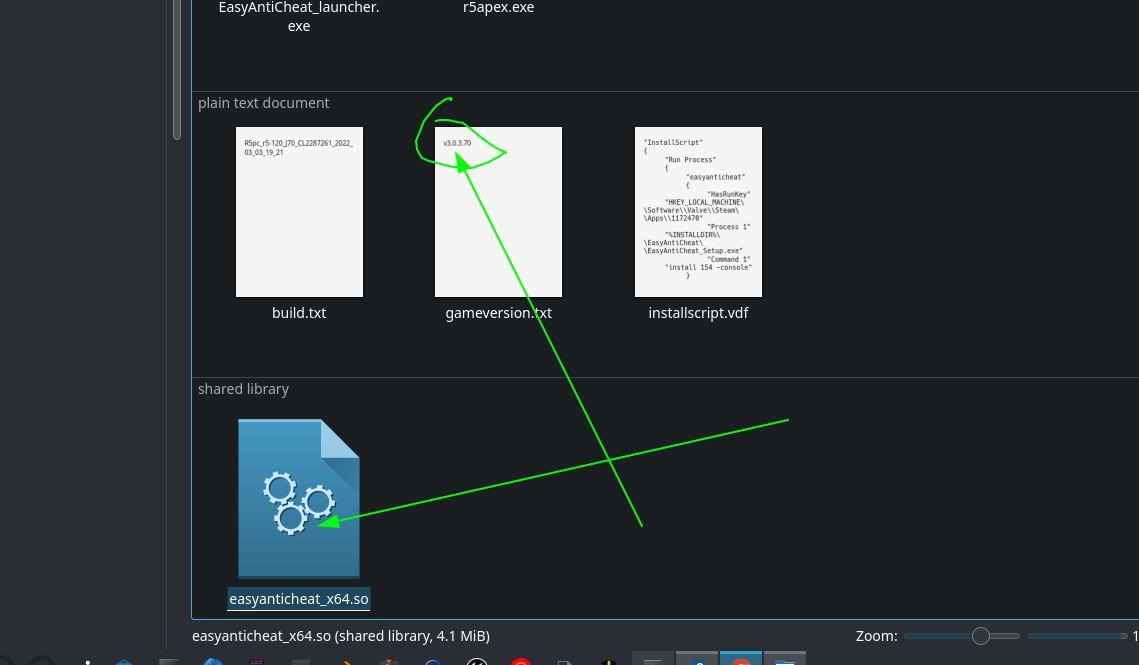
steam-1172470.log
https://user-images.githubusercontent.com/8019624/158478893-53dee7da-9503-44b1-af67-6d2eada473a8.mp4
Just did and it works??? I am very confused since I did try this yesterday (proton 7, no launch options, overlay off) and it did not work.
It just dawned on me. After a reboot Apex stopped working again. With the same symptoms as before. I found the wild card I was missing!
I got it to launch this way:
- Launch the game, it fails to launch (no window spawned, see my original post)
- Close the game in the task manager
- CLOSE THE LAPTOP, so it goes to sleep
- OPEN IT,
- And then launch the game.
Now it works fine! I have no idea why putting my laptop to sleep fixes that one exact game but I find it very confusing and hilarious!
Mouse tracking strange oddities for Apex Legends
Issue transferred from https://github.com/ValveSoftware/Proton/issues/5689.
@Scout339 posted on 2022-03-16T22:16:54:
Compatibility Report
- Apex Legends
- 1172470
System Information
- GPU: AMD RX5700 (Gigabyte Windforce)
- CPU: AMD Ryzen 5 2600
- Driver: Out of box proprietary, most up to date with AMD Proprietary drivers
- Kernel version: latest stable from Manjaro [KDE 21.2.4]
- Proton version: Experimental
I confirm:
- [x] that I haven't found an existing compatibility report for this game.
- [x] that I have checked whether there are updates for my system available.
Symptoms
When aiming down sights, mouse tracking is slowed down at times. Specifically when doing fine movements upper-right. May also happen when not ADSing, but I haven't noticed it yet. Confirmed it's not my mouse as it doesn't do this on my windows partition.
Reproduction
Easily recreated by ADS ingame and doing circles of varying intensity/speed.
Compatibility Report
- Apex Legends
- 1172470
System Information
- GPU: RX 560
- Driver/LLVM version: mesa-21.3.7-2
- Kernel version: 5.15.28-1-lts
- Link to full system information report as Gist:
- Proton version: Experimental, Experimental bleeding-edge, 7.0-1, 6.3-8
I confirm:
- [x] that I have checked whether there are updates for my system available.
Symptoms
Game exits immediately after EAC loading screen.
Have you deactivated Steam Overlay?
Have you deactivated Steam Overlay?
Yes, Steam Overlay is deactivated.
Same here. No help.
Where is located your game files ? Can you confirm other non native game can run with proton ?
Other proton games run just fine and also looked at other issues such as
the filesystem issue. Not running on a NTFS. It's definitely a game or
proton issue. Tried proton experimental, and 7.1 and some GE builds as well
from newer proton.
On Wed, Mar 23, 2022 at 8:17 PM Pierrick Martin @.***>
wrote:
Where is located your game files ? Can you confirm other non native game
can run with proton ?—
Reply to this email directly, view it on GitHub
https://github.com/ValveSoftware/Proton/issues/4350#issuecomment-1076941711,
or unsubscribe
https://github.com/notifications/unsubscribe-auth/AB5F5KDU2A4ERFA23IWEMVDVBOYC7ANCNFSM4TK6DEDA
.
You are receiving this because you were mentioned.Message ID:
@.***>
--
Erich Toven
AS, BS, Security+, CIW, CIW WFA
BTW, the log trace was attached on my report and a full screen recording. Just FYI.
On Thu, Mar 24, 2022 at 7:04 AM Erich Toven @.***> wrote:
Other proton games run just fine and also looked at other issues such as
the filesystem issue. Not running on a NTFS. It's definitely a game or
proton issue. Trued proton experimental, and 7.1 and some GE builds as well
from newer proton.On Wed, Mar 23, 2022 at 8:17 PM Pierrick Martin @.***>
wrote:Where is located your game files ? Can you confirm other non native game
can run with proton ?—
Reply to this email directly, view it on GitHub
https://github.com/ValveSoftware/Proton/issues/4350#issuecomment-1076941711,
or unsubscribe
https://github.com/notifications/unsubscribe-auth/AB5F5KDU2A4ERFA23IWEMVDVBOYC7ANCNFSM4TK6DEDA
.
You are receiving this because you were mentioned.Message ID:
@.***>--
Erich Toven
AS, BS, Security+, CIW, CIW WFA
--
Erich Toven
AS, BS, Security+, CIW, CIW WFA
@serhanekicii I see you are using the amdvlk vulkan drivers. Would you be willing to try the mesa radv drivers?
Where is located your game files ? Can you confirm other non native game can run with proton ?
I confirm other non-native games can run with Proton. Game files are on the default path in my LUKS encrypted root partition.
@serhanekicii I see you are using the
amdvlkvulkan drivers. Would you be willing to try themesaradvdrivers?
Switched to mesa drivers, the issue persists. System Information Gist
Switched to mesa drivers, the issue persists.
Yeah, but you can hope for better performances when it'll work. 😆
Sorry, no idea of what's going on for you and @etoven
Well to be fair we did have completely different issues, also I should note both issues seem to be still quite previlent a google search will confirm.
Could a custom kernal create a issue with EAC? I'm running liqerish
NtRaiseException error in Proton log and my host being non-systemd distro (Arch Linux with runit, Artix) made me suspect this is network related problem. I also came across a Reddit post titled Can't launch apex? don't use systemd-networkd which I think relative with this issue.
NtRaiseExceptionerror in Proton log and my host being non-systemd distro (Arch Linux with runit, Artix) made me suspect this is network related problem. I also came across a Reddit post titled Can't launch apex? don't use systemd-networkd which I think relative with this issue.
I think I might be using networkd I'll give my issue a try. Thanks
Another thing to try if you have a DE that supports it would be to try to switch between either X11 and Wayland to see if any of them behave any differently
Lol, Wayland bearly loads my desktop to say nothing of steam. Can't help
you there.
On Fri, Mar 25, 2022, 6:45 AM Blisto91 @.***> wrote:
Another thing to try if you have a DE that supports it would be to try to
switch between either X11 and Wayland to see if any of them behave any
differently—
Reply to this email directly, view it on GitHub
https://github.com/ValveSoftware/Proton/issues/4350#issuecomment-1078894192,
or unsubscribe
https://github.com/notifications/unsubscribe-auth/AB5F5KGWRFA5OYLVTF6SRCDVBWKL7ANCNFSM4TK6DEDA
.
You are receiving this because you were mentioned.Message ID:
@.***>
I think I might be using networkd I'll give my issue a try. Thanks
I was affected by this issue too, but changing from systemd-networkd did not resolve it. I found however that I had disabled ipv6 via some kernel parameters (ipv6.disable=1), and removing it was the fix.
Hi!
My game, fully updated, crashes whenever I add a command prefix. If said prefix is anything else than gamemoderun, the game won't run (I've tried with mangohud and gamescope and they only work if they're together with gamemoderun.
My system specs:
[System]
OS:              Arch Linux rolling n/a
Arch:            x86_64
Kernel:          5.17.3-arch1-1
Desktop:         GNOME
Display Server:  wayland

[CPU]
Vendor:          AuthenticAMD
Model:           AMD Ryzen 5 5600X 6-Core Processor
Physical cores:  6
Logical cores:   12

[Memory]
RAM:             31.3 GB
Swap:            8.0 GB

[Graphics]
Vendor:          AMD
OpenGL Renderer: AMD Radeon RX 5500 XT (navi14, LLVM 13.0.1, DRM 3.44, 5.17.3-arch1-1)
OpenGL Version:  4.6 (Compatibility Profile) Mesa 22.0.1
OpenGL Core:     4.6 (Core Profile) Mesa 22.0.1
OpenGL ES:       OpenGL ES 3.2 Mesa 22.0.1
Vulkan:          Supported
EDIT: DXVK_ASYNC=1 removed from my command prefixes. Logs updated.
Working command prefix:
XKB_DEFAULT_LAYOUT=latam gamescope -H 1440 -r 240 -f -e -U -- gamemoderun %command%
Logs with gamemoderun activated: https://gist.github.com/pmartiner/143294174ca4c29a23ba6d4320856214
Non-working command prefix:
XKB_DEFAULT_LAYOUT=latam gamescope -H 1440 -r 240 -f -e -U -- %command%
Logs without gamemoderun activated: https://gist.github.com/pmartiner/74aad757c2aa4f053ca174f30b021f27
The same issue happens to me with Fall Guys, so this leads me to believe it has something to do with the EAC Proton Runtime
@pmartiner i haven't had time to look at your logs fully yet, but you should be able to drop the DXVK_ASYNC=1 as it doesn't do anything in standard dxvk.
Unless you've actually added dxvk async to standard proton ofc 😁
@pmartiner, @Blisto91 is in fact correct. A look at your logs shows you're using Proton Experimental. There is no DXVK_ASYNC in any of the DXVK builds shipped by Valve, this includes experimental. DXVK_ASYNC=1 does literally nothing whatsoever for you, for it to even be activated requires a build of DXVK that is patched to add support for it. Only community builds of Proton such as Proton-GE have DXVK_ASYNC support. Proton-TKG also has it as an option, but idk if TKG enables it in the prebuilt tarball releases (Proton-TKG is more designed for you to compile yourself using the easy config options he provides).
Whoops! I added it a couple of hours ago out of ignorance. My bad! 😅
The issue still persists. I'll edit my logs just in case. Thanks for the heads up @gardotd426 and @Blisto91!
Weird, I noticed that whenever I log the game and it crashes, my text editor tries to read some weird Unicode characters (my text editor reads them as the read squares shown in the image below. In order to paste the logs into my gist, I had to manually remove them from my .log file).
Here's an example:
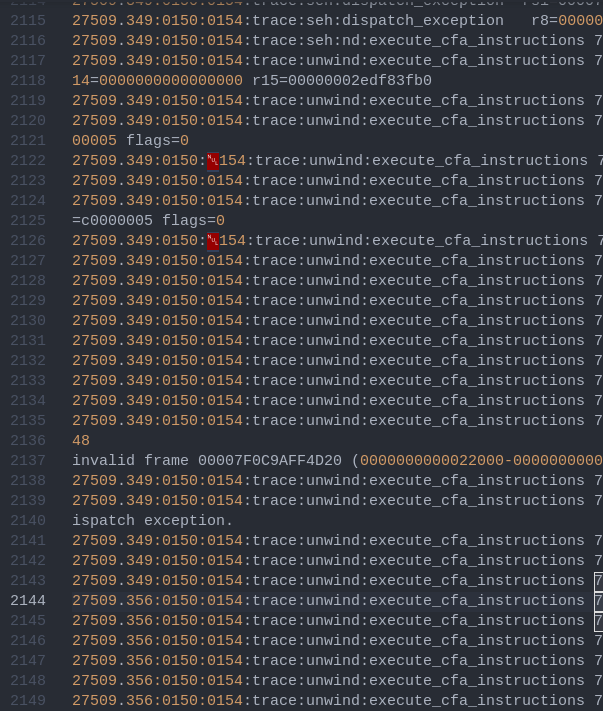
Oddly enough this does not happen when the game runs with gamemoderun. I don't know if I'm reading to much into it, but perhaps it has something to do with the game crashing?
@pmartiner Is it only gamemoderun that makes it work fine?
This when it crashes this makes it sounds like some code is trying to make a string out of a null pointer (from quick googling)
terminate called after throwing an instance of 'std::logic_error'
  what():  basic_string::_S_construct null not valid
You could try to tweak the gamemode daemon settings to see if it has any effect and makes it crash again.
Tho it does sound weird that it's gamemode itself that makes it work.
@Blisto91 yeah. My game will only with my command prefixes (mangohud and/or gamescope) if I have gamemoderun activated :/.
Thanks to this workaround I can play it, but I find it reaaaally weird that that's the only way I can add command prefixes (the game works great without any prefix btw).
I'm going to tweak my daemon settings and I'll let you know if I find something. Maybe that can provide more insight about this issue
Proton 7 and experimental / OpenSUSE Tumbleweed / R9 380 4GB / R5 1600 / Mesa 21.3.7
Are you able to reproduce with RADV_DEBUG=nohiz?
Replying to https://github.com/ValveSoftware/Proton/issues/4350#issuecomment-1105120439
Currently I don't have the game installed, however this particular issue can be avoided by zeroing out the VRAM. From Mesa gitlab I can see you are already familiar with such issues on Tonga cards, I'm actually the one who originally reported the BeamNG issue on Proton github. If you are willing to look into issues with Tonga cards, I'd love to help. The last time I tried Apex, there was another issue with the game, where after fixing the first issue with zerovram, I finally could see the map, and the map was basically transparent in many areas, with the ground and building walls being see-though. Launching a game a couple times made more "walls" and ground appear, perhaps it's shader compilation related?
Just tested nohiz and it did not fix the issue, while zerovram does. Anyways, this is what you get with Tonga:
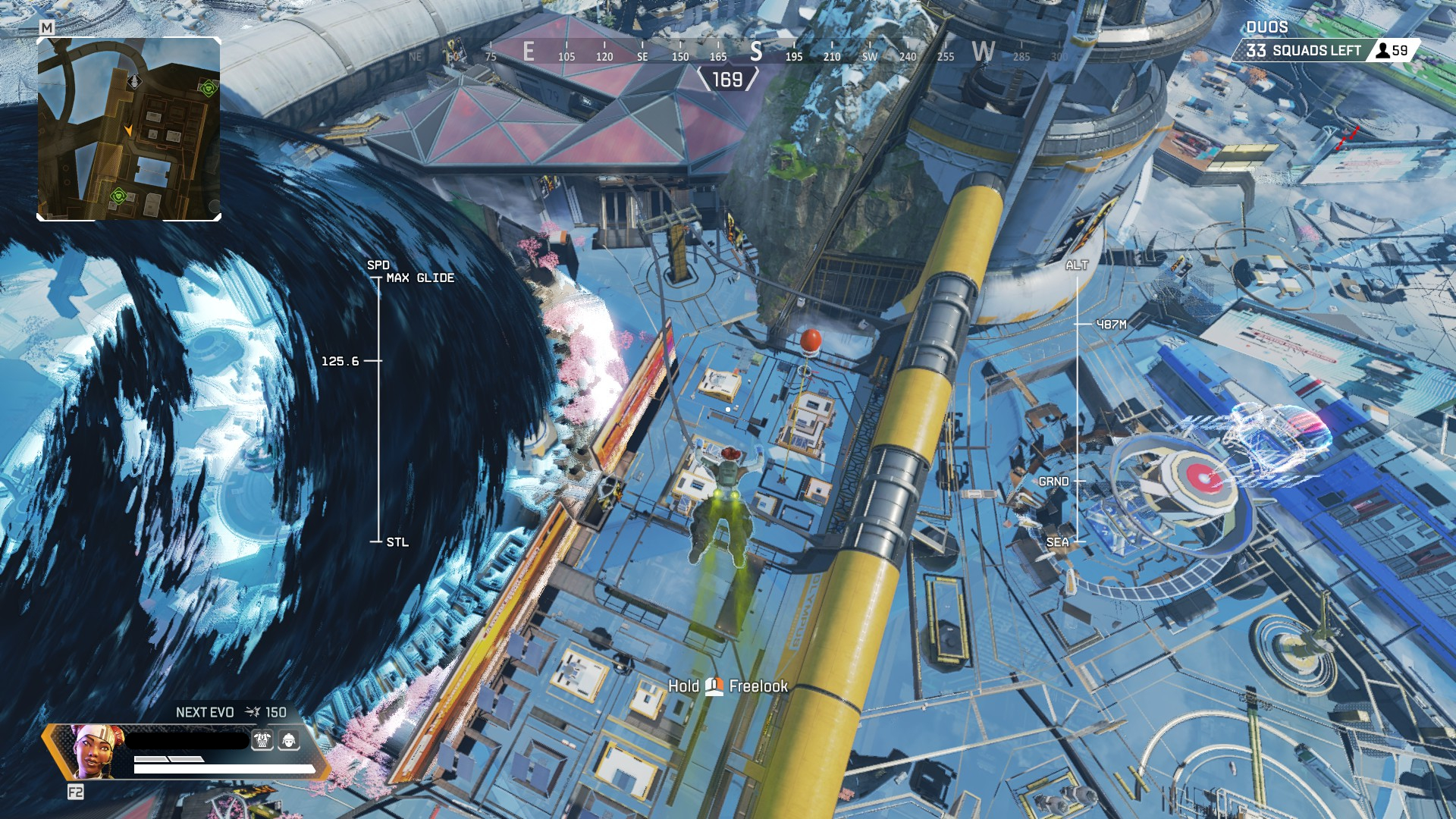
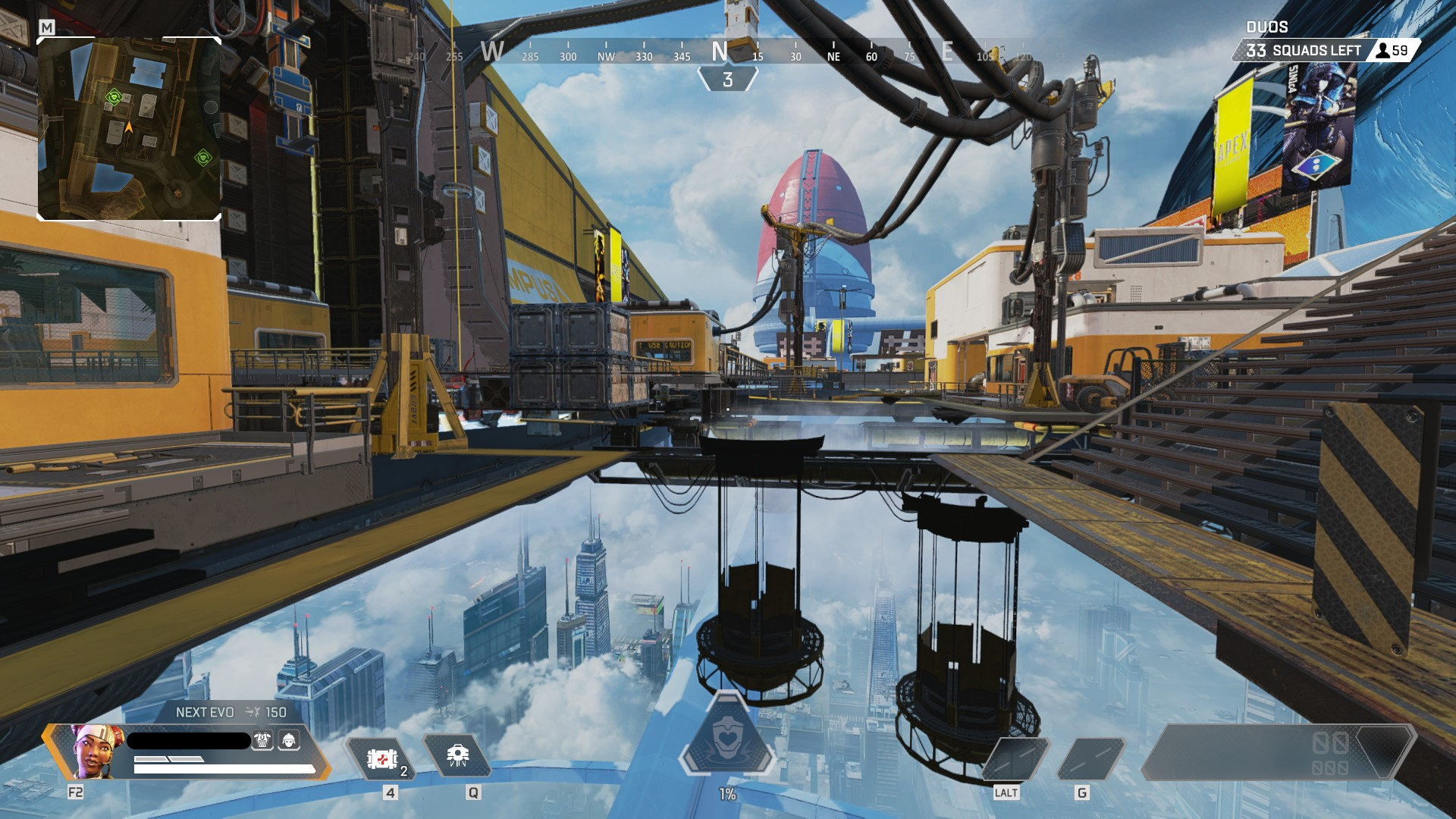
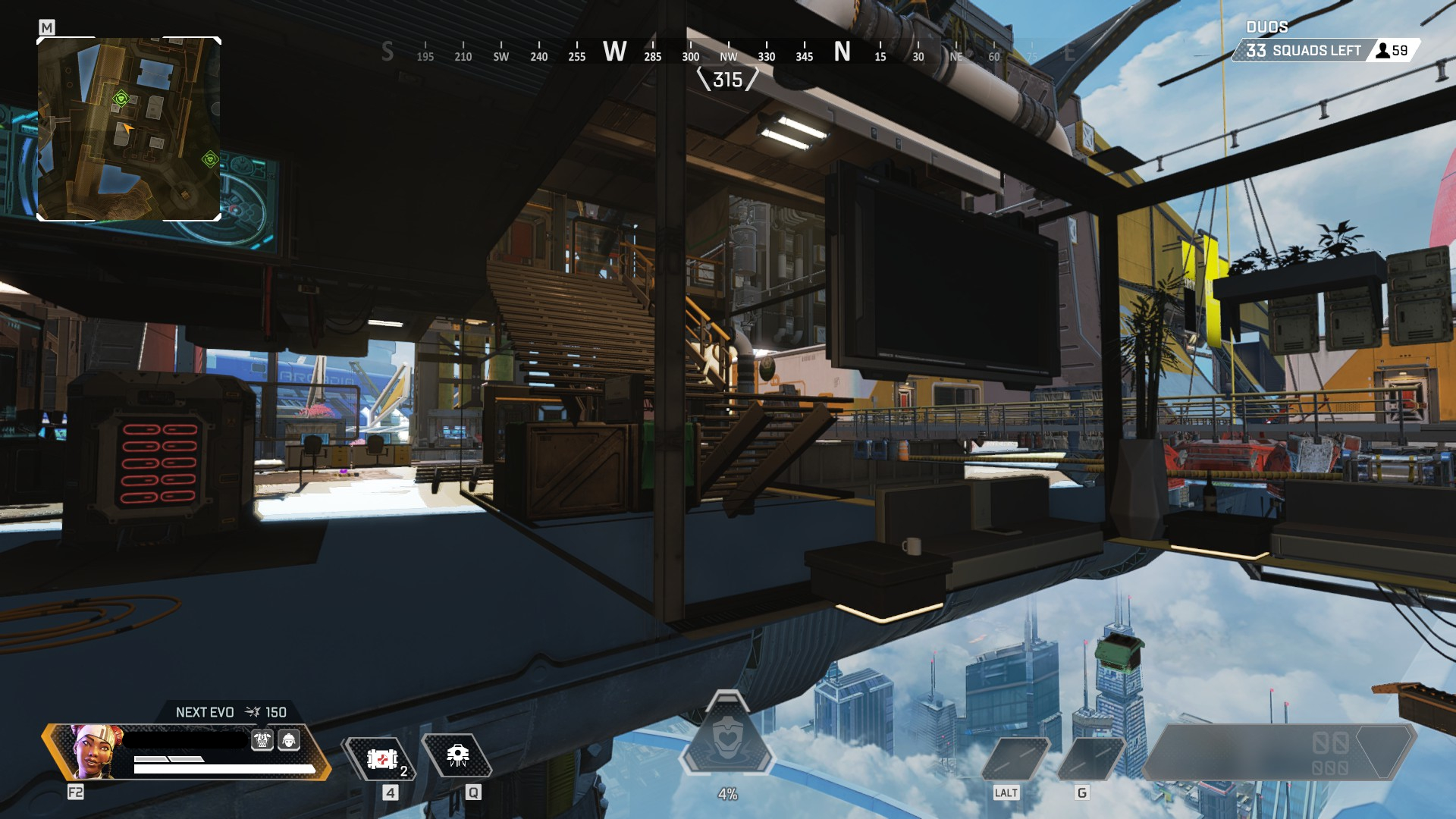
You could try to make a mesa issue.
I also have a r9 380 and have an issue in Lego Star wars Skywalker that didn't seem to affect a new amd GPU. Made a issue about it. But will see if anything comes of it.
There RADV_DEBUG=nocompute helps it.
You could try to make a mesa issue. I also have a r9 380 and have an issue in Lego Star wars Skywalker that didn't seem to affect a new amd GPU. Made a issue about it. But will see if anything comes of it. There
RADV_DEBUG=nocomputehelps it.
Could you try Apex too? Would love to know if it's just me.
Will try to find some time this weekend.
Is it all or only specific battle royale maps? And all settings?
Will try to find some time this weekend. Is it all or only specific battle royale maps? And all settings?
the training map works fine, but just try going into trios or duos and it will show up. Any settings. Should take around 5-10 minutes, minus the time to download and install the game.
Actually nocompute fixed it. Can't believe it. Though performance in-game feels lower than what a R9 380 should put out on low settings... Will try combining it with other debug options to see if it helps...
I will check Lego Star wars with zerovram and see if anything is different. Then update my mesa issue. Might be the same cause.
Edit: This is the issue https://gitlab.freedesktop.org/mesa/mesa/-/issues/6334
zerovram did not seem to fix the issue in Lego Star wars.
Tho I'll also refer to your problem here in the issue since it still might be the same.
I think I might be using networkd I'll give my issue a try. Thanks
I was affected by this issue too, but changing from systemd-networkd did not resolve it. I found however that I had disabled ipv6 via some kernel parameters (ipv6.disable=1), and removing it was the fix.
Omg thank you. I tried other solutions like I mentioned above but none of them worked.
I keep ipv6 disabled when I build my kernel since I don't use it (might not even be supported on my router tbh...). Now after enabling it and rebuilding I can finally launch apex and get into games!
I ran into some heavy stuttering as mentioned earlier in the thread but I'll try playing a few games and seeing if it's just a shader/caching thing that needs time to build.
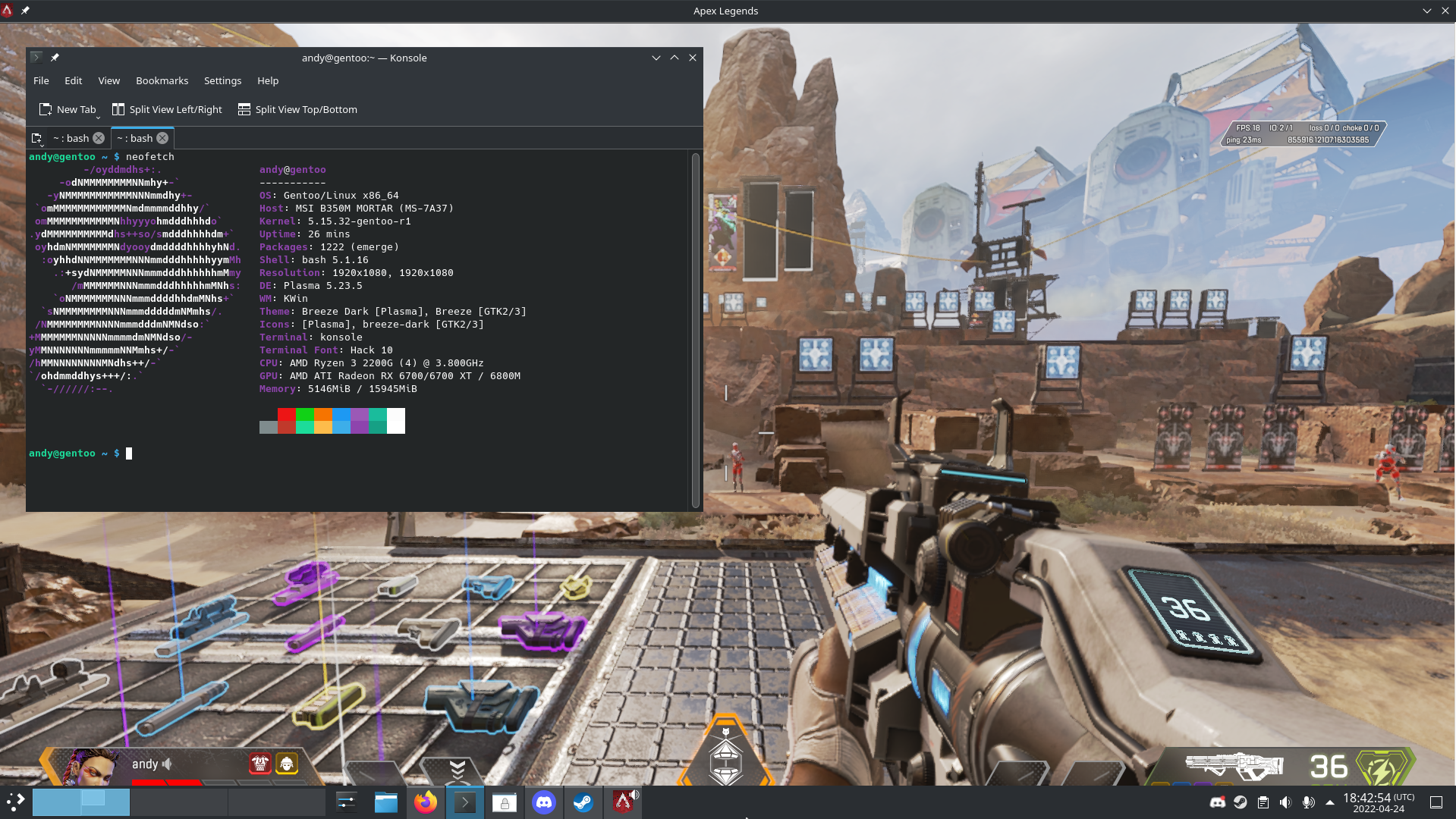
Hello, seems Apex is crashing with Proton experimental for me. I'll attach last crash log, i can't seem to figure out what is the issue. Log has all the info that is needed right?
steam-1172470.log
@spaghetticodez Seems like either dxvk or the graphics driver is crashing.
err:   DxvkSubmissionQueue: Failed to sync fence: VK_ERROR_DEVICE_LOST
err:   DxvkSubmissionQueue: Command submission failed: VK_ERROR_DEVICE_LOST
@spaghetticodez Seems like either dxvk or the graphics driver is crashing.
err:   DxvkSubmissionQueue: Failed to sync fence: VK_ERROR_DEVICE_LOST
err:   DxvkSubmissionQueue: Command submission failed: VK_ERROR_DEVICE_LOST
Oh, thought that was because i have to kill crashed apex, will try to clean and reinstall nvidia drivers.
EDIT: Removed drivers, reinstalled them, no luck same crash, same errors. As no other game is crashing, it shouldn't be hardware issue. Any more tips, what should i try?check?
EDIT2: Not sure what is causing it, driver reinstall did not help.
err: DxvkSubmissionQueue: Failed to sync fence: VK_ERROR_DEVICE_LOST
err: DxvkDevice: waitForIdle: Operation failed
err: DxvkSubmissionQueue: Failed to sync fence: VK_ERROR_DEVICE_LOST
err: DxvkDevice: waitForIdle: Operation failed
err: DxvkSubmissionQueue: Failed to sync fence: VK_ERROR_DEVICE_LOST
err: DxvkDevice: waitForIdle: Operation failed
Is there any reasonable path forward with resolving the stuttering issues? I've been reading up on DXVK_ASYNC and it seems promising for Apex, but seemingly also has a risk of a ban. Could Steam distribute DXVK state files?
Replying to https://github.com/ValveSoftware/Proton/issues/4350#issuecomment-1125297518
Hybrid graphics by some chance?
Apex Legends - Mouse Sensitivity is Broken
Issue transferred from https://github.com/ValveSoftware/Proton/issues/5873.
@pbogut posted on 2022-05-29T21:03:16:
Proton Version:
experimental-7.0-20220526
Games Affected:
Apex Legends
Issue:
Camera view is way too sensitive.
Looks like some kind of regression. When playing Apex Legends sensitivity is cranked up like 2.5 times.
I noticed it when I changed to Proton-GE-19 from Proton-GE-18. My mouse sensitivity in configuration is
the same, but camera in game is moving over 2 times faster. I tried to figure out if it was GE issue, but
I have same problem with Proton Experimental, so my guess is its from upstream.
Hi, am I the only one to be kicked off every game with a "Timed out" message since the last EAC proton runtime update?
@pmartiner Is it only
gamemoderunthat makes it work fine?This when it crashes this makes it sounds like some code is trying to make a string out of a null pointer (from quick googling)
terminate called after throwing an instance of 'std::logic_error'
  what():  basic_string::_S_construct null not valid
You could try to tweak the gamemode daemon settings to see if it has any effect and makes it crash again. Tho it does sound weird that it's gamemode itself that makes it work.
This Error occured on Fall Guys aswell. The fix is to set LD_PRELOAD to an empty string, if not defined.
GameMode set this env to load there libary. Thats why it fixes it.
We need to find the lib responsible for this crash and open an issue.
Need to check wine bugzilla aswell.
Are you still experimenting issues with RADV and up-to-date drivers here?
Are you still experimenting issues with RADV and up-to-date drivers here?
without RADV_DEBUG=nocompute still looks pretty similar to this
OpenSUSE Tumbleweed / Linux 5.18.9 / Mesa 22.1.3 / R9 380 4GB / R5 1600
Ye it's a Tonga series issue. https://gitlab.freedesktop.org/mesa/mesa/-/issues/6334
Never got around to checking out Apex. But thanks for confirming again. I've noted it in the mesa issue. 😁
Compatibility Report
- Name of the game with compatibility issues: Apex Legends
- Steam AppID of the game: 1172470
System Information
GPU: AMD RDNA2 Van Gogh (Steam Deck)
Driver/LLVM version: Mesa 22.0.0
Kernel version: 5.13.0
Proton version: Tried Proton 7.0-3, Experimental, GE 7-24
System Software: Both Stable and Preview branches
I confirm:
- [*] that I haven't found an existing compatibility report for this game.
- [*] that I have checked whether there are updates for my system available
Symptoms
Apex is nearly unplayable with mouse + keyboard on Steam Deck for the following reasons:
- Performance is stuttery and significantly worse in Desktop mode compared to Gaming mode. Frametimes are inconsistent and framerate is worse overall at same resolution as portable mode (preferred usage).
- Gaming mode will not accept mouse input, instead looking directly downwards.
Edit: For Steam Deck users, in my case this largely improved once I disabled compositing. On Steam OS Desktop mode, go to System Settings > Hardware > Display and Monitor > Compositor > Enable compositor on startup. I also turned off all desktop effects, not sure if that did anything.
Based on my limited reading issue #1 is most likely due to the compositor being x11 instead of wayland, but when I try to launch with wayland as a launch option it fails regardless of proton version
Apex Legends: No incoming in-game voice chat
Issue transferred from https://github.com/ValveSoftware/Proton/issues/6075.
@morgaesis posted on 2022-08-07T20:03:51:
Compatibility Report
- Name of the game with compatibility issues: Apex Legends
- Steam AppID of the game: 1172470
System Information
- GPU: Radeon 6900XT
- Driver/LLVM version: OpenGL version string: 4.6 (Compatibility Profile) Mesa 22.1.4
- Kernel version: 5.18.15-200.fc36.x86_64
- Link to full system information report as Gist: System information
- Proton version: Proton Experimental
I confirm:
- [x] that I haven't found an existing compatibility report for this game.
- [x] that I have checked whether there are updates for my system available.
Symptoms
Reproduction
- Install Steam (system) on Fedora (silverblue?) and Apex Legends
- Enter match
- Use voice comms/voice chat
- Team mates can hear me, but no audio from team mates
I can hear team mates using in-game VC (voice chat) on Windows, team mates seem to hear me, Discord VC works fine. Discord team mate has to relay whatever in-game VC is going on. I can see the speaker icon showing that team mate is speaking in-game.
Replying to https://github.com/ValveSoftware/Proton/issues/4350#issuecomment-1207477612
I'm thinking this issue might be caused by whatever mutes voice chat in Rocket League until I toggle audio devices. Anyone else agree? (In Apex you can't toggle the audio device so I'm not sure how one would test that with this game)
With that said as well I'm pretty sure last time I played my voice chat was working, I'll quickly check.
Edit: yep vc working here haha
Replying to https://github.com/ValveSoftware/Proton/issues/4350#issuecomment-1192374515
On Wayland, with a mouse and keyboard, I also am unable to get the game to recognise my mouse input.
Replying to [#4350 (comment)](https://github.com/ValveSoftware/Proton/issues/4350#issuecomment-1207477612)
I'm thinking this issue might be caused by whatever mutes voice chat in Rocket League until I toggle audio devices. Anyone else agree? (In Apex you can't toggle the audio device so I'm not sure how one would test that with this game)
Tried fiddling with changing audio-output channel, both in gnome and in the pulse-audio app, and now it works :thinking:
I am experiencing stutter every 30 seconds. AFAIK EAC or something is scanning /proc/self/pagemap via NtQueryVirtualMemory(MemoryWorkingSetExInformation) , but sometimes it is asking for a lot, and it can take between 0.1 to 50ms, so framerate drops from 105 fps to 20fps for about 1-2 seconds. It happens even in main menu or start screen. It took some time to track this down, but it is definitively it (patch below has some ad-hoc profiling which did prove it).
Here is a workaround for proton/wine https://gist.github.com/baryluk/943cfafc8e3dc8d8a9c882e2e42d17fb which fully resolved the issue, and EAC still works. It currently disables this code unconditionally, in the future the code could be optimized a bit (by using pread (instead of seek+read), and switched dynamically via env var.
Anyway, now it is SUPER smooth.
Re might previous comment on https://github.com/ValveSoftware/Proton/issues/4350#issuecomment-1239673658 this is now tracked in upstream Wine merge request: https://gitlab.winehq.org/wine/wine/-/merge_requests/852
PS. I found on reddit a person with exactly same issue: https://www.reddit.com/r/linux_gaming/comments/xci9pl/comment/io9th93/?utm_source=reddit&utm_medium=web2x&context=3
Not all shaders get compiled before game launch. When playing a map that is new to your computer/cache, you have plenty of minutes/rounds/matches before all the cache is generated, and only done so in-game.
Sure would be great if ALL of the shaders could get compiled BEFORE the game launches so you don't have to endure multiple defeats before you even stand a chance.
I can attest to https://github.com/ValveSoftware/Proton/issues/4350#issuecomment-1260390169, even with pre-caching enabled
This should be improved on proton experimental (which uses dxvk master) if your driver supports the VK_EXT_graphics_pipeline_library vulkan extension. Currently it's only the Nvidia beta/dev driver that have a practically usable version of it.
With it alot of games should be able to compile shaders in the games main menu or during loading screens so it doesn't happen only when they are first encountered during gameplay. Should help with the steam pre cache not always covering the whole game.
This should be improved on proton experimental (which uses dxvk master) if your driver supports the
VK_EXT_graphics_pipeline_libraryvulkan extension. Currently it's only the Nvidia beta/dev driver that have a practically usable version of it. With it alot of games should be able to compile shaders in the games main menu or during loading screens so it doesn't happen only when they are first encountered during gameplay. Should help with the steam pre cache not always covering the whole game.
And how close is that to making it into mainstream drivers? This sounds like maybe half a year away??
I don't have any time frames. But i'm guessing for Nvidia it shouldn't be too long™ as it has been in the dev drivers for a little while. So i'm guessing next major driver release.
For mesa radv i think they are aiming to have it ready for 22.3.0
But don't quote me on any of that since i have no factual knowledge of when :grin:
From VK_EXT_graphics_pipeline_library description I see that it can improve caching a bit if the pipelines of the game menu have a lot in common with the gameplay pipelines, but it won't cache everything.
Apex Legends should benefit quite a lot from it from what I've heard and seen. (Tho i haven't tested it in this game myself)
From
VK_EXT_graphics_pipeline_librarydescription I see that it can improve caching a bit if the pipelines of the game menu have a lot in common with the gameplay pipelines, but it won't cache everything.
It be very close to Windows caching performance I'd imagine as Windows sometimes has slowdown due to caching ( yes, on native D3D11 ) as well, especially on something like a weak laptop.
Just as a quick FYI. The newly released Nvidia driver supports the extension.
In the latest patch, the devs added beta support for DX12 as can be seen here
https://www.reddit.com/r/apexlegends/comments/yiek6d/dev_team_update_directx_12_beta_on_pcshare_your/
It can be enabled by adding -eac_launcher_settings SettingsDX12.json to the launch options. I tried it today on my pc and everything seemed to go smoothly until i got into lobby where everything was black. I am attaching logs and screenshots for reference.
Relevant Information:
GPU : Hybrid RTX 3060 Max-Q
CPU : Ryzen 9 5900HS
GPU Driver ver: 520.56.06
I'm running ProtonGE 38, vkd3d has been manually upgraded to 2.7
Those using the Nvidia driver should try using 515 (Vulkan Dev Beta) for the meantime. 520 seems to be broken and give black screen.
(This has been determined as a game bug, and the mutable_descriptor extension on Vulkan Dev driver allows workarounding it.)
With the latest patch to Apex Legends, I'm getting an "Easy Anti-Cheat Hash Catalogue not found" during the loading screen.
Relevant Information:
CPU: Intel i7-10750H
GPU: NVIDIA GeForce GTX 1660 Ti Mobile
GPU-Driver: 520.56.06
Proton: Tried with Experimental, Proton 7.0-5, and Proton 7.0-4
With the latest patch to Apex Legends, I'm getting an "Easy Anti-Cheat Hash Catalogue not found" during the loading screen.
Relevant Information: CPU: Intel i7-10750H GPU: NVIDIA GeForce GTX 1660 Ti Mobile GPU-Driver: 520.56.06 Proton: Tried with Experimental, Proton 7.0-5, and Proton 7.0-4
Not getting this issue here, then again I'm using the DX12 beta. Still shouldn't matter, maybe try verifying game files?
Also what distro and kernel?
Edit: had a look through that depot and I can only see one changed file regarding EAC and again it works on my end, so I'm not sure what's going wrong on your system.
Replying to https://github.com/ValveSoftware/Proton/issues/4350#issuecomment-1334728394
Hmm, I've tried:
- Verifying game files
- Removing the easy anti cheat related files, then verifying game files
- Re-installing apex legends
to no avail.
Distro: Solus
Kernel: 6.0.10-224.current
Replying to https://github.com/ValveSoftware/Proton/issues/4350#issuecomment-1336092950
Aaaaaah, Solus... I'm not sure how compatible that distro's package base is for Steam but provided glibc isn't busted (I'm not aware of if the legacy EAC runtime got an update to handle DT_HASH correctly after glibc broke it) then it should run fine. I'm running Arch Linux here myself and it works fine.
Any Ubuntu/Debian users want to chime in? Since to my knowledge, Solus is Debian-based
I do have a 6.0.10 kernel installed so I can check if it's kernel related if you want. (My current running kernel is 5.18 TkG)
Hello everyone.
I've been experiencing a weird issue with the game after closing it and reopening it again. The game framerate drops considerably after the reopen and feels as if the caches were not there. The games runs perfectly at the locked 120fps the first time i open it after a fresh system start but after that is just a laggy mess with awful frametimes.
Adding logs from from 1st and 2nd run as well as the hardware survey (steam)
Regards :D
steam-1172470_bad.log
steam-1172470_good.log
hardware_survey.txt
@GerardoBaeza I've observed those low-fps launches way earlier, so it's probably not because of some recent update. Yesterday I had this problem. Maybe an update has made them more frequent.
I was always able to get back to the correct framerate without rebooting. (by restarting the game or maybe also Steam)
So it affects both AMD and Nvidia, both KDE and GNOME.
@GerardoBaeza I've observed those low-fps launches way earlier, so it's probably not because of some recent update. Yesterday I had this problem. Maybe an update has made them more frequent.
I was always able to get back to the correct framerate without rebooting.
So it affects both AMD and Nvidia, both KDE and GNOME.
what you did to fix the issue without rebooting?
Adding DXVK_HUD=pipelines as a env variable seems to reveal that the the game forgets its graphics pipelines after each boot. Also the graphics shaders seem to persist only if you let steam process them for a moment after game shutdown.
Furthermore, Steam's own "Compiling shaders" doesn't really seem to do anything. The ingame lags in shader compilation despite me letting Steam do its thing. I'm on Nvidia.
Hello again everyone.
Minor question not related to game performance/stability. Since i installed the game i noticed that the Ubuntu Dock doesn't show the game icon and instead it shows a generic one and i'm not able to make it work. I see that some of the screen captures in here have icons as it should so i wounder if i'm doing something wrong or if this is something ubuntu related and not game related. SS to show
Thanks again you guys are the best :D
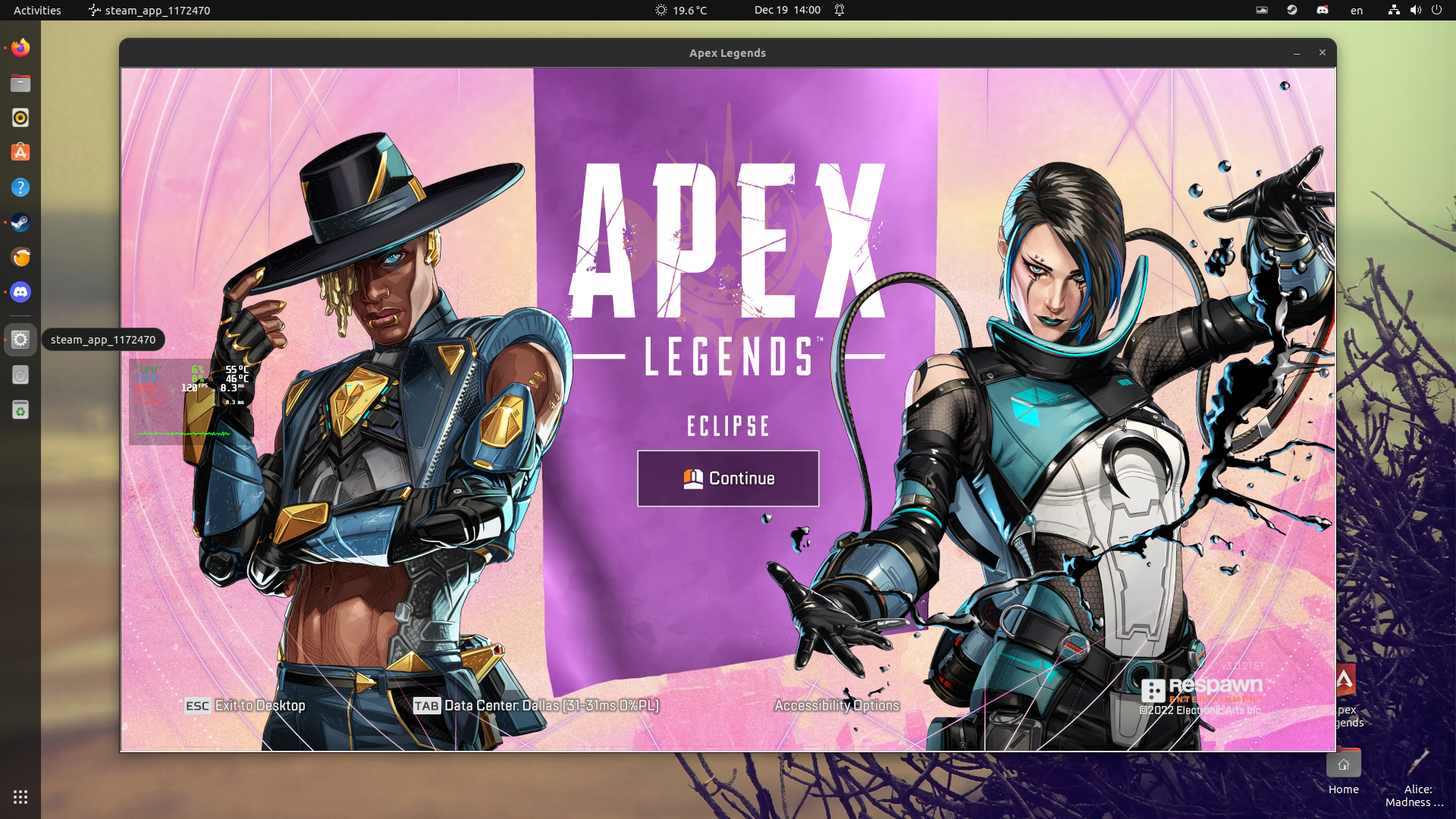
With the latest patch to Apex Legends, I'm getting an "Easy Anti-Cheat Hash Catalogue not found" during the loading screen.
Relevant Information: CPU: Intel i7-10750H GPU: NVIDIA GeForce GTX 1660 Ti Mobile GPU-Driver: 520.56.06 Proton: Tried with Experimental, Proton 7.0-5, and Proton 7.0-4
Getting this same issue on Void Linux with Kernel 6.0.15.
CPU: AMD Ryzen 5 2600
GPU: AMD RX 6600
With the latest patch to Apex Legends, I'm getting an "Easy Anti-Cheat Hash Catalogue not found" during the loading screen.
Relevant Information: CPU: Intel i7-10750H GPU: NVIDIA GeForce GTX 1660 Ti Mobile GPU-Driver: 520.56.06 Proton: Tried with Experimental, Proton 7.0-5, and Proton 7.0-4
Solus user here, having the exact same issue.
Edit: upon further inspection, I noticed that installing the devel packages for solus might break the anticheat as they use glibc 2.36 which has been reported as broken. Trying a rollback in a few minutes, will see if it helps.
Edit 2: rollback did not help
HW: ryzen 3600x, 2070super
Kernel version: 6.0.11
Solus user here, having the exact same issue.
Edit: upon further inspection, I noticed that installing the devel packages for solus might break the anticheat as they use glibc 2.36 which has been reported as broken. Trying a rollback in a few minutes, will see if it helps.
HW: ryzen 3600x, 2070super Kernel version: 6.0.11
FYI, I fixed it by turning off Linux Steam Integration (LSI).
edit: s/on/off
Solus user here, having the exact same issue.
Edit: upon further inspection, I noticed that installing the devel packages for solus might break the anticheat as they use glibc 2.36 which has been reported as broken. Trying a rollback in a few minutes, will see if it helps.
HW: ryzen 3600x, 2070super Kernel version: 6.0.11FYI, I fixed it by turning off Linux Steam Integration (LSI).
edit: s/on/off
Thanks, I'll try this later. That's kind of weird as I never had any issue with LSI before.
Edit: fixed it by turning ~only the intercept library off~ LSI off.
Maybe not directly related to proton but is someone else experiencing not being able to move the camera while clicking any mouse button?
One cannot shoot and aim at the same time since today's update.
Maybe not directly related to proton but is someone else experiencing not being able to move the camera while clicking any mouse button?
One cannot shoot and aim at the same time since today's update.
Playing on a touchpad? If so this sounds like a "palm guard" feature getting in the way.
Otherwise, no idea. Just checked the Apex Legends subreddit and don't see anything obvious either.
Why does the easy anticheat runtime need to be installed separately? I kept getting the anticheat error because I had no idea you had to do it manually, it feels like it should be done automatically.
Currently the game has a 7GB shader cache download every day and a long "Processing Vulkan shaders". Saw multiple people on reddit reporting this too.
Hi,
Since last week, I can't launch anymore Apex Legends because EasyAntiCheat seems to crash.
The EasyAntiCheat appeared for few millisecond then nothing, here a video:
https://youtu.be/QBl2HR0Wfh8
And the two frames where EAC appear in the video:
https://imgur.com/a/lrIJzf3
I was playing fine after the 24th update of January, but after two days I couldn't launch the game anymore.
In between I didn't update my system, I can't confirm that I didn't got an update in Apex, but as far as I know there wasn't.
I tried to update my computer, tried different versions of Proton, tried reinstalling the game but it didn't work.
To be sure to not have any file residue I uninstall Steam. then delete ~/.local/share/Steam
After doing that, for some time I could start Apex Legends but it was blocked in an infinite loading screen. I saw that the Proton EasyAntiCheat Runtime wasn't install, but at some point it installed itself and I went back from where I started.
So could it be related with my installation of Proton EasyAntiCheat Runtime?
I joined a log generated by adding the "PROTON_LOG=1 %command%" launch option.
Distro: Arch
Kernel: 6.1.9-arch1-1 (was using one maybe a week and half older when the bug appeared)
CPU: AMD Ryzen 9 5950X
GPU: NVIDIA GeForce RTX 3090
Proton tried: 7.0-5, 7.0-6, Experimental, also the Proton-GE fork, but I suppose it's not related to this thread :D
Thanks in advance for any help :D
steam-1172470.log
I've had Apex Legends in the last day or two process shaders twice, and the second time is taking MANY hours to complete, despite the plenty-beefcake compie that I have. (Ryzen 5800x + 3060 ti, etc).
I got fed up with it earlier, loaded into the game, and have the DXVK_HUD showing compiler. But all the shaders at the main menu completed. So I don't understand why the "second" shader compiling is STILLLL taking LITERALLY HOURS after doing that.
Earlier in the day I unchecked "enabled shader pre-caching" to get it to flush the shaders, thinking that maybe bad cache was slowing it down. And no... it's still taking far more hours than it should. Other games I have installed regenerated their shader cache many hours earlier. Battlefield 1, V, etc... Unsure what's going on with Apex Legends right now... hopefully this doesn't happen every time I log back into STEAM or reboot... :/
Another day, another unknown number of hours that Apex Legends is processing shader caches. I'm using Proton Experimental btw, so this must be a recent thing.
Each PERCENTAGE can take like 30min-1hr or so (this is napkin math), and the percentage itself isn't exactly useful in this case.
It really would be nice if we could have per-game cache override settings, but maybe that isn't worth the effort once this sillyness is fixed. I really don't want to turn off background shader caching for all my games... that would be silly.
Same problem here on Arch - R5 3600 - 980Ti - 16GB@3200. Both on KDE and Cinnamon. Attaching log
Me and several other people have recently been receiving generic 'banned' messages as of the last week or so in this game. See: https://answers.ea.com/t5/Technical-Issues/Linux-players-getting-banned/td-p/12338557
https://www.reddit.com/r/apexlegends/comments/119uwk0/the_clients_game_account_has_been_banned_banned/
https://www.reddit.com/r/ApexLegendsOnLinux/comments/11bo2sw/permanently_banned_for_cheating_beware_users_of/
It was initally believed to be an issue of the latest Proton-GE only, but standard proton users have now been able to confirm the ban happens for them as well. Hence, this now seems like an appropriate place to leave a comment.
These bans seem quite unwarranted as respawn has allowed EAC to work for this game on linux. Hopefully either respawn or valve steps in to offer a fix of some kind as it's a widespread enough issue to be considered a problem.
Screenshots of the ban information:
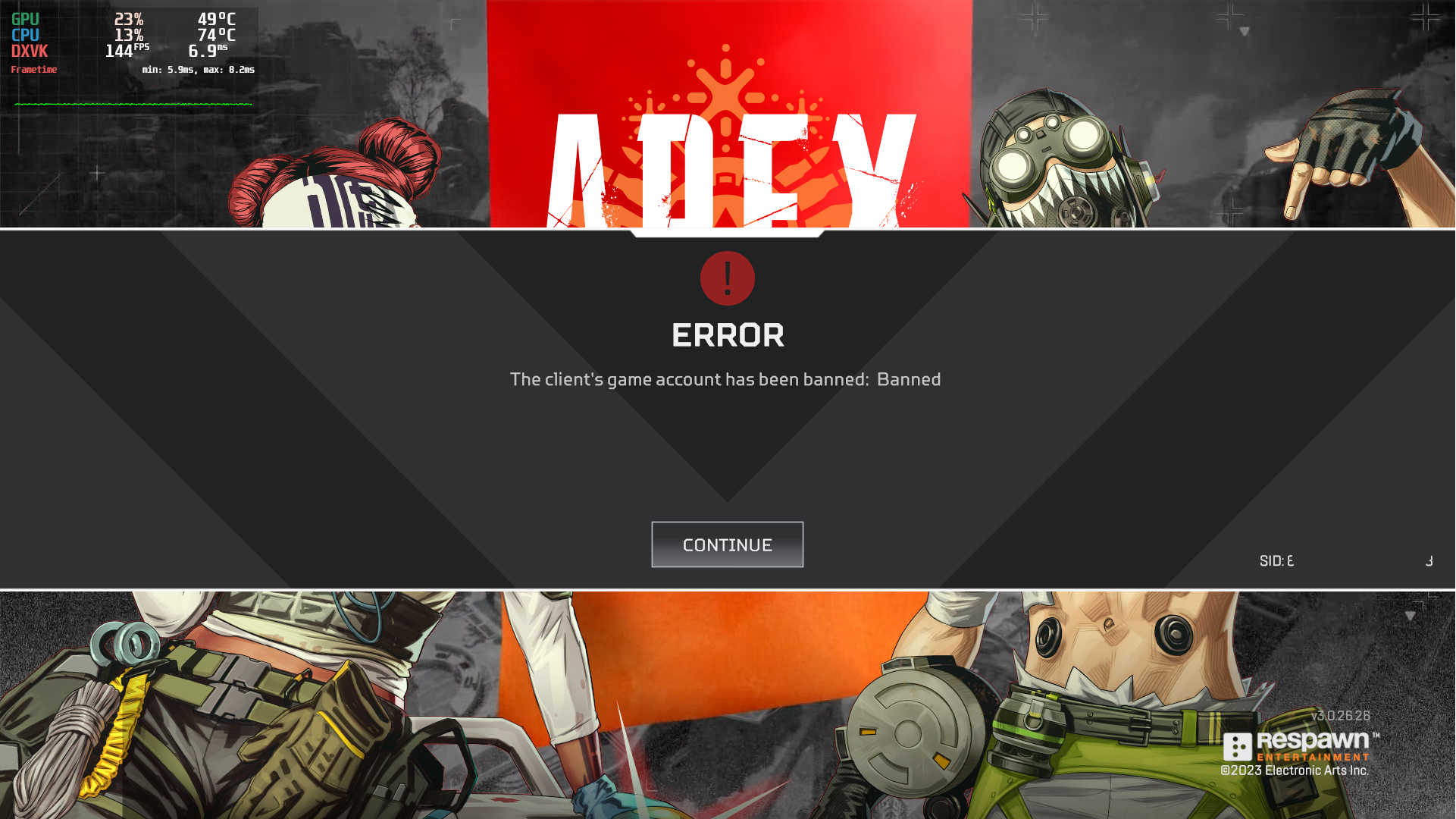
https://cdn.discordapp.com/attachments/831151990473228339/1080109839130304522/image.png
Update: And how nice of EA to reject my ban appeal. I know them denying a ban appeal has nothing to do with proton but it really shows how tied our hands are with this situation thanks to being accused of cheating
Oh good, the one thing I thought was just undue anxiety, is now reality.
Lets hope they undo bans, and lets hope my account with 2 heirlooms isnt banned... (i havent played for the past 3 days so i hope im fine, but im not risking logging on to check)
Oh good, the one thing I thought was just undue anxiety, is now reality. Lets hope they undo bans, and lets hope my account with 2 heirlooms isnt banned... (i havent played for the past 3 days so i hope im fine, but im not risking logging on to check)
It took over 24 hours to get an email about the ban, so I'd say if you don't get one in the next 48 hours you're probably fine. It's frustrating as it's the only competitive game I play and have played for a long while now
Hi, I'm also one of those who is having a hard time with the proton ban. I didn't have the very latest version or vkBasalt in use and I'm still affected. thanks to @RMED24 for the reference to this post here
launch options: DXVK_ASYNC=1 PROTON_ENABLE_NVAPI=1 gamemoderun %command% +fps_max 0 -high -novid
@gardotd426 thanks for your comment :-)
once our bans are lifted, I need to revise my launch options
Not that it helps people that are banned, but i have been playing since last week on Arch and i am not currently banned. Launch options PROTON_HIDE_NVIDIA_GPU=0 PROTON_ENABLE_NVAPI=1 %command%
Seems my account got flagged sometime yesterday as I was unable to play with my friends and would get the banned message when queueing. Received the email this morning saying I was banned for cheating.
OS: EndeavourOS/Arch
Kernel: 6.2
Launch Options: PROTON_ENABLE_NVAPI=1 DXVK_NVAPI_DRIVER_VERSION=49729 DXVK_NVAPI_ALLOW_OTHER_DRIVERS=1 LFX=1 mangohud gamemoderun %command% +fps_max 167"
Also tried the DX12 Beta earlier this week using "-eac_launcher_settings SettingsDX12.json" in addition to the rest of those launch options.
Played on Linux for a few hours last Friday and then I got a ban email this morning.
If it helps, I was running Proton Experimental, and my launch flags were:
gamescope -w 2560 -h 1440 %command%
Update 2023-03-04:
Received an email from EA that my ban was reversed.
Same as the others who've recently posted here. There's definitely something up with the anti-cheat falsely detecting something w/ Proton (Experimental?).
I was personally using Proton-GE-Custom 7-49 on Arch Linux (Kernel: Linux 6.1.12-zen1-1-zen x86_64). I was using vkBasalt too. Important to note that it isn't just Proton-GE users, but regular Proton/Proton Experimental users too.
My launch options were ENABLE_VKBASALT=1 %command% -novid -w 1920 -h 1080 -fullscreen -freq 144 +fps_max 289. I also tried playing briefly with the DirectX 12 beta in Apex, but disabled it again later after getting abysmal performance on Broken Moon.
Relevant thread on EA discussion forums: https://answers.ea.com/t5/Technical-Issues/Linux-players-getting-banned/m-p/12338557
It would be nice if Valve/Respawn/EA/Epic Games can get this sorted out. Especially for Steam Deck players who've bought this device and may get falsely banned just using it on default out-of-the-box settings.
@FlyingPaperPlane I know this doesn't help with the ban, but just FYI DXVK_ASYNC is dead, it has been for about a month now. It was never in any official Proton Builds but as of a month or so ago even Proton-GE and ProtonTKG have removed the ability to enable it.
It's not a problem, it died cause DXVK 2.0 or 2.1 introduced a new feature that makes it unnecessary, I just figured id let you know so you're not going around using launch options that do nothing.
Hello,
I know it won't necessary help to simply say "same for me", but I have the same issue. From what I see, I'm the only one yet on official proton (7.0-6).
My launching command :
mangohud %command% +fps_max 166 -dev
Weirdly enough, I received an email in German but I've never set neither my Steam nor my Origin account in German ?
Alright well I'm going to just uninstall this game so I don't accidentally get banned for playing the game. Hopefully this gets sorted, EA reverses the bans, and all that. But for me this really is a toxic response from EA.
At least Blizzard, of all companies, knows how to handle situations like this (World of Warcraft, for examples).
I doubt EA reads this thread at all, but VALVe sure should, and situations like this REALLLYYY need to be escalated through VALVe<->EA business partner challenges. Gamers being banned for literally just playing the game (on Steam Deck anyone?) is a BRUTAL thing to have happen.
I also just got falsely banned. Using Proton Experimental on Arch (Kernel: 6.2.1-arch1-1), with MangoHud and obs-vkcapture active.
My launch options are (were):
PROTON_ENABLE_NVAPI=1 DXVK_ENABLE_NVAPI=1 LFX=1 %command% -dev -novid +fps_max 0 +cl_showpos 1 -preload
Unsure if this is entirely a Proton issue, or potentially something with EAC as well.
Just got banned as well, on desktop running Proton Experimental on Manjaro (5.15.93-1-MANJARO), as well as on Steam Deck with default Proton and no launch options. Played on both over the weekend so unsure which triggered the ban.
Launch options on desktop:
mangohud gamemoderun %command% -novid -high +fps_max 0 -eac_launcher_settings SettingsDX12.json
Got banned as well running Proton-GE with in arch linux alongside with MangoHud and gamemode
My launch options:
mangohud gamemoderun %command% -novid -high +fps_max165 -eac_launcher_settings SettingsDX12.json
I'm glad this issue is gaining traction. I was also banned and that my ban dispute was also shot down by EA support. Only thing I can add is that the account had first played apex a week or two ago since I was just getting into the game for the first time (but it was a ~10 year old EA account dating back to battlefield heroes). I was also using AMD FSR with DXVK_ASYNC and proton GE.
I'm really grateful for the people that have been raising this issue, but what if the amount of people banned was just a bit smaller? If this EAC issue was just a little bit harder to trigger, maybe nobody would have complained here at all, or nobody else would've backed them up. How many times has this happened before?
I do not think its productive to have arguments in a issue on a code platform, please take it "offline". Lets keep this issue on topic, not for petty cheater ego stroking
I had launch errors (not related with bans) and this worked for me:
- Create new prefix with experimental
- Launch Apex once and close it
- Switch to Proton 7.0-6
Played on both over the weekend so unsure which triggered the ban.
There was an Apex patch a few days ago (I remember thinking that it was weird for them to push out an update on the weekend), and it seems that most of us got caught up in this ban wave within 48 hours or so after that.
Could be coincidence, but I'm willing to bet they changed something on the anti-cheat side with that patch, which is now triggering on Linux/Proton users for whatever reason.
Everyone jumping to conclusions and spamming this issue thread with "I got banned too"s and having a one-direction flame war (the users on this thread towards mostly EA and some Valve) need to calm down for two seconds and try and both 1) listen to Wu-Tang and G-D check yourself, because this isn't reddit, and this isn't some discord server, this is a bug report thread on a git repository; and 2) take 5 seconds to try and gain some actual perspective toward what's actually even happening right now:
- This is literally 100% entirely uncharted waters for all parties involved - Valve, Epic/EasyAntiCheat, EA/Respawn, and the people who've gotten banned. There is literally no precedent for this situation, namely "A banwave snagging a large percentage of Linux users, on a game that uses an anti-cheat that officially supports Proton, and the developers of that game actively decided to include the necessary libarary/file(s) to enable that support, but have never actually made a public statement that Apex Legends supports Steam Play/Proton + The Proton EasyAntiCheatRuntime."
I'm really grateful for the people that have been raising this issue, but what if the amount of people banned was just a bit smaller? If this EAC issue was just a little bit harder to trigger, maybe nobody would have complained here at all, or nobody else would've backed them up. How many times has this happened before?
@centra5, this has definitely never happened before, believe that. This community makes certain to notify every user and ensure at least 3 PC gaming sites write articles every time there's just a rumor that 1-3 people may have gotten banned from a popular game (this is a true story, go look at the January 2020 or maybe 2019 freakout that led to dozens of YT videos and news articles over Linux users being blanket banned from BFV, despite the fact that there wasn't a SINGLE source other than a lutris forum thread where three unknown users claimed to have been banned.
Hell, in the past 5-6 years, there have only been large-scale ban-waves that affected Linux users in two games: Overwatch and Destiny 2. And with Overwatch, once Blizzard found out about the false bans, they immediately reversed all of them, and then had an employee make an official statement saying that playing their game through Wine on Linux is "an allowed configuration."
Bungie did the exact opposite: They never included the necessary files to enable support for Proton and the Proton BattlEye Runtime, so no Linux user ever able to even get in-game.... and they banned every single one of them anyway. Every Linux user that launched Destiny 2 with Proton was perma-banned, to the point where Valve (and then GE and TKG) hardcoded Proton to not allow even launching Destiny 2.
But this set of circumstances? It's honestly the biggest "true test of the viability of Valve's Linux+Proton plans," because EA/Respawn technically wouldn't be going back on anything by deciding that after giving it a year trial period, they've chosen not to allow Linux users to play Apex via Proton. It would be Valve who would deserve a lot of the ire because they have had Apex listed as Steam Deck Verified and even used it as one of like 4 main titles in their Japanese promotional materials for the Steam Deck.
But Respawn will very likely see the influx of these reports, figure out what triggered the false bans, and reverse them. For one, Respawn is the one EA subsidiary studio that is known to basically have carte blanche regarding Respawn matters, and they've shown that they at least deserve a chance given their track record. For two, it's highly unlikely this was intentional, because from the end of June until around August 1st of 2020, the wine-eac effort was "working" in the sense that it allowed EAC games to be played via Wine (ironically it was incompatible with Proton, but Apex was the most-played game by far, using the Origin version)a, but it wasn't actually implementing any sort of user-end anticheat, it was basically passing the checks and likely working in some capacity, but that's about it. Then on August 1st there was a server-side update to the EAC client and every single game stopped working immediately. And not a single user reported being banned from Apex. I logged like 150 hours just that month, and I know a ton of other people who just playeed Apex all day for the duration of the month.
So if an unsanctioned "semi-bypass" wine build didn't lead to any bans, I'd be shocked if this was intentional. But regardless, given what I said earlier about this having no precedent whatsoever, everyone should just take a breath, contact Respawn/EA Support and report their ban until they can speak to an actual human, and keep this thread free of any flame wars, or blame throwing or even useless "yeah I got banned too" comments. If banned users want to help, post the Proton log produced by using PROTON_LOG=1, along with loader.log and gamelauncher.log, which should both be somewhere inside compatdata1172470/pfx/drive_c/users/steamuser/AppData/Roaming/EasyAnttiCheat/. one will be in that directroy itself, and the other will be inside a numbered directory (it's the internal EAC appid for the game) within the EasyAntiCheat directory: for Apex it should be 154/.
Same here. Opened the game today (last time was on saturday 25 I believe). Queued for tdm and when picking legend it kicked me out with "The client account has been banned: Banned".
My launch options were RADV_PERFTEST=gpl %command% -dev +exec autoexec and the autoexec only contains my keybinds, this is it just in case https://gist.github.com/mefff/2e3fed17f534d230c14f874a78199d19
On Arch linux with AMD Radeon RX 6700 XT (navi22, LLVM 15.0.7, DRM 3.49, 6.2.1-zen1-1-zen)
If its of any help here is my .log files, but I can't be sure it is necessarily the on I got banned with as I didn't get kicked of the game, but just got banned couple of hours after playing. And as others I can mention I used Proton-GE with mangohud and gamemoderun.
loader.log
gamelauncher.log
Nothing seems out of the ordinary so don't know what to think about that.
Is there any way to check if I've been banned without opening the game? I haven't played recently (since about a month ago) but I need to know if I got the ban as well so I can make a report if I'm not included in the ban reverts for whatever reason.
@luni3359
Is there any way to check if I've been banned without opening the game? I haven't played recently (since about a month ago) but I need to know if I got the ban as well so I can make a report if I'm not included in the ban reverts for whatever reason.
You can check your ban history here.
Here's some logs from setting the PROTON_LOG=1 environment variable.
loader.log
gamelauncher.log
steam-1172470.log
Note: these log files were taken after I had been banned (just dumped them now) and after I had updated my system. Given people are still getting banned now, even on the latest 6.2.* kernel (& whatever other system libraries are relevant), I think they should still be of use. :)
At the time of my ban I was using:
- Proton Experimental (initially) but then switched to Proton-GE 7-49.
- Arch Linux, with
linux-zenkernel versionLinux 6.1.12-zen1-1-zen x86_64 - vkBasalt, built from the latest code in the repo (tag: v0.3.2.8)
- Mesa & Vulkan 22.3.5 (
mesaandvulkan-radeon) - CPU: AMD Ryzen 7 5800X, GPU: AMD Radeon RX 6700 XT
I'm not sure if the versions of other libraries on my system would be important information. Perhaps glibc and such? As far as I was aware Steam just used its own libraries that come bundled with it for compatibility reasons.
I appear to have been unbanned, and am able to queue again without being kicked with the "Banned: banned" message. My EA ban history still says there's an active ban and I haven't received an email about it yet, but it may be worth it for others affected to check if they can queue into firing range/public matches again.
@blinxy
I was able to play as well, i didnt want to take any further risks, so i sticked to shooting range,
until the ban is lifted entirely - what i think is going to happen
@gardotd426
After i got advised that DXVK_ASYNC=1 isn`t the way to go anymore, i tried playing without that setting.
couldnt spot any difference. i also tried to play with & without PROTON_ENABLE_NVAPI=1 and yet again, no difference.
would someone please provide me with a good up to date source for launch options, I think i need to start all over again.
Edit: I tried out vkBasalt for the first time, it looks quite nice. comparable to nvidia (shadowplay) filters
ENABLE_VKBASALT=1 %command%
@FAT9L
Edit: Somebody put a link to your launch settings on reddit. they work awesome
i`m done here :-)
PROTON_ENABLE_NVAPI=1 DXVK_ENABLE_NVAPI=1 ENABLE_VKBASALT=1 %command% -dev -novid +fps_max 0 -preload
I am still completely banned, ugh. I also wouldn't assume it's safe to play until there's been some official word on the bans too. It's the weekend, so I don't think we can just assume they're finished taking action on the issue, but if they have, it's unfinished.
Replying to https://github.com/ValveSoftware/Proton/issues/4350#issuecomment-1453841745
What GPU? If it’s NVIDIA and you have latest GE or Proton/Experimental, you’ve likely hit the Graphics Pipeline Library path. It’s much better than Async.
Can we expect an official statement from EA/Respawn? I haven't dared to launch Apex since I heard of the false positives.
@notpeelz
Can we expect an official statement from EA/Respawn?
Lmao, no. Of course not.
If you haven't gotten a ban notice by now, you're fine. I believe that most everyone already had their bans overturned (myself included).
@notpeelz
Can we expect an official statement from EA/Respawn?
Lmao, no. Of course not.
If you haven't gotten a ban notice by now, you're fine. I believe that most everyone already had their bans overturned (myself included).
What a reckless way to deal with such a permanent outcome.
I don't yet trust the situation, and others really shouldn't either. EA/Respawn + VALVe NEEEEED to make a public statement. This kind of bullshit cannot be tolerated, and it must be fixed, acknowledged, and apologies provided from them both.
@notpeelz @FAT9L @BloodyIron please stop spamming my inbox, it's a code forum. If you're interested in the non-technical side then go to the EA forum.
@ChipmunkV My bad for answering someone's question, and informing them that the problem should be resolved, I guess? I can't do anything about the fact that you're getting notifications, that's on you if you don't have the issue muted/unsubscribed.
As this was clearly an EA/Respawn error though (and they refuse to acknowledge it or provide technical information), there is no way to hold a technical discussion - about Proton, mind you - aside from GitHub.
@notpeelz @FAT9L @BloodyIron please stop spamming my inbox, it's a code forum. If you're interested in the non-technical side then go to the EA forum.
- I'm not spamming your inbox. I'm replying to this thread. I don't control how you have your own notifications set.
- EA is already ignoring the playerbase, as evident above, so this is currently the only area where this concern can be raised and actually heard.
- If you don't like that people are getting banned due to, probably, technical reasons, well that's just too bad, we're here to raise this problem and get solutions made. The EA forum is not a better place for this, that avenue goes nowhere.
- I still stand by the statement that VALVe needs to be advocating on behalf of gamers such as us to companies such as EA/Respawn as they can reach the people that actually get things changed, who typically don't read their own forums.
So, since the reports have quieted down, is it safe to go back in? Or are people still being banned?
Yeah we really need an official statement here form either VALVe or EA. This has significantly eroded the trust here. I'm not going to reinstall just yet.
Game used to work perfectly with ProtonGE, but is now crashing with 'stack smashing detected' errors in proton log. I have tried
- removing all launch options and running with only PROTON_LOG=1 %command%
- Verified game file integrity
- Changing compatibility tools to ProtonGE 7.50 , Proton 7 and Proton Experimental
nothing's fixed it. I didn't play for couple of weeks before so not sure when it started. Adding logs from all 3 proton versions below ApexProtonLogs.zip.
All logs end with these lines before the crash:
44191.656:00fc:0104:fixme:oleacc:find_class_data unhandled window class: L"Static" 44191.656:00fc:0104:fixme:oleacc:find_class_data unhandled window class: L"[#32770](/issue/ValveSoftware/Proton/32770)" 44191.656:00fc:0104:fixme:oleacc:find_class_data unhandled window class: L"Button" *** stack smashing detected ***: terminated
Ive looked on GE's discord, people report not getting banned. It seems the error has been fixed but play at your own risk.
So, since the reports have quieted down, is it safe to go back in? Or are people still being banned?
I never got unbanned alongside a handful of others on the EA forums. It kind of implies that there's an issue with the anti cheat that they still haven't fixed, or our bans would've been reverted by now.
My best guess is (wow, how long's it been, a month ago?) that they pushed a big anti cheat update with several bugs, and then the week later when they reverted the majority of the bans, they only fixed the biggest issue. There haven't been many other complaints of false bans since, so I think it's safe to play, as long as it's not on your main and your system isn't any different to most other people.
Replying to https://github.com/ValveSoftware/Proton/issues/4350#issuecomment-1477519732
THIS is why we NEED an official statement from VALVe and/or EA on the matter.
Just today I was banned from playing the game using Linux, and we need an official statement from the board that I won't be playing the game again until then.
https://drive.google.com/file/d/1JNN1jouMccfjQS743quruRHs7otWG31c/view?usp=share_link
I'm having an issue where if I directly exit Apex from the, the game will hang. i attached a log since it contains interesting info.
https://drive.google.com/file/d/1JNN1jouMccfjQS743quruRHs7otWG31c/view?usp=share_link
I'm having an issue where if I directly exit Apex from the, the game will hang. i attached a log since it contains interesting info.lol they blatantly ratting us
What are you on about? I don't see anything in that log.
@rKsanu2MMYvypWePtQWM Are you still able to reproduce this issue on your R9 380 without RADV_DEBUG=nocompute?
@rKsanu2MMYvypWePtQWM Are you still able to reproduce this issue on your R9 380 without RADV_DEBUG=nocompute?
The video card is currently in my closet, so it makes reproducing difficult... Were there any fixes released for this issue?
https://drive.google.com/file/d/1JNN1jouMccfjQS743quruRHs7otWG31c/view?usp=share_link
I'm having an issue where if I directly exit Apex from the, the game will hang. i attached a log since it contains interesting info.
Please use pastebin services like https://0x0.st , https://paste.rs, https://c-v.sh etc etc. Google drive is shit and horrible.
So are we going to get an official statement from EA and VALVe any time? @kisak-valve can you please chime in here?
Hello @BloodyIron, friendly reminder that I'm a moderator for Valve Software on their Github issue trackers, and not a Valve developer myself. I can't make an official statement on their behalf unless explicitly directed to do so.
So are we going to get an official statement from EA and VALVe any time? @kisak-valve can you please chime in here?
Don't act like an impatient windows user. This is not a customer care service where you can complain about your bad food.
Remember that there are other support requests too.
@MrDisguised ummm... discussing an issue for users being BANNED for normal usage, which came up as an issue over a month ago, is... impatience? I don't agree with that premise whatsoever. As far as I'm concerned this functionally makes Apex Legends unplayable (broken) as the risk of being banned is clearly still present, and through no fault of the end-user. Continuing the discussion, and engaging the "provider" (VALVe/EA) seems like perfectly reasonable things to me, especially since there is literally zero recourse us users have in this particular case. EA, as earlier discussion demonstrates, has shown zero interest in even engaging in the topic on their own forums. So this is, as far as I can tell, the only outlet discussion on this matter can happen, and be taken seriously, to a tangible degree.
Additionally, this thread is literally about raising issues with the software (Apex Legends), so yeah, this is actually where people come to complain (report issues) "about your bad food" as you take it.
Do keep in mind that VALVe's preference (so far as I am aware) that issues are to be kept in the same thread relevant to the game, and not broken out into individual issues. So I am actually following the reporting guidelines, as defined.
Now, if you would be so inclined as to help, in whatever capacity you can, that would be appreciated by me, and others.
@kisak-valve that's understandable, I was more hoping that you could pass this banning aspect along, as it appears from my seat that after a month no traction has been had, and the situation has not improved.
Replying to https://github.com/ValveSoftware/Proton/issues/4350#issuecomment-1508797755
So you think that you are the only one ? I was having this issue with csgo look- https://github.com/ValveSoftware/csgo-osx-linux/issues/2651 . The issue was opened on Feb 2021. It has been almost 2 years and now they fixed it. You are really impatient because sometimes we have to wait for like 1 years or more to get our games fixed and lemme tell you that gaming on linux is an ongoing effort. There are forks of proton compatibility layer where apex legends works perfectly like - proton ge custom made by Glorious Eggroll . If steam proton is not working for you then try proton ge. Ffs dude if you cannot even wait for 2 or 3 months then use windows there is no need for using linux.
@MrDisguised I'm not going to sit here and entertain an argument about how being banned for acceptable use, and not having any recourse, then raising concern, is a reasonable way to approach the topic. Especially in an avenue that is publicly declared as where you post issues. I don't see what benefit entertaining this "argument" you're trying to have has any value to this. I shouldn't have to explain to you how this is unacceptable, and how it just means I'll stop playing the game, and so will others. But I guess you need me to explain that, so I just briefly did.
VALVe and EA both have vested interests in solving this problem. It is not, and should not be, my job to have to explain to you, or even VALVe or EA, why banning users in this manner, and then not providing any actual response on the topic, is bad for everyone involved, especially VALVe and EA.
I'm not going to entertain your attempts for argument further. It's actually more destructive to do so than to participate.
But if you somehow feel cluttering this thread, by calling us legitimate users "Impatient" because we want to not get banned for playing this game, and patiently waiting a month (and I don't care about your example, that doesn't excuse it, nor normalise it), then go ahead, talk your head off. But I will not participate further.
Unsubscribing. Don't have time to talk with weirdos and newbies who don't know how to use linux. Idgaf create an another account or don't play the game.
Processing Vulkan shaders takes up to 2 hours: https://github.com/ValveSoftware/steam-for-linux/issues/8076#issuecomment-1513491968
Apex Legends (1172470) - EAC is broken
Issue transferred from https://github.com/ValveSoftware/Proton/issues/6712.
@webbongithub posted on 2023-04-23T06:54:50:
Compatibility Report
- Name of the game with compatibility issues: Apex Legends
- Steam AppID of the game: 1172470
System Information
- GPU: GTX 1060 3GB
- Driver/LLVM version: Nvidia 525.105.17
- Kernel version: 6.2.21_1
- Link to full system information report as Gist: https://paste.sr.ht/~webb/76740c0ef25c2ca22656a6c08743c7dbc9796659 (GitHub Gist is broken right now for me)
- Proton version: experimental-8.0-20230417 (as well as other versions)
I confirm:
- [x] that I haven't found an existing compatibility report for this game.
- [x] that I have checked whether there are updates for my system available.
Symptoms
When starting the game a window pops up with "Easy Anti-Cheat Hash Catalogue not found"
Reproduction
Launch the game with Proton Experimental and the EAC runtime installed on the hardware and software configuration.
@pollux56 commented on 2023-04-23T09:01:56:
just launched the game with proton 8 and experimental (bleeding edge) on the native version of steam on nobara and have no issues.
what distro are you running?
@webbongithub commented on 2023-04-23T09:04:36:
I'm running Void Linux with glibc, as per the system report.
I'm currently getting weird fps fluctuations with my new GPU. I replaced my 5600xt with a 6700XT and my fps will go from 165 to 90 sometimes and then go back up but stay at 120. With Mangohud up it shows my cpu usage at 26% and my gpu usage at 70ish. This is the only game this happens to, Anyone any idea why this could be? This is on Proton Experimental
PC Info: gist
*Sorry if this is the wrong place to post this, If it is let me know
@rafaelg1402 I'm not sure if this is the same problem, but it could plausibly be the broken-by-default power management on rdna2 cards, see https://gitlab.freedesktop.org/drm/amd/-/issues/1500#note_825883 for potential workarounds.
@mbriar That's helped on DX11 mode which I've had to switch back to. I've now cornered it down to the DX12 beta launch option which causes my fps to range form 80-160. I suppose I can't do much about that unless I contact EA forums about the gpu issues with the beta?
@rafaelg1402 I think it would make sense to confirm if this problem with the DX12 renderer also affects windows or rather is a proton or linux driver bug before reporting it to EA.
So what's the state of banning then? Radio silence from VALVe and EA from what I've seen...
Been playing since Linux compat and never got banned
Sent from Proton Mail mobile
-------- Original Message --------
On 26 Apr 2023, 18:45, BloodyIron wrote:
So what's the state of banning then? Radio silence from VALVe and EA from what I've seen...
—
Reply to this email directly, view it on GitHub, or unsubscribe.
You are receiving this because you were mentioned.Message ID: @.***>
rafaelg1402 same, and I even use bleeding edge stuff like LatencyFlex and every possible DXVK flag.
@rafaelg1402 I have a 6700XT as well
The game has problems in proton when you look at thermites or holosprays from close distance test if thats your problem
Also with this game you probably want to limit the fps
I play at 4k 60hz and the game with this card gets up to 110fps without vsync but it feels stuttery if i limit the fps to 70 it feels smooth af
Also you dont want to run this game with gamescope, it gets stuttery as well
I play at 4k 60hz and the game with this card gets up to 110fps without vsync but it feels stuttery if i limit the fps to 70 it feels smooth af
@rurigk is your display cable up to spec on bandwidth?
I play at 4k 60hz and the game with this card gets up to 110fps without vsync but it feels stuttery if i limit the fps to 70 it feels smooth af
@rurigk is your display cable up to spec on bandwidth?
Yes, the stutter is because the game is using too much GPU resources that the compositor stutter and with it the game
I play other games without any trouble
Apex Legends (1172470) - crash when clicking Audio tab in settings
Issue transferred from https://github.com/ValveSoftware/Proton/issues/6755.
@louis6321 posted on 2023-05-08T20:01:14:
Compatibility Report
- Name of the game with compatibility issues: Apex Legends
- Steam AppID of the game: 1172470
System Information
- GPU: NVIDIA GeForce RTX 3080
- Driver/LLVM version: nvidia-driver-530 (530.41.03-0ubuntu0.22.04.2)
- Kernel version: Linux 5.15.0-71-generic x86_64
- Link to full system information report as Gist: https://gist.github.com/louis6321/fe1466e65e4b02674c53c97720cb6cbb
- Proton version: 1683569198 experimental-bleeding-edge-8.0-42943-20230508-p929fb3-wf14272-dbef2ef-vbc01f9 (crash does not occur on 7.0-6, but does occur on anything newer)
I confirm:
- [x] that I haven't found an existing compatibility report for this game.
- [x] that I have checked whether there are updates for my system available.
Symptoms
When I open Settings in-game and click the "Audio" tab, the game crashes. This does not occur on Proton 7.0-6, only on anything newer than that.
Reproduction
- Set Proton version to anything newer than 7.0-6.
- Launch Apex Legends.
- Proceed into the lobby.
- Press esc
- Click Settings
- Click the Audio tab
It's been 3 months, and we still haven't heard any public statements from EA. The threads discussing the bans have died and nothing has improved for us who weren't unbanned.
I made a new steam and EA account two weeks ago to play the game again. I changed absolutely nothing on my system, except occasionally update and switch from a firejailed steam-native to steam flatpak. I'm yet to be banned despite the supposed HWID checks EAC should have. If you're still banned, your best chances of playing again at this point are to just make a new account and stay on steam flatpak. Why I'm allowed to play is beyond reason.
I never spent money gambling on their toxic loot box system but I'm sympathetic if you did. Think of it as if your money was gone when you bought the items, and not when they were swept away in a false banwave. The best we can do is learn from the mistake and move on until accountability exists for these things.
I can since add that I screenshotted the errors which for all I know have my new account flagged for a future banwave, since my game was crashing to desktop with these errors before the banwave. It might be that I've been hitting some rare proton bug triggering game integrity checks, since the game seems to think these files are corrupted in some way.
https://i.postimg.cc/Z5KZjhrq/crash.png
https://i.postimg.cc/13CSjYHr/crash2.png
Hope this helps, also thank you to the moderators who allowed discussion of the banwave to happen here, since discussion on other sites is either removed or is placed in a containment zone which nobody reads (see the EA forums).
I have unfortunately had to move back to Windows because of the issues I was having. I tried making sure I was in performance/Video mode (even tried others) and I know obviously you will have a performance dip compared to windows but while I was getting random dips into the 90s on my 6700xt on Linux (opensuse and Fedora) on windows I'm able to maintain for the most 160 which is a massive difference. I wish I knew what was wrong, maybe it's a driver issue but the 6700xt was just performing bad for what it's meant to perform
------- Original Message -------
On Wednesday, May 24th, 2023 at 3:09 AM, centra5 @.***> wrote:
It's been 3 months, and we still haven't heard any public statements from EA. The threads discussing the bans have died and nothing has improved for us who weren't unbanned.
I made a new steam and EA account two weeks ago to play the game again. I changed absolutely nothing on my system, except occasionally update and switch from a firejailed steam-native to steam flatpak. I'm yet to be banned despite the supposed HWID checks EAC should have. If you're still banned, your best chances of playing again at this point are to just make a new account and stay on steam flatpak. Why I'm allowed to play is beyond reason.
I never spent money gambling on their toxic loot box system but I'm sympathetic if you did. Think of it as if your money was gone when you bought the items, and not when they were swept away in a false banwave. The best we can do is learn from the mistake and move on until accountability exists for these things.
I can since add that I screenshotted the errors which for all I know have my new account flagged for a future banwave, since my game was crashing to desktop with these errors before the banwave. It might be that I've been hitting some rare proton bug triggering game integrity checks, since the game seems to think these files are corrupted in some way.
https://i.postimg.cc/Z5KZjhrq/crash.png
https://i.postimg.cc/13CSjYHr/crash2.pngHope this helps, also thank you to the moderators who allowed discussion of the banwave to happen here, since discussion on other sites is either removed or is placed in a containment zone which nobody reads (see the EA forums).
—
Reply to this email directly, view it on GitHub, or unsubscribe.
You are receiving this because you were mentioned.Message ID: @.***>
Replying to https://github.com/ValveSoftware/Proton/issues/4350#issuecomment-1560359673
While you're showing a clearly workable work-around for the situation (or so far anyways), for me, I have to say to the room that I'm not going to just create a new account. And I'm more saying this directed at VALVe+EA, not at you centra5.
My STEAM account is over a decade old, hundreds of games, etc, etc. If I were to get banned in Apex Legends for legitimate use, as we see here. I would flat just stop playing the game.
Making another account for STEAM and EA just to play the game, while it is workable, to me, is an unacceptable "necessity" due to the current circumstance.
Again, I'm not saying this to you centra5, as frankly I really like that you posted your story. It may help others. I'm more saying that it shouldn't have to come to this.
If VALVe wants EAC through Proton to be taken seriously, situations like this REQUIRE OFFICIAL RESPONSES. As clearly not having such erodes (permanently?) trust in such a mechanism.
If Apex Legends is able to ban me due to legit use, what confidence can I realistically have that the same issue won't happen for any other game that uses EAC through Proton legitimately? Quite frankly, without OFFICIAL RESPONSES from VALVe and EA (or whomever for other games), I cannot have any confidence that I will not get banned, be it Apex Legends or other games.
@rafaelg1402 yea, there are discussions about the 6700xt on reddit, seems like AMD haven't managed to write performant drivers for that.
@centra5 the thing missing from your story is how/if the EA support reacts when you send them an email to create a ticket to dispute the ban.
Look, @BloodyIron @ChipmunkV: this is completely off-topic.
So far, there is not ONE single piece of evidence that indicates that Proton/playing on Linux/anything related to it is the reason for any false bans. None. Apex has been known to falsely ban WINDOWS players for the entirety of it's existence. And guess what? I'm one of them. Before the EAC stuff happened allowing Proton play, I had a Windows partition that I used ONLY to play Apex Legends. I played for like a year this way. Then one day I tried to log in and it said I had been banned. Turns out in my case, EA had had some sort of hack or something that caused my password to be leaked, and it resulted in someone playing on my account from Russia. I only found this by digging VERY hard myself into login history and other stuff. Once I found this out, I contacted EA, and even provided evidence. They responded upholding the ban.
Beyond that, for the entirety of the time I played on Windows before it was playable on Linux, I regularly saw people complaining on r/ApexLegends about being falsely banned for legitimate use. This happens with other EA games as well, EAC or not. It was a regular issue for BFV which uses Fairfight.
I actually played Apex on Linux LONG before it was legitimately playable, back in 2020 when Guy1514 (Wine dev) and Blitzcrank had a "working" wine-eac build, and there were hundreds of us that played every day for a month (along with playing every other EAC game we possibly could to test it out and report back). But it wasn't a true "implementation" of EAC, it only allowed server-side stuff to work. All of us should have been banned (even though not a single one of us cheated). And yet after a month, when EAC finally got an update that kicked us all, not a SINGLE ONE of us actually got banned. I then continued to play on that Windows partition for a year before the nonsense ban I told you about. I have also played for almost a year on my new account on Linux using Proton, and no ban.
The threads have died because 1) there is literally ZERO indication that Linux is to blame, and because the number of Linux users claiming to be banned is VERY small in proportion to the number of Linux users playing the game, and it's probably proportional to the number of WINDOWS users that falsely get banned. This is one of the many problems with EAC.
Please stop filling up this thread for ACTUAL BUGS with the Proton regarding the game with stuff about bans that have no evidence showing they're Linux-related.
@gardotd426 the reason we need VALVe and EA to actually step in and confirm/deny the state of what's going on is because we only have a pattern, not evidence, as realistically we (the gamers) do not have the facilities to prove/disprove that this is LInux-centric or not.
The radio-silence for permanent, not-reversed, bans for legitimate playing is unacceptable. And frankly, if you don't like that I, and other people, are raising concern over this, well I just don't care. This is our problem, and sure you may not be affected by it, but you really have no reasonable position to tell us not to raise our concerns. This is literally the only place where we can actually discuss this topic and have it actually gain any traction.
I understand that there are other things going on too, and nothing we're doing or saying is actually preventing them in any way from being addressed or discussed. This is the nature of the structure VALVe has decided upon, whereby each game has a single discussion thread for all issues related to that single game. And we're complying with that.
You being upset by us being worried about being banned is not my problem, that's your problem, and I'm not going to be silent just because you don't like me or other people talking about it.
As it has been pointed out elsewhere in this thread, EA is not responding on the forums to unban requests of this nature. So again, this is our only way to get traction on this topic.
If VALVe and EA were to come and say "Hey guys, we looked into the situation, and it is (or isn't) due to playing Apex Legends through Proton", well that would be 100% actually useful to hear. But we have radio silence, and I for one do not want to risk being banned for just playing the game fair and square. And again, if I were to be banned, I would seemingly not have any avenue to being unbanned.
So yeah, I still want to hear from VALVe and EA on this matter.
This is our problem, and sure you may not be affected by it, but you really have no reasonable position to tell us not to raise our concerns. This is literally the only place where we can actually discuss this topic and have it actually gain any traction.
No. This is off-topic. Completely. It is NOT Valve's responsibility, and even if I agreed that it was, this is NOT the place to discuss it. It's objectively not. Whether you want to believe it or not. This is a BUG reporting forum, FOR PROTON. There is zero evidence that this is any sort of Proton bug, there is actually MORE than enough evidence to indicate that it is NOT a Proton bug, therefore this is objectively NOT the place for it.
You may not care how open-source software works, but the way that it works is that bug report threads on git repositories (or any bug tracker) are for bug reporting and bug reporting ONLY. That's not even up for debate.
This is objectively not the place for discussing it. Send it to reddit. Send it to the Steam community forums. Send it to the EA forums.
When TWO PEOPLE lied about being banned from BFV for playing on Linux back in 2019/2020, it got traction on NEWS articles and basically every Linux gaming YT channel at the time, and it was never once reported on a single bug tracker. Because that's not the place for it.
This is our problem, and sure you may not be affected by it, but you really have no reasonable position to tell us not to raise our concerns. This is literally the only place where we can actually discuss this topic and have it actually gain any traction.
No, it's my problem too, and I do have a reasonable position. You guys clogging up the BUG REPORTING thread with NON-bug reports is affecting ALL of us.
You have a million places where you can whine, I'm trying to follow this issue for actual updates on bugs with Apex Legends, not people who are too much of a moron to react with a thumbs up or go elsewhere. We get it! You got banned and that's unfair! Great! They aren't responding to you! Awesome! Get to the back of the line, shut up, and wait for a response like everybody else, asshole. If you really want to make noise, complain to EA and Valve on their respective forums/emails -- or better yet -- stop supporting companies who seem to be treating you so terribly.
Realistically this is an EA issue. Do you think spamming a Proton bug report thread like you're the centre of the universe is going to make EA, that's right, EA actually care? No. Please just shut up, you're embarrassing yourself.
You have a million places where you can whine, I'm trying to follow this issue for actual updates on bugs with Apex Legends, not people who are too much of a moron to react with a thumbs up or go elsewhere. We get it! You got banned and that's unfair! Great! They aren't responding to you! Awesome! Get to the back of the line, shut up, and wait for a response like everybody else, asshole. If you really want to make noise, complain to EA and Valve on their respective forums/emails -- or better yet -- stop supporting companies who seem to be treating you so terribly.
Realistically this is an EA issue. Do you think spamming a Proton bug report thread like you're the centre of the universe is going to make EA, that's right, EA actually care? No. Please just shut up, you're embarrassing yourself.
- There's no line-up.
- I don't care if you don't like what I have to say. This is a perfectly legitimate problem to raise here, and I'm not the only one doing it.
- THIS IS the location for this issue to be raised. You clearly missed the part where EA is IGNORING FORUM POSTS ON THE TOPIC.
- You can very easily just stop talking yourself. You're not actually reporting any problems with the game with your comment, however I, and other people, ARE.
Reporting that the issue of being banned is unresolved IS ON TOPIC. And I don't give a damn about those who don't like that it still is outstanding and that I (and others) are still raising the problem for discussion.
@kisak-valve what exactly more can we do here for a situation like this?
Reporting that the issue of being banned is unresolved IS ON TOPIC. And I don't give a damn about those who don't like that it still is outstanding and that I (and others) are still raising the problem for discussion.
It is OBJECTIVELY not. Just stop it. Seriously. It's getting ridiculous.
If it were a true bug that truly belonged on this thread, then there would be SOME chance of ANY code change to Proton fixing the issue. That's not the case, as it was never Proton code (or else everyone would have been banned). Not only that, but Respawn/EA HAVE ALREADY COMMENTED ON THE ISSUE. They already said that all FALSE bans of Linux users from that exact round of bans were banned in error, and the bans have ALREADY been overturned. IF yours wasn't, that is OBJECTIVELY a customer service issue.
Meanwhile, some of us are having issues with ACTUAL Proton running this game, and need to be able to use this thread for it's actual intended purpose.
Written with a note that this comment isn't an "official" Valve response to the recent anti-cheat related discussion, I am not a Valve developer myself. As a moderator, I'm trying not to be heavy handed here.
Any anti-cheat topic is opaque and I don't get any level of insight to make a judgement call what is and isn't "on-topic."
In general, we've structured this issue tracker to be one issue report per game title precisely because there will always be fringe topics like major/minor game mods, tweaked game installs, third party Proton builds, and in this case, a trend of anti-cheat enforcement. To what degree that feedback is useful for Proton devs to improve the mainline Proton build is not a line I'd like to regularly make.
Personally, I'd expect for no account specific issues to be resolved on Github because the support infrastructure to evaluate and resolve that kind of issue is not integrated into this issue tracker.
While I can appreciate both recent perspectives, this compatibility report is the right place for all feedback related to running Apex Legends with Proton. It's okay to disagree with each other, but please try to keep this issue tracker a friendly environment for everybody to be able to use.
While I can appreciate both recent perspectives, this compatibility report is the right place for all feedback related to running Apex Legends with Proton. It's okay to disagree with each other, but please try to keep this issue tracker a friendly environment for everybody to be able to use.
@kisak-valve The issue I have isn't why they're posting here; the issue is that they're spamming the same things ad-nauseam and making it difficult to follow other issues here. If they posted one off-topic thing and waited like everybody else I wouldn't care, but they're spamming this issue and everybody's notifications. People getting pissed at inconsiderate people is 100% reasonable, and questioning if it's on-topic is also reasonable. They have other means of expressing support for a comment, like adding a thumbs up reaction or updating their comment that doesn't spam everybody.
I commented only three times in the last week (before this comment I'm writing right now). And before that it was about a month ago. That is not spam.
In contrast, there are 5 comments here telling those of us talking about the banning to shut up (in the last week).
Apex Legends [Unkown file version (paks/Win64/pc_all.opt.starpack)
Issue transferred from https://github.com/ValveSoftware/Proton/issues/6838.
@Cubuss posted on 2023-06-09T17:37:32:
Compatibility Report
- Name of the game with compatibility issues: Apex Legends
- Steam AppID of the game: 1172470
System Information
- GPU: RTX 3080
- Driver/LLVM version: Nvidia 525
- Kernel version: 6.3.5-201.fsync.fc38.x86
- Link to full system information report as https://gist.github.com/Cubuss/76d14115589bbe7200c84f59c0348a8d
- Proton version: Tried experimental, 8.0, 8.2
I confirm:
- [X] that I haven't found an existing compatibility report for this game.
- [X] that I have checked whether there are updates for my system available.
Symptoms
When i launch the game and just wait i get "Unknown file version (paks/Win64/pc_all.opt.starpak)
Reproduction
Just start the game and wait does'nt mather what you do
Replying to https://github.com/ValveSoftware/Proton/issues/4350#issuecomment-1584932145
I also want to add ive tried checking file integrity , deleting the file redownloading, tried different download server
I sometimes got an error to when downloading / re-downloading the game saying Corrupted update files
like this
Replying to https://github.com/ValveSoftware/Proton/issues/4350#issuecomment-1584944541 (the comment above)
I'm also affected, but in my case verification does actually help for only one launch (it can be done repeatedly as well). I also suspected that stopping it with "Stop" button in steam is the cause, but last time I let the game to close itself and got this at the next launch, without any restarts of steam or PC (I mean, I did nothing with the system):
And message does change every time, once it was bloodhound etc. Also, while messing around with game settings, I set the game to fullscreen and at the next start it launched to transparent window (it is a known bug and I don't re-report it). Because I forgot about this, I was trying to fix error for 6-7 hours, including file verification check, and digged to failure in BTRFS filesystem. It was not the case (i.e. my btrfs is well), but with btrfs check I found that some files in wine prefix were broken in terms of links count (didn't remember that), but not in terms of integrity. Recreation of wine prefix removed error of missing libraries and I continued to fixing transparent window.
Launching with firejail --noprofile --read-only path/to/steamapps/common <mangohud etc> %command% leads to crash of the game, but EAC is showing (I wasn't capturing logs). My guess is that the game is messing with its own files, but I can't confirm it.
Arch Linux, native steam without jails, 6.1.12-zen1-1-zen, nvidia 525.89.02-2 (not 530 because of regression in some games), Proton 8.0-2 from Steam.
UPD: I don't want to bother anyone with notifications, so edited here. Upgrading my system, including nvidia driver, resolved the problem and now it is rare. I only faced it when hopping between proton versions and killing xorg with game started.
UPD2: The problem is rather floating. I got PC upgrade (mainly to remove shader compilation stutters, it worked) and now the problem is almost the same as before first update (it is simply not "every second launch"), but a simple restart does help. I guess restarting the game could help then too.
Replying to https://github.com/ValveSoftware/Proton/issues/4350#issuecomment-1596238888
I think it has to do with linux fs , i distro hoped multiple times and kept getting same issues shown above i was using ext4 then i reformated my drives with win11 installer to ntfs and installed linux again after so it reformats back to linux fs and it works now for me im on arch and using btrfs to now without issues
It seems like something about Apex Legends leads to reallllyyyyyyyyyyyyy long shader compile times. And also triggering having to recompile "all" shaders (maybe?).
I'm not on Proton Experimental, on 8.x. And downloaded a small Apex Legends update today (50MB?). But I'm now spending literally hours having shaders recompile in the background as a result.
And this has happened many times before. It was happening almost every day when I was on Proton Experimental, but the frequency lowered when I switched to Proton 8.x.
Something still feels very much off though, as I don't really see this particular behaviour for many other games I already have installed that are similar in size and complexity (DOOM Eternal, BF1, etc).
Yes, this fossilize_replay processing for Apex happens almost every day and takes more than an hour. Really easy to reproduce.
Let me just open Steam. Here it goes.
[2023-07-02 09:19:34] Client version: 1688171965
[2023-07-02 09:19:34] Compat tool 1493710 at build ID 11570594 has computed cached buckets: G7:VulkanPipelinesV6_904f69d2b1b44b65, G7:VulkanPipelinesV6_954d514e6559ecc6
[2023-07-02 09:19:34] Attempting to find current bucket; temporary dir: /home/user/.local/share/Steam/shader_cache_temp_dir_gl_64
[2023-07-02 09:19:34] Creating shader cache directory: /home/user/.local/share/Steam/shader_cache_temp_dir_gl_64
[2023-07-02 09:19:34] Setting MESA_GLSL_CACHE_DIR=/home/user/.local/share/Steam/shader_cache_temp_dir_gl_64 MESA_DISK_CACHE_READ_ONLY_FOZ_DBS=steam_cache,steam_precompiled
[2023-07-02 09:19:34] Finding NVIDIA cache files, base directory: /home/user/.local/share/Steam/shader_cache_temp_dir_gl_64.
[2023-07-02 09:19:34] Processing NVIDIA cache file at /home/user/.local/share/Steam/shader_cache_temp_dir_gl_64/nvidiav1/GLCache/de58603f3345dbf900e391978751ae76/ec459c3087eb0e7a/steamapp_shader_cache0.toc.
[2023-07-02 09:19:34] Writing NVIDIA cache of 1 buckets into /home/user/.local/share/Steam/shader_cache_temp_dir_gl_64.
[2023-07-02 09:19:34] Processing NVIDIA cache file at /home/user/.local/share/Steam/shader_cache_temp_dir_gl_64/nvidiav1/GLCache/de58603f3345dbf900e391978751ae76/ec459c3087eb0e7a/steamapp_merged_shader_cache.toc.
[2023-07-02 09:19:34] Attempting to find current bucket; temporary dir: /home/user/.local/share/Steam/shader_cache_temp_dir_gl_32
[2023-07-02 09:19:34] Creating shader cache directory: /home/user/.local/share/Steam/shader_cache_temp_dir_gl_32
[2023-07-02 09:19:34] Setting MESA_GLSL_CACHE_DIR=/home/user/.local/share/Steam/shader_cache_temp_dir_gl_32 MESA_DISK_CACHE_READ_ONLY_FOZ_DBS=steam_cache,steam_precompiled
[2023-07-02 09:19:35] Finding NVIDIA cache files, base directory: /home/user/.local/share/Steam/shader_cache_temp_dir_gl_32.
[2023-07-02 09:19:35] Processing NVIDIA cache file at /home/user/.local/share/Steam/shader_cache_temp_dir_gl_32/nvidiav1/GLCache/8b59f9b4a84a1bd85f572e8a5406b4a1/54d6b2899a0ebb79/steamapp_shader_cache0.toc.
[2023-07-02 09:19:35] Writing NVIDIA cache of 1 buckets into /home/user/.local/share/Steam/shader_cache_temp_dir_gl_32.
[2023-07-02 09:19:35] Processing NVIDIA cache file at /home/user/.local/share/Steam/shader_cache_temp_dir_gl_32/nvidiav1/GLCache/8b59f9b4a84a1bd85f572e8a5406b4a1/54d6b2899a0ebb79/steamapp_merged_shader_cache.toc.
[2023-07-02 09:19:35] Attempting to find current bucket; temporary dir: /home/user/.local/share/Steam/shader_cache_temp_dir_vk_64
[2023-07-02 09:19:35] Creating shader cache directory: /home/user/.local/share/Steam/shader_cache_temp_dir_vk_64
[2023-07-02 09:19:35] Setting MESA_GLSL_CACHE_DIR=/home/user/.local/share/Steam/shader_cache_temp_dir_vk_64 MESA_DISK_CACHE_READ_ONLY_FOZ_DBS=steam_cache,steam_precompiled
[2023-07-02 09:19:35] Finding NVIDIA cache files, base directory: /home/user/.local/share/Steam/shader_cache_temp_dir_vk_64.
[2023-07-02 09:19:35] Processing NVIDIA cache file at /home/user/.local/share/Steam/shader_cache_temp_dir_vk_64/nvidiav1/GLCache/de58603f3345dbf900e391978751ae76/ec459c3087eb0e7a/steamapp_shader_cache0.toc.
[2023-07-02 09:19:35] Writing NVIDIA cache of 1 buckets into /home/user/.local/share/Steam/shader_cache_temp_dir_vk_64.
[2023-07-02 09:19:35] Processing NVIDIA cache file at /home/user/.local/share/Steam/shader_cache_temp_dir_vk_64/nvidiav1/GLCache/de58603f3345dbf900e391978751ae76/ec459c3087eb0e7a/steamapp_merged_shader_cache.toc.
[2023-07-02 09:19:36] Attempting to find current bucket; temporary dir: /home/user/.local/share/Steam/shader_cache_temp_dir_vk_32
[2023-07-02 09:19:36] Creating shader cache directory: /home/user/.local/share/Steam/shader_cache_temp_dir_vk_32
[2023-07-02 09:19:36] Setting MESA_GLSL_CACHE_DIR=/home/user/.local/share/Steam/shader_cache_temp_dir_vk_32 MESA_DISK_CACHE_READ_ONLY_FOZ_DBS=steam_cache,steam_precompiled
[2023-07-02 09:19:36] Finding NVIDIA cache files, base directory: /home/user/.local/share/Steam/shader_cache_temp_dir_vk_32.
[2023-07-02 09:19:36] Processing NVIDIA cache file at /home/user/.local/share/Steam/shader_cache_temp_dir_vk_32/nvidiav1/GLCache/8b59f9b4a84a1bd85f572e8a5406b4a1/54d6b2899a0ebb79/steamapp_shader_cache0.toc.
[2023-07-02 09:19:36] Writing NVIDIA cache of 1 buckets into /home/user/.local/share/Steam/shader_cache_temp_dir_vk_32.
[2023-07-02 09:19:36] Processing NVIDIA cache file at /home/user/.local/share/Steam/shader_cache_temp_dir_vk_32/nvidiav1/GLCache/8b59f9b4a84a1bd85f572e8a5406b4a1/54d6b2899a0ebb79/steamapp_merged_shader_cache.toc.
[2023-07-02 09:19:36] Got saved compat bucket for proton_experimental: SteamSwarm / G7:VulkanPipelinesV6_904f69d2b1b44b65
[2023-07-02 09:19:36] Got saved compat bucket for proton_experimental: SteamSwarm / G7:VulkanPipelinesV6_954d514e6559ecc6
[2023-07-02 09:19:36] Found 5 current buckets:
[2023-07-02 09:19:36] ec459c3087eb0e7a / L2:de58603f3345dbf900e391978751ae76
[2023-07-02 09:19:36] 54d6b2899a0ebb79 / L2:8b59f9b4a84a1bd85f572e8a5406b4a1
[2023-07-02 09:19:36] SteamSwarm / G7:VulkanPipelinesV6
[2023-07-02 09:19:36] SteamSwarm / G7:CompatAudioTCMediaV1
[2023-07-02 09:19:36] SteamSwarm / G7:CompatVideoTCMediaV1
[2023-07-02 09:19:36] Read committed bucket for appID 440 Bucket ID: 1762461 Manifest: 7009205161893401888
[2023-07-02 09:19:36] Committed bucket contains file: fozpipelinesv6\steam_pipeline_cache.foz
[2023-07-02 09:19:36] Read committed bucket for appID 464920 Bucket ID: 1842634 Manifest: 7118019225358405396
[2023-07-02 09:19:36] Committed bucket contains file: fozpipelinesv6\steam_pipeline_cache.foz
[2023-07-02 09:19:36] Read committed bucket for appID 1172470 Bucket ID: 1535008 Manifest: 2152596646590439977
[2023-07-02 09:19:36] Committed bucket contains file: fozpipelinesv6\steamapprun_pipeline_cache.904f69d2b1b44b66\steam_pipeline_cache.foz
[2023-07-02 09:19:36] Committed bucket contains file: fozpipelinesv6\steamapprun_pipeline_cache.904f69d2b1b44b66\TOUCH
[2023-07-02 09:19:36] Read committed bucket for appID 1172470 Bucket ID: 14943769 Manifest: 4924243326258159359
[2023-07-02 09:19:36] Committed bucket contains file: fozpipelinesv6\steamapprun_pipeline_cache.35c6f998516a1213\steam_pipeline_cache.foz
[2023-07-02 09:19:36] Committed bucket contains file: fozpipelinesv6\steamapprun_pipeline_cache.35c6f998516a1213\TOUCH
[2023-07-02 09:19:36] Read committed bucket for appID 1172470 Bucket ID: 15288274 Manifest: 7765171888525113360
[2023-07-02 09:19:36] Committed bucket contains file: fozpipelinesv6\steamapprun_pipeline_cache.9c51624e68dbe031\steam_pipeline_cache.foz
[2023-07-02 09:19:36] Committed bucket contains file: fozpipelinesv6\steamapprun_pipeline_cache.9c51624e68dbe031\TOUCH
[2023-07-02 09:19:36] Read committed bucket for appID 1172470 Bucket ID: 1615808 Manifest: 4478712388702162827
[2023-07-02 09:19:36] Committed bucket contains file: fozpipelinesv6\steam_pipeline_cache.foz
[2023-07-02 09:19:36] Read committed bucket for appID 1172470 Bucket ID: 20115504 Manifest: 9056298663702374321
[2023-07-02 09:19:36] Committed bucket contains file: fozpipelinesv6\steamapprun_pipeline_cache.954d514e6559ecc6\steam_pipeline_cache.foz
[2023-07-02 09:19:36] Committed bucket contains file: fozpipelinesv6\steamapprun_pipeline_cache.954d514e6559ecc6\TOUCH
[2023-07-02 09:19:36] Read committed bucket for appID 1172470 Bucket ID: 10783878 Manifest: 3895131637409862608
[2023-07-02 09:19:36] Committed bucket contains file: fozpipelinesv6\steamapprun_pipeline_cache.904f69d2b1b44b65\steam_pipeline_cache.foz
[2023-07-02 09:19:36] Committed bucket contains file: fozpipelinesv6\steamapprun_pipeline_cache.904f69d2b1b44b65\TOUCH
[2023-07-02 09:19:36] Read committed bucket for appID 2087030 Bucket ID: 12157271 Manifest: 8761674909454400171
[2023-07-02 09:19:36] Committed bucket contains file: fozpipelinesv6\steam_pipeline_cache.foz
[2023-07-02 09:19:36] Read committed bucket for appID 2087030 Bucket ID: 12072384 Manifest: 1324785425402426343
[2023-07-02 09:19:36] Committed bucket contains file: fozpipelinesv6\steamapprun_pipeline_cache.904f69d2b1b44b65\steam_pipeline_cache.foz
[2023-07-02 09:19:36] Committed bucket contains file: fozpipelinesv6\steamapprun_pipeline_cache.904f69d2b1b44b65\TOUCH
[2023-07-02 09:19:36] Starting processing job for app 1172470!
[2023-07-02 09:19:36] Setting MESA_GLSL_CACHE_DIR=/home/user/.local/share/Steam/steamapps/shadercache/1172470 MESA_DISK_CACHE_READ_ONLY_FOZ_DBS=steam_cache,steam_precompiled,steam_precompiled_904f69d2b1b44b65,steam_precompiled_954d514e6559ecc6
[2023-07-02 09:19:36] Found 2 buckets for AppId 1172470 CompatTool: proton_experimental:
[2023-07-02 09:19:36] SteamSwarm / G7:VulkanPipelinesV6_904f69d2b1b44b65
[2023-07-02 09:19:36] SteamSwarm / G7:VulkanPipelinesV6_954d514e6559ecc6
[2023-07-02 09:19:36] Found 2 buckets for AppId 2087030 CompatTool: proton_experimental:
[2023-07-02 09:19:36] SteamSwarm / G7:VulkanPipelinesV6_904f69d2b1b44b65
[2023-07-02 09:19:36] SteamSwarm / G7:VulkanPipelinesV6_954d514e6559ecc6
[2023-07-02 09:19:36] Starting replay of FOZ databases for AppID 1172470 with /home/user/.local/share/Steam/ubuntu12_32/../ubuntu12_64/fossilize_replay in:
[2023-07-02 09:19:36]   /home/user/.local/share/Steam/steamapps/shadercache/1172470/fozpipelinesv6/steam_pipeline_cache.foz.
[2023-07-02 09:19:36] [ AppID 1172470 ] Queuing depot manifest 802540156663572535 (922185243 bytes) for bucket ID 10783878, type SteamSwarm/G7:VulkanPipelinesV6_904f69d2b1b44b65.
[2023-07-02 09:19:37] [AppID 1172470] Starting Shader Swarm download job.
[2023-07-02 09:19:37] [AppID 1172470] Target manifest 802540156663572535 of size 922185243 key SteamSwarm / G7:VulkanPipelinesV6_904f69d2b1b44b65.
[2023-07-02 09:19:37] [AppID 1172470] Source manifest 3895131637409862608 of size 921500580.
[2023-07-02 09:19:37] Starting replay of FOZ databases for AppID 1172470 with /home/user/.local/share/Steam/ubuntu12_32/../ubuntu12_64/fossilize_replay in:
[2023-07-02 09:19:37]   /home/user/.local/share/Steam/steamapps/shadercache/1172470/fozpipelinesv6/steamapprun_pipeline_cache.904f69d2b1b44b65/steamapp_pipeline_cache.foz.
[2023-07-02 09:19:37]   /home/user/.local/share/Steam/steamapps/shadercache/1172470/fozpipelinesv6/steamapprun_pipeline_cache.904f69d2b1b44b65/steam_pipeline_cache.foz.
[2023-07-02 09:19:37] [ AppID 2087030 ] Queuing depot manifest 6290184974631964757 (391606396 bytes) for bucket ID 12072384, type SteamSwarm/G7:VulkanPipelinesV6_904f69d2b1b44b65.
[2023-07-02 09:20:33] Committed bucket 10783878 (AppID 1172470) from 3895131637409862608 to 802540156663572535.
[2023-07-02 09:20:33] Committed bucket 10783878 (AppID 1172470) contains file 'fozpipelinesv6\steamapprun_pipeline_cache.904f69d2b1b44b65\steam_pipeline_cache.foz'.
[2023-07-02 09:20:33] Committed bucket 10783878 (AppID 1172470) contains file 'fozpipelinesv6\steamapprun_pipeline_cache.904f69d2b1b44b65\TOUCH'.
[2023-07-02 09:20:33] [AppID 1172470] Finished Shader Swarm download job: No Error
[2023-07-02 09:20:33] [AppID 2087030] Starting Shader Swarm download job.
[2023-07-02 09:20:33] [AppID 2087030] Target manifest 6290184974631964757 of size 391606396 key SteamSwarm / G7:VulkanPipelinesV6_904f69d2b1b44b65.
[2023-07-02 09:20:33] [AppID 2087030] Source manifest 1324785425402426343 of size 390184580.
[2023-07-02 09:20:36] Committed bucket 12072384 (AppID 2087030) from 1324785425402426343 to 6290184974631964757.
[2023-07-02 09:20:36] Committed bucket 12072384 (AppID 2087030) contains file 'fozpipelinesv6\steamapprun_pipeline_cache.904f69d2b1b44b65\steam_pipeline_cache.foz'.
[2023-07-02 09:20:36] Committed bucket 12072384 (AppID 2087030) contains file 'fozpipelinesv6\steamapprun_pipeline_cache.904f69d2b1b44b65\TOUCH'.
[2023-07-02 09:20:36] [AppID 2087030] Finished Shader Swarm download job: No Error
[2023-07-02 09:20:50] Still replaying 1172470 (33%, 0/1250444).
[2023-07-02 09:21:00] Still replaying 1172470 (34%, 47505/1268226).
[2023-07-02 09:21:10] Still replaying 1172470 (34%, 58669/1268226).
[2023-07-02 09:21:21] Still replaying 1172470 (35%, 78485/1270365).
[2023-07-02 09:21:31] Still replaying 1172470 (36%, 117167/1285758).
[2023-07-02 09:21:41] Still replaying 1172470 (36%, 125110/1285758).
[2023-07-02 09:21:51] Still replaying 1172470 (36%, 136359/1288020).
[2023-07-02 09:22:01] Still replaying 1172470 (37%, 169009/1301713).
[2023-07-02 09:22:11] Still replaying 1172470 (37%, 177317/1301713).
[2023-07-02 09:22:21] Still replaying 1172470 (38%, 196211/1306372).
[2023-07-02 09:22:31] Still replaying 1172470 (39%, 231709/1321665).
[2023-07-02 09:22:41] Still replaying 1172470 (39%, 241620/1321665).
[2023-07-02 09:22:51] Still replaying 1172470 (39%, 257257/1325522).
[2023-07-02 09:23:01] Still replaying 1172470 (40%, 293410/1342432).
[2023-07-02 09:23:11] Still replaying 1172470 (40%, 307753/1344345).
[2023-07-02 09:23:21] Still replaying 1172470 (41%, 332263/1351936).
[2023-07-02 09:23:31] Still replaying 1172470 (42%, 359070/1365255).
[2023-07-02 09:23:41] Still replaying 1172470 (42%, 371952/1367159).
[2023-07-02 09:23:51] Still replaying 1172470 (42%, 382725/1370085).
[2023-07-02 09:24:01] Still replaying 1172470 (43%, 411065/1385359).
[2023-07-02 09:24:11] Still replaying 1172470 (43%, 428563/1390800).
[2023-07-02 09:24:21] Still replaying 1172470 (43%, 441937/1395262).
[2023-07-02 09:24:31] Still replaying 1172470 (44%, 471440/1410825).
[2023-07-02 09:24:41] Still replaying 1172470 (44%, 489489/1416413).
[2023-07-02 09:24:51] Still replaying 1172470 (45%, 504216/1420439).
@BloodyIron @ChipmunkV this isn't a game bug, so it shouldn't be reported here.
Go report it to the issue I opened forever ago that everyone else has used: [#8076](https://github.com/ValveSoftware/steam-for-linux/issues/8076)
@BloodyIron @ChipmunkV this isn't a game bug, so it shouldn't be reported here.
Go report it to the issue I opened forever ago that everyone else has used: [#8076](https://github.com/ValveSoftware/steam-for-linux/issues/8076)
But it is a game bug as this issue only happens for Apex Legends in recent history. As I said I have many other games installed that do not exhibit this behaviour. Which is a reliable indicator that there are shader caching issues for Apex Legends.
I'm even seeing other examples of it whereby when I re-launch Apex Legends minutes after compiling all the shaders (in-game, mind you) I have to recompile them yet again! And each test-run in this case is just for the firing range. Which is the same map, and I'm using the same Legends (character). So nothing should change, but recompiling happens each time the game is launched (compiling within game).
There's looking to be multiple shader problems going on here.
Yeah I just did it 3x times in a row. Launch game, go to firing range, wait for shaders to fully compile (% reported bottom left), run around to see FPS is good.
Quit game, re-launch game, go to firing range. Recompile same shaders again.
Three times. In a row.
@BloodyIron Out of interest, do you have these options enabled in Steam?
They should be off for Apex.
I used to have this problem you describe when these options were enabled.
Now I never have issues and Apex runs better than it does on Windows.
But it is a game bug
No, it's not. Having issues limited to certain games does not make them game bugs. That's not how this works.
Shader pre-caching is done by Steam, not Proton. That's why the issue is filed at the steam-for-linux repo, and not the Proton one.
Go report it on the already-existing issue thread.
Replying to https://github.com/ValveSoftware/Proton/issues/4350#issuecomment-1617267290
You can't set that per-game, only steam-wide. Generally many other games already benefit from it being on, so I'm leaving it on. And I just checked again in-case I missed something. I do not see a setting to turn shader caching off per-game.
Yeah it's not per-game AFAICT
On Mon, Jul 3, 2023 at 7:39 PM BloodyIron @.***> wrote:
@BloodyIron https://github.com/BloodyIron Out of interest, do you have
these options enabled in Steam? [image: image]
https://user-images.githubusercontent.com/43100308/250449157-e1990cbb-4e94-4179-ab95-a0e83b55a857.png
They should be off for Apex.I used to have this problem you describe when these options were enabled.
Now I never have issues and Apex runs better than it does on Windows.You can't set that per-game, only steam-wide. Generally many other games
already benefit from it being on, so I'm leaving it on. And I just checked
again in-case I missed something. I do not see a setting to turn shader
caching off per-game.—
Reply to this email directly, view it on GitHub
https://github.com/ValveSoftware/Proton/issues/4350#issuecomment-1619260591,
or unsubscribe
https://github.com/notifications/unsubscribe-auth/AM5Y33Z7NK3YSZHWRWCDNCLXONJ2XANCNFSM4TK6DEDA
.
You are receiving this because you were mentioned.Message ID:
@.***>
Replying to https://github.com/ValveSoftware/Proton/issues/4350#issuecomment-1616352140
I guess you can safely skip shader compilation by steam as DXVK ignores it starting with 2.0. I usually go to firing range to let the game load some shaders, stutter a lot there while sliding down to collect them all, wait for 5 mins and there's no stutters. Then other maps' shaders are compiling much faster, so I go to match right after firing range compilation completes.
Or you can go without filling teammates to the end of the dropship path, collect remainder of shaders and let dxvk compile them ahead of time for next matches, if your hardware is not performant enough. Somebody said that this game has new shaders every launch, so that you should do that every time. Also this is a good reason why fossilize ("Preparing shaders" before launch) can't help, if we ignore that DXVK ignores steam shader cache (I didn't check it, simply heard somewhere about it).
Also you can try DX12 (-eac_launcher_settings SettingsDX12.json in launch options). DX12 is pretty similar to Vulkan, even the game does compile shaders by itself and there's no stutters. In my case there's no textures and lighting as well, just black screen with some light spots (and 2D UI), so it may not work for you too. Although it would be great if we could use DX12, as DX12-to-VK translation (implemented in VKD3D iirc) is not limited by differences of those APIs.
Also, update on "Unknown file version" (I simply don't want to create multiple messages). I moved my game to SSD because of heavy starvation, and the problem is gone. It might be my HDD, but it was the only presense of file corruption (if it was a corruption at all) on my HDD. All other files are safe and sound... I think...
@louis6321 I've had similar issues and solved it that way. but since the major update from a month ago (gui change)
i switched from flatpak to steam (runtime) and suddenly it worked like a charm - took a while to compile though.
the frustrating pop-up didn't appear since then
Hello,
Each time I try to switch from Proton 7 to Proton 8. Apex doesn't launch.
I tried to switch from RADV to AMDVLK. It works with AMDVLK but no RADV_GPL so it's useless to play with AMDVLK.
I found this issue: 6782. My situation is specific to Apex Legends and Ark, other games works great with Proton 8 like Doom, Dirt Rally 2.0.
System Information: https://pastebin.com/AWTYgYF4
Proton Log with proton-ge 8.6: https://pastebin.com/NkKa6Dze
Proton Log with proton 8.0-2: https://pastebin.com/W07wsime
Hello @flowHater, please copy the contents of Steam Runtime Diagnostics from Steam (Steam -> Help -> Steam Runtime Diagnostics) and put it in a gist, then include a link to the gist in this issue report.
From your Proton log: info: Device name: : Null hardware (RADV NAVI10). We've seen this before from an issue where games are supposed to be running with mesa/RADV, but AMDVLK in causing interference of some kind with the video driver.
Thanks @kisak-valve for your reply and your time.
Here it is my Steam Runtime System Information: https://gist.github.com/flowHater/e15139630bffae3bc90b45eec2d39585
For your information, I never had AMDVLK installed alongside with RADV. Only one at a time. When I generate these logs, amdvlk was uninstalled.
Thanks,
I never had AMDVLK installed alongside with RADV
https://gist.github.com/flowHater/e15139630bffae3bc90b45eec2d39585#file-gistfile1-txt-L3338-L3356 / https://gist.github.com/flowHater/e15139630bffae3bc90b45eec2d39585#file-gistfile1-txt-L2782-L2788 disagrees with you. 32 bit amdvlk from the lib32-amdvlk system package is installed.
Oh the 32bit version. You're right. I just uninstalled it. And it works perfectly. Awesome support. Thanks a lot for that quick fix.
But it seems to be a regression from proton7 which could handle amdvlk alongside of radv. Not specific to this game so.
Apex Legends CPU stalling
Issue transferred from https://github.com/ValveSoftware/steam-for-linux/issues/9848.
@2A4U posted on 2023-07-14T00:15:14:
After the big Steam client update earlier this month Apex Legends will go from a normal FPS to less than 1 FPS no matter what it is rendering (even in character select screen). Then the FPS returns to normal after a few seconds to half a minute. Then it begins to stall again...and so on.
At the time this bug was introduced there were distro software changes on my end.
Linux utility 'top' is showing no other processes hogging up CPU resources. CPU utilization drops to near 5% during the stall.
There is also continuous disk access while Apex Legends is running.
All other games are not effected.
This does not appear to be a system wide power managment issue as the program glxgears can run normally at the same time Apex Legends is stalling in windowed mode.
Giving Apex Legends a higher CPU priority through 'renice' has no effect on this bug.
Steps for reproducing this issue:
- Start Apex Legends to main menu.
- Wait.
Replying to https://github.com/ValveSoftware/Proton/issues/4350#issuecomment-1635084862
I saw a similar thing going on except in my case, it was a mix of the above issue and a failing HDD. For some bizarre reason this game constantly consumes IO bandwidth, even if it isn't actively streaming any data from disk. (example: streaming textures and meshes from disk when looking at legends/skins in the menus)
It can't be audio streaming either as I can't imagine even an FLAC file maxing out a hard drive controller at 145MB/s
I tested both DX11 and DX12 for what it was worth and both run pretty much the same. (DX11 a little worse, amusingly I got the EAC bridge to crash at one point due to this issue + what looked like a shader compilation freeze which made the game unresponsive to the EAC servers)
@FuzzyQuills wasn't this an issue too back when the wine-eac build was working and we had to remove write permission to some directory in AppData?
@FuzzyQuills wasn't this an issue too back when the wine-eac build was working and we had to remove write permission to some directory in AppData?
The Steam version boots directly without Origin so I don't think it's the Origin issue this time. (It was EA Origin doing the IO spam back then)
I saw a similar thing going on except in my case, it was a mix of the above issue and a failing HDD.
This game was tested on an HDD, SSD and NVME drive--there was no change with this bug.
...what looked like a shader compilation freeze which made the game unresponsive to the EAC servers)
I tested with Steam shader compilation on and off--there was no change with this bug.
The only variable which I haven't ruled out for my case was when the new Linux Steam client (untested alpha software) came out a few days ago. I don't know how to roll back steam yet to confirm it is Steam client issue.
@flowHater
ProtonGE 7-55 was the last stable release with the old steam gui version for me.
through trial and error I found a method to skip the crash. after the shaders were compiled to 100%, i've added '-window' command and did the following thing: click in the login screen to connect (noise) and after loading is completed (noise) ,
'alt + enter' a few times. no game-crash and 1 fps loop. same thing for EA-APP and Lutris.
since lutris has it's own protonGE version and isn't dependent to any steam client, i would assume that it's not a steam issue.
'alt + enter'
Did not work on this system
since lutris has it's own protonGE version and isn't dependent to any steam client, i would assume that it's not a steam issue.
Except I did not notice any Proton updates when the new Steam GUI came out with this bug. I also tested Proton Experimental/8.x/7.x/6.x(without anti-cheat for 6.x) and there was no change in this stall bug.
I tested with environment variable: 'MESA_SHADER_CACHE_DISABLE=true' -- no change.
I tested with writing disabled on the AppData directories:
chmod u-w -R './SteamLibrary/steamapps/common/Proton - Experimental/files/share/default_pfx/drive_c/users/steamuser/AppData'
chmod u-w -R './SteamLibrary/steamapps/compatdata/1172470/pfx/drive_c/users/steamuser/AppData'
--no change.
@2A4U What me and @FuzzyQuills were talking about was from 2020 when there was an EAC build of Wine being developed in the community and we were all testing it in a discord, at the time Proton didn't do shader pre-caching. Back then it was Origin constantly writing to some log file, it wasn't related to this.
For people running Void Linux, their version of glibc is broken with EAC. Use a Flatpak for the time being, it fixed my issue with the hash catalogue.
Environment variable PROTON_LOG=1 produced file $HOME/steam-1172470.log ~3GB in size. That file was continuously written to. This file was not written to the game install drive.
sudo iotop -oPwas used to list top IO processes and capture its' PID with control-s/control-q.sudo lsof -p myCapturedPIDwas used to list open files. I then looked for large files marked with a 'w' from the lsof output and steam-1172470.log looked suspecious.
Conclusion: Proton logging behaviour has changed with the new Steam client GUI. Disabling Proton logging enabled Apex Legends to be playable again.
Replying to https://github.com/ValveSoftware/Proton/issues/4350#issuecomment-1637342028
Something I want you to try if it ever happens again; try waiting 10 minutes after opening the game before playing.
In my case I'd also discovered that EAC's file integrity checks caused 100% disk utilization for 9-10 minutes, soon as this finished my game played properly.
(Note that using NVMe/SSD storage completely negates the need for this workaround due to the higher read speeds)
That aside, how come you had PROTON_LOG=1 enabled in the first place? I've also found games would stutter with it on so I always remove the environment variable after I'm done diagnosing an issue.
Any help how to fix stucked at: Running install script (Microsoft VC Redistributable) ? Clean installation of apex with proton experimental.
Apex Legends crashes often when alt-tabbing on Wayland. I'm seeing that Assertion failed: !status, file ../src-wine/dlls/winevulkan/loader.c, line 664 is a common thing at the end of PROTON_LOG files. I split the file to more readable chunks and attached the last split here: xip.txt
EDIT: Also of note is that I'm on Nvidia and proton experimental.
Any help how to fix stucked at: Running install script (Microsoft VC Redistributable) ? Clean installation of apex with proton experimental.
If you have the gst-editing-services package on your system, uninstall it. If not, not sure what your issue could be.
Replying to https://github.com/ValveSoftware/Proton/issues/4350#issuecomment-1646699154
Yes package was installed, but uninstall didn't help. When i click on stop looks like installation process is still running
xpakrikx 5267 0.0 0.2 4052032 77100 ? S 12:34 0:00 Z:\home\xpakrikx\.local\share\Steam\steamapps\common\Steamworks Shared\_CommonRedist\vcredist\2010\vcredist_x86.exe /quiet /norestart
Replying to https://github.com/ValveSoftware/Proton/issues/4350#issuecomment-1646810055
you might want to also delete the compatdata directory. (in Apex Legends' case, the folder name is 1172470)
Also it might be worth trying Proton 8.0-3 instead of experimental.
Replying to https://github.com/ValveSoftware/Proton/issues/4350#issuecomment-1646818770
Didn't help, still same problem.
I try clean installation of Fedora. i think.
Replying to [#4350 (comment)](https://github.com/ValveSoftware/Proton/issues/4350#issuecomment-1646818770)
Didn't help, still same problem. I try clean installation of Fedora. i think.
I'd also suggest looking into making your SELinux settings permissive by default, from what I've heard Fedora can sometimes be fickle with Proton due to this. (Someone else correct me if I'm wrong)
Game hangs on exit.
Reproducible with Proton 8.0-3 and Proton Experimental.
Steps to reproduce.
Start game, press ESC and click exit to desktop. Game hangs. Have to manually terminate it at this time.
@hrzhu we have a suspected cause for it https://github.com/doitsujin/dxvk/issues/3541
Game hangs on exit. Reproducible with Proton 8.0-3 and Proton Experimental. Steps to reproduce. Start game, press ESC and click exit to desktop. Game hangs. Have to manually terminate it at this time.
+1
https://github.com/ValveSoftware/Proton/issues/4350#issuecomment-1646962646
Ok, looks like problem is related to #6859
steam-1172470.log
Hello So I am trying to get Apex Legends to work and it just crashes. I tried proton experimental, GE-Proton8-11, Proton 8.0-3 and Proton 7.0-6.
My Specs:
OS: Arch Linux x86_64
CPU: Amd Ryzen 5 1600 (12) " 3.200GHz
GPU: NVIDIA GeForce GTX 1650
It has been on a ext4 partition after taking advice from another user
Yes I have tried verifying files
From what I can tell it seems like the splash screen of EAC shows for a few seconds then the game crashes.
I have tried Wayland and x11.
any advice would be appreciated!
PS
A video of what I see if anyone is interested:
https://streamable.com/w4jrm4
Steam Runtime Diagnostics:
https://gist.github.com/0xDPE/b416010564258b233ac0b312d66874b9
Hello @0xDPE, please copy the contents of Steam Runtime Diagnostics from Steam (Steam -> Help -> Steam Runtime Diagnostics) and put it in a gist, then include a link to the gist in this issue report.
Hey, @kisak-valve I have just attached the Diagnostics. Sorry that I didn't include them earlier.
Thanks for your help!
Thanks, looking at your system information, the 32 bit and 64 bit Vulkan render paths are broken. (https://gist.github.com/0xDPE/b416010564258b233ac0b312d66874b9#file-srsi-txt-L1243-L1256 https://gist.github.com/0xDPE/b416010564258b233ac0b312d66874b9#file-srsi-txt-L2541-L2554)
There's indicators that you have NVIDIA's proprietary driver installed, but configured the system to use mesa/nouveau, which most likely does not work with NVIDIA's proprietary Vulkan driver.
For those that are having shader compiling like... all the time... and rock an nVidia GPU perhaps try adding these launch parameters (before %command%):
__GL_SHADER_DISK_CACHE_SIZE=4294967295 __GL_SHADER_DISK_CACHE_SKIP_CLEANUP=1
Now, I need to test the results of these environment (ENV) variables further. But it seems to have helped similar constant recompiling in Overwatch 2, so I am optimistic of it helping. But... no promises about the results just yet!
Got this info from:
This issue seems to start with DXVK 2.0, and since we're now up to DXVK 2.2, this behaviour is likely quite relevant!
There's been a recent resurgence in linux players getting falsely banned. This was a big issue 4-5 months ago, but they unbanned everyone most people back then. There's been two six reports from this morning (myself included), and a few others from the past month. One user from this morning was using a vanilla Ubuntu 23.04 system, official Canonical Steam snap package, with no launch options on Proton 8.0-3. He was banned in the initial false bans 4-5 months ago, unbanned, and has now been banned again: https://answers.ea.com/t5/Technical-Issues/Linux-players-getting-banned/m-p/12857644
@kisak-valve Sorry for the late reply. I was able to fix the issue! It seemed to be that the vulkan drivers did not download properly. I was able to fix it by reinstalling all my graphics drivers and switching to x11 instead of Wayland. Thanks for your help!
There's been a recent resurgence in linux players getting falsely banned. This was a big issue 4-5 months ago, but they unbanned everyone back then.
No, they didn't. Earlier in the thread you linked, there are posts from the lucky few (myself included), that weren't ever unbanned from the first linux banwave. Some of us have been waiting for the last 5* months to be unbanned, and if enough people claim the issue was totally fixed our chances of unban go from slim to none.
Sorry. I updated my post for clarification.
On the two EA forums posts, we're now up to 6 unique linux ban reports in just 12hrs, which is about the same rate as the last time this happened (5-8 per day), if not greater.
You know it really would have been great back then, and now even, to have had a public proper statement from VALVe and/or EA on the Linux gamers being banned for Apex Legends. Just like Blizzard has done in the past (made public statements, corrected the matter, etc).
This radio silence, and continuation of people being banned for seemingly legitimate use continues to erode trust here.
It's my first time getting banned on a game for playing on linux but I'm wondering why is this even happening? Is it something weird with using the latest proton or using protonGE?
Apex ran fine otherwise
Mass banning happening with Proton players. OS or Proton version vary wildly. Hopefully someone at valve can escalate.
also just got banned running through stable proton live on my stream lmao
Banned here too. Using nothing fancy apart mangohud. Proton is the one provided by default with steam
Fedora 38 KDE / Steam Flatpak
My EA name is coolguy4227. Was banned last week on GE 8-11 while using mangohud, still haven’t been unbanned
my appeal got declined GUESS I WAS CHEATING SOME HOW (EVEN THO I WASNT AND NEVER WILL)
As this issue is for problems with proton (i.e. game launch, bugs and issues, not EA account issues), I recommend all banned players to write under dedicated reddit post instead. There are people subscribed to this issue (me included) and your messages are triggering notifications, while not containing any information. Also you are counted towards total ban count if you write to dedicated EA forum thread (link included in reddit post above).
P.s. if you want to write something like "You are lucky so don't get in the way", I'm banned too.
It's not an issue with our ea account. It's an issue with the anti cheat and it's compatibility with proton that triggers false positives. We can't really know the root cause since what exactly what exactly their anti cheat is picking up is kept private. We are not even sure if it's eac, some other anti cheat detection or internal team mistake but it is a compatibility issue and should be at least mentioned here
it is a compatibility issue and should be at least mentioned here
Yes, this ban wave is obviously a compatibility issue, but the bans themselves are account issue, so repeated messages of individual bans shouldn't be here (except the first ones, which indicate that that it is a compatibility issue). They are in reddit post and ea thread.
it is a compatibility issue and should be at least mentioned here
Yes, this ban wave obviously is a compatibility issue, but the bans themselves are account issue, so repeated messages of individual bans shouldn't be here (except the first ones, which indicate that that it is a compatibility issue). They are in reddit post and ea thread.
maybe with that huge same messages coming from everywhere, someone will communicate more about this problem?
Yeah I'm maybe a bit naive here
someone will communicate more about this problem
I thought about it, but.. There was one ban wave, with the same "I'm banned" spam, and nothing.. I think if Valve had been involved that time, they would have written here about it, maybe left a contact in case it repeats. Instead there was nothing but radio silence, even EA support was claiming that ban is irreversible right after unban.
With that being said, one journal already wrote about this problem. Let me find it.. UPD: https://www.gamingonlinux.com/2023/08/linux-players-getting-banned-on-apex-legends-again/ . I think this situation should be simply spread, not isolated here with spam, but I don't know exactly what to do.
Except VALVe probably doesn't read that thread. VALVe reads this.
I guess what would have been useful is to know a way to provide a log, to both Valve and EA to show that you weren't using any cheating software.
Looks like the issue is resolved (no new ban reports are observed) and ~half people (including me, not including Racsu - the hero of this wave) are already unbanned. I think you can safely play on Linux now (but I'll wait for another day just to be sure).
Apex has pretty severe issues with Wayland. One of them being with alt-tab. Alt-tab minimizes the game completely and if the game tries to capture the mouse while it's minimized, it freezes.
Spots where the game tries to capture the mouse are
- Right before pick screen
- After pick screen
- Right after squad wipe
- Right after exiting the game and returning to menu
If I keep the game in focus during those spots, it drastically minizes the amount of crashes and freezes I have.
Edit: For some reason though I can't replicate this behavior in practice games. It only seems to happen when a menu does that and not first person mode.
Replying to https://github.com/ValveSoftware/Proton/issues/4350#issuecomment-1712519005
Just wait for wine to support Wayland natively and these issues will disappear lol.
One issue I have is my mouse cursor will reset randomly so my character will instantly look at the ground 😂
Yeah, that's another. Super infuriating but I've learned to work around it by slide jumping when closing inventory
I'm playing on Wayland since day 1 Apex is available through Proton. I have no issue at all. I can play competitively without trouble.
I'm on Arch with Sway. No specific launch option. Only using Proton-GE that I update time to time. Mongohud sometime, gamemoderun sometime too. But I can't convince my self there is any benefit of using these too so I keep bare minimal setup. Just last Proton-GE and everything is fine.
The troubles you are describing seems to be specific to your setup, probably your DE. Try something else.
KDE plasma with Nvidia here.
KDE plasma with Nvidia here.
KDE plasma aswell with amd so seems like a kwin issue
Switched to RX 5700 recently and that eliminated all of the crashing issues.
Switched to RX 5700 recently and that eliminated all of the crashing issues.
The power of open source drivers :)
The only issue I have ever had on apex is getting banned lol, switching to amd made the experience of playing apex a lot more easier especially in a competitive sense aswell.
Gladd you're not getting crashes anymore :D
After today's update (Ignite), the game closes when trying to load into the main menu lobby.
As other reported in Reddit, a minute after launching the game error ¨The client is not running the anti-cheat authentication.¨ is displayed
Looking at steamdb (https://steamdb.info/depot/1172471/history/?changeid=M:1432701590102216120):
The problem is most likely that the easyanticheat_x64.so that is required for the anticheat was removed.
Whether that is intentional or they just forgot (i belive that happend last time) is to be seen
Edit added picture so you don't have to scroll through all the files
As other reported in Reddit, a minute after launching the game error ¨The client is not running the anti-cheat authentication.¨ is displayed
Seconded. Seems like Respawn forgot to roll out the proton eac binaries all together. The EAC loader flashes quickly before the game starts as always.
Would it be possible to add the file manually from the latest version before release?
@cloudishBenne
Would it be possible to add the file manually from the latest version before release?
It might work, it might also get you banned. Try on your own risk.
I tried to copy the easyanticheat_x64.so from a few other steam games but still got kicked for anti-cheat not running, proton.log wasn't too helpful. I've gotten it to work by using a file with the md5 5a233f69a5053ac342c5351e986f6bf5
I've played a few ranked matches and so far i haven't been banned or kicked.
They seem to be tracking this on Trello, status is 'In Progress'
I tried to copy the
easyanticheat_x64.sofrom a few other steam games but still got kicked for anti-cheat not running, proton.log wasn't too helpful. I've gotten it to work by using a file with the md55a233f69a5053ac342c5351e986f6bf5I've played a few ranked matches and so far i haven't been banned or kicked.
https://www.reddit.com/r/linux_gaming/comments/te2i42/apex_legends_eac_is_kicking_linux_users_out_of/ this is where you go the file, right? This has the same md5
I can confirm that easyanticheat_x64.so from my backup yesterday matches that md5.
# md5sum
5a233f69a5053ac342c5351e986f6bf5  easyanticheat_x64.so
# sha1sum
7e8a707bea0ca3c8c7b17ced2b32b2efe45938cf  easyanticheat_x64.so
# sha256sum
d971d8d9b4f68021ef3330d500f1c9a2b7e91e484a0d26c0233ad63fe8ac2388  easyanticheat_x64.so
I got the file from a friend. Verifying the installation did not remove it and I could join a match
I can confirm that
easyanticheat_x64.sofrom my backup yesterday matches that md5.# md5sum 5a233f69a5053ac342c5351e986f6bf5 easyanticheat_x64.so # sha1sum 7e8a707bea0ca3c8c7b17ced2b32b2efe45938cf easyanticheat_x64.so # sha256sum d971d8d9b4f68021ef3330d500f1c9a2b7e91e484a0d26c0233ad63fe8ac2388 easyanticheat_x64.so
I'll test this later with my alt account.
Worked for me, too
Works on my alt account. To afraid to use on main
Fix is in the making:
Reddit salsa by RSPN_Thieamy
Reddit post thread of this issue
Respawn Trello card
sha256sum easyanticheat_x64.so d971d8d9b4f68021ef3330d500f1c9a2b7e91e484a0d26c0233ad63fe8ac2388
From reddit
Can confirm this checksum! comment
Unlucky, latest build manifest doesn't mention adding easyanticheat_x64.so.
https://steamdb.info/depot/1172471/history/?changeid=M:1110499751625395907
Here's how you can get easyanticheat_x64.so yourself using DepotDownloader
# Create a file list with just a required .so file
echo easyanticheat_x64.so > apex-eac-file.txt

# Download the file
# This uses manifest id, which was relevant before the latest update
./DepotDownloader -app 1172470 -depot 1172471 -manifest 7163174433363917094 -filelist apex-eac-file.txt -username "your username"

# Move it to Apex dir
mv depots/1172471/12550588/easyanticheat_x64.so ~/.steam/steam/steamapps/common/Apex\ Legends/

# Verify integrity
sha256sum .steam/steam/steamapps/common/Apex\ Legends/easyanticheat_x64.so
oh my god...do we have to do all this and risk getting actually banned...man!
I can't imagine them implementing let alone upholding a ban for users
purposely using Anti cheat
On Fri, Nov 3, 2023, 2:50 PM BugFanatic @.***> wrote:
oh my god...do we have to do all this and risk getting actually
banned...man!—
Reply to this email directly, view it on GitHub
https://github.com/ValveSoftware/Proton/issues/4350#issuecomment-1792961736,
or unsubscribe
https://github.com/notifications/unsubscribe-auth/ANQJQPGNNRSUBSLHJTIPKXTYCU4IRAVCNFSM4TK6DEDKU5DIOJSWCZC7NNSXTN2JONZXKZKDN5WW2ZLOOQ5TCNZZGI4TMMJXGM3A
.
You are receiving this because you commented.Message ID:
@.***>
oses when trying to load into the main me
Same here, please let me know if you find a fix for the crash
I can't imagine them implementing let alone upholding a ban for users purposely using Anti cheat
Absolutely agree with that.
But, this is still an automated system that we do not understand. Thus far it seems fine, but no one can guarantee that this does not change at any moment.
Just be aware of this risk.
I backed up my easyanticheat lib before downloading the patch then put it back, works okay for me. Haven't tried queuing for a game though.
Since this took me way too long, here is a little one-liner.
I embedded all necessary know-how into the gist script.
Please review it yourself before downloading and running it.
curl -sSL -o fix_easyanticheat.sh \
https://gist.githubusercontent.com/cloudishBenne/d4242cdfa95414ce9055671794b6717b/raw/f9ee88c950c9facdd7343ac0ccf7d8a03f2741e9/fix_easyanticheat_apex.sh \
&& bash fix_easyanticheat.sh \
&& rm fix_easyanticheat.sh
I embedded all necessary know-how into the gist script.
thanks, worked almost flawlessly - just had to change the APEX_DIR as I have it installed on a different drive
Replying to https://github.com/ValveSoftware/Proton/issues/4350#issuecomment-1793567031
I'm sorry, is this safe?, the bash script asks for the password, but I see that it is not being used anywhere.
Maybe I'm just wrong.
Replying to https://github.com/ValveSoftware/Proton/issues/4350#issuecomment-1793904257
As far as I can tell you can remove the password line, doesn't seem to actually read the password into any variable.
the heck you all using scripts for just download the historical *.so and
check the md5 for confirmation and dump it in the apex legends top folder
On Sun, Nov 5, 2023 at 7:53 PM Namkhai B. @.***> wrote:
Since this took me way too long, here is a little one-liner. I embedded
all necessary know-how into the gist script.
Please review it yourself before downloading and running it.curl -sSL -o fix_easyanticheat.sh \https://gist.githubusercontent.com/cloudishBenne/d4242cdfa95414ce9055671794b6717b/raw/f9ee88c950c9facdd7343ac0ccf7d8a03f2741e9/fix_easyanticheat_apex.sh && bash fix_easyanticheat.sh && rm fix_easyanticheat.sh
I'm sorry, is this safe?, the bash script asks for the password, but I see
that it is not being used anywhere. Maybe I'm just wrong.As far as I can tell you can remove the password line, doesn't seem to
actually read the password into any variable.—
Reply to this email directly, view it on GitHub
https://github.com/ValveSoftware/Proton/issues/4350#issuecomment-1793915567,
or unsubscribe
https://github.com/notifications/unsubscribe-auth/ANQJQPA5A47VIRVAQECLEA3YDAYHHAVCNFSM4TK6DEDKU5DIOJSWCZC7NNSXTN2JONZXKZKDN5WW2ZLOOQ5TCNZZGM4TCNJVGY3Q
.
You are receiving this because you commented.Message ID:
@.***>
Replying to https://github.com/ValveSoftware/Proton/issues/4350#issuecomment-1793567031
I'm sorry, is this safe?, the bash script asks for the password, but I see that it is not being used anywhere.
Maybe I'm just wrong.
It's only cosmetics.
New update 30min ago, they added the eac file back!
Also, it's the same sha256sum as before the Ignite launch:
d971d8d9b4f68021ef3330d500f1c9a2b7e91e484a0d26c0233ad63fe8ac2388  easyanticheat_x64.so
d971d8d9b4f68021ef3330d500f1c9a2b7e91e484a0d26c0233ad63fe8ac2388  easyanticheat_x64.so.bak
This game is crashing for me after I left-click to move past the first screen.
GPU: AMD RX Vega 56
Driver/LLVM version: 23.2.1 (Using RADV)
Kernel version: 6.6.1-zen1-1-zen
Full system information report. The file was too large to upload to a gist, so I compressed and attached it inline
steam-1172470.log.tar.gz
This started happening when the new season began. The latest update didn't fix the issue and I verified the file integrity. This crash happens on every version of proton that I've tried.
I am curious if anyone else is seeing this or if we can compare with a working log on Proton Experimental.
@timlag1305 I suppose you're on sway or at least on a wlroot based compositor. I got the same issue. I tried on KDE it works, I tried on Weston it works.
A workaround I found was to use gamescope. gamescope -W 1920 -H 1080 -f -r 240 -- %command%
I thought it was only on my computer, specific to me.
But happy to see I'm not alone.
@flowHater @timlag1305 Interesting that you say wlroots might be part of the problem, because i am on sway and have had no problems.
For reference:
My launcher args %command% -noborder -window -dev +fps_max 170 -eac_launcher_settings SettingsDX12.json
Versions:
Linux Linux thearch 6.5.9-arch2-1 #1 SMP PREEMPT_DYNAMIC Thu, 26 Oct 2023 00:52:20 +0000 x86_64 GNU/Linux
Sway 1.8.1-3
Wlroots 0.16.2-2
Steam 1.0.0.78-2 (version reported by pacman)
@timlag1305 @flowHater @4censord I had the same problem. Run the game in windowed mode is another workaround for DX 11. DX 12 is fine without issues.
I am running sway. Since I'm on arch, I just switched to the AUR packages sway-asan-git and wlroots-asan-git. That fixed the issues for me without requiring startup flags.
Apex Legends always recompiling using DX12
Issue transferred from https://github.com/ValveSoftware/Proton/issues/7266.
@Freddycat posted on 2023-11-18T18:31:08:
Compatibility Report
- Name of the game with compatibility issues: Apex Legends
- Steam AppID of the game: 1172470
System Information
- GPU: GTX 1660 TI
- Video driver version: Mesa 23.2.1 NVIDIA 535/535 DKMS
- Kernel version: 6.6.0 (custom TKG kernel)
- Link to full system information report as Gist: Gist
- Proton version: Latest/Any/GE 23/Proton experimental
I confirm:
- [ *] that I haven't found an existing compatibility report for this game.
- [ *] that I have checked whether there are updates for my system available.
Symptoms
As of the most recent patch, (season 19) most of the time when I restart the game it compiles shaders from scratch, which takes about 20 minutes, rather inconsistently. I've had it happen after unexpected game close, after closing and opening the game for any reason from the menu after it's done compiling, not every time but MOST of the time, as well as every time I reboot my PC.
It used to be that when using DX12, it would compile once and then compile each map before you started playing each time, but not need to compile again unless there was an update or you update graphics drivers. I had steam set to NOT pre-cache vulkan shaders, and it worked perfectly for apex and every other game. Now I have tried everything, including these launch options:
__GL_SHADER_DISK_CACHE_SIZE=4800000000
__GL_SHADER_DISK_CACHE_SKIP_CLEANUP=1
and adding those to the file /etc/environment
and shader pre-caching + allow processing in the background ON, but I still have to compile for 20 minutes + before playing the game each time, which is obviously very inconvenient for my friends. My alternative is switching back to DX11, which loads into the lobby much faster, but then it will not pre-cache the map which guarantees unplayable lag DURING the first 1-2 games, which is just not an option for me.
Last detail, the folder where the game stores the shadercaches seems to always be at least ~25gb, but fluctuates to 40+gb and then seems to clear back down to 25.
Anyways since it did work before, I'm hoping someone can shed some light on this issue here. Thanks!
Reproduction
- Add -eac_launcher_settings SettingsDX12.json to launch options
- Allow shaders to compile, wait in lobby for map shader to compile
- Reboot game
- Shaders are compiling from the beginning again
I can't get it to work on Arch Linux KDE Plasma/KWin Wayland with AMD RX Vega 64
It just crashes shortly after launching.
8201.503:0064:0070:fixme:hid:handle_IRP_MN_QUERY_ID Unhandled type 00000005
8201.506:0064:0070:trace:seh:dispatch_exception code=6ba flags=0 addr=000000007B00CDB7 ip=7b00cdb7
8201.506:0064:0070:warn:seh:dispatch_exception unknown exception (code=6ba) raised
8201.506:0064:0070:trace:seh:dispatch_exception  rax=0000000000b2d800 rbx=0000000000b2dae8 rcx=0000000000b2d800 rdx=0000000000000000
8201.506:0064:0070:trace:seh:dispatch_exception  rsi=00000000000000cc rdi=00000000008f3e40 rbp=0000000000b2d8d0 rsp=0000000000b2d7e0
8201.506:0064:0070:trace:seh:dispatch_exception   r8=0000000000000000  r9=0000000000000000 r10=00000000008f4160 r11=0000000000000014
8201.506:0064:0070:trace:seh:dispatch_exception  r12=0000000000b2dae8 r13=0000000000f3d540 r14=0000000000f3d540 r15=00000000000000b8
8201.506:0064:0070:trace:seh:call_vectored_handlers calling handler at 000000031CAB5E10 code=6ba flags=0
8201.506:0064:0070:trace:seh:call_vectored_handlers handler at 000000031CAB5E10 returned 0
8201.506:0064:0070:trace:unwind:RtlVirtualUnwind type 1 rip 7b00cdb7 rsp b2d7e0
8201.506:0064:0070:trace:unwind:dump_unwind_info **** func cd48-cdbf
8201.506:0064:0070:trace:unwind:dump_unwind_info unwind info at 000000007B0AD738 flags 0 prolog 0xf bytes function 000000007B00CD48-000000007B00CDBF
8201.506:0064:0070:trace:unwind:dump_unwind_info     0xf: subq $0xc8,%rsp
8201.506:0064:0070:trace:unwind:RtlVirtualUnwind inside epilog.
8201.506:0064:0070:trace:unwind:RtlVirtualUnwind type 1 rip 3684498f6 rsp b2d8b0
8201.506:0064:0070:trace:unwind:dump_unwind_info **** func 298e0-2992b
8201.506:0064:0070:trace:unwind:dump_unwind_info unwind info at 0000000368489D34 flags 0 prolog 0x8 bytes function 00000003684498E0-000000036844992B
8201.506:0064:0070:trace:unwind:dump_unwind_info     frame register rbp offset 0x0(%rsp)
8201.506:0064:0070:trace:unwind:dump_unwind_info     0x8: subq $0x20,%rsp
8201.506:0064:0070:trace:unwind:dump_unwind_info     0x4: leaq 0x0(%rsp),rbp
8201.506:0064:0070:trace:unwind:dump_unwind_info     0x1: pushq %rbp
8201.506:0064:0070:trace:unwind:RtlVirtualUnwind type 1 rip 368436006 rsp b2d8e0
8201.506:0064:0070:trace:unwind:dump_unwind_info **** func 15f70-16007
8201.506:0064:0070:trace:unwind:dump_unwind_info unwind info at 0000000368487440 flags 0 prolog 0xd bytes function 0000000368435F70-0000000368436007
8201.506:0064:0070:trace:unwind:dump_unwind_info     frame register rbp offset 0x40(%rsp)
8201.506:0064:0070:trace:unwind:dump_unwind_info     0xd: leaq 0x40(%rsp),rbp
8201.506:0064:0070:trace:unwind:dump_unwind_info     0x8: subq $0x48,%rsp
8201.506:0064:0070:trace:unwind:dump_unwind_info     0x4: pushq %rbx
8201.506:0064:0070:trace:unwind:dump_unwind_info     0x3: pushq %rsi
8201.506:0064:0070:trace:unwind:dump_unwind_info     0x2: pushq %rdi
8201.506:0064:0070:trace:unwind:dump_unwind_info     0x1: pushq %rbp
8201.506:0064:0070:trace:unwind:RtlVirtualUnwind type 1 rip 31cab4ea2 rsp b2d950
8201.506:0064:0070:trace:unwind:dump_unwind_info **** func 24db0-24fb9
8201.506:0064:0070:trace:unwind:dump_unwind_info unwind info at 000000031CACA500 flags 0 prolog 0x17 bytes function 000000031CAB4DB0-000000031CAB4FB9
8201.506:0064:0070:trace:unwind:dump_unwind_info     frame register rbp offset 0x80(%rsp)
8201.506:0064:0070:trace:unwind:dump_unwind_info     0x17: leaq 0x80(%rsp),rbp
8201.506:0064:0070:trace:unwind:dump_unwind_info     0xf: subq $0x338,%rsp
8201.506:0064:0070:trace:unwind:dump_unwind_info     0x8: pushq %rbx
8201.506:0064:0070:trace:unwind:dump_unwind_info     0x7: pushq %rsi
8201.506:0064:0070:trace:unwind:dump_unwind_info     0x6: pushq %rdi
8201.506:0064:0070:trace:unwind:dump_unwind_info     0x5: pushq %r12
8201.506:0064:0070:trace:unwind:dump_unwind_info     0x3: pushq %r13
8201.506:0064:0070:trace:unwind:dump_unwind_info     0x1: pushq %rbp
8201.506:0064:0070:trace:seh:call_stack_handlers found wine frame 0000000000B2D9C0 rsp 0000000000B2DCC0 handler 000000031CAAED80
8201.506:0064:0070:trace:seh:call_teb_handler calling TEB handler 000000031CAAED80 (rec=0000000000B2D800, frame=0000000000B2D9C0 context=0000000000B2CD30, dispatch=0000000000B2CC00)
8201.506:0064:0070:trace:seh:call_teb_handler handler at 000000031CAAED80 returned 1
8201.506:0064:0070:trace:unwind:RtlVirtualUnwind type 1 rip 31cab5870 rsp b2dcc0
8201.506:0064:0070:trace:unwind:dump_unwind_info **** func 257a0-25881
8201.506:0064:0070:trace:unwind:dump_unwind_info unwind info at 000000031CAC9EF0 flags 0 prolog 0x11 bytes function 000000031CAB57A0-000000031CAB5881
8201.506:0064:0070:trace:unwind:dump_unwind_info     frame register rbp offset 0x80(%rsp)
8201.506:0064:0070:trace:unwind:dump_unwind_info     0x11: leaq 0x80(%rsp),rbp
8201.506:0064:0070:trace:unwind:dump_unwind_info     0x9: subq $0x168,%rsp
8201.506:0064:0070:trace:unwind:dump_unwind_info     0x2: pushq %rbx
8201.506:0064:0070:trace:unwind:dump_unwind_info     0x1: pushq %rbp
8201.506:0064:0070:trace:seh:call_stack_handlers found wine frame 0000000000B2DCF0 rsp 0000000000B2DE40 handler 000000031CAAF000
8201.506:0064:0070:trace:seh:call_teb_handler calling TEB handler 000000031CAAF000 (rec=0000000000B2D800, frame=0000000000B2DCF0 context=0000000000B2CD30, dispatch=0000000000B2CC00)
8201.506:0064:0070:trace:unwind:RtlUnwindEx code=6ba flags=2 end_frame=0000000000B2DCF0 target_ip=000000031CA9D91A rip=0000000170033be5
8201.506:0064:0070:trace:unwind:RtlUnwindEx  rax=000000007fed0000 rbx=0000000000b2d9c0 rcx=0000000000b2c5f0 rdx=000000031ca9d91a
8201.506:0064:0070:trace:unwind:RtlUnwindEx  rsi=0000000000b2c0a0 rdi=0000000000b2cd30 rbp=0000000000b2bfb0 rsp=0000000000b2bf30
8201.506:0064:0070:trace:unwind:RtlUnwindEx   r8=0000000000b2d800  r9=000000031cab5de0 r10=0000000000b2c9d0 r11=0000000000029030
8201.506:0064:0070:trace:unwind:RtlUnwindEx  r12=0000000000b2d800 r13=0000000000b2c5f0 r14=0000000000b2dcf0 r15=000000017006d3b0
8201.506:0064:0070:trace:unwind:RtlVirtualUnwind type 2 rip 170033be5 rsp b2bf30
[...]
8208.289:017c:0180:trace:unwind:RtlVirtualUnwind type 0 rip 140b7a9e2 rsp 7ce690
8208.289:017c:0180:trace:unwind:dump_unwind_info **** func b7a989-b7ab95
8208.289:017c:0180:trace:unwind:dump_unwind_info unwind info at 000000014153438C flags 4 prolog 0x21 bytes function 0000000140B7A989-0000000140B7AB95
8208.289:017c:0180:trace:unwind:dump_unwind_info     0x21: movq %r15,0x70(%rsp)
8208.289:017c:0180:trace:unwind:dump_unwind_info     0x15: movq %r14,0x78(%rsp)
8208.289:017c:0180:trace:unwind:dump_unwind_info     0x10: movq %rsi,0x88(%rsp)
8208.289:017c:0180:trace:unwind:dump_unwind_info     0x8: movq %rbx,0xb0(%rsp)
8208.289:017c:0180:trace:unwind:dump_unwind_info     chained to function 0000000140B7A960-0000000140B7A989
8208.289:017c:0180:trace:unwind:dump_unwind_info unwind info at 0000000141534380 flags 0 prolog 0xf bytes function 0000000140B7A960-0000000140B7A989
8208.289:017c:0180:trace:unwind:dump_unwind_info     0xf: subq $0x98,%rsp
8208.289:017c:0180:trace:unwind:dump_unwind_info     0x8: pushq %r13
8208.289:017c:0180:trace:unwind:dump_unwind_info     0x6: pushq %rdi
8208.289:017c:0180:trace:unwind:RtlVirtualUnwind type 0 rip 1403df5f7 rsp 7ce740
8208.289:017c:0180:trace:unwind:dump_unwind_info **** func 3df5d0-3df608
8208.289:017c:0180:trace:unwind:dump_unwind_info unwind info at 00000001414C7D04 flags 0 prolog 0x10 bytes function 00000001403DF5D0-00000001403DF608
8208.289:017c:0180:trace:unwind:dump_unwind_info     0x10: movq %rbp,0x170(%rsp)
8208.289:017c:0180:trace:unwind:dump_unwind_info     0x10: subq $0x140,%rsp
8208.289:017c:0180:trace:unwind:dump_unwind_info     0x9: pushq %r15
8208.289:017c:0180:trace:unwind:dump_unwind_info     0x7: pushq %rdi
8208.289:017c:0180:trace:unwind:dump_unwind_info     0x6: pushq %rsi
8208.289:017c:0180:trace:unwind:RtlVirtualUnwind type 0 rip 1404896e1 rsp 7ce8a0
8208.289:017c:0180:trace:unwind:dump_unwind_info **** func 48967d-48977c
8208.289:017c:0180:trace:unwind:dump_unwind_info unwind info at 00000001414D490C flags 4 prolog 0x13 bytes function 000000014048967D-000000014048977C
8208.289:017c:0180:trace:unwind:dump_unwind_info     0x13: movq %rdi,0xb0(%rsp)
8208.289:017c:0180:trace:unwind:dump_unwind_info     0x8: movq %rsi,0xa8(%rsp)
8208.289:017c:0180:trace:unwind:dump_unwind_info     0x4: movq %rbp,0xa0(%rsp)
8208.289:017c:0180:trace:unwind:dump_unwind_info     chained to function 0000000140489670-000000014048967D
8208.289:017c:0180:trace:unwind:dump_unwind_info unwind info at 00000001414C9F04 flags 0 prolog 0xb bytes function 0000000140489670-000000014048967D
8208.289:017c:0180:trace:unwind:dump_unwind_info     0xb: subq $0x90,%rsp
8208.289:017c:0180:trace:unwind:dump_unwind_info     0x4: pushq %rbx
8208.289:017c:0180:trace:unwind:RtlVirtualUnwind type 0 rip 140489983 rsp 7ce940
8208.289:017c:0180:trace:unwind:dump_unwind_info **** func 489940-489af5
8208.289:017c:0180:trace:unwind:dump_unwind_info unwind info at 00000001414D4938 flags 0 prolog 0x19 bytes function 0000000140489940-0000000140489AF5
8208.289:017c:0180:trace:unwind:dump_unwind_info     0x19: movq %rbp,0x270(%rsp)
8208.289:017c:0180:trace:unwind:dump_unwind_info     0x19: movq %rbx,0x268(%rsp)
8208.289:017c:0180:trace:unwind:dump_unwind_info     0x19: subq $0x230,%rsp
8208.289:017c:0180:trace:unwind:dump_unwind_info     0x12: pushq %r15
8208.289:017c:0180:trace:unwind:dump_unwind_info     0x10: pushq %r14
8208.289:017c:0180:trace:unwind:dump_unwind_info     0xe: pushq %r12
8208.289:017c:0180:trace:unwind:dump_unwind_info     0xc: pushq %rdi
8208.289:017c:0180:trace:unwind:dump_unwind_info     0xb: pushq %rsi
8208.289:017c:0180:trace:unwind:RtlVirtualUnwind type 0 rip 14048a277 rsp 7ceba0
8208.289:017c:0180:trace:unwind:dump_unwind_info **** func 48a221-48a2c4
8208.289:017c:0180:trace:unwind:dump_unwind_info unwind info at 00000001414D49DC flags 4 prolog 0x1a bytes function 000000014048A221-000000014048A2C4
8208.289:017c:0180:trace:unwind:dump_unwind_info     0x1a: movq %r12,0x2d0(%rsp)
8208.289:017c:0180:trace:unwind:dump_unwind_info     0xf: movq %rsi,0x2d8(%rsp)
8208.289:017c:0180:trace:unwind:dump_unwind_info     0x4: movq %rbx,0x2e0(%rsp)
8208.289:017c:0180:trace:unwind:dump_unwind_info     chained to function 000000014048A1F0-000000014048A221
8208.289:017c:0180:trace:unwind:dump_unwind_info unwind info at 00000001414D49D0 flags 0 prolog 0x17 bytes function 000000014048A1F0-000000014048A221
8208.289:017c:0180:trace:unwind:dump_unwind_info     0x17: subq $0x2e8,%rsp
8208.289:017c:0180:trace:unwind:dump_unwind_info     0x9: pushq %rdi
8208.289:017c:0180:trace:unwind:dump_unwind_info     0x8: pushq %rbp
8208.289:017c:0180:trace:unwind:RtlCaptureStackBackTrace captured 5 frames
8208.298:017c:0180:err:seh:NtRaiseException Unhandled exception code c0000409 flags 1 addr 0x14114cfa5
Looks like it's EAC that crashes, if I manually start game then it starts but I get kicked out
$ export WINEPREFIX="Steam/steamapps/compatdata/1172470/pfx/"
$ export SteamAppId=1172470
$ cd "Steam/steamapps/common/Apex Legends"
$ "Steam/steamapps/common/Proton - Experimental/files/bin/wine" EasyAntiCheat_launcher.exe -steam
Replying to https://github.com/ValveSoftware/Proton/issues/4350#issuecomment-1817735965
Is the Proton EasyAntiCheat runtime installed?
Also check for the presence of a file called easyanticheat_x64.so in the game folder.
If both of those work, are you trying to run the game off an NTFS partition? If so, try an Ext4 formatted partition.
Replying to [#4350 (comment)](https://github.com/ValveSoftware/Proton/issues/4350#issuecomment-1817735965)
Is the Proton EasyAntiCheat runtime installed? Also check for the presence of a file called easyanticheat_x64.so in the game folder. If both of those work, are you trying to run the game off an NTFS partition? If so, try an Ext4 formatted partition.
Yeah, it's latest Steam version, it's there and it's on BTRFS. I think Steam does something different when loading EAC comparing to just manually launching it.
Apex Legends
Issue transferred from https://github.com/ValveSoftware/Proton/issues/7269.
@GentBinaku posted on 2023-11-20T18:48:40:
Compatibility Report
- Name of the game with compatibility issues: Apex Legends
- Steam AppID of the game: 1172470
System Information
Computer Information:
Manufacturer: ASUSTeK COMPUTER INC.
Model: PRIME H510M-K
Form Factor: Desktop
No Touch Input Detected
Processor Information:
CPU Vendor: GenuineIntel
CPU Brand: 11th Gen Intel(R) Core(TM) i7-11700F @ 2.50GHz
CPU Family: 0x6
CPU Model: 0xa7
CPU Stepping: 0x1
CPU Type: 0x0
Speed: 4800 MHz
16 logical processors
8 physical processors
Hyper-threading: Supported
FCMOV: Supported
SSE2: Supported
SSE3: Supported
SSSE3: Supported
SSE4a: Unsupported
SSE41: Supported
SSE42: Supported
AES: Supported
AVX: Supported
AVX2: Supported
AVX512F: Supported
AVX512PF: Unsupported
AVX512ER: Unsupported
AVX512CD: Supported
AVX512VNNI: Supported
SHA: Supported
CMPXCHG16B: Supported
LAHF/SAHF: Supported
PrefetchW: Unsupported
Operating System Version:
Ubuntu 22.04.3 LTS (64 bit)
Kernel Name: Linux
Kernel Version: 6.2.0-36-generic
X Server Vendor: The X.Org Foundation
X Server Release: 12101004
X Window Manager: GNOME Shell
Steam Runtime Version: steam-runtime_0.20231024.64411
Video Card:
Driver: NVIDIA Corporation NVIDIA GeForce RTX 3060/PCIe/SSE2
Driver Version: 4.6.0 NVIDIA 470.223.02
OpenGL Version: 4.6
Desktop Color Depth: 24 bits per pixel
Monitor Refresh Rate: 164 Hz
VendorID: 0x10de
DeviceID: 0x2487
Revision Not Detected
Number of Monitors: 2
Number of Logical Video Cards: 1
Primary Display Resolution: 1920 x 1080
Desktop Resolution: 3840 x 1080
Primary Display Size: 23.62" x 13.39" (27.13" diag), 60.0cm x 34.0cm (68.9cm diag)
Primary Bus: PCI Express 16x
Primary VRAM: 12288 MB
Supported MSAA Modes: 2x 4x 8x 16x
Sound card:
Audio device: Realtek ALC897
Memory:
RAM: 23858 Mb
VR Hardware:
VR Headset: None detected
Miscellaneous:
UI Language: English
LANG: en_US.UTF-8
Total Hard Disk Space Available: 186655 MB
Largest Free Hard Disk Block: 132621 MB
Storage:
Number of SSDs: 3
SSD sizes: 500G,480G,240G
Number of HDDs: 0
Number of removable drives: 0
I confirm:
- [x] that I haven't found an existing compatibility report for this game.
- [ ] that I have checked whether there are updates for my system available.
Symptoms
Can't start the game
Reproduction
Hello @GentBinaku, Proton 8.0 and newer requires that the video driver provide Vulkan 1.3. The 470 series NVIDIA driver provides Vulkan 1.2 and is too old for continued support.
Please update your video driver.
Hey @kisak-valve ,
since Proton 7.0 still supports Vulkan 1.2. Which for the nVidia 470 driver appears to be roughly in line with the last Debian stable release- 11 Bullseye -this is should be an okay option for those who want it.
Edit: This is a system-wide issue on recent Gnome versions and is not limited to Apex.
Crashing when using Alt+Enter to switch from fullscreen to windowed
- symptom: a short black screen freeze followed by crash
- initially launching it via -window launch parameter
- happens both on dxvk and wined3d (dx11)
- performing the same actions doesn't cause a crash on Windows 10
- switching from fullscreen to windowed using the ingame menu doesn't seem to cause a crash
Getting crash on startup for Apex.
Getting crash on startup for Apex.
Seems like your proton log is corrupt for me? Cant open it
What's your hardware?
Is it a desktop or laptop?
What distro?
What proton version are you trying
System Details Report
Report details
- Date generated: 2024-02-09 21:59:33
Hardware Information:
- Hardware Model: HP OMEN by HP Laptop 15-ce0xx
- Memory: 16.0 GiB
- Processor: Intel® Core™ i7-7700HQ × 8
- Graphics: Intel® HD Graphics 630 (KBL GT2)
- Graphics 1: NVIDIA GeForce GTX 1050
- Disk Capacity: 1.1 TB
Software Information:
- Firmware Version: F.24
- OS Name: Ultramarine Linux 39 (GNOME Edition)
- OS Build: (null)
- OS Type: 64-bit
- GNOME Version: Not Available
- Windowing System: Wayland
- Kernel Version: Linux 6.7.3-200.fc39.x86_64
Getting crash on startup for Apex.
steam-1172470.log
steam-runtime-diagnostics.txtSeems like your proton log is corrupt for me? Cant open it
What's your hardware? Is it a desktop or laptop? What distro? What proton version are you trying
Getting crash on startup for Apex.
Is the Proton EasyAntiCheat Runtime installed in your Steam Library?
If so then try wiping your proton prefix and letting the game recreate it on launch.
Looks like it's EAC that crashes, if I manually start game then it starts but I get kicked out
$ export WINEPREFIX="Steam/steamapps/compatdata/1172470/pfx/"
$ export SteamAppId=1172470
$ cd "Steam/steamapps/common/Apex Legends"
$ "Steam/steamapps/common/Proton - Experimental/files/bin/wine" EasyAntiCheat_launcher.exe -steam

Whatever it was it's been fixed, works good now without any issues :)
NVAPI / Nvidia Reflex for Apex Legends
Issue transferred from https://github.com/ValveSoftware/Proton/issues/7540.
@MTGPROD posted on 2024-03-01T19:22:06:
Feature Request
I confirm:
- [ x ] that I haven't found another request for this feature.
- [ x ] that I have checked whether there are updates for my system available that
contain this feature already.
Description
The possibility of using Nvidia Reflex on Apex Legends !
Getting crash on startup for Apex.
steam-1172470.log steam-runtime-diagnostics.txtIs the Proton EasyAntiCheat Runtime installed in your Steam Library? If so then try wiping your proton prefix and letting the game recreate it on launch.
It is installed, but EAC launcher crashes before the game launches.
New logs in case someone insists on the logs being corrupted
Latest patch seems to have broken the game as it black screens on launch.
My Proton logs: https://gist.github.com/mWalrus/0c9b4e92887d4ec37df346f8cebdbdd9
I made a post on r/linux_gaming and more people are reporting the same issue in the comments:
https://www.reddit.com/r/linux_gaming/comments/1b894t3/apex_legends_stuck_in_black_screen_on_launch/
Here's another post of describing the same issue with more comments confirming:
https://www.reddit.com/r/linux_gaming/comments/1b87y8r/issues_with_apex_legends_after_todays_update/
Same issue here.
I found the issue https://github.com/ValveSoftware/Proton/issues/6740 that says easy anti cheat works with proton 7.x but not 8.x and thought to try out proton 7.x.
Easy anti-cheat seems to work unlike with proton 8.x and higher using proton 7.x, but then performance of Apex is very very slow to me and I had to end the application.
Edit:
Proton-8.0-5 gets past EAC, but then I get a freeze at the splash screen of apex just like Proton-7.0-6
EAC appears broken as others describe using:
- Proton Experimental
- GE-Proton8-32
- Proton 9.0 Beta
Tested on several versions, none get past the black screen. Sometimes I heard the login screen music in the background, but still black screen.
Versions tested (all available recent versions in Steam):
- Proton Experimental
- Proton 9.0 (Beta)
- Proton 8.0-5
- Proton 7.0-6
- Proton 6.3-8
System information
OS: Fedora Silverblue
$ rpm-ostree status -b
State: idle
AutomaticUpdates: stage; rpm-ostreed-automatic.timer: last run 13s ago
BootedDeployment:
● fedora:fedora/38/x86_64/silverblue
                  Version: 38.20240306.0 (2024-03-06T02:20:02Z)
               BaseCommit: cf8499d43485af0c14bbef7850c8a6d10f6c1b26ddcdbdcf3912327a13ae6978
             GPGSignature: Valid signature by 6A51BBABBA3D5467B6171221809A8D7CEB10B464
          LayeredPackages: ... steam ...
            LocalPackages: rpmfusion-free-release-38-1.noarch rpmfusion-nonfree-release-38-1.noarch
$ glxinfo -B
name of display: :0
display: :0  screen: 0
direct rendering: Yes
Extended renderer info (GLX_MESA_query_renderer):
    Vendor: AMD (0x1002)
    Device: AMD Radeon RX 6900 XT (navi21, LLVM 16.0.6, DRM 3.57, 6.7.7-100.fc38.x86_64) (0x73bf)
    Version: 23.1.9
    Accelerated: yes
    Video memory: 16384MB
    Unified memory: no
    Preferred profile: core (0x1)
    Max core profile version: 4.6
    Max compat profile version: 4.6
    Max GLES1 profile version: 1.1
    Max GLES[23] profile version: 3.2
Steam logs from when I click "Play" until game hangs:
Proton: Upgrading prefix from 6.3-3 to 9.0-200 (/var/home/me/.local/share/Steam/steamapps/compatdata/1172470/)
fsync: up and running.
wine: configuration in L"/var/home/me/.local/share/Steam/steamapps/compatdata/1172470/pfx" has been updated.
/bin/sh\0-c\0/var/home/me/.local/share/Steam/ubuntu12_32/reaper SteamLaunch AppId=1172470 -- /var/home/me/.local/share/Steam/ubuntu12_32/steam-launch-wrapper -- '/var/home/me/.local/share/Steam/steamapps/common/SteamLinuxRuntime_sniper'/_v2-entry-point --verb=waitforexitandrun -- '/var/home/me/.local/share/Steam/steamapps/common/Proton 9.0 (Beta)'/proton waitforexitandrun  '/var/home/me/.local/share/Steam/steamapps/common/Apex Legends/EasyAntiCheat_launcher.exe' -steam\0
chdir "/var/home/me/.local/share/Steam/steamapps/common/Apex Legends"
ERROR: ld.so: object '/var/home/me/.local/share/Steam/ubuntu12_32/gameoverlayrenderer.so' from LD_PRELOAD cannot be preloaded (wrong ELF class: ELFCLASS32): ignored.
ERROR: ld.so: object '/var/home/me/.local/share/Steam/ubuntu12_64/gameoverlayrenderer.so' from LD_PRELOAD cannot be preloaded (wrong ELF class: ELFCLASS64): ignored.
ERROR: ld.so: object '/var/home/me/.local/share/Steam/ubuntu12_32/gameoverlayrenderer.so' from LD_PRELOAD cannot be preloaded (wrong ELF class: ELFCLASS32): ignored.
ERROR: ld.so: object '/var/home/me/.local/share/Steam/ubuntu12_32/gameoverlayrenderer.so' from LD_PRELOAD cannot be preloaded (wrong ELF class: ELFCLASS32): ignored.
ERROR: ld.so: object '/var/home/me/.local/share/Steam/ubuntu12_32/gameoverlayrenderer.so' from LD_PRELOAD cannot be preloaded (wrong ELF class: ELFCLASS32): ignored.
fsync: up and running.
Setting breakpad minidump AppID = 1172470
Steam_SetMinidumpSteamID:  Caching Steam ID:  76561198033435578 [API loaded no]
Fossilize INFO: Overriding serialization path: "/var/home/me/.local/share/Steam/steamapps/shadercache/1172470/fozpipelinesv6/steamapprun_pipeline_cache".
The game should start again with the just updated Proton Experimental ([bleeding-edge] branch). I didn't check the actual game beyond menu. It may now hang on exit but this is a different story.
@gofman I can confirm that I can load into the main menu and also things seem normal in the firing range.
I updated Proton Experimental to use bleeding edge branch using these instructions.
@gofman I can confirm that I can load into the main menu and also things seem normal in the firing range.
I updated Proton Experimental to use bleeding edge branch using these instructions.
Following these instructions seems to get me into the initial menu but it requires steam overlay to be running, which won't start for some reason.
Edit: Magically resolved it self
Can confirm that Proton Experimental [Bleeding-edge] fixes the issue.
It also seems to fix an issue with Plasma 6 and fullscreen not being respected. 👍🏼
Can confirm that Proton Experimental [Bleeding-edge] fixes the issue.
It also seems to fix an issue with Plasma 6 and fullscreen not being respected. 👍🏼
Oh that's awesome to hear :)
I also had this issue, reported to kde back in plasma 6 dev and they said it was likely a proton problem so thats good to see that its fixed
edit: it is not fixed for me :/
either fullscreen or borderless i can flick my mouse cursor onto my second monitor if i do it hard enough, this is with mesa 24.1 devel, kernel 6.8rc7, proton experimental (bleeding edge)
edit again: odd it seems to be doing it sometimes, other times i can push it out instantly onto my second monitor, other times i need to flick my mouse rlly hard to do it
the game works for me with Experimental [Bleeding Edge]. however, the performance has been reduced considerably - from a steady locked 120fps (V-Sync) to a measly 25-31 fps.
the game works for me with Experimental [Bleeding Edge]. however, the performance has been reduced considerably - from a steady locked 120fps (V-Sync) to a measly 25-31 fps.
I had this while testing the mouse issue on plasma 6 wayland, for me it was the proton_log=1 environment variable that caused this to happen weirdly, as soon as i removed it, it went back up to normal 200fps from 70fps with it enabled
i thought that might be the case, however because apex hung, it eventually crashed my system (not sure if it was apex, or attempting to open the log in kate that crashed it)...got a lovely 9gb log file though if anyone wants it 😆
Can also confirm, the game opens again using Proton Experimental with Bleeding Edge beta branch.
I've tried all the Proton and other versions but I still get a black screen, can anyone help me?
I've tried all the Proton and other versions but I still get a black screen, can anyone help me?
AFAIK there are two options:
- You clone the repo, checkout the bleeding-edge branch and install proton manually which apparently seems to work as people above mentioned
- You wait until the staged commit gets released in the next Proton Version / Experimental Release
Replying to https://github.com/ValveSoftware/Proton/issues/4350#issuecomment-1985612494
Or you can just properties experimental, beta, select bleeding edge, update
@gofman I can confirm that I can load into the main menu and also things seem normal in the firing range.
I updated Proton Experimental to use bleeding edge branch using these instructions.
I confirm, this works for me
Proton Hotfix was updated to fix it.
Now, Proton Experimental also works again.
I'm still experiencing some issues launching the game.
After initial intro videos the game gets stuck on a black screen with the Apex logo animated in the bottom right.
Behind the Apex window is a small error box noting: "Failed to allocated a network port", see images below.
I've tried installing the bleeding edge branch locally and tested with Proton- Experimental, Hotfix, 9.x, 8.x, 7.x and GE-9.2, all with the same result.
There's no VPN running and to be sure it's not my local setup I retested on my mobile hotspot.
System Information:
- Operating System: Arch Linux
- KDE Plasma Version: 6.0.3
- KDE Frameworks Version: 6.0.0
- Qt Version: 6.6.3
- Kernel Version: 6.8.4-arch1-1 (64-bit)
- Graphics Platform: Wayland
- Processors: 24 × AMD Ryzen 9 5900X 12-Core Processor
- Memory: 31,3 GiB of RAM
- Graphics Processor: AMD Radeon RX 6700 XT
Unable to launch after latest patch. Regardless of proton version the game starts windowed with a black screen and no audio. Sometimes crashes and sometimes hangs unresponsive.
System information:
- OS: Ubuntu 22.04.4 LTS
- Kernel: 5.15.0-102
- wm: i3
- CPU: AMD Ryzen 7 3700X 16-core
- GPU: NVIDIA GeForce RTX 3070 Ti
- Memory: 64GiB
I'm unable to launch the game after the Upheaval update. I've tried proton hotfix/9.0/experimental. The EAC window pops up but the main game window never launches and the process closes.
Seems like they have removed the easyanticheat_x86.so file required on Linux again
https://steamdb.info/depot/1172471/history/?changeid=M:3286480735627968408
They're now using EOS EAC, which does not use the .so file.
Remember to provide proper log files using the launch option:
PROTON_LOG=1 %command%
File will end up in your home folder.
My log from Proton Hotfix:
steam-1172470.log
Log from experimental:
steam-1172470.log
They're now using EOS EAC, which does not use the .so file.
So for once it might not be their forgetfulness
Oh, i didn't know that. Then this probably isnt the same issue as last update.
Hello @jazztickets, can you check if https://gitlab.freedesktop.org/drm/amd/-/issues/3343 is relevant to your system? A quick test would be to reboot into an older kernel and see how the game behaves.
Seems to be broken for me aswell, here is my Proton log
My logs as well if they're of any use.
steam-1172470.log
EDIT:
Gist as well
Crashing for me as well, here's the log
steam-1172470.log
I'm not sure, but unless it's because I run steam in a flatpak, it looks like the error causing the issue is:
10385.340:0064:0070:warn:seh:dispatch_exception RPC_S_SERVER_UNAVAILABLE exception (code=6ba) raised
I'm not sure, but unless it's because I run steam in a flatpak, it looks like the error causing the issue is:
10385.340:0064:0070:warn:seh:dispatch_exception RPC_S_SERVER_UNAVAILABLE exception (code=6ba) raised
I run steam outside of flatpak and the same error occurs so flatpak shouldn't be the issue here
Hello @jazztickets, can you check if https://gitlab.freedesktop.org/drm/amd/-/issues/3343 is relevant to your system? A quick test would be to reboot into an older kernel and see how the game behaves.
Unfortunately same problem with an older kernel.
Thirded, though my logs look a little different.
steam-1172470.log
Logs look similar to vsahav for me
steam-1172470.log
exception code c0000409 seems to be a common theme on proton experimental when eyeing the logs. This in turn implies to a buffer security check failing for some reason or another.
Apex Legends (1172470)
Issue transferred from https://github.com/ValveSoftware/Proton/issues/7708.
@red-star-fighter posted on 2024-05-07T18:15:44:
Compatibility Report
- Name of the game with compatibility issues: Apex Legends
- Steam AppID of the game: 1172470
System Information
- GPU: RX 6700 XT
- Video driver version: mesa 24.0.6-2
- Kernel version: 6.8.7-273-tkg-echo
- Link to full system information report as Gist: https://gist.github.com/red-star-fighter/99bf29be4c330050b5de18a5f5c8e5a2
- Proton version: Proton 9.0-1
I confirm:
- [x] that I haven't found an existing compatibility report for this game.
- [x] that I have checked whether there are updates for my system available.
Symptoms
- Initial EAC Launcher runs
- EAC launcher closes as game attempts to start
- game silently crashes
Reproduction
- Use any proton version
- Launch the game
Same issue seen here
steam-1172470.log
I'm struggling to get a Proton log file, but same issue here on all versions of Proton I've tried.
edit: finally got it
steam-1172470.log
The game crashes with an Engine Error regarding RPak (game's data package file type) signature verification error that is not displayed because of Wine's exception handling shenanigans.
The game (now, this code is only used since S21) relies on NCryptVerifySignature for signature verification, which is implemented incorrectly compared to original Windows API.
EA doesn't do any playtesting on Linux and this is definitive proof of that 😝
The game relies on NCryptVerifySignature for signature verification, which is implemented incorrectly compared to original Windows API.
Implemented incorrectly in proton? So that implementation in proton would need fixed before Apex works in Linux again?
Implemented incorrectly in proton? So that implementation in wine would need fixed before Apex works in Linux again?
Yes, or just always return ERROR_SUCCESS from that function 😆
The game crashes with an Engine Error regarding RPak (game's data package file type) signature verification error that is not displayed because of Wine's exception handling shenanigans. The game relies on NCryptVerifySignature for signature verification, which is implemented incorrectly compared to original Windows API. EA doesn't do any playtesting on Linux and this is definitive proof of that 😝
Bummer since fixing the implementation is not necessarily trivial and might take a while.
Implemented incorrectly in proton? So that implementation in wine would need fixed before Apex works in Linux again?
Yes, or just always return ERROR_SUCCESS from that function 😆
Well, I don't have time to write a patch/nix overlay for this right now, but I might later. I found the relevant implementation of NCryptVerifySignature I think:
I don't know if EA can do something to help on their end, but the bug was reported here for Steam Deck users https://answers.ea.com/t5/Technical-Issues/Apex-legends-bug-on-steam-deck-after-season-21-update/m-p/13707403/highlight/false#M198923
I don't know if EA can do something to help on their end, but the bug was reported here for Steam Deck users https://answers.ea.com/t5/Technical-Issues/Apex-legends-bug-on-steam-deck-after-season-21-update/m-p/13707403/highlight/false#M198923
That link was broken, here's the unbroken link:
I would be looking out for the bug tracker respawn has, they usually add Linux/steamdeck problems there
Implemented incorrectly in proton? So that implementation in wine would need fixed before Apex works in Linux again?
Yes, or just always return ERROR_SUCCESS from that function 😆
I have built proton with this implemented and the game launches perfectly fine
Replying to https://github.com/ValveSoftware/Proton/issues/4350#issuecomment-2099166128
How can I built it myself, any tips to get started ? I use arch linux
Replying to https://github.com/ValveSoftware/Proton/issues/4350#issuecomment-2099166128
Awesome! I'm wary about falsifying integrity checks though. Is there a chance that EAC depends on this function?
Replying to [#4350 (comment)](https://github.com/ValveSoftware/Proton/issues/4350#issuecomment-2099166128)
Awesome! I'm wary about falsifying integrity checks though. Is there a chance that EAC depends on this function?
Yeah, I'm being very careful about touching that function
Is there a chance that EAC depends on this function?
it is not dependent on that function, but I don't know whether or not it's checked
I have built proton with this implemented and the game launches perfectly fine
Can you paste the diff of your change?
Awesome! I'm wary about falsifying integrity checks though. Is there a chance that EAC depends on this function?
I'm wary about that as well, but mildly comforted by (or wishfully thinking) the idea that this is a check that happens before EAC starts looking for those things.
However... it would really really suck to get banned for this while there are so many real cheaters not getting banned... so I haven't tried it yet.
replying to https://github.com/ValveSoftware/Proton/issues/4350#issuecomment-2099192242
Here's the git diff for the file Proton/wine/dlls/ncrypt/main.c
 SECURITY_STATUS WINAPI NCryptVerifySignature(NCRYPT_KEY_HANDLE handle, void *padding, BYTE *hash, DWORD hash_size,
                                              BYTE *signature, DWORD signature_size, DWORD flags)
 {
-    struct object *key_object = (struct object *)handle;
-
-    TRACE("(%#Ix, %p, %p, %lu, %p, %lu, %#lx)\n", handle, padding, hash, hash_size, signature,
-          signature_size, flags);
-
-    if (!hash_size || !signature_size) return NTE_INVALID_PARAMETER;
-    if (!hash || !signature) return HRESULT_FROM_WIN32(RPC_X_NULL_REF_POINTER);
-    if (!handle || key_object->type != KEY) return NTE_INVALID_HANDLE;
-
-    if (key_object->key.algid < RSA)
-    {
-        FIXME("Symmetric keys not supported.\n");
-        return NTE_NOT_SUPPORTED;
-    }
-
-    return map_ntstatus(BCryptVerifySignature(key_object->key.bcrypt_key, padding, hash, hash_size, signature,
-                                              signature_size, flags));
+    return ERROR_SUCCESS;
 }
As for the EAC bans, I'm being very careful and not playing until a proper fix is deployed
Not an EAC issue for once :) EAC seems to be fine. You can find the properly downloaded Linux files from .../AppData/Roaming/EasyAntiCheat under a hash directory, e.g:
ls -la ~/.steam/debian-installation/steamapps/compatdata/1172470/pfx/drive_c/users/steamuser/AppData/Roaming/EasyAntiCheat/5dcd88f4e2094a698ebffa43438edc33/47a5a1b2e0f64748a96777920ad97fbd/
.rw-rw-r--  83k puttehi  7 May 22:38 anticheatlauncher.log
.rw-rw-r-- 7.8M puttehi  7 May 22:38 easyanticheat_linux_x64.eac
.rw-rw-r--   88 puttehi  7 May 22:38 easyanticheat_linux_x64.eac.metadata
Some (possibly tangential, slightly unrelated) debugging notes that might help someone /shrug:
My Proton log shows that there is actually an unhandled exception happening:
17249.053:0180:01cc:err:seh:NtRaiseException Unhandled exception code c0000409 flags 1 addr 0x14123e515
The SEH (Windows Structured Error Handling) exception code 0xC0000409 seems to map to legacy exception named STATUS_STACK_BUFFER_OVERRUN, but has since been repurposed for user-mode fail-fast exceptions (found from here, Official Microsoft DevBlog article about the history). The quick and dirty is that this exception is raised when you want to bail out ASAP, mostly for security reasons.
The flag 1 I assume to be FAST_FAIL_VTGUARD_CHECK_FAILURE which is mentioned in softwareverify's fast fail page as well as the linked DevBlog article.
I have no idea what "VTGUARD" is, but some googling for winnt and vtguard revealed this old forum post where the copy-pasted error mapping explanations seem to match the fail-fast codes, where 1 is:
1 VTGuard instrumentation code detected an attempt to use an illegal virtual function table. Typically, a C++ object was corrupted, and then a virtual method call was attempted using the corrupted object's this pointer.
So, VTGuard == virtual function table guard I guess?
Replying to https://github.com/ValveSoftware/Proton/issues/4350#issuecomment-2099221816
With EAC reporting no issue, then do you think it's safe to reasonably assume EAC will have no issue with the above function bypass?
replying to https://github.com/ValveSoftware/Proton/issues/4350#issuecomment-2099233604
The following is complete speculation and should be taken with a massive grain of salt. I'm not a Wine/Proton/Windows developer.
I'm not sure what it is used for (something related here), seems to be for verifying signatures (what signatures, don't know). If you bypass that, it seems like a really bad time, possibly opening you up for malware or something of the sorts. I doubt it would cause EAC bans, unless they check for known invalid signatures, testing that functionality to see if you have bypassed it.
I would not bypass it simply for security reasons.
I made a repository with a fix (I only tested going to the main menu with it). I made a slightly different fix that rejects some invalid hashes, but is still very unsafe. I probably won't be using this fix unless the bug goes unfixed for a very long time.
Edit: @G4E I just made this repo to prevent spam from people asking for Proton releases. I won't work on it and I don't care about making a correct/safe fix. But its good to see that you looked at the bug and possibly found some new details about it.
Did the fix, built it, playing it. not kicked yet. At your own risk
I went a different approch, and I have interesting results. I pulled ncrypt.dll and ntasn1.dll from a working Windows 10 install (from c:\windows\system32).
78caa858f31d6514bef3af9b2fa374f6fb1f0650b7dd381148447a834bd88ed2  ./ncrypt.dll
adf2cad7e6705b318034390898f74cfc73eab40652019ca698843a4eef7be95c  ./ntasn1.dll
I then put them in
~/.steam/steam/steamapps/compatdata/1172470/pfx/drive_c/windows/system32/
And launch the game with
WINEDLLOVERRIDES="ntasn1,ncrypt=n,b" %command% ...
I now have this error in my log :
wine: Call from 00006FFFFFC1CE87 to unimplemented function bcrypt.dll.BCryptResolveProviders, aborting
Sadly, if I pull bcrypt.dll from Windows too
4682b99fd63617241bde436554c5b9d2ba0247be4ed958ef05785d1a12e50e01 ./bcrypt.dll
I have this error :
0024:err:module:loader_init "bcrypt.dll" failed to initialize, aborting
So to summerize, I'm pretty sure the signature verification by certificate in format ASN.1 is not yet implemented in wine ?
Edit :
BTW @Cloudperry, you could put only ncrypt.dll in your repo, and use the same method as I describe here, it would work the same.
Replying to [#4350 (comment)](https://github.com/ValveSoftware/Proton/issues/4350#issuecomment-2099221816)
@puttehi just really really want to appreciate your research, and for interesting links, it is really gripping (and funny though) that Windows and EAC using so custom stuff for error handling, that we need to dig into history of stack buffer overrun code definition 😁
@Cloudperry I made a repository with a fix (I only tested going to the main menu with it).
Is it theoretically possible to quickly build and test your patch on Steam Deck? If so, it will run only on desktop mode, not in Steam environment, right?
@Cloudperry I made a repository with a fix (I only tested going to the main menu with it).
Is it theoretically possible to quickly build and test your patch on Steam Deck? If so, it will run only on desktop mode, not in Steam environment, right?
It is already built. You should be able to just download the release, put it in your compatibilitytools.d folder, and restart steam and you should be able to use it anywhere, in desktop mode or gaming mode.
This should be fixed in the just updated Proton Experimental ([bleeding-edge] branch). For that to work, [bleeding-edge] branch should be selected in Proton Experimental tool properties in BETAS tab, and Proton Experimental should be selected as a Compatibility tool for the game. If Steam is running it is better to restart it so just updated Proton version gets picked up.
@gofman I can confirm it does indeed works.
My launch options:
mangohud %command% -dev -anticheat_settings=SettingsDX12.json
Can also confirm that it works perfectly fine now :tada:
This should be fixed in the just updated Proton Experimental ([bleeding-edge] branch). For that to work, [bleeding-edge] branch should be selected in Proton Experimental tool properties in BETAS tab, and Proton Experimental should be selected as a Compatibility tool for the game. If Steam is running it is better to restart it so just updated Proton version gets picked up.
Is this this a proper fix instead of the aforementioned bypass?
This should be fixed in the just updated Proton Experimental ([bleeding-edge] branch). For that to work, [bleeding-edge] branch should be selected in Proton Experimental tool properties in BETAS tab, and Proton Experimental should be selected as a Compatibility tool for the game. If Steam is running it is better to restart it so just updated Proton version gets picked up.
Just tested, it is indeed fixed 👍🏻
Is this this a proper fix instead of the aforementioned bypass?
Yes, it properly checks the signature. This patch: https://gitlab.winehq.org/wine/wine/-/merge_requests/5595/diffs?commit_id=34b0eb5ce584c8d8c05b233803e433be19dbe4a8
@gofman The update didn't help me. I tried Proton Experimental [bleeding-edge] and also compiled wine vanila with your patch, and I got the error: "Easy Anti-Cheat Launch Error - Failed to initialize dependencies"
These are probably different errors: https://github.com/ValveSoftware/Proton/issues/7671
Proton Hotfix also works for Apex, no need to keep Proton Experimental on bleeding edge branch.
While the update seems to have fixed the game not launching, it is now incredibly laggy (stuttery) when doing basically anything. This issue was not present before the last game update. It could also be Respawns fault but the game seems to run fine on Windows for me.
If you guys need steps to reproduce, either load in Firing Range or try playing a normal game, you will notice the problem fairly quickly.
I additionally recorded a video where the issue is visible pretty well, the long stutters followed by the network errors (red symbols) in the top right are the ones I am referencing above.
Replying to https://github.com/ValveSoftware/Proton/issues/4350#issuecomment-2099497214
Having the same issue in dx11 and dx12 mode
@lennoxlotl can't confirm, the lags and hangs are coming from the day one overload at least for me.
Haven't had any FPS drops or input issues nor stutter.
@lennoxlotl can't confirm, the lags and hangs are coming from the day one overload at least for me.
Haven't had any FPS drops or input issues nor stutter.
Well the network lags only appear because the game hangs for like 5 seconds straight. Doesnt really have anything to do with day one overload, especially as Apex never has much players until the day after a major update is out.
As you dont seem to have any issues could you maybe post what proton version you are using, might help me and others who do have the same issue to fix it.
My friends on Windows are experiencing the same intermittent lag as I am on Linux, so I'm inclined to say it's unrelated.
Yeah, It was buttery smooth before the update. now the game takes ages to boot up, character skins don't load in for a long time, and huge lag spikes every time you pick up a gun. It's not playable right now basically.
Tried both dx11 and 12.
My friends on Windows are experiencing the same intermittent lag as I am on Linux, so I'm inclined to say it's unrelated.
Thats strange, it seemed fine on Windows for me. Really interesting as everyone says something else 🫠
My thoughts are that the game maybe switched over DirectX12 by default because it behaves the same as when I switched over it. Heavy lag spikes when loading some models / textures.
My thoughts are that the game maybe switched over DirectX12 by default because it behaves the same as when I switched over it. Heavy lag spikes when loading some models / textures.
The game runs with dx11 by default, dx12 is still in beta and not enabled by default (just checked with MangoHud)
That's why it behaves so weirdly, before the update I'm sure this was Vulkan backened with Proton VKDX
That's why it behaves so weirdly, before the update I'm sure this was Vulkan backened with Proton VKDX
This is still the case, it runs with DXVK by default
My friends on Windows are experiencing the same intermittent lag as I am on Linux, so I'm inclined to say it's unrelated.
I have not seen any threads on Reddit or Steam from Windows users with the issues I have.
Yeah, It was buttery smooth before the update. now the game takes ages to boot up, character skins don't load in for a long time, and huge lag spikes every time you pick up a gun. It's not playable right now basically.
Tried both dx11 and 12.
Here are some videos to illustrate the issues.
Replying to https://github.com/ValveSoftware/Proton/issues/4350#issuecomment-2099539369
I'm getting the exact same issues on both dx11 and dx12. Someone suggested disabling resizable bar, but that did not fix the issue.
This seems like some sort of asset streaming issue, seeing as it does not matter what dxlevel we use and it's causing both assets to take forever to load and creating lag spikes when forcing the game to load new assets. When it lags, the entire client freezes, and game network traffic is heavily delayed until the client is back "in sync" with the server.
Replying to https://github.com/ValveSoftware/Proton/issues/4350#issuecomment-2099215187
Are there the above reported performance issues when bypassing the verification in this manner?
Replying to https://github.com/ValveSoftware/Proton/issues/4350#issuecomment-2099685215
It happens with the proper fix to the issue that was published to bleeding edge proton experimental
While the update seems to have fixed the game not launching, it is now incredibly laggy (stuttery) when doing basically anything. This issue was not present before the last game update. It could also be Respawns fault but the game seems to run fine on Windows for me. If you guys need steps to reproduce, either load in Firing Range or try playing a normal game, you will notice the problem fairly quickly.
I additionally recorded a video where the issue is visible pretty well, the long stutters followed by the network errors (red symbols) in the top right are the ones I am referencing above.
Related? https://trello.com/c/IfXI1PCa (try limiting your FPS).
I've gotten random stutters always, on both Windows and Linux. They feel like network issues but who knows. Sometimes I just get an unplayable server no one else in my party has issues with. I have not tried FPS limits myself yet.
Replying to https://github.com/ValveSoftware/Proton/issues/4350#issuecomment-2099947690
Could actually be related (maybe someone can try, I am not home currently). Although its weird that I don't get any stutters on Windows. Additionally, if you watch my video you can see what the problem is. Its not that theres network issues, its that the entire game hangs for 3-5 seconds straight (0 fps) which then causes these network issues as a side-effect.
Used +fps_max 144 - stutters gone.
Edit: back to "unlimited" - stutters didn't come back. It seems random.
Used
+max_fps 144- stutters gone.
Nice, I will try confirming this later aswell. Really weird that barely anybody complains about this though on the Windows side? I don't think anybody here could find anyone complaining which is why everyone thought its a proton issue.
Locking the fps a bit higher than my refresh rate seems to have fixed the stutters as well. The only thing that I could see was slower boot times.
Locking the fps a bit higher than my refresh rate seems to have fixed the stutters as well. The only thing that I could see was slower boot times.
Is the refresh rate of your screen less than 165hz?
Just throwing my hat in to say I have the same issues as lennoxlotl after this patch. Much longer load times, frequent clay models, intermittent freezing. The freezes can be reliable triggered both when I select the Firing Range mode and immediately after loading into the Firing Range. Locking the framerate with dxvk, mangohud, or the 'fps_max' (this is the correct command, max_fps is the wrong one) command did not relieve any of these symptoms for me.
On the plus side, the game no longer hangs when closed while using DX11.
Proton Experimental - Bleeding Edge
Mesa 24.0.4
6.8.1 Kernel
AMD RX 6800
@gyvess try to set lowest settings, problem is still here? On my system (R5 7600 + 6650 XT) I have solid 240 fps on firing range and in-game
Also, my launch settings
RADV_PERFTEST=nggc,gpl gamemoderun %command% -dev -novid -anticheat_settings=SettingsDX12.json
@gyvess try to set lowest settings, problem is still here? On my system (R5 7600 + 6650 XT) I have solid 240 fps on firing range and in-game
Also, my launch settings
RADV_PERFTEST=nggc,gpl gamemoderun %command% -dev -novid -anticheat_settings=SettingsDX12.json
Out of curiosity, what Mesa version are you running?
I guess the right place for performance issues would be Reddit or Steam Forums.
This GitHub issue was only about incompatible signature algorithms.
Just my last 2 cents so that you know:
My Specs without having performance issues
- Arch + TKG Kernel 6.8.9 (PDS)
- GTX 1080
- Intel [email protected]
- X11 + KDE
- DXVK (DX11)
Replying to https://github.com/ValveSoftware/Proton/issues/4350#issuecomment-2100349417
this github issue is a general incompatibility and issue thread, it wasnt created because of the signature stuff
Oh ok so they collect all issues per game in a single ticket?
Thx for the info.
Oh ok so they collect all issues per game in a single ticket? Thx for the info.
Yes, other threads are always merged into this one
The issue has been open for 4 years
@sage510
Out of curiosity, what Mesa version are you running?
user@fedora ~> glxinfo | grep Mesa
client glx vendor string: Mesa Project and SGI
OpenGL core profile version string: 4.6 (Core Profile) Mesa 24.0.6
OpenGL version string: 4.6 (Compatibility Profile) Mesa 24.0.6
OpenGL ES profile version string: OpenGL ES 3.2 Mesa 24.0.6
Replying to https://github.com/ValveSoftware/Proton/issues/4350#issuecomment-2100362196
Weird, I use the same Mesa (and most likely Proton) version and I have massive lags, I wonder why the issue seems to be so random...
i have like a weird freeze not even a lag everytime i land from the dropship at the start of the match and also skins not showing not sure if its on windows to
Replying to https://github.com/ValveSoftware/Proton/issues/4350#issuecomment-2099539369
Exact same issue here on NVIDIA RTX 4050. No matter how lower I set the graphics, seems unrelated
Replying to https://github.com/ValveSoftware/Proton/issues/4350#issuecomment-2099539369
Yea this freeze up i have it to it only happens 1 or 3 times per game
i have like a weird freeze not even a lag everytime i land from the dropship at the start of the match and also skins not showing not sure if its on windows to

Just throwing my hat in to say I have the same issues as lennoxlotl after this patch. Much longer load times, frequent clay models, intermittent freezing. The freezes can be reliable triggered both when I select the Firing Range mode and immediately after loading into the Firing Range. Locking the framerate with dxvk, mangohud, or the 'fps_max' (this is the correct command, max_fps is the wrong one) command did not relieve any of these symptoms for me.
On the plus side, the game no longer hangs when closed while using DX11.
Proton Experimental - Bleeding Edge Mesa 24.0.4 6.8.1 Kernel AMD RX 6800
Just confirming this happens on DX12 windows too so isnt limited to Linux/Proton
Replying to https://github.com/ValveSoftware/Proton/issues/4350#issuecomment-2100482021
The freezing to ?? like when grabing a weapon?
i also have this often where it doesn't show the legends:
Limiting fps does nothing, dx version doesn't matter both have the same issues, the lag spikes seem to happen with non default gun models. There are also reg issues, shots don't do damage right after you pick up a gun.
Limiting fps does nothing, dx version doesn't matter both have the same issues, the lag spikes seem to happen with non default gun models. There are also reg issues, shots don't do damage right after you pick up a gun.
Happens with default gun models as well, the shots not doing damage is because the thread got hanged and the game needs to catch up
Replying to https://github.com/ValveSoftware/Proton/issues/4350#issuecomment-2100380547
Have you tried out add RADV_PERFTEST=nggc,gpl to launch options? This will be set windows-like shader compiling. Also, try to disable shader cache in Steam. I have zero issues with lags, but I had no textures issue for first one or two launches.
Replying to https://github.com/ValveSoftware/Proton/issues/4350#issuecomment-2100572432
Just tried with RADV_PERFTEST=nggc,gpl the issue still occurs
i have like a weird freeze not even a lag everytime i land from the dropship at the start of the match and also skins not showing not sure if its on windows to

I'm having the same issue on:
- Arch + TKG Kernel 6.8.9 (PDS)
- GTX 1080
- Intel CPU
- X11 + KDE
- DXVK (DX11)
Even ingame sometimes I need to find the enemy statues.
Also seeing character models being "white"/"clay" for unusually long, long lag spikes when loading into a new map, and player cards/models taking a long time to even show anything.
Interesting to note: The games own "compiling shaders" seems to occur on every launch, unlike previous working versions of Apex without issues.
I'm experiencing very same issues since season 21 update.
Texture not loading immediately during character choice, massive lags (several seconds) 2/3 times at the beginning of each game.
I´m on Manjaro, Kernel 6.9-rc7, proton experimental, Mesa 24.0.6., Plasma6/wayland.
CPU/GPU AMD 5800x3d and 6950XT. Rebar enabled
Replying to [#4350 (comment)](https://github.com/ValveSoftware/Proton/issues/4350#issuecomment-2100572432)
Just tried with
RADV_PERFTEST=nggc,gplthe issue still occurs
both nggc and gpl are default for quite some time now
I also have freezes, clay models, and bullet hit registration issues in solos, but not in mixtape or firing range.
I'm wondering if there could be some regression in experimental bleeding edge unrelated to the new verification fix?
Or maybe it's related to the new change if that verification is now used before loading each model and now has that extra overhead.
I just installed the game on Windows, no lag at all or other issues.
Replying to https://github.com/ValveSoftware/Proton/issues/4350#issuecomment-2100672969
Or maybe it's related to the new change if that verification is now used before loading each model and now has that extra overhead.
That's what my theory is, and why I'm curious about how the bypass fix affects the performance.
i have like a weird freeze not even a lag everytime i land from the dropship at the start of the match and also skins not showing not sure if its on windows to

I had the same issue, changing skins, waiting and going to the reange for 5 minutes will make them load and the stutters dissapear.
I just updated to the newest experimental bleeding-edge and Apex no longer starts, I just see a black screen. Can't get logs yet though, will later.
I'm having the clay models and freezing issues on both Proton Experimental and my hacky signature verification patch Proton. The clay models issue seems to happen both in battle royale modes and mixtape, but in mixtape it doesn't happen during gameplay. Both BR and mixtape have the same freezing problems, but in mixtape it also freezes a lot during killcams. Larger maps (like control maps) on mixtape have longer and more frequent freezes. I doubt that this freeze has anything to do with the Ncrypt signature verification thing, because my hacky Proton version still freezes.
The freezing issue might be happening on Windows as well, but its extremely rare. Every time I had a freeze I asked my teammates if they had it. Twice my teammate had a freeze at the same time as me (but very often they didn't). And one time it seems that everyone in the same fight froze, because my teammate didn't die in a close range duel when he froze mid-spray for 5+ seconds. He was using Windows.
Edit: Logs from PROTON_LOG=1 are extremely spammy both in game and in menus. They are full of stack traces. The log grows multiple gigabytes in just a few minutes.
Replying to [#4350 (comment)](https://github.com/ValveSoftware/Proton/issues/4350#issuecomment-2100672969)
Or maybe it's related to the new change if that verification is now used before loading each model and now has that extra overhead.
That's what my theory is, and why I'm curious about how the bypass fix affects the performance.
The current fix in bleeding-edge and hot-fix is a proper fix instead of the 'bypass' https://gitlab.winehq.org/wine/wine/-/merge_requests/5595/diffs?commit_id=34b0eb5ce584c8d8c05b233803e433be19dbe4a8
Replying to https://github.com/ValveSoftware/Proton/issues/4350#issuecomment-2100866042
Same situation here I get freezes and model texture issues
I just updated to the newest experimental bleeding-edge and Apex no longer starts, I just see a black screen. Can't get logs yet though, will later.
It looks like the issue I'm getting is:
672.589:019c:01ec:fixme:cryptasn:CryptDecodeObjectEx Unsupported decoder for lpszStructType 1.3.6.1.4.1.311.2.1.4
Using the proton bleeding edge after updating an hour ago of Proton: 1715179326 experimental-bleeding-edge-9.0-95621-20240508-p10342a-w4683fb-db2789a-v36f5e2.
Here are full logs: steam-1172470.log
Edit: The black screen and unsupported decoder issued seems fixed after updating my flatpaks and the game is loaded, even though that seems odd:
        ID                                                 Branch     Op     Remote     Download
 1. [✓] org.freedesktop.Platform.GL.nvidia-550-40-61       1.4        i      flathub    307.9 MB / 307.9 MB
 2. [✓] org.freedesktop.Platform.GL32.nvidia-550-40-61     1.4        i      flathub    307.8 MB / 307.9 MB

Installation complete.
I just updated to the newest experimental bleeding-edge and Apex no longer starts, I just see a black screen. Can't get logs yet though, will later.
Here are full logs: steam-1172470.log
This log suggests that the game was using llvmpipe (software emulation) Vulkan driver not finding anything else (hinting towards some host driver configuration issues), that wasn't going to work very well probably.
Edit: The black screen and unsupported decoder issued seems fixed after updating my flatpaks and the game is loaded, even though that seems odd:
Flatpak is not officially supported configuration. It may still make sense describing the issues with that, but it always worth mentioning and also trying without in case of issues.
System info:
OS: Debian GNU/Linux 12 (bookworm) x86_64
Host: MS-7C95 1.0
Kernel: 6.1.0-21-amd64
Uptime: 11 hours, 35 mins
Packages: 2355 (dpkg)
Shell: zsh 5.9
Resolution: 1920x1080, 1080x1920
DE: GNOME 43.9
WM: Mutter
WM Theme: Adwaita
Theme: Adwaita [GTK2/3]
Icons: Adwaita [GTK2/3]
Terminal: gnome-terminal
CPU: AMD Ryzen 9 5900X (24) @ 3.700GHz
GPU: NVIDIA GeForce RTX 3070 Lite Hash Rate
Memory: 8841MiB / 32014MiB
I am currently using the proton-bleeding edge version
With the launch options specified by an earlier user:
RADV_PERFTEST=nggc,gpl gamemoderun %command% -dev -novid -anticheat_settings=SettingsDX12.json
Current behavior:
Clicking Play for apex on steam leads to loading vulkan shaders. In the past this has taken a few hours to fully complete, so I usually will skip once it reaches 50%. After skipping compiling vulkan shaders, steam continues attempting to load apex. After attempting for ~30 seconds, game never loads and Play button is available to be pressed again. It doesn't seem like the proton bleeding edge patch is working with my current setup. I am unable to load the game up, unlike others in this thread.
I also have freezes, clay models, and bullet hit registration issues in solos, but not in mixtape or firing range.
I'm wondering if there could be some regression in experimental bleeding edge unrelated to the new verification fix?
Or maybe it's related to the new change if that verification is now used before loading each model and now has that extra overhead.
Played some actual matches and yes - game freeze at start for about 1-2 seconds, then played okay. It's critical, because landing on hotspots with freezes cost you rematch :(
And clay models (literally models without skins) all over the place - even in matches I see grey models without any skins.
I did a bit of test, freeze in-game happens when loading certain gun/character skins.
I selected some gold skins for guns (the ones that display clay models for couple of seconds). Then I went in firing range. Switching to gun with gold skins hangs the for 1 or 2 seconds before displaying gun selection animation.
It happens every time I switch to a gun with gold skin, not only the first time. It does not happen with blue/white skins.
I guess in BR mode, hangs are happening when selecting a gun with gold skin, or when a game need to load skin of an enemy in nearby.
Replying to https://github.com/ValveSoftware/Proton/issues/4350#issuecomment-2101494390
OMG Apex cheats !!!
Jk, but it would be funny if freezes correlate with enemy models loading
this all just sounds like shader compilation
Testing Apex on my dual boot system today - I'm actually seeing clay models and freezes under both W11 and Linux/Proton.
The Linux freezes are much more dramatic, to be sure.
@dlicois
this all just sounds like shader compilation
It looked like that to me as well, but before you just needed to load the shaders once and you would be good for the rest of the season (for Apex).
This happens constantly, doesn't get better and is sort of tied to certain actions - like picking up weapons.
Legend abilities for example do not cause any stutter/lag even though they are using shaders
Given the combination of clay models and stuttering when picking up weapons, is it possible that there's some issue with how textures are being loaded in general (stutter coming from loading in the weapon skins perhaps)?
Here are some issues with the fix I saw
I have a huge freeze (1-5) seconds when I pick up any gun
Model textures don't always load instantly or at all
Replying to https://github.com/ValveSoftware/Proton/issues/4350#issuecomment-2101587068
Also, it stalls processes (cpu usage jumps). Right after each hang, input lag and lag compensation error icons appears. And Hits are not registered correctly.
Trying right now with old method of shader pre-caching and RADV_DEBUG=nogpl
Trying right now with old method of shader pre-caching and RADV_DEBUG=nogpl
same issue with shader pre-caching...
I also started the game with Shader stats and don't see any shader compilation during hangs.
Trying right now with old method of shader pre-caching and RADV_DEBUG=nogpl
same issue with shader pre-caching... I also started the game with Shader stats and don't see any shader compilation during hangs.
Probably texture loading related then?
I would like to add that the freezing and clay models are persistent even without restarting the game. For example, even if the clay model textures load in the lobby, they have to reload in the battle royale, mixtape, or even firing range modes.
Probably texture loading related then?
Likely asset streaming in general. When clay models appear, they do not reflect the correct model, only the last legend model. Let one legend model load fully and then try quickly switching to others- they will all be the same clay model of the last skin that loaded.
Correct me if I'm wrong but this looks like more than a texture or shader issue to me. The clay model is the default base model for the character, it does not match the selected cosmetic for the legend that eventually loads in. Example below.
I would like to add that the freezing and clay models are persistent even without restarting the game. For example, even if the clay model textures load in the lobby, they have to reload in the battle royale, mixtape, or even firing range modes.
Even betwin games, when I requeue for br I still have to reaload all weapon textures and most legends
Correct me if I'm wrong but this looks like more than a texture or shader issue to me. The clay model is the default base model for the character, it does not match the selected cosmetic for the legend that eventually loads in. Example below.
Try swapping legend skins. I distinctly remember getting the clay valkyrie with the helmet as my model after letting the valk load and then swapping to different skins.
Lol even transition images take a while to load
Getting launch error Unexpected Error. (#1). It's not launching since the new season update. I've verified the game files many times and even re-downloaded the game, still facing this issue. I've tried Proton Experimental (Bleeding Edges 8.0), (Bleeding Edge - latest and untested dxvk), and Proton Hotfix (frog), (Debug - qqqq) still not launching.
Try swapping legend skins. I distinctly remember getting the clay valkyrie with the helmet as my model after letting the valk load and then swapping to different skins.
Tried this, it didn't help any more than before. I also tried swapping all transitions because those have trouble loading too. Then I went to select a game mode but the textures were of an extreme low quality and then resulted in a "UI images ran out of room." OK box popup that crashed the game.
Replying to https://github.com/ValveSoftware/Proton/issues/4350#issuecomment-2101777350
Never said it would help, sadly I have no idea how to mitigate this issue at all as much as I want to play. :( I'm simply trying to find weird quirks of this issue to help better identify the cause.
I also have freezes, clay models, and bullet hit registration issues in solos, but not in mixtape or firing range.
I'm wondering if there could be some regression in experimental bleeding edge unrelated to the new verification fix?
Or maybe it's related to the new change if that verification is now used before loading each model and now has that extra overhead.
I'm pretty sure The hit registration is just because of the way the game handles certain kinds of laag.
I have also played quite some solos now, the freezing is terrible, and I could write a whole
text about how I don't understand the patterns of when models load and when not. (might have to do with skipping shader pre-caching?)
Also pre-caching the shaders doesn't seem to finish for me or is taking hours.
Some purple and blue skins are also problematic (on most recent legends). Switching to blue/whit skin for all guns and removing charms improve a lot and game is mostly playable.
Should we report the issue also to dxvk ?
Some purple and blue skins are also problematic (on most recent legends). Switching to blue/whit skin for all guns and removing charms improve a lot and game is mostly playable. Should we report the issue also to dxvk ?
No. This is not a graphics issue, as this also happens on VKD3D and is entirely CPU-bound.
After opening the game for about a minute with PROTON_LOG=1 i generated a log file with 4.5M lines containing almost nothing but traces
Some purple and blue skins are also problematic (on most recent legends). Switching to blue/whit skin for all guns and removing charms improve a lot and game is mostly playable. Should we report the issue also to dxvk ?
This does entirely remove the lag spikes from picking up weapons. This does not fix the issue and other things cause lag spikes (including other player's weapons!), but makes the game a whole lot more playable. Here's a video to show: https://streamable.com/g86gys
Played tens of matches back to back, then was kicked to main menu with this error.
Played tens of matches back to back, then was kicked to main menu with this error.
I played probably 30 matches yesterday and did not receive this error. I had the lags and clay models for the first 60s of games, but then things "caught up" it seemed. It might be because I have a 3090 that it was able to catch up despite whatever this bug is.
Did you update bleeding edge again today perhaps?
This makes me worry that the bcrypt changes added are a part of anti-cheat authentication or even that EAC does check the hashes of libraries like the one modified with bcrypt changes and this particular change would need added to an allow-list by respawn.
Note that in the recent changelog this bcrypt content verification change is likely alluded to by:
- Additional security improvements - source
Replying to https://github.com/ValveSoftware/Proton/issues/4350#issuecomment-2102859963
This happens to windows players aswell, wouldnt worry too much about it if its fixed with a restart
Replying to https://github.com/ValveSoftware/Proton/issues/4350#issuecomment-2102873242
No, just using Proton Hotfix.
Probably found something related on reddit:
Absolutely the same here, THERE IS A FIX but it STOPPED WORKING TODAY. If you started the game from the "start_protected_game.exe" in the game folder, it worked with ALL textures loaded without having to wait for 15min for it to read the entire game. But today when I start the game from that exe, I get "error createFile 32" which when googled says im cheating :)))))))))))))))))))))))))))))) what a shit company. Now I need to wait for 15min in-game without audio for the entire 70gb to be read at 100mb/s from my hdd each time I restart the game.... and we all know how laggy it runs sometimes when map changes or you play for 3-4 hr lmao...zzz
Replying to https://github.com/ValveSoftware/Proton/issues/4350#issuecomment-2102873242
I'm not getting this (at leat not on experiemental bleeding edge, will checck more versions later, playing right now)
Replying to [#4350 (comment)](https://github.com/ValveSoftware/Proton/issues/4350#issuecomment-2102873242)
I'm not getting this (at leat not on experiemental bleeding edge, will checck more versions later, playing right now)
Wait, not getting what? the lag bug??
Played tens of matches back to back, then was kicked to main menu with this error.

Replying to [#4350 (comment)](https://github.com/ValveSoftware/Proton/issues/4350#issuecomment-2102873242)
I'm not getting this (at leat not on experiemental bleeding edge, will checck more versions later, playing right now)
Wait, not getting what? the lag bug??
missclicked, meant this eac error
Replying to https://github.com/ValveSoftware/Proton/issues/4350#issuecomment-2103068018
Ah, understandable. The EAC bug only happened to me once so far, so if it is an issue, it is very rare.
@red-star-fighter
I am surprised it isn't "just" an eac issue like it happened before,
it was my first thought when I noticed how the eac loading screen looked different than usual.
I wanted to mention that I haven't seen this yet since it I think i've seen some people on windows apperently having it as
well, so just trying not to get confused what things are actually proton issues.
Maybe I just didn't follow well enough, but I think it'd be a good idea to gather a bit now, what issues there actually are
and that are with certanty proton-related.
From what I can tell:
- Game doesn't start with versions older than experimental bleeding edge (including experimental)
- Not sure why, eac related?
- With bleeding edge, model/texture loading is extremely slow and causes freezing or Character having a clay look
- Textures that have been loaded before don't really stay cached in any way so after a while pickung up weapons for example causes freezes again.
- Maybe not important: I tried DX12 and it feels less smooth, otherwise pretty much same thing.
- Does anyone know why the eac loading screen shows conduit? isn't it outdated?
Replying to https://github.com/ValveSoftware/Proton/issues/4350#issuecomment-2103106423
They didn't update the EAC image but they updated the EAC version, this doesn't seem to impact Proton, however we are experiencing the same texture issues and mostly see clay models of legends and guns cause freezing.
Replying to https://github.com/ValveSoftware/Proton/issues/4350#issuecomment-2103106423
- they are using EOS EAC now, which has an integrated EAC Linux binary
- this was an earlier bug from a feature wine did not support previously. A fix is in Proton Hotfix and it is recommended to use that.
- it's an asset streaming issue in general. It happens with guns, legend skins, etc. for now, it's recommended to remove all of your weapon skins and charms to minimize the amount of new gun models you load. This removes most of the lag spikes, but not all.
Replying to https://github.com/ValveSoftware/Proton/issues/4350#issuecomment-2103106423
Just to be as clear as possible, Proton Hotfix has the same issues as Bleeding edge
https://github.com/ValveSoftware/Proton/issues/4350#issuecomment-2102948527
If you started the game from the "start_protected_game.exe" in the game folder, it worked with ALL textures loaded without having to wait for 15min for it to read the entire game. But today when I start the game from that exe, I get "error createFile 32" which when googled says im cheating
...
Now I need to wait for 15min in-game without audio for the entire 70gb to be read at 100mb/s from my hdd each time I restart the game.
To circle back to this. To me it looks like they are validating that you own the skins you are using, with EOS/EAC, every time you load a skin. The validation would almost definitely connect to a server.
So maybe it's not asset streaming issue, maybe this check isn't properly implemented by Respawn (since it happens on Windows as well) or Proton does not handle it as it should and in turn hangs the thread?
Edit: That would mean the game wouldn't load the skins since they aren't validated by EAC, and it would just display placeholders in the mean time - making it look like asset streaming issue.
I might be completely wrong about this so feel free to call out my bs, lol
Apart from the general problem, I can't run on dx11 now. After the first loading screen, as soon as it comes to loading shaders, the game crashes with the error:
Assertion failed: !status && "vkCreateGraphicsPipelines", file ../src-wine/dlls/winevulkan/loader_thunks.c, line 2934
gist
https://youtu.be/ga8bJv1Kv1w?t=196
So I'm not sure if this person behind the channel is jsut talking about Linux
or this issue actually happens just lik that on windows as well. Respawn seems to be aware of the issue
and working on it? What is this??
https://trello.com/c/zk5QgBkc
Hello @LexianB, please copy the contents of Steam Runtime Diagnostics from Steam (Steam -> Help -> Steam Runtime Diagnostics) and put it in a gist, then include a link to the gist in this issue report.
I did some more testing, it seems like the lag comes from weapon charms?
Removing all charms from every weapon removes the stuttering when picking up guns
https://github.com/ValveSoftware/Proton/assets/67660019/5b2251b9-2a48-4862-9cc2-8ff738d21bba
Replying to https://github.com/ValveSoftware/Proton/issues/4350#issuecomment-2103229072
The Trello issue is about: https://github.com/ValveSoftware/Proton/issues/4350#issuecomment-2099050307
System info: OS: Debian GNU/Linux 12 (bookworm) x86_64 Host: MS-7C95 1.0 Kernel: 6.1.0-21-amd64 Uptime: 11 hours, 35 mins Packages: 2355 (dpkg) Shell: zsh 5.9 Resolution: 1920x1080, 1080x1920 DE: GNOME 43.9 WM: Mutter WM Theme: Adwaita Theme: Adwaita [GTK2/3] Icons: Adwaita [GTK2/3] Terminal: gnome-terminal CPU: AMD Ryzen 9 5900X (24) @ 3.700GHz GPU: NVIDIA GeForce RTX 3070 Lite Hash Rate Memory: 8841MiB / 32014MiB
I am currently using the proton-bleeding edge version
With the launch options specified by an earlier user:
RADV_PERFTEST=nggc,gpl gamemoderun %command% -dev -novid -anticheat_settings=SettingsDX12.jsonCurrent behavior: Clicking
Playfor apex on steam leads to loading vulkan shaders. In the past this has taken a few hours to fully complete, so I usually will skip once it reaches 50%. After skipping compiling vulkan shaders, steam continues attempting to load apex. After attempting for ~30 seconds, game never loads andPlaybutton is available to be pressed again. It doesn't seem like the proton bleeding edge patch is working with my current setup. I am unable to load the game up, unlike others in this thread.


So... where on earth did you get those launch options?
Remove everything under RADV_PERFTEST. You have an Nvidia GPU. Those are for AMD only.
Also, to get DX12 it's -eac_launcher_settings=SettingsDX12.json not -anticheat_settings.
Also, do you HAVE Gamemode installed?
The first thing you do is, AFTER making the changes I've already told you, then the remaining launch options, cut them and paste them into a document and try launching the game with no launch options. Then if it launches, you can try %command% -novid. Then %command% -novid -eac_launcher_settings=SettingsDX12.json. If it doesn't launch with empty launch options, then get a log, put PROTON_LOG=1 as the only launch option, then after attempting to launch and failing you'll have a file in your home folder called steam-1172470.log. Paste the contents to pastebin or gist.github.com
The launch notes say in the "GRAPHICS" section that the needed argument has changed:
Changed the way players opt-in to the DX12 beta: if you're playing via the DirectX 12 beta now, the launch argument "-eac_launcher_settings SettingsDX12.json" should be changed to "-anticheat_settings=SettingsDX12.json"
The launch notes say in the "GRAPHICS" section that the needed argument has changed:
Changed the way players opt-in to the DX12 beta: if you're playing via the DirectX 12 beta now, the launch argument "-eac_launcher_settings SettingsDX12.json" should be changed to "-anticheat_settings=SettingsDX12.json"
Okay well scratch that part. The rest stands, trying to use Mesa RADV launch options with an RTX 3070 and going straight for DX12 are both things no one in their situation should be doing (the RADV stuff shouldn't ever be part of anything any Nvidia user ever does).
In my case VK3D loses about 15-20 fps on max settings, I guess - just use DXVK.
Missing player cards - it's server side issue, not depends on proton.
What really depends - freezes and clay-like models, hope that will be fixed soon.
In my case VK3D loses about 15-20 fps on max settings, I guess - just use DXVK. Missing player cards - it's server side issue, not depends on proton. What really depends - freezes and clay-like models, hope that will be fixed soon.
A temporary fix for the freezes when picking up weapons is removing any charm from your weapons
so its the charm that causes the lag and not the skin?
In my case VK3D loses about 15-20 fps on max settings, I guess - just use DXVK. Missing player cards - it's server side issue, not depends on proton. What really depends - freezes and clay-like models, hope that will be fixed soon.
A temporary fix for the freezes when picking up weapons is removing any charm from your weapons
so its the charm not the skin?
Replying to https://github.com/ValveSoftware/Proton/issues/4350#issuecomment-2103463716
Yes that's right
I am confident that the performance ~and misc graphics issues~ are most likely a regression in Proton Experimental.
- Before the previous major Apex update (Breakout) hit, I was playing with an older Proton version.
- When Breakout released, the game would no longer run with that old Proton version.
- At that time, I switched to Proton Experimental bleeding-edge, which got the game running again, but had all these same graphics and performance issues we're seeing now.
- To mitigate this, I had downgraded back to GE-Proton9-1, which already had the fix that Breakout needed to run, but didn't have the change that broke performance, so I kept playing with that version.
- Now with the latest major Apex update (Upheaval), the anticheat changes broke compatibility with GE-Proton9-1, so there ~currently isn't a build of Proton with the latest fixes but without the regression~. You can use Proton Hotfix right now.
Therefore, it should be as simple as bisecting between the Proton 9 branch and bleeding-edge to find what the regression is. Or as a quick fix, cherry-picking the latest fix for the anticheat breakage onto a Proton 9 branch without the other bleeding-edge changes should yield a good build.
Update: Just saw someone further up in the thread mention Proton Hotfix. It looks like that build has the fix that lets you run the game, but doesn't have the regressions. So Proton Hotfix appears to be perfect for now.
Update 2: Spoke too soon. While Proton Hotfix can run the game at my screen's full 165 Hz refresh rate and doesn't have the constant micro-stutters, some of the other issues like the untextured "clay" models and occasional hard freezes persist. So I think those are related to the game update after all, not part of the Proton regression. So it's multiple different issues. Still, Hotfix is much more playable than bleeding-edge right now.
Replying to https://github.com/ValveSoftware/Proton/issues/4350#issuecomment-2103558832
I am booting to windows to play now since this release did not play nice with proton. And the claymodel issue is there as well. First time I render a new model i see the claymodel for like 1-2seconds before the real model is loaded. So 100% a game issue. But have not experienced any freezes... yet 😀
There is more and more posts on Reddit of people having issues with EAC, either the anticheat not starting (or kicking people out of queu) or miss-identifying Windows DLLs as untrusted.
There are also some reports of skins not loading on Windows (clay models), potentialy under DX11 as well (but I couldn't confirm that).
It's starting to look more and more like EAC issue that Respawn might have to resolve themselves
Replying to [#4350 (comment)](https://github.com/ValveSoftware/Proton/issues/4350#issuecomment-2103558832)
I am booting to windows to play now since this release did not play nice with proton. And the claymodel issue is there as well. First time I render a new model i see the claymodel for like 1-2seconds before the real model is loaded. So 100% a game issue. But have not experienced any freezes... yet 😀
That's good to know, and aside from the freezes a played around and it's rally not many issues other than that.
If it happens on windows as well, I do wonder tho what the triggers/causes it, because I don't think everyone is having the issue. Does using proton make it more likely then? or is there someone using proton without this issue?
*10.05.2024 - Proton Experimental [bleeding-edge] // Still not working correctly - Freezing (Ingame and Menu) + White Models
*10.05.2024 - Proton Hotfix // Still not working correctly - Same problems
Replying to [#4350 (comment)](https://github.com/ValveSoftware/Proton/issues/4350#issuecomment-2103558832)
I am booting to windows to play now since this release did not play nice with proton. And the claymodel issue is there as well. First time I render a new model i see the claymodel for like 1-2seconds before the real model is loaded. So 100% a game issue. But have not experienced any freezes... yet 😀
The clay models are only there the first time you boot the game on Windows they load in quickly and after that i never saw clay models again.
with recent events, they might have increased the level of security of EAC or added more checks. Possibly the code path for these new checks is much slower or badly implemented on Linux.
In addition to the random freezes and clay models, has anyone had problems with the game randomly closing? It usually happens after a match, either from re-queuing or just going back the lobby. Last season, I would occasionally get the error message "Unknown file version" about some random pak file. Now the game just closes after almost every single match without any errors. coredumpctl isn't showing anything either. I'm guessing it's just the new EAC.
with recent events, they might have increased the level of security of EAC or added more checks. Possibly the code path for these new checks is much slower or badly implemented on Linux.
The clay models are only there the first time you boot the game on Windows they load in quickly and after that i never saw clay models again.
Is it possible that there is some cache with validated files that isn't being written under Proton?
That would explain why you can wait few minutes in the lobby, which eventually loads all of the skins, but then if you go to the Firing Range ("FR") you have to wait again for all of the skins to load again.
The freezing after landing in BR/loading in to FR, could be the validation starting all over again.
.paks are pretty big, so if the validation is scrubbing through it to find the one skin you are trying to load it could cause freezing or if it's jumping between different .paks (charms might be in their own .pak).
Also it would explain why the common (white) skins or generally skins for older legends load faster than for the newer ones, they are just higher up in the hierarchy of the .pak archives
Replying to https://github.com/ValveSoftware/Proton/issues/4350#issuecomment-2105302945
Before this update, the game did used to scrub every single game file, which I assumed was EAC doing hash checks. Perhaps that's what's going wrong here and/or heavier than previously with the new EOS EAC implementation.
Also the freezing is caused by weapon charms, not specifically asset streaming; attempting to load a charm at all triggers a 1-2 second freeze on my end. One way to mitigate this is to remove all the charms from your guns but then you'll also have to deal with other player's weapon charms causing the freezes in-game too.
EDIT: Just started the game up while running iotop at the same time from a remote machine and it's barely even reading my NVMe. There's a brief 300MB/s burst then next to nothing when the game's reading pak files on disk.
EDIT2: In-game sees higher disk bandwidth, around 30-40MB/s during gameplay.
[!important]
Game seems to be launching with proton hotfix after verifying game integrity, setting specific launch options, and relaunching after crashes / hangs during ingame compiling of shaders
Observed behavior
Clicking Play starts loading up vulkan shaders. This time, they don't load past 0% given an arbritrary amount of time that feels long enough to me. Previously it would load up to 50% almost immediately before I could skip. Pressing skip on the vulkan shaders modal at 0% leads to steam registering the game as Launching but never actually does end up running when using no launch options. When using proton experimental the same behavior is observed. When using proton hotfix, the game loads. With PROTON_LOG=1 launch option, I am able to see a few logs. Game seems to hang while processing shaders / crash while processing shaders, but given enough relaunches, it seems to eventually load.
Remove everything under RADV_PERFTEST. You have an Nvidia GPU. Those are for AMD only.
Also, to get DX12 it's
-eac_launcher_settings=SettingsDX12.jsonnot-anticheat_settings.Also, do you HAVE Gamemode installed?
The first thing you do is, AFTER making the changes I've already told you, then the remaining launch options, cut them and paste them into a document and try launching the game with no launch options. Then if it launches, you can try
%command% -novid. Then%command% -novid -eac_launcher_settings=SettingsDX12.json. If it doesn't launch with empty launch options, then get a log, putPROTON_LOG=1as the only launch option, then after attempting to launch and failing you'll have a file in your home folder calledsteam-1172470.log. Paste the contents to pastebin or gist.github.com
Given the above advice:
I verified integrity of game files and am trying both Proton Experimental and Proton Hotfix. Currently, with no launch options set, Apex is hanging on Launching with the subtext Processing Vulkan shaders stuck on 0%
If I add the following launch options:
PROTON_LOG=1 %command% -dev -novid -anticheat_settings=SettingsDX12.json
with proton experimental: Still stuck on Launching with Processing Vulkan Shaders stuck on 0%
with proton hotfix: game launches and crashes intermittently while processing shaders after clicking Continue. After shaders reach 10007/10007, it seems like the game is stuck.
If I quit the game and then relaunch from here:
Huzzah! Games seems to load. I cannot currently speak on the performance, but at least as far as getting the game running. The above seemed to work.
I apologize, I was able to capture logs around the time of the game hanging while compiling shaders, but I was excited that the game was loading at all and reloaded the game while saving the logs over. There may be some mix of the logs of while the game was hanging on compiling shaders and when the game was booting up again successfully as described in this comment. I can upload the logs to a repository as they are too large for github gist / pastebin, but that will happen later, for now, I'm going to try enjoying the game :)
edit: Just a few initial performance related things I've noticed
Game is running at ~60+ FPS STABLE in firing range, but previously I was able to get 120+ STABLE. No matter what video options I modify, this FPS seems to be stuck there at ~60. During loading screens, FPS seems to drop to ~3 FPS. In actual game, FPS is about ~30 depending on the settings I choose. This FPS is borderline unplayable online against people. It's possible to fight, but pretty much futile.
Replying to https://github.com/ValveSoftware/Proton/issues/4350#issuecomment-2106098279
Gamemode gave me an unusually high fps increase this season, same story as your performance- 60 in firing range, and 120 before. Enabling gamemode bumped me right back up to my usual numbers, even though it really shouldn't be a 2x fps increase.
Replying to https://github.com/ValveSoftware/Proton/issues/4350#issuecomment-2105549729
Usually windows users that experience the same issues report 100% disk usage.
They often also run the game off of a HDD but it's not always the case
Replying to [#4350 (comment)](https://github.com/ValveSoftware/Proton/issues/4350#issuecomment-2105549729)
Usually windows users that experience the same issues report 100% disk usage.
They often also run the game off of a HDD but it's not always the case
Just for transparency / information, my setup runs off an NVMe
as far as this comment:
Replying to [#4350 (comment)](https://github.com/ValveSoftware/Proton/issues/4350#issuecomment-2106098279)
Gamemode gave me an unusually high fps increase this season, same story as your performance- 60 in firing range, and 120 before. Enabling gamemode bumped me right back up to my usual numbers, even though it really shouldn't be a 2x fps increase.
switching launch settings to the below:
PROTON_LOG=1 gamemoderun %command% -dev -novid -anticheat_settings=SettingsDX12.json
doesn't appear to be giving me any HUGE FPS increase. Please note that this distribution of gamemode was installed with Debian package manager using the following command:
sudo apt install gamemode -y
which installed the following fully qualified package named: gamemode/stable,now 1.7-2+b1 amd64 [installed]
I did not experience any HUGE performance boosts as @red-star-fighter mentioned he did, but the game did seem to run around ~40 FPS rather than ~30 FPS. Movement inputs were massively delayed at times, and aiming / fighting in any viable way is pretty much impossible.
I also have ping issues or rubberbanding after opening loot bins or picking up weapons. I lats 5 secs aproximately.
Movement inputs were massively delayed at times, and aiming / fighting in any viable way is pretty much impossible.
I fixed that on my fedora install by doing:
killall ibus-daemon
I have it as a startup program as executing that command fixes my key press responsiveness issues.
Replying to https://github.com/ValveSoftware/Proton/issues/4350#issuecomment-2106293524
Sounds like you issue here: https://github.com/ibus/ibus/issues/2618
Replying to https://github.com/ValveSoftware/Proton/issues/4350#issuecomment-2106328421
Yes it's where i found the fix and commented.
Replying to https://github.com/ValveSoftware/Proton/issues/4350#issuecomment-2106328421
I am trying to refrain from installing / patching too many things in an effort to troubleshoot this. As an end user, I fear potentially breaking other things in my system trying to make this work. Outside of installing gamemode, I think any further fixes / patches should be supplied through proton / apex patches, and some playing around with launch options. On my side of things, I am struggling to provide an informative log file. Currently I have one that's about ~3GB in size, which should have the logs from when I ran some solos and experienced massive performance degradation. Pastebin and github gist / repos don't support a file of this size, and regardless I would rather try to just capture the parts of the log file that may be of interest. At this point, I don't know which parts that may be, for performance related issues. If someone can provide some further guidance on trimming the log files down to more reasonable sizes for sharing that would help.
i also have this often where it doesn't show the legends:

It happened in the last season as well.
I can't even get to a loading screen since the S21 update. All I see is a small "initializing" window with Conduit popping, then Steam says the game is running but it's not. Here's a log file with the only launch option that enables logging.
System info:
OS: EndeavourOS
Kernel: 6.8.9-arch1
GPU DRIVER: 4.6 Mesa 24.0.6-arch1.2
Steam: installed from Pacman (tried Flatpak though, no success)
Proton: default one
Hello @ExpandingShapes, can you check if https://gitlab.freedesktop.org/drm/amd/-/issues/3343 is relevant to your system? A quick test would be to reboot into an older kernel (6.6.30 does not count as older) and see how the game behaves.
They added recent performance issues to Trello kanban an hour ago:
https://trello.com/c/0k8qoGmh/502-linux-steam-deck-performance-issues
They added recent performance issues to Trello kanban an hour ago: https://trello.com/c/0k8qoGmh/502-linux-steam-deck-performance-issues
Oh thank god. Looks like that EA help forum post I made was recognized; let's hope this issue gets fixed soon!
Apex Legends season 21 - 5.1 surround sound silent directly ahead
Issue transferred from https://github.com/ValveSoftware/steam-for-linux/issues/10889.
@MkThUnderwd posted on 2024-05-14T00:04:25:
Your system information
- Steam client version (build number or date):
Steam Beta Branch: Stable Client
Steam Version: 1714854927
Steam Client Build Date: Fri, May 3 18:11 UTC -06:00
Steam Web Build Date: Sat, May 4 15:14 UTC -06:00
Steam API Version: SteamClient021
- Distribution (e.g. Ubuntu): Xubuntu 24.04.4 LTS
- Opted into Steam client beta?: [No]
- Have you checked for system updates?: [Yes]
- Steam Logs: should be irrelevant
- GPU: AMD
Please describe your issue in as much detail as possible:
Describe what you expected should happen and what did happen. Please link any large code pastes as a Github Gist
Stereo mode sounds normal. 5.1 surround sound before season 21 sounds normal. 5.1 surround sound AFTER season 21 launch is silent if the audio source is DIRECTLY center of screen horizontally. See any of the videos at the bottom.
Steps for reproducing this issue:
- Use PulseAudio or Pipewire + Pipewire-Pulse + Wireplumber audio server in 5.1 surround mode.
- Play Apex Legends season 21 in Steam using Proton Hotfix.
- Make sure sounds device setting in Apex is in default or 5.1 surround sound mode.
- Go to the firing range and use a Wattson Pylon or similar sound play entity and place it down.
- Stand far enough away so that it can be heard but not overwhelm all speakers.
- turn player camera left and right across the pylon 45 to 90 degrees.
- audio should NOT be silent when looking directly at the sound source, but was.
See any of these 1 to 2 minute capture demos:
Fuse and grenades (pipewire): https://youtu.be/VjY_dzEHB5g
Wattson's pylon 1 (pipewire): https://youtu.be/ZLjU1ccV6-E
Wattson's pylon 2 (pulseaudio): https://youtu.be/vR1jIa0d6N4
Replying to https://github.com/ValveSoftware/Proton/issues/4350#issuecomment-2109047592
Two oopsies:
- I forgot Youtube downsamples to stereo so watching those videos are pointless. :(
- I didn't check the last video and the audio is silent because I did not restart OBS after stopping pipewire and starting pulseaudio to test it. Pulseaudio sounded the same as Pipewire anyway.
The first two videos are uploaded here on dropbox. Play on 5.1 surround sound of course.
EDIT: I tried in Windows 10 on the same system and 5.1 surround sound worked normal like it did last season.
Proton Experimental and Proton Hotfix both have the issue.
UPDATE: I copied over and played the Wattson+Pipewire recording on Windows 10 and it sounds normal. Playing the same video on Linux shows the silent center channel. There is something wrong with center speaker output on Linux and all the audio controls seem to be fine. I'll have to try older kernels or versions of snd_hda_intel to see if it goes away and check with the maintainer. The cause isn't Apex or Proton. Thanks @kisak-valve
CONCLUSION: I must have recently changed the hda-jack-retask settings to enable the 'rear black' port which does not exist. The motherboard does not have a black port at rear and if the settings for that port are not overridden to be 'not connected' it will chaotically bork the speaker order and no amount of alsa port remapping seems to get all speakers to work. I figured out the cause and still don't understand why it changes the order like that. As soon it is overridden to be 'not connected', the speaker order is exactly as expected and no alsa speaker remapping is required.
i also have this often where it doesn't show the legends:
It happened in the last season as well.
I can't even get to a loading screen since the S21 update. All I see is a small "initializing" window with Conduit popping, then Steam says the game is running but it's not. Here's a log file with the only launch option that enables logging.
System info: OS: EndeavourOS Kernel: 6.8.9-arch1 GPU DRIVER: 4.6 Mesa 24.0.6-arch1.2 Steam: installed from Pacman (tried Flatpak though, no success) Proton: default one
have you tried Bleeding edge experimental?
afaik theres some kind of functionality missing in the current versions, even normal experimental.
Bleeding edge "works" (mostly) for me and many others, have you tried it?
I built a new PC last week and Apex was not starting on the new PC but did work on the old PC. So I tried the following setups:
- Old PC, Ubuntu 22.04: Apex starts and is playable
- New PC, fresh Ubuntu 24.04 install, steam snap: Apex hangs at EAC initialising
- New PC, fresh Ubuntu 24.04. install, steam non-snap: Apex starts and seems* playable (* only went to the shooting range for testing)
- New PC, old HD, Ubuntu 22.04: Apex starts and is playable
All installs have the clay models and the stuttering when pickung up weapons. All installs were trying to start Apex with the default proton (I think it is proton hotfix right now)
Replying to https://github.com/ValveSoftware/Proton/issues/4350#issuecomment-2110603744
I tried what others suggested, and removed all weapon charms. That completely removed the stuttering (more like a 1 sec freeze for me) when picking up weapons, so you should try that yourself.
Yeah. It's a 1-2 seconds freeze. There is a red flash symbol in the upper right follows. While the flash symbol is in the upper right, shots won't register. The charms freeze seems documented quite well right now and seems even added to Respawns bug tracker.
My initial motivation to post was to highlight the Ubuntu 24.04 snap problem. For some people the game also hang on initializing EAC despite beeing on proton hotfix. Perhaps there is something correlated.
Also: The default method to install Steam on Ubuntu 24.04 is the snaps package. Downloading and installing the .deb from steam is finicky. It can't be double clicked for an install. In 22.04 you could click on a deb file and select to open it via Software Center. This does not work any more. So this snaps thing could be something to keep in mind as it's the default method on Ubuntu 24.04 and thus might affect more users in the future.
Replying to https://github.com/ValveSoftware/Proton/issues/4350#issuecomment-2111209148
They don't allow you to install a .deb on Ubuntu ? What about apt-get install steam ?
Anyways you should never install Steam from the Snap Store, even Valve said it.
They say it causes too many issues and bugs which are related to Snap.
They recommand to install the Flatpak or Deb (or the package for your package manager)
Replying to https://github.com/ValveSoftware/Proton/issues/4350#issuecomment-2111209148
Try dpkg to install it from command line:
dpkg -i path/to/the/steamPackageFileName.deb
gDebi can do it too.
@Enderteck You still can install .deb files, but it's not as easy as before (see @MkThUnderwd 's posting). I used "apt-get install steam" to install the non-snap version. And this version seems to work. But I found this solution more or less by luck, when finding out (also more or less by luck), that the snap version causes problems.
@MkThUnderwd thanks. In my research I also found this solution, but I went with "apt-get install steam". What's the prefered solution? "apt-get install steam" or "dpkg -i path/to/the/steamPackageFileName.deb"
@wfstuff Both are fine but generally apt should be preferred.
apt-get will search in your configured apt repositories (distro comes with defaults) and install all dependencies properly while dpkg will directly install the local package but no dependencies if it has some but you can resolve them afterwards with apt-get, assuming they exist in the repositories.
The package might be newer than what is on the repositories so you could be missing out on updates or get them with a bit of delay using package managers but things like Steam auto update themselves anyways so it should not matter as far as I am aware.
Dpkg is the package backend to apt-get package manager where software centers generally are a GUI frontend to apt-get if that makes sense.
Hello @ExpandingShapes, can you check if https://gitlab.freedesktop.org/drm/amd/-/issues/3343 is relevant to your system? A quick test would be to reboot into an older kernel (6.6.30 does not count as older) and see how the game behaves.
Hello! Thank you a lot, I didn't know there was such issue with newer kernels. I fell back to 6.7.9 and now I can play the game! Of course, there are issues described by others: clay models, stutters for a couple of seconds that happen randomly. With all charms removed stutters are a bit better.
The Linux issue ticket on the Respawn Trello board is resolved now.
Did anybody saw any update yet?
The Linux issue ticket on the Respawn Trello board is resolved now. Did anybody saw any update yet?
the "[Linux/Steam Deck] Performance issues" one, which is more relevant here, is still under "investigating".
@DasLeo don't do this to me, don't give me hope
Replying to https://github.com/ValveSoftware/Proton/issues/4350#issuecomment-2109047592
Given some people on Windows were complaining about audio problems with Apex as well this season and this game is known to have broken audio at the best of times, it wouldn't surprise me if the Center Channel not working is a straight up Game bug.
I have a SoundBlasterX AE-5 Plus configured in Pro Audio profile a specific way so I can utilise the 5.1 virtual surround in my headset, I can check this later on to see if it's happening here too.
Can someone please check that the game works on Linux Mint 21.3? Apparently it should run just fine.
The clay models are present but go away after few seconds. More importantly the game shouldn't freez at all.
Or alternatively Linux Mint 21.3 should be on Kernel 6.5 and Mesa 23.0.4 (as far as I can tell) - so it would be interesting to see if it could run on Arch with these specific versions as well
Edit: apparently this was observed on Kernel 5.15.0-107-generic
@broccoli5
OS: Linux Mint 21.3 x86_64
Kernel: 6.5.0-35-generic
Proton: Experimental
Game runs but:
ClayModels + Game still freezes
Replying to https://github.com/ValveSoftware/Proton/issues/4350#issuecomment-2122065771
Bummer.
I updated my previous comment, the dude that can run the game fine is on kernel 5.15 (LTS). So maybe that will work ¯\_(ツ)_/¯
Also tested:
Kernel: 5.15-0.107-generic
Game runs but:
ClayModels + Game still freezes
Ticket is still open: https://trello.com/c/0k8qoGmh/502-linux-steam-deck-performance-issues
@broccoli5 where did you get the information about "5.15.0-107" works?
Replying to https://github.com/ValveSoftware/Proton/issues/4350#issuecomment-2122255190
Thanks for trying it. I would have tried it myself, but can't really do that on a Steam Deck...
Word of mouth from someone, they also have pretty high end PC, so specs might play a role in it as well...
Replying to [#4350 (comment)](https://github.com/ValveSoftware/Proton/issues/4350#issuecomment-2122255190)
Thanks for trying it. I would have tried it myself, but can't really do that on a Steam Deck...
Word of mouth from someone, they also have pretty high end PC, so specs might play a role in it as well...
No :)
game is unplayable since season start:
- clay models
- weapon pick up = huge freeze
- random super desync when opening loot bins
Kernel: 6.9.1
CPU: 7800x3d
GPU: 7900 XTX
Just to summarize once again:
- Loading charms (be it in the menu or in game) causes freezing. The game does not load charms of other players unless you are spectating. So unequiping charms solves this issue.
- Brief desync (prediction error) when opening bins is probably caused by the addition of guaranteed weapons when un-armed.
- Legend skins do not load in game or in menus, the only real issue is that enemies can be very hard to see in some cases.
- Switching game modes and navigating menus causes freezing.
- Legend selection when starting a match is laggy/freezes.
- Game can briefly freez after landing in BR.
- Weapons/weapon skins do not seem to cause any issues at all and load completely normally.
I have also personaly noticed brief freez on kills (sometimes), in Solos and Mix Tape - game modes with instant respawns
Replying to https://github.com/ValveSoftware/Proton/issues/4350#issuecomment-2123212346
I also get freezes when picking up weapons with no charms, but it's a tiny bit better and it's totally random. Sometimes a gun can be picked up a whole session with no freezes and sometimes not.
They just released a small update that includes
Fixed Valkyrie's fuel gauge so it refills properly
-Resolved the crash associated with Explosive Holds (they will now require an Ordnance to open again)
-Various fixes for Alter's audio
-Fixed an issue causing players to respawn without weapons in rare instances
-Resolved an issue causing players to have missing UI elements after being respawned
-Octane's High Tide Skydive Trail no longer sticks around after you land
-You will now see the correct splash screen when booting up the game
-Various improvements for loading textures and fixes for audio delays on PC
Does this help linux players?
Let's see !
Still broken. I think there's some filesystem access problem, apex is not getting full speeds hence very slow start ups and texture loading. It is incredibly bad even on PCI-e Gen4 SSD.
Replying to [#4350 (comment)](https://github.com/ValveSoftware/Proton/issues/4350#issuecomment-2123466662)
Nope, same issues: clay models, charms freezing game for 5+ seconds (especially in mixtape kill replays), long loadings, EAC failure each 5-7 games. Using Proton bleeding edge, Steam OS preview (on Steam Deck, no changes from base image)
With all understanding how hard is to make games, i'm still frustrated why it's so hard to test Apex on all platforms before release updates 🥲
Replying to [#4350 (comment)](https://github.com/ValveSoftware/Proton/issues/4350#issuecomment-2123630371)
@SopaDeMacaco-UmaDelicia do you have a chance to run iotop for Apex PID to check, how fast it works with disk? Also stats from other resource-dependent games could be great, like Cyberpunk, or similar
With all understanding how hard is to make games, i'm still frustrated why it's so hard to test Apex on all platforms before release updates 🥲
Especially when it's supposed to be "Steam Deck Verified" title 💀
They just released a small update that includes
-[...]
-Various improvements for loading textures and fixes for audio delays on PCDoes this help linux players?
From my experience it seems like the freezes are now slightly shorter thus more bearable, but that is the only change from all of the problems.
I can confirm the situation has improved somewhat as of today, but I still get the occasional long lag spike (this is especially prevalent when thrown into spectate mode after being killed, but does also happen randomly during gameplay). Works alright for casual games, but there's no sense in trying to play competitively.
Shaders are still being fully recompiled on each game start. Character skins still don't load for several minutes after a game starts. I have not tried to re-equip weapon charms. Tested with default settings as well as DX12.
kernel 6.9.1-arch1-1
AMD Radeon 7900 XTX, Mesa 24.0.7-arch1.3
Proton [1716342618 experimental-bleeding-edge-9.0-98872-20240522-p3fcf80-w2b51f9b-d2ff2c8-v0fe5a5]
Replying to https://github.com/ValveSoftware/Proton/issues/4350#issuecomment-2125995387
Same situation on the SteamDeck
Replying to https://github.com/ValveSoftware/Proton/issues/4350#issuecomment-2125995387
The shader compilation case is likely DXVK doing DXBC/DXIL to SPIR-V translation and really can't be avoided, with that said once the SPIR-V itself is compiled by the graphics driver, the only real overhead is the translation itself; the overhead when it actually has to compile is quite a bit worse. (OW2 with it's 90k shader variants has the same issue on game start)
EDIT: vkd3d-proton case is likely not affected by the above, as the game in that case compiles actual PSOs ahead of time.
The game also verifies every single file hash on game boot, likely due to EAC. (EOS EAC seems to do it too but nowhere near as bad as old EAC used to)
Outside of those two, it's game bugs.
I've just given the latest patch a go on my end; can confirm there's a lot of jank still but other than the weapon charm freeze, the game's performing a lot more consistently on latest Experimental Bleeding Edge now.
Nowhere near the old game performance pre-Upheval patch but definitely better.
g Edge now.
Can't confirm that. Everything is still the same. Also on Bleeding Edge
The only issue I am still having with Apex is the hard freeze that tends to happen while readying a newly picked up weapon and some other random times. The weapon-ready freezing can sometimes be shorted to almost no time if spamming the '3' key or whatever key is bound for holstering weapons. If '3' is pressed at the moment of pickup, the weapon readying freeze will not happen until that weapons is next switched to.
It REALLY sucks that this bug exists because it is stressful to have a potential ~3 second long freeze in a game where milliseconds count AND this bug punishes the player for picking up weapons. I have been killed several times by melee or weapons just because I dared to pick up a weapon after the jump-master decided to hot drop. Please fix!
I am using DX12 version of Apex.
For me redoing the entire shader cache (steam) for apex & using dx11 has made the freezes extremely short and made the clay models spawn faster (prior to redoing the cache the update didn't really help), using -anticheat_settings=SettingsDX12.json to use dx12 is still unplayable for me, the enemies stay clay for a while after landing and every killcam I have shows the first frame then freezes for the rest.
Charms on myself or enemies still freeze me but not as long as before so I keep them off.
Guys i made a forum post since apex kinda unplayable now,
i saw they already made a trello entry but not sure if they know the cause yet
Correct me if I'm wrong, but don't the freezing issue and enormous load times have something to do with Proton? Do these things happen in any capacity on Windows?
It depends, sometimes yes sometimes no, Apex is a bit trippy on windows sometimes but I've found after this current season released I went from having mostly stable game play and no freezing issues with the odd crash every say 2 out of 10 matches in game to lagging out picking up items, skins not loading for players and charms/picking up weapons causing freezing at the start of each match.
I'm currently using:
Garuda Linux
Proton GE Edition
And I've tried using:
Ubuntu
Proton Experimental
But the issues stay the same no matter the setup so right now I'm assuming it's a mix of the new season and potentially some changes needed in proton builds (And I've heard elsewhere as well as seen above that Switch and Windows users are also having clay skin problems and charm issues)
For me, I have the same issues as everyone else, and removing charms/skins seemed to help immensely to make the game more playable on DX12. But I also have some FPS issues, just checking to see if that's consistent with everyone else.
Best example is that usually I would get about 90-100+ fps in the dropship right when the map starts, however now I get very consistent 60-70 no matter what map. It also seems like specifically in ranked world's edge, that my fps is just significantly worse than it used to be, with very consistent drops to the 70s as well in a lot of situations, when 70 fps used to be a more rare spike for me and I usually had 100 fps lowest
Anyways the game is mostly playable enough for unranked after removing all skins and charms, but still freezes randomly a lot and I get the grey character models as well. Maybe the fps gets better after about 10 minutes when everything loads, but I am partially asking to make sure I don't have some different issue.
EDIT: I'm getting the odd crashing as well, so it stands to reason that it's the apex performance issue effecting things.
There was a new update pushed out couple of hours ago: https://steamdb.info/patchnotes/14477004/
Any changes?
Not with the recent issues. Still charm related lags, recompilation of shaders etc. Not worse, but the same as from before the patch.
@kisak-valve Can we have any feedback on whether this is being investigated, worked on, if anything is happening at all, within the Proton team and/or with the Apex team? Any clue of what is causing the issue, whether it is fixable or not, etc?
The issue on the Apex Trello has been marked as "Investigating" for a month without any further communication about it from Respawn and it is easy to assume from the user point of view that it is not being worked on at all.
Currently the performance through Proton/on Linux makes the game basically unplayable. Playing a solos game is basically dropping, dying either because of a random freeze or because you can't see your enemy cause they're clay models of the exact same colour as the wall behind them, having your game freeze for 5-10 seconds when watching the killcam before respawning because people have other cosmetics than you and charms equipped (which causes freezes) and already being respawned once the game unfreezes. Every loading screen and screen transitions are several seconds long freezes. It's unbearable. It feels like I'm playing on my 2014 budget rig again.
Hello @emithethief, friendly reminder that I'm a moderator for Valve's issue trackers on GitHub, and not a Proton dev myself. We'll need to hear from a Proton dev if they need anything to figure out what's gone awry.
@kisak-valve, thank you for the clarification.
@ Proton Developers, we urgently need your expertise and assistance with a critical issue affecting Apex Legends on Linux. The current performance through Proton makes the gameplay unpleasant at times, with severe frequent freezes, and long loading times for cosmetics. This significantly impacts the gameplay experience, especially during high-stakes moments like combat and respawning.
Despite being marked as 'Investigating' '[Linux/Steam Deck] Performance Issues' on the Apex Tracker on Trello for nearly a month, there has been no substantial communication or progress update from Respawn. As Linux gamers, we rely heavily on Proton for compatibility and performance, and this issue has left many of us unable to enjoy the game.
Could we request an update on whether this issue is being actively worked on by the Proton team? Any insights into the cause or potential fixes would be greatly appreciated. Your support is crucial to improving the gaming experience for the Linux community. Thank you for your time and dedication!
Replying to https://github.com/ValveSoftware/Proton/issues/4350#issuecomment-2153170902
Please do not tag random people, you tagged proton which was some random developer that has nothing to do with proton development, i understand your frustration with this but you must wait for this to be fixed by either respawn or the proton developers, this could also be a driver issue on both nvidia and amd so please be patient and wait
I can't even open it anymore. I get this
Remains after reinstalling the game and running it without args. Proton experimental.
Works for me, there was no update recently was there ?
I can't even open it anymore. I get this
Remains after reinstalling the game and running it without args. Proton experimental.


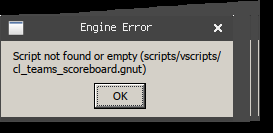
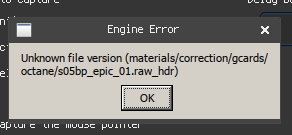
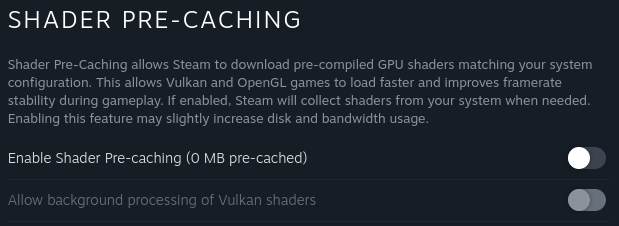
Try solution 1 from here: https://new.reddit.com/r/linux_gaming/comments/1cvrvyg/psa_easy_anticheat_eac_failed_to_initialize/
Thank you @kostadinsh all good on my end (dx12)
Clay models seem to be gone with the latest bleeding edge. Haven't played enough to confirm that the stutters are gone.
@vsahav Can confirm GE-Proton 9.7 working fine too. You can test it via "Weapon Locker" and switch charms there.
@vsahav I confirm on bleeding edge, no more issue with charms nor clay models.
Well done to whoever solved that issue, you are my hero
Map switch freezes are gone too. And the loading times are back to normal. Cheers!
Hello, I've been having the problem in the pics related(apparently either the shaders or textures don't load if I had to guess), I've tried proton experimental(both normal and bleeding edge) and the hotfix,also, with these parameters on launch RADV_PERFTEST=gpl gamemoderun %command% -novid +fps_max 120 and I disabled shader precaching. I'm on linux mint 21.3 and followed this documentation for the installation of steam.
EDIT: It would also be of interest to add, that the game doesn't start at all with bleeding edge version of proton experimental, It only starts either with the normal version of proton experimental or with proton hotfix.
For testing purposes, I downloaded another game, dark and darker, and it ran without problems.
Replying to https://github.com/ValveSoftware/Proton/issues/4350#issuecomment-2169743193
are you using amd? if so what mesa is linux mint using because its LTS meaning the packages are about a year or so out of date and so for a amd or intel user it wont be a great experience when playing games. if you want the latest mesa(user space drivers) please install something like kisak mesa if you dont want to switch away from linux mint
https://launchpad.net/~kisak/+archive/ubuntu/kisak-mesa
you also dont need the gpl launch command if your above mesa 23.1 as mesa 23.1 or above enables gpl by default
Replying to https://github.com/ValveSoftware/Proton/issues/4350#issuecomment-2169804950
Thank so much! That fixed it. The game still wont launch using proton experimental bleeding edge lol, so I had to use the proton hotfix instead, I'll try using the vanilla version of proton experimental later to see if there's any difference in performance. Still, thanks.
Hello @Loco00003, please add PROTON_LOG=1 %command% to the game's launch options, reproduce the failure to start, and attach the generated $HOME/steam-$APPID.log to this issue report as a file. (Proton logs compress well if needed.) Also, please copy the contents of Steam Runtime Diagnostics from Steam (Steam -> Help -> Steam Runtime Diagnostics) and put it in a gist, then include a link to the gist in this issue report.
Hello @Loco00003, please add
PROTON_LOG=1 %command%to the game's launch options, reproduce the failure to start, and attach the generated $HOME/steam-$APPID.log to this issue report as a file. (Proton logs compress well if needed.) Also, please copy the contents of Steam Runtime Diagnostics from Steam (Steam->Help->Steam Runtime Diagnostics) and put it in a gist, then include a link to the gist in this issue report.
Steps to reproduce
- Change proton version from
experimentaltoexperimental (bleeding-edge-8.0) - Start the game.
Results
EAC screens pops up, and then closes, and the game doesn't start, game starts without a problem with proton hotfix, I have yet to test the vanilla version of proton experimental, I'll edit this comment when I do.
EDIT 1: Changed from experimental (bleeding-edge-8.0) to experimental (bleeding-edge-untested) and the game launched, but, when playing a game I experienced lower framerates (20-30 fps). Switched back to proton hotfix and the framerates improved a lot (50-60 fps).
Replying to https://github.com/ValveSoftware/Proton/issues/4350#issuecomment-2170097121
I see your using version 8 of bleeding edge, you should be using latest untested bleeding edge, have you tried that?
Replying to https://github.com/ValveSoftware/Proton/issues/4350#issuecomment-2170102160
Nope, I haven't, I'll try that later, I'm a little busy right now. I will edit the comment you quoted when I test it.
Replying to https://github.com/ValveSoftware/Proton/issues/4350#issuecomment-2170102160
This should indeed solve the problem, since version 8 doesn't have the first fix, that allows Apex to start with the new EOS EAC.
Another solution should be using GE-Proton9-7, as noted by someone earlier here.
Replying to [#4350 (comment)](https://github.com/ValveSoftware/Proton/issues/4350#issuecomment-2170097121)
I see your using version 8 of bleeding edge, you should be using latest untested bleeding edge, have you tried that?
Replying to [#4350 (comment)](https://github.com/ValveSoftware/Proton/issues/4350#issuecomment-2170102160)
This should indeed solve the problem, since version 8 doesn't have the first fix, that allows Apex to start with the new EOS EAC. Another solution should be using GE-Proton9-7, as noted by someone earlier here.
The game started with the untested bleeding edge version, but with lower framerates, I think I'll stick with proton hotfix for the time being. Thanks for your help. Might try the GE-Proton9-7 later.
Replying to https://github.com/ValveSoftware/Proton/issues/4350#issuecomment-2170422625
Are you sure the fps is low because of gpl is loading? When you launch a new game under dxvk it will need to load shaders and the fps is low usually until its done loading, you can tell because the cpu will be usually pinned to 100% to load it and the fps will be low, it will increase slowly until its done, depending on your hardware it can take up to 5 to 10 minutes to finish
Replying to https://github.com/ValveSoftware/Proton/issues/4350#issuecomment-2170423540
Mmm,I'll test that later, if the situation improves or something different happens I'll reply again.
Replying to [#4350 (comment)](https://github.com/ValveSoftware/Proton/issues/4350#issuecomment-2170422625)
Are you sure the fps is low because of gpl is loading? When you launch a new game under dxvk it will need to load shaders and the fps is low usually until its done loading, you can tell because the cpu will be usually pinned to 100% to load it and the fps will be low, it will increase slowly until its done, depending on your hardware it can take up to 5 to 10 minutes to finish
Yeah, just experimental bleeding edge untested and it ran without issues this name, same if not better performance compared to proton hotfix. Thanks for the help and the replies, really appreciate it.
The game is still pretty stuttery at times for me on the SteamDeck, it's playable, but not ideal and it has gotten me killed few times.
BR seems to be stuttering way more than Mix Tape.
Anyone else?
The game is still pretty stuttery at times for me on the SteamDeck, it's playable, but not ideal and it has gotten me killed few times.
BR seems to be stuttering way more than Mix Tape.
Anyone else?
No more issues on GE-Proton 9-7 for me.
The game is still pretty stuttery at times for me on the SteamDeck, it's playable, but not ideal and it has gotten me killed few times.
BR seems to be stuttering way more than Mix Tape.
Anyone else?
Have you tried bleeding edge Proton experimental? A couple of days ago it removed the stutters for me.
Just fyi, for me the stutters are gone. Default proton version (the one that is set as default by Valve).
Just fyi, for me the stutters are gone. Default proton version (the one that is set as default by Valve).
Thanks, it does seem to work well. Played a TDM and two ranked games, no issues at the moment. Proton 9.0-2 with usual startup command of mangohud %command% -novid.
After some update today, perhaps either linux kernel or wine update, I'm getting the endless loading screen again.
After some update today, perhaps either linux kernel or wine update, I'm getting the endless loading screen again.
EA is messing up, not linux specific.
https://twitter.com/EAHelp/status/1802838891910574579
Anyone else noticed the weapon charm freezes and loading delays are gone? On current Proton Experimental Bleeding-edge, Arch Linux, mesa-git, AMD Radeon RX 5700XT + Ryzen 7 3700X, 16GB DDR4-3200
Switch to regular Proton Experimenal and the charm freeze should still be gone. It is for me.
Any idea, what could have fixed this?
I tested on 14th June 2024 and the issues were present, however on the 15th June 2024, the issues were gone.
My system shows no updates to the GE-Proton 9-7 I was running before and after the resolution and shows there were no system or package updates between the 13th and 15th either.
So it is most likely the issue may have been resolved by Server-Side Changes.
Problem(s) seems to be fixed.
No more white Models
No stuttering, even with charms attached
Proton Experimental (Beta Participation NONE)
No, the game still lagging from time to time.
Proton Experimental bleeding edge, DX12, NVIDIA 550.90.07, X11.
Issues seem to be fixed for me even when picking up other peoples used guns in game with charms on, not sure about before and after match loading screen models just yet as they changed that screen for quads (for me they never loaded in, only the banners and other non model details) but all stuttering and charm freezes seem to have been fixed up
Distro: Garuda Linux Bird of Prey
Launch args: +miles_channels 2 +fps_max 144
Proton build: proton-ge-custom (Unsupported AUR package [native])
GPU: Radeon RX 6750 XT
My game still stutters with micro freezes a lot more than it used to before the problem that was recently addressed was introduced, but only when nvidia reflex is enabled.
Behavior is freezing for a half second or a second, then network interrupt for a second or so after. Only with nvidia reflex ENABLED.
seems to happen more during FPS drops, or when entering a new area quickly such as dropping or using a jump tower, or simply walking to a new area.
So for my above statement, I was behind a few proton GE updates, proton-GE 7, so I updated to latest proton-GE 9 which seemed to help about 50% but my game is still lagging from time to time.
Proton GE 9, nvidia 550, DX12, x11, ONLY when nvidia reflex is ON in game. (enabled or boost)
I made a quick video to illustrate my issue, hopefully it suffices. (the video was too big to upload the file)
https://www.youtube.com/watch?v=6RIgy01huV0
In the end you can see the net lag marker appear as well.
Why are we using dx12? Isnt it still in beta?
Also what distro are you using as 550 driver isnt the latest driver from nvidia so please try 555 which if your using a LTS distro then i dont think you would be able to get it so switching to a distro like bazzite could show some interesting results
Why are we using dx12? Isnt it still in beta?
Also what distro are you using as 550 driver isnt the latest driver from nvidia so please try 555 which if your using a LTS distro then i dont think you would be able to get it so switching to a distro like bazzite could show some interesting results
The short answer is potentially higher performance. Don't quote me on this: Vulkan and DX12 work similarly and are designed with modern hardware and software for reduced overhead, etcetera. I don't notice ANY difference in performance with DX11 vs DX12 in Apex. If nothing else, it helps to have a fallback method when one doesn't work. There used to be a white/pink digital distortion around some effects in the DX12 Apex on Proton, but it's fixed and now they're indistinguishable to me. If I booted up randomly to Windows or Linux with DX11 or DX12 in Proton blind, I couldn't tell you which it was except for that watermark in the lobby.
Replying to https://github.com/ValveSoftware/Proton/issues/4350#issuecomment-2227486972
So just to revisit this issue, I never figured out the freezing entirely but now I've switched back to dx11 with latencyflex and it's running much better, I've been using dx12 constantly now for probably 6 months so I can safely say that dx11 currently runs smoother even without the freezes, I would say about 20fps more on average as well. Take that with a grain of salt but that's how it is in my experience, dx12 was giving me really laggy response times.
Apex Legends Steam Overlay Not Loading
Issue transferred from https://github.com/ValveSoftware/Proton/issues/7929.
@TheIrishman01 posted on 2024-07-24T17:58:52:
Compatibility Report
- Name of the game with compatibility issues: Apex Legends
- Steam AppID of the game: 1172470
System Information
- GPU: NVIDIA GeForce RTX 2080 Ti
- Video driver version: nvidia 550.90.07
- Kernel version: 6.5.0-44-generic
- Link to full system information report as Gist:
- Proton version: 9.0-2
I confirm:
- [Y] that I haven't found an existing compatibility report for this game.
- [ Y] that I have checked whether there are updates for my system available.
Symptoms
Steam Overlay doesn't work can't register the game with EA to play
Reproduction
Replying to [#4350 (comment)](https://github.com/ValveSoftware/Proton/issues/4350#issuecomment-2227486972)
So just to revisit this issue, I never figured out the freezing entirely but now I've switched back to dx11 with latencyflex and it's running much better, I've been using dx12 constantly now for probably 6 months so I can safely say that dx11 currently runs smoother even without the freezes, I would say about 20fps more on average as well. Take that with a grain of salt but that's how it is in my experience, dx12 was giving me really laggy response times.
Even before the current season, this was almost always a given; Apex Legends' DX12 implementation has never been particularly good, the only upside is that you don't get shader compilation stutter on systems lacking GPL.
(Not like that matters now anyway if you're getting stutters in general that aren't there with DX11)
UPDATE: I've recently had the chance to try NVIDIA Reflex with DX12 and aside from the usual woes with it, input latency isn't too bad with the NV_low_latency2 integration in DXVK-NVAPI. My only real gripe with DX12 is that the shader cache always rebuilds itself on game start. (There's a chance my NVIDIA driver isn't properly configured not to cleanup the cache though)
Since the latest update, the game will randomly crash after about 10 minute of gameplay. Have tried using multiple versions of Wine/Proton including GE to no avail.
Linux: Arch 6.10.2
CPU: Ryzen 1700X
GPU: NVIDIA RTX 2090
Video Driver Version: 555
Since the latest update, the game will randomly crash after about 10 minute of gameplay. Have tried using multiple versions of Wine/Proton including GE to no avail.
Linux: Arch 6.10.2 CPU: Ryzen 1700X GPU: NVIDIA RTX 2090 Video Driver Version: 555
I'm currently operating my machine with a GTX 970, I can try verifying if this occurs on my machine when I get home.
What API are you using, DX11 or DX12?
Since the latest update, the game will randomly crash after about 10 minute of gameplay. Have tried using multiple versions of Wine/Proton including GE to no avail.
Linux: Arch 6.10.2 CPU: Ryzen 1700X GPU: NVIDIA RTX 2090 Video Driver Version: 555I'm currently operating my machine with a GTX 970, I can try verifying if this occurs on my machine when I get home. What API are you using, DX11 or DX12?
Currently using DX12, however I have the issue in DX11 as well.
Anyone else having issues with Apex where you cant look around in game since the new season or is it just me?
I am using Proton Experimental on Steam. I have tried turning Steam Overlay off as well and that did not work.
Edit: Also tried Bleeding edge and still nothing.
Anyone else having issues with Apex where you cant look around in game since the new season or is it just me?
I am using Proton Experimental on Steam. I have tried turning Steam Overlay off as well and that did not work.
Nope, I am having the same issue.
Anyone else having issues with Apex where you cant look around in game since the new season or is it just me?
I am using Proton Experimental on Steam. I have tried turning Steam Overlay off as well and that did not work.
Edit: Also tried Bleeding edge and still nothing.
Works on KDE Plasma 6.1.3 Wayland, but it doesn't work on Hyprland https://github.com/hyprwm/Hyprland/issues/7213. Which other desktop environments is aiming broken on?
Anyone else having issues with Apex where you cant look around in game since the new season or is it just me?
I am using Proton Experimental on Steam. I have tried turning Steam Overlay off as well and that did not work.
Edit: Also tried Bleeding edge and still nothing.Works on KDE Plasma 6.1.3 Wayland, but it doesn't work on Hyprland hyprwm/Hyprland#7213. Which other desktop environments is aiming broken on?
I am on Hyprland forgot to check there, thanks
Im on i3 had the same issue but worked after I switched workspace and back to my Apex workspace again.
Anyone else having issues with Apex where you cant look around in game since the new season or is it just me?
I am using Proton Experimental on Steam. I have tried turning Steam Overlay off as well and that did not work.
Edit: Also tried Bleeding edge and still nothing.
Same issue here on desktop Bazzite with gnome, trying different versions of proton, but for me it only happens occasionally. Restarting the game has "fixed" it for me.
Edit: seems like this happens the first game every time I reboot my PC. Logging into firing range and just waiting for a minute seems to solve it.
I observe the same issue on KDE/Plasma 6.1.3 Wayland. Tabbing out of the game and back in fixes it instantly for the current and all following matches.
Anyone else having issues with Apex where you cant look around in game since the new season or is it just me?
I am using Proton Experimental on Steam. I have tried turning Steam Overlay off as well and that did not work.
Edit: Also tried Bleeding edge and still nothing.
I believe this is a general Apex issue as some of my friends have mentioned it happening, but usually alt tab fixes it or going windowed -> fullscreen etc. The usual fixes.
Unrelated, is anybody else needing to recompile shaders every launch? It only started happening only this new season for me. I have pre-processing off on Steam.
Apex legends using DX12 crashes on launch if my Proton-GE also includes latencyflex2.
I understand that nvidia reflex is already enabled within DX12 however I've heard before that it should detect installed latencyflex and use that instead, so maybe that isn't true for latencyflex2.
Since the last update pushed on 11/9, the game is causing error messages right at launching.
[ 3249.523266] r5apex_dx12.exe[27538] vsyscall read attempt denied -- look up the vsyscall kernel parameter if you need a workaround ip:7000003f3e9c cs:33 sp:7cd808 ax:7cec20 si:7cec20 di:aa592d69
[ 3249.534824] r5apex_dx12.exe[27538] vsyscall read attempt denied -- look up the vsyscall kernel parameter if you need a workaround ip:7000003f3e9c cs:33 sp:7cd808 ax:7cec20 si:7cec20 di:aa592d69
[ 3249.561604] r5apex_dx12.exe[27538] vsyscall read attempt denied -- look up the vsyscall kernel parameter if you need a workaround ip:7000003f3e9c cs:33 sp:7cd808 ax:7cec20 si:7cec20 di:aa592d69
[ 3251.700077] umip: wine_threadpool[27580] ip:70000064cca6 sp:52f3d490: SMSW instruction cannot be used by applications.
[ 3251.700084] umip: wine_threadpool[27580] ip:70000064cca6 sp:52f3d490: For now, expensive software emulation returns the result.
[ 3253.741970] umip: wine_threadpool[27556] ip:70000064cca6 sp:1814d490: SMSW instruction cannot be used by applications.
[ 3286.505572] umip_printk: 31 callbacks suppressed
[ 3286.505576] umip: wine_threadpool[27555] ip:70000064cca6 sp:1799d490: SMSW instruction cannot be used by applications.
[ 3286.505581] umip: wine_threadpool[27555] ip:70000064cca6 sp:1799d490: For now, expensive software emulation returns the result.
[ 3288.550048] umip: wine_threadpool[27555] ip:70000064cca6 sp:1799d490: SMSW instruction cannot be used by applications.
[ 3288.550060] umip: wine_threadpool[27555] ip:70000064cca6 sp:1799d490: For now, expensive software emulation returns the result.
[ 3290.606480] umip: wine_threadpool[27593] ip:70000064cca6 sp:5fe4d490: SMSW instruction cannot be used by applications.
Also it is freezing about every 15 minutes, so become basically unusable in ranked mode. No error message at the point of freeze.
I recently experienced the overlay bug mentioned here. What I did at the time to try and fix it was switch from 9.0-2 to experimental. It did fixed the overlay, but from this point on, my account was banned for what they now tell me was "cheating practices". I'm not a cheater if that's even worth clarifying, so the timing strongly suggests that the ban was caused by playing through proton experimental.
EA won't unban my account of course. I tried contesting already and explained everything, to no avail. My account has thousands of hours on record and I've been playing since season 1 but that's not important to them apparently.
@arnobru I didn't change the configuration at all and just now I'm starting to get the "account has been banned" message. EA support confirms that there is no ban on the account.
I'm currently on Proton Experimental bleeding edge.
@VelorumS @arnobru same here. Played for weeks using GE-Proton9-11 and Mangohud. Yesterday i got the in-game message that i'm banned but the ban history on EA says the opposite, no bans on record.
For those that have banned in game, and EA says they weren't banned...
Have caution doing this, since I imagine just about anything could be considered suspicious behavior...
But I'm curious if removing proton installations in ~/.local/share/Steam/compatibilitytools.d/ and re-downloading GE-Proton will fix the issue.
[ 3249.523266] r5apex_dx12.exe[27538] vsyscall read attempt denied -- look up the vsyscall kernel parameter if you need a workaround
I wonder if this is the reason for bans happening again on Linux. Perhaps EAC rules were added that use this vsyscall attempt, and Linux denies it.
Then maybe after some time of playing with this new check failing because of this error, the account is seen as more and more suspicious until it's finally banned.
Frequent crashing/hanging of late, can't pinpoint which patch caused. Tinkering with settings does not seem to help. Running Proton experimental currently.
Apex Legends crashes since latest update (2024-09-12)
Issue transferred from https://github.com/ValveSoftware/Proton/issues/8101.
@Gothfinger posted on 2024-09-16T20:25:11:
Compatibility Report
- Name of the game with compatibility issues: Apex Legends (via Steam)
- Steam AppID of the game: 1172470
System Information
- GPU: NVIDIA GeForce GTX 1060 6GB
- Video driver version: nvidia-driver-550
- Kernel version: 5.15.0-121-generic
- Link to full system information report as Gist: https://gist.github.com/Gothfinger/a041961c39cb85fb369df734aceb95a7
- Proton version: GE-Proton9-13
I confirm:
- [x] that I haven't found an existing compatibility report for this game.
- [x] that I have checked whether there are updates for my system available.
Couldn't add PROTON_LOG since it was 23.5GB
Symptoms
The game appears at first to be working, but crashes after ~1h of gameplay. Sometimes a bit earlier sometimes a bit later. Always the same - the game completely freezes up and only way to recover is to force quit the process.
I'm playing on steam flatpak version but apparently it's exactly the same issue on normal steam version as well.
I've tried many different (earlier versions) of Proton as well, same result.
Reproduction
Install Apex Legends on Steam (either normal or flatpak steam)
Force compatibility of Proton
Start game - (optional skip shader render)
Play for 1-2 matches or ~1h and game freeze and crash.
The last lines of the huge Proton_Log File:
7631.122:017c:0198:trace:seh:sigsys_handler SIGSYS, rax 0xe7, rip 0x7000006e3b1f.
7631.122:017c:0190:trace:seh:sigsys_handler SIGSYS, rax 0xe7, rip 0x7000006e3b1f.
7631.122:017c:0180:trace:seh:sigsys_handler SIGSYS, rax 0xe7, rip 0x7000006e3b1f.
7631.122:017c:01ec:trace:seh:sigsys_handler SIGSYS, rax 0xe7, rip 0x700000758c58.
7631.122:017c:0198:trace:seh:sigsys_handler SIGSYS, rax 0xe7, rip 0x7000006e3b1f.
7631.122:017c:0190:trace:seh:sigsys_handler SIGSYS, rax 0xe7, rip 0x7000006e3b1f.
7631.122:017c:0180:trace:seh:sigsys_handler SIGSYS, rax 0xe7, rip 0x7000006e3b1f.
7631.122:017c:01ec:trace:seh:sigsys_handler SIGSYS, rax 0xe7, rip 0x700000758c58.
7631.122:017c:0198:trace:seh:sigsys_handler SIGSYS, rax 0xe7, rip 0x7000006e3b1f.
7631.122:017c:0190:trace:seh:sigsys_handler SIGSYS, rax 0xe7, rip 0x7000006e3b1f.
7631.122:017c:0180:trace:seh:sigsys_handler SIGSYS, rax 0xe7, rip 0x7000006e3b1f.
7631.122:017c:01ec:trace:seh:sigsys_handler SIGSYS, rax 0xe7, rip 0x700000758c58.
7631.122:017c:0198:trace:seh:sigsys_handler SIGSYS, rax 0xe7, rip 0x7000006e3b1f.
7631.122:017c:0190:trace:seh:sigsys_handler SIGSYS, rax 0xe7, rip 0x7000006e3b1f.
7631.122:017c:0180:trace:seh:sigsys_handler SIGSYS, rax 0xe7, rip 0x7000006e3b1f.
7631.122:017c:01ec:trace:seh:sigsys_handler SIGSYS, rax 0xe7, rip 0x700000758c58.
7631.609:00e0:0430:warn:threadname:NtSetInformationThread Thread renamed to L"wine_threadpool_worker"
gamemodeauto: dlopen failed - libgamemode.so: cannot open shared object file: No such file or directory
7631.662:0030:0404:warn:threadname:NtSetInformationThread Thread renamed to L"wine_threadpool_worker"
7631.662:0030:0448:warn:threadname:NtSetInformationThread Thread renamed to L"wine_threadpool_worker"
7631.665:0030:043c:warn:threadname:NtSetInformationThread Thread renamed to L"wine_threadpool_worker"
7631.665:0030:0450:warn:threadname:NtSetInformationThread Thread renamed to L"wine_threadpool_worker"
7631.666:0030:0454:warn:threadname:NtSetInformationThread Thread renamed to L"wine_threadpool_worker"
gamemodeauto: dlopen failed - libgamemode.so: cannot open shared object file: No such file or directory
gamemodeauto: dlopen failed - libgamemode.so: cannot open shared object file: No such file or directory
gamemodeauto: dlopen failed - libgamemode.so: cannot open shared object file: No such file or directory
pid 30051 != 30050, skipping destruction (fork without exec?)
It goes on with SIGSYS for too long so can't see what's above it
Ok, now I'm banned. This has happened before in the last big linux banwave :(. Not using any overlays, latencyflex, just default proton experimental.
Ok, now I'm banned. This has happened before in the last big linux banwave :(. Not using any overlays, latencyflex, just default proton experimental.
This happened with the latest update right? If so my hope that something might be fixed in this update was wrong.
I've been avoiding playing the new update because I assumed there probably was no fix yet. Sorry you got banned though :(
Ok, now I'm banned. This has happened before in the last big linux banwave :(. Not using any overlays, latencyflex, just default proton experimental.
This happened with the latest update right? If so my hope that something might be fixed in this update was wrong.
I've been avoiding playing the new update because I assumed there probably was no fix yet. Sorry you got banned though :(
Latest update. Respawn posted on twitter 3 days ago that they have rolled out some EAC improvements, which likely is the cause of all of this. I'd advise others not to play until this has been resolved.
Some people were unbanned. Verify your status.
For people with an illegitimate ban, you can contact RSPN_Thieamy on Reddit with your EA ID or Gamertag, they are looking for people to investigate.
Ref in this comment
Quick update: Linux folks that were banned in connection to this issue should now be good to go. Still some moving pieces, but I've been told that you should be safe to play while they continue to look into this.
As always, if your ban is not related to this issue then it will not be impacted and EA Support is still the correct route. Cheers for the flags and tags, all!
source: https://www.reddit.com/r/apexlegends/comments/1fi77vs/comment/lnsk487/
Finally, I can play the new season!
Yeah unbanned the same day that i got banned. Still crashing though :(. Running proton experimental, haven't tried bleeding edge.
Yeah unbanned the same day that i got banned. Still crashing though :(. Running proton experimental, haven't tried bleeding edge.
I also had crashes with experimental, used the GE 9-11 I had installed instead and it worked flawlessly for me.
For me I crash on startup with direct x 11, I have to use the dx12 launch option to play the game. I could dx11 on nvidia, can't on amd (after a full os reinstall)
I read at other games crash report to increase vm.max_map_count and it solved the game freezeing for me.
I read at other games crash report to increase
vm.max_map_countand it solved the game freezeing for me.
Majority of popular distros have already raised theirs, its only needed if your on a distro like linux mint 21, ubuntu 22.04, debian
Fedora, arch, pop os, mint 22, latest ubuntu, bazzite, nobara, they raised theirs a couple months ago or already had the steamdeck value which is extremely high lol
Often freezes before the legend selection, also freezes in game.
DX12, Proton bleeding edge, NVIDIA.
For everyone experiencing the vsyscall and SMSW errors, as well as apex randomly crashing, I seem to have found a temporary workaround. Adding vsyscall=emulate clearcpuid=514 to the kernel arguments seems to fix the errors and crashing completely. Hope this helps
For everyone experiencing the vsyscall and SMSW errors, as well as apex randomly crashing, I seem to have found a temporary workaround. Adding
vsyscall=emulate clearcpuid=514to the kernel arguments seems to fix the errors and crashing completely. Hope this helps
I tried this and it did not help at all. Game still crashes after ~30 min. Anyhow vsyscall=emulate seems to be the default so not sure if it's even necessary to add this
If you're on a recent kernel, vsyscall is set to 'xonly' by default, which is the entire reason apex is broken
If you're on a recent kernel, vsyscall is set to 'xonly' by default, which is the entire reason apex is broken
Well it didn't help anything for me unfortunately. My game still crash after roughly 30 min. Completely freezes
Finally managed to get a PROTON_log of the crash that is "only" 2 GB. I'm however not able to upload it since maximum filesize is 25MB.
Anyone can help me here? There is no way to take a smaller log since I have to keep the game running for some time before it crashes and then it will have collected a few Gigs
For everyone experiencing the vsyscall and SMSW errors, as well as apex randomly crashing, I seem to have found a temporary workaround. Adding
vsyscall=emulate clearcpuid=514to the kernel arguments seems to fix the errors and crashing completely. Hope this helpsI tried this and it did not help at all. Game still crashes after ~30 min. Anyhow vsyscall=emulate seems to be the default so not sure if it's even necessary to add this
For what it's worth GE-Proton9-14 crashes for me with dx12 while GE-Proton9-13 does not.
Maybe try GE-Proton9-13.
Finally managed to get a PROTON_log of the crash that is "only" 2 GB. I'm however not able to upload it since maximum filesize is 25MB.
Anyone can help me here? There is no way to take a smaller log since I have to keep the game running for some time before it crashes and then it will have collected a few Gigs
Typically either:
- the last few hundered lines of a log file are the most valuable; or
- the first error in a log file happens, then duplicates get spammed over and over, but the first instance was most valuable
Maybe look in your logs for those two patterns and post both if you aren't sure?
Replying to https://github.com/ValveSoftware/Proton/issues/4350#issuecomment-2375803869
Hi,
I've attached logs of beginning, end and also managed to find the problem section (where I think crash occurred)
steam_log_1172470_END.log
steam_log_1172470_Problem_Section.log
steam_log_1172470_START.log
I think the starting errors are just related to gamemode? But not sure...It was never a problem before
gamemodeauto:
Replying to [#4350 (comment)](https://github.com/ValveSoftware/Proton/issues/4350#issuecomment-2377322073)
Hey, I didn't have much time to play, however every time I tried - there are couple of things going on.
Let me try to explain it in some handy way.
To begin with - memory usage, so what happens here is seems to me like a memory leak because the longer apex is opened the more RAM it consumes. The maximum amount I've reached was 18Gb of raw memory being consumed by a single process of this game. At some point this game starts to murder my poor hard drive instead of ram and reasonably enough my whole system dies.
Second thing (related to first) - amount of threads. If you look at btop you will notice that sometimes process of apex is called 'MainThrd' or 'wine64'. Feels like it randomly chooses it's name? Anyway, the longer you play - the more threads will r5apex.exe (or any names above) create. Looking at those threads in htop tells me that they don't do much except consuming memory and doing something heavy upon spawn. I'm collecting about 1800 threads before apex starts to behave weird and start killing my hard drive.
Third (related to second) - stutters, every time another junk thread is spawned my frametime successfully drops to 0 for a smaaaaaall millisecond up to the point that it's hard to notice this freeze if you are running 300+ fps. But if you go with something more human like 144 - you will definitely notice these stutters.
I finally decided to run PROTON_LOG="1" and got some fancy things like yours, take a quick look:
apex-stack-traces.txt
Not only I see some EXCEPTION_ACCESS_VIOLATION here, there's this unwind happening every millisecond of lifetime of this process under proton. I didn't analyze any proton logs before in my entirety so I can not really tell if it's "NORMAL" or not. Looking at the rest of my log which is big I can see that problem is somewhat related to 'r5apexpreloader.dll' by looking at this little line at the end of all chaos:
8476.995:01a0:0204:warn:seh:virtual_unwind backtrace: 00006FFFFD733C70: L"r5apexpreloader.dll" + 0000000000003C70.
To add a little more regarding threads (not excluded that this happens only when I close the game since it's at the very bottom of the log):
8477.002:00e0:03f4:warn:threadname:NtSetInformationThread Thread renamed to L"wine_threadpool_worker"
Feels like I tried everything to run away from those stutters and other problems but there's nothing I can really do. So let me know if full log file would be good to have. Would be glad to hear anyone who's more competent in the topic.
This fixed everything for me:
vm.max_map_count=16777216
16777216
A value of vm.max_map_count=16777216 (16.7 million) is an extremely high setting, and while it may not directly cause harm, it’s quite excessive. You are basically forcing your kernel to be aware of 16 million memory maps (even if they are not yet made). I doubt that you need more than Arch Linux default value of 1048576 (1 million). Also I highly doubt that THIS is what fixed your issue. It lowkey makes no sense to me.
16777216
A value of vm.max_map_count=16777216 (16.7 million) is an extremely high setting, and while it may not directly cause harm, it’s quite excessive. You are basically forcing your kernel to be aware of 16 million memory maps (even if they are not yet made).
I think this is not the case, it is just the limit upon reaching which the kernel will refuse to create more VMAs for the process. So if none of your process tries to use more than 60000 VMAs having this limit as 60001 or 16777216 will make literally no difference.
In case of doubts, you can verify the above by doing 'grep -R max_map_count' in the root of kernel source tree and see all the usages.
Replying to https://github.com/ValveSoftware/Proton/issues/4350#issuecomment-2392515562
Don't think it is a problem either. PopOS's default is set to 2147483642. Have no issues (what I know if at least) with that.
After investigating the question a little more there's a need to increase the vm.max_map_count only if your game is crashing. However, default Arch value is already somewhat safe and big enough for most games NOT to crash.
SteamOS uses some insane value like PopOs does that @yoohahn mentioned (MAX INT 5) - 2147483642.
So yeah increase it if it helps, otherwise there's no real need to touch it.
Here's a comprehensive arch wiki page: https://wiki.archlinux.org/title/Gaming
CTRL + F > 'Increase vm.max_map_count'
My stutters were unrelated to apex. Apex has it's own problems but that's a whole different story at this point.
Guaranteed freeze on "waiting for players" when loading into the match. One time I've managed to get to character selection, it froze afterwards. One time I've managed to reconnect to the game: froze when quitting to the lobby. One time I've reconnected to the game and it froze immediately while dropping from the dropship.
There is often a black screen instead of the game's main menu.
Worked fine the day before yesterday.
NVIDIA 550.120, X11, Manjaro KDE
Proton 9.0-3 or Experimental bleeding-edge
Both DX11 and DX12 modes.
Nothing different and nothing is happening in console-linux.txt log.
EDIT: the day after there are no freezes.
I can confirm Apex Legends crashing and freezing randomly on Ubuntu 23.04. The reason for this seems to be the default virtual memory pages limit (sysctl vm.max_map_count) as when the Apex Legends process froze, I can see that it hit the limit:
$ ps auxf | grep 62946
user         62946  275  6.1 153387084 8133776 ?   Sl   01:58 105:49  |   |       |               \_ Z:\home\user\.local\share\Steam\steamapps\common\Apex Legends\r5apex.exe -steam

$ cat /proc/62946/maps | wc -l
65532

$ sysctl vm.max_map_count
vm.max_map_count = 65530
Setting the limit to a high number, e.g., via sudo sysctl -w vm.max_map_count = 15000000 seems to fix the problem. Note that Nix and Arch Linux sets it even higher.
(Fwiw I've also tweeted about this here: https://x.com/disconnect3d_pl/status/1848737318103904354)
IMHO Proton should set this setting accordingly when being installed, or, when a game is launched. Or, it could inform pr warn the user to do it themselves.
Changing vm.max_map_count requires privilege escalation. That's out of scope of the Proton project and something for distros or individual users to control at their discretion.
Hmm... does Steam require root privileges on install time? If it does, maybe it would be good to add it there?
Otherwise, is there any logging or popup Proton could do to warn the user? I can see some umip: wine_threadpool[pid] ...: SMSW instruction cannot be used by applocations. logs in dmesg. Could Proton write a warning to dmesg on startup that the vm.max_map_count is likely too low which may cause games to crash or freeze, encouraging users to change the setting?
Interestingly, on the kernel level it seems that a memory map related syscalls would return a -ENOMEM:
- https://elixir.bootlin.com/linux/v6.10.14/source/mm/mremap.c#L673
- https://elixir.bootlin.com/linux/v6.10.14/source/mm/mremap.c#L902
- https://elixir.bootlin.com/linux/v6.10.14/source/mm/nommu.c#L1306
But I can't really see that when the game already freezes. Instead, when tracing it with strace -ff -p <pid> I can see lots of recvmsg with -EAGAIN and then SIGSEGV {si_signo=SIGSEGV, si_code=SEGV_ACCERR, si_addr=0x224bbb650} where 0x224bbb650 is address of a private guard page of 4TB (with ---p permissions/mode) and some SIGSYS signals from seccomp with __NR_exit_group syscall (likely unrelated to the crash etc).
Eventually we could also report this to specific Linux distros, or, send a patch to kernel upstream to add a warn_once when the limit is hit (hoping that they will accept it). However, this won't fix the problem for current users and they would have to refer to googling or finding this GitHub issue to resolve it...
https://x.com/PlayApex/status/1852019667315102151
Linux and Steam Deck support is officially being blocked cause
"In our efforts to combat cheating in Apex, we've identified Linux OS as being a path for a variety of impactful exploits and cheats."
Ouch... Thats why I can`t Play : ((
Am 31.10.2024 um 18:56, waspennator @.***> schrieb:
https://x.com/PlayApex/status/1852019667315102151
Linux and Steam Deck support is officially being blocked cause
"In our efforts to combat cheating in Apex, we've identified Linux OS as being a path for a variety of impactful exploits and cheats."
—
Reply to this email directly, view it on GitHub, or unsubscribe.
You are receiving this because you commented.Message ID: @.***>
this looks like sloppy excuse to implement ea anti cheat. They can run experiment now, statistics before ban and after. Its sinking ship anyway.
Such a shame.
I wanna thank all of the valve developers who maintained this game on Linux for the past 2 years I think?
I rlly appreciate it :)
It was a good run 😢
Valve must now finally show determination in supporting SteamDeck and SteamOS and revoke Source engine license from Respawn
Yeah, thanks for everyone who made it possible. :heart: Really sad about this development, but maybe it's time to move on.
This issue was moved to https://github.com/ValveSoftware/Proton/issues/6717 , right? :smiley:
This sucks as a legit player looking to unwind most evenings, but there does seem to be quite a big community that uses Linux to cheat, so unfortunately the action taken is understandable. Really hope Valve can maybe work with some of the major players in the industry to get to a point where publishers have confidence in allowing online multiplayer games on Linux. Thanks everyone for all the work up until now in letting us play while we could
There was no Linux cheating or not more than WIndows. They are all out lying about it.
Well, they posted some update on twitter: https://x.com/Respawn/status/1865148176275247312
If the data they share is accurate (even if not very detailed) I would say that cheating has reduced. I am by far not a fan of the decision to ban Linux players, but apparently it payed off. I just wished there was better communication.
Well, they posted some update on twitter: x.com/Respawn/status/1865148176275247312 If the data they share is accurate (even if not very detailed) I would say that cheating has reduced. I am by far not a fan of the decision to ban Linux players, but apparently it payed off. I just wished there was better communication.
Honestly "not very accurate" is a big euphemism... People working with data know how to use data, and a bulls* graph like this doesn't tell anything. If it's not detailed it's because they're better off leaving it vague to make it seem like a big deal... Or they are absolutely incompetent, don't know which one is worse actually.
I miss playing this game on linux, it performs so much better without having to deal with windows BS
@Freddycat Yep, i believe I had lower input lag and it was smoother overall even though i had same frame rates
I think you can close the issue, Apex Legends if officially not supported on Linux
Code
Proton versions
proton 9.0-3x1 2024-10ge-proton9-13x2 2024-09ge-proton9-14x1 2024-09proton experimentalx81 2024-09ge-proton9-11x1 2024-09proton 9.0-2x1 2024-06proton hotfixx20 2024-06ge-proton9-7x2 2024-06proton 9.7x1 2024-06ge-proton9-1x1 2024-05proton 9.0-1x1 2024-05proton 7.0-6x5 2024-03proton 6.3-8x2 2024-03proton 8.0-5x2 2024-03proton 9.0x2 2024-03
Launch options
PROTON_LOG="1"x1 2024-10PROTON_LOGx3 2024-09PROTON_LOG=1x10 2024-06RADV_PERFTEST=gplx2 2024-06PROTON_LOG=1`x6 2024-05RADV_PERFTESTx2 2024-05RADV_PERFTEST=nggc,gplx5 2024-05RADV_DEBUG=nogplx3 2024-05RADV_PERFTEST=nggc,gpl`x2 2024-05WINEDLLOVERRIDES="ntasn1,ncrypt=n,b"x1 2024-05WINEPREFIX="Steam/steamapps/compatdata/1172470/pfx/"x2 2024-02__GL_SHADER_DISK_CACHE_SKIP_CLEANUP=1x2 2023-11__GL_SHADER_DISK_CACHE_SIZE=4800000000x1 2023-11__GL_SHADER_DISK_CACHE_SIZE=4294967295x1 2023-08MESA_SHADER_CACHE_DISABLE=true'`x1 2023-07
Launch lines
mangohud %command% -novidx1 2024-06RADV_PERFTEST=gpl gamemoderun %command% -novid +fps_maxx1 2024-06%command% -novidx2 2024-05%command% -novid -eac_launcher_settings=SettingsDX12.jsonx2 2024-05RADV_PERFTEST=nggc,gpl gamemoderun %command% -dev -novid -anticheat_settings=SettingsDX12.jsonx4 2024-05mangohud %command% -dev -anticheat_settings=SettingsDX12.jsonx1 2024-05WINEDLLOVERRIDES="ntasn1,ncrypt=n,b" %command%x1 2024-05%command% -noborder -window -dev +fps_maxx1 2023-11gamescope -W 1920 -H 1080 -f -r 240 -- %command%x1 2023-11ENABLE_VKBASALT=1 %command%x1 2023-03PROTON_ENABLE_NVAPI=1 DXVK_ENABLE_NVAPI=1 ENABLE_VKBASALT=1 %command% -dev -novid +fps_maxx1 2023-03RADV_PERFTEST=gpl %command% -dev +execx1 2023-03mangohud gamemoderun %command% -novid -high +fps_max165 -eac_launcher_settingsx1 2023-03mangohud gamemoderun %command% -novid -high +fps_maxx1 2023-03PROTON_ENABLE_NVAPI=1 DXVK_ENABLE_NVAPI=1 LFX=1 %command% -dev -novid +fps_maxx1 2023-02
Upstream links
- ValveSoftware/Proton/issues/6717x1 2024-11
- ValveSoftware/Proton/issues/8101x1 2024-09
- ValveSoftware/Proton/issues/7929x1 2024-07
- ValveSoftware/steam-for-linux/issues/10889x1 2024-05
- ValveSoftware/Proton/issues/7671x1 2024-05
- ValveSoftware/Proton/issues/7708x1 2024-05
- ValveSoftware/Proton/issues/6740x1 2024-03
- ValveSoftware/Proton/issues/7540x1 2024-03
- ValveSoftware/Proton/issues/7269x1 2023-11
- ValveSoftware/Proton/issues/7266x1 2023-11
- doitsujin/dxvk/issues/3541x1 2023-07
- ValveSoftware/steam-for-linux/issues/9848x1 2023-07
- ValveSoftware/Proton/issues/6782x1 2023-07
- ValveSoftware/steam-for-linux/issues/8076x3 2023-07
- ValveSoftware/Proton/issues/6838x1 2023-06
DLLs
r5apexpreloader.dllx1 2024-10bcrypt.dllx2 2024-05ncrypt.dllx1 2024-05ntasn1.dllx1 2024-05steamclient64.dllx1 2020-11crypt32.dllx1 2020-11easyanticheat.dllx1 2020-11
Error codes
0xc0000409x1 2024-05
Compatibility Report
System Information
I confirm:
Symptoms
Game launches but ends up with error message because of Easy Anti Cheat, so unplayable.