AI: The Somnium Files
An update to this:
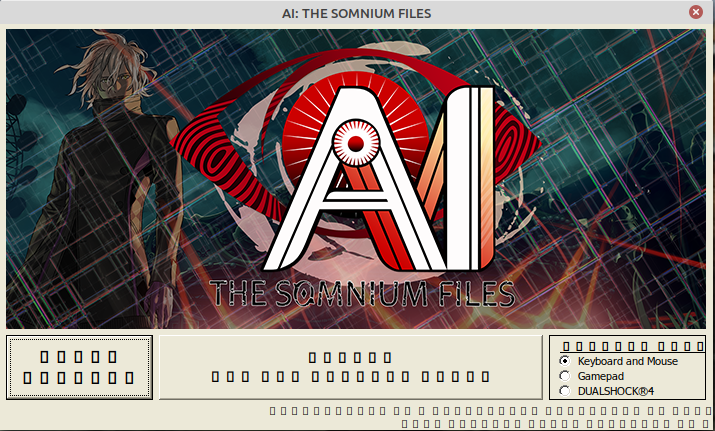
Using the third party Proton version Proton-6.0-GE-1 allows the game to be played without the aforementioned glitched video files, but it also causes the game launcher to display glitched text (though the launcher still functions otherwise). This version of Proton may therefore be of interest to those looking to play this game, since it provides a better overall experience. Presumably, Proton Experimental contains a fix for the text rendering issue, while GE's Proton fork contains a fix for the video rendering.
Compatibility Report
- Name of the game with compatibility issues: AI: The Somnium Files
- Steam AppID of the game: 948740
System Information
https://gist.github.com/onurubu/0478650d97febd2872cfda34c239588a
I confirm:
- [ X] that I haven't found an existing compatibility report for this game.
- [ X] that I have checked whether there are updates for my system available.
steam-948740 GE- Proton 10-4.log
Symptoms
The game will not launch on newer proton versions, whether that is default Proton or GE Proton. It launches on Proton version 8 and 9 without issue.
Another secondary issue is that the game is not cooperating with configurations being made to Steam Input for controller button changes. I do not see other users posting about this online so I am assuming it is a linux exclusive issue. This is the only game giving me issues with Steam Input, and it only started recently.
Reproduction
Hello @onurubu, can you test how the game behaves with the game's launch options set to PROTON_USE_XALIA=0 %command%?
Hello @onurubu, can you test how the game behaves with the game's launch options set to
PROTON_USE_XALIA=0 %command%?
It still does not launch. The error is:
Failed to initialize graphics.
Make sure you have DirectX 11 installed, have up to date
drivers for your graphics card and have not disabled
3D acceleration in display settings.
InitializeEngineGraphics failed
If the Xalia parts of your Proton log aren't relevant, then I'd suspect that you need a newer video driver, mesa 25.0 or NVIDIA 550.xx or newer as currently mentioned in DXVK's wiki https://github.com/doitsujin/dxvk/wiki/Driver-support.
Proton versions
proton experimentalx2 2021-01proton 6.0-ge-1x1 2021-01
Launch options
PROTON_USE_XALIA=0x2 2025-08
Launch lines
PROTON_USE_XALIA=0 %command%x2 2025-08
Compatibility Report
System Information
I confirm:
Symptoms
On UI-selectable versions of Proton earlier than Proton Experimental (such as 5.13-5), the game hangs on a black screen at launch.
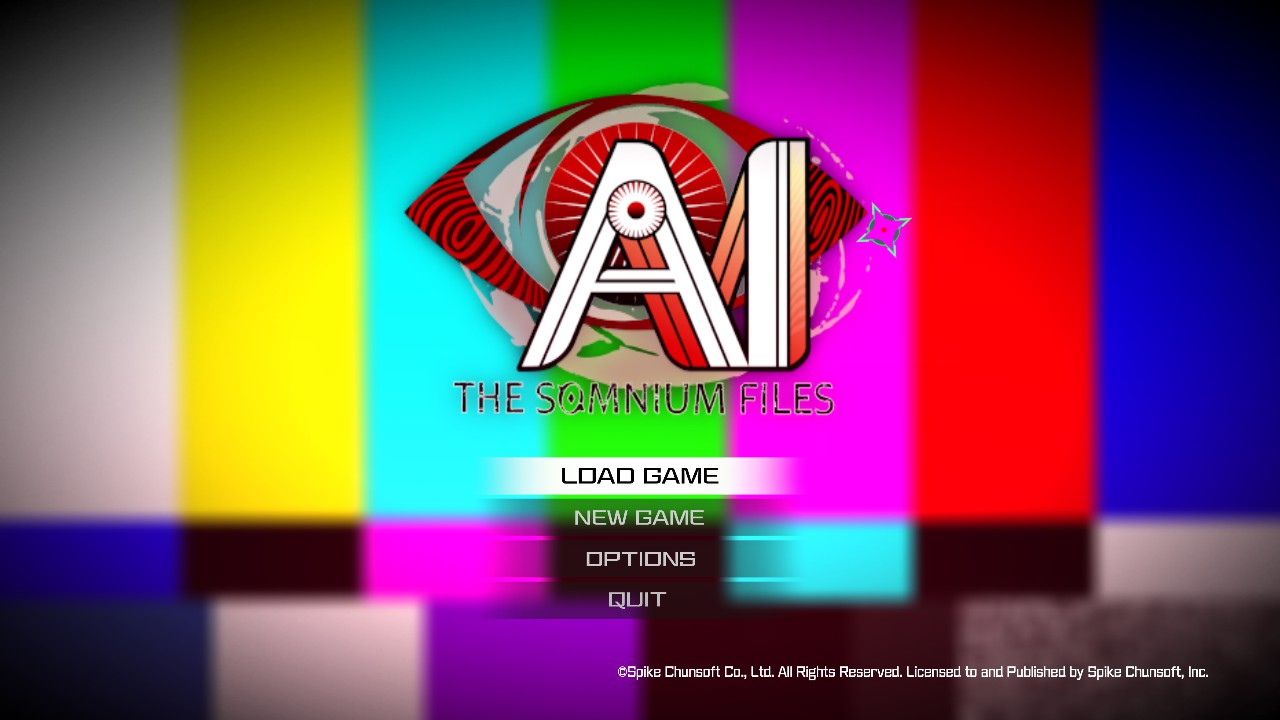
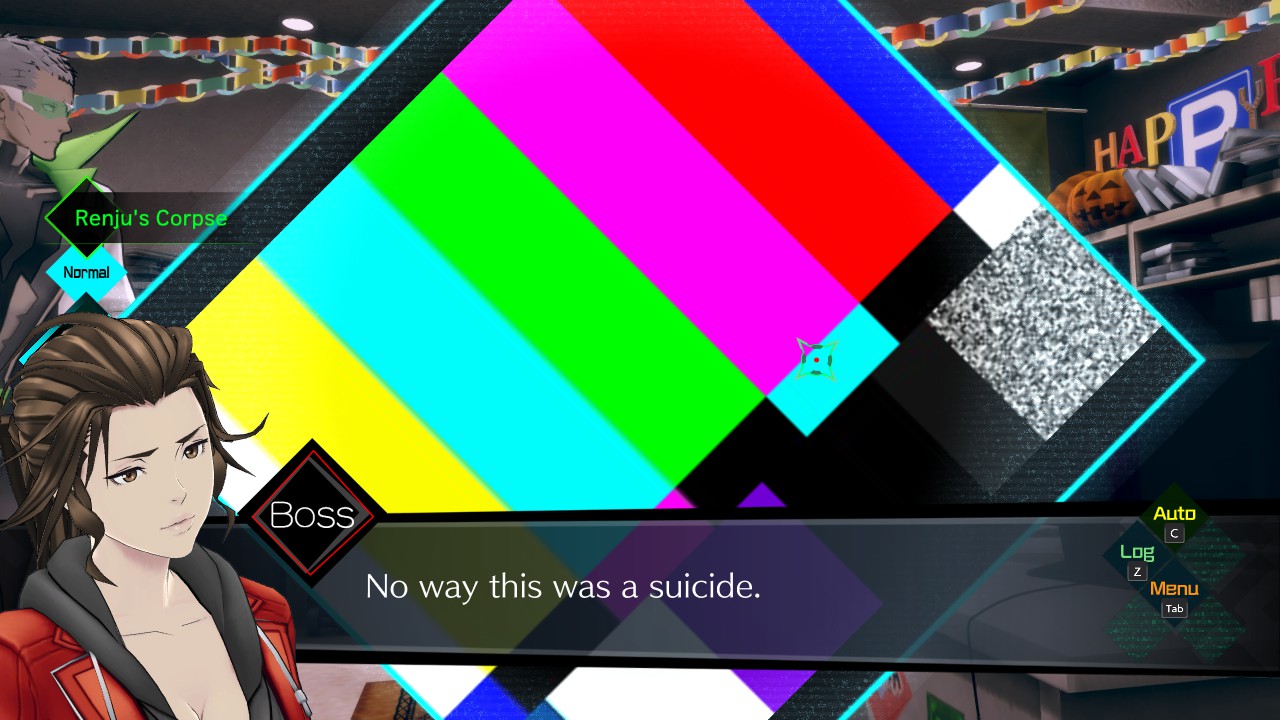
On Proton Experimental (as of the posting of this report), the game runs as expected, except certain areas of the game display something that looks like a TV test screen (see attached screenshots). These areas appear to correspond to places in the game where video files should play.
Reproduction
This issue reproduces consistently on my end; the earliest observable instances are the launch animation and the game's main menu.
steam-948740.log